The Django Admin Interface
Activate Django Admin SiteAdd 'django.contrib.admin' to your INSTALLED_APPS setting.Add - django.contrib.auth, django.contrib.contenttypes and django.contrib.messages. Add django.contrib.messages.context_processors.messagesto TEMPLATE_CONTEXT_PROCESSORS and django.contrib.messages.middleware.MessageMiddlewaretoMIDDLEWARE_CLASSES. Determine which of your application’s models should be editable in the admin interface.For each of those models, optionally create a ModelAdmin class that encapsulates the customized admin functionality and options for that particular model.Hook the AdminSite instance into your URLconf.
Exact Look
ModelAdminThe ModelAdmin class is the representation of a model in the admin interface. These are stored in a file named admin.py in your application. Eg :from django.contrib import adminfrom myproject.myapp.models import Authorclass AuthorAdmin(admin.ModelAdmin):	//    Attributesadmin.site.register(Author, AuthorAdmin)
Behavior ModelAdmin.list_displayfields are displayed on the change list page of the adminModelAdmin.search_fieldsSet search_fields to enable a search box on the admin change list pageModelAdmin.orderingSet ordering to specify how lists of objects should be ordered in the Django admin viewsModelAdmin.list_display_linksSet list_display_links to control which fields in list_display should be linked to the "change" page for an objectModelAdmin.fields if you want to only show a subset of the available fields in the formModelAdmin.exclude list of field names to exclude from the form
BehaviorModelAdmin.fieldsets :Set fieldsets to control the layout of admin "add" and "change" pagefieldsets is a list of two-tuples, in which each two-tuple represents a <fieldset> on the admin form page. (A <fieldset> is a "section" of the form.)The two-tuples are in the format (name, field_options), where name is a string representing the title of the fieldset and field_options is a dictionary of information about the fieldset, including a list of fields to be displayed in it.ModelAdmin.paginator :The paginator class to be used for pagination
BehaviorEgclass FlatPageAdmin(admin.ModelAdmin):fieldsets = (        (None, {            'fields': ('url', 'title', 'content', 'sites')        }),        ('Advanced options', {            'classes': ('collapse',),            'fields': ('enable_comments', 'registration_required', 'template_name')        }),    )To display multiple fields on the same line:{'fields': (('first_name', 'last_name'), 'address', 'city', 'state'),}
admin actionsneed to make the same change to many objectsEgSuppose you want to make all the cache’s status as Truedef make_published(modeladmin, request, queryset):queryset.update(status=True)make_published.short_description = "Mark selected stories as published“The current ModelAdminAn HttpRequest representing the current request,A QuerySet containing the set of objects selected by the user.
admin actionsdef make_available(modeladmin, request, queryset):queryset.update(status=True)make_available.short_description = "Mark selected cache’s as available“# Just  add the actions in the admin modelclass ArticleAdmin(admin.ModelAdmin):list_display = ['title', 'status']         ordering = ['title']         actions = [make_available]Disable The Actions:admin.site.disable_action('delete_selected‘)
optionsA list of actions to make available on the change list page. ModelAdmin.actions_on_topModelAdmin.actions_on_bottomControls where on the page the actions bar appears. By default, the admin changelist displays actions at the top of the page (actions_on_top = True; actions_on_bottom = False).ModelAdmin.actions_selection_counterControls whether a selection counter is display next to the action dropdown. By default, the admin changelist will display it (actions_selection_counter = True).
Hooking AdminSite into URLconf# urls.pyfrom django.conf.urls.defaults import *from django.contrib import adminadmin.autodiscover()urlpatterns = patterns('',    (r'^admin/', include(admin.site.urls)),)
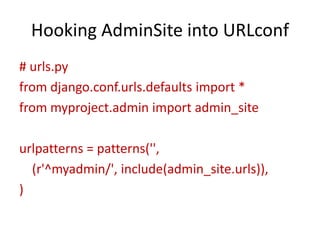
Hooking AdminSite into URLconf# urls.pyfrom django.conf.urls.defaults import *from myproject.admin import admin_siteurlpatterns = patterns('',    (r'^myadmin/', include(admin_site.urls)),)
Multiple admin sites in the same URLconf# urls.pyfrom django.conf.urls.defaults import *from myproject.admin import basic_site, advanced_siteurlpatterns = patterns('',    (r'^basic-admin/', include(basic_site.urls)),    (r'^advanced-admin/', include(advanced_site.urls)),)
AssignmentsStudy the following  componentsModelAdmin.filter_horizontalModelAdmin.filter_verticalModelAdmin.formModelAdmin.formfield_overrideslist_filterlist_select_relatedprepopulated_fieldsModelAdmin.radio_fieldsModelAdmin.save_asModelAdmin.save_on_topclass InlineModelAdminclass TabularInlineclass StackedInlineModelAdmin.raw_id_fields
Thanks

DJango admin interface

  • 1.
  • 2.
    Activate Django AdminSiteAdd 'django.contrib.admin' to your INSTALLED_APPS setting.Add - django.contrib.auth, django.contrib.contenttypes and django.contrib.messages. Add django.contrib.messages.context_processors.messagesto TEMPLATE_CONTEXT_PROCESSORS and django.contrib.messages.middleware.MessageMiddlewaretoMIDDLEWARE_CLASSES. Determine which of your application’s models should be editable in the admin interface.For each of those models, optionally create a ModelAdmin class that encapsulates the customized admin functionality and options for that particular model.Hook the AdminSite instance into your URLconf.
  • 3.
  • 4.
    ModelAdminThe ModelAdmin classis the representation of a model in the admin interface. These are stored in a file named admin.py in your application. Eg :from django.contrib import adminfrom myproject.myapp.models import Authorclass AuthorAdmin(admin.ModelAdmin): // Attributesadmin.site.register(Author, AuthorAdmin)
  • 5.
    Behavior ModelAdmin.list_displayfields aredisplayed on the change list page of the adminModelAdmin.search_fieldsSet search_fields to enable a search box on the admin change list pageModelAdmin.orderingSet ordering to specify how lists of objects should be ordered in the Django admin viewsModelAdmin.list_display_linksSet list_display_links to control which fields in list_display should be linked to the "change" page for an objectModelAdmin.fields if you want to only show a subset of the available fields in the formModelAdmin.exclude list of field names to exclude from the form
  • 6.
    BehaviorModelAdmin.fieldsets :Set fieldsetsto control the layout of admin "add" and "change" pagefieldsets is a list of two-tuples, in which each two-tuple represents a <fieldset> on the admin form page. (A <fieldset> is a "section" of the form.)The two-tuples are in the format (name, field_options), where name is a string representing the title of the fieldset and field_options is a dictionary of information about the fieldset, including a list of fields to be displayed in it.ModelAdmin.paginator :The paginator class to be used for pagination
  • 7.
    BehaviorEgclass FlatPageAdmin(admin.ModelAdmin):fieldsets =( (None, { 'fields': ('url', 'title', 'content', 'sites') }), ('Advanced options', { 'classes': ('collapse',), 'fields': ('enable_comments', 'registration_required', 'template_name') }), )To display multiple fields on the same line:{'fields': (('first_name', 'last_name'), 'address', 'city', 'state'),}
  • 8.
    admin actionsneed tomake the same change to many objectsEgSuppose you want to make all the cache’s status as Truedef make_published(modeladmin, request, queryset):queryset.update(status=True)make_published.short_description = "Mark selected stories as published“The current ModelAdminAn HttpRequest representing the current request,A QuerySet containing the set of objects selected by the user.
  • 9.
    admin actionsdef make_available(modeladmin,request, queryset):queryset.update(status=True)make_available.short_description = "Mark selected cache’s as available“# Just add the actions in the admin modelclass ArticleAdmin(admin.ModelAdmin):list_display = ['title', 'status'] ordering = ['title'] actions = [make_available]Disable The Actions:admin.site.disable_action('delete_selected‘)
  • 10.
    optionsA list ofactions to make available on the change list page. ModelAdmin.actions_on_topModelAdmin.actions_on_bottomControls where on the page the actions bar appears. By default, the admin changelist displays actions at the top of the page (actions_on_top = True; actions_on_bottom = False).ModelAdmin.actions_selection_counterControls whether a selection counter is display next to the action dropdown. By default, the admin changelist will display it (actions_selection_counter = True).
  • 11.
    Hooking AdminSite intoURLconf# urls.pyfrom django.conf.urls.defaults import *from django.contrib import adminadmin.autodiscover()urlpatterns = patterns('', (r'^admin/', include(admin.site.urls)),)
  • 12.
    Hooking AdminSite intoURLconf# urls.pyfrom django.conf.urls.defaults import *from myproject.admin import admin_siteurlpatterns = patterns('', (r'^myadmin/', include(admin_site.urls)),)
  • 13.
    Multiple admin sitesin the same URLconf# urls.pyfrom django.conf.urls.defaults import *from myproject.admin import basic_site, advanced_siteurlpatterns = patterns('', (r'^basic-admin/', include(basic_site.urls)), (r'^advanced-admin/', include(advanced_site.urls)),)
  • 14.
    AssignmentsStudy the following componentsModelAdmin.filter_horizontalModelAdmin.filter_verticalModelAdmin.formModelAdmin.formfield_overrideslist_filterlist_select_relatedprepopulated_fieldsModelAdmin.radio_fieldsModelAdmin.save_asModelAdmin.save_on_topclass InlineModelAdminclass TabularInlineclass StackedInlineModelAdmin.raw_id_fields
  • 15.