


Continued….
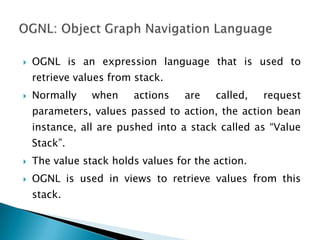
 OGNL is an expression language that is used to
retrieve values from stack.
 Normally when actions are called, request
parameters, values passed to action, the action bean
instance, all are pushed into a stack called as “Value
Stack”.
 The value stack holds values for the action.
 OGNL is used in views to retrieve values from this
stack.
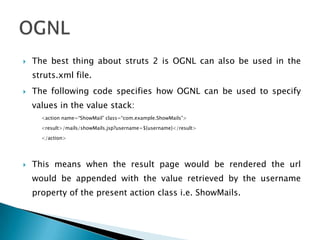
 The best thing about struts 2 is OGNL can also be used in the
struts.xml file.
 The following code specifies how OGNL can be used to specify
values in the value stack:
<action name=“ShowMail” class=“com.example.ShowMails”>
<result>/mails/showMails.jsp?username=${username}</result>
</action>
 This means when the result page would be rendered the url
would be appended with the value retrieved by the username
property of the present action class i.e. ShowMails.
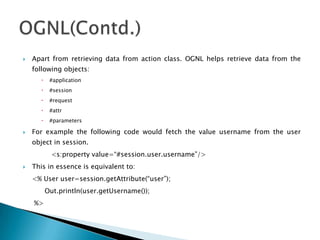
 Apart from retrieving data from action class. OGNL helps retrieve data from the
following objects:
 #application
 #session
 #request
 #attr
 #parameters
 For example the following code would fetch the value username from the user
object in session.
<s:property value=“#session.user.username”/>
 This in essence is equivalent to:
<% User user=session.getAttribute(“user”);
Out.println(user.getUsername());
%>
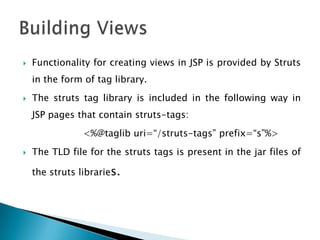
 Functionality for creating views in JSP is provided by Struts
in the form of tag library.
 The struts tag library is included in the following way in
JSP pages that contain struts-tags:
<%@taglib uri=“/struts-tags” prefix=“s”%>
 The TLD file for the struts tags is present in the jar files of
the struts libraries.
 Struts tags fall into these two categories:
 Generic Tags: Generic tags control the execution flow when pages are
rendered. They are also used to extract data.
 UI Tags: UI Tags are used to create user interface elements like form
field etc.
 Apart from the tag library, Struts 2 also provides
OGNL(Object Graph Navigation Language), an intuitive way
to retrieve values and embed them in views from the
session, action beans etc.
 Generic Tags are of two types:
 Data Tags: They are used to retrieve data from objects
and display them in web pages.
 Control Tags: Control tags are used to emulate loops
and decision making constructs like while, for, for and
if…else.
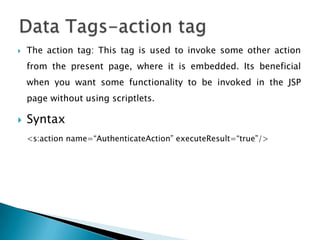
 The action tag: This tag is used to invoke some other action
from the present page, where it is embedded. Its beneficial
when you want some functionality to be invoked in the JSP
page without using scriptlets.
 Syntax
<s:action name=“AuthenticateAction” executeResult=“true”/>
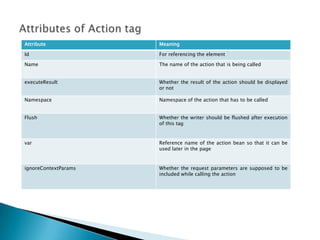
Attribute Meaning
Id For referencing the element
Name The name of the action that is being called
executeResult Whether the result of the action should be displayed
or not
Namespace Namespace of the action that has to be called
Flush Whether the writer should be flushed after execution
of this tag
var Reference name of the action bean so that it can be
used later in the page
ignoreContextParams Whether the request parameters are supposed to be
included while calling the action
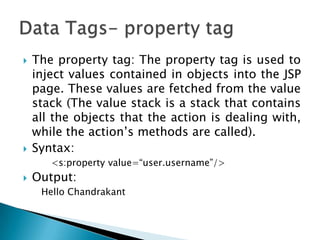
 The property tag: The property tag is used to
inject values contained in objects into the JSP
page. These values are fetched from the value
stack (The value stack is a stack that contains
all the objects that the action is dealing with,
while the action‟s methods are called).
 Syntax:
<s:property value=“user.username”/>
 Output:
Hello Chandrakant
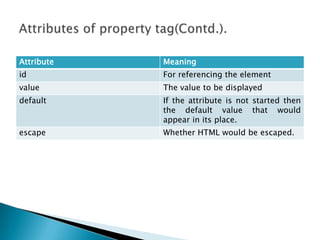
Attribute Meaning
id For referencing the element
value The value to be displayed
default If the attribute is not started then
the default value that would
appear in its place.
escape Whether HTML would be escaped.
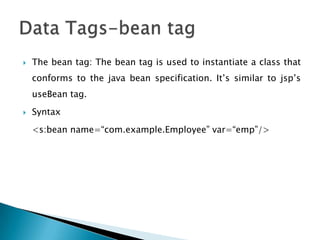
 The bean tag: The bean tag is used to instantiate a class that
conforms to the java bean specification. It‟s similar to jsp‟s
useBean tag.
 Syntax
<s:bean name=“com.example.Employee” var=“emp”/>
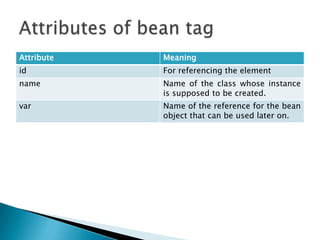
Attribute Meaning
id For referencing the element
name Name of the class whose instance
is supposed to be created.
var Name of the reference for the bean
object that can be used later on.
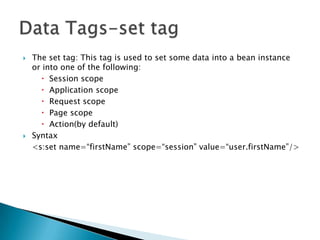
 The set tag: This tag is used to set some data into a bean instance
or into one of the following:
 Session scope
 Application scope
 Request scope
 Page scope
 Action(by default)
 Syntax
<s:set name=“firstName” scope=“session” value=“user.firstName”/>
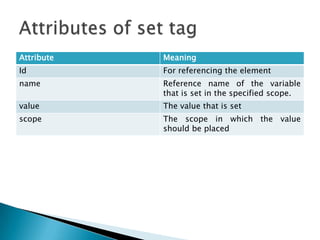
Attribute Meaning
Id For referencing the element
name Reference name of the variable
that is set in the specified scope.
value The value that is set
scope The scope in which the value
should be placed
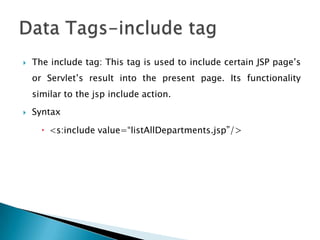
 The include tag: This tag is used to include certain JSP page‟s
or Servlet‟s result into the present page. Its functionality
similar to the jsp include action.
 Syntax
 <s:include value=“listAllDepartments.jsp”/>
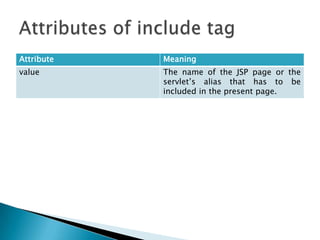
Attribute Meaning
value The name of the JSP page or the
servlet‟s alias that has to be
included in the present page.
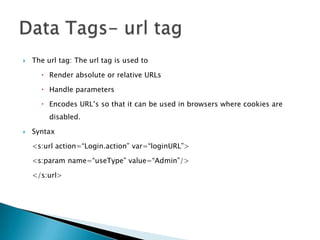
 The url tag: The url tag is used to
 Render absolute or relative URLs
 Handle parameters
 Encodes URL‟s so that it can be used in browsers where cookies are
disabled.
 Syntax
<s:url action=“Login.action” var=“loginURL”>
<s:param name=“useType” value=“Admin”/>
</s:url>
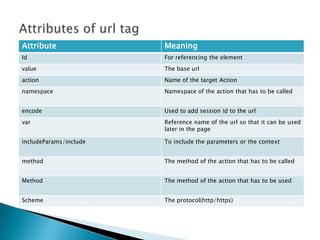
Attribute Meaning
Id For referencing the element
value The base url
action Name of the target Action
namespace Namespace of the action that has to be called
encode Used to add session id to the url
var Reference name of the url so that it can be used
later in the page
includeParams/include To include the parameters or the context
method The method of the action that has to be called
Method The method of the action that has to be used
Scheme The protocol(http/https)
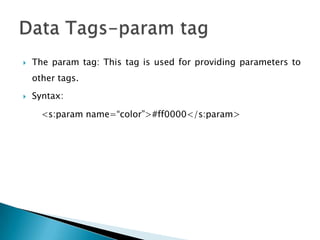
 The param tag: This tag is used for providing parameters to
other tags.
 Syntax:
<s:param name=“color”>#ff0000</s:param>
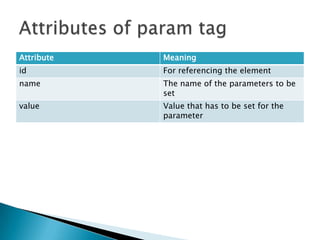
Attribute Meaning
id For referencing the element
name The name of the parameters to be
set
value Value that has to be set for the
parameter
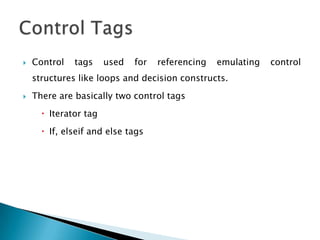
 Control tags used for referencing emulating control
structures like loops and decision constructs.
 There are basically two control tags
 Iterator tag
 If, elseif and else tags
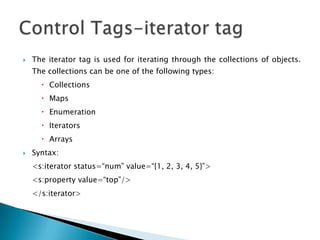
 The iterator tag is used for iterating through the collections of objects.
The collections can be one of the following types:
 Collections
 Maps
 Enumeration
 Iterators
 Arrays
 Syntax:
<s:iterator status=“num” value=“{1, 2, 3, 4, 5}”>
<s:property value=“top”/>
</s:iterator>
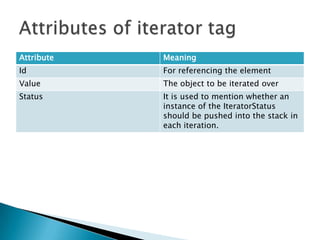
Attribute Meaning
Id For referencing the element
Value The object to be iterated over
Status It is used to mention whether an
instance of the IteratorStatus
should be pushed into the stack in
each iteration.
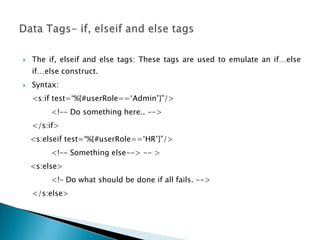
 The if, elseif and else tags: These tags are used to emulate an if…else
if…else construct.
 Syntax:
<s:if test=“%{#userRole==„Admin‟}”/>
<!–- Do something here.. -->
</s:if>
<s:elseif test=“%{#userRole==„HR‟}”/>
<!–- Something else--> -- >
<s:else>
<!– Do what should be done if all fails. -->
</s:else>
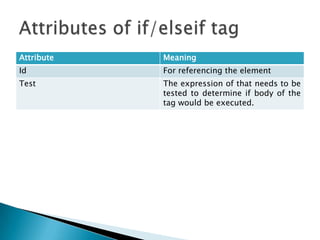
Attribute Meaning
Id For referencing the element
Test The expression of that needs to be
tested to determine if body of the
tag would be executed.
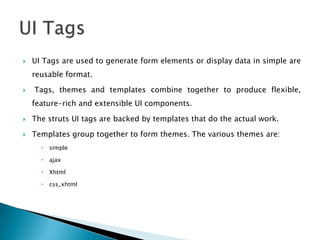
 UI Tags are used to generate form elements or display data in simple are
reusable format.
 Tags, themes and templates combine together to produce flexible,
feature-rich and extensible UI components.
 The struts UI tags are backed by templates that do the actual work.
 Templates group together to form themes. The various themes are:
 simple
 ajax
 Xhtml
 css_xhtml
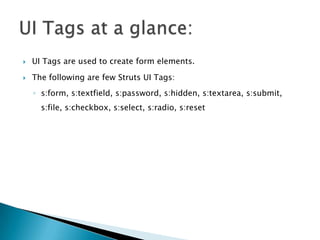
 UI Tags are used to create form elements.
 The following are few Struts UI Tags:
◦ s:form, s:textfield, s:password, s:hidden, s:textarea, s:submit,
s:file, s:checkbox, s:select, s:radio, s:reset
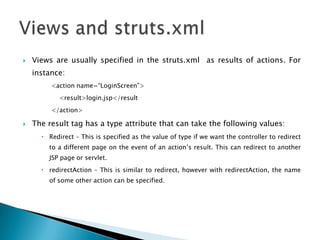
 Views are usually specified in the struts.xml as results of actions. For
instance:
<action name=“LoginScreen”>
<result>login.jsp</result
</action>
 The result tag has a type attribute that can take the following values:
 Redirect – This is specified as the value of type if we want the controller to redirect
to a different page on the event of an action‟s result. This can redirect to another
JSP page or servlet.
 redirectAction – This is similar to redirect, however with redirectAction, the name
of some other action can be specified.
 The struts2 validation framework is one of the most comprehensive
ones that struts 2 core is composed of.
 Struts 2 provides support for both server-side and client-side
validation.
 A lot of predefined validators and ability to create and plug in
custom validators adds to the validation prowess of the framework.
 Struts provides both declarative and programmatic validation
techniques.
 Programmatic validation is achieved in Action classes by implementing the
Validateable interface in the action class.
 This interface has the void validate() method, which needs to be overridden.
 Validation code is put in this function.
 In case the Action class needs to report the validation errors, then it needs to
implement the ValidationAware interface that has methods for error logging.
These two interfaces are implemented in the ActionSupport class. So
extending ActionSupport automatically makes the action class possess validation
capabilities. All that needs to be done is overriding of the validate() method and
reporting of the validation errors.
 Usually programmatic validation is used in complex validation scenarios.
 In case things like pattern of input data, input data length, data
type(number or string or email address) have to be validated, declarative
validation is a better choice.
 Declarative validation is done in xml files that are present in the same
directory as the Action class.
 These files are named in this manner
 <Action class name>-validation.xml
 For instance if the name of the Action class is Employee the
validation.xml file would be:
 Employee-validation.xml
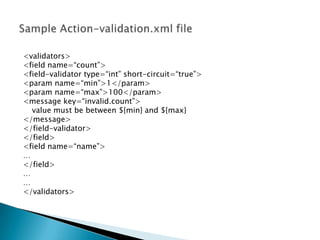
<validators>
<field name=“count”>
<field-validator type=“int” short-circuit=“true”>
<param name=“min”>1</param>
<param name=“max”>100</param>
<message key=“invalid.count”>
value must be between ${min} and ${max}
</message>
</field-validator>
</field>
<field name=“name”>
…
</field>
…
…
</validators>
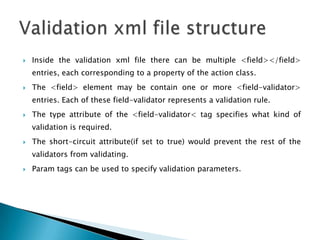
 Inside the validation xml file there can be multiple <field></field>
entries, each corresponding to a property of the action class.
 The <field> element may be contain one or more <field-validator>
entries. Each of these field-validator represents a validation rule.
 The type attribute of the <field-validator< tag specifies what kind of
validation is required.
 The short-circuit attribute(if set to true) would prevent the rest of the
validators from validating.
 Param tags can be used to specify validation parameters.
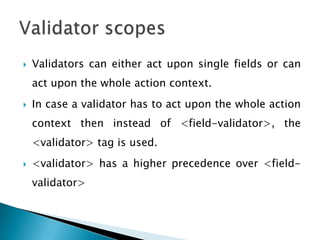
 Validators can either act upon single fields or can
act upon the whole action context.
 In case a validator has to act upon the whole action
context then instead of <field-validator>, the
<validator> tag is used.
 <validator> has a higher precedence over <field-
validator>
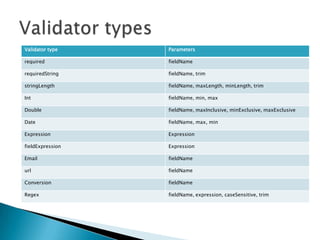
Validator type Parameters
required fieldName
requiredString fieldName, trim
stringLength fieldName, maxLength, minLength, trim
Int fieldName, min, max
Double fieldName, maxInclusive, minExclusive, maxExclusive
Date fieldName, max, min
Expression Expression
fieldExpression Expression
Email fieldName
url fieldName
Conversion fieldName
Regex fieldName, expression, caseSensitive, trim
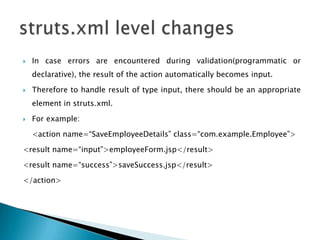
 In case errors are encountered during validation(programmatic or
declarative), the result of the action automatically becomes input.
 Therefore to handle result of type input, there should be an appropriate
element in struts.xml.
 For example:
<action name=“SaveEmployeeDetails” class=“com.example.Employee”>
<result name=“input”>employeeForm.jsp</result>
<result name=“success”>saveSuccess.jsp</result>
</action>

Struts 2

  • 1.
  • 2.
     OGNL isan expression language that is used to retrieve values from stack.  Normally when actions are called, request parameters, values passed to action, the action bean instance, all are pushed into a stack called as “Value Stack”.  The value stack holds values for the action.  OGNL is used in views to retrieve values from this stack.
  • 3.
     The bestthing about struts 2 is OGNL can also be used in the struts.xml file.  The following code specifies how OGNL can be used to specify values in the value stack: <action name=“ShowMail” class=“com.example.ShowMails”> <result>/mails/showMails.jsp?username=${username}</result> </action>  This means when the result page would be rendered the url would be appended with the value retrieved by the username property of the present action class i.e. ShowMails.
  • 4.
     Apart fromretrieving data from action class. OGNL helps retrieve data from the following objects:  #application  #session  #request  #attr  #parameters  For example the following code would fetch the value username from the user object in session. <s:property value=“#session.user.username”/>  This in essence is equivalent to: <% User user=session.getAttribute(“user”); Out.println(user.getUsername()); %>
  • 5.
     Functionality forcreating views in JSP is provided by Struts in the form of tag library.  The struts tag library is included in the following way in JSP pages that contain struts-tags: <%@taglib uri=“/struts-tags” prefix=“s”%>  The TLD file for the struts tags is present in the jar files of the struts libraries.
  • 6.
     Struts tagsfall into these two categories:  Generic Tags: Generic tags control the execution flow when pages are rendered. They are also used to extract data.  UI Tags: UI Tags are used to create user interface elements like form field etc.  Apart from the tag library, Struts 2 also provides OGNL(Object Graph Navigation Language), an intuitive way to retrieve values and embed them in views from the session, action beans etc.
  • 7.
     Generic Tagsare of two types:  Data Tags: They are used to retrieve data from objects and display them in web pages.  Control Tags: Control tags are used to emulate loops and decision making constructs like while, for, for and if…else.
  • 8.
     The actiontag: This tag is used to invoke some other action from the present page, where it is embedded. Its beneficial when you want some functionality to be invoked in the JSP page without using scriptlets.  Syntax <s:action name=“AuthenticateAction” executeResult=“true”/>
  • 9.
    Attribute Meaning Id Forreferencing the element Name The name of the action that is being called executeResult Whether the result of the action should be displayed or not Namespace Namespace of the action that has to be called Flush Whether the writer should be flushed after execution of this tag var Reference name of the action bean so that it can be used later in the page ignoreContextParams Whether the request parameters are supposed to be included while calling the action
  • 10.
     The propertytag: The property tag is used to inject values contained in objects into the JSP page. These values are fetched from the value stack (The value stack is a stack that contains all the objects that the action is dealing with, while the action‟s methods are called).  Syntax: <s:property value=“user.username”/>  Output: Hello Chandrakant
  • 11.
    Attribute Meaning id Forreferencing the element value The value to be displayed default If the attribute is not started then the default value that would appear in its place. escape Whether HTML would be escaped.
  • 12.
     The beantag: The bean tag is used to instantiate a class that conforms to the java bean specification. It‟s similar to jsp‟s useBean tag.  Syntax <s:bean name=“com.example.Employee” var=“emp”/>
  • 13.
    Attribute Meaning id Forreferencing the element name Name of the class whose instance is supposed to be created. var Name of the reference for the bean object that can be used later on.
  • 14.
     The settag: This tag is used to set some data into a bean instance or into one of the following:  Session scope  Application scope  Request scope  Page scope  Action(by default)  Syntax <s:set name=“firstName” scope=“session” value=“user.firstName”/>
  • 15.
    Attribute Meaning Id Forreferencing the element name Reference name of the variable that is set in the specified scope. value The value that is set scope The scope in which the value should be placed
  • 16.
     The includetag: This tag is used to include certain JSP page‟s or Servlet‟s result into the present page. Its functionality similar to the jsp include action.  Syntax  <s:include value=“listAllDepartments.jsp”/>
  • 17.
    Attribute Meaning value Thename of the JSP page or the servlet‟s alias that has to be included in the present page.
  • 18.
     The urltag: The url tag is used to  Render absolute or relative URLs  Handle parameters  Encodes URL‟s so that it can be used in browsers where cookies are disabled.  Syntax <s:url action=“Login.action” var=“loginURL”> <s:param name=“useType” value=“Admin”/> </s:url>
  • 19.
    Attribute Meaning Id Forreferencing the element value The base url action Name of the target Action namespace Namespace of the action that has to be called encode Used to add session id to the url var Reference name of the url so that it can be used later in the page includeParams/include To include the parameters or the context method The method of the action that has to be called Method The method of the action that has to be used Scheme The protocol(http/https)
  • 20.
     The paramtag: This tag is used for providing parameters to other tags.  Syntax: <s:param name=“color”>#ff0000</s:param>
  • 21.
    Attribute Meaning id Forreferencing the element name The name of the parameters to be set value Value that has to be set for the parameter
  • 22.
     Control tagsused for referencing emulating control structures like loops and decision constructs.  There are basically two control tags  Iterator tag  If, elseif and else tags
  • 23.
     The iteratortag is used for iterating through the collections of objects. The collections can be one of the following types:  Collections  Maps  Enumeration  Iterators  Arrays  Syntax: <s:iterator status=“num” value=“{1, 2, 3, 4, 5}”> <s:property value=“top”/> </s:iterator>
  • 24.
    Attribute Meaning Id Forreferencing the element Value The object to be iterated over Status It is used to mention whether an instance of the IteratorStatus should be pushed into the stack in each iteration.
  • 25.
     The if,elseif and else tags: These tags are used to emulate an if…else if…else construct.  Syntax: <s:if test=“%{#userRole==„Admin‟}”/> <!–- Do something here.. --> </s:if> <s:elseif test=“%{#userRole==„HR‟}”/> <!–- Something else--> -- > <s:else> <!– Do what should be done if all fails. --> </s:else>
  • 26.
    Attribute Meaning Id Forreferencing the element Test The expression of that needs to be tested to determine if body of the tag would be executed.
  • 27.
     UI Tagsare used to generate form elements or display data in simple are reusable format.  Tags, themes and templates combine together to produce flexible, feature-rich and extensible UI components.  The struts UI tags are backed by templates that do the actual work.  Templates group together to form themes. The various themes are:  simple  ajax  Xhtml  css_xhtml
  • 28.
     UI Tagsare used to create form elements.  The following are few Struts UI Tags: ◦ s:form, s:textfield, s:password, s:hidden, s:textarea, s:submit, s:file, s:checkbox, s:select, s:radio, s:reset
  • 29.
     Views areusually specified in the struts.xml as results of actions. For instance: <action name=“LoginScreen”> <result>login.jsp</result </action>  The result tag has a type attribute that can take the following values:  Redirect – This is specified as the value of type if we want the controller to redirect to a different page on the event of an action‟s result. This can redirect to another JSP page or servlet.  redirectAction – This is similar to redirect, however with redirectAction, the name of some other action can be specified.
  • 31.
     The struts2validation framework is one of the most comprehensive ones that struts 2 core is composed of.  Struts 2 provides support for both server-side and client-side validation.  A lot of predefined validators and ability to create and plug in custom validators adds to the validation prowess of the framework.  Struts provides both declarative and programmatic validation techniques.
  • 32.
     Programmatic validationis achieved in Action classes by implementing the Validateable interface in the action class.  This interface has the void validate() method, which needs to be overridden.  Validation code is put in this function.  In case the Action class needs to report the validation errors, then it needs to implement the ValidationAware interface that has methods for error logging. These two interfaces are implemented in the ActionSupport class. So extending ActionSupport automatically makes the action class possess validation capabilities. All that needs to be done is overriding of the validate() method and reporting of the validation errors.
  • 33.
     Usually programmaticvalidation is used in complex validation scenarios.  In case things like pattern of input data, input data length, data type(number or string or email address) have to be validated, declarative validation is a better choice.  Declarative validation is done in xml files that are present in the same directory as the Action class.  These files are named in this manner  <Action class name>-validation.xml  For instance if the name of the Action class is Employee the validation.xml file would be:  Employee-validation.xml
  • 34.
    <validators> <field name=“count”> <field-validator type=“int”short-circuit=“true”> <param name=“min”>1</param> <param name=“max”>100</param> <message key=“invalid.count”> value must be between ${min} and ${max} </message> </field-validator> </field> <field name=“name”> … </field> … … </validators>
  • 35.
     Inside thevalidation xml file there can be multiple <field></field> entries, each corresponding to a property of the action class.  The <field> element may be contain one or more <field-validator> entries. Each of these field-validator represents a validation rule.  The type attribute of the <field-validator< tag specifies what kind of validation is required.  The short-circuit attribute(if set to true) would prevent the rest of the validators from validating.  Param tags can be used to specify validation parameters.
  • 36.
     Validators caneither act upon single fields or can act upon the whole action context.  In case a validator has to act upon the whole action context then instead of <field-validator>, the <validator> tag is used.  <validator> has a higher precedence over <field- validator>
  • 37.
    Validator type Parameters requiredfieldName requiredString fieldName, trim stringLength fieldName, maxLength, minLength, trim Int fieldName, min, max Double fieldName, maxInclusive, minExclusive, maxExclusive Date fieldName, max, min Expression Expression fieldExpression Expression Email fieldName url fieldName Conversion fieldName Regex fieldName, expression, caseSensitive, trim
  • 38.
     In caseerrors are encountered during validation(programmatic or declarative), the result of the action automatically becomes input.  Therefore to handle result of type input, there should be an appropriate element in struts.xml.  For example: <action name=“SaveEmployeeDetails” class=“com.example.Employee”> <result name=“input”>employeeForm.jsp</result> <result name=“success”>saveSuccess.jsp</result> </action>