A WORLD OF WONDER Using Technology  for ELLs Johnna Paraiso Rutherford County Schools
Using Technology to Differentiate Instruction for English Language Learners ELLs are the fastest growing subgroup in the state of Tennessee. English Language Learners frequently come from lower SES backgrounds and may have limited or interrupted formal schooling. Teachers are frequently overwhelmed in meeting the needs of non-English speaking students.
Why is Technology Integration  Especially  Important for ELLs? The times they are a- changin ’ Digital Divide- Many ELLs may not have the technology available at home, making school experiences even more important Acquisition of multiple forms of literacy at one time
WHY USE TECHNOLOGY? Technology helps build reading and language skills. Technology differentiates instruction. Technology provides a creative outlet. Technology sharpens research skills. Technology promotes job skills.
Skills to Emphasize with ELLs Receptive Listening Reading Expressive Speaking Writing
REMEMBER Simple tools, used with meaningful experiences open a world of wonder for the English Language Learner.
Types of Technology Experiences Internet IPods Games Word processing programs Powerpoint E-mail Blogs Discussion  Boards Student and Teacher Built Web Sites Movies
Powerpoint Powerpoint  can be an effective tool to develop early literacy skills .
MovieMaker in the ESL Classroom Recording student stories Time lapse photographs put into movie Get acquainted movie for newcomers Student created and teacher created media. Make me a STAR!!
Student Created Multimedia Students can use powerpoint or Moviemaker with music to create their own multimedia presentations. Jorge Wallaut Lucio
Audio in the ESL Classroom Audacity- time lapse voice recording, student specific listening activities, accent reduction “soap” vs. “soup” Vocaroo- creating online learning activities such as dictation, recording messages for families in their native languages Podcasting- student created media for use in other classes, an alternative to the oral report.
Student Discussion Boards Used to discuss curriculum and communicate with classmates and teacher. PASS WORD PROTECT!! www.bravenet.com
Accessing the Discussion Board
Google Earth Probably one of the most effective Internet tools for ELLs
Student Email  www.gaggle.net Email goes through classroom teacher Email has filters “ ” Did ya check your email?”
Blogs and Wikis Blogs and wikis are ways to create as well as receive Internet content.
Why use a blog? Strong medium for journaling. Professional collaboration Examples: Mabry Middle School Mrs.  Dudiak’s  Class Blog
Student Blogs  A safe alternative to social networks. Blogs can stimulate writing and web navigation skills. Blogs from Gaggle have filters and go through the classroom teacher. “ and it’s FUN!”
Social Networking ELLs may not have a computer or internet access at home but many have cell phones. Depending on your district policy, social networks can be valuable tools for providing real life opportunities to read, write, speak and listen English. Facebook, Twitter, MySpace, and Skype provide language acquisition opportunities for ELLs.
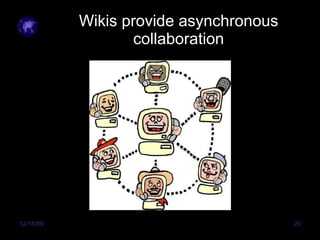
Wikis provide asynchronous collaboration
Using a Wiki with ELLs Creating your own Wiki Seed Wiki Use a wiki for vocabulary practice, for creating an online bilingual dictionary, for “word walls”
Student Created Web Pages Students can write web pages using Microsoft Word. Check for appropriate language and subject matter. ELLs can create web pages to share their life stories, to express understanding about content, to organize data
Success Breeds Success!!
Resource Websites www.pampetty.com www.portaportal.com/rcsesl www.everythingesl.net www.brainybetty.com www.webmonkey.com www.bravenet.com www.gaggle.net www.flamingtext.com www.iconbazaar.com
Contact Information: [email_address] [email_address]

Tetc09

  • 1.
    A WORLD OFWONDER Using Technology for ELLs Johnna Paraiso Rutherford County Schools
  • 2.
    Using Technology toDifferentiate Instruction for English Language Learners ELLs are the fastest growing subgroup in the state of Tennessee. English Language Learners frequently come from lower SES backgrounds and may have limited or interrupted formal schooling. Teachers are frequently overwhelmed in meeting the needs of non-English speaking students.
  • 3.
    Why is TechnologyIntegration Especially Important for ELLs? The times they are a- changin ’ Digital Divide- Many ELLs may not have the technology available at home, making school experiences even more important Acquisition of multiple forms of literacy at one time
  • 4.
    WHY USE TECHNOLOGY?Technology helps build reading and language skills. Technology differentiates instruction. Technology provides a creative outlet. Technology sharpens research skills. Technology promotes job skills.
  • 5.
    Skills to Emphasizewith ELLs Receptive Listening Reading Expressive Speaking Writing
  • 6.
    REMEMBER Simple tools,used with meaningful experiences open a world of wonder for the English Language Learner.
  • 7.
    Types of TechnologyExperiences Internet IPods Games Word processing programs Powerpoint E-mail Blogs Discussion Boards Student and Teacher Built Web Sites Movies
  • 8.
    Powerpoint Powerpoint can be an effective tool to develop early literacy skills .
  • 9.
    MovieMaker in theESL Classroom Recording student stories Time lapse photographs put into movie Get acquainted movie for newcomers Student created and teacher created media. Make me a STAR!!
  • 10.
    Student Created MultimediaStudents can use powerpoint or Moviemaker with music to create their own multimedia presentations. Jorge Wallaut Lucio
  • 11.
    Audio in theESL Classroom Audacity- time lapse voice recording, student specific listening activities, accent reduction “soap” vs. “soup” Vocaroo- creating online learning activities such as dictation, recording messages for families in their native languages Podcasting- student created media for use in other classes, an alternative to the oral report.
  • 12.
    Student Discussion BoardsUsed to discuss curriculum and communicate with classmates and teacher. PASS WORD PROTECT!! www.bravenet.com
  • 13.
  • 14.
    Google Earth Probablyone of the most effective Internet tools for ELLs
  • 15.
    Student Email www.gaggle.net Email goes through classroom teacher Email has filters “ ” Did ya check your email?”
  • 16.
    Blogs and WikisBlogs and wikis are ways to create as well as receive Internet content.
  • 17.
    Why use ablog? Strong medium for journaling. Professional collaboration Examples: Mabry Middle School Mrs. Dudiak’s Class Blog
  • 18.
    Student Blogs A safe alternative to social networks. Blogs can stimulate writing and web navigation skills. Blogs from Gaggle have filters and go through the classroom teacher. “ and it’s FUN!”
  • 19.
    Social Networking ELLsmay not have a computer or internet access at home but many have cell phones. Depending on your district policy, social networks can be valuable tools for providing real life opportunities to read, write, speak and listen English. Facebook, Twitter, MySpace, and Skype provide language acquisition opportunities for ELLs.
  • 20.
  • 21.
    Using a Wikiwith ELLs Creating your own Wiki Seed Wiki Use a wiki for vocabulary practice, for creating an online bilingual dictionary, for “word walls”
  • 22.
    Student Created WebPages Students can write web pages using Microsoft Word. Check for appropriate language and subject matter. ELLs can create web pages to share their life stories, to express understanding about content, to organize data
  • 23.
  • 24.
    Resource Websites www.pampetty.comwww.portaportal.com/rcsesl www.everythingesl.net www.brainybetty.com www.webmonkey.com www.bravenet.com www.gaggle.net www.flamingtext.com www.iconbazaar.com
  • 25.