











Software testing banking
applications for mobile platforms
                    Christian Ramírez
Context
Design Considerations   Agenda
Test Design
To work
Presentation
Presentation
•   My name is Christian Ramírez
•   Computer Engineer
•   QA & testing Architect
•   Over 8 years of experience in QA and software
    testing


                    Presentation
Context
Context
• Mobile Banking
  – provision and availment of banking- and financial
    services
  – help of mobile telecommunication devices
  – Services
     • Facilities to conduct bank and stock market transactions
     • Administer accounts
     • Access customised information.


                                               Context
Context

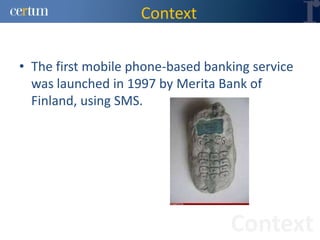
• The first mobile phone-based banking service
  was launched in 1997 by Merita Bank of
  Finland, using SMS.


                                   Context
Context

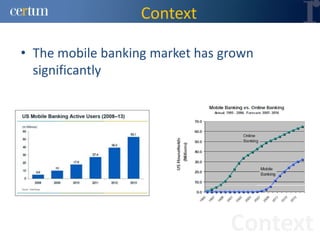
• The mobile banking market has grown
  significantly


                                 Context
Context

• Mobile Banking includes a wide range of
  services.
  – These services may be categorised as following
     • Mobile Accounting
     • Mobile Brokerage
     • Mobile Financial Information


                                        Context
Context

• What is the challenge?
  – Today's banking applications are being used on
    smartphones
     • Web
     • Native
  – Manual testing is inefficient and doesn't scale
  – All platforms are different


                                          Context
Design Considerations
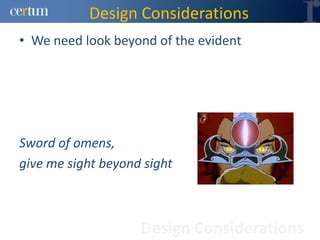
• We need look beyond of the evident


Sword of omens,
give me sight beyond sight


                    Design Considerations
Design Considerations
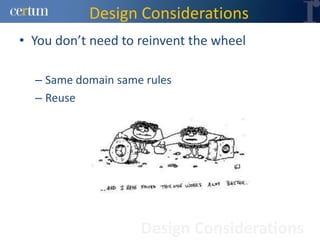
• You don’t need to reinvent the wheel

  – Same domain same rules
  – Reuse


                    Design Considerations
Design Considerations

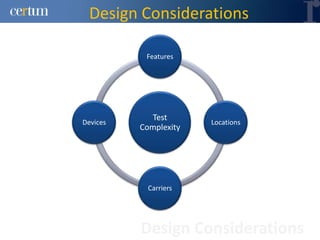
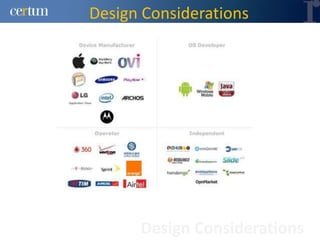
           Features


             Test
Devices                Locations
          Complexity


            Carriers


          Design Considerations
Design Considerations


      Design Considerations
Design Considerations
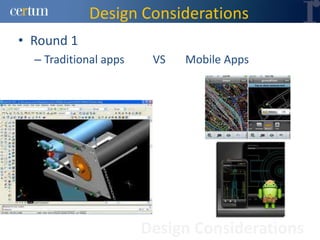
• Round 1
  – Traditional apps    VS   Mobile Apps


                       Design Considerations
Design Considerations
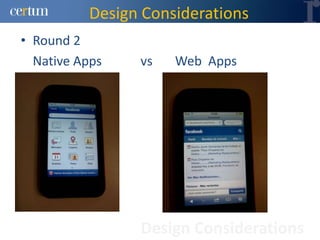
• Round 2
  Native Apps   vs   Web Apps


                Design Considerations
Design Considerations
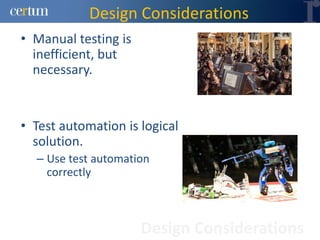
• Manual testing is
  inefficient, but
  necessary.


• Test automation is logical
  solution.
  – Use test automation
    correctly


                      Design Considerations
Design Considerations
• Effective Test automation
  – Automate as much as possible
  – Focus in solve real problems
  – Think different, this kind of applications are very
    sensitive to external factors
  – Be a pioneer


                       Design Considerations
Test Design
Test Design
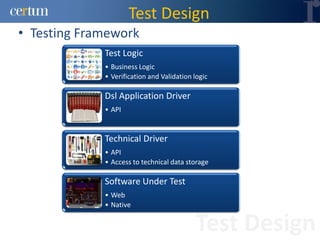
• Testing Framework
             Test Logic
             • Business Logic
             • Verification and Validation logic

             Dsl Application Driver
             • API


             Technical Driver
             • API
             • Access to technical data storage

             Software Under Test
             • Web
             • Native


                                            Test Design
Test Design
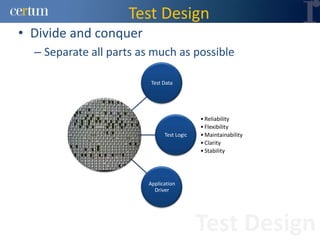
• Divide and conquer
  – Separate all parts as much as possible

                         Test Data


                                           • Reliability
                                           • Flexibility
                              Test Logic   • Maintainability
                                           • Clarity
                                           • Stability


                        Application
                          Driver


                                           Test Design
Test Design
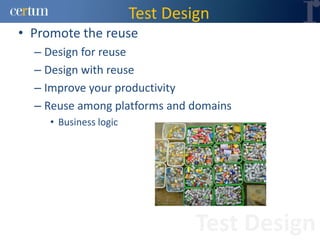
• Promote the reuse
  – Design for reuse
  – Design with reuse
  – Improve your productivity
  – Reuse among platforms and domains
     • Business logic


                                 Test Design
Test Design
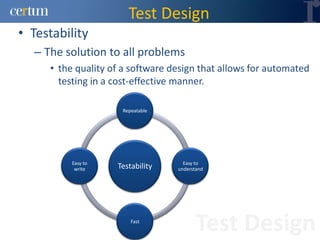
• Testability
  – The solution to all problems
     • the quality of a software design that allows for automated
       testing in a cost-effective manner.

                     Repeatable


          Easy to                   Easy to
           write    Testability   understand


                        Fast
                                         Test Design
Test Design
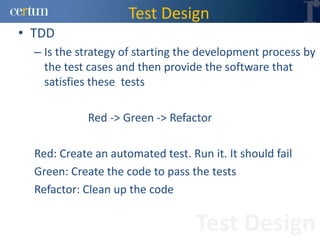
• TDD
  – Is the strategy of starting the development process by
    the test cases and then provide the software that
    satisfies these tests

             Red -> Green -> Refactor

  Red: Create an automated test. Run it. It should fail
  Green: Create the code to pass the tests
  Refactor: Clean up the code


                                   Test Design
Test Design
• TDD
  – Unit tests
     • Written by programmers
     • For programmers
     • In a programming language


                                   Test Design
Test Design
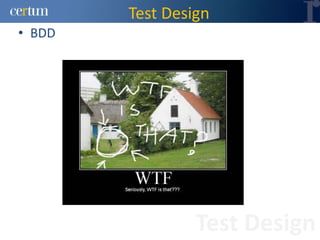
• BDD


                 Test Design
Test Design
• BDD
   – Beer Driven Development???


                            Test Design
Test Design
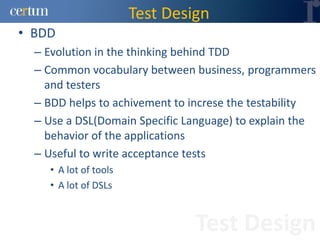
• BDD
  – Evolution in the thinking behind TDD
  – Common vocabulary between business, programmers
    and testers
  – BDD helps to achivement to increse the testability
  – Use a DSL(Domain Specific Language) to explain the
    behavior of the applications
  – Useful to write acceptance tests
    • A lot of tools
    • A lot of DSLs


                                Test Design
Test Design
• BDD
  – Use text scenarios
     • Given
     • When
     • Then


  – Defining steps


                              Test Design
Test Design
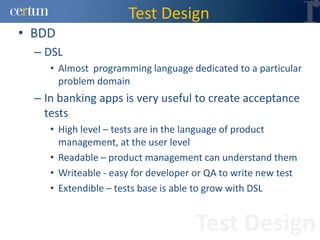
• BDD
  – DSL
     • Almost programming language dedicated to a particular
       problem domain
  – In banking apps is very useful to create acceptance
    tests
     • High level – tests are in the language of product
       management, at the user level
     • Readable – product management can understand them
     • Writeable - easy for developer or QA to write new test
     • Extendible – tests base is able to grow with DSL


                                     Test Design
To Work
To Work
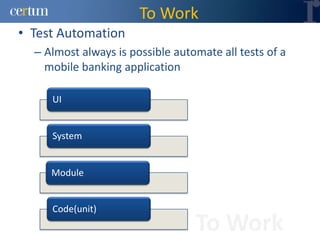
• Test Automation
  – Almost always is possible automate all tests of a
    mobile banking application

     UI


     System


     Module


     Code(unit)
                                  To Work
To Work
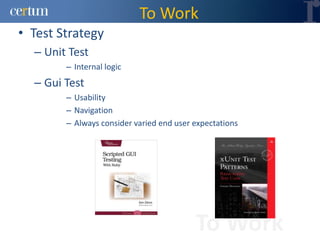
• Test Strategy
  – Unit Test
        – Internal logic
  – Gui Test
        – Usability
        – Navigation
        – Always consider varied end user expectations


                                          To Work
To Work
• Test Strategy
  – Separate generic from specific
     • Many mobile applications include algorithms, etc
       unrelated to the mobile platform or technology
     • These should be separated from platform / technology
       specific code
     • Use 'desktop' test automation to test generic code
     • Consider platform-specific test automation once the
       generic code has good automated tests


                                     To Work
To Work
• Data collection
  – Screenshots
     • DDMS for Android
  – Logs
     • adb shell for Android


                                To Work
To Work
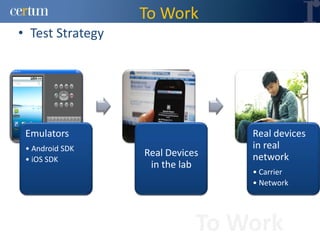
• Test Strategy


 Emulators                       Real devices
 • Android SDK                   in real
                  Real Devices   network
 • iOS SDK
                   in the lab
                                 • Carrier
                                 • Network


                             To Work
To Work
• Test Strategy for client applications
  – Unit testing
  – System testing when practical
  – Manual testing on devices
  – Use emulators with network analyzers
  – Custom clients help: Diagnose client capabilities
  – Identify and isolate the cause of problems
  – Model-based testing helps drive the client


                                  To Work
To Work
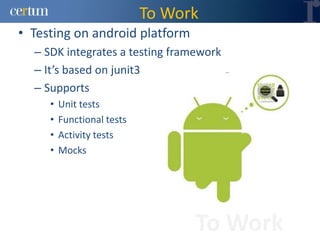
• Testing on android platform
  – SDK integrates a testing framework
  – It’s based on junit3
  – Supports
     •   Unit tests
     •   Functional tests
     •   Activity tests
     •   Mocks


                                  To Work
To Work
• Testing on android platform
  – Functional testing in native apps
     • You can use activities
          –   Pieces of code executables
          –   Interact with user
          –   Get data
          –   etc
     •   Activity can be manipulated
     •   You can use sendKeys() to simulate user interaction
     •   Is possible do isolated testing of a single activity
     •   Tests can be annotated with @UiThreadTest


                                           To Work
To Work
• Testing on android platform
  – Test application in controlled enviroment
  – Basic lifecycle
     • onCreate() called after createApplication()
     • tearDown() calls onDestroy()
  – Mock context can be injected
  – Application can be terminated with
     • terminateApplication()


                                       To Work
To Work
• Testing on android platform
  – Some methods should be avoided and will throw
    exceptions if called


                                To Work
To Work
• Testing on android platform
  – Framework support to test Services
  – Lifecycle
     • onCreated() called after startService() or bindService()
     • Depending on how was started tearDown() calls
       appropiate method
  – Mock object can be injected by
     • setApplication()
     • setContext()


                                       To Work
To Work
• Testing on android platform
     • Base class that can be extended to support different
       requirements
     • You can use this if you need
        – Test customs Views
        – Test permissions
        – Access Resources


                                      To Work
To Work
• Testing on android platform
  – Assertions View
     •   Aligned in several ways
     •   View agrouped
     •   Is on screen
     •   Has specific screen coordinates


                                           To Work
To Work
• Testing on android platform
  – Simulate complex user behavior
  – Use the methods to generate touch events
     •   clickView() to simulate touching
     •   dragX() to touch and drag
     •   longClick() for touching and holding
     •   scrollX()to simulate scrolling
     •   tapView() to touch and release quickly


                                        To Work
To Work
• Testing on android platform
  – Mocks
  – All classes has non functional methods
     •   MockApplication
     •   MockContentResolver
     •   MockContext
     •   MockDialogInterface
     •   MockPackageManager
     •   MockResources


                                 To Work
To Work
• Testing strategy for browser applications in
  both platforms(iOS and Android)
  – The content is easy to test automatically
  – Use pattern-matching to check responses
  – Use complex assertions
  – Use Xpath o css selectors to locate elements
  – Newer Mobile Web Browsers support Scripting &
    AJAX


                               To Work
To Work
• Testing strategy for browser applications in
  both platforms(iOS and Android)
  – Testing using HTTP calls is inefficient
  – To automate, use tools such as:
     • WebDriver (with custom HTTP headers)
     • Selenium RC
  – On-device testing is possible but not ideal (yet)


                                    To Work
To Work
• Testing strategy for browser applications in
  both platforms(iOS and Android)
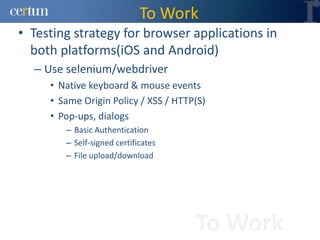
  – Use selenium/webdriver
     • Native keyboard & mouse events
     • Same Origin Policy / XSS / HTTP(S)
     • Pop-ups, dialogs
        – Basic Authentication
        – Self-signed certificates
        – File upload/download


                                      To Work
To Work
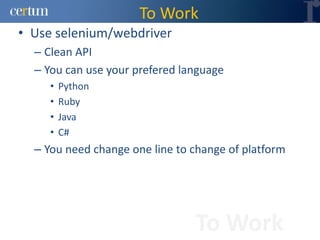
• Use selenium/webdriver
  – Clean API
  – You can use your prefered language
     •   Python
     •   Ruby
     •   Java
     •   C#
  – You need change one line to change of platform


                                To Work
To Work
• Testing strategy for browser applications in
  both platforms(iOS and Android)
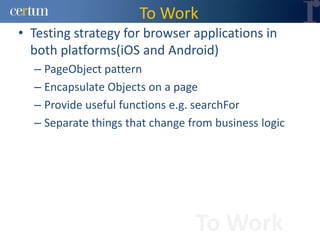
  – PageObject pattern
  – Encapsulate Objects on a page
  – Provide useful functions e.g. searchFor
  – Separate things that change from business logic


                                 To Work
To Work
• Best Practice
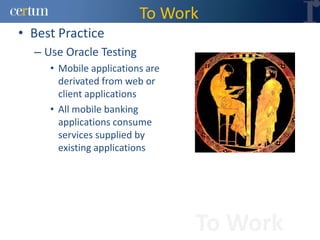
  – Use Oracle Testing
     • Mobile applications are
       derivated from web or
       client applications
     • All mobile banking
       applications consume
       services supplied by
       existing applications


                                 To Work
To Work
• Best Practice
  – Use Rule-based testing
     • can be coded to detect ‘good’ and ‘bad’ content
     • Detect incompatible content
     • Create rules from bug reports, server logs, etc
     • Use manual testing to verify rules, if unsure
     • Helps developers of new applications to deliver good
     quality content quickly


                                      To Work
To Work
• Best Practice
  – Model your application
  – You can use Model Based Testing
     • Utilizes formal models that model the SUT from the
       perspective of testing usually at a high level of
       abstraction


                                     To Work
To Work
• Best Practice
  – Consider testing manually
     • When working with legacy / external development
     • When testing the UI and UX (User Experience)
     • To complement Automated Tests


                                    To Work
To Work
• Best Practice
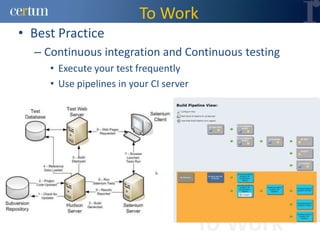
  – Continuous integration and Continuous testing
     • Execute your test frequently
     • Use pipelines in your CI server


                                         To Work
To Work
• Best Practice
  – Continuous integration and Continuous testing
     •   Each code submission automatically built
     •   Automated tests can run and report results
     •   Teams share a view of project status
     •   Changes are routinely integrated
     •   Fewer & smaller 'merge' conflicts


                                       To Work
To Work
• Best Practice
  – Use code analizers
     •   Devices have limited memory
     •   Clients use all the available memory
     •   Little memory left for code coverage
     •   Inclusion patterns up to method level


                                        To Work
To Work
• Best Practice
  – Use code analizers
  – Detects faults in
     • Event handler / event listeners
     • Missing / incorrect GUI elements
  – Long running tests exposing memory leaks
  – Code coverage
     • also for Unit tests


                                      To Work
To work
• General tips
     • Test code should be of Production quality
     • Import only those classes that you need. Avoid import
       abc.*
     • Use xPaths with caution. Do NOT use indexes.
     • Keep test data separate from test scripts.
     • Use private / protected member variables / methods.
       Make them public only when absolutely essential.
     • Keep test intent separate from implementation.
     • Do not simply copy / paste code from other sources
       without understanding it completely.
     • Duplicating CODE is NOT OK.

                                      To work
To work
• Next steps
  – The cloud
     • Very useful when you have a lot of tests
     • Private cloud
     • Cross-browser testing
        – Service for selenium is available
        – Execute your tests in the cloud or in your test enviroment


                                            To work
Thats All folks
Contact
• Christian Ramírez
  – chramirez@certum.com
  – @chrix2
  – www.certum.com
  – Mail Address
     • Rodolfo Gaona 86-f,
     Lomas de Sotelo CP 11200
     Miguel Hidalgo
     México DF
     México


                                Contact

Testing banking apps

  • 1.
    Software testing banking applicationsfor mobile platforms Christian Ramírez
  • 2.
    Context Design Considerations Agenda Test Design To work
  • 3.
  • 4.
    Presentation • My name is Christian Ramírez • Computer Engineer • QA & testing Architect • Over 8 years of experience in QA and software testing Presentation
  • 5.
  • 6.
    Context • Mobile Banking – provision and availment of banking- and financial services – help of mobile telecommunication devices – Services • Facilities to conduct bank and stock market transactions • Administer accounts • Access customised information. Context
  • 7.
    Context • The firstmobile phone-based banking service was launched in 1997 by Merita Bank of Finland, using SMS. Context
  • 8.
    Context • The mobilebanking market has grown significantly Context
  • 9.
    Context • Mobile Bankingincludes a wide range of services. – These services may be categorised as following • Mobile Accounting • Mobile Brokerage • Mobile Financial Information Context
  • 10.
    Context • What isthe challenge? – Today's banking applications are being used on smartphones • Web • Native – Manual testing is inefficient and doesn't scale – All platforms are different Context
  • 11.
  • 12.
    Design Considerations • Weneed look beyond of the evident Sword of omens, give me sight beyond sight Design Considerations
  • 13.
    Design Considerations • Youdon’t need to reinvent the wheel – Same domain same rules – Reuse Design Considerations
  • 14.
    Design Considerations Features Test Devices Locations Complexity Carriers Design Considerations
  • 15.
    Design Considerations Design Considerations
  • 16.
    Design Considerations • Round1 – Traditional apps VS Mobile Apps Design Considerations
  • 17.
    Design Considerations • Round2 Native Apps vs Web Apps Design Considerations
  • 18.
    Design Considerations • Manualtesting is inefficient, but necessary. • Test automation is logical solution. – Use test automation correctly Design Considerations
  • 19.
    Design Considerations • EffectiveTest automation – Automate as much as possible – Focus in solve real problems – Think different, this kind of applications are very sensitive to external factors – Be a pioneer Design Considerations
  • 20.
  • 21.
    Test Design • TestingFramework Test Logic • Business Logic • Verification and Validation logic Dsl Application Driver • API Technical Driver • API • Access to technical data storage Software Under Test • Web • Native Test Design
  • 22.
    Test Design • Divideand conquer – Separate all parts as much as possible Test Data • Reliability • Flexibility Test Logic • Maintainability • Clarity • Stability Application Driver Test Design
  • 23.
    Test Design • Promotethe reuse – Design for reuse – Design with reuse – Improve your productivity – Reuse among platforms and domains • Business logic Test Design
  • 24.
    Test Design • Testability – The solution to all problems • the quality of a software design that allows for automated testing in a cost-effective manner. Repeatable Easy to Easy to write Testability understand Fast Test Design
  • 25.
    Test Design • TDD – Is the strategy of starting the development process by the test cases and then provide the software that satisfies these tests Red -> Green -> Refactor Red: Create an automated test. Run it. It should fail Green: Create the code to pass the tests Refactor: Clean up the code Test Design
  • 26.
    Test Design • TDD – Unit tests • Written by programmers • For programmers • In a programming language Test Design
  • 27.
  • 28.
    Test Design • BDD – Beer Driven Development??? Test Design
  • 29.
    Test Design • BDD – Evolution in the thinking behind TDD – Common vocabulary between business, programmers and testers – BDD helps to achivement to increse the testability – Use a DSL(Domain Specific Language) to explain the behavior of the applications – Useful to write acceptance tests • A lot of tools • A lot of DSLs Test Design
  • 30.
    Test Design • BDD – Use text scenarios • Given • When • Then – Defining steps Test Design
  • 31.
    Test Design • BDD – DSL • Almost programming language dedicated to a particular problem domain – In banking apps is very useful to create acceptance tests • High level – tests are in the language of product management, at the user level • Readable – product management can understand them • Writeable - easy for developer or QA to write new test • Extendible – tests base is able to grow with DSL Test Design
  • 32.
  • 33.
    To Work • TestAutomation – Almost always is possible automate all tests of a mobile banking application UI System Module Code(unit) To Work
  • 34.
    To Work • TestStrategy – Unit Test – Internal logic – Gui Test – Usability – Navigation – Always consider varied end user expectations To Work
  • 35.
    To Work • TestStrategy – Separate generic from specific • Many mobile applications include algorithms, etc unrelated to the mobile platform or technology • These should be separated from platform / technology specific code • Use 'desktop' test automation to test generic code • Consider platform-specific test automation once the generic code has good automated tests To Work
  • 36.
    To Work • Datacollection – Screenshots • DDMS for Android – Logs • adb shell for Android To Work
  • 37.
    To Work • TestStrategy Emulators Real devices • Android SDK in real Real Devices network • iOS SDK in the lab • Carrier • Network To Work
  • 38.
    To Work • TestStrategy for client applications – Unit testing – System testing when practical – Manual testing on devices – Use emulators with network analyzers – Custom clients help: Diagnose client capabilities – Identify and isolate the cause of problems – Model-based testing helps drive the client To Work
  • 39.
    To Work • Testingon android platform – SDK integrates a testing framework – It’s based on junit3 – Supports • Unit tests • Functional tests • Activity tests • Mocks To Work
  • 40.
    To Work • Testingon android platform – Functional testing in native apps • You can use activities – Pieces of code executables – Interact with user – Get data – etc • Activity can be manipulated • You can use sendKeys() to simulate user interaction • Is possible do isolated testing of a single activity • Tests can be annotated with @UiThreadTest To Work
  • 41.
    To Work • Testingon android platform – Test application in controlled enviroment – Basic lifecycle • onCreate() called after createApplication() • tearDown() calls onDestroy() – Mock context can be injected – Application can be terminated with • terminateApplication() To Work
  • 42.
    To Work • Testingon android platform – Some methods should be avoided and will throw exceptions if called To Work
  • 43.
    To Work • Testingon android platform – Framework support to test Services – Lifecycle • onCreated() called after startService() or bindService() • Depending on how was started tearDown() calls appropiate method – Mock object can be injected by • setApplication() • setContext() To Work
  • 44.
    To Work • Testingon android platform • Base class that can be extended to support different requirements • You can use this if you need – Test customs Views – Test permissions – Access Resources To Work
  • 45.
    To Work • Testingon android platform – Assertions View • Aligned in several ways • View agrouped • Is on screen • Has specific screen coordinates To Work
  • 46.
    To Work • Testingon android platform – Simulate complex user behavior – Use the methods to generate touch events • clickView() to simulate touching • dragX() to touch and drag • longClick() for touching and holding • scrollX()to simulate scrolling • tapView() to touch and release quickly To Work
  • 47.
    To Work • Testingon android platform – Mocks – All classes has non functional methods • MockApplication • MockContentResolver • MockContext • MockDialogInterface • MockPackageManager • MockResources To Work
  • 48.
    To Work • Testingstrategy for browser applications in both platforms(iOS and Android) – The content is easy to test automatically – Use pattern-matching to check responses – Use complex assertions – Use Xpath o css selectors to locate elements – Newer Mobile Web Browsers support Scripting & AJAX To Work
  • 49.
    To Work • Testingstrategy for browser applications in both platforms(iOS and Android) – Testing using HTTP calls is inefficient – To automate, use tools such as: • WebDriver (with custom HTTP headers) • Selenium RC – On-device testing is possible but not ideal (yet) To Work
  • 50.
    To Work • Testingstrategy for browser applications in both platforms(iOS and Android) – Use selenium/webdriver • Native keyboard & mouse events • Same Origin Policy / XSS / HTTP(S) • Pop-ups, dialogs – Basic Authentication – Self-signed certificates – File upload/download To Work
  • 51.
    To Work • Useselenium/webdriver – Clean API – You can use your prefered language • Python • Ruby • Java • C# – You need change one line to change of platform To Work
  • 52.
    To Work • Testingstrategy for browser applications in both platforms(iOS and Android) – PageObject pattern – Encapsulate Objects on a page – Provide useful functions e.g. searchFor – Separate things that change from business logic To Work
  • 53.
    To Work • BestPractice – Use Oracle Testing • Mobile applications are derivated from web or client applications • All mobile banking applications consume services supplied by existing applications To Work
  • 54.
    To Work • BestPractice – Use Rule-based testing • can be coded to detect ‘good’ and ‘bad’ content • Detect incompatible content • Create rules from bug reports, server logs, etc • Use manual testing to verify rules, if unsure • Helps developers of new applications to deliver good quality content quickly To Work
  • 55.
    To Work • BestPractice – Model your application – You can use Model Based Testing • Utilizes formal models that model the SUT from the perspective of testing usually at a high level of abstraction To Work
  • 56.
    To Work • BestPractice – Consider testing manually • When working with legacy / external development • When testing the UI and UX (User Experience) • To complement Automated Tests To Work
  • 57.
    To Work • BestPractice – Continuous integration and Continuous testing • Execute your test frequently • Use pipelines in your CI server To Work
  • 58.
    To Work • BestPractice – Continuous integration and Continuous testing • Each code submission automatically built • Automated tests can run and report results • Teams share a view of project status • Changes are routinely integrated • Fewer & smaller 'merge' conflicts To Work
  • 59.
    To Work • BestPractice – Use code analizers • Devices have limited memory • Clients use all the available memory • Little memory left for code coverage • Inclusion patterns up to method level To Work
  • 60.
    To Work • BestPractice – Use code analizers – Detects faults in • Event handler / event listeners • Missing / incorrect GUI elements – Long running tests exposing memory leaks – Code coverage • also for Unit tests To Work
  • 61.
    To work • Generaltips • Test code should be of Production quality • Import only those classes that you need. Avoid import abc.* • Use xPaths with caution. Do NOT use indexes. • Keep test data separate from test scripts. • Use private / protected member variables / methods. Make them public only when absolutely essential. • Keep test intent separate from implementation. • Do not simply copy / paste code from other sources without understanding it completely. • Duplicating CODE is NOT OK. To work
  • 62.
    To work • Nextsteps – The cloud • Very useful when you have a lot of tests • Private cloud • Cross-browser testing – Service for selenium is available – Execute your tests in the cloud or in your test enviroment To work
  • 63.
  • 64.
    Contact • Christian Ramírez – chramirez@certum.com – @chrix2 – www.certum.com – Mail Address • Rodolfo Gaona 86-f, Lomas de Sotelo CP 11200 Miguel Hidalgo México DF México Contact