-  TUTORIALS  - How to use Google Maps
The first map you encounter at Blotanical is this one… … it may look a little cluttered, so lets find some tools that will help us navigate through it
The first tool is this one located at the top left-hand corner of every map….
The circled arrows are for moving from left to right and up and down.
These ones are for zooming in and out.
The next tool is this one located at the top right-hand corner of every map….
The  MAP  button is the default view that you will encounter with each map…
… just like this.
… just like this.
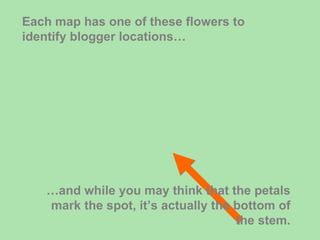
Each map has one of these flowers to identify blogger locations… … and while you may think that the petals mark the spot, it’s actually the bottom of the stem.
If you click in the middle of the flower, a balloon will popup and allow you to visit the blogger or town being displayed…
There are also some shortcuts available. Rather than using the Zoom arrows you can place your cursor anywhere on the map (apart from within a flower) and left double click to zoom in one level…
… or right double click to zoom out one level. Wherever you click your cursor on the map becomes the new center of a zoomed in or out map…
Another shortcut is the ability to move around by dragging your mouse... Left-click somewhere on the map and while holding the click use your mouse to move around.
And that’s the basics of Google Maps. In the future we may see Climate Zones emerge plus a few other features that will aid all bloggers and gardeners alike. If this tutorial was beneficial, please let me know in the comments section. Also, I’m keen to know what other tutorials you might like to see here.

Test

  • 1.
    - TUTORIALS - How to use Google Maps
  • 2.
    The first mapyou encounter at Blotanical is this one… … it may look a little cluttered, so lets find some tools that will help us navigate through it
  • 3.
    The first toolis this one located at the top left-hand corner of every map….
  • 4.
    The circled arrowsare for moving from left to right and up and down.
  • 5.
    These ones arefor zooming in and out.
  • 6.
    The next toolis this one located at the top right-hand corner of every map….
  • 7.
    The MAP button is the default view that you will encounter with each map…
  • 8.
  • 9.
  • 10.
    Each map hasone of these flowers to identify blogger locations… … and while you may think that the petals mark the spot, it’s actually the bottom of the stem.
  • 11.
    If you clickin the middle of the flower, a balloon will popup and allow you to visit the blogger or town being displayed…
  • 12.
    There are alsosome shortcuts available. Rather than using the Zoom arrows you can place your cursor anywhere on the map (apart from within a flower) and left double click to zoom in one level…
  • 13.
    … or rightdouble click to zoom out one level. Wherever you click your cursor on the map becomes the new center of a zoomed in or out map…
  • 14.
    Another shortcut isthe ability to move around by dragging your mouse... Left-click somewhere on the map and while holding the click use your mouse to move around.
  • 15.
    And that’s thebasics of Google Maps. In the future we may see Climate Zones emerge plus a few other features that will aid all bloggers and gardeners alike. If this tutorial was beneficial, please let me know in the comments section. Also, I’m keen to know what other tutorials you might like to see here.