



Alberto Pascual · Office365
MVP
ServerVirtualizationAlbertoPascual
• Microsoft Certifications and awards
- Office365 MVP
- MCSA Windows Server 2008
- MCITP Windows Server 2008 Enterprise Administrator
- MCTS 70-680 / 70-640 / 70-642 / 70-643
- Microsoft Specialist – Administering Office365 for SMB (74-324)
- MAP in 2010 and 2013
- Small business specialist
- Microsoft Community Contributor 2013 and 2014
• ITPro.es member
- http://blogs.itpro.es/guruxp
• More than 20 years with IT
• Office365 migrations and deployments experienced
• Spanish Office365 Community forums Contributor and also English Technet
fórums
• Co-Founder of the very first Office365 Community in Spain
@guruxp
a.pascual@Outlook.com
@guruxp
a.pascual@Outlook.com
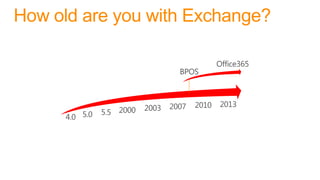
How old are you with Exchange?
On-Prem VS Cloud
VS
On-Prem VS Cloud
VS
On-Prem VS Cloud
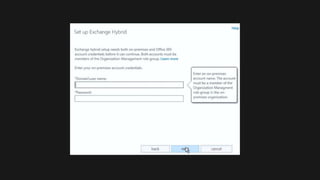
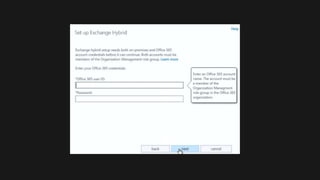
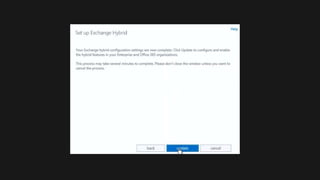
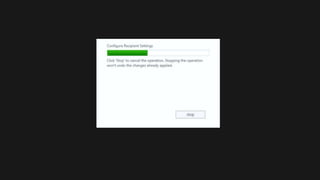
Why not going hybrid?
 Best of two worlds
 Ability to go back and forth with mailboxes
 Federation Trust (enables free/busy, calendar
sharing, etc)
 All in one management from on-prem
 More storage (mailbox, mailbox+Online archive, Online archive)
 Client autoconfiguration
 No new profile or OST regeneration needed
 No local bandwidth shared with mobile users
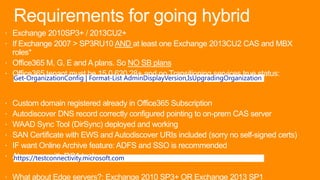
Requirements for going hybrid
 Exchange 2010SP3+ / 2013CU2+
 If Exchange 2007 > SP3RU10 AND at least one Exchange 2013CU2 CAS and MBX
roles*
 Office365 M, G, E and A plans. So NO SB plans
 Office365 tenant must be 15.0.620.28+ and no Transitioning services true status:
 Custom domain registered already in Office365 Subscription
 Autodiscover DNS record correctly configured pointing to on-prem CAS server
 WAAD Sync Tool (DirSync) deployed and working
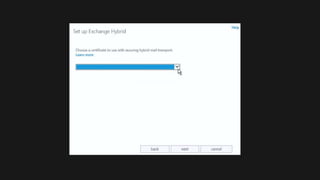
 SAN Certificate with EWS and Autodiscover URIs included (sorry no self-signed certs)
 IF want Online Archive feature: ADFS and SSO is recommended
 Always go with RCA tool:
 What about Edge servers?: Exchange 2010 SP3+ OR Exchange 2013 SP1
Get-OrganizationConfig | Format-List AdminDisplayVersion,IsUpgradingOrganization
https://testconnectivity.microsoft.com
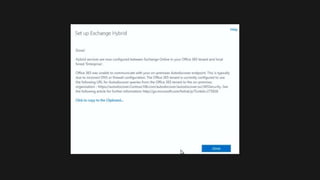
Going
Hybrid!
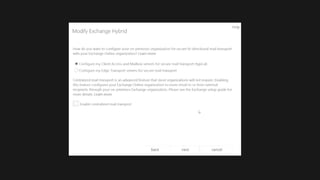
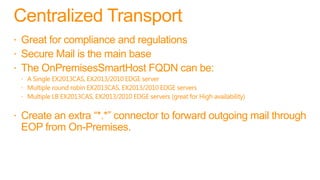
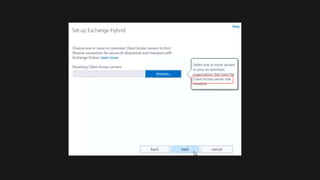
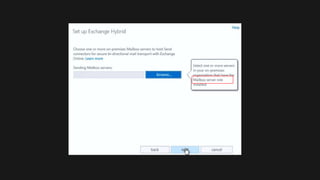
Centralized Transport
 Great for compliance and regulations
 Secure Mail is the main base
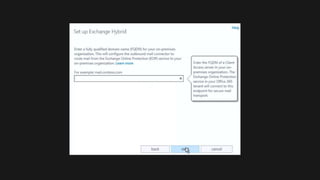
 The OnPremisesSmartHost FQDN can be:
 A Single EX2013CAS, EX2013/2010 EDGE server
 Multiple round robin EX2013CAS, EX2013/2010 EDGE servers
 Multiple LB EX2013CAS, EX2013/2010 EDGE servers (great for High availability)
 Create an extra “*.*” connector to forward outgoing mail through
EOP from On-Premises.
Done? , not
yet…
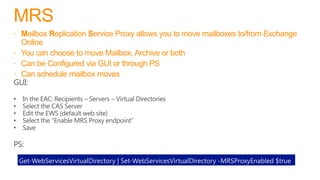
MRS
 Mailbox Replication Service Proxy allows you to move mailboxes to/from Exchange
Online
 You can choose to move Mailbox, Archive or both
 Can be Configured via GUI or through PS
 Can schedule mailbox moves
Get-WebServicesVirtualDirectory | Set-WebServicesVirtualDirectory -MRSProxyEnabled $true
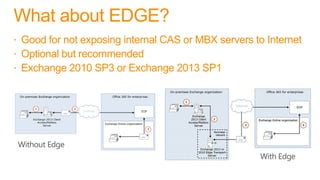
What about EDGE?
 Good for not exposing internal CAS or MBX servers to Internet
 Optional but recommended
 Exchange 2010 SP3 or Exchange 2013 SP1
THANKS!
Going Hybrid with Exchange 2013

Going Hybrid with Exchange 2013

  • 2.
    Alberto Pascual ·Office365 MVP
  • 3.
    ServerVirtualizationAlbertoPascual • Microsoft Certificationsand awards - Office365 MVP - MCSA Windows Server 2008 - MCITP Windows Server 2008 Enterprise Administrator - MCTS 70-680 / 70-640 / 70-642 / 70-643 - Microsoft Specialist – Administering Office365 for SMB (74-324) - MAP in 2010 and 2013 - Small business specialist - Microsoft Community Contributor 2013 and 2014 • ITPro.es member - http://blogs.itpro.es/guruxp • More than 20 years with IT • Office365 migrations and deployments experienced • Spanish Office365 Community forums Contributor and also English Technet fórums • Co-Founder of the very first Office365 Community in Spain @guruxp a.pascual@Outlook.com @guruxp a.pascual@Outlook.com
  • 4.
    How old areyou with Exchange?
  • 5.
  • 6.
  • 7.
  • 8.
    Why not goinghybrid?  Best of two worlds  Ability to go back and forth with mailboxes  Federation Trust (enables free/busy, calendar sharing, etc)  All in one management from on-prem  More storage (mailbox, mailbox+Online archive, Online archive)  Client autoconfiguration  No new profile or OST regeneration needed  No local bandwidth shared with mobile users
  • 9.
    Requirements for goinghybrid  Exchange 2010SP3+ / 2013CU2+  If Exchange 2007 > SP3RU10 AND at least one Exchange 2013CU2 CAS and MBX roles*  Office365 M, G, E and A plans. So NO SB plans  Office365 tenant must be 15.0.620.28+ and no Transitioning services true status:  Custom domain registered already in Office365 Subscription  Autodiscover DNS record correctly configured pointing to on-prem CAS server  WAAD Sync Tool (DirSync) deployed and working  SAN Certificate with EWS and Autodiscover URIs included (sorry no self-signed certs)  IF want Online Archive feature: ADFS and SSO is recommended  Always go with RCA tool:  What about Edge servers?: Exchange 2010 SP3+ OR Exchange 2013 SP1 Get-OrganizationConfig | Format-List AdminDisplayVersion,IsUpgradingOrganization https://testconnectivity.microsoft.com
  • 10.
  • 17.
    Centralized Transport  Greatfor compliance and regulations  Secure Mail is the main base  The OnPremisesSmartHost FQDN can be:  A Single EX2013CAS, EX2013/2010 EDGE server  Multiple round robin EX2013CAS, EX2013/2010 EDGE servers  Multiple LB EX2013CAS, EX2013/2010 EDGE servers (great for High availability)  Create an extra “*.*” connector to forward outgoing mail through EOP from On-Premises.
  • 27.
  • 28.
    MRS  Mailbox ReplicationService Proxy allows you to move mailboxes to/from Exchange Online  You can choose to move Mailbox, Archive or both  Can be Configured via GUI or through PS  Can schedule mailbox moves Get-WebServicesVirtualDirectory | Set-WebServicesVirtualDirectory -MRSProxyEnabled $true
  • 29.
    What about EDGE? Good for not exposing internal CAS or MBX servers to Internet  Optional but recommended  Exchange 2010 SP3 or Exchange 2013 SP1
  • 31.