Keeping Students Safe
                  Internet Safety
                       Dale Martin EDIM 510


     Online Risks:

 - Inappropriate Contact

 - Inappropriate Conduct

 - Inappropriate Content

 - Online Privacy and Reputation


Most students get into trouble online by making poor decisions
Inappropriate Contact
     Students should:

     • Recognize, avoid exposure to, and protect
       themselves from others with bad
       intentions (online predators, peers)


     • Apply the same safety principles online
       that they would in the real world


     • Never give post personal information (full
       name, address, phone number, birthdate)


     • Know how to use privacy settings to limit
       access to their page


     • Know who they are adding as a ‘friend’

     • Never meet online acquaintances off-line
Inappropriate Conduct
Students should:

• Discuss cyber-bullying & netiquette

• Respect the privacy & reputation of
  others

• Think before they post ...
- How will the information affect them?
- How will the information affect others?

• Know that online actions often have off-
  line consequences

• Report rude comments, harassment, or
  cyber-bullying to an adult

• Be familiar with your school’s Acceptable
  Use Policy
Inappropriate Content

     • Students may be exposed to or search for
         sites with unsuitable material:
     -   pornography
     -   criminal activity (drugs, bomb-making)
     -   unsuitable groups or organizations
     -   material containing viruses


     • Students may use the internet to
         download unsuitable material:
     -   file sharing (music, videos, software)
     -   copyrighted files
     -   plagiarism
     -   pornography


     • Develop and enforce an Acceptable Use
         Policy for your school
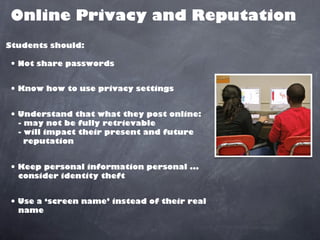
Online Privacy and Reputation
Students should:

• Not share passwords

• Know how to use privacy settings

• Understand that what they post online:
  - may not be fully retrievable
  - will impact their present and future
    reputation


• Keep personal information personal ...
  consider identity theft


• Use a ‘screen name’ instead of their real
  name
Online Resources

• http://www.internetsafety101.org/

• http://www.netsmartz.org/Educators

• http://schools.wiredsafety.org/

• http://www.childrenonline.org/

• http://www.ncte.ie/InternetSafety/

• http://www.cyber-safety.com/
Citations:


Images:

http://www.flickr.com/photos/criminalintent/5403052781/


Pure Imagination (Producer).  (2012). Wide Shot of Laptop Computers with Students Working. [Image].  Available from
http://www.discoveryeducation.com/


Pure Imagination (Producer).  (2012). Front View of Three Students Working on Laptop. [Image].  Available from
http://www.discoveryeducation.com/


http://www.flickr.com/photos/toddhiestand/197704394/


Pure Imagination (Producer).  (2012). Close up of Two Students Working on Computers. [Image].  Available from
http://www.discoveryeducation.com/

Internet safety

  • 1.
    Keeping Students Safe Internet Safety Dale Martin EDIM 510 Online Risks: - Inappropriate Contact - Inappropriate Conduct - Inappropriate Content - Online Privacy and Reputation Most students get into trouble online by making poor decisions
  • 2.
    Inappropriate Contact Students should: • Recognize, avoid exposure to, and protect themselves from others with bad intentions (online predators, peers) • Apply the same safety principles online that they would in the real world • Never give post personal information (full name, address, phone number, birthdate) • Know how to use privacy settings to limit access to their page • Know who they are adding as a ‘friend’ • Never meet online acquaintances off-line
  • 3.
    Inappropriate Conduct Students should: •Discuss cyber-bullying & netiquette • Respect the privacy & reputation of others • Think before they post ... - How will the information affect them? - How will the information affect others? • Know that online actions often have off- line consequences • Report rude comments, harassment, or cyber-bullying to an adult • Be familiar with your school’s Acceptable Use Policy
  • 4.
    Inappropriate Content • Students may be exposed to or search for sites with unsuitable material: - pornography - criminal activity (drugs, bomb-making) - unsuitable groups or organizations - material containing viruses • Students may use the internet to download unsuitable material: - file sharing (music, videos, software) - copyrighted files - plagiarism - pornography • Develop and enforce an Acceptable Use Policy for your school
  • 5.
    Online Privacy andReputation Students should: • Not share passwords • Know how to use privacy settings • Understand that what they post online: - may not be fully retrievable - will impact their present and future reputation • Keep personal information personal ... consider identity theft • Use a ‘screen name’ instead of their real name
  • 6.
    Online Resources • http://www.internetsafety101.org/ •http://www.netsmartz.org/Educators • http://schools.wiredsafety.org/ • http://www.childrenonline.org/ • http://www.ncte.ie/InternetSafety/ • http://www.cyber-safety.com/
  • 7.
    Citations: Images: http://www.flickr.com/photos/criminalintent/5403052781/ Pure Imagination (Producer). (2012). Wide Shot of Laptop Computers with Students Working. [Image].  Available from http://www.discoveryeducation.com/ Pure Imagination (Producer).  (2012). Front View of Three Students Working on Laptop. [Image].  Available from http://www.discoveryeducation.com/ http://www.flickr.com/photos/toddhiestand/197704394/ Pure Imagination (Producer).  (2012). Close up of Two Students Working on Computers. [Image].  Available from http://www.discoveryeducation.com/