Tasting Vulkan Rainbow
Vulkan API Graphics & Compute
Introduction
•Vulkan is a low-level, high-performance graphics
and compute API.
•Designed for modern GPUs with better efficiency
and control.
•Used in gaming, simulation, machine learning,
and more.
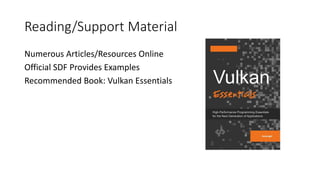
Reading/Support Material
Numerous Articles/Resources Online
Official SDF Provides Examples
Recommended Book: Vulkan Essentials
Is Vulkan the only
graphics API?
Is Vulkan the only graphics API?
•No, Vulkan is one of many graphics APIs.
•Other APIs include DirectX (Windows), OpenGL,
Metal (Apple).
•However, Vulkan provides best multi-platform
support.
•Targets ‘Modern’ GPUs (State of the Art)
Graphics API Comparison
•Vulkan vs OpenGL: Lower overhead, better threading.
•Vulkan vs DirectX: Vulkan is cross-platform, DX12 is
Windows-only.
•Vulkan vs Metal: Metal is Apple-exclusive, Vulkan is
open.
What is special about Vulkan?
•Explicit GPU control for performance
optimization.
•Better multi-threading support than OpenGL.
•Unified API for graphics and compute.
Vulkan Efficiency Example
•OpenGL drivers manage resources automatically,
causing inefficiencies.
•Vulkan allows manual memory management for
better performance.
Is Vulkan limited to graphics?
•No, Vulkan is also a powerful compute API.
• Supports physics simulations, AI processing, and scientific computing.
Example: Vulkan Compute
•Developers can write compute shaders to process
data in parallel.
•Used in AI workloads, physics engines, and real-time
simulations.
What can you do with Vulkan?
•Create high-performance 3D applications.
•Develop cross-platform gaming engines.
•Use it for compute-intensive workloads (AI,
simulations).
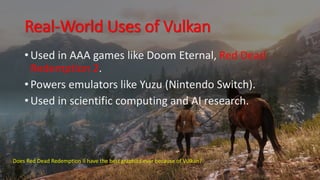
Real-World Uses of Vulkan
•Used in AAA games like Doom Eternal, Red Dead
Redemption 2.
•Powers emulators like Yuzu (Nintendo Switch).
•Used in scientific computing and AI research.
Does Red Dead Redemption II have the best graphics ever because of Vulkan?
Simple Vulkan code example
• What components are important when writing Vulkan code?
• What steps do you need to do?
Simple Vulkan code example
•Initialize Vulkan instance.
•Select physical device and create a logical device.
•Set up a swapchain and render loop.
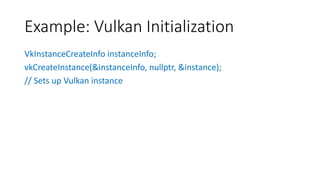
Example: Vulkan Initialization
VkInstanceCreateInfo instanceInfo;
vkCreateInstance(&instanceInfo, nullptr, &instance);
// Sets up Vulkan instance
Vulkan Compute - The Pros and Cons
• Pros:
• Explicit GPU control for optimal performance.
• Can handle complex multi-threaded workloads.
• Cons:
• Steeper learning curve compared to OpenCL or CUDA.
• Requires more boilerplate code.
Vulkan Ray-Tracing - Easy or Hard?
• Hard: Requires setting up acceleration structures manually.
• Easier: Vulkan provides dedicated ray-tracing extensions.
• Requires understanding BVH structures and GPU pipelines.
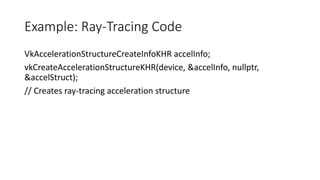
Example: Ray-Tracing Code
VkAccelerationStructureCreateInfoKHR accelInfo;
vkCreateAccelerationStructureKHR(device, &accelInfo, nullptr,
&accelStruct);
// Creates ray-tracing acceleration structure
Why Ray-Tracing with Vulkan? Why Not Write
Your Own?
Why Ray-Tracing with Vulkan? Why Not Write
Your Own?
• Vulkan integrates with modern GPU ray-tracing hardware.
• Writing a custom ray-tracer requires implementing BVH from scratch.
• Vulkan’s extensions are optimized for performance.
Summary
• Vulkan is a powerful low-level graphics and compute API.
• Provides better performance and flexibility compared to OpenGL.
• Used for gaming, simulation, AI, and real-time rendering.
• Ray-tracing and compute features make it future-proof.
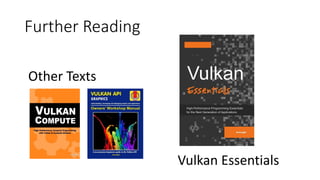
Further Reading
Vulkan Essentials
Other Texts

Taste Vulkan Rainbow - Vulkan API for Graphics and Compute - Why It's Important! How to get started?

  • 1.
    Tasting Vulkan Rainbow VulkanAPI Graphics & Compute
  • 2.
    Introduction •Vulkan is alow-level, high-performance graphics and compute API. •Designed for modern GPUs with better efficiency and control. •Used in gaming, simulation, machine learning, and more.
  • 3.
    Reading/Support Material Numerous Articles/ResourcesOnline Official SDF Provides Examples Recommended Book: Vulkan Essentials
  • 4.
    Is Vulkan theonly graphics API?
  • 5.
    Is Vulkan theonly graphics API? •No, Vulkan is one of many graphics APIs. •Other APIs include DirectX (Windows), OpenGL, Metal (Apple). •However, Vulkan provides best multi-platform support. •Targets ‘Modern’ GPUs (State of the Art)
  • 6.
    Graphics API Comparison •Vulkanvs OpenGL: Lower overhead, better threading. •Vulkan vs DirectX: Vulkan is cross-platform, DX12 is Windows-only. •Vulkan vs Metal: Metal is Apple-exclusive, Vulkan is open.
  • 7.
    What is specialabout Vulkan?
  • 8.
    What is specialabout Vulkan? •Explicit GPU control for performance optimization. •Better multi-threading support than OpenGL. •Unified API for graphics and compute.
  • 9.
    Vulkan Efficiency Example •OpenGLdrivers manage resources automatically, causing inefficiencies. •Vulkan allows manual memory management for better performance.
  • 10.
    Is Vulkan limitedto graphics?
  • 11.
    Is Vulkan limitedto graphics? •No, Vulkan is also a powerful compute API. • Supports physics simulations, AI processing, and scientific computing.
  • 12.
    Example: Vulkan Compute •Developerscan write compute shaders to process data in parallel. •Used in AI workloads, physics engines, and real-time simulations.
  • 13.
    What can youdo with Vulkan?
  • 14.
    What can youdo with Vulkan? •Create high-performance 3D applications. •Develop cross-platform gaming engines. •Use it for compute-intensive workloads (AI, simulations).
  • 15.
    Real-World Uses ofVulkan •Used in AAA games like Doom Eternal, Red Dead Redemption 2. •Powers emulators like Yuzu (Nintendo Switch). •Used in scientific computing and AI research. Does Red Dead Redemption II have the best graphics ever because of Vulkan?
  • 16.
    Simple Vulkan codeexample • What components are important when writing Vulkan code? • What steps do you need to do?
  • 17.
    Simple Vulkan codeexample •Initialize Vulkan instance. •Select physical device and create a logical device. •Set up a swapchain and render loop.
  • 18.
    Example: Vulkan Initialization VkInstanceCreateInfoinstanceInfo; vkCreateInstance(&instanceInfo, nullptr, &instance); // Sets up Vulkan instance
  • 19.
    Vulkan Compute -The Pros and Cons
  • 20.
    Vulkan Compute -The Pros and Cons • Pros: • Explicit GPU control for optimal performance. • Can handle complex multi-threaded workloads. • Cons: • Steeper learning curve compared to OpenCL or CUDA. • Requires more boilerplate code.
  • 21.
    Vulkan Ray-Tracing -Easy or Hard?
  • 22.
    Vulkan Ray-Tracing -Easy or Hard? • Hard: Requires setting up acceleration structures manually. • Easier: Vulkan provides dedicated ray-tracing extensions. • Requires understanding BVH structures and GPU pipelines.
  • 23.
    Example: Ray-Tracing Code VkAccelerationStructureCreateInfoKHRaccelInfo; vkCreateAccelerationStructureKHR(device, &accelInfo, nullptr, &accelStruct); // Creates ray-tracing acceleration structure
  • 24.
    Why Ray-Tracing withVulkan? Why Not Write Your Own?
  • 25.
    Why Ray-Tracing withVulkan? Why Not Write Your Own? • Vulkan integrates with modern GPU ray-tracing hardware. • Writing a custom ray-tracer requires implementing BVH from scratch. • Vulkan’s extensions are optimized for performance.
  • 26.
    Summary • Vulkan isa powerful low-level graphics and compute API. • Provides better performance and flexibility compared to OpenGL. • Used for gaming, simulation, AI, and real-time rendering. • Ray-tracing and compute features make it future-proof.
  • 27.