Definition of VC, UC, transitions from VC to UC,
trends, to desktops, BYOD, business cases
*
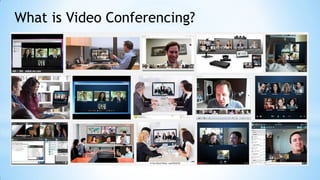
What is Video Conferencing?
Started as a Fiction
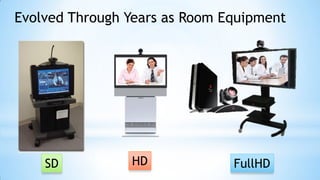
Evolved Through Years as Room Equipment
SD HD FullHD
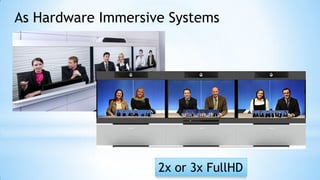
As Hardware Immersive Systems
2x or 3x FullHD
Software Always Pursuit Hardware
Every Solution is Telepresense 1080p Class Now
SD
HD
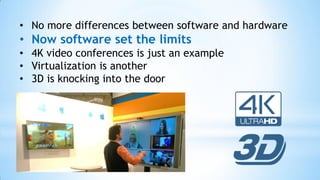
• No more differences between software and hardware
• Now software set the limits
• 4K video conferences is just an example
• Virtualization is another
• 3D is knocking into the door
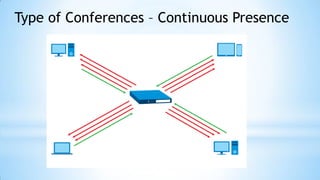
Type of Conferences – Continuous Presence
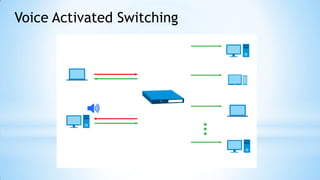
Voice Activated Switching
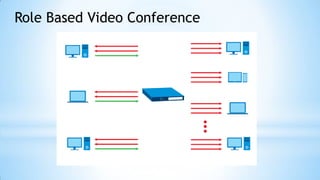
Role Based Video Conference
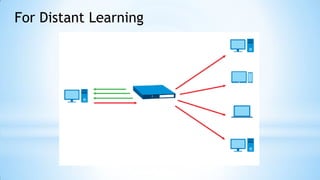
For Distant Learning
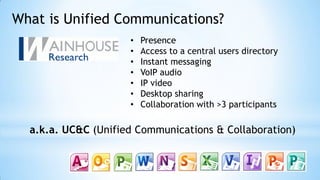
What is Unified Communications?
• Presence
• Access to a central users directory
• Instant messaging
• VoIP audio
• IP video
• Desktop sharing
• Collaboration with >3 participants
a.k.a. UC&C (Unified Communications & Collaboration)
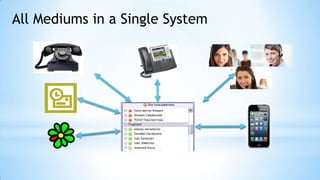
All Mediums in a Single System
Why VC is rapidly evolve into UC&C
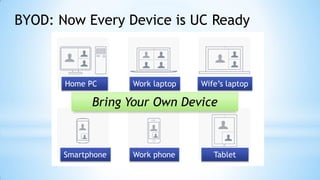
Home PC Work laptop Wife’s laptop
Smartphone TabletWork phone
BYOD: Now Every Device is UC Ready
Bring Your Own Device
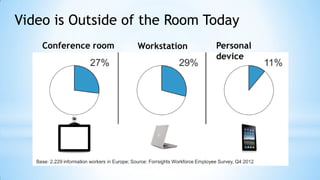
Conference room Workstation Personal
device
Video is Outside of the Room Today
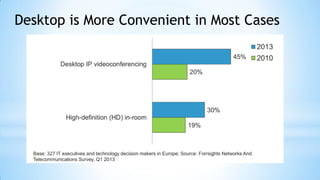
Desktop is More Convenient in Most Cases
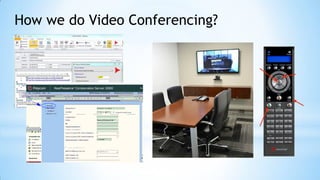
How we do Video Conferencing?
Pre-scheduled Approach is Obsolete
• Schedule Conference on MCU
• Book Conference Room
• Create calendar notifications for participants
• Invite Network guy to initiate the conference
• Don’t forget the PIN
Duh… It was never easy.
• Good choice for board meetings
• For important conferences
• Don’t work for everyday activity and education
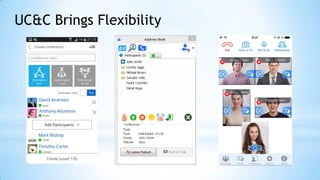
UC&C Brings Flexibility
New Way: Collaborate on the Go
• You can see who is available
• Create conferences on the go
• Collaborate from any moment
• Various conferencing modes
• Access from everywhere
• Easy to use
Just what employee needs!
• Video is replacing VoIP
• Collaboration is desktop-centric
• Users choose medium: chat, audio, video.
Video Conferencing is Rapidly Changing
VC
UC
WebRTC
BYOD
Thank you!

Collaboration, Tarik Alpgiray — Avinet Bilişim, Proje Yöneticisi

  • 1.
    Definition of VC,UC, transitions from VC to UC, trends, to desktops, BYOD, business cases *
  • 2.
    What is VideoConferencing?
  • 3.
    Started as aFiction
  • 4.
    Evolved Through Yearsas Room Equipment SD HD FullHD
  • 5.
    As Hardware ImmersiveSystems 2x or 3x FullHD
  • 6.
    Software Always PursuitHardware Every Solution is Telepresense 1080p Class Now SD HD
  • 7.
    • No moredifferences between software and hardware • Now software set the limits • 4K video conferences is just an example • Virtualization is another • 3D is knocking into the door
  • 8.
    Type of Conferences– Continuous Presence
  • 9.
  • 10.
    Role Based VideoConference
  • 11.
  • 12.
    What is UnifiedCommunications? • Presence • Access to a central users directory • Instant messaging • VoIP audio • IP video • Desktop sharing • Collaboration with >3 participants a.k.a. UC&C (Unified Communications & Collaboration)
  • 13.
    All Mediums ina Single System
  • 14.
    Why VC israpidly evolve into UC&C
  • 15.
    Home PC Worklaptop Wife’s laptop Smartphone TabletWork phone BYOD: Now Every Device is UC Ready Bring Your Own Device
  • 16.
    Conference room WorkstationPersonal device Video is Outside of the Room Today
  • 17.
    Desktop is MoreConvenient in Most Cases
  • 18.
    How we doVideo Conferencing?
  • 19.
    Pre-scheduled Approach isObsolete • Schedule Conference on MCU • Book Conference Room • Create calendar notifications for participants • Invite Network guy to initiate the conference • Don’t forget the PIN Duh… It was never easy. • Good choice for board meetings • For important conferences • Don’t work for everyday activity and education
  • 20.
  • 21.
    New Way: Collaborateon the Go • You can see who is available • Create conferences on the go • Collaborate from any moment • Various conferencing modes • Access from everywhere • Easy to use Just what employee needs! • Video is replacing VoIP • Collaboration is desktop-centric • Users choose medium: chat, audio, video.
  • 22.
    Video Conferencing isRapidly Changing VC UC WebRTC BYOD
  • 23.