
Targeted Logo Project
Target Market
• Is an audience segment a company seeks to
reach with its advertising and promotion
campaign
• Such as teens, women over 30, yuppies, etc.
• Font choice, colors, artwork, and design style
are crucial
Target Market
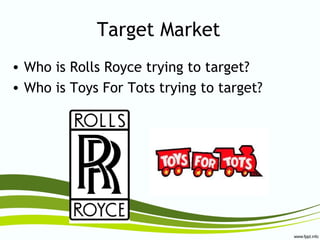
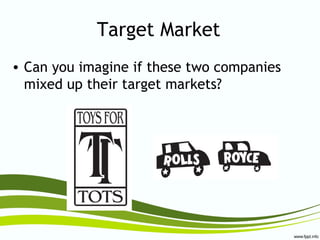
• Who is Rolls Royce trying to target?
• Who is Toys For Tots trying to target?
Target Market
• Can you imagine if these two companies
mixed up their target markets?
Examples
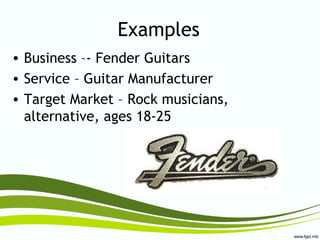
• Business –- Fender Guitars
• Service – Guitar Manufacturer
• Target Market – Rock musicians,
alternative, ages 18-25
Examples
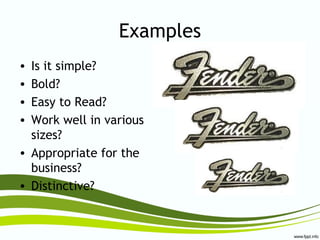
• Is it simple?
• Bold?
• Easy to Read?
• Work well in various
sizes?
• Appropriate for the
business?
• Distinctive?
Examples
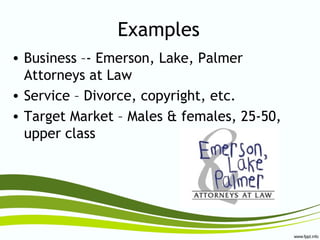
• Business –- Emerson, Lake, Palmer
Attorneys at Law
• Service – Divorce, copyright, etc.
• Target Market – Males & females, 25-50,
upper class
Examples
• Is it simple?
• Bold?
• Easy to Read?
• Work well in various
sizes?
• Appropriate for the
business?
• Distinctive?
Examples
• Business –- Fifi’s Flowers & Fancy
• Service – Florist, home goods
• Target Market – Females 25-50, romantic
Examples
• Is it simple?
• Bold?
• Easy to Read?
• Work well in various
sizes?
• Appropriate for the
business?
• Distinctive?
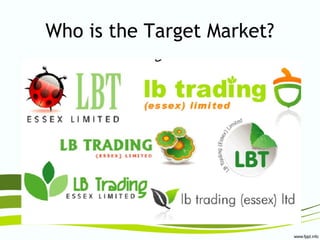
Who is the Target Market?
Logo Redesign
A company is ready to change
their current brand identity and
has come to you to design a new
logo for them.
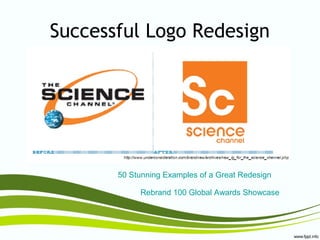
Successful Logo Redesign
50 Stunning Examples of a Great Redesign
Rebrand 100 Global Awards Showcase
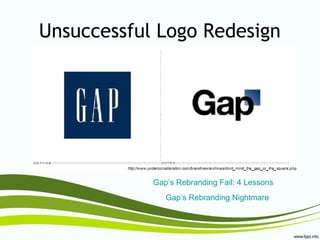
Unsuccessful Logo Redesign
Gap’s Rebranding Fail: 4 Lessons
Gap’s Rebranding Nightmare
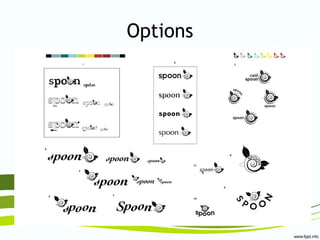
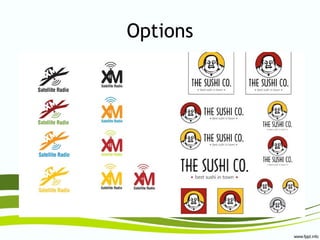
Options
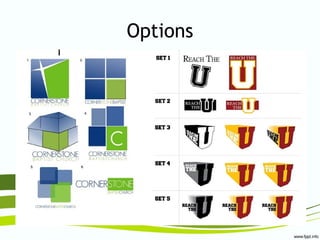
Options
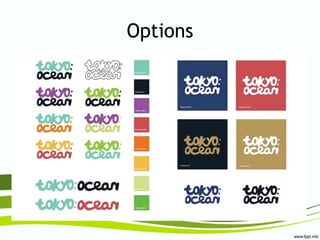
Options
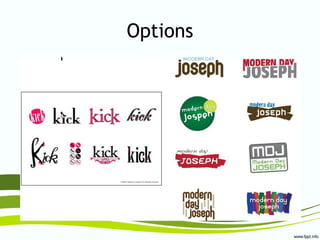
Options
Options
Logo Redesign Process
• Remember this is not
a logo for YOU
• This logo is for THE
COMPANY.
• Anatomy of a Design
• Step-by-Step Logo
• Before & After—Design it
• Design Inside
Tips and Tricks
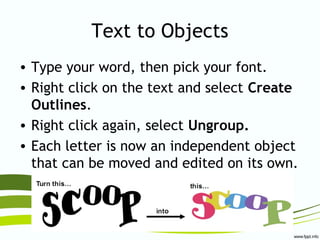
Text to Objects
• Type your word, then pick your font.
• Right click on the text and select Create
Outlines.
• Right click again, select Ungroup.
• Each letter is now an independent object
that can be moved and edited on its own.
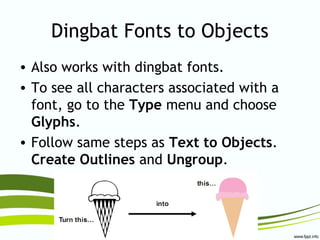
Dingbat Fonts to Objects
• Also works with dingbat fonts.
• To see all characters associated with a
font, go to the Type menu and choose
Glyphs.
• Follow same steps as Text to Objects.
Create Outlines and Ungroup.
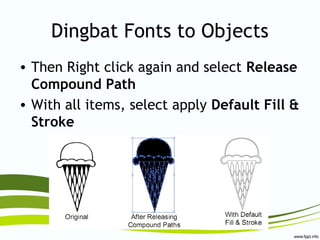
Dingbat Fonts to Objects
• Then Right click again and select Release
Compound Path
• With all items, select apply Default Fill &
Stroke
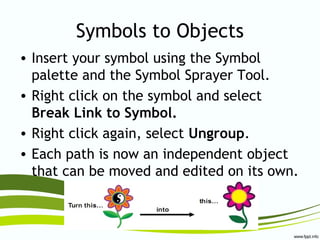
Symbols to Objects
• Insert your symbol using the Symbol
palette and the Symbol Sprayer Tool.
• Right click on the symbol and select
Break Link to Symbol.
• Right click again, select Ungroup.
• Each path is now an independent object
that can be moved and edited on its own.
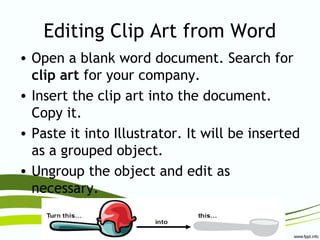
Editing Clip Art from Word
• Open a blank word document. Search for
clip art for your company.
• Insert the clip art into the document.
Copy it.
• Paste it into Illustrator. It will be inserted
as a grouped object.
• Ungroup the object and edit as
necessary.
Web Resources
Graphics Websites
• Additional sites for vector graphics
– http://colorburned.com/freebies/
– http://vector4free.com
– http://dryicons.com/free-graphics/
– http://www.vecteezy.com/
• If used, remember to cite sources
• Be creative and adapt, change, and make
the graphics your own. Don’t just copy
and paste!
Logo Inspiration
• http://logopond.com/
• http://www.lo8os.com/
• http://www.logosauce.com/
• http://logolounge.com
• http://www.brandsoftheworld.com/
• http://www.faveup.com/
• http://logoorange.com/
You’ve been hired!
A company is ready to change
their current brand identity and
has come to you to design a new
logo for them.
Client Specifications
• You must design a variety of logos for the
client to choose from.
• The company name must be a significant
part of each of the logos.
• The design must appeal to the company’s
target market.
Client Specifications
• Do not include a slogan, or any other
additional wording, as part of your design.
• The new logos must be different from the
original.
Citations

Targeted Logo Project

  • 1.
  • 2.
    Target Market • Isan audience segment a company seeks to reach with its advertising and promotion campaign • Such as teens, women over 30, yuppies, etc. • Font choice, colors, artwork, and design style are crucial
  • 3.
    Target Market • Whois Rolls Royce trying to target? • Who is Toys For Tots trying to target?
  • 4.
    Target Market • Canyou imagine if these two companies mixed up their target markets?
  • 5.
    Examples • Business –-Fender Guitars • Service – Guitar Manufacturer • Target Market – Rock musicians, alternative, ages 18-25
  • 6.
    Examples • Is itsimple? • Bold? • Easy to Read? • Work well in various sizes? • Appropriate for the business? • Distinctive?
  • 7.
    Examples • Business –-Emerson, Lake, Palmer Attorneys at Law • Service – Divorce, copyright, etc. • Target Market – Males & females, 25-50, upper class
  • 8.
    Examples • Is itsimple? • Bold? • Easy to Read? • Work well in various sizes? • Appropriate for the business? • Distinctive?
  • 9.
    Examples • Business –-Fifi’s Flowers & Fancy • Service – Florist, home goods • Target Market – Females 25-50, romantic
  • 10.
    Examples • Is itsimple? • Bold? • Easy to Read? • Work well in various sizes? • Appropriate for the business? • Distinctive?
  • 11.
    Who is theTarget Market?
  • 12.
    Who is theTarget Market?
  • 13.
    Logo Redesign A companyis ready to change their current brand identity and has come to you to design a new logo for them.
  • 14.
    Successful Logo Redesign 50Stunning Examples of a Great Redesign Rebrand 100 Global Awards Showcase
  • 15.
    Unsuccessful Logo Redesign Gap’sRebranding Fail: 4 Lessons Gap’s Rebranding Nightmare
  • 16.
  • 17.
  • 18.
  • 19.
  • 20.
  • 21.
    Logo Redesign Process •Remember this is not a logo for YOU • This logo is for THE COMPANY. • Anatomy of a Design • Step-by-Step Logo • Before & After—Design it • Design Inside
  • 22.
  • 23.
    Text to Objects •Type your word, then pick your font. • Right click on the text and select Create Outlines. • Right click again, select Ungroup. • Each letter is now an independent object that can be moved and edited on its own.
  • 24.
    Dingbat Fonts toObjects • Also works with dingbat fonts. • To see all characters associated with a font, go to the Type menu and choose Glyphs. • Follow same steps as Text to Objects. Create Outlines and Ungroup.
  • 25.
    Dingbat Fonts toObjects • Then Right click again and select Release Compound Path • With all items, select apply Default Fill & Stroke
  • 26.
    Symbols to Objects •Insert your symbol using the Symbol palette and the Symbol Sprayer Tool. • Right click on the symbol and select Break Link to Symbol. • Right click again, select Ungroup. • Each path is now an independent object that can be moved and edited on its own.
  • 27.
    Editing Clip Artfrom Word • Open a blank word document. Search for clip art for your company. • Insert the clip art into the document. Copy it. • Paste it into Illustrator. It will be inserted as a grouped object. • Ungroup the object and edit as necessary.
  • 28.
  • 29.
    Graphics Websites • Additionalsites for vector graphics – http://colorburned.com/freebies/ – http://vector4free.com – http://dryicons.com/free-graphics/ – http://www.vecteezy.com/ • If used, remember to cite sources • Be creative and adapt, change, and make the graphics your own. Don’t just copy and paste!
  • 30.
    Logo Inspiration • http://logopond.com/ •http://www.lo8os.com/ • http://www.logosauce.com/ • http://logolounge.com • http://www.brandsoftheworld.com/ • http://www.faveup.com/ • http://logoorange.com/
  • 31.
    You’ve been hired! Acompany is ready to change their current brand identity and has come to you to design a new logo for them.
  • 32.
    Client Specifications • Youmust design a variety of logos for the client to choose from. • The company name must be a significant part of each of the logos. • The design must appeal to the company’s target market.
  • 33.
    Client Specifications • Donot include a slogan, or any other additional wording, as part of your design. • The new logos must be different from the original.
  • 34.