Nagios and Kentix System Partners - 
Critical Monitoring Alerts in Your Hand 
Tanja Lewit 
T.Lewit@Kentix.com
Introduction & Agenda 
• Nagios Core is the industry standard, Open 
Source IT monitoring system that enables 
organizations to identify and resolve IT 
infrastructure problems before they affect 
critical business processes. 
• Kentix is a one box “Lego Block” that adds 
physical environmental monitoring and 
security as an extension .
Nagios and Kentix as “Partners” 
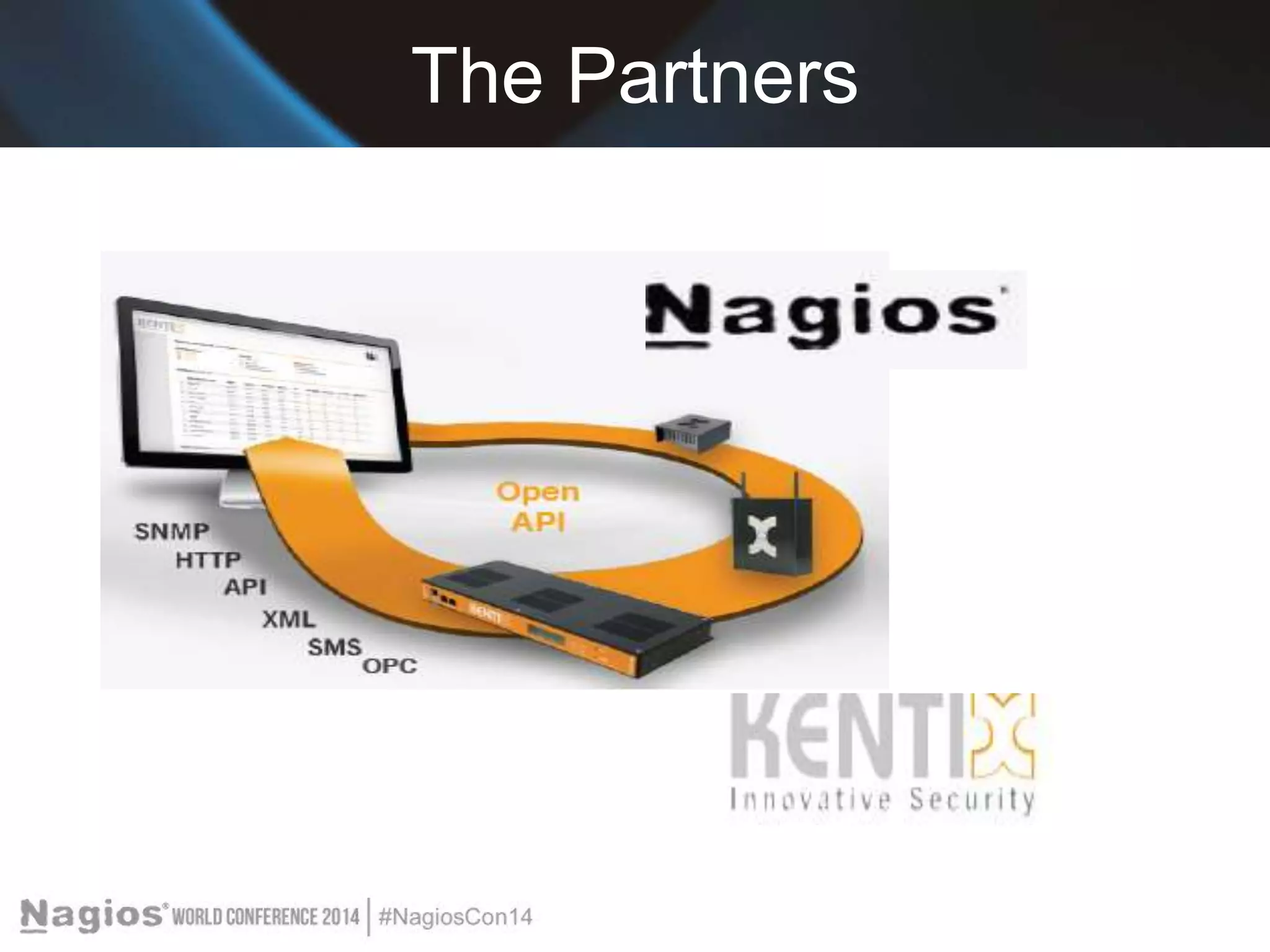
With Kentix and Nagios integration ANY monitored parameter 
can be established as an “alert” and can be sent via text or 
email to your phone. 
We will cover: 
>Nagios Setup for monitoring Kentix Alarm Manager-PRO 
with connected MultiSensors 
>Setting up Nagios SMS-Alarming and Email notification via 
Alarm Manager
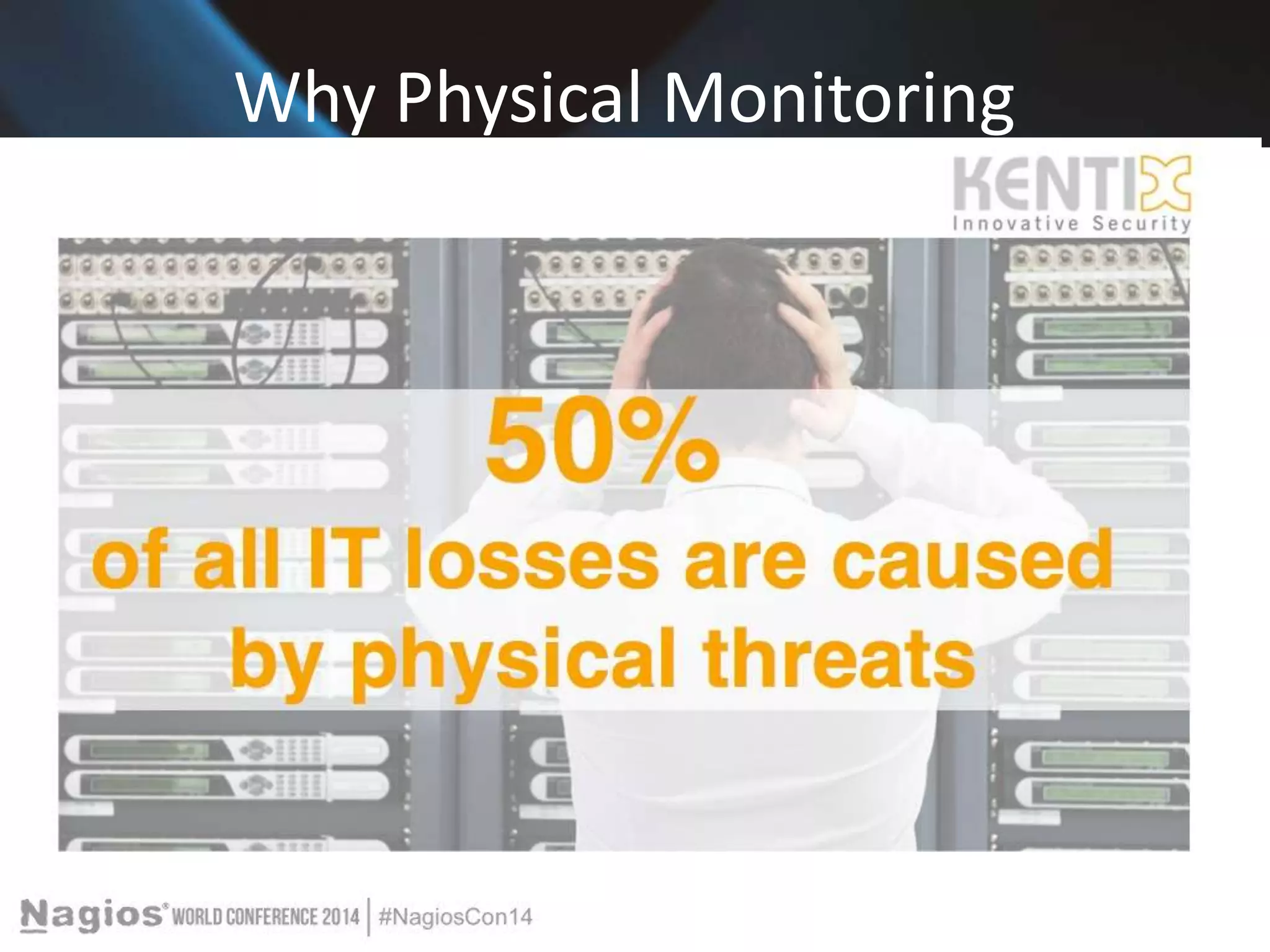
Why Physical Monitoring
One Box Innovative Security 
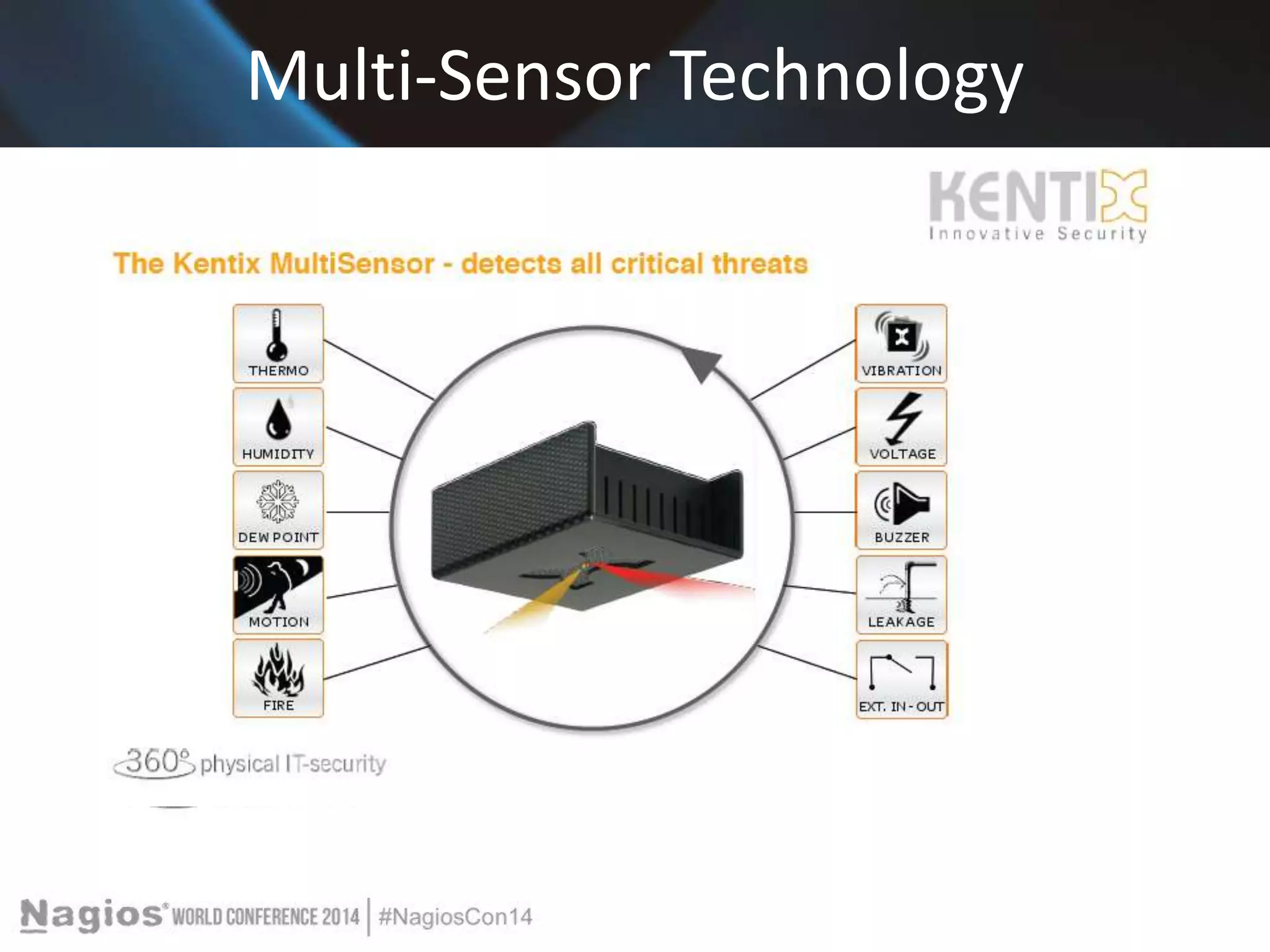
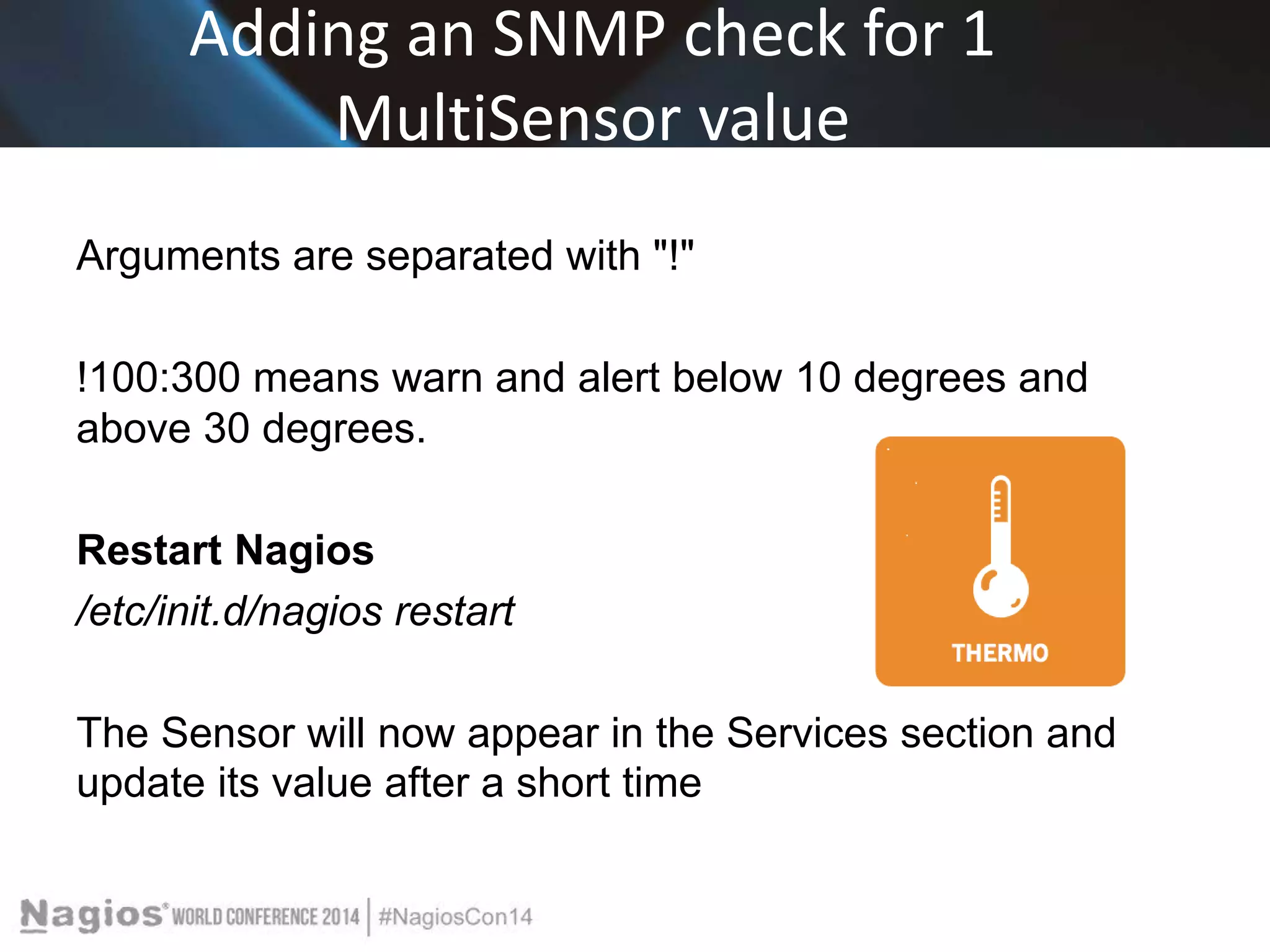
Kentix was developed to ensure Critical Equipment 
protection. We feature Multi-Sensor technology which 
provides for all environmental sensing parameters in one. 
Temp, humidity, dew point, CO2 , Pre-alarm for Fire, 
Motion, Access, Sabotage, Power Loss , etc . 
The IT server room is a critical equipment area and 
beyond the network and processes, security and 
reliability of uptime means making sure the equipment 
Is protected.
Multi-Sensor Technology
Nagios Core Overview 
Comprehensive Monitoring: Provides monitoring of 
all mission-critical infrastructure components - 
including applications, services, operating systems, 
network protocols, system metrics, and network 
infrastructure. 
Visibility: Provides central view of your entire IT 
operations network and business processes.
Nagios Core Benefits 
Awareness: Alerts are delivered to IT staff via email and SMS. Multi-user 
notification escalation capabilities ensure alerts reach the 
attention of the right people. 
Problem Remediation: Event handlers allow you to automatically 
restart failed applications, services, servers, and devices when 
problems are detected. 
Reports: Ensure SLAs are being met, provides historical records of 
outages, notifications, and alert response for later analysis. 
Extendable Architecture: Provides easy integration with in-house and 
third-party applications. Hundreds of community-developed add-ons 
extend core functionality.
The Partners
Nagios Setup for monitoring Kentix Alarm Manager-PRO with 
connected MultiSensors 
System Requirements 
- Installed Nagios Core with SNMP-Plugins / Nagios-Plugins 
- Installed and configured E-Mail-Server (i.e. Outlook) 
The configuration is done by editing the Nagios config-files manually. 
A configuration with a GUI (Graphical User Interface), i.e. NagiosQL is 
also possible but it has to be installed separately. 
The path of the Nagios installation and its config files can vary 
depending on the way of installation (packages/source). 
The files that require modification are always the same. 
For this example -the Nagios installation was built from its source
Kentix-Knowledge Base 
* Edit the main Nagios config file (nagios.cfg): 
nano /usr/local/nagios/etc/nagios.cfg 
* Locate the line „check_external_command=0“ and 
* Activate: "check_external_command = 1" 
* Locate the „OBJECT CONFIGURATION FILES section“ 
* Add the config files: 
cfg_file=/usr/local/nagios/etc/objects/commands.cfg 
cfg_file=/usr/local/nagios/etc/objects/hosts.cfg 
cfg_file=/usr/local/nagios/etc/objects/services.cfg 
cfg_file=/usr/local/nagios/etc/objects/contacts.cfg
Kentix Knowledge Base 
* Paths can vary between distributions and installation 
variant (packages/built from source) 
• Create the defined config files if these do not already exist 
touch /usr/local/nagios/etc/objects/commands.cfg 
touch /usr/local/nagios/etc/objects/hosts.cfg 
touch /usr/local/nagios/etc/objects/services.cfg 
touch /usr/local/nagios/etc/objects/contacts.cfg
Kentix Knowledge Base 
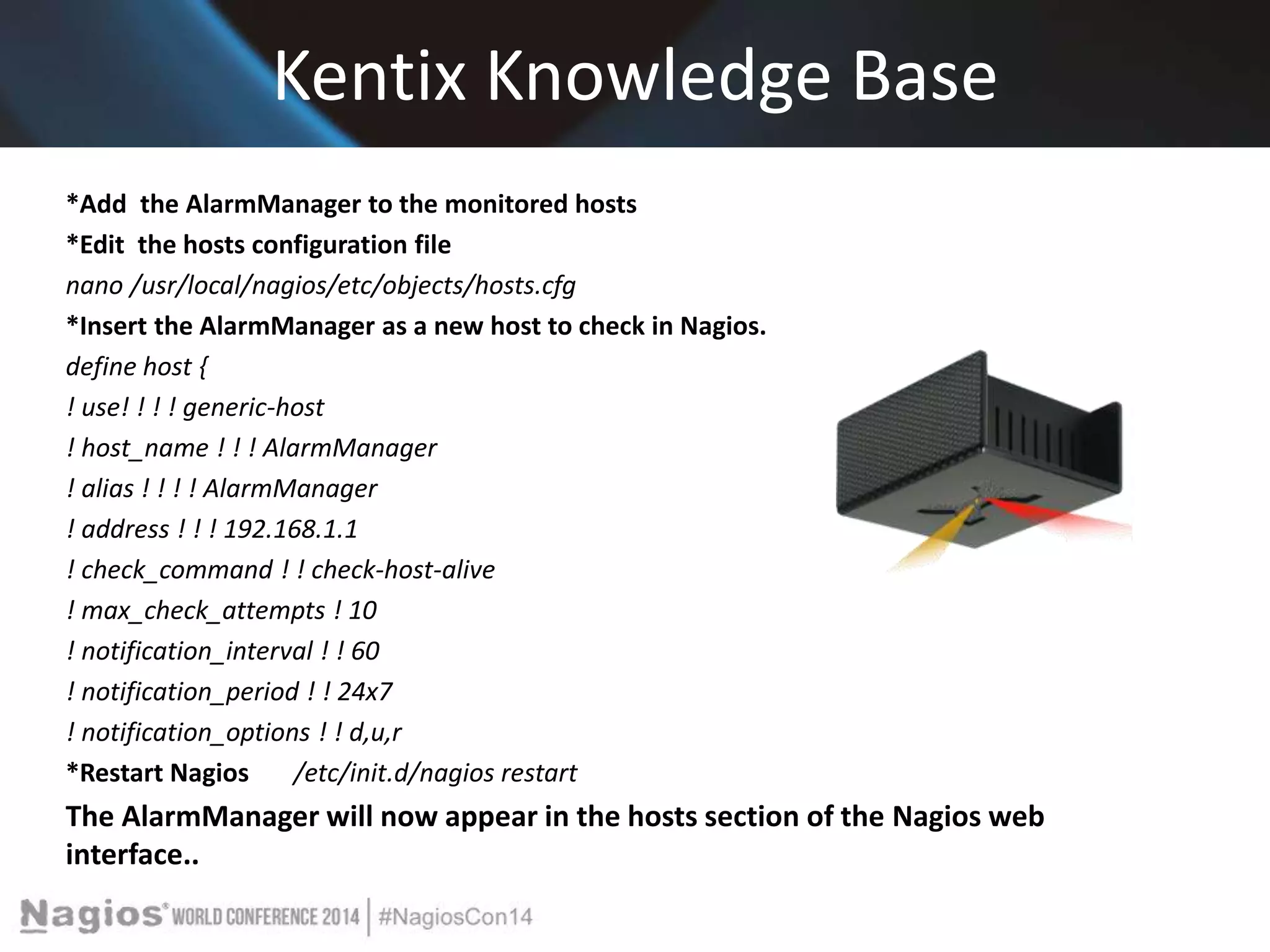
*Add the AlarmManager to the monitored hosts 
*Edit the hosts configuration file 
nano /usr/local/nagios/etc/objects/hosts.cfg 
*Insert the AlarmManager as a new host to check in Nagios. 
define host { 
! use! ! ! ! generic-host 
! host_name ! ! ! AlarmManager 
! alias ! ! ! ! AlarmManager 
! address ! ! ! 192.168.1.1 
! check_command ! ! check-host-alive 
! max_check_attempts ! 10 
! notification_interval ! ! 60 
! notification_period ! ! 24x7 
! notification_options ! ! d,u,r 
*Restart Nagios /etc/init.d/nagios restart 
The AlarmManager will now appear in the hosts section of the Nagios web 
interface..
Adding an SNMP check for 1 
MultiSensor value 
* Download the file Kampro.mib (SNMP MIB in the software section on 
www.kentix.com) and open in a MIB Browser (i.e. iReasoning MIB Browser) to 
determine the OIDs for e.g. the temperature of MultiSensor 1. 
Note Itʻs also possible to use snmpwalk to catch the needed OID. 
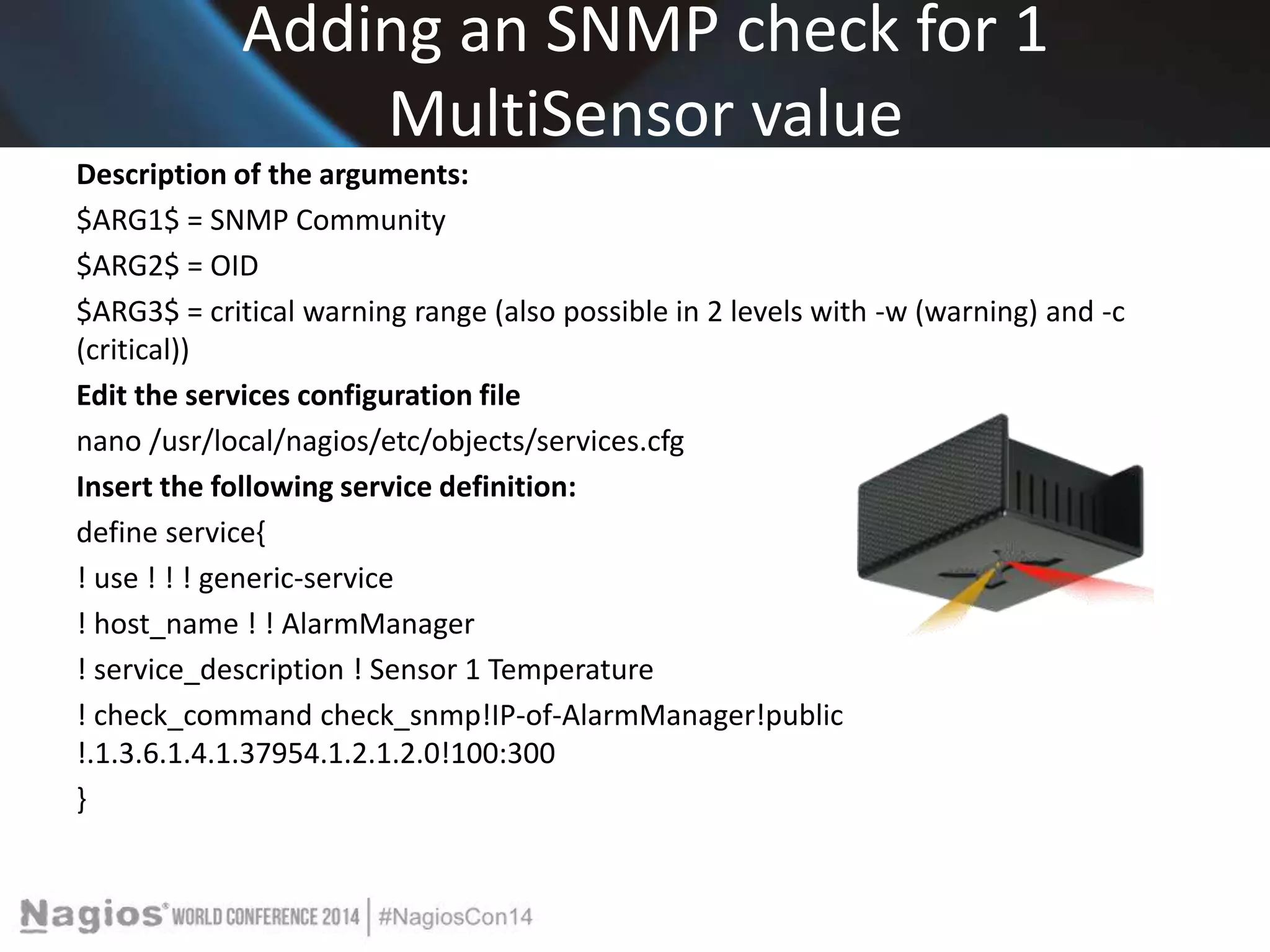
snmpwalk -v2c -c private IP .1.3.6.1.4.1.37954 
*Edit the commands configuration file nano 
/usr/local/nagios/etc/objects/commands.cfg 
*Insert / modify the following command definition: 
# 'check_snmp' command definition 
define command{ 
command_name ! check_snmp 
command_line ! ! $USER1$/check_snmp -H $HOSTADDRESS$ -c $ARG1$ -o $ARG2$ -c 
$ARG3$ 
}
Adding an SNMP check for 1 
MultiSensor value 
Description of the arguments: 
$ARG1$ = SNMP Community 
$ARG2$ = OID 
$ARG3$ = critical warning range (also possible in 2 levels with -w (warning) and -c 
(critical)) 
Edit the services configuration file 
nano /usr/local/nagios/etc/objects/services.cfg 
Insert the following service definition: 
define service{ 
! use ! ! ! generic-service 
! host_name ! ! AlarmManager 
! service_description ! Sensor 1 Temperature 
! check_command check_snmp!IP-of-AlarmManager!public 
!.1.3.6.1.4.1.37954.1.2.1.2.0!100:300 
}
Adding an SNMP check for 1 
MultiSensor value 
Arguments are separated with "!" 
!100:300 means warn and alert below 10 degrees and 
above 30 degrees. 
Restart Nagios 
/etc/init.d/nagios restart 
The Sensor will now appear in the Services section and 
update its value after a short time
Setting up Nagios E-Mail notification and SMS-Alarming 
via AlarmManager 
ROUND TWO-Edit 
the hosts configuration file 
nano /usr/local/nagios/etc/objects/hosts.cfg 
Add a contact or contact group to your AlarmManager-host for the alarming. 
... 
contacts nagiosadmin 
.. 
Edit the contacts configuration file 
nano /usr/local/nagios/etc/objects/contacts.cfg
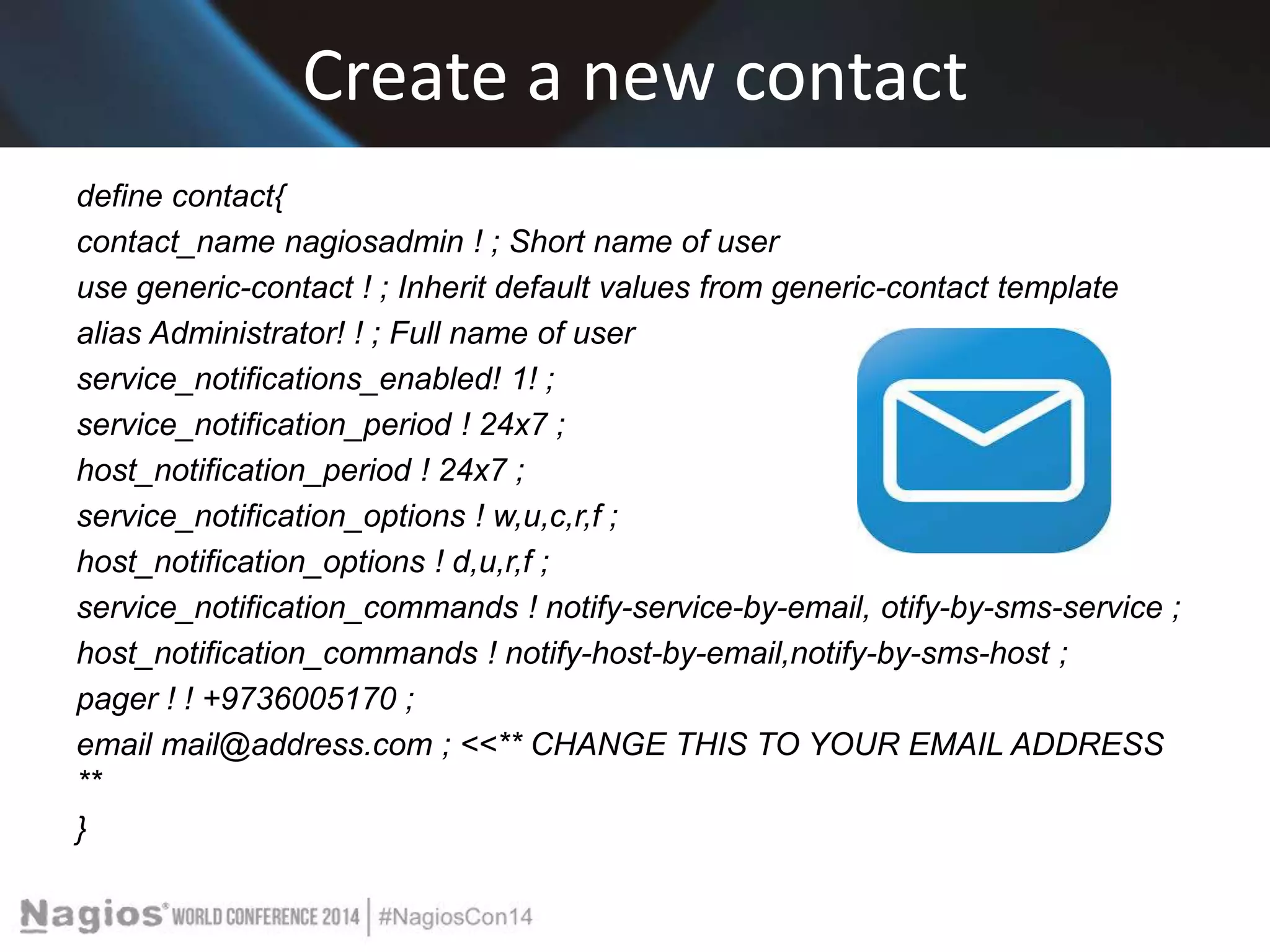
Create a new contact 
define contact{ 
contact_name nagiosadmin ! ; Short name of user 
use generic-contact ! ; Inherit default values from generic-contact template 
alias Administrator! ! ; Full name of user 
service_notifications_enabled! 1! ; 
service_notification_period ! 24x7 ; 
host_notification_period ! 24x7 ; 
service_notification_options ! w,u,c,r,f ; 
host_notification_options ! d,u,r,f ; 
service_notification_commands ! notify-service-by-email, otify-by-sms-service ; 
host_notification_commands ! notify-host-by-email,notify-by-sms-host ; 
pager ! ! +9736005170 ; 
email mail@address.com ; <<** CHANGE THIS TO YOUR EMAIL ADDRESS 
** 
}
Edit-Locate 
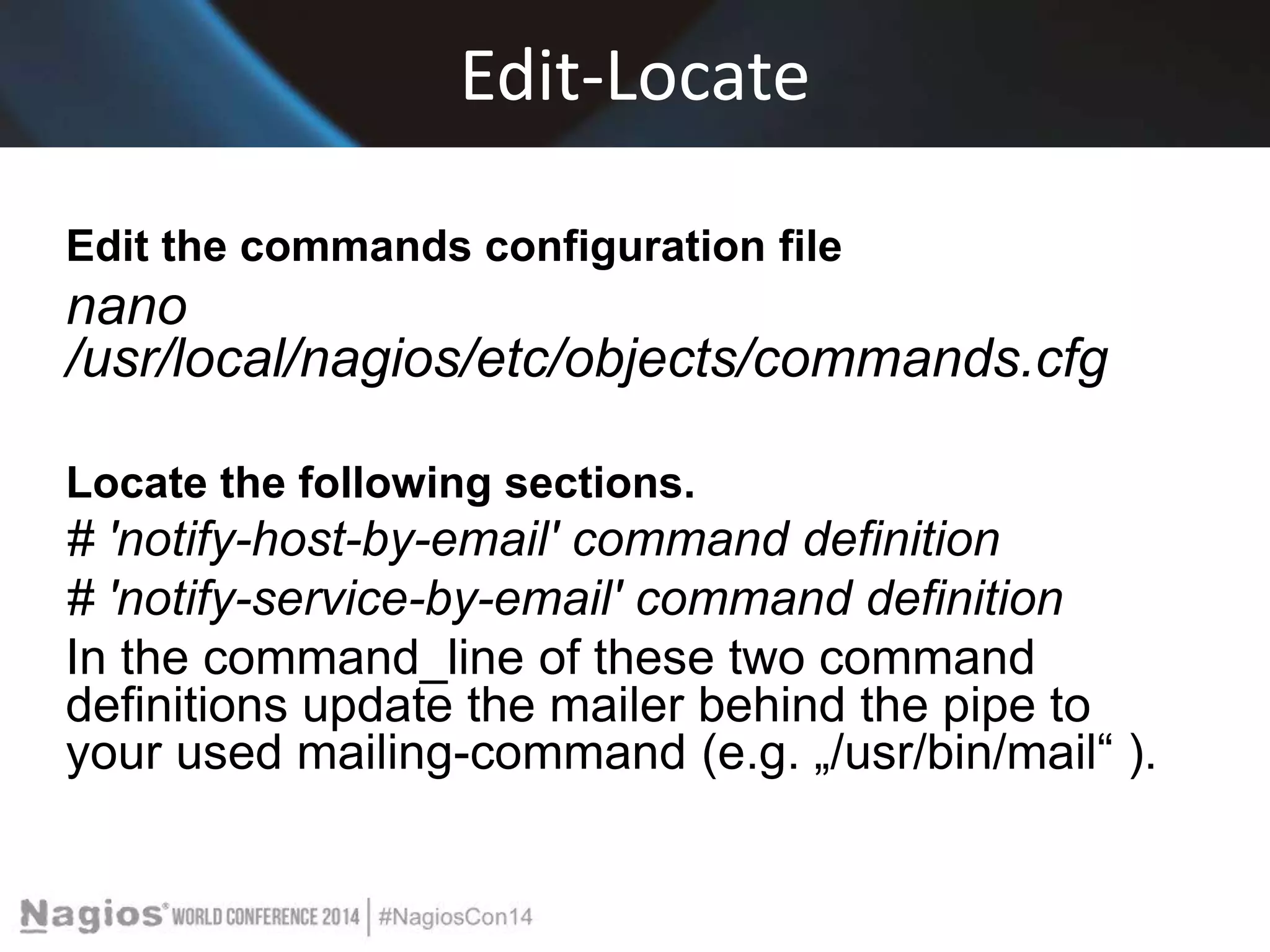
Edit the commands configuration file 
nano 
/usr/local/nagios/etc/objects/commands.cfg 
Locate the following sections. 
# 'notify-host-by-email' command definition 
# 'notify-service-by-email' command definition 
In the command_line of these two command 
definitions update the mailer behind the pipe to 
your used mailing-command (e.g. „/usr/bin/mail“ ).
Insert Command Definition 
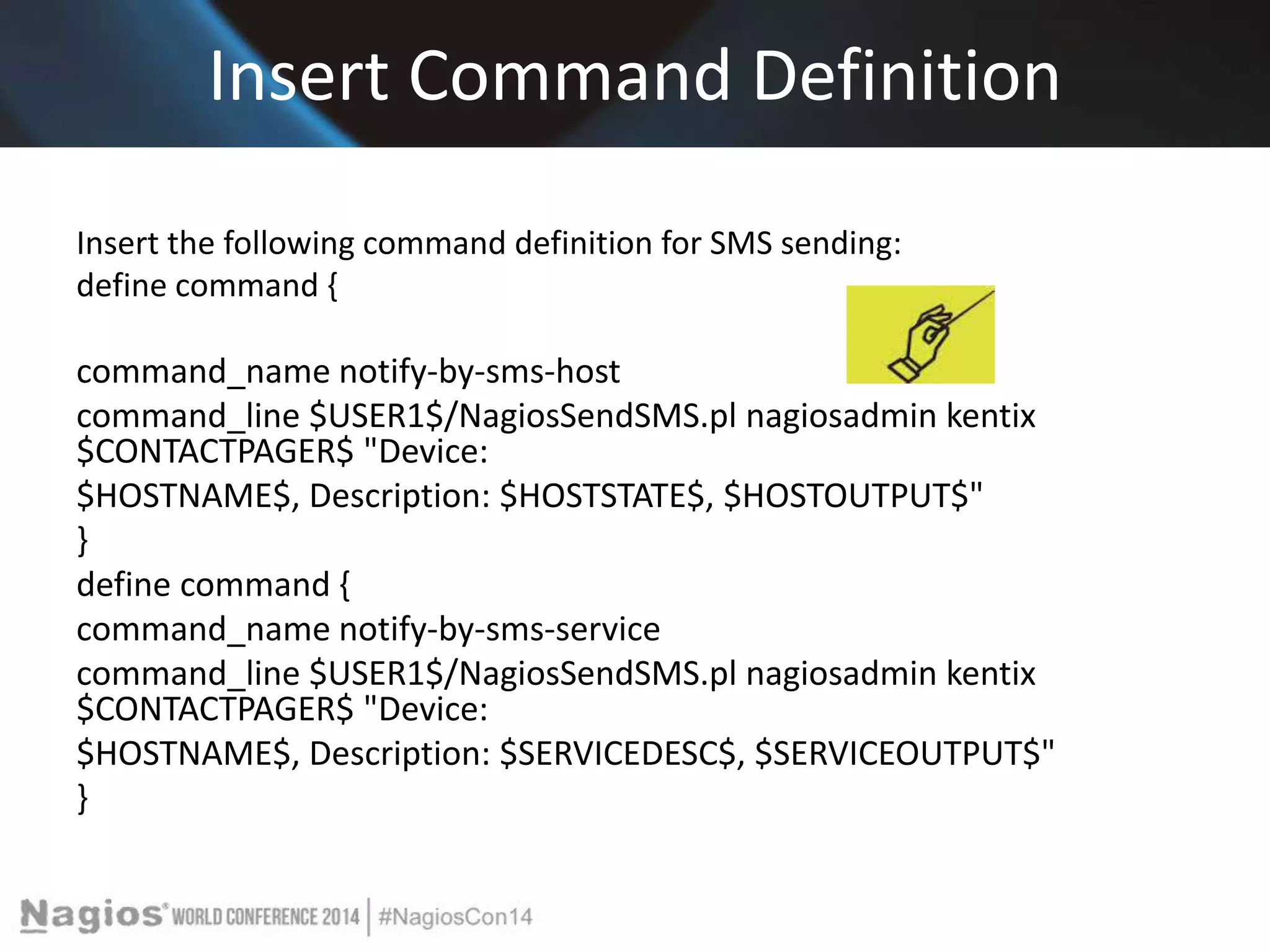
Insert the following command definition for SMS sending: 
define command { 
command_name notify-by-sms-host 
command_line $USER1$/NagiosSendSMS.pl nagiosadmin kentix 
$CONTACTPAGER$ "Device: 
$HOSTNAME$, Description: $HOSTSTATE$, $HOSTOUTPUT$" 
} 
define command { 
command_name notify-by-sms-service 
command_line $USER1$/NagiosSendSMS.pl nagiosadmin kentix 
$CONTACTPAGER$ "Device: 
$HOSTNAME$, Description: $SERVICEDESC$, $SERVICEOUTPUT$" 
}
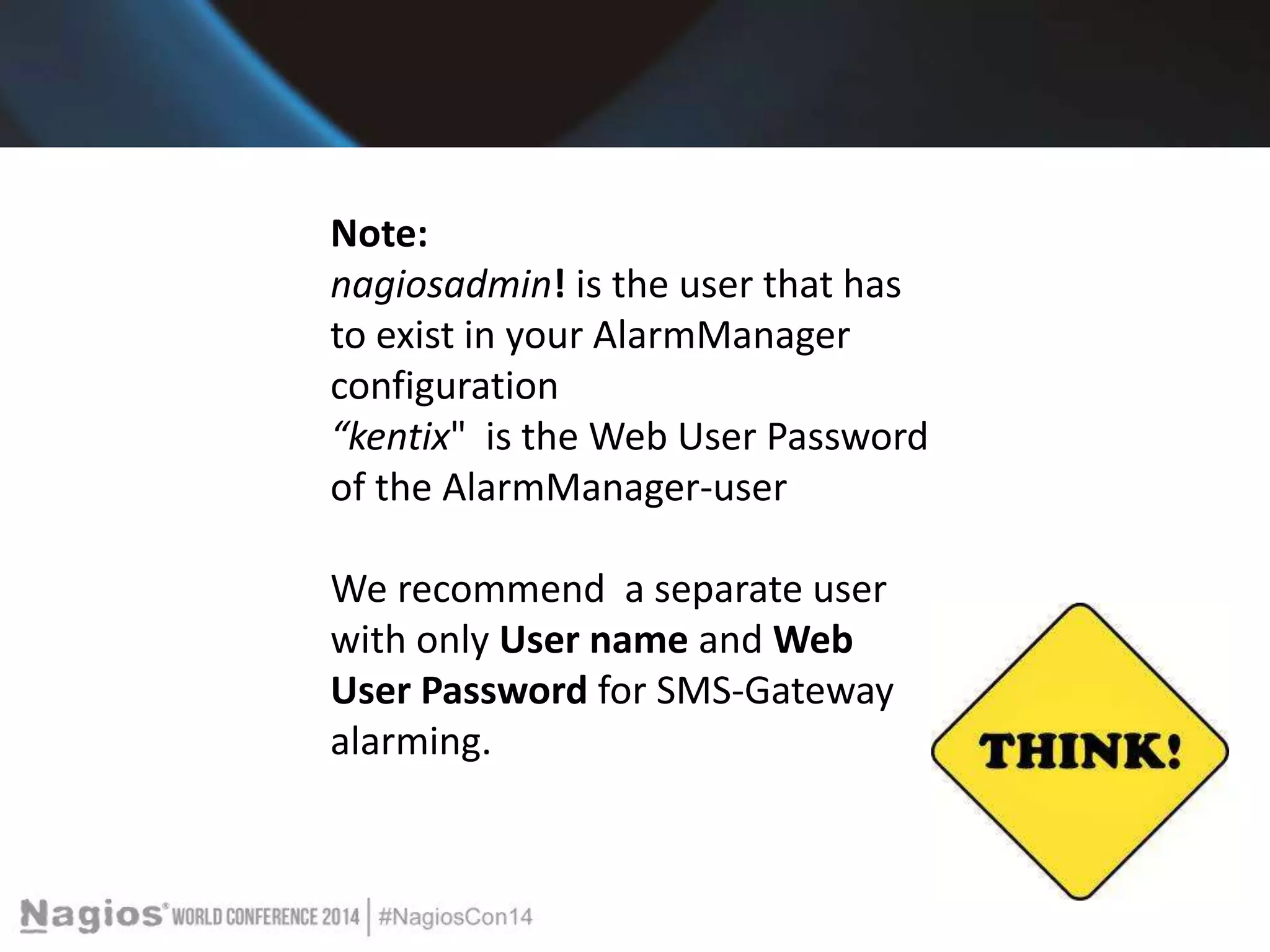
Note: 
nagiosadmin! is the user that has 
to exist in your AlarmManager 
configuration 
“kentix" is the Web User Password 
of the AlarmManager-user 
We recommend a separate user 
with only User name and Web 
User Password for SMS-Gateway 
alarming.
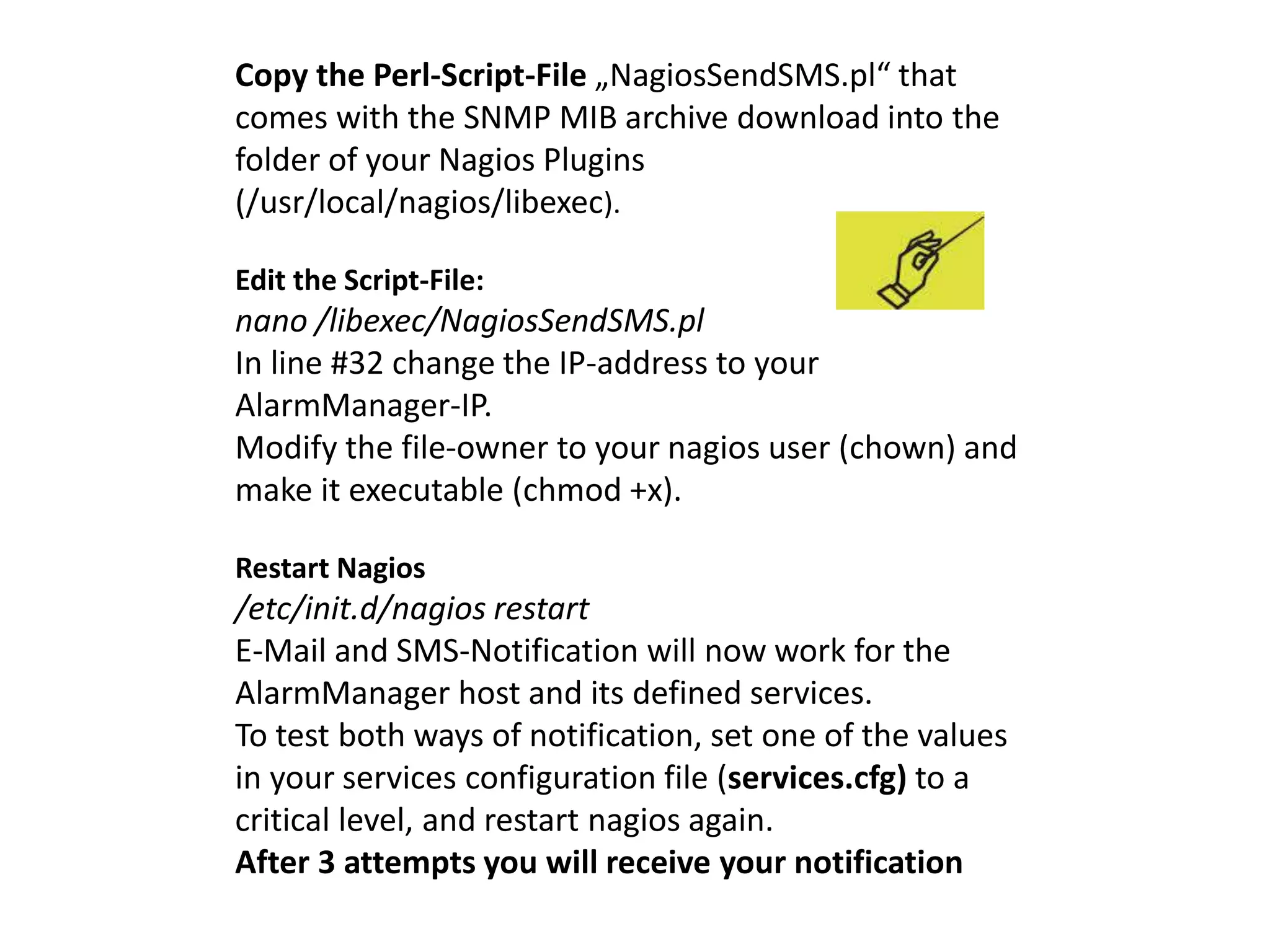
Copy the Perl-Script-File „NagiosSendSMS.pl“ that 
comes with the SNMP MIB archive download into the 
folder of your Nagios Plugins 
(/usr/local/nagios/libexec). 
Edit the Script-File: 
nano /libexec/NagiosSendSMS.pl 
In line #32 change the IP-address to your 
AlarmManager-IP. 
Modify the file-owner to your nagios user (chown) and 
make it executable (chmod +x). 
Restart Nagios 
/etc/init.d/nagios restart 
E-Mail and SMS-Notification will now work for the 
AlarmManager host and its defined services. 
To test both ways of notification, set one of the values 
in your services configuration file (services.cfg) to a 
critical level, and restart nagios again. 
After 3 attempts you will receive your notification
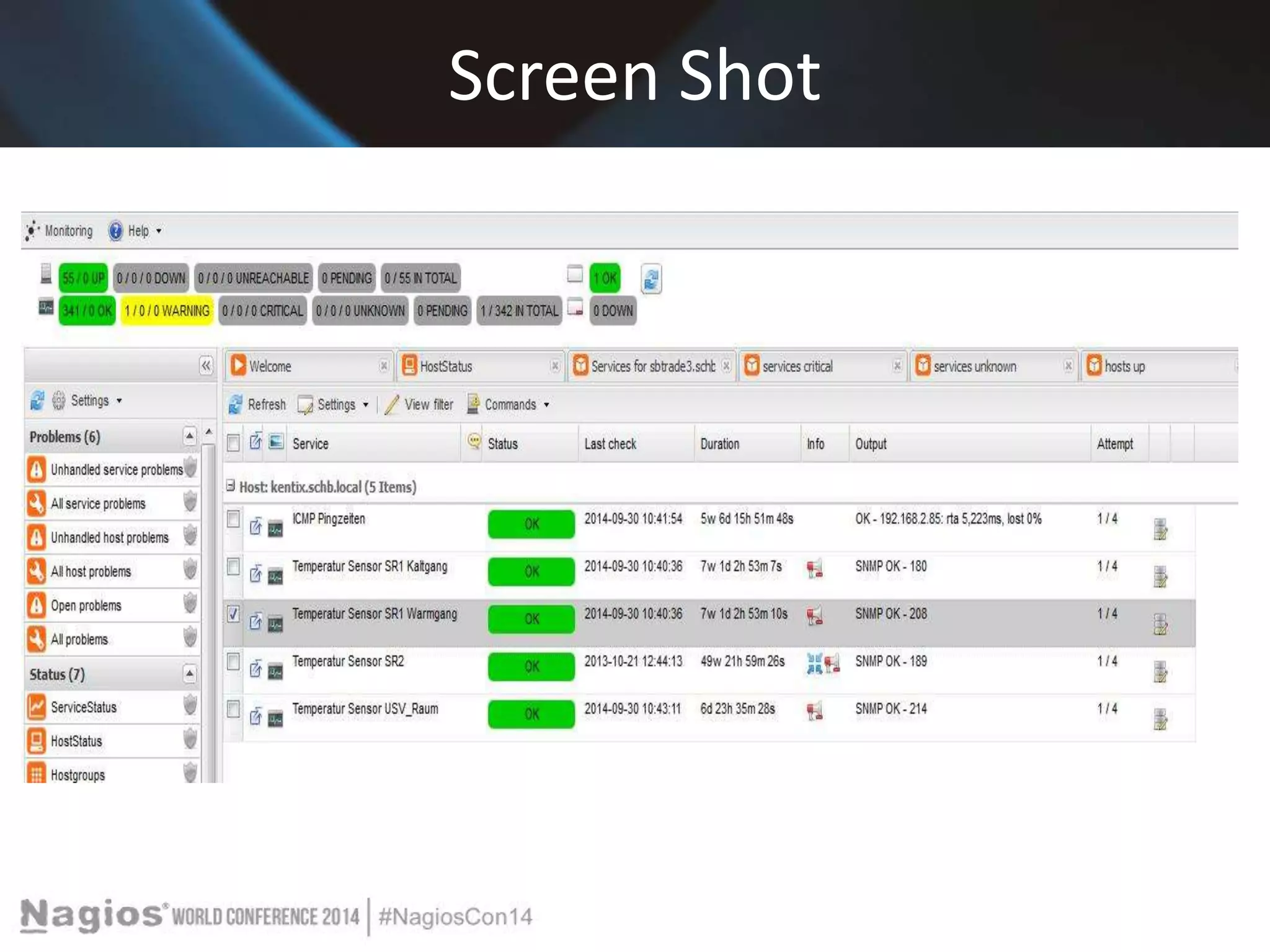
Screen Shot
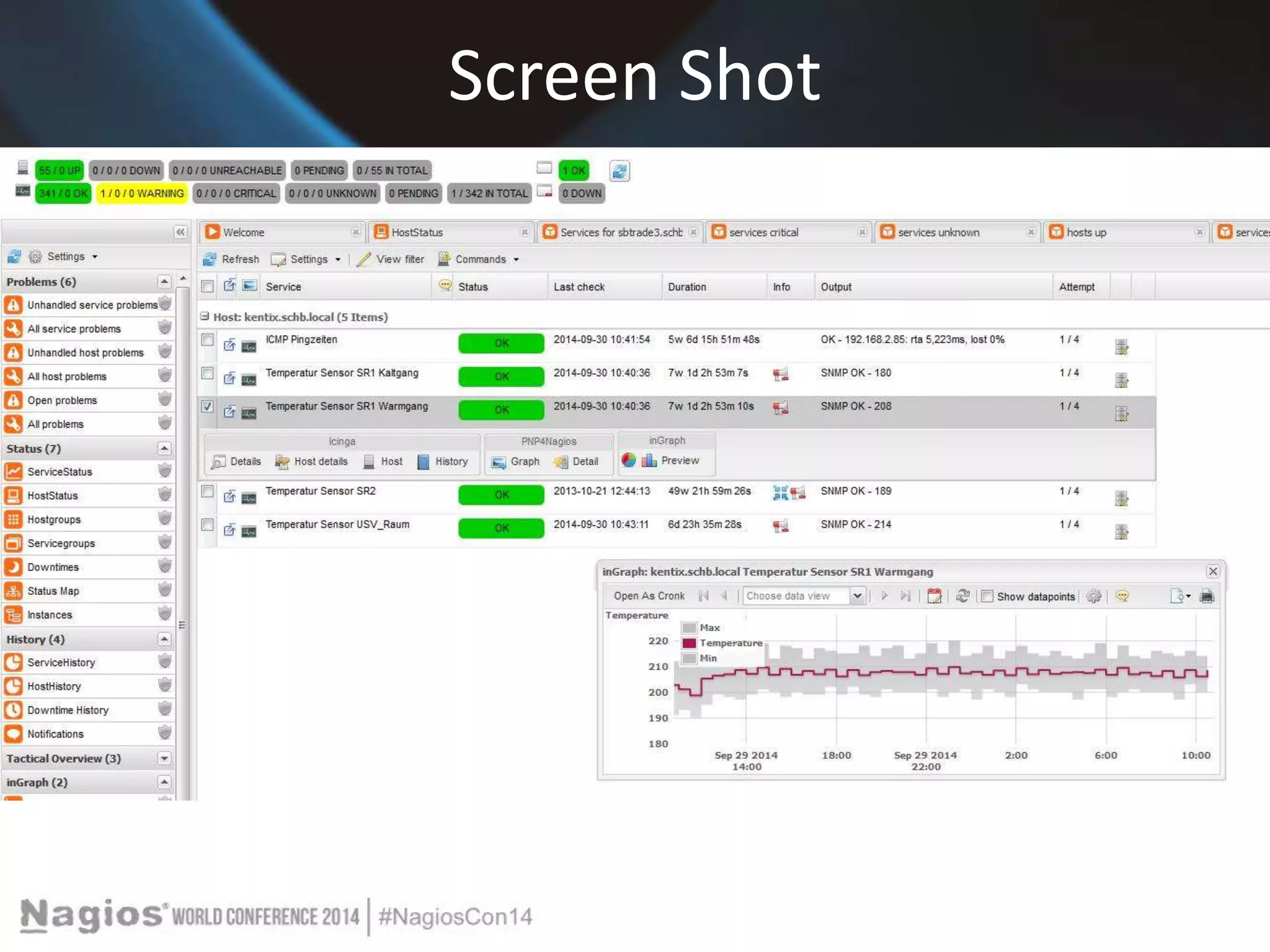
Screen Shot
Can you repeat that? 
Have no fear!! 
All information available on the web 
www.Kentix.com 
http://kentix.com/us/?page=service_knowledge 
-base 
And always dedicated support 
1-844-KENTIX2
Conclusion 
Its about securing and monitoring mission critical applications and 
equipment. 
Nagios- Is The Industry Standard In IT Infrastructure Monitoring 
Plus + 
the Innovative system that Detects all physical risks - instant alerting 
- ingeniously simple to ensure the Environment and Equipment are 
monitored and secure 
Achieve instant awareness of IT infrastructure and the critical 
environment of any problems, so downtime doesn't adversely affect 
your business.
Questions? 
Any questions?
The End 
Presenter 
t.lewit@kentix.com

Nagios Conference 2014 - Tanja Lewit - Nagios and Kentix System Partners - Critical Monitoring Alerts in Your Hand

  • 1.
    Nagios and KentixSystem Partners - Critical Monitoring Alerts in Your Hand Tanja Lewit T.Lewit@Kentix.com
  • 2.
    Introduction & Agenda • Nagios Core is the industry standard, Open Source IT monitoring system that enables organizations to identify and resolve IT infrastructure problems before they affect critical business processes. • Kentix is a one box “Lego Block” that adds physical environmental monitoring and security as an extension .
  • 3.
    Nagios and Kentixas “Partners” With Kentix and Nagios integration ANY monitored parameter can be established as an “alert” and can be sent via text or email to your phone. We will cover: >Nagios Setup for monitoring Kentix Alarm Manager-PRO with connected MultiSensors >Setting up Nagios SMS-Alarming and Email notification via Alarm Manager
  • 4.
  • 5.
    One Box InnovativeSecurity Kentix was developed to ensure Critical Equipment protection. We feature Multi-Sensor technology which provides for all environmental sensing parameters in one. Temp, humidity, dew point, CO2 , Pre-alarm for Fire, Motion, Access, Sabotage, Power Loss , etc . The IT server room is a critical equipment area and beyond the network and processes, security and reliability of uptime means making sure the equipment Is protected.
  • 6.
  • 7.
    Nagios Core Overview Comprehensive Monitoring: Provides monitoring of all mission-critical infrastructure components - including applications, services, operating systems, network protocols, system metrics, and network infrastructure. Visibility: Provides central view of your entire IT operations network and business processes.
  • 8.
    Nagios Core Benefits Awareness: Alerts are delivered to IT staff via email and SMS. Multi-user notification escalation capabilities ensure alerts reach the attention of the right people. Problem Remediation: Event handlers allow you to automatically restart failed applications, services, servers, and devices when problems are detected. Reports: Ensure SLAs are being met, provides historical records of outages, notifications, and alert response for later analysis. Extendable Architecture: Provides easy integration with in-house and third-party applications. Hundreds of community-developed add-ons extend core functionality.
  • 9.
  • 10.
    Nagios Setup formonitoring Kentix Alarm Manager-PRO with connected MultiSensors System Requirements - Installed Nagios Core with SNMP-Plugins / Nagios-Plugins - Installed and configured E-Mail-Server (i.e. Outlook) The configuration is done by editing the Nagios config-files manually. A configuration with a GUI (Graphical User Interface), i.e. NagiosQL is also possible but it has to be installed separately. The path of the Nagios installation and its config files can vary depending on the way of installation (packages/source). The files that require modification are always the same. For this example -the Nagios installation was built from its source
  • 11.
    Kentix-Knowledge Base *Edit the main Nagios config file (nagios.cfg): nano /usr/local/nagios/etc/nagios.cfg * Locate the line „check_external_command=0“ and * Activate: "check_external_command = 1" * Locate the „OBJECT CONFIGURATION FILES section“ * Add the config files: cfg_file=/usr/local/nagios/etc/objects/commands.cfg cfg_file=/usr/local/nagios/etc/objects/hosts.cfg cfg_file=/usr/local/nagios/etc/objects/services.cfg cfg_file=/usr/local/nagios/etc/objects/contacts.cfg
  • 12.
    Kentix Knowledge Base * Paths can vary between distributions and installation variant (packages/built from source) • Create the defined config files if these do not already exist touch /usr/local/nagios/etc/objects/commands.cfg touch /usr/local/nagios/etc/objects/hosts.cfg touch /usr/local/nagios/etc/objects/services.cfg touch /usr/local/nagios/etc/objects/contacts.cfg
  • 13.
    Kentix Knowledge Base *Add the AlarmManager to the monitored hosts *Edit the hosts configuration file nano /usr/local/nagios/etc/objects/hosts.cfg *Insert the AlarmManager as a new host to check in Nagios. define host { ! use! ! ! ! generic-host ! host_name ! ! ! AlarmManager ! alias ! ! ! ! AlarmManager ! address ! ! ! 192.168.1.1 ! check_command ! ! check-host-alive ! max_check_attempts ! 10 ! notification_interval ! ! 60 ! notification_period ! ! 24x7 ! notification_options ! ! d,u,r *Restart Nagios /etc/init.d/nagios restart The AlarmManager will now appear in the hosts section of the Nagios web interface..
  • 14.
    Adding an SNMPcheck for 1 MultiSensor value * Download the file Kampro.mib (SNMP MIB in the software section on www.kentix.com) and open in a MIB Browser (i.e. iReasoning MIB Browser) to determine the OIDs for e.g. the temperature of MultiSensor 1. Note Itʻs also possible to use snmpwalk to catch the needed OID. snmpwalk -v2c -c private IP .1.3.6.1.4.1.37954 *Edit the commands configuration file nano /usr/local/nagios/etc/objects/commands.cfg *Insert / modify the following command definition: # 'check_snmp' command definition define command{ command_name ! check_snmp command_line ! ! $USER1$/check_snmp -H $HOSTADDRESS$ -c $ARG1$ -o $ARG2$ -c $ARG3$ }
  • 15.
    Adding an SNMPcheck for 1 MultiSensor value Description of the arguments: $ARG1$ = SNMP Community $ARG2$ = OID $ARG3$ = critical warning range (also possible in 2 levels with -w (warning) and -c (critical)) Edit the services configuration file nano /usr/local/nagios/etc/objects/services.cfg Insert the following service definition: define service{ ! use ! ! ! generic-service ! host_name ! ! AlarmManager ! service_description ! Sensor 1 Temperature ! check_command check_snmp!IP-of-AlarmManager!public !.1.3.6.1.4.1.37954.1.2.1.2.0!100:300 }
  • 16.
    Adding an SNMPcheck for 1 MultiSensor value Arguments are separated with "!" !100:300 means warn and alert below 10 degrees and above 30 degrees. Restart Nagios /etc/init.d/nagios restart The Sensor will now appear in the Services section and update its value after a short time
  • 17.
    Setting up NagiosE-Mail notification and SMS-Alarming via AlarmManager ROUND TWO-Edit the hosts configuration file nano /usr/local/nagios/etc/objects/hosts.cfg Add a contact or contact group to your AlarmManager-host for the alarming. ... contacts nagiosadmin .. Edit the contacts configuration file nano /usr/local/nagios/etc/objects/contacts.cfg
  • 18.
    Create a newcontact define contact{ contact_name nagiosadmin ! ; Short name of user use generic-contact ! ; Inherit default values from generic-contact template alias Administrator! ! ; Full name of user service_notifications_enabled! 1! ; service_notification_period ! 24x7 ; host_notification_period ! 24x7 ; service_notification_options ! w,u,c,r,f ; host_notification_options ! d,u,r,f ; service_notification_commands ! notify-service-by-email, otify-by-sms-service ; host_notification_commands ! notify-host-by-email,notify-by-sms-host ; pager ! ! +9736005170 ; email mail@address.com ; <<** CHANGE THIS TO YOUR EMAIL ADDRESS ** }
  • 19.
    Edit-Locate Edit thecommands configuration file nano /usr/local/nagios/etc/objects/commands.cfg Locate the following sections. # 'notify-host-by-email' command definition # 'notify-service-by-email' command definition In the command_line of these two command definitions update the mailer behind the pipe to your used mailing-command (e.g. „/usr/bin/mail“ ).
  • 20.
    Insert Command Definition Insert the following command definition for SMS sending: define command { command_name notify-by-sms-host command_line $USER1$/NagiosSendSMS.pl nagiosadmin kentix $CONTACTPAGER$ "Device: $HOSTNAME$, Description: $HOSTSTATE$, $HOSTOUTPUT$" } define command { command_name notify-by-sms-service command_line $USER1$/NagiosSendSMS.pl nagiosadmin kentix $CONTACTPAGER$ "Device: $HOSTNAME$, Description: $SERVICEDESC$, $SERVICEOUTPUT$" }
  • 21.
    Note: nagiosadmin! isthe user that has to exist in your AlarmManager configuration “kentix" is the Web User Password of the AlarmManager-user We recommend a separate user with only User name and Web User Password for SMS-Gateway alarming.
  • 22.
    Copy the Perl-Script-File„NagiosSendSMS.pl“ that comes with the SNMP MIB archive download into the folder of your Nagios Plugins (/usr/local/nagios/libexec). Edit the Script-File: nano /libexec/NagiosSendSMS.pl In line #32 change the IP-address to your AlarmManager-IP. Modify the file-owner to your nagios user (chown) and make it executable (chmod +x). Restart Nagios /etc/init.d/nagios restart E-Mail and SMS-Notification will now work for the AlarmManager host and its defined services. To test both ways of notification, set one of the values in your services configuration file (services.cfg) to a critical level, and restart nagios again. After 3 attempts you will receive your notification
  • 24.
  • 25.
  • 26.
    Can you repeatthat? Have no fear!! All information available on the web www.Kentix.com http://kentix.com/us/?page=service_knowledge -base And always dedicated support 1-844-KENTIX2
  • 27.
    Conclusion Its aboutsecuring and monitoring mission critical applications and equipment. Nagios- Is The Industry Standard In IT Infrastructure Monitoring Plus + the Innovative system that Detects all physical risks - instant alerting - ingeniously simple to ensure the Environment and Equipment are monitored and secure Achieve instant awareness of IT infrastructure and the critical environment of any problems, so downtime doesn't adversely affect your business.
  • 28.
  • 29.
    The End Presenter t.lewit@kentix.com