An Overview of Nagios 
Solutions and the Value They 
Provide 
Shamas Demoret 
sales@nagios.com
What Is Nagios? 
Community 
Solutions 
Enterprises 
Project
Nagios Can Help! 
Identify & Resolve outages quickly 
Manage entire infrastructure 
hardware, applications, network, web, cloud 
Collaborate across teams 
Plan Ahead 
Save Time and Money 
Rest Easy
Nagios Solutions 
Core – Community-proven open source project. 
Core Student & Pro – extended feature set. 
XI – Commercial-grade monitoring, alerting, graphing, and 
reporting. 
Fusion – Distributed monitoring made easy.
Nagios Solutions 
Network Analyzer – All you need to know about 
NetFlow 
Incident Manager – Manage, organize, and resolve 
infrastructure incidents across Teams 
Log Server – Organize, Analyze, & Archive 
Reactor – Automate complex processes
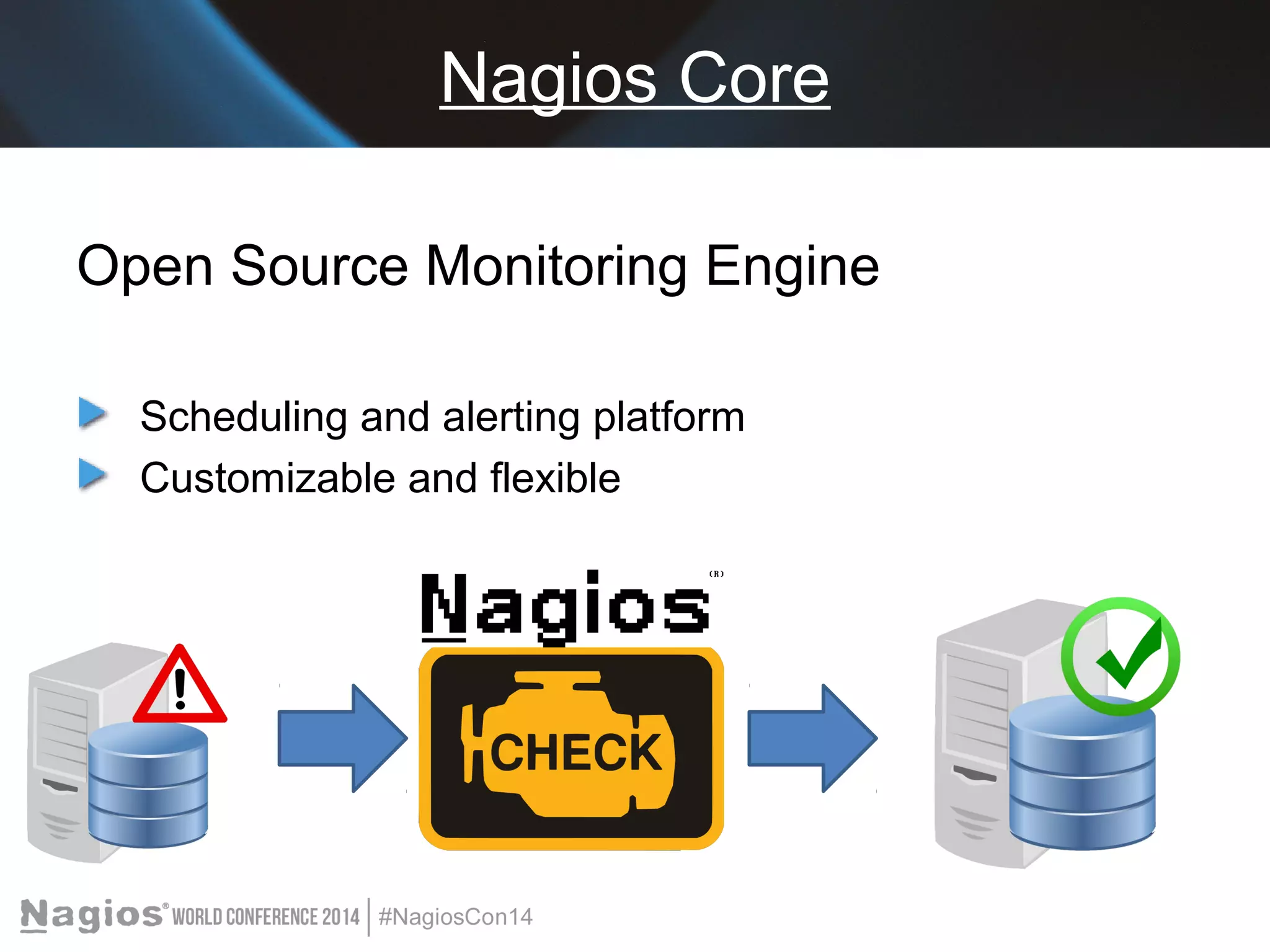
Nagios Core 
Open Source Monitoring Engine 
Scheduling and alerting platform 
Customizable and flexible
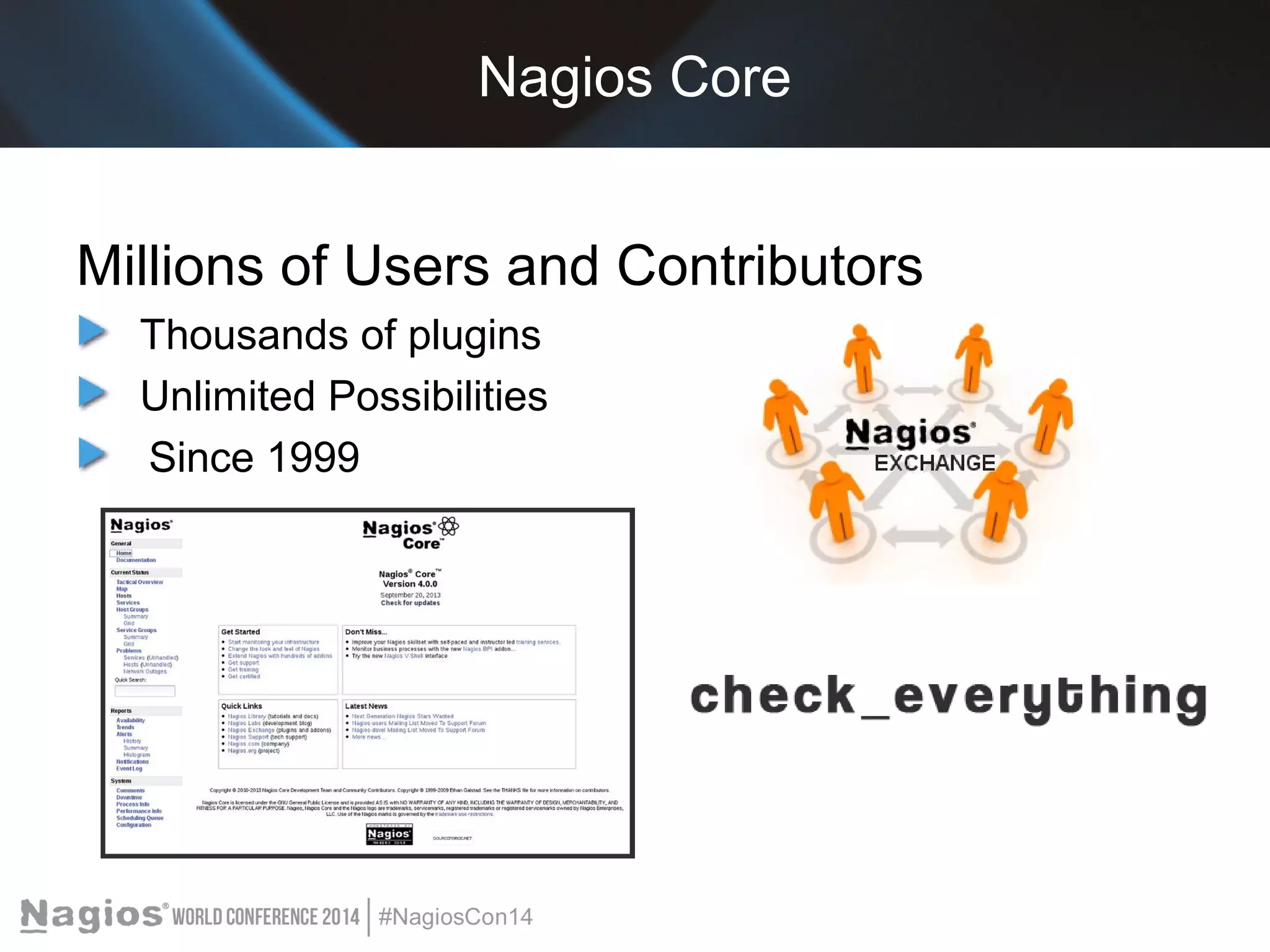
Nagios Core 
Millions of Users and Contributors 
Thousands of plugins 
Unlimited Possibilities 
Since 1999
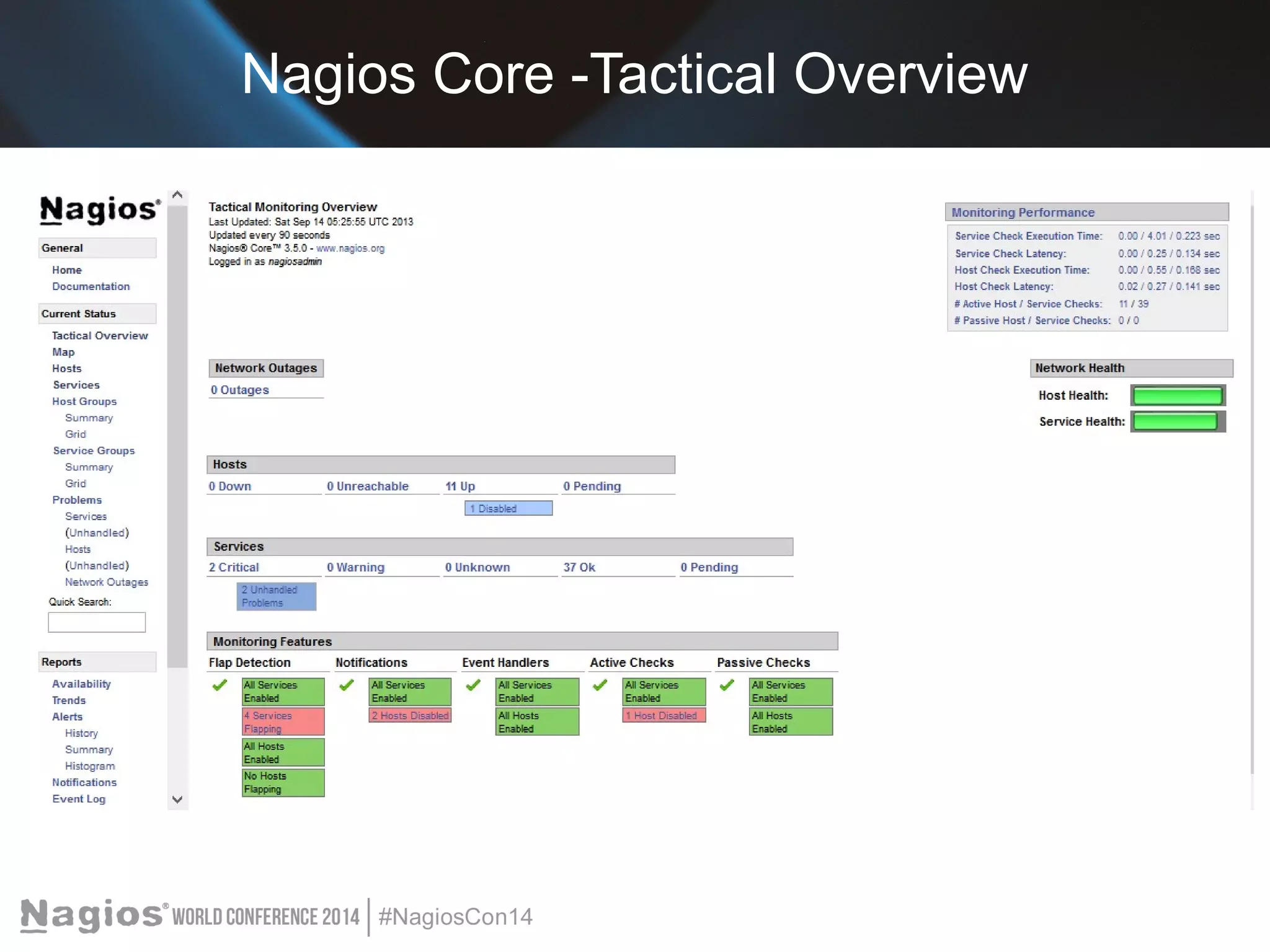
Nagios Core -Tactical Overview
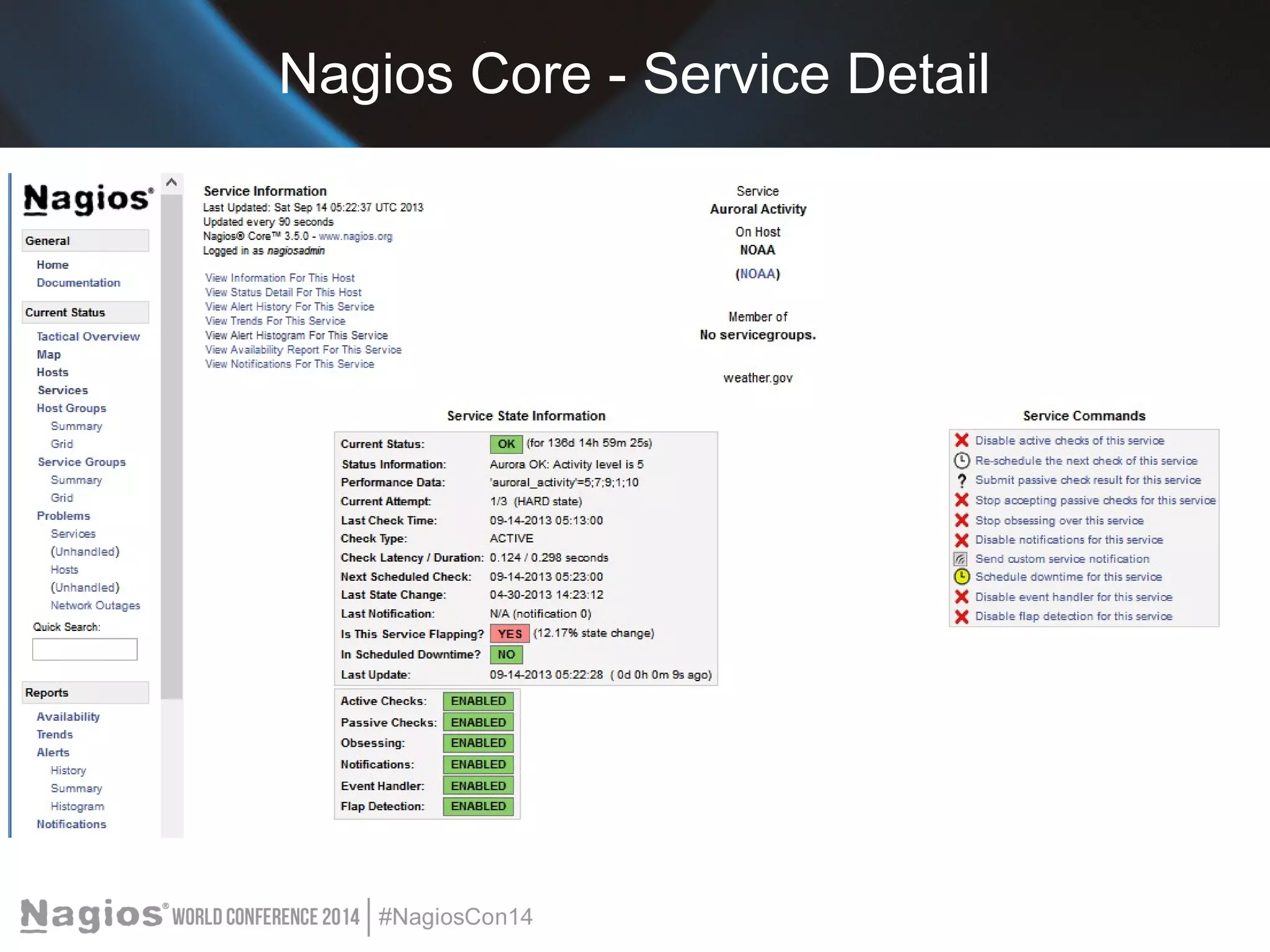
Nagios Core - Service Detail
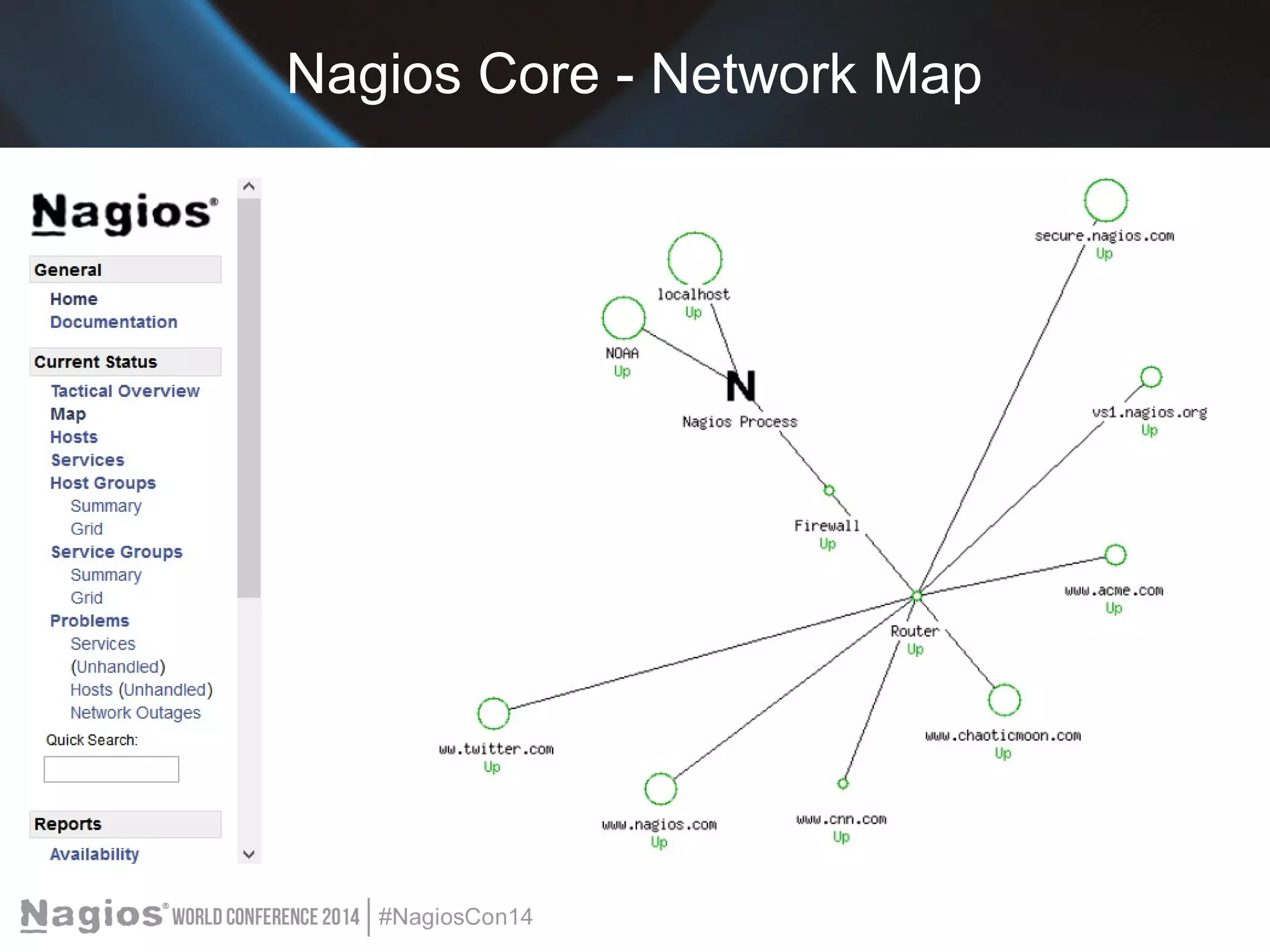
Nagios Core - Network Map
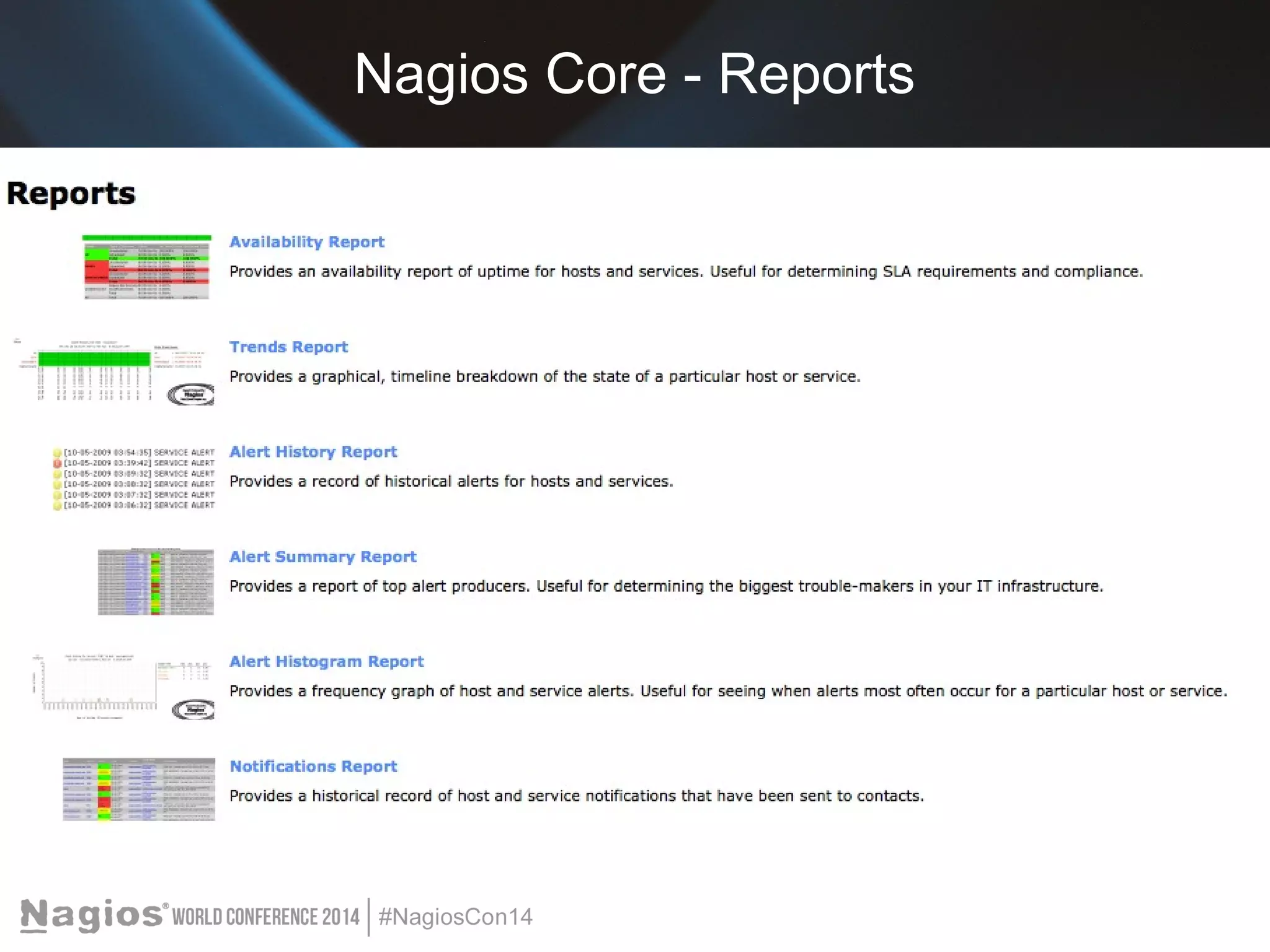
Nagios Core - Reports
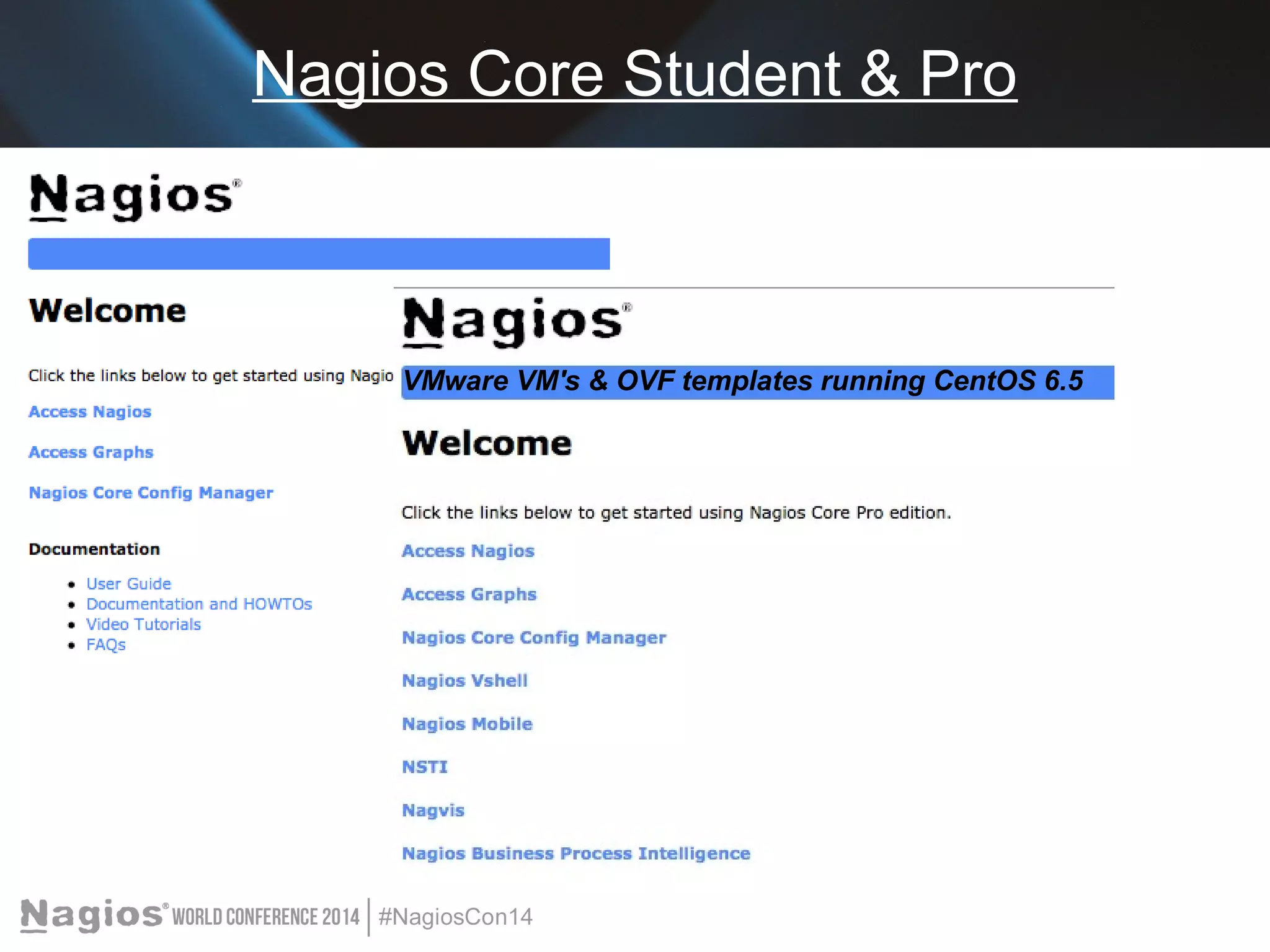
Nagios Core Student & Pro 
VMware VM's & OVF templates running CentOS 6.5
Nagios XI 
Commercial-Grade Monitoring Made Easy 
Built on proven code 
Designed for simplicity 
User-friendly (includes Help system) 
Empower users 
Enterprise-class capabilities
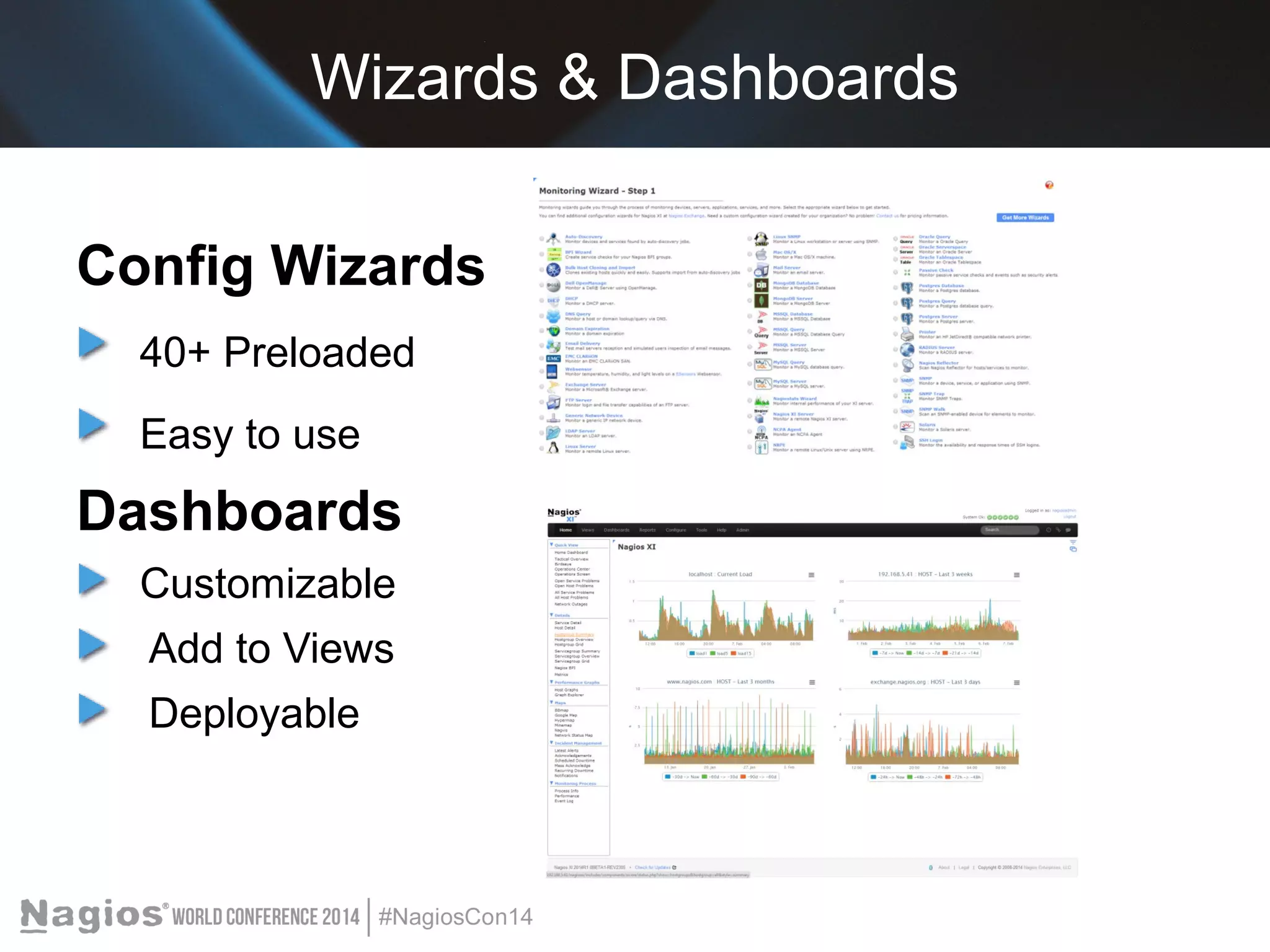
Wizards & Dashboards 
Config Wizards 
40+ Preloaded 
Easy to use 
Dashboards 
Customizable 
Add to Views 
Deployable
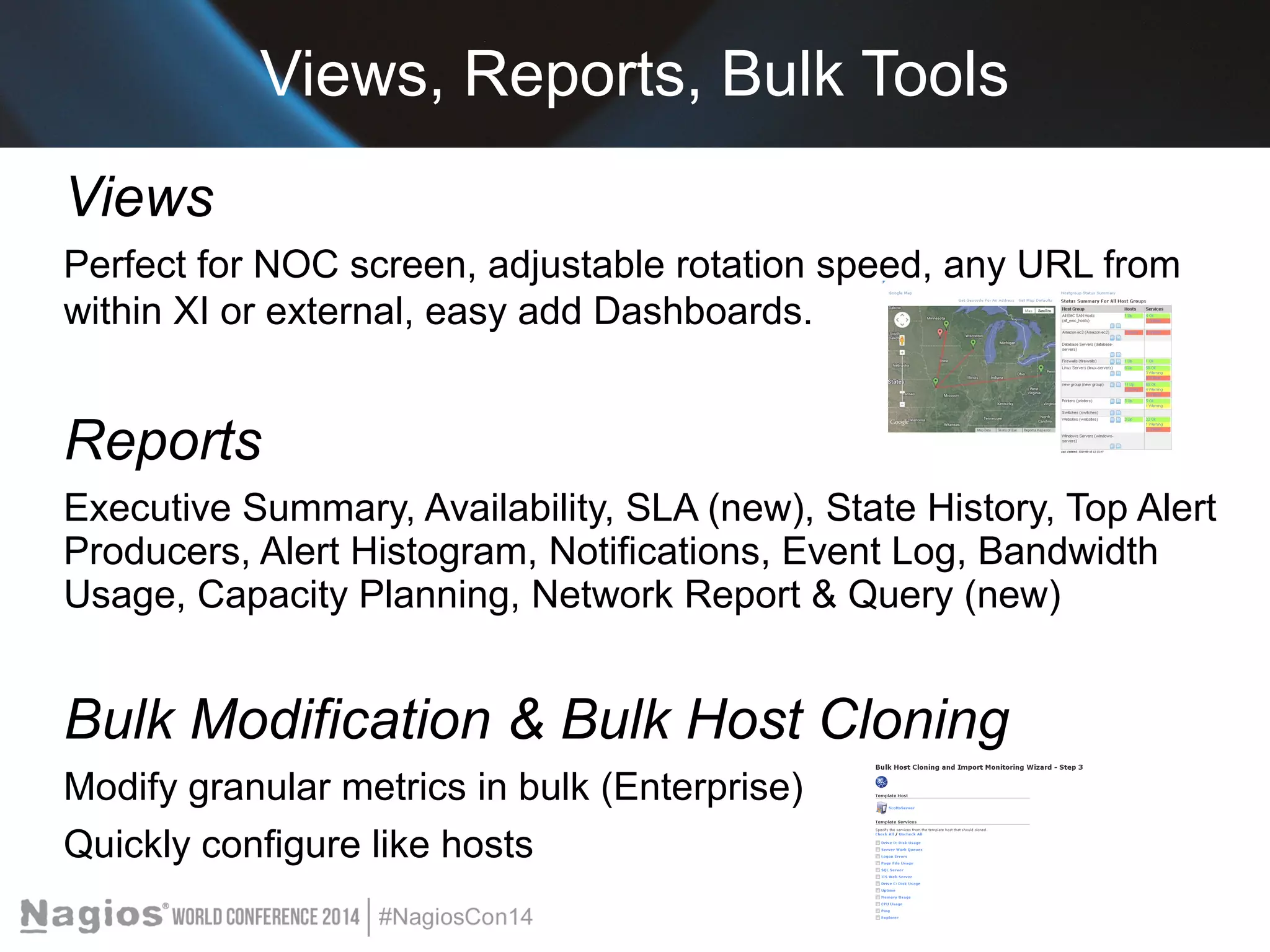
Views, Reports, Bulk Tools 
Views 
Perfect for NOC screen, adjustable rotation speed, any URL from 
within XI or external, easy add Dashboards. 
Reports 
Executive Summary, Availability, SLA (new), State History, Top Alert 
Producers, Alert Histogram, Notifications, Event Log, Bandwidth 
Usage, Capacity Planning, Network Report & Query (new) 
Bulk Modification & Bulk Host Cloning 
Modify granular metrics in bulk (Enterprise) 
Quickly configure like hosts
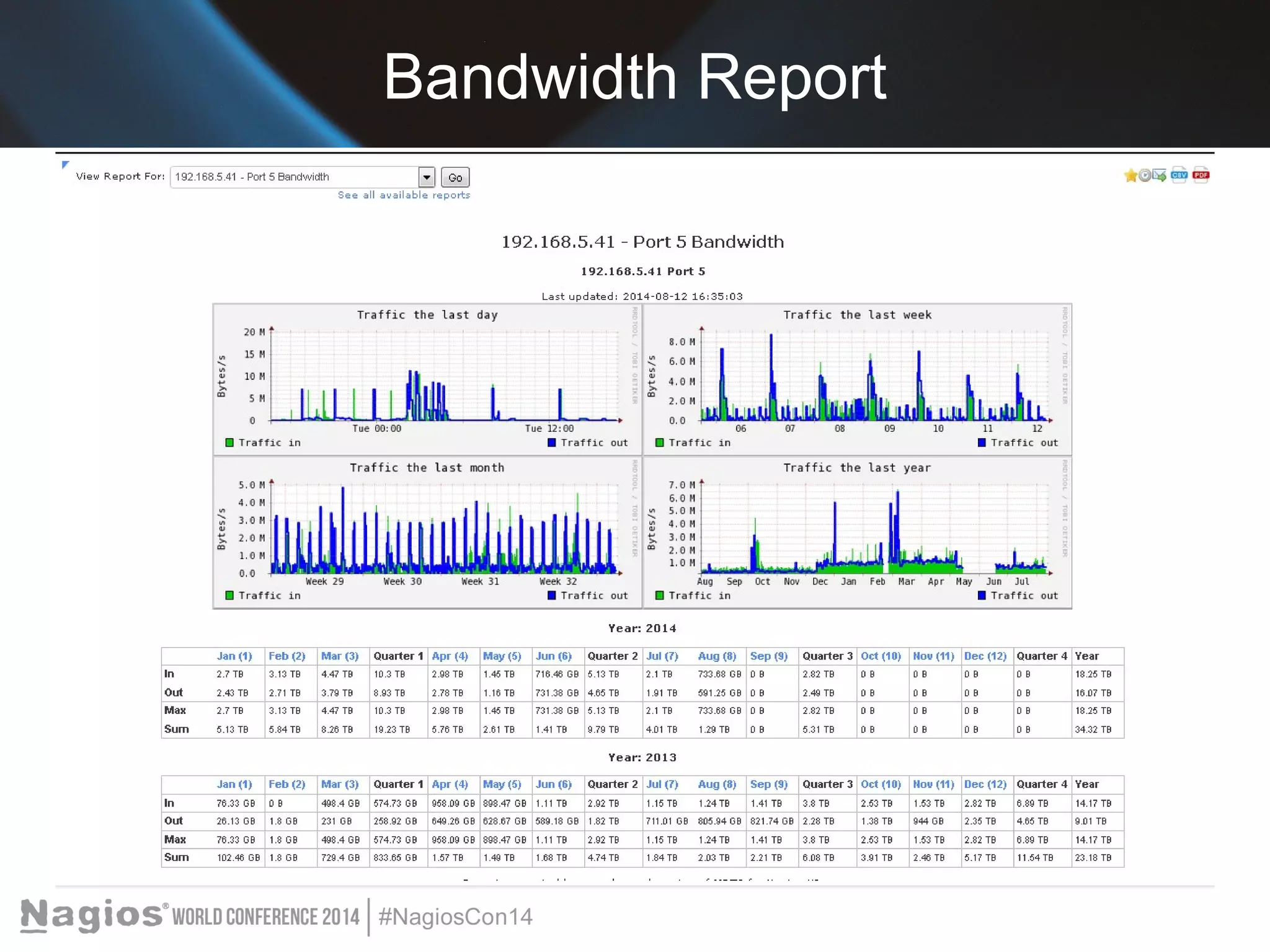
Bandwidth Report
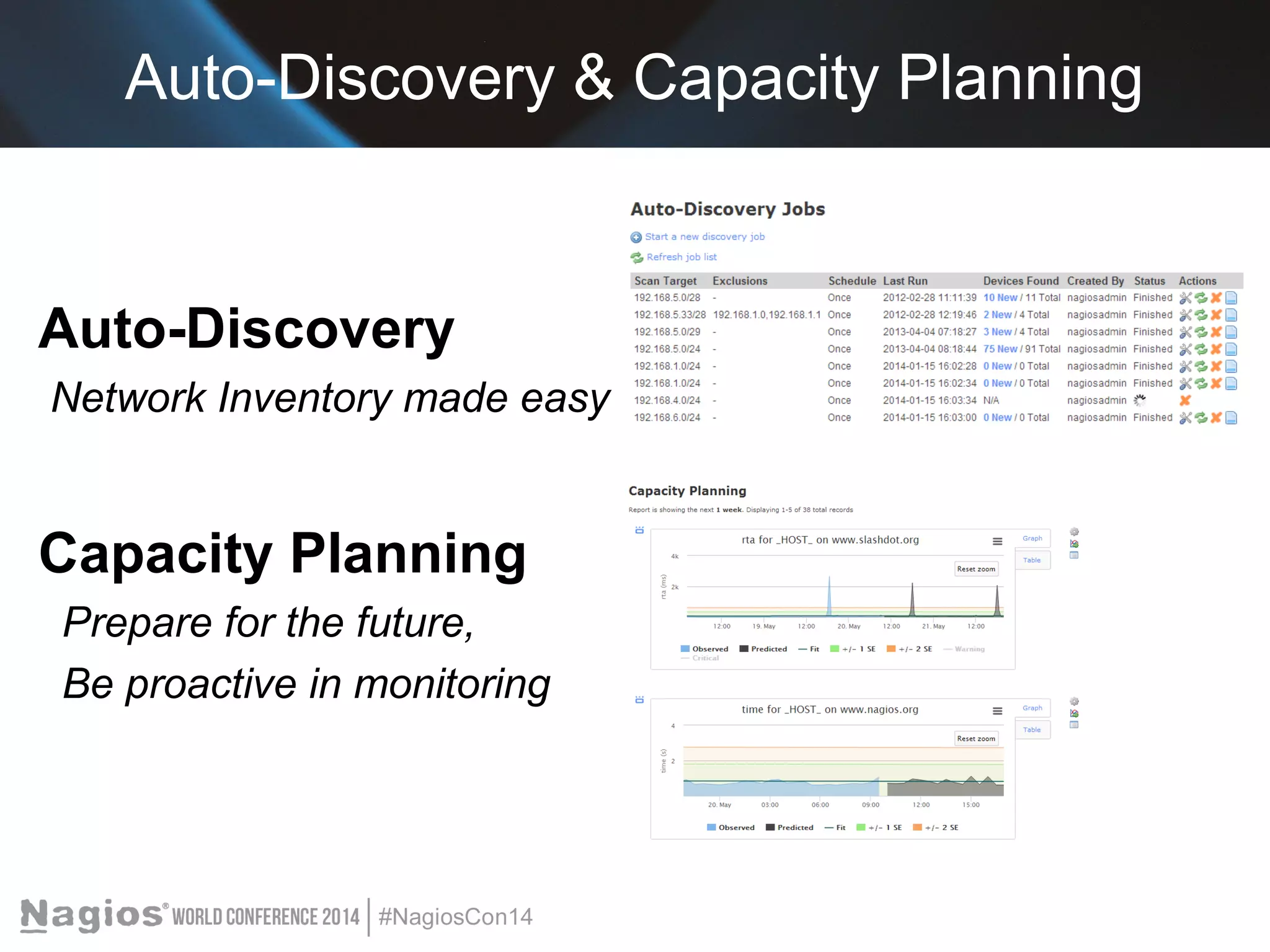
Auto-Discovery & Capacity Planning 
Auto-Discovery 
Network Inventory made easy 
Capacity Planning 
Prepare for the future, 
Be proactive in monitoring
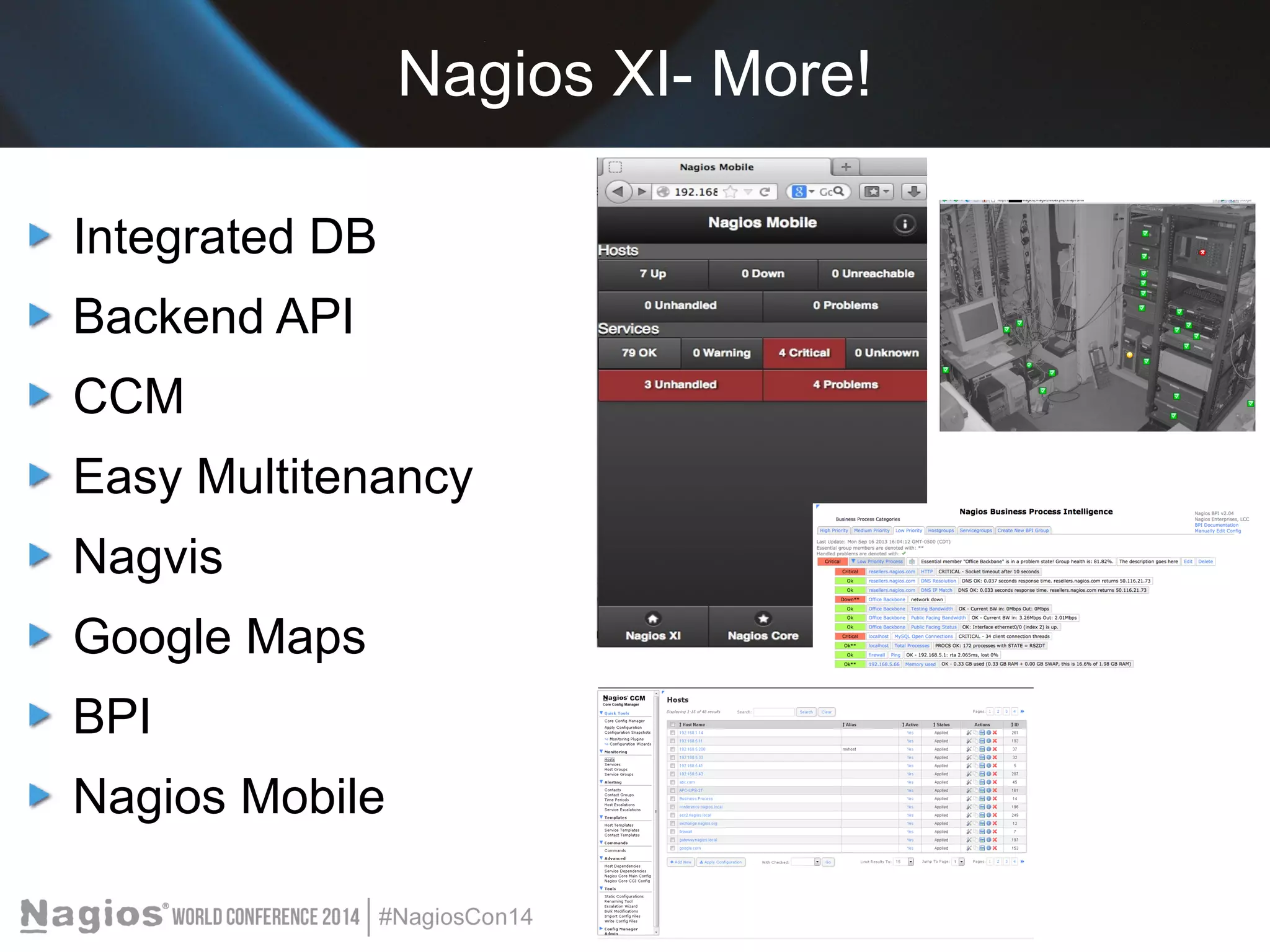
Nagios XI- More! 
Integrated DB 
Backend API 
CCM 
Easy Multitenancy 
Nagvis 
Google Maps 
BPI 
Nagios Mobile
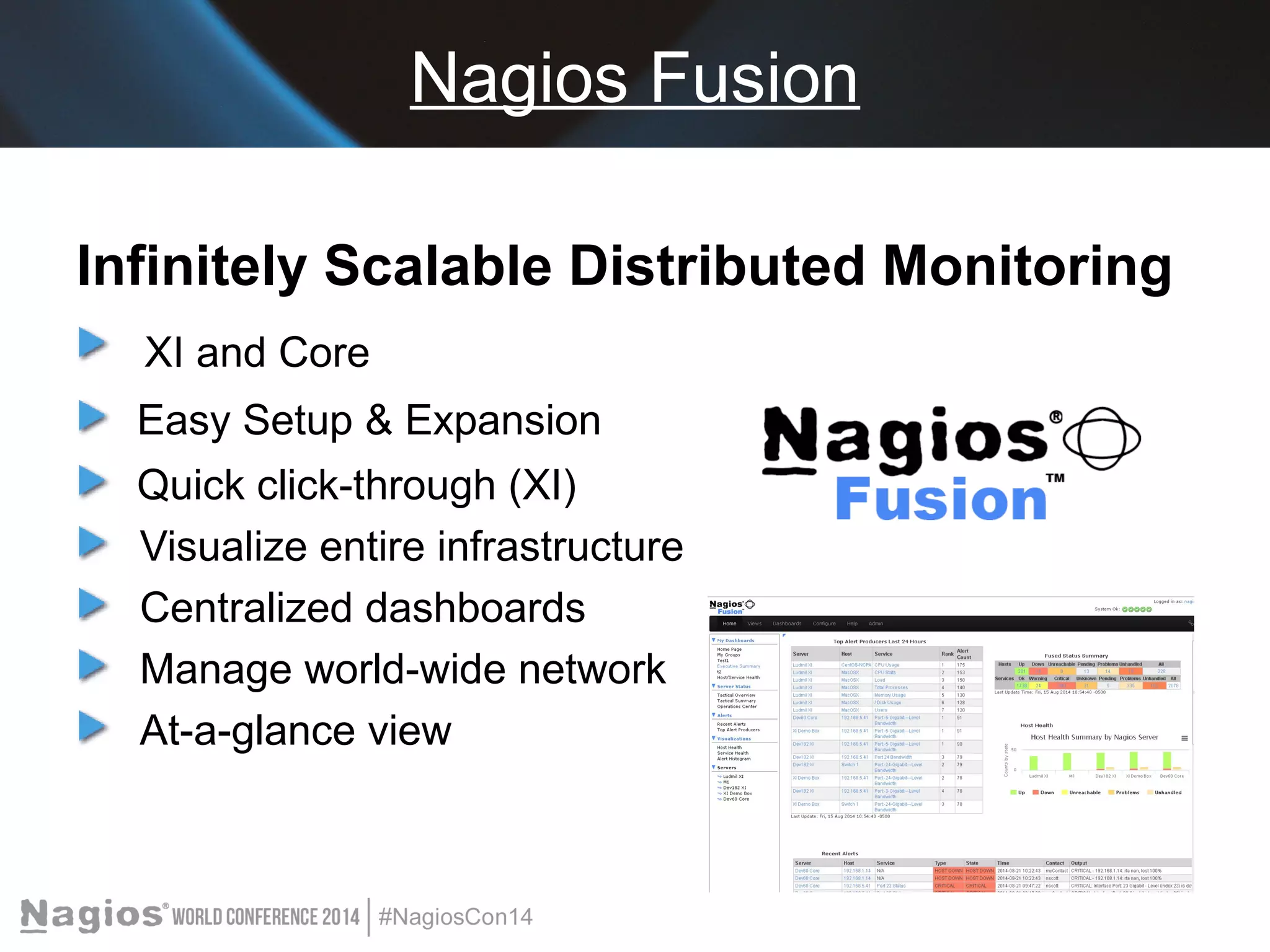
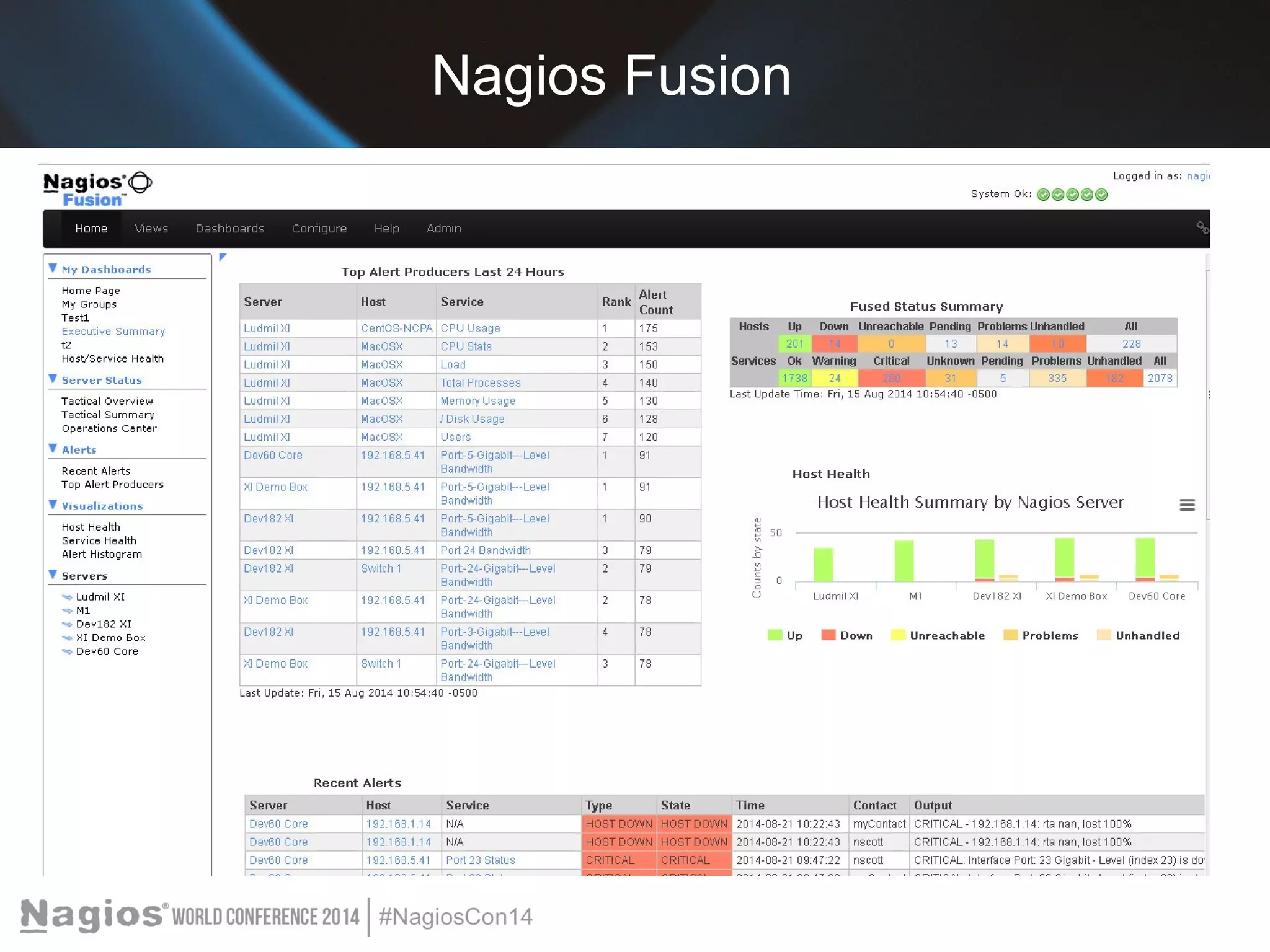
Nagios Fusion 
Infinitely Scalable Distributed Monitoring 
XI and Core 
Easy Setup & Expansion 
Quick click-through (XI) 
Visualize entire infrastructure 
Centralized dashboards 
Manage world-wide network 
At-a-glance view
Nagios Fusion
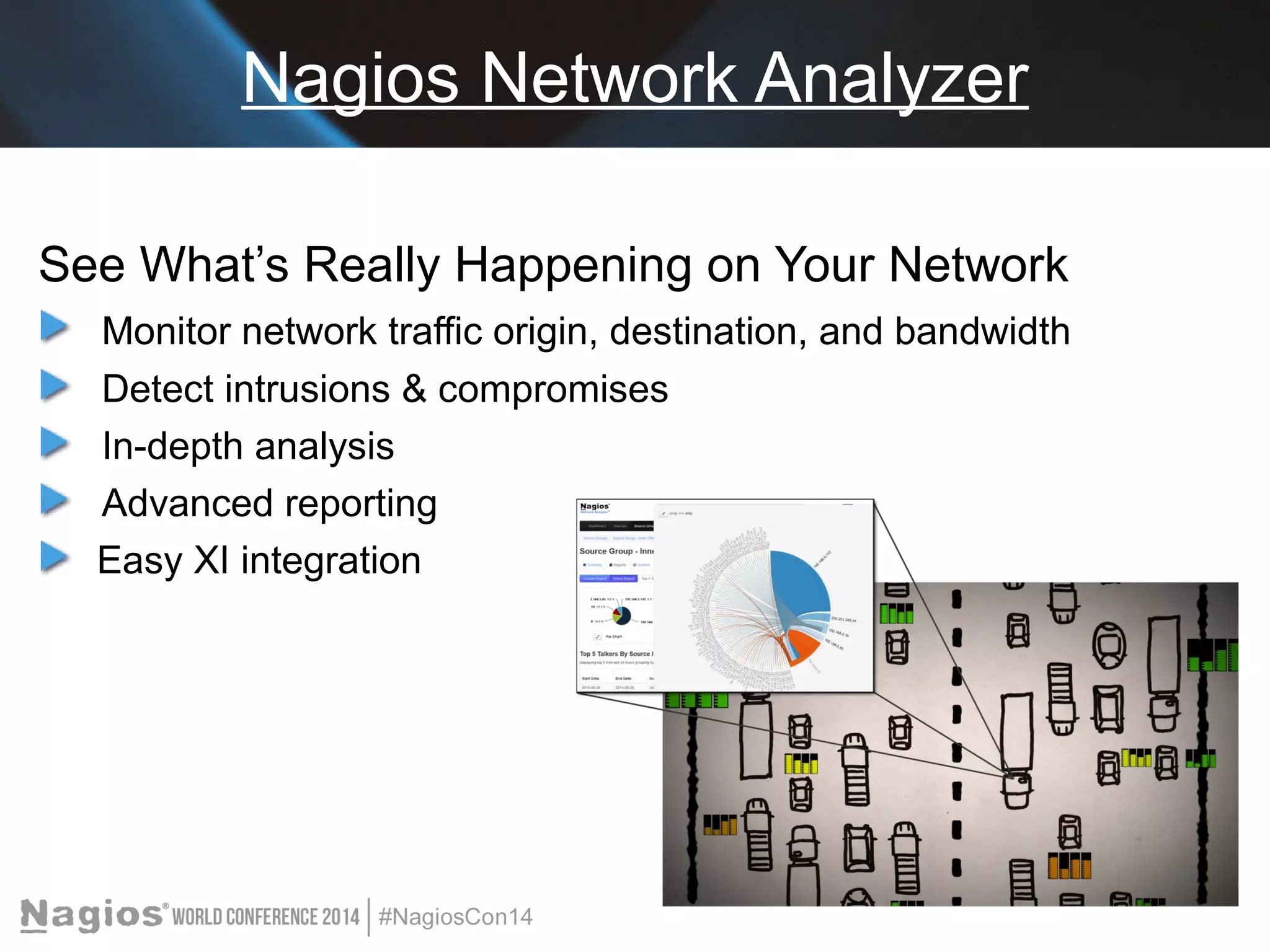
Nagios Network Analyzer 
See What’s Really Happening on Your Network 
Monitor network traffic origin, destination, and bandwidth 
Detect intrusions & compromises 
In-depth analysis 
Advanced reporting 
Easy XI integration
Nagios Network Analyzer 
Dashboards, Reports, Sources, & More 
Advanced Visualizations 
Real-Time Reporting
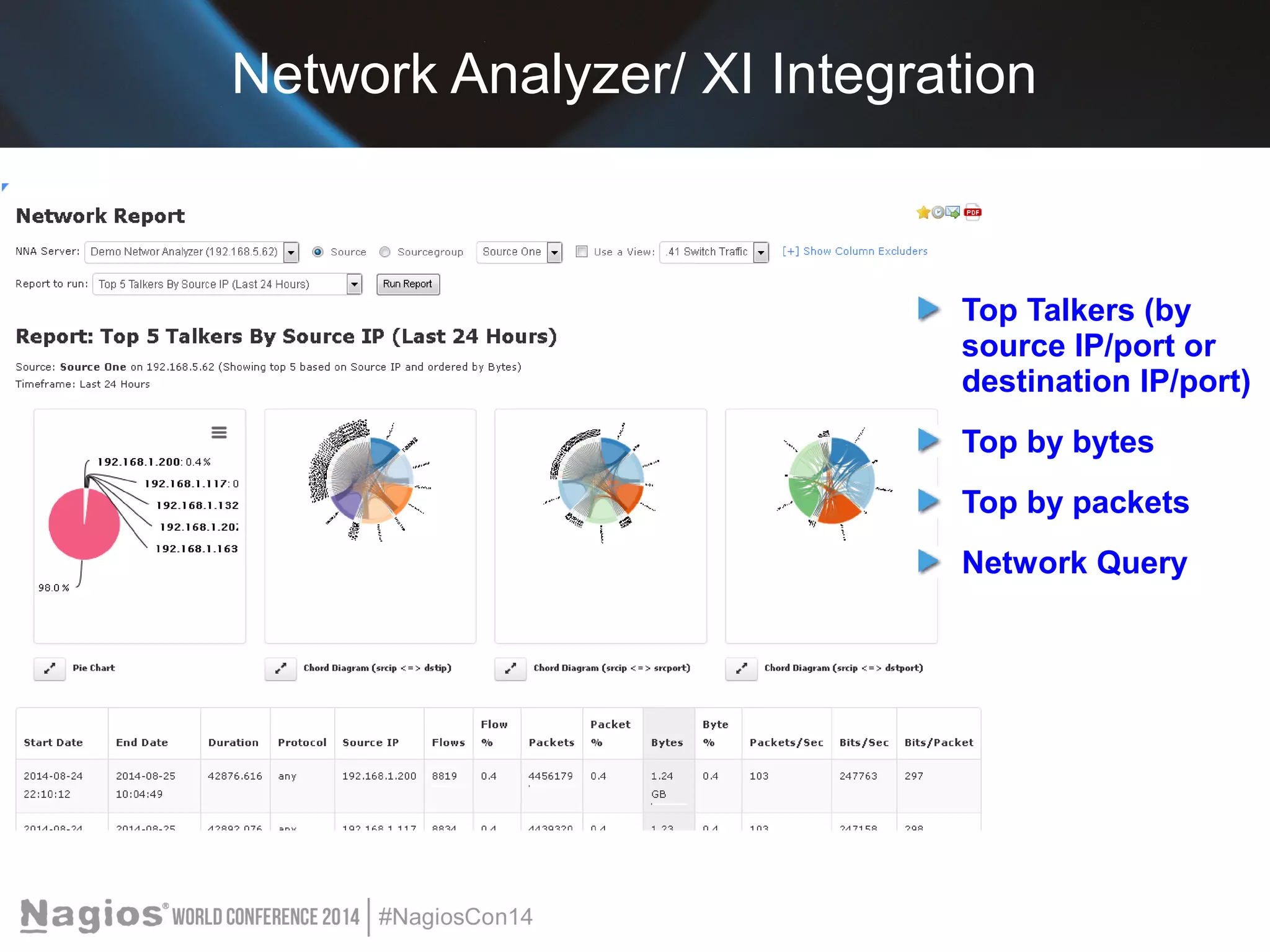
Network Analyzer/ XI Integration 
Top Talkers (by 
source IP/port or 
destination IP/port) 
Top by bytes 
Top by packets 
Network Query
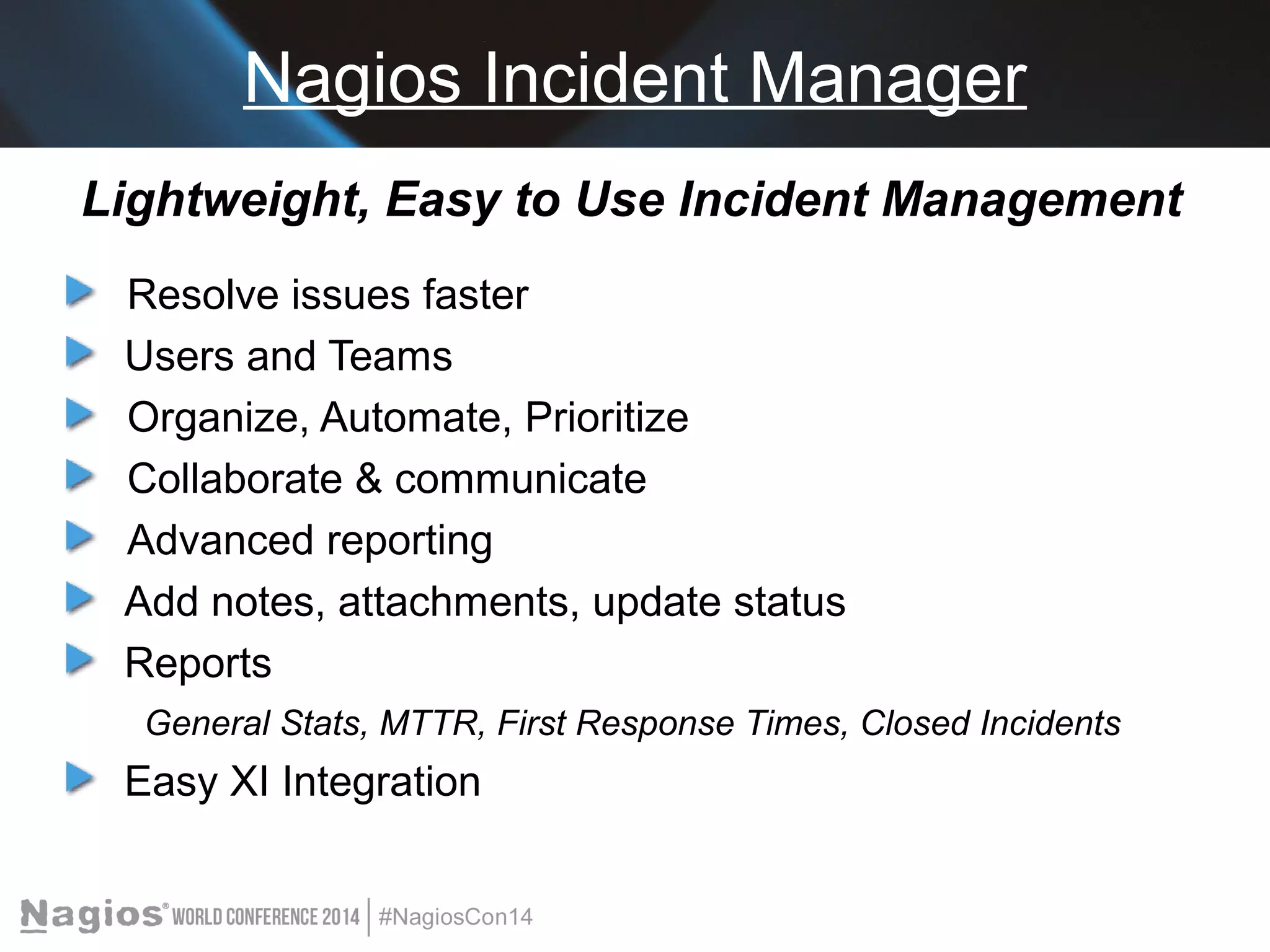
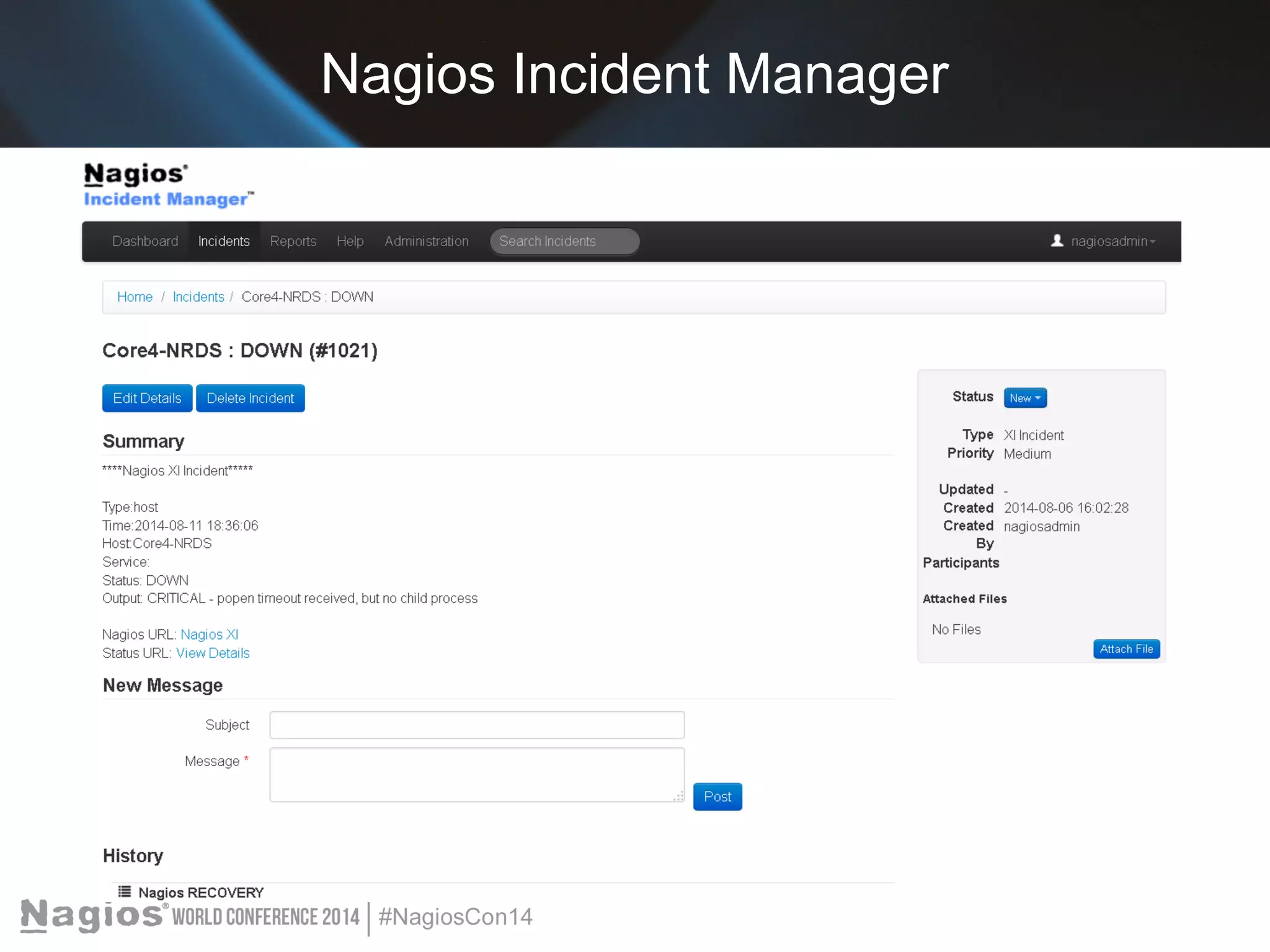
Nagios Incident Manager 
Lightweight, Easy to Use Incident Management 
Resolve issues faster 
Users and Teams 
Organize, Automate, Prioritize 
Collaborate & communicate 
Advanced reporting 
Add notes, attachments, update status 
Reports 
General Stats, MTTR, First Response Times, Closed Incidents 
Easy XI Integration
Nagios Incident Manager
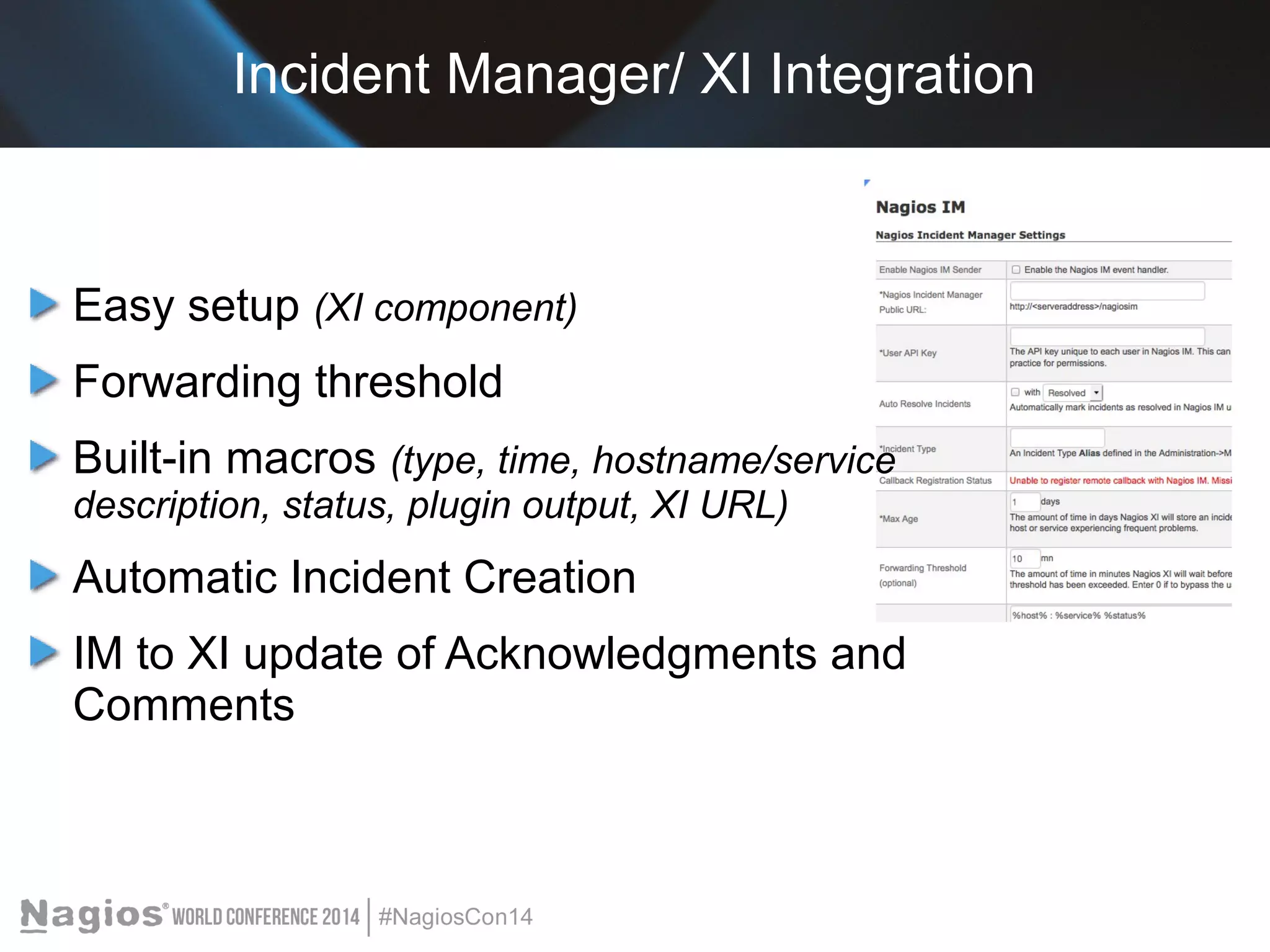
Incident Manager/ XI Integration 
Easy setup (XI component) 
Forwarding threshold 
Built-in macros (type, time, hostname/service 
description, status, plugin output, XI URL) 
Automatic Incident Creation 
IM to XI update of Acknowledgments and 
Comments
Log Server 
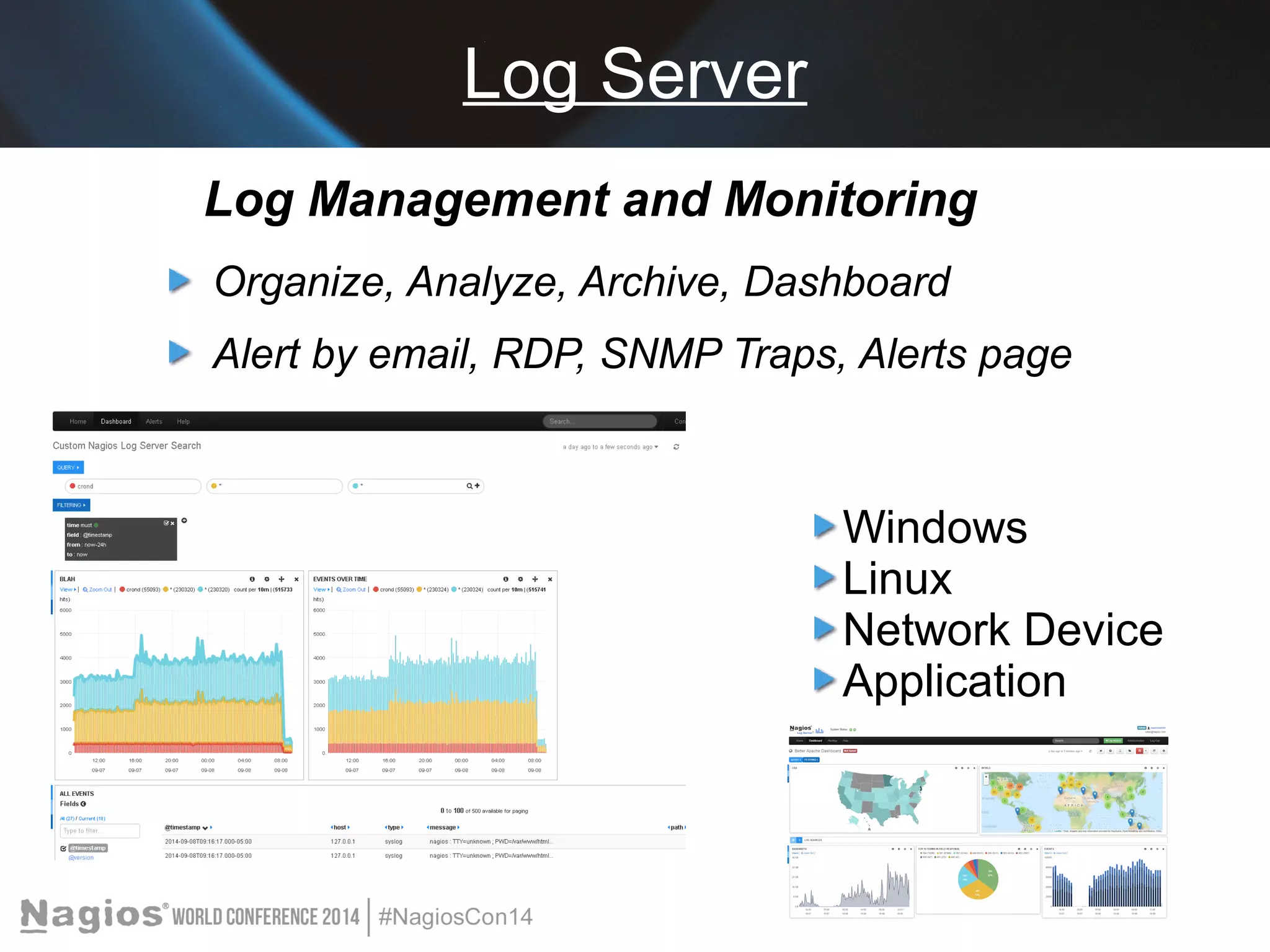
Log Management and Monitoring 
Organize, Analyze, Archive, Dashboard 
Alert by email, RDP, SNMP Traps, Alerts page 
Windows 
Linux 
Network Device 
Application
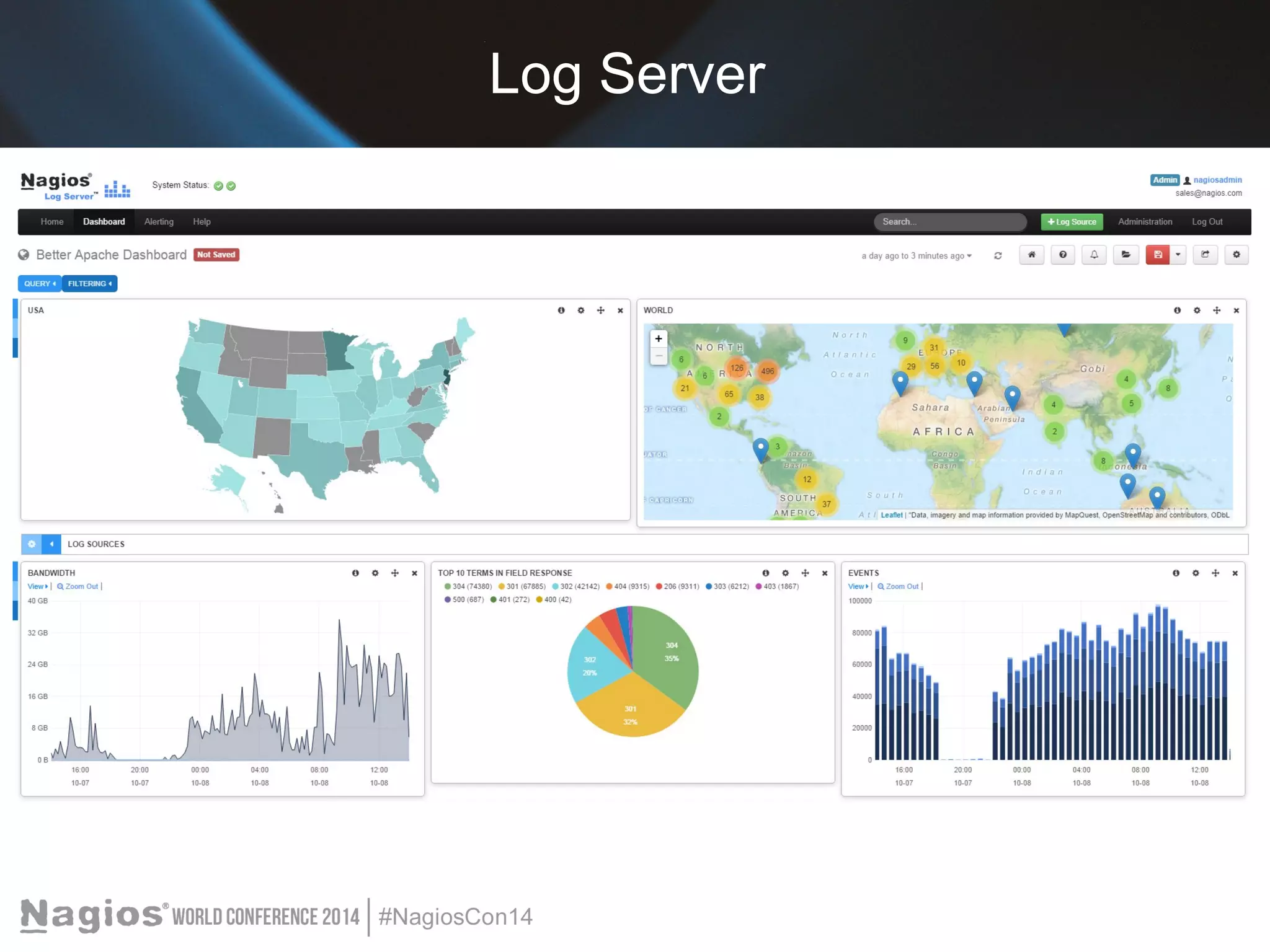
Log Server
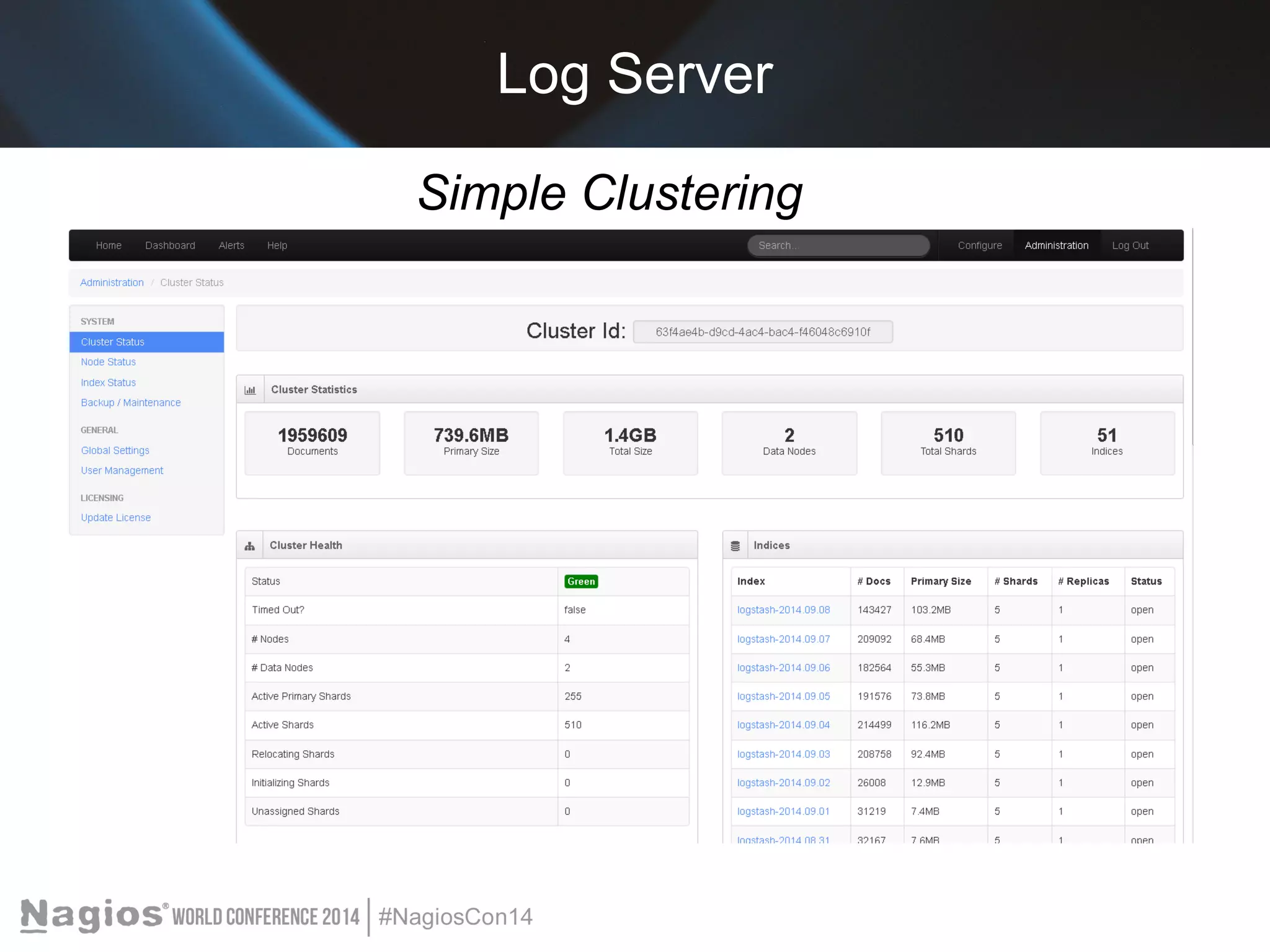
Log Server 
Simple Clustering
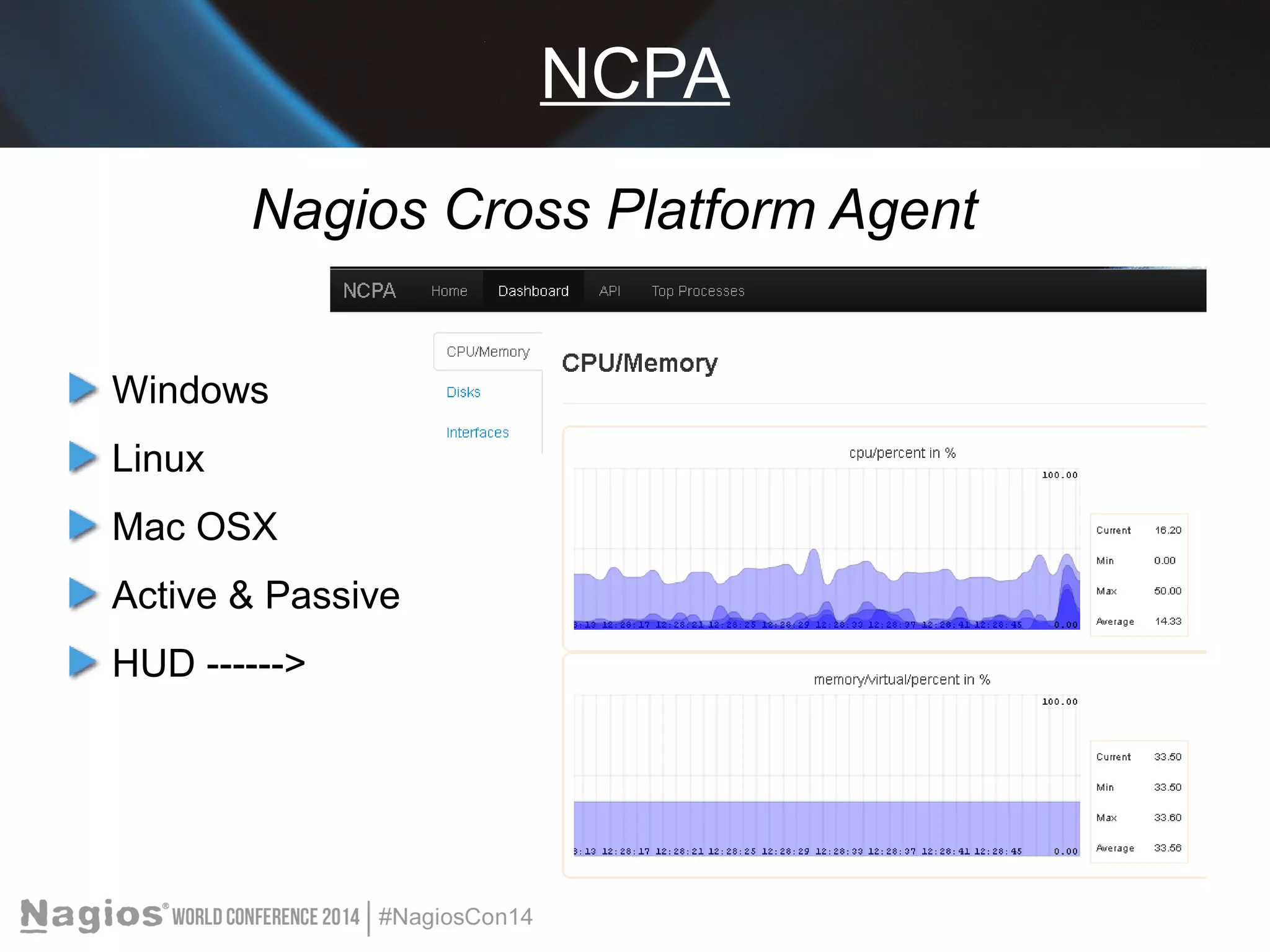
NCPA 
Nagios Cross Platform Agent 
Windows 
Linux 
Mac OSX 
Active & Passive 
HUD ------>
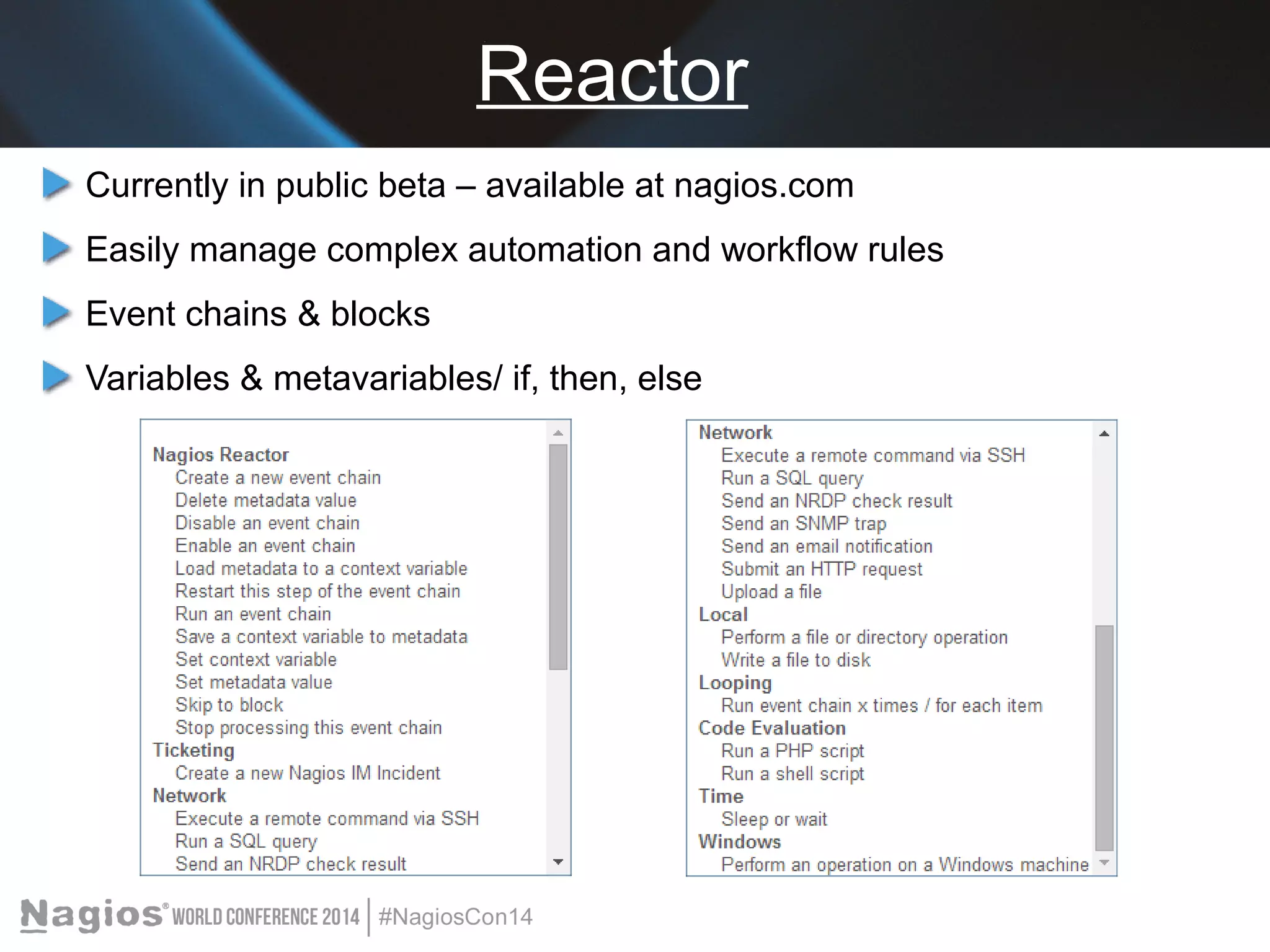
Reactor 
Currently in public beta – available at nagios.com 
Easily manage complex automation and workflow rules 
Event chains & blocks 
Variables & metavariables/ if, then, else
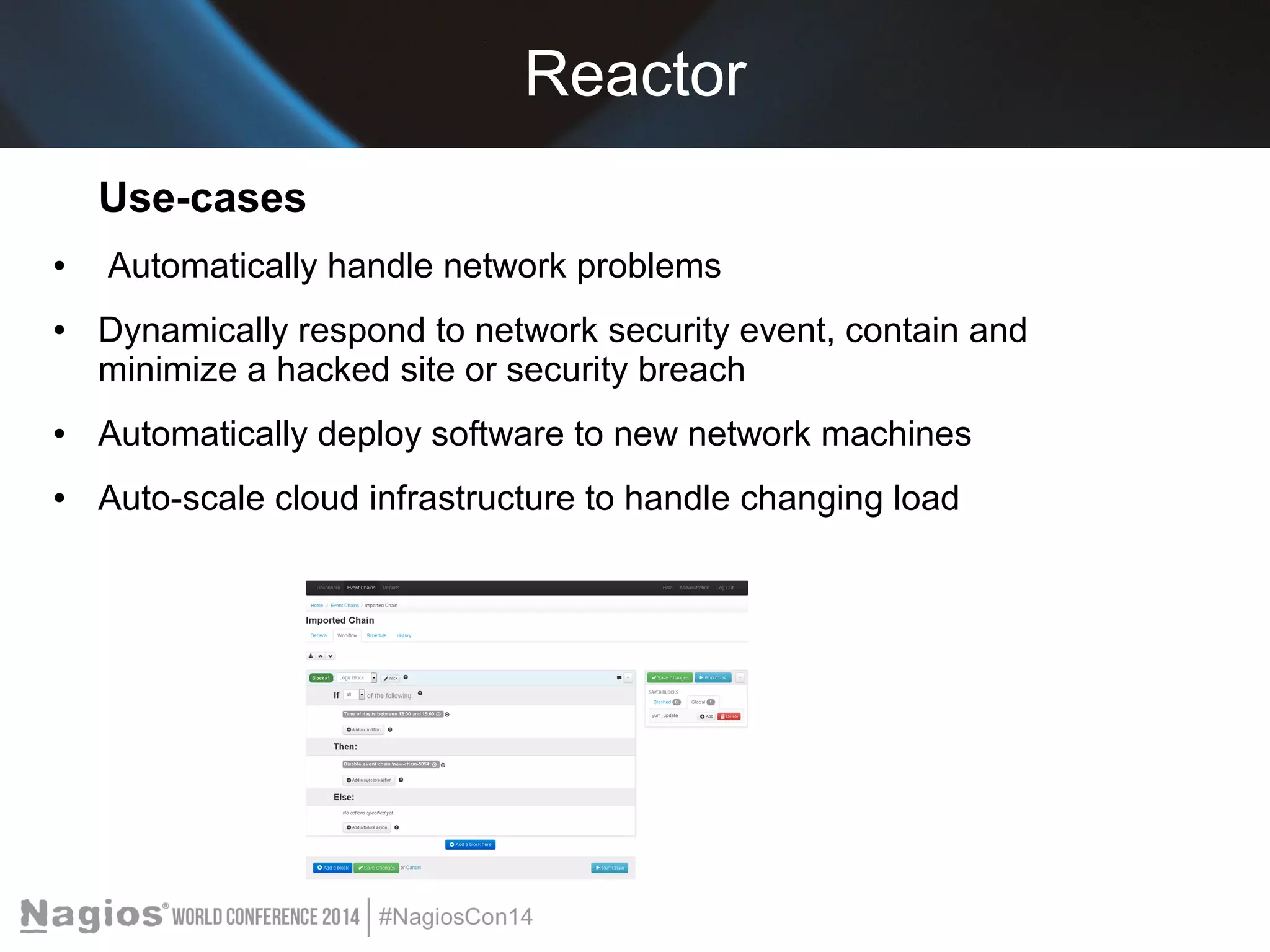
Reactor 
Use-cases 
● Automatically handle network problems 
● Dynamically respond to network security event, contain and 
minimize a hacked site or security breach 
● Automatically deploy software to new network machines 
● Auto-scale cloud infrastructure to handle changing load
Nagios Services 
Training – Live & Self-Paced 
Core Support 
Certification – Professional and Admin 
go.nagios.com/something-useful-here 
Implementation – Worldwide Partner Network 
Quickstarts 
Custom Development – plugins, wizards, 
components, reports, etc...
Recap 
Nagios IT Management Solutions 
XI – Monitor Your Infrastructure 
Network Analyzer – Analyze Your Network Traffic 
Incident Manager – Organize Your Incidents 
Fusion – Distributed Monitoring Without Limits 
Core – Trusted Open Source Monitoring Engine 
Log Server - Organize, Analyze, & Archive
Getting Started 
Free 60 Day Trial (fully functional) 
Quickstarts & JumpStart Sessions 
support.nagios.com/forum 
More Presentations 
Program Guide and USB's 
Nagios.com
Questions? 
Thanks for joining me today!

Nagios Conference 2014 - Shamas Demoret - An Overview of Nagios Solutions

  • 1.
    An Overview ofNagios Solutions and the Value They Provide Shamas Demoret sales@nagios.com
  • 2.
    What Is Nagios? Community Solutions Enterprises Project
  • 3.
    Nagios Can Help! Identify & Resolve outages quickly Manage entire infrastructure hardware, applications, network, web, cloud Collaborate across teams Plan Ahead Save Time and Money Rest Easy
  • 4.
    Nagios Solutions Core– Community-proven open source project. Core Student & Pro – extended feature set. XI – Commercial-grade monitoring, alerting, graphing, and reporting. Fusion – Distributed monitoring made easy.
  • 5.
    Nagios Solutions NetworkAnalyzer – All you need to know about NetFlow Incident Manager – Manage, organize, and resolve infrastructure incidents across Teams Log Server – Organize, Analyze, & Archive Reactor – Automate complex processes
  • 6.
    Nagios Core OpenSource Monitoring Engine Scheduling and alerting platform Customizable and flexible
  • 7.
    Nagios Core Millionsof Users and Contributors Thousands of plugins Unlimited Possibilities Since 1999
  • 8.
  • 9.
    Nagios Core -Service Detail
  • 10.
    Nagios Core -Network Map
  • 11.
  • 12.
    Nagios Core Student& Pro VMware VM's & OVF templates running CentOS 6.5
  • 13.
    Nagios XI Commercial-GradeMonitoring Made Easy Built on proven code Designed for simplicity User-friendly (includes Help system) Empower users Enterprise-class capabilities
  • 14.
    Wizards & Dashboards Config Wizards 40+ Preloaded Easy to use Dashboards Customizable Add to Views Deployable
  • 15.
    Views, Reports, BulkTools Views Perfect for NOC screen, adjustable rotation speed, any URL from within XI or external, easy add Dashboards. Reports Executive Summary, Availability, SLA (new), State History, Top Alert Producers, Alert Histogram, Notifications, Event Log, Bandwidth Usage, Capacity Planning, Network Report & Query (new) Bulk Modification & Bulk Host Cloning Modify granular metrics in bulk (Enterprise) Quickly configure like hosts
  • 16.
  • 17.
    Auto-Discovery & CapacityPlanning Auto-Discovery Network Inventory made easy Capacity Planning Prepare for the future, Be proactive in monitoring
  • 18.
    Nagios XI- More! Integrated DB Backend API CCM Easy Multitenancy Nagvis Google Maps BPI Nagios Mobile
  • 19.
    Nagios Fusion InfinitelyScalable Distributed Monitoring XI and Core Easy Setup & Expansion Quick click-through (XI) Visualize entire infrastructure Centralized dashboards Manage world-wide network At-a-glance view
  • 20.
  • 21.
    Nagios Network Analyzer See What’s Really Happening on Your Network Monitor network traffic origin, destination, and bandwidth Detect intrusions & compromises In-depth analysis Advanced reporting Easy XI integration
  • 22.
    Nagios Network Analyzer Dashboards, Reports, Sources, & More Advanced Visualizations Real-Time Reporting
  • 23.
    Network Analyzer/ XIIntegration Top Talkers (by source IP/port or destination IP/port) Top by bytes Top by packets Network Query
  • 24.
    Nagios Incident Manager Lightweight, Easy to Use Incident Management Resolve issues faster Users and Teams Organize, Automate, Prioritize Collaborate & communicate Advanced reporting Add notes, attachments, update status Reports General Stats, MTTR, First Response Times, Closed Incidents Easy XI Integration
  • 25.
  • 26.
    Incident Manager/ XIIntegration Easy setup (XI component) Forwarding threshold Built-in macros (type, time, hostname/service description, status, plugin output, XI URL) Automatic Incident Creation IM to XI update of Acknowledgments and Comments
  • 27.
    Log Server LogManagement and Monitoring Organize, Analyze, Archive, Dashboard Alert by email, RDP, SNMP Traps, Alerts page Windows Linux Network Device Application
  • 28.
  • 29.
  • 30.
    NCPA Nagios CrossPlatform Agent Windows Linux Mac OSX Active & Passive HUD ------>
  • 31.
    Reactor Currently inpublic beta – available at nagios.com Easily manage complex automation and workflow rules Event chains & blocks Variables & metavariables/ if, then, else
  • 32.
    Reactor Use-cases ●Automatically handle network problems ● Dynamically respond to network security event, contain and minimize a hacked site or security breach ● Automatically deploy software to new network machines ● Auto-scale cloud infrastructure to handle changing load
  • 33.
    Nagios Services Training– Live & Self-Paced Core Support Certification – Professional and Admin go.nagios.com/something-useful-here Implementation – Worldwide Partner Network Quickstarts Custom Development – plugins, wizards, components, reports, etc...
  • 34.
    Recap Nagios ITManagement Solutions XI – Monitor Your Infrastructure Network Analyzer – Analyze Your Network Traffic Incident Manager – Organize Your Incidents Fusion – Distributed Monitoring Without Limits Core – Trusted Open Source Monitoring Engine Log Server - Organize, Analyze, & Archive
  • 35.
    Getting Started Free60 Day Trial (fully functional) Quickstarts & JumpStart Sessions support.nagios.com/forum More Presentations Program Guide and USB's Nagios.com
  • 36.
    Questions? Thanks forjoining me today!

Editor's Notes

  • #3 What Is Nagios? - Nagios is a suite of IT management tools that allows you to operate more efficiently by reducing downtime, minimizing security risks, and increasing effectiveness of your IT staff. So what does that mean? When problems occur on your network it can be difficult to track down. A server goes down, and you immediately have to spend time trying to find the problem. Now, IT staff are spending man-hours looking for the problem. Nagios solutions aim to minimize and even eliminate these man-hours spent finding problems. With Nagios solutions, IT staff can immediately begin fixing problems before they become large outages. IT managers, can rest easy knowing that their network is being monitored, and business owners can be assured that costly network outages can be resolved before they become catastrophes.
  • #14 -Is our flagship commercial network infrastructure monitoring solution. -Think about your network, or your business. By a show of hands, how many people have experienced a network outage, website crash, or other IT problem? Think about all the processes that take place on the network, or the business processes that are critical to have up and running all the time. Has anyone had everything work perfectly all the time? (laugh) We all know that's not the case. But what might be a bigger problem is having your customers, clients, and resellers tell you that something down on your site, or that they cannot access something hosted on your server, etc. That’s just embarrassing. That’s why you monitor your infrastructure and that’s why we created Nagios XI, so that the problems that do occur on your network, don’t cause embarrassing outages.
  • #22 In your network, or office, you have routers, switches, computers, printers, phones, the list goes on. All of these things are connected to each other. There are connections, bandwidth traffic, and information transactions that take place constantly, every day. So do you know which devices are talking the most? What is your regular bandwidth usage? Is your ISP meeting your contract and Service-Level agreements? How much data is being sent from your network each day? Is there a security threat leaking confidential information? You might not know the answers to these questions, but Nagios Network Analyzer can provide you with the answers. Network Analyzer can tell you exactly which devices are "talking", how much data, the number of packets. By monitoring your traffic sources, you can answer those questions and ultimately get to know your network, keep it secure, and ensure SLAs are being met.
  • #25 When problems occur in your infrastructure, someone needs to know about it. What if the people who are notified of the problem are responsible for telling other staff to fix the problem? Can you really rely on humans to physically tell another human? No. The fact of the matter is that it’s easy for incidents to get lost, and problems to be overlooked. That’s why integrating Nagios Incident Manager with Nagios XI is so important to your infrastructure. Incident manager can automatically generate tickets and tasks for helpdesk and other IT staff when problems are detected in Nagios XI
  • #28 - A log management and monitoring solution that provides centralized organization, archiving, policy compliance, and security log auditing in order to see exactly what actions are taking place on the network. Nagios Log Server provides users with an easy way to view and visualize log data while remaining organized and “in-the-know”.