

Nagios XI Large ImplementationTips and Tricks by Nathan Brodericknroderick@nuskin.comnagios@aivector.comNu Skin International
How to Start
PlanningDetermine what systems are importantDetermine the need for legacy monitorsGet a company organization chartBreak the monitoring into manageable componentsMake a written migration plan
Meat and Potato Monitoring3 AM RuleMonitor critical items firstThe best monitors check core processesKeep it simpleHTTP Checks, Ping ChecksOnly set up what is necessaryDon’t over-monitor
Programs We Migrated
ProgramsBACSiteScope 6SiteScope 8Foglight – monitors Java processes and WebLogicProcessError ( Nu Skin Custom Email Solution )Notify AttentionCustom scripts on Linux systems
SiteScope 6, 8SiteScope is one of HP tools for monitoringWe gathered inventory on the alertsMigrated alerts one at a timeNagios has plugins for most alertsAfter migrating alerts, we uncovered existing problems
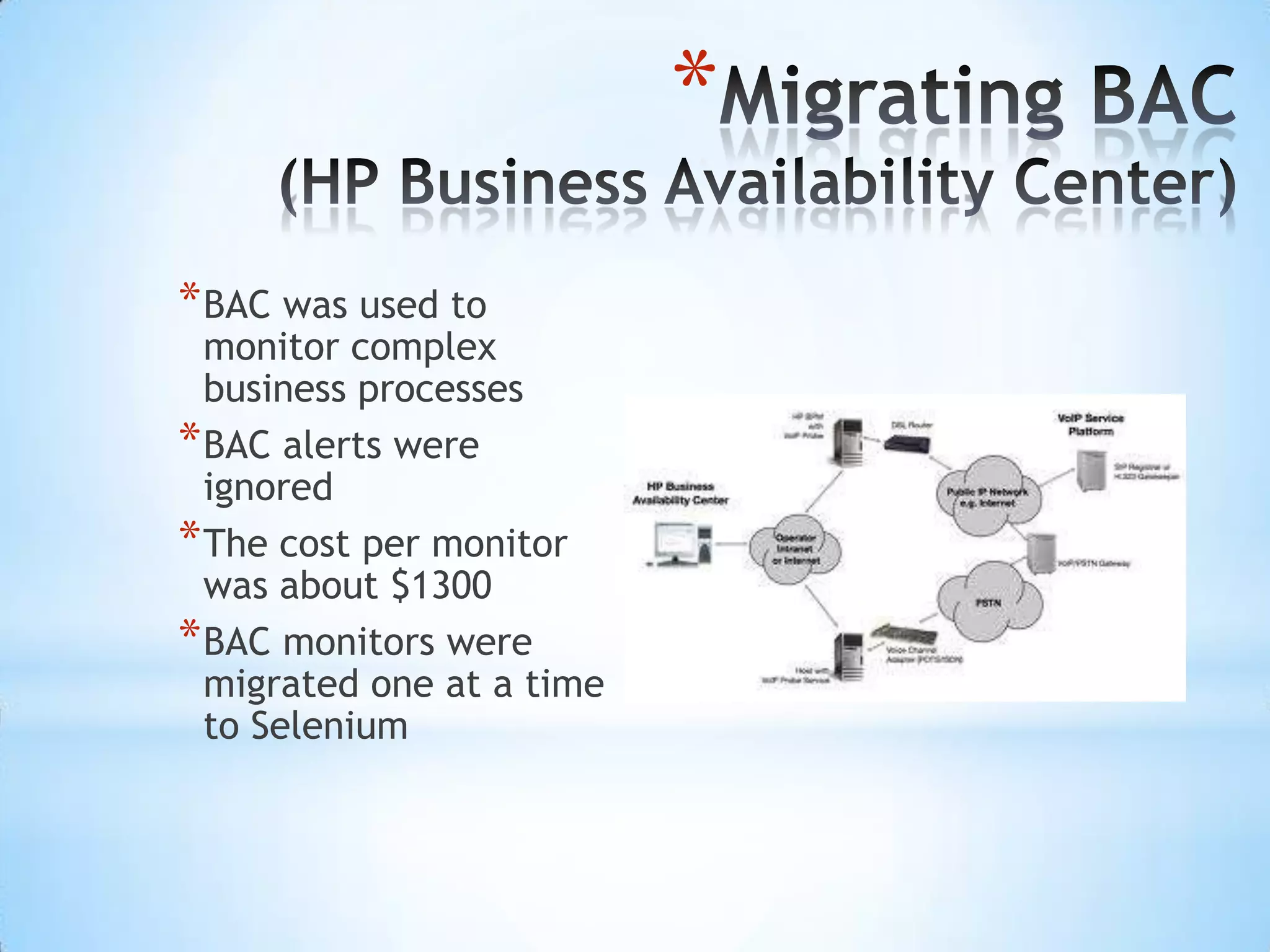
Migrating BAC(HP Business Availability Center)BAC was used to monitor complex business processesBAC alerts were ignoredThe cost per monitor was about $1300BAC monitors were migrated one at a time to Selenium
Migrating NNM (Network Node Manager)NNM is an HP tool for monitoring network devicesWe built a Selenium script to migrate NNMHeavy load on system because of SNMP trapsNNM spammed the Help DeskMonitors “Cried Wolf” frequentlyDifficult to manage
Replacing Foglight with JMXJMX enables monitoring of JMX attributes in Java systemsThe “check_jmx” plugin monitors Java systemsWe built a custom JMX module that collects data from WebLogic
Custom ScriptsWe used “send_nsca” with the scriptsScripts usually ran from CronWhere possible, we replaced the scripts with NagiospluginsWe worked with Administrators
Custom Email SolutionMost the alerts received were too difficult to understandWe migrated some alerts and stopped having others sentMost errors were ignored by Help Desk
Old AlertsERRORS have occurred during copy and processing of the sovoldiff file to odyssey. The process did NOT complete successfully: For additional information, see /home/volgen/vandg/sovoldiff.odyssey.diag on icarus. Also, check sovoldiff.log: .sovoldiff:odyssey beginning remote copy of data [04/25/11 13:29 MDT] .sovoldiff:odyssey completed remote copy of data [04/25/11 13:29 MDT] .sovoldiff:odyssey beginning remote execution [04/25/11 13:29 MDT] .sovoldiff:odyssey beginning sovolhdrdiffsqlldr [04/25/11 13:29 MDT] ....Commit point reached - logical record count 200 .sovoldiff:odyssey completed sqlldr [04/25/11 13:29 MDT] .sovoldiff:odyssey WARNING: run of sqlldr on odyssey has generated 33 entries i .n sovolhdrdiff.bad [04/25/11 13:29 MDT] ...d|01-G5235390|||N||||08112010|OPEN|0.00|0.00|0.00|0.00||0||N|N||||||||ADP|AF| ...d|CAW9181762|||N||||19042011|OPEN|0.00|0.00|0.00|0.00||0||N|N||||||||ADP|AF| ...d|HK3045390|||N||||20032010|OPEN|0.00|0.00|0.00|0.00||0||N|N||||||||ADP|AF| ...d|HK3053267|||N||||31012010|OPEN|0.00|0.00|0.00|0.00||0||N|N||||||||ADP|AF| ...d|HK8046272|||N||||23042011|OPEN|0.00|0.00|0.00|0.00||0||N|N||||||||ADP|AF| ...d|HK8110877|||N||||01042011|OPEN|0.00|0.00|0.00|0.00||0||N|N||||||||ADP|AF| ...d|HK8122941|||N||||02032010|OPEN|0.00|0.00|0.00|0.00||0||N|N||||||||ADP|AF| ...d|HK8126233|||N||||04042011|OPEN|0.00|0.00|0.00|0.00||0||N|N||||||||ADP|AF| ...d|HK8130967|||N||||08042011|OPEN|0.00|0.00|0.00|0.00||0||N|N||||||||ADP|AF| ...d|HK8131201|||N||||08042011|OPEN|0.00|0.00|0.00|0.00||0||N|N||||||||ADP|AF| ...d|HK8131462|||N||||04042011|OPEN|0.00|0.00|0.00|0.00||0||N|N||||||||ADP|AF| ...d|HK8139745|||N||||19102010|OPEN|0.00|0.00|0.00|0.00||0||N|N||||||||ADP|AF| ...d|HK8140172|||N||||09042011|OPEN|0.00|0.00|0.00|0.00||0||N|N||||||||ADP|AF| ...d|HK8140300|||N||||09042011|OPEN|0.00|0.00|0.00|0.00||0||N|N||||||||ADP|AF| ...d|HK8142160|||N||||09042011|OPEN|0.00|0.00|0.00|0.00||0||N|N||||||||ADP|AF| ...d|HK8143219|||N||||08022010|OPEN|0.00|0.00|0.00|0.00||0||N|N||||||||ADP|AF| ...d|HK8143457|||N||||23042010|OPEN|0.00|0.00|0.00|0.00||0||N|N||||||||ADP|AF| ...d|HK8144185|||N||||14052010|OPEN|0.00|0.00|0.00|0.00||0||N|N||||||||ADP|AF| ...d|HK8146497|||N||||05042011|OPEN|0.00|0.00|0.00|0.00||0||N|N||||||||ADP|AF| ...d|HK8146771|||N||||05042011|OPEN|0.00|0.00|0.00|0.00||0||N|N||||||||ADP|AF| .sovoldiff:odyssey Bad data has been located, notification being emailed to bvc .handr@nuskin.com,jlpoulse@nuskin.com,swgiles@nuskin.net,bjbeck@nuskin.com [04/ .25/11 13:29 MDT] .sovoldiff:odyssey ERROR: 67 data errors, above threshold of 53 - more than 1 o .ut of every 1000 rows. See on odyssey in sovolhdrdiff.log ora1.out [04/25/11 1 .3:29 MDT] .sovoldiff:odyssey completed remote execution [04/25/11 13:29 MDT] .sovoldiff:odyssey ERROR: Did NOT successfully complete operations in minion [0 .4/25/11 13:29 MDT] .sovoldiff:odyssey ERROR: find: cannot stat */* .warnings .5/11 13:29 MDT]
New AlertsPrograms We integrated into Nagios
Choose the Nagios Monitoring MethodActive Check from Nagios Server (normal) Active Check performed by remote clientNRPE, NSClientPassive Check – Listen to 3rd party monitorsNSCA
Integrating with OEM ( Oracle Enterprise Manager )OEM is used to monitor Oracle databasesMonitoring is done by OEM and Grid ControlAlerts are passed to Nagios using “send_nsca”Nagios alerts are cleared by the Help DeskPassive alerts or “buckets” in Nagios
Integrating SAP“NRPE” collects process data from SAPStatus monitoring using “send_nsca”Monitored at a system levelNagios has plugins to monitor SAP
Tools We Use with Nagios
SeleniumTesting tool for running software testsFreeware tool to enable Business Process MonitoringWe use a headless Linux installation of SeleniumSelenium was adapted to monitor web sitesEasy to use
Recording in SeleniumThe following demo will show how you can record user’s interactions with websites in Selenium
Selenium Demo
Playback in SeleniumThe following demo will show you how to play back the Selenium recordings
Using the Selenium ScriptThe following demo will show you how to use the Selenium recording
Working Demo of Nagios and SeleniumThe following is a practical demo of Selenium
MechanizeOpen source Perl module for web pagesMechanize is for monitoring sites with a simple login and not many pagesMechanize requires technical abilityMechanize had better documentation than WebInjectFast and lightweightBetter than Selenium for simple sites
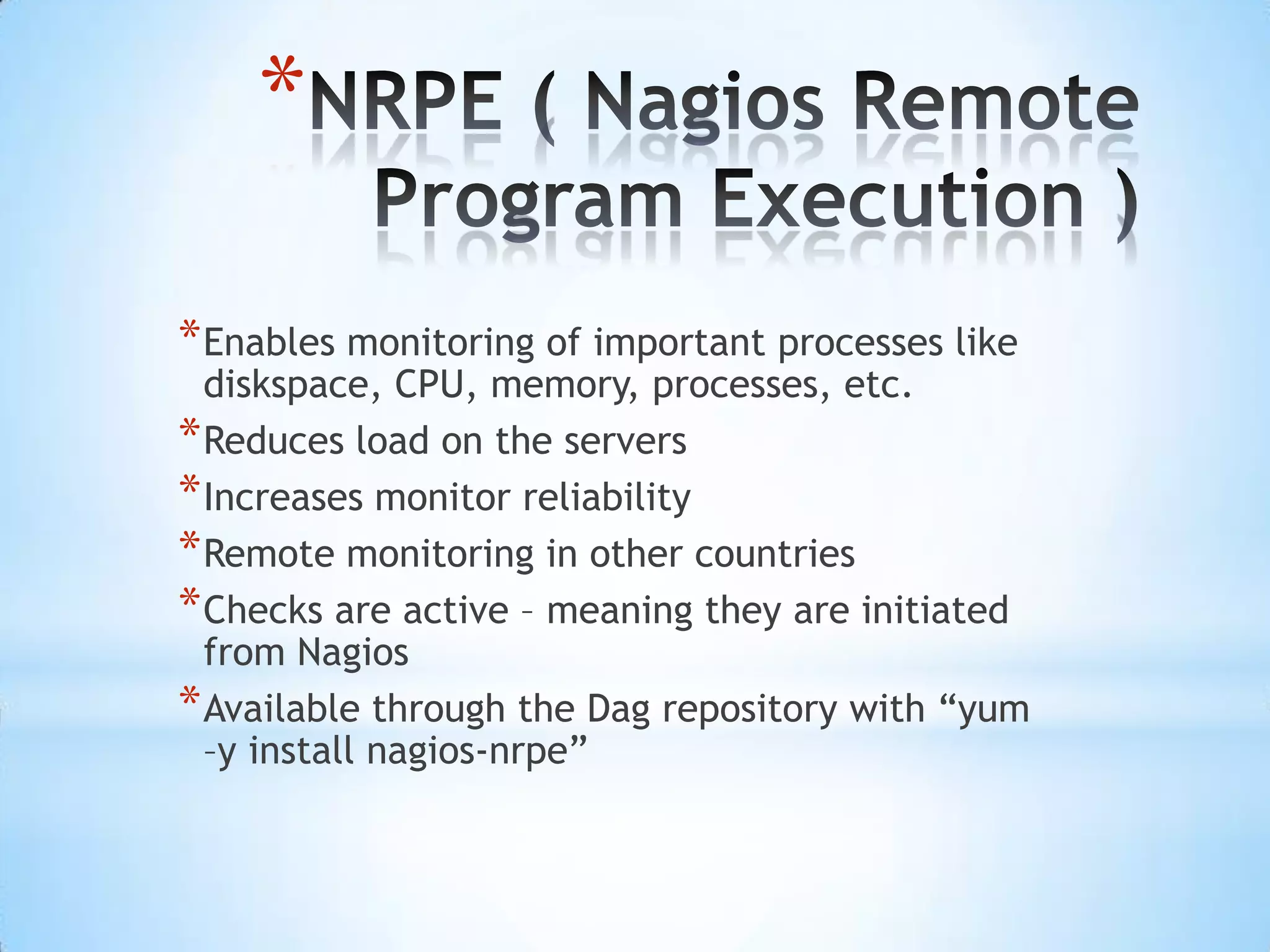
NRPE ( Nagios Remote Program Execution )Enables monitoring of important processes like diskspace, CPU, memory, processes, etc.Reduces load on the serversIncreases monitor reliabilityRemote monitoring in other countriesChecks are active – meaning they are initiated from NagiosAvailable through the Dag repository with “yum –y install nagios-nrpe”
NRPE DemoThe following demo will show how to monitor disk space on a server with Nagios and NRPE
NRPE DemoNRPE Demo
SEND_NSCAAllows remote scripts and systems to contact  Nagios directlySend_nsca is easy to integrate Very little overheadReduces the load on the Nagios serverGreat replacement for SNMPRequires some technical knowledge
SEND_NSCA DemoThe following demo will show you how to monitor disk space on a server using “send_nsca”
SEND_NSCA DemoSend_nsca demo
NSClient++Client for monitoring Windows systemsCan monitor disk, CPU, active directory, etcReduces load on Nagios serverIncreases monitoring accuracyEasy integration with Nagios
NSClient++The following demo shows how to monitor Windows using NSClient++
Nsclient ++ Demo
NRPE-NTNew Client that acts like NRPE on LinuxHelps monitor processes locally on systemsChecks are initiated from NagiosInstall NSClient++ on serverAdd the NRPE .dll file to enable port 5666
Challenges and Solutions
SNMP Challenges“Simple” Network Management Protocol not so simpleCryptic MessagesHard to understand alerts when problems happenChatty – Likes to send messages every secondNew releases can change OIDsOutdated
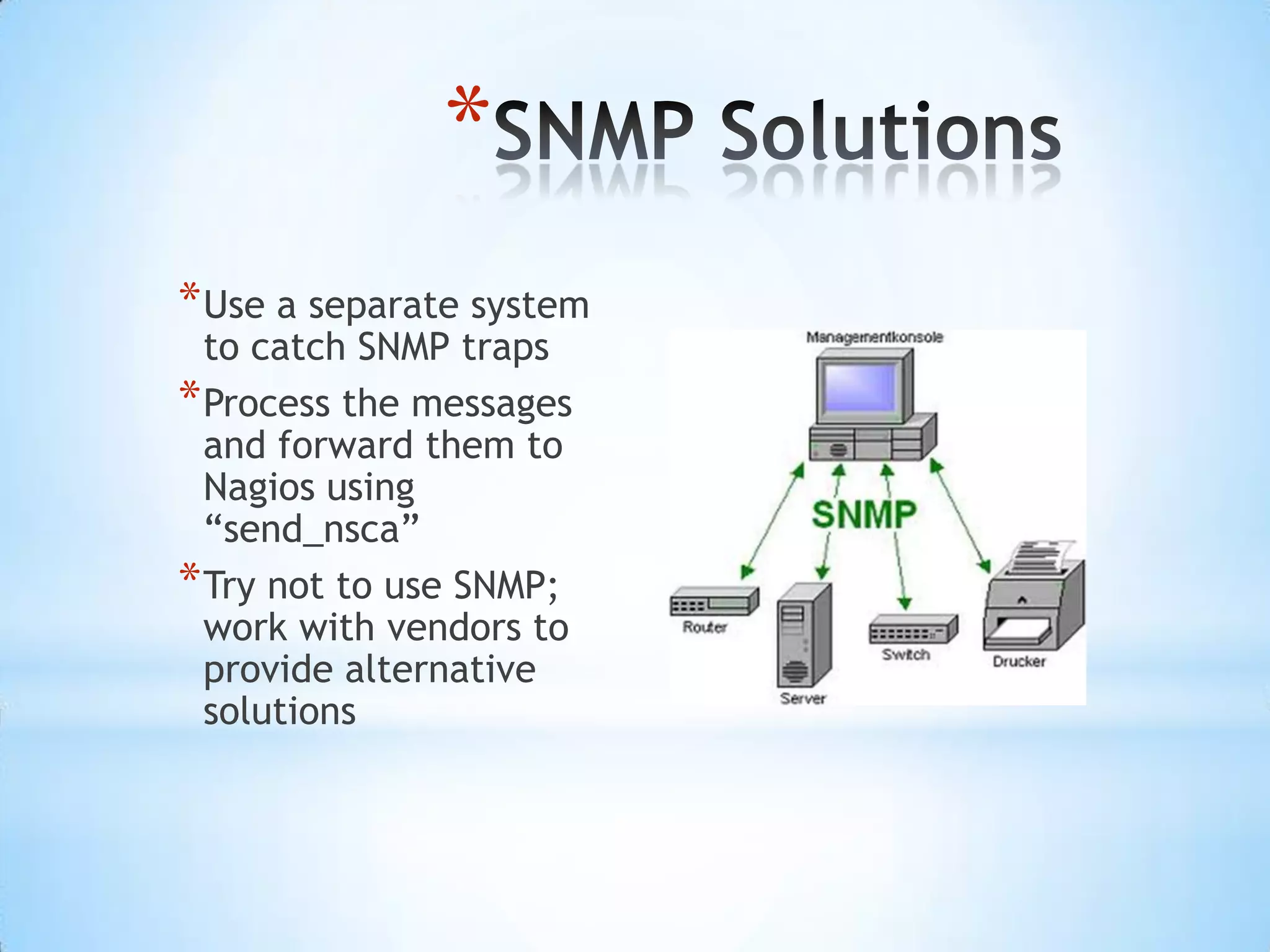
SNMP SolutionsUse a separate system to catch SNMP trapsProcess the messages and forward them to Nagios using “send_nsca”Try not to use SNMP; work with vendors to provide alternative solutions
Backup and Restore NagiosWe needed a way to backup the Nagios application and systemBackups are highly recommended!Nagios created a backup/restore script for everybodyWe created an automated script to perform a backup and a restore every week
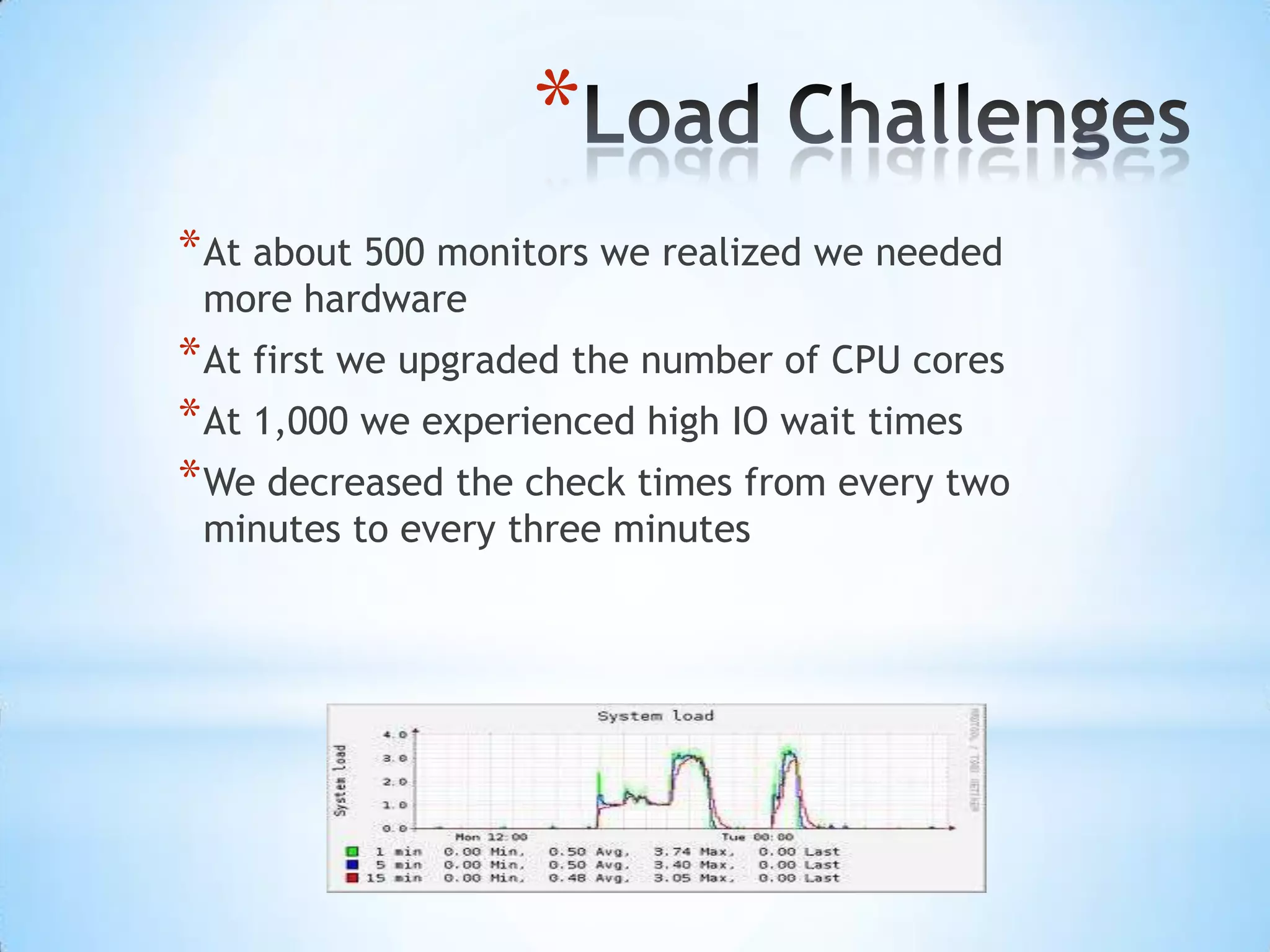
Load ChallengesAt about 500 monitors we realized we needed more hardwareAt first we upgraded the number of CPU cores At 1,000 we experienced high IO wait timesWe decreased the check times from every two minutes to every three minutes
Server Load Reduction TechniquesChange the “temp_path” and “temp_file” locations in the nagios.cfg filePoint the “status_file” parameter to the RAM diskChange the “object_cache_file” to the RAM diskUse EMC disk for /var/lib and /usr/localEnsure host and service latency times are lowUse NRPE and “send_nsca”Run interpreted scripts on a separate system whenever possible
Items of Interest
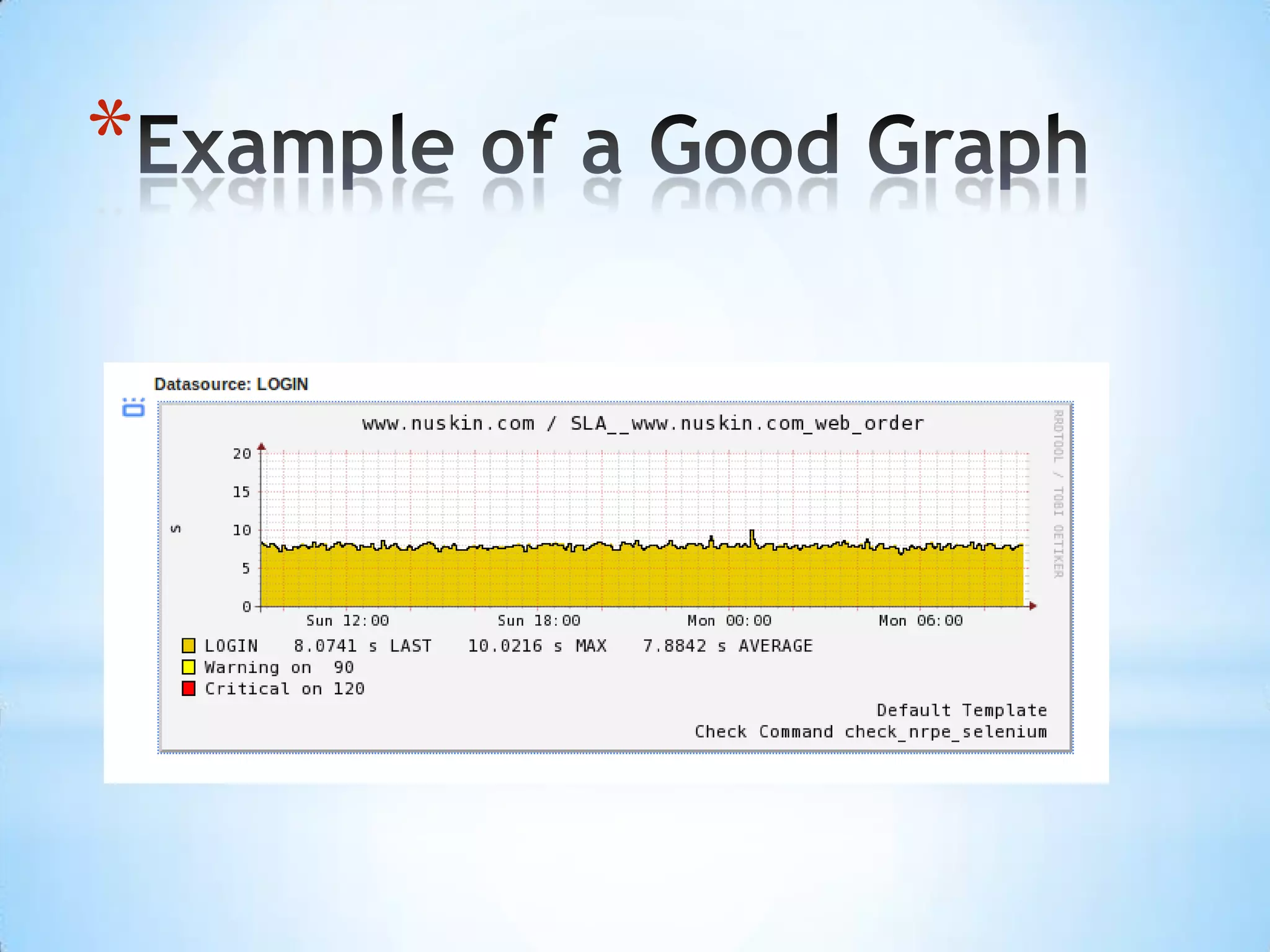
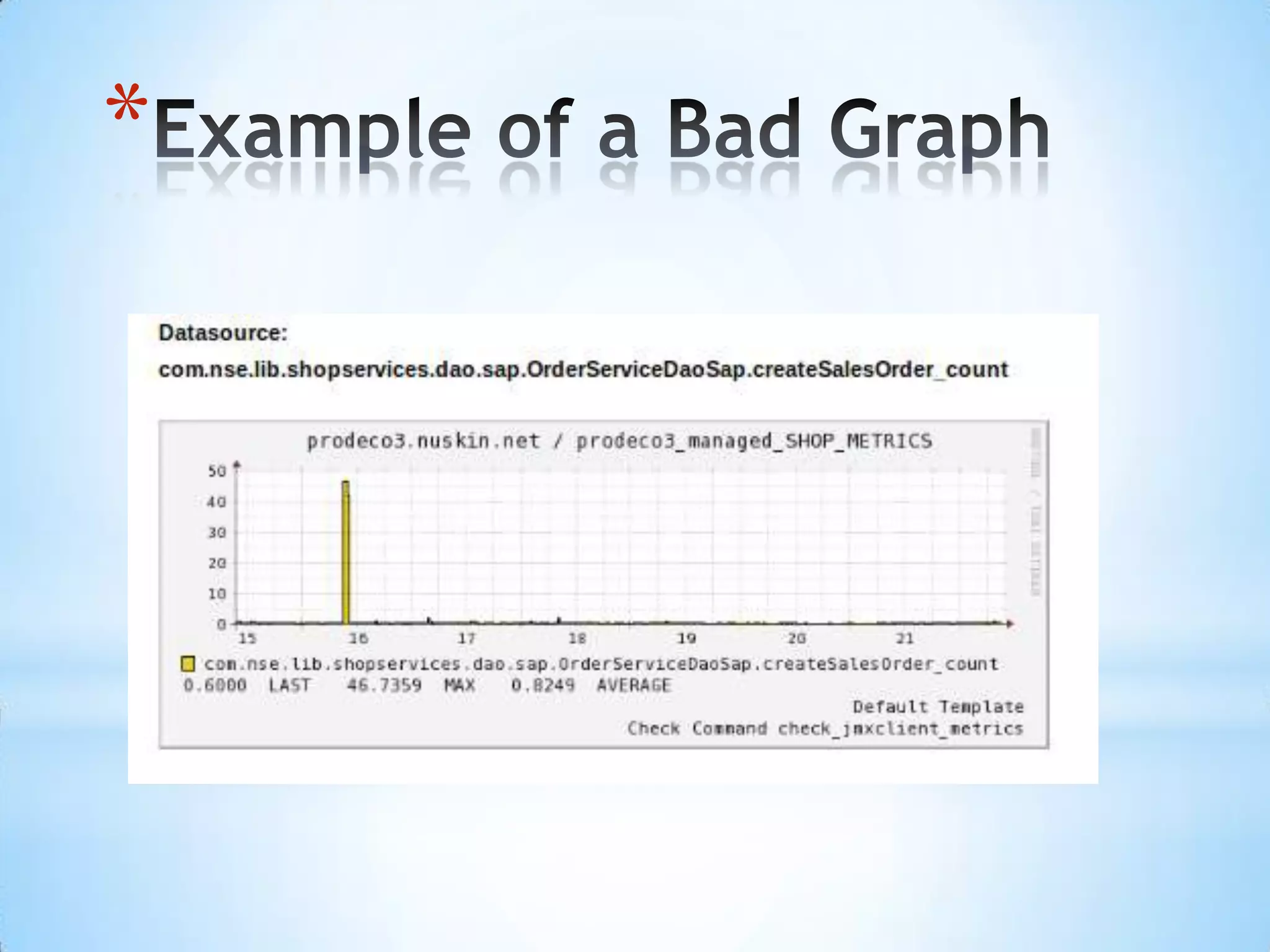
Nagios GraphsMeaningful names come from the scripts or programsRenaming graphs can cause the graph to breakWe built a solution to clean up broken graphsGood graphs have the metric and a clear data sourceWe would like the capability to control the data source
Example of a Good Graph
Example of a Bad Graph
Dev, Test, and ProductionDev, Test, Prod environment is idealOne system is not enoughNew alerts should be tested before deploymentNew alerts can cause load on the system or unexpected problemsNew releases of Nagios should be tested and deployed after thorough testing
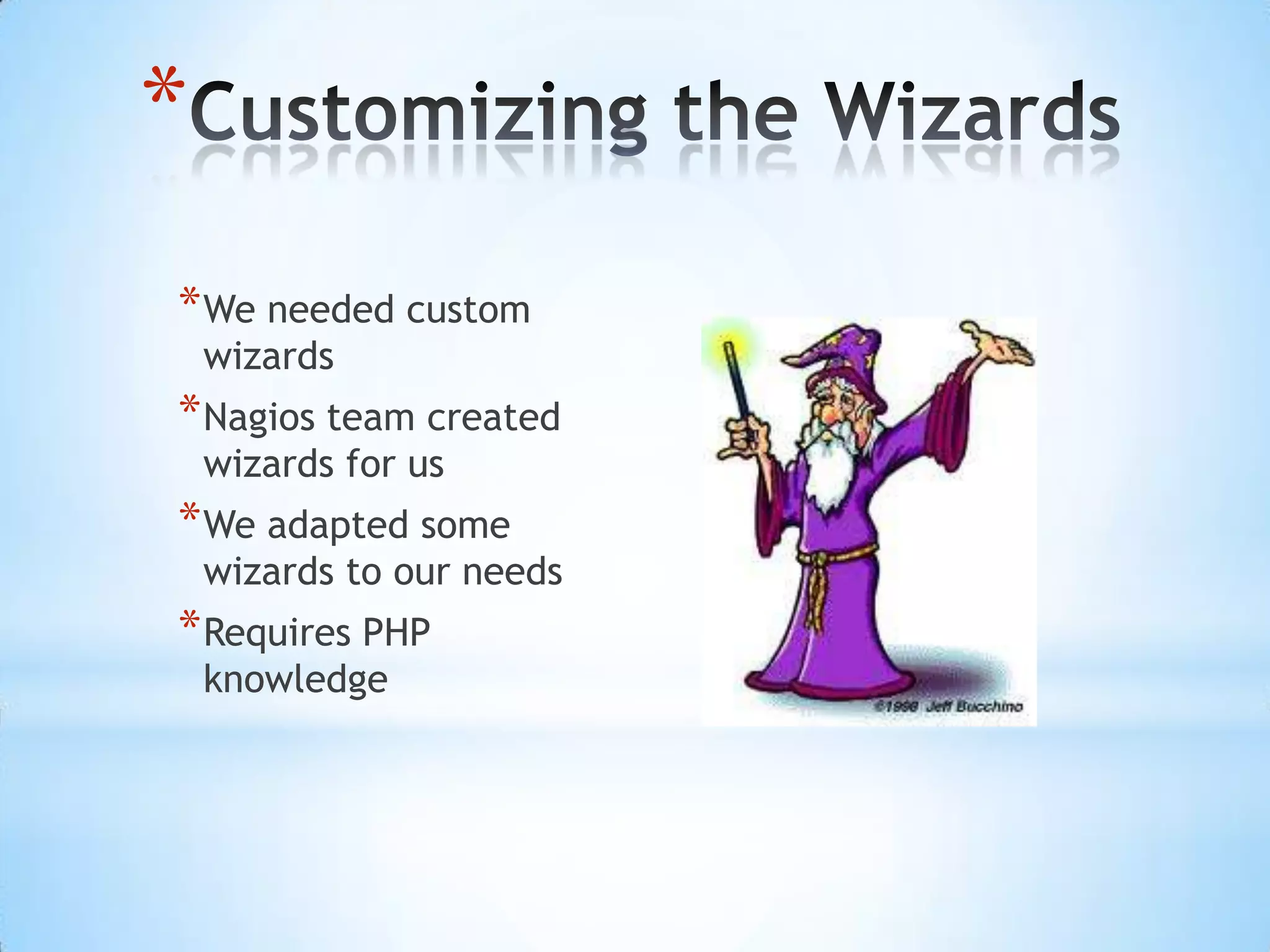
Customizing the WizardsWe needed custom wizardsNagios team created wizards for usWe adapted some wizards to our needsRequires PHP knowledge
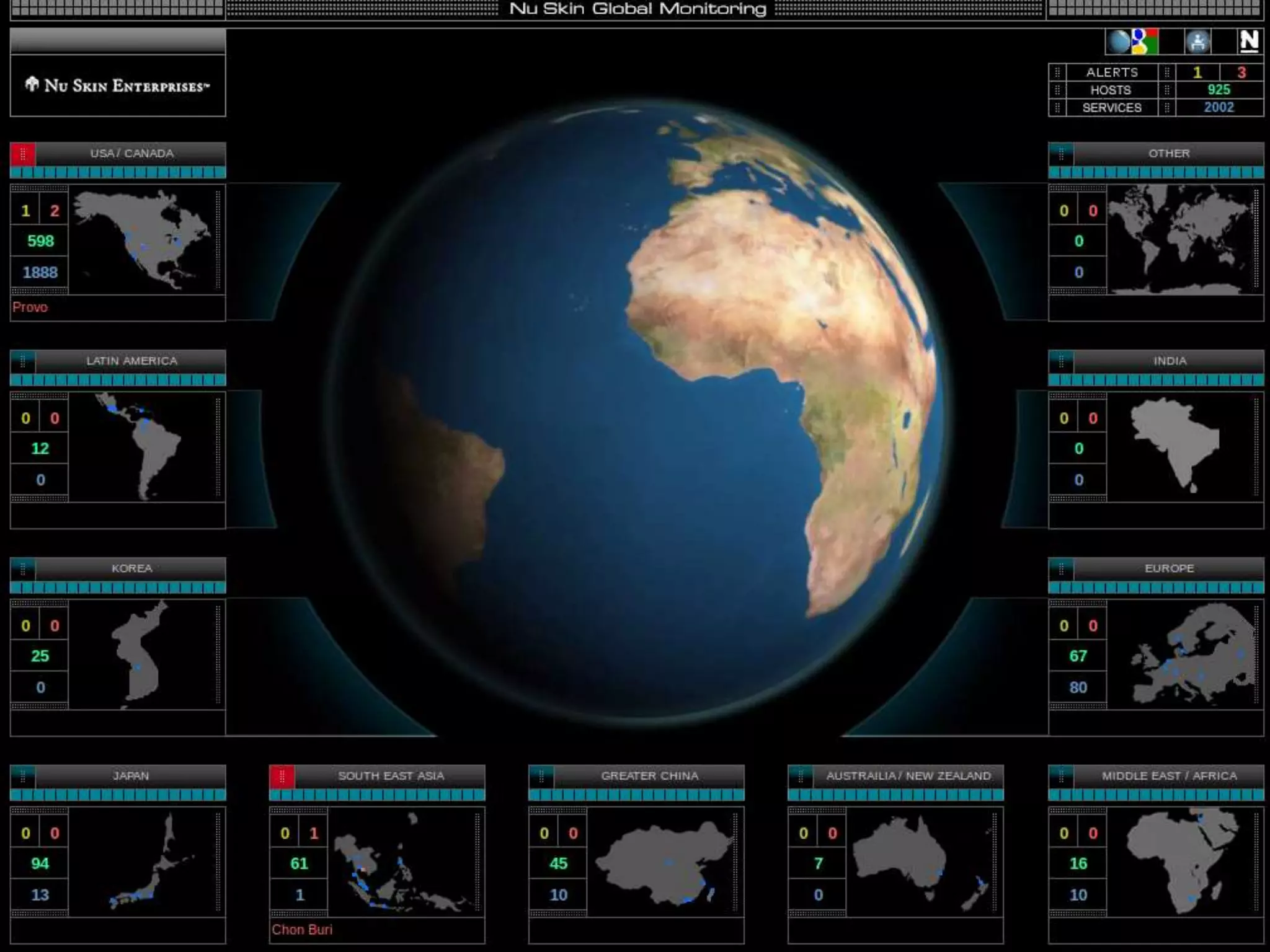
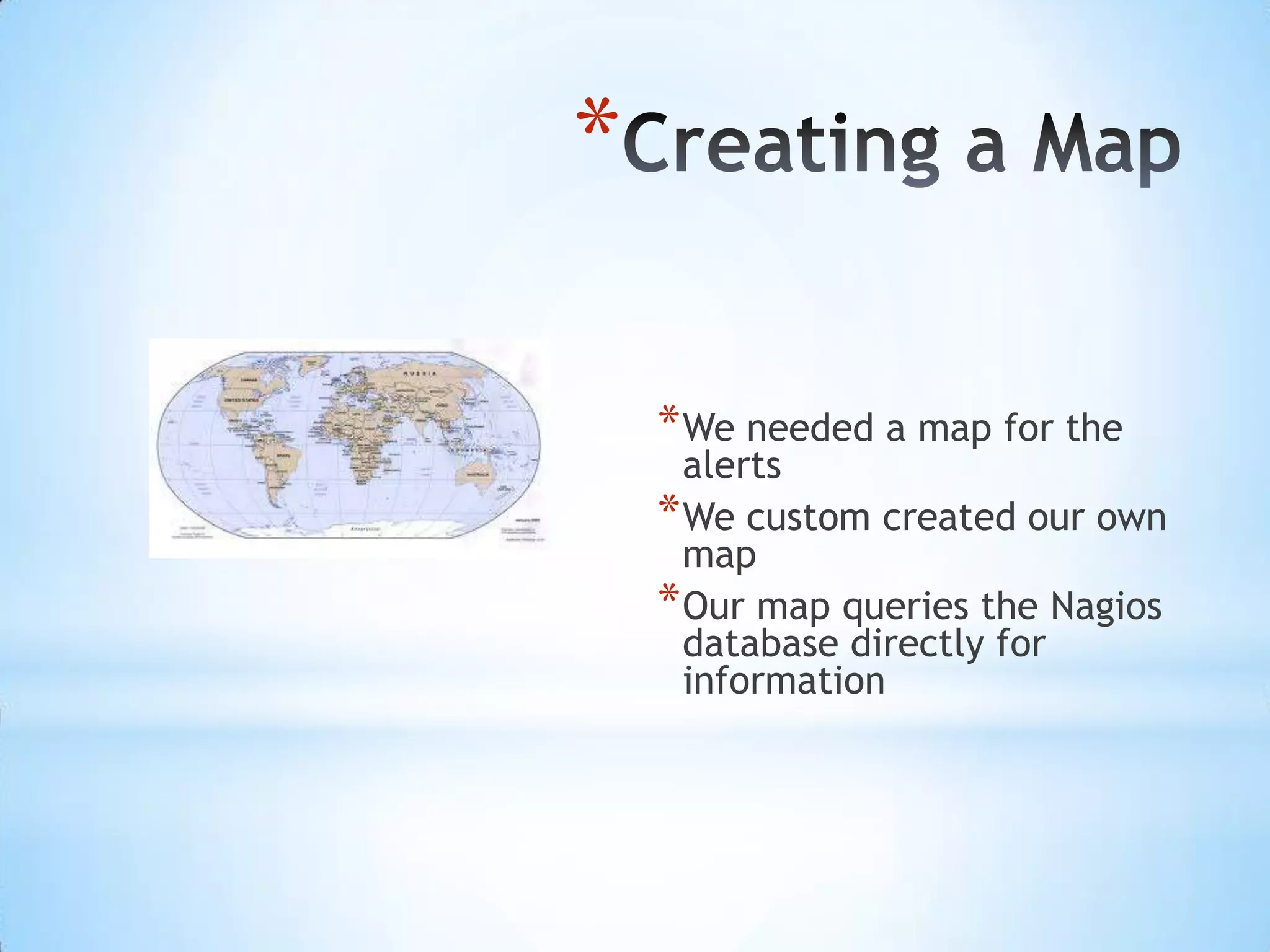
Creating a MapWe needed a map for the alertsWe custom created our own mapOur map queries the Nagios database directly for information
Custom Globe
Nagios Conference 2011 - Nate Broderick - Nagios XI Large Implementation Tips and Tricks

Nagios Conference 2011 - Nate Broderick - Nagios XI Large Implementation Tips and Tricks

  • 1.
    Nagios XI LargeImplementationTips and Tricks by Nathan Brodericknroderick@nuskin.comnagios@aivector.comNu Skin International
  • 2.
  • 3.
    PlanningDetermine what systemsare importantDetermine the need for legacy monitorsGet a company organization chartBreak the monitoring into manageable componentsMake a written migration plan
  • 4.
    Meat and PotatoMonitoring3 AM RuleMonitor critical items firstThe best monitors check core processesKeep it simpleHTTP Checks, Ping ChecksOnly set up what is necessaryDon’t over-monitor
  • 5.
  • 6.
    ProgramsBACSiteScope 6SiteScope 8Foglight– monitors Java processes and WebLogicProcessError ( Nu Skin Custom Email Solution )Notify AttentionCustom scripts on Linux systems
  • 7.
    SiteScope 6, 8SiteScopeis one of HP tools for monitoringWe gathered inventory on the alertsMigrated alerts one at a timeNagios has plugins for most alertsAfter migrating alerts, we uncovered existing problems
  • 8.
    Migrating BAC(HP BusinessAvailability Center)BAC was used to monitor complex business processesBAC alerts were ignoredThe cost per monitor was about $1300BAC monitors were migrated one at a time to Selenium
  • 9.
    Migrating NNM (NetworkNode Manager)NNM is an HP tool for monitoring network devicesWe built a Selenium script to migrate NNMHeavy load on system because of SNMP trapsNNM spammed the Help DeskMonitors “Cried Wolf” frequentlyDifficult to manage
  • 10.
    Replacing Foglight withJMXJMX enables monitoring of JMX attributes in Java systemsThe “check_jmx” plugin monitors Java systemsWe built a custom JMX module that collects data from WebLogic
  • 11.
    Custom ScriptsWe used“send_nsca” with the scriptsScripts usually ran from CronWhere possible, we replaced the scripts with NagiospluginsWe worked with Administrators
  • 12.
    Custom Email SolutionMostthe alerts received were too difficult to understandWe migrated some alerts and stopped having others sentMost errors were ignored by Help Desk
  • 13.
    Old AlertsERRORS haveoccurred during copy and processing of the sovoldiff file to odyssey. The process did NOT complete successfully: For additional information, see /home/volgen/vandg/sovoldiff.odyssey.diag on icarus. Also, check sovoldiff.log: .sovoldiff:odyssey beginning remote copy of data [04/25/11 13:29 MDT] .sovoldiff:odyssey completed remote copy of data [04/25/11 13:29 MDT] .sovoldiff:odyssey beginning remote execution [04/25/11 13:29 MDT] .sovoldiff:odyssey beginning sovolhdrdiffsqlldr [04/25/11 13:29 MDT] ....Commit point reached - logical record count 200 .sovoldiff:odyssey completed sqlldr [04/25/11 13:29 MDT] .sovoldiff:odyssey WARNING: run of sqlldr on odyssey has generated 33 entries i .n sovolhdrdiff.bad [04/25/11 13:29 MDT] ...d|01-G5235390|||N||||08112010|OPEN|0.00|0.00|0.00|0.00||0||N|N||||||||ADP|AF| ...d|CAW9181762|||N||||19042011|OPEN|0.00|0.00|0.00|0.00||0||N|N||||||||ADP|AF| ...d|HK3045390|||N||||20032010|OPEN|0.00|0.00|0.00|0.00||0||N|N||||||||ADP|AF| ...d|HK3053267|||N||||31012010|OPEN|0.00|0.00|0.00|0.00||0||N|N||||||||ADP|AF| ...d|HK8046272|||N||||23042011|OPEN|0.00|0.00|0.00|0.00||0||N|N||||||||ADP|AF| ...d|HK8110877|||N||||01042011|OPEN|0.00|0.00|0.00|0.00||0||N|N||||||||ADP|AF| ...d|HK8122941|||N||||02032010|OPEN|0.00|0.00|0.00|0.00||0||N|N||||||||ADP|AF| ...d|HK8126233|||N||||04042011|OPEN|0.00|0.00|0.00|0.00||0||N|N||||||||ADP|AF| ...d|HK8130967|||N||||08042011|OPEN|0.00|0.00|0.00|0.00||0||N|N||||||||ADP|AF| ...d|HK8131201|||N||||08042011|OPEN|0.00|0.00|0.00|0.00||0||N|N||||||||ADP|AF| ...d|HK8131462|||N||||04042011|OPEN|0.00|0.00|0.00|0.00||0||N|N||||||||ADP|AF| ...d|HK8139745|||N||||19102010|OPEN|0.00|0.00|0.00|0.00||0||N|N||||||||ADP|AF| ...d|HK8140172|||N||||09042011|OPEN|0.00|0.00|0.00|0.00||0||N|N||||||||ADP|AF| ...d|HK8140300|||N||||09042011|OPEN|0.00|0.00|0.00|0.00||0||N|N||||||||ADP|AF| ...d|HK8142160|||N||||09042011|OPEN|0.00|0.00|0.00|0.00||0||N|N||||||||ADP|AF| ...d|HK8143219|||N||||08022010|OPEN|0.00|0.00|0.00|0.00||0||N|N||||||||ADP|AF| ...d|HK8143457|||N||||23042010|OPEN|0.00|0.00|0.00|0.00||0||N|N||||||||ADP|AF| ...d|HK8144185|||N||||14052010|OPEN|0.00|0.00|0.00|0.00||0||N|N||||||||ADP|AF| ...d|HK8146497|||N||||05042011|OPEN|0.00|0.00|0.00|0.00||0||N|N||||||||ADP|AF| ...d|HK8146771|||N||||05042011|OPEN|0.00|0.00|0.00|0.00||0||N|N||||||||ADP|AF| .sovoldiff:odyssey Bad data has been located, notification being emailed to bvc .handr@nuskin.com,jlpoulse@nuskin.com,swgiles@nuskin.net,bjbeck@nuskin.com [04/ .25/11 13:29 MDT] .sovoldiff:odyssey ERROR: 67 data errors, above threshold of 53 - more than 1 o .ut of every 1000 rows. See on odyssey in sovolhdrdiff.log ora1.out [04/25/11 1 .3:29 MDT] .sovoldiff:odyssey completed remote execution [04/25/11 13:29 MDT] .sovoldiff:odyssey ERROR: Did NOT successfully complete operations in minion [0 .4/25/11 13:29 MDT] .sovoldiff:odyssey ERROR: find: cannot stat */* .warnings .5/11 13:29 MDT]
  • 14.
    New AlertsPrograms Weintegrated into Nagios
  • 15.
    Choose the NagiosMonitoring MethodActive Check from Nagios Server (normal) Active Check performed by remote clientNRPE, NSClientPassive Check – Listen to 3rd party monitorsNSCA
  • 16.
    Integrating with OEM( Oracle Enterprise Manager )OEM is used to monitor Oracle databasesMonitoring is done by OEM and Grid ControlAlerts are passed to Nagios using “send_nsca”Nagios alerts are cleared by the Help DeskPassive alerts or “buckets” in Nagios
  • 17.
    Integrating SAP“NRPE” collectsprocess data from SAPStatus monitoring using “send_nsca”Monitored at a system levelNagios has plugins to monitor SAP
  • 18.
    Tools We Usewith Nagios
  • 19.
    SeleniumTesting tool forrunning software testsFreeware tool to enable Business Process MonitoringWe use a headless Linux installation of SeleniumSelenium was adapted to monitor web sitesEasy to use
  • 20.
    Recording in SeleniumThefollowing demo will show how you can record user’s interactions with websites in Selenium
  • 21.
  • 22.
    Playback in SeleniumThefollowing demo will show you how to play back the Selenium recordings
  • 24.
    Using the SeleniumScriptThe following demo will show you how to use the Selenium recording
  • 26.
    Working Demo ofNagios and SeleniumThe following is a practical demo of Selenium
  • 28.
    MechanizeOpen source Perlmodule for web pagesMechanize is for monitoring sites with a simple login and not many pagesMechanize requires technical abilityMechanize had better documentation than WebInjectFast and lightweightBetter than Selenium for simple sites
  • 29.
    NRPE ( NagiosRemote Program Execution )Enables monitoring of important processes like diskspace, CPU, memory, processes, etc.Reduces load on the serversIncreases monitor reliabilityRemote monitoring in other countriesChecks are active – meaning they are initiated from NagiosAvailable through the Dag repository with “yum –y install nagios-nrpe”
  • 30.
    NRPE DemoThe followingdemo will show how to monitor disk space on a server with Nagios and NRPE
  • 31.
  • 32.
    SEND_NSCAAllows remote scriptsand systems to contact Nagios directlySend_nsca is easy to integrate Very little overheadReduces the load on the Nagios serverGreat replacement for SNMPRequires some technical knowledge
  • 33.
    SEND_NSCA DemoThe followingdemo will show you how to monitor disk space on a server using “send_nsca”
  • 34.
  • 35.
    NSClient++Client for monitoringWindows systemsCan monitor disk, CPU, active directory, etcReduces load on Nagios serverIncreases monitoring accuracyEasy integration with Nagios
  • 36.
    NSClient++The following demoshows how to monitor Windows using NSClient++
  • 37.
  • 38.
    NRPE-NTNew Client thatacts like NRPE on LinuxHelps monitor processes locally on systemsChecks are initiated from NagiosInstall NSClient++ on serverAdd the NRPE .dll file to enable port 5666
  • 39.
  • 40.
    SNMP Challenges“Simple” NetworkManagement Protocol not so simpleCryptic MessagesHard to understand alerts when problems happenChatty – Likes to send messages every secondNew releases can change OIDsOutdated
  • 41.
    SNMP SolutionsUse aseparate system to catch SNMP trapsProcess the messages and forward them to Nagios using “send_nsca”Try not to use SNMP; work with vendors to provide alternative solutions
  • 42.
    Backup and RestoreNagiosWe needed a way to backup the Nagios application and systemBackups are highly recommended!Nagios created a backup/restore script for everybodyWe created an automated script to perform a backup and a restore every week
  • 43.
    Load ChallengesAt about500 monitors we realized we needed more hardwareAt first we upgraded the number of CPU cores At 1,000 we experienced high IO wait timesWe decreased the check times from every two minutes to every three minutes
  • 44.
    Server Load ReductionTechniquesChange the “temp_path” and “temp_file” locations in the nagios.cfg filePoint the “status_file” parameter to the RAM diskChange the “object_cache_file” to the RAM diskUse EMC disk for /var/lib and /usr/localEnsure host and service latency times are lowUse NRPE and “send_nsca”Run interpreted scripts on a separate system whenever possible
  • 45.
  • 46.
    Nagios GraphsMeaningful namescome from the scripts or programsRenaming graphs can cause the graph to breakWe built a solution to clean up broken graphsGood graphs have the metric and a clear data sourceWe would like the capability to control the data source
  • 47.
    Example of aGood Graph
  • 48.
    Example of aBad Graph
  • 49.
    Dev, Test, andProductionDev, Test, Prod environment is idealOne system is not enoughNew alerts should be tested before deploymentNew alerts can cause load on the system or unexpected problemsNew releases of Nagios should be tested and deployed after thorough testing
  • 50.
    Customizing the WizardsWeneeded custom wizardsNagios team created wizards for usWe adapted some wizards to our needsRequires PHP knowledge
  • 51.
    Creating a MapWeneeded a map for the alertsWe custom created our own mapOur map queries the Nagios database directly for information
  • 52.

Editor's Notes

  • #11 Weblogic, we had to expose part of the JVM – we expose remote JMX port from the JVM. Central server where the job daemon is running. Runs on port 5697 We maintain a connection to the Weblogic servers. Collects
  • #22 Are you recording websites or user interactions with websites? I presume that the recording is of the user’s interactions with a website for later, or repeated, playback of those same interactions.
  • #34 Whoa! Now Send_NSCA has an underline between send and nsca! What should it be, really???The SEND is all capitals in the title but not in the bulleted text in this or previous slides. See the title of the following slide for yet another variation.
  • #45 I recommend you drop the metric in the third bullet: At 1,000 monitors, we experienced high IO wait times {The added comma to designate one thousand and the capitalization of IO is intentional.}
  • #54 Way cool globe!