Creating an
Effective
Survey
 Survey Goals
 Examples of Surveys
 Survey Question Types
 Examples of Survey
 Question Sequencing
 Feedback
 Create your Own
 Results Processing
Creating an Effective Survey - Topics
Survey Goals
 What topic will the survey be
evaluating/measuring?
 What will the survey be measuring?
 Gaining opinions and perspectives from
individuals.
Example Surveys
Quiz
Customer Service
Parent Survey
Employee Engagement Survey
Survey Question Types
Subjective vs Objective
Subjective
 Open-Response
 Composition
 Evaluated by a
human being.
Objective
 Closed-Response
 Multiple-Choice
 Scored by
computer.
This Photo by Unknown Author
is licensed under CC BY-SA
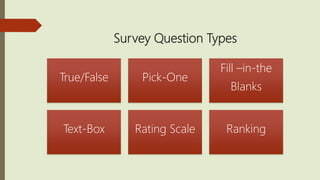
Survey Question Types
True/False Pick-One
Fill –in-the
Blanks
Text-Box Rating Scale Ranking
When to Use Types of Questions
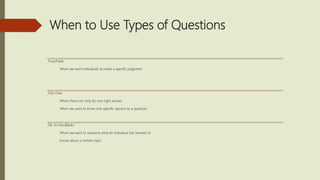
True/False
When we want individuals to make a specific judgment.
Pick-One
When there can only be one right answer .
When we want to know one specific opinion to a question.
Fill –in-the Blanks
When we want to measure what an individual has learned or
knows about a certain topic.
When to Use Types of Questions
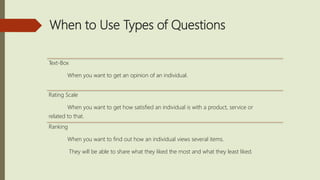
Text-Box
When you want to get an opinion of an individual.
Rating Scale
When you want to get how satisfied an individual is with a product, service or
related to that.
Ranking
When you want to find out how an individual views several items.
They will be able to share what they liked the most and what they least liked.
Question Sequencing
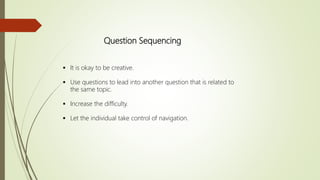
 It is okay to be creative.
 Use questions to lead into another question that is related to
the same topic.
 Increase the difficulty.
 Let the individual take control of navigation.
Feedback
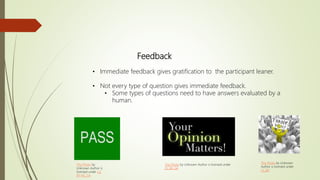
• Immediate feedback gives gratification to the participant leaner.
• Not every type of question gives immediate feedback.
• Some types of questions need to have answers evaluated by a
human.
This Photo by Unknown
Author is licensed under
CC BY
This Photo by Unknown Author is licensed under
CC BY-SA
This Photo by
Unknown Author is
licensed under CC
BY-NC-SA
Create your Own
 We will now create our own surveys.
* Think of a topic that interests you.
* Go to www.sureveymonkey.com and create a free
account.
* Create 5 questions related to the topic you choose.
(Use the types of question slides for a quide)
* Send the link of your survey to your peers with this class.
 Take each of your peers surveys.
Results Processing
Provide an overview of your survey
(assessment). Create a one page outline of the
results. In the summary state what you would do
with the results.
Felder, R. (2002). Designing tests to maximize learning. Journal of Professional Issues in
Engineering. Education & Practice, 128(1), 1–3. Retrieved from
http://www4.ncsu.edu/unity/lockers/users/f/felder/public/Papers/TestingTips.htm
Survey Monkey. 1999-2017 Retrieved from:
https://www.surveymonkey.com/
References

Survey

  • 1.
  • 2.
     Survey Goals Examples of Surveys  Survey Question Types  Examples of Survey  Question Sequencing  Feedback  Create your Own  Results Processing Creating an Effective Survey - Topics
  • 3.
    Survey Goals  Whattopic will the survey be evaluating/measuring?  What will the survey be measuring?  Gaining opinions and perspectives from individuals.
  • 4.
    Example Surveys Quiz Customer Service ParentSurvey Employee Engagement Survey
  • 5.
    Survey Question Types Subjectivevs Objective Subjective  Open-Response  Composition  Evaluated by a human being. Objective  Closed-Response  Multiple-Choice  Scored by computer. This Photo by Unknown Author is licensed under CC BY-SA
  • 6.
    Survey Question Types True/FalsePick-One Fill –in-the Blanks Text-Box Rating Scale Ranking
  • 7.
    When to UseTypes of Questions True/False When we want individuals to make a specific judgment. Pick-One When there can only be one right answer . When we want to know one specific opinion to a question. Fill –in-the Blanks When we want to measure what an individual has learned or knows about a certain topic.
  • 8.
    When to UseTypes of Questions Text-Box When you want to get an opinion of an individual. Rating Scale When you want to get how satisfied an individual is with a product, service or related to that. Ranking When you want to find out how an individual views several items. They will be able to share what they liked the most and what they least liked.
  • 9.
    Question Sequencing  Itis okay to be creative.  Use questions to lead into another question that is related to the same topic.  Increase the difficulty.  Let the individual take control of navigation.
  • 10.
    Feedback • Immediate feedbackgives gratification to the participant leaner. • Not every type of question gives immediate feedback. • Some types of questions need to have answers evaluated by a human. This Photo by Unknown Author is licensed under CC BY This Photo by Unknown Author is licensed under CC BY-SA This Photo by Unknown Author is licensed under CC BY-NC-SA
  • 11.
    Create your Own We will now create our own surveys. * Think of a topic that interests you. * Go to www.sureveymonkey.com and create a free account. * Create 5 questions related to the topic you choose. (Use the types of question slides for a quide) * Send the link of your survey to your peers with this class.  Take each of your peers surveys.
  • 12.
    Results Processing Provide anoverview of your survey (assessment). Create a one page outline of the results. In the summary state what you would do with the results.
  • 13.
    Felder, R. (2002).Designing tests to maximize learning. Journal of Professional Issues in Engineering. Education & Practice, 128(1), 1–3. Retrieved from http://www4.ncsu.edu/unity/lockers/users/f/felder/public/Papers/TestingTips.htm Survey Monkey. 1999-2017 Retrieved from: https://www.surveymonkey.com/ References

Editor's Notes

  • #3 These are the main topics that we will cover in this presentation. By the end of this training / presentation you will understand and be able to create an effective survey for our company. What you learn today can be applied to surveys and test type surveys. Surveys can be used as a testing option, rather than just an opinion method.
  • #4 “To design a test you must know exactly what you want to measure” (Horton pg218, 2012). Surveys can be used to test learner skills and to gain knowledge/opinion for a specific. Surveys have a purpose and are given for a specific reason.
  • #5 Now we will take a few minutes to explore a few different types of surveys and discuss each one. (Click on the name and it will take to the specific survey.) Within the Survey Monkey website they are many resources that describe what specific surveys are for and help and guide you on creating the surveys that work best for the topic that is being discussed.
  • #6 Subjective “ They are sometimes called open-response question because the exact form of the response is up to the learner.” (Horton pg. 220, 2012) Objective “They are sometimes called closed-response questions because the learner must select an answer from choices provided by the designer” (Horton pg. 220 2012). Can any of you give me any other examples of what other types of questions would follow under subjective or objective?
  • #7 True/False – One must decide if a question or statement is true of false. These questions may even worded to answer in a yes or no format if it a an opinion or a personal fact. Pick-One – This is commonly know as multiple choice questions. There is one correct answer. Fill – in-the Blank – A missing word or words within a sentence or statement. Text Box– This is an open ended question where one will fill out the answer or their opinion. With this type of question there can be guidelines with a minimum or maximum amount of character. Rating Scale – This can be on a line or a grid and the user has to pick where on the rating scale something the are rating would fall. Ranking – Generally ranking a specific item or items. Not all of these question types will be appropriate for every survey. As a designer you will need to know to include specific types and when specific questions are appropriate. Once we have went through the explanation for each one. I will ask for participants to write down an example of one of the types of questions on the provided chart paper around the room.
  • #8 Each type of question for a survey/test, have specific times when they are best utilized. Make sure the what you asking in the test or survey is information that the individuals have seen and ben introduced to. “A common and unfortunate practice is to give fairly straightforward examples in lectures and homework and then to put high-level analysis problems or problems with unexpected twists on the test, with the argument being that "we need to teach students to think for themselves.“ (Felder 2002).
  • #9 Each type of question for a survey/test, has specific times when they are best utilized. When using a text box or a composition type question for testing, learners will need to give specifics from what they have learned. Using a mixture of questions will engage the participant and they will be more than likely to complete the survey with full honesty. When it comes to creating a test, using a variety of types of questions will engage they learner and get them to think abstractly.
  • #10 Being creative with the sequence and appearance of our survey will keep individuals engaged and interested. When you are using a survey for a test, the questions should be around the specific objectives and there should be a flow within the test/survey. “Let learners warm up on simple questions. Learners who cannot answer any of the first three questions are likely to despair and not sincerely try later ones” (Horton pg. 262 2012).
  • #11 With surveys it is important to give feedback, even if is something at the end of the survey. Such as “Thank you for participating,” “Your opinion counts,” “We appreciate you.” These are just a few examples.