Limited Resources & Limited Budgets Successful Student Information System Implementation Strategies for Small Institutions AACRAO 94 th  Annual Meeting Orlando, Florida Tuesday, March 25, 2008- Session 226 4:15-5:15- Room: Atlanta/Boston
About Us Keith Williams   (facilitator) University Registrar University of Vermont Ana del Castillo Registrar & Associate Director of Student Services The Chicago School of Professional Psychology, Chicago, IL Keith Werosh University Registrar National University of Health Sciences, Lombard, IL
About the Institutions The Chicago School Certs.,MA, EdS & doctoral degrees (PsyD) On ground and online offerings Founded 1979 Multiple campuses 1,400+ students National University AA through first professional degrees (chiropractic & naturopathy) Founded 1906 550 students
Basis for Upgrading The Chicago School SIS relied on old technology Wasn’t scalable to allow for the institution’s rapid growth Wasn’t user friendly or flexible to allow for tailoring to institutional needs Vendor technical support wasn’t reliable and consistent ::
Basis for Upgrading National University of Health Sciences Records were managed via use of Excel spreadsheets Technology in registrar’s office was nonexistent No use of technology to share relevant information between departments Data management was labor intensive
Limited Budgets The Chicago School ~$750,000 Included hardware, software, training and support. National University of Health Sciences ~$200,000 Included hardware, software, training and support.
Limited Resources The Chicago School Limited technical support (3 staff) No dedicated SIS manager Little knowledge of successful system implementations Busy office created a challenge to divert attention to implementation ::
Limited Resources National University of Health Sciences Seriously behind the times with technology (used Excel for everything!) No technical support on staff– outsourced IT support help Nobody on staff to provide perspective or guidance Were we truly ready to accept a change?
Things to Consider Cost-Benefit Analysis Strategic Planning  Review of Business Process Competitive Analysis Risk Management Gap Analysis Timing RFPs
Cost-Benefit Analysis Financial repercussions Impact on productivity Staffing Data management Technological needs
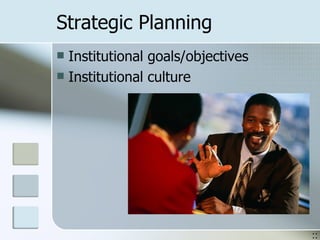
Strategic Planning Institutional goals/objectives Institutional culture ::
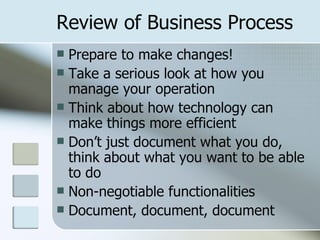
Review of Business Process Prepare to make changes! Take a serious look at how you manage your operation Think about how technology can make things more efficient Don’t just document what you do, think about what you want to be able to do Non-negotiable functionalities Document, document, document
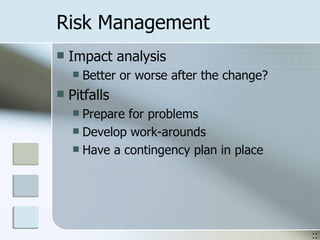
Risk Management Impact analysis Better or worse after the change? Pitfalls Prepare for problems Develop work-arounds Have a contingency plan in place ::
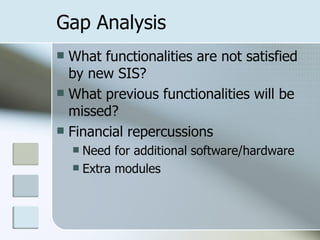
Gap Analysis What functionalities are not satisfied by new SIS? What previous functionalities will be missed? Financial repercussions Need for additional software/hardware Extra modules
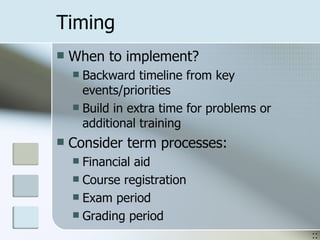
Timing When to implement? Backward timeline from key events/priorities Build in extra time for problems or additional training Consider term processes: Financial aid Course registration Exam period Grading period ::
RFP Request for proposal “ The formal mechanism by which a company conveys its business requirements during the search for a new application system” 1 . Consider boilerplate version Useful to thoroughly document needs and solicit formal response from vendor 1 Source:  Georgetown University UIS
What’s Next? Vendor & system selection Research vendors: who are their clients? Research other schools’ systems (what’s popular?) Vendor sales Salesperson is usually not a system expert Beware of guarantees; do your homework Sources Colleagues Professional associations, listservs Request for Proposal (RFP) ::
Implementation Strategy Target timeline Alternate timeline Negotiable vs. non-negotiable Pace of implementation
Contract Negotiation List price is not the price you pay Deal-breakers Support level Evaluate add-ons & modules  Beta testing (save $$) vs. impact on operations Portal (heavily consider systems with student, faculty and alumni portal access)
Project Management Designate project manager Establish committee Include module leaders, process and data experts Involve  all  constituencies: staff, faculty, students ::
Budget Management Manage schedule to maximize consultants’ billable hours Maintenance costs Additional modules Customizations (can do in-house or must be done through vendor?) Level of support Training
Org. Change Management How will various sectors of community react? Turnover Where is there little/no support? Managing expectations Staff workload  Seamless services for students Formal vs. informal leaders ::
Communication Plan/PR Community-wide announcements Generate excitement while managing expectations Communicate project progress at all levels of implementation from beginning through end Targeted communication to different constituencies Address unique concerns of each group
Tech. Support Services Help Desk Online, phone, in-person support Impact on workload Technology support staffing Consider needs during and after implementation Hosted solution for institutions with limited or no technology support staff
Data Validation Thorough data validation Saves time Saves money Prevents data integrity issues Create time and separate space for staff to validate data Create data validation protocols Accountability  Document data validation ::
Training Scale back on over-implementing: train first and start out “vanilla” Vendor support In-house knowledge of module leaders Future releases: training on new functionalities Provide adequate support for those less technologically savvy Build reference resources as you go ::
If Only We Knew Then… Upgrades/future releases Add functionalities, provide fixes Also break things that worked before Shift in job focus for power users Managing system permissions/access Designate single point-person Develop permissions approval protocol Post-implementation Transition implementation committee
 
 
If Only We Knew Then… Vendor Relations Know how their support mechanisms work How quickly are tech support issues handled? Don’t go crazy with customizations Identify a well detailed plan for data migration Who is responsible? What type of information will be migrated? Make friends with staff at institutions with the same system installed Know how to extract information from the system
AACRAO Publication Student Information Systems:  A Guide to Implementation Success Sharon F. Cramer, Ph.D. $95 non-members / $70 members 2005, item #0108
Final Thoughts & Questions? Ana del Castillo The Chicago School of Professional Psychology (312) 329-6601 [email_address] Keith Werosh National University of Health Sciences (630) 889-6547 [email_address]

Student System Implementations for Limited Budgets and Resources

  • 1.
    Limited Resources &Limited Budgets Successful Student Information System Implementation Strategies for Small Institutions AACRAO 94 th Annual Meeting Orlando, Florida Tuesday, March 25, 2008- Session 226 4:15-5:15- Room: Atlanta/Boston
  • 2.
    About Us KeithWilliams (facilitator) University Registrar University of Vermont Ana del Castillo Registrar & Associate Director of Student Services The Chicago School of Professional Psychology, Chicago, IL Keith Werosh University Registrar National University of Health Sciences, Lombard, IL
  • 3.
    About the InstitutionsThe Chicago School Certs.,MA, EdS & doctoral degrees (PsyD) On ground and online offerings Founded 1979 Multiple campuses 1,400+ students National University AA through first professional degrees (chiropractic & naturopathy) Founded 1906 550 students
  • 4.
    Basis for UpgradingThe Chicago School SIS relied on old technology Wasn’t scalable to allow for the institution’s rapid growth Wasn’t user friendly or flexible to allow for tailoring to institutional needs Vendor technical support wasn’t reliable and consistent ::
  • 5.
    Basis for UpgradingNational University of Health Sciences Records were managed via use of Excel spreadsheets Technology in registrar’s office was nonexistent No use of technology to share relevant information between departments Data management was labor intensive
  • 6.
    Limited Budgets TheChicago School ~$750,000 Included hardware, software, training and support. National University of Health Sciences ~$200,000 Included hardware, software, training and support.
  • 7.
    Limited Resources TheChicago School Limited technical support (3 staff) No dedicated SIS manager Little knowledge of successful system implementations Busy office created a challenge to divert attention to implementation ::
  • 8.
    Limited Resources NationalUniversity of Health Sciences Seriously behind the times with technology (used Excel for everything!) No technical support on staff– outsourced IT support help Nobody on staff to provide perspective or guidance Were we truly ready to accept a change?
  • 9.
    Things to ConsiderCost-Benefit Analysis Strategic Planning Review of Business Process Competitive Analysis Risk Management Gap Analysis Timing RFPs
  • 10.
    Cost-Benefit Analysis Financialrepercussions Impact on productivity Staffing Data management Technological needs
  • 11.
    Strategic Planning Institutionalgoals/objectives Institutional culture ::
  • 12.
    Review of BusinessProcess Prepare to make changes! Take a serious look at how you manage your operation Think about how technology can make things more efficient Don’t just document what you do, think about what you want to be able to do Non-negotiable functionalities Document, document, document
  • 13.
    Risk Management Impactanalysis Better or worse after the change? Pitfalls Prepare for problems Develop work-arounds Have a contingency plan in place ::
  • 14.
    Gap Analysis Whatfunctionalities are not satisfied by new SIS? What previous functionalities will be missed? Financial repercussions Need for additional software/hardware Extra modules
  • 15.
    Timing When toimplement? Backward timeline from key events/priorities Build in extra time for problems or additional training Consider term processes: Financial aid Course registration Exam period Grading period ::
  • 16.
    RFP Request forproposal “ The formal mechanism by which a company conveys its business requirements during the search for a new application system” 1 . Consider boilerplate version Useful to thoroughly document needs and solicit formal response from vendor 1 Source: Georgetown University UIS
  • 17.
    What’s Next? Vendor& system selection Research vendors: who are their clients? Research other schools’ systems (what’s popular?) Vendor sales Salesperson is usually not a system expert Beware of guarantees; do your homework Sources Colleagues Professional associations, listservs Request for Proposal (RFP) ::
  • 18.
    Implementation Strategy Targettimeline Alternate timeline Negotiable vs. non-negotiable Pace of implementation
  • 19.
    Contract Negotiation Listprice is not the price you pay Deal-breakers Support level Evaluate add-ons & modules Beta testing (save $$) vs. impact on operations Portal (heavily consider systems with student, faculty and alumni portal access)
  • 20.
    Project Management Designateproject manager Establish committee Include module leaders, process and data experts Involve all constituencies: staff, faculty, students ::
  • 21.
    Budget Management Manageschedule to maximize consultants’ billable hours Maintenance costs Additional modules Customizations (can do in-house or must be done through vendor?) Level of support Training
  • 22.
    Org. Change ManagementHow will various sectors of community react? Turnover Where is there little/no support? Managing expectations Staff workload Seamless services for students Formal vs. informal leaders ::
  • 23.
    Communication Plan/PR Community-wideannouncements Generate excitement while managing expectations Communicate project progress at all levels of implementation from beginning through end Targeted communication to different constituencies Address unique concerns of each group
  • 24.
    Tech. Support ServicesHelp Desk Online, phone, in-person support Impact on workload Technology support staffing Consider needs during and after implementation Hosted solution for institutions with limited or no technology support staff
  • 25.
    Data Validation Thoroughdata validation Saves time Saves money Prevents data integrity issues Create time and separate space for staff to validate data Create data validation protocols Accountability Document data validation ::
  • 26.
    Training Scale backon over-implementing: train first and start out “vanilla” Vendor support In-house knowledge of module leaders Future releases: training on new functionalities Provide adequate support for those less technologically savvy Build reference resources as you go ::
  • 27.
    If Only WeKnew Then… Upgrades/future releases Add functionalities, provide fixes Also break things that worked before Shift in job focus for power users Managing system permissions/access Designate single point-person Develop permissions approval protocol Post-implementation Transition implementation committee
  • 28.
  • 29.
  • 30.
    If Only WeKnew Then… Vendor Relations Know how their support mechanisms work How quickly are tech support issues handled? Don’t go crazy with customizations Identify a well detailed plan for data migration Who is responsible? What type of information will be migrated? Make friends with staff at institutions with the same system installed Know how to extract information from the system
  • 31.
    AACRAO Publication StudentInformation Systems: A Guide to Implementation Success Sharon F. Cramer, Ph.D. $95 non-members / $70 members 2005, item #0108
  • 32.
    Final Thoughts &Questions? Ana del Castillo The Chicago School of Professional Psychology (312) 329-6601 [email_address] Keith Werosh National University of Health Sciences (630) 889-6547 [email_address]