How to Develop STM32F429i- 
Discovery 
Emp,CHEN
Ajenda 
•Install all tool 
–Toolchain 
–St-link 
–OpenOCD 
•Example 
–USART use 
–Traffic Simulation 
–Ball platform
Install all tool 
•Install toolchain 
–apt-get install gcc-arm-none-eabi 
–which arm-none-eabi-gcc 
–e.g: /usr/bin/arm-none-eabi-gcc
Install all tool 
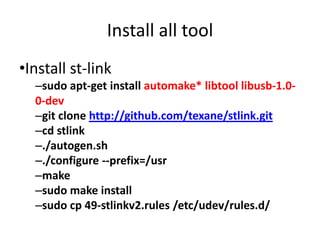
•Install st-link 
–sudo apt-get install automake* libtool libusb-1.0- 
0-dev 
–git clone http://github.com/texane/stlink.git 
–cd stlink 
–./autogen.sh 
–./configure --prefix=/usr 
–make 
–sudo make install 
–sudo cp 49-stlinkv2.rules /etc/udev/rules.d/
Install all tool 
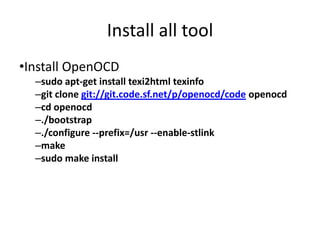
•Install OpenOCD 
–sudo apt-get install texi2html texinfo 
–git clone git://git.code.sf.net/p/openocd/code openocd 
–cd openocd 
–./bootstrap 
–./configure --prefix=/usr --enable-stlink 
–make 
–sudo make install
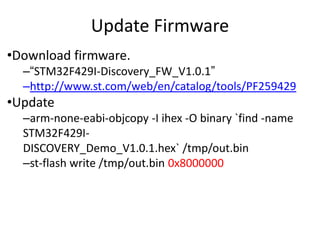
Update Firmware 
•Download firmware. 
–“STM32F429I-Discovery_FW_V1.0.1” 
–http://www.st.com/web/en/catalog/tools/PF259429 
•Update 
–arm-none-eabi-objcopy -I ihex -O binary `find -name 
STM32F429I-DISCOVERY_ 
Demo_V1.0.1.hex` /tmp/out.bin 
–st-flash write /tmp/out.bin 0x8000000
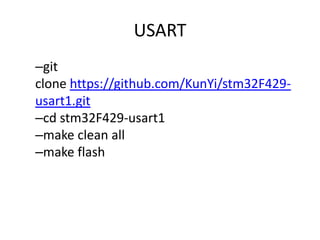
USART 
–git 
clone https://github.com/KunYi/stm32F429- 
usart1.git 
–cd stm32F429-usart1 
–make clean all 
–make flash
USART 
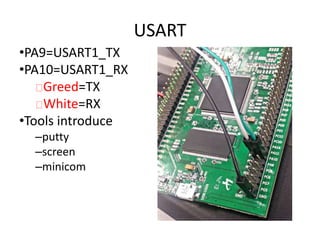
•PA9=USART1_TX 
•PA10=USART1_RX 
Greed=TX 
White=RX 
•Tools introduce 
–putty 
–screen 
–minicom
Example
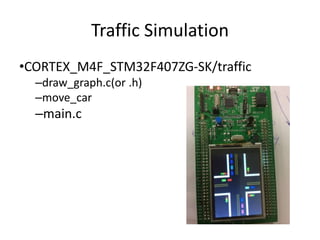
Traffic Simulation 
•CORTEX_M4F_STM32F407ZG-SK/traffic 
–draw_graph.c(or .h) 
–move_car 
–main.c
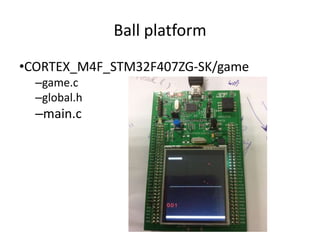
Ball platform 
•CORTEX_M4F_STM32F407ZG-SK/game 
–game.c 
–global.h 
–main.c

Stm32 develop tool introduction

  • 1.
    How to DevelopSTM32F429i- Discovery Emp,CHEN
  • 2.
    Ajenda •Install alltool –Toolchain –St-link –OpenOCD •Example –USART use –Traffic Simulation –Ball platform
  • 3.
    Install all tool •Install toolchain –apt-get install gcc-arm-none-eabi –which arm-none-eabi-gcc –e.g: /usr/bin/arm-none-eabi-gcc
  • 4.
    Install all tool •Install st-link –sudo apt-get install automake* libtool libusb-1.0- 0-dev –git clone http://github.com/texane/stlink.git –cd stlink –./autogen.sh –./configure --prefix=/usr –make –sudo make install –sudo cp 49-stlinkv2.rules /etc/udev/rules.d/
  • 5.
    Install all tool •Install OpenOCD –sudo apt-get install texi2html texinfo –git clone git://git.code.sf.net/p/openocd/code openocd –cd openocd –./bootstrap –./configure --prefix=/usr --enable-stlink –make –sudo make install
  • 6.
    Update Firmware •Downloadfirmware. –“STM32F429I-Discovery_FW_V1.0.1” –http://www.st.com/web/en/catalog/tools/PF259429 •Update –arm-none-eabi-objcopy -I ihex -O binary `find -name STM32F429I-DISCOVERY_ Demo_V1.0.1.hex` /tmp/out.bin –st-flash write /tmp/out.bin 0x8000000
  • 7.
    USART –git clonehttps://github.com/KunYi/stm32F429- usart1.git –cd stm32F429-usart1 –make clean all –make flash
  • 8.
    USART •PA9=USART1_TX •PA10=USART1_RX Greed=TX White=RX •Tools introduce –putty –screen –minicom
  • 9.
  • 10.
    Traffic Simulation •CORTEX_M4F_STM32F407ZG-SK/traffic –draw_graph.c(or .h) –move_car –main.c
  • 11.
    Ball platform •CORTEX_M4F_STM32F407ZG-SK/game –game.c –global.h –main.c