Paul Walk
Head of Technology Strategy and Planning,
EDINA
p.walk@ed.ac.uk
@paulwalk
Static Site Generators: what they are and
when they are useful
contents
• what are static-site generators?
• why should you care?
• what do you need to use them?
• (I will use the example of the RIOXX website, which is built with an application
called Hugo)
what are they?
what are static site generators?
• a different kind of web-content management system, designed to publish
content as static content to a bog-standard web-server.
• content is processed during the publishing operation, rather than when the
user requests content (although client-side Javascript still supported)
• simple command-line application to generate content and serve pages
• no database - content in semi-structured text files
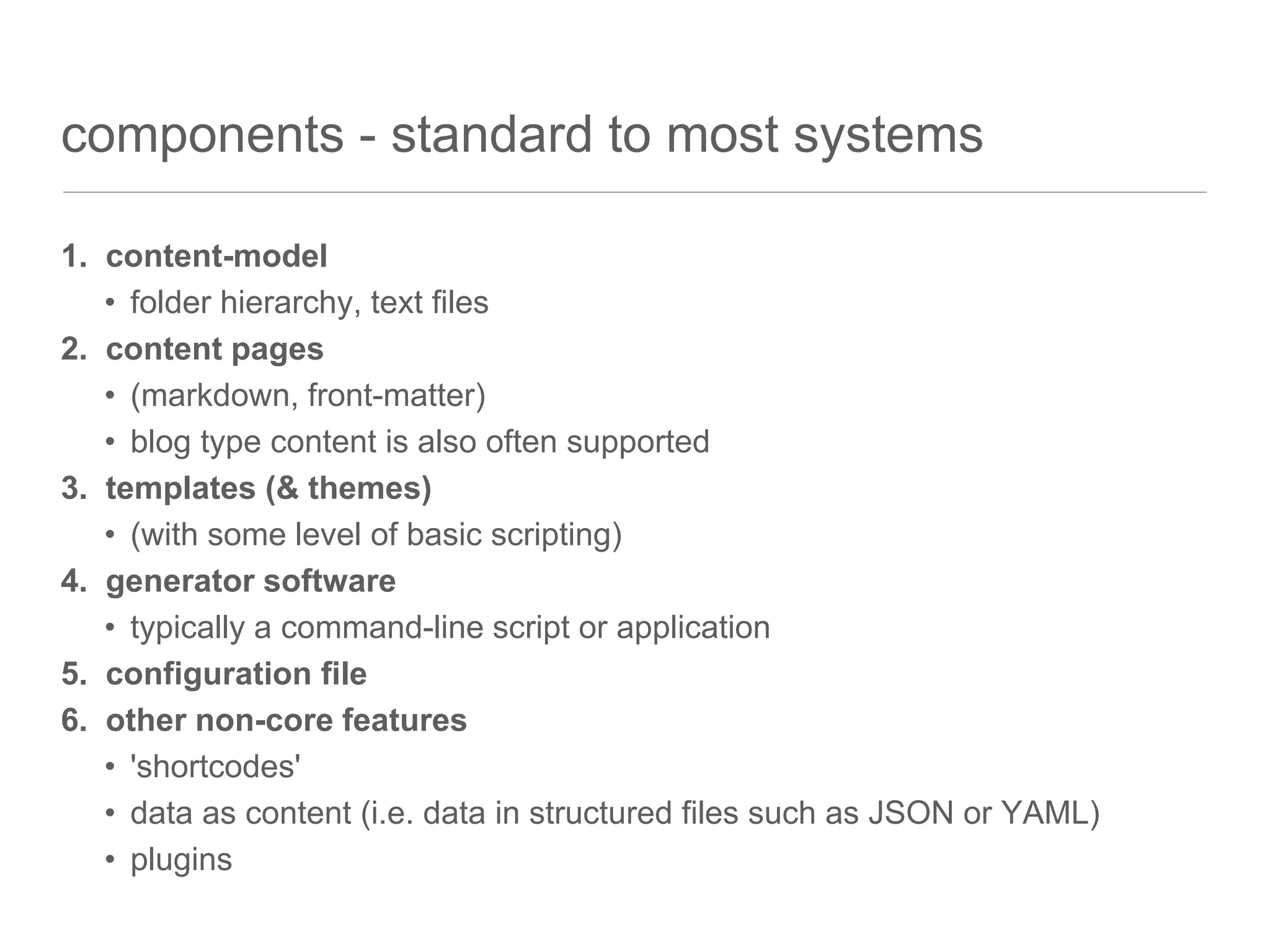
components - standard to most systems
1. content-model
• folder hierarchy, text files
2. content pages
• (markdown, front-matter)
• blog type content is also often supported
3. templates (& themes)
• (with some level of basic scripting)
4. generator software
• typically a command-line script or application
5. configuration file
6. other non-core features
• 'shortcodes'
• data as content (i.e. data in structured files such as JSON or YAML)
• plugins
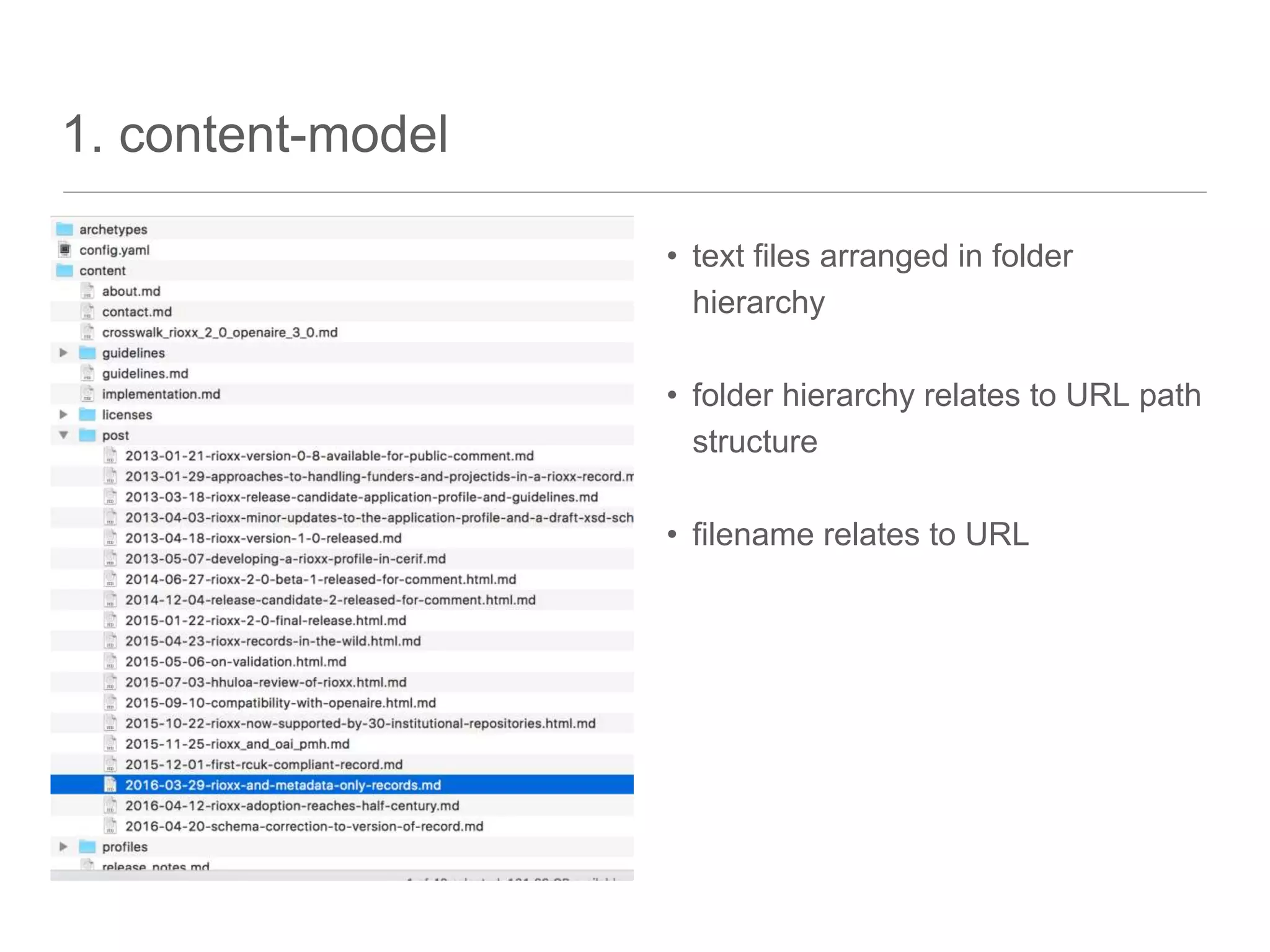
1. content-model
• text files arranged in folder
hierarchy
• folder hierarchy relates to URL path
structure
• filename relates to URL
2. content pages
• "front-matter" metadata
• often in YAML format like here
• main body in Markdown, arbitrary
HTML also accepted where necessary
---
author: Paul Walk
categories: []
date: 2016-03-29T17:18:13+01:00
description: ""
draft: false
tags: ["eprints","oai-pmh"]
title: RIOXX and metadata only
records
topics: []
---
I received the following query from
Emma Sansby, Head of Library
Services at Bishop Grosseteste
University:
> I am currently leading a project to
implement Eprints (hosted and
supported by ULCC) at my
3. templates
• can reference metadata (e.g. 'page title') from content page
• can re-use 'partial' templates (e.g. a common 'header' & 'footer')
• often in a common templating language such as HAML
• (example below is in Go's templating syntax)
= include partials/header.html .
div.row-fluid
div class="col-xs-12"
h1.page-title {{if .Draft}}[**draft**]{{end}}{{.Title}}
h2.page-title
i {{.Params.author}}, {{.Date.Format "Monday, January 02, 2006"}}
{{.Content}}
= include partials/share_buttons.html .
= include _internal/disqus.html .
= include partials/footer.html .
4. generator software
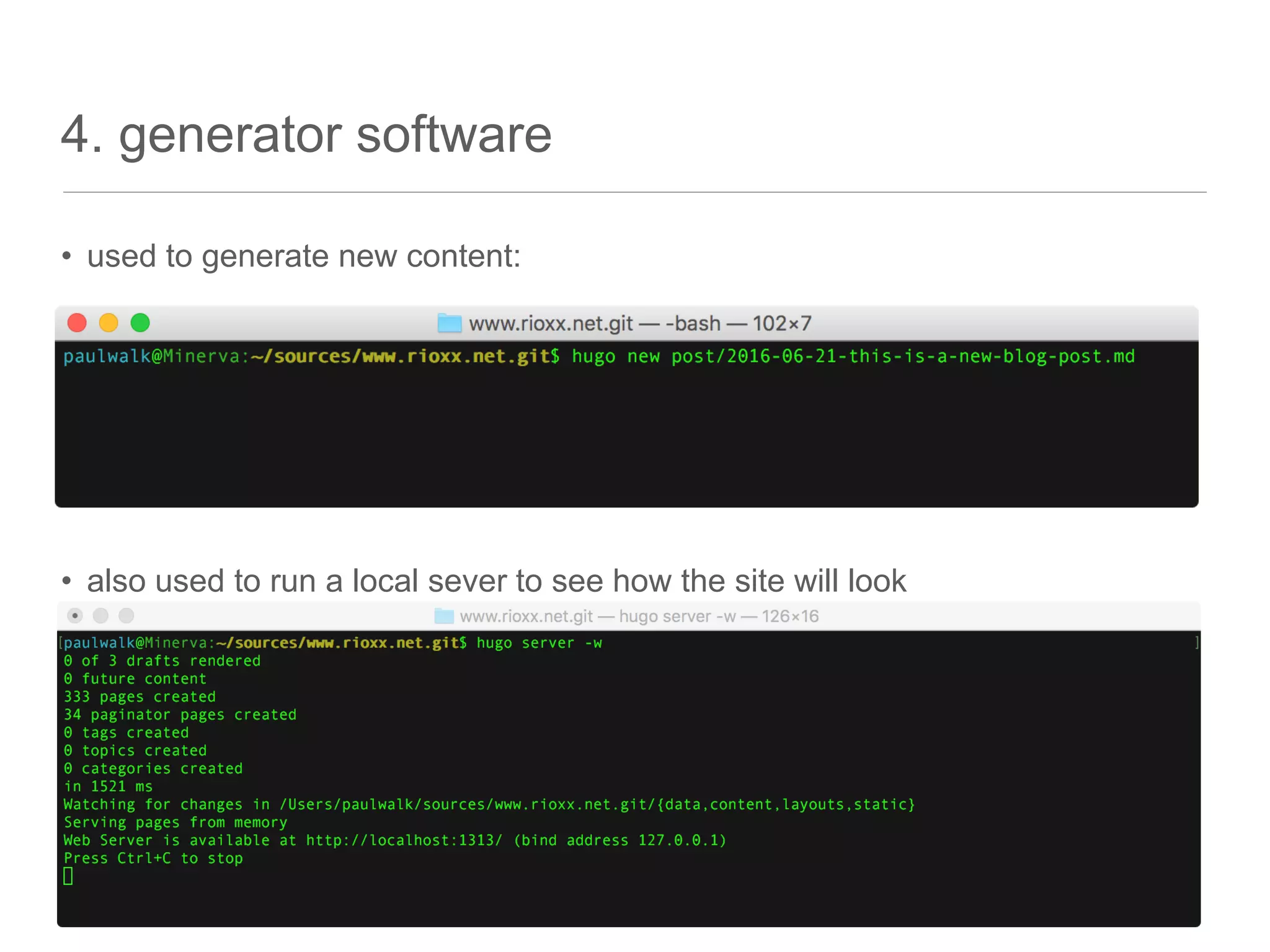
• used to generate new content:
• also used to run a local sever to see how the site will look
deployment options
• SFTP (no one uses FTP anymore, right....?)
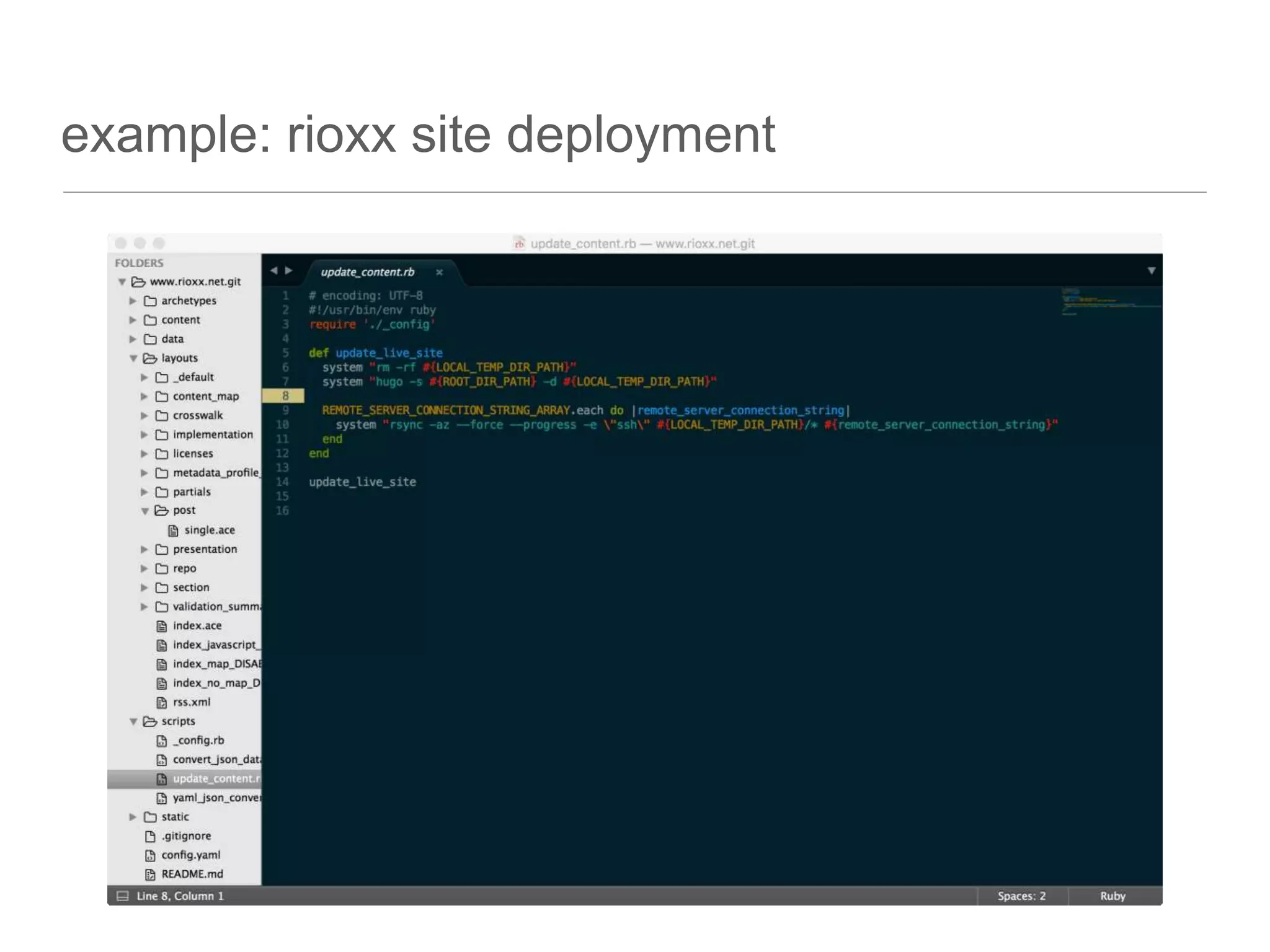
• Rsync (over SSH)
• git commit hooks (or GitHub webhooks)
• requires the site to be built on the server, so more infrastructure required
• Dropbox
example: rioxx site deployment
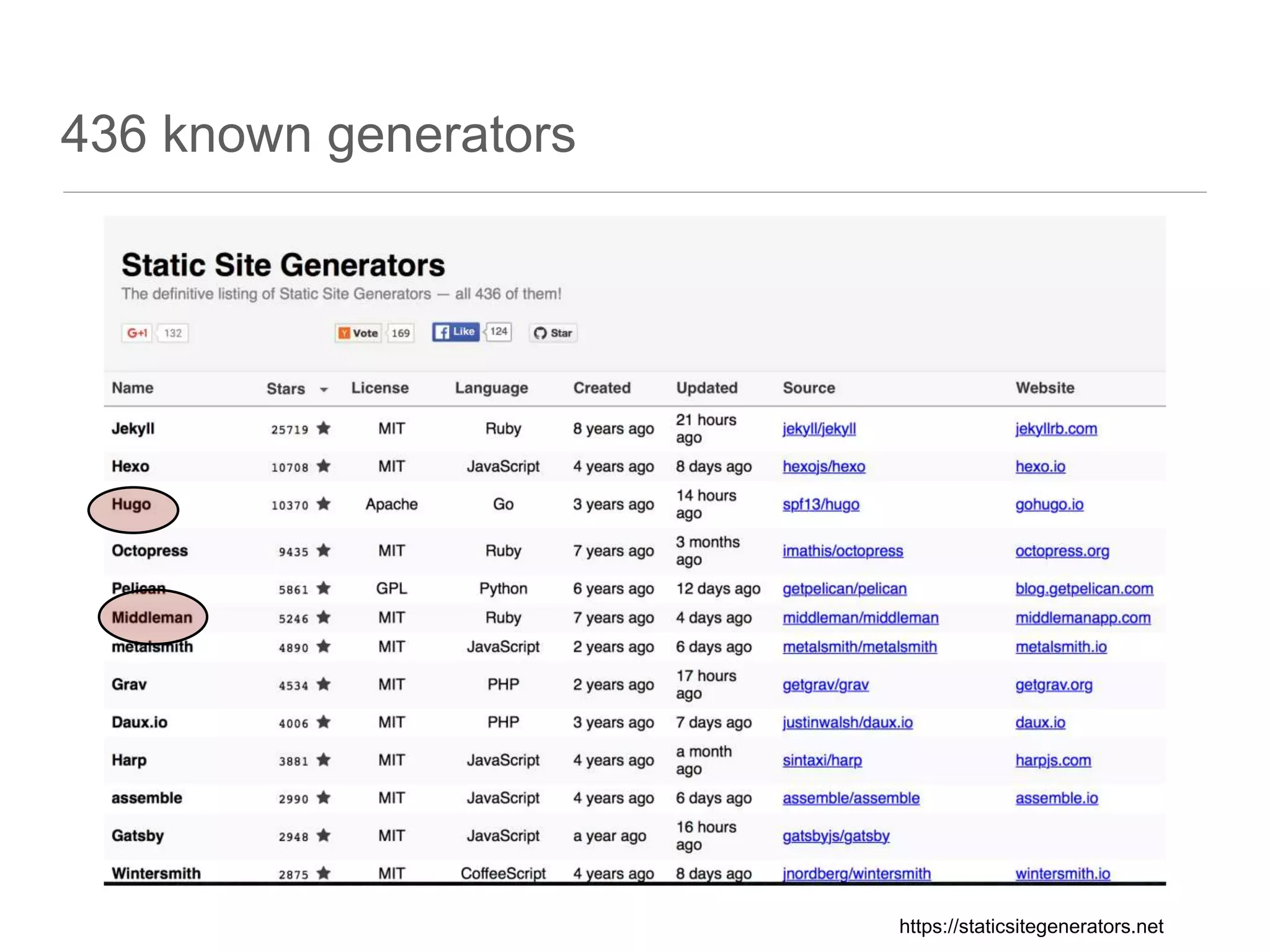
436 known generators
https://staticsitegenerators.net
why should you care?
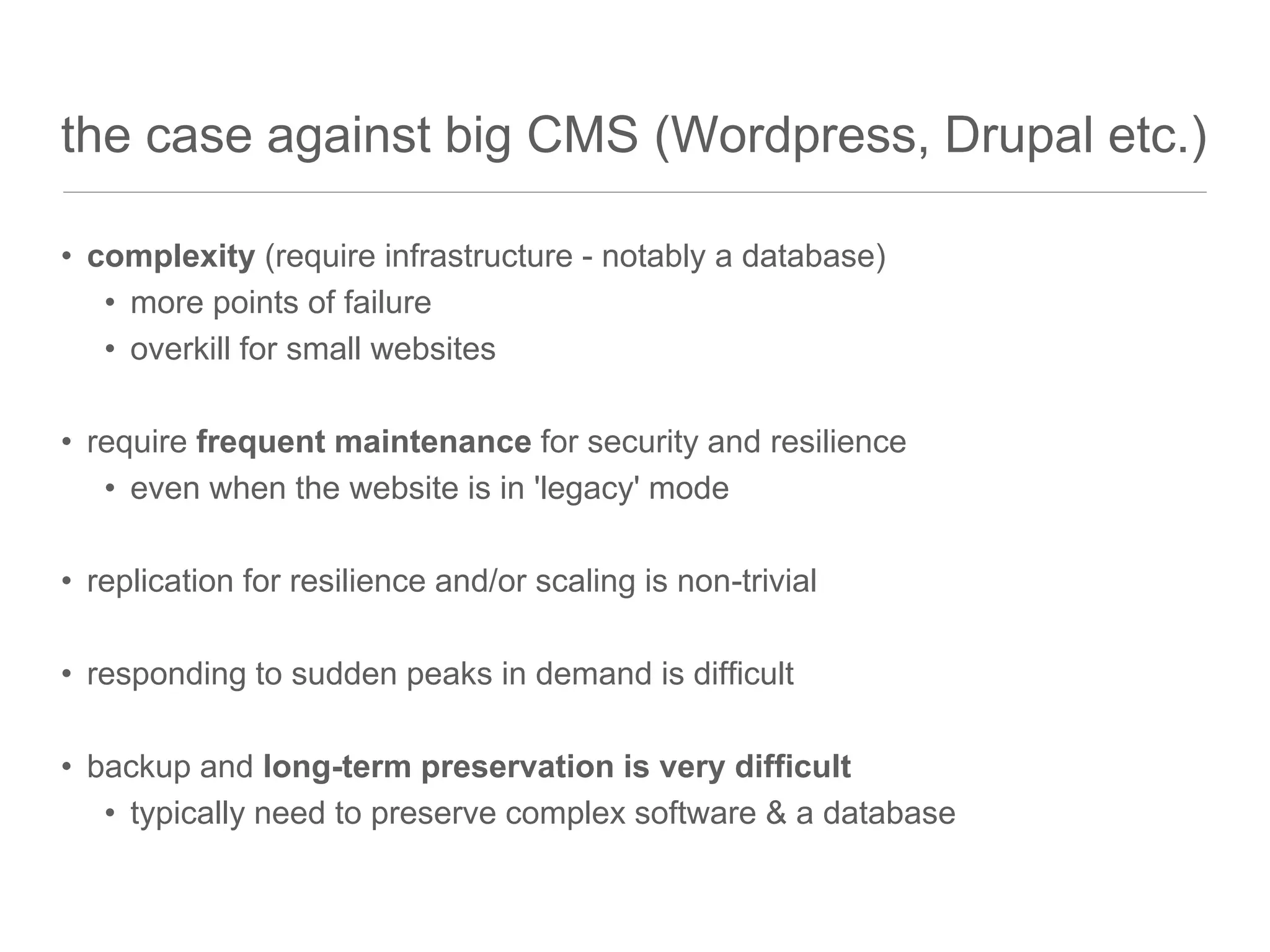
the case against big CMS (Wordpress, Drupal etc.)
• complexity (require infrastructure - notably a database)
• more points of failure
• overkill for small websites
• require frequent maintenance for security and resilience
• even when the website is in 'legacy' mode
• replication for resilience and/or scaling is non-trivial
• responding to sudden peaks in demand is difficult
• backup and long-term preservation is very difficult
• typically need to preserve complex software & a database
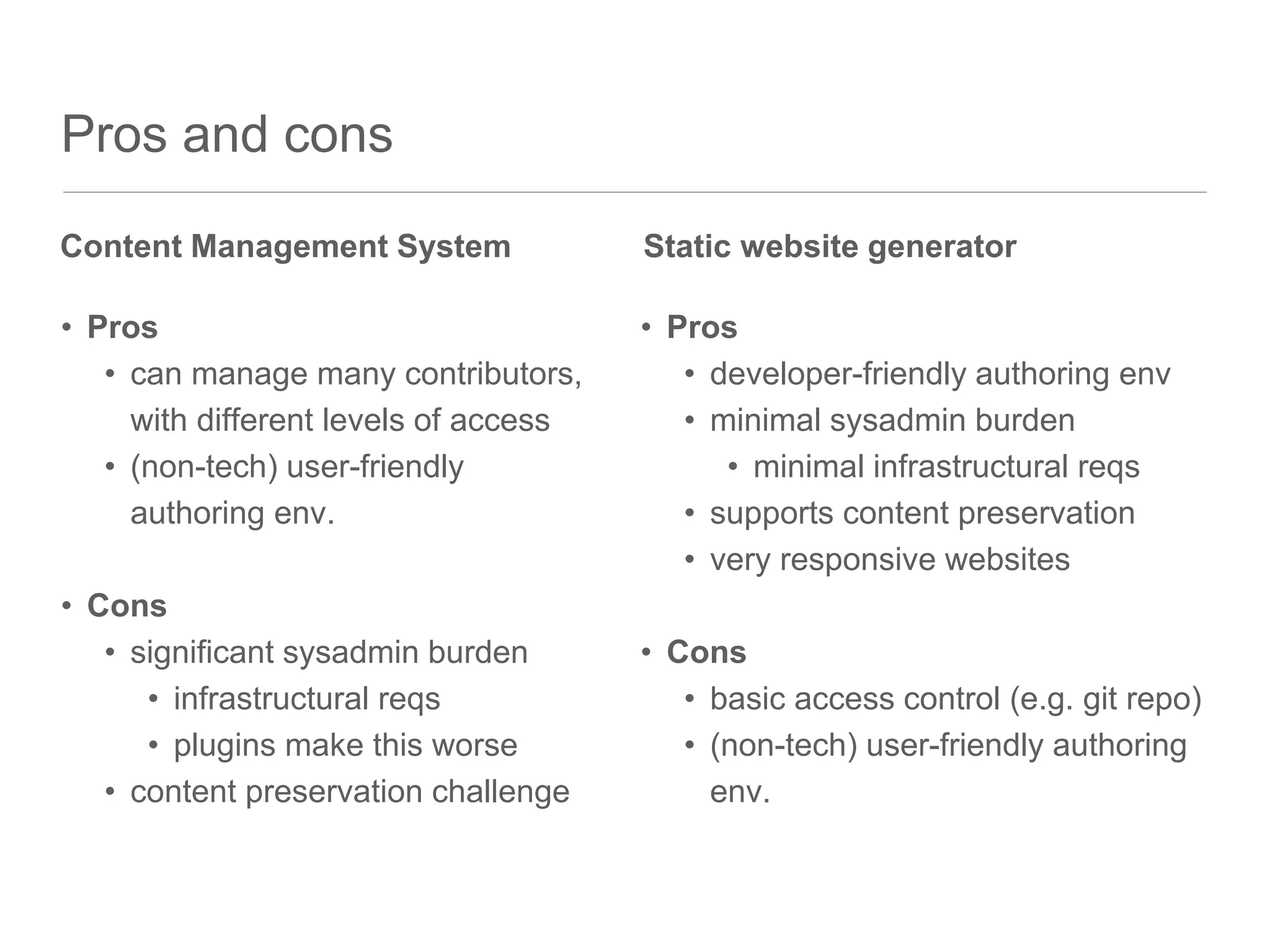
Pros and cons
• Pros
• can manage many contributors,
with different levels of access
• (non-tech) user-friendly
authoring env.
• Cons
• significant sysadmin burden
• infrastructural reqs
• plugins make this worse
• content preservation challenge
• Pros
• developer-friendly authoring env
• minimal sysadmin burden
• minimal infrastructural reqs
• supports content preservation
• very responsive websites
• Cons
• basic access control (e.g. git repo)
• (non-tech) user-friendly authoring
env.
Content Management System Static website generator
what do you need to
use them?
authoring tools
• a good Markdown-friendly editor with 'preview' support
• any old text editor at a pinch....
• access to command line tool such as SFTP or Rsync for deployment
• web browser
• that's it :-)
when to consider using them
• if you need to build & manage a website which:
• will have one, or a small number, of users
• will be relatively simple
• won't have major 'dynamic' requirements
• will need to be preserved, even after it is no longer a live site
• in short - a project website is a good candidate!

Static Site Generators: what they are and when they are useful

  • 1.
    Paul Walk Head ofTechnology Strategy and Planning, EDINA p.walk@ed.ac.uk @paulwalk Static Site Generators: what they are and when they are useful
  • 2.
    contents • what arestatic-site generators? • why should you care? • what do you need to use them? • (I will use the example of the RIOXX website, which is built with an application called Hugo)
  • 3.
  • 4.
    what are staticsite generators? • a different kind of web-content management system, designed to publish content as static content to a bog-standard web-server. • content is processed during the publishing operation, rather than when the user requests content (although client-side Javascript still supported) • simple command-line application to generate content and serve pages • no database - content in semi-structured text files
  • 5.
    components - standardto most systems 1. content-model • folder hierarchy, text files 2. content pages • (markdown, front-matter) • blog type content is also often supported 3. templates (& themes) • (with some level of basic scripting) 4. generator software • typically a command-line script or application 5. configuration file 6. other non-core features • 'shortcodes' • data as content (i.e. data in structured files such as JSON or YAML) • plugins
  • 6.
    1. content-model • textfiles arranged in folder hierarchy • folder hierarchy relates to URL path structure • filename relates to URL
  • 7.
    2. content pages •"front-matter" metadata • often in YAML format like here • main body in Markdown, arbitrary HTML also accepted where necessary --- author: Paul Walk categories: [] date: 2016-03-29T17:18:13+01:00 description: "" draft: false tags: ["eprints","oai-pmh"] title: RIOXX and metadata only records topics: [] --- I received the following query from Emma Sansby, Head of Library Services at Bishop Grosseteste University: > I am currently leading a project to implement Eprints (hosted and supported by ULCC) at my
  • 8.
    3. templates • canreference metadata (e.g. 'page title') from content page • can re-use 'partial' templates (e.g. a common 'header' & 'footer') • often in a common templating language such as HAML • (example below is in Go's templating syntax) = include partials/header.html . div.row-fluid div class="col-xs-12" h1.page-title {{if .Draft}}[**draft**]{{end}}{{.Title}} h2.page-title i {{.Params.author}}, {{.Date.Format "Monday, January 02, 2006"}} {{.Content}} = include partials/share_buttons.html . = include _internal/disqus.html . = include partials/footer.html .
  • 9.
    4. generator software •used to generate new content: • also used to run a local sever to see how the site will look
  • 10.
    deployment options • SFTP(no one uses FTP anymore, right....?) • Rsync (over SSH) • git commit hooks (or GitHub webhooks) • requires the site to be built on the server, so more infrastructure required • Dropbox
  • 11.
  • 12.
  • 13.
  • 14.
    the case againstbig CMS (Wordpress, Drupal etc.) • complexity (require infrastructure - notably a database) • more points of failure • overkill for small websites • require frequent maintenance for security and resilience • even when the website is in 'legacy' mode • replication for resilience and/or scaling is non-trivial • responding to sudden peaks in demand is difficult • backup and long-term preservation is very difficult • typically need to preserve complex software & a database
  • 15.
    Pros and cons •Pros • can manage many contributors, with different levels of access • (non-tech) user-friendly authoring env. • Cons • significant sysadmin burden • infrastructural reqs • plugins make this worse • content preservation challenge • Pros • developer-friendly authoring env • minimal sysadmin burden • minimal infrastructural reqs • supports content preservation • very responsive websites • Cons • basic access control (e.g. git repo) • (non-tech) user-friendly authoring env. Content Management System Static website generator
  • 16.
    what do youneed to use them?
  • 17.
    authoring tools • agood Markdown-friendly editor with 'preview' support • any old text editor at a pinch.... • access to command line tool such as SFTP or Rsync for deployment • web browser • that's it :-)
  • 18.
    when to considerusing them • if you need to build & manage a website which: • will have one, or a small number, of users • will be relatively simple • won't have major 'dynamic' requirements • will need to be preserved, even after it is no longer a live site • in short - a project website is a good candidate!

Editor's Notes

  • #5 contrasted with a 'Content Management System', which typically assembles and pre-processes content on request not a new idea (this is where we started with the Web!) but it is much better supported now that we have things like distributed version control (e.g. git) and useable markup and presentation languages (e.g. Markdown, HAML etc.)
  • #7 text files arranged in folder hierarchy the folder hierarchy normally conveys some meaning, and relates directly to URL structures
  • #9 eagle-eyed will spot that this is using CSS from 'bootstrap'
  • #10 the new content will use the appropriate 'archetype' according to the path - in this case a 'post' -w flag means watch for changes - extremely fast in Hugo - the browser refreshes the content as soon as you save any file (content or template)
  • #13 These are the two I have used - started with Middleman (Ruby) and moved to Hugo (Go). It was easy to automate the migration of content from one to the other. Jekyll is another Ruby system, very well known and used to power GitHub
  • #15 For the EDINA main website, Drupal is a smart choice "70% of today’s WordPress installations are vulnerable to known exploits"
  • #16 speed!! shifts the burden from the point of viewing the content to the point of publishing the content
  • #18 there are many good Markdown editors