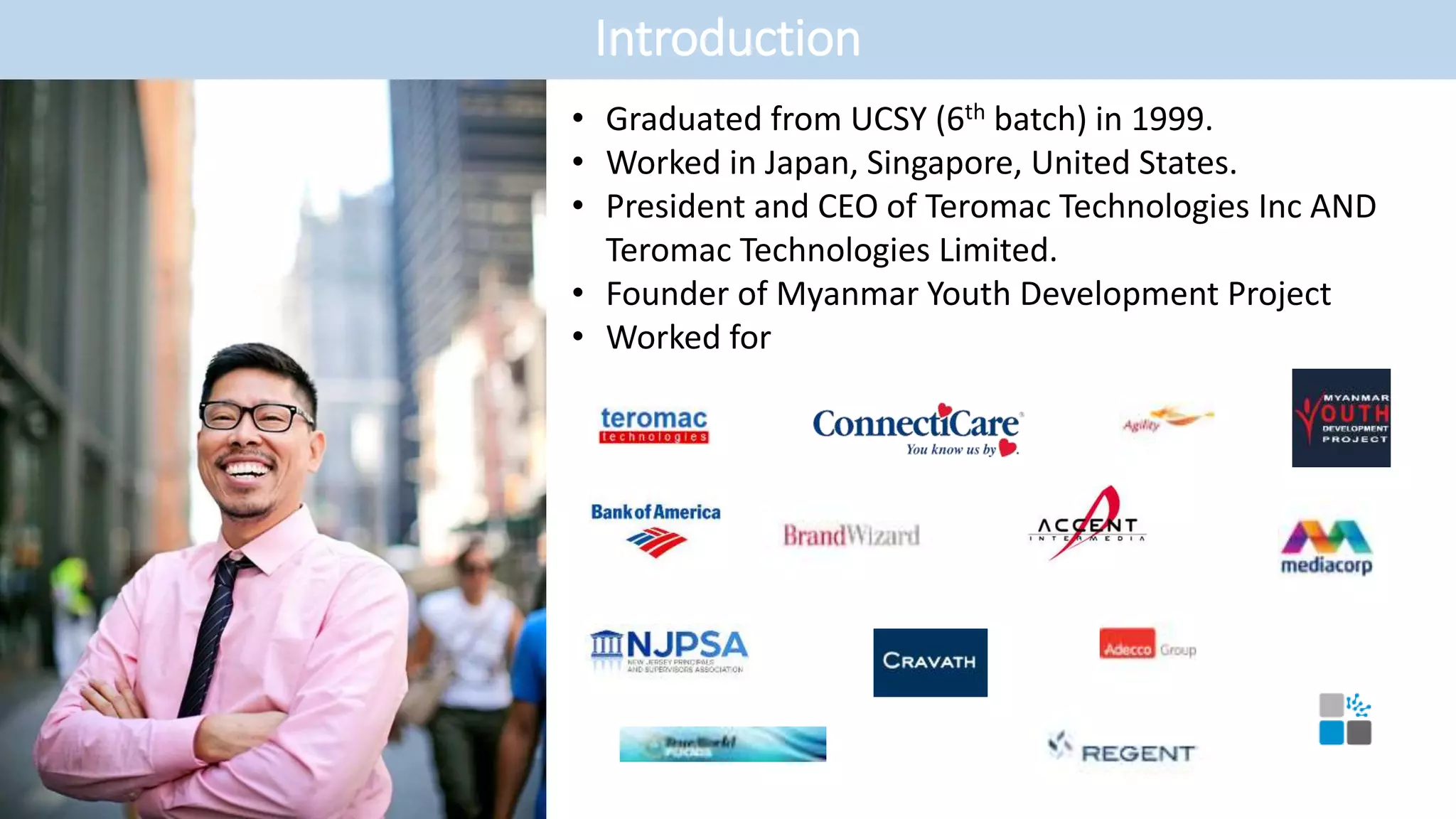
• Graduated from UCSY (6th batch) in 1999.
• Worked in Japan, Singapore, United States.
• President and CEO of Teromac Technologies Inc AND
Teromac Technologies Limited.
• Founder of Myanmar Youth Development Project
• Worked for
Introduction
Single Sign-On
• What is single sign-on?
• What technologies/tools are available for SSO?
• What are the steps to implement SSO integration?
• Terms & definitions related to SSO integration process
IdP, SP, SAML 2.0, Assertion attributes, X.509 public/private certificate
• What is SAML 2.0?
• Components of SAML 2.0
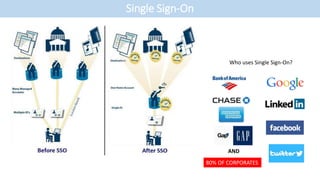
Single Sign-On
Who uses Single Sign-On?
AND
80% OF CORPORATES
Single Sign-On
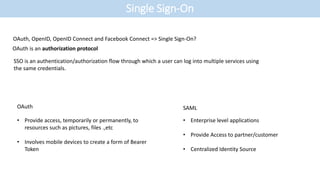
OAuth, OpenID, OpenID Connect and Facebook Connect => Single Sign-On?
OAuth is an authorization protocol
SSO is an authentication/authorization flow through which a user can log into multiple services using
the same credentials.
• Provide access, temporarily or permanently, to
resources such as pictures, files .,etc
• Involves mobile devices to create a form of Bearer
Token
• Enterprise level applications
• Provide Access to partner/customer
• Centralized Identity Source
OAuth SAML
Single Sign-On
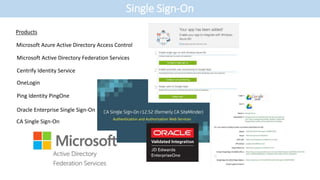
Microsoft Azure Active Directory Access Control
Products
Microsoft Active Directory Federation Services
Centrify Identity Service
OneLogin
Ping Identity PingOne
Oracle Enterprise Single Sign-On
CA Single Sign-On
Single Sign-On
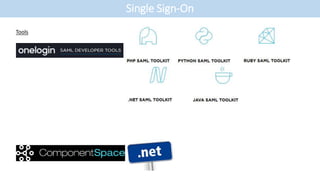
Tools
Single Sign-On
• Define standard SSO process between two parties – SAML 2.0 is industrial standard
• Define type of user information to exchange between two parties; Service Provider & Identity Provider
• Define who will initiate the SSO login process. i.e. SP Initiated or IdP Initiated
• Clarity if SP provider is required to support deep linking scenario if user bookmarked the link
• Clarity if SAML 2.0 data encryption is required
• Exchange public key X.509 certificate between two parties.
- IdP public certificate is used by SP to validate the signed SSO request
- SP public certificate is used by IdP to encrypt the SAML 2.0 Assertion data
OR
• Provide IdP descriptive SSO URL or description SSO SAML file to SP
• Ensure SSO process is over HTTPS
• Define SSO user experiences in different scenarios
- login, logout, session timeout, bookmarking
Single Sign-On
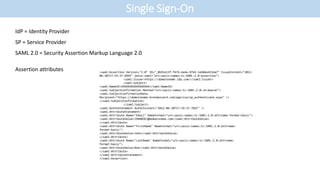
IdP = Identity Provider
SP = Service Provider
SAML 2.0 = Security Assertion Markup Language 2.0
Assertion attributes <saml:Assertion Version="2.0" ID="_8b91e13f-f67b-4a4a-9765-1eb0ee415da7" IssueInstant="2012-
06-20T17:19:37.699Z" xmlns:saml="urn:oasis:names:tc:SAML:2.0:assertion">
<saml:Issuer>https://domainname.idp.com/</saml:Issuer>
<saml:Subject>
<saml:NameID>XXXXXXXXXXXXXXXXX</saml:NameID>
<saml:SubjectConfirmation Method="urn:oasis:names:tc:SAML:2.0:cm:bearer">
<saml:SubjectConfirmationData
Recipient="https://domainname.brandwizard.com/app/sso/sp_authenticate.aspx" />
</saml:SubjectConfirmation>
</saml:Subject>
<saml:AuthnStatement AuthnInstant="2012-06-20T17:19:37.702Z" />
<saml:AttributeStatement>
<saml:Attribute Name="Email" NameFormat="urn:oasis:names:tc:SAML:2.0:attrname-format:basic">
<saml:AttributeValue>JOHNDOE2@domainname.com</saml:AttributeValue>
</saml:Attribute>
<saml:Attribute Name="FirstName" NameFormat="urn:oasis:names:tc:SAML:2.0:attrname-
format:basic">
<saml:AttributeValue>John</saml:AttributeValue>
</saml:Attribute>
<saml:Attribute Name="LastName" NameFormat="urn:oasis:names:tc:SAML:2.0:attrname-
format:basic">
<saml:AttributeValue>Doe</saml:AttributeValue>
</saml:Attribute>
</saml:AttributeStatement>
</saml:Assertion>
Single Sign-On
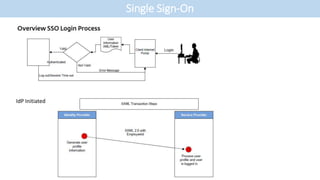
IdP Initiated
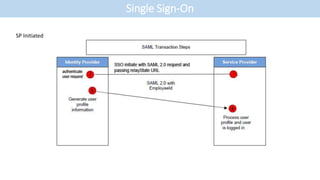
SP Initiated
Single Sign-On
Single Sign-On
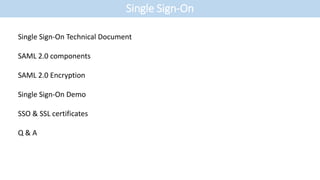
Single Sign-On Technical Document
SAML 2.0 components
SAML 2.0 Encryption
Single Sign-On Demo
SSO & SSL certificates
Q & A

SSO - Presentation

  • 1.
    • Graduated fromUCSY (6th batch) in 1999. • Worked in Japan, Singapore, United States. • President and CEO of Teromac Technologies Inc AND Teromac Technologies Limited. • Founder of Myanmar Youth Development Project • Worked for Introduction
  • 2.
    Single Sign-On • Whatis single sign-on? • What technologies/tools are available for SSO? • What are the steps to implement SSO integration? • Terms & definitions related to SSO integration process IdP, SP, SAML 2.0, Assertion attributes, X.509 public/private certificate • What is SAML 2.0? • Components of SAML 2.0
  • 3.
    Single Sign-On Who usesSingle Sign-On? AND 80% OF CORPORATES
  • 4.
    Single Sign-On OAuth, OpenID,OpenID Connect and Facebook Connect => Single Sign-On? OAuth is an authorization protocol SSO is an authentication/authorization flow through which a user can log into multiple services using the same credentials. • Provide access, temporarily or permanently, to resources such as pictures, files .,etc • Involves mobile devices to create a form of Bearer Token • Enterprise level applications • Provide Access to partner/customer • Centralized Identity Source OAuth SAML
  • 5.
    Single Sign-On Microsoft AzureActive Directory Access Control Products Microsoft Active Directory Federation Services Centrify Identity Service OneLogin Ping Identity PingOne Oracle Enterprise Single Sign-On CA Single Sign-On
  • 6.
  • 7.
    Single Sign-On • Definestandard SSO process between two parties – SAML 2.0 is industrial standard • Define type of user information to exchange between two parties; Service Provider & Identity Provider • Define who will initiate the SSO login process. i.e. SP Initiated or IdP Initiated • Clarity if SP provider is required to support deep linking scenario if user bookmarked the link • Clarity if SAML 2.0 data encryption is required • Exchange public key X.509 certificate between two parties. - IdP public certificate is used by SP to validate the signed SSO request - SP public certificate is used by IdP to encrypt the SAML 2.0 Assertion data OR • Provide IdP descriptive SSO URL or description SSO SAML file to SP • Ensure SSO process is over HTTPS • Define SSO user experiences in different scenarios - login, logout, session timeout, bookmarking
  • 8.
    Single Sign-On IdP =Identity Provider SP = Service Provider SAML 2.0 = Security Assertion Markup Language 2.0 Assertion attributes <saml:Assertion Version="2.0" ID="_8b91e13f-f67b-4a4a-9765-1eb0ee415da7" IssueInstant="2012- 06-20T17:19:37.699Z" xmlns:saml="urn:oasis:names:tc:SAML:2.0:assertion"> <saml:Issuer>https://domainname.idp.com/</saml:Issuer> <saml:Subject> <saml:NameID>XXXXXXXXXXXXXXXXX</saml:NameID> <saml:SubjectConfirmation Method="urn:oasis:names:tc:SAML:2.0:cm:bearer"> <saml:SubjectConfirmationData Recipient="https://domainname.brandwizard.com/app/sso/sp_authenticate.aspx" /> </saml:SubjectConfirmation> </saml:Subject> <saml:AuthnStatement AuthnInstant="2012-06-20T17:19:37.702Z" /> <saml:AttributeStatement> <saml:Attribute Name="Email" NameFormat="urn:oasis:names:tc:SAML:2.0:attrname-format:basic"> <saml:AttributeValue>JOHNDOE2@domainname.com</saml:AttributeValue> </saml:Attribute> <saml:Attribute Name="FirstName" NameFormat="urn:oasis:names:tc:SAML:2.0:attrname- format:basic"> <saml:AttributeValue>John</saml:AttributeValue> </saml:Attribute> <saml:Attribute Name="LastName" NameFormat="urn:oasis:names:tc:SAML:2.0:attrname- format:basic"> <saml:AttributeValue>Doe</saml:AttributeValue> </saml:Attribute> </saml:AttributeStatement> </saml:Assertion>
  • 9.
  • 10.
  • 11.
    Single Sign-On Single Sign-OnTechnical Document SAML 2.0 components SAML 2.0 Encryption Single Sign-On Demo SSO & SSL certificates Q & A