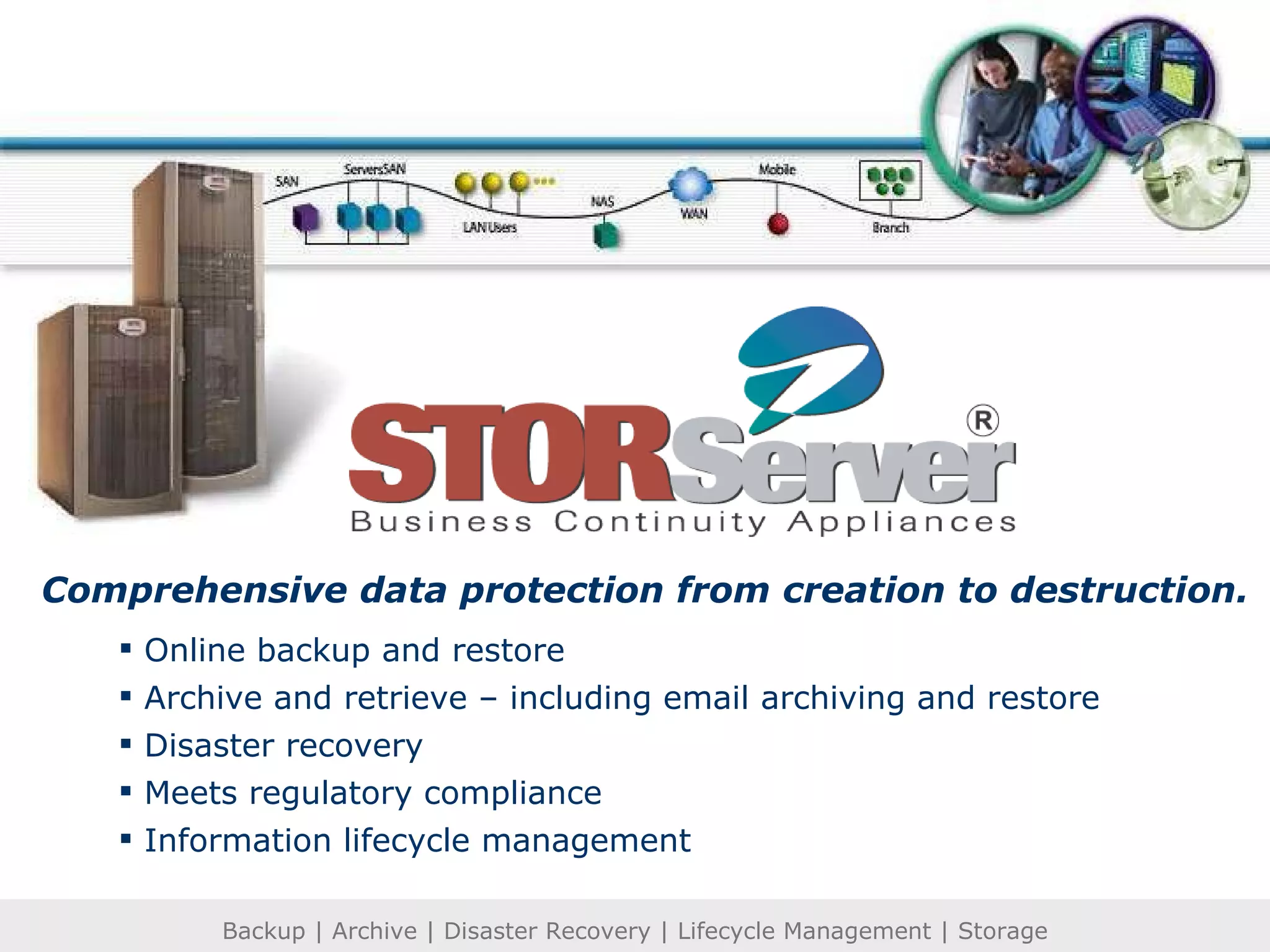
Online backup and restore Archive and retrieve – including email archiving and restore Disaster recovery Meets regulatory compliance Information lifecycle management Comprehensive data protection from creation to destruction.
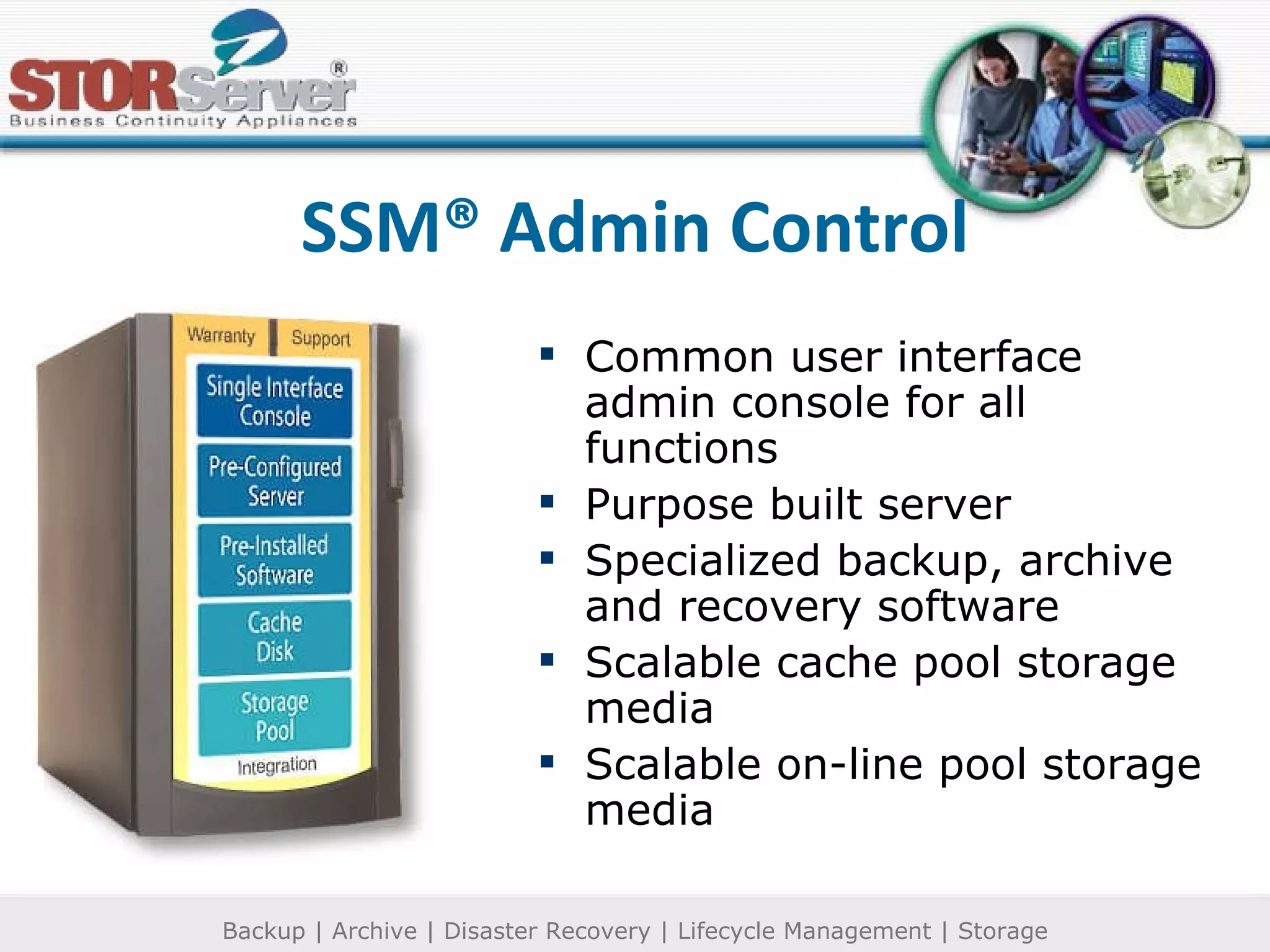
SSM® Admin Control Common user interface admin console for all functions Purpose built server Specialized backup, archive and recovery software Scalable cache pool storage media Scalable on-line pool storage media
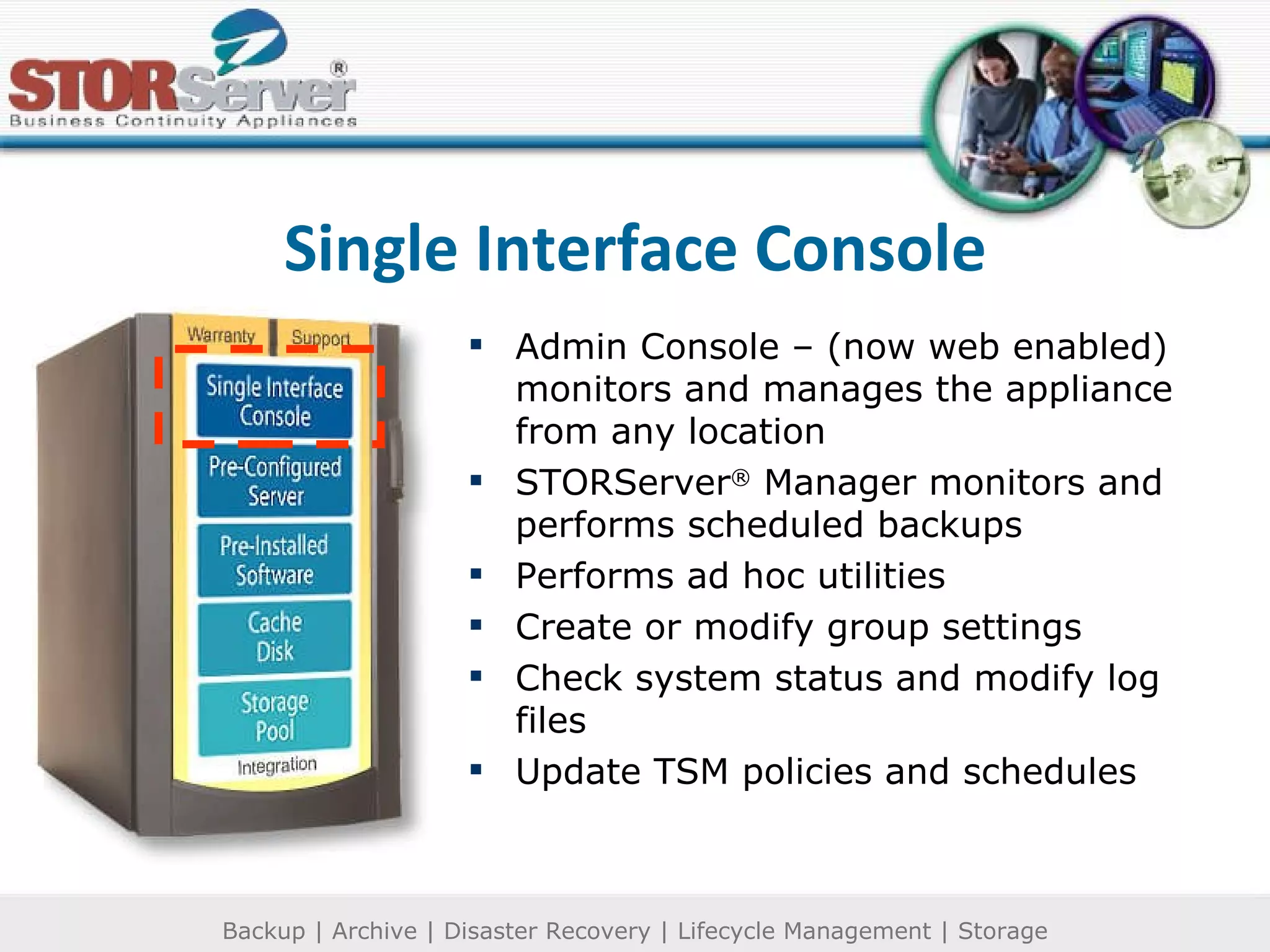
Single Interface Console Admin Console – (now web enabled) monitors and manages the appliance from any location STORServer ®  Manager monitors and performs scheduled backups Performs ad hoc utilities Create or modify group settings Check system status and modify log files Update TSM policies and schedules
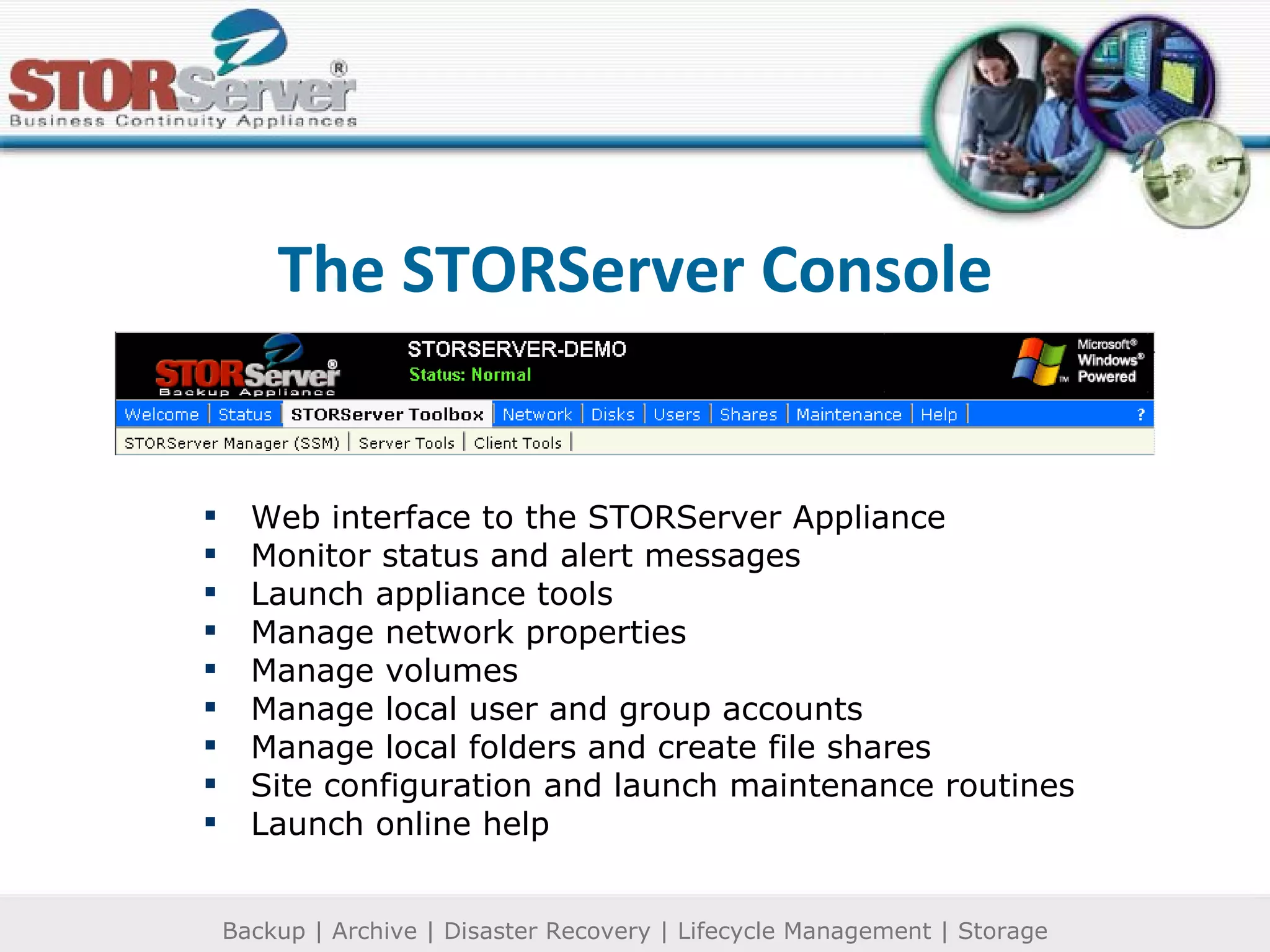
The STORServer Console Web interface to the STORServer Appliance Monitor status and alert messages Launch appliance tools Manage network properties Manage volumes Manage local user and group accounts Manage local folders and create file shares Site configuration and launch maintenance routines Launch online help
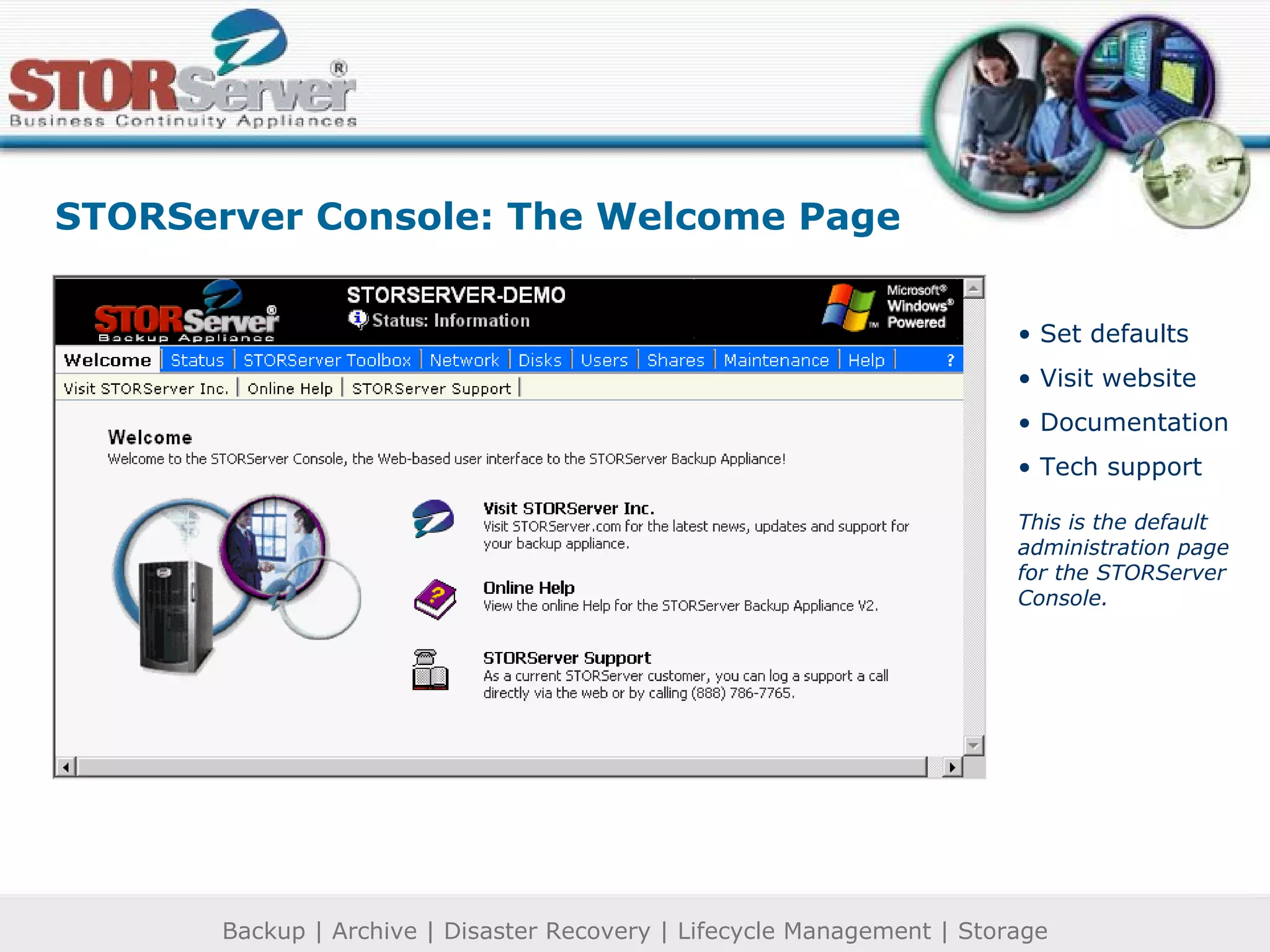
STORServer Console: The Welcome Page Set defaults Visit website Documentation Tech support This is the default administration page for the STORServer Console.
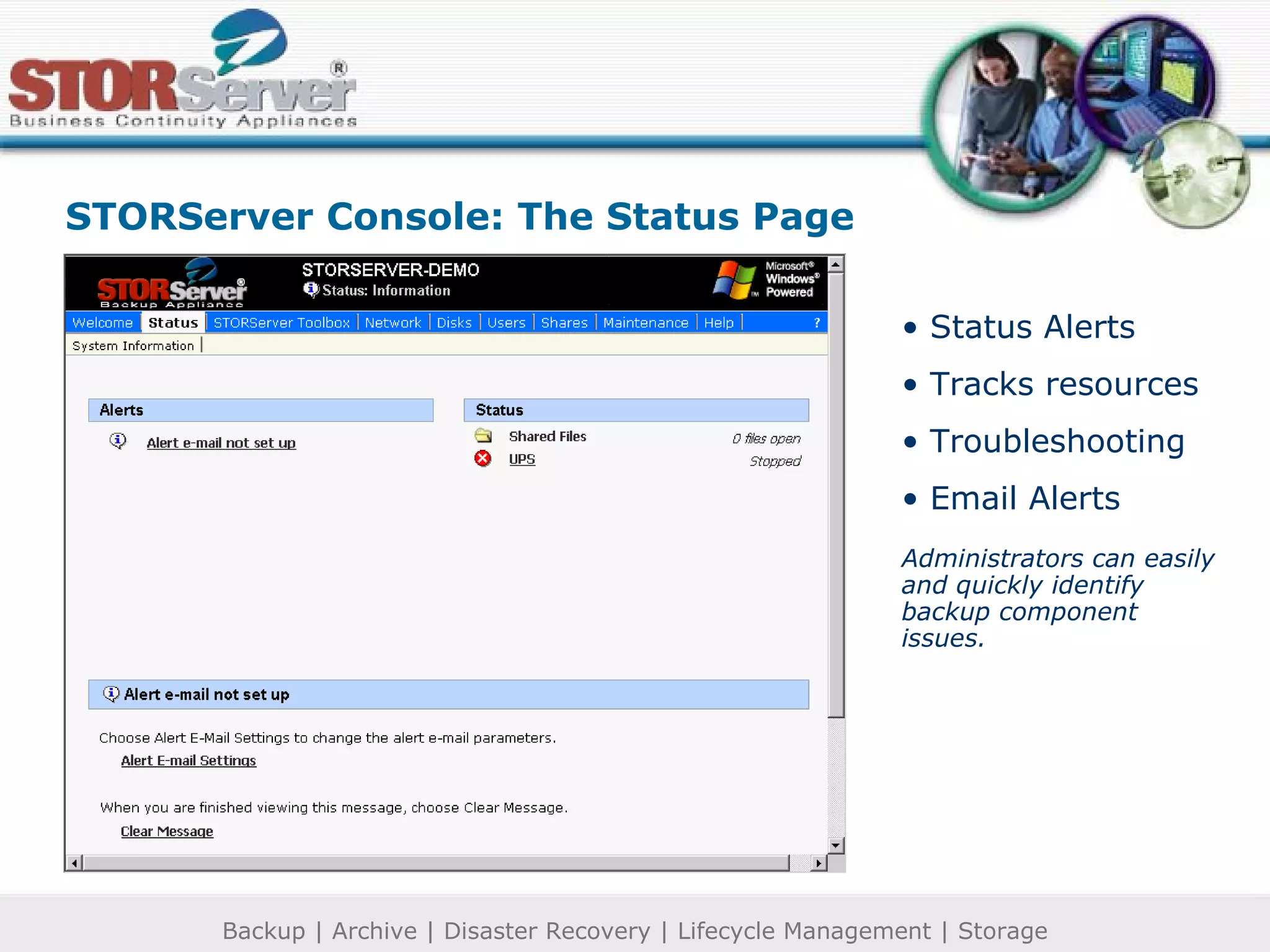
Status Alerts Tracks resources Troubleshooting Email Alerts Administrators can easily and quickly identify backup component issues.  STORServer Console: The Status Page
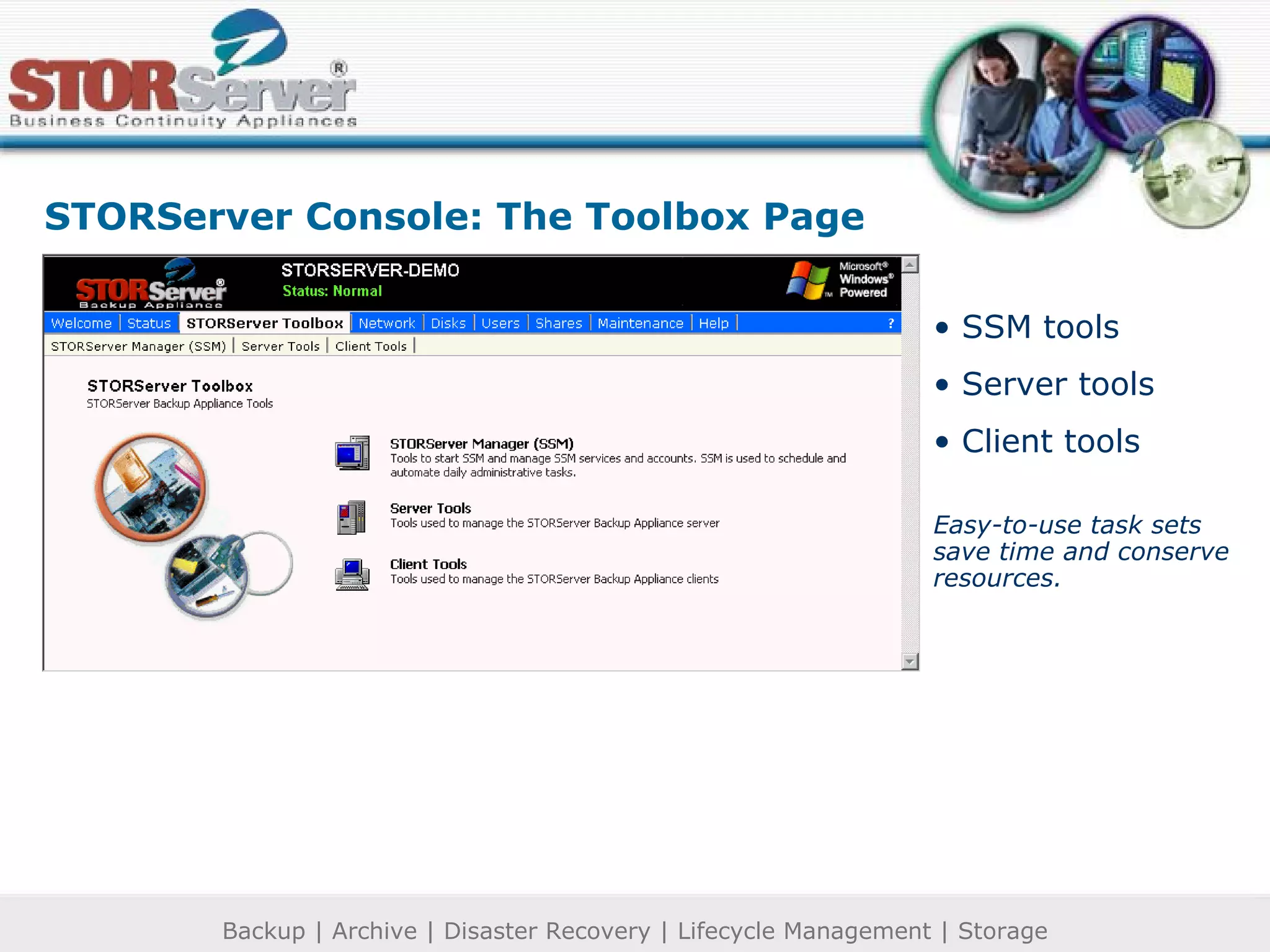
SSM tools Server tools Client tools Easy-to-use task sets save time and conserve resources. STORServer Console: The Toolbox Page
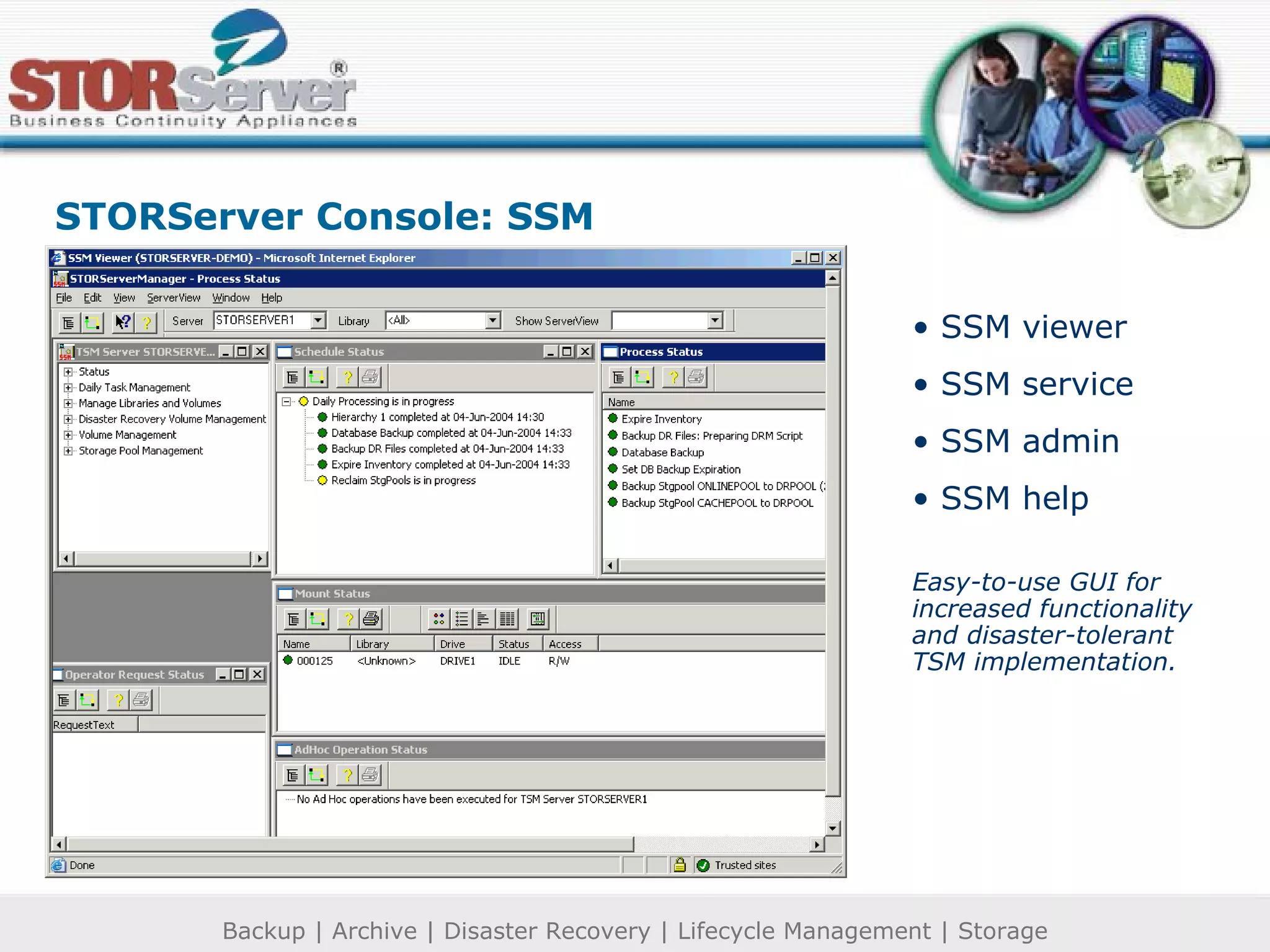
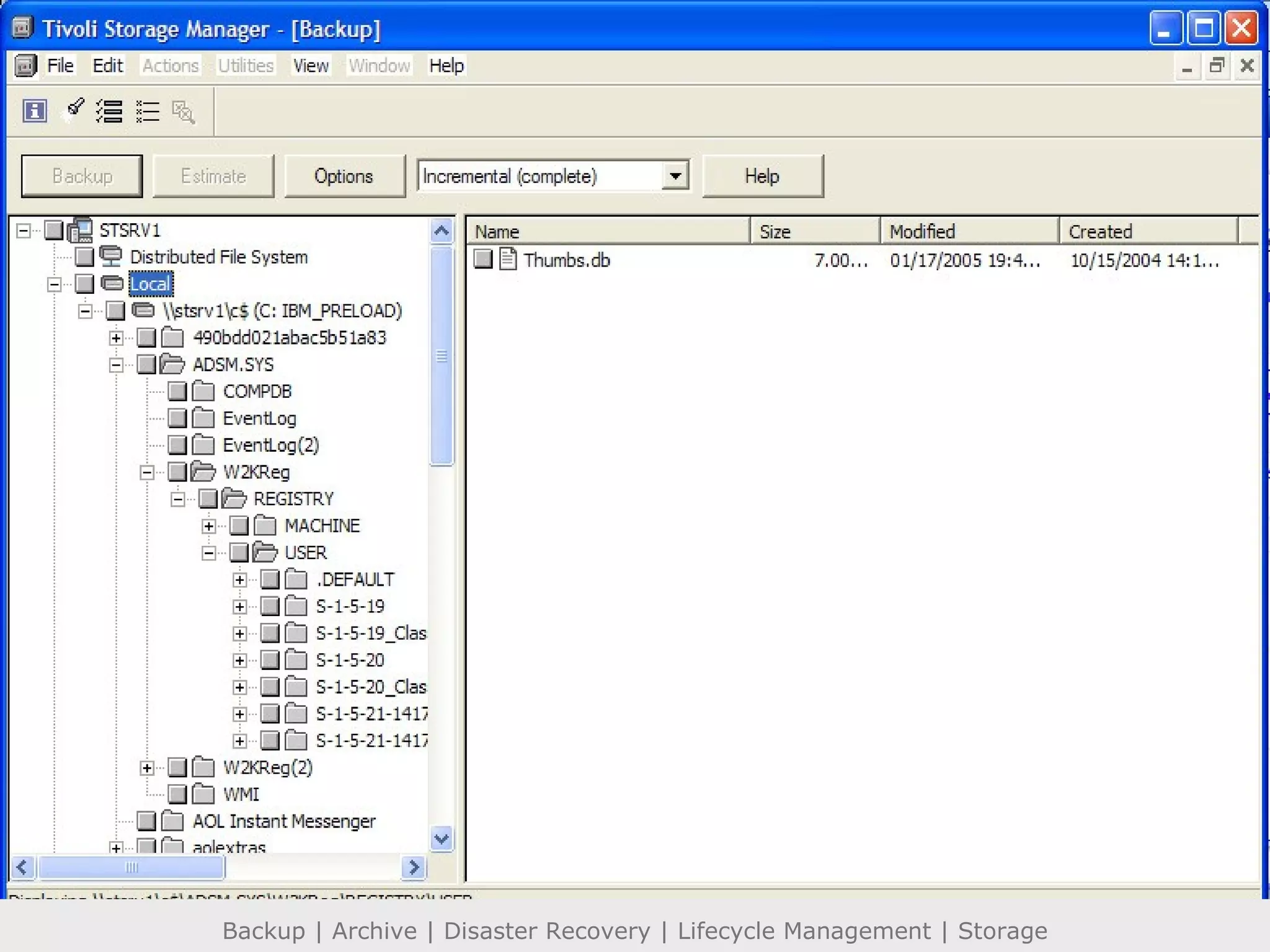
SSM viewer SSM service SSM admin SSM help Easy-to-use GUI for increased functionality and disaster-tolerant TSM implementation. STORServer Console: SSM
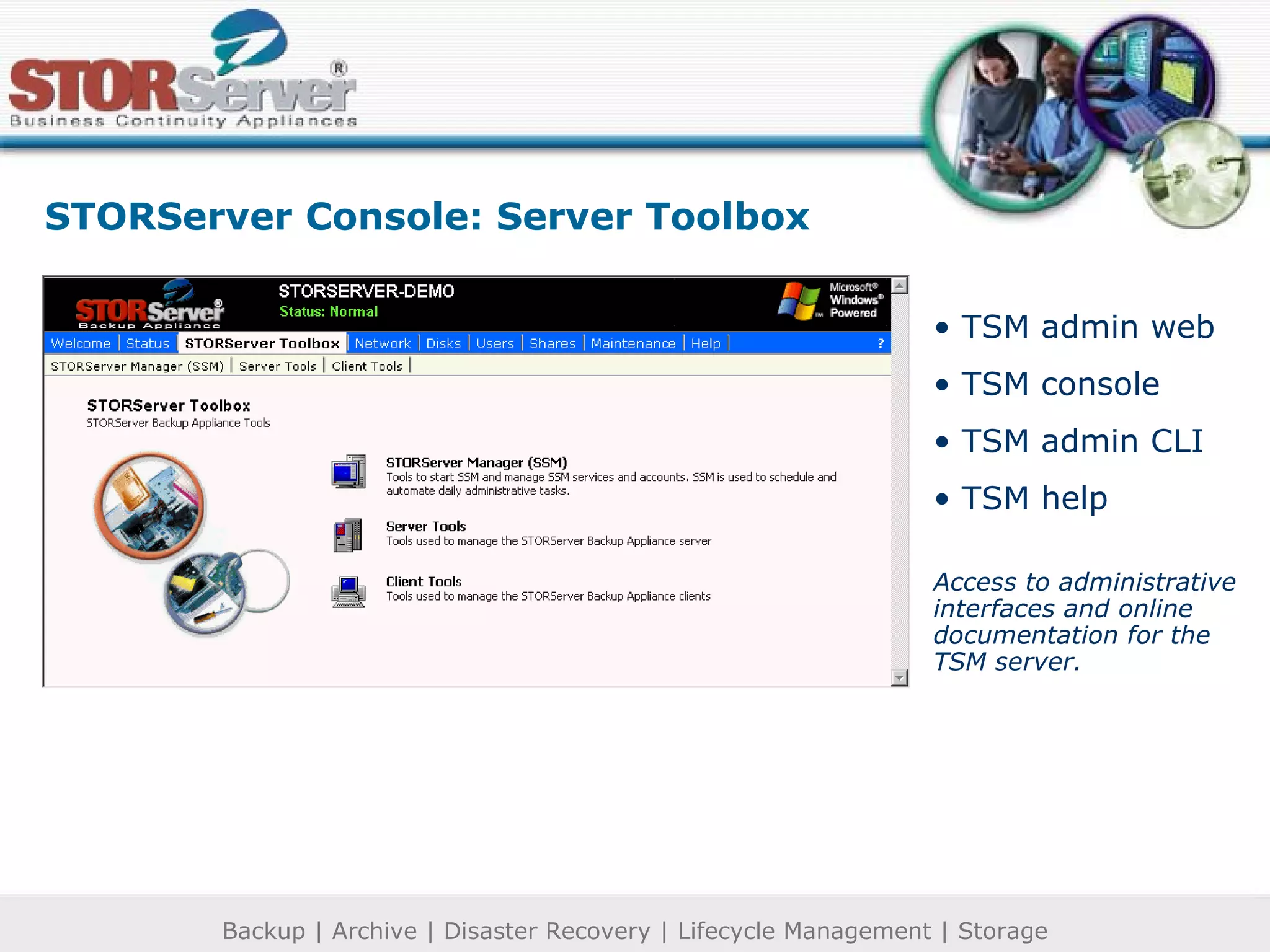
TSM admin web TSM console TSM admin CLI TSM help Access to administrative interfaces and online documentation for the TSM server. STORServer Console: Server Toolbox
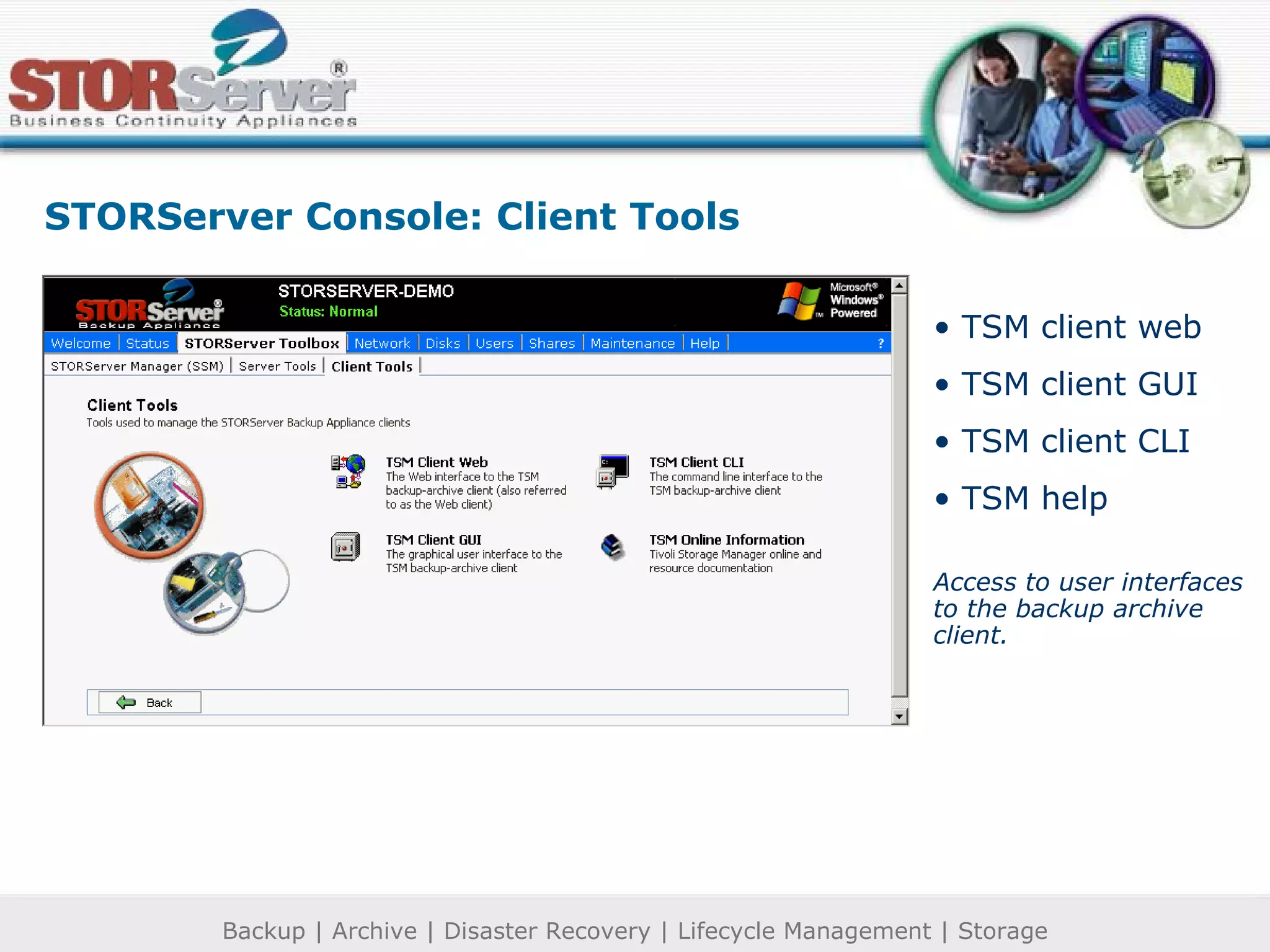
TSM client web TSM client GUI TSM client CLI TSM help Access to user interfaces to the backup archive client. STORServer Console: Client Tools
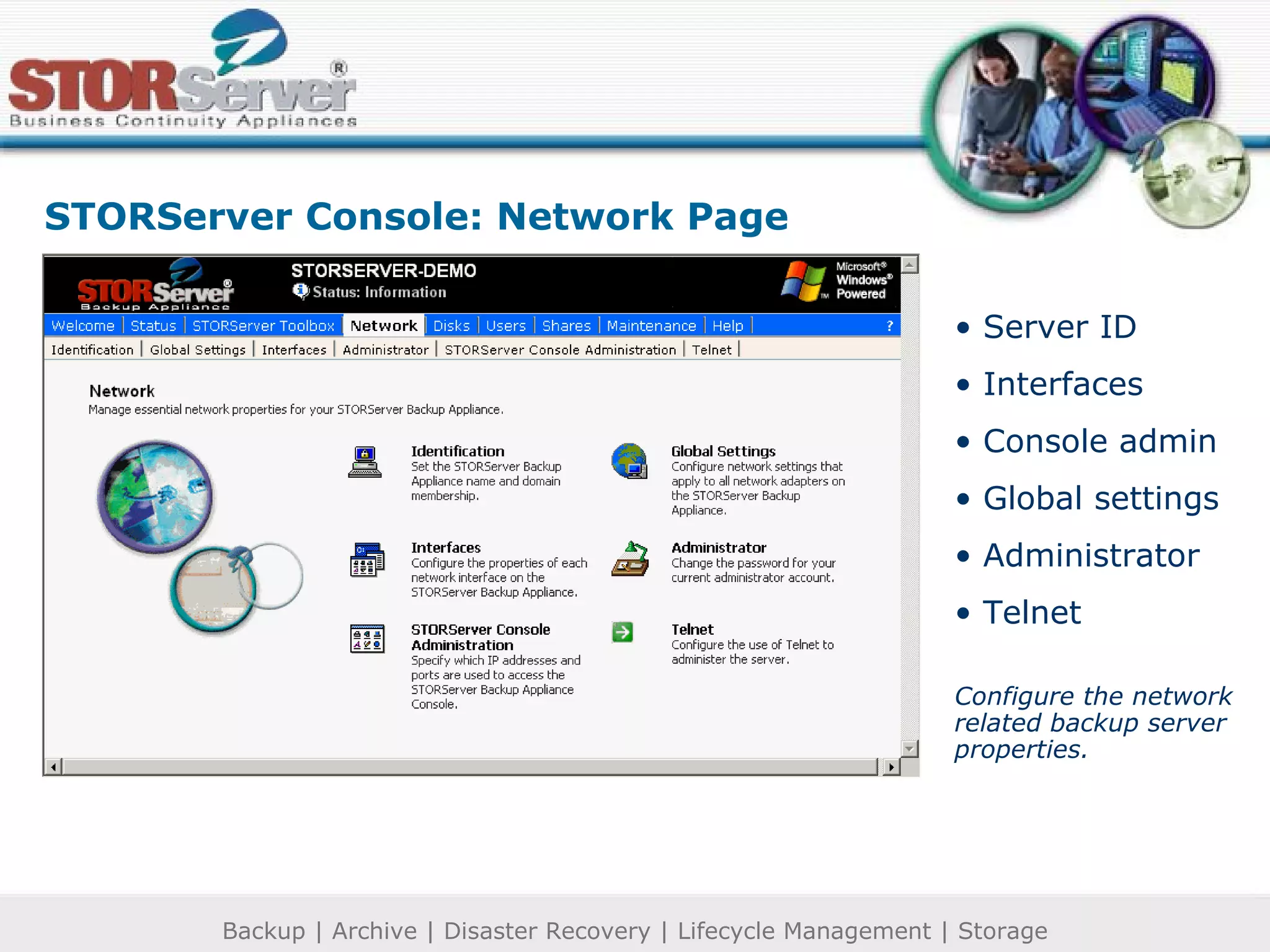
Server ID Interfaces Console admin Global settings Administrator Telnet Configure the network related backup server properties. STORServer Console: Network Page
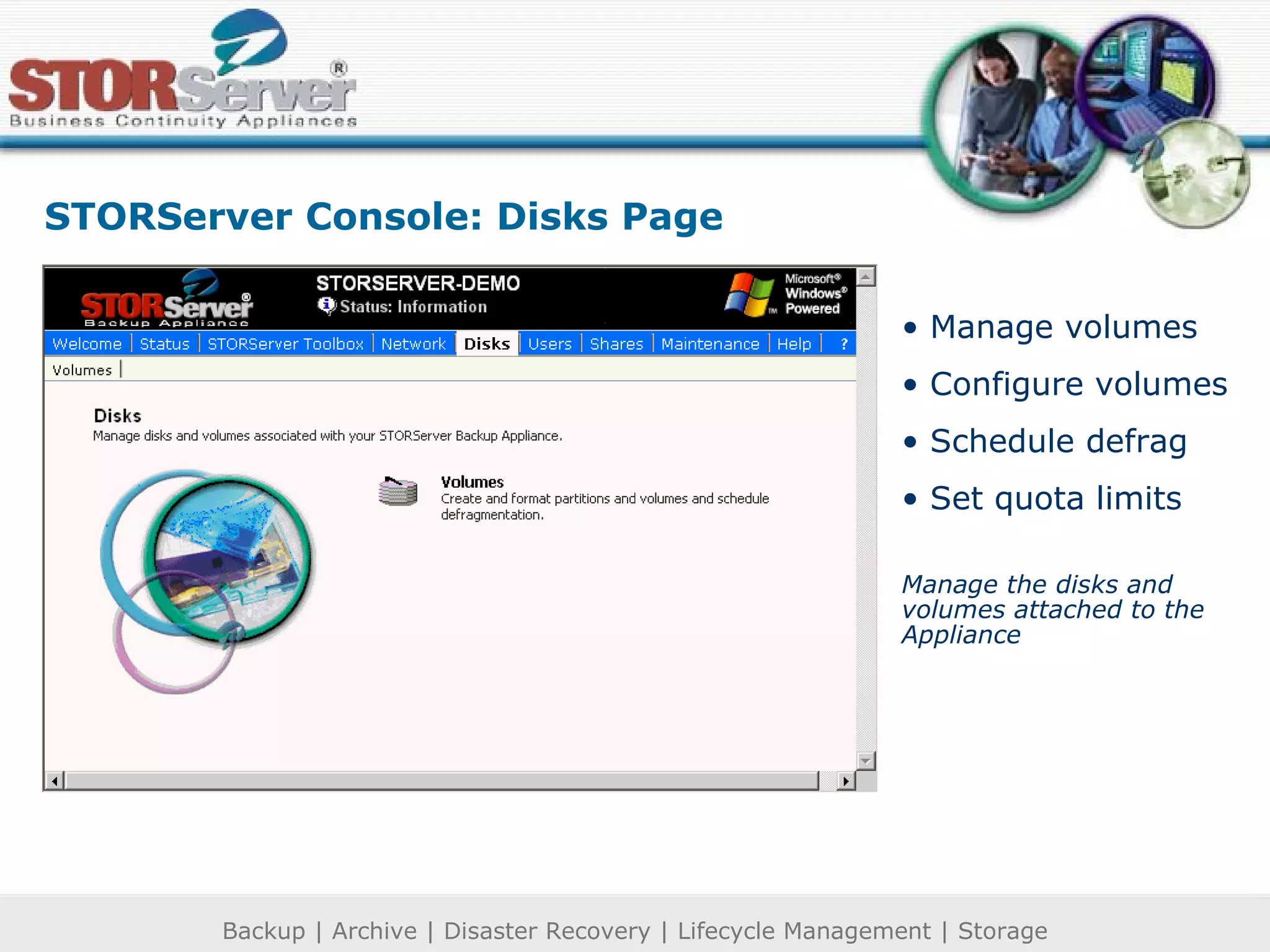
Manage volumes Configure volumes Schedule defrag Set quota limits Manage the disks and volumes attached to the Appliance STORServer Console: Disks Page
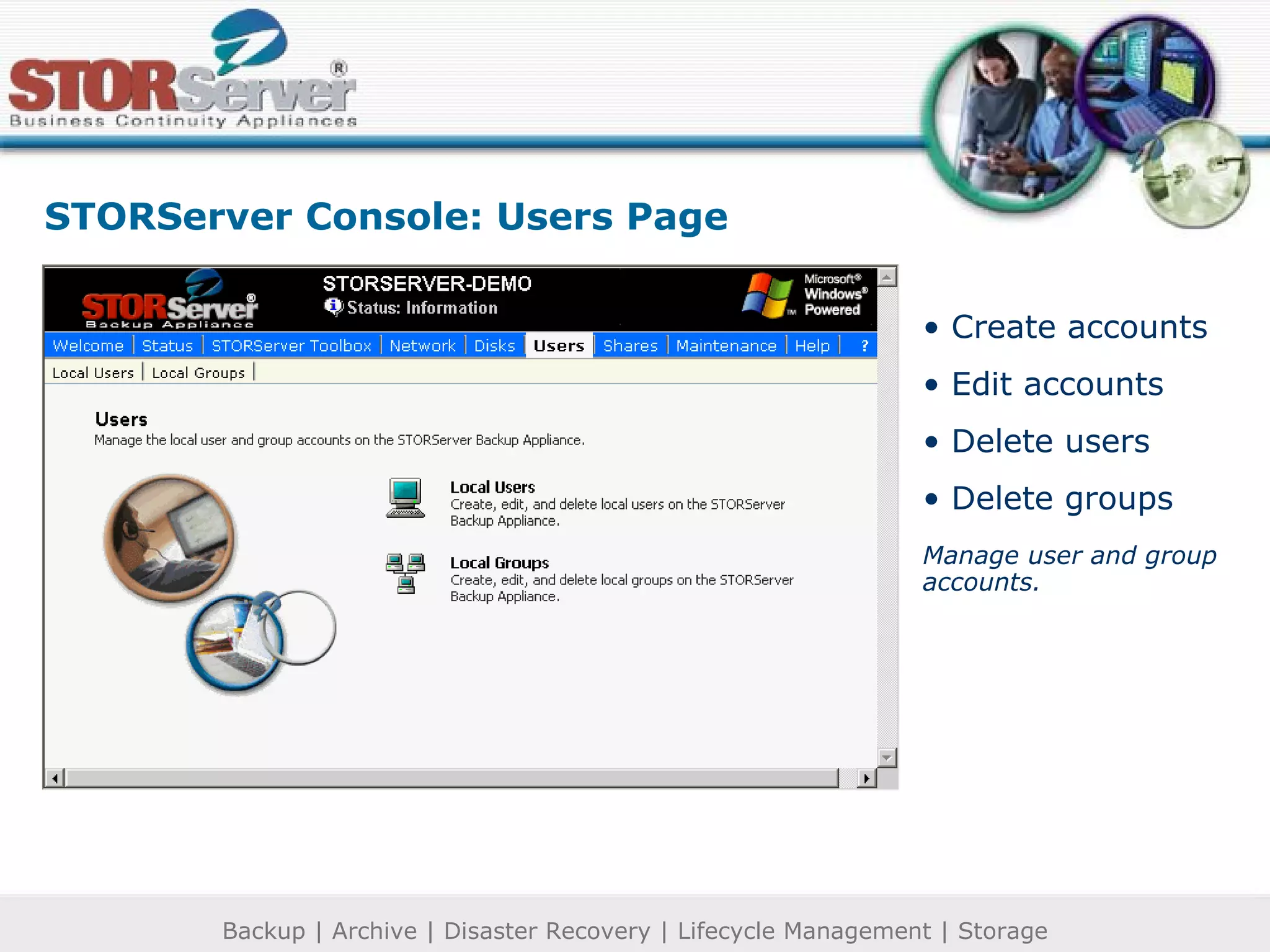
STORServer Console: Users Page Create accounts Edit accounts Delete users Delete groups Manage user and group accounts.
STORServer Console: Shares Page Manage folders Setup file sharing Set protocols
STORServer Console: Maintenance Page Set date/time Manage/view logs Set email alert Shutdown options Desktop admin Power preferences General maintenance operations
STORServer Console: Help Page Online help STORServer’s fully integrated, heterogeneous functionality recently earned STORServer the Microsoft Platinum OEM designation.
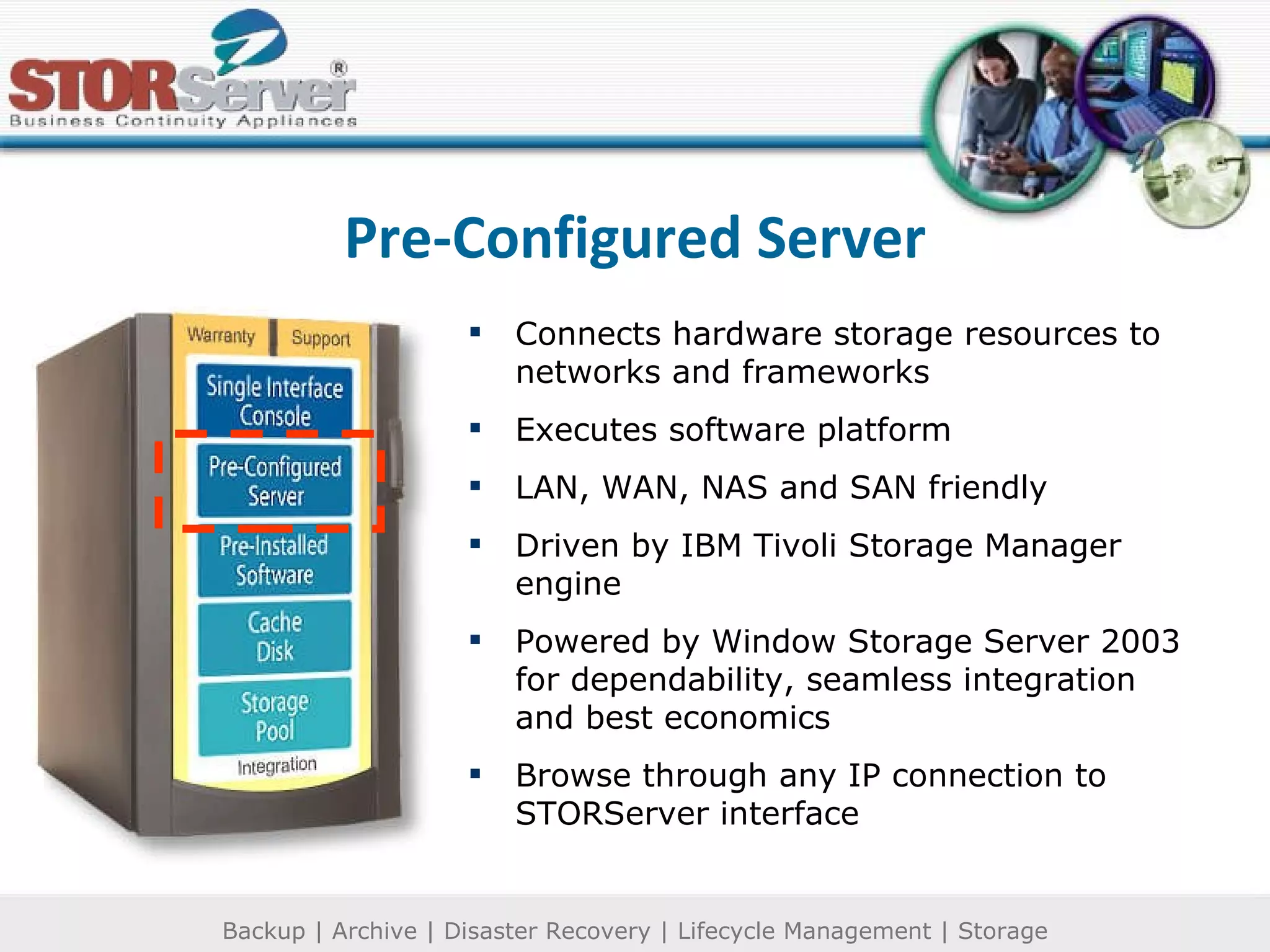
Pre-Configured Server Connects hardware storage resources to networks and frameworks Executes software platform LAN, WAN, NAS and SAN friendly Driven by IBM Tivoli Storage Manager engine Powered by Window Storage Server 2003 for dependability, seamless integration and best economics Browse through any IP connection to STORServer interface
Pre-Installed Software Appliance software STORServer ®  Manager:  Configures, schedules and automates TSM functions IBM Tivoli Storage Manager:  Provides underlying backup, archive, disaster recovery functionality Agent Software Provides extra functionality around 3 rd  party backup clients, mail and relational database applications, and SAN connectivity Client Software Server clients (network) Workstation clients (individual)
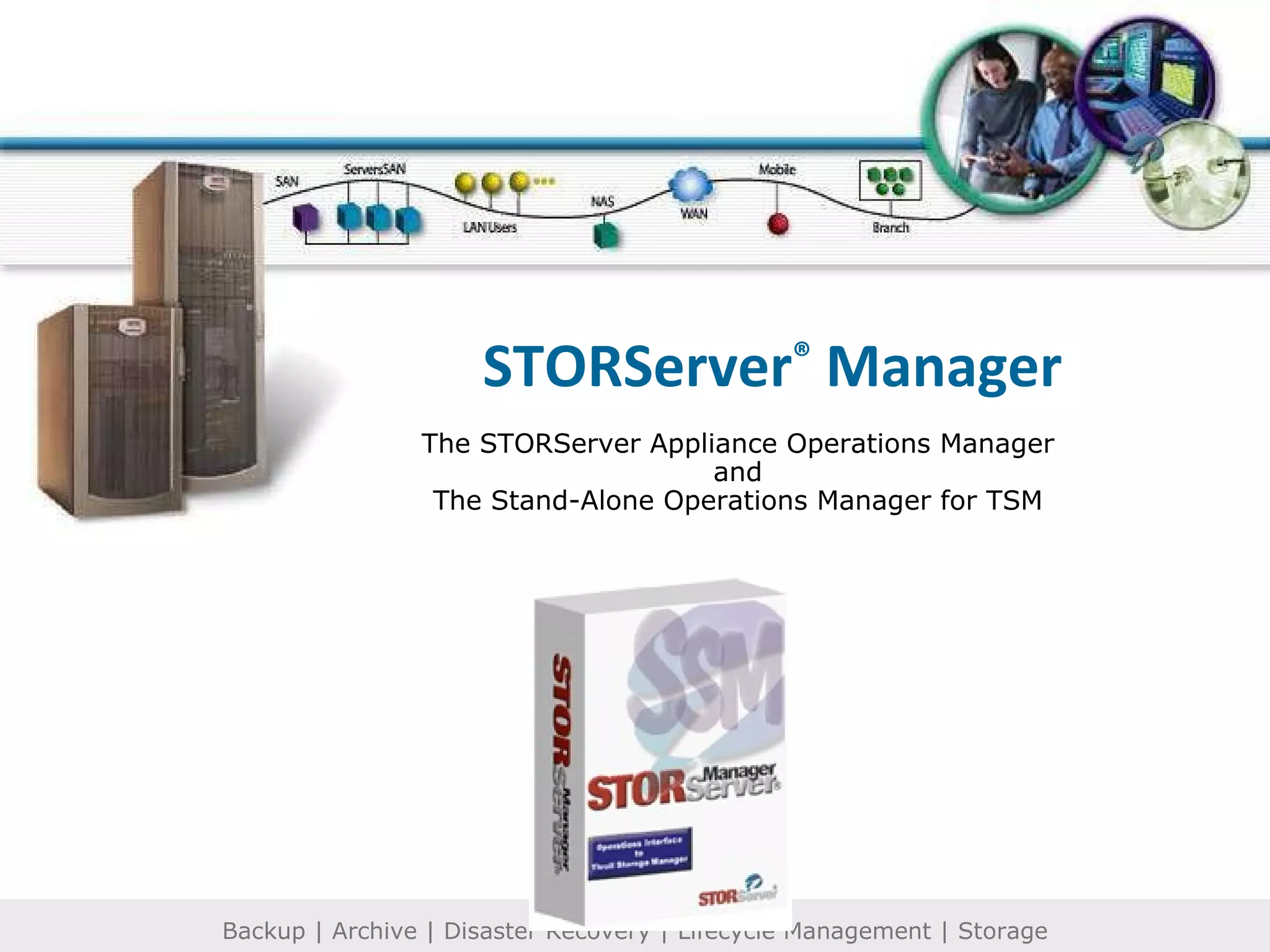
STORServer ®  Manager The STORServer Appliance Operations Manager and The Stand-Alone Operations Manager for TSM
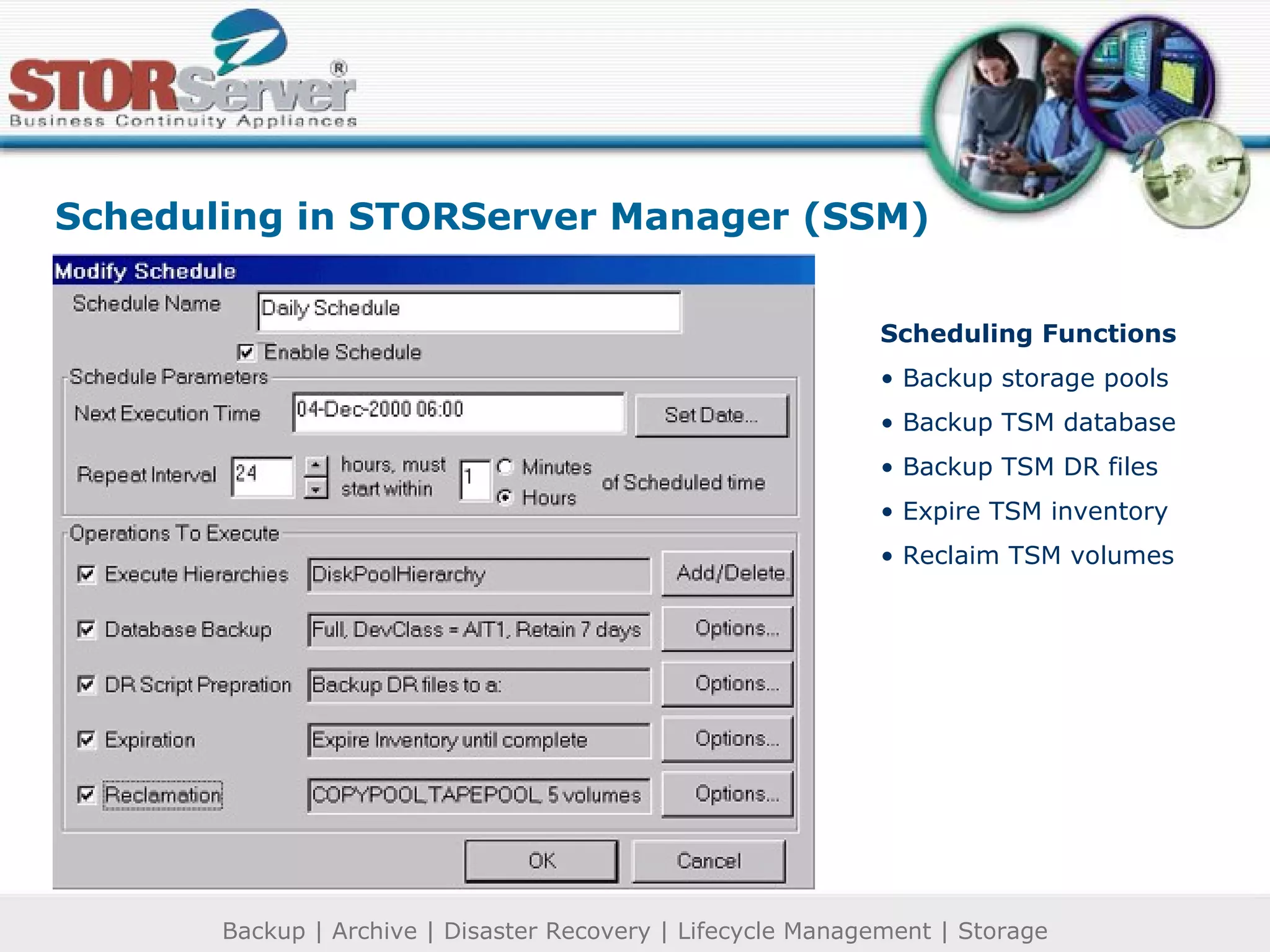
Scheduling in STORServer Manager (SSM) Scheduling Functions Backup storage pools Backup TSM database Backup TSM DR files Expire TSM inventory Reclaim TSM volumes
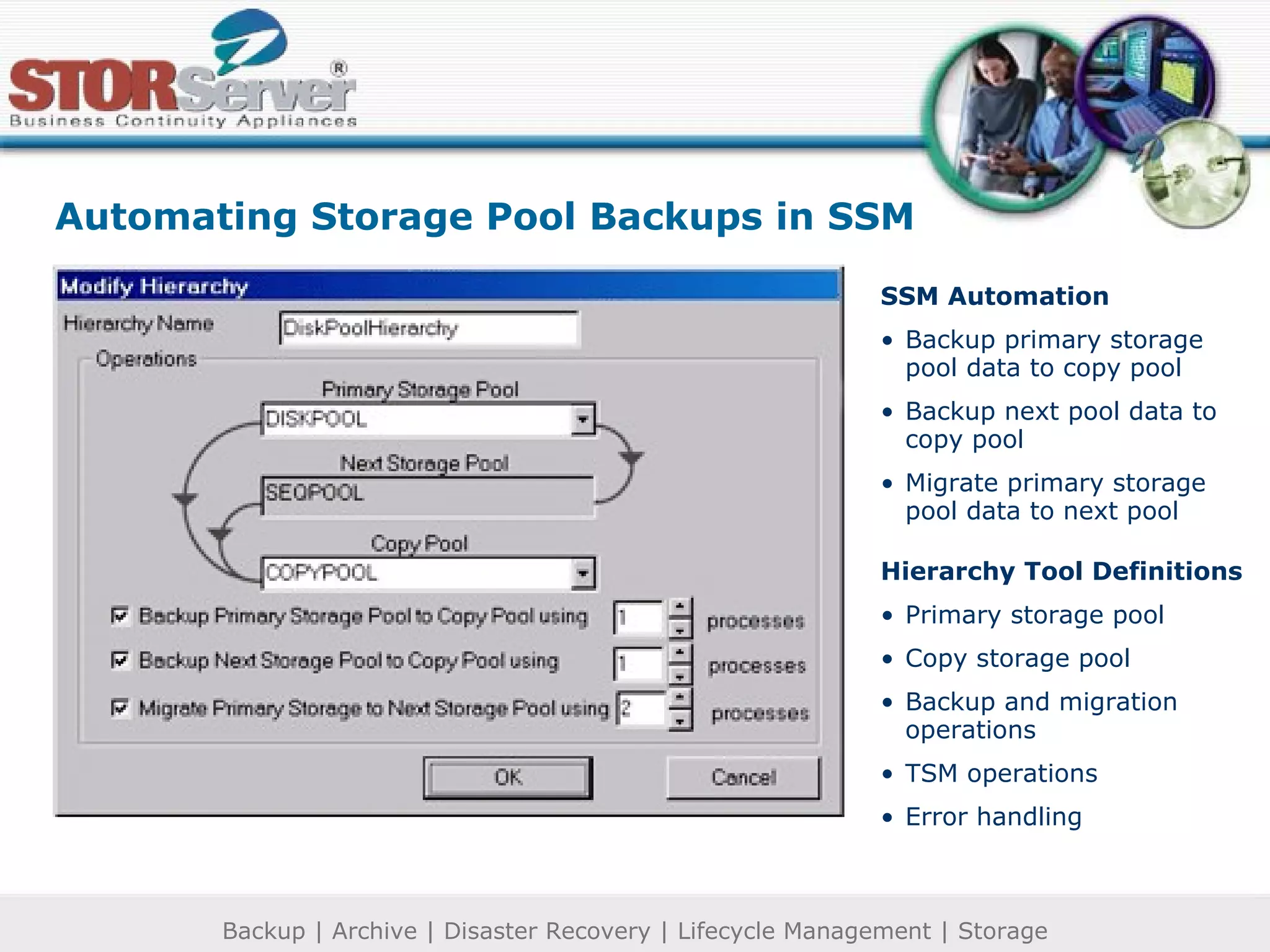
Automating Storage Pool Backups in SSM SSM Automation Backup primary storage  pool data to copy pool Backup next pool data to copy pool Migrate primary storage pool data to next pool Hierarchy Tool Definitions Primary storage pool Copy storage pool Backup and migration operations TSM operations Error handling
Automatic Reclamation Processing in SSM Removes expired data Moves valid data to other media Frees reclaimed volumes back to scratch state
Client Status Reporting in SSM Determine TSM event status Evaluate and troubleshoot errors Review session logs
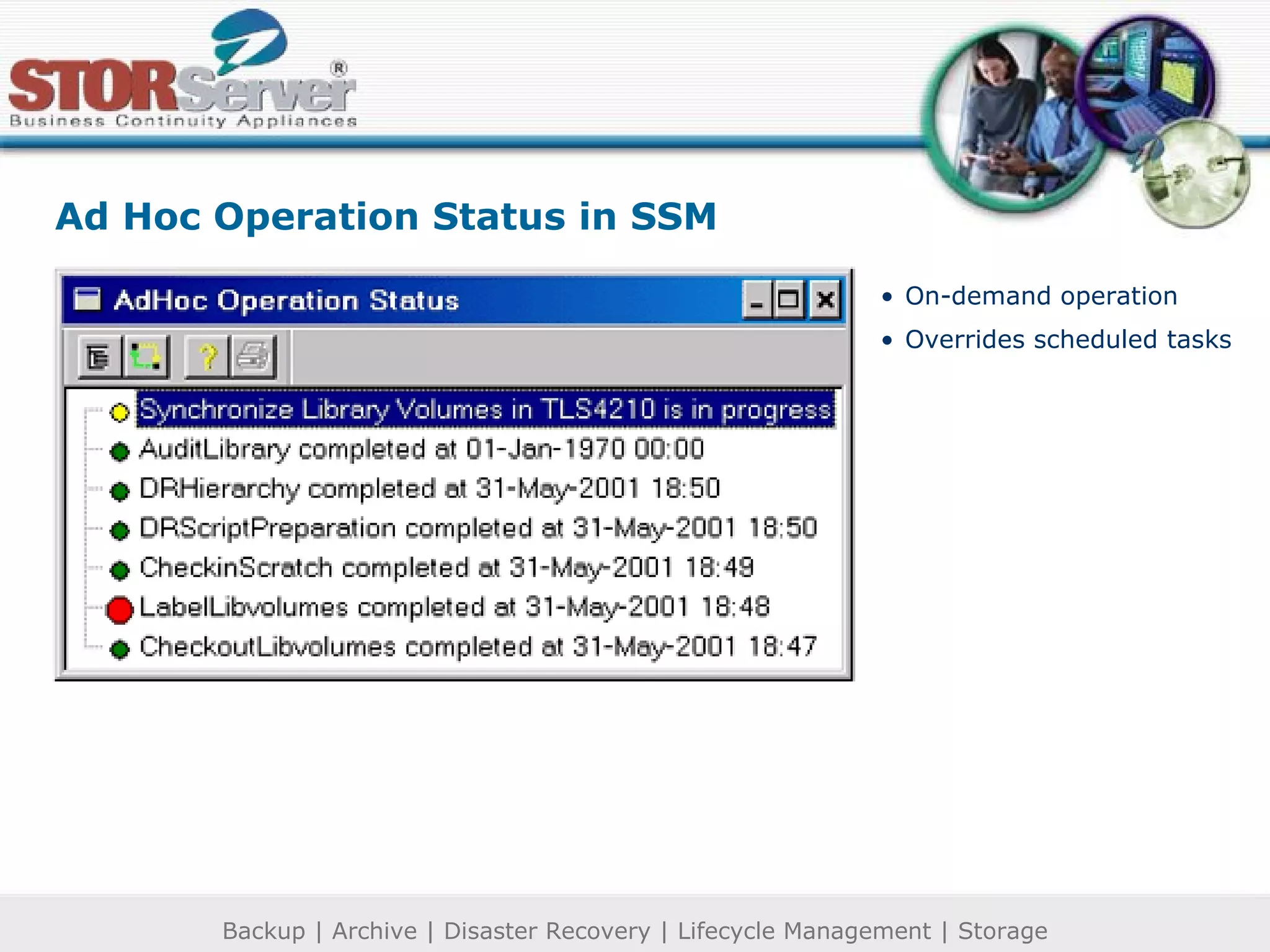
Ad Hoc Operation Status in SSM On-demand operation Overrides scheduled tasks
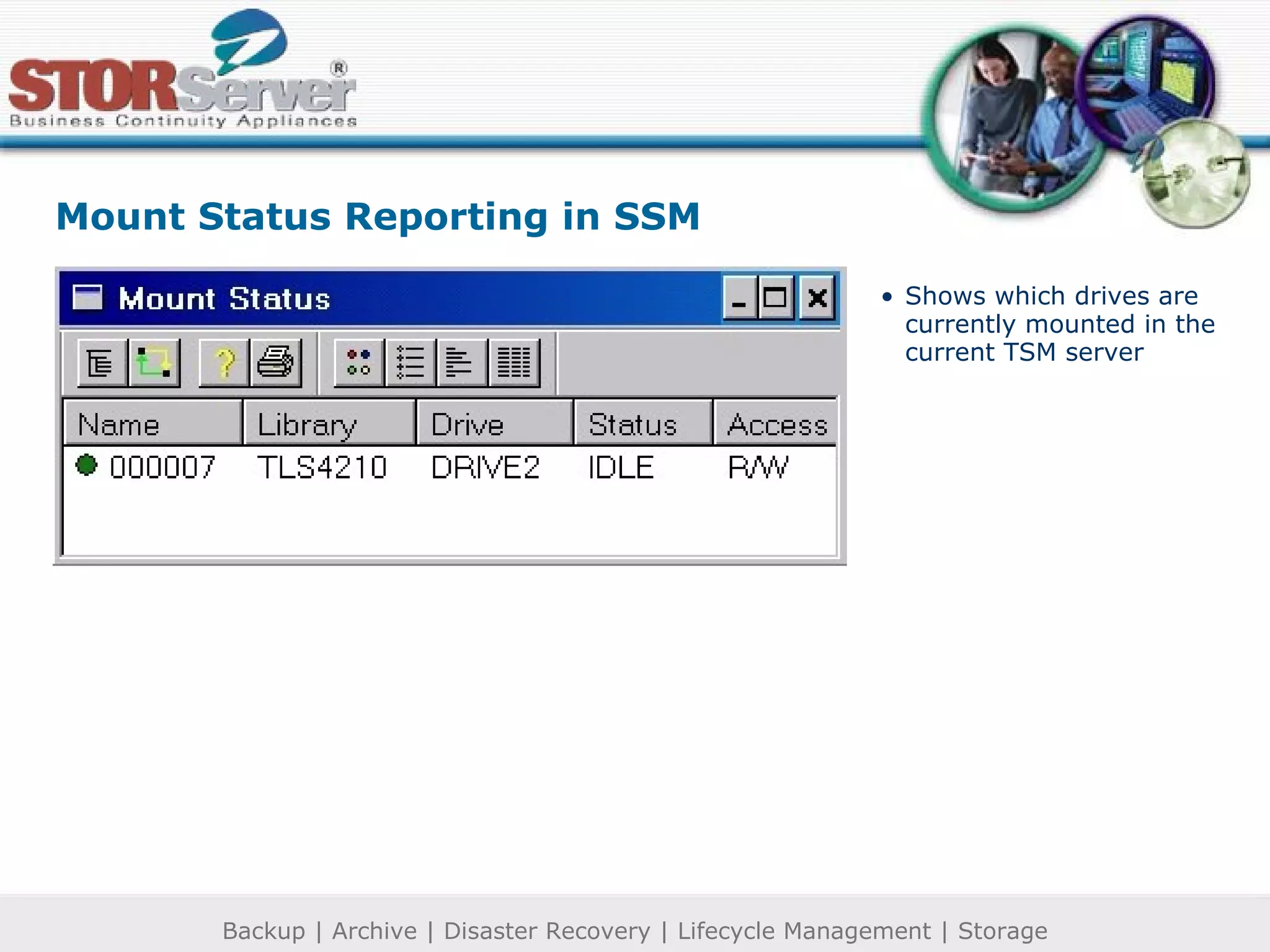
Mount Status Reporting in SSM Shows which drives are currently mounted in the current TSM server
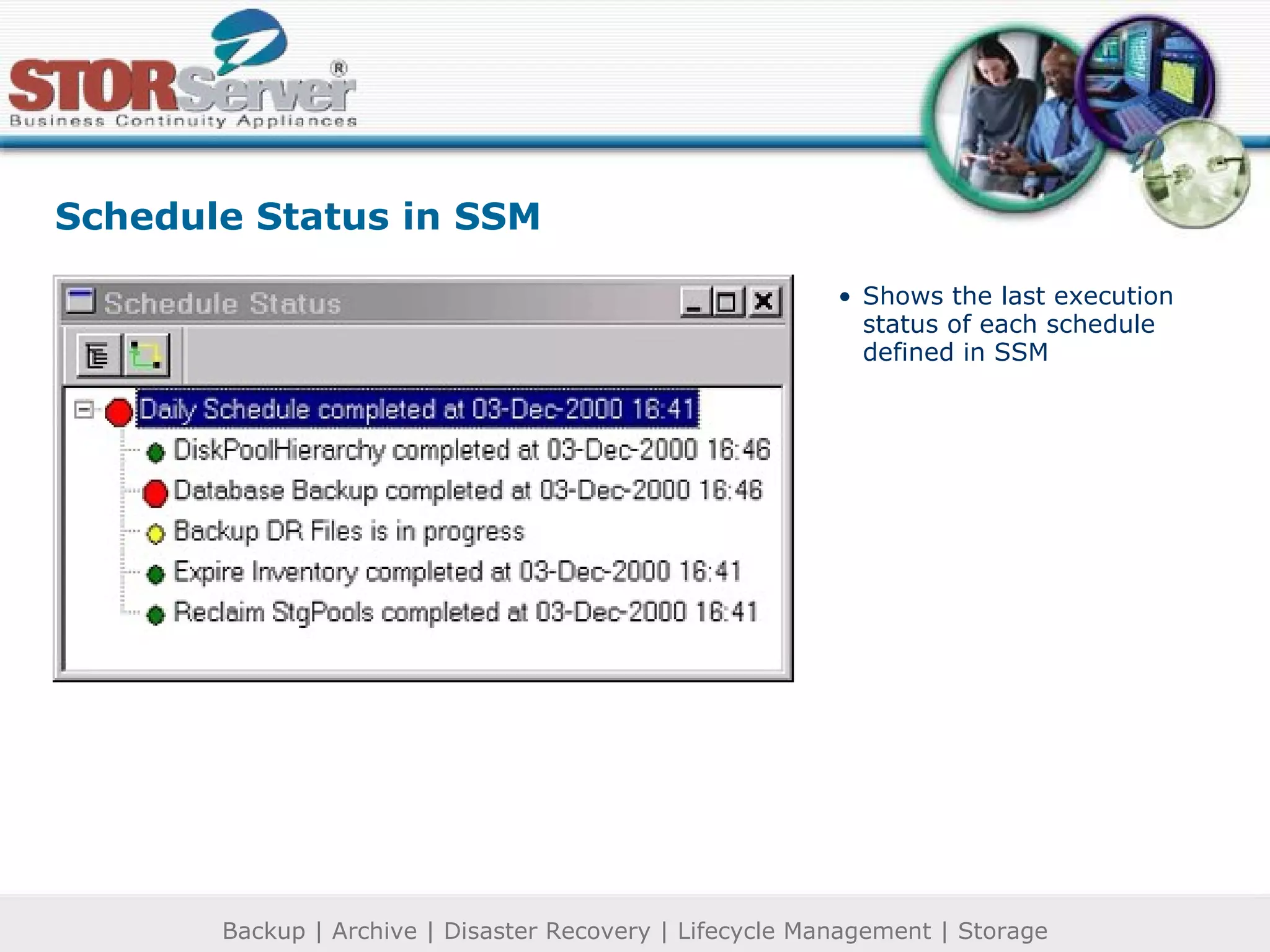
Schedule Status in SSM Shows the last execution status of each schedule defined in SSM
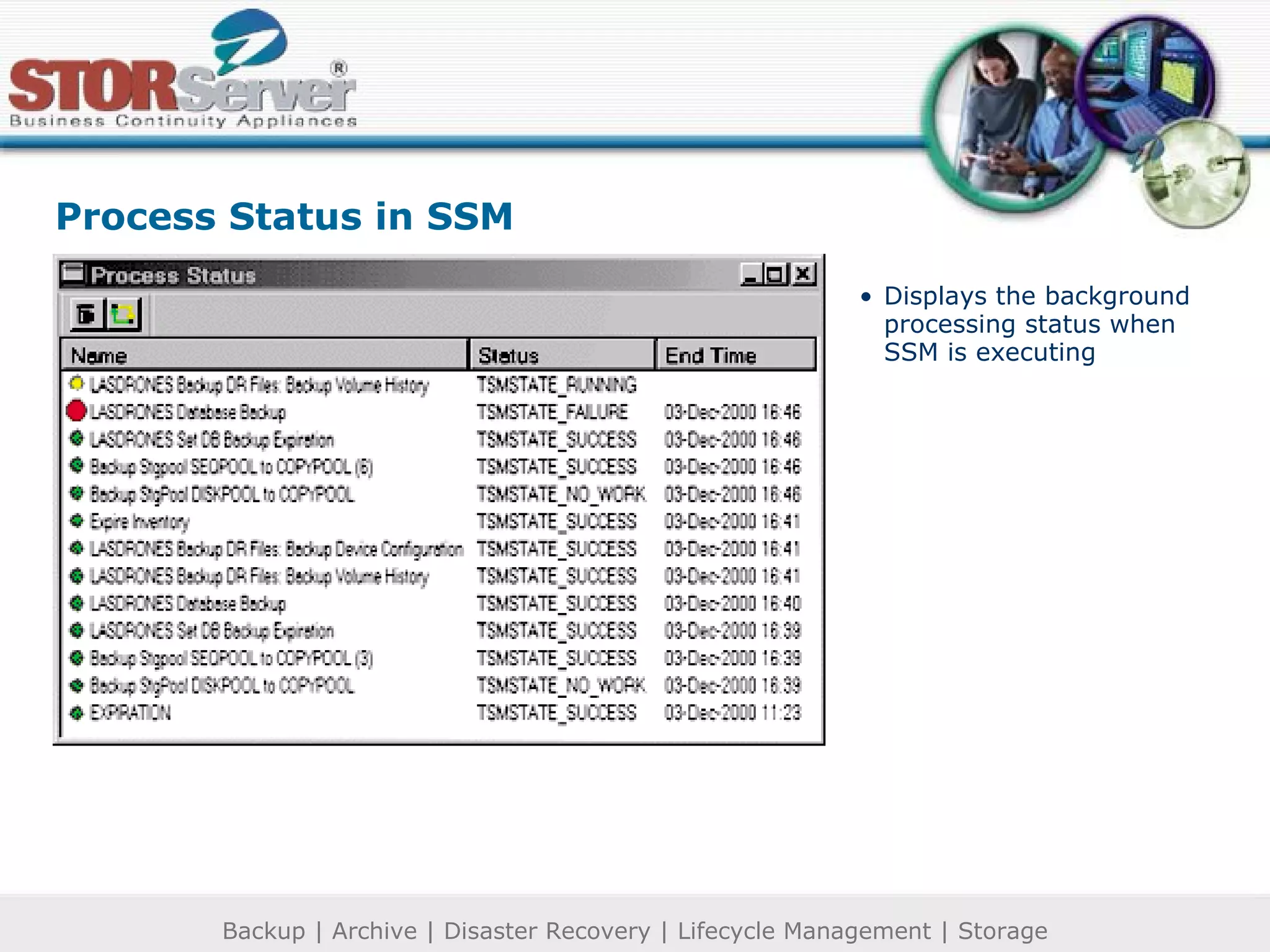
Process Status in SSM Displays the background processing status when SSM is executing
Operator Request Status in SSM Determine TSM client event status Troubleshoot errors
Labeling Library Volumes in SSM Graphic User Interface (GUI) for the TSM “LabelLibvolumes” command
Audit Volumes Within a Library in SSM Compare library contents with library volumes in the TSM database
Viewing the Volume List in SSM Display full information Check volumes in and out of the library Update volumes Move data from volumes Delete volumes
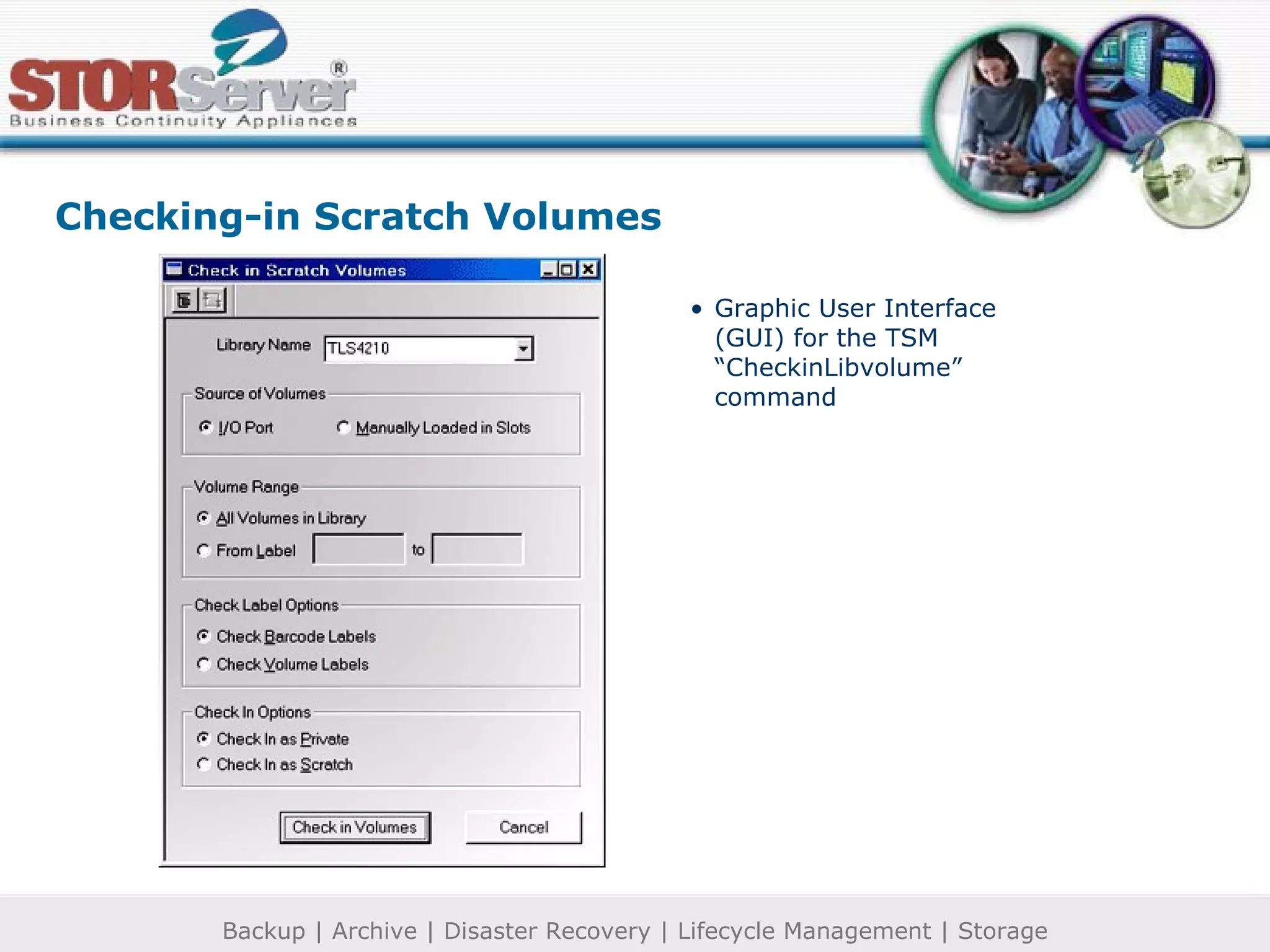
Checking-in Scratch Volumes Graphic User Interface (GUI) for the TSM “CheckinLibvolume” command
 
 
Uses Storage pool technology  (virtual media) Relational database for easy retrieval No complicated tape management schemes Replaces old data with new Cache pool size is flexible and dynamic Cache Disk
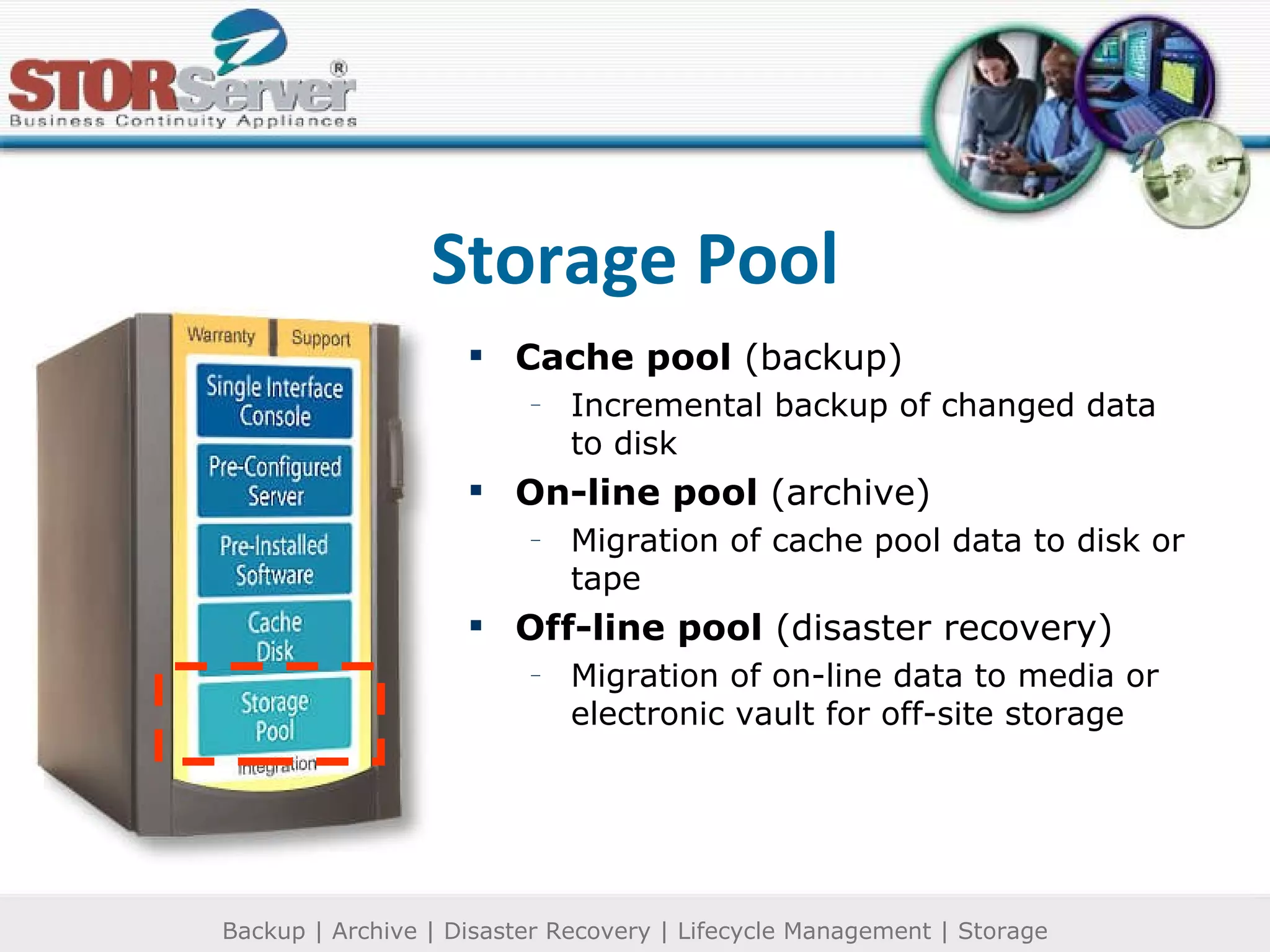
Cache pool  (backup) Incremental backup of changed data to disk On-line pool  (archive) Migration of cache pool data to disk or tape Off-line pool  (disaster recovery) Migration of on-line data to media or electronic vault for off-site storage Storage Pool
No more pieces and parts Easy-to-use management console Matched and certified hardware Heterogeneous software On-line backup and restore Automated media management and reclamation Single point of contact Warranty Support Training Consulting Integration
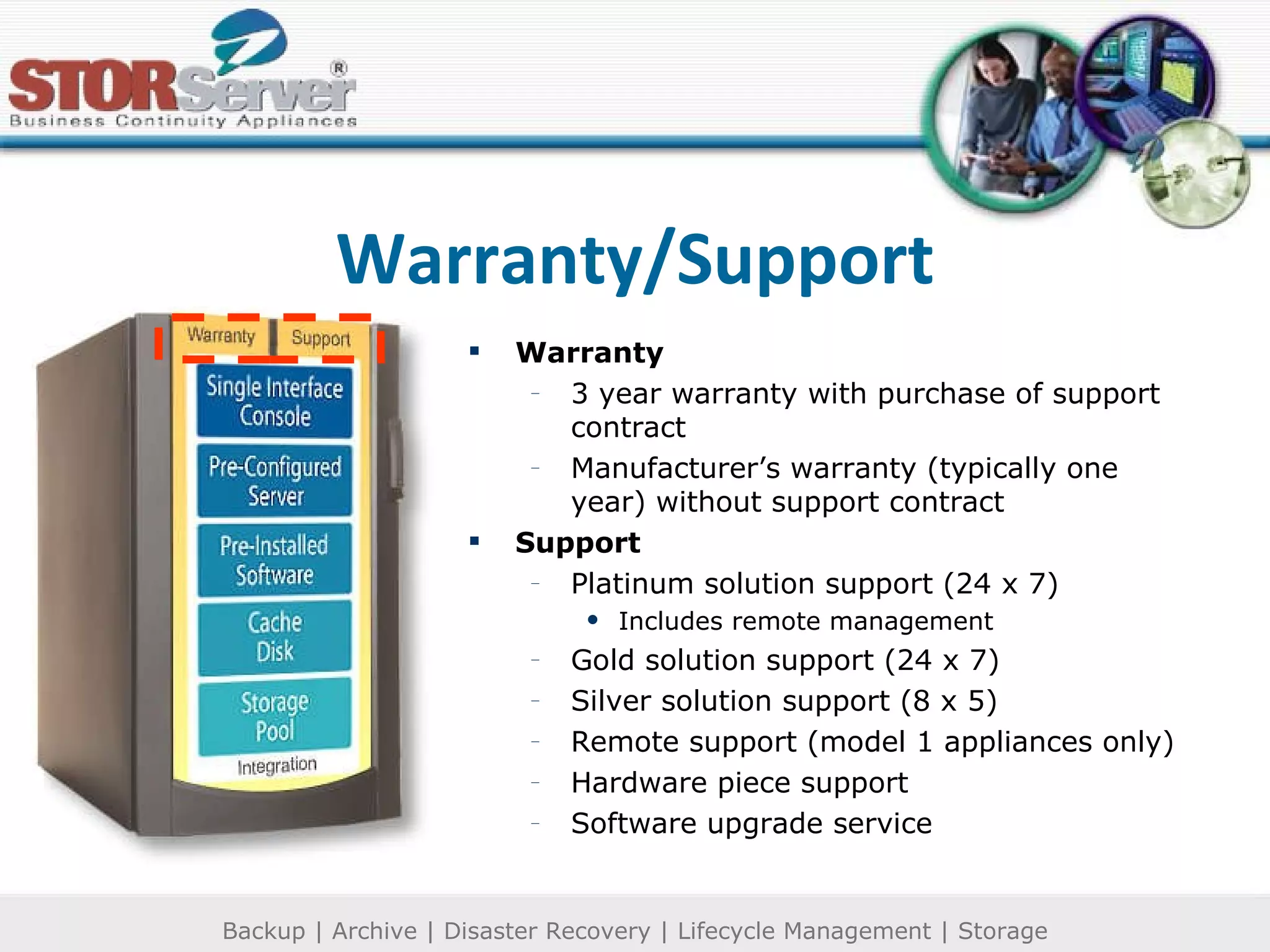
Warranty 3 year warranty with purchase of support contract Manufacturer’s warranty (typically one year) without support contract Support Platinum solution support (24 x 7) Includes remote management Gold solution support (24 x 7) Silver solution support (8 x 5) Remote support (model 1 appliances only) Hardware piece support Software upgrade service Warranty/Support
Additional Products and Services from STORServer Stand-alone products Software applications Hardware components Peripherals Media Accessories Certified training TSM Implementation and administration TSM Advanced topics System health checks Technical consulting Visit  www.storserver.com  for more information
 

Ssm Appliance Ssm Demo

  • 1.
    Online backup andrestore Archive and retrieve – including email archiving and restore Disaster recovery Meets regulatory compliance Information lifecycle management Comprehensive data protection from creation to destruction.
  • 2.
    SSM® Admin ControlCommon user interface admin console for all functions Purpose built server Specialized backup, archive and recovery software Scalable cache pool storage media Scalable on-line pool storage media
  • 3.
    Single Interface ConsoleAdmin Console – (now web enabled) monitors and manages the appliance from any location STORServer ® Manager monitors and performs scheduled backups Performs ad hoc utilities Create or modify group settings Check system status and modify log files Update TSM policies and schedules
  • 4.
    The STORServer ConsoleWeb interface to the STORServer Appliance Monitor status and alert messages Launch appliance tools Manage network properties Manage volumes Manage local user and group accounts Manage local folders and create file shares Site configuration and launch maintenance routines Launch online help
  • 5.
    STORServer Console: TheWelcome Page Set defaults Visit website Documentation Tech support This is the default administration page for the STORServer Console.
  • 6.
    Status Alerts Tracksresources Troubleshooting Email Alerts Administrators can easily and quickly identify backup component issues. STORServer Console: The Status Page
  • 7.
    SSM tools Servertools Client tools Easy-to-use task sets save time and conserve resources. STORServer Console: The Toolbox Page
  • 8.
    SSM viewer SSMservice SSM admin SSM help Easy-to-use GUI for increased functionality and disaster-tolerant TSM implementation. STORServer Console: SSM
  • 9.
    TSM admin webTSM console TSM admin CLI TSM help Access to administrative interfaces and online documentation for the TSM server. STORServer Console: Server Toolbox
  • 10.
    TSM client webTSM client GUI TSM client CLI TSM help Access to user interfaces to the backup archive client. STORServer Console: Client Tools
  • 11.
    Server ID InterfacesConsole admin Global settings Administrator Telnet Configure the network related backup server properties. STORServer Console: Network Page
  • 12.
    Manage volumes Configurevolumes Schedule defrag Set quota limits Manage the disks and volumes attached to the Appliance STORServer Console: Disks Page
  • 13.
    STORServer Console: UsersPage Create accounts Edit accounts Delete users Delete groups Manage user and group accounts.
  • 14.
    STORServer Console: SharesPage Manage folders Setup file sharing Set protocols
  • 15.
    STORServer Console: MaintenancePage Set date/time Manage/view logs Set email alert Shutdown options Desktop admin Power preferences General maintenance operations
  • 16.
    STORServer Console: HelpPage Online help STORServer’s fully integrated, heterogeneous functionality recently earned STORServer the Microsoft Platinum OEM designation.
  • 17.
    Pre-Configured Server Connectshardware storage resources to networks and frameworks Executes software platform LAN, WAN, NAS and SAN friendly Driven by IBM Tivoli Storage Manager engine Powered by Window Storage Server 2003 for dependability, seamless integration and best economics Browse through any IP connection to STORServer interface
  • 18.
    Pre-Installed Software Appliancesoftware STORServer ® Manager: Configures, schedules and automates TSM functions IBM Tivoli Storage Manager: Provides underlying backup, archive, disaster recovery functionality Agent Software Provides extra functionality around 3 rd party backup clients, mail and relational database applications, and SAN connectivity Client Software Server clients (network) Workstation clients (individual)
  • 19.
    STORServer ® Manager The STORServer Appliance Operations Manager and The Stand-Alone Operations Manager for TSM
  • 20.
    Scheduling in STORServerManager (SSM) Scheduling Functions Backup storage pools Backup TSM database Backup TSM DR files Expire TSM inventory Reclaim TSM volumes
  • 21.
    Automating Storage PoolBackups in SSM SSM Automation Backup primary storage pool data to copy pool Backup next pool data to copy pool Migrate primary storage pool data to next pool Hierarchy Tool Definitions Primary storage pool Copy storage pool Backup and migration operations TSM operations Error handling
  • 22.
    Automatic Reclamation Processingin SSM Removes expired data Moves valid data to other media Frees reclaimed volumes back to scratch state
  • 23.
    Client Status Reportingin SSM Determine TSM event status Evaluate and troubleshoot errors Review session logs
  • 24.
    Ad Hoc OperationStatus in SSM On-demand operation Overrides scheduled tasks
  • 25.
    Mount Status Reportingin SSM Shows which drives are currently mounted in the current TSM server
  • 26.
    Schedule Status inSSM Shows the last execution status of each schedule defined in SSM
  • 27.
    Process Status inSSM Displays the background processing status when SSM is executing
  • 28.
    Operator Request Statusin SSM Determine TSM client event status Troubleshoot errors
  • 29.
    Labeling Library Volumesin SSM Graphic User Interface (GUI) for the TSM “LabelLibvolumes” command
  • 30.
    Audit Volumes Withina Library in SSM Compare library contents with library volumes in the TSM database
  • 31.
    Viewing the VolumeList in SSM Display full information Check volumes in and out of the library Update volumes Move data from volumes Delete volumes
  • 32.
    Checking-in Scratch VolumesGraphic User Interface (GUI) for the TSM “CheckinLibvolume” command
  • 33.
  • 34.
  • 35.
    Uses Storage pooltechnology (virtual media) Relational database for easy retrieval No complicated tape management schemes Replaces old data with new Cache pool size is flexible and dynamic Cache Disk
  • 36.
    Cache pool (backup) Incremental backup of changed data to disk On-line pool (archive) Migration of cache pool data to disk or tape Off-line pool (disaster recovery) Migration of on-line data to media or electronic vault for off-site storage Storage Pool
  • 37.
    No more piecesand parts Easy-to-use management console Matched and certified hardware Heterogeneous software On-line backup and restore Automated media management and reclamation Single point of contact Warranty Support Training Consulting Integration
  • 38.
    Warranty 3 yearwarranty with purchase of support contract Manufacturer’s warranty (typically one year) without support contract Support Platinum solution support (24 x 7) Includes remote management Gold solution support (24 x 7) Silver solution support (8 x 5) Remote support (model 1 appliances only) Hardware piece support Software upgrade service Warranty/Support
  • 39.
    Additional Products andServices from STORServer Stand-alone products Software applications Hardware components Peripherals Media Accessories Certified training TSM Implementation and administration TSM Advanced topics System health checks Technical consulting Visit www.storserver.com for more information
  • 40.