© 2009 IBM Corporation
Tivoli Storage Manager
Daily Health Check for V6
Tom Hepner
IBM Advanced Technical Support
Hep@us.ibm.com
IBM Advanced Technical Support
ATS Team


 Dave Canan
–ddcanan@us.ibm.com
Dave Daun
–djdaun@us.ibm.com
Tom Hepner
–hep@us.ibm.com
2 © 2009 IBM Corporation
IBM Advanced Technical Support
Basic Admin Roles (one organizational example)
3 © 2009 IBM Corporation


 Operator:
– Handles daily tasks
– Performs special server procedures (e.g. DRM)
 Technical support:
– Installs new client code
– Upgrades server code
– Activates trace functions
– Configures HW
– Answers end-user questions
– Handles error conditions
* Storage Administrator:
– Performs sanity checks in the environment
– Evaluates capacity planning issues
– Manages storage pools
System Administrator:
– Manages Tivoli Storage Manager policies
– Defines new nodes and management classes
– Reports error conditions to technical support
IBM Advanced Technical Support
TSM Wheel of Life
Overview
SAN
4 © 2009 IBM Corporation
IBM Advanced Technical Support
TSM Wheel of Life
Client Backups
SAN
5 © 2009 IBM Corporation
IBM Advanced Technical Support
TSM Wheel of Life
Backup Stgpools
SAN
6 © 2009 IBM Corporation
IBM Advanced Technical Support
TSM “Identify” Process
7 © 2009 IBM Corporation
 Used to identify duplicate objects in a specific stgpool as part of
server-side the deduplication process.
 The INdentify DUPlicates command starts and stops process
 Create an administrative schedule so that ID DUP runs after
client backups and completes before reclamation
 Up to 20 ID DUP processes can be started at any given time
IBM Advanced Technical Support
TSM Wheel of Life
Identify Duplicates
SAN
Identify Process
8 © 2009 IBM Corporation
IBM Advanced Technical Support
TSM Wheel of Life
Migration
SAN
9 © 2009 IBM Corporation
IBM Advanced Technical Support
TSM Wheel of Life
Expiration
SAN
10 © 2009 IBM Corporation
IBM Advanced Technical Support
TSM Wheel of Life
Copypool Reclamation
SAN
11 © 2009 IBM Corporation
IBM Advanced Technical Support
TSM Wheel of Life
Tapepool Reclamation
SAN
12 © 2009 IBM Corporation
IBM Advanced Technical Support
TSM Admin Center Health Check - Setup
13 © 2009 IBM Corporation
 Install ISC & Admin Center if needed
 Enable Admin Center for Health Check
– From Admin Center - Server Properties, in the Server
Properties portlet, select Administrators, and check the box
next to the ADMIN_CENTER account
– Select Modify Administrator from the menu
– Update the password if necessary and ensure that the
Administrator has System authority and Lock is NOT checked
IBM Advanced Technical Support
TSM Admin Center Health Check - Indicators
 Health Check Indicators
– Green: Normal - The server is running and the Health Monitor
identified no problems.
– Blue: Unknown - The server could not be contacted
• The server is not currently running
• Network problems prevent communications with the server
– Yellow: Warning, needs attention - The Health Monitor detected
conditions that might develop into significant problems.
– Red: Critical - The Health Monitor detected significant problems in
the server's database, storage devices, or both. The problems
prevent the server from operating normally.
14 © 2009 IBM Corporation
IBM Advanced Technical Support
TSM Admin Center Health Check - Servers
15 © 2009 IBM Corporation
IBM Advanced Technical Support
TSM Admin Center Health Check – Details
16 © 2009 IBM Corporation
IBM Advanced Technical Support
TSM Admin Center Health Check – Server Details
17 © 2009 IBM Corporation
IBM Advanced Technical Support
TSM Admin Center Health Check – Unsuccessful
18 © 2009 IBM Corporation
IBM Advanced Technical Support
TSM Admin Center Health Check – Missed
19 © 2009 IBM Corporation
IBM Advanced Technical Support
TSM Admin Center Health Check – Error Filtering
Continued
20 © 2009 IBM Corporation
IBM Advanced Technical Support
TSM Admin Center Health Check – Errors
21 © 2009 IBM Corporation
IBM Advanced Technical Support
Using SQL to Query the TSM Server
22 © 2009 IBM Corporation
IBM Advanced Technical Support
Using SQL to Query TSM V6
23 © 2009 IBM Corporation
 TSM Version 6 uses the DB2® open database connectivity
(ODBC) driver to query the database and display the results.
 Changes for V6 can be found at:
http://publib.boulder.ibm.com/infocenter/tsminfo/v6/index.jsp
 Great reference site with many good examples:
http://www.redbooks.ibm.com/abstracts/tips0010.html?Open
IBM Advanced Technical Support
Using SQL to Query TSM V6 – Useful Queries
24 © 2009 IBM Corporation
 Gather information about Move Media activities
select * from media
VOLUME_NAME: ATS300L3
STATE: Mountable in library
UPD_DATE: 20 1-03-08 12:10:35.000000
LOCATION:STGPOOL_NAME: DRPOOL
LIB_NAME: TS3584
STATUS: Full
ACCESS: Read/Write
LRD: 2010-12-29 10:04:13.000000
(one example)
IBM Advanced Technical Support
Using SQL to Query TSM V6 – Useful Queries
 Get a list of TSM tables:
dsmadmc -ID=adminID -pass=password select tabname from
tables > TSMTables.txt (to create a text file list)
 Find How Many Scratch Tapes are in Library
SELECT COUNT(STATUS) "Scratch Vols" FROM LIBVOLUMES
Scratch Vols
18
25 © 2009 IBM Corporation
IBM Advanced Technical Support
Using SQL to Query TSM V6 – Useful Queries
 Which Volumes Filling
select volume_name from media where status = 'Filling‘
VOLUME_NAME
ATS302L3
ATS303L3
ATS308L3
26 © 2009 IBM Corporation
IBM Advanced Technical Support
Using SQL to Query TSM V6 – Useful Queries
 Using "cursor" function to limit SQL output to a specific number:
define cursor aa sql="SELECT STGPOOL_NAME FROM STGPOOLS
ORDER BY STGPOOL_NAME“
open cursor aa
fetch next 10
STGPOOL_NAME
ARCHIVEPOOL
ATSR4P22
BACKUPPOOL
DANPOOL
DEDUPPOOL
DRPOOL
FILEPOOL
LTO3POOL
NAS_POOL
SONAS_HSM
27 © 2009 IBM Corporation
IBM Advanced Technical Support
Using SQL to Query TSM V6 – Useful Queries
 Find Off-line Tape Drives
DRIVE_NAME,ONLINE from drives where LEFT(online,7) = 'UNAVAIL'
order by LAST_UPDATE
DRIVE_NAME ONLINE
LTO3-DR0 UNAVAILABLE SINCE 04/26/ 1 16:59:25
LTO3-DR1 UNAVAILABLE SINCE 04/26/ 1 16:16:18
28 © 2009 IBM Corporation
IBM Advanced Technical Support
Using SQL to Query TSM V6 – Useful Queries
 Build Table of Library Volumes
select volume_name "Volume", library_name "Library", home_element
"Slot", devtype "Device type" from libvolumes order by home_element
Volume Library Slot Device type
ATS318L3 TS3584 1026 LTO
ATS314L3 TS3584 1027 LTO
ATS319L3 TS3584 1028 LTO
ATS312L3 TS3584 1029 LTO
29 © 2009 IBM Corporation
IBM Advanced Technical Support
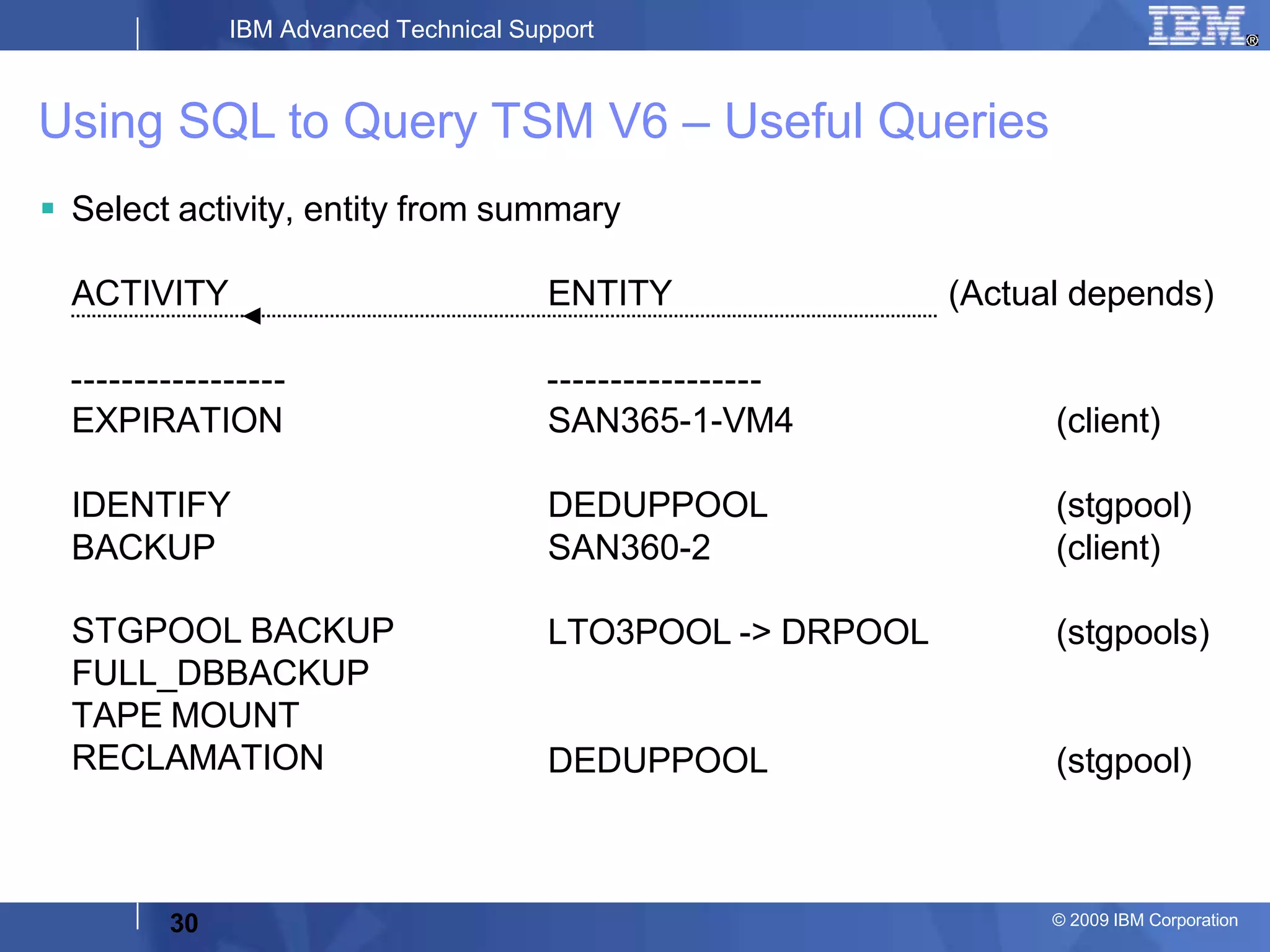
 Select activity, entity from summary
ACTIVITY ENTITY (Actual depends)
EXPIRATION SAN365-1-VM4 (client)
IDENTIFY DEDUPPOOL (stgpool)
BACKUP SAN360-2 (client)
STGPOOL BACKUP
FULL_DBBACKUP
TAPE MOUNT
RECLAMATION
LTO3POOL -> DRPOOL
DEDUPPOOL
(stgpools)
(stgpool)
Using SQL to Query TSM V6 – Useful Queries
30 © 2009 IBM Corporation
IBM Advanced Technical Support
Working with Tape
31 © 2009 IBM Corporation
IBM Advanced Technical Support
TSM Tape Usage - Overview
1 –Tape
Labeled
Or
Scratch
2 – Add to
Inventory
3 –
Library's
Inventory
4 – Tape
Selected
5 – Data
Written
6 – Data
Expires
7 – Space
Reclaimed
(not DB BU carts)
32 © 2009 IBM Corporation
IBM Advanced Technical Support
TSM Tape Usage – Typical Tasks
33 © 2009 IBM Corporation
1. Label and Check-in
2. On-site and off-site tape management (with or without DRM).
3. Reusing backup DB tapes
4. Maintaining enough scratch tapes (see slide #25)
5. AUTOLabel automatically labels tapes. (In library definition.
Replaced need for label libvol)
6. Audit vault vols (not daily but important to do)
7. Offsite tape management (see next chart)
IBM Advanced Technical Support
Finding “Lost” Tapes
34 © 2009 IBM Corporation
In many cases, customers loose track of vaulted tape volumes.
To find these “lost” tapes, run a query like the one below several
times per year.
select volume_name from volumes where pct_reclaim>90 and
location=‘vault_location‘
(Where vault_location is the name you have given your vault and
90 is a value determined to be relevant.)
IBM Advanced Technical Support
TSM Scripts & Macros
35 © 2009 IBM Corporation
IBM Advanced Technical Support
Maintenance Macros & Scripts
36 © 2009 IBM Corporation
Macros and Scripts provide automation of common administrative tasks
 Sample scripts are found in scripts.smp and include:
– Command parameter substitution
– SQL SELECT statements that you specify when the script is processed
– Command execution control, such as PARALLEL and SERIAL processing
options
– Conditional logic flow statements. These logic flow statements include:
• The IF clause; this clause determines how processing should proceed based on the
current return code value
• The EXIT statement; this statement ends script processing
• The GOTO and LABEL statement; this statement directs logic flow to continue
processing
• Comments
– Can be converted into a Customer Maintenance Script
IBM Advanced Technical Support
Maintenance Macros & Scripts
37 © 2009 IBM Corporation
 TSM supports macros that are called by the administrative client
 A macro is a file that contains one or more administrative client
commands
 You can only run a macro from the administrative client in batch
or interactive modes
 Macros are stored as a file on the administrative client. Macros
are not distributed across servers and cannot be scheduled on
the server.
IBM Advanced Technical Support
Checking Scheduled Events
38 © 2009 IBM Corporation
IBM Advanced Technical Support
How Can I View Events?
39 © 2009 IBM Corporation
 Query Event (command)
query event * type=administrative
 Select * from events (SQL)
select time(scheduled_start)"Start Time",node_name"Client"
from events where status='Missed‘
 Define an event server - A TSM server can send events to
another TSM server that will log those events.
IBM Advanced Technical Support
Finding Errors
40 © 2009 IBM Corporation
IBM Advanced Technical Support
TSM Client Error Logs
41 © 2009 IBM Corporation
 dsmcrash.log, dsmcrash.dmp
– Client crash log is located on the same machine as the client. These
files are for Windows clients only. dsmcrash.log and dsmcrash.dmp
contain diagnostic information that is written to the client machine
when a client program exception (crash) occurs.
 dsmerror.log
– Client error log. This is located on the same machine as the client.
 dsmsched.log
– Client log for scheduled client operations. This is located on the
same machine as the client.
 dsmwebcl.log
– This log file contains messages related to the client acceptor
daemon (dsmcad) and the remote client agent (dsmagent).
IBM Advanced Technical Support
Naming TSM Client Error Log
42 © 2009 IBM Corporation
 Client error log
– ERRORLOGNAME option (dsm.opt or dsm.sys) is used to
specify name and the directory.
– If the option is absent, the name dsmerror.log in the directory
specified in the DSM_LOG environment variable, if present,
will be used.
– Otherwise, the name dsmerror.log in the current working
directory will be used.
IBM Advanced Technical Support
TSM Server Error Logs
43 © 2009 IBM Corporation
 dsmserv.err
– Server error file. This is located on the same machine as the
server. The dsmserv.err file is typically in the server install
directory. Note that the storage agent may also create a
dsmserv.err file to report errors.
 dsmsvc.err
– Server error file. This is located on the same machine as the
server. This file is equivalent to the dsmserv.err file when
TSM is running as a Windows Service.
IBM Advanced Technical Support
Looking for Errors within TSM Activity Log
tsm: ATSR4P21-SERVER1>query actlog begindate=05/02/2011 search=*error*
Date/Time Message
05/02/2011 16:00:09
44 © 2009 IBM Corporation
ANR3512E RECLAIM STGPOOL: Error encountered in accessing
data storage - insufficient number of mount points
available for removable media. (SESSION: 4713)
IBM Advanced Technical Support
Looking for Errors on Server OS - AIX
45 © 2009 IBM Corporation
root@ / > errpt | pg
IDENTIFIER TIMESTAMP T C RESOURCE_NAME DESCRIPTION
0F78A011 0215052600 T H rmt1 RECOVERY LOGIC INITIATED BY DEVICE
C6ACA566 0214122700 U S lmcpd MESSAGE REDIRECTED FROM SYSLOG
C6ACA566 0214121300 U S lmcpd MESSAGE REDIRECTED FROM SYSLOG
C6ACA566 0214083800 U S lmcpd MESSAGE REDIRECTED FROM SYSLOG
D1A1AE6F 0212153100 I H rmt1 TAPE SIM/MIM RECORD
E507DCF9 0212152400 I H rmt1 TAPE DRIVE NEEDS CLEANING
IBM Advanced Technical Support
Looking for Errors on Server OS - Windows
46 © 2009 IBM Corporation
IBM Advanced Technical Support
DB2 Error Codes
47 © 2009 IBM Corporation
 Example for error -161
– log in as instance user
– cd /opt/Tivoli/tsm/db2/bin/
– ./db2 connect to TSMDB1
– ./db2 ? sql0161
Note: DB2 Information Center:
http://www-01.ibm.com/support/docview.wss?
rs=71&uid=swg27009474&url
IBM Advanced Technical Support
Logs for the Various OS Platforms
48 © 2009 IBM Corporation
 Each OS platform places diagnostic files uniquely and can vary by OS release.
Determine the DIAGPATH variable in DB2.
– For Windows environments:
• > go to Start->Programs->IBM DB2->Command Line tools->Command
Window
• > type in: db2 get dbm cfg
• If you have multiple instances, then change variable DB2INSTANCE
– For Unix environments:
• > su - db2inst1
• > type in: db2 get dbm cfg
– Look for the line “Diagnostic data directory path (DIAGPATH) =”
– DIAGPATH might be blank; if so, look in default PATH
IBM Advanced Technical Support
One Important DB2 Logs - db2diag.log
49 © 2009 IBM Corporation
 Normal activities logged
– Database backups
– Table reorganizations
– Memory management messages (STMM)
– Start and stop of TSM server
– Hardware information logged at instance start time
 Errors/Warnings logged
– 4 types: Catastrophic, Severe, Error, and Warning
– If there are DB2 panics/crashes, location of First failure data
capture(FFDC) information is logged.
 Entries logged in time-stamped, person-readable stanzas.
 Size can controlled by DbDiagLogSize parameter in server options file
(Specified in KB)
 Entries can be filtered out using the db2diag command.
IBM Advanced Technical Support
Special Considerations
50 © 2009 IBM Corporation
IBM Advanced Technical Support
Clarification for Installing Devices On Windows
51 © 2009 IBM Corporation
1. IBM devices - always use the IBM device driver
2. Non-IBM devices – use Microsoft’s native device driver
3. Non-IBM devices & no Microsoft native device – use TSM
device driver
IBM Advanced Technical Support
Upgrading TSM Server - Gotcha
52 © 2009 IBM Corporation
 When upgrading TSM server, do not kill the upgrade process
when it seems to be hung. The upgrade process has few
progress indicators and may just be running slower than you
think it should.
Killing an on-going install may make it very difficult to clean up
and start fresh. (Contact L2 for assistance with very long-running
install processes.)
IBM Advanced Technical Support
Executing Select Commands Directly to DB2
53 © 2009 IBM Corporation
 Why would you want to do this?
–
–
TSM may be down, and you need data for support.
In some cases, select commands outside of TSM can be faster
 Example (for gathering activity log) :
First, log in as instance user
cd /opt/Tivoli/tsm/db2/bin/
./db2start
./db2 connect to TSMDB1
./db2 set schema TSMDB1
./db2 "select * from TSMDB1.ACTIVITY_LOG order by
DATETIME" > /tmp/actlog.txt
IBM Advanced Technical Support
TSM V6 Support and DB2 Issues
54 © 2009 IBM Corporation
 Customer should start with TSM support just like in TSM V5.x
 If issue is determined to be with DB2, TSM support will engage DB2
support for assistance. DB2 support will work with TSM support to
diagnose problem.
 Customers should not engage DB2 support directly for a possible TSM
DB2 issue.
IBM Advanced Technical Support
Expanding the TSM DB2 Database?
55 © 2009 IBM Corporation
 Use the TSM command ‘Extend DBSpace’ command to add containers
to the DB.
 Space may not be used immediately
 Certain events can cause the new space to be used (example table
reorgs and long running selects)
 To force the rebalancing of data and use of the new containers, you need
to do backup and restore of DB.
 For further information, see:
http://www-01.ibm.com/support/docview.wss?uid=swg21429720
IBM Advanced Technical Support
Expand/Reduce/Move the Active/Archivefailover/ Archive
logs?
56 © 2009 IBM Corporation
 Container location of Active Logs controlled by ActiveLogDir TSM
parameter in server options file.
 Container location for Archive Logs controlled by ArchiveLogDir
parameter in server options file
 Container location for Failover Archive Logs controlled by
ArchFailoverLogDir parameter in server options file
 To change location of any of these logs change the appropriate TSM
parameter and restart TSM. Log management will be handled by
DB2; do not move any logs manually.
 To change size of active logs, change the ActiveLogSize parameter and
restart TSM. Deletion or addition and formatting of any new active
logs will be created by DB2 automatically.
Caution: Only move containers, not logs.
IBM Advanced Technical Support
Which Processes belong to TSM/DB2? (Windows)
57
57 © 2009 IBM Corporation
IBM Advanced Technical Support
Which Processes belong to TSM/DB2? (Windows - cont.)
58
58 © 2009 IBM Corporation
IBM Advanced Technical Support
How much Memory are These Processes Using?
(Windows )
Many ways:
One
suggestion is
Windows
Task
Manager.
Look at Mem
Usage
Column.
Perfmon is
another way.
59 © 2009 IBM Corporation
IBM Advanced Technical Support
How much Memory are These Processes Using?
(UNIX )
Again, several ways to do this. One suggestion is ps aux cmd. Look at %Mem and
SZ Columns. Topas is another way.
60 © 2009 IBM Corporation
IBM Advanced Technical Support
References
61 © 2009 IBM Corporation
IBM Advanced Technical Support
Technotes & Other Useful Information
62 © 2009 IBM Corporation
 Server will not start – Active Log and Archive Log are Full
http://www-01.ibm.com/support/docview.wss?uid=swg21394424
 Select command – known issues
http://www-01.ibm.com/support/docview.wss?uid=swg21380830
 TSM Wiki Home Page:
https://www.ibm.com/developerworks/wikis/display/tivolistoragemanage
r/Home
IBM Advanced Technical Support
Technotes & Other Useful Information (cont.)
63 © 2009 IBM Corporation
 DB2 Information Center
http://www-01.ibm.com/support/docview.wss?
rs=71&uid=swg27009474&url
 DB2 DB Layout and Configuration for SAP NetWeaver based Systems
(lots of good info even though it is for SAP)
http://www.evermeet.cx/public/presentations/SAP_DB2_Storage_Layo
ut.pdf
IBM Advanced Technical Support
Technotes & Other Useful Information (cont.)
64 © 2009 IBM Corporation
 IBM Tivoli Storage Manager Version 6 documentation
http://publib.boulder.ibm.com/infocenter/tsminfo/v6/index.jsp
 IBM Certified Deployment Professional - Tivoli Storage Manager
V6.2
http://www-03.ibm.com/certify/certs/24009006.shtml
 Redbook - Version 5 Implementation Guide
ftp://www.redbooks.ibm.com/redbooks/SG245416

STE_DailyHC_TSMV6.pptx

  • 1.
    © 2009 IBMCorporation Tivoli Storage Manager Daily Health Check for V6 Tom Hepner IBM Advanced Technical Support Hep@us.ibm.com
  • 2.
    IBM Advanced TechnicalSupport ATS Team    Dave Canan –ddcanan@us.ibm.com Dave Daun –djdaun@us.ibm.com Tom Hepner –hep@us.ibm.com 2 © 2009 IBM Corporation
  • 3.
    IBM Advanced TechnicalSupport Basic Admin Roles (one organizational example) 3 © 2009 IBM Corporation    Operator: – Handles daily tasks – Performs special server procedures (e.g. DRM)  Technical support: – Installs new client code – Upgrades server code – Activates trace functions – Configures HW – Answers end-user questions – Handles error conditions * Storage Administrator: – Performs sanity checks in the environment – Evaluates capacity planning issues – Manages storage pools System Administrator: – Manages Tivoli Storage Manager policies – Defines new nodes and management classes – Reports error conditions to technical support
  • 4.
    IBM Advanced TechnicalSupport TSM Wheel of Life Overview SAN 4 © 2009 IBM Corporation
  • 5.
    IBM Advanced TechnicalSupport TSM Wheel of Life Client Backups SAN 5 © 2009 IBM Corporation
  • 6.
    IBM Advanced TechnicalSupport TSM Wheel of Life Backup Stgpools SAN 6 © 2009 IBM Corporation
  • 7.
    IBM Advanced TechnicalSupport TSM “Identify” Process 7 © 2009 IBM Corporation  Used to identify duplicate objects in a specific stgpool as part of server-side the deduplication process.  The INdentify DUPlicates command starts and stops process  Create an administrative schedule so that ID DUP runs after client backups and completes before reclamation  Up to 20 ID DUP processes can be started at any given time
  • 8.
    IBM Advanced TechnicalSupport TSM Wheel of Life Identify Duplicates SAN Identify Process 8 © 2009 IBM Corporation
  • 9.
    IBM Advanced TechnicalSupport TSM Wheel of Life Migration SAN 9 © 2009 IBM Corporation
  • 10.
    IBM Advanced TechnicalSupport TSM Wheel of Life Expiration SAN 10 © 2009 IBM Corporation
  • 11.
    IBM Advanced TechnicalSupport TSM Wheel of Life Copypool Reclamation SAN 11 © 2009 IBM Corporation
  • 12.
    IBM Advanced TechnicalSupport TSM Wheel of Life Tapepool Reclamation SAN 12 © 2009 IBM Corporation
  • 13.
    IBM Advanced TechnicalSupport TSM Admin Center Health Check - Setup 13 © 2009 IBM Corporation  Install ISC & Admin Center if needed  Enable Admin Center for Health Check – From Admin Center - Server Properties, in the Server Properties portlet, select Administrators, and check the box next to the ADMIN_CENTER account – Select Modify Administrator from the menu – Update the password if necessary and ensure that the Administrator has System authority and Lock is NOT checked
  • 14.
    IBM Advanced TechnicalSupport TSM Admin Center Health Check - Indicators  Health Check Indicators – Green: Normal - The server is running and the Health Monitor identified no problems. – Blue: Unknown - The server could not be contacted • The server is not currently running • Network problems prevent communications with the server – Yellow: Warning, needs attention - The Health Monitor detected conditions that might develop into significant problems. – Red: Critical - The Health Monitor detected significant problems in the server's database, storage devices, or both. The problems prevent the server from operating normally. 14 © 2009 IBM Corporation
  • 15.
    IBM Advanced TechnicalSupport TSM Admin Center Health Check - Servers 15 © 2009 IBM Corporation
  • 16.
    IBM Advanced TechnicalSupport TSM Admin Center Health Check – Details 16 © 2009 IBM Corporation
  • 17.
    IBM Advanced TechnicalSupport TSM Admin Center Health Check – Server Details 17 © 2009 IBM Corporation
  • 18.
    IBM Advanced TechnicalSupport TSM Admin Center Health Check – Unsuccessful 18 © 2009 IBM Corporation
  • 19.
    IBM Advanced TechnicalSupport TSM Admin Center Health Check – Missed 19 © 2009 IBM Corporation
  • 20.
    IBM Advanced TechnicalSupport TSM Admin Center Health Check – Error Filtering Continued 20 © 2009 IBM Corporation
  • 21.
    IBM Advanced TechnicalSupport TSM Admin Center Health Check – Errors 21 © 2009 IBM Corporation
  • 22.
    IBM Advanced TechnicalSupport Using SQL to Query the TSM Server 22 © 2009 IBM Corporation
  • 23.
    IBM Advanced TechnicalSupport Using SQL to Query TSM V6 23 © 2009 IBM Corporation  TSM Version 6 uses the DB2® open database connectivity (ODBC) driver to query the database and display the results.  Changes for V6 can be found at: http://publib.boulder.ibm.com/infocenter/tsminfo/v6/index.jsp  Great reference site with many good examples: http://www.redbooks.ibm.com/abstracts/tips0010.html?Open
  • 24.
    IBM Advanced TechnicalSupport Using SQL to Query TSM V6 – Useful Queries 24 © 2009 IBM Corporation  Gather information about Move Media activities select * from media VOLUME_NAME: ATS300L3 STATE: Mountable in library UPD_DATE: 20 1-03-08 12:10:35.000000 LOCATION:STGPOOL_NAME: DRPOOL LIB_NAME: TS3584 STATUS: Full ACCESS: Read/Write LRD: 2010-12-29 10:04:13.000000 (one example)
  • 25.
    IBM Advanced TechnicalSupport Using SQL to Query TSM V6 – Useful Queries  Get a list of TSM tables: dsmadmc -ID=adminID -pass=password select tabname from tables > TSMTables.txt (to create a text file list)  Find How Many Scratch Tapes are in Library SELECT COUNT(STATUS) "Scratch Vols" FROM LIBVOLUMES Scratch Vols 18 25 © 2009 IBM Corporation
  • 26.
    IBM Advanced TechnicalSupport Using SQL to Query TSM V6 – Useful Queries  Which Volumes Filling select volume_name from media where status = 'Filling‘ VOLUME_NAME ATS302L3 ATS303L3 ATS308L3 26 © 2009 IBM Corporation
  • 27.
    IBM Advanced TechnicalSupport Using SQL to Query TSM V6 – Useful Queries  Using "cursor" function to limit SQL output to a specific number: define cursor aa sql="SELECT STGPOOL_NAME FROM STGPOOLS ORDER BY STGPOOL_NAME“ open cursor aa fetch next 10 STGPOOL_NAME ARCHIVEPOOL ATSR4P22 BACKUPPOOL DANPOOL DEDUPPOOL DRPOOL FILEPOOL LTO3POOL NAS_POOL SONAS_HSM 27 © 2009 IBM Corporation
  • 28.
    IBM Advanced TechnicalSupport Using SQL to Query TSM V6 – Useful Queries  Find Off-line Tape Drives DRIVE_NAME,ONLINE from drives where LEFT(online,7) = 'UNAVAIL' order by LAST_UPDATE DRIVE_NAME ONLINE LTO3-DR0 UNAVAILABLE SINCE 04/26/ 1 16:59:25 LTO3-DR1 UNAVAILABLE SINCE 04/26/ 1 16:16:18 28 © 2009 IBM Corporation
  • 29.
    IBM Advanced TechnicalSupport Using SQL to Query TSM V6 – Useful Queries  Build Table of Library Volumes select volume_name "Volume", library_name "Library", home_element "Slot", devtype "Device type" from libvolumes order by home_element Volume Library Slot Device type ATS318L3 TS3584 1026 LTO ATS314L3 TS3584 1027 LTO ATS319L3 TS3584 1028 LTO ATS312L3 TS3584 1029 LTO 29 © 2009 IBM Corporation
  • 30.
    IBM Advanced TechnicalSupport  Select activity, entity from summary ACTIVITY ENTITY (Actual depends) EXPIRATION SAN365-1-VM4 (client) IDENTIFY DEDUPPOOL (stgpool) BACKUP SAN360-2 (client) STGPOOL BACKUP FULL_DBBACKUP TAPE MOUNT RECLAMATION LTO3POOL -> DRPOOL DEDUPPOOL (stgpools) (stgpool) Using SQL to Query TSM V6 – Useful Queries 30 © 2009 IBM Corporation
  • 31.
    IBM Advanced TechnicalSupport Working with Tape 31 © 2009 IBM Corporation
  • 32.
    IBM Advanced TechnicalSupport TSM Tape Usage - Overview 1 –Tape Labeled Or Scratch 2 – Add to Inventory 3 – Library's Inventory 4 – Tape Selected 5 – Data Written 6 – Data Expires 7 – Space Reclaimed (not DB BU carts) 32 © 2009 IBM Corporation
  • 33.
    IBM Advanced TechnicalSupport TSM Tape Usage – Typical Tasks 33 © 2009 IBM Corporation 1. Label and Check-in 2. On-site and off-site tape management (with or without DRM). 3. Reusing backup DB tapes 4. Maintaining enough scratch tapes (see slide #25) 5. AUTOLabel automatically labels tapes. (In library definition. Replaced need for label libvol) 6. Audit vault vols (not daily but important to do) 7. Offsite tape management (see next chart)
  • 34.
    IBM Advanced TechnicalSupport Finding “Lost” Tapes 34 © 2009 IBM Corporation In many cases, customers loose track of vaulted tape volumes. To find these “lost” tapes, run a query like the one below several times per year. select volume_name from volumes where pct_reclaim>90 and location=‘vault_location‘ (Where vault_location is the name you have given your vault and 90 is a value determined to be relevant.)
  • 35.
    IBM Advanced TechnicalSupport TSM Scripts & Macros 35 © 2009 IBM Corporation
  • 36.
    IBM Advanced TechnicalSupport Maintenance Macros & Scripts 36 © 2009 IBM Corporation Macros and Scripts provide automation of common administrative tasks  Sample scripts are found in scripts.smp and include: – Command parameter substitution – SQL SELECT statements that you specify when the script is processed – Command execution control, such as PARALLEL and SERIAL processing options – Conditional logic flow statements. These logic flow statements include: • The IF clause; this clause determines how processing should proceed based on the current return code value • The EXIT statement; this statement ends script processing • The GOTO and LABEL statement; this statement directs logic flow to continue processing • Comments – Can be converted into a Customer Maintenance Script
  • 37.
    IBM Advanced TechnicalSupport Maintenance Macros & Scripts 37 © 2009 IBM Corporation  TSM supports macros that are called by the administrative client  A macro is a file that contains one or more administrative client commands  You can only run a macro from the administrative client in batch or interactive modes  Macros are stored as a file on the administrative client. Macros are not distributed across servers and cannot be scheduled on the server.
  • 38.
    IBM Advanced TechnicalSupport Checking Scheduled Events 38 © 2009 IBM Corporation
  • 39.
    IBM Advanced TechnicalSupport How Can I View Events? 39 © 2009 IBM Corporation  Query Event (command) query event * type=administrative  Select * from events (SQL) select time(scheduled_start)"Start Time",node_name"Client" from events where status='Missed‘  Define an event server - A TSM server can send events to another TSM server that will log those events.
  • 40.
    IBM Advanced TechnicalSupport Finding Errors 40 © 2009 IBM Corporation
  • 41.
    IBM Advanced TechnicalSupport TSM Client Error Logs 41 © 2009 IBM Corporation  dsmcrash.log, dsmcrash.dmp – Client crash log is located on the same machine as the client. These files are for Windows clients only. dsmcrash.log and dsmcrash.dmp contain diagnostic information that is written to the client machine when a client program exception (crash) occurs.  dsmerror.log – Client error log. This is located on the same machine as the client.  dsmsched.log – Client log for scheduled client operations. This is located on the same machine as the client.  dsmwebcl.log – This log file contains messages related to the client acceptor daemon (dsmcad) and the remote client agent (dsmagent).
  • 42.
    IBM Advanced TechnicalSupport Naming TSM Client Error Log 42 © 2009 IBM Corporation  Client error log – ERRORLOGNAME option (dsm.opt or dsm.sys) is used to specify name and the directory. – If the option is absent, the name dsmerror.log in the directory specified in the DSM_LOG environment variable, if present, will be used. – Otherwise, the name dsmerror.log in the current working directory will be used.
  • 43.
    IBM Advanced TechnicalSupport TSM Server Error Logs 43 © 2009 IBM Corporation  dsmserv.err – Server error file. This is located on the same machine as the server. The dsmserv.err file is typically in the server install directory. Note that the storage agent may also create a dsmserv.err file to report errors.  dsmsvc.err – Server error file. This is located on the same machine as the server. This file is equivalent to the dsmserv.err file when TSM is running as a Windows Service.
  • 44.
    IBM Advanced TechnicalSupport Looking for Errors within TSM Activity Log tsm: ATSR4P21-SERVER1>query actlog begindate=05/02/2011 search=*error* Date/Time Message 05/02/2011 16:00:09 44 © 2009 IBM Corporation ANR3512E RECLAIM STGPOOL: Error encountered in accessing data storage - insufficient number of mount points available for removable media. (SESSION: 4713)
  • 45.
    IBM Advanced TechnicalSupport Looking for Errors on Server OS - AIX 45 © 2009 IBM Corporation root@ / > errpt | pg IDENTIFIER TIMESTAMP T C RESOURCE_NAME DESCRIPTION 0F78A011 0215052600 T H rmt1 RECOVERY LOGIC INITIATED BY DEVICE C6ACA566 0214122700 U S lmcpd MESSAGE REDIRECTED FROM SYSLOG C6ACA566 0214121300 U S lmcpd MESSAGE REDIRECTED FROM SYSLOG C6ACA566 0214083800 U S lmcpd MESSAGE REDIRECTED FROM SYSLOG D1A1AE6F 0212153100 I H rmt1 TAPE SIM/MIM RECORD E507DCF9 0212152400 I H rmt1 TAPE DRIVE NEEDS CLEANING
  • 46.
    IBM Advanced TechnicalSupport Looking for Errors on Server OS - Windows 46 © 2009 IBM Corporation
  • 47.
    IBM Advanced TechnicalSupport DB2 Error Codes 47 © 2009 IBM Corporation  Example for error -161 – log in as instance user – cd /opt/Tivoli/tsm/db2/bin/ – ./db2 connect to TSMDB1 – ./db2 ? sql0161 Note: DB2 Information Center: http://www-01.ibm.com/support/docview.wss? rs=71&uid=swg27009474&url
  • 48.
    IBM Advanced TechnicalSupport Logs for the Various OS Platforms 48 © 2009 IBM Corporation  Each OS platform places diagnostic files uniquely and can vary by OS release. Determine the DIAGPATH variable in DB2. – For Windows environments: • > go to Start->Programs->IBM DB2->Command Line tools->Command Window • > type in: db2 get dbm cfg • If you have multiple instances, then change variable DB2INSTANCE – For Unix environments: • > su - db2inst1 • > type in: db2 get dbm cfg – Look for the line “Diagnostic data directory path (DIAGPATH) =” – DIAGPATH might be blank; if so, look in default PATH
  • 49.
    IBM Advanced TechnicalSupport One Important DB2 Logs - db2diag.log 49 © 2009 IBM Corporation  Normal activities logged – Database backups – Table reorganizations – Memory management messages (STMM) – Start and stop of TSM server – Hardware information logged at instance start time  Errors/Warnings logged – 4 types: Catastrophic, Severe, Error, and Warning – If there are DB2 panics/crashes, location of First failure data capture(FFDC) information is logged.  Entries logged in time-stamped, person-readable stanzas.  Size can controlled by DbDiagLogSize parameter in server options file (Specified in KB)  Entries can be filtered out using the db2diag command.
  • 50.
    IBM Advanced TechnicalSupport Special Considerations 50 © 2009 IBM Corporation
  • 51.
    IBM Advanced TechnicalSupport Clarification for Installing Devices On Windows 51 © 2009 IBM Corporation 1. IBM devices - always use the IBM device driver 2. Non-IBM devices – use Microsoft’s native device driver 3. Non-IBM devices & no Microsoft native device – use TSM device driver
  • 52.
    IBM Advanced TechnicalSupport Upgrading TSM Server - Gotcha 52 © 2009 IBM Corporation  When upgrading TSM server, do not kill the upgrade process when it seems to be hung. The upgrade process has few progress indicators and may just be running slower than you think it should. Killing an on-going install may make it very difficult to clean up and start fresh. (Contact L2 for assistance with very long-running install processes.)
  • 53.
    IBM Advanced TechnicalSupport Executing Select Commands Directly to DB2 53 © 2009 IBM Corporation  Why would you want to do this? – – TSM may be down, and you need data for support. In some cases, select commands outside of TSM can be faster  Example (for gathering activity log) : First, log in as instance user cd /opt/Tivoli/tsm/db2/bin/ ./db2start ./db2 connect to TSMDB1 ./db2 set schema TSMDB1 ./db2 "select * from TSMDB1.ACTIVITY_LOG order by DATETIME" > /tmp/actlog.txt
  • 54.
    IBM Advanced TechnicalSupport TSM V6 Support and DB2 Issues 54 © 2009 IBM Corporation  Customer should start with TSM support just like in TSM V5.x  If issue is determined to be with DB2, TSM support will engage DB2 support for assistance. DB2 support will work with TSM support to diagnose problem.  Customers should not engage DB2 support directly for a possible TSM DB2 issue.
  • 55.
    IBM Advanced TechnicalSupport Expanding the TSM DB2 Database? 55 © 2009 IBM Corporation  Use the TSM command ‘Extend DBSpace’ command to add containers to the DB.  Space may not be used immediately  Certain events can cause the new space to be used (example table reorgs and long running selects)  To force the rebalancing of data and use of the new containers, you need to do backup and restore of DB.  For further information, see: http://www-01.ibm.com/support/docview.wss?uid=swg21429720
  • 56.
    IBM Advanced TechnicalSupport Expand/Reduce/Move the Active/Archivefailover/ Archive logs? 56 © 2009 IBM Corporation  Container location of Active Logs controlled by ActiveLogDir TSM parameter in server options file.  Container location for Archive Logs controlled by ArchiveLogDir parameter in server options file  Container location for Failover Archive Logs controlled by ArchFailoverLogDir parameter in server options file  To change location of any of these logs change the appropriate TSM parameter and restart TSM. Log management will be handled by DB2; do not move any logs manually.  To change size of active logs, change the ActiveLogSize parameter and restart TSM. Deletion or addition and formatting of any new active logs will be created by DB2 automatically. Caution: Only move containers, not logs.
  • 57.
    IBM Advanced TechnicalSupport Which Processes belong to TSM/DB2? (Windows) 57 57 © 2009 IBM Corporation
  • 58.
    IBM Advanced TechnicalSupport Which Processes belong to TSM/DB2? (Windows - cont.) 58 58 © 2009 IBM Corporation
  • 59.
    IBM Advanced TechnicalSupport How much Memory are These Processes Using? (Windows ) Many ways: One suggestion is Windows Task Manager. Look at Mem Usage Column. Perfmon is another way. 59 © 2009 IBM Corporation
  • 60.
    IBM Advanced TechnicalSupport How much Memory are These Processes Using? (UNIX ) Again, several ways to do this. One suggestion is ps aux cmd. Look at %Mem and SZ Columns. Topas is another way. 60 © 2009 IBM Corporation
  • 61.
    IBM Advanced TechnicalSupport References 61 © 2009 IBM Corporation
  • 62.
    IBM Advanced TechnicalSupport Technotes & Other Useful Information 62 © 2009 IBM Corporation  Server will not start – Active Log and Archive Log are Full http://www-01.ibm.com/support/docview.wss?uid=swg21394424  Select command – known issues http://www-01.ibm.com/support/docview.wss?uid=swg21380830  TSM Wiki Home Page: https://www.ibm.com/developerworks/wikis/display/tivolistoragemanage r/Home
  • 63.
    IBM Advanced TechnicalSupport Technotes & Other Useful Information (cont.) 63 © 2009 IBM Corporation  DB2 Information Center http://www-01.ibm.com/support/docview.wss? rs=71&uid=swg27009474&url  DB2 DB Layout and Configuration for SAP NetWeaver based Systems (lots of good info even though it is for SAP) http://www.evermeet.cx/public/presentations/SAP_DB2_Storage_Layo ut.pdf
  • 64.
    IBM Advanced TechnicalSupport Technotes & Other Useful Information (cont.) 64 © 2009 IBM Corporation  IBM Tivoli Storage Manager Version 6 documentation http://publib.boulder.ibm.com/infocenter/tsminfo/v6/index.jsp  IBM Certified Deployment Professional - Tivoli Storage Manager V6.2 http://www-03.ibm.com/certify/certs/24009006.shtml  Redbook - Version 5 Implementation Guide ftp://www.redbooks.ibm.com/redbooks/SG245416