Customize your top page
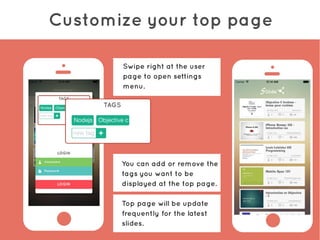
You can add or remove the
tags you want to be
displayed at the top page.
Top page will be update
frequently for the latest
slides.
Swipe right at the user
page to open settings
menu.
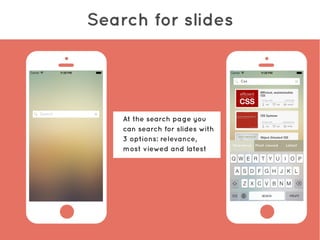
Search for slides
At the search page you
can search for slides with
3 options: relevance,
most viewed and latest
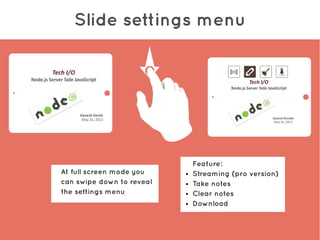
Slide settings menu
At full screen mode you
can swipe down to reveal
the settings menu
Feature:
● Streaming (pro version)
● Take notes
● Clear notes
● Download
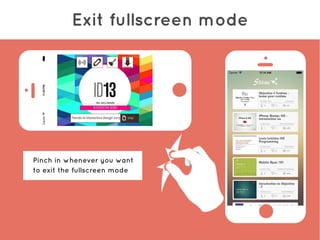
Exit fullscreen mode
Pinch in whenever you want
to exit the fullscreen mode
Streaming (pro version)
#1: Tap at the streaming
button to establish streaming
#2: From other devices, search
for #[host's username]
#3: Select the streaming slide
appeared in the search page
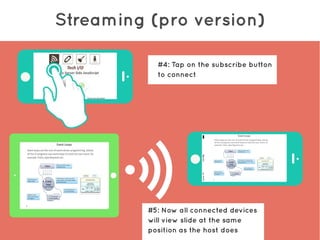
Streaming (pro version)
#4: Tap on the subscribe button
to connect
#5: Now all connected devices
will view slide at the same
position as the host does

Tutorial

  • 2.
    Customize your toppage You can add or remove the tags you want to be displayed at the top page. Top page will be update frequently for the latest slides. Swipe right at the user page to open settings menu.
  • 3.
    Search for slides Atthe search page you can search for slides with 3 options: relevance, most viewed and latest
  • 4.
    Slide settings menu Atfull screen mode you can swipe down to reveal the settings menu Feature: ● Streaming (pro version) ● Take notes ● Clear notes ● Download
  • 5.
    Exit fullscreen mode Pinchin whenever you want to exit the fullscreen mode
  • 6.
    Streaming (pro version) #1:Tap at the streaming button to establish streaming #2: From other devices, search for #[host's username] #3: Select the streaming slide appeared in the search page
  • 7.
    Streaming (pro version) #4:Tap on the subscribe button to connect #5: Now all connected devices will view slide at the same position as the host does