TLS / HTTPS
Theory and practice
1
La 1ère école 100 % dédiée à l'open source
Open Source School est fondée à l'initiative de Smile, leader de
l'intégration et de l'infogérance open source, et de l'EPSI,établissement
privé pionnier de l’enseignement supérieur en informatique.
Dans le cadre du Programme d’Investissements d’Avenir (PIA), le
gouvernement français a décidé de soutenir la création de cette école en
lui attribuant une première aide de 1,4M€ et confirme sa volonté de
soutenir la filière du Logiciel Libre actuellement en plein développement.
Avec une croissance annuelle de plus de 10%, et 4 000
postes vacants chaque année dans le secteur du Logiciel
Libre, OSS entend répondre à la pénurie de compétences du
secteur en mobilisant l’ensemble de l’écosystème et en
proposant la plus vaste offre en matière de formation aux
technologies open source tant en formation initiale qu'en
formation continue.
2
Les formations du plein emploi !
 Formation Continue
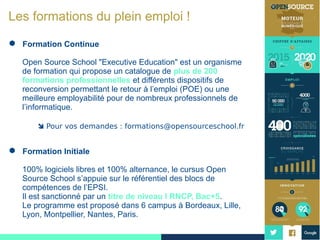
Open Source School "Executive Education" est un organisme
de formation qui propose un catalogue de plus de 200
formations professionnelles et différents dispositifs de
reconversion permettant le retour à l’emploi (POE) ou une
meilleure employabilité pour de nombreux professionnels de
l’informatique.
 Pour vos demandes : formations@opensourceschool.fr
 Formation Initiale
100% logiciels libres et 100% alternance, le cursus Open
Source School s’appuie sur le référentiel des blocs de
compétences de l’EPSI.
Il est sanctionné par un titre de niveau I RNCP, Bac+5.
Le programme est proposé dans 6 campus à Bordeaux, Lille,
Lyon, Montpellier, Nantes, Paris.
3
Nos domaines de formations
Introduction to cryptography Transport Layer Security X509 certificates Certificate Authorities with OpenSSL Revoca
Introduction to cryptography
www.opensourceschool.fr – Licence Creative Commons (CC BY-SA 3.0 FR) – 2/59
Introduction to cryptography Transport Layer Security X509 certificates Certificate Authorities with OpenSSL Revoca
Context
Context
www.opensourceschool.fr – Licence Creative Commons (CC BY-SA 3.0 FR) – 3/59
Introduction to cryptography Transport Layer Security X509 certificates Certificate Authorities with OpenSSL Revoca
Context
Context
The context : the Web is intrinsically an insecure medium
relatively easy to listen to a communication: eavesdropping
no certification of identity of both ends of the communication:
spoofing
no validation that the content has not been tampered: MitM
injection
Not so good for banking, eCommerce, medical applications...
A combination of technologies is used to answer these questions,
based on TLS and X509.
www.opensourceschool.fr – Licence Creative Commons (CC BY-SA 3.0 FR) – 4/59
Introduction to cryptography Transport Layer Security X509 certificates Certificate Authorities with OpenSSL Revoca
Shared secret cryptography
www.opensourceschool.fr – Licence Creative Commons (CC BY-SA 3.0 FR) – 5/59
Introduction to cryptography Transport Layer Security X509 certificates Certificate Authorities with OpenSSL Revoca
Shared secret cryptography
Bob and Alice use the same secret to encrypt and decrypt the
data
Problem : the secret has to be communicated with both
parties
meeting in person to avoid compromise of secret
higher risk of leaking as two parties know the secret
even higher risk when communicating with more people
Insecure and unpractical in a web context
www.opensourceschool.fr – Licence Creative Commons (CC BY-SA 3.0 FR) – 6/59
Introduction to cryptography Transport Layer Security X509 certificates Certificate Authorities with OpenSSL Revoca
Public key cryptography
www.opensourceschool.fr – Licence Creative Commons (CC BY-SA 3.0 FR) – 7/59
Introduction to cryptography Transport Layer Security X509 certificates Certificate Authorities with OpenSSL Revoca
Public key cryptography
A Postal Analogy
Alice wants to send a message to Bob
Bob sends his lock to Alice
The lock can be send via a normal postal service, as it cannot
be easily used to create the matching key
Alice send a message in a box locked with Bob’s key
Not one else than Bob can open the box, as he is the only one
with the key
The box can be send over the normal postal service, as the
mailman cannot open the box
Public key cryptography
The lock is the public key, as everyone can use it to lock the
box.
The lock’s key is the private key, as only the message receiver
(Bob) can open the box
www.opensourceschool.fr – Licence Creative Commons (CC BY-SA 3.0 FR) – 8/59
Introduction to cryptography Transport Layer Security X509 certificates Certificate Authorities with OpenSSL Revoca
Public key cryptography
Asymmetric keys
Principle
What is encrypted by the public key can only be decrypted by
the private key
What is encrypted by the private key can only be decrypted by
the public key
Public key are shared between the two ends of the
communication. Bob knows Alice’s public key and Alice
knows Bob public key.
Everybody can have and use the public key without
compromising the communication confidentiality
www.opensourceschool.fr – Licence Creative Commons (CC BY-SA 3.0 FR) – 9/59
Introduction to cryptography Transport Layer Security X509 certificates Certificate Authorities with OpenSSL Revoca
Public key cryptography
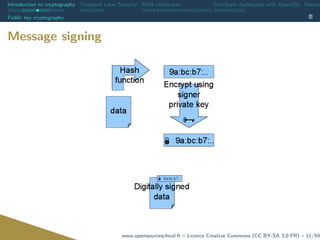
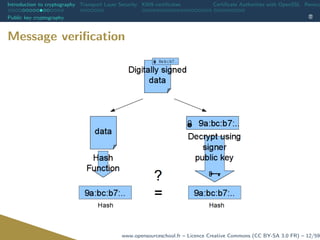
Proving origin and integrity
Confidentiality DOES NOT guaranty origin or integrity
But public key cryptography can
Using Alice’s private key to encrypt a (possibly encrypted)
message proves that she wrote it
Hash functions can help with integrity
www.opensourceschool.fr – Licence Creative Commons (CC BY-SA 3.0 FR) – 10/59
Introduction to cryptography Transport Layer Security X509 certificates Certificate Authorities with OpenSSL Revoca
Public key cryptography
Message signing
www.opensourceschool.fr – Licence Creative Commons (CC BY-SA 3.0 FR) – 11/59
Introduction to cryptography Transport Layer Security X509 certificates Certificate Authorities with OpenSSL Revoca
Public key cryptography
Message verification
www.opensourceschool.fr – Licence Creative Commons (CC BY-SA 3.0 FR) – 12/59
Introduction to cryptography Transport Layer Security X509 certificates Certificate Authorities with OpenSSL Revoca
Public key cryptography
Remember
Hash ensures integrity
Encryption with the emitter’s private key ensures origin
Encryption with the recipient’s public key ensures
confidentiality
www.opensourceschool.fr – Licence Creative Commons (CC BY-SA 3.0 FR) – 13/59
Introduction to cryptography Transport Layer Security X509 certificates Certificate Authorities with OpenSSL Revoca
Public key cryptography
Drawbacks
very computationally intensive
too costly to use for real time communication
Solution: hybrid crypto-systems
a symmetric key is generated before each exchange
this key is exchanged with public key cryptography
once the symmetric key has been exchanged, both system use
it to encrypt and decrypt data
www.opensourceschool.fr – Licence Creative Commons (CC BY-SA 3.0 FR) – 14/59
Introduction to cryptography Transport Layer Security X509 certificates Certificate Authorities with OpenSSL Revoca
Trust and the internet
www.opensourceschool.fr – Licence Creative Commons (CC BY-SA 3.0 FR) – 15/59
Introduction to cryptography Transport Layer Security X509 certificates Certificate Authorities with OpenSSL Revoca
Trust and the internet
The previously described system made a big asumption
Alice’s public key belongs to Alice
But what if Mallory sent you her public key, telling you it was
Alice’s ?
How to trust the identity of somebody you don’t know, or
meet in person ?
How to trust a website ?
How to be sure a DNS requested has not been spoofed, or
even the domain name stolen ?
maybe mybank.com is really fakebank.hacker.ru. . .
www.opensourceschool.fr – Licence Creative Commons (CC BY-SA 3.0 FR) – 16/59
Introduction to cryptography Transport Layer Security X509 certificates Certificate Authorities with OpenSSL Revoca
Trust and the internet
Trusted third party
EVERY. SINGLE. secure identification system in the world is
based at some level on a trusted third party
It can be very strict and hierarchical (X509)
It can be loose and unstructured (Web of trust, PGP. . . )
www.opensourceschool.fr – Licence Creative Commons (CC BY-SA 3.0 FR) – 17/59
Introduction to cryptography Transport Layer Security X509 certificates Certificate Authorities with OpenSSL Revoca
Trust and the internet
Conclusion
Securing a communication channel through the internet means :
Validating the origin through a third party (X.509)
Exchange a secure session key (TLS)
Communicate through symmetric encryption (TLS)
www.opensourceschool.fr – Licence Creative Commons (CC BY-SA 3.0 FR) – 18/59
Introduction to cryptography Transport Layer Security X509 certificates Certificate Authorities with OpenSSL Revoca
Transport Layer Security
www.opensourceschool.fr – Licence Creative Commons (CC BY-SA 3.0 FR) – 19/59
Introduction to cryptography Transport Layer Security X509 certificates Certificate Authorities with OpenSSL Revoca
History
History
www.opensourceschool.fr – Licence Creative Commons (CC BY-SA 3.0 FR) – 20/59
Introduction to cryptography Transport Layer Security X509 certificates Certificate Authorities with OpenSSL Revoca
History
History
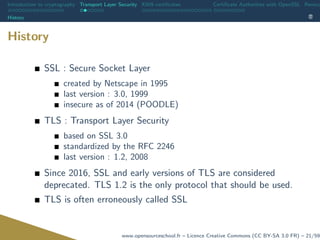
SSL : Secure Socket Layer
created by Netscape in 1995
last version : 3.0, 1999
insecure as of 2014 (POODLE)
TLS : Transport Layer Security
based on SSL 3.0
standardized by the RFC 2246
last version : 1.2, 2008
Since 2016, SSL and early versions of TLS are considered
deprecated. TLS 1.2 is the only protocol that should be used.
TLS is often erroneously called SSL
www.opensourceschool.fr – Licence Creative Commons (CC BY-SA 3.0 FR) – 21/59
Introduction to cryptography Transport Layer Security X509 certificates Certificate Authorities with OpenSSL Revoca
STARTTLS
STARTTLS
www.opensourceschool.fr – Licence Creative Commons (CC BY-SA 3.0 FR) – 22/59
Introduction to cryptography Transport Layer Security X509 certificates Certificate Authorities with OpenSSL Revoca
STARTTLS
STARTTLS
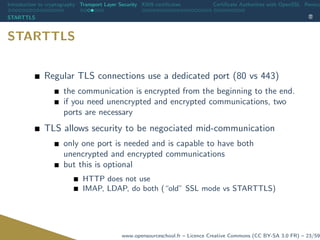
Regular TLS connections use a dedicated port (80 vs 443)
the communication is encrypted from the beginning to the end.
if you need unencrypted and encrypted communications, two
ports are necessary
TLS allows security to be negociated mid-communication
only one port is needed and is capable to have both
unencrypted and encrypted communications
but this is optional
HTTP does not use
IMAP, LDAP, do both (“old” SSL mode vs STARTTLS)
www.opensourceschool.fr – Licence Creative Commons (CC BY-SA 3.0 FR) – 23/59
Introduction to cryptography Transport Layer Security X509 certificates Certificate Authorities with OpenSSL Revoca
Algorithms
Algorithms
www.opensourceschool.fr – Licence Creative Commons (CC BY-SA 3.0 FR) – 24/59
Introduction to cryptography Transport Layer Security X509 certificates Certificate Authorities with OpenSSL Revoca
Algorithms
Algorithms
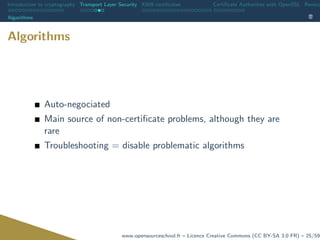
Auto-negociated
Main source of non-certificate problems, although they are
rare
Troubleshooting = disable problematic algorithms
www.opensourceschool.fr – Licence Creative Commons (CC BY-SA 3.0 FR) – 25/59
Introduction to cryptography Transport Layer Security X509 certificates Certificate Authorities with OpenSSL Revoca
Algorithms
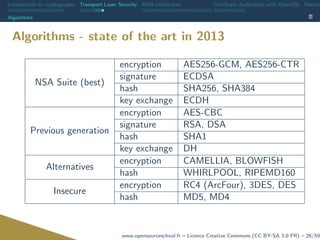
Algorithms - state of the art in 2013
NSA Suite (best)
encryption AES256-GCM, AES256-CTR
signature ECDSA
hash SHA256, SHA384
key exchange ECDH
Previous generation
encryption AES-CBC
signature RSA, DSA
hash SHA1
key exchange DH
Alternatives
encryption CAMELLIA, BLOWFISH
hash WHIRLPOOL, RIPEMD160
Insecure
encryption RC4 (ArcFour), 3DES, DES
hash MD5, MD4
www.opensourceschool.fr – Licence Creative Commons (CC BY-SA 3.0 FR) – 26/59
Introduction to cryptography Transport Layer Security X509 certificates Certificate Authorities with OpenSSL Revoca
X509 certificates
www.opensourceschool.fr – Licence Creative Commons (CC BY-SA 3.0 FR) – 27/59
Introduction to cryptography Transport Layer Security X509 certificates Certificate Authorities with OpenSSL Revoca
Chain of trust
Chain of trust
www.opensourceschool.fr – Licence Creative Commons (CC BY-SA 3.0 FR) – 28/59
Introduction to cryptography Transport Layer Security X509 certificates Certificate Authorities with OpenSSL Revoca
Chain of trust
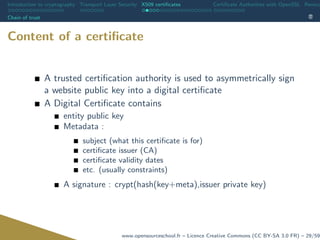
Content of a certificate
A trusted certification authority is used to asymmetrically sign
a website public key into a digital certificate
A Digital Certificate contains
entity public key
Metadata :
subject (what this certificate is for)
certificate issuer (CA)
certificate validity dates
etc. (usually constraints)
A signature : crypt(hash(key+meta),issuer private key)
www.opensourceschool.fr – Licence Creative Commons (CC BY-SA 3.0 FR) – 29/59
Introduction to cryptography Transport Layer Security X509 certificates Certificate Authorities with OpenSSL Revoca
Chain of trust
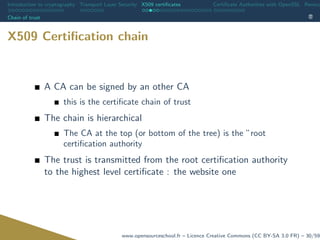
X509 Certification chain
A CA can be signed by an other CA
this is the certificate chain of trust
The chain is hierarchical
The CA at the top (or bottom of the tree) is the ”root
certification authority
The trust is transmitted from the root certification authority
to the highest level certificate : the website one
www.opensourceschool.fr – Licence Creative Commons (CC BY-SA 3.0 FR) – 30/59
Introduction to cryptography Transport Layer Security X509 certificates Certificate Authorities with OpenSSL Revoca
Chain of trust
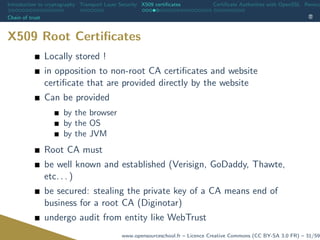
X509 Root Certificates
Locally stored !
in opposition to non-root CA certificates and website
certificate that are provided directly by the website
Can be provided
by the browser
by the OS
by the JVM
Root CA must
be well known and established (Verisign, GoDaddy, Thawte,
etc. . . )
be secured: stealing the private key of a CA means end of
business for a root CA (Diginotar)
undergo audit from entity like WebTrust
www.opensourceschool.fr – Licence Creative Commons (CC BY-SA 3.0 FR) – 31/59
Introduction to cryptography Transport Layer Security X509 certificates Certificate Authorities with OpenSSL Revoca
Chain of trust
X509 Root certificate storage
In the browser
Preferences -> Advanced -> Encryption -> View certificates
The OpenSSL storage
/etc/ssl/certs (in Debian)
The JVM storage
<jre path>lib/security/cacerts
www.opensourceschool.fr – Licence Creative Commons (CC BY-SA 3.0 FR) – 32/59
Introduction to cryptography Transport Layer Security X509 certificates Certificate Authorities with OpenSSL Revoca
X509 and TLS
X509 and TLS
www.opensourceschool.fr – Licence Creative Commons (CC BY-SA 3.0 FR) – 33/59
Introduction to cryptography Transport Layer Security X509 certificates Certificate Authorities with OpenSSL Revoca
X509 and TLS
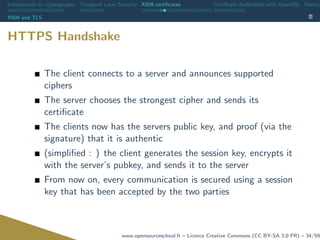
HTTPS Handshake
The client connects to a server and announces supported
ciphers
The server chooses the strongest cipher and sends its
certificate
The clients now has the servers public key, and proof (via the
signature) that it is authentic
(simplified : ) the client generates the session key, encrypts it
with the server’s pubkey, and sends it to the server
From now on, every communication is secured using a session
key that has been accepted by the two parties
www.opensourceschool.fr – Licence Creative Commons (CC BY-SA 3.0 FR) – 34/59
Introduction to cryptography Transport Layer Security X509 certificates Certificate Authorities with OpenSSL Revoca
Practice
Practice
www.opensourceschool.fr – Licence Creative Commons (CC BY-SA 3.0 FR) – 35/59
Introduction to cryptography Transport Layer Security X509 certificates Certificate Authorities with OpenSSL Revoca
Practice
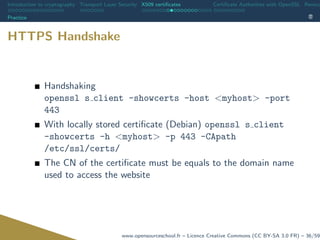
HTTPS Handshake
Handshaking
openssl s client -showcerts -host <myhost> -port
443
With locally stored certificate (Debian) openssl s client
-showcerts -h <myhost> -p 443 -CApath
/etc/ssl/certs/
The CN of the certificate must be equals to the domain name
used to access the website
www.opensourceschool.fr – Licence Creative Commons (CC BY-SA 3.0 FR) – 36/59
Introduction to cryptography Transport Layer Security X509 certificates Certificate Authorities with OpenSSL Revoca
Practice
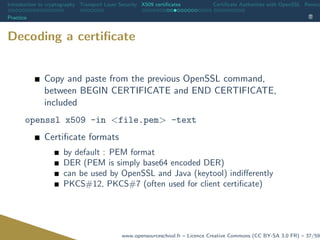
Decoding a certificate
Copy and paste from the previous OpenSSL command,
between BEGIN CERTIFICATE and END CERTIFICATE,
included
openssl x509 -in <file.pem> -text
Certificate formats
by default : PEM format
DER (PEM is simply base64 encoded DER)
can be used by OpenSSL and Java (keytool) indifferently
PKCS#12, PKCS#7 (often used for client certificate)
www.opensourceschool.fr – Licence Creative Commons (CC BY-SA 3.0 FR) – 37/59
Introduction to cryptography Transport Layer Security X509 certificates Certificate Authorities with OpenSSL Revoca
Practice
How to create a certificate
What do we need ?
a public and private keys pair
an authority to sign our public key and generate our certificate
www.opensourceschool.fr – Licence Creative Commons (CC BY-SA 3.0 FR) – 38/59
Introduction to cryptography Transport Layer Security X509 certificates Certificate Authorities with OpenSSL Revoca
Practice
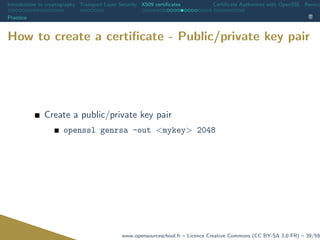
How to create a certificate - Public/private key pair
Create a public/private key pair
openssl genrsa -out <mykey> 2048
www.opensourceschool.fr – Licence Creative Commons (CC BY-SA 3.0 FR) – 39/59
Introduction to cryptography Transport Layer Security X509 certificates Certificate Authorities with OpenSSL Revoca
Practice
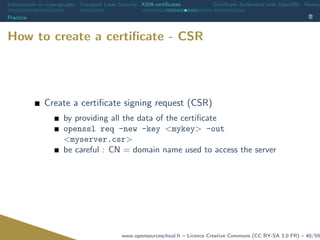
How to create a certificate - CSR
Create a certificate signing request (CSR)
by providing all the data of the certificate
openssl req -new -key <mykey> -out
<myserver.csr>
be careful : CN = domain name used to access the server
www.opensourceschool.fr – Licence Creative Commons (CC BY-SA 3.0 FR) – 40/59
Introduction to cryptography Transport Layer Security X509 certificates Certificate Authorities with OpenSSL Revoca
Practice
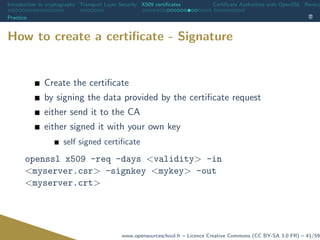
How to create a certificate - Signature
Create the certificate
by signing the data provided by the certificate request
either send it to the CA
either signed it with your own key
self signed certificate
openssl x509 -req -days <validity> -in
<myserver.csr> -signkey <mykey> -out
<myserver.crt>
www.opensourceschool.fr – Licence Creative Commons (CC BY-SA 3.0 FR) – 41/59
Introduction to cryptography Transport Layer Security X509 certificates Certificate Authorities with OpenSSL Revoca
Practice
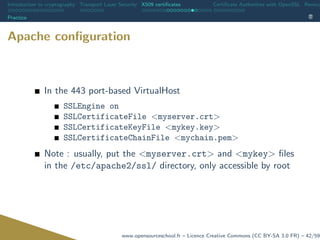
Apache configuration
In the 443 port-based VirtualHost
SSLEngine on
SSLCertificateFile <myserver.crt>
SSLCertificateKeyFile <mykey.key>
SSLCertificateChainFile <mychain.pem>
Note : usually, put the <myserver.crt> and <mykey> files
in the /etc/apache2/ssl/ directory, only accessible by root
www.opensourceschool.fr – Licence Creative Commons (CC BY-SA 3.0 FR) – 42/59
Introduction to cryptography Transport Layer Security X509 certificates Certificate Authorities with OpenSSL Revoca
Practice
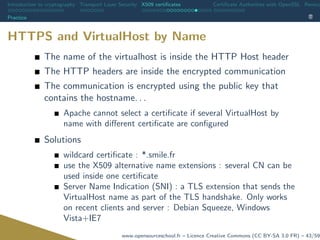
HTTPS and VirtualHost by Name
The name of the virtualhost is inside the HTTP Host header
The HTTP headers are inside the encrypted communication
The communication is encrypted using the public key that
contains the hostname. . .
Apache cannot select a certificate if several VirtualHost by
name with different certificate are configured
Solutions
wildcard certificate : *.smile.fr
use the X509 alternative name extensions : several CN can be
used inside one certificate
Server Name Indication (SNI) : a TLS extension that sends the
VirtualHost name as part of the TLS handshake. Only works
on recent clients and server : Debian Squeeze, Windows
Vista+IE7
www.opensourceschool.fr – Licence Creative Commons (CC BY-SA 3.0 FR) – 43/59
Introduction to cryptography Transport Layer Security X509 certificates Certificate Authorities with OpenSSL Revoca
Java and TLS
Java and TLS
www.opensourceschool.fr – Licence Creative Commons (CC BY-SA 3.0 FR) – 44/59
Introduction to cryptography Transport Layer Security X509 certificates Certificate Authorities with OpenSSL Revoca
Java and TLS
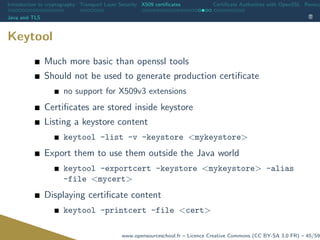
Keytool
Much more basic than openssl tools
Should not be used to generate production certificate
no support for X509v3 extensions
Certificates are stored inside keystore
Listing a keystore content
keytool -list -v -keystore <mykeystore>
Export them to use them outside the Java world
keytool -exportcert -keystore <mykeystore> -alias
-file <mycert>
Displaying certificate content
keytool -printcert -file <cert>
www.opensourceschool.fr – Licence Creative Commons (CC BY-SA 3.0 FR) – 45/59
Introduction to cryptography Transport Layer Security X509 certificates Certificate Authorities with OpenSSL Revoca
Java and TLS
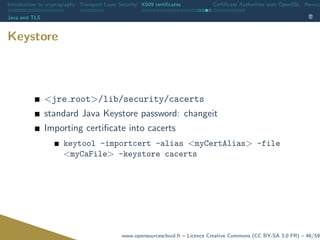
Keystore
<jre root>/lib/security/cacerts
standard Java Keystore password: changeit
Importing certificate into cacerts
keytool -importcert -alias <myCertAlias> -file
<myCaFile> -keystore cacerts
www.opensourceschool.fr – Licence Creative Commons (CC BY-SA 3.0 FR) – 46/59
Introduction to cryptography Transport Layer Security X509 certificates Certificate Authorities with OpenSSL Revoca
Java and TLS
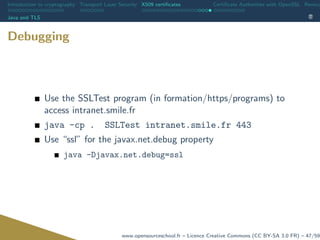
Debugging
Use the SSLTest program (in formation/https/programs) to
access intranet.smile.fr
java -cp . SSLTest intranet.smile.fr 443
Use “ssl” for the javax.net.debug property
java -Djavax.net.debug=ssl
www.opensourceschool.fr – Licence Creative Commons (CC BY-SA 3.0 FR) – 47/59
Introduction to cryptography Transport Layer Security X509 certificates Certificate Authorities with OpenSSL Revoca
Certificate Authorities with Ope
www.opensourceschool.fr – Licence Creative Commons (CC BY-SA 3.0 FR) – 48/59
Introduction to cryptography Transport Layer Security X509 certificates Certificate Authorities with OpenSSL Revoca
Configuring the CA
Configuring the CA
www.opensourceschool.fr – Licence Creative Commons (CC BY-SA 3.0 FR) – 49/59
Introduction to cryptography Transport Layer Security X509 certificates Certificate Authorities with OpenSSL Revoca
Configuring the CA
Configuring the CA
Create a section at the end of /etc/ssl/openssl.cnf
[ my ca ]
d i r = /home/ formation /my ca
database = $ d i r / index . t x t
n e w c e r t s d i r = $ d i r / newcerts
c e r t i f i c a t e = $ d i r / c a c e r t . pem
s e r i a l = $ d i r / s e r i a l
p r i v a t e k e y = $ d i r / p r i v a t e / cakey . pem
RANDFILE = $ d i r / p r i v a t e /. rand
d e f a u l t d a y s = 365
d e f a u l t c r l d a y s= 30
default md = md5
p o l i c y = p o l i c y a n y t h i n g
e m a i l i n d n = no
name opt = c a d e f a u l t
c e r t o p t = c a d e f a u l t
c o p y e x t e n s i o n s = none
www.opensourceschool.fr – Licence Creative Commons (CC BY-SA 3.0 FR) – 50/59
Introduction to cryptography Transport Layer Security X509 certificates Certificate Authorities with OpenSSL Revoca
Creating the CA key
Creating the CA key
www.opensourceschool.fr – Licence Creative Commons (CC BY-SA 3.0 FR) – 51/59
Introduction to cryptography Transport Layer Security X509 certificates Certificate Authorities with OpenSSL Revoca
Creating the CA key
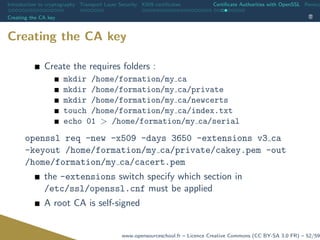
Creating the CA key
Create the requires folders :
mkdir /home/formation/my ca
mkdir /home/formation/my ca/private
mkdir /home/formation/my ca/newcerts
touch /home/formation/my ca/index.txt
echo 01 > /home/formation/my ca/serial
openssl req -new -x509 -days 3650 -extensions v3 ca
-keyout /home/formation/my ca/private/cakey.pem -out
/home/formation/my ca/cacert.pem
the -extensions switch specify which section in
/etc/ssl/openssl.cnf must be applied
A root CA is self-signed
www.opensourceschool.fr – Licence Creative Commons (CC BY-SA 3.0 FR) – 52/59
Introduction to cryptography Transport Layer Security X509 certificates Certificate Authorities with OpenSSL Revoca
Creating a server certificate
www.opensourceschool.fr – Licence Creative Commons (CC BY-SA 3.0 FR) – 53/59
Introduction to cryptography Transport Layer Security X509 certificates Certificate Authorities with OpenSSL Revoca
Creating a server certificate
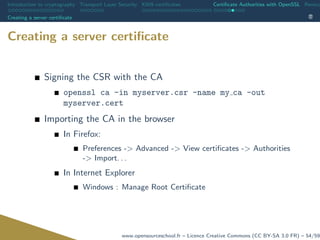
Signing the CSR with the CA
openssl ca -in myserver.csr -name my ca -out
myserver.cert
Importing the CA in the browser
In Firefox:
Preferences -> Advanced -> View certificates -> Authorities
-> Import. . .
In Internet Explorer
Windows : Manage Root Certificate
www.opensourceschool.fr – Licence Creative Commons (CC BY-SA 3.0 FR) – 54/59
Introduction to cryptography Transport Layer Security X509 certificates Certificate Authorities with OpenSSL Revoca
Client authentication
www.opensourceschool.fr – Licence Creative Commons (CC BY-SA 3.0 FR) – 55/59
Introduction to cryptography Transport Layer Security X509 certificates Certificate Authorities with OpenSSL Revoca
Client authentication
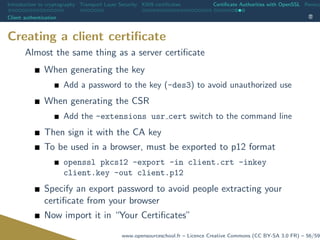
Creating a client certificate
Almost the same thing as a server certificate
When generating the key
Add a password to the key (-des3) to avoid unauthorized use
When generating the CSR
Add the -extensions usr cert switch to the command line
Then sign it with the CA key
To be used in a browser, must be exported to p12 format
openssl pkcs12 -export -in client.crt -inkey
client.key -out client.p12
Specify an export password to avoid people extracting your
certificate from your browser
Now import it in “Your Certificates”
www.opensourceschool.fr – Licence Creative Commons (CC BY-SA 3.0 FR) – 56/59
Introduction to cryptography Transport Layer Security X509 certificates Certificate Authorities with OpenSSL Revoca
Client authentication
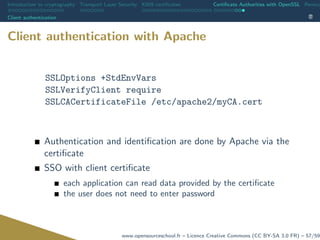
Client authentication with Apache
SSLOptions +StdEnvVars
SSLVerifyClient require
SSLCACertificateFile /etc/apache2/myCA.cert
Authentication and identification are done by Apache via the
certificate
SSO with client certificate
each application can read data provided by the certificate
the user does not need to enter password
www.opensourceschool.fr – Licence Creative Commons (CC BY-SA 3.0 FR) – 57/59
Introduction to cryptography Transport Layer Security X509 certificates Certificate Authorities with OpenSSL Revoca
Revocation
www.opensourceschool.fr – Licence Creative Commons (CC BY-SA 3.0 FR) – 58/59
Introduction to cryptography Transport Layer Security X509 certificates Certificate Authorities with OpenSSL Revoca
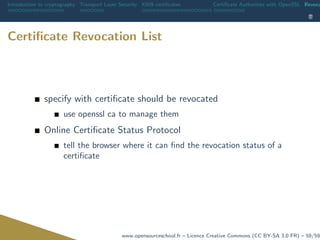
Certificate Revocation List
specify with certificate should be revocated
use openssl ca to manage them
Online Certificate Status Protocol
tell the browser where it can find the revocation status of a
certificate
www.opensourceschool.fr – Licence Creative Commons (CC BY-SA 3.0 FR) – 59/59

SSL : Theory and practice

  • 1.
    TLS / HTTPS Theoryand practice
  • 2.
    1 La 1ère école100 % dédiée à l'open source Open Source School est fondée à l'initiative de Smile, leader de l'intégration et de l'infogérance open source, et de l'EPSI,établissement privé pionnier de l’enseignement supérieur en informatique. Dans le cadre du Programme d’Investissements d’Avenir (PIA), le gouvernement français a décidé de soutenir la création de cette école en lui attribuant une première aide de 1,4M€ et confirme sa volonté de soutenir la filière du Logiciel Libre actuellement en plein développement. Avec une croissance annuelle de plus de 10%, et 4 000 postes vacants chaque année dans le secteur du Logiciel Libre, OSS entend répondre à la pénurie de compétences du secteur en mobilisant l’ensemble de l’écosystème et en proposant la plus vaste offre en matière de formation aux technologies open source tant en formation initiale qu'en formation continue.

  • 3.
    2 Les formations duplein emploi !  Formation Continue Open Source School "Executive Education" est un organisme de formation qui propose un catalogue de plus de 200 formations professionnelles et différents dispositifs de reconversion permettant le retour à l’emploi (POE) ou une meilleure employabilité pour de nombreux professionnels de l’informatique.  Pour vos demandes : formations@opensourceschool.fr  Formation Initiale 100% logiciels libres et 100% alternance, le cursus Open Source School s’appuie sur le référentiel des blocs de compétences de l’EPSI. Il est sanctionné par un titre de niveau I RNCP, Bac+5. Le programme est proposé dans 6 campus à Bordeaux, Lille, Lyon, Montpellier, Nantes, Paris.
  • 4.
  • 5.
    Introduction to cryptographyTransport Layer Security X509 certificates Certificate Authorities with OpenSSL Revoca Introduction to cryptography www.opensourceschool.fr – Licence Creative Commons (CC BY-SA 3.0 FR) – 2/59
  • 6.
    Introduction to cryptographyTransport Layer Security X509 certificates Certificate Authorities with OpenSSL Revoca Context Context www.opensourceschool.fr – Licence Creative Commons (CC BY-SA 3.0 FR) – 3/59
  • 7.
    Introduction to cryptographyTransport Layer Security X509 certificates Certificate Authorities with OpenSSL Revoca Context Context The context : the Web is intrinsically an insecure medium relatively easy to listen to a communication: eavesdropping no certification of identity of both ends of the communication: spoofing no validation that the content has not been tampered: MitM injection Not so good for banking, eCommerce, medical applications... A combination of technologies is used to answer these questions, based on TLS and X509. www.opensourceschool.fr – Licence Creative Commons (CC BY-SA 3.0 FR) – 4/59
  • 8.
    Introduction to cryptographyTransport Layer Security X509 certificates Certificate Authorities with OpenSSL Revoca Shared secret cryptography Shared secret cryptography www.opensourceschool.fr – Licence Creative Commons (CC BY-SA 3.0 FR) – 5/59
  • 9.
    Introduction to cryptographyTransport Layer Security X509 certificates Certificate Authorities with OpenSSL Revoca Shared secret cryptography Shared secret cryptography Bob and Alice use the same secret to encrypt and decrypt the data Problem : the secret has to be communicated with both parties meeting in person to avoid compromise of secret higher risk of leaking as two parties know the secret even higher risk when communicating with more people Insecure and unpractical in a web context www.opensourceschool.fr – Licence Creative Commons (CC BY-SA 3.0 FR) – 6/59
  • 10.
    Introduction to cryptographyTransport Layer Security X509 certificates Certificate Authorities with OpenSSL Revoca Public key cryptography Public key cryptography www.opensourceschool.fr – Licence Creative Commons (CC BY-SA 3.0 FR) – 7/59
  • 11.
    Introduction to cryptographyTransport Layer Security X509 certificates Certificate Authorities with OpenSSL Revoca Public key cryptography A Postal Analogy Alice wants to send a message to Bob Bob sends his lock to Alice The lock can be send via a normal postal service, as it cannot be easily used to create the matching key Alice send a message in a box locked with Bob’s key Not one else than Bob can open the box, as he is the only one with the key The box can be send over the normal postal service, as the mailman cannot open the box Public key cryptography The lock is the public key, as everyone can use it to lock the box. The lock’s key is the private key, as only the message receiver (Bob) can open the box www.opensourceschool.fr – Licence Creative Commons (CC BY-SA 3.0 FR) – 8/59
  • 12.
    Introduction to cryptographyTransport Layer Security X509 certificates Certificate Authorities with OpenSSL Revoca Public key cryptography Asymmetric keys Principle What is encrypted by the public key can only be decrypted by the private key What is encrypted by the private key can only be decrypted by the public key Public key are shared between the two ends of the communication. Bob knows Alice’s public key and Alice knows Bob public key. Everybody can have and use the public key without compromising the communication confidentiality www.opensourceschool.fr – Licence Creative Commons (CC BY-SA 3.0 FR) – 9/59
  • 13.
    Introduction to cryptographyTransport Layer Security X509 certificates Certificate Authorities with OpenSSL Revoca Public key cryptography Proving origin and integrity Confidentiality DOES NOT guaranty origin or integrity But public key cryptography can Using Alice’s private key to encrypt a (possibly encrypted) message proves that she wrote it Hash functions can help with integrity www.opensourceschool.fr – Licence Creative Commons (CC BY-SA 3.0 FR) – 10/59
  • 14.
    Introduction to cryptographyTransport Layer Security X509 certificates Certificate Authorities with OpenSSL Revoca Public key cryptography Message signing www.opensourceschool.fr – Licence Creative Commons (CC BY-SA 3.0 FR) – 11/59
  • 15.
    Introduction to cryptographyTransport Layer Security X509 certificates Certificate Authorities with OpenSSL Revoca Public key cryptography Message verification www.opensourceschool.fr – Licence Creative Commons (CC BY-SA 3.0 FR) – 12/59
  • 16.
    Introduction to cryptographyTransport Layer Security X509 certificates Certificate Authorities with OpenSSL Revoca Public key cryptography Remember Hash ensures integrity Encryption with the emitter’s private key ensures origin Encryption with the recipient’s public key ensures confidentiality www.opensourceschool.fr – Licence Creative Commons (CC BY-SA 3.0 FR) – 13/59
  • 17.
    Introduction to cryptographyTransport Layer Security X509 certificates Certificate Authorities with OpenSSL Revoca Public key cryptography Drawbacks very computationally intensive too costly to use for real time communication Solution: hybrid crypto-systems a symmetric key is generated before each exchange this key is exchanged with public key cryptography once the symmetric key has been exchanged, both system use it to encrypt and decrypt data www.opensourceschool.fr – Licence Creative Commons (CC BY-SA 3.0 FR) – 14/59
  • 18.
    Introduction to cryptographyTransport Layer Security X509 certificates Certificate Authorities with OpenSSL Revoca Trust and the internet Trust and the internet www.opensourceschool.fr – Licence Creative Commons (CC BY-SA 3.0 FR) – 15/59
  • 19.
    Introduction to cryptographyTransport Layer Security X509 certificates Certificate Authorities with OpenSSL Revoca Trust and the internet Trust and the internet The previously described system made a big asumption Alice’s public key belongs to Alice But what if Mallory sent you her public key, telling you it was Alice’s ? How to trust the identity of somebody you don’t know, or meet in person ? How to trust a website ? How to be sure a DNS requested has not been spoofed, or even the domain name stolen ? maybe mybank.com is really fakebank.hacker.ru. . . www.opensourceschool.fr – Licence Creative Commons (CC BY-SA 3.0 FR) – 16/59
  • 20.
    Introduction to cryptographyTransport Layer Security X509 certificates Certificate Authorities with OpenSSL Revoca Trust and the internet Trusted third party EVERY. SINGLE. secure identification system in the world is based at some level on a trusted third party It can be very strict and hierarchical (X509) It can be loose and unstructured (Web of trust, PGP. . . ) www.opensourceschool.fr – Licence Creative Commons (CC BY-SA 3.0 FR) – 17/59
  • 21.
    Introduction to cryptographyTransport Layer Security X509 certificates Certificate Authorities with OpenSSL Revoca Trust and the internet Conclusion Securing a communication channel through the internet means : Validating the origin through a third party (X.509) Exchange a secure session key (TLS) Communicate through symmetric encryption (TLS) www.opensourceschool.fr – Licence Creative Commons (CC BY-SA 3.0 FR) – 18/59
  • 22.
    Introduction to cryptographyTransport Layer Security X509 certificates Certificate Authorities with OpenSSL Revoca Transport Layer Security www.opensourceschool.fr – Licence Creative Commons (CC BY-SA 3.0 FR) – 19/59
  • 23.
    Introduction to cryptographyTransport Layer Security X509 certificates Certificate Authorities with OpenSSL Revoca History History www.opensourceschool.fr – Licence Creative Commons (CC BY-SA 3.0 FR) – 20/59
  • 24.
    Introduction to cryptographyTransport Layer Security X509 certificates Certificate Authorities with OpenSSL Revoca History History SSL : Secure Socket Layer created by Netscape in 1995 last version : 3.0, 1999 insecure as of 2014 (POODLE) TLS : Transport Layer Security based on SSL 3.0 standardized by the RFC 2246 last version : 1.2, 2008 Since 2016, SSL and early versions of TLS are considered deprecated. TLS 1.2 is the only protocol that should be used. TLS is often erroneously called SSL www.opensourceschool.fr – Licence Creative Commons (CC BY-SA 3.0 FR) – 21/59
  • 25.
    Introduction to cryptographyTransport Layer Security X509 certificates Certificate Authorities with OpenSSL Revoca STARTTLS STARTTLS www.opensourceschool.fr – Licence Creative Commons (CC BY-SA 3.0 FR) – 22/59
  • 26.
    Introduction to cryptographyTransport Layer Security X509 certificates Certificate Authorities with OpenSSL Revoca STARTTLS STARTTLS Regular TLS connections use a dedicated port (80 vs 443) the communication is encrypted from the beginning to the end. if you need unencrypted and encrypted communications, two ports are necessary TLS allows security to be negociated mid-communication only one port is needed and is capable to have both unencrypted and encrypted communications but this is optional HTTP does not use IMAP, LDAP, do both (“old” SSL mode vs STARTTLS) www.opensourceschool.fr – Licence Creative Commons (CC BY-SA 3.0 FR) – 23/59
  • 27.
    Introduction to cryptographyTransport Layer Security X509 certificates Certificate Authorities with OpenSSL Revoca Algorithms Algorithms www.opensourceschool.fr – Licence Creative Commons (CC BY-SA 3.0 FR) – 24/59
  • 28.
    Introduction to cryptographyTransport Layer Security X509 certificates Certificate Authorities with OpenSSL Revoca Algorithms Algorithms Auto-negociated Main source of non-certificate problems, although they are rare Troubleshooting = disable problematic algorithms www.opensourceschool.fr – Licence Creative Commons (CC BY-SA 3.0 FR) – 25/59
  • 29.
    Introduction to cryptographyTransport Layer Security X509 certificates Certificate Authorities with OpenSSL Revoca Algorithms Algorithms - state of the art in 2013 NSA Suite (best) encryption AES256-GCM, AES256-CTR signature ECDSA hash SHA256, SHA384 key exchange ECDH Previous generation encryption AES-CBC signature RSA, DSA hash SHA1 key exchange DH Alternatives encryption CAMELLIA, BLOWFISH hash WHIRLPOOL, RIPEMD160 Insecure encryption RC4 (ArcFour), 3DES, DES hash MD5, MD4 www.opensourceschool.fr – Licence Creative Commons (CC BY-SA 3.0 FR) – 26/59
  • 30.
    Introduction to cryptographyTransport Layer Security X509 certificates Certificate Authorities with OpenSSL Revoca X509 certificates www.opensourceschool.fr – Licence Creative Commons (CC BY-SA 3.0 FR) – 27/59
  • 31.
    Introduction to cryptographyTransport Layer Security X509 certificates Certificate Authorities with OpenSSL Revoca Chain of trust Chain of trust www.opensourceschool.fr – Licence Creative Commons (CC BY-SA 3.0 FR) – 28/59
  • 32.
    Introduction to cryptographyTransport Layer Security X509 certificates Certificate Authorities with OpenSSL Revoca Chain of trust Content of a certificate A trusted certification authority is used to asymmetrically sign a website public key into a digital certificate A Digital Certificate contains entity public key Metadata : subject (what this certificate is for) certificate issuer (CA) certificate validity dates etc. (usually constraints) A signature : crypt(hash(key+meta),issuer private key) www.opensourceschool.fr – Licence Creative Commons (CC BY-SA 3.0 FR) – 29/59
  • 33.
    Introduction to cryptographyTransport Layer Security X509 certificates Certificate Authorities with OpenSSL Revoca Chain of trust X509 Certification chain A CA can be signed by an other CA this is the certificate chain of trust The chain is hierarchical The CA at the top (or bottom of the tree) is the ”root certification authority The trust is transmitted from the root certification authority to the highest level certificate : the website one www.opensourceschool.fr – Licence Creative Commons (CC BY-SA 3.0 FR) – 30/59
  • 34.
    Introduction to cryptographyTransport Layer Security X509 certificates Certificate Authorities with OpenSSL Revoca Chain of trust X509 Root Certificates Locally stored ! in opposition to non-root CA certificates and website certificate that are provided directly by the website Can be provided by the browser by the OS by the JVM Root CA must be well known and established (Verisign, GoDaddy, Thawte, etc. . . ) be secured: stealing the private key of a CA means end of business for a root CA (Diginotar) undergo audit from entity like WebTrust www.opensourceschool.fr – Licence Creative Commons (CC BY-SA 3.0 FR) – 31/59
  • 35.
    Introduction to cryptographyTransport Layer Security X509 certificates Certificate Authorities with OpenSSL Revoca Chain of trust X509 Root certificate storage In the browser Preferences -> Advanced -> Encryption -> View certificates The OpenSSL storage /etc/ssl/certs (in Debian) The JVM storage <jre path>lib/security/cacerts www.opensourceschool.fr – Licence Creative Commons (CC BY-SA 3.0 FR) – 32/59
  • 36.
    Introduction to cryptographyTransport Layer Security X509 certificates Certificate Authorities with OpenSSL Revoca X509 and TLS X509 and TLS www.opensourceschool.fr – Licence Creative Commons (CC BY-SA 3.0 FR) – 33/59
  • 37.
    Introduction to cryptographyTransport Layer Security X509 certificates Certificate Authorities with OpenSSL Revoca X509 and TLS HTTPS Handshake The client connects to a server and announces supported ciphers The server chooses the strongest cipher and sends its certificate The clients now has the servers public key, and proof (via the signature) that it is authentic (simplified : ) the client generates the session key, encrypts it with the server’s pubkey, and sends it to the server From now on, every communication is secured using a session key that has been accepted by the two parties www.opensourceschool.fr – Licence Creative Commons (CC BY-SA 3.0 FR) – 34/59
  • 38.
    Introduction to cryptographyTransport Layer Security X509 certificates Certificate Authorities with OpenSSL Revoca Practice Practice www.opensourceschool.fr – Licence Creative Commons (CC BY-SA 3.0 FR) – 35/59
  • 39.
    Introduction to cryptographyTransport Layer Security X509 certificates Certificate Authorities with OpenSSL Revoca Practice HTTPS Handshake Handshaking openssl s client -showcerts -host <myhost> -port 443 With locally stored certificate (Debian) openssl s client -showcerts -h <myhost> -p 443 -CApath /etc/ssl/certs/ The CN of the certificate must be equals to the domain name used to access the website www.opensourceschool.fr – Licence Creative Commons (CC BY-SA 3.0 FR) – 36/59
  • 40.
    Introduction to cryptographyTransport Layer Security X509 certificates Certificate Authorities with OpenSSL Revoca Practice Decoding a certificate Copy and paste from the previous OpenSSL command, between BEGIN CERTIFICATE and END CERTIFICATE, included openssl x509 -in <file.pem> -text Certificate formats by default : PEM format DER (PEM is simply base64 encoded DER) can be used by OpenSSL and Java (keytool) indifferently PKCS#12, PKCS#7 (often used for client certificate) www.opensourceschool.fr – Licence Creative Commons (CC BY-SA 3.0 FR) – 37/59
  • 41.
    Introduction to cryptographyTransport Layer Security X509 certificates Certificate Authorities with OpenSSL Revoca Practice How to create a certificate What do we need ? a public and private keys pair an authority to sign our public key and generate our certificate www.opensourceschool.fr – Licence Creative Commons (CC BY-SA 3.0 FR) – 38/59
  • 42.
    Introduction to cryptographyTransport Layer Security X509 certificates Certificate Authorities with OpenSSL Revoca Practice How to create a certificate - Public/private key pair Create a public/private key pair openssl genrsa -out <mykey> 2048 www.opensourceschool.fr – Licence Creative Commons (CC BY-SA 3.0 FR) – 39/59
  • 43.
    Introduction to cryptographyTransport Layer Security X509 certificates Certificate Authorities with OpenSSL Revoca Practice How to create a certificate - CSR Create a certificate signing request (CSR) by providing all the data of the certificate openssl req -new -key <mykey> -out <myserver.csr> be careful : CN = domain name used to access the server www.opensourceschool.fr – Licence Creative Commons (CC BY-SA 3.0 FR) – 40/59
  • 44.
    Introduction to cryptographyTransport Layer Security X509 certificates Certificate Authorities with OpenSSL Revoca Practice How to create a certificate - Signature Create the certificate by signing the data provided by the certificate request either send it to the CA either signed it with your own key self signed certificate openssl x509 -req -days <validity> -in <myserver.csr> -signkey <mykey> -out <myserver.crt> www.opensourceschool.fr – Licence Creative Commons (CC BY-SA 3.0 FR) – 41/59
  • 45.
    Introduction to cryptographyTransport Layer Security X509 certificates Certificate Authorities with OpenSSL Revoca Practice Apache configuration In the 443 port-based VirtualHost SSLEngine on SSLCertificateFile <myserver.crt> SSLCertificateKeyFile <mykey.key> SSLCertificateChainFile <mychain.pem> Note : usually, put the <myserver.crt> and <mykey> files in the /etc/apache2/ssl/ directory, only accessible by root www.opensourceschool.fr – Licence Creative Commons (CC BY-SA 3.0 FR) – 42/59
  • 46.
    Introduction to cryptographyTransport Layer Security X509 certificates Certificate Authorities with OpenSSL Revoca Practice HTTPS and VirtualHost by Name The name of the virtualhost is inside the HTTP Host header The HTTP headers are inside the encrypted communication The communication is encrypted using the public key that contains the hostname. . . Apache cannot select a certificate if several VirtualHost by name with different certificate are configured Solutions wildcard certificate : *.smile.fr use the X509 alternative name extensions : several CN can be used inside one certificate Server Name Indication (SNI) : a TLS extension that sends the VirtualHost name as part of the TLS handshake. Only works on recent clients and server : Debian Squeeze, Windows Vista+IE7 www.opensourceschool.fr – Licence Creative Commons (CC BY-SA 3.0 FR) – 43/59
  • 47.
    Introduction to cryptographyTransport Layer Security X509 certificates Certificate Authorities with OpenSSL Revoca Java and TLS Java and TLS www.opensourceschool.fr – Licence Creative Commons (CC BY-SA 3.0 FR) – 44/59
  • 48.
    Introduction to cryptographyTransport Layer Security X509 certificates Certificate Authorities with OpenSSL Revoca Java and TLS Keytool Much more basic than openssl tools Should not be used to generate production certificate no support for X509v3 extensions Certificates are stored inside keystore Listing a keystore content keytool -list -v -keystore <mykeystore> Export them to use them outside the Java world keytool -exportcert -keystore <mykeystore> -alias -file <mycert> Displaying certificate content keytool -printcert -file <cert> www.opensourceschool.fr – Licence Creative Commons (CC BY-SA 3.0 FR) – 45/59
  • 49.
    Introduction to cryptographyTransport Layer Security X509 certificates Certificate Authorities with OpenSSL Revoca Java and TLS Keystore <jre root>/lib/security/cacerts standard Java Keystore password: changeit Importing certificate into cacerts keytool -importcert -alias <myCertAlias> -file <myCaFile> -keystore cacerts www.opensourceschool.fr – Licence Creative Commons (CC BY-SA 3.0 FR) – 46/59
  • 50.
    Introduction to cryptographyTransport Layer Security X509 certificates Certificate Authorities with OpenSSL Revoca Java and TLS Debugging Use the SSLTest program (in formation/https/programs) to access intranet.smile.fr java -cp . SSLTest intranet.smile.fr 443 Use “ssl” for the javax.net.debug property java -Djavax.net.debug=ssl www.opensourceschool.fr – Licence Creative Commons (CC BY-SA 3.0 FR) – 47/59
  • 51.
    Introduction to cryptographyTransport Layer Security X509 certificates Certificate Authorities with OpenSSL Revoca Certificate Authorities with Ope www.opensourceschool.fr – Licence Creative Commons (CC BY-SA 3.0 FR) – 48/59
  • 52.
    Introduction to cryptographyTransport Layer Security X509 certificates Certificate Authorities with OpenSSL Revoca Configuring the CA Configuring the CA www.opensourceschool.fr – Licence Creative Commons (CC BY-SA 3.0 FR) – 49/59
  • 53.
    Introduction to cryptographyTransport Layer Security X509 certificates Certificate Authorities with OpenSSL Revoca Configuring the CA Configuring the CA Create a section at the end of /etc/ssl/openssl.cnf [ my ca ] d i r = /home/ formation /my ca database = $ d i r / index . t x t n e w c e r t s d i r = $ d i r / newcerts c e r t i f i c a t e = $ d i r / c a c e r t . pem s e r i a l = $ d i r / s e r i a l p r i v a t e k e y = $ d i r / p r i v a t e / cakey . pem RANDFILE = $ d i r / p r i v a t e /. rand d e f a u l t d a y s = 365 d e f a u l t c r l d a y s= 30 default md = md5 p o l i c y = p o l i c y a n y t h i n g e m a i l i n d n = no name opt = c a d e f a u l t c e r t o p t = c a d e f a u l t c o p y e x t e n s i o n s = none www.opensourceschool.fr – Licence Creative Commons (CC BY-SA 3.0 FR) – 50/59
  • 54.
    Introduction to cryptographyTransport Layer Security X509 certificates Certificate Authorities with OpenSSL Revoca Creating the CA key Creating the CA key www.opensourceschool.fr – Licence Creative Commons (CC BY-SA 3.0 FR) – 51/59
  • 55.
    Introduction to cryptographyTransport Layer Security X509 certificates Certificate Authorities with OpenSSL Revoca Creating the CA key Creating the CA key Create the requires folders : mkdir /home/formation/my ca mkdir /home/formation/my ca/private mkdir /home/formation/my ca/newcerts touch /home/formation/my ca/index.txt echo 01 > /home/formation/my ca/serial openssl req -new -x509 -days 3650 -extensions v3 ca -keyout /home/formation/my ca/private/cakey.pem -out /home/formation/my ca/cacert.pem the -extensions switch specify which section in /etc/ssl/openssl.cnf must be applied A root CA is self-signed www.opensourceschool.fr – Licence Creative Commons (CC BY-SA 3.0 FR) – 52/59
  • 56.
    Introduction to cryptographyTransport Layer Security X509 certificates Certificate Authorities with OpenSSL Revoca Creating a server certificate Creating a server certificate www.opensourceschool.fr – Licence Creative Commons (CC BY-SA 3.0 FR) – 53/59
  • 57.
    Introduction to cryptographyTransport Layer Security X509 certificates Certificate Authorities with OpenSSL Revoca Creating a server certificate Creating a server certificate Signing the CSR with the CA openssl ca -in myserver.csr -name my ca -out myserver.cert Importing the CA in the browser In Firefox: Preferences -> Advanced -> View certificates -> Authorities -> Import. . . In Internet Explorer Windows : Manage Root Certificate www.opensourceschool.fr – Licence Creative Commons (CC BY-SA 3.0 FR) – 54/59
  • 58.
    Introduction to cryptographyTransport Layer Security X509 certificates Certificate Authorities with OpenSSL Revoca Client authentication Client authentication www.opensourceschool.fr – Licence Creative Commons (CC BY-SA 3.0 FR) – 55/59
  • 59.
    Introduction to cryptographyTransport Layer Security X509 certificates Certificate Authorities with OpenSSL Revoca Client authentication Creating a client certificate Almost the same thing as a server certificate When generating the key Add a password to the key (-des3) to avoid unauthorized use When generating the CSR Add the -extensions usr cert switch to the command line Then sign it with the CA key To be used in a browser, must be exported to p12 format openssl pkcs12 -export -in client.crt -inkey client.key -out client.p12 Specify an export password to avoid people extracting your certificate from your browser Now import it in “Your Certificates” www.opensourceschool.fr – Licence Creative Commons (CC BY-SA 3.0 FR) – 56/59
  • 60.
    Introduction to cryptographyTransport Layer Security X509 certificates Certificate Authorities with OpenSSL Revoca Client authentication Client authentication with Apache SSLOptions +StdEnvVars SSLVerifyClient require SSLCACertificateFile /etc/apache2/myCA.cert Authentication and identification are done by Apache via the certificate SSO with client certificate each application can read data provided by the certificate the user does not need to enter password www.opensourceschool.fr – Licence Creative Commons (CC BY-SA 3.0 FR) – 57/59
  • 61.
    Introduction to cryptographyTransport Layer Security X509 certificates Certificate Authorities with OpenSSL Revoca Revocation www.opensourceschool.fr – Licence Creative Commons (CC BY-SA 3.0 FR) – 58/59
  • 62.
    Introduction to cryptographyTransport Layer Security X509 certificates Certificate Authorities with OpenSSL Revoca Certificate Revocation List specify with certificate should be revocated use openssl ca to manage them Online Certificate Status Protocol tell the browser where it can find the revocation status of a certificate www.opensourceschool.fr – Licence Creative Commons (CC BY-SA 3.0 FR) – 59/59