By Kai Liu McDOUG 7/15/2009
Main tools for Developers Autotrace SQL Trace Explain Plan Rule-based Optimization How I Approach Tuning a SQL Statement
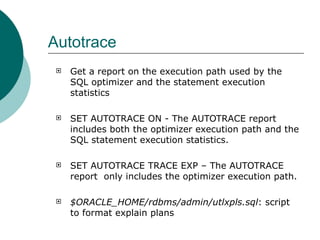
Autotrace Get a report on the execution path used by the SQL optimizer and the statement execution statistics SET AUTOTRACE ON - The AUTOTRACE report includes both the optimizer execution path and the SQL statement execution statistics.  SET AUTOTRACE TRACE EXP – The AUTOTRACE report  only includes the optimizer execution path. $ORACLE_HOME/rdbms/admin/utlxpls.sql : script to format explain plans
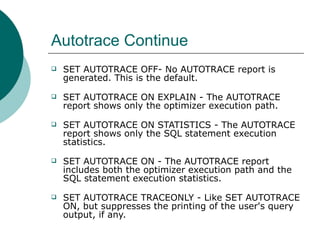
Autotrace Continue SET AUTOTRACE OFF- No AUTOTRACE report is generated. This is the default.     SET AUTOTRACE ON EXPLAIN - The AUTOTRACE report shows only the optimizer execution path.     SET AUTOTRACE ON STATISTICS - The AUTOTRACE report shows only the SQL statement execution statistics.     SET AUTOTRACE ON - The AUTOTRACE report includes both the optimizer execution path and the SQL statement execution statistics.     SET AUTOTRACE TRACEONLY - Like SET AUTOTRACE ON, but suppresses the printing of the user's query output, if any.
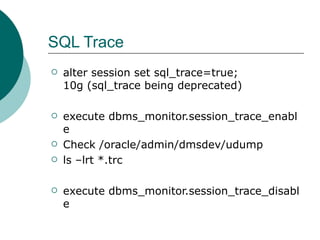
SQL Trace alter session set sql_trace=true; 10g (sql_trace being deprecated) execute dbms_monitor.session_trace_enable Check /oracle/admin/dmsdev/udump ls –lrt *.trc execute dbms_monitor.session_trace_disable
Explain Plan Used to find out how the Oracle Optimizer processes a statement. The Optimizer is a program that examines the SQL statement as presented by a user and then devises an execution plan to execute the statement. Oracle's Cost Based Optimizer comes up with an execution plan that is hopefully the most efficient way to resolve the query, but for many reasons it will often choose a sub-optimal plan.
Explain Plan Continue Syntax of the explain plan command:  explain plan [set statement id = ’<name>’] for <statement>; Explain Plan set statement id = ‘<statement>’ for select ENAME, JOB, SAL, DNAME from EMP, DEPT where EMP.DEPTNO = DEPT.DEPTID and not exists (select  from SALGRADE where EMP.SAL between LOSAL and  HISAL);
Explain Plan Continue select statement to retrieve information about the (hierarchical) execution plan determined by the query optimizer: select lpad(’ ’, 2*(LEVEL-1)) “OPERATION”, substr(OPTIONS,1,9) “OPTIONS”, OBJECT NAME, ID, PARENT ID from PLAN TABLE start with ID = 0 [and STATEMENT ID = ’<statement>’] connect by prior ID = PARENT ID [and STATEMENT ID = ’<statement>’;] OPERATION OPTIONS OBJECT_NAME ID PARENT_ID --------------------- -------- ----------- -- --------- SELECT STATEMENT 0 FILTER 1 0 MERGE JOIN 2 1   SORT JOIN 3 2   TABLE ACCESS FULL DEPT 4 3   SORT JOIN 5 2 TABLE ACCESS FULL EMP 6 5 TABLE ACCESS FULL SALGRADE 7 1
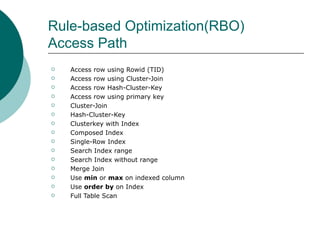
Rule-based Optimization(RBO) Access Path Access row using Rowid (TID) Access row using Cluster-Join Access row Hash-Cluster-Key Access row using primary key Cluster-Join Hash-Cluster-Key Clusterkey with Index Composed Index Single-Row Index Search Index range Search Index without range Merge Join Use  min  or  max  on indexed column Use  order by  on Index Full Table Scan
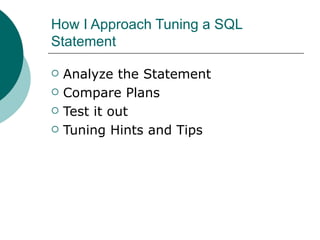
How I Approach Tuning a SQL Statement Analyze the Statement Compare Plans Test it out Tuning Hints and Tips

SQL Tuning Overview

  • 1.
    By Kai LiuMcDOUG 7/15/2009
  • 2.
    Main tools forDevelopers Autotrace SQL Trace Explain Plan Rule-based Optimization How I Approach Tuning a SQL Statement
  • 3.
    Autotrace Get areport on the execution path used by the SQL optimizer and the statement execution statistics SET AUTOTRACE ON - The AUTOTRACE report includes both the optimizer execution path and the SQL statement execution statistics. SET AUTOTRACE TRACE EXP – The AUTOTRACE report only includes the optimizer execution path. $ORACLE_HOME/rdbms/admin/utlxpls.sql : script to format explain plans
  • 4.
    Autotrace Continue SETAUTOTRACE OFF- No AUTOTRACE report is generated. This is the default.   SET AUTOTRACE ON EXPLAIN - The AUTOTRACE report shows only the optimizer execution path.   SET AUTOTRACE ON STATISTICS - The AUTOTRACE report shows only the SQL statement execution statistics.   SET AUTOTRACE ON - The AUTOTRACE report includes both the optimizer execution path and the SQL statement execution statistics.   SET AUTOTRACE TRACEONLY - Like SET AUTOTRACE ON, but suppresses the printing of the user's query output, if any.
  • 5.
    SQL Trace alter session set sql_trace=true;10g (sql_trace being deprecated) execute dbms_monitor.session_trace_enable Check /oracle/admin/dmsdev/udump ls –lrt *.trc execute dbms_monitor.session_trace_disable
  • 6.
    Explain Plan Usedto find out how the Oracle Optimizer processes a statement. The Optimizer is a program that examines the SQL statement as presented by a user and then devises an execution plan to execute the statement. Oracle's Cost Based Optimizer comes up with an execution plan that is hopefully the most efficient way to resolve the query, but for many reasons it will often choose a sub-optimal plan.
  • 7.
    Explain Plan ContinueSyntax of the explain plan command: explain plan [set statement id = ’<name>’] for <statement>; Explain Plan set statement id = ‘<statement>’ for select ENAME, JOB, SAL, DNAME from EMP, DEPT where EMP.DEPTNO = DEPT.DEPTID and not exists (select from SALGRADE where EMP.SAL between LOSAL and HISAL);
  • 8.
    Explain Plan Continueselect statement to retrieve information about the (hierarchical) execution plan determined by the query optimizer: select lpad(’ ’, 2*(LEVEL-1)) “OPERATION”, substr(OPTIONS,1,9) “OPTIONS”, OBJECT NAME, ID, PARENT ID from PLAN TABLE start with ID = 0 [and STATEMENT ID = ’<statement>’] connect by prior ID = PARENT ID [and STATEMENT ID = ’<statement>’;] OPERATION OPTIONS OBJECT_NAME ID PARENT_ID --------------------- -------- ----------- -- --------- SELECT STATEMENT 0 FILTER 1 0 MERGE JOIN 2 1 SORT JOIN 3 2 TABLE ACCESS FULL DEPT 4 3 SORT JOIN 5 2 TABLE ACCESS FULL EMP 6 5 TABLE ACCESS FULL SALGRADE 7 1
  • 9.
    Rule-based Optimization(RBO) AccessPath Access row using Rowid (TID) Access row using Cluster-Join Access row Hash-Cluster-Key Access row using primary key Cluster-Join Hash-Cluster-Key Clusterkey with Index Composed Index Single-Row Index Search Index range Search Index without range Merge Join Use min or max on indexed column Use order by on Index Full Table Scan
  • 10.
    How I ApproachTuning a SQL Statement Analyze the Statement Compare Plans Test it out Tuning Hints and Tips