An Approach to SQL Tuning 
Part - I
Who AM I? 
 Navneet Upneja (Oracle DBA) 
7 Years of Experience in Oracle Databases and 
Middleware Applications 
 Oracle Certified Professional 
 Hand on experience on OLTP, Datawarehouse, 
Oracle BI, APEX… 
Member of North India Chapter.
Agenda 
• SQL 
• Execution Process 
• Scope of Tuning 
• Set of Actions 
• Generation of Explain Plan 
• Discussing Various Techniques for 
Execution Plan generation 
• We are not tuning anything today
What is SQL? 
• Stands for "Structured Query Language," 
• pronounced as either "sequel" or "S-Q-L. 
• created by IBM in 1975 
In Oracle: 
• Way to query database. 
• Identified by SQL ID 
• 310rmwf1kf334 (13 Character Base 32 
encod)
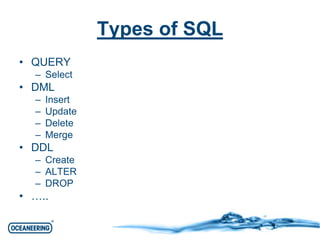
Types of SQL 
• QUERY 
– Select 
• DML 
– Insert 
– Update 
– Delete 
– Merge 
• DDL 
– Create 
– ALTER 
– DROP 
• …..
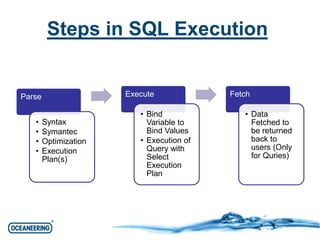
Steps in SQL Execution 
Parse 
• Syntax 
• Symantec 
• Optimization 
• Execution 
Plan(s) 
Execute 
• Bind 
Variable to 
Bind Values 
• Execution of 
Query with 
Select 
Execution 
Plan 
Fetch 
• Data 
Fetched to 
be returned 
back to 
users (Only 
for Quries)
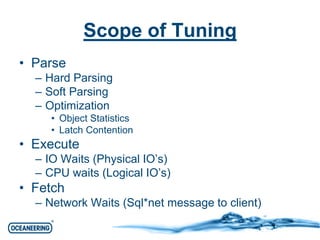
Scope of Tuning 
• Parse 
– Hard Parsing 
– Soft Parsing 
– Optimization 
• Object Statistics 
• Latch Contention 
• Execute 
– IO Waits (Physical IO’s) 
– CPU waits (Logical IO’s) 
• Fetch 
– Network Waits (Sql*net message to client)
Scenarios 
• Someone complains of Application Slow or 
some report is slow. 
• Query from somewhere suddenly pops 
that making things go bad. 
• Your scheduled database program like 
ETL Load starts taking longer. 
• Some Ad hoc queries. 
• New queries from development team.
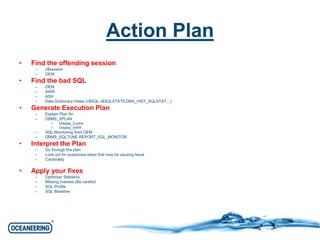
Action Plan 
• Find the offending session 
– v$session 
– OEM 
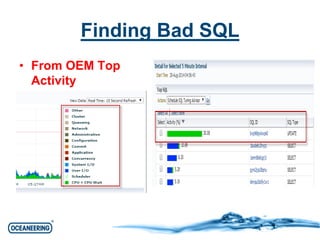
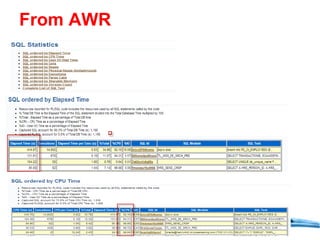
• Find the bad SQL 
– OEM 
– AWR 
– ASH 
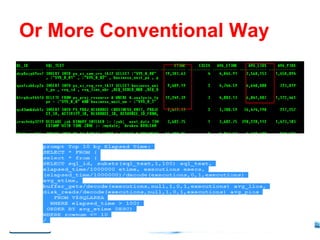
– Data Dictionary Views (v$SQL,v$SQLSTATS,DBA_HIST_SQLSTAT…) 
• Generate Execution Plan 
– Explain Plan for 
– DBMS_XPLAN 
• Display_Cursor 
• Display_AWR 
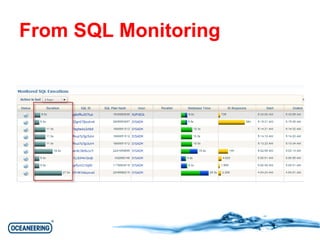
– SQL Monitoring from OEM 
– DBMS_SQLTUNE.REPORT_SQL_MONITOR 
• Interpret the Plan 
– Go through the plan 
– Look out for suspicious steps that may be causing Issue 
– Cardinality 
• Apply your fixes 
– Optimizer Statistics 
– Missing Indexes (Be careful) 
– SQL Profile 
– SQL Baseline
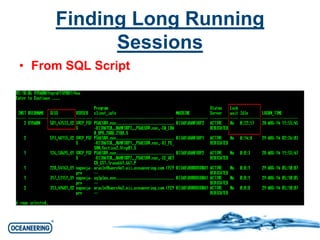
Finding Long Running 
Sessions 
• From SQL Script
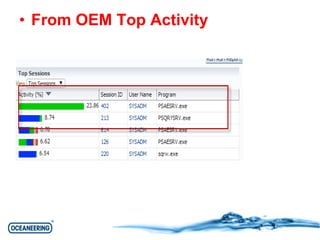
• From OEM Top Activity
Finding Bad SQL 
• From OEM Top 
Activity
From AWR
From SQL Monitoring
Or More Conventional Way
Execution Plan 
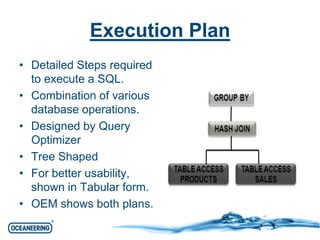
• Detailed Steps required 
to execute a SQL. 
• Combination of various 
database operations. 
• Designed by Query 
Optimizer 
• Tree Shaped 
• For better usability, 
shown in Tabular form. 
• OEM shows both plans.
Generating Explain plan 
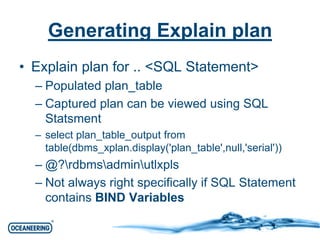
• Explain plan for .. <SQL Statement> 
– Populated plan_table 
– Captured plan can be viewed using SQL 
Statsment 
– select plan_table_output from 
table(dbms_xplan.display('plan_table',null,'serial')) 
– @?rdbmsadminutlxpls 
– Not always right specifically if SQL Statement 
contains BIND Variables
Example of Explain plan… 
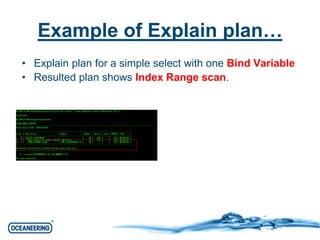
• Explain plan for a simple select with one Bind Variable 
• Resulted plan shows Index Range scan.
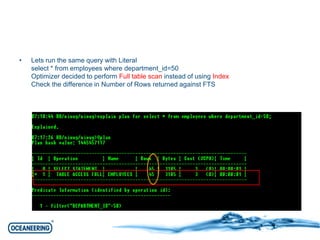
• Lets run the same query with Literal 
select * from employees where department_id=50 
Optimizer decided to perform Full table scan instead of using Index 
Check the difference in Number of Rows returned against FTS
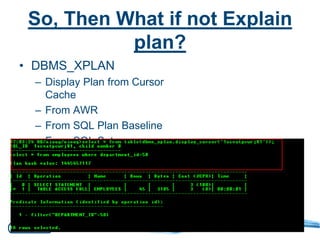
So, Then What if not Explain 
plan? 
• DBMS_XPLAN 
– Display Plan from Cursor 
Cache 
– From AWR 
– From SQL Plan Baseline 
– From SQL Set
DBMS_XPLAN 
• DBMS_XPLAN.DISPLAY 
• DBMS_XPLAN.DISPLAY_CURSOR 
• DBMS_XPLAN.DISPLAY_AWR 
• DBMS_XPLAN.DISPLAY_SQL_PLAN_BA 
SELINE 
• DBMS_XPLAN.DISPLAY_SQLSET
DBMS_XPLAN.DISPLAY_CURSOR 
– Display from GV$SQL_PLAN (or 
GV$SQL_PLAN_STATISTICS_ALL) 
– Useful in providing real statistics for SQL 
execution 
– Various options to display different details like 
Advanced, Allstats, IOSTATS etc.. 
– Is NOT RAC Aware
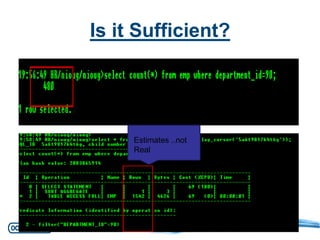
Is it Sufficient? 
Estimates ..not 
Real
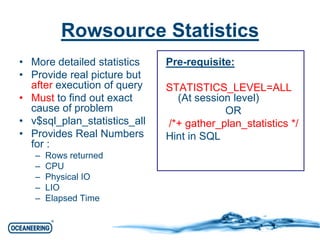
Rowsource Statistics 
• More detailed statistics 
• Provide real picture but 
after execution of query 
• Must to find out exact 
cause of problem 
• v$sql_plan_statistics_all 
• Provides Real Numbers 
for : 
– Rows returned 
– CPU 
– Physical IO 
– LIO 
– Elapsed Time 
Pre-requisite: 
STATISTICS_LEVEL=ALL 
(At session level) 
OR 
/*+ gather_plan_statistics */ 
Hint in SQL
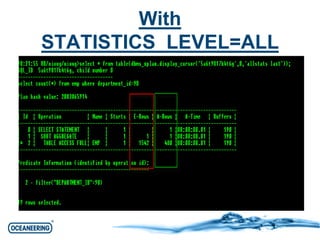
With 
STATISTICS_LEVEL=ALL
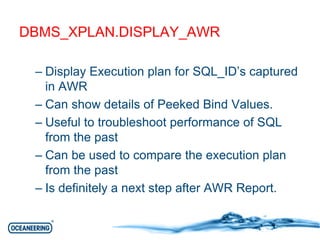
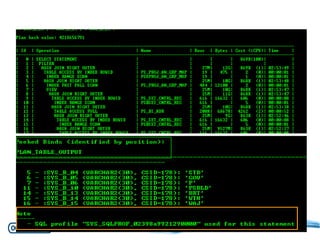
DBMS_XPLAN.DISPLAY_AWR 
– Display Execution plan for SQL_ID’s captured 
in AWR 
– Can show details of Peeked Bind Values. 
– Useful to troubleshoot performance of SQL 
from the past 
– Can be used to compare the execution plan 
from the past 
– Is definitely a next step after AWR Report.
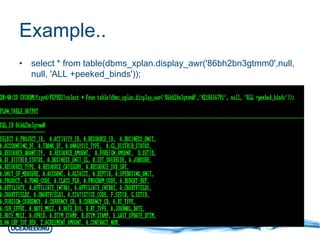
Example.. 
• select * from table(dbms_xplan.display_awr('86bh2bn3gtmm0',null, 
null, 'ALL +peeked_binds'));
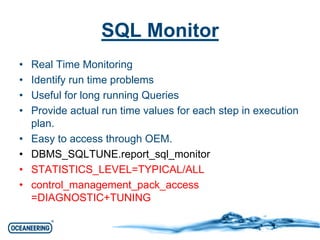
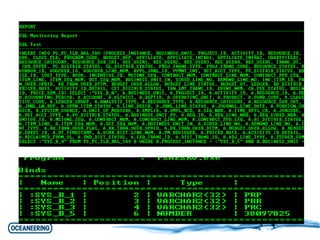
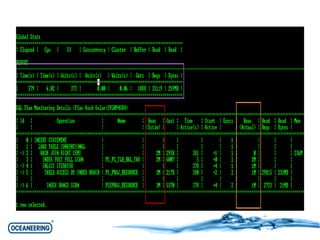
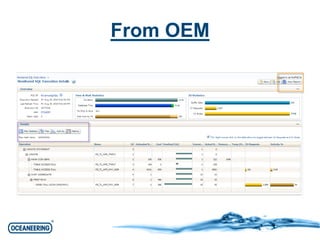
SQL Monitor 
• Real Time Monitoring 
• Identify run time problems 
• Useful for long running Queries 
• Provide actual run time values for each step in execution 
plan. 
• Easy to access through OEM. 
• DBMS_SQLTUNE.report_sql_monitor 
• STATISTICS_LEVEL=TYPICAL/ALL 
• control_management_pack_access 
=DIAGNOSTIC+TUNING
From OEM
In the Next Session.. 
• Interpreting Execution Plan 
• 10046 Trace 
• CBO Basics 
• Finding out the bottlenecks 
• Much More…
An Approach to Sql tuning - Part 1

An Approach to Sql tuning - Part 1

  • 1.
    An Approach toSQL Tuning Part - I
  • 2.
    Who AM I?  Navneet Upneja (Oracle DBA) 7 Years of Experience in Oracle Databases and Middleware Applications  Oracle Certified Professional  Hand on experience on OLTP, Datawarehouse, Oracle BI, APEX… Member of North India Chapter.
  • 3.
    Agenda • SQL • Execution Process • Scope of Tuning • Set of Actions • Generation of Explain Plan • Discussing Various Techniques for Execution Plan generation • We are not tuning anything today
  • 4.
    What is SQL? • Stands for "Structured Query Language," • pronounced as either "sequel" or "S-Q-L. • created by IBM in 1975 In Oracle: • Way to query database. • Identified by SQL ID • 310rmwf1kf334 (13 Character Base 32 encod)
  • 5.
    Types of SQL • QUERY – Select • DML – Insert – Update – Delete – Merge • DDL – Create – ALTER – DROP • …..
  • 6.
    Steps in SQLExecution Parse • Syntax • Symantec • Optimization • Execution Plan(s) Execute • Bind Variable to Bind Values • Execution of Query with Select Execution Plan Fetch • Data Fetched to be returned back to users (Only for Quries)
  • 7.
    Scope of Tuning • Parse – Hard Parsing – Soft Parsing – Optimization • Object Statistics • Latch Contention • Execute – IO Waits (Physical IO’s) – CPU waits (Logical IO’s) • Fetch – Network Waits (Sql*net message to client)
  • 8.
    Scenarios • Someonecomplains of Application Slow or some report is slow. • Query from somewhere suddenly pops that making things go bad. • Your scheduled database program like ETL Load starts taking longer. • Some Ad hoc queries. • New queries from development team.
  • 9.
    Action Plan •Find the offending session – v$session – OEM • Find the bad SQL – OEM – AWR – ASH – Data Dictionary Views (v$SQL,v$SQLSTATS,DBA_HIST_SQLSTAT…) • Generate Execution Plan – Explain Plan for – DBMS_XPLAN • Display_Cursor • Display_AWR – SQL Monitoring from OEM – DBMS_SQLTUNE.REPORT_SQL_MONITOR • Interpret the Plan – Go through the plan – Look out for suspicious steps that may be causing Issue – Cardinality • Apply your fixes – Optimizer Statistics – Missing Indexes (Be careful) – SQL Profile – SQL Baseline
  • 10.
    Finding Long Running Sessions • From SQL Script
  • 11.
    • From OEMTop Activity
  • 12.
    Finding Bad SQL • From OEM Top Activity
  • 13.
  • 14.
  • 15.
  • 16.
    Execution Plan •Detailed Steps required to execute a SQL. • Combination of various database operations. • Designed by Query Optimizer • Tree Shaped • For better usability, shown in Tabular form. • OEM shows both plans.
  • 17.
    Generating Explain plan • Explain plan for .. <SQL Statement> – Populated plan_table – Captured plan can be viewed using SQL Statsment – select plan_table_output from table(dbms_xplan.display('plan_table',null,'serial')) – @?rdbmsadminutlxpls – Not always right specifically if SQL Statement contains BIND Variables
  • 18.
    Example of Explainplan… • Explain plan for a simple select with one Bind Variable • Resulted plan shows Index Range scan.
  • 19.
    • Lets runthe same query with Literal select * from employees where department_id=50 Optimizer decided to perform Full table scan instead of using Index Check the difference in Number of Rows returned against FTS
  • 20.
    So, Then Whatif not Explain plan? • DBMS_XPLAN – Display Plan from Cursor Cache – From AWR – From SQL Plan Baseline – From SQL Set
  • 21.
    DBMS_XPLAN • DBMS_XPLAN.DISPLAY • DBMS_XPLAN.DISPLAY_CURSOR • DBMS_XPLAN.DISPLAY_AWR • DBMS_XPLAN.DISPLAY_SQL_PLAN_BA SELINE • DBMS_XPLAN.DISPLAY_SQLSET
  • 22.
    DBMS_XPLAN.DISPLAY_CURSOR – Displayfrom GV$SQL_PLAN (or GV$SQL_PLAN_STATISTICS_ALL) – Useful in providing real statistics for SQL execution – Various options to display different details like Advanced, Allstats, IOSTATS etc.. – Is NOT RAC Aware
  • 23.
    Is it Sufficient? Estimates ..not Real
  • 24.
    Rowsource Statistics •More detailed statistics • Provide real picture but after execution of query • Must to find out exact cause of problem • v$sql_plan_statistics_all • Provides Real Numbers for : – Rows returned – CPU – Physical IO – LIO – Elapsed Time Pre-requisite: STATISTICS_LEVEL=ALL (At session level) OR /*+ gather_plan_statistics */ Hint in SQL
  • 25.
  • 26.
    DBMS_XPLAN.DISPLAY_AWR – DisplayExecution plan for SQL_ID’s captured in AWR – Can show details of Peeked Bind Values. – Useful to troubleshoot performance of SQL from the past – Can be used to compare the execution plan from the past – Is definitely a next step after AWR Report.
  • 27.
    Example.. • select* from table(dbms_xplan.display_awr('86bh2bn3gtmm0',null, null, 'ALL +peeked_binds'));
  • 29.
    SQL Monitor •Real Time Monitoring • Identify run time problems • Useful for long running Queries • Provide actual run time values for each step in execution plan. • Easy to access through OEM. • DBMS_SQLTUNE.report_sql_monitor • STATISTICS_LEVEL=TYPICAL/ALL • control_management_pack_access =DIAGNOSTIC+TUNING
  • 32.
  • 33.
    In the NextSession.. • Interpreting Execution Plan • 10046 Trace • CBO Basics • Finding out the bottlenecks • Much More…