Spring Boot
- By Vinay Prajapati
Agenda
• What and Why?
• Key features of Spring boot.
• Prototyping using CLI.
• Working with gradle.
• Managing profiles aka environment just like in grails
• Binding Properties
• Packaging Executable Jars / Fat jars
• Miscellaneous
What & Why?
• Spring-boot provides a quick way to create a Spring based
application from dependency management to convention over
configuration.
• Not a replacement for Spring framework but it presents a small
surface area for users to approach and extract value from the
rest of Spring.
• Helps you get up and running ASAP.
• Grails 3.0 is based on Spring Boot.
3
image source : http://spring.io/blog/2013/08/06/spring-boot-simplifying-spring-for-everyone
Key Features
• Stand-alone Spring applications with negligible efforts.
• No code generation and no requirement for XML Config
• Automatic configuration by creating sensible defaults
• Provides Starter dependencies / Starter POMs
• Structure your code as you like
• Supports Gradle and Maven
• Provides common non-functional production ready features for a
“Real” application such as
– security
– metrics
– health checks
– externalised configuration
Rapid Prototyping : Spring CLI
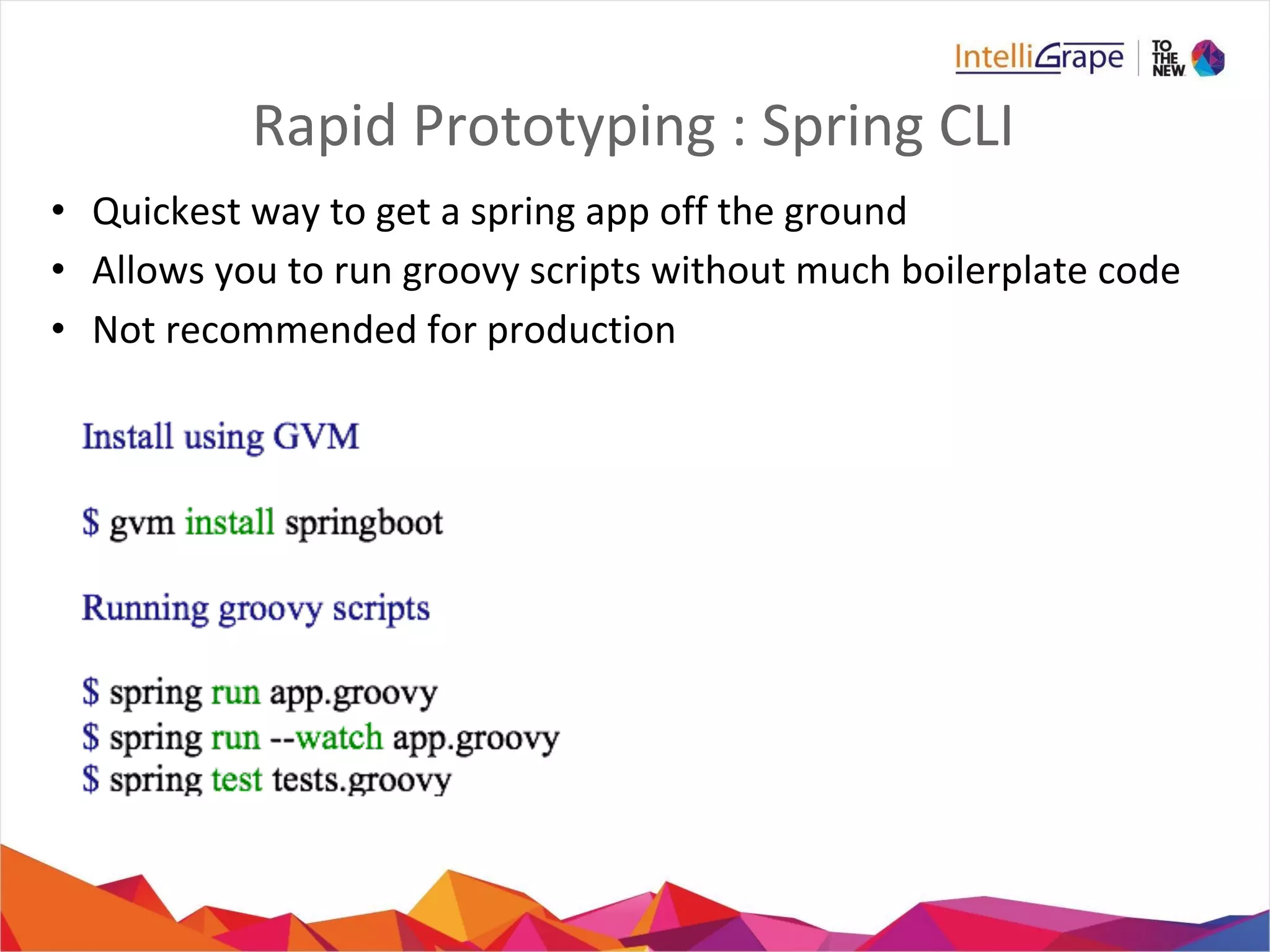
• Quickest way to get a spring app off the ground
• Allows you to run groovy scripts without much boilerplate code
• Not recommended for production
Getting Started Quickly using CLI
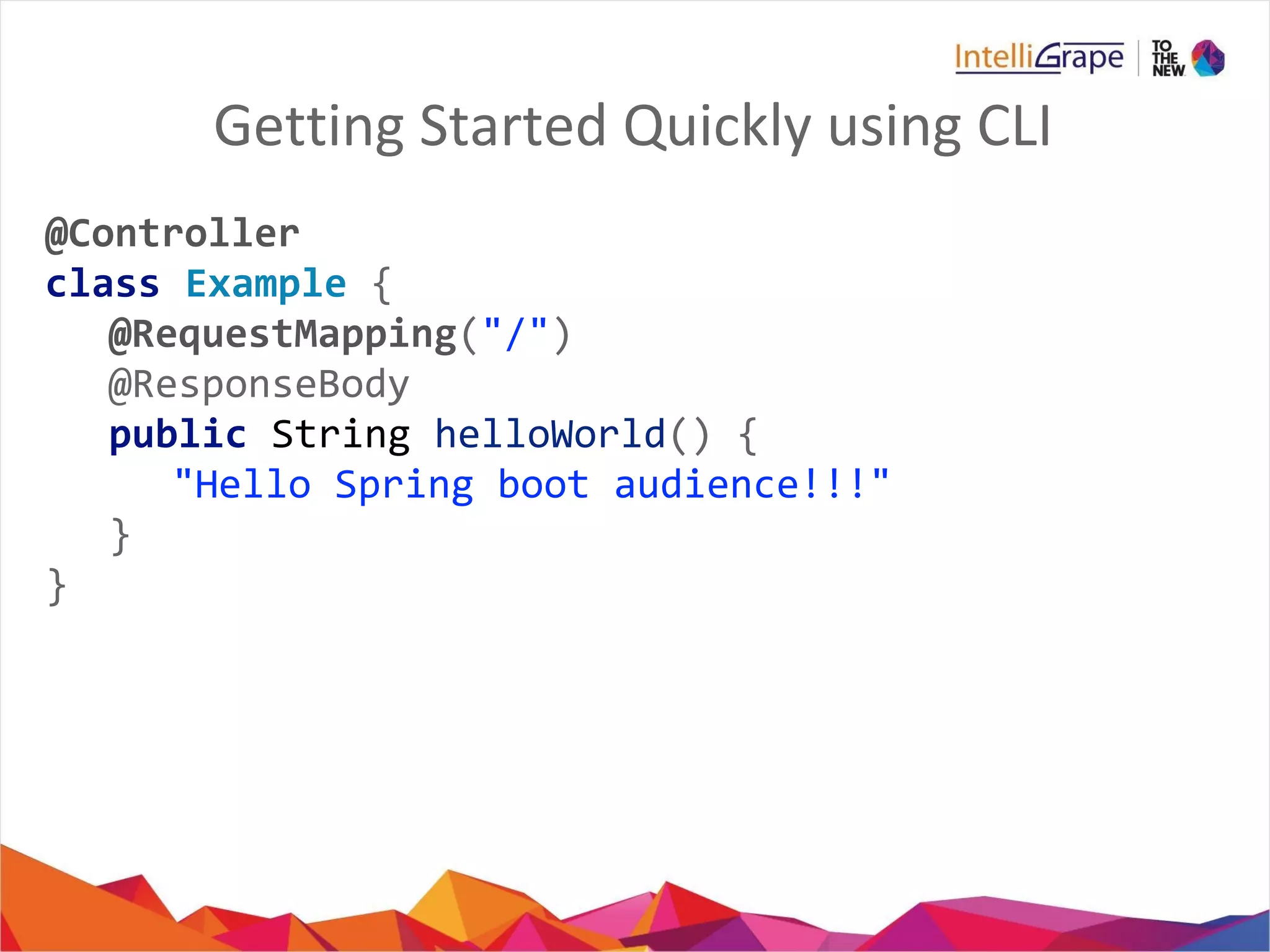
@Controller
class Example {
@RequestMapping("/")
@ResponseBody
public String helloWorld() {
"Hello Spring boot audience!!!"
}
}
What Just happened?
// import org.springframework.web.bind.annotation.Controller
// other imports ...
// @Grab("org.springframework.boot:spring-boot-web-starter:0.5.0")
// @EnableAutoConfiguration
@Controller
class Example {
@RequestMapping("/")
@ResponseBody
public String hello() {
return "Hello World!";
}
// public static void main(String[] args) {
// SpringApplication.run(Example.class, args);
// }
}
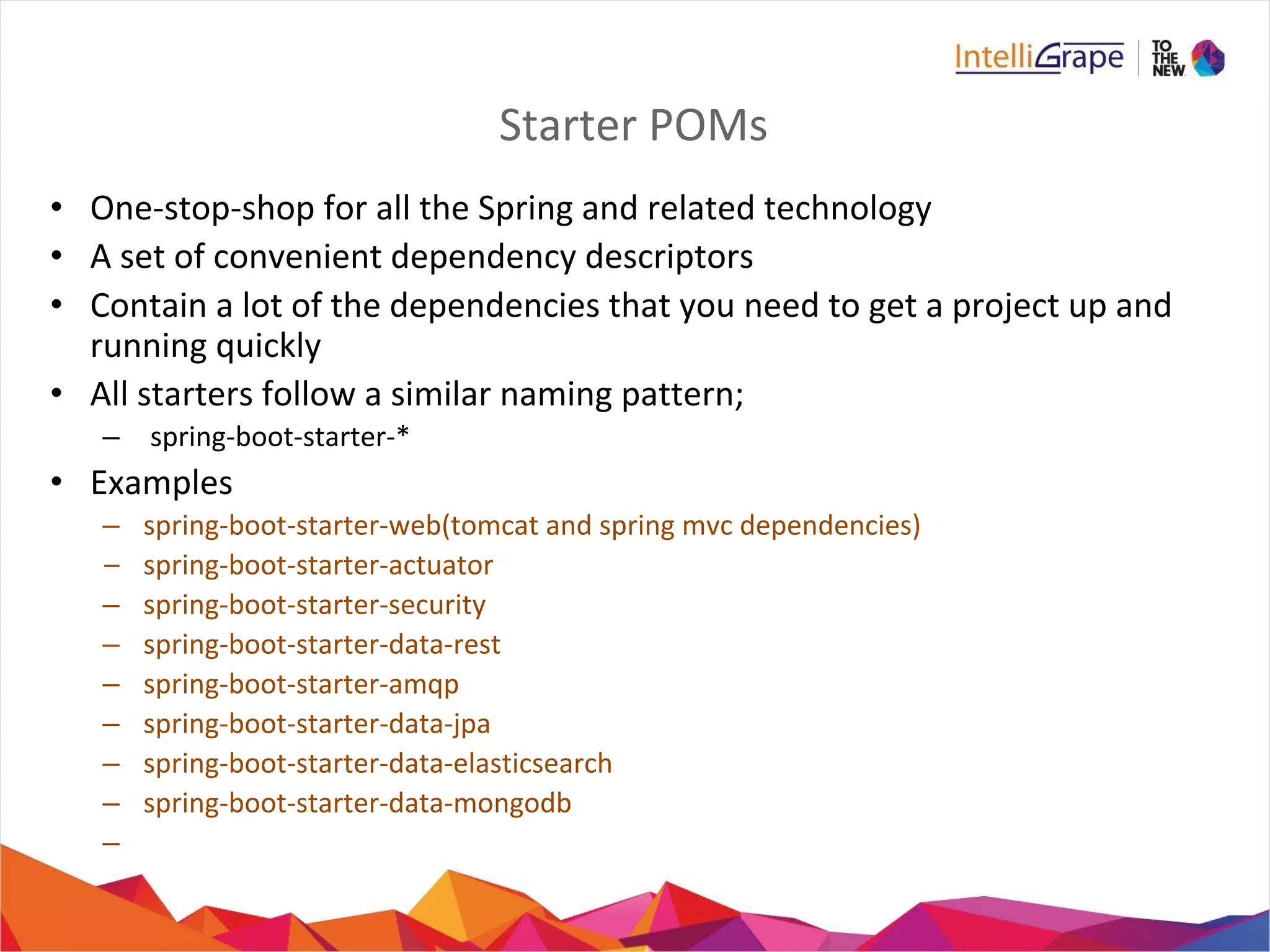
Starter POMs
• One-stop-shop for all the Spring and related technology
• A set of convenient dependency descriptors
• Contain a lot of the dependencies that you need to get a project up and
running quickly
• All starters follow a similar naming pattern;
– spring-boot-starter-*
• Examples
– spring-boot-starter-web(tomcat and spring mvc dependencies)
– spring-boot-starter-actuator
– spring-boot-starter-security
– spring-boot-starter-data-rest
– spring-boot-starter-amqp
– spring-boot-starter-data-jpa
– spring-boot-starter-data-elasticsearch
– spring-boot-starter-data-mongodb
–
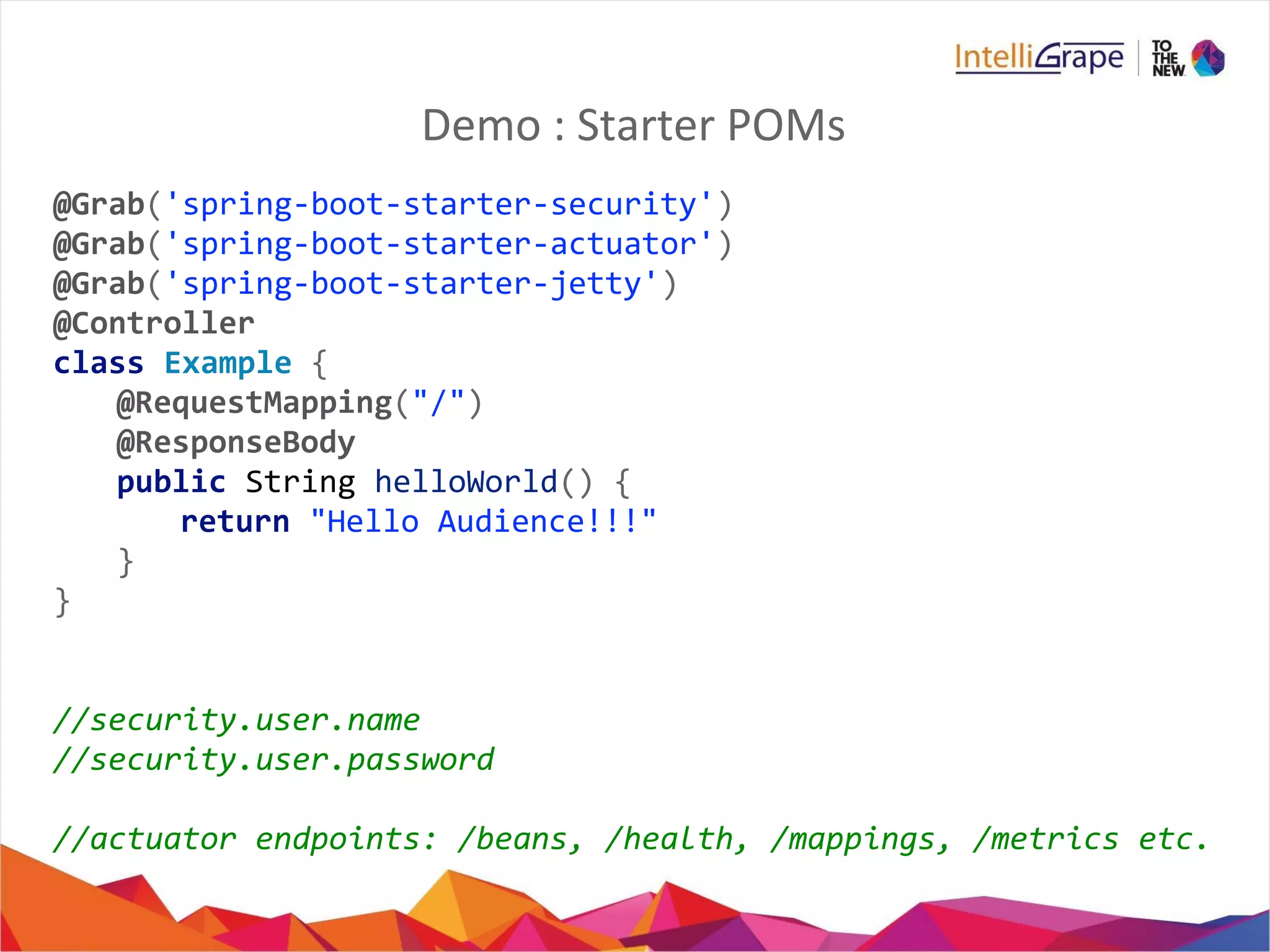
Demo : Starter POMs
@Grab('spring-boot-starter-security')
@Grab('spring-boot-starter-actuator')
@Grab('spring-boot-starter-jetty')
@Controller
class Example {
@RequestMapping("/")
@ResponseBody
public String helloWorld() {
return "Hello Audience!!!"
}
}
//security.user.name
//security.user.password
//actuator endpoints: /beans, /health, /mappings, /metrics etc.
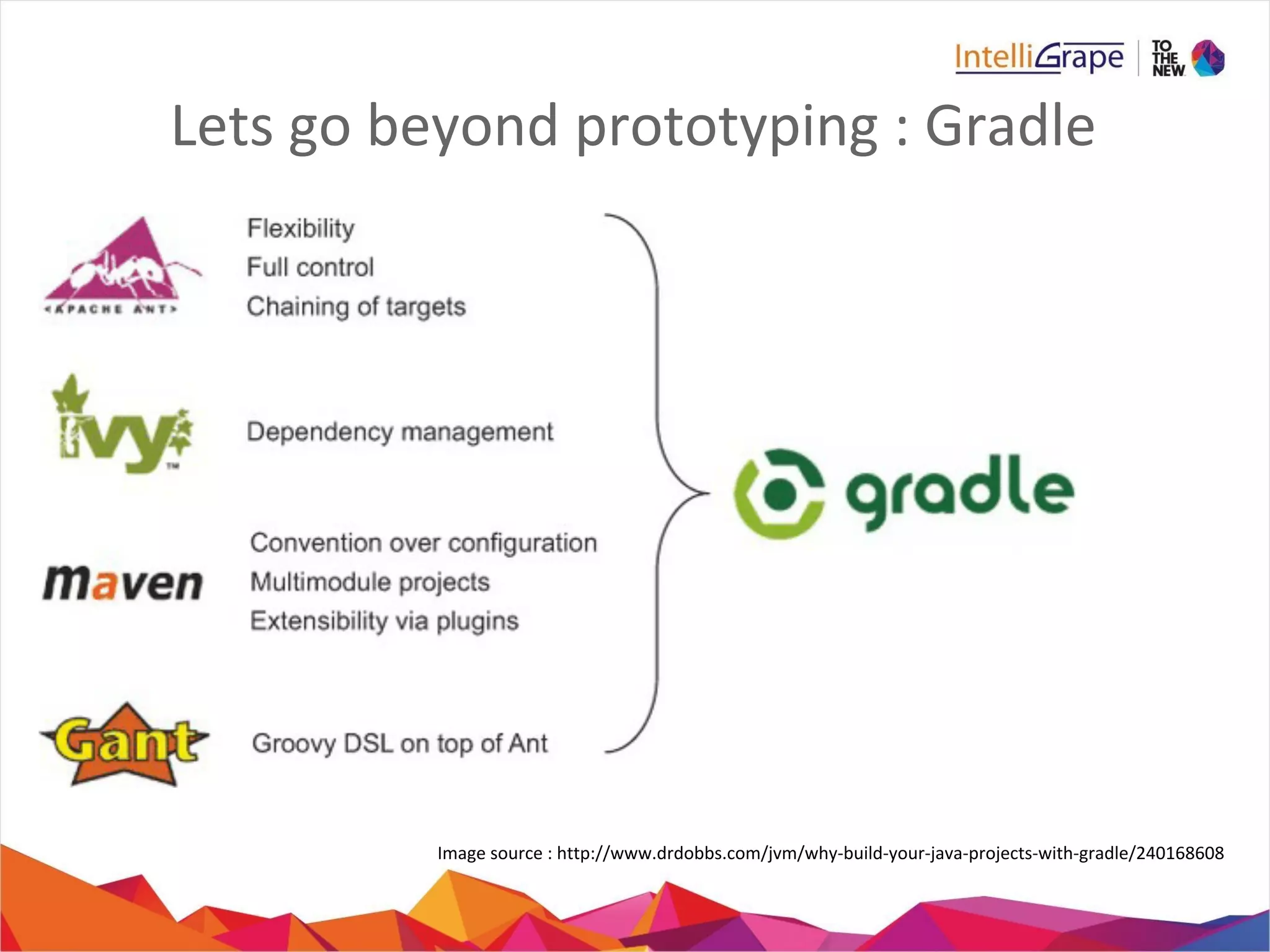
Lets go beyond prototyping : Gradle
Image source : http://www.drdobbs.com/jvm/why-build-your-java-projects-with-gradle/240168608
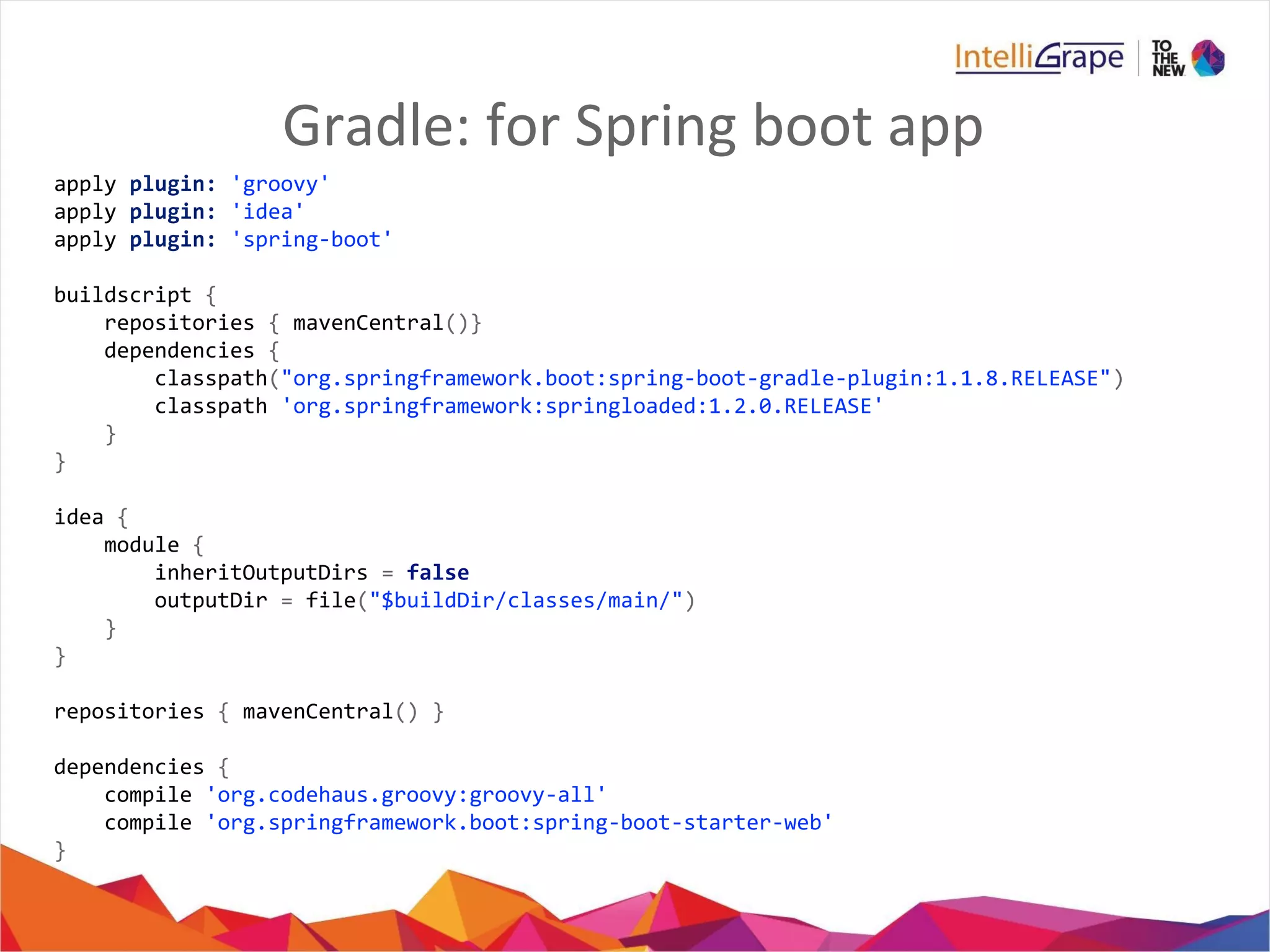
Gradle: for Spring boot app
apply plugin: 'groovy'
apply plugin: 'idea'
apply plugin: 'spring-boot'
buildscript {
repositories { mavenCentral()}
dependencies {
classpath("org.springframework.boot:spring-boot-gradle-plugin:1.1.8.RELEASE")
classpath 'org.springframework:springloaded:1.2.0.RELEASE'
}
}
idea {
module {
inheritOutputDirs = false
outputDir = file("$buildDir/classes/main/")
}
}
repositories { mavenCentral() }
dependencies {
compile 'org.codehaus.groovy:groovy-all'
compile 'org.springframework.boot:spring-boot-starter-web'
}
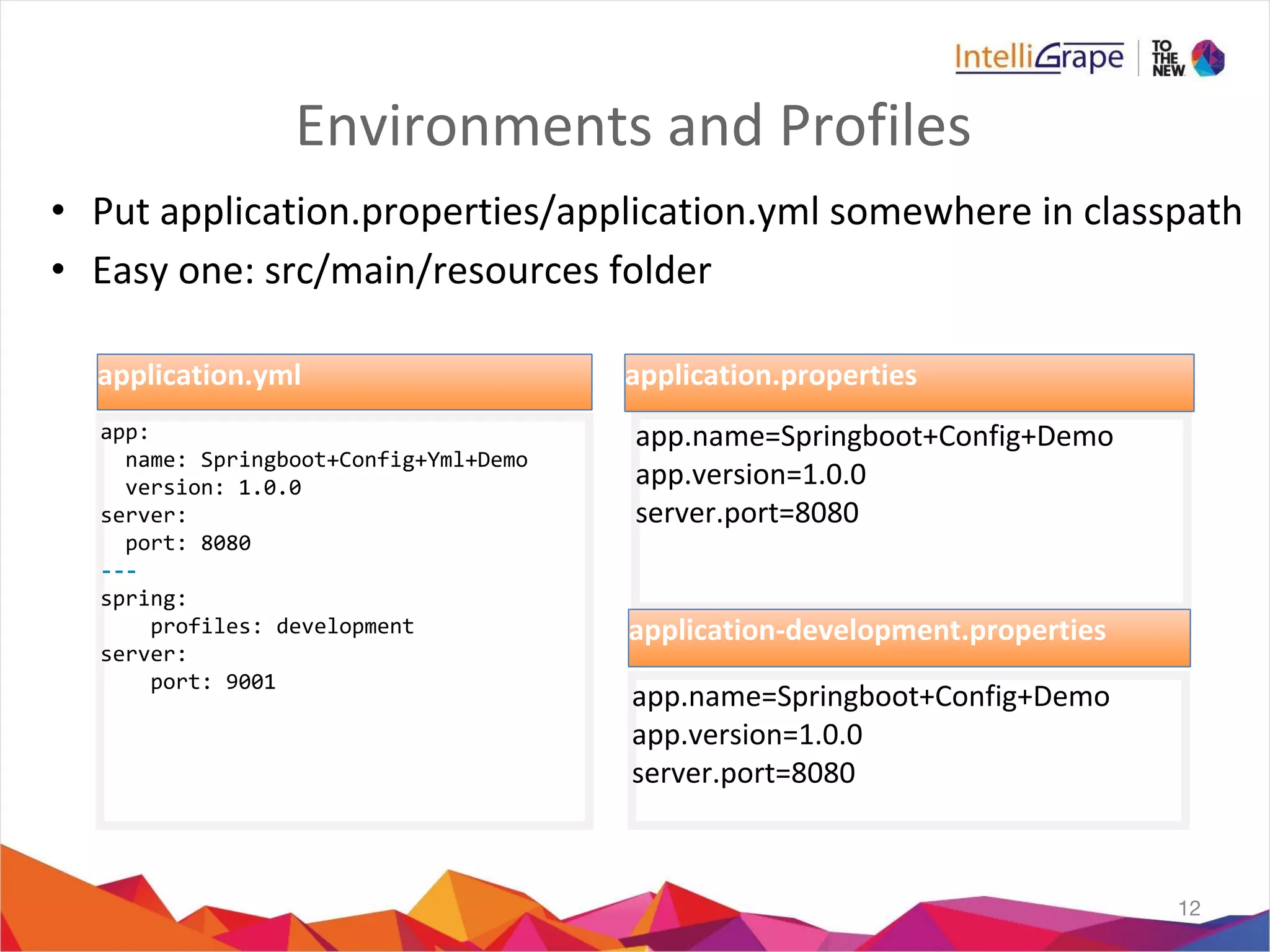
Environments and Profiles
• Put application.properties/application.yml somewhere in classpath
• Easy one: src/main/resources folder
12
app:
name: Springboot+Config+Yml+Demo
version: 1.0.0
server:
port: 8080
---
spring:
profiles: development
server:
port: 9001
application.yml
app.name=Springboot+Config+Demo
app.version=1.0.0
server.port=8080
application.properties
app.name=Springboot+Config+Demo
app.version=1.0.0
server.port=8080
application-development.properties
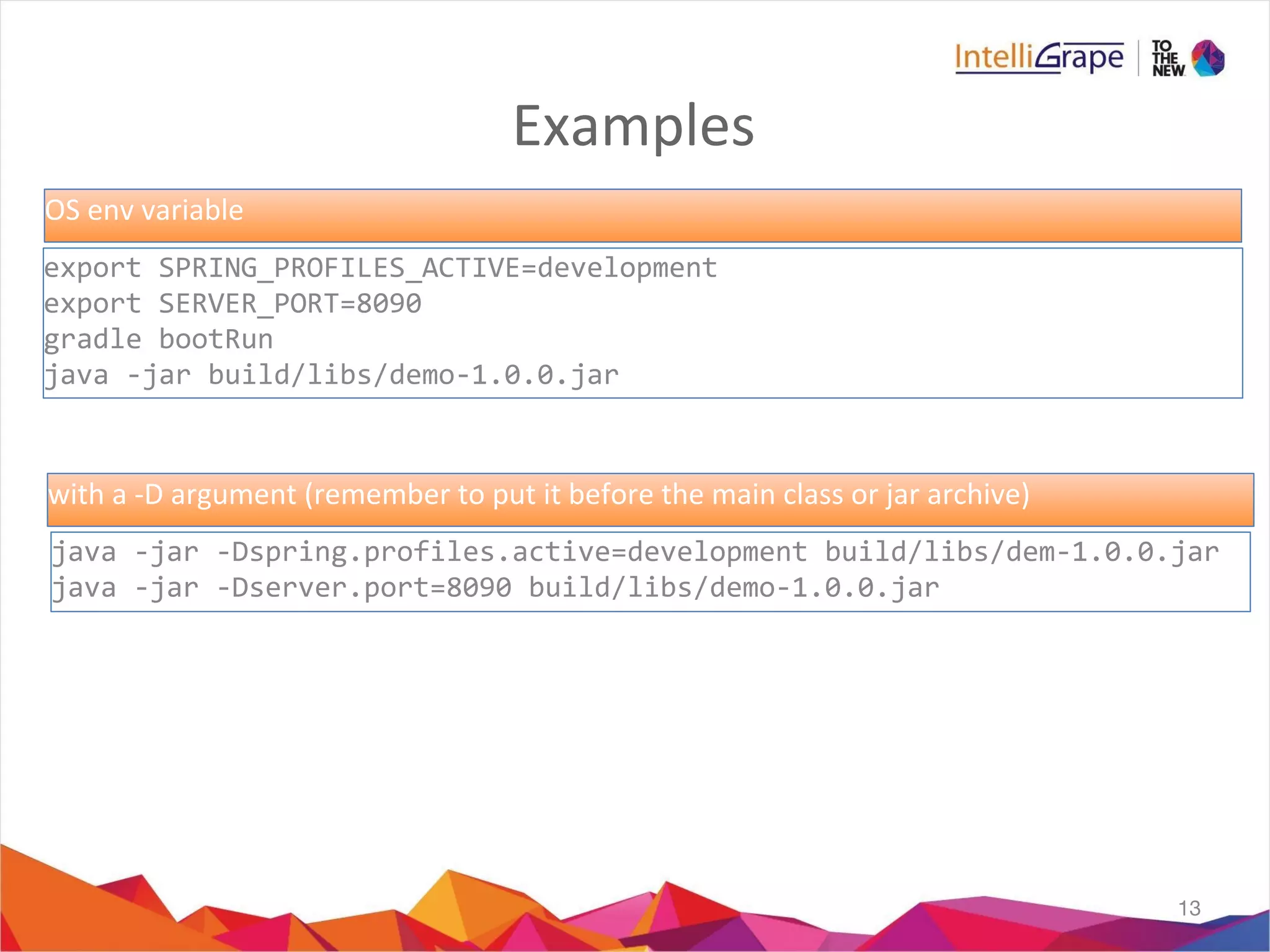
Examples
13
export SPRING_PROFILES_ACTIVE=development
export SERVER_PORT=8090
gradle bootRun
java -jar build/libs/demo-1.0.0.jar
java -jar -Dspring.profiles.active=development build/libs/dem-1.0.0.jar
java -jar -Dserver.port=8090 build/libs/demo-1.0.0.jar
OS env variable
with a -D argument (remember to put it before the main class or jar archive)
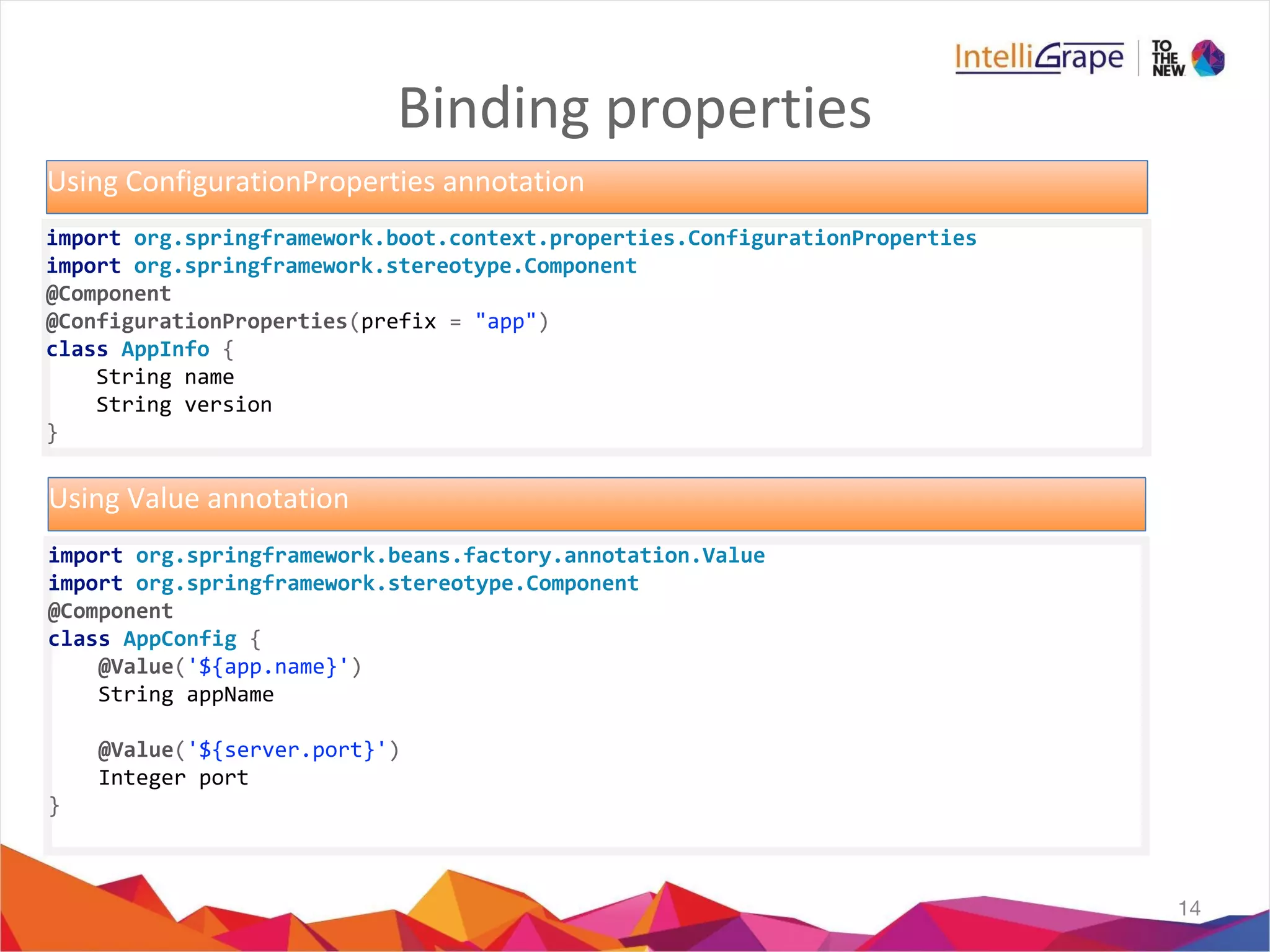
Binding properties
14
import org.springframework.boot.context.properties.ConfigurationProperties
import org.springframework.stereotype.Component
@Component
@ConfigurationProperties(prefix = "app")
class AppInfo {
String name
String version
}
Using ConfigurationProperties annotation
import org.springframework.beans.factory.annotation.Value
import org.springframework.stereotype.Component
@Component
class AppConfig {
@Value('${app.name}')
String appName
@Value('${server.port}')
Integer port
}
Using Value annotation
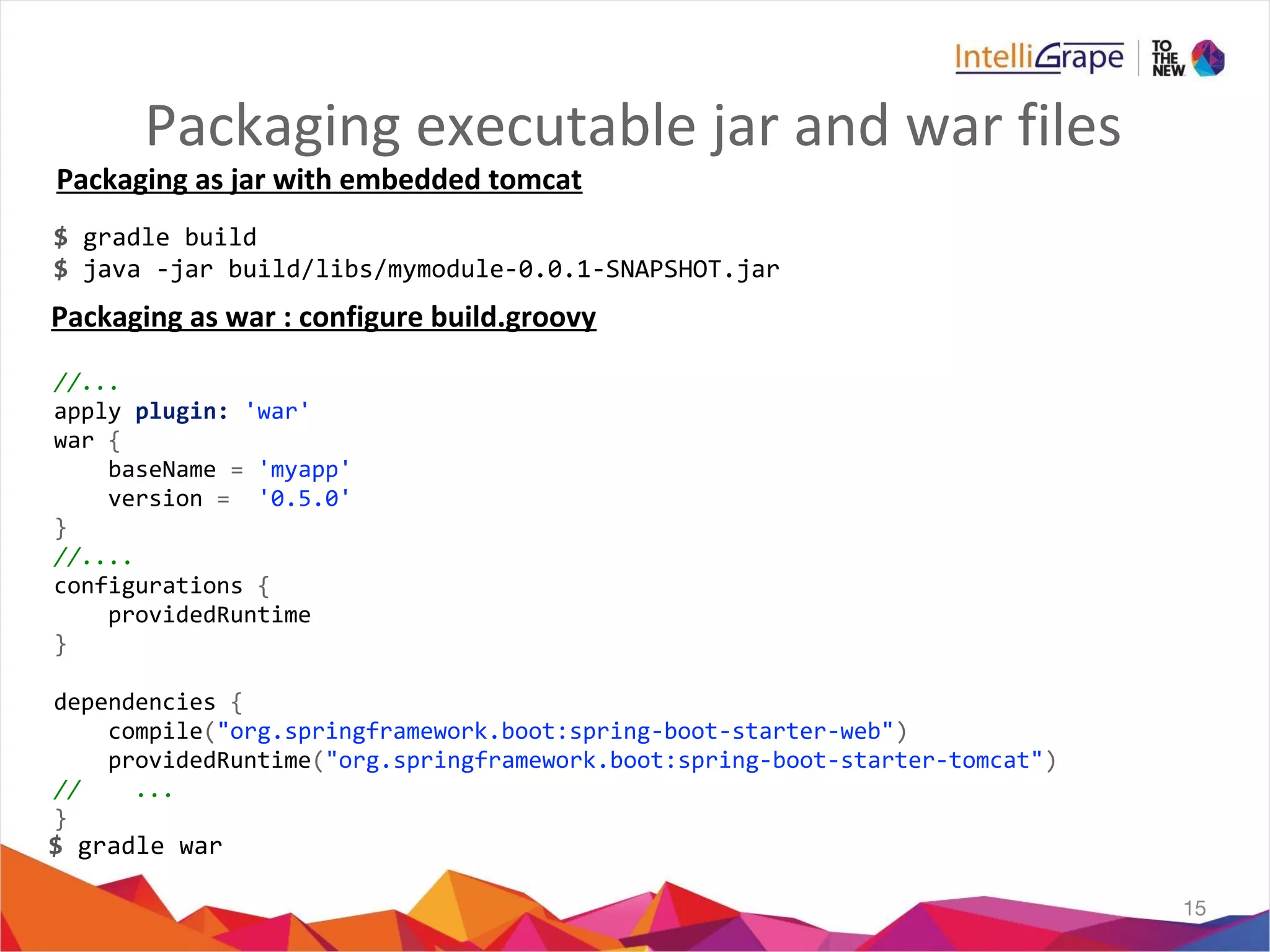
Packaging executable jar and war files
15
$ gradle build
$ java -jar build/libs/mymodule-0.0.1-SNAPSHOT.jar
//...
apply plugin: 'war'
war {
baseName = 'myapp'
version = '0.5.0'
}
//....
configurations {
providedRuntime
}
dependencies {
compile("org.springframework.boot:spring-boot-starter-web")
providedRuntime("org.springframework.boot:spring-boot-starter-tomcat")
// ...
}
$ gradle war
Packaging as jar with embedded tomcat
Packaging as war : configure build.groovy
Miscellaneous
- Enabling Disabling the Banner
- Changing the Banner
- Adding event Listeners
- Logging startup info
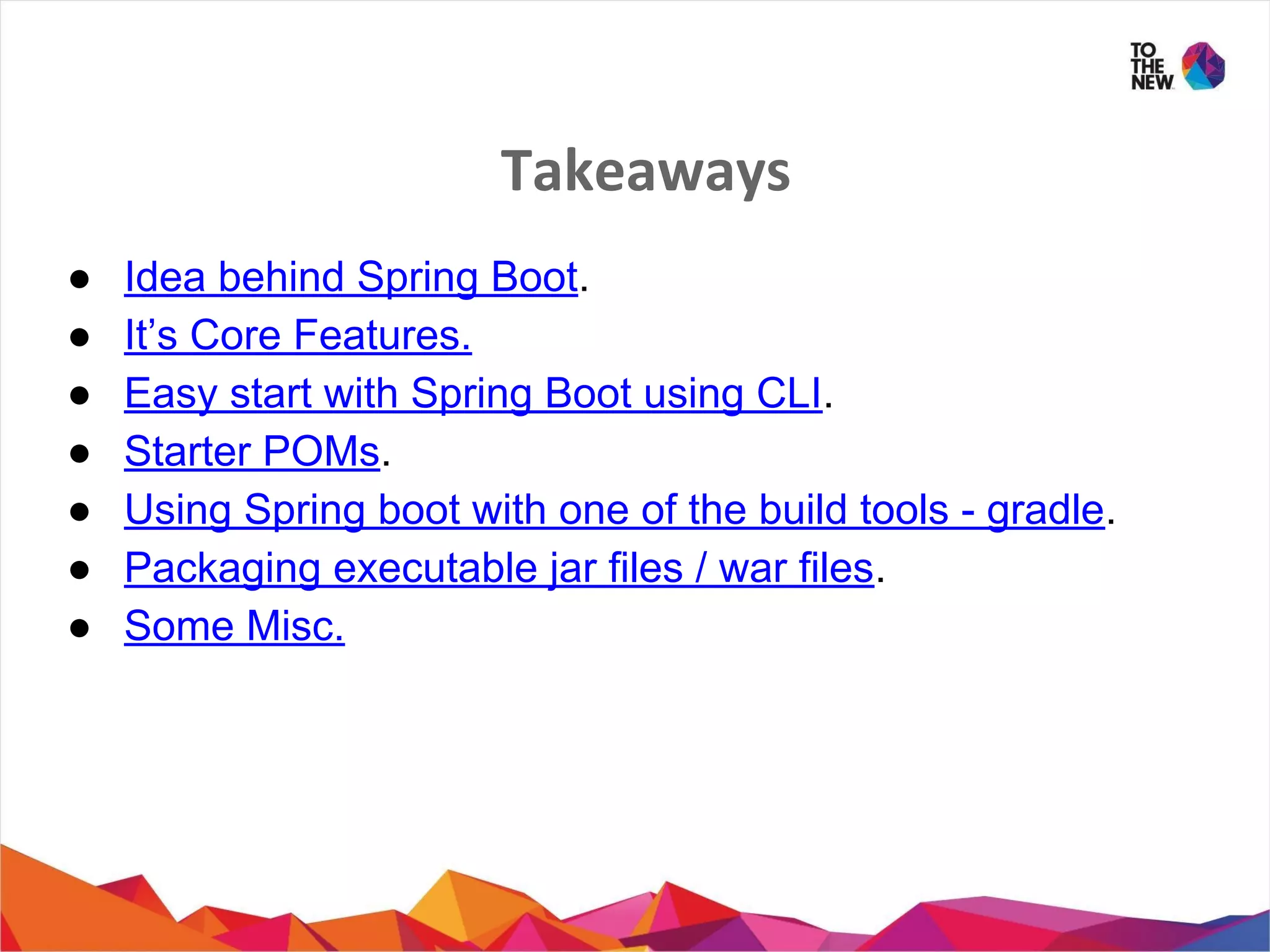
Takeaways
â—Ź Idea behind Spring Boot.
● It’s Core Features.
â—Ź Easy start with Spring Boot using CLI.
â—Ź Starter POMs.
â—Ź Using Spring boot with one of the build tools - gradle.
â—Ź Packaging executable jar files / war files.
â—Ź Some Misc.
References
19
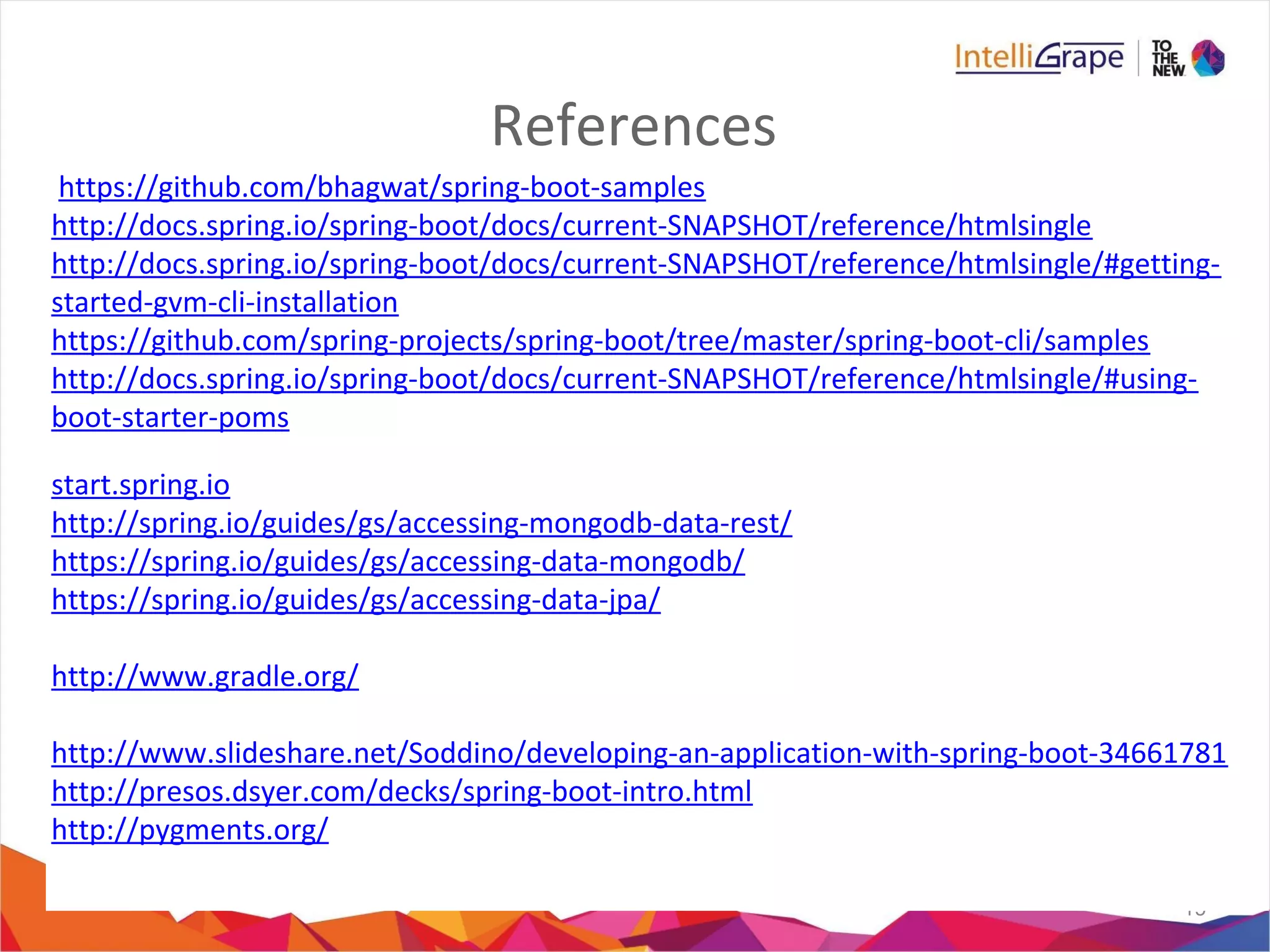
https://github.com/bhagwat/spring-boot-samples
http://docs.spring.io/spring-boot/docs/current-SNAPSHOT/reference/htmlsingle
http://docs.spring.io/spring-boot/docs/current-SNAPSHOT/reference/htmlsingle/#getting-
started-gvm-cli-installation
https://github.com/spring-projects/spring-boot/tree/master/spring-boot-cli/samples
http://docs.spring.io/spring-boot/docs/current-SNAPSHOT/reference/htmlsingle/#using-
boot-starter-poms
start.spring.io
http://spring.io/guides/gs/accessing-mongodb-data-rest/
https://spring.io/guides/gs/accessing-data-mongodb/
https://spring.io/guides/gs/accessing-data-jpa/
http://www.gradle.org/
http://www.slideshare.net/Soddino/developing-an-application-with-spring-boot-34661781
http://presos.dsyer.com/decks/spring-boot-intro.html
http://pygments.org/

Spring boot wednesday

  • 1.
    Spring Boot - ByVinay Prajapati
  • 2.
    Agenda • What andWhy? • Key features of Spring boot. • Prototyping using CLI. • Working with gradle. • Managing profiles aka environment just like in grails • Binding Properties • Packaging Executable Jars / Fat jars • Miscellaneous
  • 3.
    What & Why? •Spring-boot provides a quick way to create a Spring based application from dependency management to convention over configuration. • Not a replacement for Spring framework but it presents a small surface area for users to approach and extract value from the rest of Spring. • Helps you get up and running ASAP. • Grails 3.0 is based on Spring Boot. 3 image source : http://spring.io/blog/2013/08/06/spring-boot-simplifying-spring-for-everyone
  • 4.
    Key Features • Stand-aloneSpring applications with negligible efforts. • No code generation and no requirement for XML Config • Automatic configuration by creating sensible defaults • Provides Starter dependencies / Starter POMs • Structure your code as you like • Supports Gradle and Maven • Provides common non-functional production ready features for a “Real” application such as – security – metrics – health checks – externalised configuration
  • 5.
    Rapid Prototyping :Spring CLI • Quickest way to get a spring app off the ground • Allows you to run groovy scripts without much boilerplate code • Not recommended for production
  • 6.
    Getting Started Quicklyusing CLI @Controller class Example { @RequestMapping("/") @ResponseBody public String helloWorld() { "Hello Spring boot audience!!!" } }
  • 7.
    What Just happened? //import org.springframework.web.bind.annotation.Controller // other imports ... // @Grab("org.springframework.boot:spring-boot-web-starter:0.5.0") // @EnableAutoConfiguration @Controller class Example { @RequestMapping("/") @ResponseBody public String hello() { return "Hello World!"; } // public static void main(String[] args) { // SpringApplication.run(Example.class, args); // } }
  • 8.
    Starter POMs • One-stop-shopfor all the Spring and related technology • A set of convenient dependency descriptors • Contain a lot of the dependencies that you need to get a project up and running quickly • All starters follow a similar naming pattern; – spring-boot-starter-* • Examples – spring-boot-starter-web(tomcat and spring mvc dependencies) – spring-boot-starter-actuator – spring-boot-starter-security – spring-boot-starter-data-rest – spring-boot-starter-amqp – spring-boot-starter-data-jpa – spring-boot-starter-data-elasticsearch – spring-boot-starter-data-mongodb –
  • 9.
    Demo : StarterPOMs @Grab('spring-boot-starter-security') @Grab('spring-boot-starter-actuator') @Grab('spring-boot-starter-jetty') @Controller class Example { @RequestMapping("/") @ResponseBody public String helloWorld() { return "Hello Audience!!!" } } //security.user.name //security.user.password //actuator endpoints: /beans, /health, /mappings, /metrics etc.
  • 10.
    Lets go beyondprototyping : Gradle Image source : http://www.drdobbs.com/jvm/why-build-your-java-projects-with-gradle/240168608
  • 11.
    Gradle: for Springboot app apply plugin: 'groovy' apply plugin: 'idea' apply plugin: 'spring-boot' buildscript { repositories { mavenCentral()} dependencies { classpath("org.springframework.boot:spring-boot-gradle-plugin:1.1.8.RELEASE") classpath 'org.springframework:springloaded:1.2.0.RELEASE' } } idea { module { inheritOutputDirs = false outputDir = file("$buildDir/classes/main/") } } repositories { mavenCentral() } dependencies { compile 'org.codehaus.groovy:groovy-all' compile 'org.springframework.boot:spring-boot-starter-web' }
  • 12.
    Environments and Profiles •Put application.properties/application.yml somewhere in classpath • Easy one: src/main/resources folder 12 app: name: Springboot+Config+Yml+Demo version: 1.0.0 server: port: 8080 --- spring: profiles: development server: port: 9001 application.yml app.name=Springboot+Config+Demo app.version=1.0.0 server.port=8080 application.properties app.name=Springboot+Config+Demo app.version=1.0.0 server.port=8080 application-development.properties
  • 13.
    Examples 13 export SPRING_PROFILES_ACTIVE=development export SERVER_PORT=8090 gradlebootRun java -jar build/libs/demo-1.0.0.jar java -jar -Dspring.profiles.active=development build/libs/dem-1.0.0.jar java -jar -Dserver.port=8090 build/libs/demo-1.0.0.jar OS env variable with a -D argument (remember to put it before the main class or jar archive)
  • 14.
    Binding properties 14 import org.springframework.boot.context.properties.ConfigurationProperties importorg.springframework.stereotype.Component @Component @ConfigurationProperties(prefix = "app") class AppInfo { String name String version } Using ConfigurationProperties annotation import org.springframework.beans.factory.annotation.Value import org.springframework.stereotype.Component @Component class AppConfig { @Value('${app.name}') String appName @Value('${server.port}') Integer port } Using Value annotation
  • 15.
    Packaging executable jarand war files 15 $ gradle build $ java -jar build/libs/mymodule-0.0.1-SNAPSHOT.jar //... apply plugin: 'war' war { baseName = 'myapp' version = '0.5.0' } //.... configurations { providedRuntime } dependencies { compile("org.springframework.boot:spring-boot-starter-web") providedRuntime("org.springframework.boot:spring-boot-starter-tomcat") // ... } $ gradle war Packaging as jar with embedded tomcat Packaging as war : configure build.groovy
  • 16.
    Miscellaneous - Enabling Disablingthe Banner - Changing the Banner - Adding event Listeners - Logging startup info
  • 18.
    Takeaways ● Idea behindSpring Boot. ● It’s Core Features. ● Easy start with Spring Boot using CLI. ● Starter POMs. ● Using Spring boot with one of the build tools - gradle. ● Packaging executable jar files / war files. ● Some Misc.
  • 19.