










Spring Boot
Applications. Simply.
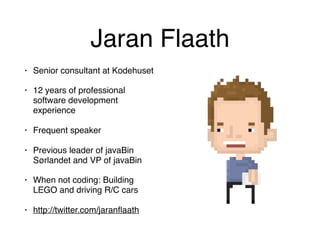
Jaran Flaath
• Senior consultant at Kodehuset
• 12 years of professional
software development
experience
• Frequent speaker
• Previous leader of javaBin
Sørlandet and VP of javaBin
• When not coding: Building
LEGO and driving R/C cars
• http://twitter.com/jaranflaath
What is Spring?
What is Spring?
Modular application framework assisting with almost
any aspect of modern application development
What is Spring Boot?
Spring Boot makes it easy to create stand-alone,
production-grade Spring based Applications that you
can "just run".
What is Spring Boot?
FEATURES
• Create stand-alone Spring applications
• Embed Tomcat, Jetty or Undertow directly (no need
to deploy WAR files)
• Provide opinionated 'starter' POMs to simplify your
Maven or Gradle configuration
• Automatically configure Spring whenever possible
• Provide production-ready features such as metrics,
health checks and externalised configuration
• No code generation or XML configuration
Maven and Gradle support
via starter-artifacts
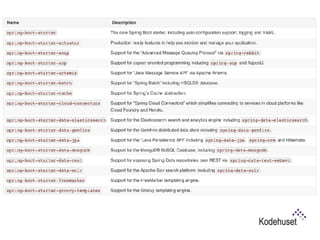
• Provides a range of spring-boot-starter-* artifacts
that contains what you need to get up and running
fast
• Customise when you need!
Let’s BOOT an
application!
Versions
• Current stable: 1.3.5

• Very soon arriving: 1.4.0


We will be using 1.3.5 for the demo today, but have a
look at the new features in 1.4.0 towards the end.
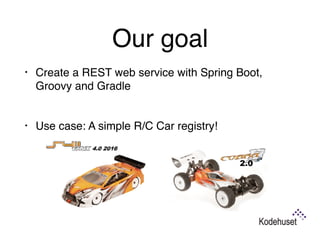
Our goal
• Create a REST web service with Spring Boot,
Groovy and Gradle

• Use case: A simple R/C Car registry!
What we will cover
• Creating an application
• Executable JAR
• Custom banner (because they’re awesome)
• Application configuration (and auto-configuration)
• Repositories
• Creating REST endpoints
• Testing
• Security
• Actuators
Step 1: 

Create application and
run it
Step 1: Takeaways
• @SpringBootApplication-annotation:


A convenience annotation combining
@EnableAutoConfiguration, @Configuration
and @ComponentScan

• We start our application with
SpringApplication.run()
Step 2: 

Executable JAR
Step 2: Takeaways
• Add spring-boot-gradle-plugin (or spring-boot-
maven-plugin)
• Application JAR can then be run as an executable
If linked as a service from /etc/init.d you will be able
to run the application as a daemon and use start,
stop and status arguments
Step 3: 

Custom banner
Step 3: Takeaways
• Well… It is very cool!
Step 4: 

Application configuration
and repositories
Step 4: Takeaways
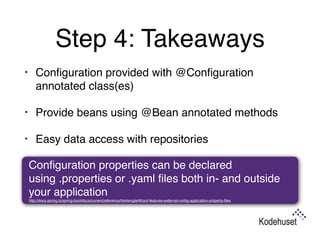
• Configuration provided with @Configuration
annotated class(es)
• Provide beans using @Bean annotated methods
• Easy data access with repositories

Configuration properties can be declared
using .properties or .yaml files both in- and outside
your application

http://docs.spring.io/spring-boot/docs/current/reference/htmlsingle/#boot-features-external-config-application-property-files
Step 5: 

Service endpoint
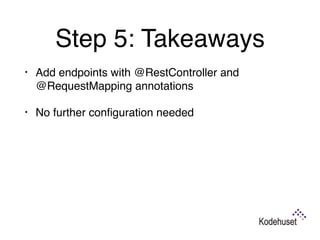
Step 5: Takeaways
• Add endpoints with @RestController and
@RequestMapping annotations
• No further configuration needed

Step 6: 

Testing
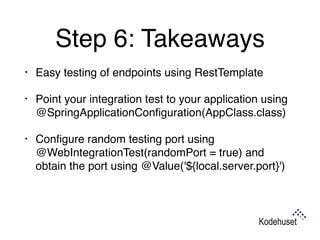
Step 6: Takeaways
• Easy testing of endpoints using RestTemplate
• Point your integration test to your application using
@SpringApplicationConfiguration(AppClass.class)
• Configure random testing port using
@WebIntegrationTest(randomPort = true) and
obtain the port using @Value('${local.server.port}')

Step 7: 

Security
Step 7: Takeaways
• Simply adding spring-security to class path enables
security
• @EnableWebSecurity disables default configuration
and allows us to customise security
• Extend WebSecurityConfigurerAdapter to
customise security

Step 8: 

Security 2
Step 8: Takeaways
• Use TestRestTemplate for additional functionality in
a test context

NOTE: Disabling CSRF should only be done for quick
testing and prototyping
Step 9: 

Actuators
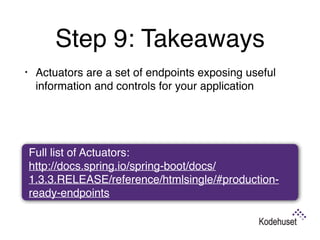
Step 9: Takeaways
• Actuators are a set of endpoints exposing useful
information and controls for your application

Full list of Actuators: 

http://docs.spring.io/spring-boot/docs/
1.3.3.RELEASE/reference/htmlsingle/#production-
ready-endpoints
What’s new in 1.4.0?
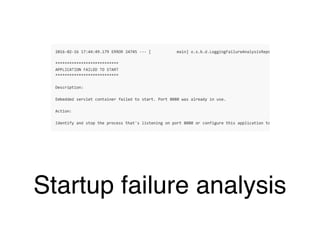
Startup failure analysis
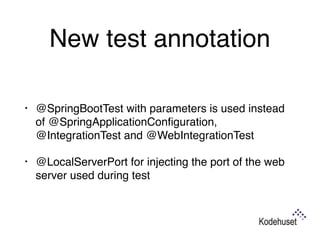
New test annotation
• @SpringBootTest with parameters is used instead
of @SpringApplicationConfiguration,
@IntegrationTest and @WebIntegrationTest
• @LocalServerPort for injecting the port of the web
server used during test
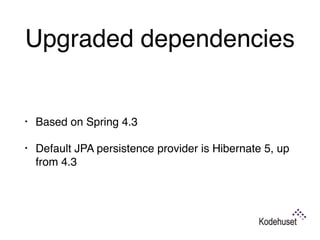
Upgraded dependencies
• Based on Spring 4.3
• Default JPA persistence provider is Hibernate 5, up
from 4.3
Image banners!
New annotation for mocking
existing beans
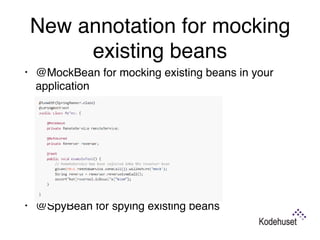
• @MockBean for mocking existing beans in your
application


• @SpyBean for spying existing beans
• See the rest here: 

https://github.com/spring-projects/spring-boot/wiki/
Spring-Boot-1.4-Release-Notes
That’s it. Simply.
Thank you!
twitter.com/jaranflaath jaran.flaath@gmail.com
Image CC BY-SA 4.0 Ashashyou (https://commons.wikimedia.org/wiki/User:Ashashyou)

SpringBoot

  • 1.
  • 2.
    Jaran Flaath • Seniorconsultant at Kodehuset • 12 years of professional software development experience • Frequent speaker • Previous leader of javaBin Sørlandet and VP of javaBin • When not coding: Building LEGO and driving R/C cars • http://twitter.com/jaranflaath
  • 5.
  • 6.
    What is Spring? Modularapplication framework assisting with almost any aspect of modern application development
  • 7.
  • 8.
    Spring Boot makesit easy to create stand-alone, production-grade Spring based Applications that you can "just run". What is Spring Boot?
  • 9.
  • 10.
    • Create stand-aloneSpring applications
  • 11.
    • Embed Tomcat,Jetty or Undertow directly (no need to deploy WAR files)
  • 12.
    • Provide opinionated'starter' POMs to simplify your Maven or Gradle configuration
  • 13.
    • Automatically configureSpring whenever possible
  • 14.
    • Provide production-readyfeatures such as metrics, health checks and externalised configuration
  • 15.
    • No codegeneration or XML configuration
  • 16.
    Maven and Gradlesupport via starter-artifacts • Provides a range of spring-boot-starter-* artifacts that contains what you need to get up and running fast • Customise when you need!
  • 18.
  • 19.
    Versions • Current stable:1.3.5
 • Very soon arriving: 1.4.0
 
 We will be using 1.3.5 for the demo today, but have a look at the new features in 1.4.0 towards the end.
  • 20.
    Our goal • Createa REST web service with Spring Boot, Groovy and Gradle
 • Use case: A simple R/C Car registry!
  • 21.
    What we willcover • Creating an application • Executable JAR • Custom banner (because they’re awesome) • Application configuration (and auto-configuration) • Repositories • Creating REST endpoints • Testing • Security • Actuators
  • 22.
    Step 1: 
 Createapplication and run it
  • 23.
    Step 1: Takeaways •@SpringBootApplication-annotation:
 
 A convenience annotation combining @EnableAutoConfiguration, @Configuration and @ComponentScan
 • We start our application with SpringApplication.run()
  • 24.
  • 25.
    Step 2: Takeaways •Add spring-boot-gradle-plugin (or spring-boot- maven-plugin) • Application JAR can then be run as an executable If linked as a service from /etc/init.d you will be able to run the application as a daemon and use start, stop and status arguments
  • 26.
  • 27.
    Step 3: Takeaways •Well… It is very cool!
  • 28.
    Step 4: 
 Applicationconfiguration and repositories
  • 29.
    Step 4: Takeaways •Configuration provided with @Configuration annotated class(es) • Provide beans using @Bean annotated methods • Easy data access with repositories
 Configuration properties can be declared using .properties or .yaml files both in- and outside your application
 http://docs.spring.io/spring-boot/docs/current/reference/htmlsingle/#boot-features-external-config-application-property-files
  • 30.
  • 31.
    Step 5: Takeaways •Add endpoints with @RestController and @RequestMapping annotations • No further configuration needed

  • 32.
  • 33.
    Step 6: Takeaways •Easy testing of endpoints using RestTemplate • Point your integration test to your application using @SpringApplicationConfiguration(AppClass.class) • Configure random testing port using @WebIntegrationTest(randomPort = true) and obtain the port using @Value('${local.server.port}')

  • 34.
  • 35.
    Step 7: Takeaways •Simply adding spring-security to class path enables security • @EnableWebSecurity disables default configuration and allows us to customise security • Extend WebSecurityConfigurerAdapter to customise security

  • 36.
  • 37.
    Step 8: Takeaways •Use TestRestTemplate for additional functionality in a test context
 NOTE: Disabling CSRF should only be done for quick testing and prototyping
  • 38.
  • 39.
    Step 9: Takeaways •Actuators are a set of endpoints exposing useful information and controls for your application
 Full list of Actuators: 
 http://docs.spring.io/spring-boot/docs/ 1.3.3.RELEASE/reference/htmlsingle/#production- ready-endpoints
  • 40.
  • 41.
  • 42.
    New test annotation •@SpringBootTest with parameters is used instead of @SpringApplicationConfiguration, @IntegrationTest and @WebIntegrationTest • @LocalServerPort for injecting the port of the web server used during test
  • 43.
    Upgraded dependencies • Basedon Spring 4.3 • Default JPA persistence provider is Hibernate 5, up from 4.3
  • 44.
  • 45.
    New annotation formocking existing beans • @MockBean for mocking existing beans in your application
 
 
 • @SpyBean for spying existing beans
  • 46.
    • See therest here: 
 https://github.com/spring-projects/spring-boot/wiki/ Spring-Boot-1.4-Release-Notes
  • 48.
  • 49.
    Thank you! twitter.com/jaranflaath jaran.flaath@gmail.com ImageCC BY-SA 4.0 Ashashyou (https://commons.wikimedia.org/wiki/User:Ashashyou)