Spring Boot Tutorial
This tutorial provides an overview of Spring Boot, a framework designed to simplify Java application development. It discusses key features,
advantages, and best practices, making it easier for developers to create production-ready applications efficiently.
Contact information :
📍 G-13, 2nd Floor, Sec-3, Noida, UP, 201301, India
hr@tpointtech.com
✉
📞 +91-9599086977 https://www.tpointtech.com/spring-boot-tutorial
click a link and read the article
Introduction to Spring Boot
What is Spring Boot?
Spring Boot is an open-source Java-based framework that simplifies building stand-
alone, production-grade applications.
Key Features
It offers embedded servers, auto-configuration, and starter dependencies for quick
setup.
Why Use Spring Boot?
It enhances productivity by minimizing boilerplate code and streamlining project setup.
Getting Started with Spring Boot
To effectively kick off your journey with Spring Boot, you will first need to set up your environment and create your initial project. Understanding
the project structure is crucial for efficient development.
Setting Up the Environment
1
Install Java Development Kit (JDK) and an
IDE like IntelliJ IDEA or Eclipse.
Creating a Spring Boot Project
Utilize the Spring Initializr tool to generate
a project with required dependencies.
2
Understanding Project Structure
Learn about Maven or Gradle project
structure, including application properties
and source directories.
3
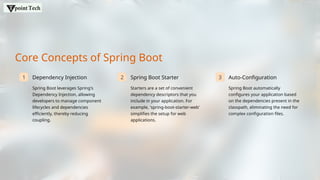
Core Concepts of Spring Boot
1 Dependency Injection
Spring Boot leverages Spring's
Dependency Injection, allowing
developers to manage component
lifecycles and dependencies
efficiently, thereby reducing
coupling.
2 Spring Boot Starter
Starters are a set of convenient
dependency descriptors that you
include in your application. For
example, 'spring-boot-starter-web'
simplifies the setup for web
applications.
3 Auto-Configuration
Spring Boot automatically
configures your application based
on the dependencies present in the
classpath, eliminating the need for
complex configuration files.
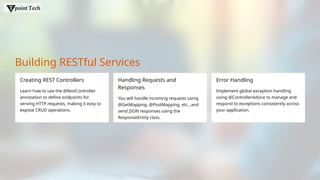
Building RESTful Services
Creating REST Controllers
Learn how to use the @RestController
annotation to define endpoints for
serving HTTP requests, making it easy to
expose CRUD operations.
Handling Requests and
Responses
You will handle incoming requests using
@GetMapping, @PostMapping, etc., and
send JSON responses using the
ResponseEntity class.
Error Handling
Implement global exception handling
using @ControllerAdvice to manage and
respond to exceptions consistently across
your application.
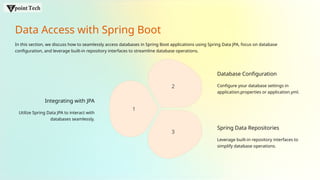
Data Access with Spring Boot
In this section, we discuss how to seamlessly access databases in Spring Boot applications using Spring Data JPA, focus on database
configuration, and leverage built-in repository interfaces to streamline database operations.
Integrating with JPA
Utilize Spring Data JPA to interact with
databases seamlessly.
1
2
3
Database Configuration
Configure your database settings in
application.properties or application.yml.
Spring Data Repositories
Leverage built-in repository interfaces to
simplify database operations.
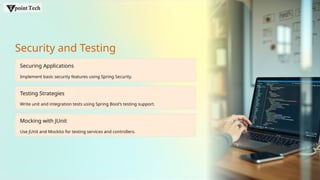
Security and Testing
Securing Applications
Implement basic security features using Spring Security.
Testing Strategies
Write unit and integration tests using Spring Boot’s testing support.
Mocking with JUnit
Use JUnit and Mockito for testing services and controllers.
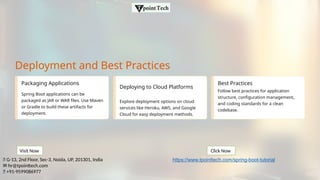
Deployment and Best Practices
Packaging Applications
Spring Boot applications can be
packaged as JAR or WAR files. Use Maven
or Gradle to build these artifacts for
deployment.
Deploying to Cloud Platforms
Explore deployment options on cloud
services like Heroku, AWS, and Google
Cloud for easy deployment methods.
Best Practices
Follow best practices for application
structure, configuration management,
and coding standards for a clean
codebase.
📍 G-13, 2nd Floor, Sec-3, Noida, UP, 201301, India
hr@tpointtech.com
✉
📞 +91-9599086977
Visit Now Click Now
https://www.tpointtech.com/spring-boot-tutorial

Spring Boot Tutorial28. pptx

  • 1.
    Spring Boot Tutorial Thistutorial provides an overview of Spring Boot, a framework designed to simplify Java application development. It discusses key features, advantages, and best practices, making it easier for developers to create production-ready applications efficiently. Contact information : 📍 G-13, 2nd Floor, Sec-3, Noida, UP, 201301, India hr@tpointtech.com ✉ 📞 +91-9599086977 https://www.tpointtech.com/spring-boot-tutorial click a link and read the article
  • 2.
    Introduction to SpringBoot What is Spring Boot? Spring Boot is an open-source Java-based framework that simplifies building stand- alone, production-grade applications. Key Features It offers embedded servers, auto-configuration, and starter dependencies for quick setup. Why Use Spring Boot? It enhances productivity by minimizing boilerplate code and streamlining project setup.
  • 3.
    Getting Started withSpring Boot To effectively kick off your journey with Spring Boot, you will first need to set up your environment and create your initial project. Understanding the project structure is crucial for efficient development. Setting Up the Environment 1 Install Java Development Kit (JDK) and an IDE like IntelliJ IDEA or Eclipse. Creating a Spring Boot Project Utilize the Spring Initializr tool to generate a project with required dependencies. 2 Understanding Project Structure Learn about Maven or Gradle project structure, including application properties and source directories. 3
  • 4.
    Core Concepts ofSpring Boot 1 Dependency Injection Spring Boot leverages Spring's Dependency Injection, allowing developers to manage component lifecycles and dependencies efficiently, thereby reducing coupling. 2 Spring Boot Starter Starters are a set of convenient dependency descriptors that you include in your application. For example, 'spring-boot-starter-web' simplifies the setup for web applications. 3 Auto-Configuration Spring Boot automatically configures your application based on the dependencies present in the classpath, eliminating the need for complex configuration files.
  • 5.
    Building RESTful Services CreatingREST Controllers Learn how to use the @RestController annotation to define endpoints for serving HTTP requests, making it easy to expose CRUD operations. Handling Requests and Responses You will handle incoming requests using @GetMapping, @PostMapping, etc., and send JSON responses using the ResponseEntity class. Error Handling Implement global exception handling using @ControllerAdvice to manage and respond to exceptions consistently across your application.
  • 6.
    Data Access withSpring Boot In this section, we discuss how to seamlessly access databases in Spring Boot applications using Spring Data JPA, focus on database configuration, and leverage built-in repository interfaces to streamline database operations. Integrating with JPA Utilize Spring Data JPA to interact with databases seamlessly. 1 2 3 Database Configuration Configure your database settings in application.properties or application.yml. Spring Data Repositories Leverage built-in repository interfaces to simplify database operations.
  • 7.
    Security and Testing SecuringApplications Implement basic security features using Spring Security. Testing Strategies Write unit and integration tests using Spring Boot’s testing support. Mocking with JUnit Use JUnit and Mockito for testing services and controllers.
  • 8.
    Deployment and BestPractices Packaging Applications Spring Boot applications can be packaged as JAR or WAR files. Use Maven or Gradle to build these artifacts for deployment. Deploying to Cloud Platforms Explore deployment options on cloud services like Heroku, AWS, and Google Cloud for easy deployment methods. Best Practices Follow best practices for application structure, configuration management, and coding standards for a clean codebase. 📍 G-13, 2nd Floor, Sec-3, Noida, UP, 201301, India hr@tpointtech.com ✉ 📞 +91-9599086977 Visit Now Click Now https://www.tpointtech.com/spring-boot-tutorial