Use Case Development
Objectives You will understand: The value of use cases The relationship between use cases and requirements How to review use cases How to create use cases Applications for other activities - testing, documentation, etc. Use Case Development
The Art of Use Cases More of an art than a science No right or wrong way to develop use cases Iterative process Teams will find a style and level of detail that work for them Use Case Development
Agenda Why Use Cases? Reviewing Use Cases Use Case Anatomy Creating Use Cases Splunk Use Cases Use Case Development
Why Use Cases? Use Case Development
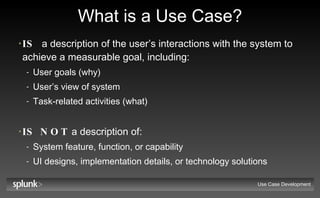
What is a Use Case? IS   a description of the user’s interactions with the system to achieve a measurable goal, including: User goals (why) User’s view of system  Task-related activities (what) IS NOT  a description of: System feature, function, or capability UI designs, implementation details, or technology solutions Use Case Development
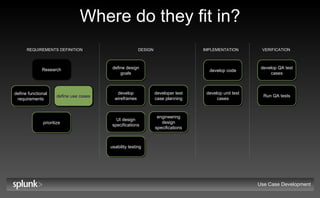
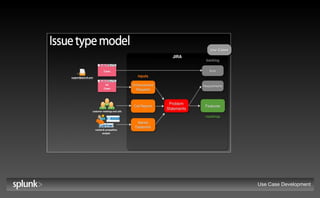
Where do they fit in? Use Case Development REQUIREMENTS DEFINITION DESIGN IMPLEMENTATION VERIFICATION Research define functional requirements define use cases Also map to jira  objects (problem statements, requirements, etc.) UI design specifications develop wireframes define design goals prioritize usability testing developer test case planning engineering design specifications develop unit test cases develop code Run QA tests develop QA test cases
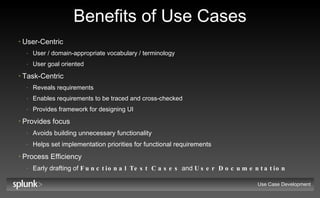
Benefits of Use Cases User-Centric User / domain-appropriate vocabulary / terminology User goal oriented Task-Centric Reveals requirements Enables requirements to be traced and cross-checked Provides framework for designing UI Provides focus Avoids building unnecessary functionality Helps set implementation priorities for functional requirements Process Efficiency Early drafting of  Functional Test Cases  and  User Documentation Use Case Development
Use Case Development Use Cases
Use Cases & Requirements Complementary Requirements document capabilities required for user to solve problem or achieve objective Use Cases document the meaningful interactions between the user and the system Traceable Use cases can be used to cross-check and validate Requirements Requirements can be used to cross-check and validate Use Cases Use Case Development
Practice! Use Case Development
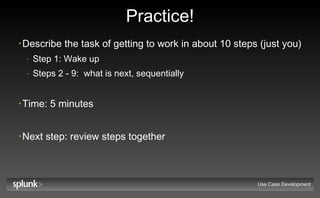
Practice! Describe the task of getting to work in about 10 steps (just you) Step 1: Wake up Steps 2 - 9:  what is next, sequentially Time: 5 minutes Next step: review steps together Use Case Development
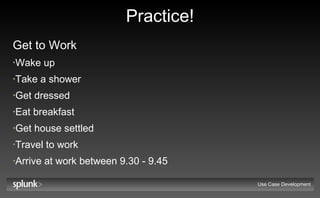
Practice! Get to Work Wake up Take a shower Get dressed Eat breakfast Get house settled Travel to work Arrive at work between 9.30 - 9.45 Use Case Development
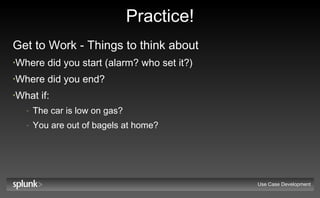
Practice! Get to Work - Things to think about Where did you start (alarm? who set it?) Where did you end? What if: The car is low on gas? You are out of bagels at home? Use Case Development
Reviewing Use Cases Use Case Development
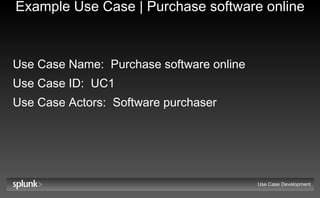
Example Use Case | Purchase software online Use Case Name:   Purchase software online Use Case ID:   UC1 Use Case Actors:   Software purchaser Use Case Development
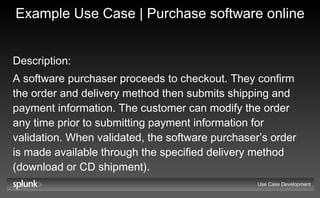
Example Use Case | Purchase software online Description:   A software purchaser proceeds to checkout. They confirm the order and delivery method then submits shipping and payment information. The customer can modify the order any time prior to submitting payment information for validation. When validated, the software purchaser’s order is made available through the specified delivery method (download or CD shipment). Use Case Development
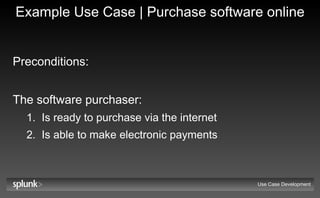
Example Use Case | Purchase software online Preconditions:   The software purchaser: Is ready to purchase via the internet Is able to make electronic payments Use Case Development
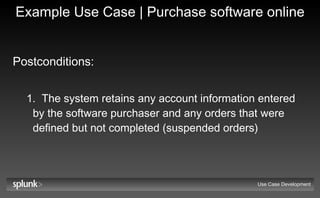
Example Use Case | Purchase software online Postconditions:   The system retains any account information entered by the software purchaser and any orders that were defined but not completed (suspended orders) Use Case Development
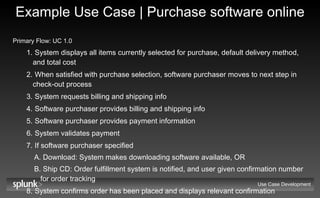
Example Use Case | Purchase software online Primary Flow: UC 1.0   System displays all items currently selected for purchase, default delivery method, and total cost When satisfied with purchase selection, software purchaser moves to next step in check-out process System requests billing and shipping info Software purchaser provides billing and shipping info Software purchaser provides payment information System validates payment If software purchaser specified Download: System makes downloading software available, OR Ship CD: Order fulfillment system is notified, and user given confirmation number for order tracking System confirms order has been placed and displays relevant confirmation information Use Case Development
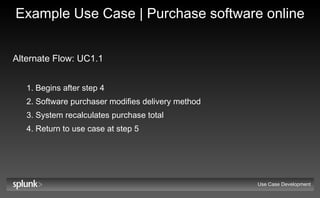
Example Use Case | Purchase software online Alternate Flow: UC1.1   Begins after step 4 Software purchaser modifies delivery method System recalculates purchase total Return to use case at step 5 Use Case Development
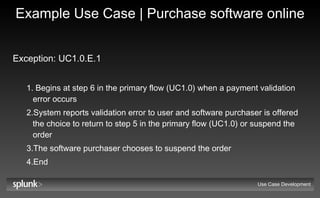
Example Use Case | Purchase software online Exception: UC1.0.E.1   Begins at step 6 in the primary flow (UC1.0) when a payment validation error occurs System reports validation error to user and software purchaser is offered the choice to return to step 5 in the primary flow (UC1.0) or suspend the order The software purchaser chooses to suspend the order End Use Case Development
Use Case Anatomy Use Case Development
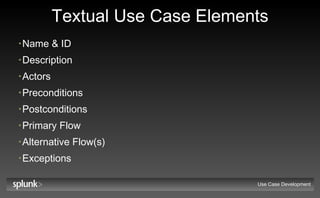
Textual Use Case Elements Name & ID Description Actors Preconditions Postconditions Primary Flow Alternative Flow(s) Exceptions Use Case Development
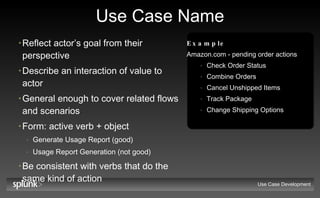
Use Case Name Reflect actor’s goal from their perspective Describe an interaction of value to actor General enough to cover related flows and scenarios Form: active verb + object Generate Usage Report (good) Usage Report Generation (not good) Be consistent with verbs that do the same kind of action Use Case Development Example Amazon.com - pending order actions Check Order Status Combine Orders Cancel Unshipped Items Track Package Change Shipping Options
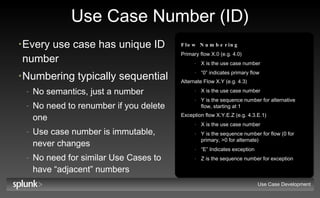
Use Case Number (ID) Every use case has unique ID number Numbering typically sequential No semantics, just a number No need to renumber if you delete one Use case number is immutable, never changes No need for similar Use Cases to have “adjacent” numbers Use Case Development Flow Numbering Primary flow X.0 (e.g. 4.0) X is the use case number “ 0” indicates primary flow Alternate Flow X.Y (e.g. 4.3) X is the use case number Y is the sequence number for alternative flow, starting at 1 Exception flow X.Y.E.Z (e.g. 4.3.E.1) X is the use case number Y is the sequence number for flow (0 for primary, >0 for alternate) “ E” Indicates exception Z is the sequence number for exception
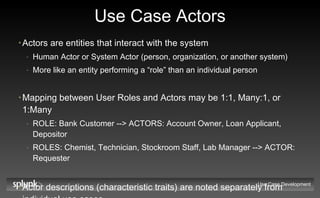
Use Case Actors Actors are entities that interact with the system Human Actor or System Actor (person, organization, or another system) More like an entity performing a “role” than an individual person Mapping between User Roles and Actors may be 1:1, Many:1, or 1:Many ROLE: Bank Customer --> ACTORS: Account Owner, Loan Applicant, Depositor ROLES: Chemist, Technician, Stockroom Staff, Lab Manager --> ACTOR: Requester Actor descriptions (characteristic traits) are noted separately from individual use cases Use Case Development
Use Case Description Includes: Brief description of actor goal High-level summary of actions taken to achieve goal Outcome of executing Use Case Generally not longer than one paragraph No need to articulate all alternative and exception paths Outcome  must  include the outcome for the actor,  may  include the outcome for the system Use Case Development
Use Case Preconditions Conditions that  MUST BE TRUE  before a Use Case can be performed Describe the state the system must be in when the use case is triggered ATM contains money, Software Purchaser is ready to purchase NOT  the trigger action itself Account owner requests withdrawal  (wrong) The Software Purchaser requests to purchase (wrong) NOT  the user’s intention I need money  (wrong) The Software Purchaser wants to download software (wrong) Use Case Development
Use Case Postconditions The state the system is in at the  SUCCESSFUL  conclusion of the Use Case  Describes: Physical outcomes  (Money has been dispensed, Mailing label printed) Data or internal state changes (Order has been stored, System retains any account information) Something has happened (Account balance displayed) Independent of path taken Should be true in primary or alternate flow Use Case Development
Primary Flow List of steps user would normally take to achieve goal for Use Case Culminates with user achieving goal Most common, important, or default case Simple: no branches, no errors Success postconditions met Each step should move user towards goal An action could be the name of another Use Case Flow with >15 steps may indicate need to decompose Use Case into 2 or more use cases   (or it might be too descriptive) Use Case Development
Primary Flow Guidelines State explicitly who starts the use case and how it begins The use case begins when... And when it ends (...and the use case ends.) Write a series of actions - who does what next? Don’t worry about exceptions or alternatives, pick the most common way of doing things State explicitly: All communications with actors If you are using information, where did it come from? If you are producing information, where does it go? Use Case Development
Alternate Flow One or more alternate paths through which the user can reach the goal of the Use Case Culminates with user achieving goal Alternate flows are less common or lower priority flows than primary flow Can “branch” off primary flow - document only the differences Alternate flow is not an error flow Returns back into Primary flow Success postconditions met Use Case Development
Exception Flow Conditions that can prevent the user from achieving the goal of the Use Case Culminates with user failing to achieve goal Can “branch” off primary or alternate flows - document only the differences Documents how the exception is to be handled Recovery may or may not be possible Explicitly state postcondition / end condition of each exception Use Case Development
Alternate & Exception Flow Guidelines Identify by going through each step of basic path and asking: Is there another way to do this? Is there some other action that could be taken here? What could go wrong at this point? Can the flow of events be interrupted by an Actor? Thorough but time-consuming Also consider identifying by using categories Examples: Cancel task, Exit application, Get help, Bad data was entered, Incomplete data, System crash/abnormal termination Use Case Development
Creating Use Cases Use Case Development
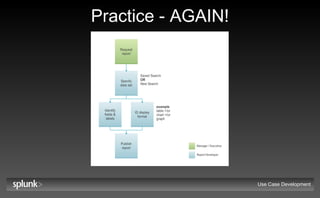
Practice - AGAIN! Create Report | Report Developer Work in small groups (3-5 people) In 10 minutes, document: Primary Flow One Exception OR Alternate Flow Select one representative to present flows to class Use Case Development
Practice - AGAIN! Use Case Development
General Tips Write steps at a common level of abstraction Watch out for: Use cases that users don’t understand (too technical, not what user does) Use Cases that aren’t about user goals Too many Use Cases (Why? Too small? Scope creep?) Highly complex Use Cases (Why? Too technical? Too detailed?) Failure to consider alternate flows and exceptions Prematurely detailing low-priority Use Cases Describing specific UI elements and actions (see next slide) Use Case Development
Tips for Avoiding UI Specification Focus on user goal, not solution Don’t mention: UI, windows, widgets, explicitly How to navigate the task Do mention:  information the Actor needs Examples: The clerk signifies completion of the transaction (good) | The clerk pushes the OK button (bad) The customer chooses a part from the list of available parts in the specified zip code (good) | The customer uses the mouse to click their part selection for the zip code they specified in... (bad) Use Case Development
Tips for Avoiding UI Specification If you need to, consider UI until you understand user goal Then, pop up a level to rise above the UI Try thinking about how to accomplish the goal using a manual process REMEMBER:  The Use Case goal is to capture requirements, NOT to design the system Use Case Development
Guidelines for Correctness & Completeness Each step of flow should be a simple, declarative statement Resist temptation to get too detailed Steps are in order of time If steps can happen in any order, make it clear in the description by using a declarative statement Flow of events should be written from the Actor’s point of view All steps in flow of events should be visible to the actor Most Use Cases start and end with an Actor Could also start or end internally Use Case Development
Guidelines for Correctness & Completeness Don’t worry about getting it right the first time Iterate and refine use cases to incorporate knowledge learned, flow will improve as understanding of system improves Include enough info in flow of events to be able to determine whether or not a particular Use Case handle specific functionality Consider who could read and understand the flow of events End users, marketing, colleagues? Use Case Development
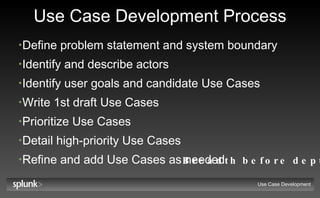
Use Case Development Process Define problem statement and system boundary Identify and describe actors Identify user goals and candidate Use Cases Write 1st draft Use Cases Prioritize Use Cases Detail high-priority Use Cases Refine and add Use Cases as needed Use Case Development Breadth before depth
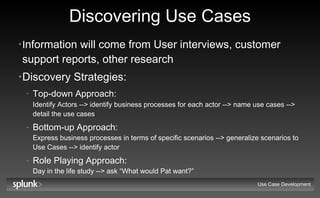
Discovering Use Cases I nformation will come from User interviews, customer support reports, other research  Discovery Strategies: Top-down Approach:   Identify Actors --> identify business processes for each actor --> name use cases --> detail the use cases Bottom-up Approach:  Express business processes in terms of specific scenarios --> generalize scenarios to Use Cases --> identify actor Role Playing Approach:  Day in the life study --> ask “What would Pat want?” Use Case Development
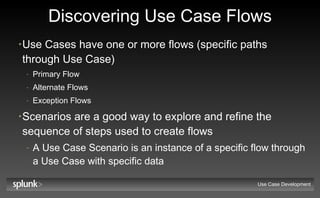
Discovering Use Case Flows Use Cases have one or more flows (specific paths through Use Case) Primary Flow Alternate Flows Exception Flows Scenarios are a good way to explore and refine the sequence of steps used to create flows A Use Case Scenario is an instance of a specific flow through a Use Case with specific data Use Case Development
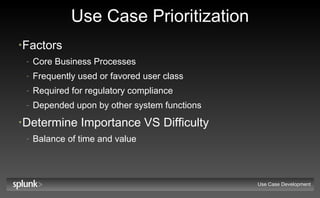
Use Case Prioritization Factors Core Business Processes Frequently used or favored user class Required for regulatory compliance Depended upon by other system functions Determine Importance VS Difficulty Balance of time and value Use Case Development
Splunk Use Cases Use Case Development
Administration Splunk Administrator First use Configure Splunk Deploy Splunk Add data sources Update Indexing properties Add/modify user roles and privileges Manage deployment Setup saved searches Setup dashboards Use Case Development
Availability T1 Personnel, T2/3 Admin, IT OPS Manager, Developers, Content Team Troubleshoot service, system, network, or application problem Monitor events Detect changes Validate changes Manage service levels Create service level management reports and dashboards Review service level management reports and dashboards Review production errors Use Case Development
Change Management T1 Admin, T2/3 Admin, Auditor, IT OPS Manager Detect changes Validate changes Respond to incidents Monitor events Create change management reports and dashboards Review change management reports and dashboards Audit changes Use Case Development
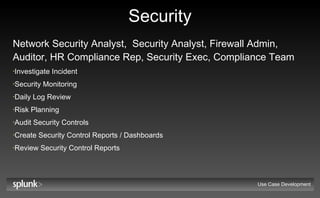
Security Network Security Analyst,  Security Analyst, Firewall Admin, Auditor, HR Compliance Rep, Security Exec, Compliance Team Investigate Incident Security Monitoring Daily Log Review Risk Planning Audit Security Controls Create Security Control Reports / Dashboards Review Security Control Reports Use Case Development
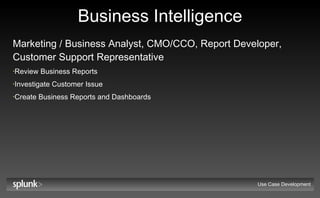
Business Intelligence Marketing / Business Analyst, CMO/CCO, Report Developer, Customer Support Representative Review Business Reports Investigate Customer Issue Create Business Reports and Dashboards Use Case Development
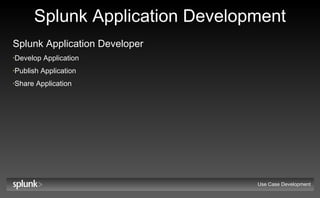
Splunk Application Development Splunk Application Developer Develop Application Publish Application Share Application Use Case Development
Recap Use Case Development
Why Use Cases? Benefits downstream development and corporate activities: Requirements Prioritization Development of: Design Specifications Test Cases Documentation Training materials Product Marketing & Sales materials Use Case Development

Splunk | Use Case Training

  • 1.
  • 2.
    Objectives You willunderstand: The value of use cases The relationship between use cases and requirements How to review use cases How to create use cases Applications for other activities - testing, documentation, etc. Use Case Development
  • 3.
    The Art ofUse Cases More of an art than a science No right or wrong way to develop use cases Iterative process Teams will find a style and level of detail that work for them Use Case Development
  • 4.
    Agenda Why UseCases? Reviewing Use Cases Use Case Anatomy Creating Use Cases Splunk Use Cases Use Case Development
  • 5.
    Why Use Cases?Use Case Development
  • 6.
    What is aUse Case? IS a description of the user’s interactions with the system to achieve a measurable goal, including: User goals (why) User’s view of system Task-related activities (what) IS NOT a description of: System feature, function, or capability UI designs, implementation details, or technology solutions Use Case Development
  • 7.
    Where do theyfit in? Use Case Development REQUIREMENTS DEFINITION DESIGN IMPLEMENTATION VERIFICATION Research define functional requirements define use cases Also map to jira objects (problem statements, requirements, etc.) UI design specifications develop wireframes define design goals prioritize usability testing developer test case planning engineering design specifications develop unit test cases develop code Run QA tests develop QA test cases
  • 8.
    Benefits of UseCases User-Centric User / domain-appropriate vocabulary / terminology User goal oriented Task-Centric Reveals requirements Enables requirements to be traced and cross-checked Provides framework for designing UI Provides focus Avoids building unnecessary functionality Helps set implementation priorities for functional requirements Process Efficiency Early drafting of Functional Test Cases and User Documentation Use Case Development
  • 9.
  • 10.
    Use Cases &Requirements Complementary Requirements document capabilities required for user to solve problem or achieve objective Use Cases document the meaningful interactions between the user and the system Traceable Use cases can be used to cross-check and validate Requirements Requirements can be used to cross-check and validate Use Cases Use Case Development
  • 11.
    Practice! Use CaseDevelopment
  • 12.
    Practice! Describe thetask of getting to work in about 10 steps (just you) Step 1: Wake up Steps 2 - 9: what is next, sequentially Time: 5 minutes Next step: review steps together Use Case Development
  • 13.
    Practice! Get toWork Wake up Take a shower Get dressed Eat breakfast Get house settled Travel to work Arrive at work between 9.30 - 9.45 Use Case Development
  • 14.
    Practice! Get toWork - Things to think about Where did you start (alarm? who set it?) Where did you end? What if: The car is low on gas? You are out of bagels at home? Use Case Development
  • 15.
    Reviewing Use CasesUse Case Development
  • 16.
    Example Use Case| Purchase software online Use Case Name: Purchase software online Use Case ID: UC1 Use Case Actors: Software purchaser Use Case Development
  • 17.
    Example Use Case| Purchase software online Description: A software purchaser proceeds to checkout. They confirm the order and delivery method then submits shipping and payment information. The customer can modify the order any time prior to submitting payment information for validation. When validated, the software purchaser’s order is made available through the specified delivery method (download or CD shipment). Use Case Development
  • 18.
    Example Use Case| Purchase software online Preconditions: The software purchaser: Is ready to purchase via the internet Is able to make electronic payments Use Case Development
  • 19.
    Example Use Case| Purchase software online Postconditions: The system retains any account information entered by the software purchaser and any orders that were defined but not completed (suspended orders) Use Case Development
  • 20.
    Example Use Case| Purchase software online Primary Flow: UC 1.0 System displays all items currently selected for purchase, default delivery method, and total cost When satisfied with purchase selection, software purchaser moves to next step in check-out process System requests billing and shipping info Software purchaser provides billing and shipping info Software purchaser provides payment information System validates payment If software purchaser specified Download: System makes downloading software available, OR Ship CD: Order fulfillment system is notified, and user given confirmation number for order tracking System confirms order has been placed and displays relevant confirmation information Use Case Development
  • 21.
    Example Use Case| Purchase software online Alternate Flow: UC1.1 Begins after step 4 Software purchaser modifies delivery method System recalculates purchase total Return to use case at step 5 Use Case Development
  • 22.
    Example Use Case| Purchase software online Exception: UC1.0.E.1 Begins at step 6 in the primary flow (UC1.0) when a payment validation error occurs System reports validation error to user and software purchaser is offered the choice to return to step 5 in the primary flow (UC1.0) or suspend the order The software purchaser chooses to suspend the order End Use Case Development
  • 23.
    Use Case AnatomyUse Case Development
  • 24.
    Textual Use CaseElements Name & ID Description Actors Preconditions Postconditions Primary Flow Alternative Flow(s) Exceptions Use Case Development
  • 25.
    Use Case NameReflect actor’s goal from their perspective Describe an interaction of value to actor General enough to cover related flows and scenarios Form: active verb + object Generate Usage Report (good) Usage Report Generation (not good) Be consistent with verbs that do the same kind of action Use Case Development Example Amazon.com - pending order actions Check Order Status Combine Orders Cancel Unshipped Items Track Package Change Shipping Options
  • 26.
    Use Case Number(ID) Every use case has unique ID number Numbering typically sequential No semantics, just a number No need to renumber if you delete one Use case number is immutable, never changes No need for similar Use Cases to have “adjacent” numbers Use Case Development Flow Numbering Primary flow X.0 (e.g. 4.0) X is the use case number “ 0” indicates primary flow Alternate Flow X.Y (e.g. 4.3) X is the use case number Y is the sequence number for alternative flow, starting at 1 Exception flow X.Y.E.Z (e.g. 4.3.E.1) X is the use case number Y is the sequence number for flow (0 for primary, >0 for alternate) “ E” Indicates exception Z is the sequence number for exception
  • 27.
    Use Case ActorsActors are entities that interact with the system Human Actor or System Actor (person, organization, or another system) More like an entity performing a “role” than an individual person Mapping between User Roles and Actors may be 1:1, Many:1, or 1:Many ROLE: Bank Customer --> ACTORS: Account Owner, Loan Applicant, Depositor ROLES: Chemist, Technician, Stockroom Staff, Lab Manager --> ACTOR: Requester Actor descriptions (characteristic traits) are noted separately from individual use cases Use Case Development
  • 28.
    Use Case DescriptionIncludes: Brief description of actor goal High-level summary of actions taken to achieve goal Outcome of executing Use Case Generally not longer than one paragraph No need to articulate all alternative and exception paths Outcome must include the outcome for the actor, may include the outcome for the system Use Case Development
  • 29.
    Use Case PreconditionsConditions that MUST BE TRUE before a Use Case can be performed Describe the state the system must be in when the use case is triggered ATM contains money, Software Purchaser is ready to purchase NOT the trigger action itself Account owner requests withdrawal (wrong) The Software Purchaser requests to purchase (wrong) NOT the user’s intention I need money (wrong) The Software Purchaser wants to download software (wrong) Use Case Development
  • 30.
    Use Case PostconditionsThe state the system is in at the SUCCESSFUL conclusion of the Use Case Describes: Physical outcomes (Money has been dispensed, Mailing label printed) Data or internal state changes (Order has been stored, System retains any account information) Something has happened (Account balance displayed) Independent of path taken Should be true in primary or alternate flow Use Case Development
  • 31.
    Primary Flow Listof steps user would normally take to achieve goal for Use Case Culminates with user achieving goal Most common, important, or default case Simple: no branches, no errors Success postconditions met Each step should move user towards goal An action could be the name of another Use Case Flow with >15 steps may indicate need to decompose Use Case into 2 or more use cases (or it might be too descriptive) Use Case Development
  • 32.
    Primary Flow GuidelinesState explicitly who starts the use case and how it begins The use case begins when... And when it ends (...and the use case ends.) Write a series of actions - who does what next? Don’t worry about exceptions or alternatives, pick the most common way of doing things State explicitly: All communications with actors If you are using information, where did it come from? If you are producing information, where does it go? Use Case Development
  • 33.
    Alternate Flow Oneor more alternate paths through which the user can reach the goal of the Use Case Culminates with user achieving goal Alternate flows are less common or lower priority flows than primary flow Can “branch” off primary flow - document only the differences Alternate flow is not an error flow Returns back into Primary flow Success postconditions met Use Case Development
  • 34.
    Exception Flow Conditionsthat can prevent the user from achieving the goal of the Use Case Culminates with user failing to achieve goal Can “branch” off primary or alternate flows - document only the differences Documents how the exception is to be handled Recovery may or may not be possible Explicitly state postcondition / end condition of each exception Use Case Development
  • 35.
    Alternate & ExceptionFlow Guidelines Identify by going through each step of basic path and asking: Is there another way to do this? Is there some other action that could be taken here? What could go wrong at this point? Can the flow of events be interrupted by an Actor? Thorough but time-consuming Also consider identifying by using categories Examples: Cancel task, Exit application, Get help, Bad data was entered, Incomplete data, System crash/abnormal termination Use Case Development
  • 36.
    Creating Use CasesUse Case Development
  • 37.
    Practice - AGAIN!Create Report | Report Developer Work in small groups (3-5 people) In 10 minutes, document: Primary Flow One Exception OR Alternate Flow Select one representative to present flows to class Use Case Development
  • 38.
    Practice - AGAIN!Use Case Development
  • 39.
    General Tips Writesteps at a common level of abstraction Watch out for: Use cases that users don’t understand (too technical, not what user does) Use Cases that aren’t about user goals Too many Use Cases (Why? Too small? Scope creep?) Highly complex Use Cases (Why? Too technical? Too detailed?) Failure to consider alternate flows and exceptions Prematurely detailing low-priority Use Cases Describing specific UI elements and actions (see next slide) Use Case Development
  • 40.
    Tips for AvoidingUI Specification Focus on user goal, not solution Don’t mention: UI, windows, widgets, explicitly How to navigate the task Do mention: information the Actor needs Examples: The clerk signifies completion of the transaction (good) | The clerk pushes the OK button (bad) The customer chooses a part from the list of available parts in the specified zip code (good) | The customer uses the mouse to click their part selection for the zip code they specified in... (bad) Use Case Development
  • 41.
    Tips for AvoidingUI Specification If you need to, consider UI until you understand user goal Then, pop up a level to rise above the UI Try thinking about how to accomplish the goal using a manual process REMEMBER: The Use Case goal is to capture requirements, NOT to design the system Use Case Development
  • 42.
    Guidelines for Correctness& Completeness Each step of flow should be a simple, declarative statement Resist temptation to get too detailed Steps are in order of time If steps can happen in any order, make it clear in the description by using a declarative statement Flow of events should be written from the Actor’s point of view All steps in flow of events should be visible to the actor Most Use Cases start and end with an Actor Could also start or end internally Use Case Development
  • 43.
    Guidelines for Correctness& Completeness Don’t worry about getting it right the first time Iterate and refine use cases to incorporate knowledge learned, flow will improve as understanding of system improves Include enough info in flow of events to be able to determine whether or not a particular Use Case handle specific functionality Consider who could read and understand the flow of events End users, marketing, colleagues? Use Case Development
  • 44.
    Use Case DevelopmentProcess Define problem statement and system boundary Identify and describe actors Identify user goals and candidate Use Cases Write 1st draft Use Cases Prioritize Use Cases Detail high-priority Use Cases Refine and add Use Cases as needed Use Case Development Breadth before depth
  • 45.
    Discovering Use CasesI nformation will come from User interviews, customer support reports, other research Discovery Strategies: Top-down Approach: Identify Actors --> identify business processes for each actor --> name use cases --> detail the use cases Bottom-up Approach: Express business processes in terms of specific scenarios --> generalize scenarios to Use Cases --> identify actor Role Playing Approach: Day in the life study --> ask “What would Pat want?” Use Case Development
  • 46.
    Discovering Use CaseFlows Use Cases have one or more flows (specific paths through Use Case) Primary Flow Alternate Flows Exception Flows Scenarios are a good way to explore and refine the sequence of steps used to create flows A Use Case Scenario is an instance of a specific flow through a Use Case with specific data Use Case Development
  • 47.
    Use Case PrioritizationFactors Core Business Processes Frequently used or favored user class Required for regulatory compliance Depended upon by other system functions Determine Importance VS Difficulty Balance of time and value Use Case Development
  • 48.
    Splunk Use CasesUse Case Development
  • 49.
    Administration Splunk AdministratorFirst use Configure Splunk Deploy Splunk Add data sources Update Indexing properties Add/modify user roles and privileges Manage deployment Setup saved searches Setup dashboards Use Case Development
  • 50.
    Availability T1 Personnel,T2/3 Admin, IT OPS Manager, Developers, Content Team Troubleshoot service, system, network, or application problem Monitor events Detect changes Validate changes Manage service levels Create service level management reports and dashboards Review service level management reports and dashboards Review production errors Use Case Development
  • 51.
    Change Management T1Admin, T2/3 Admin, Auditor, IT OPS Manager Detect changes Validate changes Respond to incidents Monitor events Create change management reports and dashboards Review change management reports and dashboards Audit changes Use Case Development
  • 52.
    Security Network SecurityAnalyst, Security Analyst, Firewall Admin, Auditor, HR Compliance Rep, Security Exec, Compliance Team Investigate Incident Security Monitoring Daily Log Review Risk Planning Audit Security Controls Create Security Control Reports / Dashboards Review Security Control Reports Use Case Development
  • 53.
    Business Intelligence Marketing/ Business Analyst, CMO/CCO, Report Developer, Customer Support Representative Review Business Reports Investigate Customer Issue Create Business Reports and Dashboards Use Case Development
  • 54.
    Splunk Application DevelopmentSplunk Application Developer Develop Application Publish Application Share Application Use Case Development
  • 55.
    Recap Use CaseDevelopment
  • 56.
    Why Use Cases?Benefits downstream development and corporate activities: Requirements Prioritization Development of: Design Specifications Test Cases Documentation Training materials Product Marketing & Sales materials Use Case Development