Download to read offline
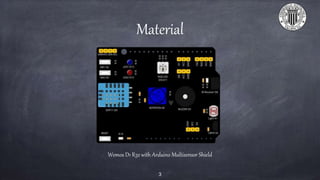
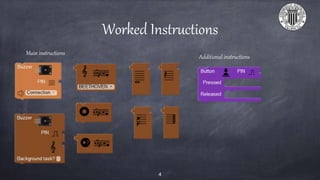
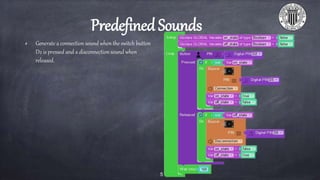
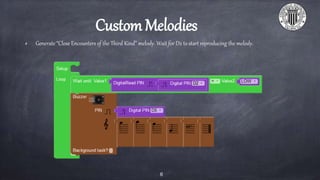
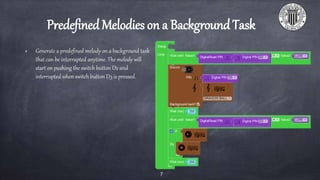

This document discusses using a Wemos D1 R32 with Arduino Multisensor Shield to program a buzzer to play sounds. It covers generating predefined connection and disconnection tones when a switch button is pressed or released, playing the melody from "Close Encounters of the Third Kind" when another button is pushed, and allowing a predefined melody to play on a background task that can be interrupted by pressing a different button. The document is intended to provide instructions and exercises for programming sound on a buzzer using Facilino.


