Unit 4 - Architectural Styles
Common Architectural Styles
of our Homes2
What is Architectural style ?
To keep the integrity of the architecture from
programming structure ( low level) to the application
structure ( high level), a few key features and rules to
integrate them are used.
These features and rules are called “Architectural
style”
Components affecting styles
Runtime function components
 Data Repository
 Process
 Procedure …
Constraints
 No ‘edit’ allowed on repository data; Only sequential updates ! …
Communication between components
 Subroutine call
 Remote procedure call
 Data streams
 Data sockets …
Benefits of styles
Reuse
 Design ( Appointment system Vs Reservation system )
 Code ( Calendar function)
Understandability
Interoperability
Style specificity
Common styles
 Traditional, language-influenced
 Main program and subroutines
 Object-oriented
 Layered
 Virtual machines
 Client-server
 Data-flow
 Batch sequential
 Pipe and filter
 Shared memory
 Repository
 Blackboard
 Rule based
 Interpreter
 Interpreter
 Mobile code
 Implicit invocation
 Event-based
 Publish-subscribe
 Peer-to-peer
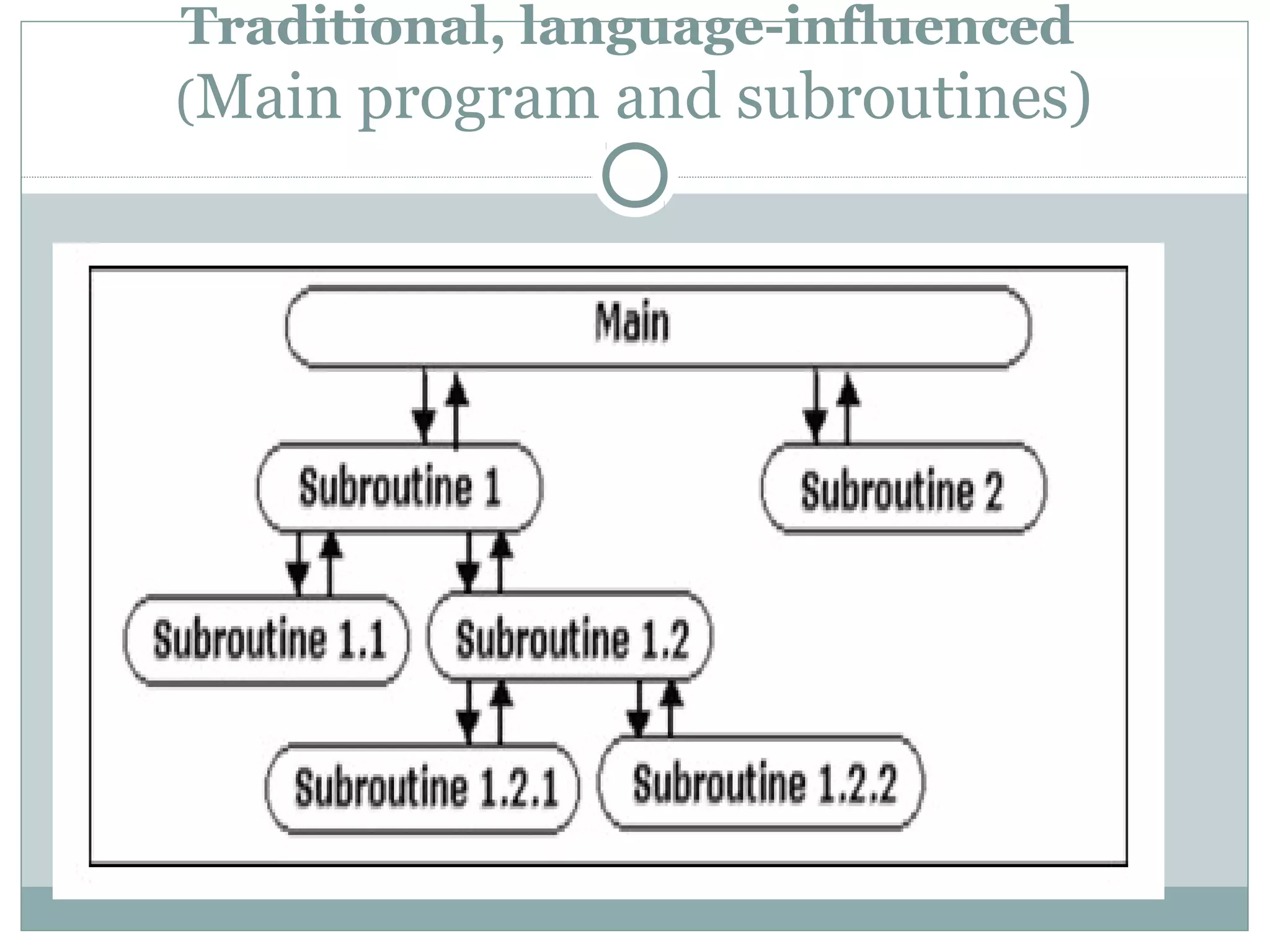
Traditional, language-influenced
(Main program and subroutines)
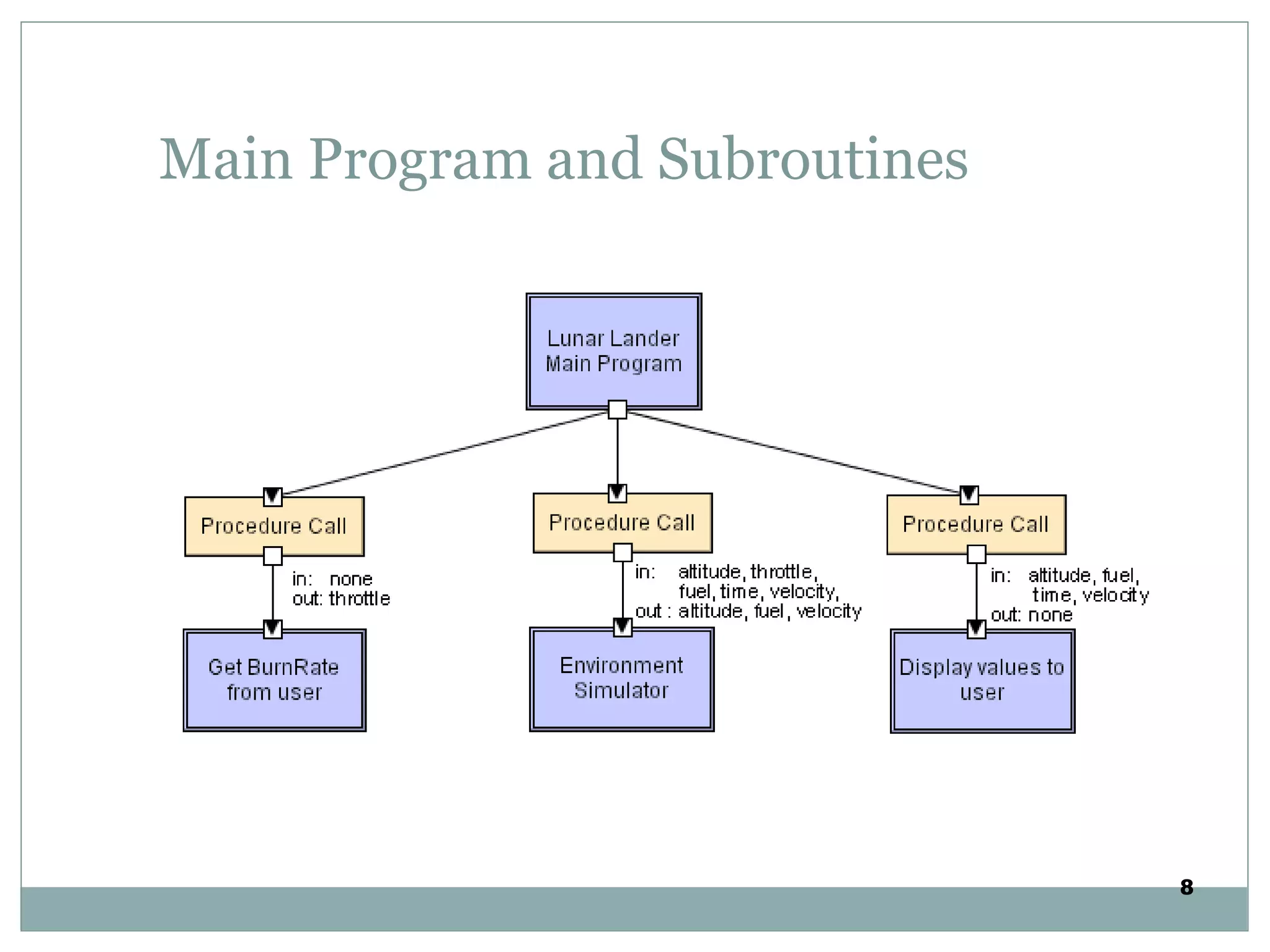
Main Program and Subroutines
8
Call and Return style
It is the classical programming paradigm (Used for the past
30+ years).
The requester ( main prog) calls for a service from a
subroutine and waits until a requested service completes its
actions and return the control to main program with the
result.
A program is decomposed hierarchically. There is typically a
single thread of control and each component in the hierarchy
gets this control (optionally along with some data) from its
parent and passes it along to its children.
The goal is to decompose a program into smaller pieces to
help achieve modifiability.
Remote procedure call
Main program and subroutine systems that are decomposed
into parts that live on different computers connected via a
network.
The goal is to increase performance by distributing the
computations and taking advantage of multiple processors.
In remote procedure call systems, the actual assignment of
parts to processors is deferred until runtime, meaning that the
assignment is easily changed to accommodate performance
tuning.
In fact, except that subroutine calls may take longer to
accomplish if it is invoking a function on a remote machine, a
remote procedure call is indistinguishable from standard
main program and subroutine systems.
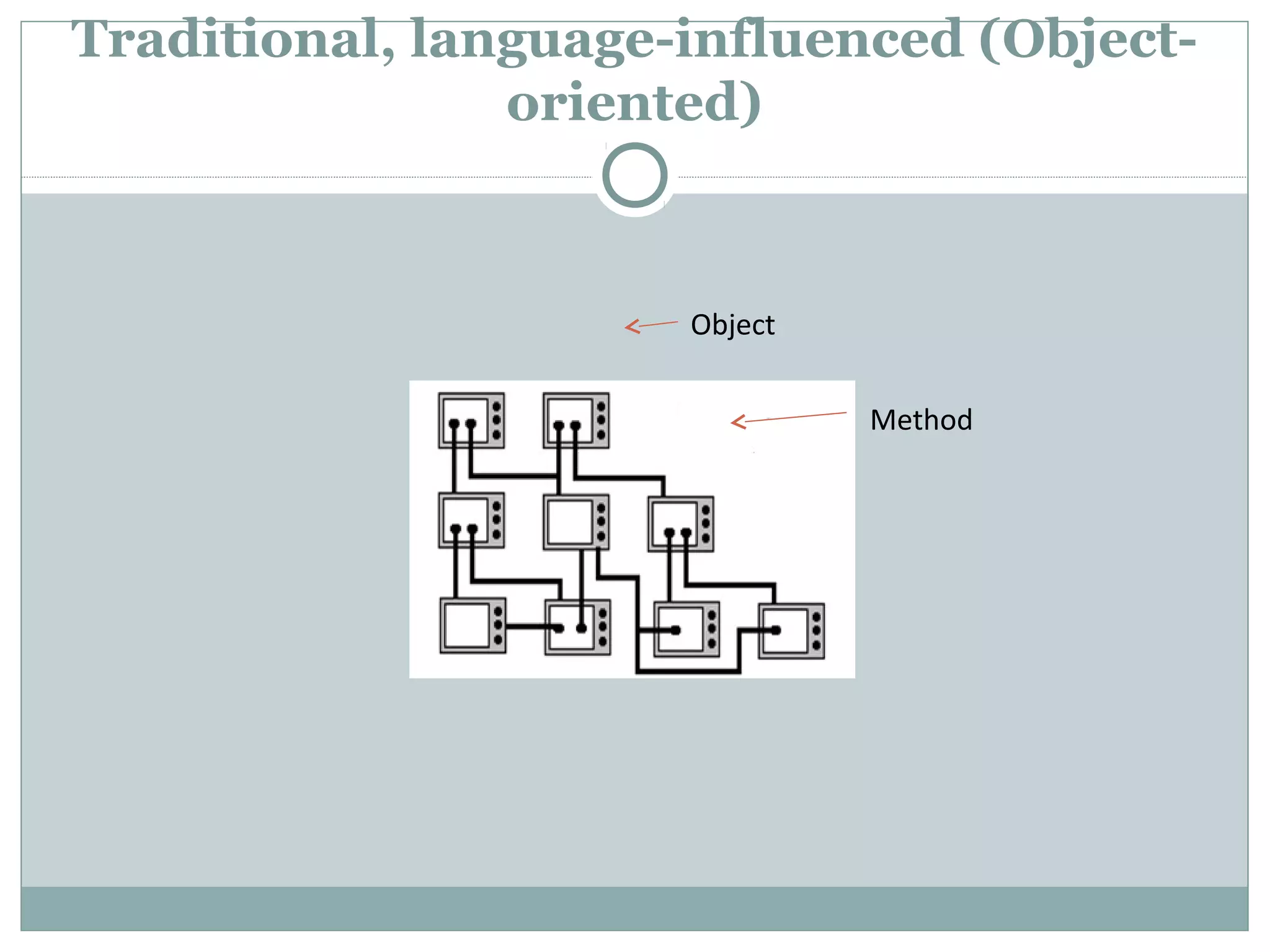
Traditional, language-influenced (Object-
oriented)
Object
Method
Object oriented
Here, the objects are components that provide black-box
services
e.g an object (4 legged animal with its attributes) inherits
other component ( e.g cat/ dog with its attributes) thro
methods.
This bundle is an encapsulation that hides its internal
secrets from its environment.
The user of a service need not know, and should not
know, anything about how that service is implemented.
( information hiding)
This encapsulation promotes reuse and modifiability,
principally because it promotes separation of concerns.
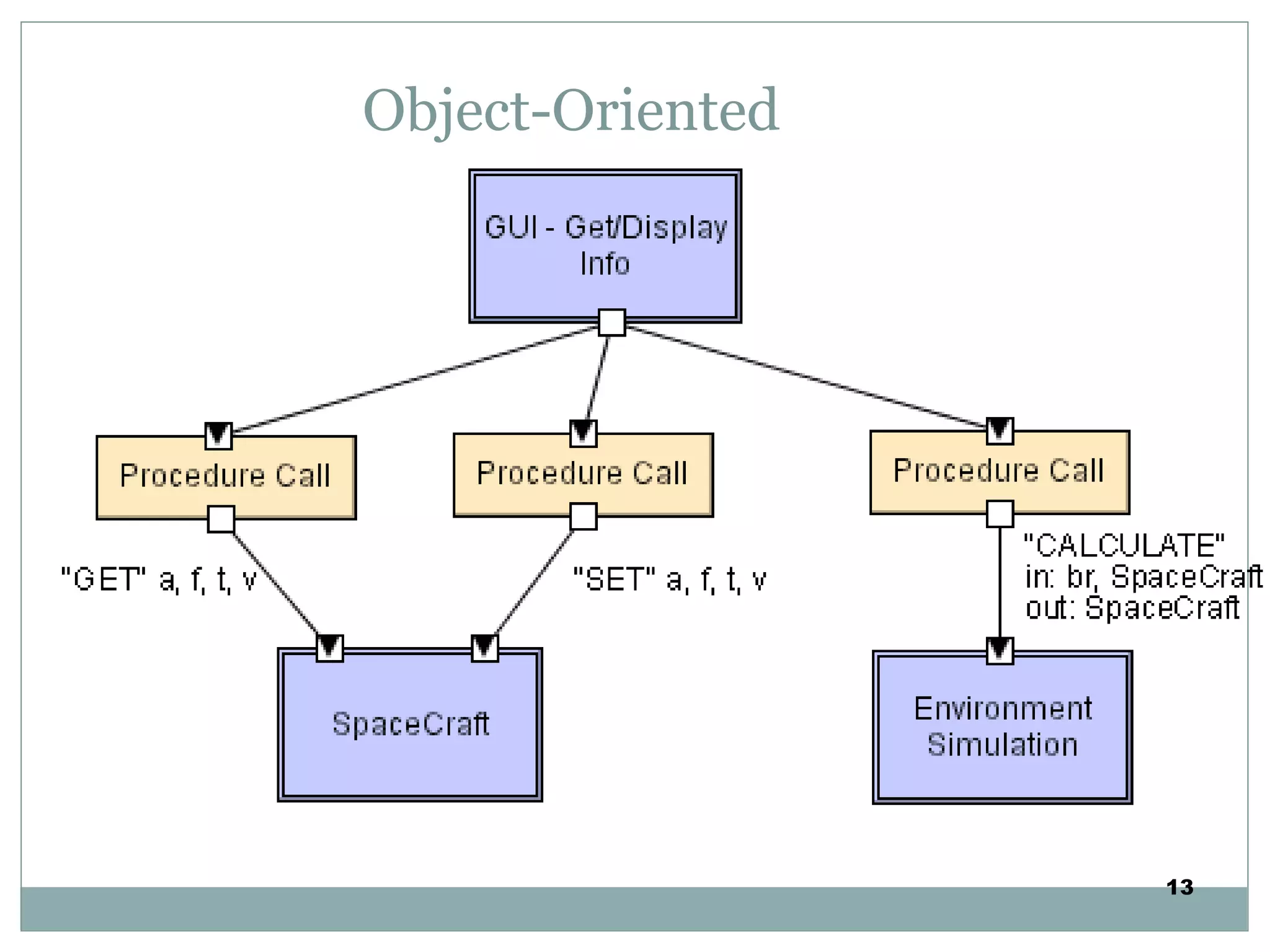
Object-Oriented
13
Advantages and Disadvantages
Advantages
 Can break problems into interacting agents
 Can distribute across multiple machines or networks
 Change implementation without affecting clients
Disadvantages
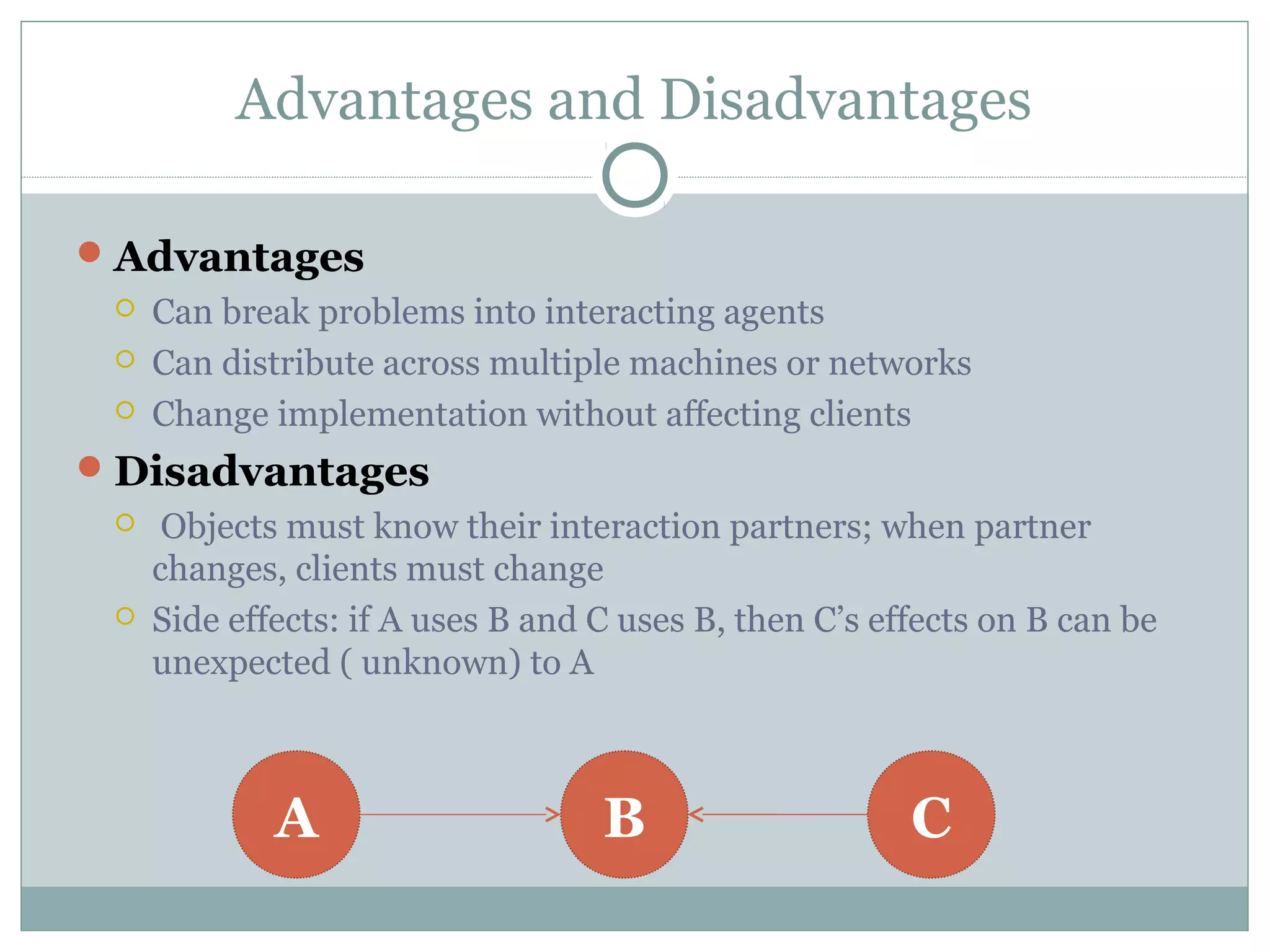
 Objects must know their interaction partners; when partner
changes, clients must change
 Side effects: if A uses B and C uses B, then C’s effects on B can be
unexpected ( unknown) to A
A B C
LAYERED STYLE
LAYERED STYLE
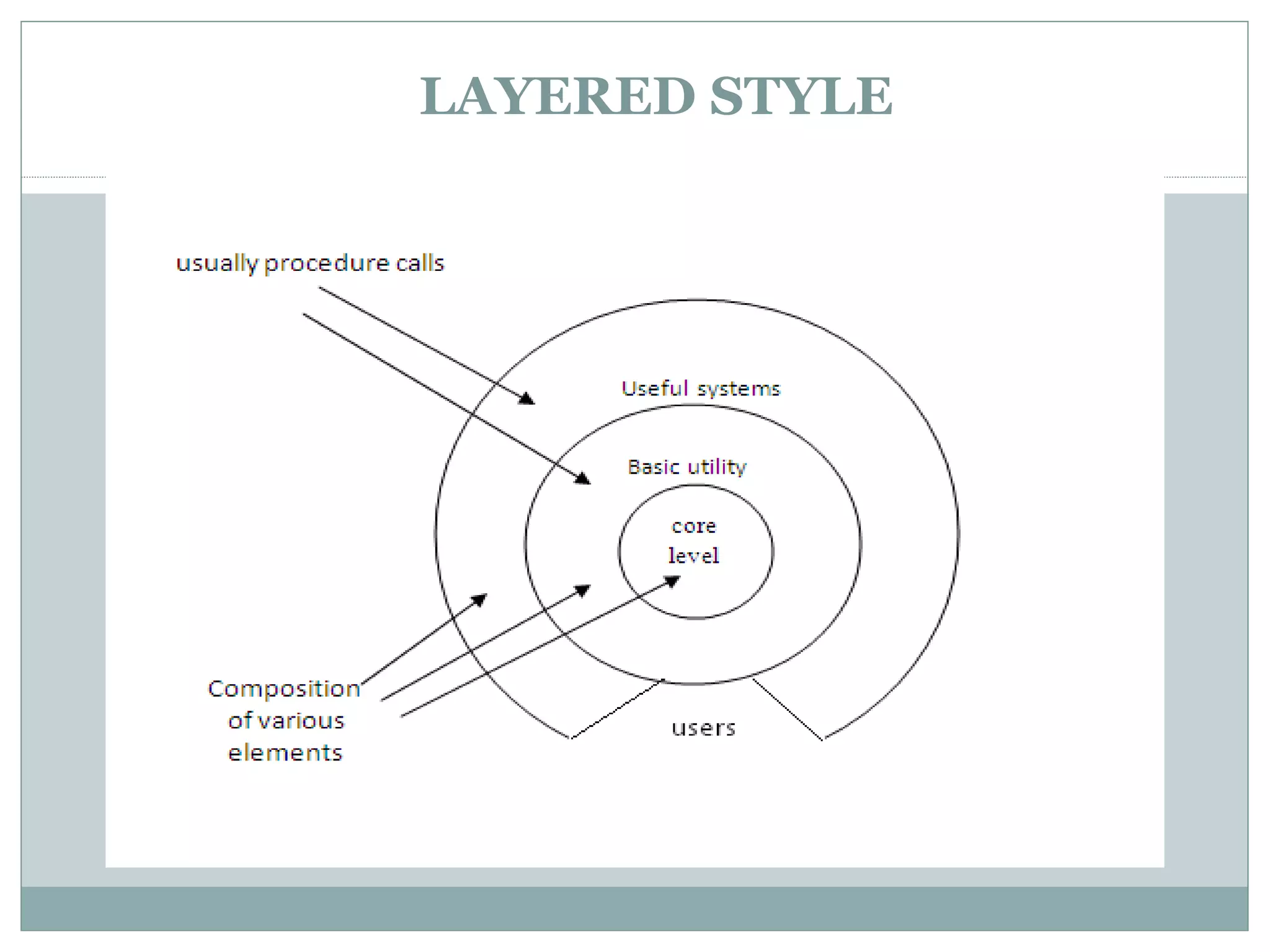
An ordered sequence of layers, each layer offers
services (interfaces) that can be used by programs
(components) residing with the layer(s) above it.
In this, the components are assigned to layers to
control inter component interaction. In the pure
version of this architecture, each level
communicates only with its immediate neighbours.
The goal is to achieve the qualities of modifiability
and portability.
Layer bridging: functions is one layer may talk to
other than its immediate neighbor
Advantages and Disadvantages
Advantages
 They support designs based on increasing levels abstraction.
 Allows implementers to partition a complex problem into a
sequence of incremental steps.
 They support enhancement
 They support reuse.
Disadvantages
 Not easily all systems can be structures in a layered fashion.
 Performance may require closer coupling between logically
high-level functions and their lower-level implementations.
LAYERED STYLE
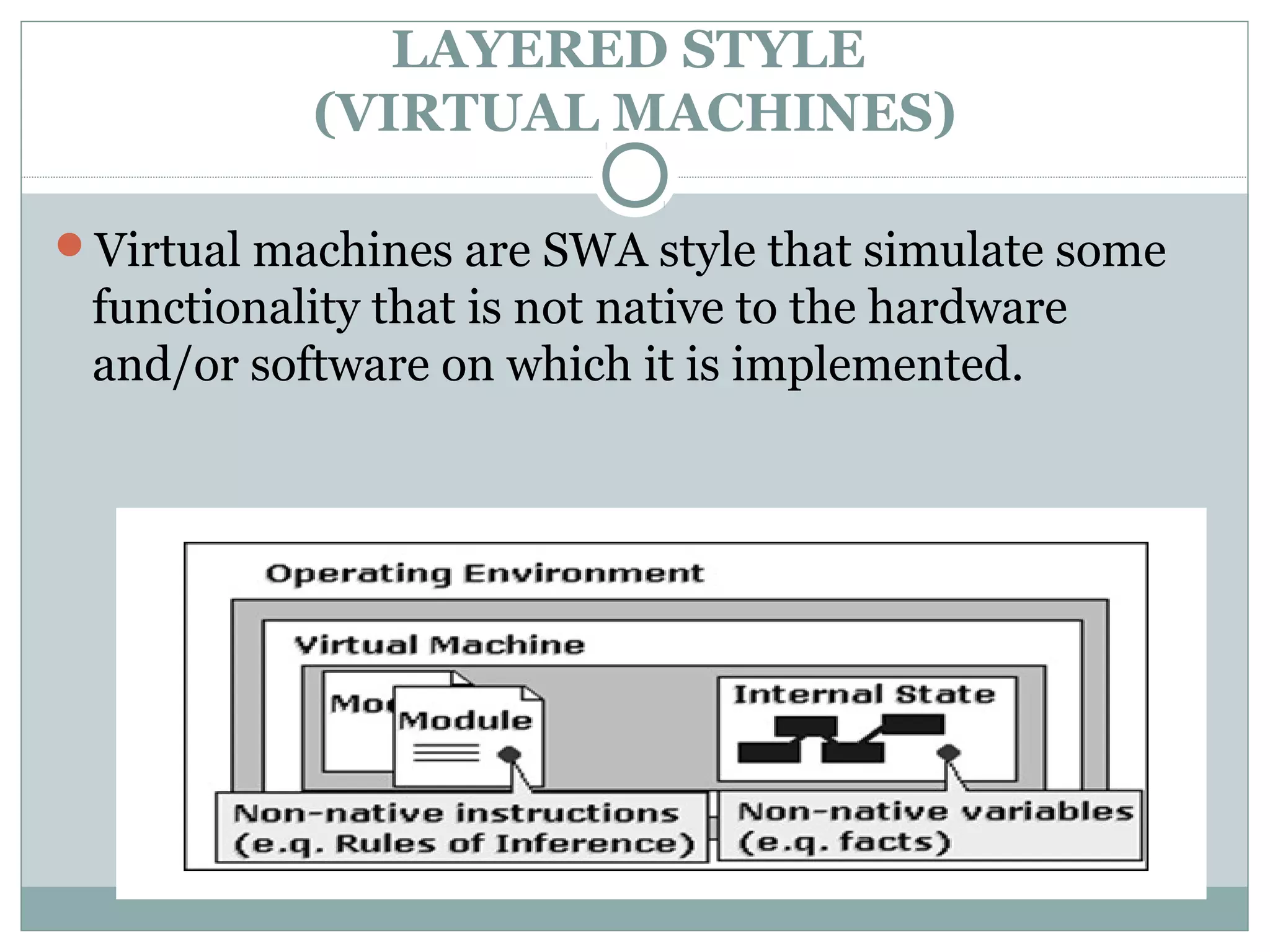
(VIRTUAL MACHINES)
Virtual machines are SWA style that simulate some
functionality that is not native to the hardware
and/or software on which it is implemented.
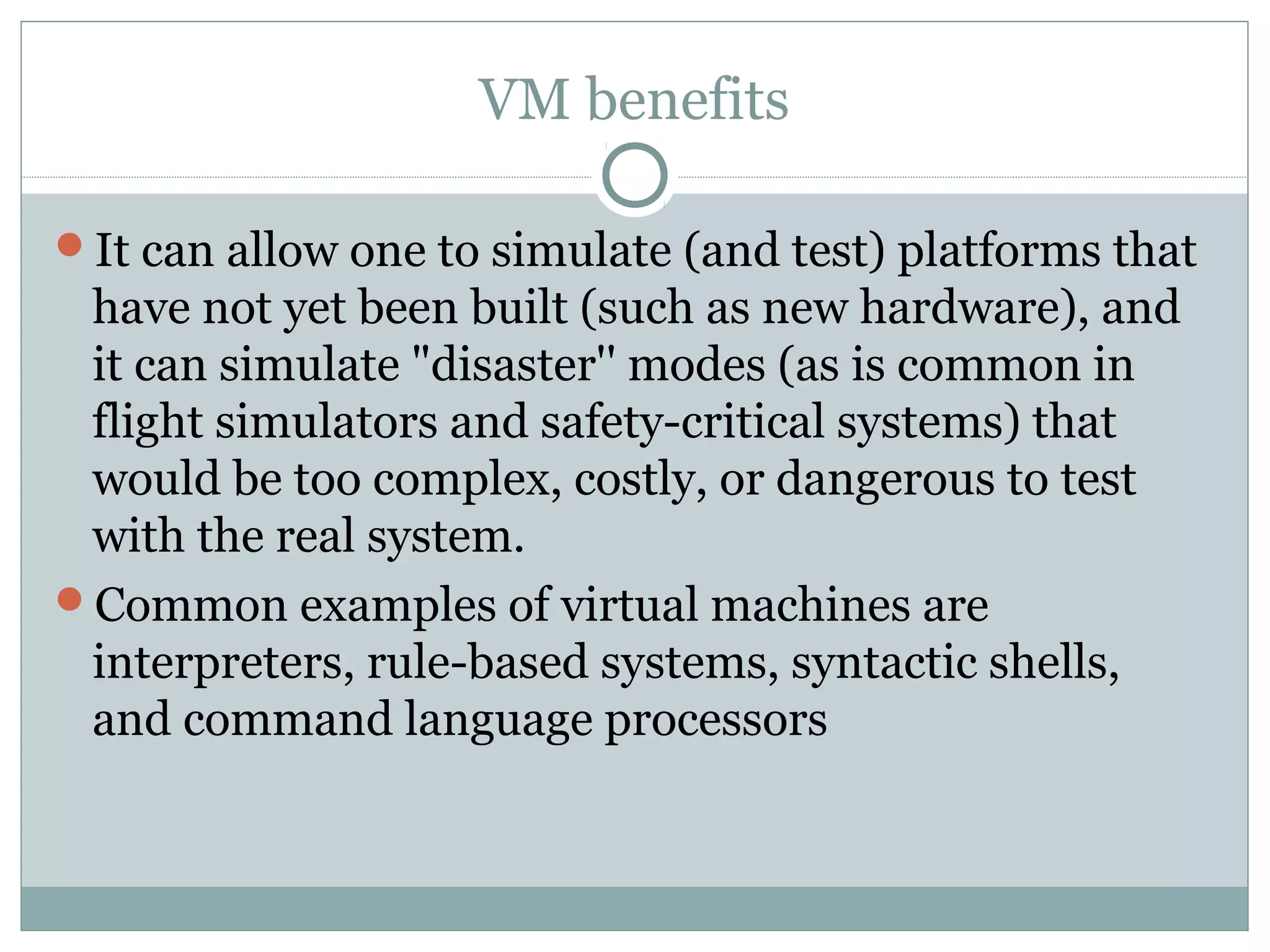
VM benefits
It can allow one to simulate (and test) platforms that
have not yet been built (such as new hardware), and
it can simulate "disaster'' modes (as is common in
flight simulators and safety-critical systems) that
would be too complex, costly, or dangerous to test
with the real system.
Common examples of virtual machines are
interpreters, rule-based systems, syntactic shells,
and command language processors
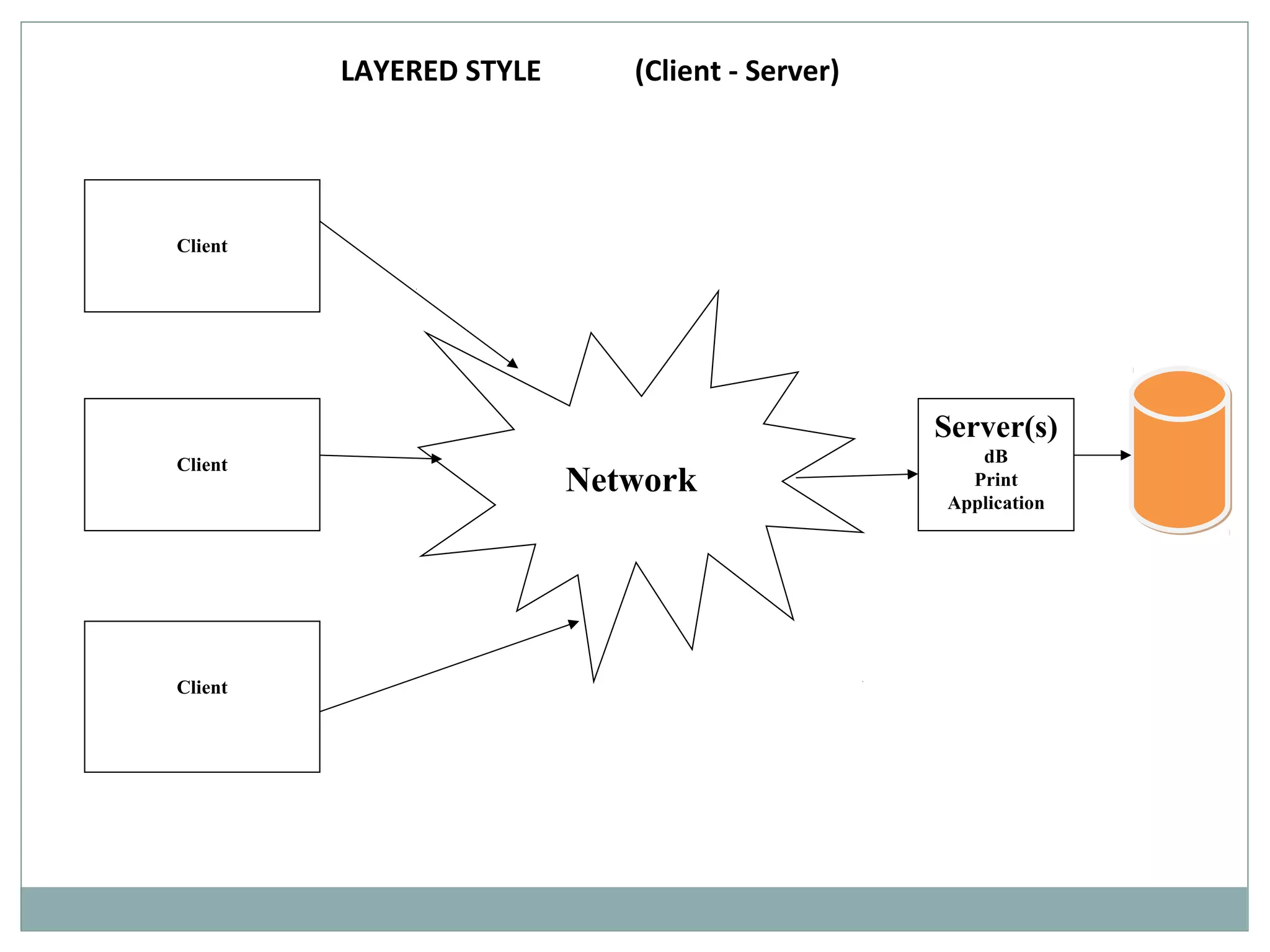
Network
Client
Client
Client
Server(s)
dB
Print
Application
LAYERED STYLE (Client - Server)
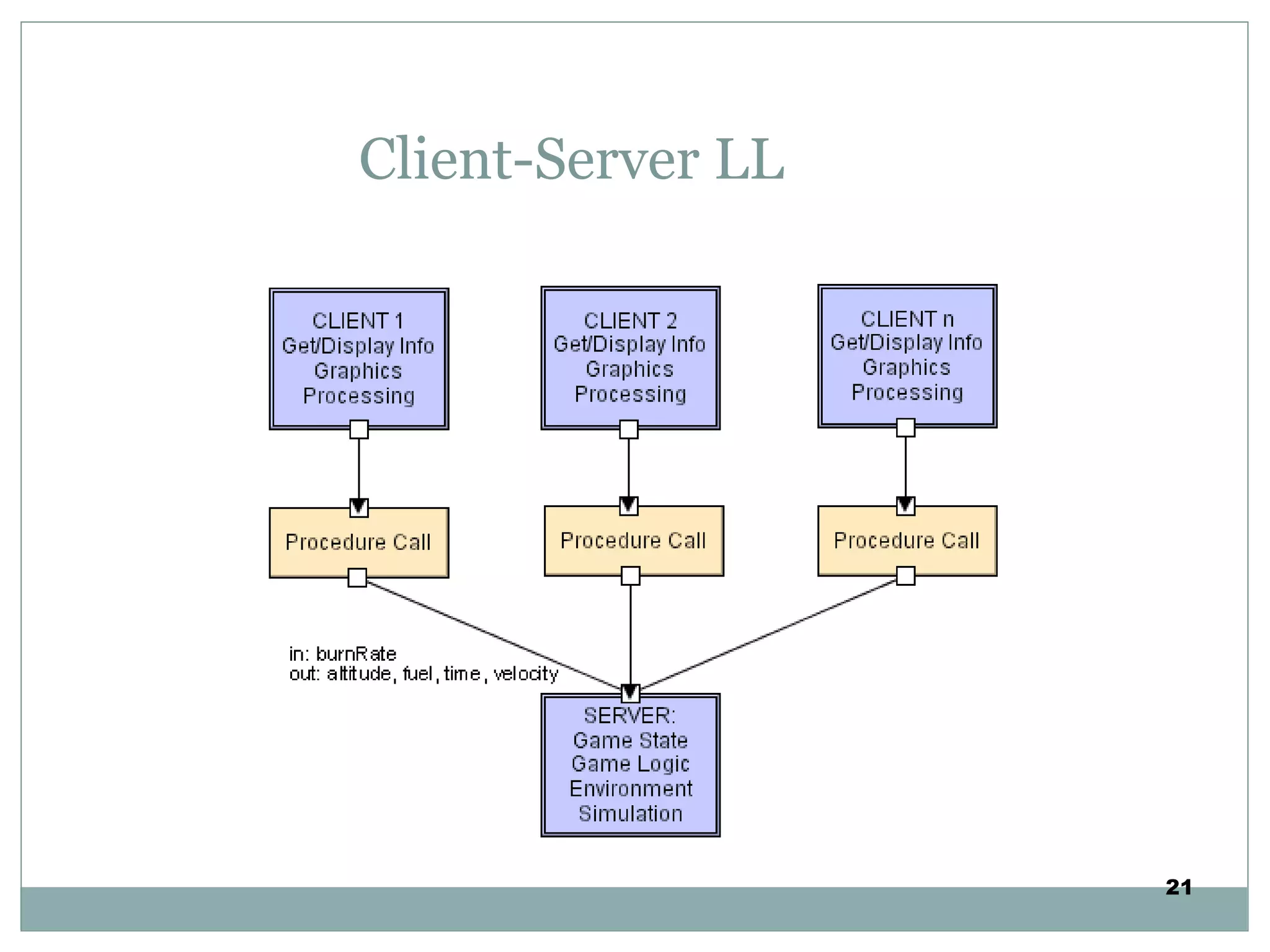
Client-Server LL
21
LAYERED STYLE
(Client - Server)
One or many servers provide services to instances of
subsystems, called clients
Each client calls on the server, which performs
some service and returns the result
The clients know the interface of the server The
server does not need to know the interface of the
client
The response in general is immediate
End users interact only with the client.
CS – e.g Library Management System
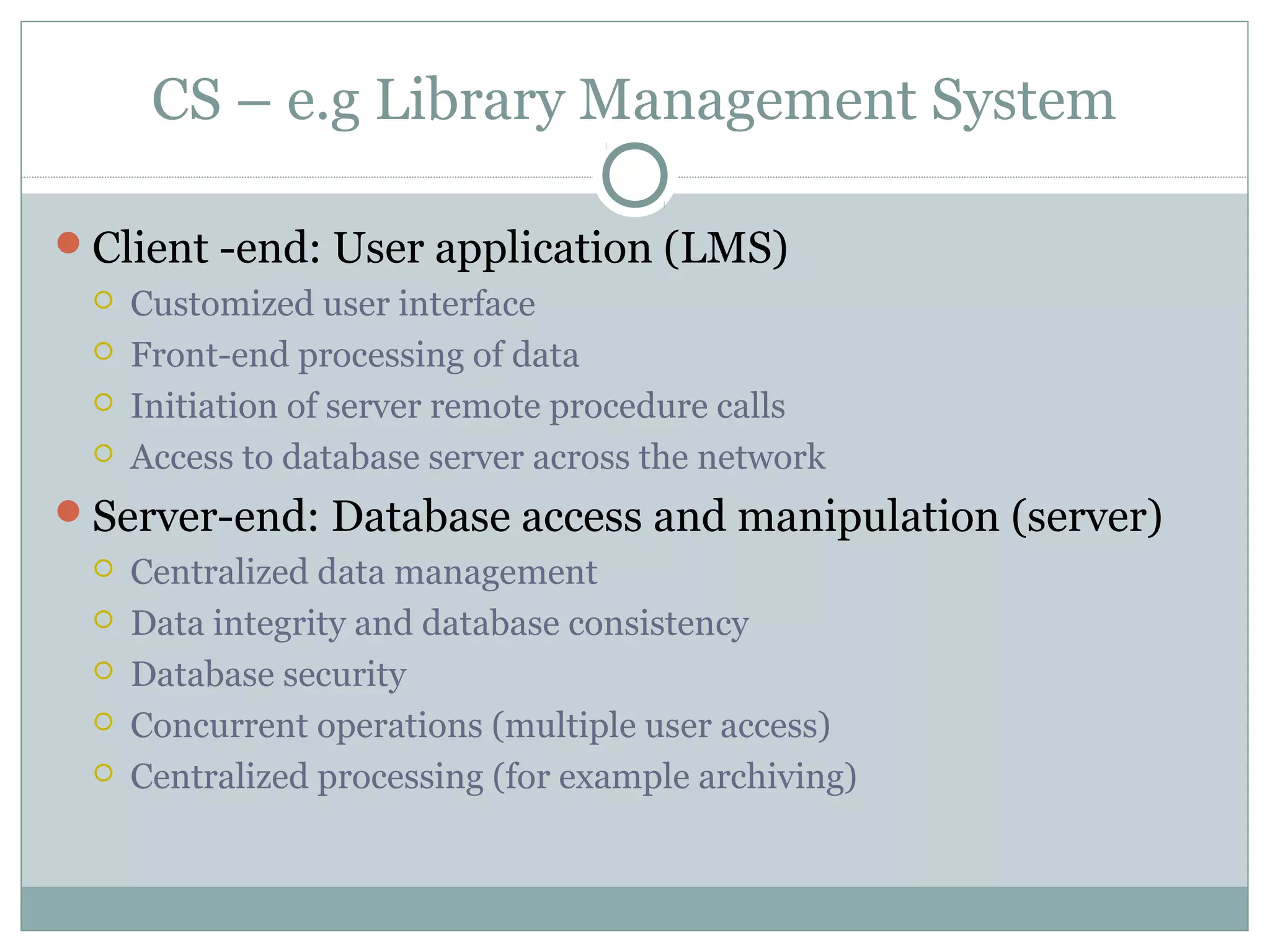
Client -end: User application (LMS)
 Customized user interface
 Front-end processing of data
 Initiation of server remote procedure calls
 Access to database server across the network
Server-end: Database access and manipulation (server)
 Centralized data management
 Data integrity and database consistency
 Database security
 Concurrent operations (multiple user access)
 Centralized processing (for example archiving)
Advantages and disadvantages
Advantages
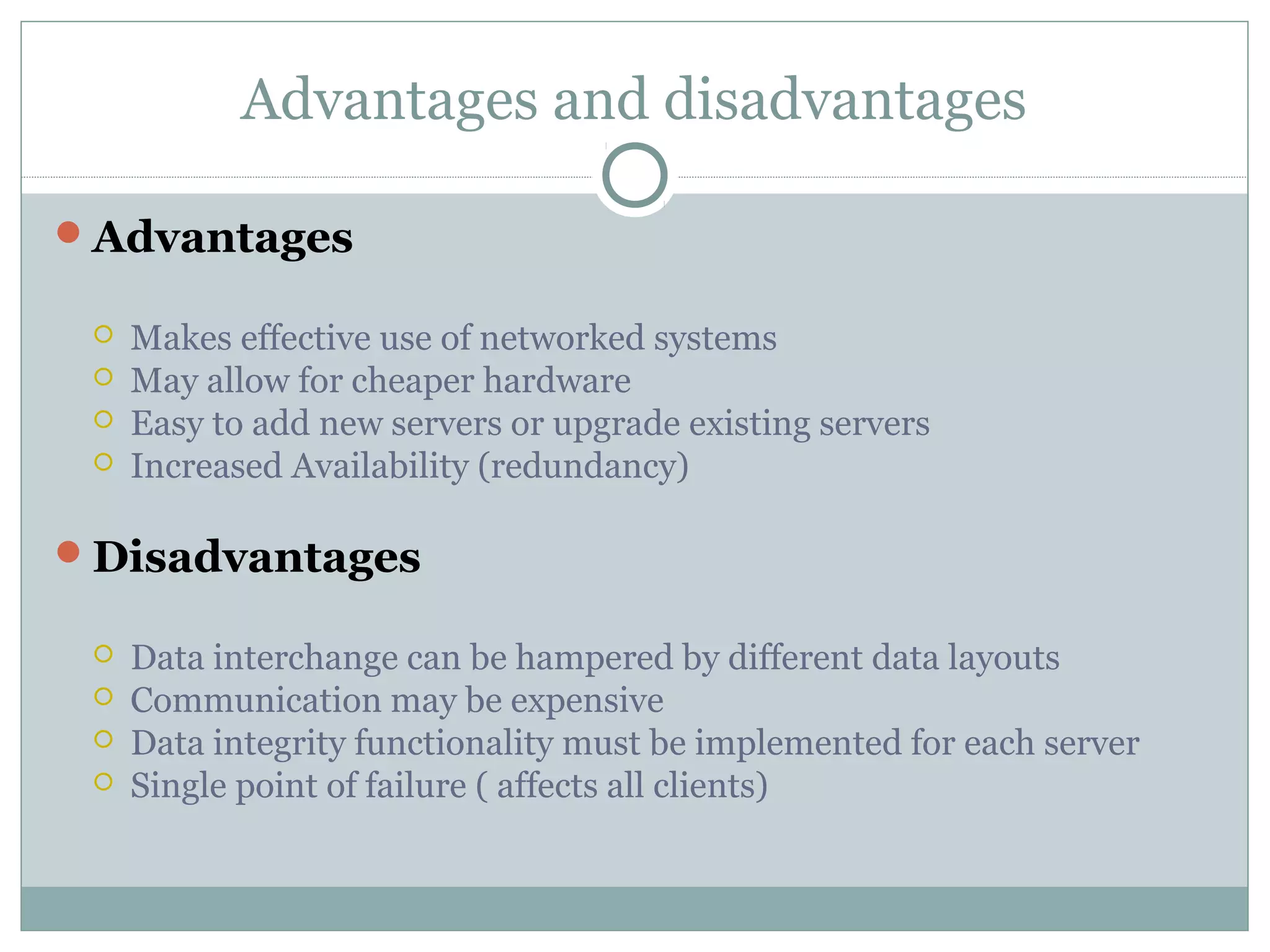
 Makes effective use of networked systems
 May allow for cheaper hardware
 Easy to add new servers or upgrade existing servers
 Increased Availability (redundancy)
Disadvantages
 Data interchange can be hampered by different data layouts
 Communication may be expensive
 Data integrity functionality must be implemented for each server
 Single point of failure ( affects all clients)
DATAFLOW STYLE
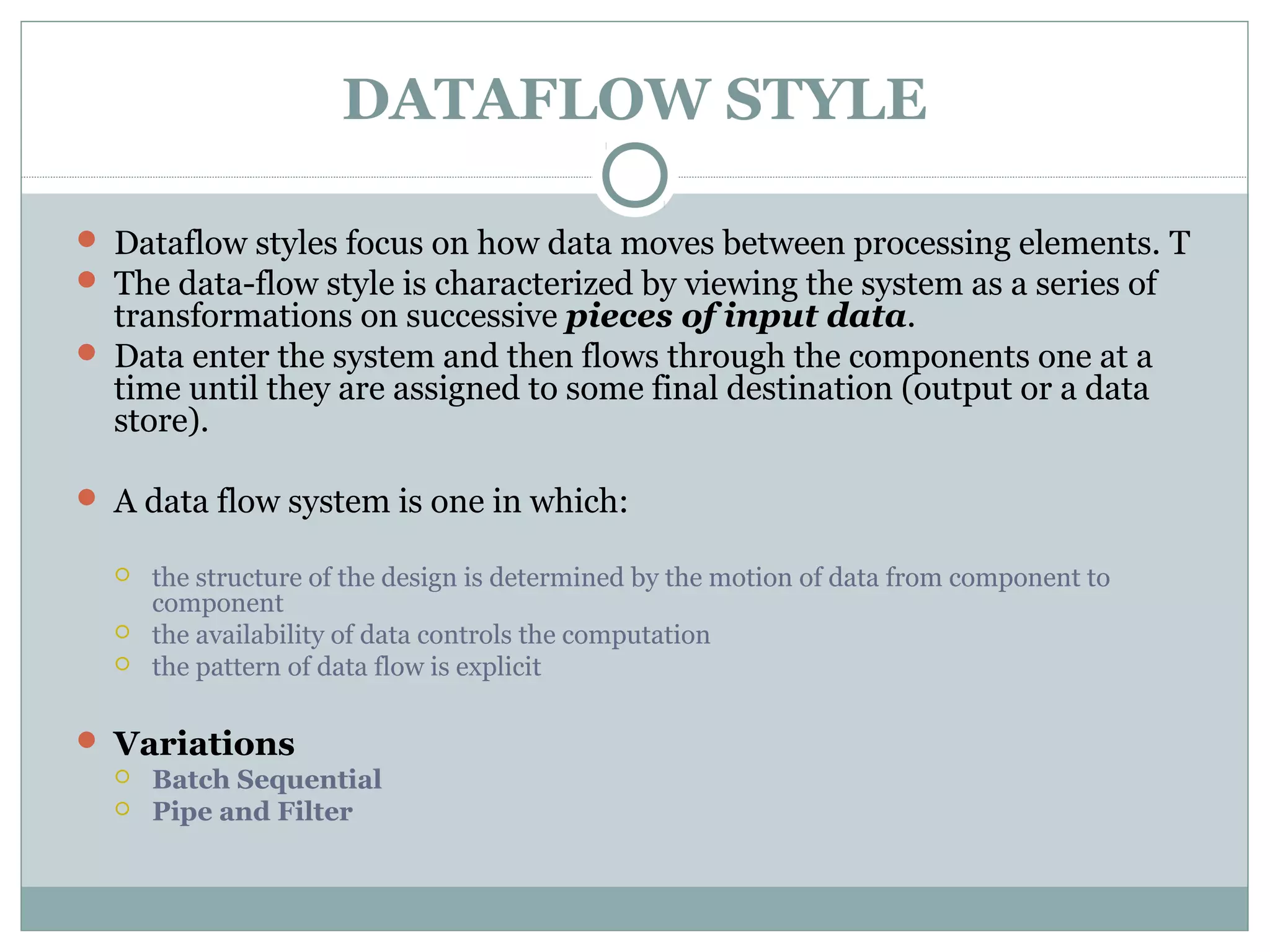
 Dataflow styles focus on how data moves between processing elements. T
 The data-flow style is characterized by viewing the system as a series of
transformations on successive pieces of input data.
 Data enter the system and then flows through the components one at a
time until they are assigned to some final destination (output or a data
store).
 A data flow system is one in which:
 the structure of the design is determined by the motion of data from component to
component
 the availability of data controls the computation
 the pattern of data flow is explicit
 Variations
 Batch Sequential
 Pipe and Filter
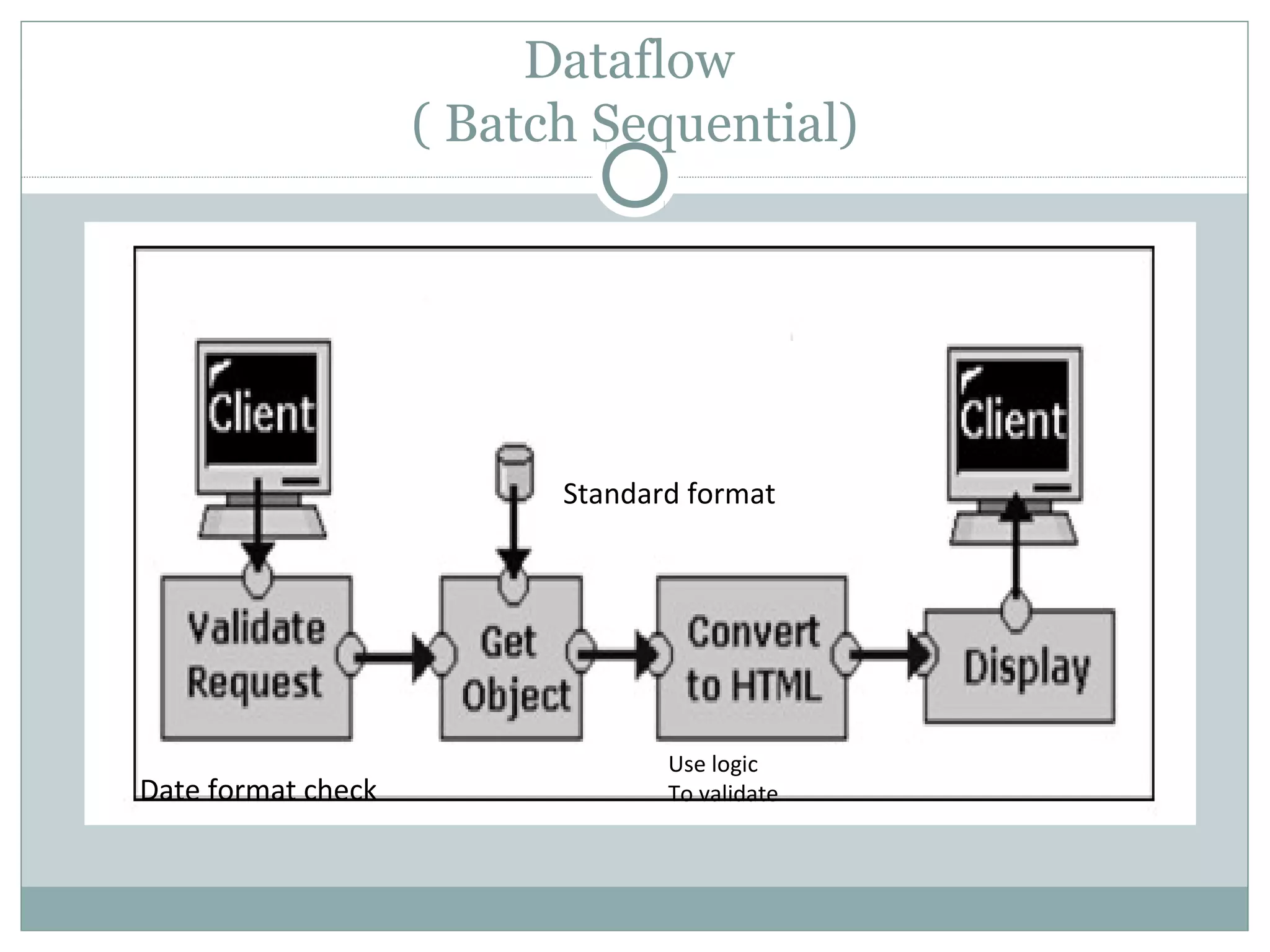
Dataflow
( Batch Sequential)
Date format check
Standard format
Use logic
To validate
Batch sequential style
Processing steps, or components, are independent
programs.
The assumption is that each step runs to completion
before the next step starts.
Each batch of data is transmitted as a whole between the
steps.
The typical application for this style is classical data
processing.
 Payroll computations
 Tax reports
 Patient management
 Student management
 Library management etc ..
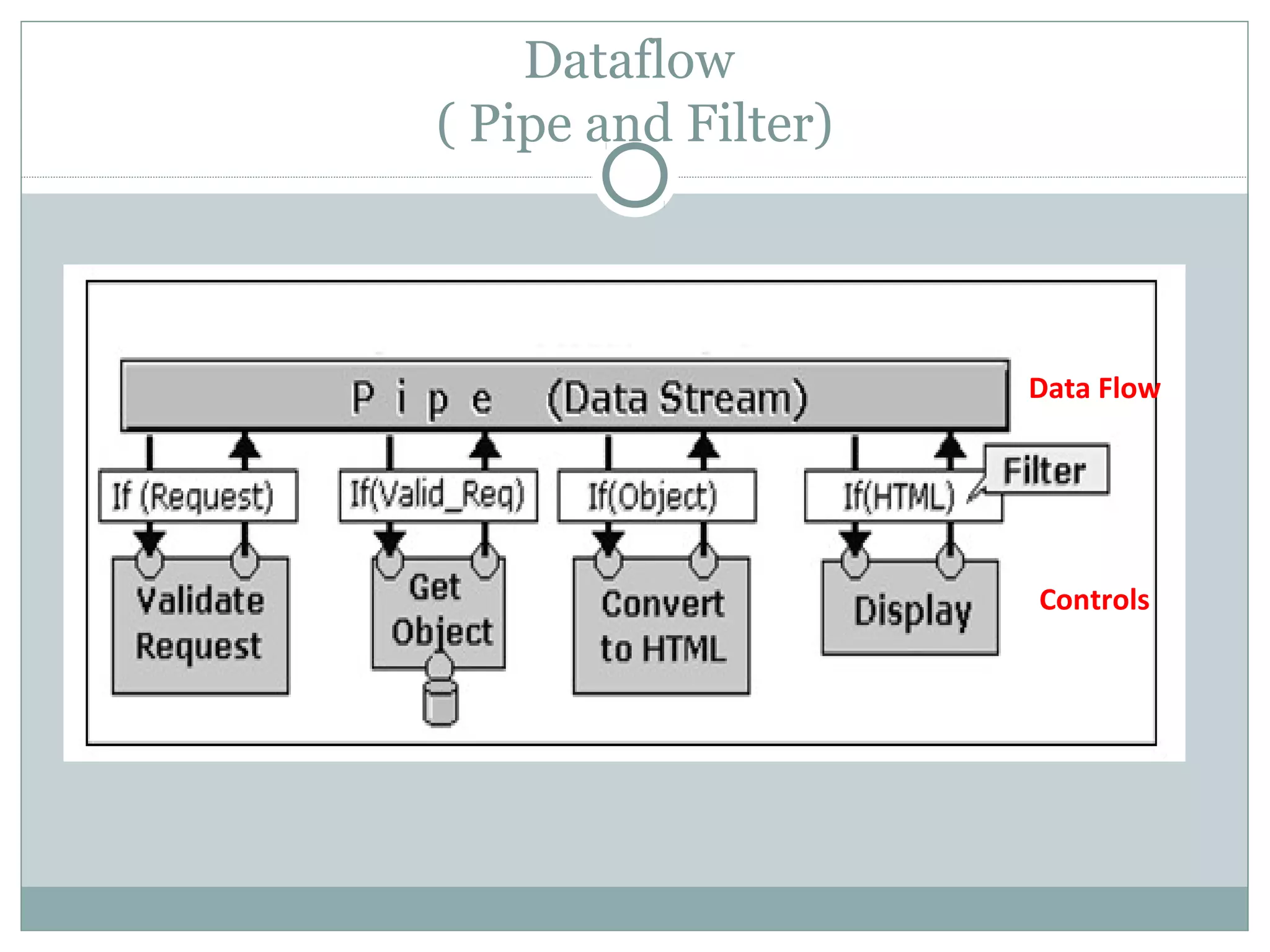
Dataflow
( Pipe and Filter)
Data Flow
Controls
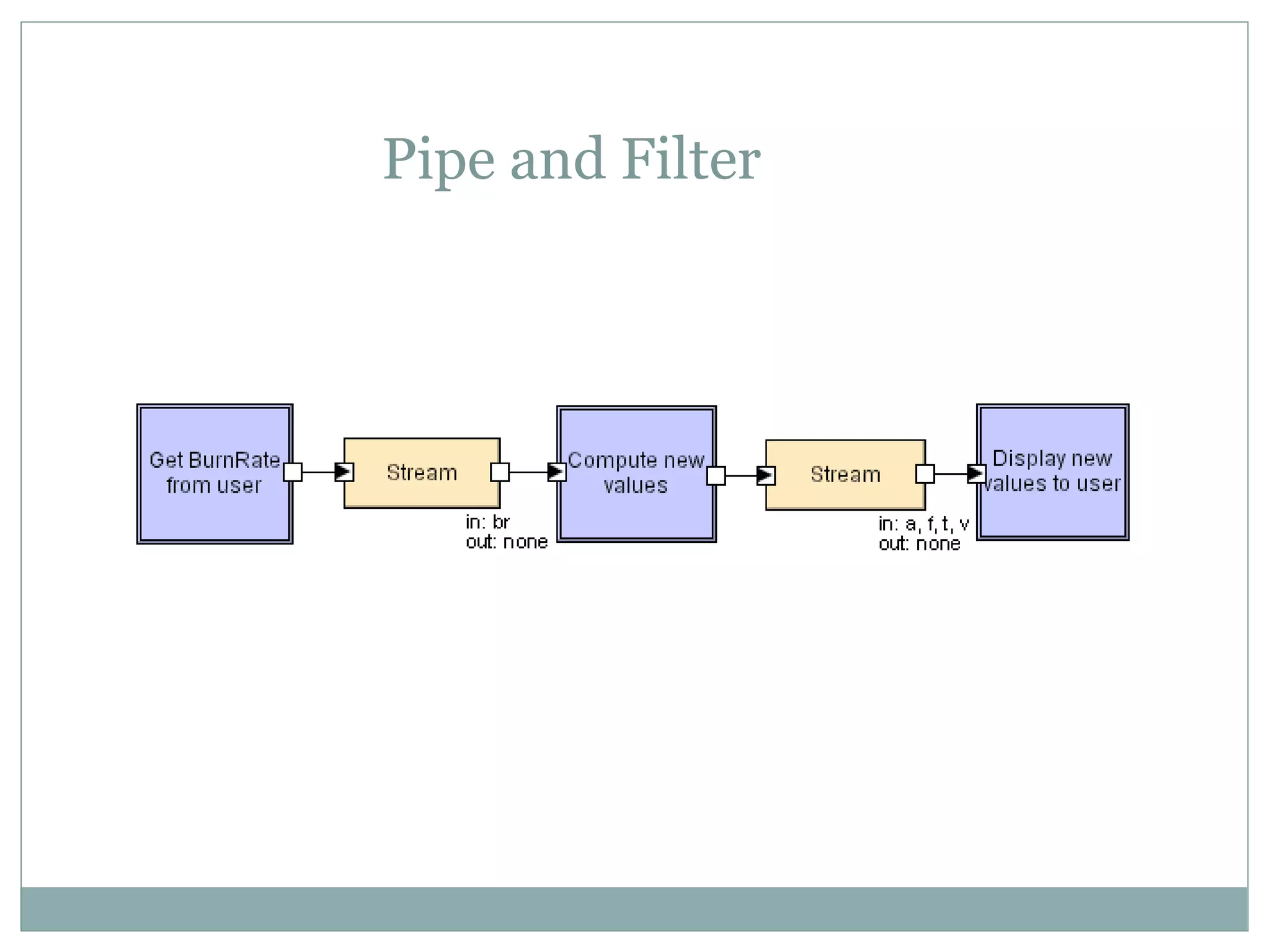
Pipe and Filter
Dataflow
( Pipe and Filter)
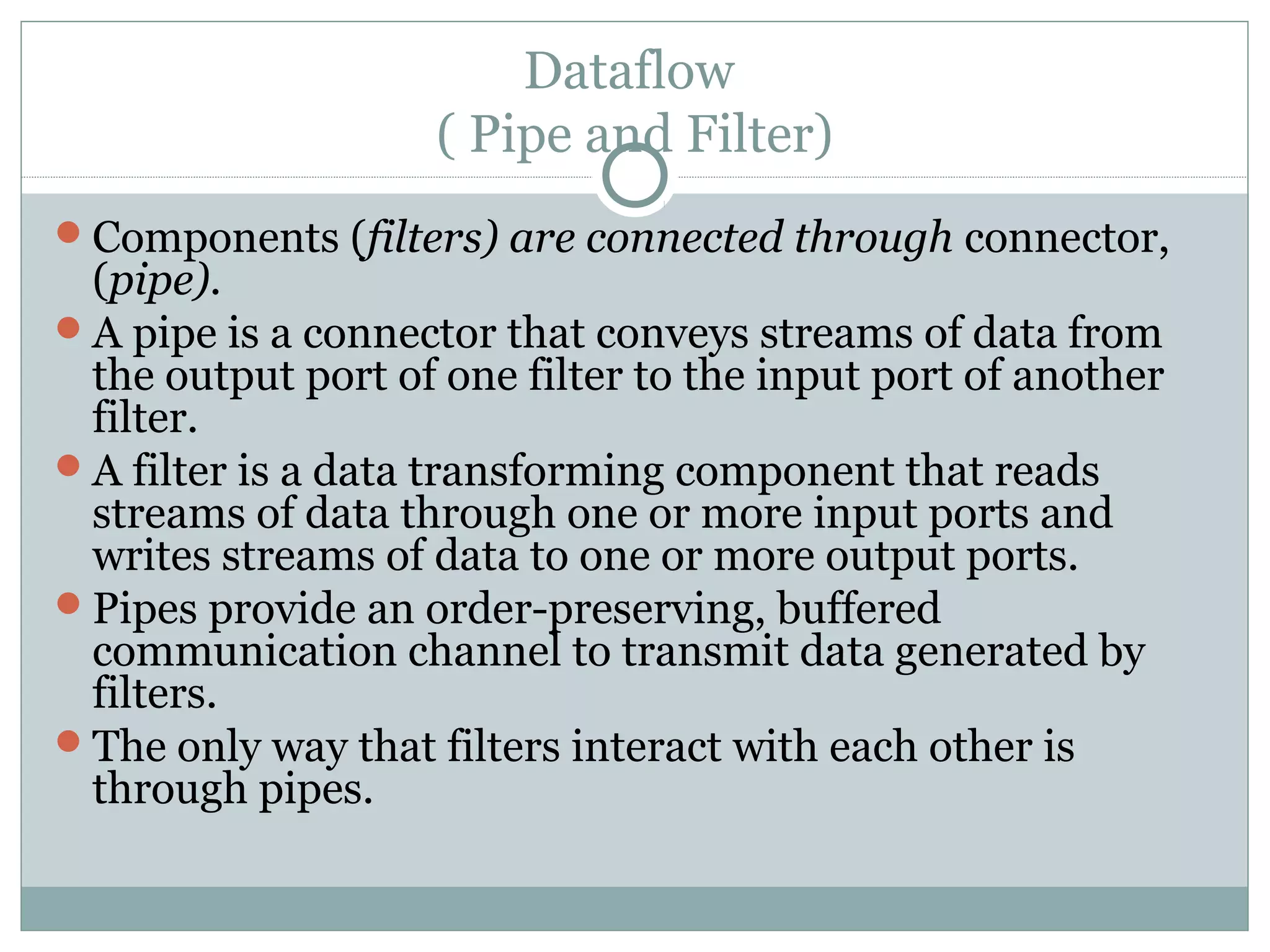
Components (filters) are connected through connector,
(pipe).
A pipe is a connector that conveys streams of data from
the output port of one filter to the input port of another
filter.
A filter is a data transforming component that reads
streams of data through one or more input ports and
writes streams of data to one or more output ports.
Pipes provide an order-preserving, buffered
communication channel to transmit data generated by
filters.
The only way that filters interact with each other is
through pipes.
Dataflow
( Pipe and Filter) …
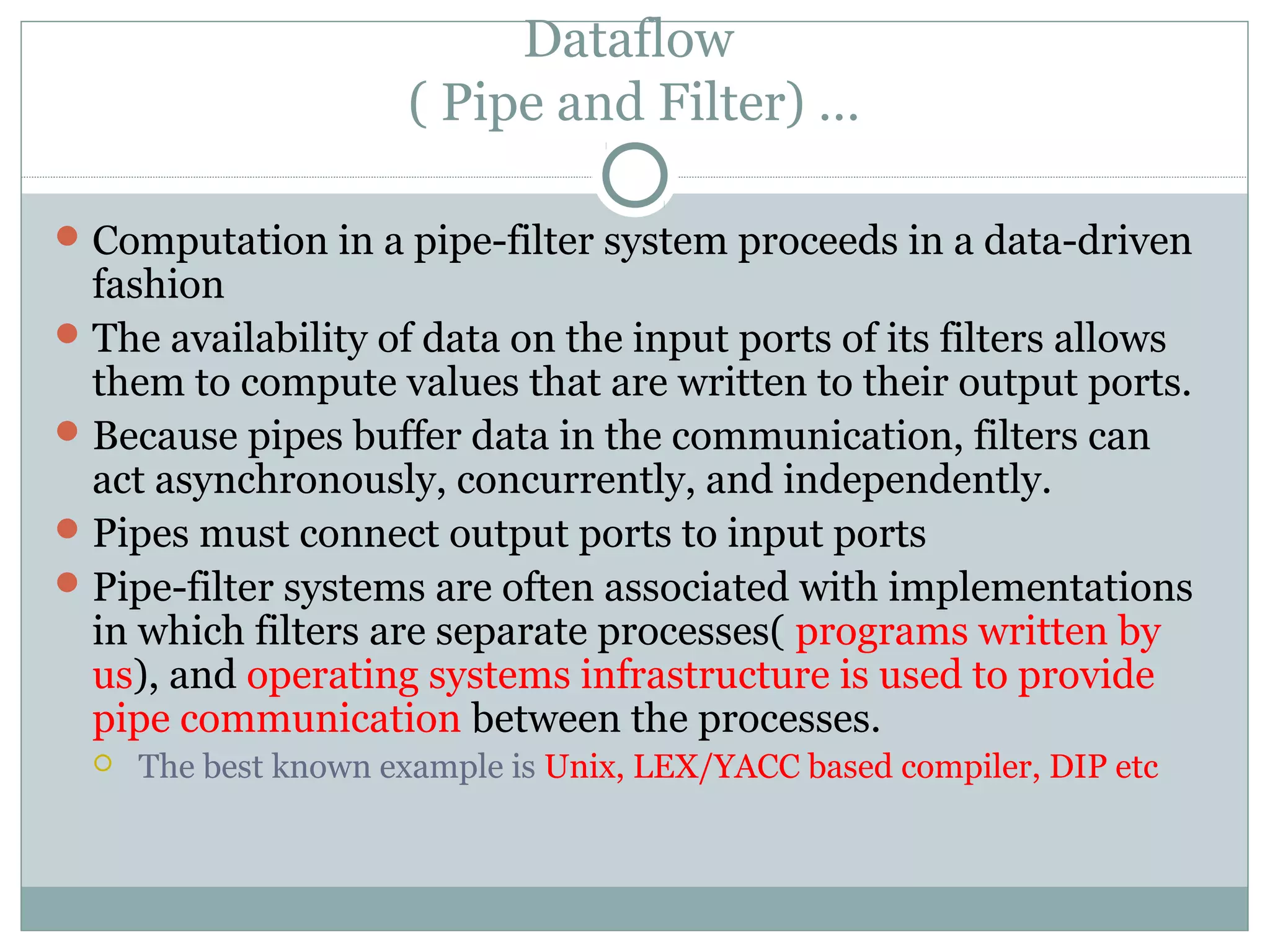
Computation in a pipe-filter system proceeds in a data-driven
fashion
The availability of data on the input ports of its filters allows
them to compute values that are written to their output ports.
Because pipes buffer data in the communication, filters can
act asynchronously, concurrently, and independently.
Pipes must connect output ports to input ports
Pipe-filter systems are often associated with implementations
in which filters are separate processes( programs written by
us), and operating systems infrastructure is used to provide
pipe communication between the processes.
 The best known example is Unix, LEX/YACC based compiler, DIP etc
Advantages and Disadvantages
 Advantages
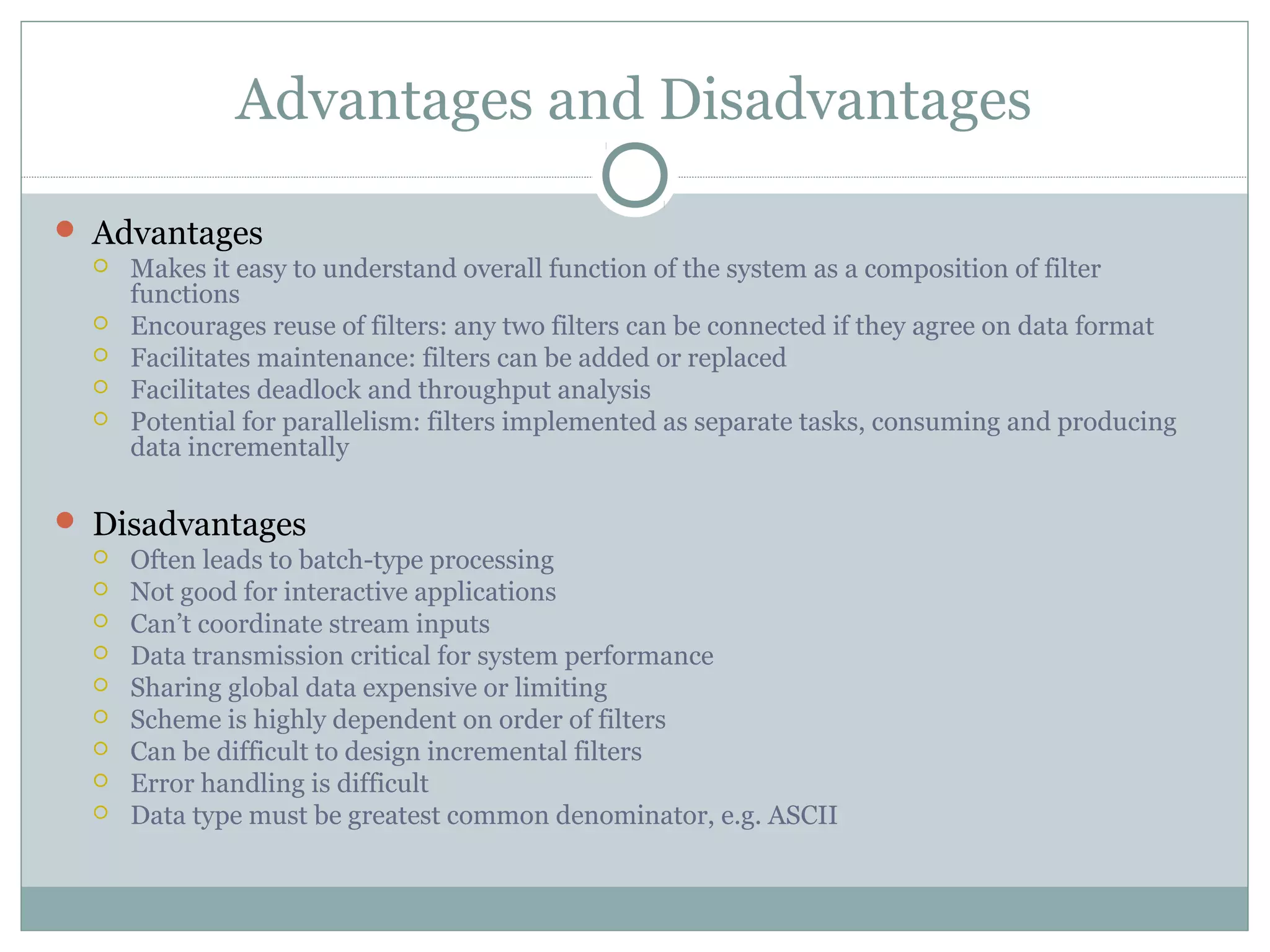
 Makes it easy to understand overall function of the system as a composition of filter
functions
 Encourages reuse of filters: any two filters can be connected if they agree on data format
 Facilitates maintenance: filters can be added or replaced
 Facilitates deadlock and throughput analysis
 Potential for parallelism: filters implemented as separate tasks, consuming and producing
data incrementally
 Disadvantages
 Often leads to batch-type processing
 Not good for interactive applications
 Can’t coordinate stream inputs
 Data transmission critical for system performance
 Sharing global data expensive or limiting
 Scheme is highly dependent on order of filters
 Can be difficult to design incremental filters
 Error handling is difficult
 Data type must be greatest common denominator, e.g. ASCII
Shared Memory style
Repository
Black board
Rule based
Shared Memory Style
Features
 Consumer’s knowledge on data availability
 Store informs the consumer – blackboard
 Consumer is responsible - repository
 Used when there are multiple accessors and persistence
 Decouple producer from consumer
 Data store performance, security, privacy, compatibility with other
stores…
Used in
 Artificial Intelligence (AI) - Rule based
 Compiler architecture – Rule based
 Facebook Chat – Black board
 Google drive - Repository
Shared Memory Style
(REPOSITORY)
Shared Memory Style
(REPOSITORY)…
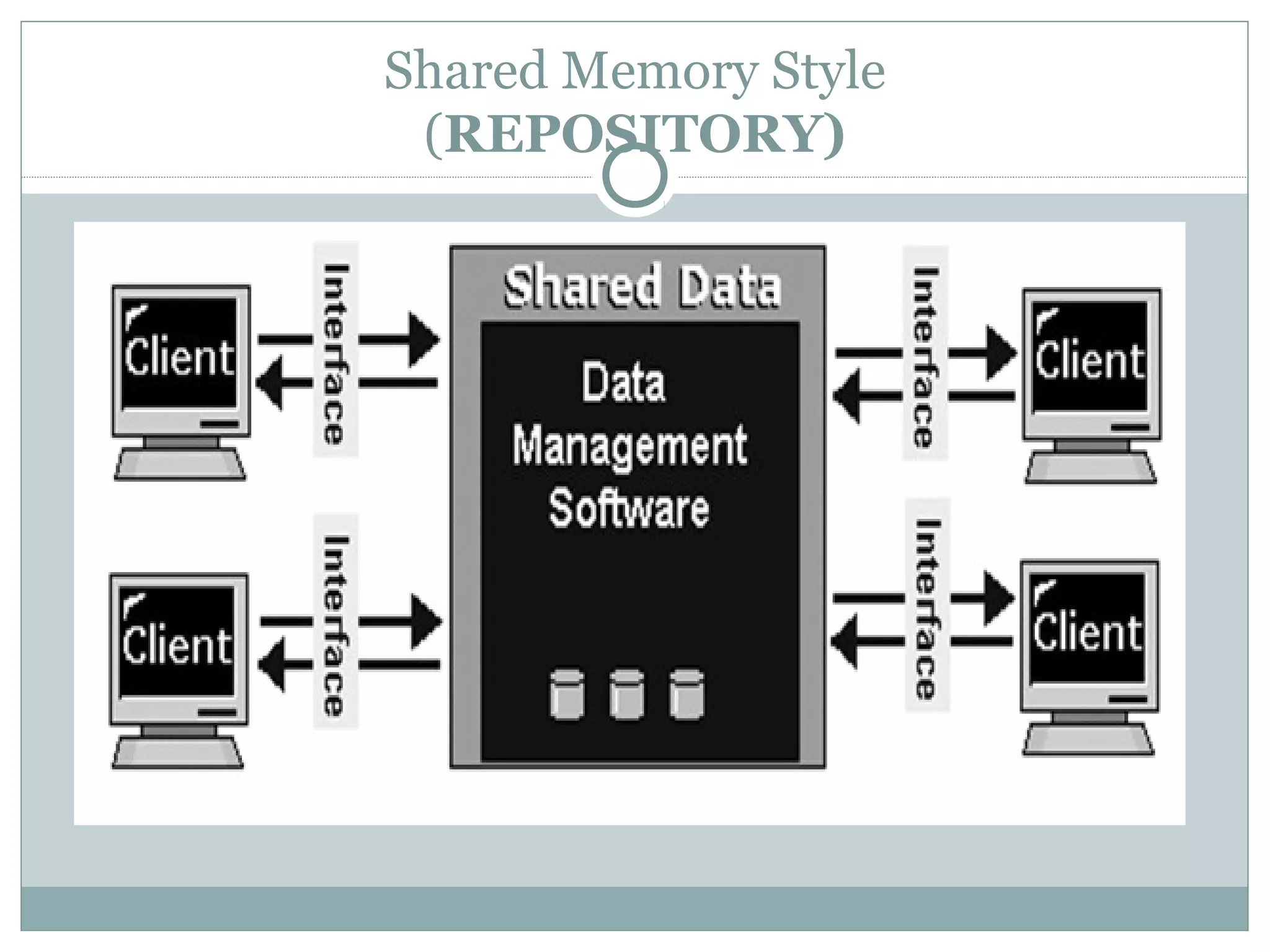
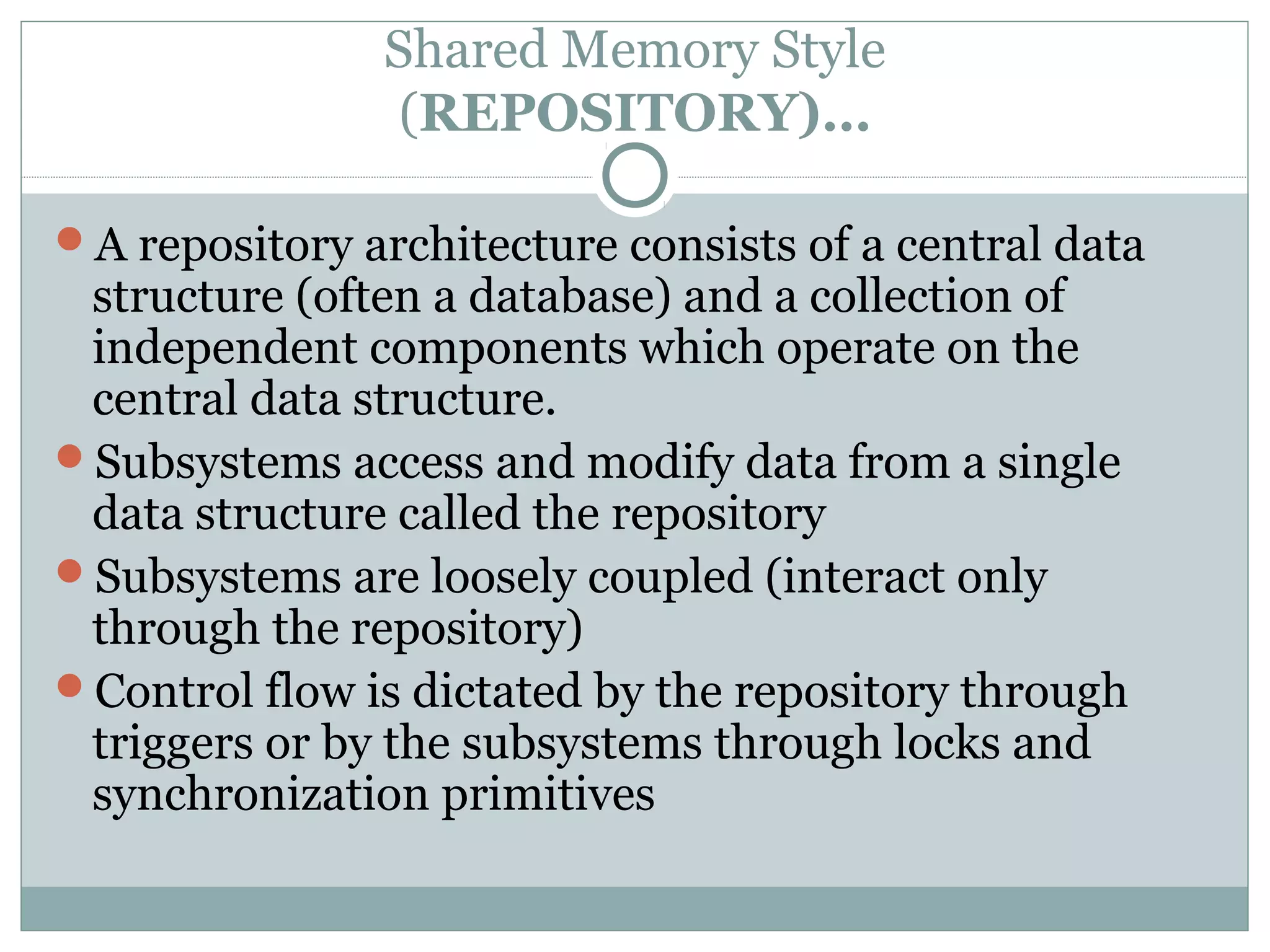
A repository architecture consists of a central data
structure (often a database) and a collection of
independent components which operate on the
central data structure.
Subsystems access and modify data from a single
data structure called the repository
Subsystems are loosely coupled (interact only
through the repository)
Control flow is dictated by the repository through
triggers or by the subsystems through locks and
synchronization primitives
Shared Memory Style
(Black board)
Shared Memory Style
(Black board)
A Blackboard is a database into which a process can
insert, retrieve, or remove data.
Allows multiple processes to communicate by reading
and writing information and requests to a global data
store.
Each participating process has expert knowledge in its
own.
Solution to a problem depends not only on a subsystem
but also on other subsystems
Processes communicate strictly through the common
blackboard whose content is visible to all processes.
A control unit is responsible for selecting an appropriate
process to solve it.
Advantages and Disadvantages
Advantages
 Efficient way to share large amounts of data
 Data integrity localized to repository module
 Solution strategies should not be preplanned
 Data/problem determines the solutions
Disadvantages
 Subsystems must agree (i.e., compromise) on a repository data
model
 Schema evolution is difficult and expensive
 Distribution can be a problem
 Interaction between “independent” programs needs a complex
regulation
 Data on the blackboard is a subject to frequent change
Shared Memory Style
(Rule based)
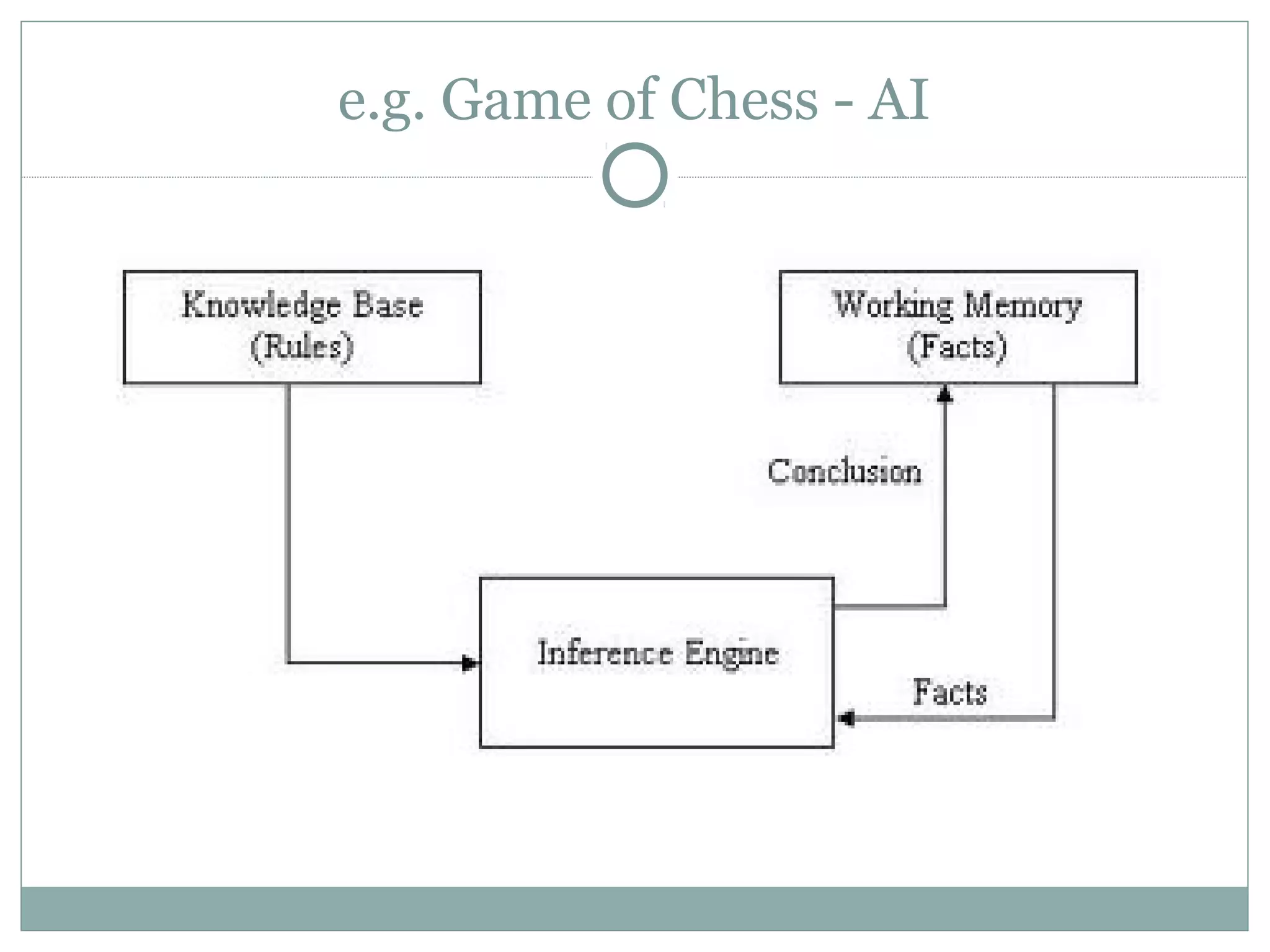
A list of rules or rule base, which is a specific type of
knowledge base.
An inference engine or semantic reasoner, which infers
information or takes action based on the interaction of
input and the rule base. The interpreter executes a
production system program by performing the following
match-resolve-act cycle
Temporary working memory.
A user interface or other connection to the outside world
through which input and output signals are received and
sent.
e.g. Game of Chess - AI
Shared Memory Style
(Rule based)
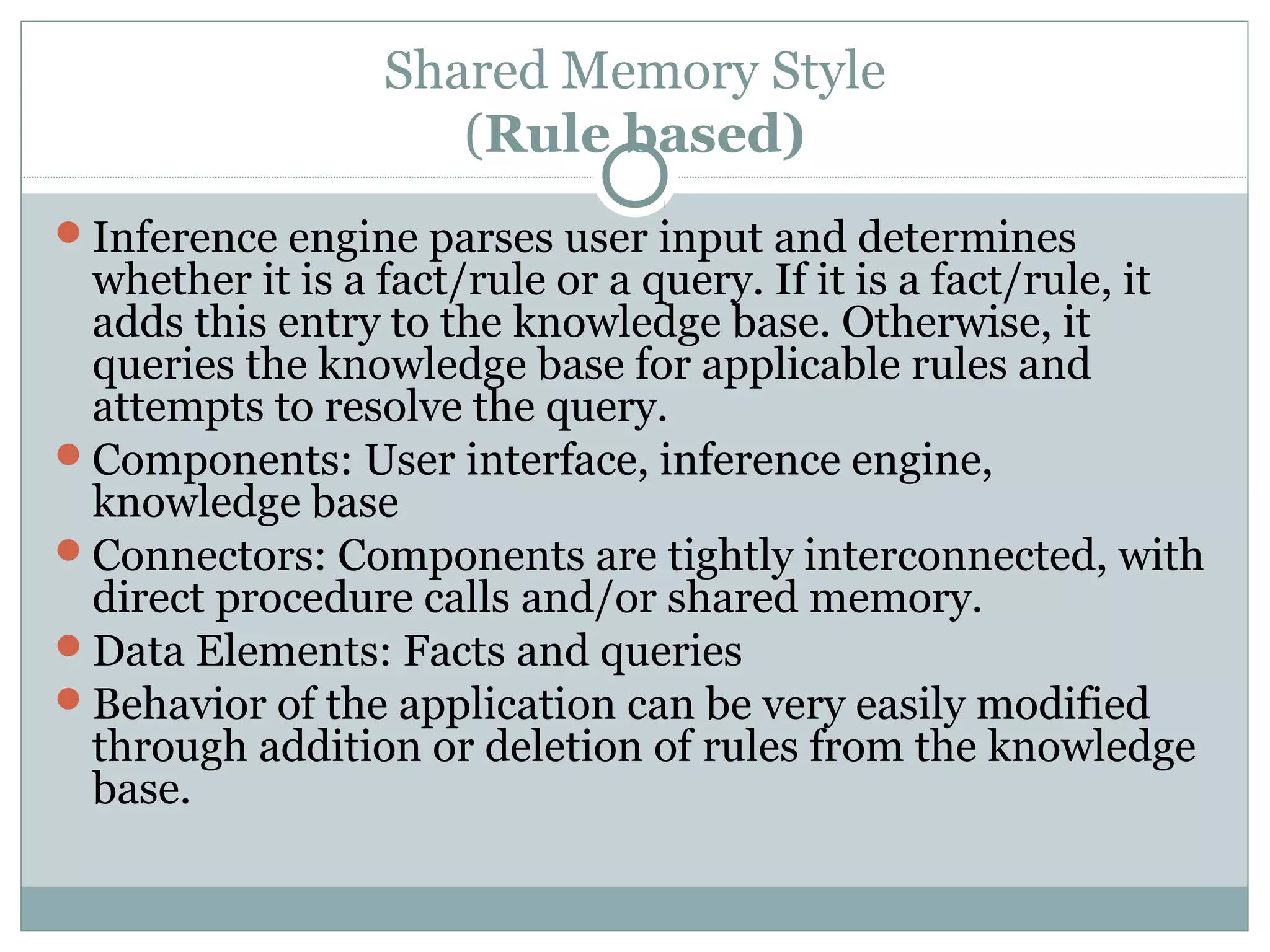
Inference engine parses user input and determines
whether it is a fact/rule or a query. If it is a fact/rule, it
adds this entry to the knowledge base. Otherwise, it
queries the knowledge base for applicable rules and
attempts to resolve the query.
Components: User interface, inference engine,
knowledge base
Connectors: Components are tightly interconnected, with
direct procedure calls and/or shared memory.
Data Elements: Facts and queries
Behavior of the application can be very easily modified
through addition or deletion of rules from the knowledge
base.
INTERPRETER STYLE
(INTERPRETER)
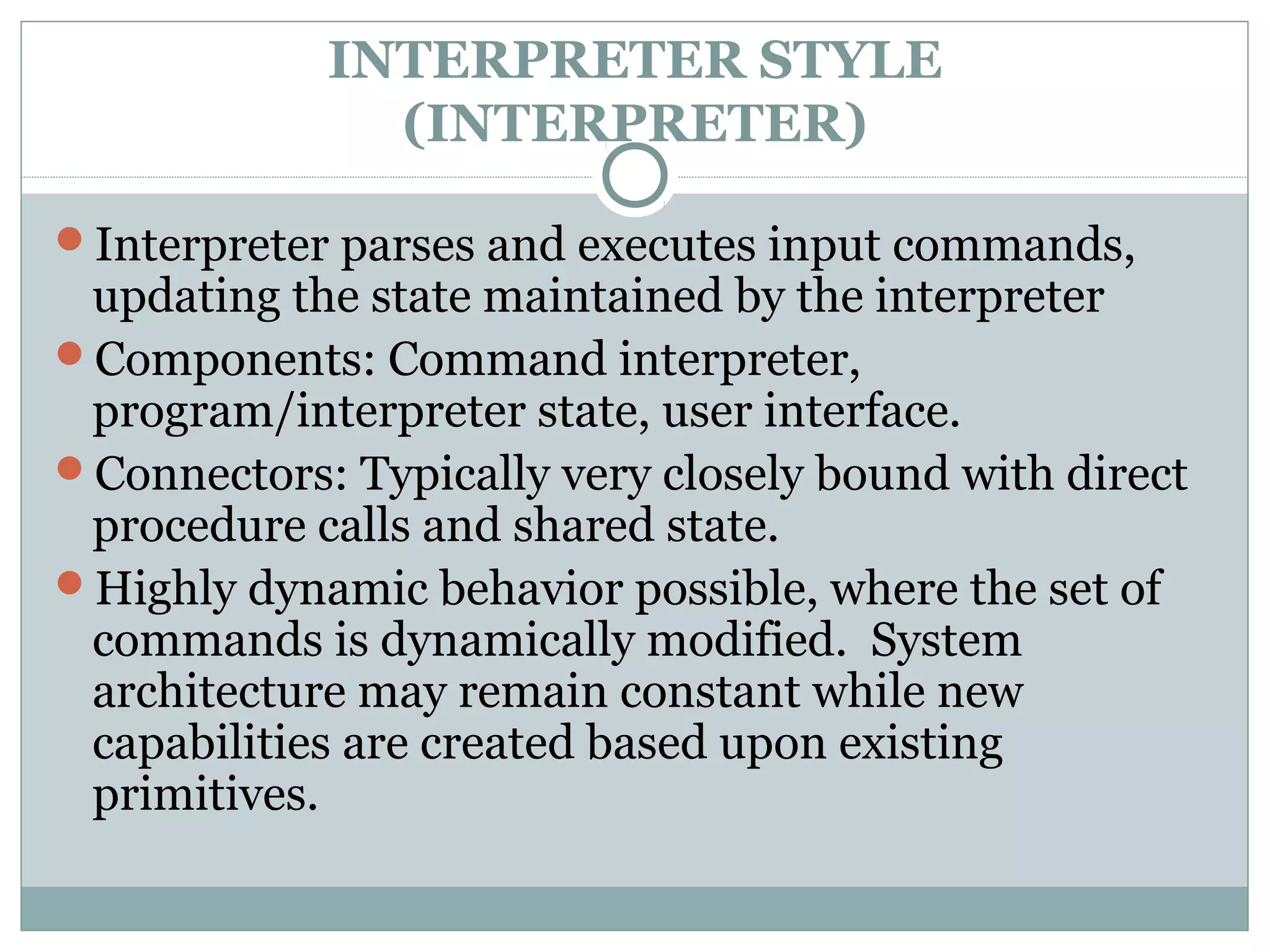
Interpreter parses and executes input commands,
updating the state maintained by the interpreter
Components: Command interpreter,
program/interpreter state, user interface.
Connectors: Typically very closely bound with direct
procedure calls and shared state.
Highly dynamic behavior possible, where the set of
commands is dynamically modified. System
architecture may remain constant while new
capabilities are created based upon existing
primitives.
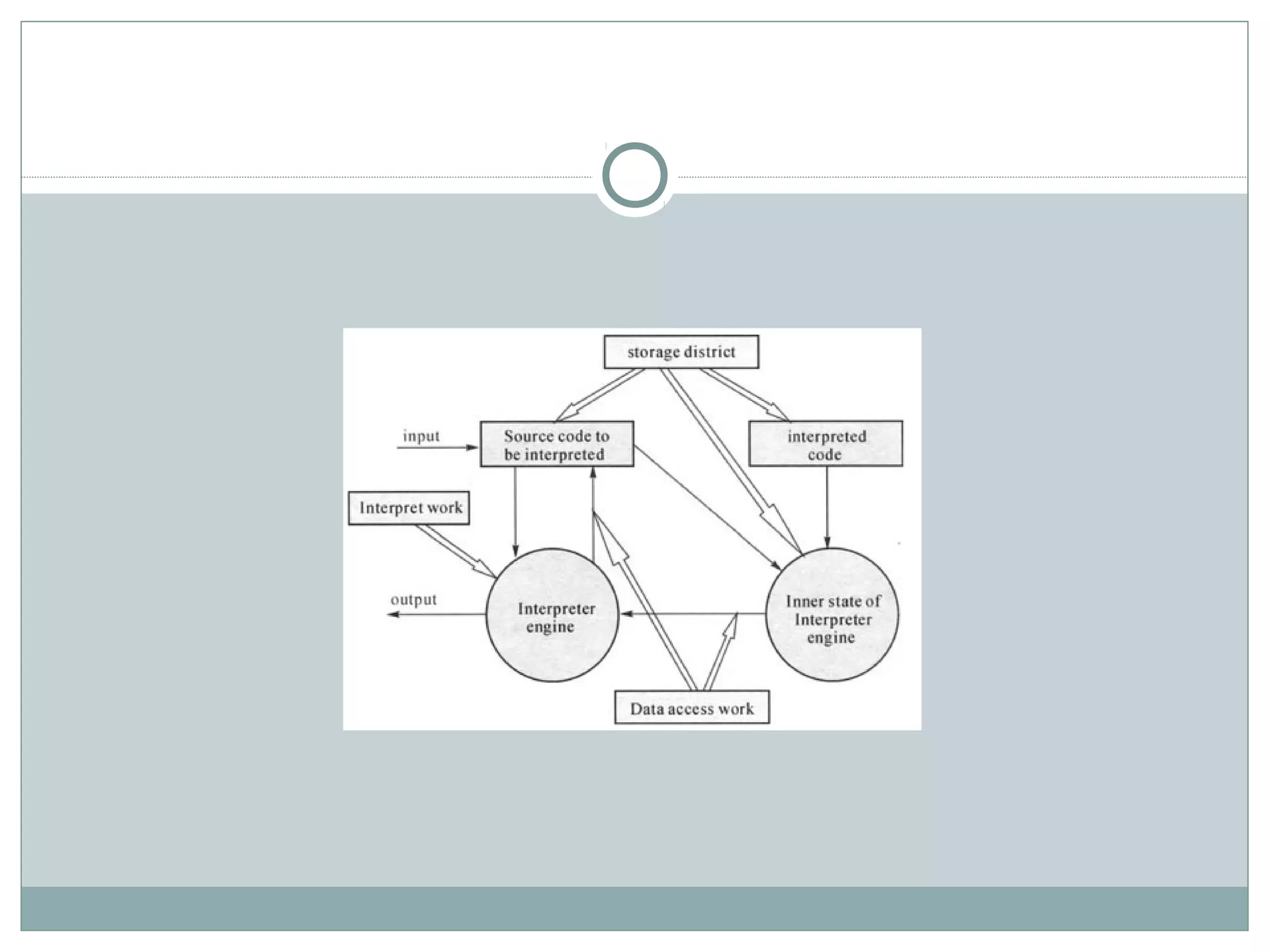
INTERPRETER components
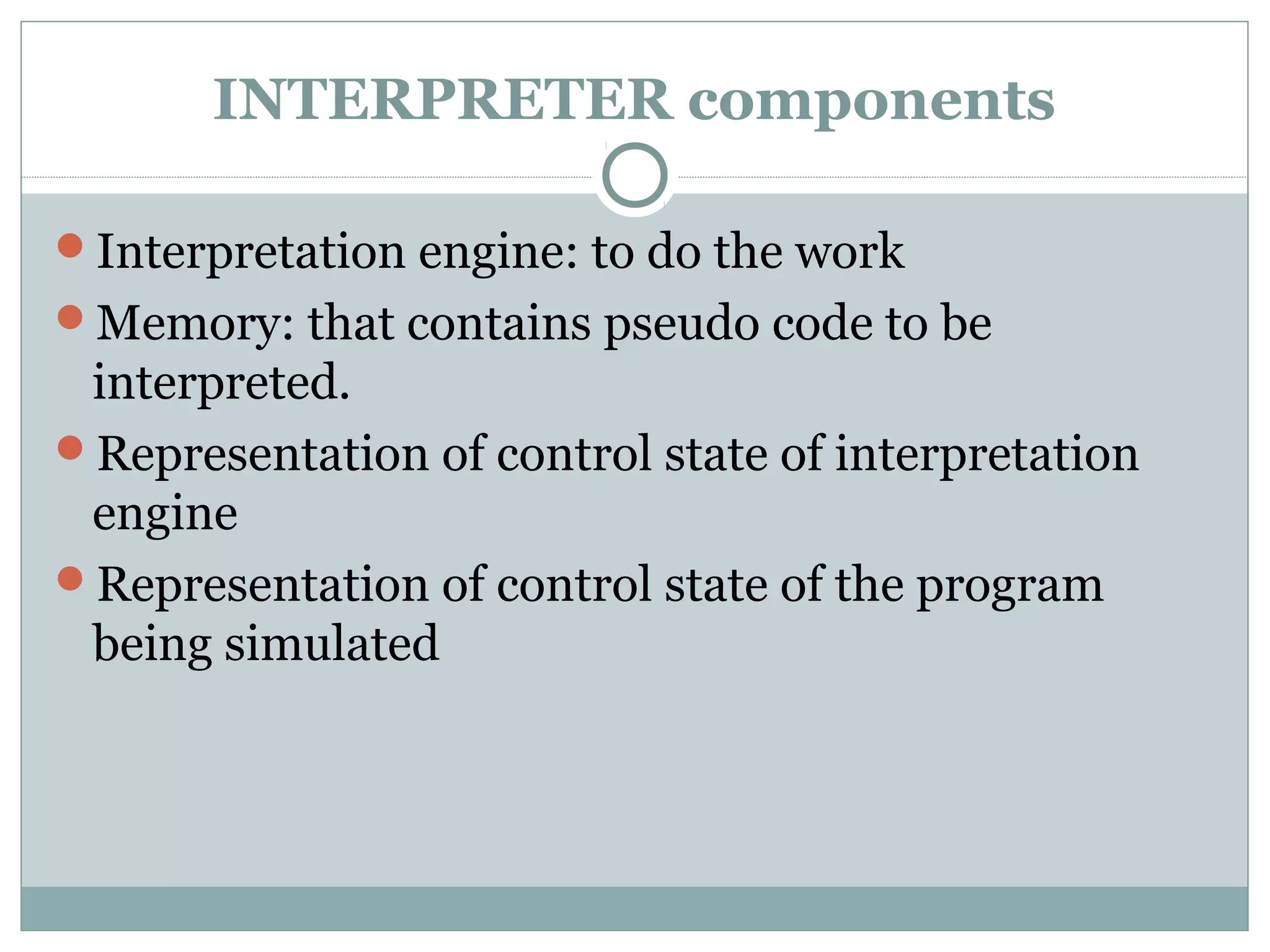
Interpretation engine: to do the work
Memory: that contains pseudo code to be
interpreted.
Representation of control state of interpretation
engine
Representation of control state of the program
being simulated
Advantages and Disadvantages
Advantages
 Highly dynamic behavior possible, where the set of commands
is dynamically modified.
 System architecture may remain constant while new
capabilities are created based upon existing primitives.
Disadvantages
 Performance
 takes longer to execute the interpreted code but many
optimizations might be possible
 Memory management
 when multiple interpreters are invoked simultaneously
INTERPRETER STYLE
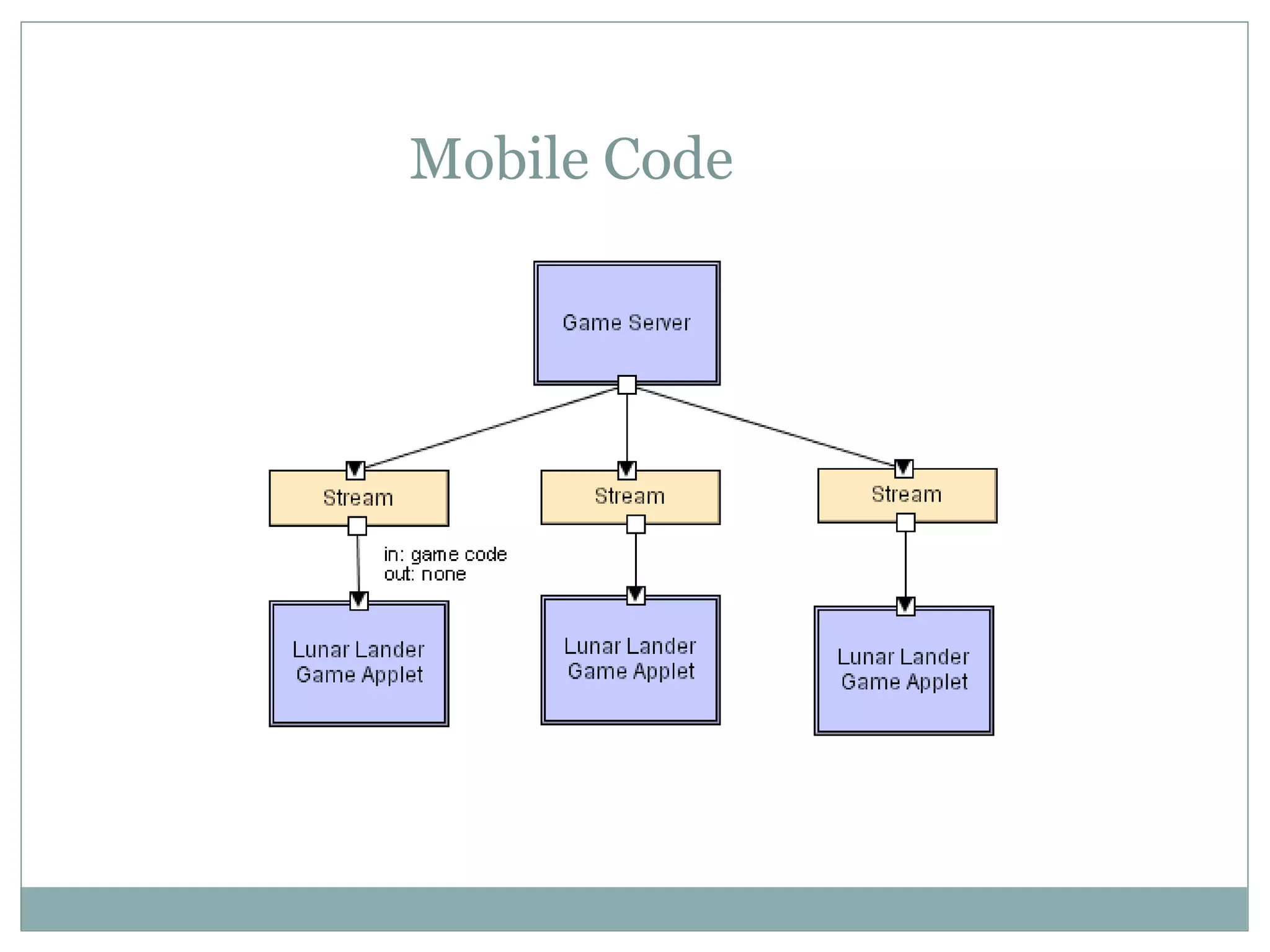
(Mobile code)
A data element (some representation of a program) is
dynamically transformed into a data processing
component.
Components: “Execution dock”, which handles receipt of
code and state; code compiler/interpreter
Connectors: Network protocols and elements for
packaging code and data for transmission.
Data Elements: Representations of code as data; program
state; data
Variants: Code-on-demand, remote execution, and
mobile agent.
Examples : processing large amounts of distributed
data , dynamic behavior / customization
Mobile Code
Advantages and Disadvantages
Advantages
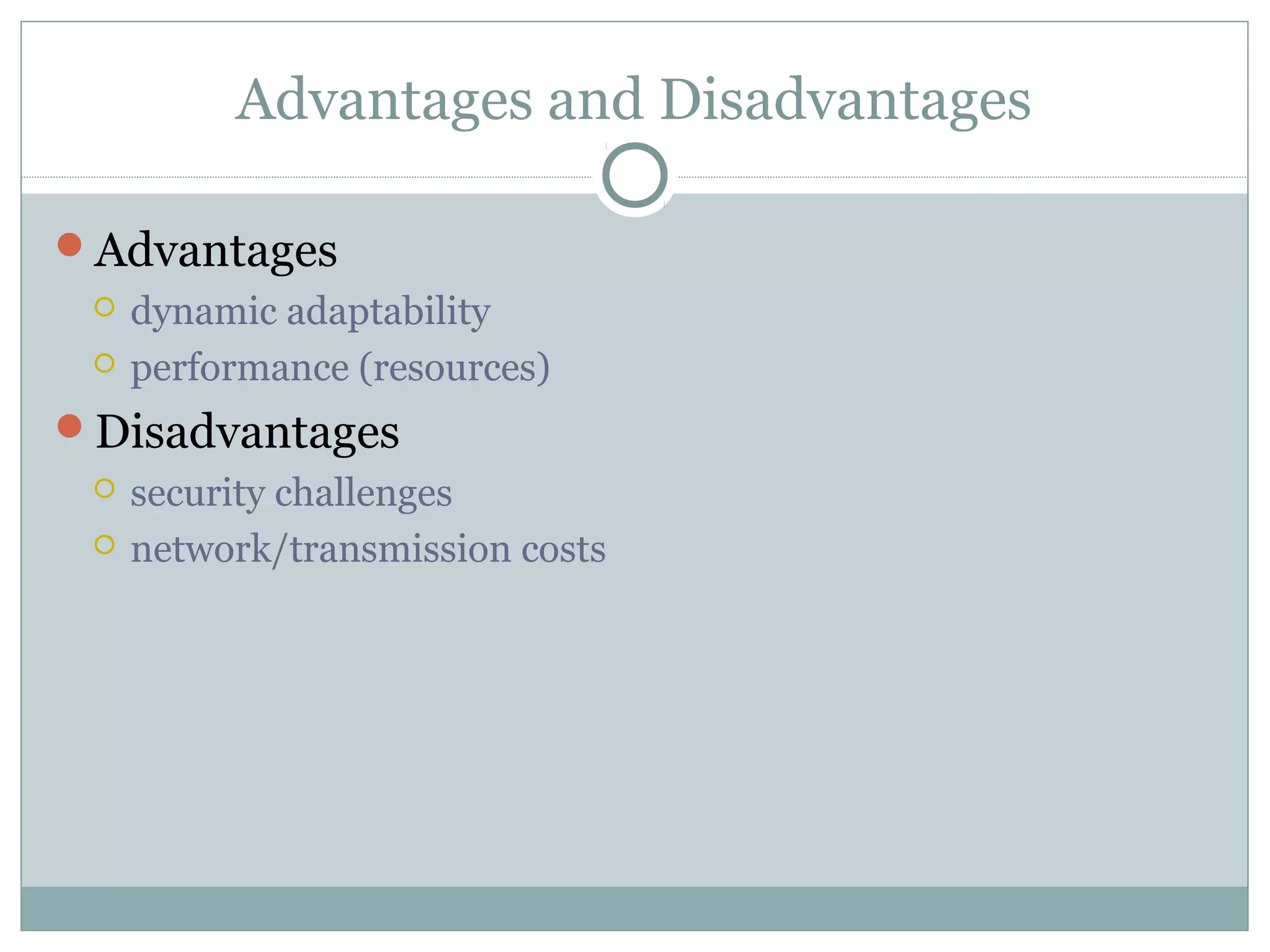
 dynamic adaptability
 performance (resources)
Disadvantages
 security challenges
 network/transmission costs
IMPLICIT INVOCATION STYLE
( Event Based)
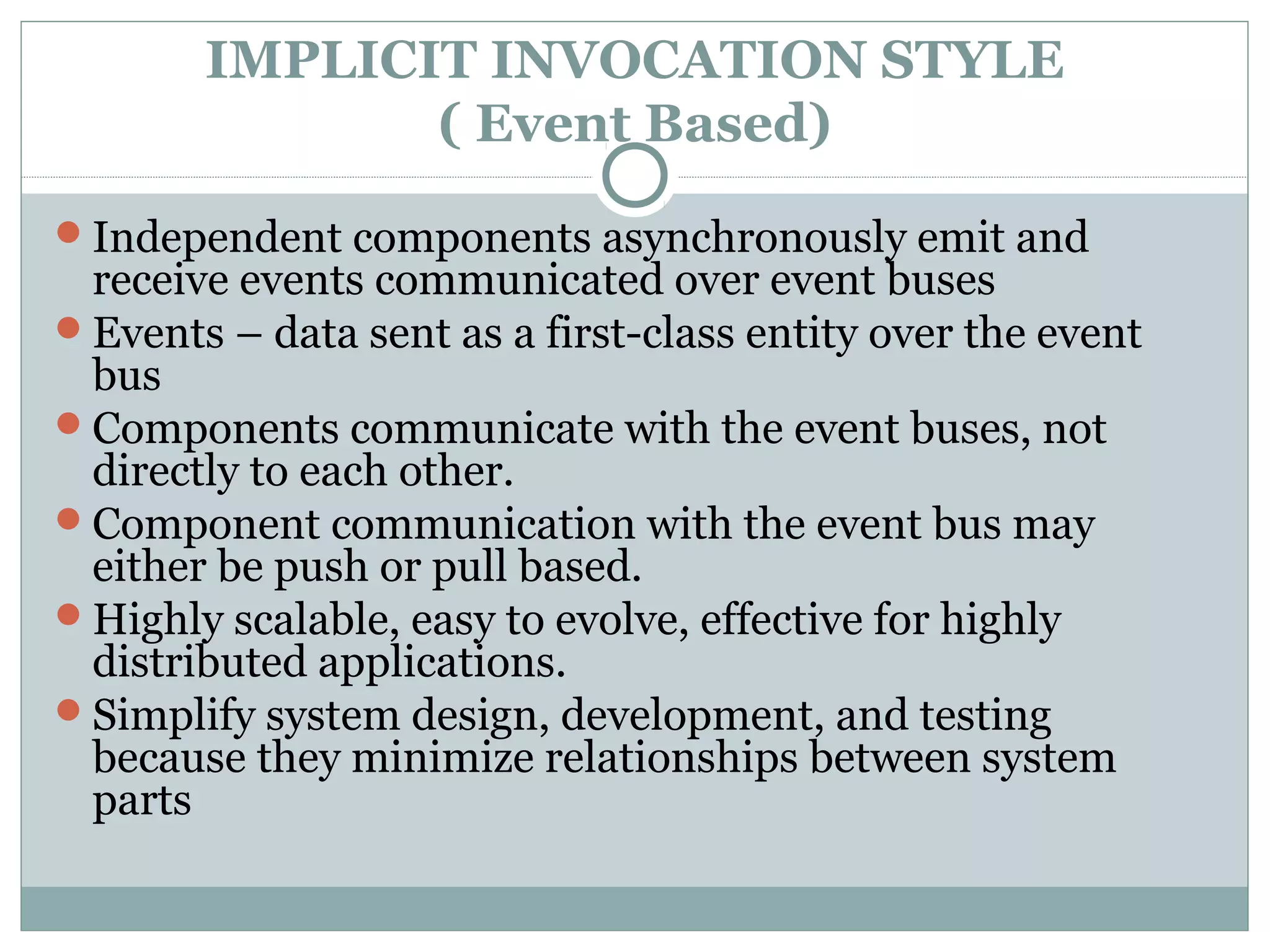
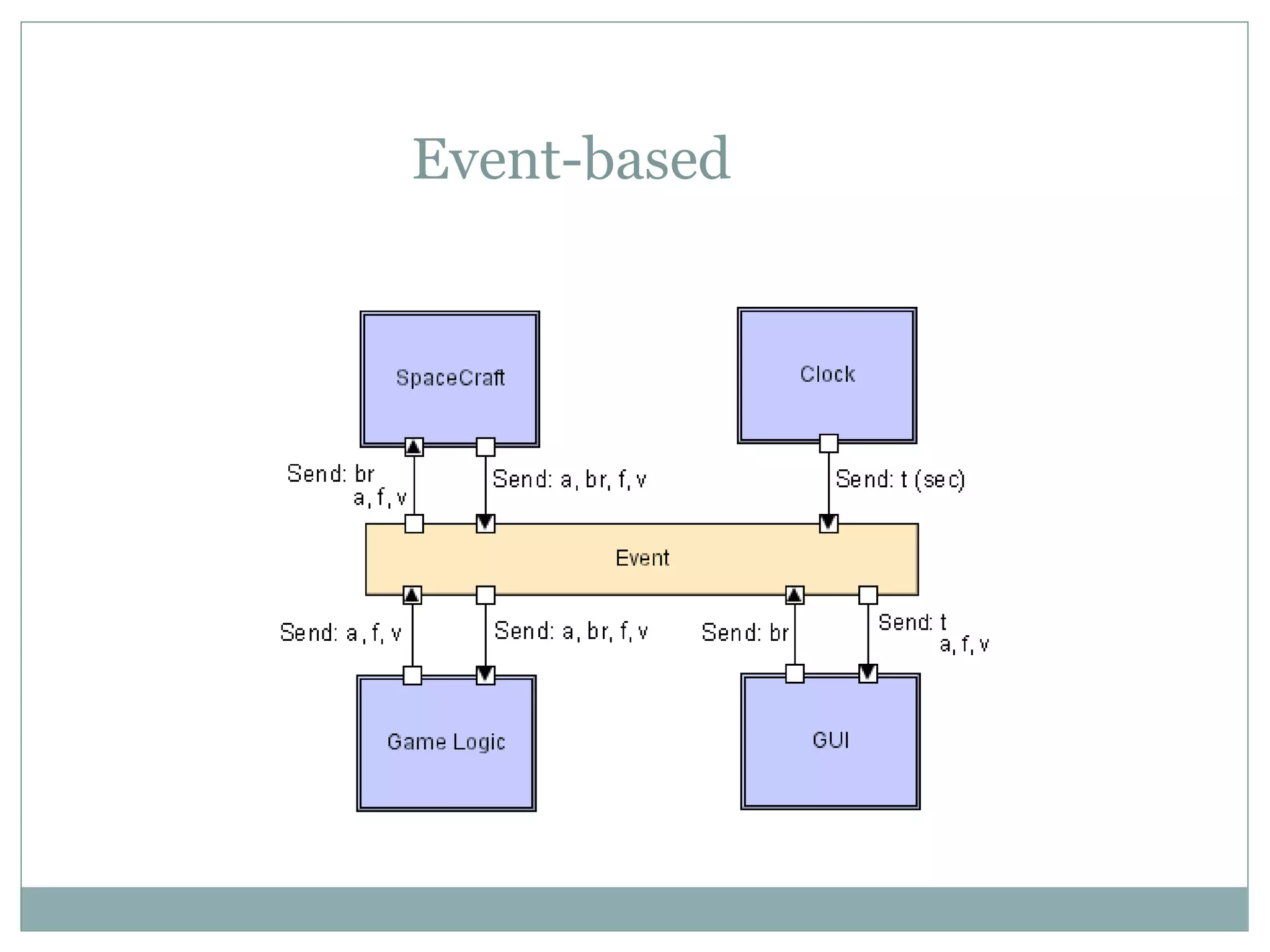
Independent components asynchronously emit and
receive events communicated over event buses
Events – data sent as a first-class entity over the event
bus
Components communicate with the event buses, not
directly to each other.
Component communication with the event bus may
either be push or pull based.
Highly scalable, easy to evolve, effective for highly
distributed applications.
Simplify system design, development, and testing
because they minimize relationships between system
parts
Event-based
Event processing styles
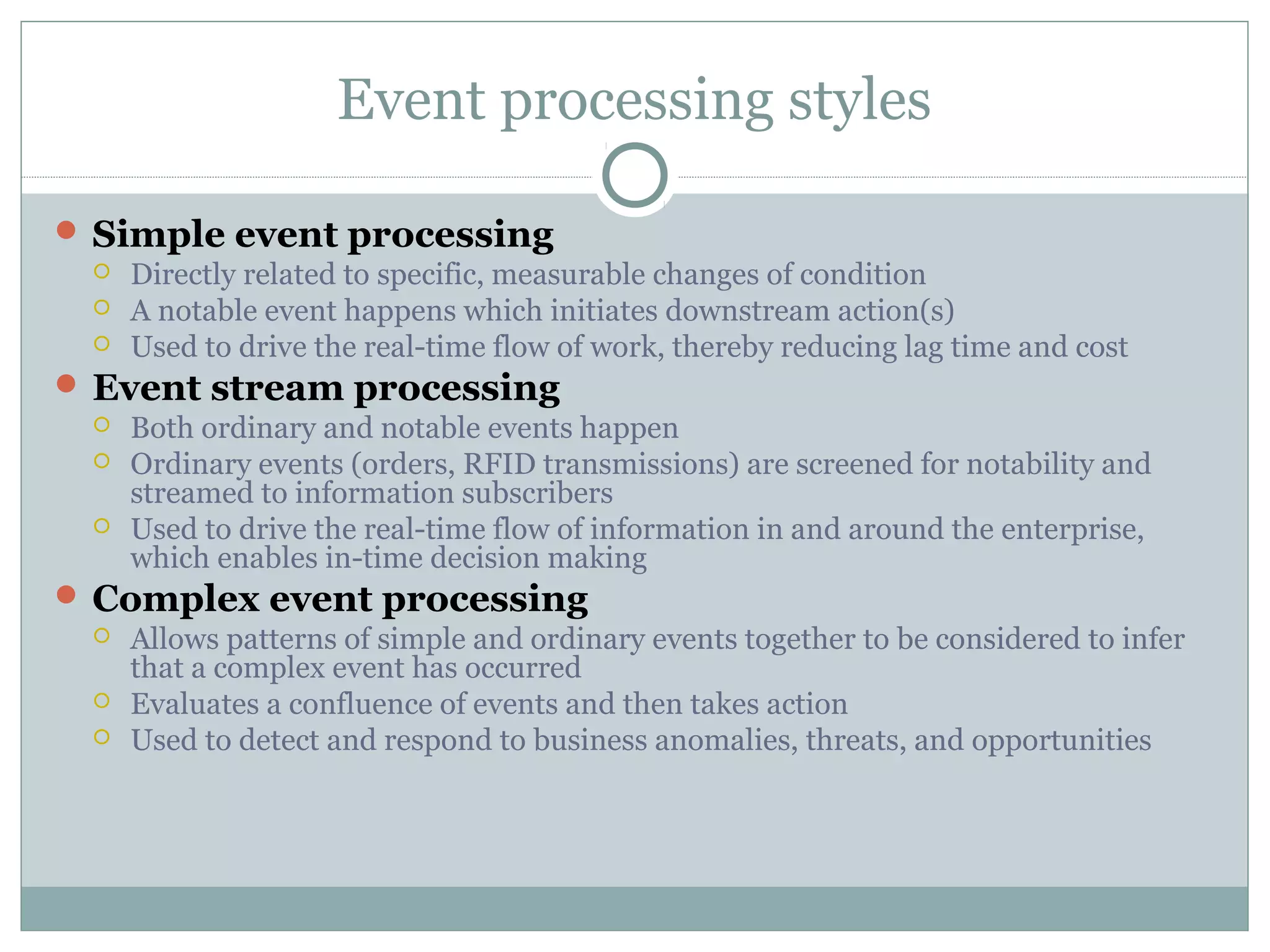
 Simple event processing
 Directly related to specific, measurable changes of condition
 A notable event happens which initiates downstream action(s)
 Used to drive the real-time flow of work, thereby reducing lag time and cost
 Event stream processing
 Both ordinary and notable events happen
 Ordinary events (orders, RFID transmissions) are screened for notability and
streamed to information subscribers
 Used to drive the real-time flow of information in and around the enterprise,
which enables in-time decision making
 Complex event processing
 Allows patterns of simple and ordinary events together to be considered to infer
that a complex event has occurred
 Evaluates a confluence of events and then takes action
 Used to detect and respond to business anomalies, threats, and opportunities
Example use
Programming environment - tools integration
Editor announces it has finished editing a module
Compiler registers for such announcements and
automatically re-compiles module
Editor shows syntax errors reported by compiler
Debugger announces it has reached a breakpoint
Editor registers for such announcements and
automatically scrolls to relevant source line
IMPLICIT INVOCATION STYLE
Features
 Subscribers connect to publishers directly (or through network)
 Components communicate with the event bus, not directly to each other
Advantages
 Strong support for reuse: plug in new component by registering it for
events
 Maintenance: add and replace components with minimum effect on
other components in the system
 Disadvantages
 Sometimes become quite unpredictable
 Hard to control.
Advantages and Disadvantages
Advantages
 Scalable
 Easy to evolve
 Heterogeneous (as long as components can communicate with
the bus they can be implemented in any possible way)
Disadvantage
 No guarantee when the event will be processed
IMPLICIT INVOCATION STYLE
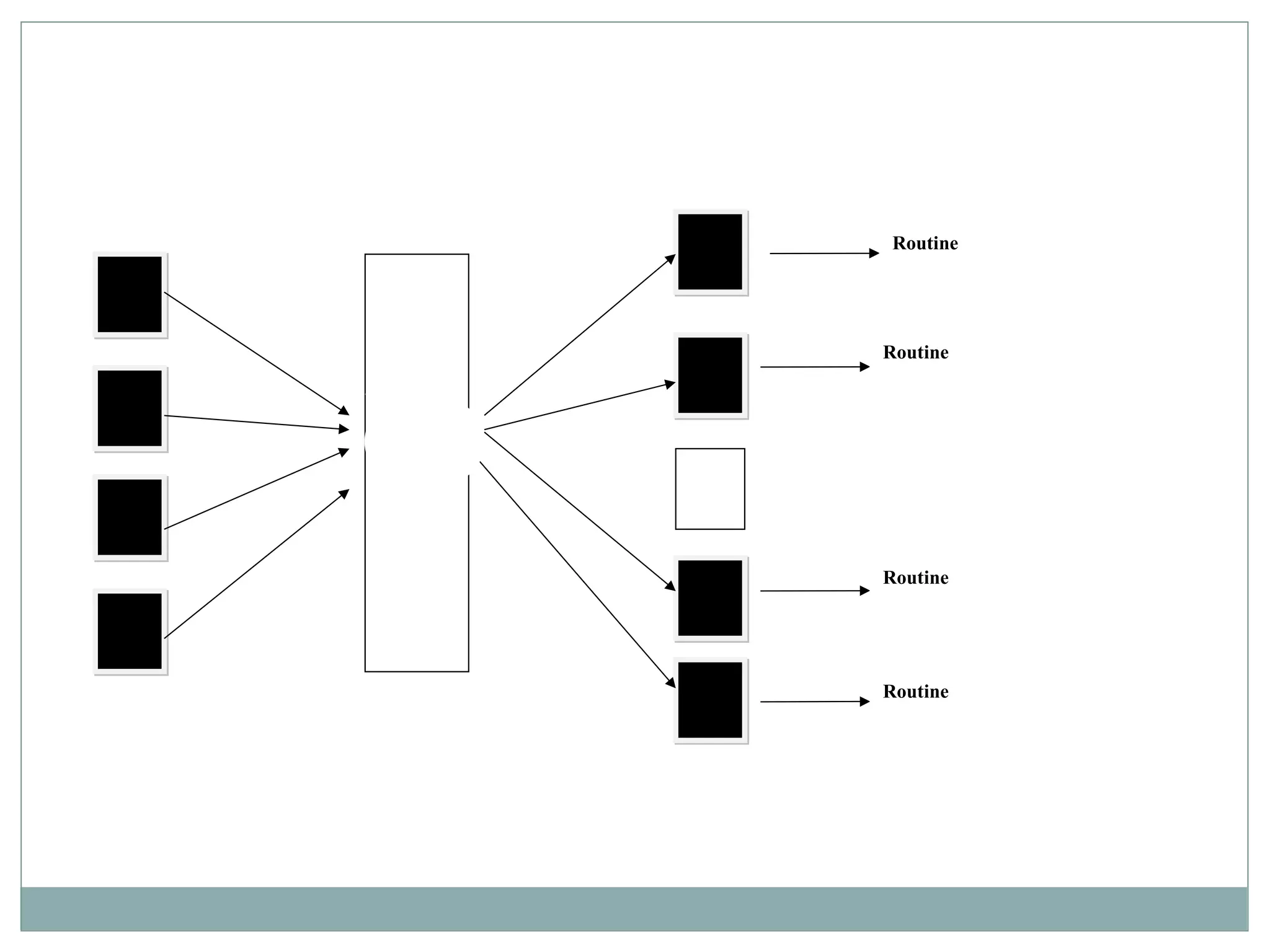
(PUBLISH-SUBSCRIBE )
Subscribers register/deregister to receive specific
messages or specific content.
Publishers broadcast messages to subscribers.
 Analogy: newspaper subscription
 Subscriber chooses the newspaper
 Publisher delivers only to subscribers. Publisher has to maintain a list
of subscribers
Sometimes proxies may be needed to manage
distribution.
It is the job of publish-subscribe runtime infrastructure
to make sure that each published event is delivered to all
subscribers of that event.
Routine
Routine
Routine
Routine
Message Filtering
 Subscribers typically receive only a subset of the total messages
published. The process of selecting messages for reception and
processing is called filtering.
 Two forms :
 Topic-based system : messages are published to "topics" or
named logical channels. Subscribers receive all messages
published to the topics to which they subscribe, and all
subscribers to a topic will receive the same messages. The
publisher is responsible for defining the classes of messages to
which subscribers can subscribe. ( cricinfo –latest score only /
score card)
 Content-based system : messages are only delivered to a
subscriber if the attributes or content of those messages match
constraints defined by the subscriber. The subscriber is
responsible for classifying the messages. ( any search engine)
 Some systems support a hybrid of the two : publishers post
messages to a topic while subscribers register content-based
subscriptions to one or more topics.
Example use of publish/subscribe
Social media “friending”
GUI (Role based apps)
Multi-player network-based games ( FIFA )
WhatsApp group
Advantages and Disadvantages
Advantages
 Subscribers are independent from each other
 Very efficient one-way information dissemination
Disadvantages
 When a number of subscribers is very high, special protocols
are needed
PEER-TO-PEER STYLE
State and behavior are distributed among peers which
can act as either clients or servers. No asymmetry as in
client-server.
Peers: independent components, having their own
state and control thread.
Connectors: Network protocols, often custom.
Data Elements: Network messages
Topology: Network (may have redundant connections
between peers); can vary arbitrarily and dynamically
Supports decentralized computing with flow of control
and resources distributed among peers.
Advantages and Disadvantages
Advantages
 Robustness (if a node is not available the functionality is taken
over)
 Scalability
 Decentralization
Disadvantages
 Security (peers might be malicious or egoistic)
 Latency (when information retrieval time is crucial)

Software architecture unit 4

  • 1.
    Unit 4 -Architectural Styles
  • 2.
  • 3.
    What is Architecturalstyle ? To keep the integrity of the architecture from programming structure ( low level) to the application structure ( high level), a few key features and rules to integrate them are used. These features and rules are called “Architectural style”
  • 4.
    Components affecting styles Runtimefunction components  Data Repository  Process  Procedure … Constraints  No ‘edit’ allowed on repository data; Only sequential updates ! … Communication between components  Subroutine call  Remote procedure call  Data streams  Data sockets …
  • 5.
    Benefits of styles Reuse Design ( Appointment system Vs Reservation system )  Code ( Calendar function) Understandability Interoperability Style specificity
  • 6.
    Common styles  Traditional,language-influenced  Main program and subroutines  Object-oriented  Layered  Virtual machines  Client-server  Data-flow  Batch sequential  Pipe and filter  Shared memory  Repository  Blackboard  Rule based  Interpreter  Interpreter  Mobile code  Implicit invocation  Event-based  Publish-subscribe  Peer-to-peer
  • 7.
  • 8.
    Main Program andSubroutines 8
  • 9.
    Call and Returnstyle It is the classical programming paradigm (Used for the past 30+ years). The requester ( main prog) calls for a service from a subroutine and waits until a requested service completes its actions and return the control to main program with the result. A program is decomposed hierarchically. There is typically a single thread of control and each component in the hierarchy gets this control (optionally along with some data) from its parent and passes it along to its children. The goal is to decompose a program into smaller pieces to help achieve modifiability.
  • 10.
    Remote procedure call Mainprogram and subroutine systems that are decomposed into parts that live on different computers connected via a network. The goal is to increase performance by distributing the computations and taking advantage of multiple processors. In remote procedure call systems, the actual assignment of parts to processors is deferred until runtime, meaning that the assignment is easily changed to accommodate performance tuning. In fact, except that subroutine calls may take longer to accomplish if it is invoking a function on a remote machine, a remote procedure call is indistinguishable from standard main program and subroutine systems.
  • 11.
  • 12.
    Object oriented Here, theobjects are components that provide black-box services e.g an object (4 legged animal with its attributes) inherits other component ( e.g cat/ dog with its attributes) thro methods. This bundle is an encapsulation that hides its internal secrets from its environment. The user of a service need not know, and should not know, anything about how that service is implemented. ( information hiding) This encapsulation promotes reuse and modifiability, principally because it promotes separation of concerns.
  • 13.
  • 14.
    Advantages and Disadvantages Advantages Can break problems into interacting agents  Can distribute across multiple machines or networks  Change implementation without affecting clients Disadvantages  Objects must know their interaction partners; when partner changes, clients must change  Side effects: if A uses B and C uses B, then C’s effects on B can be unexpected ( unknown) to A A B C
  • 15.
  • 16.
    LAYERED STYLE An orderedsequence of layers, each layer offers services (interfaces) that can be used by programs (components) residing with the layer(s) above it. In this, the components are assigned to layers to control inter component interaction. In the pure version of this architecture, each level communicates only with its immediate neighbours. The goal is to achieve the qualities of modifiability and portability. Layer bridging: functions is one layer may talk to other than its immediate neighbor
  • 17.
    Advantages and Disadvantages Advantages They support designs based on increasing levels abstraction.  Allows implementers to partition a complex problem into a sequence of incremental steps.  They support enhancement  They support reuse. Disadvantages  Not easily all systems can be structures in a layered fashion.  Performance may require closer coupling between logically high-level functions and their lower-level implementations.
  • 18.
    LAYERED STYLE (VIRTUAL MACHINES) Virtualmachines are SWA style that simulate some functionality that is not native to the hardware and/or software on which it is implemented.
  • 19.
    VM benefits It canallow one to simulate (and test) platforms that have not yet been built (such as new hardware), and it can simulate "disaster'' modes (as is common in flight simulators and safety-critical systems) that would be too complex, costly, or dangerous to test with the real system. Common examples of virtual machines are interpreters, rule-based systems, syntactic shells, and command language processors
  • 20.
  • 21.
  • 22.
    LAYERED STYLE (Client -Server) One or many servers provide services to instances of subsystems, called clients Each client calls on the server, which performs some service and returns the result The clients know the interface of the server The server does not need to know the interface of the client The response in general is immediate End users interact only with the client.
  • 23.
    CS – e.gLibrary Management System Client -end: User application (LMS)  Customized user interface  Front-end processing of data  Initiation of server remote procedure calls  Access to database server across the network Server-end: Database access and manipulation (server)  Centralized data management  Data integrity and database consistency  Database security  Concurrent operations (multiple user access)  Centralized processing (for example archiving)
  • 24.
    Advantages and disadvantages Advantages Makes effective use of networked systems  May allow for cheaper hardware  Easy to add new servers or upgrade existing servers  Increased Availability (redundancy) Disadvantages  Data interchange can be hampered by different data layouts  Communication may be expensive  Data integrity functionality must be implemented for each server  Single point of failure ( affects all clients)
  • 25.
    DATAFLOW STYLE  Dataflowstyles focus on how data moves between processing elements. T  The data-flow style is characterized by viewing the system as a series of transformations on successive pieces of input data.  Data enter the system and then flows through the components one at a time until they are assigned to some final destination (output or a data store).  A data flow system is one in which:  the structure of the design is determined by the motion of data from component to component  the availability of data controls the computation  the pattern of data flow is explicit  Variations  Batch Sequential  Pipe and Filter
  • 26.
    Dataflow ( Batch Sequential) Dateformat check Standard format Use logic To validate
  • 27.
    Batch sequential style Processingsteps, or components, are independent programs. The assumption is that each step runs to completion before the next step starts. Each batch of data is transmitted as a whole between the steps. The typical application for this style is classical data processing.  Payroll computations  Tax reports  Patient management  Student management  Library management etc ..
  • 28.
    Dataflow ( Pipe andFilter) Data Flow Controls
  • 29.
  • 30.
    Dataflow ( Pipe andFilter) Components (filters) are connected through connector, (pipe). A pipe is a connector that conveys streams of data from the output port of one filter to the input port of another filter. A filter is a data transforming component that reads streams of data through one or more input ports and writes streams of data to one or more output ports. Pipes provide an order-preserving, buffered communication channel to transmit data generated by filters. The only way that filters interact with each other is through pipes.
  • 31.
    Dataflow ( Pipe andFilter) … Computation in a pipe-filter system proceeds in a data-driven fashion The availability of data on the input ports of its filters allows them to compute values that are written to their output ports. Because pipes buffer data in the communication, filters can act asynchronously, concurrently, and independently. Pipes must connect output ports to input ports Pipe-filter systems are often associated with implementations in which filters are separate processes( programs written by us), and operating systems infrastructure is used to provide pipe communication between the processes.  The best known example is Unix, LEX/YACC based compiler, DIP etc
  • 32.
    Advantages and Disadvantages Advantages  Makes it easy to understand overall function of the system as a composition of filter functions  Encourages reuse of filters: any two filters can be connected if they agree on data format  Facilitates maintenance: filters can be added or replaced  Facilitates deadlock and throughput analysis  Potential for parallelism: filters implemented as separate tasks, consuming and producing data incrementally  Disadvantages  Often leads to batch-type processing  Not good for interactive applications  Can’t coordinate stream inputs  Data transmission critical for system performance  Sharing global data expensive or limiting  Scheme is highly dependent on order of filters  Can be difficult to design incremental filters  Error handling is difficult  Data type must be greatest common denominator, e.g. ASCII
  • 33.
  • 34.
    Shared Memory Style Features Consumer’s knowledge on data availability  Store informs the consumer – blackboard  Consumer is responsible - repository  Used when there are multiple accessors and persistence  Decouple producer from consumer  Data store performance, security, privacy, compatibility with other stores… Used in  Artificial Intelligence (AI) - Rule based  Compiler architecture – Rule based  Facebook Chat – Black board  Google drive - Repository
  • 35.
  • 36.
    Shared Memory Style (REPOSITORY)… Arepository architecture consists of a central data structure (often a database) and a collection of independent components which operate on the central data structure. Subsystems access and modify data from a single data structure called the repository Subsystems are loosely coupled (interact only through the repository) Control flow is dictated by the repository through triggers or by the subsystems through locks and synchronization primitives
  • 37.
  • 38.
    Shared Memory Style (Blackboard) A Blackboard is a database into which a process can insert, retrieve, or remove data. Allows multiple processes to communicate by reading and writing information and requests to a global data store. Each participating process has expert knowledge in its own. Solution to a problem depends not only on a subsystem but also on other subsystems Processes communicate strictly through the common blackboard whose content is visible to all processes. A control unit is responsible for selecting an appropriate process to solve it.
  • 39.
    Advantages and Disadvantages Advantages Efficient way to share large amounts of data  Data integrity localized to repository module  Solution strategies should not be preplanned  Data/problem determines the solutions Disadvantages  Subsystems must agree (i.e., compromise) on a repository data model  Schema evolution is difficult and expensive  Distribution can be a problem  Interaction between “independent” programs needs a complex regulation  Data on the blackboard is a subject to frequent change
  • 40.
    Shared Memory Style (Rulebased) A list of rules or rule base, which is a specific type of knowledge base. An inference engine or semantic reasoner, which infers information or takes action based on the interaction of input and the rule base. The interpreter executes a production system program by performing the following match-resolve-act cycle Temporary working memory. A user interface or other connection to the outside world through which input and output signals are received and sent.
  • 41.
    e.g. Game ofChess - AI
  • 42.
    Shared Memory Style (Rulebased) Inference engine parses user input and determines whether it is a fact/rule or a query. If it is a fact/rule, it adds this entry to the knowledge base. Otherwise, it queries the knowledge base for applicable rules and attempts to resolve the query. Components: User interface, inference engine, knowledge base Connectors: Components are tightly interconnected, with direct procedure calls and/or shared memory. Data Elements: Facts and queries Behavior of the application can be very easily modified through addition or deletion of rules from the knowledge base.
  • 43.
    INTERPRETER STYLE (INTERPRETER) Interpreter parsesand executes input commands, updating the state maintained by the interpreter Components: Command interpreter, program/interpreter state, user interface. Connectors: Typically very closely bound with direct procedure calls and shared state. Highly dynamic behavior possible, where the set of commands is dynamically modified. System architecture may remain constant while new capabilities are created based upon existing primitives.
  • 44.
    INTERPRETER components Interpretation engine:to do the work Memory: that contains pseudo code to be interpreted. Representation of control state of interpretation engine Representation of control state of the program being simulated
  • 46.
    Advantages and Disadvantages Advantages Highly dynamic behavior possible, where the set of commands is dynamically modified.  System architecture may remain constant while new capabilities are created based upon existing primitives. Disadvantages  Performance  takes longer to execute the interpreted code but many optimizations might be possible  Memory management  when multiple interpreters are invoked simultaneously
  • 47.
    INTERPRETER STYLE (Mobile code) Adata element (some representation of a program) is dynamically transformed into a data processing component. Components: “Execution dock”, which handles receipt of code and state; code compiler/interpreter Connectors: Network protocols and elements for packaging code and data for transmission. Data Elements: Representations of code as data; program state; data Variants: Code-on-demand, remote execution, and mobile agent. Examples : processing large amounts of distributed data , dynamic behavior / customization
  • 48.
  • 49.
    Advantages and Disadvantages Advantages dynamic adaptability  performance (resources) Disadvantages  security challenges  network/transmission costs
  • 50.
    IMPLICIT INVOCATION STYLE (Event Based) Independent components asynchronously emit and receive events communicated over event buses Events – data sent as a first-class entity over the event bus Components communicate with the event buses, not directly to each other. Component communication with the event bus may either be push or pull based. Highly scalable, easy to evolve, effective for highly distributed applications. Simplify system design, development, and testing because they minimize relationships between system parts
  • 51.
  • 53.
    Event processing styles Simple event processing  Directly related to specific, measurable changes of condition  A notable event happens which initiates downstream action(s)  Used to drive the real-time flow of work, thereby reducing lag time and cost  Event stream processing  Both ordinary and notable events happen  Ordinary events (orders, RFID transmissions) are screened for notability and streamed to information subscribers  Used to drive the real-time flow of information in and around the enterprise, which enables in-time decision making  Complex event processing  Allows patterns of simple and ordinary events together to be considered to infer that a complex event has occurred  Evaluates a confluence of events and then takes action  Used to detect and respond to business anomalies, threats, and opportunities
  • 54.
    Example use Programming environment- tools integration Editor announces it has finished editing a module Compiler registers for such announcements and automatically re-compiles module Editor shows syntax errors reported by compiler Debugger announces it has reached a breakpoint Editor registers for such announcements and automatically scrolls to relevant source line
  • 55.
    IMPLICIT INVOCATION STYLE Features Subscribers connect to publishers directly (or through network)  Components communicate with the event bus, not directly to each other Advantages  Strong support for reuse: plug in new component by registering it for events  Maintenance: add and replace components with minimum effect on other components in the system  Disadvantages  Sometimes become quite unpredictable  Hard to control.
  • 56.
    Advantages and Disadvantages Advantages Scalable  Easy to evolve  Heterogeneous (as long as components can communicate with the bus they can be implemented in any possible way) Disadvantage  No guarantee when the event will be processed
  • 57.
    IMPLICIT INVOCATION STYLE (PUBLISH-SUBSCRIBE) Subscribers register/deregister to receive specific messages or specific content. Publishers broadcast messages to subscribers.  Analogy: newspaper subscription  Subscriber chooses the newspaper  Publisher delivers only to subscribers. Publisher has to maintain a list of subscribers Sometimes proxies may be needed to manage distribution. It is the job of publish-subscribe runtime infrastructure to make sure that each published event is delivered to all subscribers of that event.
  • 58.
  • 59.
    Message Filtering  Subscriberstypically receive only a subset of the total messages published. The process of selecting messages for reception and processing is called filtering.  Two forms :  Topic-based system : messages are published to "topics" or named logical channels. Subscribers receive all messages published to the topics to which they subscribe, and all subscribers to a topic will receive the same messages. The publisher is responsible for defining the classes of messages to which subscribers can subscribe. ( cricinfo –latest score only / score card)  Content-based system : messages are only delivered to a subscriber if the attributes or content of those messages match constraints defined by the subscriber. The subscriber is responsible for classifying the messages. ( any search engine)  Some systems support a hybrid of the two : publishers post messages to a topic while subscribers register content-based subscriptions to one or more topics.
  • 60.
    Example use ofpublish/subscribe Social media “friending” GUI (Role based apps) Multi-player network-based games ( FIFA ) WhatsApp group
  • 61.
    Advantages and Disadvantages Advantages Subscribers are independent from each other  Very efficient one-way information dissemination Disadvantages  When a number of subscribers is very high, special protocols are needed
  • 62.
    PEER-TO-PEER STYLE State andbehavior are distributed among peers which can act as either clients or servers. No asymmetry as in client-server. Peers: independent components, having their own state and control thread. Connectors: Network protocols, often custom. Data Elements: Network messages Topology: Network (may have redundant connections between peers); can vary arbitrarily and dynamically Supports decentralized computing with flow of control and resources distributed among peers.
  • 63.
    Advantages and Disadvantages Advantages Robustness (if a node is not available the functionality is taken over)  Scalability  Decentralization Disadvantages  Security (peers might be malicious or egoistic)  Latency (when information retrieval time is crucial)

Editor's Notes

  • #9 Main program displays greetings and instructions, then enters a loop in which it calls the three subroutines in turn.
  • #30 GetBurnRate runs continuously on its own, prompting the user for a new burn rate. In this design the “compute new values” determines how much time has passed. Could alternatively do that in the GetBurnRate filter. Would change semantics a bit.