Module 2
(11 hours)
1
Architectural Design—Guidelines for User Interface Architectures,
Design Space and Rules, Applying Design Space with an Example, A
Validation Experiment.
Applying Design Space with an Example, A Validation Experiment.
The Quantified Design Space- Background, Quantified Design Space.
Architectural Design
• Provide interactive user interface for
software functions
• Design space is large including
25 functional dimensions
19 structural dimensions
2
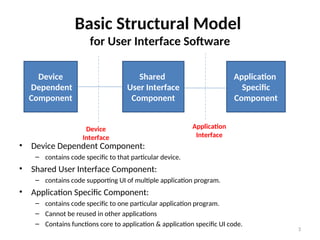
Basic Structural Model
for User Interface Software
• Device Dependent Component:
– contains code specific to that particular device.
• Shared User Interface Component:
– contains code supporting UI of multiple application program.
• Application Specific Component:
– contains code specific to one particular application program.
– Cannot be reused in other applications
– Contains functions core to application & application specific UI code.
3
Device
Dependent
Component
Shared
User Interface
Component
Application
Specific
Component
Device
Interface
Application
Interface
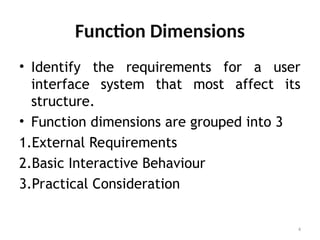
Function Dimensions
• Identify the requirements for a user
interface system that most affect its
structure.
• Function dimensions are grouped into 3
1.External Requirements
2.Basic Interactive Behaviour
3.Practical Consideration
4
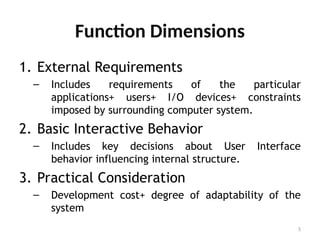
Function Dimensions
1. External Requirements
– Includes requirements of the particular
applications+ users+ I/O devices+ constraints
imposed by surrounding computer system.
2. Basic Interactive Behavior
– Includes key decisions about User Interface
behavior influencing internal structure.
3. Practical Consideration
– Development cost+ degree of adaptability of the
system
5
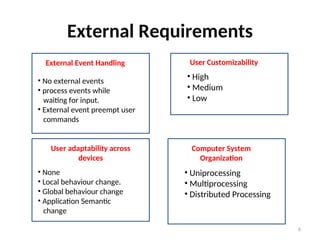
External Requirements
6
External Event Handling
• No external events
• process events while
waiting for input.
• External event preempt user
commands
User Customizability
• High
• Medium
• Low
User adaptability across
devices
• None
• Local behaviour change.
• Global behaviour change
• Application Semantic
change
Computer System
Organization
• Uniprocessing
• Multiprocessing
• Distributed Processing
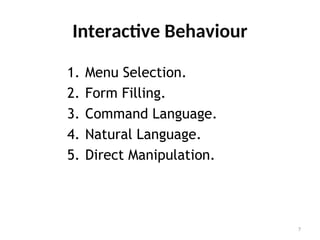
Interactive Behaviour
1. Menu Selection.
2. Form Filling.
3. Command Language.
4. Natural Language.
5. Direct Manipulation.
7
Practical Consideration
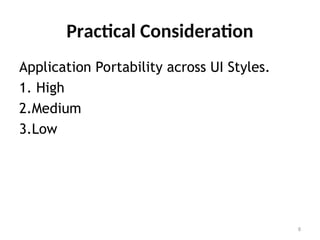
Application Portability across UI Styles.
1. High
2.Medium
3.Low
8
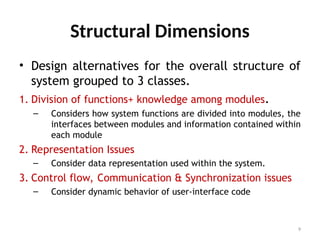
Structural Dimensions
• Design alternatives for the overall structure of
system grouped to 3 classes.
1. Division of functions+ knowledge among modules.
– Considers how system functions are divided into modules, the
interfaces between modules and information contained within
each module
2. Representation Issues
– Consider data representation used within the system.
3. Control flow, Communication & Synchronization issues
– Consider dynamic behavior of user-interface code
9
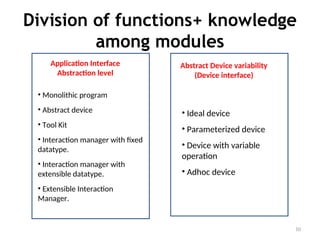
Division of functions+ knowledge
among modules
10
Application Interface
Abstraction level
• Monolithic program
• Abstract device
• Tool Kit
• Interaction manager with fixed
datatype.
• Interaction manager with
extensible datatype.
• Extensible Interaction
Manager.
Abstract Device variability
(Device interface)
• Ideal device
• Parameterized device
• Device with variable
operation
• Adhoc device
Representation Issues
11
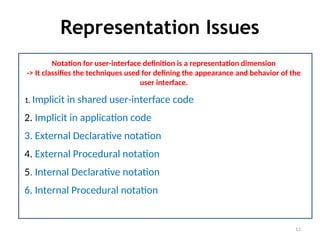
Notation for user-interface definition is a representation dimension
-> It classifies the techniques used for defining the appearance and behavior of the
user interface.
1. Implicit in shared user-interface code
2. Implicit in application code
3. External Declarative notation
4. External Procedural notation
5. Internal Declarative notation
6. Internal Procedural notation
Representation Issues
12
1. Implicit in shared user-interface code:
Information is associated with shared code.
 Ex: visual appearance of menu might be implicit in menu routines supplied by
toolkit.
2. Implicit in application code:
 Information is associated with application code.
Not available for shared code access.
 Ex: handling semantic feedback in direct-manipulation system
Representation Issues
13
3. External Declarative notation:
Information is stored as a non procedural specification separate from the
body of the application program.
 ex: a grammar or tabular specification, Graphical specification methods
4.External Procedural notation:
Information is stored as a procedural specification separate from the body of
the application program.
 Ex: macro definition capability
Representation Issues
14
5. Internal Declarative notation:
 Information is stored as a non procedural specification within the
application program.
 Ex: List of menu entries provided to a toolkit menu routine.
6.Internal Procedural notation:
 Information is stored as a procedural specification within the body of
application program.
Ex: useful in handling application-specific feedback in direct manipulation
interfaces since it has adequate flexibility and efficient access to application
semantics.
Control Flow, communication and
Synchronization issues.
15
Basis of communication is a Communication Dimension.
• Communication Dimension classifies system according to whether the
communication between modules depends on shared state, events or both.
• Classification:
1. Events : communication through events.
2. Pure State : communication through shared state. Recipient repeatedly check
the state variables to detect changes.
3. State with Hints : communication through shared state. Changes of state
variables were informed to receiver by events.
4. State plus events : both shared state and events are used.
Control Flow, communication and
Synchronization issues.
16
Control Thread Mechanism.
• Control Thread Mechanism describe method to support multiple logical
threads of control.
• Classification
1. None : Single control thread is used.
2. Standard Processes :
• Independently scheduled process in separate address space.
• Provide security against other processes
• Inter process communication is costly.
Control Flow, communication and
Synchronization issues.
17
Control Thread Mechanism.
Classification:
3. Light weight processes:
• Independently scheduled entities with shared address space.
• Suitable only for mutually trusting process due to lack of security.
• Inter process communication cost is less.
4. Nonpreemptive processes:
• Processess without preemptive scheduling in shared address space.
• Simple to implement.
Control Flow, communication and
Synchronization issues.
18
Control Thread Mechanism.
Classification:
5. Event Handlers:
• Pseudoprocesses that are invoked through a series of subroutine calls.
• Each call should return before another event handler process call.
• Control flow is restricted. Ex: waiting for another process cannot occur
inside a subroutine called by an event handler.
6. Interrupt-service routines:
• Hardware level event handling.
• Allow for preemptive scheduling.
Design Rules for User Interface
Architecture
Connections between dimensions is given as
- Choice along one dimension favours / disfavours
particular choice in another dimension.
- Ex: large amount of memory disfavours high speed of
processing.
- Designers Task: is to consider all correlations possible
and select the one suitable for the system.
19
Notation of Design Rule:
- A +ve or –ve weight is associated with particular
combinations of alternatives from 2 (or more)
dimensions.
- Summing the weights of all applicable rules.
- Best design is the one with highest score.
20
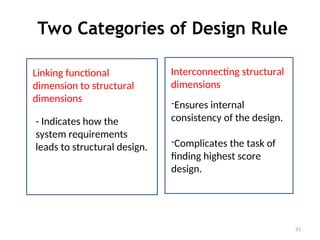
Two Categories of Design Rule
21
Li
Linking functional
dimension to structural
dimensions
Li
Interconnecting structural
dimensions
- Indicates how the
system requirements
leads to structural design.
-Ensures internal
consistency of the design.
-Complicates the task of
finding highest score
design.
Sample Rules:
Rules linking functional dimension & structural dimension
- If external event handling requires preemption of user
commands, then a preemptive control-thread
mechanism is used.
- High user customizability favors external notations for
user-interface behavior.
- Stronger requirements for user-interface adaptability
across devices favor higher levels of application-
interface abstraction.
- A distributed system organization favors event-based
communication.
22
Sample Rules:
Rules linking functional dimension & structural dimension
- The basic user-interface class affects the choice of
application-interface abstraction.
- A high requirement for application portability across
user-interface styles favors the higher levels of
application-interface abstraction.
23
Sample Rules:
Rules interconnecting structural dimension
- Choice of application interface abstraction influence
choice of notation of user interface behavior.
- Monolithic programs favors implicit data
representation.
- Toolkit system favor implicit + internal declarative
notation.
- Interaction manager favors implicit + internal
declarative notation.
- Extensible Interaction manager favors procedural
notation.
24
Applying Design Space: Example
- Sample System: CT programming language and environment.
- CT language is designed for creation of high quality,
interactive educational application.
- Ex: physics simulation, instruction in musical notation.
- System is used by : Authors who are expert in their subject
but have limited programming experience.
- Implementation : on a variety of computer + workstations
- Portability of application program is an important goal.
25
CT’s FUNCTIONAL REQUIREMENTS IN
TERMS OF THE DESIGN SPACE:
- No requirement for external event handling.
- No end-user customizability is needed.
- User-interface adaptability across devices may require local
behavior changes.
- Computer system organization may be uniprocessing or
multiprocessing. CT does not make provision for distributed
system.
- Basic interface class is usually direct manipulation, but menu
selection is also used.
- Medium portability of applications across user-interface styles is
required.
26
Architecture of CT :classified in
structural dimensions
- Application-interface abstraction level falls in the
toolkit class.
- Device interface uses a parameterized abstract device.
- User-interface notation is mostly implicit; some aspects
are implicit in shared code, others are implicit in the
application. Limited use is made of internal procedural
notation.
- Communication is based on events; no shared state
variables are used.
- CT uses single thread of execution
27
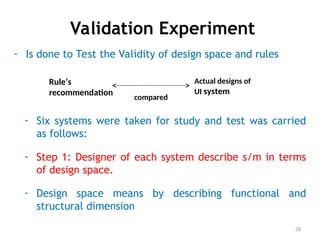
Validation Experiment
- Is done to Test the Validity of design space and rules
28
Rule’s
recommendation
Actual designs of
UI system
compared
- Six systems were taken for study and test was carried
as follows:
- Step 1: Designer of each system describe s/m in terms
of design space.
- Design space means by describing functional and
structural dimension
Validation Experiment
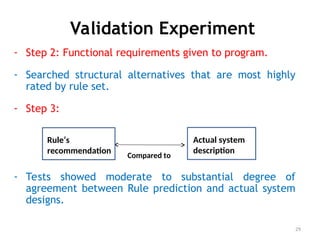
- Step 2: Functional requirements given to program.
- Searched structural alternatives that are most highly
rated by rule set.
- Step 3:
- Tests showed moderate to substantial degree of
agreement between Rule prediction and actual system
designs.
29
Rule’s
recommendation
Actual system
description
Compared to
Quantified Design Space
- Purpose: To analyze and compare the software
designs in an application domain.
- Existing Techniques:
1) Prototyping Techniques: demonstrate feasibility or
investigate the questions about a design.
2) Formal software Inspection: find errors in design
3) Formal Specification language: make assertions
about design
30
Quantified Design Space
–QDS is a mechanism for translating system
requirements into functional and structural
design alternatives, and for analyzing these
alternatives in a quantitative manner.
– QDS can also be used to produce a model
design for a desired system, analyze and
compare existing designs, or suggest
improvements for an existing product.
31
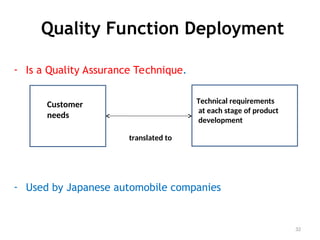
Quality Function Deployment
- Is a Quality Assurance Technique.
- Used by Japanese automobile companies
32
Customer
needs
Technical requirements
at each stage of product
development
translated to
Quality Function Deployment
- 6 Benefits:
1. Issues in development are raised in timely fashion, and can be dealt with before they
become problems
2. Decisions are recorded in a structural framework, and can be traced when necessary.
3. Requirements are less likely to be misinterpreted at any step in the development
process.
- QFD process:
- Use graphical notation
33
Quality Function Deployment
4. Rework is reduced, and the need for changes is
minimized, resulting in shorter time to market.
5. Product knowledge is captured in a defined structure,
and is accessible both for the current product
development and for future work.
6. Customer needs are more closely matched by the final
product.
34
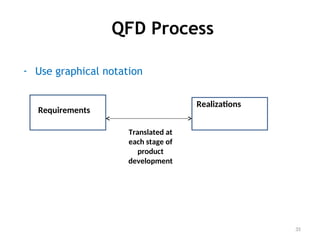
QFD Process
- Use graphical notation
35
Requirements
Realizations
Translated at
each stage of
product
development
QFD Framework
1. Customer requirements :
● Representatives from each stakeholder are recruited to
participate in QFD.
● Customers explain their requirements in their own
words/language.
● Cross functional team analyze these requirements and
specify the requirements in understanding vocabulary.
36
QFD Framework
2. Realization mechanism : QFD team identifies
realization mechanisms to meet customer
requirements.
3. Object Target values :
● For each realization mechanism target values are
established.
● Target values may be qualitative/ quantitative goals
37
QFD Framework
4. Relationship between each realization mechanism and
customer requirement is established.
5. -ve/ +ve correlation between realization mechanism is
determined:
6. Organizational difficulty :
38
QFD Framework
7. Technical importance rating:
8. After relationships and correlations are determined the
QFD team analyze the framework, to select the
realization mechanisms to be used in product.
39

Software Architecture and Design Details Module

  • 1.
    Module 2 (11 hours) 1 ArchitecturalDesign—Guidelines for User Interface Architectures, Design Space and Rules, Applying Design Space with an Example, A Validation Experiment. Applying Design Space with an Example, A Validation Experiment. The Quantified Design Space- Background, Quantified Design Space.
  • 2.
    Architectural Design • Provideinteractive user interface for software functions • Design space is large including 25 functional dimensions 19 structural dimensions 2
  • 3.
    Basic Structural Model forUser Interface Software • Device Dependent Component: – contains code specific to that particular device. • Shared User Interface Component: – contains code supporting UI of multiple application program. • Application Specific Component: – contains code specific to one particular application program. – Cannot be reused in other applications – Contains functions core to application & application specific UI code. 3 Device Dependent Component Shared User Interface Component Application Specific Component Device Interface Application Interface
  • 4.
    Function Dimensions • Identifythe requirements for a user interface system that most affect its structure. • Function dimensions are grouped into 3 1.External Requirements 2.Basic Interactive Behaviour 3.Practical Consideration 4
  • 5.
    Function Dimensions 1. ExternalRequirements – Includes requirements of the particular applications+ users+ I/O devices+ constraints imposed by surrounding computer system. 2. Basic Interactive Behavior – Includes key decisions about User Interface behavior influencing internal structure. 3. Practical Consideration – Development cost+ degree of adaptability of the system 5
  • 6.
    External Requirements 6 External EventHandling • No external events • process events while waiting for input. • External event preempt user commands User Customizability • High • Medium • Low User adaptability across devices • None • Local behaviour change. • Global behaviour change • Application Semantic change Computer System Organization • Uniprocessing • Multiprocessing • Distributed Processing
  • 7.
    Interactive Behaviour 1. MenuSelection. 2. Form Filling. 3. Command Language. 4. Natural Language. 5. Direct Manipulation. 7
  • 8.
    Practical Consideration Application Portabilityacross UI Styles. 1. High 2.Medium 3.Low 8
  • 9.
    Structural Dimensions • Designalternatives for the overall structure of system grouped to 3 classes. 1. Division of functions+ knowledge among modules. – Considers how system functions are divided into modules, the interfaces between modules and information contained within each module 2. Representation Issues – Consider data representation used within the system. 3. Control flow, Communication & Synchronization issues – Consider dynamic behavior of user-interface code 9
  • 10.
    Division of functions+knowledge among modules 10 Application Interface Abstraction level • Monolithic program • Abstract device • Tool Kit • Interaction manager with fixed datatype. • Interaction manager with extensible datatype. • Extensible Interaction Manager. Abstract Device variability (Device interface) • Ideal device • Parameterized device • Device with variable operation • Adhoc device
  • 11.
    Representation Issues 11 Notation foruser-interface definition is a representation dimension -> It classifies the techniques used for defining the appearance and behavior of the user interface. 1. Implicit in shared user-interface code 2. Implicit in application code 3. External Declarative notation 4. External Procedural notation 5. Internal Declarative notation 6. Internal Procedural notation
  • 12.
    Representation Issues 12 1. Implicitin shared user-interface code: Information is associated with shared code.  Ex: visual appearance of menu might be implicit in menu routines supplied by toolkit. 2. Implicit in application code:  Information is associated with application code. Not available for shared code access.  Ex: handling semantic feedback in direct-manipulation system
  • 13.
    Representation Issues 13 3. ExternalDeclarative notation: Information is stored as a non procedural specification separate from the body of the application program.  ex: a grammar or tabular specification, Graphical specification methods 4.External Procedural notation: Information is stored as a procedural specification separate from the body of the application program.  Ex: macro definition capability
  • 14.
    Representation Issues 14 5. InternalDeclarative notation:  Information is stored as a non procedural specification within the application program.  Ex: List of menu entries provided to a toolkit menu routine. 6.Internal Procedural notation:  Information is stored as a procedural specification within the body of application program. Ex: useful in handling application-specific feedback in direct manipulation interfaces since it has adequate flexibility and efficient access to application semantics.
  • 15.
    Control Flow, communicationand Synchronization issues. 15 Basis of communication is a Communication Dimension. • Communication Dimension classifies system according to whether the communication between modules depends on shared state, events or both. • Classification: 1. Events : communication through events. 2. Pure State : communication through shared state. Recipient repeatedly check the state variables to detect changes. 3. State with Hints : communication through shared state. Changes of state variables were informed to receiver by events. 4. State plus events : both shared state and events are used.
  • 16.
    Control Flow, communicationand Synchronization issues. 16 Control Thread Mechanism. • Control Thread Mechanism describe method to support multiple logical threads of control. • Classification 1. None : Single control thread is used. 2. Standard Processes : • Independently scheduled process in separate address space. • Provide security against other processes • Inter process communication is costly.
  • 17.
    Control Flow, communicationand Synchronization issues. 17 Control Thread Mechanism. Classification: 3. Light weight processes: • Independently scheduled entities with shared address space. • Suitable only for mutually trusting process due to lack of security. • Inter process communication cost is less. 4. Nonpreemptive processes: • Processess without preemptive scheduling in shared address space. • Simple to implement.
  • 18.
    Control Flow, communicationand Synchronization issues. 18 Control Thread Mechanism. Classification: 5. Event Handlers: • Pseudoprocesses that are invoked through a series of subroutine calls. • Each call should return before another event handler process call. • Control flow is restricted. Ex: waiting for another process cannot occur inside a subroutine called by an event handler. 6. Interrupt-service routines: • Hardware level event handling. • Allow for preemptive scheduling.
  • 19.
    Design Rules forUser Interface Architecture Connections between dimensions is given as - Choice along one dimension favours / disfavours particular choice in another dimension. - Ex: large amount of memory disfavours high speed of processing. - Designers Task: is to consider all correlations possible and select the one suitable for the system. 19
  • 20.
    Notation of DesignRule: - A +ve or –ve weight is associated with particular combinations of alternatives from 2 (or more) dimensions. - Summing the weights of all applicable rules. - Best design is the one with highest score. 20
  • 21.
    Two Categories ofDesign Rule 21 Li Linking functional dimension to structural dimensions Li Interconnecting structural dimensions - Indicates how the system requirements leads to structural design. -Ensures internal consistency of the design. -Complicates the task of finding highest score design.
  • 22.
    Sample Rules: Rules linkingfunctional dimension & structural dimension - If external event handling requires preemption of user commands, then a preemptive control-thread mechanism is used. - High user customizability favors external notations for user-interface behavior. - Stronger requirements for user-interface adaptability across devices favor higher levels of application- interface abstraction. - A distributed system organization favors event-based communication. 22
  • 23.
    Sample Rules: Rules linkingfunctional dimension & structural dimension - The basic user-interface class affects the choice of application-interface abstraction. - A high requirement for application portability across user-interface styles favors the higher levels of application-interface abstraction. 23
  • 24.
    Sample Rules: Rules interconnectingstructural dimension - Choice of application interface abstraction influence choice of notation of user interface behavior. - Monolithic programs favors implicit data representation. - Toolkit system favor implicit + internal declarative notation. - Interaction manager favors implicit + internal declarative notation. - Extensible Interaction manager favors procedural notation. 24
  • 25.
    Applying Design Space:Example - Sample System: CT programming language and environment. - CT language is designed for creation of high quality, interactive educational application. - Ex: physics simulation, instruction in musical notation. - System is used by : Authors who are expert in their subject but have limited programming experience. - Implementation : on a variety of computer + workstations - Portability of application program is an important goal. 25
  • 26.
    CT’s FUNCTIONAL REQUIREMENTSIN TERMS OF THE DESIGN SPACE: - No requirement for external event handling. - No end-user customizability is needed. - User-interface adaptability across devices may require local behavior changes. - Computer system organization may be uniprocessing or multiprocessing. CT does not make provision for distributed system. - Basic interface class is usually direct manipulation, but menu selection is also used. - Medium portability of applications across user-interface styles is required. 26
  • 27.
    Architecture of CT:classified in structural dimensions - Application-interface abstraction level falls in the toolkit class. - Device interface uses a parameterized abstract device. - User-interface notation is mostly implicit; some aspects are implicit in shared code, others are implicit in the application. Limited use is made of internal procedural notation. - Communication is based on events; no shared state variables are used. - CT uses single thread of execution 27
  • 28.
    Validation Experiment - Isdone to Test the Validity of design space and rules 28 Rule’s recommendation Actual designs of UI system compared - Six systems were taken for study and test was carried as follows: - Step 1: Designer of each system describe s/m in terms of design space. - Design space means by describing functional and structural dimension
  • 29.
    Validation Experiment - Step2: Functional requirements given to program. - Searched structural alternatives that are most highly rated by rule set. - Step 3: - Tests showed moderate to substantial degree of agreement between Rule prediction and actual system designs. 29 Rule’s recommendation Actual system description Compared to
  • 30.
    Quantified Design Space -Purpose: To analyze and compare the software designs in an application domain. - Existing Techniques: 1) Prototyping Techniques: demonstrate feasibility or investigate the questions about a design. 2) Formal software Inspection: find errors in design 3) Formal Specification language: make assertions about design 30
  • 31.
    Quantified Design Space –QDSis a mechanism for translating system requirements into functional and structural design alternatives, and for analyzing these alternatives in a quantitative manner. – QDS can also be used to produce a model design for a desired system, analyze and compare existing designs, or suggest improvements for an existing product. 31
  • 32.
    Quality Function Deployment -Is a Quality Assurance Technique. - Used by Japanese automobile companies 32 Customer needs Technical requirements at each stage of product development translated to
  • 33.
    Quality Function Deployment -6 Benefits: 1. Issues in development are raised in timely fashion, and can be dealt with before they become problems 2. Decisions are recorded in a structural framework, and can be traced when necessary. 3. Requirements are less likely to be misinterpreted at any step in the development process. - QFD process: - Use graphical notation 33
  • 34.
    Quality Function Deployment 4.Rework is reduced, and the need for changes is minimized, resulting in shorter time to market. 5. Product knowledge is captured in a defined structure, and is accessible both for the current product development and for future work. 6. Customer needs are more closely matched by the final product. 34
  • 35.
    QFD Process - Usegraphical notation 35 Requirements Realizations Translated at each stage of product development
  • 36.
    QFD Framework 1. Customerrequirements : ● Representatives from each stakeholder are recruited to participate in QFD. ● Customers explain their requirements in their own words/language. ● Cross functional team analyze these requirements and specify the requirements in understanding vocabulary. 36
  • 37.
    QFD Framework 2. Realizationmechanism : QFD team identifies realization mechanisms to meet customer requirements. 3. Object Target values : ● For each realization mechanism target values are established. ● Target values may be qualitative/ quantitative goals 37
  • 38.
    QFD Framework 4. Relationshipbetween each realization mechanism and customer requirement is established. 5. -ve/ +ve correlation between realization mechanism is determined: 6. Organizational difficulty : 38
  • 39.
    QFD Framework 7. Technicalimportance rating: 8. After relationships and correlations are determined the QFD team analyze the framework, to select the realization mechanisms to be used in product. 39