Top 10 Social Media
 Management Tools
How to Harness & Leverage the
    Power of Social Media
        Claudia Miro
      C.Miro Consulting
In Case You Haven’t Noticed...
It’s a Social Media World....
Disclaimer...

      I Am NOT an “EXPERT”!

         “I am still learning."
          -Michelangelo (1475-1564)
Who I Am
• Claudia Miro - Entrepreneur, MarCom & Social Media “non-expert”
• My Title (today) - CEO & Consultant,
 C.Miro Consulting (soon to be Market ME Consulting)
   •
   Marketing Communications
   •
   Social Media & SEO
   •
   Website & Blog Design & Optimization
•My Passion - Supporting Entrepreneurs & Small Biz
• My Background - Jane of All Trades :-)
Why I Am Here

• Educate
• Demystify
• Share
• Empower
What I Am Going to Share

•Why it’s important to Business Owners
• How & Why to manage your Social Media
• Top 10 Social Media management tools
• Tips for ongoing support & training
What is Social Media
• “Social media is an evolution in conversation technology that
    started with its ancestors; the telegraph, the telephone, email, and
    instant messaging.” ~Daniel DiRico, BTecha
• A way to communicate and engage with your customers in
    order to generate revenue.
•   It’s all about sharing information with your users and allowing
    them to engage and interact.
• Just another facet of marketing and customer service
   • Social media, by itself, will not help you!!!
Social Media provides the tools to market to an
audience that wants to help tell your story, because
 you’ve been awesome at providing them with the
               service they deserve.
Social Media Core Values

• Honesty        “A social media
• Relevancy       outlet should
• Value          never promote
• Commitment     something that
• Transparency   does not exist”
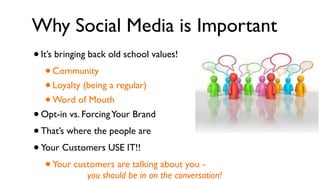
Why Social Media is Important
•   It’s bringing back old school values!
     •Community
     •Loyalty (being a regular)
     •Word of Mouth
•   Opt-in vs. Forcing Your Brand
• That’s where the people are
• Your Customers USE IT!!
   • Your customers are talking about you -
                you should be in on the conversation!
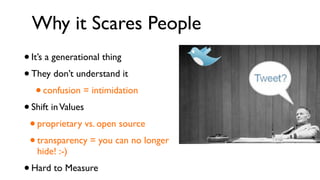
Why it Scares People
• It’s a generational thing
• They don’t understand it
    • confusion = intimidation
• Shift in Values
 • proprietary vs. open source
 • transparency = you can no longer
     hide! :-)
•   Hard to Measure
Why Social Media Management?
• Manage & Monitor your online brand presence!
• Manage & organize your social contacts and networks
• Find new customers
• Build loyalty through meaningful engagement
• Measure success & optimize your social outreach
• Save time & energy
How To Manage Your Social Media


• Integration
• Aggregation
• Automation
Top 10 Social Media
 Management Tools
#1: Dashboards


•Your social media “control panel”
• Manage feeds, updates, and
 contact info across all profiles
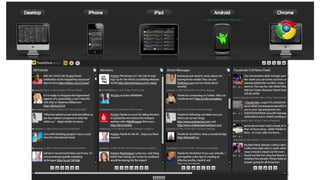
TweetDeck

•   A personal real-time browser, connecting you with your
    contacts across Twitter, Facebook, MySpace, LinkedIn,
    Foursquare, Google Buzz and more.
•   Enables users to split their main Social Media feeds into
    columns allowing a broader overview of activity.
• Filtered feeds create focused streams of information.
• Free
TweetDeck
Seesmic Desktop 2

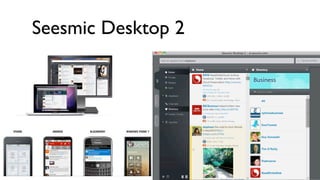
• Another dashboard tool that integrates and aggregates your
 Social Media feeds such as Twitter, Facebook, LinkedIn,
 Ping.FM, Google Buzz, Foursquare and more...
• Desktop, Browser, iPhone, application
• Powerful integrations with other applications and software
• Free
Seesmic Desktop 2
#2: Automators

•   Automate your blog posts and
    social media updates across
    profiles
•   Save time, energy & keep your
    profiles up to date with frequent
    activity
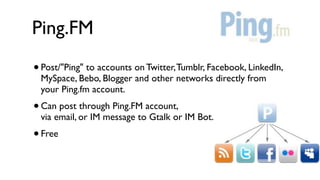
Ping.FM
•   Post/"Ping" to accounts on Twitter, Tumblr, Facebook, LinkedIn,
    MySpace, Bebo, Blogger and other networks directly from
    your Ping.fm account.
•   Can post through Ping.FM account,
    via email, or IM message to Gtalk or IM Bot.
• Free
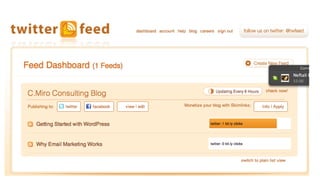
Twitterfeed
#3: Social CRM

• Dynamic feeds of updates & info for
    all of your professional contacts
•   Manage feeds, updates, and contact
    info across all profiles
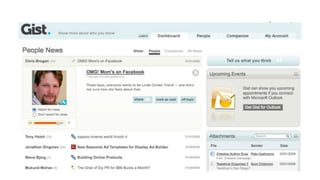
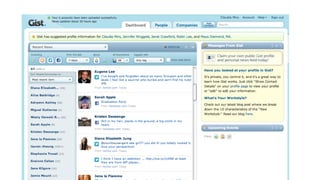
Gist
•   Gist (def ): the main point or part; the main point or meaning
    of something: the gist of an argument, Pronunciation:  jist .
•   According to their CEO:
    “Gist is an application that combines your inbox with
    the web to help you save time, and gain key insights,
    to help you build stronger business relationships."
• Gist overview by CEO T.A. McCann on Vimeo
Why We Love Gist...

• We like to stalk people ;-)
• Removes noise from email alerts
• Eliminates hassle of going to multiple
    services to get news and updates
•   Automates delivery and presentation of
    most important information about the
    contacts in your professional network.
•   It’s FREE
How Gist Works
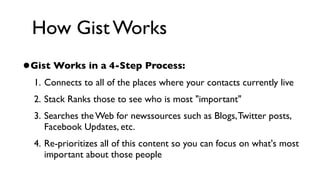
•Gist Works in a 4-Step Process:
  1. Connects to all of the places where your contacts currently live
  2. Stack Ranks those to see who is most "important"
  3. Searches the Web for newssources such as Blogs, Twitter posts,
     Facebook Updates, etc.
  4. Re-prioritizes all of this content so you can focus on what's most
     important about those people
#4: Digests

•   Your social media activity to your
    email inbox
• Choose which profiles you pay
    attention to, what frequency, and
    when you read it
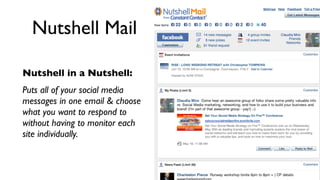
Nutshell Mail

Nutshell in a Nutshell:
Puts all of your social media
messages in one email & choose
what you want to respond to
without having to monitor each
site individually.
#5: Marketing Dashboards

•“Super Dashboards” - for business
• Manage your business social media
 marketing activities, and analytics
• Manage your online brand
HootSuite
• Manages your Facebook, Twitter,
    LinkedIn, MySpace, WordPress, Ping.FM,
    Foursquare and Mixi profiles.
• Designed to target individuals and small/medium size businesses
• Gives you 5 Profiles and 2 RSS Feeds for Facebook and Twitter
• 3 Different Pricing Packages: Basic (Free), Pro ($5.99/mo),
    Enterprise
•   Great for businesses that have more than one person managing
    social media
Why We Love HootSuite
•Browser-Based
• Simple, Smart Interface
• Great Mobile Version
• Incredible Tips and
 Support
• Built-in Tracking
• Ability to Add Team
 Members
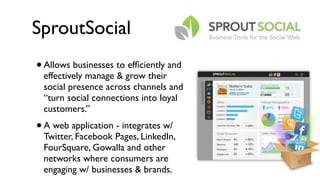
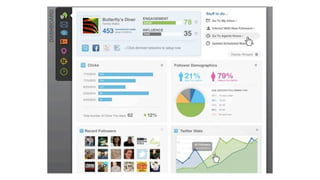
SproutSocial
•   Allows businesses to efficiently and
    effectively manage & grow their
    social presence across channels and
    “turn social connections into loyal
    customers.”
•   A web application - integrates w/
    Twitter, Facebook Pages, LinkedIn,
    FourSquare, Gowalla and other
    networks where consumers are
    engaging w/ businesses & brands.
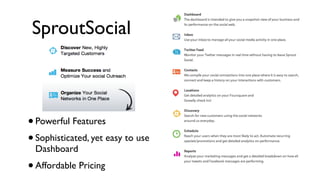
SproutSocial


• Powerful Features
• Sophisticated, yet easy to use
    Dashboard
•   Affordable Pricing
SproutSocial Pricing
•   Professional Plan - $9/Month 
    • 5 Identities
    • All features of Business minus Location
• Business Plan - $49/Month
   • 10 Identities
   • Location Features through Foursquare & Goala
SproutSocial Pricing
•   Professional Plan - $9/Month 
    • 5 Identities
    • All features of Business minus Location
• Business Plan - $49/Month
   • 10 Identities
   • Location Features through Foursquare & Goala

• Free 30 Day Trial: http://bit.ly/sproutsocialdemo
SproutSocial Pricing
•   Professional Plan - $9/Month 
    • 5 Identities
    • All features of Business minus Location
• Business Plan - $49/Month
   • 10 Identities
   • Location Features through Foursquare & Goala

• Free 30 Day Trial: http://bit.ly/sproutsocialdemo
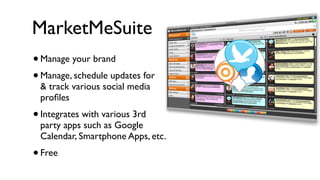
MarketMeSuite
•   Manage your brand
• Manage, schedule updates for
    & track various social media
    profiles
•   Integrates with various 3rd
    party apps such as Google
    Calendar, Smartphone Apps, etc.
•   Free
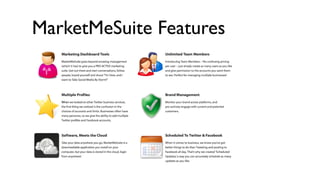
MarketMeSuite Features
#6: Personal Analytics Dashboard

• Show off your social media self ;-)
• One place to direct traffic, and
 track engagement
About.me
•   Enables you to:
     •   Give people one URL to get a sense of you, and how to
         connect on all your social profiles
     • Create a personal, dynamic profile page that points users
         to your content around the web
     •   Understand how many people see your profile, where
         they're coming from, and what they do on your page.
www.about.me/cmiro
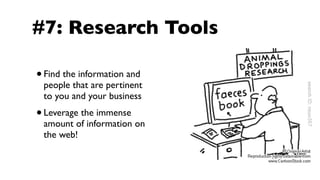
#7: Research Tools

•   Find the information and
    people that are pertinent
    to you and your business
•   Leverage the immense
    amount of information on
    the web!
Research.ly
• “Social Search Platform” that allows you to
    track Trends & Analytics across Twitter
• Amazing Market Research tool - Access invaluable
    information & real-time conversations in markets
    that you define
• Refine information by date, keywords, geographical
    region, and sentiment (good/bad/both)
•   Not Free - Access packages to ReSearch.ly range
    in price from $9 a month - $99 a month.
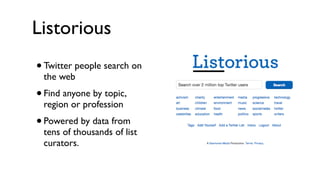
Listorious
• Twitter people search on
    the web
•   Find anyone by topic,
    region or profession
• Powered by data from
    tens of thousands of list
    curators.
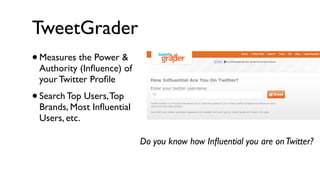
TweetGrader
•   Measures the Power &
    Authority (Influence) of
    your Twitter Profile
•   Search Top Users, Top
    Brands, Most Influential
    Users, etc.

                              Do you know how Influential you are on Twitter?
#8: Analytics

•   Track & measure your social media
    and web marketing efforts
• Refine and act in real time
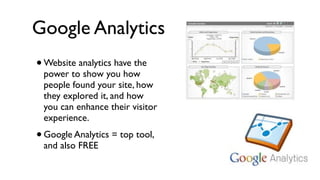
Google Analytics
•   Website analytics have the
    power to show you how
    people found your site, how
    they explored it, and how
    you can enhance their visitor
    experience.
• Google Analytics = top tool,
    and also FREE
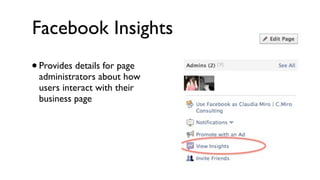
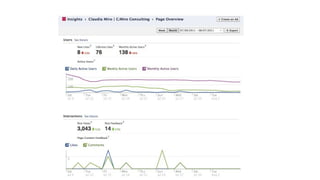
Facebook Insights
• Provides details for page
 administrators about how
 users interact with their
 business page
Crowdbooster

• Helps you achieve an effective presence on
    Twitter and Facebook.
•   Shows you analytics based on numbers that are connected
    to your business and your social media strategies:
    impressions, total reach, engagement, and more.
•   Gives you the tools and recommendations you need to
    take action and improve each one of these metrics.
“We believe that effective use of social media is about creating
authentic, engaging experiences with relevant users. There are no
  shortcuts or fully-automated solutions to connect with a real
audience. Our goal is to help you do the hard work of building a
connection with your fans by giving you insightful and actionable
         information about your social media presence.”
Other Analytics Tools


• Hootsuite
• Bit.ly
#9: Email Marketing Tools
•   BUILD YOUR LIST!
• Manage your lists & send out
    professional looking, HTML emails
• Manage the subscription & opt-out
    process for you
•   Incorporate social sharing and
    social publishing tools
• Give you list building tools for your
    website & social media profiles
Constant Contact

• Trusted Leader
• Products:
 • Email Marketing
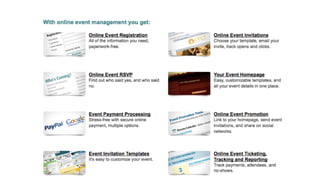
 • Event Marketing
 • Online Surveys
MailChimp

•Free (up to 5,000 subscribers)
• Fun
• Fairly user-friendly
• Very social media friendly
So Many Other Programs...

•AWeber
• Vertical Response
• iContact
• Benchmark Email
#10: Online Brand Management

  • Keep tabs on what people are
      saying about you and your business
  •   Keep tabs on what people are
      saying about your competitors
  • Turbocharge your Search Engine
      Optimization
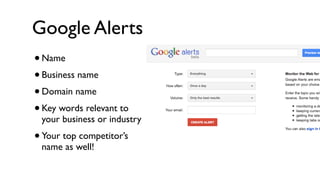
Google Alerts
•Name
• Business name
• Domain name
• Key words relevant to
 your business or industry
• Your top competitor’s
 name as well!
Additional Resources
• Check out these tools and implement them! (Handout)
• Sign Up for “Social ME Bootcamp” - 1 Day Workshop
• Connect With Me!
   • Web: www.cmiroconsulting.com
   • Email: claudia@cmiroconsulting.com
   • Social Media: www.about.me/cmiro
Thank You For Your Time ;-)

Top 10 Social Media Management Tools - October 2011

  • 1.
    Top 10 SocialMedia Management Tools How to Harness & Leverage the Power of Social Media Claudia Miro C.Miro Consulting
  • 2.
    In Case YouHaven’t Noticed...
  • 4.
    It’s a SocialMedia World....
  • 5.
    Disclaimer... I Am NOT an “EXPERT”! “I am still learning." -Michelangelo (1475-1564)
  • 6.
    Who I Am •Claudia Miro - Entrepreneur, MarCom & Social Media “non-expert” • My Title (today) - CEO & Consultant, C.Miro Consulting (soon to be Market ME Consulting) • Marketing Communications • Social Media & SEO • Website & Blog Design & Optimization •My Passion - Supporting Entrepreneurs & Small Biz • My Background - Jane of All Trades :-)
  • 7.
    Why I AmHere • Educate • Demystify • Share • Empower
  • 8.
    What I AmGoing to Share •Why it’s important to Business Owners • How & Why to manage your Social Media • Top 10 Social Media management tools • Tips for ongoing support & training
  • 9.
    What is SocialMedia • “Social media is an evolution in conversation technology that started with its ancestors; the telegraph, the telephone, email, and instant messaging.” ~Daniel DiRico, BTecha • A way to communicate and engage with your customers in order to generate revenue. • It’s all about sharing information with your users and allowing them to engage and interact. • Just another facet of marketing and customer service • Social media, by itself, will not help you!!!
  • 10.
    Social Media providesthe tools to market to an audience that wants to help tell your story, because you’ve been awesome at providing them with the service they deserve.
  • 11.
    Social Media CoreValues • Honesty “A social media • Relevancy outlet should • Value never promote • Commitment something that • Transparency does not exist”
  • 12.
    Why Social Mediais Important • It’s bringing back old school values! •Community •Loyalty (being a regular) •Word of Mouth • Opt-in vs. Forcing Your Brand • That’s where the people are • Your Customers USE IT!! • Your customers are talking about you - you should be in on the conversation!
  • 13.
    Why it ScaresPeople • It’s a generational thing • They don’t understand it • confusion = intimidation • Shift in Values • proprietary vs. open source • transparency = you can no longer hide! :-) • Hard to Measure
  • 14.
    Why Social MediaManagement? • Manage & Monitor your online brand presence! • Manage & organize your social contacts and networks • Find new customers • Build loyalty through meaningful engagement • Measure success & optimize your social outreach • Save time & energy
  • 15.
    How To ManageYour Social Media • Integration • Aggregation • Automation
  • 16.
    Top 10 SocialMedia Management Tools
  • 17.
    #1: Dashboards •Your socialmedia “control panel” • Manage feeds, updates, and contact info across all profiles
  • 18.
    TweetDeck • A personal real-time browser, connecting you with your contacts across Twitter, Facebook, MySpace, LinkedIn, Foursquare, Google Buzz and more. • Enables users to split their main Social Media feeds into columns allowing a broader overview of activity. • Filtered feeds create focused streams of information. • Free
  • 19.
  • 20.
    Seesmic Desktop 2 •Another dashboard tool that integrates and aggregates your Social Media feeds such as Twitter, Facebook, LinkedIn, Ping.FM, Google Buzz, Foursquare and more... • Desktop, Browser, iPhone, application • Powerful integrations with other applications and software • Free
  • 21.
  • 22.
    #2: Automators • Automate your blog posts and social media updates across profiles • Save time, energy & keep your profiles up to date with frequent activity
  • 23.
    Ping.FM • Post/"Ping" to accounts on Twitter, Tumblr, Facebook, LinkedIn, MySpace, Bebo, Blogger and other networks directly from your Ping.fm account. • Can post through Ping.FM account, via email, or IM message to Gtalk or IM Bot. • Free
  • 24.
  • 26.
    #3: Social CRM •Dynamic feeds of updates & info for all of your professional contacts • Manage feeds, updates, and contact info across all profiles
  • 27.
    Gist • Gist (def ): the main point or part; the main point or meaning of something: the gist of an argument, Pronunciation:  jist . • According to their CEO: “Gist is an application that combines your inbox with the web to help you save time, and gain key insights, to help you build stronger business relationships." • Gist overview by CEO T.A. McCann on Vimeo
  • 28.
    Why We LoveGist... • We like to stalk people ;-) • Removes noise from email alerts • Eliminates hassle of going to multiple services to get news and updates • Automates delivery and presentation of most important information about the contacts in your professional network. • It’s FREE
  • 29.
    How Gist Works •GistWorks in a 4-Step Process: 1. Connects to all of the places where your contacts currently live 2. Stack Ranks those to see who is most "important" 3. Searches the Web for newssources such as Blogs, Twitter posts, Facebook Updates, etc. 4. Re-prioritizes all of this content so you can focus on what's most important about those people
  • 32.
    #4: Digests • Your social media activity to your email inbox • Choose which profiles you pay attention to, what frequency, and when you read it
  • 33.
    Nutshell Mail Nutshell ina Nutshell: Puts all of your social media messages in one email & choose what you want to respond to without having to monitor each site individually.
  • 34.
    #5: Marketing Dashboards •“SuperDashboards” - for business • Manage your business social media marketing activities, and analytics • Manage your online brand
  • 35.
    HootSuite • Manages yourFacebook, Twitter, LinkedIn, MySpace, WordPress, Ping.FM, Foursquare and Mixi profiles. • Designed to target individuals and small/medium size businesses • Gives you 5 Profiles and 2 RSS Feeds for Facebook and Twitter • 3 Different Pricing Packages: Basic (Free), Pro ($5.99/mo), Enterprise • Great for businesses that have more than one person managing social media
  • 36.
    Why We LoveHootSuite •Browser-Based • Simple, Smart Interface • Great Mobile Version • Incredible Tips and Support • Built-in Tracking • Ability to Add Team Members
  • 37.
    SproutSocial • Allows businesses to efficiently and effectively manage & grow their social presence across channels and “turn social connections into loyal customers.” • A web application - integrates w/ Twitter, Facebook Pages, LinkedIn, FourSquare, Gowalla and other networks where consumers are engaging w/ businesses & brands.
  • 38.
    SproutSocial • Powerful Features •Sophisticated, yet easy to use Dashboard • Affordable Pricing
  • 40.
    SproutSocial Pricing • Professional Plan - $9/Month  • 5 Identities • All features of Business minus Location • Business Plan - $49/Month • 10 Identities • Location Features through Foursquare & Goala
  • 41.
    SproutSocial Pricing • Professional Plan - $9/Month  • 5 Identities • All features of Business minus Location • Business Plan - $49/Month • 10 Identities • Location Features through Foursquare & Goala • Free 30 Day Trial: http://bit.ly/sproutsocialdemo
  • 42.
    SproutSocial Pricing • Professional Plan - $9/Month  • 5 Identities • All features of Business minus Location • Business Plan - $49/Month • 10 Identities • Location Features through Foursquare & Goala • Free 30 Day Trial: http://bit.ly/sproutsocialdemo
  • 43.
    MarketMeSuite • Manage your brand • Manage, schedule updates for & track various social media profiles • Integrates with various 3rd party apps such as Google Calendar, Smartphone Apps, etc. • Free
  • 44.
  • 45.
    #6: Personal AnalyticsDashboard • Show off your social media self ;-) • One place to direct traffic, and track engagement
  • 46.
    About.me • Enables you to: • Give people one URL to get a sense of you, and how to connect on all your social profiles • Create a personal, dynamic profile page that points users to your content around the web • Understand how many people see your profile, where they're coming from, and what they do on your page.
  • 47.
  • 48.
    #7: Research Tools • Find the information and people that are pertinent to you and your business • Leverage the immense amount of information on the web!
  • 49.
    Research.ly • “Social SearchPlatform” that allows you to track Trends & Analytics across Twitter • Amazing Market Research tool - Access invaluable information & real-time conversations in markets that you define • Refine information by date, keywords, geographical region, and sentiment (good/bad/both) • Not Free - Access packages to ReSearch.ly range in price from $9 a month - $99 a month.
  • 50.
    Listorious • Twitter peoplesearch on the web • Find anyone by topic, region or profession • Powered by data from tens of thousands of list curators.
  • 51.
    TweetGrader • Measures the Power & Authority (Influence) of your Twitter Profile • Search Top Users, Top Brands, Most Influential Users, etc. Do you know how Influential you are on Twitter?
  • 52.
    #8: Analytics • Track & measure your social media and web marketing efforts • Refine and act in real time
  • 53.
    Google Analytics • Website analytics have the power to show you how people found your site, how they explored it, and how you can enhance their visitor experience. • Google Analytics = top tool, and also FREE
  • 54.
    Facebook Insights • Providesdetails for page administrators about how users interact with their business page
  • 56.
    Crowdbooster • Helps youachieve an effective presence on Twitter and Facebook. • Shows you analytics based on numbers that are connected to your business and your social media strategies: impressions, total reach, engagement, and more. • Gives you the tools and recommendations you need to take action and improve each one of these metrics.
  • 57.
    “We believe thateffective use of social media is about creating authentic, engaging experiences with relevant users. There are no shortcuts or fully-automated solutions to connect with a real audience. Our goal is to help you do the hard work of building a connection with your fans by giving you insightful and actionable information about your social media presence.”
  • 58.
    Other Analytics Tools •Hootsuite • Bit.ly
  • 59.
    #9: Email MarketingTools • BUILD YOUR LIST! • Manage your lists & send out professional looking, HTML emails • Manage the subscription & opt-out process for you • Incorporate social sharing and social publishing tools • Give you list building tools for your website & social media profiles
  • 60.
    Constant Contact • TrustedLeader • Products: • Email Marketing • Event Marketing • Online Surveys
  • 62.
    MailChimp •Free (up to5,000 subscribers) • Fun • Fairly user-friendly • Very social media friendly
  • 63.
    So Many OtherPrograms... •AWeber • Vertical Response • iContact • Benchmark Email
  • 64.
    #10: Online BrandManagement • Keep tabs on what people are saying about you and your business • Keep tabs on what people are saying about your competitors • Turbocharge your Search Engine Optimization
  • 65.
    Google Alerts •Name • Businessname • Domain name • Key words relevant to your business or industry • Your top competitor’s name as well!
  • 66.
    Additional Resources • Checkout these tools and implement them! (Handout) • Sign Up for “Social ME Bootcamp” - 1 Day Workshop • Connect With Me! • Web: www.cmiroconsulting.com • Email: claudia@cmiroconsulting.com • Social Media: www.about.me/cmiro
  • 67.
    Thank You ForYour Time ;-)

Editor's Notes

  • #2 \n
  • #3 \n
  • #4 and we as business owners need to get with the program\nwe’re all here because of social media - we know it’s valuable for business and personal exposure\n
  • #5 \n
  • #6 \n
  • #7 Educate - fellow entrepreneurs and small business owners to manage, harness and leverage the power of Social Media\nDemystify - It’s not that scary, I promise...\nShare - the tools, technologies, and tips of the trade\nEmpower - Don’t just DO Social Media; ROCK it!!\n
  • #8 \n
  • #9 * Not TV or Radio - they broadcast\n* A two-way conversation - your brand is no longer what YOU say it is; what your customers, partners, colleagues, and the world say it is.\n
  • #10 You still need to provide a valuable product or service for your customer\n
  • #11 \n
  • #12 * Reviews and client testimonials about your products and services are more and more important\n* People value community - it’s an opt-in approach vs. forcing the brand into a consumer’s life\n* Relationship building opportunities that are virtually limitless\n
  • #13 * The technology and pace of change can feel overwhelming\n* It’s different - forces business to completely change their core values & the way they do things\n* Giving away all of my secrets!\n* Can be hard to quantify ROI - until now\n
  • #14 * the one thing all of my clients say is that they feel like it just takes too much time\n
  • #15 \n
  • #16 \n
  • #17 \n
  • #18 \n
  • #19 \n
  • #20 \n
  • #21 \n
  • #22 \n
  • #23 \n
  • #24 \n
  • #25 \n
  • #26 \n
  • #27 \n
  • #28 \n
  • #29 \n
  • #30 \n
  • #31 \n
  • #32 \n
  • #33 \n
  • #34 \n
  • #35 \n
  • #36 \n
  • #37 Launched in August 2010\n
  • #38 \nSupported Social Media - Integrates Twitter, Facebook (Profiles & Fan Pages), & LinkedIn\nCool Features:\n Quick Search - searches anything or any one across all platforms\n Compose Button - easy to find in several places in dashboard; built in URL shortener, schedule posts & tweets (includes suggestion times!), can setup recurring posts, \n Dashboard - shows engagement & influence scores, how you're doing on recruiting\n Inbox:\n Any messages or mentions across all profiles\n Gives "report card" view of all users/profiles\n Discovery:\n Keyword Search - search any key words by geographical radius \n People & Business Search - by interest, keywords, industry, etc.\n Analytics - Insights into all of your accounts (new fans, engagement, etc.) Exports into PDF.\n My Locations - Great for Business! Can see who checks in at your location (who, when, how many per day, etc.) Can set up to 10 locations. Also great research tool for demographic & client behavior.\n Contacts - extensive contact info for all social media cotacts - built in CRM functions to track meetings, conversations, etc.\nSchedule - schedule Facebook status, tweets, and RSS feed posts (to Twitter)\n\n
  • #39 \n
  • #40 \n
  • #41 \n
  • #42 Launched in August 2010\n
  • #43 \n
  • #44 \n
  • #45 \n
  • #46 It’ll make you look good ;-)\n
  • #47 \n
  • #48 \n
  • #49 \n
  • #50 \n
  • #51 \n
  • #52 \n
  • #53 \n
  • #54 \n
  • #55 \n
  • #56 \n
  • #57 \n
  • #58 \n
  • #59 \n
  • #60 \n
  • #61 \n
  • #62 \n
  • #63 \n
  • #64 \n
  • #65 \n
  • #66 \n