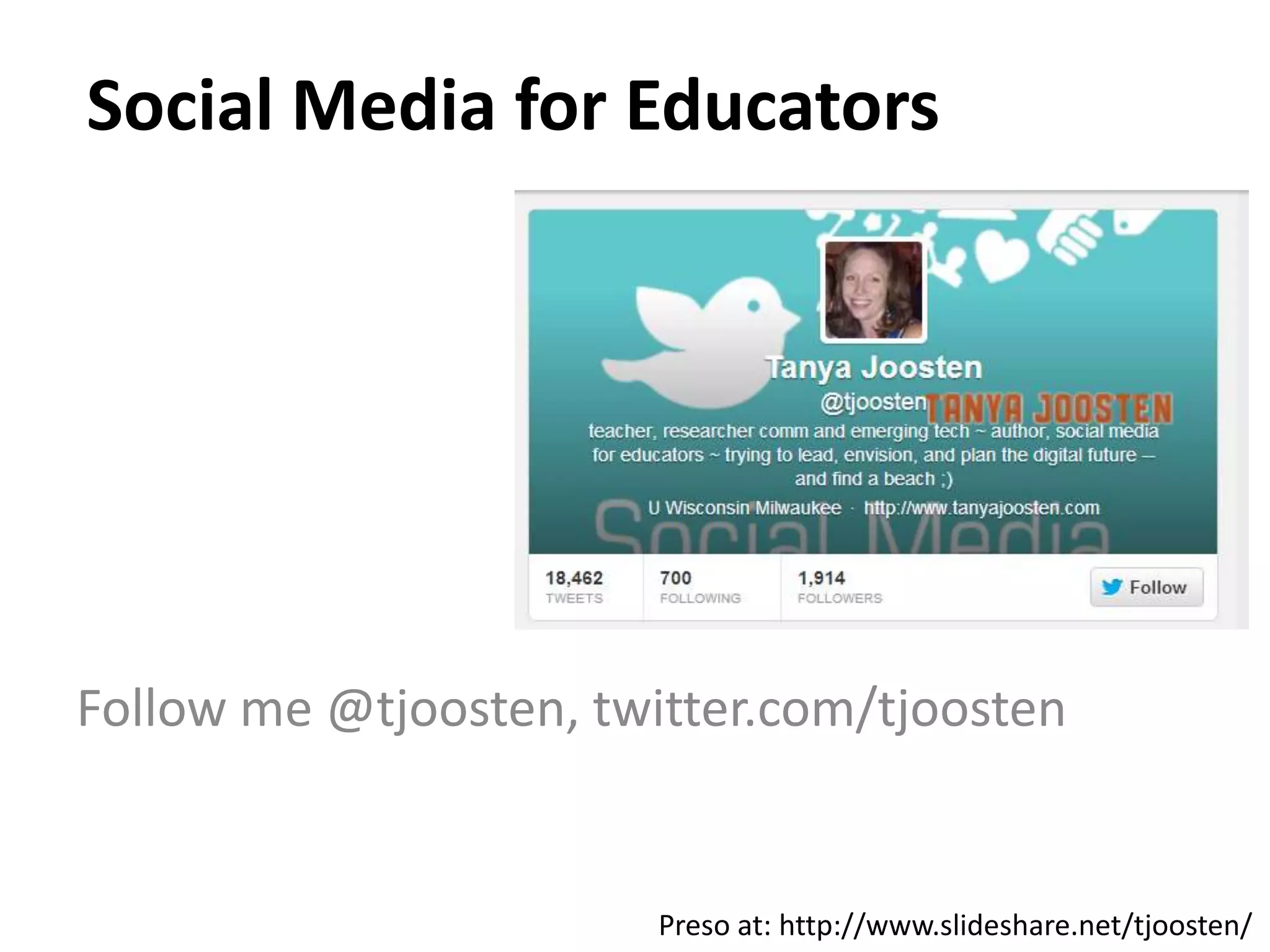
Social Media for Educators
Follow me @tjoosten, twitter.com/tjoosten
Preso at: http://www.slideshare.net/tjoosten/
Overview
• Build your professional network on Twitter
• Increase communication and feedback in the
classroom using Facebook and Twitter
• Engage students with rich content on various
social media like YouTube
• Develop strategies for managing your social
media
BUILD YOUR PROFESSIONAL NETWORK
ON TWITTER
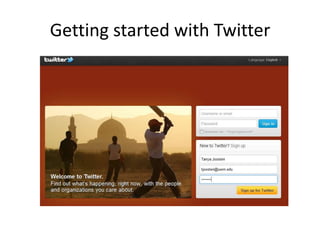
Getting started with Twitter
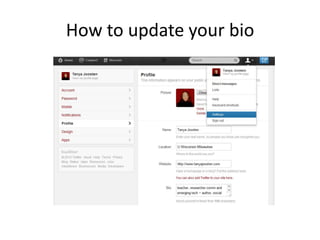
How to update your bio
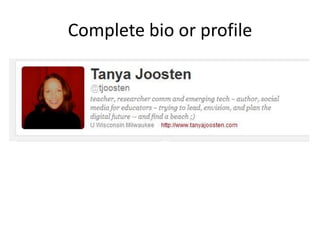
Complete bio or profile
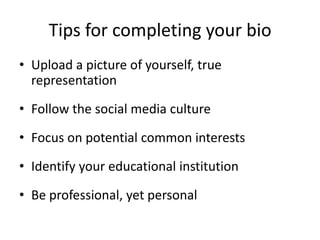
Tips for completing your bio
• Upload a picture of yourself, true
representation
• Follow the social media culture
• Focus on potential common interests
• Identify your educational institution
• Be professional, yet personal
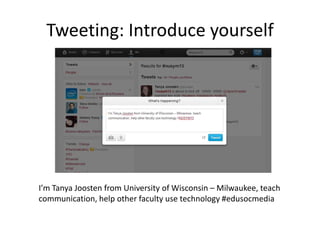
Tweeting: Introduce yourself
I’m Tanya Joosten from University of Wisconsin – Milwaukee, teach
communication, help other faculty use technology #edusocmedia
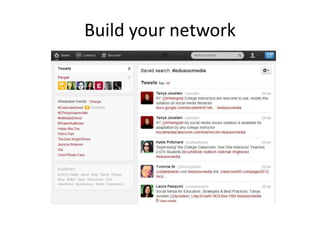
Build your network
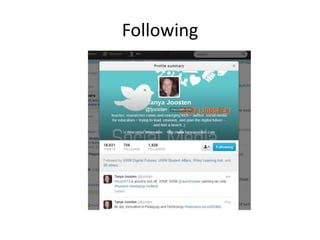
Following
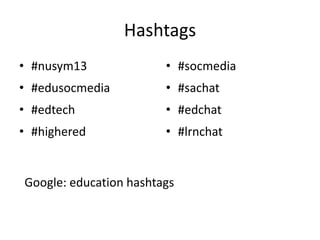
Hashtags
• #nusym13
• #edusocmedia
• #edtech
• #highered
• #socmedia
• #sachat
• #edchat
• #lrnchat
Google: education hashtags
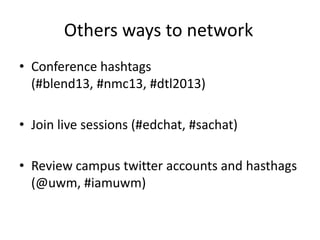
Others ways to network
• Conference hashtags
(#blend13, #nmc13, #dtl2013)
• Join live sessions (#edchat, #sachat)
• Review campus twitter accounts and hasthags
(@uwm, #iamuwm)
INCREASE COMMUNICATION THROUGH
A FACEBOOK FAN PAGE
Increasing communication and
encouraging contact
Who are our students?
• I want to feel connected
• I don’t use email
• I use social media, a lot
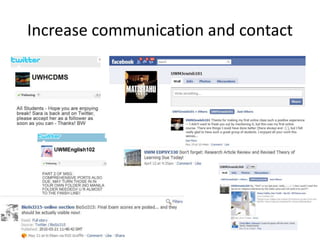
Increase communication and contact
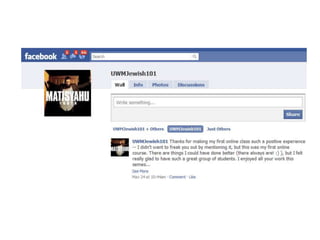
An example: Jewish studies
An example: Clinical lab sciences
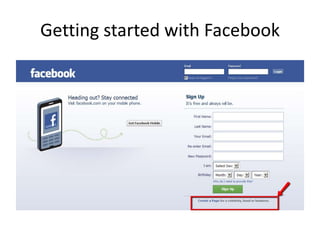
Getting started with Facebook
Benefits
• Increases interactions between instructors and students
• Enhances communication and builds feelings of connectedness
• Create a strong pedagogically sound sense of presence in your
classroom
• Overcomes the challenges of students at a distance or in remote
locations
• Facilitates providing timely student feedback
• Helps students stay organized
• Increases student performance
• Results in high levels of satisfaction of instructors and students
INCREASE FEEDBACK OPPORTUNITIES
IN THE CLASSROOM USING TWITTER
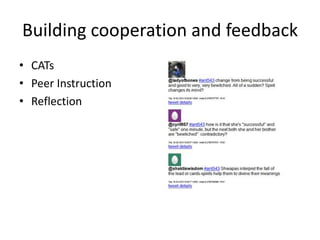
Building cooperation and feedback
• CATs
• Peer Instruction
• Reflection
An example
Benefits
• Provides an opportunity for active learning in large lectures
• Enhances students participation and engagement in class
• Provides frequent, low stakes feedback on student learning
• Creates an opportunity for just in time teaching or to address
weaknesses in student learning
• Provides a strategy for integrating blended courses, online and f2f

• Develops cooperation among students
• Increases students satisfaction
SHARE RICH MEDIA AND CONTENT ON
VARIOUS SOCIAL MEDIA TO ENGAGE
STUDENTS
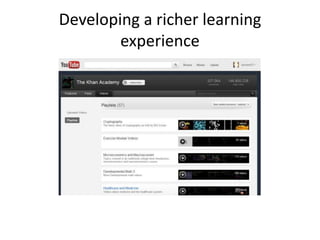
Developing a richer learning
experience
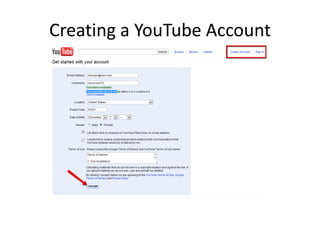
Creating a YouTube Account
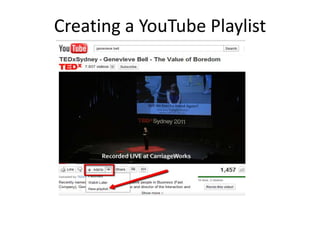
Creating a YouTube Playlist
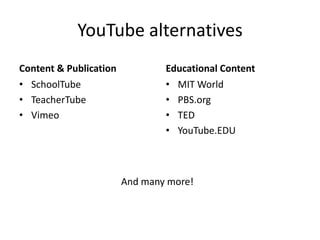
YouTube alternatives
Content & Publication
• SchoolTube
• TeacherTube
• Vimeo
Educational Content
• MIT World
• PBS.org
• TED
• YouTube.EDU
And many more!
Benefits
• Improving student learning
• Helps instructors manage their workload
• Enhances 21st century literacy skills for
instructors and students
• Facilitates the use of rich and current content
• Enhances student engagement
DEVELOP STRATEGIES FOR MANAGING
YOUR SOCIAL MEDIA
5 questions to consider
• What is the pedagogical need?
• How will the selected social media help meet that need?
• What aspects of the learning process should be
improved?
• What learning outcomes can be better achieved through
the use of the selected social media over other
technologies?
• What is the expected behavior of students within the
selected social media?
What is your pedagogical need?
• Increase communication and encourage
contact
• Engage students through rich, current media
• Gather and provide feedback in the classroom
• Create a cooperative and collaborative
learning opportunities
Social Dashboards - TweetDeck
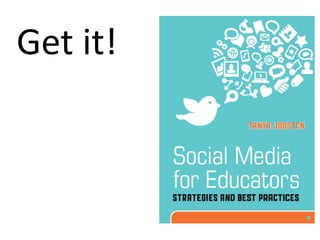
Get it!
Connect w/me
• twitter.com/tjoosten
• linkedin.com/in/tjoosten
• facebook.com/tjoosten
• juice.gyoza@gmail.com | google+
• juice gyoza | second life

Social media for educators

  • 1.
    Social Media forEducators Follow me @tjoosten, twitter.com/tjoosten Preso at: http://www.slideshare.net/tjoosten/
  • 2.
    Overview • Build yourprofessional network on Twitter • Increase communication and feedback in the classroom using Facebook and Twitter • Engage students with rich content on various social media like YouTube • Develop strategies for managing your social media
  • 3.
    BUILD YOUR PROFESSIONALNETWORK ON TWITTER
  • 4.
  • 5.
    How to updateyour bio
  • 6.
  • 7.
    Tips for completingyour bio • Upload a picture of yourself, true representation • Follow the social media culture • Focus on potential common interests • Identify your educational institution • Be professional, yet personal
  • 8.
    Tweeting: Introduce yourself I’mTanya Joosten from University of Wisconsin – Milwaukee, teach communication, help other faculty use technology #edusocmedia
  • 9.
  • 10.
  • 11.
    Hashtags • #nusym13 • #edusocmedia •#edtech • #highered • #socmedia • #sachat • #edchat • #lrnchat Google: education hashtags
  • 12.
    Others ways tonetwork • Conference hashtags (#blend13, #nmc13, #dtl2013) • Join live sessions (#edchat, #sachat) • Review campus twitter accounts and hasthags (@uwm, #iamuwm)
  • 13.
  • 14.
    Increasing communication and encouragingcontact Who are our students? • I want to feel connected • I don’t use email • I use social media, a lot
  • 15.
  • 16.
  • 17.
  • 18.
  • 21.
    Benefits • Increases interactionsbetween instructors and students • Enhances communication and builds feelings of connectedness • Create a strong pedagogically sound sense of presence in your classroom • Overcomes the challenges of students at a distance or in remote locations • Facilitates providing timely student feedback • Helps students stay organized • Increases student performance • Results in high levels of satisfaction of instructors and students
  • 22.
    INCREASE FEEDBACK OPPORTUNITIES INTHE CLASSROOM USING TWITTER
  • 23.
    Building cooperation andfeedback • CATs • Peer Instruction • Reflection
  • 24.
  • 25.
    Benefits • Provides anopportunity for active learning in large lectures • Enhances students participation and engagement in class • Provides frequent, low stakes feedback on student learning • Creates an opportunity for just in time teaching or to address weaknesses in student learning • Provides a strategy for integrating blended courses, online and f2f • Develops cooperation among students • Increases students satisfaction

  • 26.
    SHARE RICH MEDIAAND CONTENT ON VARIOUS SOCIAL MEDIA TO ENGAGE STUDENTS
  • 27.
    Developing a richerlearning experience
  • 28.
  • 29.
  • 30.
    YouTube alternatives Content &Publication • SchoolTube • TeacherTube • Vimeo Educational Content • MIT World • PBS.org • TED • YouTube.EDU And many more!
  • 31.
    Benefits • Improving studentlearning • Helps instructors manage their workload • Enhances 21st century literacy skills for instructors and students • Facilitates the use of rich and current content • Enhances student engagement
  • 32.
    DEVELOP STRATEGIES FORMANAGING YOUR SOCIAL MEDIA
  • 33.
    5 questions toconsider • What is the pedagogical need? • How will the selected social media help meet that need? • What aspects of the learning process should be improved? • What learning outcomes can be better achieved through the use of the selected social media over other technologies? • What is the expected behavior of students within the selected social media?
  • 34.
    What is yourpedagogical need? • Increase communication and encourage contact • Engage students through rich, current media • Gather and provide feedback in the classroom • Create a cooperative and collaborative learning opportunities
  • 35.
  • 37.
  • 38.
    Connect w/me • twitter.com/tjoosten •linkedin.com/in/tjoosten • facebook.com/tjoosten • juice.gyoza@gmail.com | google+ • juice gyoza | second life

Editor's Notes

  • #2 Ends :36
  • #3 Facebook, Twitter, and YouTube are popular social media tools being used in the classroom to build connections, create presence, and increase student learning. But how can you use social media for specific pedagogy goals and not just checking on your friends’ status updates? This workshop will highlight how social media can be used both as a professional development tool and to better meet the needs of students by enhancing student interactivity and providing engaging learning opportunities. The workshop will showcase examples used by instructors in real classes, with real pedagogy needs and assessment requirements.At the end of this workshop, participants will be able to:Increase communication and feedback in the classroom using Facebook and TwitterEngage students with rich content on various social media like YouTubeCreate a strong pedagogically sound sense of presence in your classroomDevelop strategies for managing your social media and building your professional network
  • #9 Can use browser or mobile appWhat is a hashtagWhy use hashtags
  • #16 Social Mobile –content deliveyr
  • #17 Rachel
  • #18 http://www.youtube.com/watch?v=vdfdRZZ9si4&list=LLiIVtIyXkBAAq0sg7ubDjGQ&index=51&feature=plpp_video
  • #36 One post – multiple social mediaHashtags (e.g., #edtech)Class discussionsConferencesWebinarsReal timeMonitor multiple conversations at a glance
  • #37 http://www.theonion.com/articles/internet-users-demand-less-interactivity,30920/