INTRODUCTION
• Sniffing attackor a sniffer attack, in context of network security, corresponds
to theft or interception of data by capturing the network traffic using a sniffer.
• It is the process of monitoring and capturing all the packets passing through a
given network using sniffing tools.
• In other words, Sniffing allows you to see all sorts of traffic, both protected
and unprotected.
• It is a form of “tapping phone wires” and get to know about the conversation.
3.
HOW IT WORKS
Asniffer normally turns the NIC of the system to the promiscuous mode so that it listens to all the
data transmitted on its segment.
Promiscuous mode refers to the unique way of Ethernet hardware, in particular, network interface
cards (NICs), that allows an NIC to receive all traffic on the network, even if it is not addressed to
this NIC. By default, a NIC ignores all traffic that is not addressed to it, which is done by comparing
the destination address of the Ethernet packet with the hardware address of the device. While this
makes perfect sense for networking, non-promiscuous mode makes it difficult to use network
monitoring and analysis software for diagnosing connectivity issues or traffic accounting.
A sniffer can continuously monitor all the traffic to a computer through the NIC by decoding the
information encapsulated in the data packets.
4.
THREATS
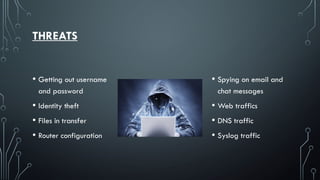
• Getting outusername
and password
• Identity theft
• Files in transfer
• Router configuration
• Spying on email and
chat messages
• Web traffics
• DNS traffic
• Syslog traffic
5.
TYPES
PASSIVE SNIFFING
• Inpassive sniffing, the traffic is locked
but it is not altered in any way, allows
listening only
• It works with Hub devices
• Most modern networks use switches so
passive sniffing is no more effective.
ACTIVE SNIFFING
• In active sniffing, the traffic is locked
and monitored, it may also be altered
in some way
• It is used to sniff a switch-based
network
• Content addressable memory (CAM)
plays major role in active sniffing.
Sniffing can be either Active or Passive in nature.
FEW SNIFFING ATTACKS
•MAC flooding - Flooding the switch with MAC addresses so that the CAM
table is overflowed and sniffing can be done
• LAN Sniff - The sniffer attacks the internal LAN and scans the entire IP gaining
access to live hosts, open ports, server inventory etc..
• Application level sniffing – Applications running on the server are attacked to
plan an application specific attack
• Web password sniffing – HTTP session created by users are stolen by sniffers
to get the user ID, password and other sensitive information
9.
DETECTION
• A sniffercan be software installed onto your system, a hardware device plugged in, sniffer
at a DNS level or other network nodes etc..
• Identifying the type of sniffer can depend on how sophisticated the attack is
• Detecting sniffers can be difficult since they are mostly passive
• It is possible that the sniffer may go undetected for a large amount of time hiding in the
network
• There is some anti-sniffer software available in the market to catch the intruders but it may
be possible that the sniffers get away with it creating a false sense of security
10.
ETHERNET DETECTION TECHNIQUES
Whensniffer is functioning on a switched ethernet network segment it is easier
to detect the sniffing using the following techniques –
Ping method ARP method
On Local Host Latency method
ARP Watch Using IDS
11.
PREVENTION MEASURES
• Connectonly to trusted networks
• Data transmission should be encrypted
• Use IPV6 instead of IPV4 protocol
• Networks must be scanned for any kind of intrusion and monitor as well
• Should keep away from applications that are using insecure protocols
• Patch software and remove any services not needed
• System administrators should routinely check the system’s integrity
12.
CONCLUSION
There is noone single defense available that will negate either the installation
of or effectiveness of unauthorized sniffers. Tracking and applying vendor
patches is not enough. System administrators should take all reasonable steps to
make unauthorized sniffing difficult by addressing network design, monitoring
the network, following security bulletins, and understanding tool use and
limitations.