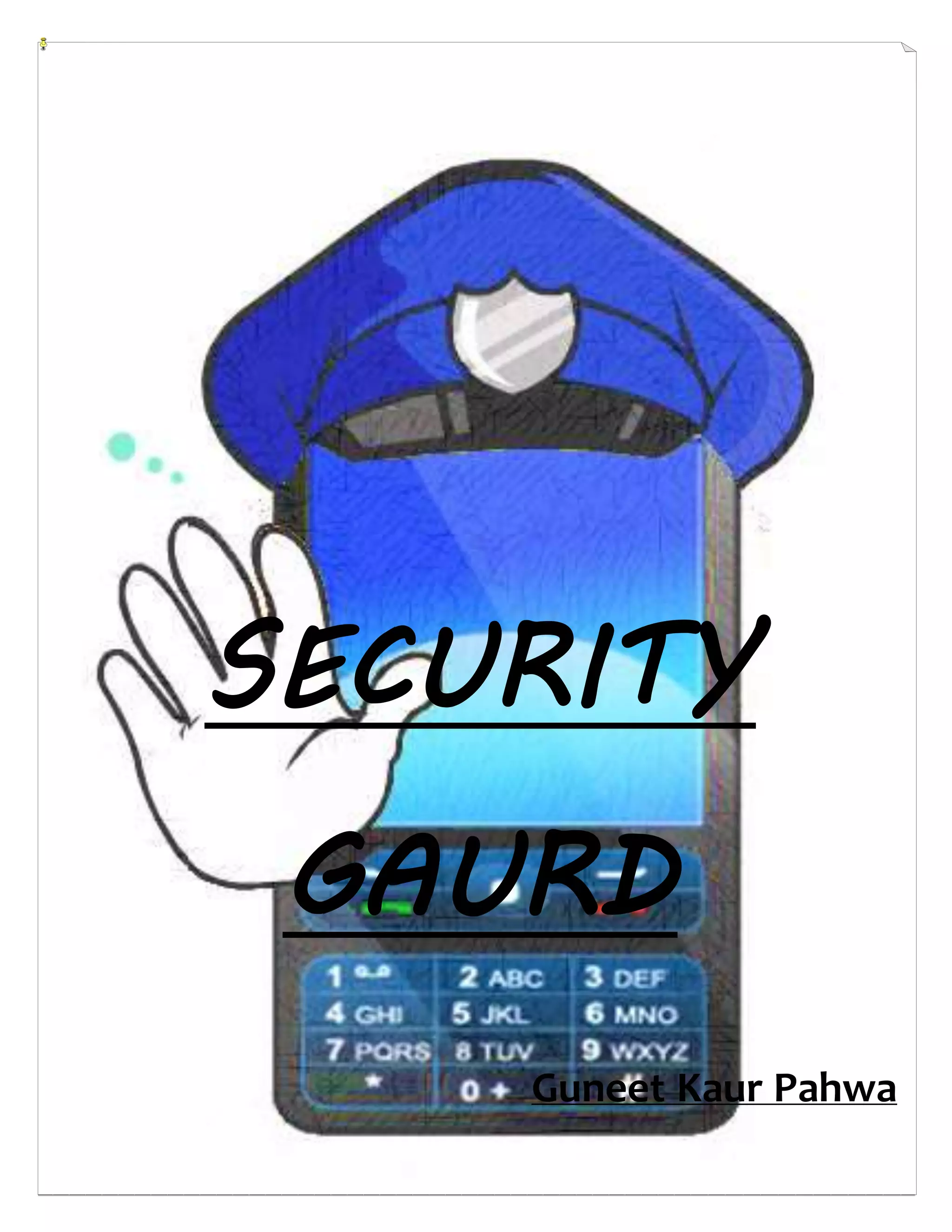
SECURITY
GAURD
Guneet Kaur Pahwa
1st year, B.Tect (I.T.)
Maharaja Agrasen Institute of Technology
ACKNOWLEDMENT
“It is not possible to prepare a project report without the assistance
&encouragement of other people. This one is certainly no exception.”
On the very outset of this report, I would like to extend my sincere & heartfelt
obligation towards all the personages who have helped me in this endeavor.
Without their active guidance, help, cooperation & encouragement, I would not
have made headway in the project.
I am ineffably indebted to MR. OOPPSS for conscientious guidance and
encouragement to accomplish this assignment.
I extend my gratitude to Maharaja Agrasen Institute of Technology for giving me
this opportunity. I also acknowledge with a deep sense of reverence, my gratitude
towards my parents and member of my family, who has always supported me
morally as well as economically.
At last but not least gratitude goes to all of my friends who directly or indirectly
helped me to complete this project report.
Any omission in this brief acknowledgement does not mean lack of gratitude.
INDEX
1. Latest News On Mobile Attacks
2. Why Are Smartphone Attacks Increasing
3. Various Attacks Faced By The Smartphone
4. Bluesnarfing & Bluebugging
5. Mobile Malware
6. Social Engineering
7. Vishing & Smishing
8. Mobile Botnets
9. Unknown Mistakes That We Tend To Make
10.Signs Of Smartphone Being Compromised
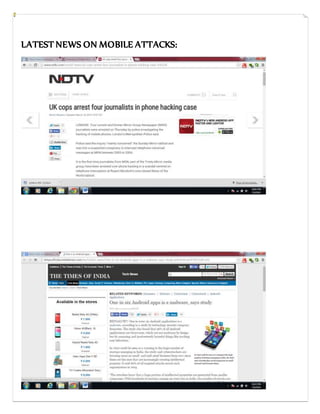
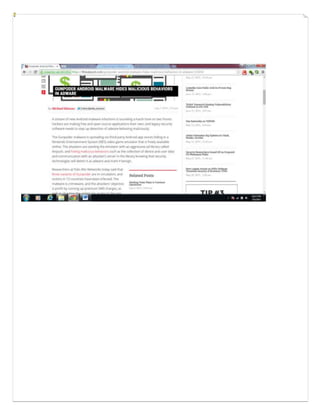
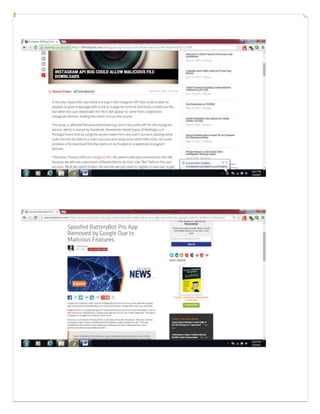
LATEST NEWS ON MOBILE ATTACKS:
WHY ARE SMARTPHONE ATTACKS INCREASING
From ages now, PCs are being attacked successfully, but now with number of
mobile devices with poor protection soaring, these attacks are increasing on
unwitty mobile device users. Attackers search for the weakest point in the chain
and give birth to scams.
As the popularity of the Smartphones is increasing day by day, so is the number of
FREE new wallpapers, games, music and applications (apps) for an individual to
download. This Free Downloads may not cost you anything instantly, but in the
long run they can compromise details, features as well as the instrument, if one is
not careful.
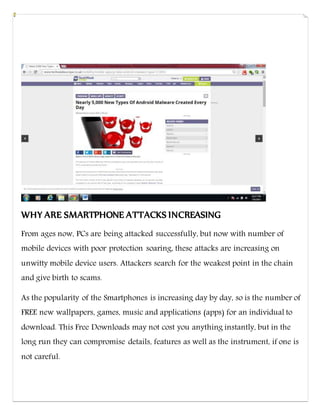
According to a recent release by Kaspersky Lab, a Russian Information
Technology Security Firm, they had accumulated as large as 2,00,000 unique
samples of Mobile Malware for Android mobiles in January 2014 which was a
34% increase from the recorded number, 1,48,000 in November 2013.
It said, on January 30, the official Google Play market uploaded nearly
1,10,31,041 applications. Alternative, various other unofficial stores have many
more such apps, most of them likely to be Malicious.
According to CYREN’s Security Report for 2013, Google’s Android OS averaged
5768 malware attacks daily for around six months. The number of documented
vulnerabilities for iOS Apple iPhone and iPads increased 82 percent in 2013,
according to a Symantec report.
In most cases malicious programs aim to acquire user's financial information.
This was the case, for example, with the mobile version of Carberp Trojan that
originated in Russia. It steals users' credentials as they are sent to a bank server.
VARIOUS ATTACKS FACED BY THE SMARTPHONES
BYOD programs entice hackers even more, with the Holy Grail now being to
infiltrate a company’s perimeter through mobile devices, either through social
engineering scams that get access to company data through a mobile device, or
just by sitting across the street and attacking the company’s Wi-Fi through an
infected mobile phone. Small and midsize businesses face higher risks because
they’re often not able to keep up with BYOD policies, and threats can change
every three to six months.
Latest threats faced my Mobile phones today are:
 Bluesnarfing and Bluebugging
 Mobile malware
 Social engineering
 Vishing and Smishing
 Mobile botnets
BLUESNARFING & BLUEBUGGING
Bluetooth technology is embedded in each and every phone today. It is an easy
way to share pictures, videos, songs files etc. In Bluesnarfing is the
unauthorized access or retrieval of information by infecting the phone using
Bluetooth. Through this the attacker gains access to the personal information
on the device via Bluetooth and can misuse this information leading to identity
theft. The victim remains unaware of these activities and thus the risk is very
high. However, with the latest Bluetooth versions, these lapses have been
patched and thus Bluesnarfing is not a big threat today.
Bluebugging is that attack that allows the attacker gain full control over your
device. Once affected, even after the Bluetooth is turned off, the attacker can
access the infected device and so the victim rarely realizes the problem. The
attacker can read all the data on that phone, make calls, send messages and
also listen to the conversations taking place on that device. Similar to
Bluesnarfing, this attack has being reduces owing to the advanced versions of
Bluetooth today.
However there are some basic safeguards which should be followed to avoid
such attacks today:
 Bluetooth should be used judiciously
 Avoid its use in crowded areas
 Strangers should not be allowed to access your mobile phone as it might
give them access to your information
 Beware of the files being relayed to the device as there is a great risk of
acquiring a virus through Bluetooth
MOBILE MALWARE
Smartphone are more of mini computers today, that are being used for more or
less the same functions and activities like connecting to the net, banking and
many more.
A malware is any software that aims towards performing malicious activities. A
Mobile Malware can perform any of the following functions:
 Theft of bank account password:
 Private information is captured
 Phone data is deleted
 Device is bricked and needs replacement
 Phone is forced to send messages to premium numbers
 Infected devices become targets of botnet owners to cause attacks on
digital targets
Protection against Mobile Malware:
 All the Apps of the phone should be downloaded from a Legitimate App
store, like for Android it is Google App Store.
 Reviews of the Apps should be read prior to installation to know about the
suspicious nature of the Apps, because the App store today contains make
fake and pirated Apps which put your personal information at risk.
 Google settings for Android have a special feature with which it verifies all
the Apps prior to installation. Along with this, under settings>security, the
option ‘Unknown Sources’ should be ticked to avoid download of malicious
Apps.
 The System Software should be regularly checked for updates and
updated whenever available for the new bug fixes offered by the system
software. The latest Android version in the market today is Lollipop 5.0 in
India.
 The device should have a high rated Security App which not only scans
the Apps but also other downloaded files, the websites accessed and the
SD card mounted. Few very highly rated Apps for Android are: 360
Security; Avast! Mobile Security; ESET Mobile Security and Antivirus.
 Turn on Bluetooth and enable internet whenever required, and always
switch Wi-Fi off whenever not in use.
SOCIAL ENGINEERING:
Unlike most hackers who break into networks and systems for accessing private
data, Social Engineers play psychological tricks to manipulate people and gain
access to their confidential information. This is a growing technique today
because it is easier to exploit the human tendency to Trust rather than break into
software.
Common Social Engineering Attacks include:
Protection against Social Engineering Attacks:
 All the accounts should not be intertwined and dependent because that may
cause more widespread damage to the security. One account hacked would
lead to leak of information from all the accounts.
 No two accounts should have the same username and password. The
passwords should be made strong by using capital letters, numbers and
special characters.
 The various accounts and personal data should be checked regularly.
Google Alerts can be used as an Identity Theft Watchdog.
 Your data should be regularly backed up.
 Phone should have a strong lock password.
 Never share personal information with a stranger. Personal banking details
should not be stored on the mobile devices.
 Geo-tagging feature of the phone should preferable be disabled.
 When connected to public Wi-Fi, prefer not accessing sites requiring you to
enter passwords, credit card details etc.
 Mobile phone contains a lot of personal information and should be kept safe
and secure.
VISHING & SMISHING
Mobile phone use is increasing in online shopping and managing banking
transactions, making it vulnerable to Vishing and Smishing. The main objective of
the hacker is to make easy money. Vishing involves identity theft like credit card
numbers and is mostly done by scam calls which seek to gain confidential
information of the victim. In case of Smishing, the attacker sends lucrative
messages to the victim asking to reveal his identity. Internet banking passwords,
credit card details, email id and password etc. are targeted. Like Vishing, in
Smishing the personal information is gained and later misused.
Therefore, one should be careful regarding such calls or messages asking for
confidential information. While banking and shopping online, special care should
be taken regarding the authentication of the Apps as well as the websites browsed
(should be https).
MOBILE BOTNETS
Also known as Zombies, Mobile Botnets are malwares that get automatically
installed and run on a device without antivirus software. When a bot gets
installed in one device, it is capable of affecting other devices thus forming a
mobile bot network. A bot has access to all the information on the device and it
starts communicating and receiving instructions from one or more command and
control servers. Every smartphone affected is added to the network of mobile bot
managed by the cybercriminal called the botmaster.
A mobile bot can affect any operating system of the phone be it Android, iOS,
Blackberry or Symbian, thus antivirus protection is important for all.
Mobile Bot infections can be caused by viruses, Trojans or worms with bot
capabilities which are spread via:
a) E-mails
b) Embedded in legit apps for mobiles
c) Embedded in the websites browsed
d) Along with downloads
Through these, within few weeks thousands of smartphone devices can be added
to the mobile bot network.
Mobile Bot are capable of:
 Installing/uninstalling applications
 Making calls and sending SMS to premium numbers
 Open websites that are either malicious or contain ads
 Deny or disrupt access to networks
 Steal confidential information
Following certain important steps, we can protect our smartphone device from
entering the never ending bot networks. These are:
 Apps should be downloaded only from trusted app stores.
 Beware of the bots sent via email. Any suspicious link should not be opened.
 While browsing the net, be careful with the websites you visit.
 Make sure have antivirus software downloaded in your device which is
updates regularly.
 If you suspect unusual behavior of your device check for infection.
UNKNOWN MISTAKES THAT WE TEND TO MAKE
1. Mobile devices often do not have passwords enabled. Mobile devices often
lack passwords to authenticate users and control access to data stored on the
devices. However, anecdotal information indicates that consumers seldom
employ these mechanisms. Additionally, if users do use a password or PIN they
often choose passwords or PINs that can be easily determined or bypassed,
such as 1234 or 0000. Without passwords or PINs to lock the device, there is
increased risk that stolen or lost phones' information could be accessed by
unauthorized users who could view sensitive information and misuse mobile
devices.
2. Wireless transmissions are not always encrypted. Information such as e-
mails sent by a mobile device is usually not encrypted while in transit. In
addition, many applications do not encrypt the data they transmit and receive
over the network, making it easy for the data to be intercepted.
3. Users download applications straight from the internet without checking the
authentication of the websites or the applications being downloaded. These
third party applications may contain malicious codes which put the device as
well as its data on risk. Many times while downloading the applications from
the authenticated app store, the reviews regarding the application are not read
which may provide some information about the behavior of the application.
4. Mobile devices often do not use security software. Many mobile devices do
not come preinstalled with security software to protect against malicious
applications, spyware, and malware-based attacks. Further, users do not
always install security software, in part because mobile devices often do not
come preloaded with such software. While such software may slow operations
and affect battery life on some mobile devices, without it, the risk may be
increased that an attacker could successfully distribute malware such as
viruses, Trojans, spyware, and spam to lure users into revealing passwords or
other confidential information.
5. Operating systems may be out-of-date. Security patches or fixes for mobile
devices' operating systems are not always installed on mobile devices in a
timely manner. It can take weeks to months before security updates are
provided to consumers' devices. Depending on the nature of the vulnerability,
the patching process may be complex and involve many parties. For example,
Google develops updates to fix security vulnerabilities in the Android OS. In
addition, mobile devices that are older than two years may not receive security
updates because manufacturers may no longer support these devices. Many
manufacturers stop supporting smartphones as soon as 12 to 18 months after
their release. Such devices may face increased risk if manufacturers do not
develop patches for newly discovered vulnerabilities.
6. Software on mobile devices may be out-of-date. Security patches for third-
party applications are not always developed and released in a timely manner.
In addition, mobile third-party applications, including web browsers, do not
always notify consumers when updates are available. Unlike traditional web
browsers, mobile browsers rarely get updates. Using outdated software
increases the risk that an attacker may exploit vulnerabilities associated with
these devices.
7. Mobile devices often do not limit Internet connections. Many mobile devices
do not have firewalls to limit connections. When the device is connected to a
wide area network it uses communications ports to connect with other devices
and the Internet. A hacker could access the mobile device through a port that is
not secured. A firewall secures these ports and allows the user to choose what
connections he wants to allow into the mobile device. Without a firewall, the
mobile device may be open to intrusion through an unsecured
communications port, and an intruder may be able to obtain sensitive
information on the device and misuse it.
8. Jailbreaking and Rooting allows users to gain access to the operating system
of a device so as to permit the installation of unauthorized software functions
and applications and/or to not be tied to a particular wireless carrier. While
some users may jailbreak or root their mobile devices specifically to install
security enhancements such as firewalls, others may simply be looking for a
less expensive or easier way to install desirable applications. In the latter case,
users face increased security risks, because they are bypassing the application
vetting process established by the manufacturer and thus have less protection
against inadvertently installing malware. Further, jailbroken devices may not
receive notifications of security updates from the manufacturer and may
require extra effort from the user to maintain up-to-date software.
9. Connecting the device to an unsecured WiFi network could let attacker
access personal information from a device, putting users at risk for data and
identity theft. One type of attack that exploits the WiFi network is known as
man-in-the-middle, where an attacker inserts himself in the middle of the
communication stream and steals information.
10. Communication channels may be poorly secured. Having communication
channels, such as Bluetooth communications, "open" or in "discovery" mode
(which allows the device to be seen by other Bluetooth-enabled devices so that
connections can be made) could allow an attacker to install malware through
that connection, or surreptitiously activate a microphone or camera to
eavesdrop on the user. In addition, using unsecured public wireless Internet
networks or WiFi spots could allow an attacker to connect to the device and
view sensitive information.
SIGNS OF SMARTPHONE BEING COMPROMISED
 Odd charges on cellphone statements: Malicious activities that tend to
send messages to premium numbers or call such numbers, add up to the
monthly rental charges. A sudden and abrupt hike in the billing changes
indicate that your phone may be compromised. Check with the operator
for the billing details and don’t hesitate to contact the bank in case of
being a victim of the banking Trojan.
 Unusual data access patterns: If you go into the settings and look at data
usage, it will show you all the applications and how much data they're
using. Look at how much data your device is using, and see if there's a big
discrepancy between how much data you're using, and how much your
applications are using. Any difference involving 10MB or more might be
a sign of "parasitic activity," such as malware that's turned the device into
a spam relay. Likewise, if certain type of apps -- such as a free dictionary
-- are consuming unusual amounts of data, it may indicate that they're
malicious.
 Rapid battery life failure: Malicious apps try to remain stealthy, perhaps
even staying dormant before some period of time before going to work.
Any poorly coded software -- which of course could include malware --
might lead to excessive battery drain. Still, when it comes to lower-than-
usual battery life, the culprit is less likely to be malware, and more likely
to be an operating system upgrade or a buggy app that you've recently
installed.
 Drained resources: When a virus is running in the background and
sending data, it will use up a lot of the device’s processing power, RAM
and other resources. Many smartphones have tools that show how much
of those resources are being used – a big change may be the result of a
malware infection.
 Strange GPS or Bluetooth use: Some mobile malware is used to track a
victim’s physical location using the device’s GPS or Bluetooth
functionality. Therefore, if a phone shows those connections are being
used when not running an application that requires them, it could mean
a virus is being used to transmit location data.
 Unusual disruptions in service:In addition to stealing data off of a
smartphone, hackers may compromise a device in order to listen in on
phone calls. Those attempts may cause an unusual amount of dropped
calls or service disruptions.
 Significant slowdown in performance: Finally,as with an infected PC, one
sign a smartphone may have been infected with malware or otherwise
compromised by hackers is that the device just doesn’t run as well as it
used to.
BIBLIOGRAPHY
 www.NDTV.com
 Timesofindia.indiatimes.com
 Threatpost.com
 www.tripwire.com
 www.techweekeurope.co.uk
 www.google.com
 ETHICAL HACKING Inside Out (By:-OOPPSS group, i3indya Technologies)
 www.pcworld.com

Smart Phone Security

  • 1.
  • 2.
    1st year, B.Tect(I.T.) Maharaja Agrasen Institute of Technology ACKNOWLEDMENT “It is not possible to prepare a project report without the assistance &encouragement of other people. This one is certainly no exception.” On the very outset of this report, I would like to extend my sincere & heartfelt obligation towards all the personages who have helped me in this endeavor. Without their active guidance, help, cooperation & encouragement, I would not have made headway in the project. I am ineffably indebted to MR. OOPPSS for conscientious guidance and encouragement to accomplish this assignment. I extend my gratitude to Maharaja Agrasen Institute of Technology for giving me this opportunity. I also acknowledge with a deep sense of reverence, my gratitude towards my parents and member of my family, who has always supported me morally as well as economically. At last but not least gratitude goes to all of my friends who directly or indirectly helped me to complete this project report.
  • 3.
    Any omission inthis brief acknowledgement does not mean lack of gratitude.
  • 4.
    INDEX 1. Latest NewsOn Mobile Attacks 2. Why Are Smartphone Attacks Increasing 3. Various Attacks Faced By The Smartphone 4. Bluesnarfing & Bluebugging 5. Mobile Malware 6. Social Engineering 7. Vishing & Smishing 8. Mobile Botnets 9. Unknown Mistakes That We Tend To Make 10.Signs Of Smartphone Being Compromised
  • 5.
    LATEST NEWS ONMOBILE ATTACKS:
  • 8.
    WHY ARE SMARTPHONEATTACKS INCREASING From ages now, PCs are being attacked successfully, but now with number of mobile devices with poor protection soaring, these attacks are increasing on unwitty mobile device users. Attackers search for the weakest point in the chain and give birth to scams. As the popularity of the Smartphones is increasing day by day, so is the number of FREE new wallpapers, games, music and applications (apps) for an individual to download. This Free Downloads may not cost you anything instantly, but in the long run they can compromise details, features as well as the instrument, if one is not careful.
  • 9.
    According to arecent release by Kaspersky Lab, a Russian Information Technology Security Firm, they had accumulated as large as 2,00,000 unique samples of Mobile Malware for Android mobiles in January 2014 which was a 34% increase from the recorded number, 1,48,000 in November 2013. It said, on January 30, the official Google Play market uploaded nearly 1,10,31,041 applications. Alternative, various other unofficial stores have many more such apps, most of them likely to be Malicious. According to CYREN’s Security Report for 2013, Google’s Android OS averaged 5768 malware attacks daily for around six months. The number of documented vulnerabilities for iOS Apple iPhone and iPads increased 82 percent in 2013, according to a Symantec report. In most cases malicious programs aim to acquire user's financial information. This was the case, for example, with the mobile version of Carberp Trojan that originated in Russia. It steals users' credentials as they are sent to a bank server.
  • 10.
    VARIOUS ATTACKS FACEDBY THE SMARTPHONES BYOD programs entice hackers even more, with the Holy Grail now being to infiltrate a company’s perimeter through mobile devices, either through social engineering scams that get access to company data through a mobile device, or just by sitting across the street and attacking the company’s Wi-Fi through an infected mobile phone. Small and midsize businesses face higher risks because they’re often not able to keep up with BYOD policies, and threats can change every three to six months. Latest threats faced my Mobile phones today are:  Bluesnarfing and Bluebugging  Mobile malware  Social engineering  Vishing and Smishing  Mobile botnets
  • 11.
    BLUESNARFING & BLUEBUGGING Bluetoothtechnology is embedded in each and every phone today. It is an easy way to share pictures, videos, songs files etc. In Bluesnarfing is the unauthorized access or retrieval of information by infecting the phone using Bluetooth. Through this the attacker gains access to the personal information on the device via Bluetooth and can misuse this information leading to identity theft. The victim remains unaware of these activities and thus the risk is very high. However, with the latest Bluetooth versions, these lapses have been patched and thus Bluesnarfing is not a big threat today. Bluebugging is that attack that allows the attacker gain full control over your device. Once affected, even after the Bluetooth is turned off, the attacker can access the infected device and so the victim rarely realizes the problem. The attacker can read all the data on that phone, make calls, send messages and also listen to the conversations taking place on that device. Similar to Bluesnarfing, this attack has being reduces owing to the advanced versions of Bluetooth today.
  • 12.
    However there aresome basic safeguards which should be followed to avoid such attacks today:  Bluetooth should be used judiciously  Avoid its use in crowded areas  Strangers should not be allowed to access your mobile phone as it might give them access to your information  Beware of the files being relayed to the device as there is a great risk of acquiring a virus through Bluetooth
  • 13.
    MOBILE MALWARE Smartphone aremore of mini computers today, that are being used for more or less the same functions and activities like connecting to the net, banking and many more. A malware is any software that aims towards performing malicious activities. A Mobile Malware can perform any of the following functions:  Theft of bank account password:  Private information is captured  Phone data is deleted  Device is bricked and needs replacement  Phone is forced to send messages to premium numbers  Infected devices become targets of botnet owners to cause attacks on digital targets Protection against Mobile Malware:  All the Apps of the phone should be downloaded from a Legitimate App store, like for Android it is Google App Store.
  • 14.
     Reviews ofthe Apps should be read prior to installation to know about the suspicious nature of the Apps, because the App store today contains make fake and pirated Apps which put your personal information at risk.  Google settings for Android have a special feature with which it verifies all the Apps prior to installation. Along with this, under settings>security, the option ‘Unknown Sources’ should be ticked to avoid download of malicious Apps.  The System Software should be regularly checked for updates and updated whenever available for the new bug fixes offered by the system software. The latest Android version in the market today is Lollipop 5.0 in India.  The device should have a high rated Security App which not only scans the Apps but also other downloaded files, the websites accessed and the SD card mounted. Few very highly rated Apps for Android are: 360 Security; Avast! Mobile Security; ESET Mobile Security and Antivirus.  Turn on Bluetooth and enable internet whenever required, and always switch Wi-Fi off whenever not in use.
  • 15.
    SOCIAL ENGINEERING: Unlike mosthackers who break into networks and systems for accessing private data, Social Engineers play psychological tricks to manipulate people and gain access to their confidential information. This is a growing technique today because it is easier to exploit the human tendency to Trust rather than break into software. Common Social Engineering Attacks include: Protection against Social Engineering Attacks:  All the accounts should not be intertwined and dependent because that may cause more widespread damage to the security. One account hacked would lead to leak of information from all the accounts.  No two accounts should have the same username and password. The passwords should be made strong by using capital letters, numbers and special characters.  The various accounts and personal data should be checked regularly. Google Alerts can be used as an Identity Theft Watchdog.
  • 16.
     Your datashould be regularly backed up.  Phone should have a strong lock password.  Never share personal information with a stranger. Personal banking details should not be stored on the mobile devices.  Geo-tagging feature of the phone should preferable be disabled.  When connected to public Wi-Fi, prefer not accessing sites requiring you to enter passwords, credit card details etc.  Mobile phone contains a lot of personal information and should be kept safe and secure.
  • 17.
    VISHING & SMISHING Mobilephone use is increasing in online shopping and managing banking transactions, making it vulnerable to Vishing and Smishing. The main objective of the hacker is to make easy money. Vishing involves identity theft like credit card numbers and is mostly done by scam calls which seek to gain confidential information of the victim. In case of Smishing, the attacker sends lucrative messages to the victim asking to reveal his identity. Internet banking passwords, credit card details, email id and password etc. are targeted. Like Vishing, in Smishing the personal information is gained and later misused. Therefore, one should be careful regarding such calls or messages asking for confidential information. While banking and shopping online, special care should be taken regarding the authentication of the Apps as well as the websites browsed (should be https).
  • 18.
    MOBILE BOTNETS Also knownas Zombies, Mobile Botnets are malwares that get automatically installed and run on a device without antivirus software. When a bot gets installed in one device, it is capable of affecting other devices thus forming a mobile bot network. A bot has access to all the information on the device and it starts communicating and receiving instructions from one or more command and control servers. Every smartphone affected is added to the network of mobile bot managed by the cybercriminal called the botmaster. A mobile bot can affect any operating system of the phone be it Android, iOS, Blackberry or Symbian, thus antivirus protection is important for all. Mobile Bot infections can be caused by viruses, Trojans or worms with bot capabilities which are spread via: a) E-mails b) Embedded in legit apps for mobiles c) Embedded in the websites browsed d) Along with downloads Through these, within few weeks thousands of smartphone devices can be added to the mobile bot network.
  • 19.
    Mobile Bot arecapable of:  Installing/uninstalling applications  Making calls and sending SMS to premium numbers  Open websites that are either malicious or contain ads  Deny or disrupt access to networks  Steal confidential information Following certain important steps, we can protect our smartphone device from entering the never ending bot networks. These are:  Apps should be downloaded only from trusted app stores.  Beware of the bots sent via email. Any suspicious link should not be opened.  While browsing the net, be careful with the websites you visit.  Make sure have antivirus software downloaded in your device which is updates regularly.  If you suspect unusual behavior of your device check for infection.
  • 20.
    UNKNOWN MISTAKES THATWE TEND TO MAKE 1. Mobile devices often do not have passwords enabled. Mobile devices often lack passwords to authenticate users and control access to data stored on the devices. However, anecdotal information indicates that consumers seldom employ these mechanisms. Additionally, if users do use a password or PIN they often choose passwords or PINs that can be easily determined or bypassed, such as 1234 or 0000. Without passwords or PINs to lock the device, there is increased risk that stolen or lost phones' information could be accessed by unauthorized users who could view sensitive information and misuse mobile devices. 2. Wireless transmissions are not always encrypted. Information such as e- mails sent by a mobile device is usually not encrypted while in transit. In addition, many applications do not encrypt the data they transmit and receive over the network, making it easy for the data to be intercepted. 3. Users download applications straight from the internet without checking the authentication of the websites or the applications being downloaded. These third party applications may contain malicious codes which put the device as well as its data on risk. Many times while downloading the applications from
  • 21.
    the authenticated appstore, the reviews regarding the application are not read which may provide some information about the behavior of the application. 4. Mobile devices often do not use security software. Many mobile devices do not come preinstalled with security software to protect against malicious applications, spyware, and malware-based attacks. Further, users do not always install security software, in part because mobile devices often do not come preloaded with such software. While such software may slow operations and affect battery life on some mobile devices, without it, the risk may be increased that an attacker could successfully distribute malware such as viruses, Trojans, spyware, and spam to lure users into revealing passwords or other confidential information. 5. Operating systems may be out-of-date. Security patches or fixes for mobile devices' operating systems are not always installed on mobile devices in a timely manner. It can take weeks to months before security updates are provided to consumers' devices. Depending on the nature of the vulnerability, the patching process may be complex and involve many parties. For example, Google develops updates to fix security vulnerabilities in the Android OS. In addition, mobile devices that are older than two years may not receive security updates because manufacturers may no longer support these devices. Many manufacturers stop supporting smartphones as soon as 12 to 18 months after their release. Such devices may face increased risk if manufacturers do not develop patches for newly discovered vulnerabilities.
  • 22.
    6. Software onmobile devices may be out-of-date. Security patches for third- party applications are not always developed and released in a timely manner. In addition, mobile third-party applications, including web browsers, do not always notify consumers when updates are available. Unlike traditional web browsers, mobile browsers rarely get updates. Using outdated software increases the risk that an attacker may exploit vulnerabilities associated with these devices. 7. Mobile devices often do not limit Internet connections. Many mobile devices do not have firewalls to limit connections. When the device is connected to a wide area network it uses communications ports to connect with other devices and the Internet. A hacker could access the mobile device through a port that is not secured. A firewall secures these ports and allows the user to choose what connections he wants to allow into the mobile device. Without a firewall, the mobile device may be open to intrusion through an unsecured communications port, and an intruder may be able to obtain sensitive information on the device and misuse it. 8. Jailbreaking and Rooting allows users to gain access to the operating system of a device so as to permit the installation of unauthorized software functions and applications and/or to not be tied to a particular wireless carrier. While some users may jailbreak or root their mobile devices specifically to install security enhancements such as firewalls, others may simply be looking for a less expensive or easier way to install desirable applications. In the latter case, users face increased security risks, because they are bypassing the application
  • 23.
    vetting process establishedby the manufacturer and thus have less protection against inadvertently installing malware. Further, jailbroken devices may not receive notifications of security updates from the manufacturer and may require extra effort from the user to maintain up-to-date software. 9. Connecting the device to an unsecured WiFi network could let attacker access personal information from a device, putting users at risk for data and identity theft. One type of attack that exploits the WiFi network is known as man-in-the-middle, where an attacker inserts himself in the middle of the communication stream and steals information. 10. Communication channels may be poorly secured. Having communication channels, such as Bluetooth communications, "open" or in "discovery" mode (which allows the device to be seen by other Bluetooth-enabled devices so that connections can be made) could allow an attacker to install malware through that connection, or surreptitiously activate a microphone or camera to eavesdrop on the user. In addition, using unsecured public wireless Internet networks or WiFi spots could allow an attacker to connect to the device and view sensitive information.
  • 24.
    SIGNS OF SMARTPHONEBEING COMPROMISED  Odd charges on cellphone statements: Malicious activities that tend to send messages to premium numbers or call such numbers, add up to the monthly rental charges. A sudden and abrupt hike in the billing changes indicate that your phone may be compromised. Check with the operator for the billing details and don’t hesitate to contact the bank in case of being a victim of the banking Trojan.  Unusual data access patterns: If you go into the settings and look at data usage, it will show you all the applications and how much data they're using. Look at how much data your device is using, and see if there's a big discrepancy between how much data you're using, and how much your applications are using. Any difference involving 10MB or more might be a sign of "parasitic activity," such as malware that's turned the device into a spam relay. Likewise, if certain type of apps -- such as a free dictionary -- are consuming unusual amounts of data, it may indicate that they're malicious.  Rapid battery life failure: Malicious apps try to remain stealthy, perhaps even staying dormant before some period of time before going to work.
  • 25.
    Any poorly codedsoftware -- which of course could include malware -- might lead to excessive battery drain. Still, when it comes to lower-than- usual battery life, the culprit is less likely to be malware, and more likely to be an operating system upgrade or a buggy app that you've recently installed.  Drained resources: When a virus is running in the background and sending data, it will use up a lot of the device’s processing power, RAM and other resources. Many smartphones have tools that show how much of those resources are being used – a big change may be the result of a malware infection.  Strange GPS or Bluetooth use: Some mobile malware is used to track a victim’s physical location using the device’s GPS or Bluetooth functionality. Therefore, if a phone shows those connections are being used when not running an application that requires them, it could mean a virus is being used to transmit location data.  Unusual disruptions in service:In addition to stealing data off of a smartphone, hackers may compromise a device in order to listen in on phone calls. Those attempts may cause an unusual amount of dropped calls or service disruptions.  Significant slowdown in performance: Finally,as with an infected PC, one sign a smartphone may have been infected with malware or otherwise compromised by hackers is that the device just doesn’t run as well as it used to.
  • 26.
    BIBLIOGRAPHY  www.NDTV.com  Timesofindia.indiatimes.com Threatpost.com  www.tripwire.com  www.techweekeurope.co.uk  www.google.com  ETHICAL HACKING Inside Out (By:-OOPPSS group, i3indya Technologies)  www.pcworld.com