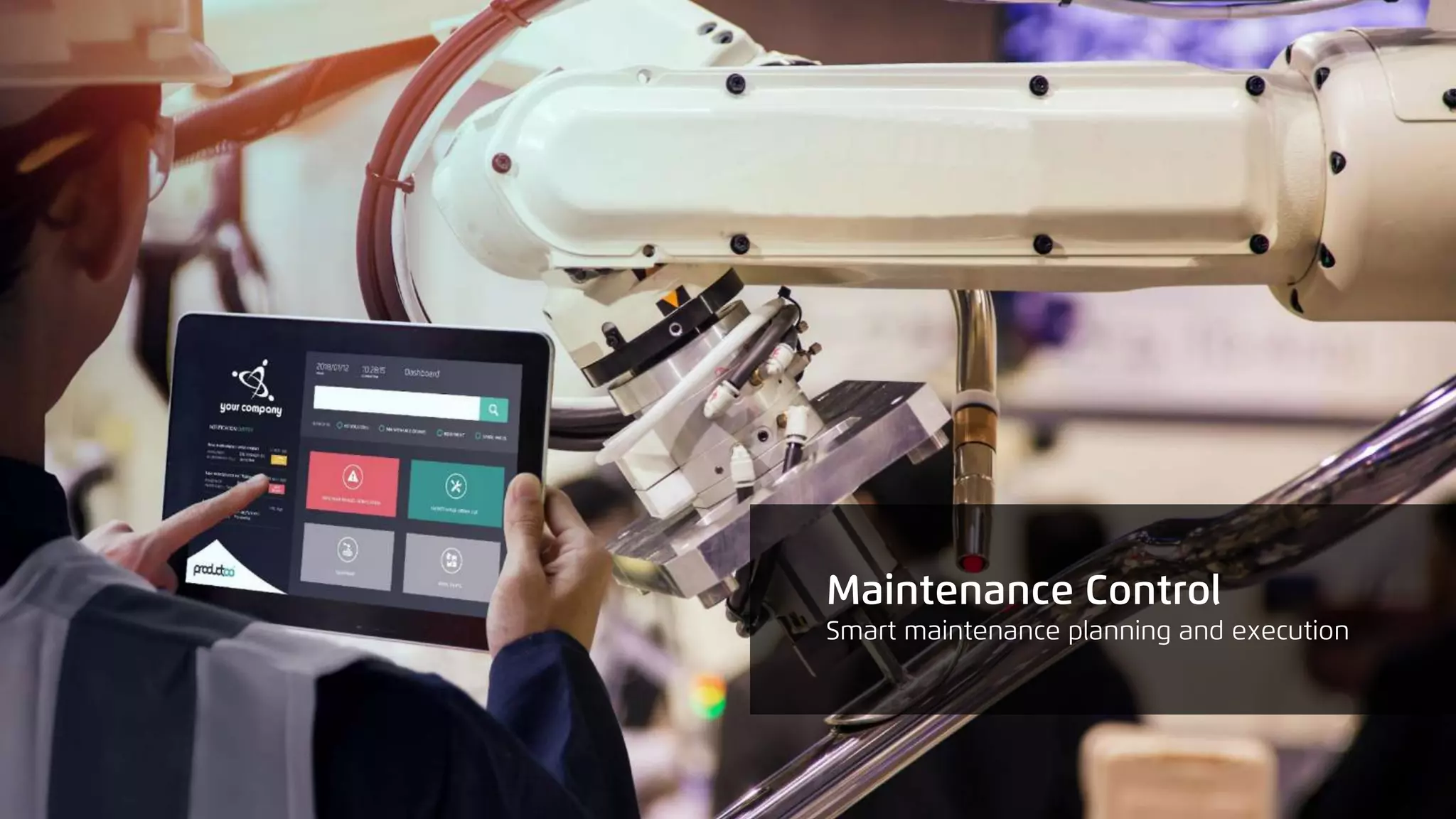
Maintenance Control
Smart Factory Suite | Driving the Digital Evolution
80%
Did you know that up to 80% of maintenance
time is spent reacting to issues - instead of
preventing them?
Every minute of downtime costs
manufacturers thousands of euros.
Keeping assets in good health is a priority.
1. by focusing on preventive maintenance and managing
it efficiently
2. by being able to report unexpected issues and react to
them immediately
3. by having easy access to important information -
anywhere, anytime (even on the shopfloor)
Finding the right software tool is the key to success.
How to achieve that?
Maintenance Control
Smart maintenance planning and execution
Key Benefits
completely paperless
maintenance management
with full traceability
instant issue reporting and
easy data accessibility,
shorter time-to-react
seamless ERP integration
– no double data
management
downtime reduction thanks
to more efficient preventive
planning and accelerated
workflow
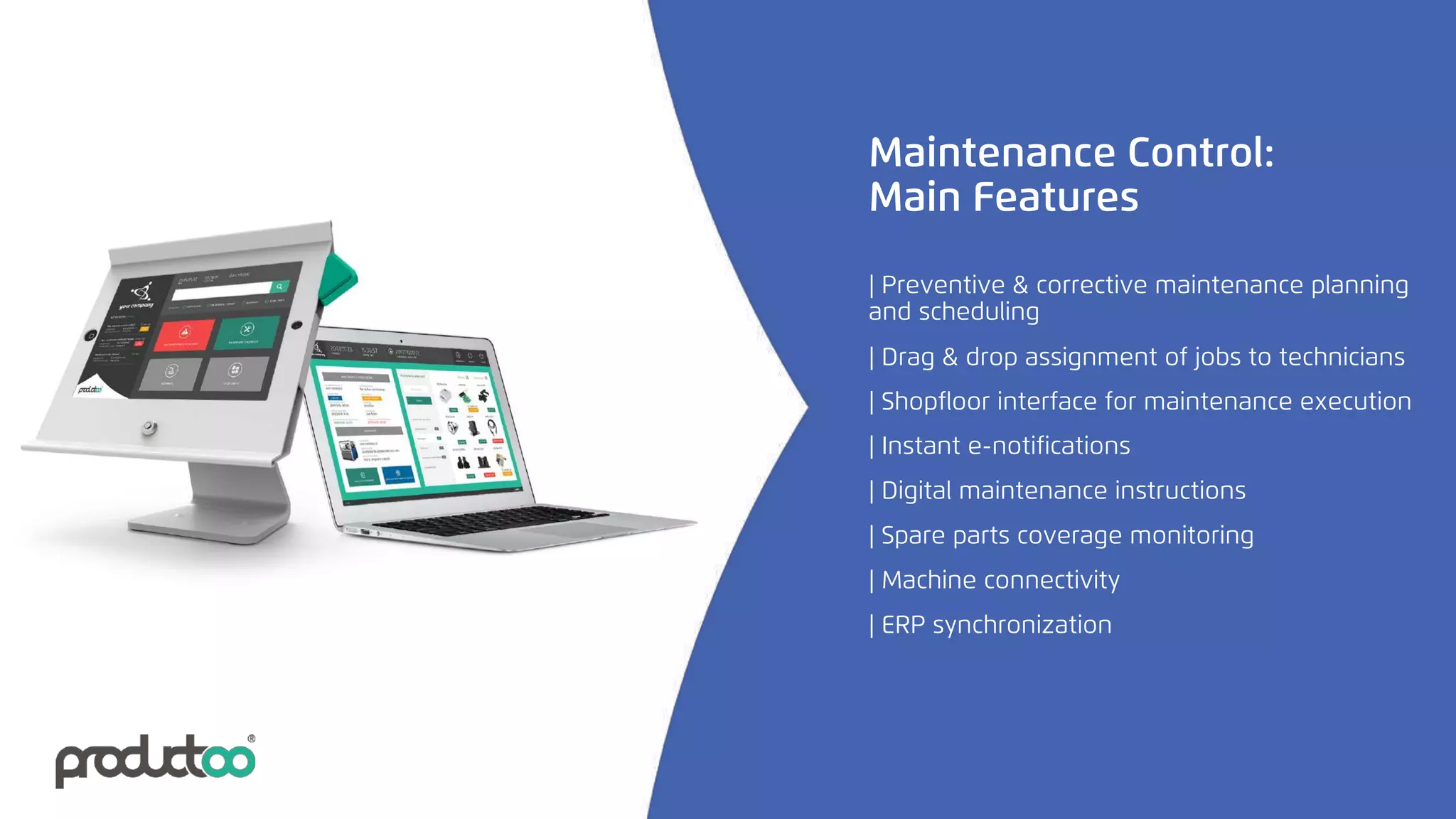
Maintenance Control:
Main Features
| Drag & drop assignment of jobs to technicians
| Digital maintenance instructions
| Spare parts coverage monitoring
| Instant e-notifications
| Shopfloor interface for maintenance execution
| Machine connectivity
| Preventive & corrective maintenance planning
and scheduling
| ERP synchronization
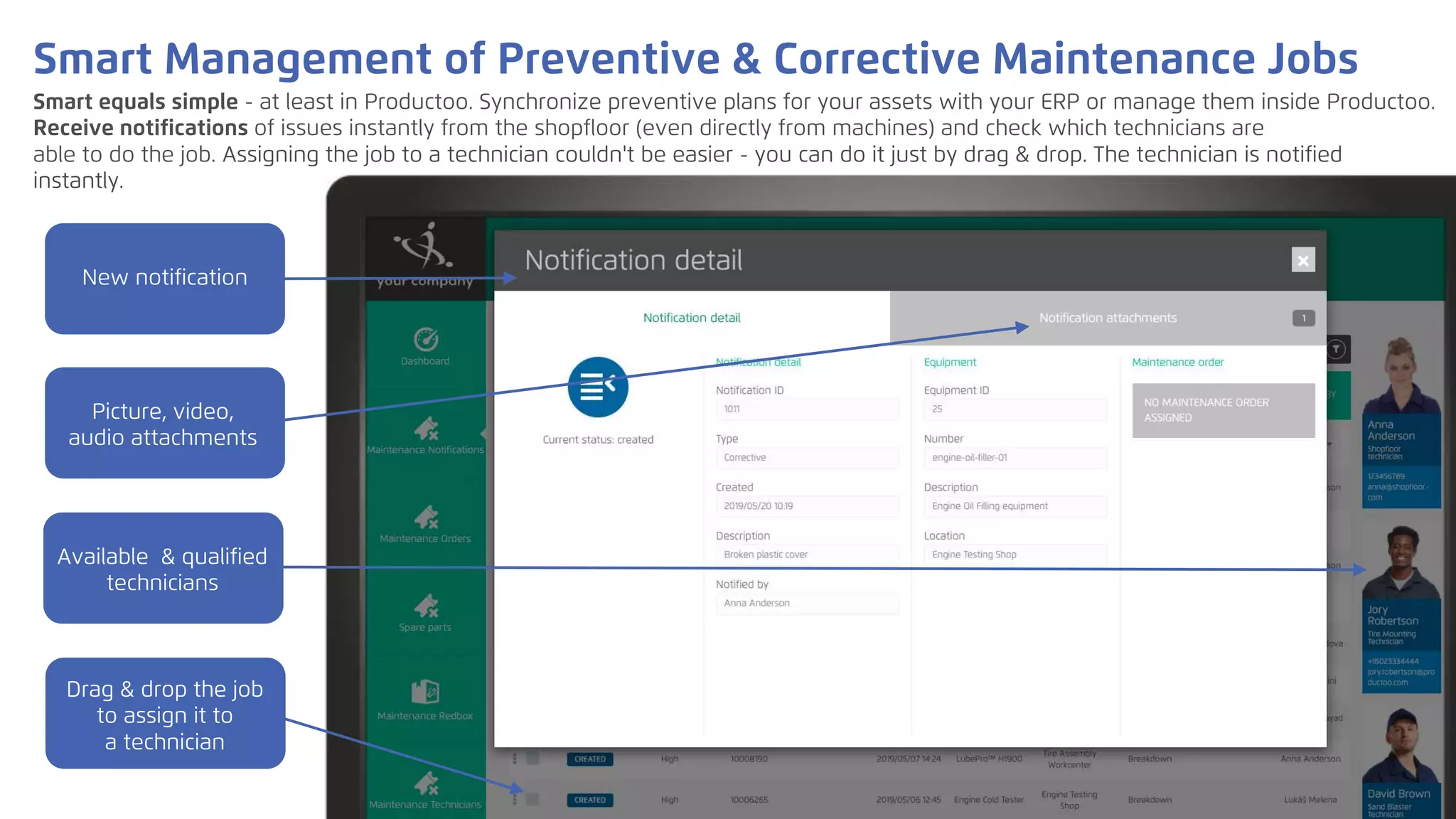
Smart equals simple - at least in Productoo. Synchronize preventive plans for your assets with your ERP or manage them inside Productoo.
Receive notifications of issues instantly from the shopfloor (even directly from machines) and check which technicians are
able to do the job. Assigning the job to a technician couldn't be easier - you can do it just by drag & drop. The technician is notified
instantly.
Smart Management of Preventive & Corrective Maintenance Jobs
New notification
Picture, video,
audio attachments
Available & qualified
technicians
Drag & drop the job
to assign it to
a technician
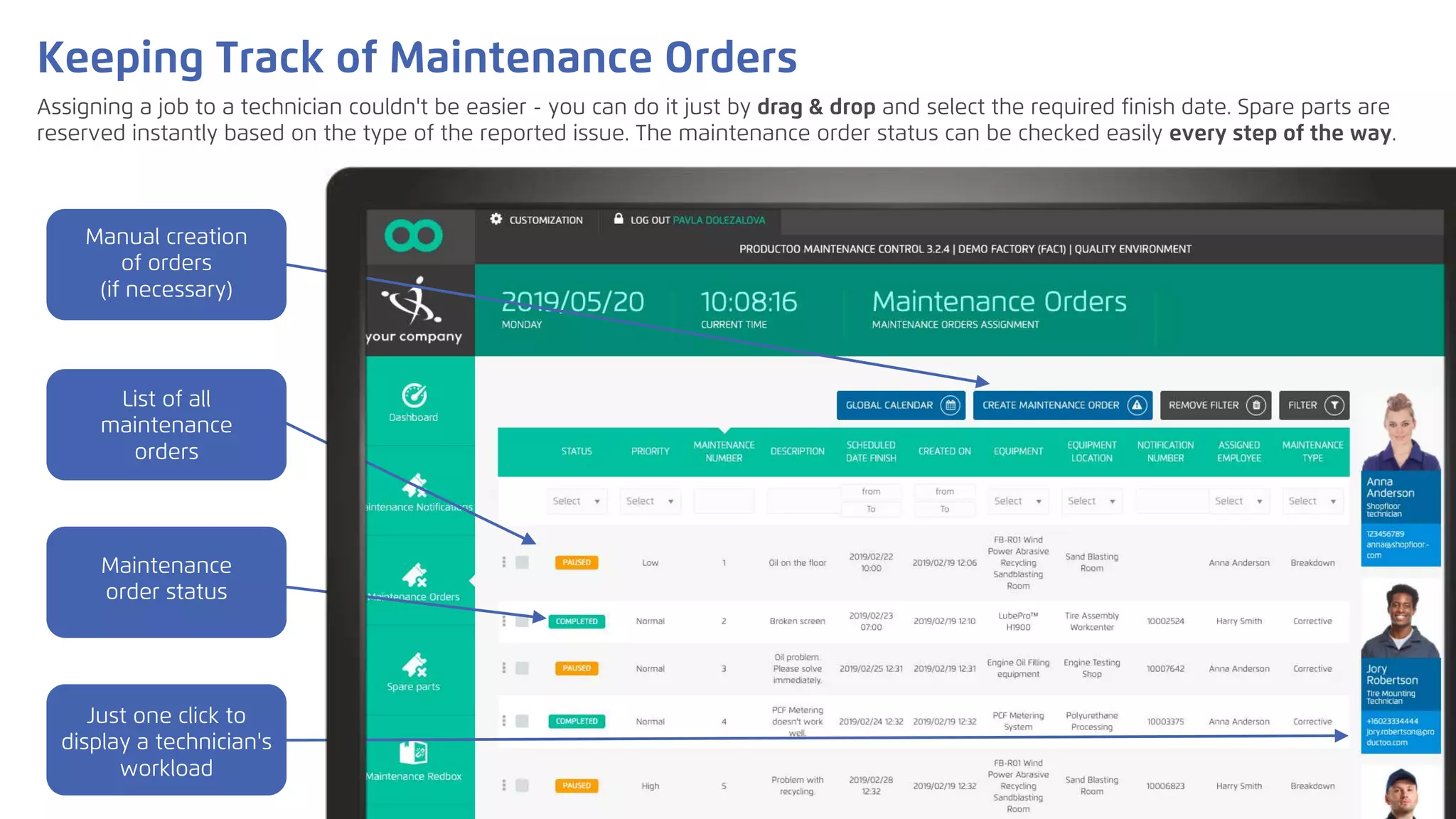
Assigning a job to a technician couldn't be easier - you can do it just by drag & drop and select the required finish date. Spare parts are
reserved instantly based on the type of the reported issue. The maintenance order status can be checked easily every step of the way.
Keeping Track of Maintenance Orders
List of all
maintenance
orders
Maintenance
order status
Manual creation
of orders
(if necessary)
Just one click to
display a technician's
workload
A maintenance manager needs to have a full overview of what's happening in his department. Maintenance Control offers
several calendar options to select from so you can always get exactly the information that you need.
Calendars for a Complete Overview
Select time range
and display history
as well as plan
Color coding based
on priority or job
type
Details available
with one click
Shopfloor interface for tablets: Keep your technicians mobile!
A user-friendly interface with a neat layout provides an easy access to all relevant information and allows technicians to
carry out their job right where and when it's needed.
Log in &
immediately see
new notifications
Large buttons for
quick and easy
orientation
Access all relevant
information about
your jobs
Issue notifications
within seconds
See a problem? Report it! Instantly & With Pictures or Video
Reporting unexpected issues takes just seconds - scan the equipment barcode, describe what the matter is and/or take a
picture and send the notification. Maintenance manager is notified immediately.
Scan the asset
or select it from
the list
Describe the issue
Take a photo, record
voice/sound/video
Asset Details in One Place
Access all the information you need in order to carry out the job flawlessly - whether it is documentation, instructions or a spare parts
list. Everything is just one click away. And if your wi-fi connection isn't the strongest, don't worry - offline mode is available.
Spare parts with
stock availability
Maintenance
orders - plan &
history
Documentation,
manuals...
Equipment
information
Maintenance Orders: Fingertip Access to All You Need
Display all important information - and just get the job done!
Repair instructions
Problem reporting
(such as missing
parts)
Maintenance
execution
Basic information
Seamless ERP Integration = Efficient Data Management
The app can be used as a standalone solution. However, if you wish to integrate it with your ERP system, we've got you
covered. Thanks to real-time connection, all updates about maintenance orders, spare parts consumption etc. are sent to
your ERP. No need to maintain data in both systems - keep everything in sync!
STAND-ALONE or integrated with the biggest global platforms such as:
ON-PREMISE or on the most progressive global cloud platforms such as:
and others…
Productoo runs:
Let us drive your digital evolution!
productoo.com

Smart, mobile and flexible maintenance | CMMS by Productoo

  • 1.
    Maintenance Control Smart FactorySuite | Driving the Digital Evolution
  • 2.
    80% Did you knowthat up to 80% of maintenance time is spent reacting to issues - instead of preventing them?
  • 3.
    Every minute ofdowntime costs manufacturers thousands of euros. Keeping assets in good health is a priority.
  • 4.
    1. by focusingon preventive maintenance and managing it efficiently 2. by being able to report unexpected issues and react to them immediately 3. by having easy access to important information - anywhere, anytime (even on the shopfloor) Finding the right software tool is the key to success. How to achieve that?
  • 5.
  • 6.
    Key Benefits completely paperless maintenancemanagement with full traceability instant issue reporting and easy data accessibility, shorter time-to-react seamless ERP integration – no double data management downtime reduction thanks to more efficient preventive planning and accelerated workflow
  • 7.
    Maintenance Control: Main Features |Drag & drop assignment of jobs to technicians | Digital maintenance instructions | Spare parts coverage monitoring | Instant e-notifications | Shopfloor interface for maintenance execution | Machine connectivity | Preventive & corrective maintenance planning and scheduling | ERP synchronization
  • 8.
    Smart equals simple- at least in Productoo. Synchronize preventive plans for your assets with your ERP or manage them inside Productoo. Receive notifications of issues instantly from the shopfloor (even directly from machines) and check which technicians are able to do the job. Assigning the job to a technician couldn't be easier - you can do it just by drag & drop. The technician is notified instantly. Smart Management of Preventive & Corrective Maintenance Jobs New notification Picture, video, audio attachments Available & qualified technicians Drag & drop the job to assign it to a technician
  • 9.
    Assigning a jobto a technician couldn't be easier - you can do it just by drag & drop and select the required finish date. Spare parts are reserved instantly based on the type of the reported issue. The maintenance order status can be checked easily every step of the way. Keeping Track of Maintenance Orders List of all maintenance orders Maintenance order status Manual creation of orders (if necessary) Just one click to display a technician's workload
  • 10.
    A maintenance managerneeds to have a full overview of what's happening in his department. Maintenance Control offers several calendar options to select from so you can always get exactly the information that you need. Calendars for a Complete Overview Select time range and display history as well as plan Color coding based on priority or job type Details available with one click
  • 11.
    Shopfloor interface fortablets: Keep your technicians mobile! A user-friendly interface with a neat layout provides an easy access to all relevant information and allows technicians to carry out their job right where and when it's needed. Log in & immediately see new notifications Large buttons for quick and easy orientation Access all relevant information about your jobs Issue notifications within seconds
  • 12.
    See a problem?Report it! Instantly & With Pictures or Video Reporting unexpected issues takes just seconds - scan the equipment barcode, describe what the matter is and/or take a picture and send the notification. Maintenance manager is notified immediately. Scan the asset or select it from the list Describe the issue Take a photo, record voice/sound/video
  • 13.
    Asset Details inOne Place Access all the information you need in order to carry out the job flawlessly - whether it is documentation, instructions or a spare parts list. Everything is just one click away. And if your wi-fi connection isn't the strongest, don't worry - offline mode is available. Spare parts with stock availability Maintenance orders - plan & history Documentation, manuals... Equipment information
  • 14.
    Maintenance Orders: FingertipAccess to All You Need Display all important information - and just get the job done! Repair instructions Problem reporting (such as missing parts) Maintenance execution Basic information
  • 15.
    Seamless ERP Integration= Efficient Data Management The app can be used as a standalone solution. However, if you wish to integrate it with your ERP system, we've got you covered. Thanks to real-time connection, all updates about maintenance orders, spare parts consumption etc. are sent to your ERP. No need to maintain data in both systems - keep everything in sync!
  • 16.
    STAND-ALONE or integratedwith the biggest global platforms such as: ON-PREMISE or on the most progressive global cloud platforms such as: and others… Productoo runs:
  • 17.
    Let us driveyour digital evolution! productoo.com