
























What is slideshare?


  2011 Copyright Margie Comaling
Slideshare is one of the
      largest community for sharing
                        presentations


2011 Copyright Margie Comaling
It is also a great place to find
          research, documents...


2011 Copyright Margie Comaling
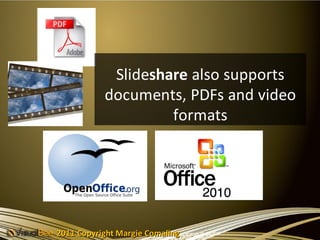
Slideshare also supports
           documents, PDFs and video
                    formats


2011 Copyright Margie Comaling
You can upload a
              PowerPoint, OpenOffice,
                Video and Keynote
                  presentations


2011 Copyright Margie Comaling
You can share your docs
             across the web publicly...


2011 Copyright Margie Comaling
In social networking sites such as Twitter,
          Facebook , LinkedIn etc.


      2011 Copyright Margie Comaling
You can also share it
          privately among your friends,
                     clients...


2011 Copyright Margie Comaling
You can also embed
              Slideshare widgets on your
                      blogs or websites...


2011 Copyright Margie Comaling
... And YouTube videos in
          slideshare presentations


2011 Copyright Margie Comaling
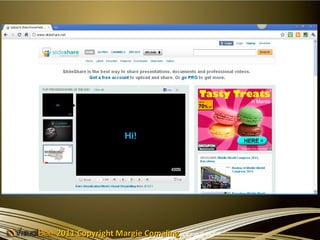
Visit slideshare
                                  website
                     @ www.slideshare.net


2011 Copyright Margie Comaling
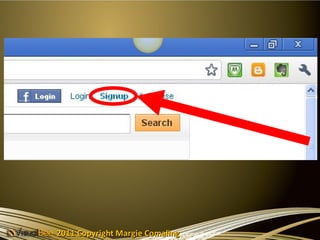
Click the “Signup” button


2011 Copyright Margie Comaling
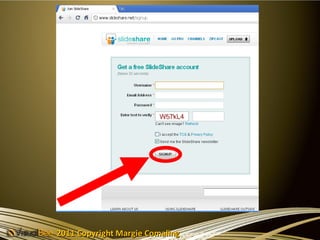
Fill up the form &
      Click the Signup button


2011 Copyright Margie Comaling
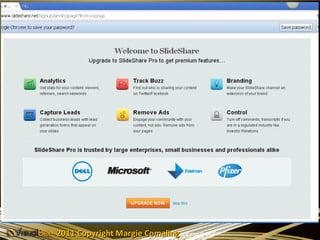
Then a Welcome screen
                   follows


2011 Copyright Margie Comaling
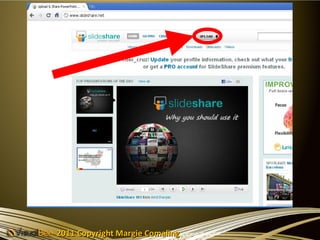
You can now upload
                       your presentation by
                      clicking Upload button


2011 Copyright Margie Comaling
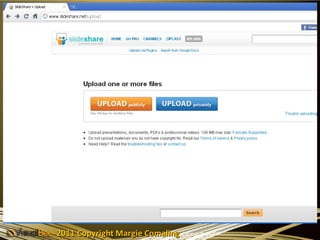
You will be ask if
        Uploading Publicly
                or
        Uploading Privately


2011 Copyright Margie Comaling
Unfortunately Uploading
Privately you’ll need to
Upgrade to PRO & pay


      2011 Copyright Margie Comaling
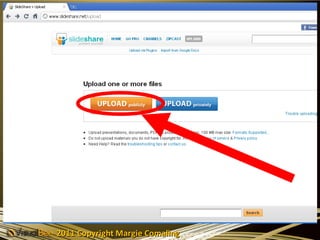
Uploading Publicly
Click the Upload Publicly
          button


    2011 Copyright Margie Comaling
2011 Copyright Margie Comaling
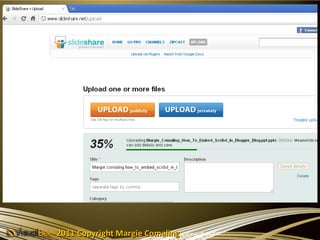
Choose the file you want to
upload from your computer


     2011 Copyright Margie Comaling
And click “OPEN”


2011 Copyright Margie Comaling
And your file will be
                            uploaded to
                        Slideshare website


2011 Copyright Margie Comaling
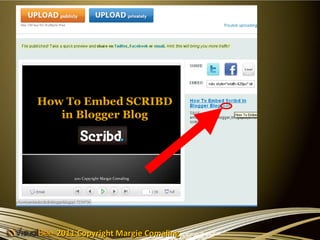
When done,
                          you can edit the title
                           of the presentation


2011 Copyright Margie Comaling
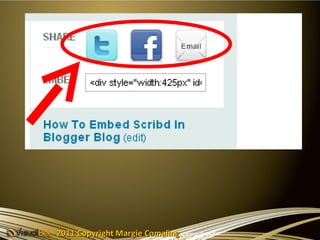
You can also share it on social
            networking sites / email


2011 Copyright Margie Comaling
You could also embed it on
                 your website


2011 Copyright Margie Comaling
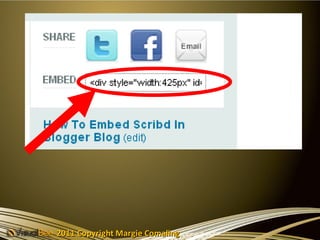
Copy the embed code
            &
paste it on your website


   2011 Copyright Margie Comaling
2011 Copyright Margie Comaling
Creating
           SLIDECAST PRESENTATION


2011 Copyright Margie Comaling
Slidecast Presentation is a
   Slide with an audio file


2011 Copyright Margie Comaling
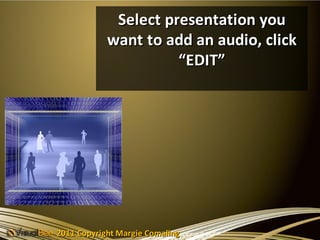
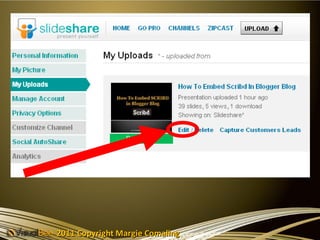
Select presentation you
            want to add an audio, click
                      “EDIT”


2011 Copyright Margie Comaling
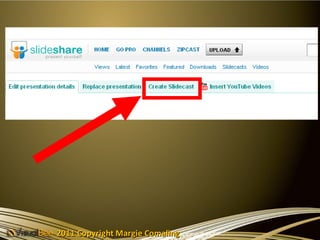
Then Click “Create Slidecast” button


2011 Copyright Margie Comaling
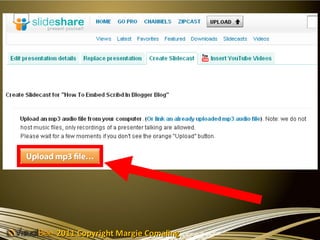
Then click the
“Upload mp3 file”
button ...


     2011 Copyright Margie Comaling
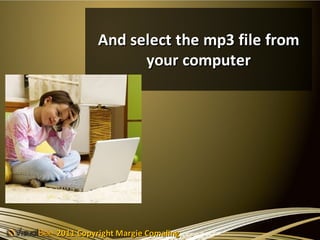
And select the mp3 file from
                your computer


2011 Copyright Margie Comaling
You can also add
                       Youtube Video in your
                       Slidecast presentation


2011 Copyright Margie Comaling
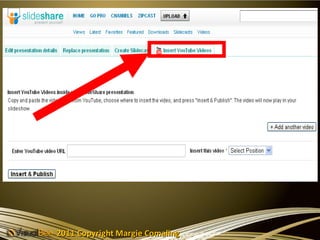
Click the
       “Insert Youtube Video button”


2011 Copyright Margie Comaling
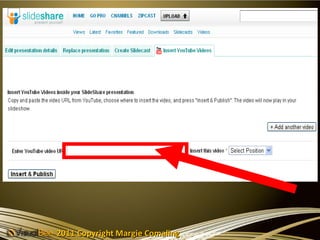
Enter the
                 Youtube video URL


2011 Copyright Margie Comaling
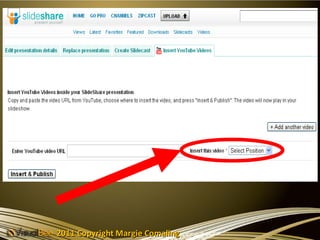
Click the
                “Select Position box”


2011 Copyright Margie Comaling
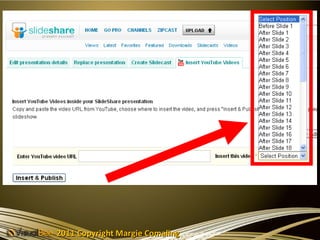
And select the slide you wish
              to insert the video

2011 Copyright Margie Comaling
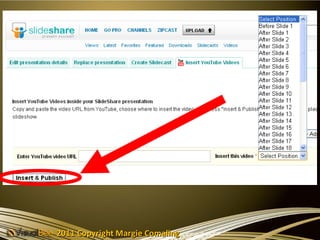
Then Click
            “ Insert & Publish” button


2011 Copyright Margie Comaling
Now your Slide is Publish in
                  Slideshare.net


2011 Copyright Margie Comaling
That’s it...
                      Have F U N
                           &
                 Enjoy Sharing Slides !!!


2011 Copyright Margie Comaling

Slideshare tutorial