May 2020
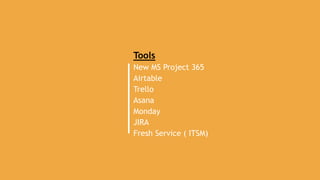
Tools
New MS Project 365
Airtable
Trello
Asana
Monday
JIRA
Fresh Service ( ITSM)
• This is powerful MS tool with one connected work management
platform on cloud
• Good for PM & IT team members for web-based projects
• Easily accessible by any device and any location
• Tightly integrated with Teams, SharePoint, office 365, outlook,
power BI power apps, azure board and one note
• It comes with Project for web- Modern project management (Easy
to use) collaboration made easy.
• Intelligent planning (visibility & Insight across all projects)
• AI Builder- Integrated AI for smart project management
• Innovation platform (Adaptable, no code platform, Automated wf,
Security and compliance)
• Power BI: Powerful projects reports and dashboards
• Robust Integration: Issues/Incident details can be submitted using
canvas app on mobile phone and with Simple BI report design it
can embedded in team which can provide bar charts presentation
of issue .
• It comes with great built in/out of the box project portfolio
dashboards- around 9 dashboards
• Portfolio milestones shows colorful status like overdue, late, on
track, future and completed
• We can Define business case/ideas on mobile and after wf approval
it gets integrated with project plan
3
1. NEW MS Project 365
PROS
User Friendly
• Very user friendly as excel with easy to use grid, board, timeline feature
• Easy to create sub task by just clubbing task using mouse and right click features
• Easy to Add dynamic columns (status, % complete, Duration etc..) , dependency
• Using Power Automate service it helps you create automated workflows between
your favorite apps and services to synchronize files, get notifications, collect data
• Assigning resources/Adding Members to project is easy and integrated with Active
directory.
• Displays Effort math (Completed, Remaining, Total)
• Board and scheduler are connected and have drag and drop features
• Awesome Interactive Gantt charts
• Different views of same data. Automatic updates on grid when user drag and drop
on board
CONS :
• Good for large multiyear construction kind of projects mostly benefited by
pmo department of the organization .
• Useful for only Project managers and those who have an analytical frame of
mind and have been trained well.
• A project manager updates the plan on behalf of the teams. The plan is
therefore outdated quite often. as current as project managers keep up with
updating data.
• High Price
• Airtable is a powerful tool that can be used for spreadsheets, as a CRM, to
manage projects, and to oversee remote teams.
• This tool is Good for business users, deal with clients, also for personal
usage (tour planning, weddings plan etc.)
• It allows you to create your own custom database (Workspace) . It is
basically a spreadsheet-database hybrid, with the features of
a database but applied to a spreadsheet.
• Tightly integrated with slack app for auto notifications.
• Build in formulas for calculating hourly rate etc
• Easy conditional filtering on each field
• Users can create a database, set up column types, add records, link
tables to one another, collaborate, sort records and publish views to
external websites.
• Airtable can connect to over 450 applications and websites
• Great Build in formulas for calculating hourly rate etc.
• Users can also make use of file attachments, rich media and text, photos,
notes, barcodes, and checkboxes.
• Airtable allows users to access data and migrate it to other databases
without compromising its integrity.
4
2. Air Table
PROS
User Friendly
• spreadsheet-like interface. Download as excel /google
spread sheet
• Ability to add Cool funky colors and icons for fields
• Every User can have his/her own view
• Easy to track project progress
• Easy conditional filtering on each field
CONS :
• Free up to 1200 records (or rows). $10/mo
for 5k rows
• Higher learning curve
• Lack of formula builder
• Payment types are not very friendly.
• Lack of communication solutions
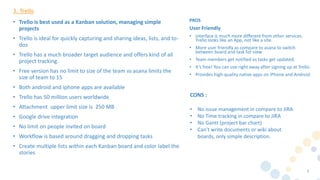
• Trello is best used as a Kanban solution, managing simple
projects
• Trello is ideal for quickly capturing and sharing ideas, lists, and to-
dos
• Trello has a much broader target audience and offers kind of all
project tracking.
• Free version has no limit to size of the team vs asana limits the
size of team to 15
• Both android and iphone apps are available
• Trello has 50 million users worldwide
• Attachment upper limit size is 250 MB
• Google drive integration
• No limit on people invited on board
• Workflow is based around dragging and dropping tasks
• Create multiple lists within each Kanban board and color label the
stories
5
3. Trello
PROS
User Friendly
• interface is much more different from other services.
Trello looks like an App, not like a site.
• More user friendly as compare to asana to switch
between board and task list view
• Team members get notified as tasks get updated.
• It’s free! You can use right away after signing up at Trello.
• Provides high-quality native apps on iPhone and Android
CONS :
• No issue management in compare to JIRA
• No Time tracking in compare to JIRA
• No Gantt (project bar chart)
• Can’t write documents or wiki about
boards, only simple description.
• More useful tool for team management. Easy tracking of
project within team members & assign new task to team.-
Kanban
• Good for Team Conversations/collaboration ( a big plus point) ,
announcement, sharing information
• Funky icons /colors for task/dashboards
• Easy Drag and drop of task feature to different status( Start/on
hold/completed)
• Nice and easy way to check things out in color coded calendar
view in compare to trello
• Task Phase out/grayed out once it is accomplished.
• Consolidation of all tasks (My task) feature across different
project in single dashboard view in compare to trello
notification stream
• Asana has more feature than trello
• Asana is good when working on large projects with lot of tasks
• More like using MPP compare to trello
• Attachment upper limit size is 100 MB
6
4. Asana
PROS
User Friendly
• Simple to use, user-friendly interface, no
complicated buttons
• Nice and simple platform for project management
• easy to navigate and manipulate. Drag and drop
options are built-in, the graphics are clean and
clear
• Keeps the timeline current
CONS :
• Free for 15 users only.
• Gannt charts feature is chargeable
• Backtracking communication logs is tedious once
task has marked as completed
• Tasks assigned to one member of team only and
no personal view
• A board style management rather than
checklist/To Do List format
• Tedious calendar view to check things out which
is completed.
• Poor Exporting feature
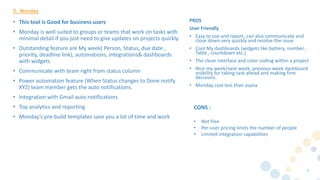
• This tool is Good for business users
• Monday is well suited to groups or teams that work on tasks with
minimal detail if you just need to give updates on projects quickly.
• Outstanding feature are My week( Person, Status, due date ,
priority, deadline link), automations, integrations& dashboards
with widgets
• Communicate with team right from status column
• Power automation feature (When Status changes to Done notify
XYZ) team member gets the auto notifications.
• Integration with Gmail auto notifications
• Top analytics and reporting
• Monday’s pre-build templates save you a lot of time and work
7
5. Monday
PROS
User Friendly
• Easy to use and report, can also communicate and
close down very quickly and resolve the issue
• Cool My dashboards (widgets like battery, number ,
Table , countdown etc.)
• The clean interface and color coding within a project
• Nice my week/next week, previous week dashboard
visibility for taking task ahead and making firm
decisions.
• Monday cost less than asana
CONS :
• Not free
• Per-user pricing limits the number of people
• Limited integration capabilities
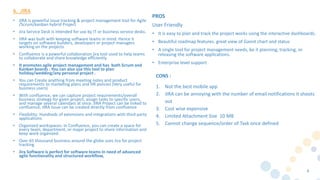
• JIRA is powerful issue tracking & project management tool for Agile
/Scrum/kanban hybrid Project
• Jira Service Desk is intended for use by IT or business service desks.
• JIRA was built with keeping software teams in mind. Hence it
targets on software builders, developers or project managers
working on the projects
• Confluence is a powerful collaboration jira tool used to help teams
to collaborate and share knowledge efficiently.
• It promotes agile project management and has both Scrum and
Kanban boards . You can also use this tool to plan
holiday/wedding/any personal project .
• You can Create anything from meeting notes and product
requirements to marketing plans and HR policies (Very useful for
business users)
• With confluence, we can capture project requirements/overall
business strategy for given project, assign tasks to specific users,
and manage several calendars at once. JIRA Project can be linked to
confluence, JIRA Issue can be created directly from confluence
• Flexibility: Hundreds of extensions and integrations with third party
applications
• Organized workspaces: In Confluence, you can create a space for
every team, department, or major project to share information and
keep work organized.
• Over 65 thousand business around the globe uses Jira for project
tracking
• Jira Software is perfect for software teams in need of advanced
agile functionality and structured workflow,
8
6. JIRA
PROS
User Friendly
• It is easy to plan and track the project works using the interactive dashboards.
• Beautiful roadmap features. great view of Gannt chart and status
• A single tool for project management needs, be it planning, tracking, or
releasing the software applications.
• Enterprise level support
CONS :
1. Not the best mobile app
2. JIRA can be annoying with the number of email notifications it shoots
out
3. Cost wise expensive
4. Limited Attachment Size 10 MB
5. Cannot change sequence/order of Task once defined
• Very Comprehensive Tool for ITSM
• Service Desk On Cloud
• Great KB & Incident management feature
• Service Catalogue feature is impressive
• Integrated with remote access tool like Team Viewer, LogMeIn
etc..
• Covers change Request and Change management cycle with
potential change impact feature along with graphical workflow.
• Impressive IT Asset Management feature both discovery probe
and csv import, including QR COde, Barcode of assets
• project /task can be managed within same tool within IT team
members
• Tool can Manage contracts for vendors, users and agents
• Can be used for Employee on boarding and off boarding and travel
approvals
9
7. Fresh Service
PROS
User Friendly
• User Friendly Interface
• Cool 360 degree Dashboard for Agents /Help Desk
Engineer for ticket summary
• Drag and drop workflow approval flow
• Cool Analytics and reports
• Simplified Admin Console
CONS :
• Not free
• Scalability issues for non-premium users
• Lacks social media integration
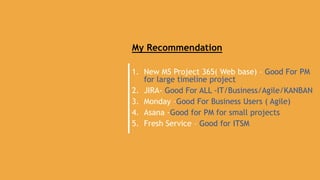
My Recommendation
1. New MS Project 365( Web base) – Good For PM
for large timeline project
2. JIRA- Good For ALL -IT/Business/Agile/KANBAN
3. Monday –Good For Business Users ( Agile)
4. Asana -Good for PM for small projects
5. Fresh Service – Good for ITSM

Slide Deck -Project Management Tools Evaluation/Comparison

  • 1.
  • 2.
    Tools New MS Project365 Airtable Trello Asana Monday JIRA Fresh Service ( ITSM)
  • 3.
    • This ispowerful MS tool with one connected work management platform on cloud • Good for PM & IT team members for web-based projects • Easily accessible by any device and any location • Tightly integrated with Teams, SharePoint, office 365, outlook, power BI power apps, azure board and one note • It comes with Project for web- Modern project management (Easy to use) collaboration made easy. • Intelligent planning (visibility & Insight across all projects) • AI Builder- Integrated AI for smart project management • Innovation platform (Adaptable, no code platform, Automated wf, Security and compliance) • Power BI: Powerful projects reports and dashboards • Robust Integration: Issues/Incident details can be submitted using canvas app on mobile phone and with Simple BI report design it can embedded in team which can provide bar charts presentation of issue . • It comes with great built in/out of the box project portfolio dashboards- around 9 dashboards • Portfolio milestones shows colorful status like overdue, late, on track, future and completed • We can Define business case/ideas on mobile and after wf approval it gets integrated with project plan 3 1. NEW MS Project 365 PROS User Friendly • Very user friendly as excel with easy to use grid, board, timeline feature • Easy to create sub task by just clubbing task using mouse and right click features • Easy to Add dynamic columns (status, % complete, Duration etc..) , dependency • Using Power Automate service it helps you create automated workflows between your favorite apps and services to synchronize files, get notifications, collect data • Assigning resources/Adding Members to project is easy and integrated with Active directory. • Displays Effort math (Completed, Remaining, Total) • Board and scheduler are connected and have drag and drop features • Awesome Interactive Gantt charts • Different views of same data. Automatic updates on grid when user drag and drop on board CONS : • Good for large multiyear construction kind of projects mostly benefited by pmo department of the organization . • Useful for only Project managers and those who have an analytical frame of mind and have been trained well. • A project manager updates the plan on behalf of the teams. The plan is therefore outdated quite often. as current as project managers keep up with updating data. • High Price
  • 4.
    • Airtable isa powerful tool that can be used for spreadsheets, as a CRM, to manage projects, and to oversee remote teams. • This tool is Good for business users, deal with clients, also for personal usage (tour planning, weddings plan etc.) • It allows you to create your own custom database (Workspace) . It is basically a spreadsheet-database hybrid, with the features of a database but applied to a spreadsheet. • Tightly integrated with slack app for auto notifications. • Build in formulas for calculating hourly rate etc • Easy conditional filtering on each field • Users can create a database, set up column types, add records, link tables to one another, collaborate, sort records and publish views to external websites. • Airtable can connect to over 450 applications and websites • Great Build in formulas for calculating hourly rate etc. • Users can also make use of file attachments, rich media and text, photos, notes, barcodes, and checkboxes. • Airtable allows users to access data and migrate it to other databases without compromising its integrity. 4 2. Air Table PROS User Friendly • spreadsheet-like interface. Download as excel /google spread sheet • Ability to add Cool funky colors and icons for fields • Every User can have his/her own view • Easy to track project progress • Easy conditional filtering on each field CONS : • Free up to 1200 records (or rows). $10/mo for 5k rows • Higher learning curve • Lack of formula builder • Payment types are not very friendly. • Lack of communication solutions
  • 5.
    • Trello isbest used as a Kanban solution, managing simple projects • Trello is ideal for quickly capturing and sharing ideas, lists, and to- dos • Trello has a much broader target audience and offers kind of all project tracking. • Free version has no limit to size of the team vs asana limits the size of team to 15 • Both android and iphone apps are available • Trello has 50 million users worldwide • Attachment upper limit size is 250 MB • Google drive integration • No limit on people invited on board • Workflow is based around dragging and dropping tasks • Create multiple lists within each Kanban board and color label the stories 5 3. Trello PROS User Friendly • interface is much more different from other services. Trello looks like an App, not like a site. • More user friendly as compare to asana to switch between board and task list view • Team members get notified as tasks get updated. • It’s free! You can use right away after signing up at Trello. • Provides high-quality native apps on iPhone and Android CONS : • No issue management in compare to JIRA • No Time tracking in compare to JIRA • No Gantt (project bar chart) • Can’t write documents or wiki about boards, only simple description.
  • 6.
    • More usefultool for team management. Easy tracking of project within team members & assign new task to team.- Kanban • Good for Team Conversations/collaboration ( a big plus point) , announcement, sharing information • Funky icons /colors for task/dashboards • Easy Drag and drop of task feature to different status( Start/on hold/completed) • Nice and easy way to check things out in color coded calendar view in compare to trello • Task Phase out/grayed out once it is accomplished. • Consolidation of all tasks (My task) feature across different project in single dashboard view in compare to trello notification stream • Asana has more feature than trello • Asana is good when working on large projects with lot of tasks • More like using MPP compare to trello • Attachment upper limit size is 100 MB 6 4. Asana PROS User Friendly • Simple to use, user-friendly interface, no complicated buttons • Nice and simple platform for project management • easy to navigate and manipulate. Drag and drop options are built-in, the graphics are clean and clear • Keeps the timeline current CONS : • Free for 15 users only. • Gannt charts feature is chargeable • Backtracking communication logs is tedious once task has marked as completed • Tasks assigned to one member of team only and no personal view • A board style management rather than checklist/To Do List format • Tedious calendar view to check things out which is completed. • Poor Exporting feature
  • 7.
    • This toolis Good for business users • Monday is well suited to groups or teams that work on tasks with minimal detail if you just need to give updates on projects quickly. • Outstanding feature are My week( Person, Status, due date , priority, deadline link), automations, integrations& dashboards with widgets • Communicate with team right from status column • Power automation feature (When Status changes to Done notify XYZ) team member gets the auto notifications. • Integration with Gmail auto notifications • Top analytics and reporting • Monday’s pre-build templates save you a lot of time and work 7 5. Monday PROS User Friendly • Easy to use and report, can also communicate and close down very quickly and resolve the issue • Cool My dashboards (widgets like battery, number , Table , countdown etc.) • The clean interface and color coding within a project • Nice my week/next week, previous week dashboard visibility for taking task ahead and making firm decisions. • Monday cost less than asana CONS : • Not free • Per-user pricing limits the number of people • Limited integration capabilities
  • 8.
    • JIRA ispowerful issue tracking & project management tool for Agile /Scrum/kanban hybrid Project • Jira Service Desk is intended for use by IT or business service desks. • JIRA was built with keeping software teams in mind. Hence it targets on software builders, developers or project managers working on the projects • Confluence is a powerful collaboration jira tool used to help teams to collaborate and share knowledge efficiently. • It promotes agile project management and has both Scrum and Kanban boards . You can also use this tool to plan holiday/wedding/any personal project . • You can Create anything from meeting notes and product requirements to marketing plans and HR policies (Very useful for business users) • With confluence, we can capture project requirements/overall business strategy for given project, assign tasks to specific users, and manage several calendars at once. JIRA Project can be linked to confluence, JIRA Issue can be created directly from confluence • Flexibility: Hundreds of extensions and integrations with third party applications • Organized workspaces: In Confluence, you can create a space for every team, department, or major project to share information and keep work organized. • Over 65 thousand business around the globe uses Jira for project tracking • Jira Software is perfect for software teams in need of advanced agile functionality and structured workflow, 8 6. JIRA PROS User Friendly • It is easy to plan and track the project works using the interactive dashboards. • Beautiful roadmap features. great view of Gannt chart and status • A single tool for project management needs, be it planning, tracking, or releasing the software applications. • Enterprise level support CONS : 1. Not the best mobile app 2. JIRA can be annoying with the number of email notifications it shoots out 3. Cost wise expensive 4. Limited Attachment Size 10 MB 5. Cannot change sequence/order of Task once defined
  • 9.
    • Very ComprehensiveTool for ITSM • Service Desk On Cloud • Great KB & Incident management feature • Service Catalogue feature is impressive • Integrated with remote access tool like Team Viewer, LogMeIn etc.. • Covers change Request and Change management cycle with potential change impact feature along with graphical workflow. • Impressive IT Asset Management feature both discovery probe and csv import, including QR COde, Barcode of assets • project /task can be managed within same tool within IT team members • Tool can Manage contracts for vendors, users and agents • Can be used for Employee on boarding and off boarding and travel approvals 9 7. Fresh Service PROS User Friendly • User Friendly Interface • Cool 360 degree Dashboard for Agents /Help Desk Engineer for ticket summary • Drag and drop workflow approval flow • Cool Analytics and reports • Simplified Admin Console CONS : • Not free • Scalability issues for non-premium users • Lacks social media integration
  • 10.
    My Recommendation 1. NewMS Project 365( Web base) – Good For PM for large timeline project 2. JIRA- Good For ALL -IT/Business/Agile/KANBAN 3. Monday –Good For Business Users ( Agile) 4. Asana -Good for PM for small projects 5. Fresh Service – Good for ITSM

Editor's Notes