Pre
SharePoint Governance 101
Oklahoma City SharePoint User Group, September 7 2016
Jim Adcock
The SharePoint Therapist
Agenda
• Who AM I
• Who Are You
• What is Governance
• Consequences
• Mode, Philosophy and Model
• What should be in your governance plan
• Governance Committee
• Carrots and Sticks
• Decisions, Decisions, Decisions
• Q&A
• Final Thoughts
Parental Advisory Warning
There May Be
F-Bombs
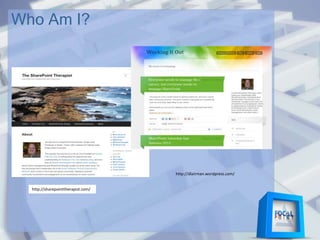
Who Am I?
Who Am I?
http://sharepointtherapist.com/
http://dlairman.wordpress.com/
Who Am I?
Vice-President
Fridays, 10am
Millennium Youth Complex
http://www.launchpadjobclub.org/
Solutions Architect
Who Am I?
Advertising and marketing
Government
PII & PHI
(social security numbers, financial & medical info)
Multiple contractors (vendors)
Defense & HLS software
High security
Also – Real estate, manufacturing, high-tech, consumer goods
Construction
Who are You?
IT?
Business users?
Management?
Something else?
Anyone here an accidental
SharePoint Administrator?
What is Governance?
My definition:
Responsible Stewardship of a
resource in order to ensure
effective utilization
What is Governance?
• Who is responsible
• What they are responsible for
• Best Practices – what you SHOULD be doing
• Thou Shalt Nots – what you SHOULDN’T be
doing
• Change Management
You Probably Already Have Some
Information Governance
IT Governance
Employee Handbook
You Probably Already Have Some
To comply with:
• GAAP
• SOX
• HIPPA
• Labor regulations
• Other Local, State and Federal Laws
What Makes SharePoint Governance
Special?
Marketing
hype from
Consultants
What Makes SharePoint Governance
Special?
• Collaboration platforms are pretty new
• Business hasn’t really figured it out yet
• SharePoint is complicated
• SharePoint is a POWERFUL tool
• “With Great Power comes Great
Responsibility”
What Makes SharePoint Governance
Special?
Nothing
What Makes SharePoint Governance
Special?
Let’s talk about
consequences
Undesirable Outcomes
• Users cannot find what they are looking for/Site Sprawl
• Managing the system takes too much IT resources
• Content seen by the wrong people and/or can’t be seen
by the right people
• System performs poorly
• Doesn’t help users get their jobs done or even makes
their jobs more difficult
• Users use non-approved systems to get around IT
Desirable Outcomes
• Content is findable
• Content securely available only to
correct people
• System is manageable
• System performs well
• Serves the business’ needs
(Alignment!)
Here’s the thing about governance:
It’s as unique as your
organization
Governance Modes
• Collaborative
• Top-Down
Either way you need buy-in!
Mode is different from governing
philosophy and Governance Model…
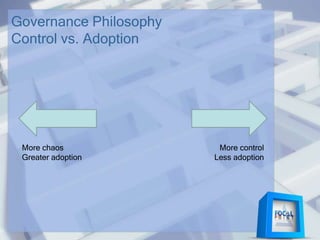
Governance Philosophy
Control vs. Adoption
More control
Less adoption
More chaos
Greater adoption
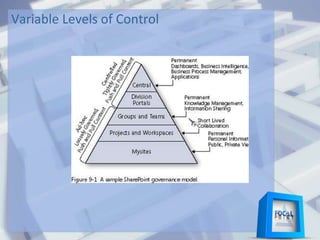
Variable Levels of Control
Governance Plan
• It’s Just Documentation
• Documentation isn’t Governance
• But you still need documentation!
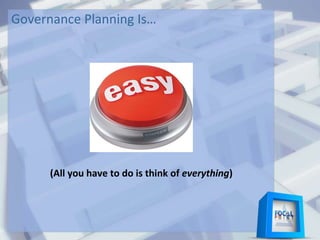
Governance Planning Is…
(All you have to do is think of everything)
Actual Governance?
That’s HARD.
Because people.
What Should Be in Your Plan?
Your first decision:
What is your
SharePoint for?
What Should Be in Your Plan?
What do we need SharePoint to accomplish in order to
meet our business objectives?
• What are our business objectives?
• What SharePoint features enable achievement of business
objectives or enhance efficiency toward reaching those
objectives?
What Should Be in Your Plan?
A Training Plan!
What Should Be in Your Plan?
WHY
Rationale for the design choices you have made
What Should Be in Your Plan?
•Physical Architecture
•Logical Architecture
•Who is responsible for what
• Backup & Disaster Recovery
• Maintenance
• Administration
What Should Be in Your Plan?
Administration
•System
•Farm
•Site Collections
•Sites
Does Site/SC Administration
include User Management?
What Should Be in Your Plan?
Sprawl Management
•Who can authorize site creation
•Duplication Prevention
•Chain of custody
•Expiration
•Department sites/Team sites/Project
sites
•Decision tree
Do You Really Need That Site?
What is a site?
A site is a collection of lists, libraries and pages with similar
ownership, access rights, and intent.
When should a site be created?
Consider creating a site when:
1. Content access controls are different
2. Content ownership is different from that of existing sites
3. Intent of the content is significantly different from existing sites
4. Content is of significant complexity and volume (for example, if
a group needs its own calendar, document library and lists with
multiple content types and tags specific to that group)
When should you consider other options?
If the content is minimal (only a few documents)
If the ownership or purpose matches an existing site
Other Considerations
Sites should have clear ownership (both a sponsor and a content
manager).
What Should Be in Your Plan?
Customization Management
• Who can authorize customization
• Who is responsible for requirements gathering
• Dev/Test/Production Plan
If you don’t have dev/Test environment(s), you
actually don’t have a PRODUCTION environment!
• Testing and deployment of customizations
What Should Be in Your Plan?
SLA – Service Level Agreement
• Performance Monitoring
• Disaster Recovery
• Issue Resolution
• Customization
Change Management Plan
• For SharePoint
• For your governance plan
What Should Be in Your Plan?
Content Management
•Duplication Prevention
•Content Ownership
•Content Expiration
•Retention Plan
•Content Auditing
•Content Approval
•Content types and Metadata
What Should Be in Your Plan?
Presentation Management
• Branding
• Page layout and organization
Governance Committee
• Composition
• Frequency
• Responsibilities
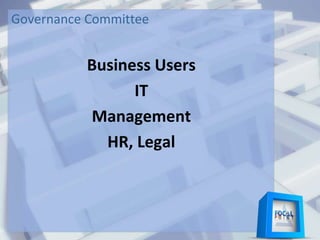
Governance Committee
Business Users
IT
Management
HR, Legal
Governance Committee
Business Alignment!
SLA Compliance
Change Requests
Governance Plan changes
Major Changes
How minor the decisions made at this level determines
frequency of meetings!
Carrots and Sticks
HR Discipline procedures
PIP
Annual Review metrics (for bonuses and pay raises)
Gamification
• Recognition
• Prizes (requires a budget, but doesn’t have to be big!)
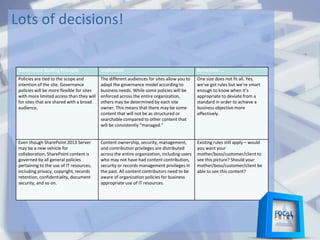
Lots of decisions!
Governance Guiding Principle Implication Remember …
Policies are tied to the scope and
intention of the site. Governance
policies will be more flexible for sites
with more limited access than they will
for sites that are shared with a broad
audience.
The different audiences for sites allow you to
adapt the governance model according to
business needs. While some policies will be
enforced across the entire organization,
others may be determined by each site
owner. This means that there may be some
content that will not be as structured or
searchable compared to other content that
will be consistently “managed.”
One size does not fit all. Yes,
we’ve got rules but we’re smart
enough to know when it’s
appropriate to deviate from a
standard in order to achieve a
business objective more
effectively.
Even though SharePoint 2013 Server
may be a new vehicle for
collaboration, SharePoint content is
governed by all general policies
pertaining to the use of IT resources,
including privacy, copyright, records
retention, confidentiality, document
security, and so on.
Content ownership, security, management,
and contribution privileges are distributed
across the entire organization, including users
who may not have had content contribution,
security or records management privileges in
the past. All content contributors need to be
aware of organization policies for business
appropriate use of IT resources.
Existing rules still apply – would
you want your
mother/boss/customer/client to
see this picture? Should your
mother/boss/customer/client be
able to see this content?
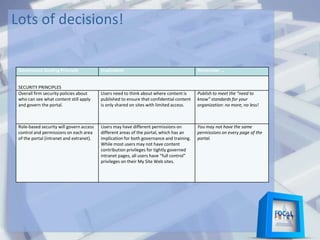
Lots of decisions!
Governance Guiding Principle Implication Remember …
SECURITY PRINCIPLES
Overall firm security policies about
who can see what content still apply
and govern the portal.
Users need to think about where content is
published to ensure that confidential content
is only shared on sites with limited access.
Publish to meet the “need to
know” standards for your
organization: no more, no less!
Role-based security will govern access
control and permissions on each area
of the portal (intranet and extranet).
Users may have different permissions on
different areas of the portal, which has an
implication for both governance and training.
While most users may not have content
contribution privileges for tightly governed
intranet pages, all users have “full control”
privileges on their My Site Web sites.
You may not have the same
permissions on every page of the
portal.
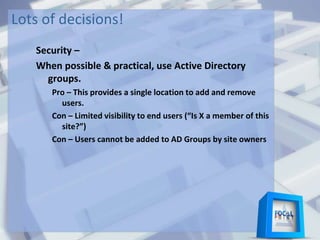
Lots of decisions!
Security –
When possible & practical, use Active Directory
groups.
Pro – This provides a single location to add and remove
users.
Con – Limited visibility to end users (“Is X a member of this
site?”)
Con – Users cannot be added to AD Groups by site owners
Lots of decisions!
Security –
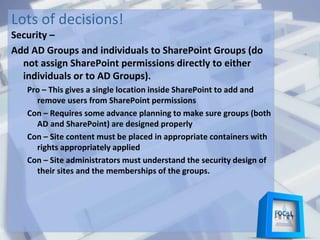
Add AD Groups and individuals to SharePoint Groups (do
not assign SharePoint permissions directly to either
individuals or to AD Groups).
Pro – This gives a single location inside SharePoint to add and
remove users from SharePoint permissions
Con – Requires some advance planning to make sure groups (both
AD and SharePoint) are designed properly
Con – Site content must be placed in appropriate containers with
rights appropriately applied
Con – Site administrators must understand the security design of
their sites and the memberships of the groups.
Lots of decisions!
Security –
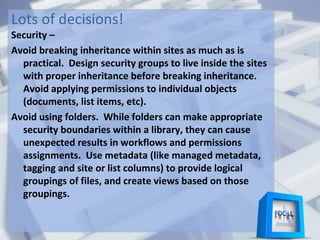
Avoid breaking inheritance within sites as much as is
practical. Design security groups to live inside the sites
with proper inheritance before breaking inheritance.
Avoid applying permissions to individual objects
(documents, list items, etc).
Avoid using folders. While folders can make appropriate
security boundaries within a library, they can cause
unexpected results in workflows and permissions
assignments. Use metadata (like managed metadata,
tagging and site or list columns) to provide logical
groupings of files, and create views based on those
groupings.
Lots of decisions!
Governance Guiding Principle Implication Remember …
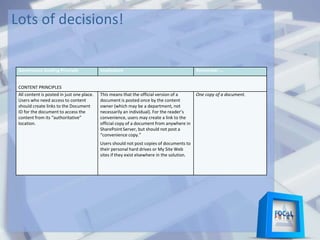
CONTENT PRINCIPLES
All content is posted in just one place.
Users who need access to content
should create links to the Document
ID for the document to access the
content from its “authoritative”
location.
This means that the official version of a
document is posted once by the content
owner (which may be a department, not
necessarily an individual). For the reader’s
convenience, users may create a link to the
official copy of a document from anywhere in
SharePoint Server, but should not post a
“convenience copy.”
Users should not post copies of documents to
their personal hard drives or My Site Web
sites if they exist elsewhere in the solution.
One copy of a document.
Lots of decisions!
Governance Guiding Principle Implication Remember …
CONTENT PRINCIPLES
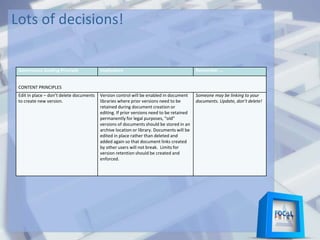
Edit in place – don’t delete documents
to create new version.
Version control will be enabled in document
libraries where prior versions need to be
retained during document creation or
editing. If prior versions need to be retained
permanently for legal purposes, “old”
versions of documents should be stored in an
archive location or library. Documents will be
edited in place rather than deleted and
added again so that document links created
by other users will not break. Limits for
version retention should be created and
enforced.
Someone may be linking to your
documents. Update, don’t delete!
Lots of decisions!
Governance Guiding Principle Implication Remember …
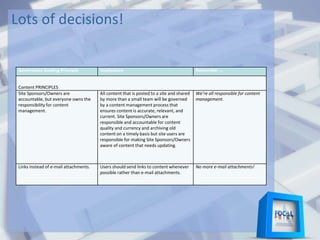
Content PRINCIPLES
Site Sponsors/Owners are
accountable, but everyone owns the
responsibility for content
management.
All content that is posted to a site and shared
by more than a small team will be governed
by a content management process that
ensures content is accurate, relevant, and
current. Site Sponsors/Owners are
responsible and accountable for content
quality and currency and archiving old
content on a timely basis but site users are
responsible for making Site Sponsors/Owners
aware of content that needs updating.
We’re all responsible for content
management.
Links instead of e-mail attachments. Users should send links to content whenever
possible rather than e-mail attachments.
No more e-mail attachments!
Q&A
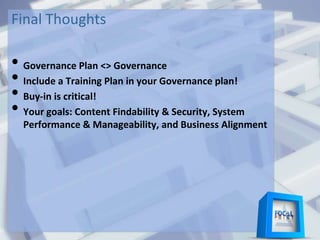
Final Thoughts
• Governance Plan <> Governance
• Include a Training Plan in your Governance plan!
• Buy-in is critical!
• Your goals: Content Findability & Security, System
Performance & Manageability, and Business Alignment
Resources
http://technet.microsoft.com/en-
us/library/ff848257(v=office.14).aspx
http://www.rharbridge.com/?page_id=726
http://kjellsj.blogspot.com/2010/05/sharepoint-
governance-part-i-eating.html
http://sharepointtherapist.com/
Stay in touch!
Feel free to contact me or connect with me:
@dlairman and @SPointTherapist
jim@adcock.net
http://www.linkedin.com/in/jimadcock
http://SharePointTherapist.com
http://dlairman.wordpress.com

SharePoint Governance 101 - OKCSUG

  • 1.
    Pre SharePoint Governance 101 OklahomaCity SharePoint User Group, September 7 2016 Jim Adcock The SharePoint Therapist
  • 2.
    Agenda • Who AMI • Who Are You • What is Governance • Consequences • Mode, Philosophy and Model • What should be in your governance plan • Governance Committee • Carrots and Sticks • Decisions, Decisions, Decisions • Q&A • Final Thoughts
  • 3.
  • 4.
  • 5.
  • 6.
    Who Am I? Vice-President Fridays,10am Millennium Youth Complex http://www.launchpadjobclub.org/ Solutions Architect
  • 7.
    Who Am I? Advertisingand marketing Government PII & PHI (social security numbers, financial & medical info) Multiple contractors (vendors) Defense & HLS software High security Also – Real estate, manufacturing, high-tech, consumer goods Construction
  • 8.
    Who are You? IT? Businessusers? Management? Something else? Anyone here an accidental SharePoint Administrator?
  • 9.
    What is Governance? Mydefinition: Responsible Stewardship of a resource in order to ensure effective utilization
  • 10.
    What is Governance? •Who is responsible • What they are responsible for • Best Practices – what you SHOULD be doing • Thou Shalt Nots – what you SHOULDN’T be doing • Change Management
  • 11.
    You Probably AlreadyHave Some Information Governance IT Governance Employee Handbook
  • 12.
    You Probably AlreadyHave Some To comply with: • GAAP • SOX • HIPPA • Labor regulations • Other Local, State and Federal Laws
  • 13.
    What Makes SharePointGovernance Special?
  • 14.
    Marketing hype from Consultants What MakesSharePoint Governance Special?
  • 15.
    • Collaboration platformsare pretty new • Business hasn’t really figured it out yet • SharePoint is complicated • SharePoint is a POWERFUL tool • “With Great Power comes Great Responsibility” What Makes SharePoint Governance Special?
  • 16.
    Nothing What Makes SharePointGovernance Special?
  • 17.
  • 18.
    Undesirable Outcomes • Userscannot find what they are looking for/Site Sprawl • Managing the system takes too much IT resources • Content seen by the wrong people and/or can’t be seen by the right people • System performs poorly • Doesn’t help users get their jobs done or even makes their jobs more difficult • Users use non-approved systems to get around IT
  • 19.
    Desirable Outcomes • Contentis findable • Content securely available only to correct people • System is manageable • System performs well • Serves the business’ needs (Alignment!)
  • 20.
    Here’s the thingabout governance: It’s as unique as your organization
  • 21.
    Governance Modes • Collaborative •Top-Down Either way you need buy-in! Mode is different from governing philosophy and Governance Model…
  • 22.
    Governance Philosophy Control vs.Adoption More control Less adoption More chaos Greater adoption
  • 23.
  • 24.
    Governance Plan • It’sJust Documentation • Documentation isn’t Governance • But you still need documentation!
  • 25.
    Governance Planning Is… (Allyou have to do is think of everything)
  • 26.
  • 27.
    What Should Bein Your Plan? Your first decision: What is your SharePoint for?
  • 28.
    What Should Bein Your Plan? What do we need SharePoint to accomplish in order to meet our business objectives? • What are our business objectives? • What SharePoint features enable achievement of business objectives or enhance efficiency toward reaching those objectives?
  • 29.
    What Should Bein Your Plan? A Training Plan!
  • 30.
    What Should Bein Your Plan? WHY Rationale for the design choices you have made
  • 31.
    What Should Bein Your Plan? •Physical Architecture •Logical Architecture •Who is responsible for what • Backup & Disaster Recovery • Maintenance • Administration
  • 32.
    What Should Bein Your Plan? Administration •System •Farm •Site Collections •Sites Does Site/SC Administration include User Management?
  • 33.
    What Should Bein Your Plan? Sprawl Management •Who can authorize site creation •Duplication Prevention •Chain of custody •Expiration •Department sites/Team sites/Project sites •Decision tree
  • 34.
    Do You ReallyNeed That Site? What is a site? A site is a collection of lists, libraries and pages with similar ownership, access rights, and intent. When should a site be created? Consider creating a site when: 1. Content access controls are different 2. Content ownership is different from that of existing sites 3. Intent of the content is significantly different from existing sites 4. Content is of significant complexity and volume (for example, if a group needs its own calendar, document library and lists with multiple content types and tags specific to that group) When should you consider other options? If the content is minimal (only a few documents) If the ownership or purpose matches an existing site Other Considerations Sites should have clear ownership (both a sponsor and a content manager).
  • 35.
    What Should Bein Your Plan? Customization Management • Who can authorize customization • Who is responsible for requirements gathering • Dev/Test/Production Plan If you don’t have dev/Test environment(s), you actually don’t have a PRODUCTION environment! • Testing and deployment of customizations
  • 36.
    What Should Bein Your Plan? SLA – Service Level Agreement • Performance Monitoring • Disaster Recovery • Issue Resolution • Customization Change Management Plan • For SharePoint • For your governance plan
  • 37.
    What Should Bein Your Plan? Content Management •Duplication Prevention •Content Ownership •Content Expiration •Retention Plan •Content Auditing •Content Approval •Content types and Metadata
  • 38.
    What Should Bein Your Plan? Presentation Management • Branding • Page layout and organization Governance Committee • Composition • Frequency • Responsibilities
  • 39.
  • 40.
    Governance Committee Business Alignment! SLACompliance Change Requests Governance Plan changes Major Changes How minor the decisions made at this level determines frequency of meetings!
  • 41.
    Carrots and Sticks HRDiscipline procedures PIP Annual Review metrics (for bonuses and pay raises) Gamification • Recognition • Prizes (requires a budget, but doesn’t have to be big!)
  • 42.
    Lots of decisions! GovernanceGuiding Principle Implication Remember … Policies are tied to the scope and intention of the site. Governance policies will be more flexible for sites with more limited access than they will for sites that are shared with a broad audience. The different audiences for sites allow you to adapt the governance model according to business needs. While some policies will be enforced across the entire organization, others may be determined by each site owner. This means that there may be some content that will not be as structured or searchable compared to other content that will be consistently “managed.” One size does not fit all. Yes, we’ve got rules but we’re smart enough to know when it’s appropriate to deviate from a standard in order to achieve a business objective more effectively. Even though SharePoint 2013 Server may be a new vehicle for collaboration, SharePoint content is governed by all general policies pertaining to the use of IT resources, including privacy, copyright, records retention, confidentiality, document security, and so on. Content ownership, security, management, and contribution privileges are distributed across the entire organization, including users who may not have had content contribution, security or records management privileges in the past. All content contributors need to be aware of organization policies for business appropriate use of IT resources. Existing rules still apply – would you want your mother/boss/customer/client to see this picture? Should your mother/boss/customer/client be able to see this content?
  • 43.
    Lots of decisions! GovernanceGuiding Principle Implication Remember … SECURITY PRINCIPLES Overall firm security policies about who can see what content still apply and govern the portal. Users need to think about where content is published to ensure that confidential content is only shared on sites with limited access. Publish to meet the “need to know” standards for your organization: no more, no less! Role-based security will govern access control and permissions on each area of the portal (intranet and extranet). Users may have different permissions on different areas of the portal, which has an implication for both governance and training. While most users may not have content contribution privileges for tightly governed intranet pages, all users have “full control” privileges on their My Site Web sites. You may not have the same permissions on every page of the portal.
  • 44.
    Lots of decisions! Security– When possible & practical, use Active Directory groups. Pro – This provides a single location to add and remove users. Con – Limited visibility to end users (“Is X a member of this site?”) Con – Users cannot be added to AD Groups by site owners
  • 45.
    Lots of decisions! Security– Add AD Groups and individuals to SharePoint Groups (do not assign SharePoint permissions directly to either individuals or to AD Groups). Pro – This gives a single location inside SharePoint to add and remove users from SharePoint permissions Con – Requires some advance planning to make sure groups (both AD and SharePoint) are designed properly Con – Site content must be placed in appropriate containers with rights appropriately applied Con – Site administrators must understand the security design of their sites and the memberships of the groups.
  • 46.
    Lots of decisions! Security– Avoid breaking inheritance within sites as much as is practical. Design security groups to live inside the sites with proper inheritance before breaking inheritance. Avoid applying permissions to individual objects (documents, list items, etc). Avoid using folders. While folders can make appropriate security boundaries within a library, they can cause unexpected results in workflows and permissions assignments. Use metadata (like managed metadata, tagging and site or list columns) to provide logical groupings of files, and create views based on those groupings.
  • 47.
    Lots of decisions! GovernanceGuiding Principle Implication Remember … CONTENT PRINCIPLES All content is posted in just one place. Users who need access to content should create links to the Document ID for the document to access the content from its “authoritative” location. This means that the official version of a document is posted once by the content owner (which may be a department, not necessarily an individual). For the reader’s convenience, users may create a link to the official copy of a document from anywhere in SharePoint Server, but should not post a “convenience copy.” Users should not post copies of documents to their personal hard drives or My Site Web sites if they exist elsewhere in the solution. One copy of a document.
  • 48.
    Lots of decisions! GovernanceGuiding Principle Implication Remember … CONTENT PRINCIPLES Edit in place – don’t delete documents to create new version. Version control will be enabled in document libraries where prior versions need to be retained during document creation or editing. If prior versions need to be retained permanently for legal purposes, “old” versions of documents should be stored in an archive location or library. Documents will be edited in place rather than deleted and added again so that document links created by other users will not break. Limits for version retention should be created and enforced. Someone may be linking to your documents. Update, don’t delete!
  • 49.
    Lots of decisions! GovernanceGuiding Principle Implication Remember … Content PRINCIPLES Site Sponsors/Owners are accountable, but everyone owns the responsibility for content management. All content that is posted to a site and shared by more than a small team will be governed by a content management process that ensures content is accurate, relevant, and current. Site Sponsors/Owners are responsible and accountable for content quality and currency and archiving old content on a timely basis but site users are responsible for making Site Sponsors/Owners aware of content that needs updating. We’re all responsible for content management. Links instead of e-mail attachments. Users should send links to content whenever possible rather than e-mail attachments. No more e-mail attachments!
  • 50.
  • 51.
    Final Thoughts • GovernancePlan <> Governance • Include a Training Plan in your Governance plan! • Buy-in is critical! • Your goals: Content Findability & Security, System Performance & Manageability, and Business Alignment
  • 52.
  • 53.
    Stay in touch! Feelfree to contact me or connect with me: @dlairman and @SPointTherapist jim@adcock.net http://www.linkedin.com/in/jimadcock http://SharePointTherapist.com http://dlairman.wordpress.com