
Session No 2

Developed by: Saif Ullah Dar

1/7/2014

1
1.
2.

3.
4.
5.
6.
7.

BR Tag
HR Tag
Headings
Order List Tags
Unordered List Tags
Blockquote Tag
Address Tag

Developed by: Saif Ullah Dar

1/7/2014

2
 Used

to control the line breaks.
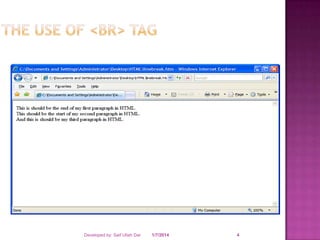
 Use single spacing among the lines unlike <p>
tag that uses double spacing among the
paragraph.
 Does not have a closing braces.

Developed by: Saif Ullah Dar

1/7/2014

3
Developed by: Saif Ullah Dar

1/7/2014

4
Code Snippet To Fulfill the Requirement




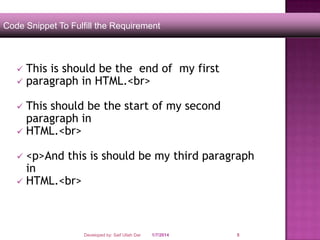
This is should be the end of my first
paragraph in HTML.<br>

This should be the start of my second
paragraph in
 HTML.<br>


<p>And this is should be my third paragraph
in
 HTML.<br>


Developed by: Saif Ullah Dar

1/7/2014

5
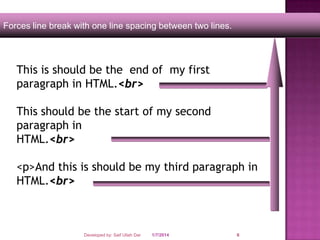
Forces line break with one line spacing between two lines.

This is should be the end of my first
paragraph in HTML.<br>
This should be the start of my second
paragraph in
HTML.<br>
<p>And this is should be my third paragraph in
HTML.<br>

Developed by: Saif Ullah Dar

1/7/2014

6
 The

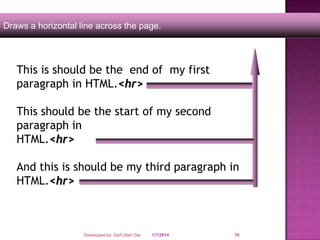
<HR> tag draws a horizontal line across
the page.
 It acts a paragraph break.
 There is no need to use the <BR> before or
after the <HR> tag.

Developed by: Saif Ullah Dar

1/7/2014

7
Developed by: Saif Ullah Dar

1/7/2014

8
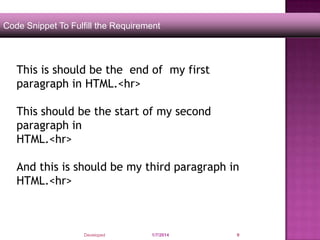
Code Snippet To Fulfill the Requirement

This is should be the end of my first
paragraph in HTML.<hr>
This should be the start of my second
paragraph in
HTML.<hr>
And this is should be my third paragraph in
HTML.<hr>

Developed by: Saif Ullah Dar

1/7/2014

9
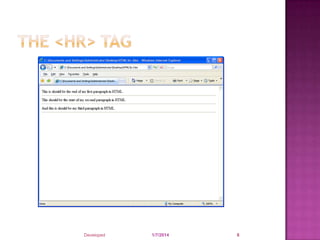
Draws a horizontal line across the page.

This is should be the end of my first
paragraph in HTML.<hr>
This should be the start of my second
paragraph in
HTML.<hr>
And this is should be my third paragraph in
HTML.<hr>

Developed by: Saif Ullah Dar

1/7/2014

10
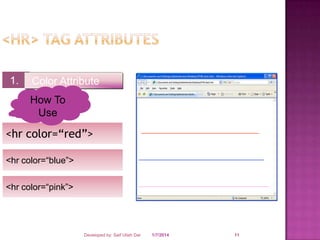
1.

Color Attribute
How To
Use

<hr color=“red”>
<hr color=“blue”>
<hr color=“pink”>

Developed by: Saif Ullah Dar

1/7/2014

11
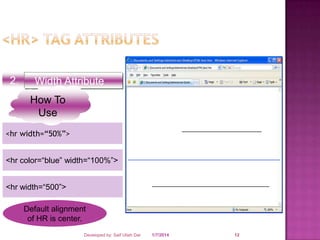
2.

Width Attribute
How To
Use

<hr width=“50%”>
<hr color=“blue” width=“100%”>
<hr width=“500”>
Default alignment
of HR is center.
Developed by: Saif Ullah Dar

1/7/2014

12
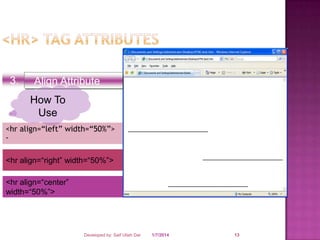
3.

Align Attribute
How To
Use

<hr align=“left” width=“50%”>
<hr align=“right” width=“50%”>
<hr align=“center”
width=“50%”>

Developed by: Saif Ullah Dar

1/7/2014

13
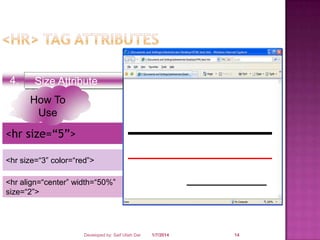
4.

Size Attribute
How To
Use

<hr size=“5”>
<hr size=“3” color=“red”>
<hr align=“center” width=“50%”
size=“2”>

Developed by: Saif Ullah Dar

1/7/2014

14
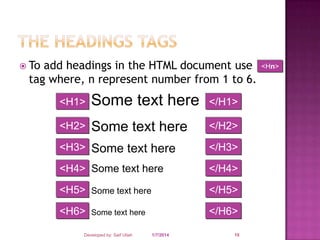
 To

add headings in the HTML document use
tag where, n represent number from 1 to 6.
<H1>

Some text here

</H1>

<H2>

Some text here

</H2>

<H3> Some text here

</H3>

<H4> Some text here

</H4>

<H5> Some text here

</H5>

<H6>

</H6>

Some text here

Developed by: Saif Ullah Dar

1/7/2014

15

<Hn>
A

common applications of HTML is to display
the list of items.
 The most popular types of lists that can be
created using HTML are:



Unordered List
Ordered List

Developed by: Saif Ullah Dar

1/7/2014

16



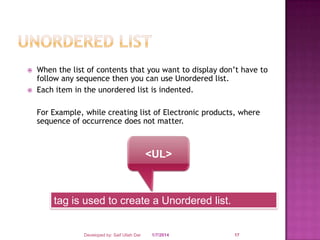
When the list of contents that you want to display don’t have to
follow any sequence then you can use Unordered list.
Each item in the unordered list is indented.
For Example, while creating list of Electronic products, where
sequence of occurrence does not matter.

<UL>

tag is used to create a Unordered list.

Developed by: Saif Ullah Dar

1/7/2014

17



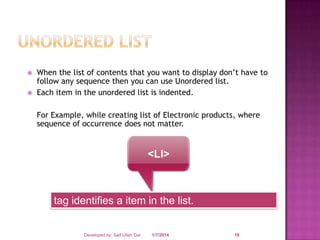
When the list of contents that you want to display don’t have to
follow any sequence then you can use Unordered list.
Each item in the unordered list is indented.
For Example, while creating list of Electronic products, where
sequence of occurrence does not matter.

<LI>

tag identifies a item in the list.

Developed by: Saif Ullah Dar

1/7/2014

18
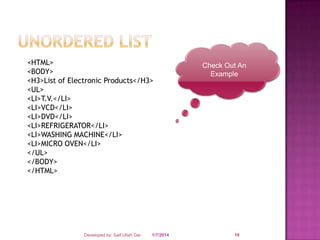
<HTML>
<BODY>
<H3>List of Electronic Products</H3>
<UL>
<LI>T.V.</LI>
<LI>VCD</LI>
<LI>DVD</LI>
<LI>REFRIGERATOR</LI>
<LI>WASHING MACHINE</LI>
<LI>MICRO OVEN</LI>
</UL>
</BODY>
</HTML>

Developed by: Saif Ullah Dar

1/7/2014

Check Out An
Example

19
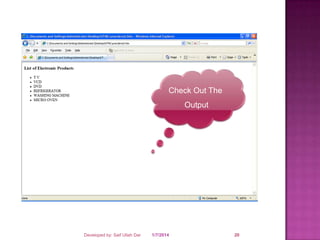
Check Out The
Output

Developed by: Saif Ullah Dar

1/7/2014

20
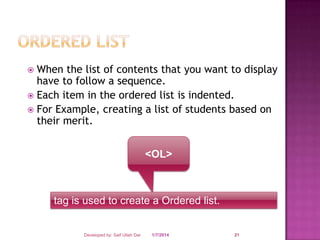
When the list of contents that you want to display
have to follow a sequence.
 Each item in the ordered list is indented.
 For Example, creating a list of students based on
their merit.


<OL>

tag is used to create a Ordered list.

Developed by: Saif Ullah Dar

1/7/2014

21
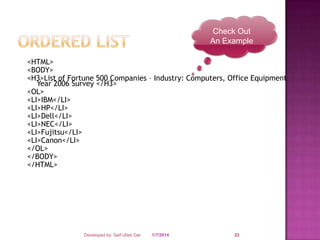
Check Out
An Example
<HTML>
<BODY>
<H3>List of Fortune 500 Companies – Industry: Computers, Office Equipment
Year 2006 Survey </H3>
<OL>
<LI>IBM</LI>
<LI>HP</LI>
<LI>Dell</LI>
<LI>NEC</LI>
<LI>Fujitsu</LI>
<LI>Canon</LI>
</OL>
</BODY>
</HTML>

Developed by: Saif Ullah Dar

1/7/2014

22
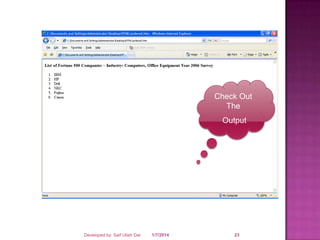
Check Out
The
Output

Developed by: Saif Ullah Dar

1/7/2014

23
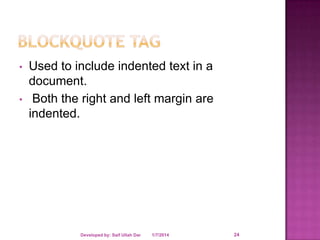
•
•

Used to include indented text in a
document.
Both the right and left margin are
indented.

Developed by: Saif Ullah Dar

1/7/2014

24
Sample Code

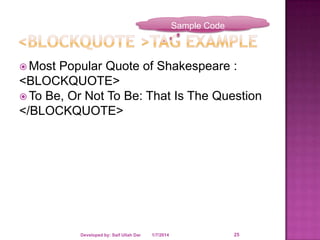
 Most

Popular Quote of Shakespeare :
<BLOCKQUOTE>
 To Be, Or Not To Be: That Is The Question
</BLOCKQUOTE>

Developed by: Saif Ullah Dar

1/7/2014

25
•
•
•

It defines text that gives an address or
other contact information.
It is displayed in italic.
Generally, displayed in the bottom of the
page.

Developed by: Saif Ullah Dar

1/7/2014

26
Sample Code

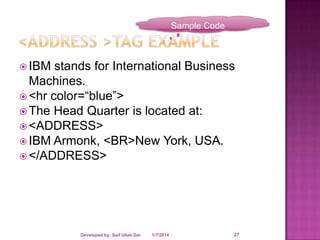
 IBM

stands for International Business
Machines.
 <hr color=“blue”>
 The Head Quarter is located at:
 <ADDRESS>
 IBM Armonk, <BR>New York, USA.
 </ADDRESS>

Developed by: Saif Ullah Dar

1/7/2014

27
SAIF ULLAH DAR

Developed by: Saif Ullah Dar

1/7/2014

28

Session no 2

  • 1.
    Session No 2 Developedby: Saif Ullah Dar 1/7/2014 1
  • 2.
    1. 2. 3. 4. 5. 6. 7. BR Tag HR Tag Headings OrderList Tags Unordered List Tags Blockquote Tag Address Tag Developed by: Saif Ullah Dar 1/7/2014 2
  • 3.
     Used to controlthe line breaks.  Use single spacing among the lines unlike <p> tag that uses double spacing among the paragraph.  Does not have a closing braces. Developed by: Saif Ullah Dar 1/7/2014 3
  • 4.
    Developed by: SaifUllah Dar 1/7/2014 4
  • 5.
    Code Snippet ToFulfill the Requirement   This is should be the end of my first paragraph in HTML.<br> This should be the start of my second paragraph in  HTML.<br>  <p>And this is should be my third paragraph in  HTML.<br>  Developed by: Saif Ullah Dar 1/7/2014 5
  • 6.
    Forces line breakwith one line spacing between two lines. This is should be the end of my first paragraph in HTML.<br> This should be the start of my second paragraph in HTML.<br> <p>And this is should be my third paragraph in HTML.<br> Developed by: Saif Ullah Dar 1/7/2014 6
  • 7.
     The <HR> tagdraws a horizontal line across the page.  It acts a paragraph break.  There is no need to use the <BR> before or after the <HR> tag. Developed by: Saif Ullah Dar 1/7/2014 7
  • 8.
    Developed by: SaifUllah Dar 1/7/2014 8
  • 9.
    Code Snippet ToFulfill the Requirement This is should be the end of my first paragraph in HTML.<hr> This should be the start of my second paragraph in HTML.<hr> And this is should be my third paragraph in HTML.<hr> Developed by: Saif Ullah Dar 1/7/2014 9
  • 10.
    Draws a horizontalline across the page. This is should be the end of my first paragraph in HTML.<hr> This should be the start of my second paragraph in HTML.<hr> And this is should be my third paragraph in HTML.<hr> Developed by: Saif Ullah Dar 1/7/2014 10
  • 11.
    1. Color Attribute How To Use <hrcolor=“red”> <hr color=“blue”> <hr color=“pink”> Developed by: Saif Ullah Dar 1/7/2014 11
  • 12.
    2. Width Attribute How To Use <hrwidth=“50%”> <hr color=“blue” width=“100%”> <hr width=“500”> Default alignment of HR is center. Developed by: Saif Ullah Dar 1/7/2014 12
  • 13.
    3. Align Attribute How To Use <hralign=“left” width=“50%”> <hr align=“right” width=“50%”> <hr align=“center” width=“50%”> Developed by: Saif Ullah Dar 1/7/2014 13
  • 14.
    4. Size Attribute How To Use <hrsize=“5”> <hr size=“3” color=“red”> <hr align=“center” width=“50%” size=“2”> Developed by: Saif Ullah Dar 1/7/2014 14
  • 15.
     To add headingsin the HTML document use tag where, n represent number from 1 to 6. <H1> Some text here </H1> <H2> Some text here </H2> <H3> Some text here </H3> <H4> Some text here </H4> <H5> Some text here </H5> <H6> </H6> Some text here Developed by: Saif Ullah Dar 1/7/2014 15 <Hn>
  • 16.
    A common applications ofHTML is to display the list of items.  The most popular types of lists that can be created using HTML are:   Unordered List Ordered List Developed by: Saif Ullah Dar 1/7/2014 16
  • 17.
      When the listof contents that you want to display don’t have to follow any sequence then you can use Unordered list. Each item in the unordered list is indented. For Example, while creating list of Electronic products, where sequence of occurrence does not matter. <UL> tag is used to create a Unordered list. Developed by: Saif Ullah Dar 1/7/2014 17
  • 18.
      When the listof contents that you want to display don’t have to follow any sequence then you can use Unordered list. Each item in the unordered list is indented. For Example, while creating list of Electronic products, where sequence of occurrence does not matter. <LI> tag identifies a item in the list. Developed by: Saif Ullah Dar 1/7/2014 18
  • 19.
    <HTML> <BODY> <H3>List of ElectronicProducts</H3> <UL> <LI>T.V.</LI> <LI>VCD</LI> <LI>DVD</LI> <LI>REFRIGERATOR</LI> <LI>WASHING MACHINE</LI> <LI>MICRO OVEN</LI> </UL> </BODY> </HTML> Developed by: Saif Ullah Dar 1/7/2014 Check Out An Example 19
  • 20.
    Check Out The Output Developedby: Saif Ullah Dar 1/7/2014 20
  • 21.
    When the listof contents that you want to display have to follow a sequence.  Each item in the ordered list is indented.  For Example, creating a list of students based on their merit.  <OL> tag is used to create a Ordered list. Developed by: Saif Ullah Dar 1/7/2014 21
  • 22.
    Check Out An Example <HTML> <BODY> <H3>Listof Fortune 500 Companies – Industry: Computers, Office Equipment Year 2006 Survey </H3> <OL> <LI>IBM</LI> <LI>HP</LI> <LI>Dell</LI> <LI>NEC</LI> <LI>Fujitsu</LI> <LI>Canon</LI> </OL> </BODY> </HTML> Developed by: Saif Ullah Dar 1/7/2014 22
  • 23.
    Check Out The Output Developed by:Saif Ullah Dar 1/7/2014 23
  • 24.
    • • Used to includeindented text in a document. Both the right and left margin are indented. Developed by: Saif Ullah Dar 1/7/2014 24
  • 25.
    Sample Code  Most PopularQuote of Shakespeare : <BLOCKQUOTE>  To Be, Or Not To Be: That Is The Question </BLOCKQUOTE> Developed by: Saif Ullah Dar 1/7/2014 25
  • 26.
    • • • It defines textthat gives an address or other contact information. It is displayed in italic. Generally, displayed in the bottom of the page. Developed by: Saif Ullah Dar 1/7/2014 26
  • 27.
    Sample Code  IBM standsfor International Business Machines.  <hr color=“blue”>  The Head Quarter is located at:  <ADDRESS>  IBM Armonk, <BR>New York, USA.  </ADDRESS> Developed by: Saif Ullah Dar 1/7/2014 27
  • 28.
    SAIF ULLAH DAR Developedby: Saif Ullah Dar 1/7/2014 28