Search Marketing and Analytics
    for the Small Business
Taking the Mystery Out of
  Search Marketing and Analytics

• Understanding of search marketing and how to know
  what people are searching for
• Encourage your input & questions
• Take one thing that you can apply to your company
• Learn to review and measure results using
  analytics.


    For the full presentation and handouts go to:
      www.SmallBusinessMiracles.com/WBC
Who Uses Search Engines?

• 50% of Americans use a search engine
  everyday.

• 90% user a search engine at least once a
  month.

• 29 million searchers per minute.

• Online searches have replaced the Yellow
  Pages
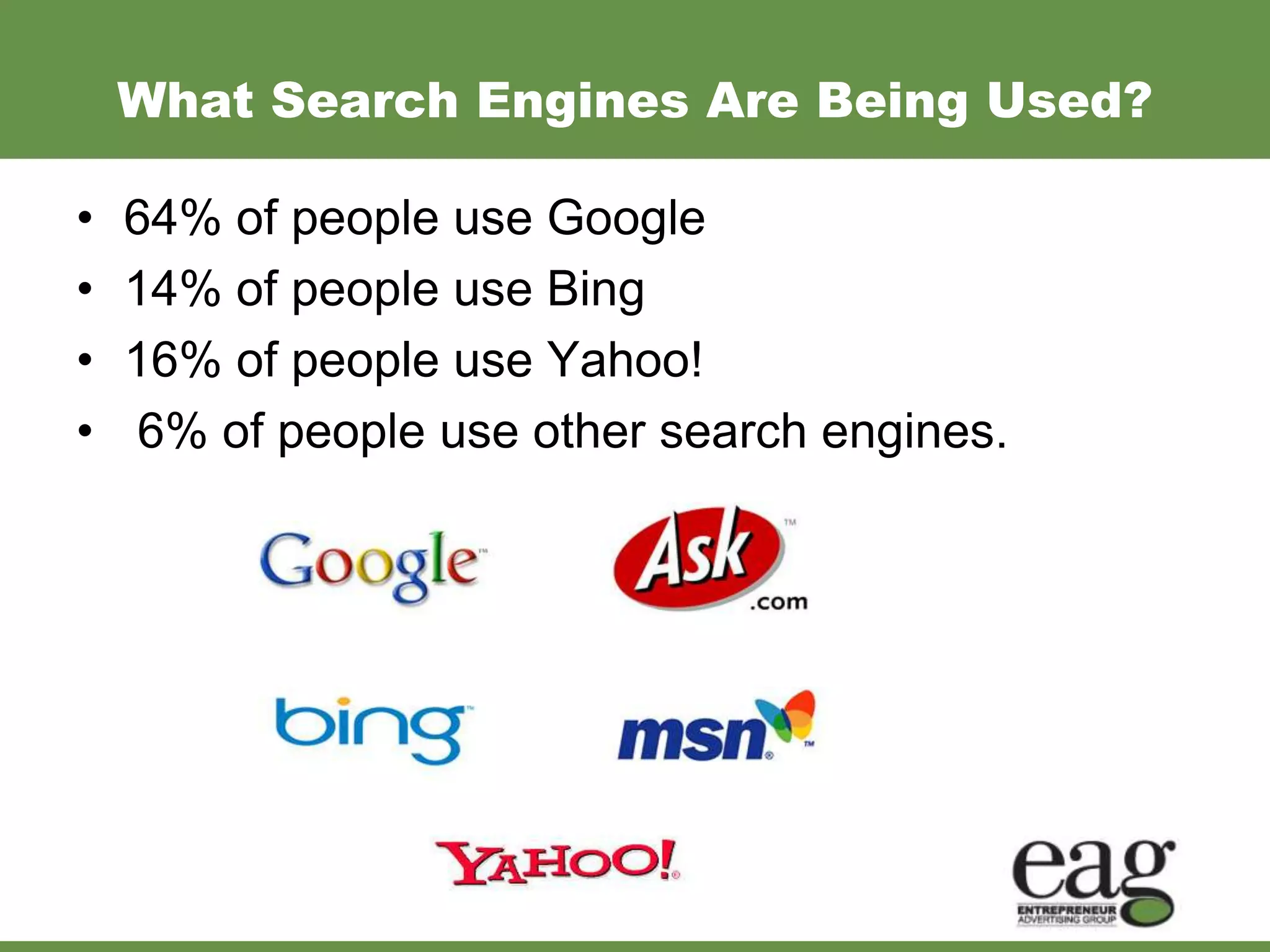
What Search Engines Are Being Used?

•   64% of people use Google
•   14% of people use Bing
•   16% of people use Yahoo!
•   6% of people use other search engines.
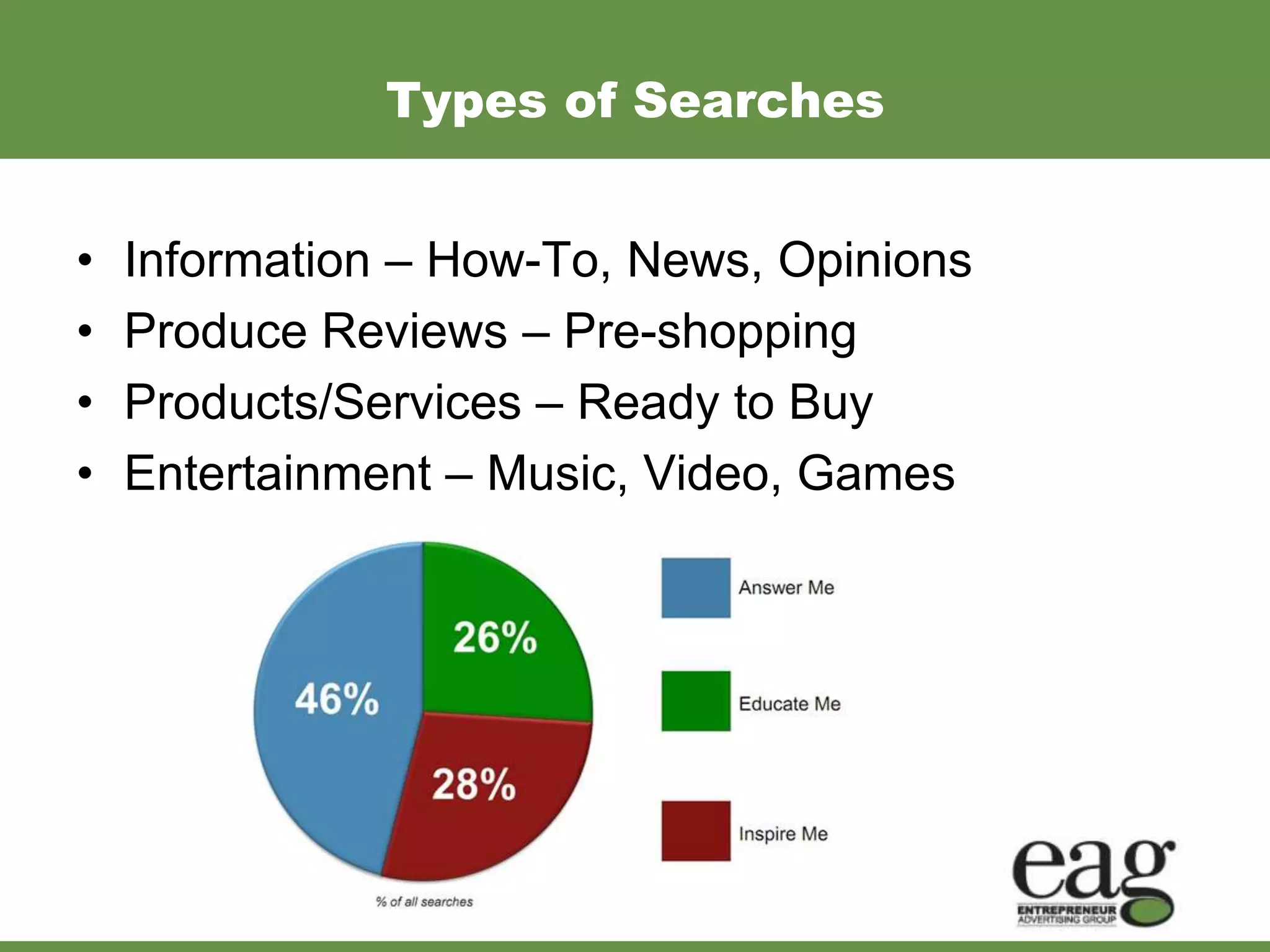
Types of Searches


•   Information – How-To, News, Opinions
•   Produce Reviews – Pre-shopping
•   Products/Services – Ready to Buy
•   Entertainment – Music, Video, Games
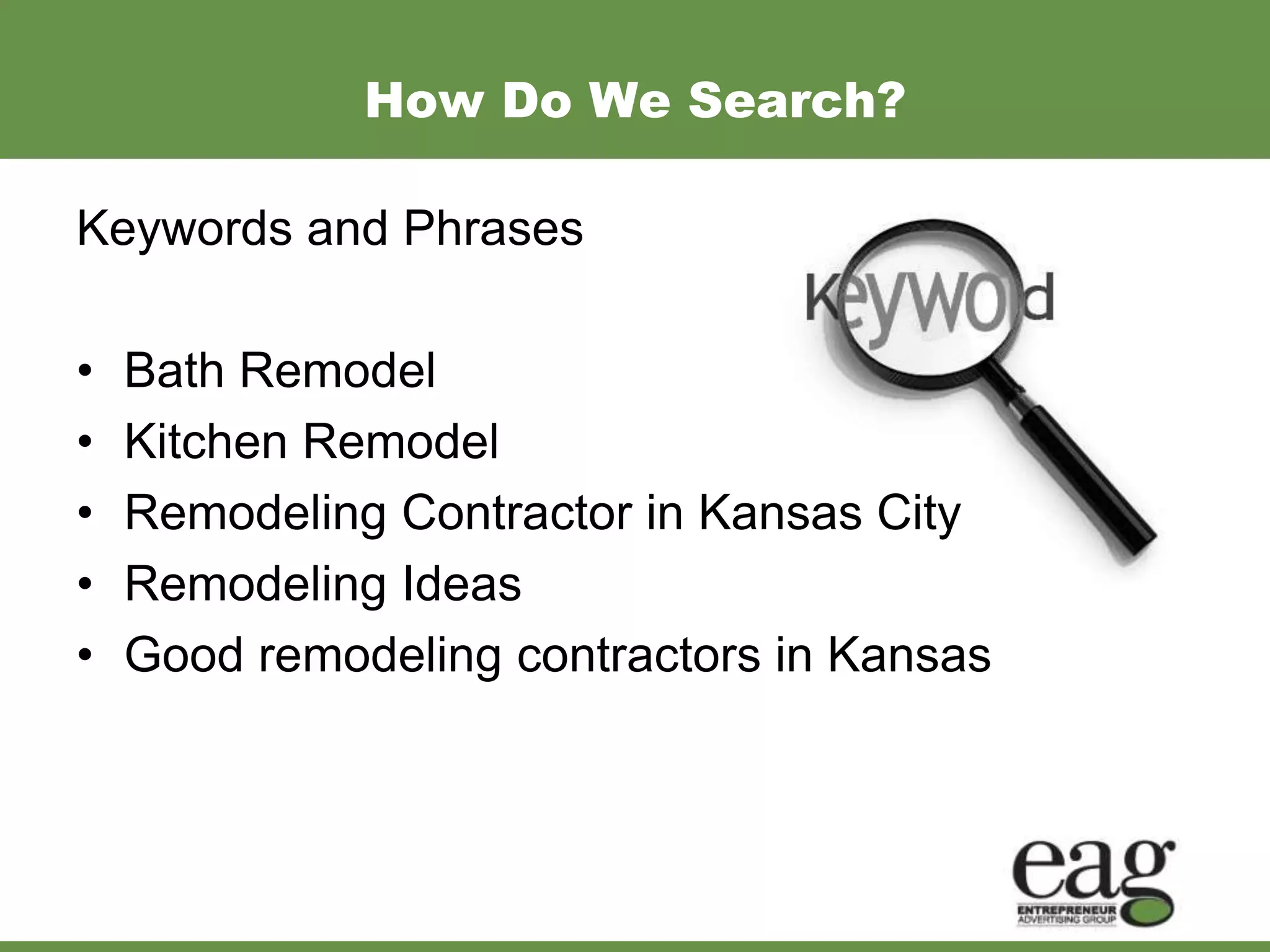
How Do We Search?

Keywords and Phrases

•   Bath Remodel
•   Kitchen Remodel
•   Remodeling Contractor in Kansas City
•   Remodeling Ideas
•   Good remodeling contractors in Kansas
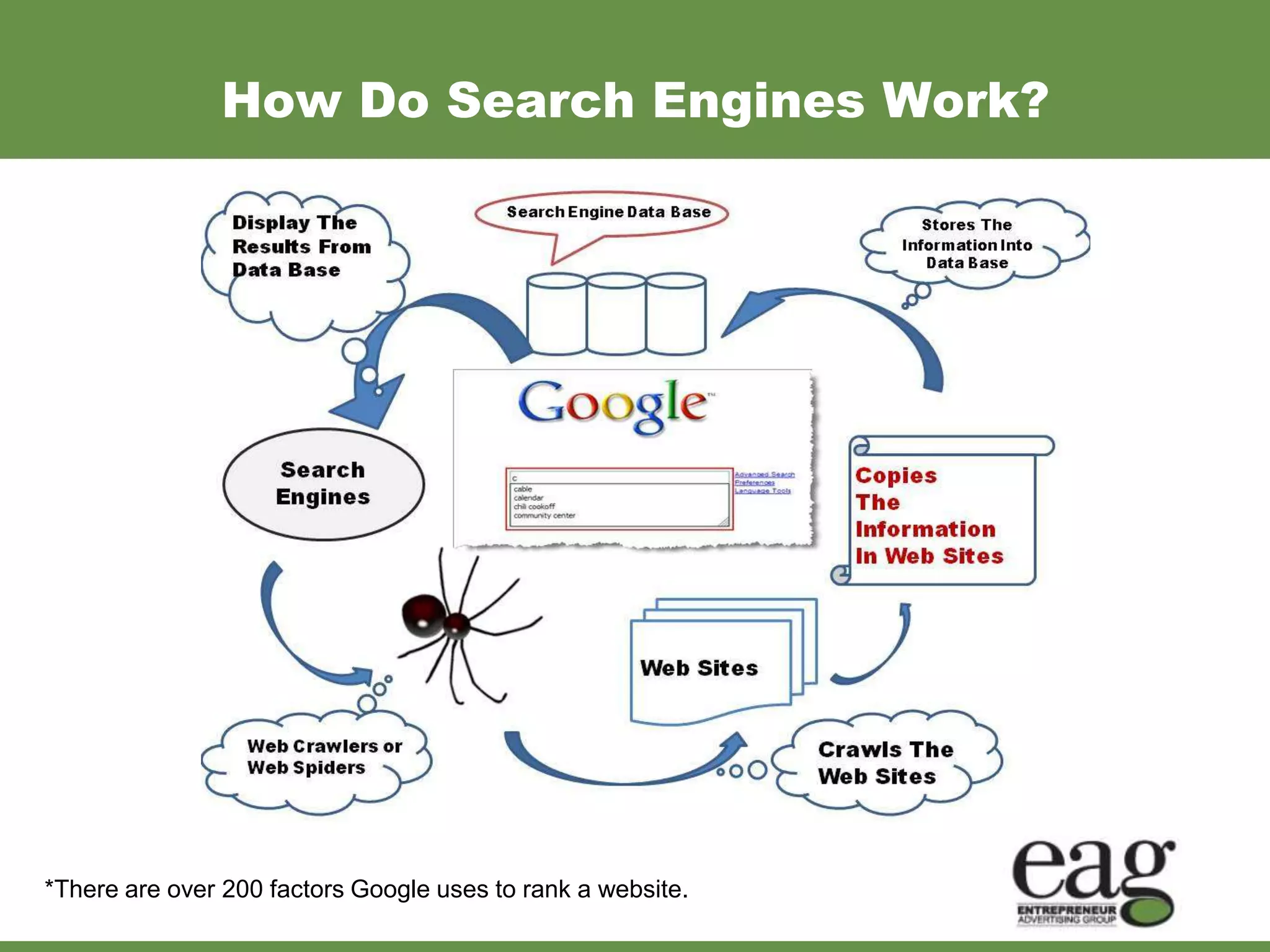
How Do Search Engines Work?


*There are over 200 factors Google uses to rank a website.
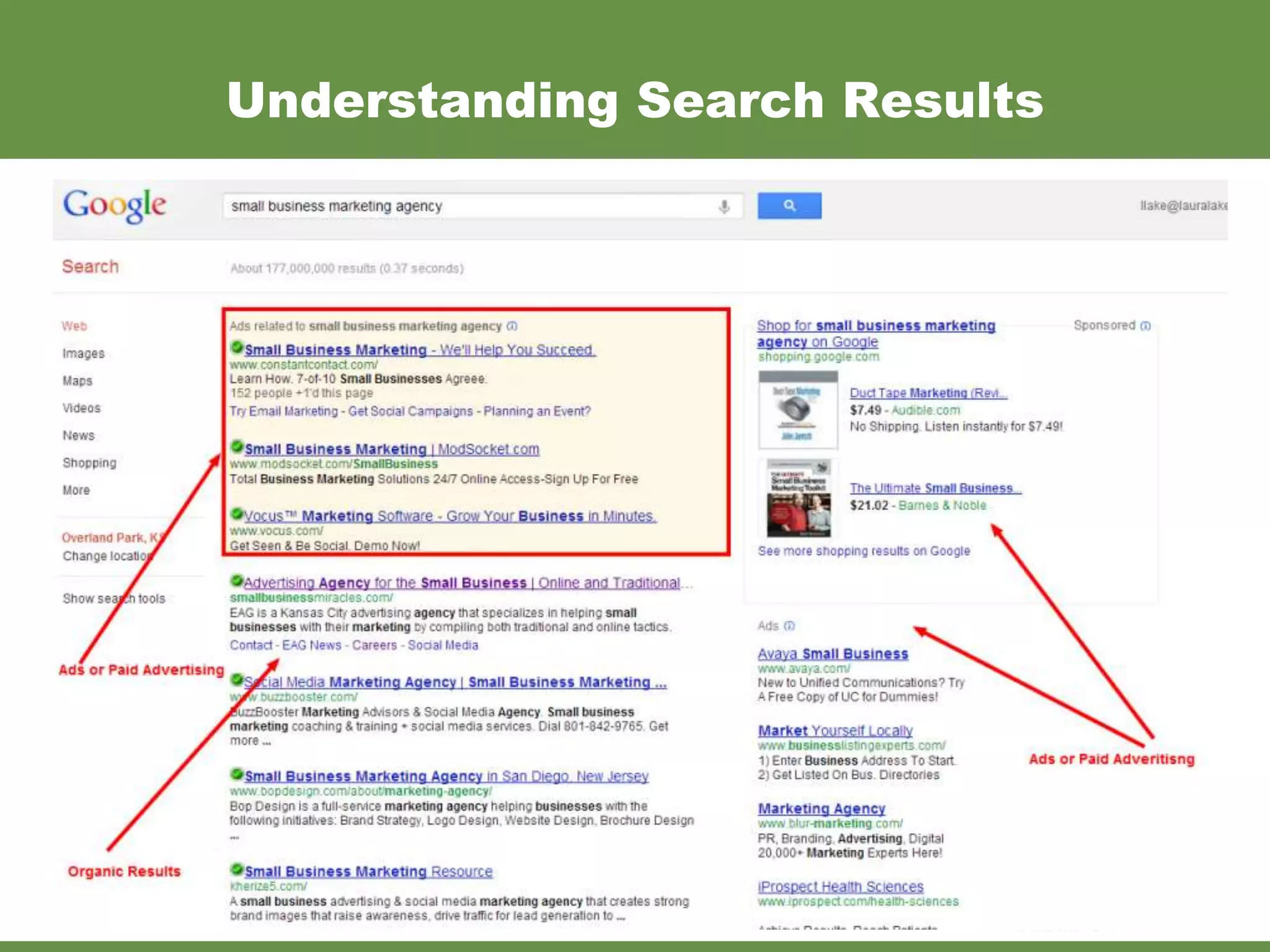
Understanding Search Results
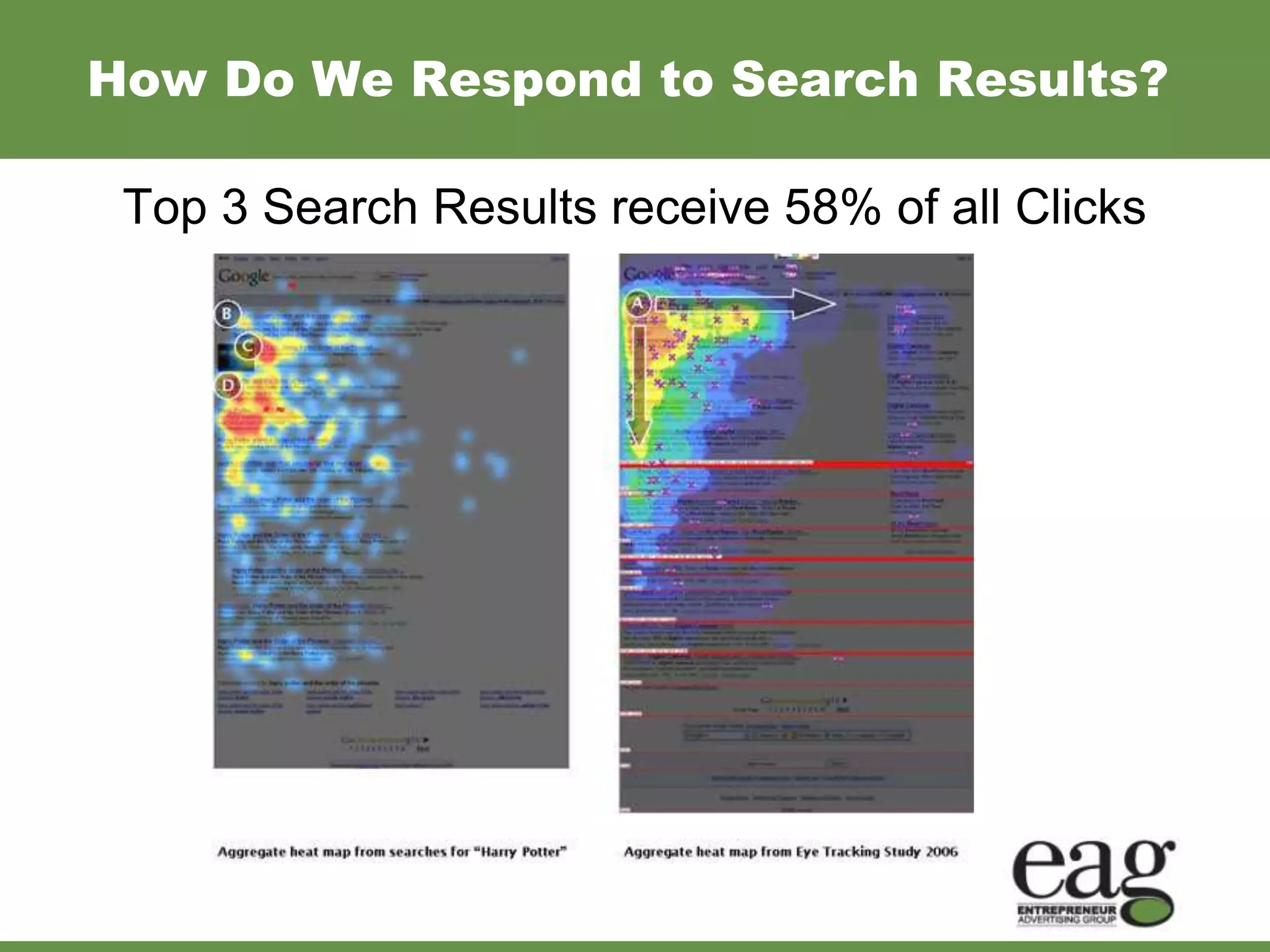
How Do We Respond to Search Results?

 Top 3 Search Results receive 58% of all Clicks
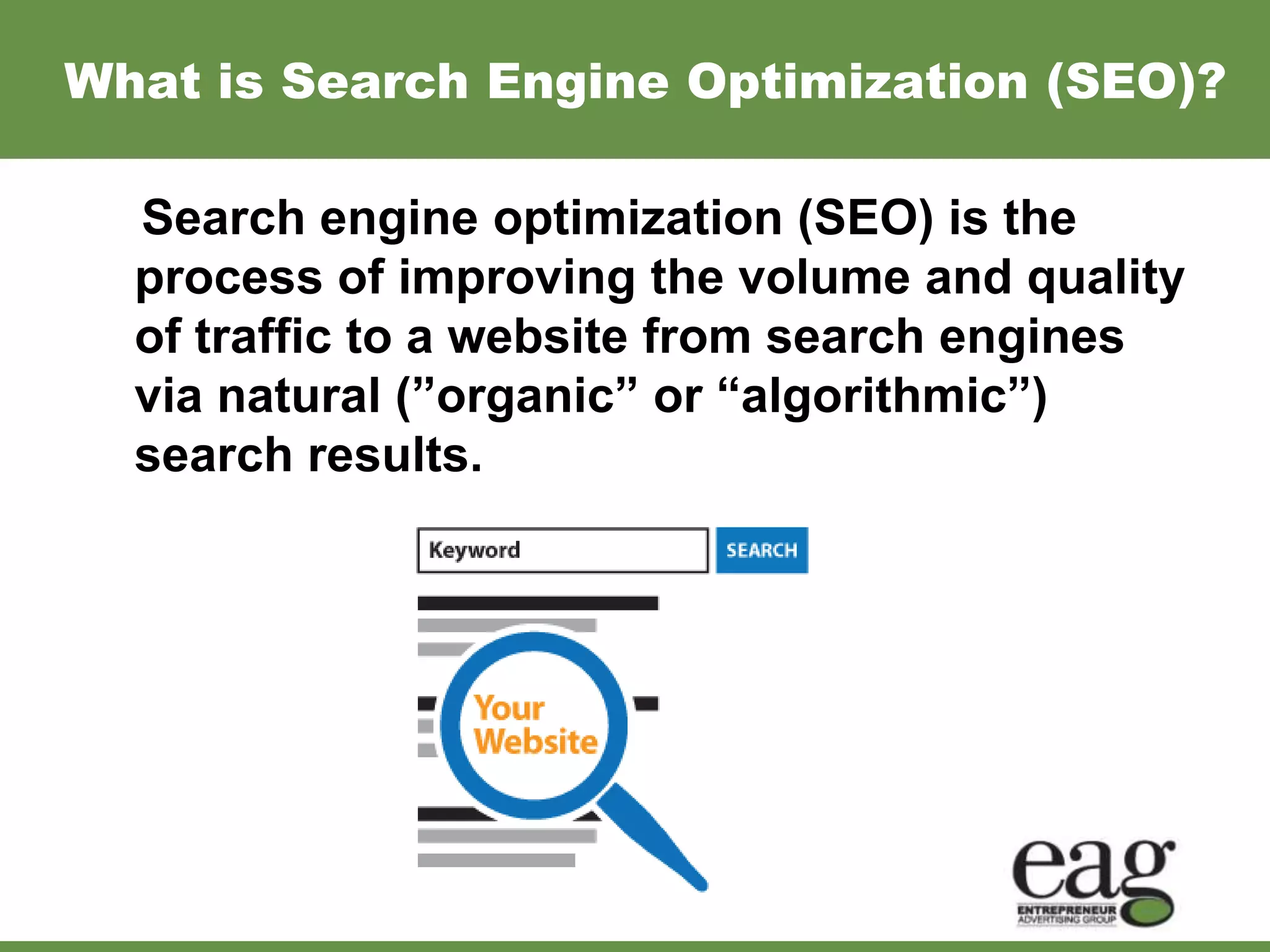
What is Search Engine Optimization (SEO)?
  Search engine optimization (SEO) is the

  process of improving the volume and quality
  of traffic to a website from search engines
  via natural (”organic” or “algorithmic”)
  search results.
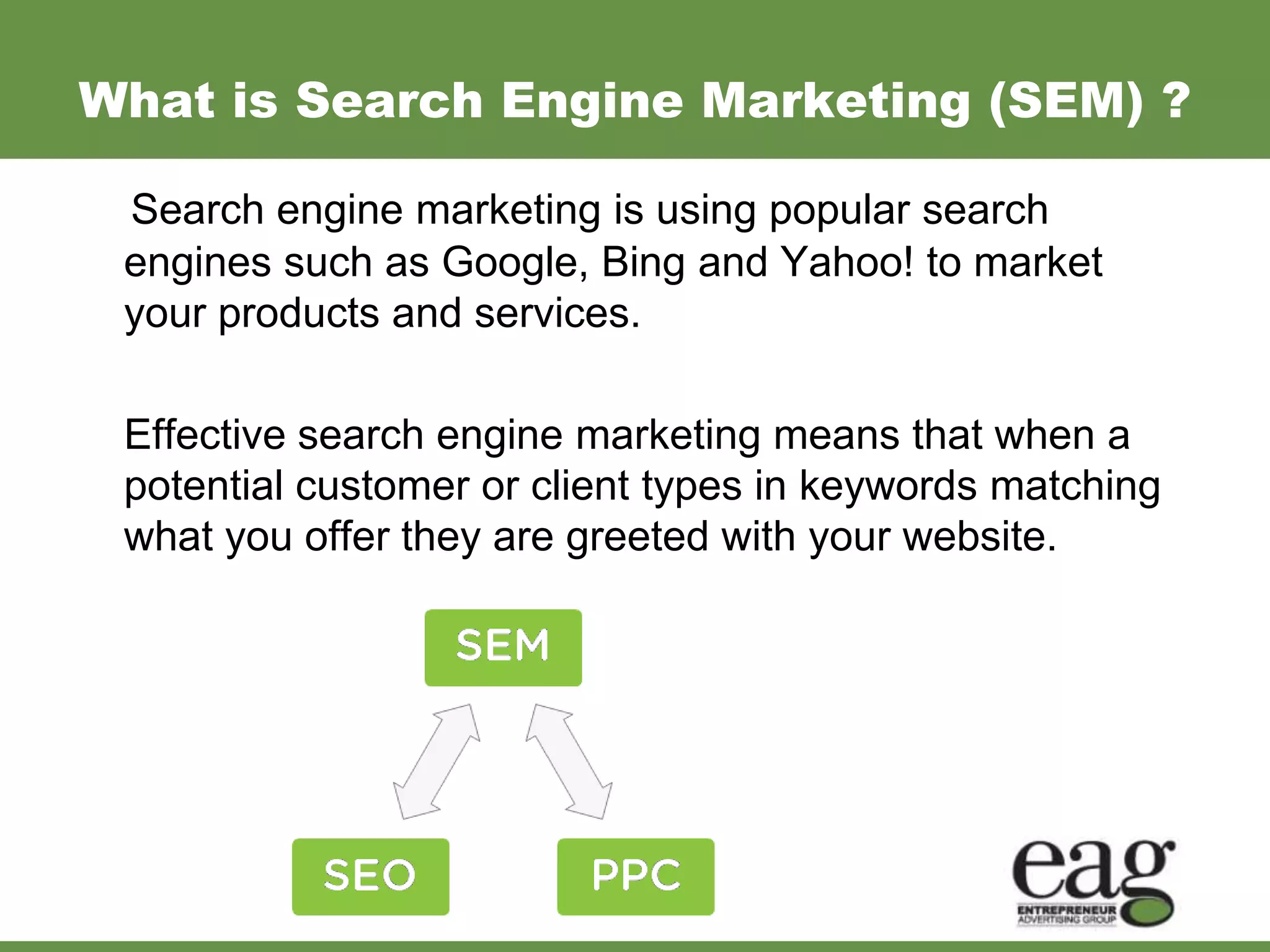
What is Search Engine Marketing (SEM) ?

 Search engine marketing is using popular search
 engines such as Google, Bing and Yahoo! to market
 your products and services.

 Effective search engine marketing means that when a
 potential customer or client types in keywords matching
 what you offer they are greeted with your website.
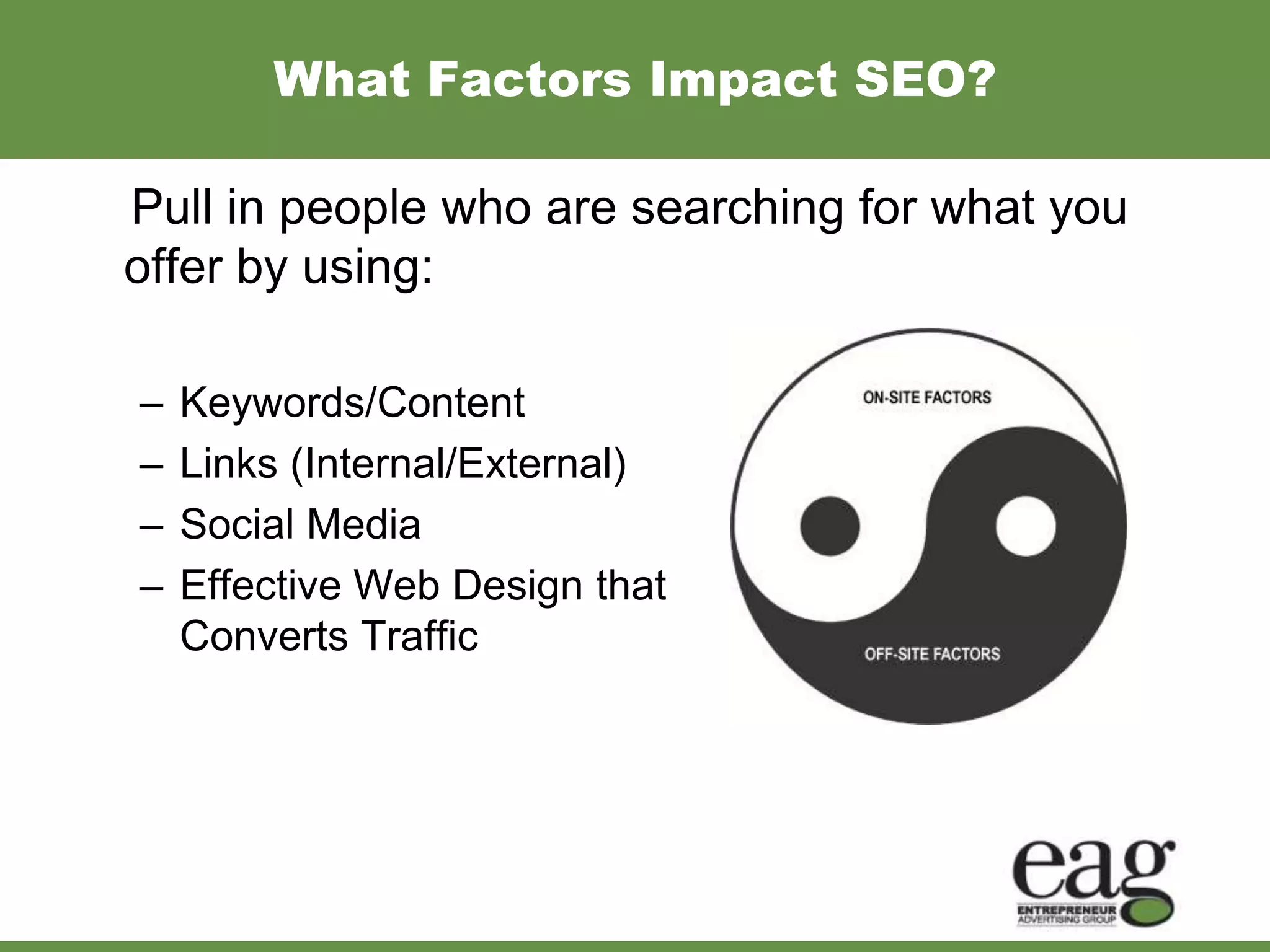
What Factors Impact SEO?

Pull in people who are searching for what you
offer by using:

–   Keywords/Content
–   Links (Internal/External)
–   Social Media
–   Effective Web Design that
    Converts Traffic
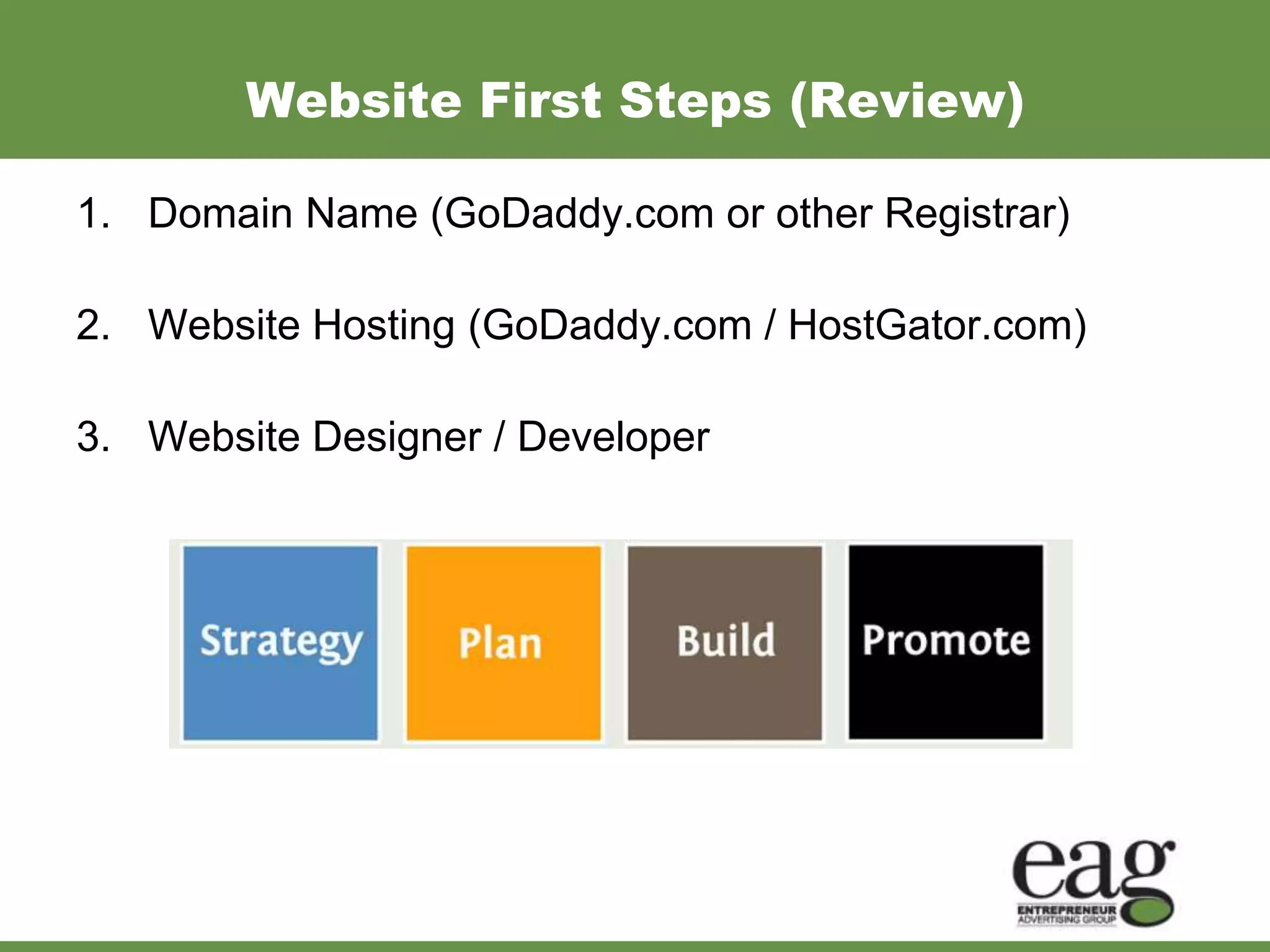
Website First Steps (Review)

1. Domain Name (GoDaddy.com or other Registrar)

2. Website Hosting (GoDaddy.com / HostGator.com)

3. Website Designer / Developer
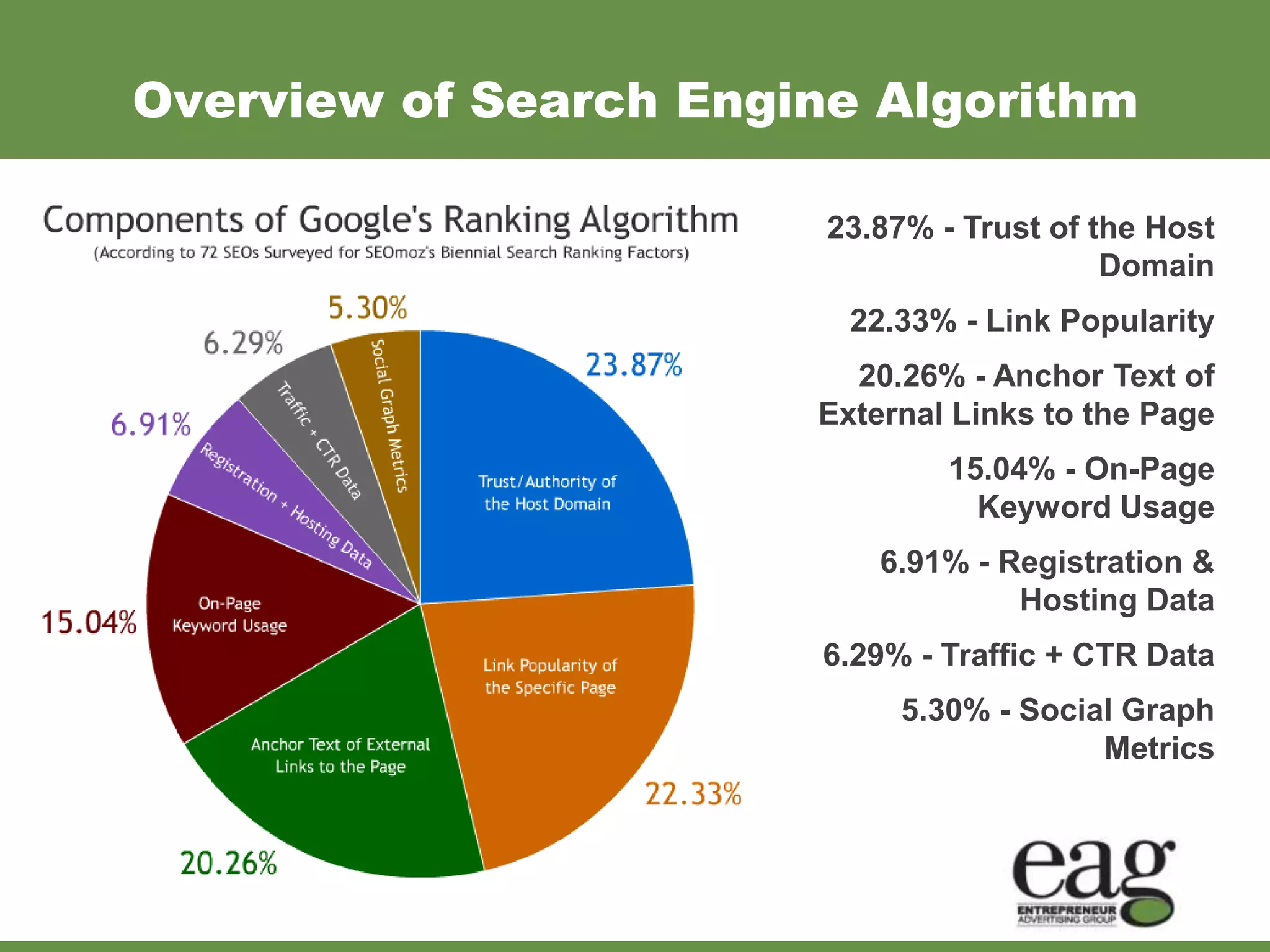
Overview of Search Engine Algorithm

                        23.87% - Trust of the Host
                                           Domain
                         22.33% - Link Popularity
                         20.26% - Anchor Text of
                       External Links to the Page
                                15.04% - On-Page
                                  Keyword Usage
                           6.91% - Registration &
                                    Hosting Data
                        6.29% - Traffic + CTR Data
                             5.30% - Social Graph
                                          Metrics
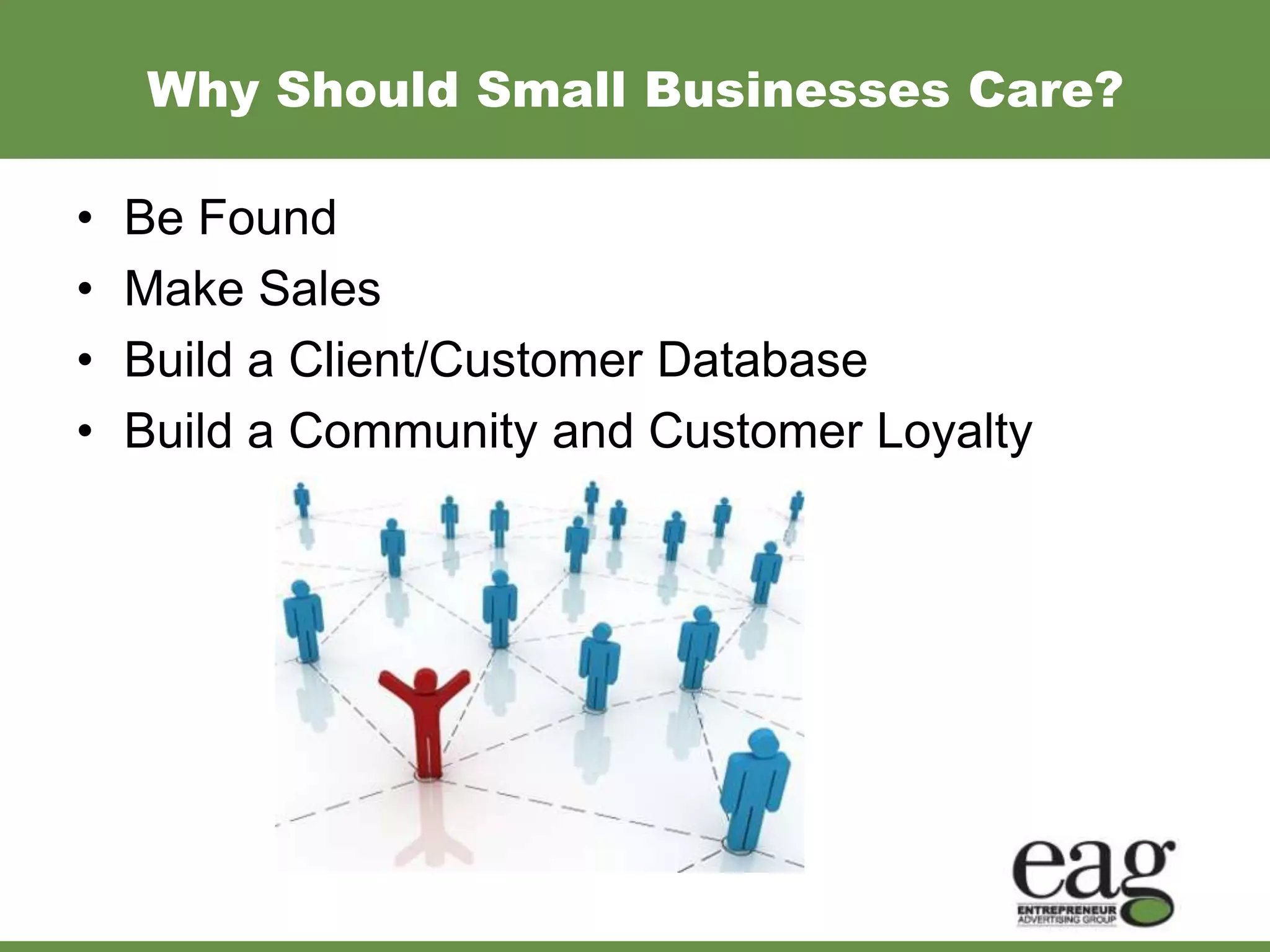
Why Should Small Businesses Care?

•   Be Found
•   Make Sales
•   Build a Client/Customer Database
•   Build a Community and Customer Loyalty
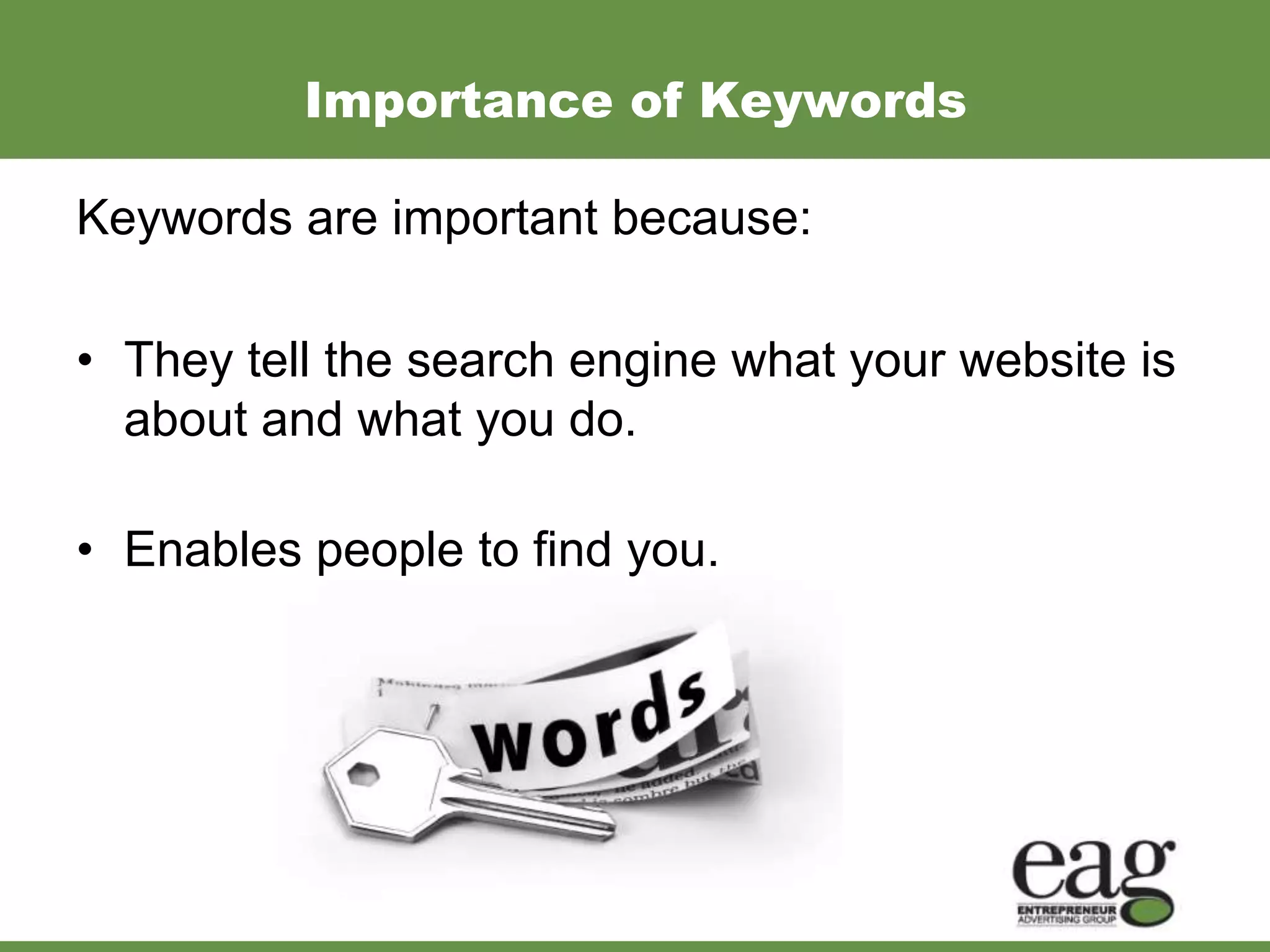
Importance of Keywords

Keywords are important because:

• They tell the search engine what your website is
  about and what you do.

• Enables people to find you.
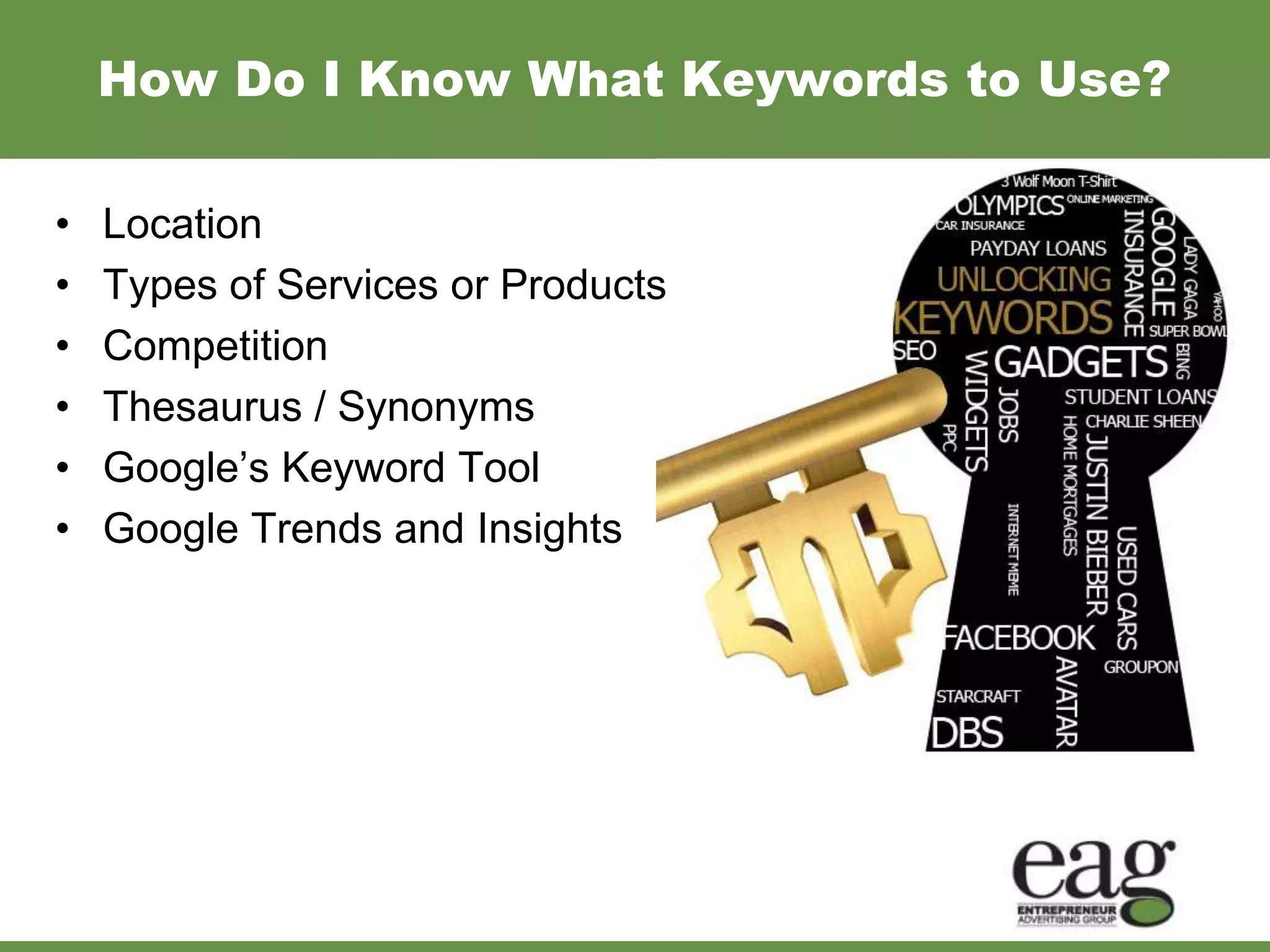
How Do I Know What Keywords to Use?

•   Location
•   Types of Services or Products
•   Competition
•   Thesaurus / Synonyms
•   Google’s Keyword Tool
•   Google Trends and Insights
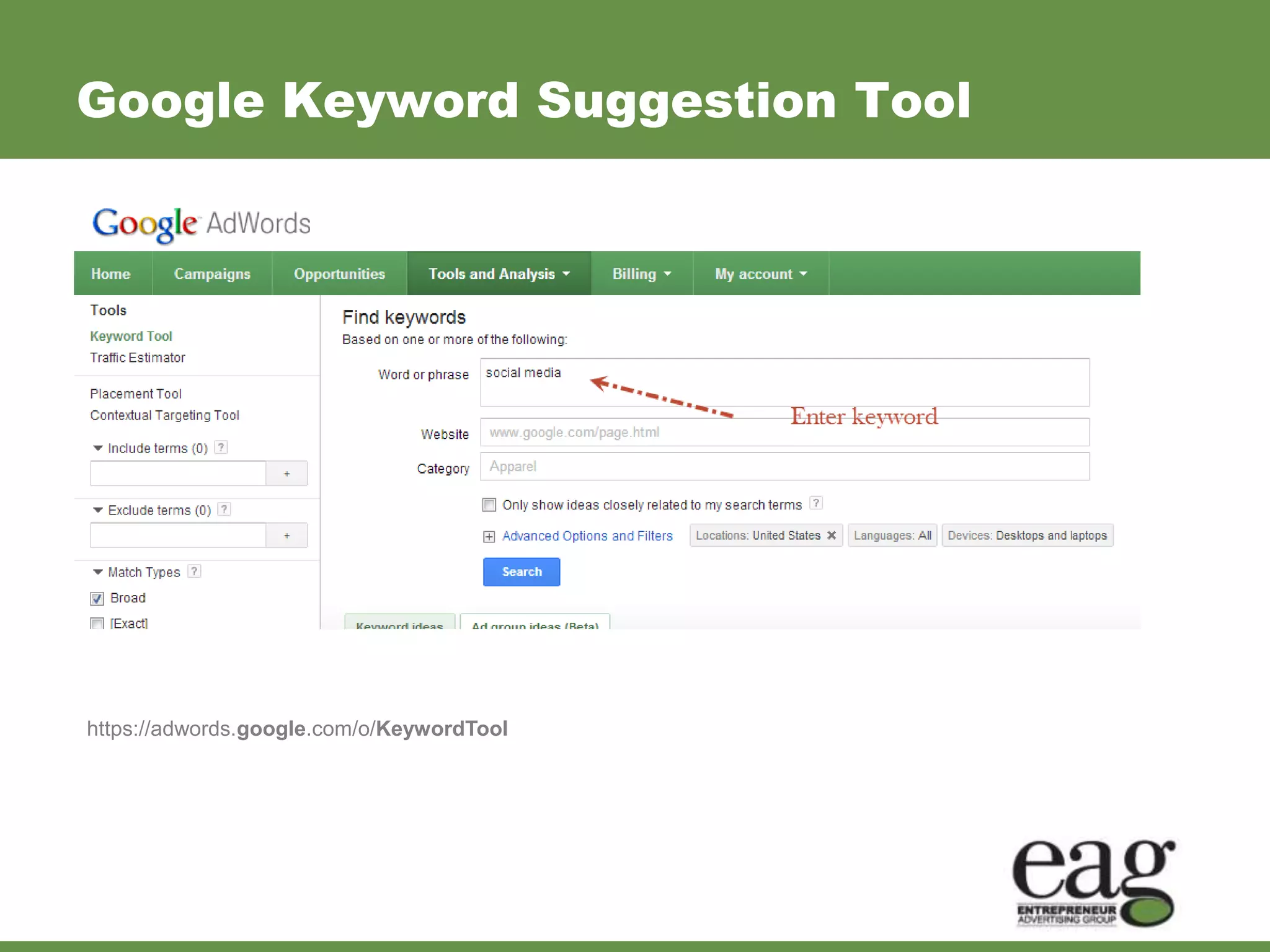
Google Keyword Suggestion Tool


https://adwords.google.com/o/KeywordTool
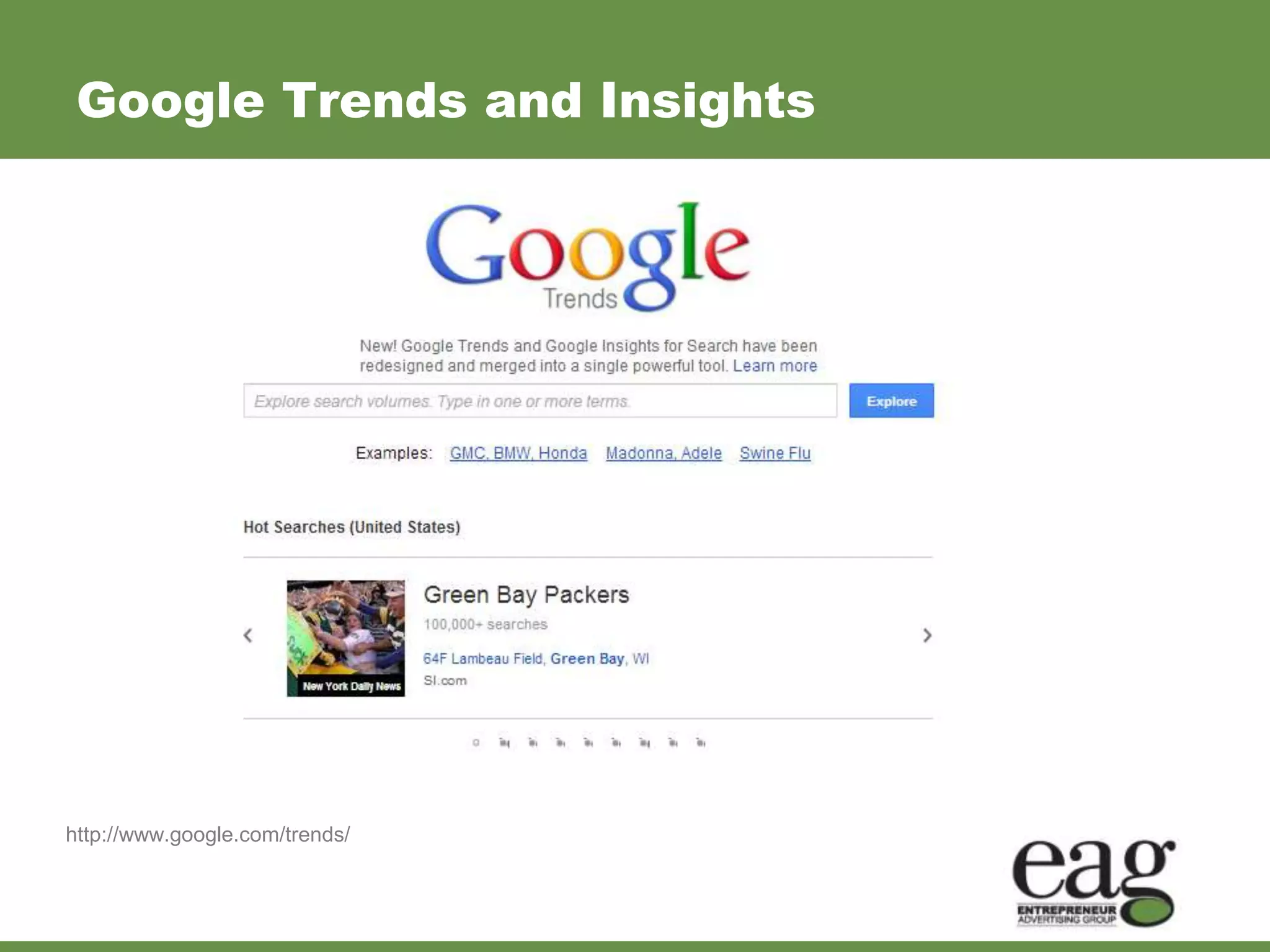
Google Trends and Insights


http://www.google.com/trends/
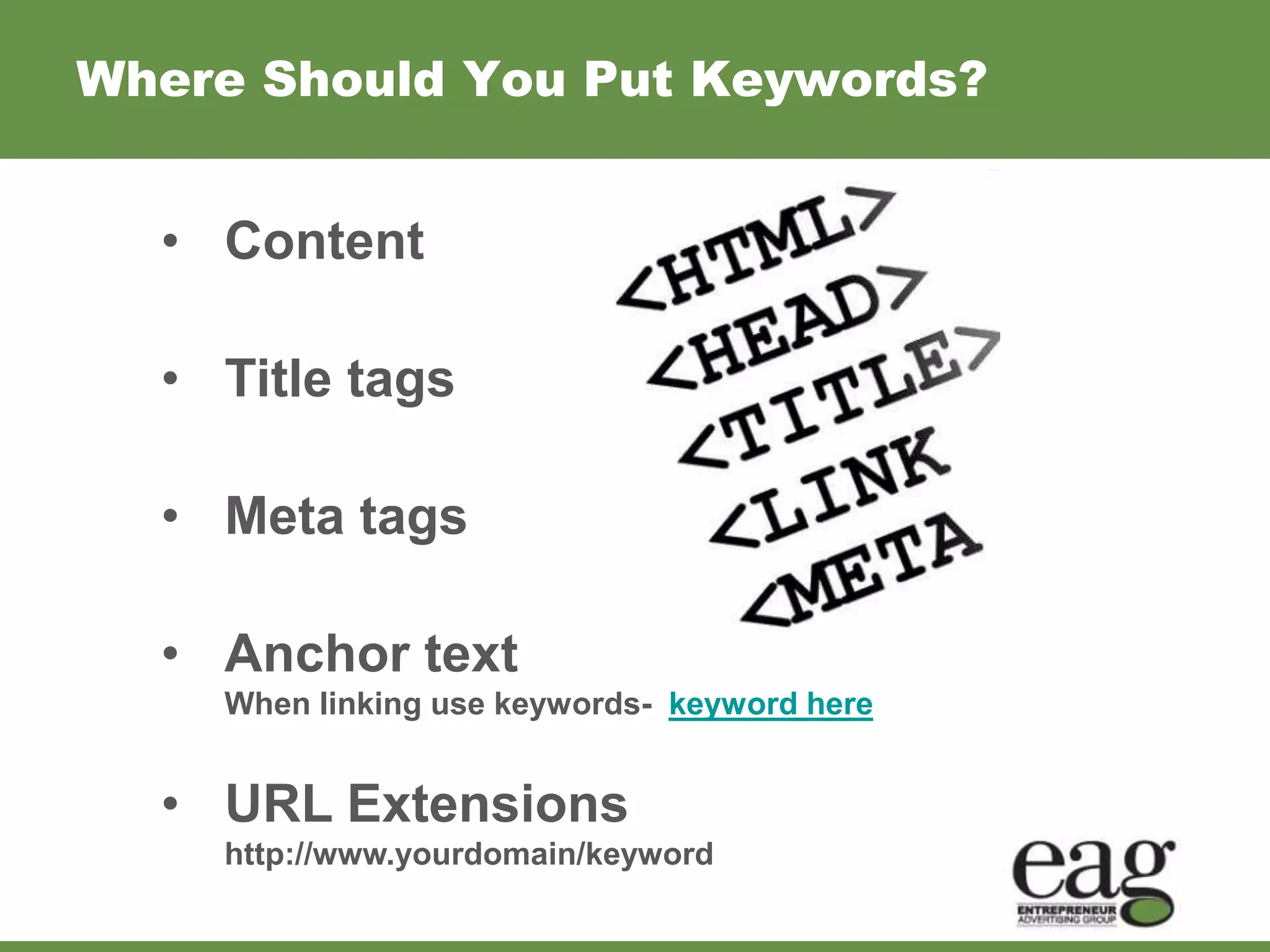
Where Should You Put Keywords?


  • Content

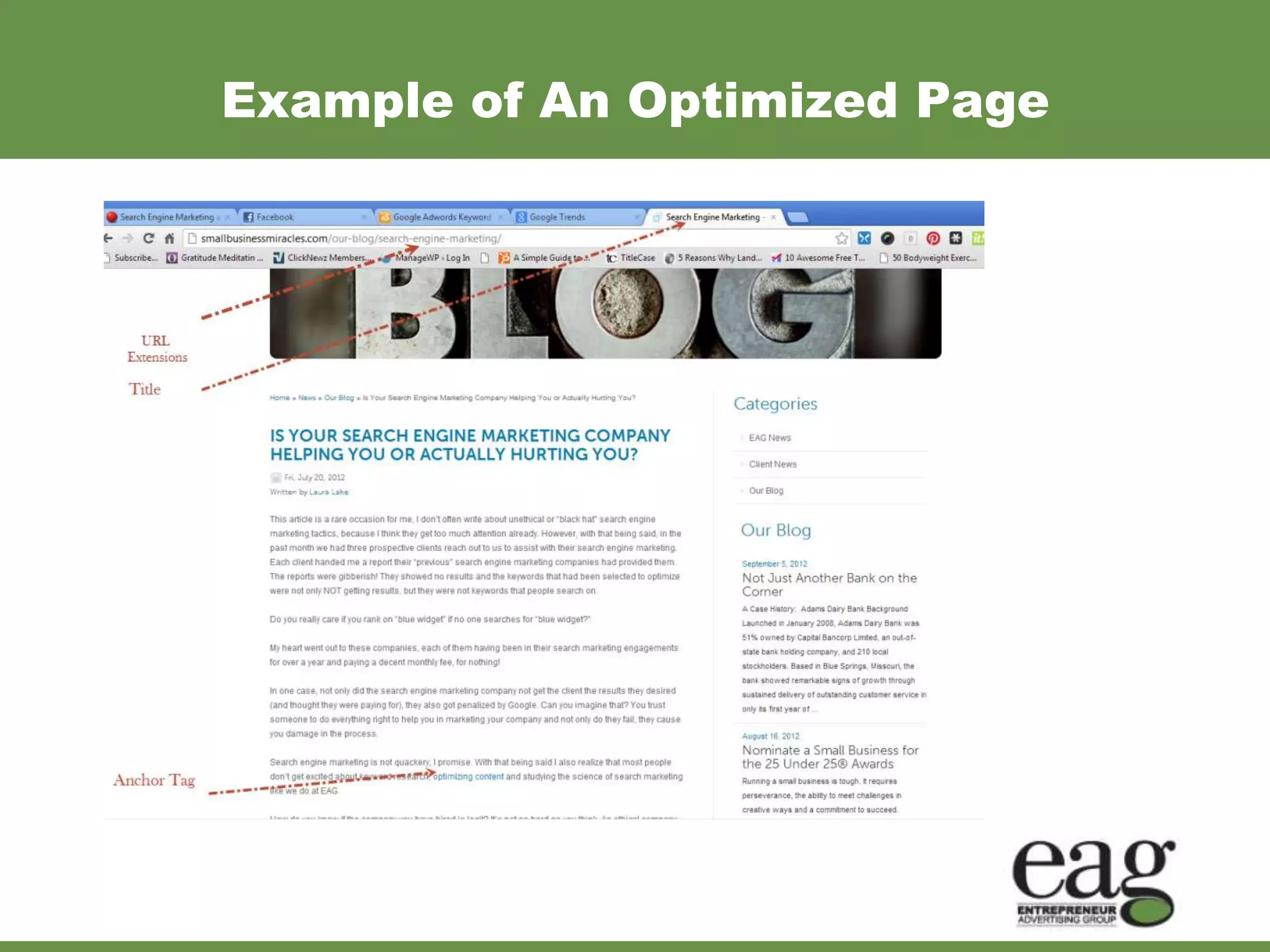
  • Title tags

  • Meta tags

  • Anchor text
    When linking use keywords- keyword here


  • URL Extensions
    http://www.yourdomain/keyword
Example of An Optimized Page
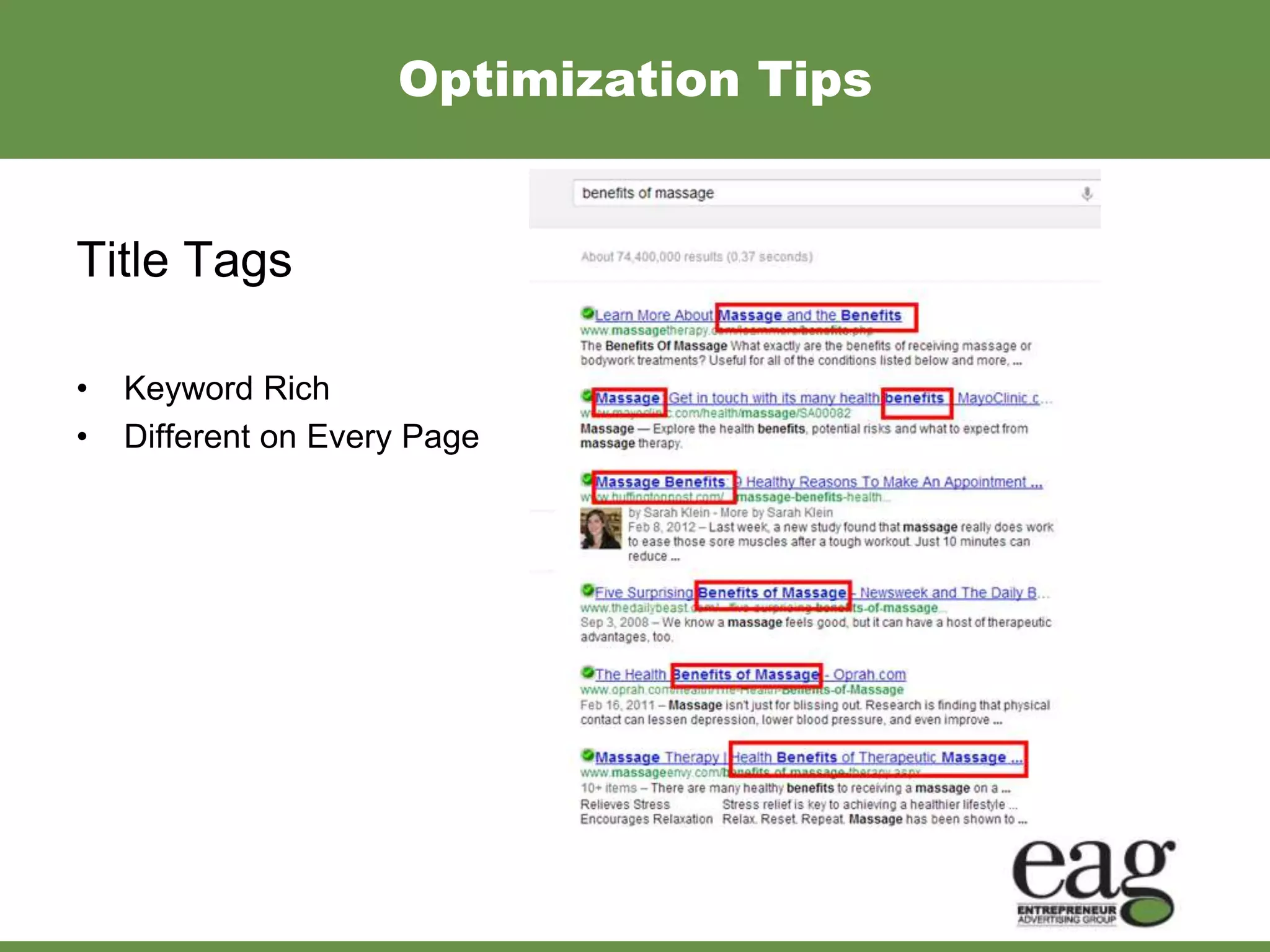
Optimization Tips


Title Tags

•   Keyword Rich
•   Different on Every Page
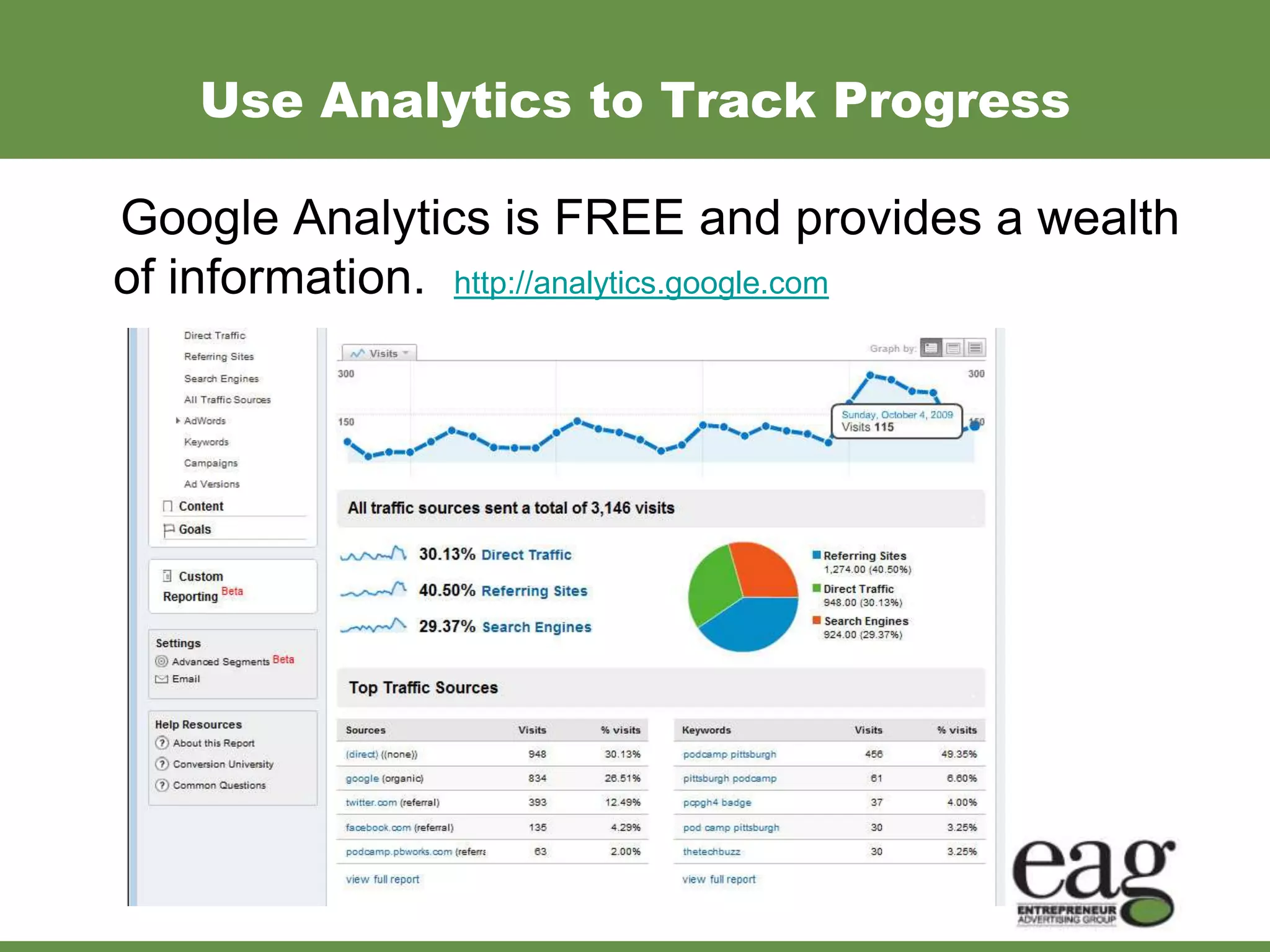
Use Analytics to Track Progress

Google Analytics is FREE and provides a wealth
of information. http://analytics.google.com
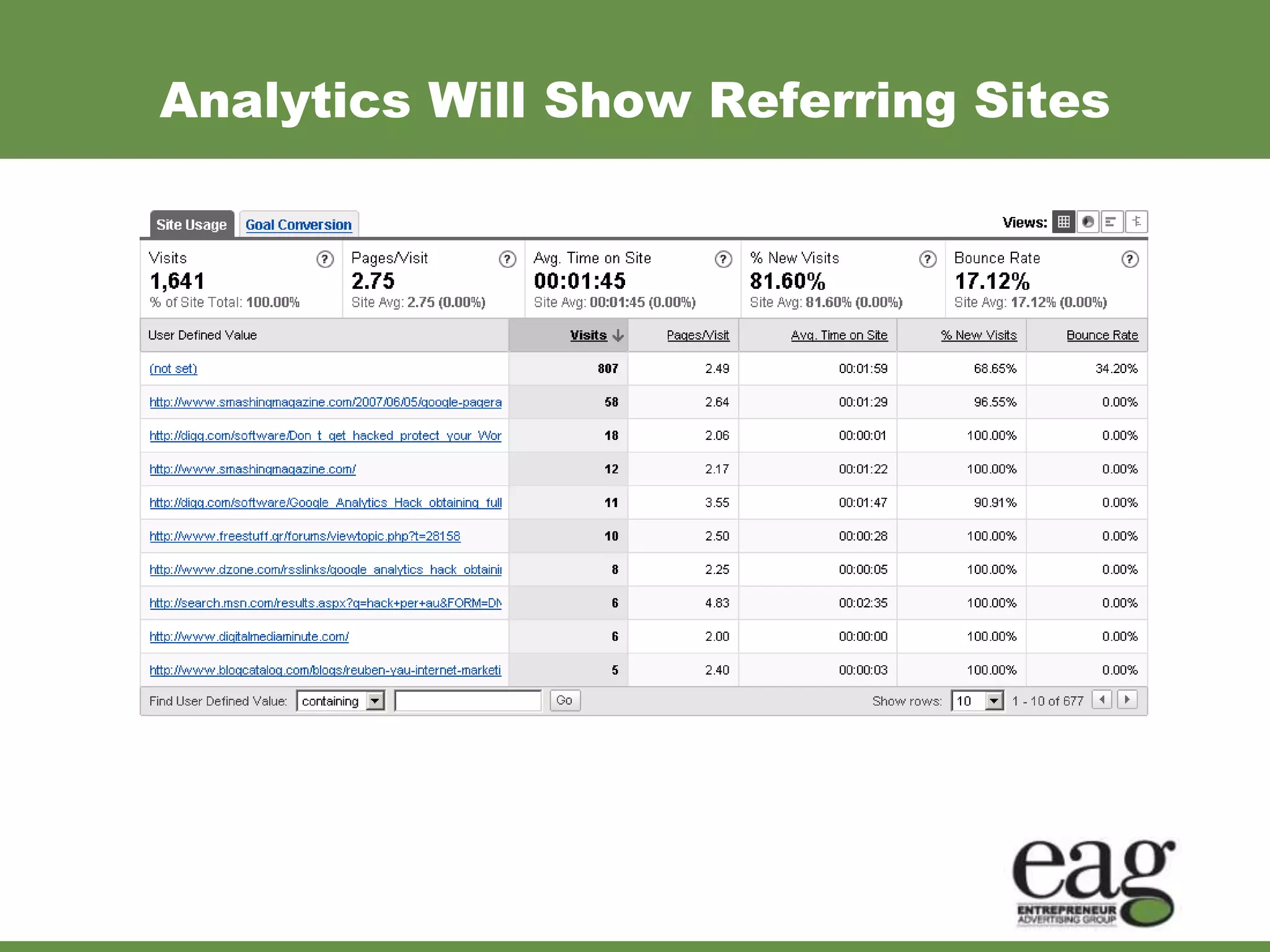
Analytics Will Show Referring Sites
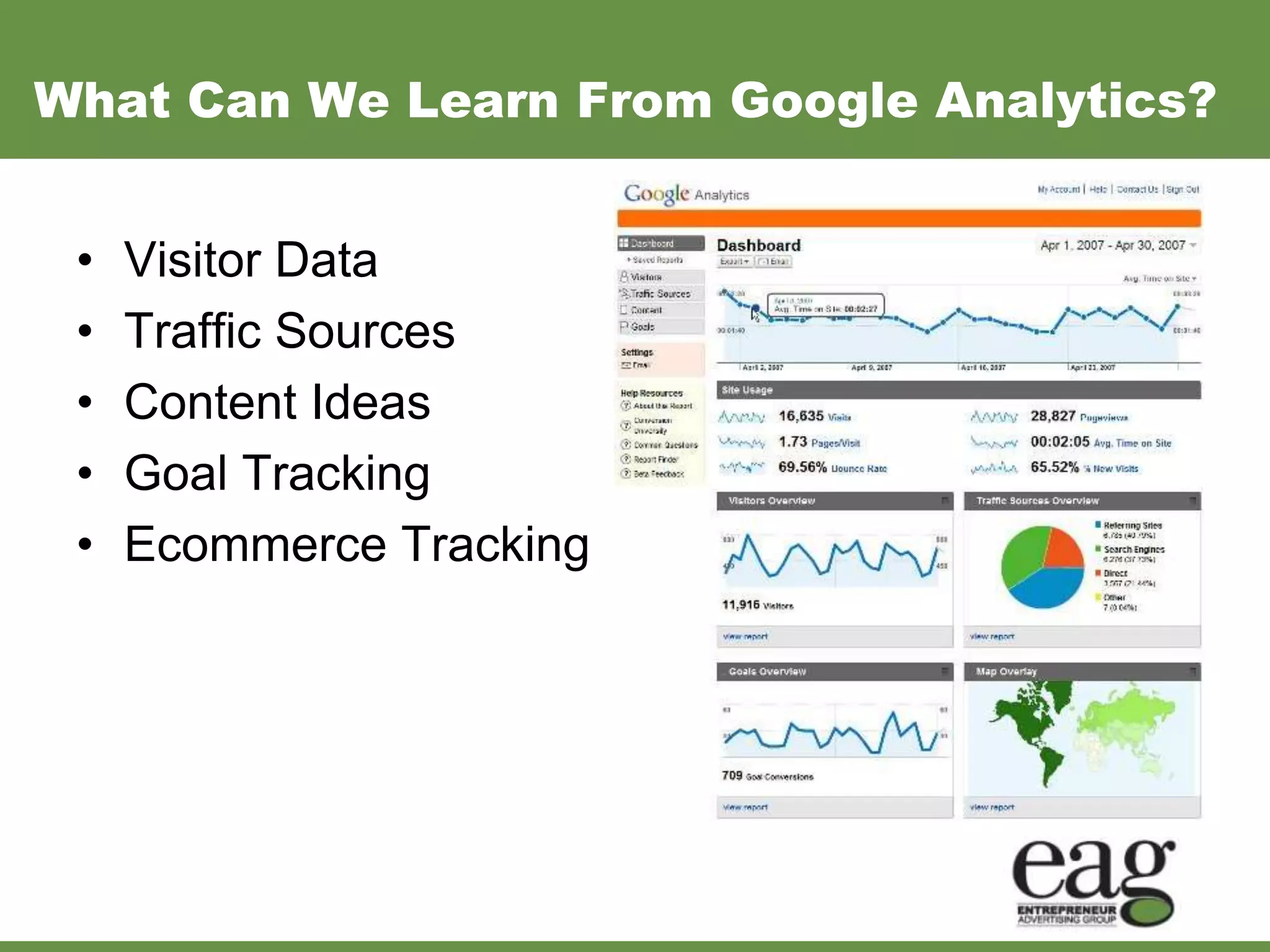
What Can We Learn From Google Analytics?


 •   Visitor Data
 •   Traffic Sources
 •   Content Ideas
 •   Goal Tracking
 •   Ecommerce Tracking
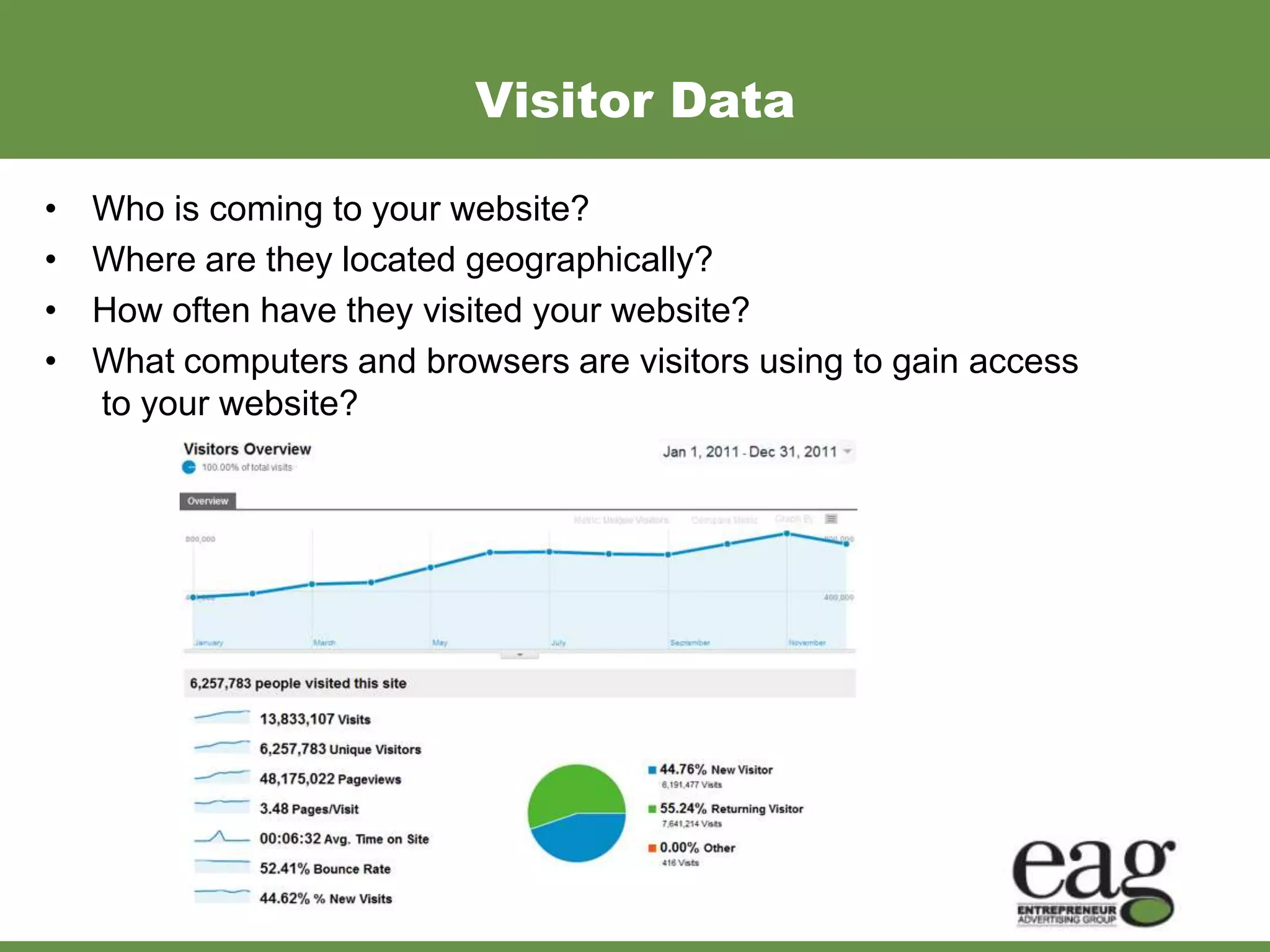
Visitor Data

•   Who is coming to your website?
•   Where are they located geographically?
•   How often have they visited your website?
•   What computers and browsers are visitors using to gain access
    to your website?
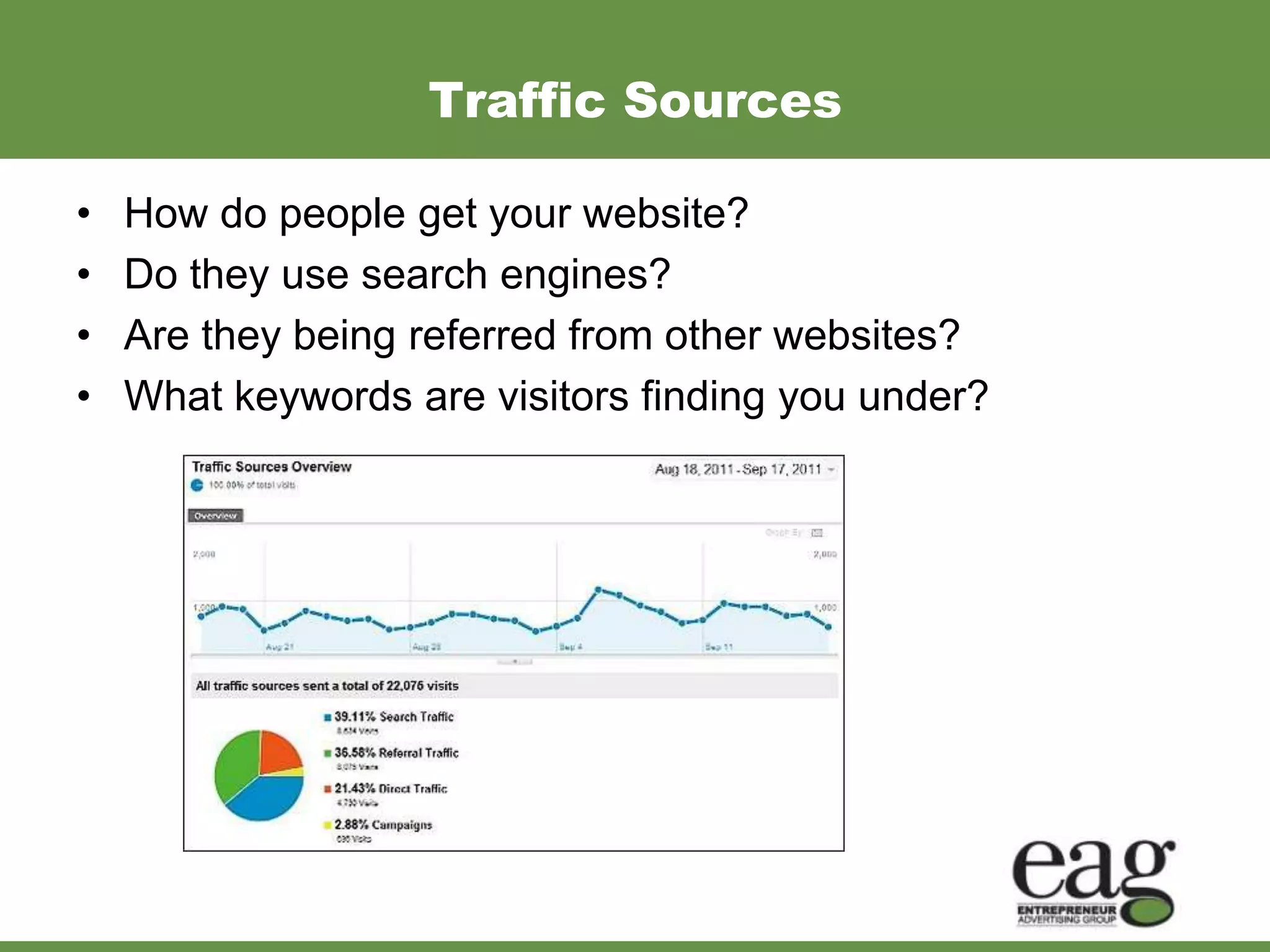
Traffic Sources

•   How do people get your website?
•   Do they use search engines?
•   Are they being referred from other websites?
•   What keywords are visitors finding you under?
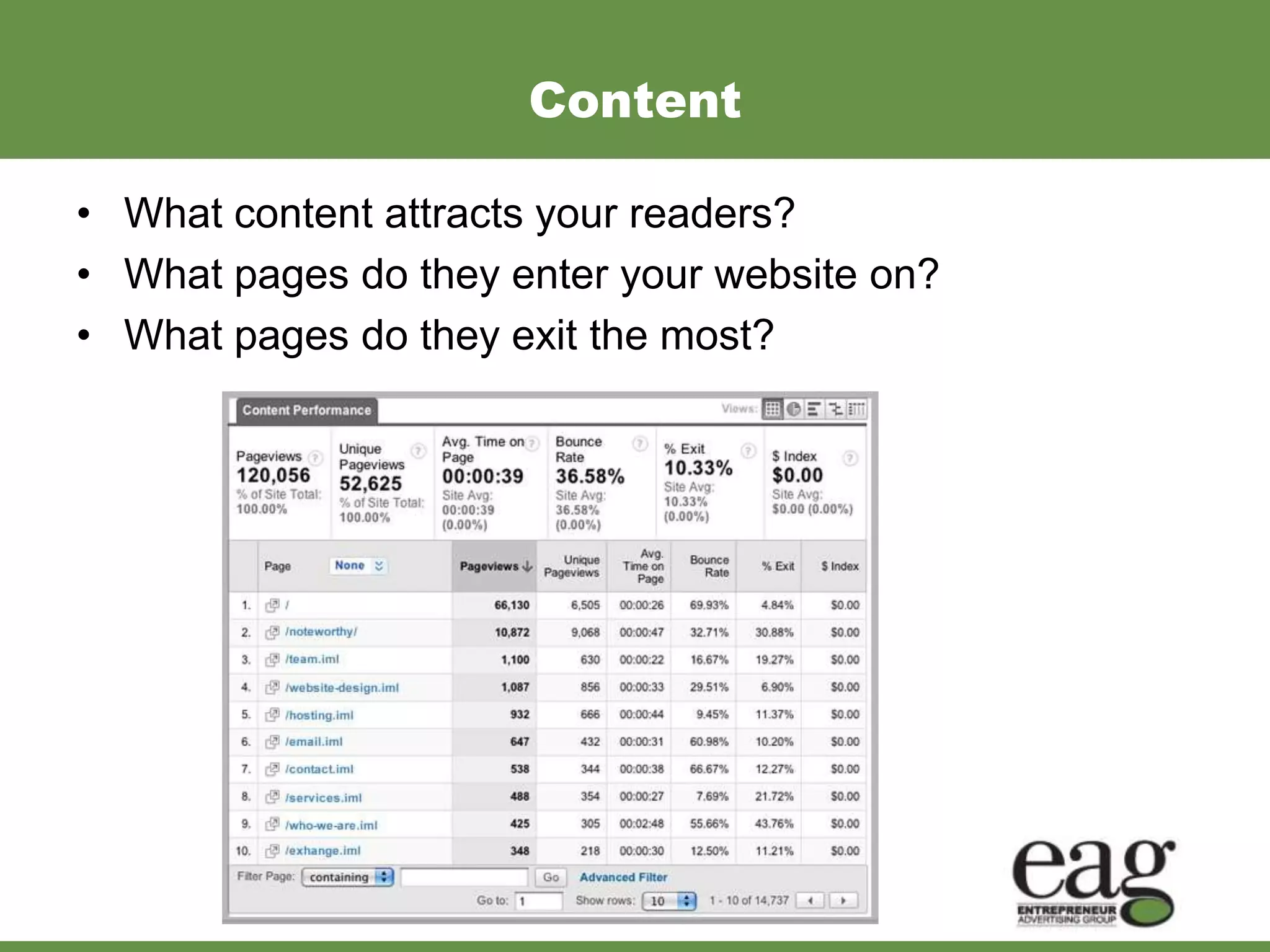
Content

• What content attracts your readers?
• What pages do they enter your website on?
• What pages do they exit the most?
Goals
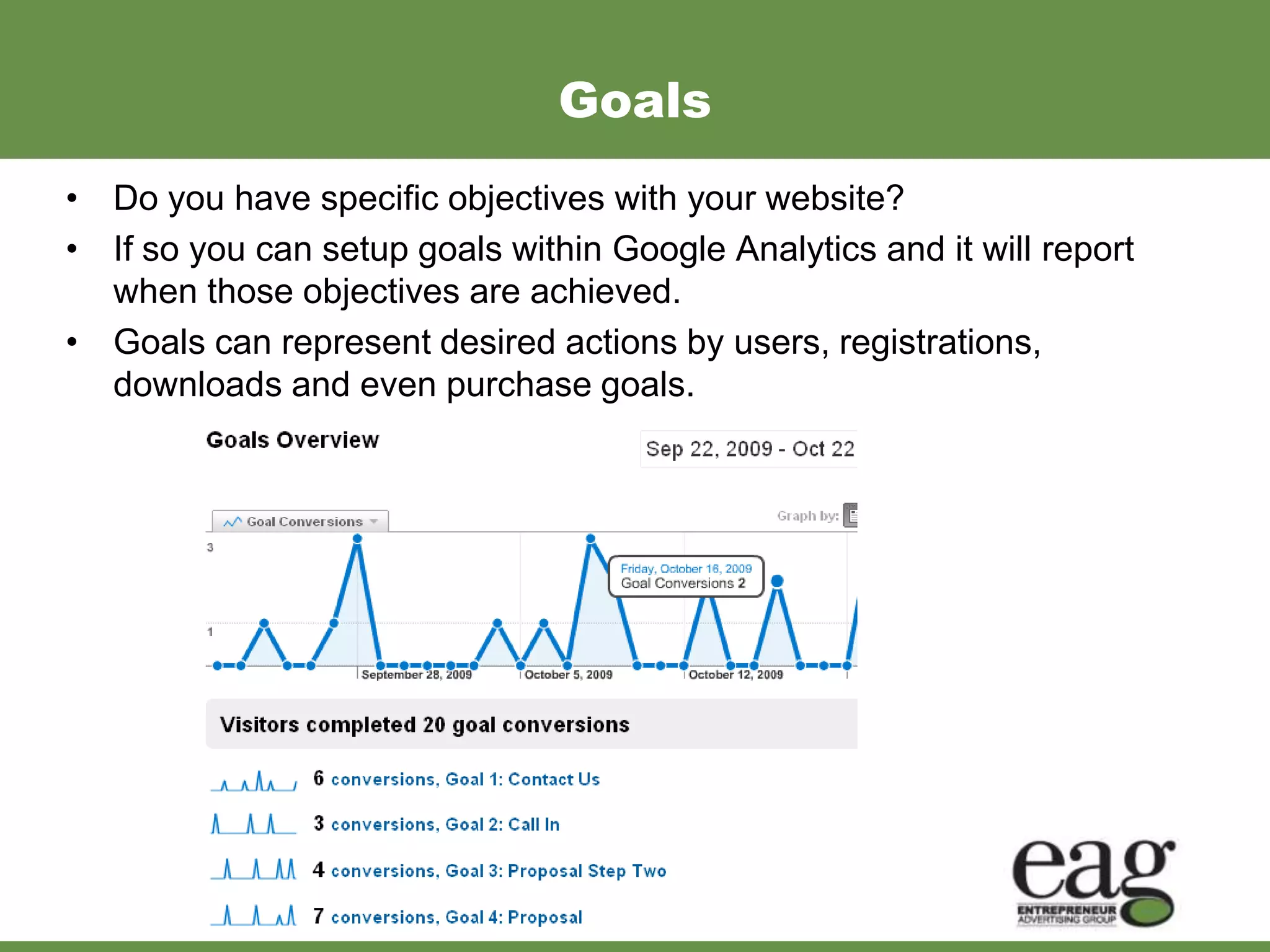
• Do you have specific objectives with your website?
• If so you can setup goals within Google Analytics and it will report
  when those objectives are achieved.
• Goals can represent desired actions by users, registrations,
  downloads and even purchase goals.
Ecommerce
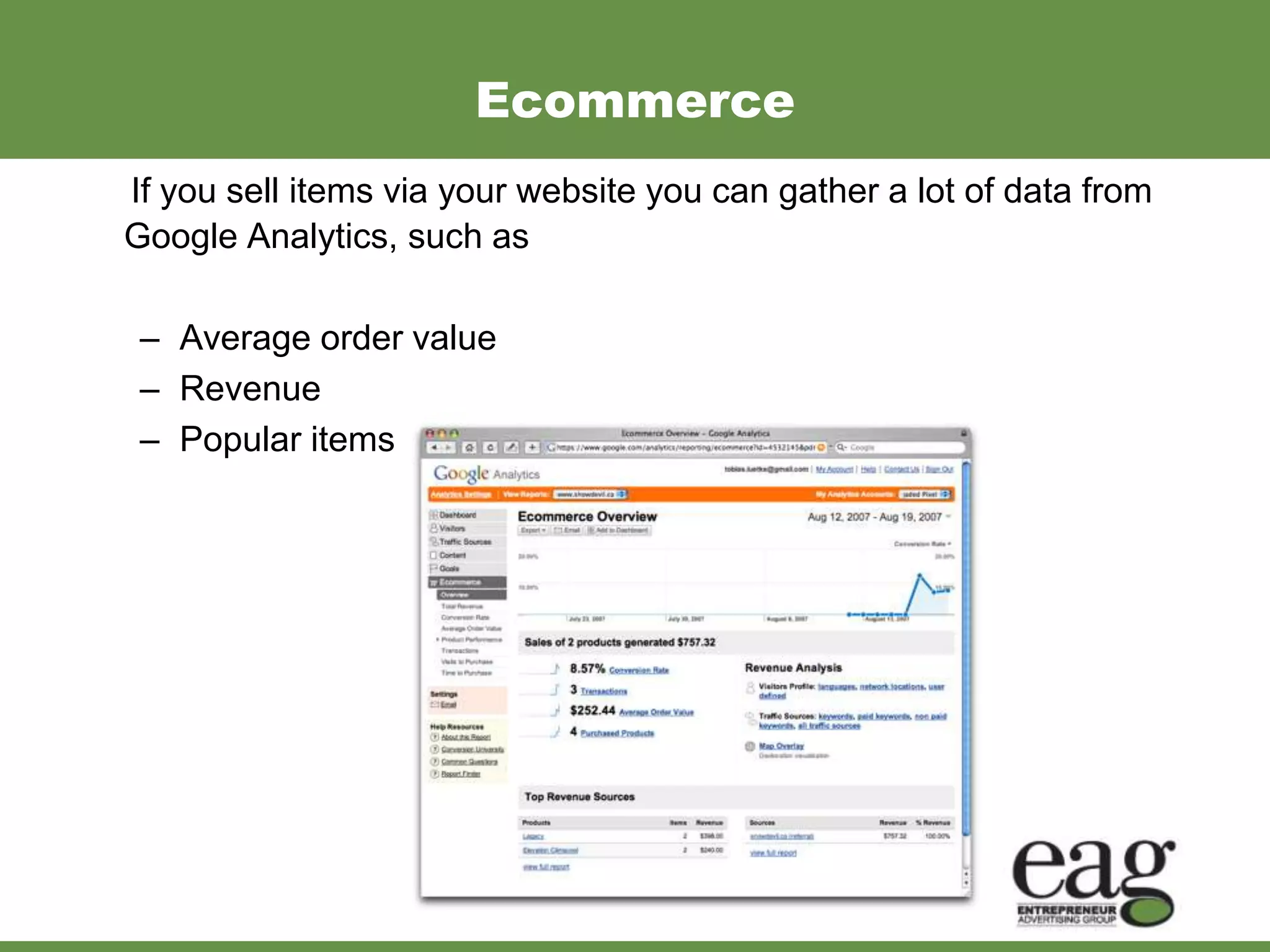
If you sell items via your website you can gather a lot of data from
Google Analytics, such as

 – Average order value
 – Revenue
 – Popular items purchased.
A Little “Darby” Break
How to Get Started with Google Analytics?


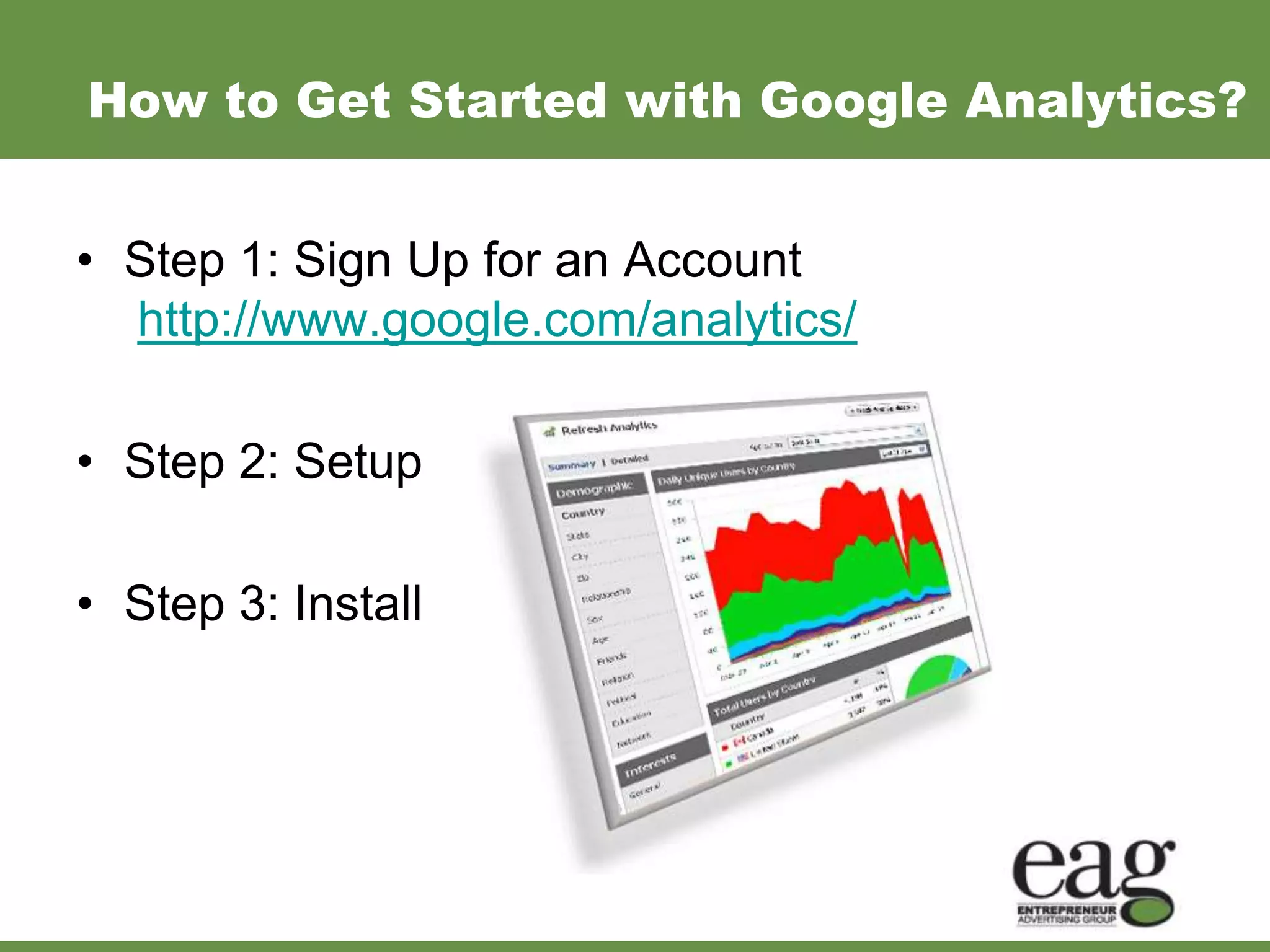
• Step 1: Sign Up for an Account
  http://www.google.com/analytics/

• Step 2: Setup

• Step 3: Install
Analytics - Must Have Reports

• Audience Overview
  You can use the visitor data to show you how many visitors are new
  and how many are returning.

• Traffic Sources Overview
  The traffic source report will help you to see where your visitors are
  coming from.

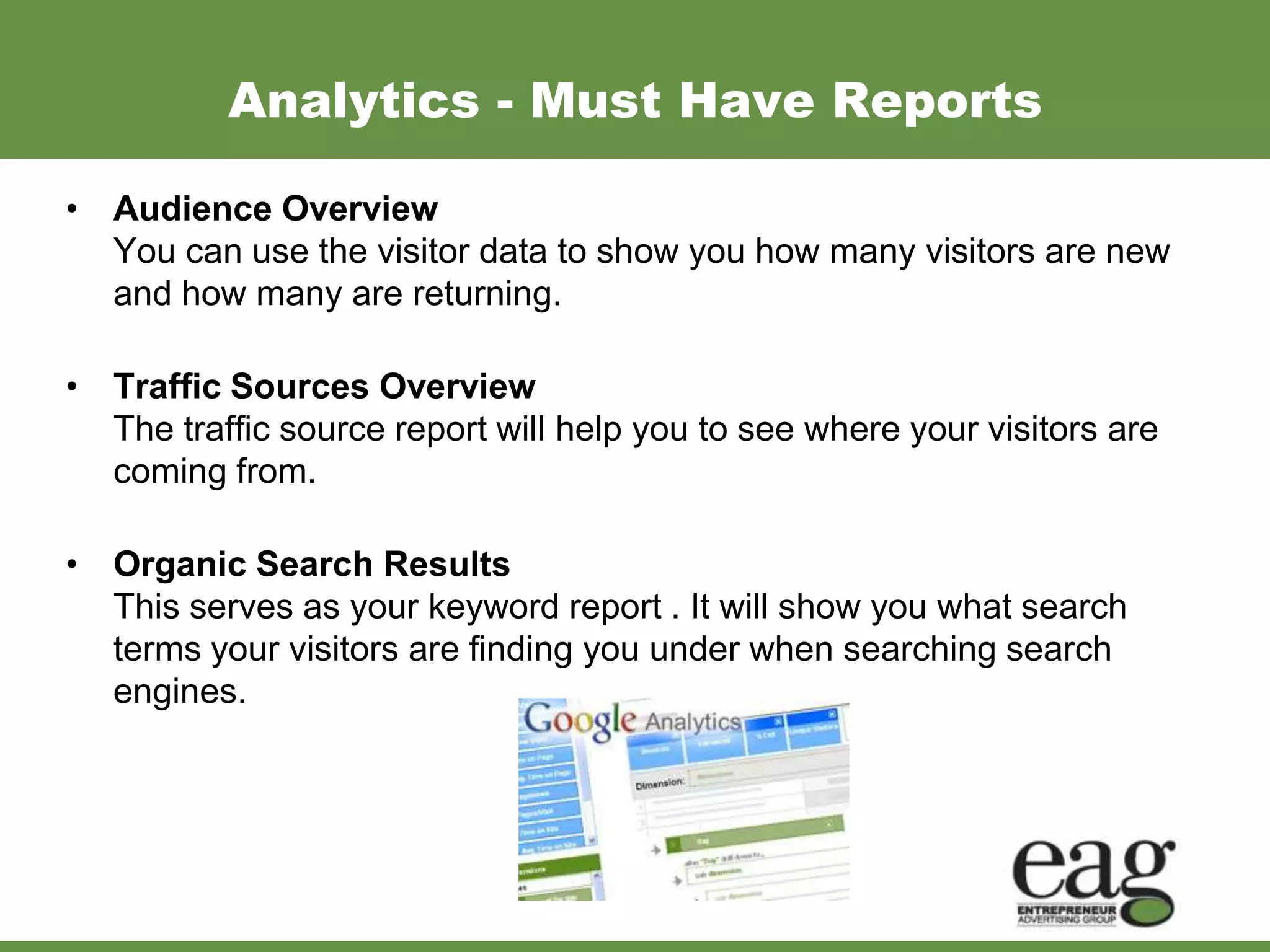
• Organic Search Results
  This serves as your keyword report . It will show you what search
  terms your visitors are finding you under when searching search
  engines.
Recap of What We Have Learned
• People use search engines to find things
• Search engines read websites
• Using keywords helps search engines read websites, and
  therefore rank them
• Where to put these keywords
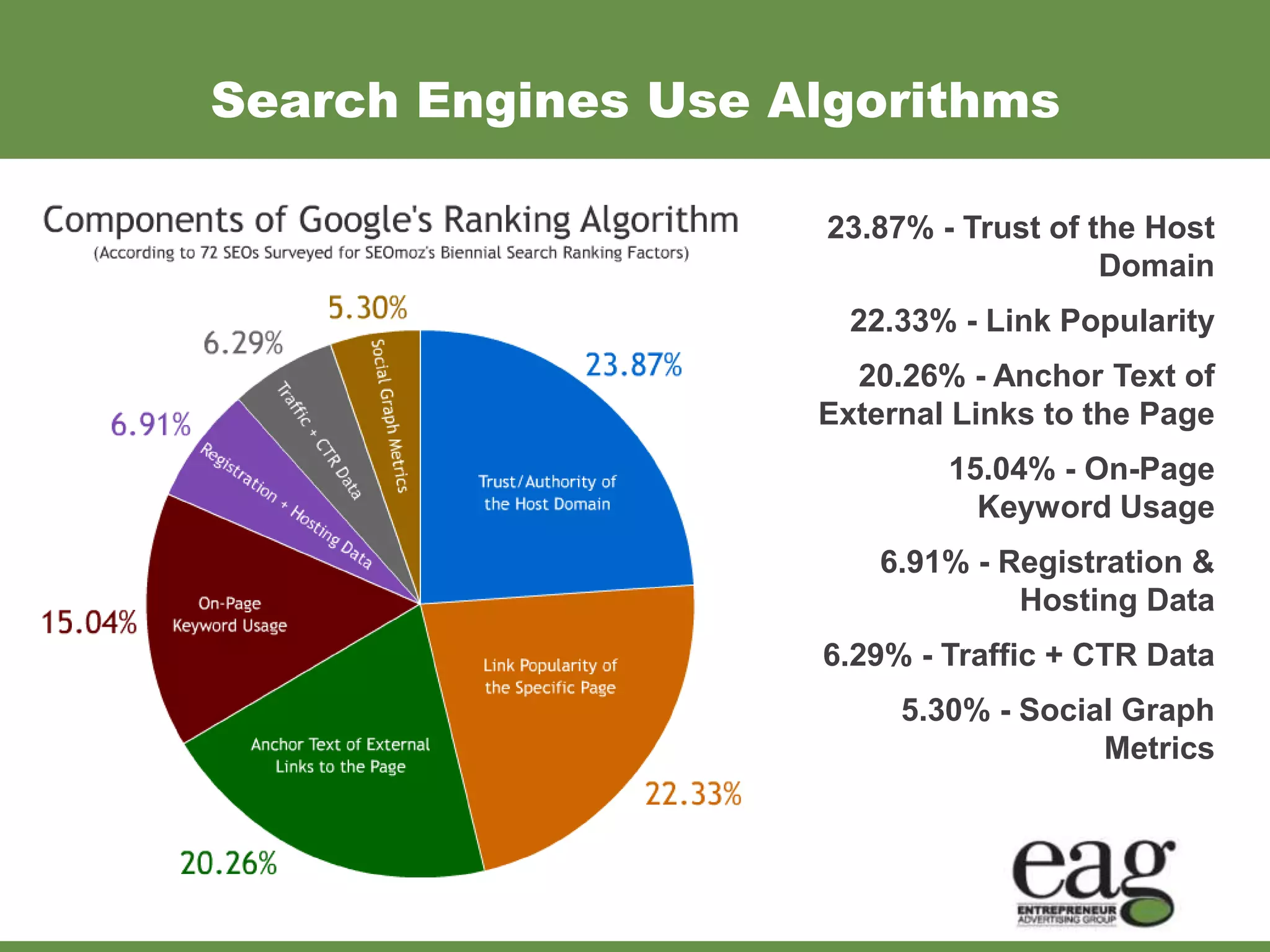
Search Engines Use Algorithms

                     23.87% - Trust of the Host
                                        Domain
                      22.33% - Link Popularity
                      20.26% - Anchor Text of
                    External Links to the Page
                             15.04% - On-Page
                               Keyword Usage
                        6.91% - Registration &
                                 Hosting Data
                    6.29% - Traffic + CTR Data
                         5.30% - Social Graph
                                      Metrics
Analytics Are Important


• Without analytics you won’t know what works
  and what doesn’t.

• Use them to educate yourself on your online
  traffic and consumers.
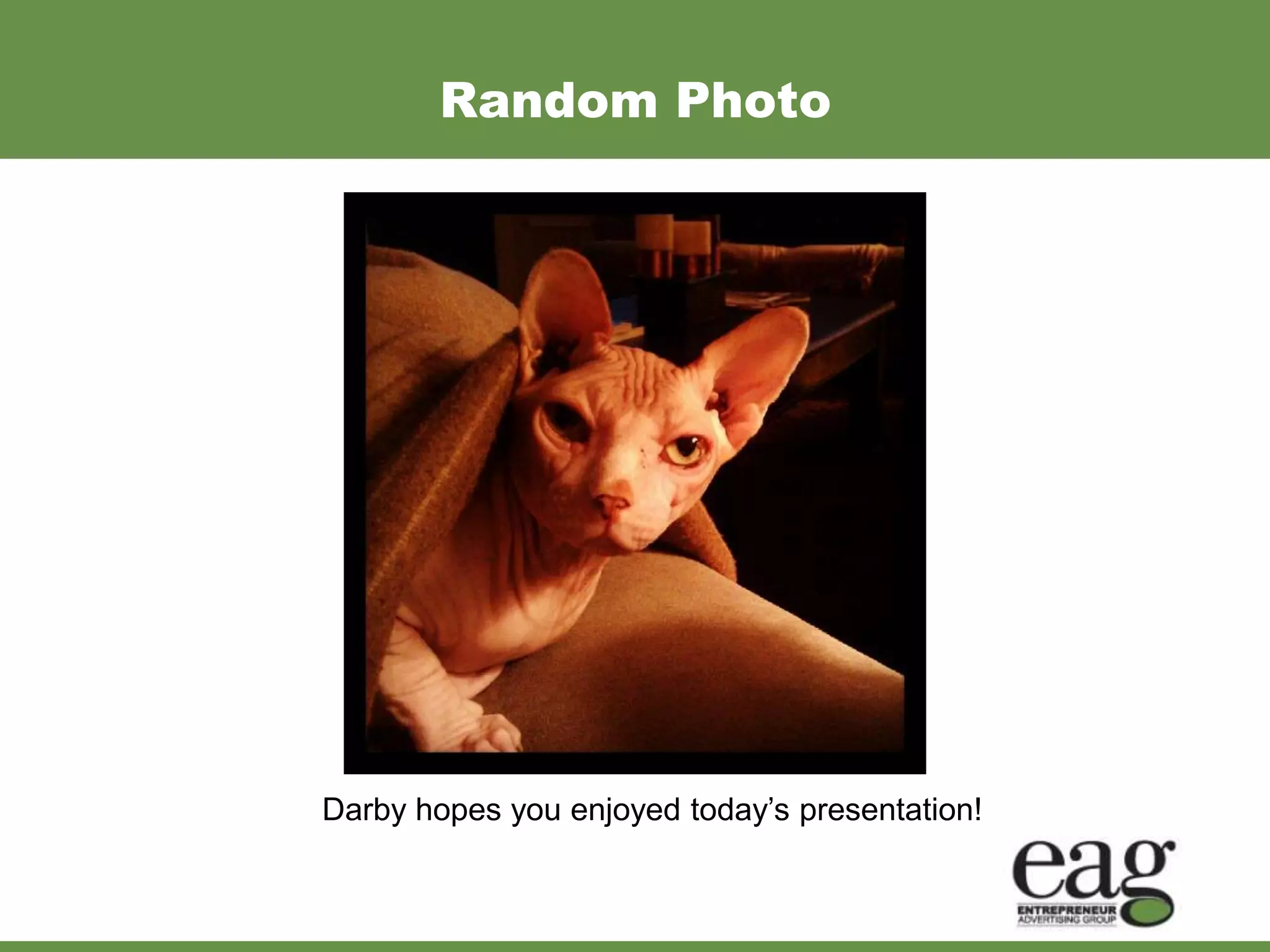
Random Photo


Darby hopes you enjoyed today’s presentation!
Time for Questions
For the full presentation and handouts go to:
 www.SmallBusinessMiracles.com/WBC


   Please call or email with questions.


   Laura Lake
   816.842.0100
   llake@smallbusinessmiracles.com

State of Internet Marketing 2012 – Session 3

  • 1.
    Search Marketing andAnalytics for the Small Business
  • 2.
    Taking the MysteryOut of Search Marketing and Analytics • Understanding of search marketing and how to know what people are searching for • Encourage your input & questions • Take one thing that you can apply to your company • Learn to review and measure results using analytics. For the full presentation and handouts go to: www.SmallBusinessMiracles.com/WBC
  • 3.
    Who Uses SearchEngines? • 50% of Americans use a search engine everyday. • 90% user a search engine at least once a month. • 29 million searchers per minute. • Online searches have replaced the Yellow Pages
  • 4.
    What Search EnginesAre Being Used? • 64% of people use Google • 14% of people use Bing • 16% of people use Yahoo! • 6% of people use other search engines.
  • 5.
    Types of Searches • Information – How-To, News, Opinions • Produce Reviews – Pre-shopping • Products/Services – Ready to Buy • Entertainment – Music, Video, Games
  • 6.
    How Do WeSearch? Keywords and Phrases • Bath Remodel • Kitchen Remodel • Remodeling Contractor in Kansas City • Remodeling Ideas • Good remodeling contractors in Kansas
  • 7.
    How Do SearchEngines Work? *There are over 200 factors Google uses to rank a website.
  • 8.
  • 9.
    How Do WeRespond to Search Results? Top 3 Search Results receive 58% of all Clicks
  • 10.
    What is SearchEngine Optimization (SEO)? Search engine optimization (SEO) is the process of improving the volume and quality of traffic to a website from search engines via natural (”organic” or “algorithmic”) search results.
  • 11.
    What is SearchEngine Marketing (SEM) ? Search engine marketing is using popular search engines such as Google, Bing and Yahoo! to market your products and services. Effective search engine marketing means that when a potential customer or client types in keywords matching what you offer they are greeted with your website.
  • 12.
    What Factors ImpactSEO? Pull in people who are searching for what you offer by using: – Keywords/Content – Links (Internal/External) – Social Media – Effective Web Design that Converts Traffic
  • 13.
    Website First Steps(Review) 1. Domain Name (GoDaddy.com or other Registrar) 2. Website Hosting (GoDaddy.com / HostGator.com) 3. Website Designer / Developer
  • 14.
    Overview of SearchEngine Algorithm 23.87% - Trust of the Host Domain 22.33% - Link Popularity 20.26% - Anchor Text of External Links to the Page 15.04% - On-Page Keyword Usage 6.91% - Registration & Hosting Data 6.29% - Traffic + CTR Data 5.30% - Social Graph Metrics
  • 15.
    Why Should SmallBusinesses Care? • Be Found • Make Sales • Build a Client/Customer Database • Build a Community and Customer Loyalty
  • 16.
    Importance of Keywords Keywordsare important because: • They tell the search engine what your website is about and what you do. • Enables people to find you.
  • 17.
    How Do IKnow What Keywords to Use? • Location • Types of Services or Products • Competition • Thesaurus / Synonyms • Google’s Keyword Tool • Google Trends and Insights
  • 18.
    Google Keyword SuggestionTool https://adwords.google.com/o/KeywordTool
  • 19.
    Google Trends andInsights http://www.google.com/trends/
  • 20.
    Where Should YouPut Keywords? • Content • Title tags • Meta tags • Anchor text When linking use keywords- keyword here • URL Extensions http://www.yourdomain/keyword
  • 21.
    Example of AnOptimized Page
  • 22.
    Optimization Tips Title Tags • Keyword Rich • Different on Every Page
  • 23.
    Use Analytics toTrack Progress Google Analytics is FREE and provides a wealth of information. http://analytics.google.com
  • 24.
    Analytics Will ShowReferring Sites
  • 25.
    What Can WeLearn From Google Analytics? • Visitor Data • Traffic Sources • Content Ideas • Goal Tracking • Ecommerce Tracking
  • 26.
    Visitor Data • Who is coming to your website? • Where are they located geographically? • How often have they visited your website? • What computers and browsers are visitors using to gain access to your website?
  • 27.
    Traffic Sources • How do people get your website? • Do they use search engines? • Are they being referred from other websites? • What keywords are visitors finding you under?
  • 28.
    Content • What contentattracts your readers? • What pages do they enter your website on? • What pages do they exit the most?
  • 29.
    Goals • Do youhave specific objectives with your website? • If so you can setup goals within Google Analytics and it will report when those objectives are achieved. • Goals can represent desired actions by users, registrations, downloads and even purchase goals.
  • 30.
    Ecommerce If you sellitems via your website you can gather a lot of data from Google Analytics, such as – Average order value – Revenue – Popular items purchased.
  • 31.
  • 32.
    How to GetStarted with Google Analytics? • Step 1: Sign Up for an Account http://www.google.com/analytics/ • Step 2: Setup • Step 3: Install
  • 33.
    Analytics - MustHave Reports • Audience Overview You can use the visitor data to show you how many visitors are new and how many are returning. • Traffic Sources Overview The traffic source report will help you to see where your visitors are coming from. • Organic Search Results This serves as your keyword report . It will show you what search terms your visitors are finding you under when searching search engines.
  • 34.
    Recap of WhatWe Have Learned • People use search engines to find things • Search engines read websites • Using keywords helps search engines read websites, and therefore rank them • Where to put these keywords
  • 35.
    Search Engines UseAlgorithms 23.87% - Trust of the Host Domain 22.33% - Link Popularity 20.26% - Anchor Text of External Links to the Page 15.04% - On-Page Keyword Usage 6.91% - Registration & Hosting Data 6.29% - Traffic + CTR Data 5.30% - Social Graph Metrics
  • 36.
    Analytics Are Important •Without analytics you won’t know what works and what doesn’t. • Use them to educate yourself on your online traffic and consumers.
  • 37.
    Random Photo Darby hopesyou enjoyed today’s presentation!
  • 38.
  • 39.
    For the fullpresentation and handouts go to: www.SmallBusinessMiracles.com/WBC Please call or email with questions. Laura Lake 816.842.0100 llake@smallbusinessmiracles.com