CloudStack Usage
Metering
Roxanne Chang
TrendMicro TCloud
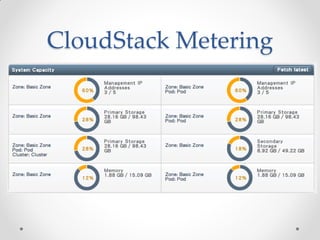
CloudStack Metering
Enough resource?
Make a price
Charge!
How does CS
metering the usage ?
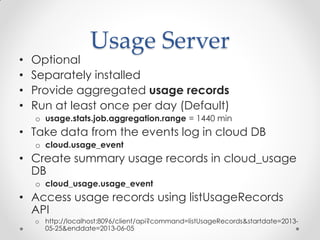
Usage Server
• Optional
• Separately installed
• Provide aggregated usage records
• Run at least once per day (Default)
o usage.stats.job.aggregation.range = 1440 min
• Take data from the events log in cloud DB
o cloud.usage_event
• Create summary usage records in cloud_usage
DB
o cloud_usage.usage_event
• Access usage records using listUsageRecords
API
o http://localhost:8096/client/api?command=listUsageRecords&startdate=2013-
05-25&enddate=2013-06-05
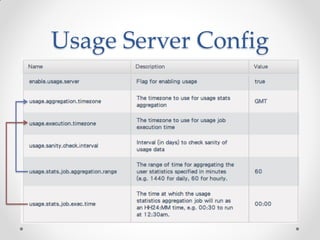
Usage Server Config
Usage Server Config
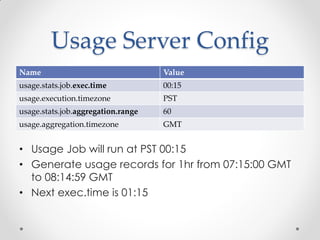
Name Value
usage.stats.job.exec.time 00:15
usage.execution.timezone PST
usage.stats.job.aggregation.range 60
usage.aggregation.timezone GMT
• Usage Job will run at PST 00:15
• Generate usage records for 1hr from 07:15:00 GMT
to 08:14:59 GMT
• Next exec.time is 01:15
Usage Server Config
Name Value
usage.stats.job.exec.time 00:15
usage.execution.timezone PST
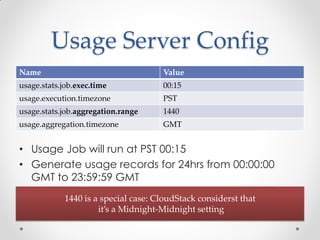
usage.stats.job.aggregation.range 1440
usage.aggregation.timezone GMT
• Usage Job will run at PST 00:15
• Generate usage records for 24hrs from 00:00:00
GMT to 23:59:59 GMT
1440 is a special case: CloudStack considerst that
it’s a Midnight-Midnight setting
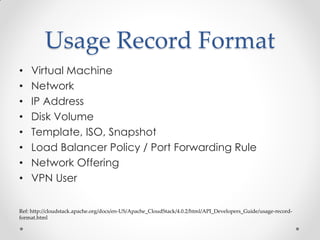
Usage Record Format
• Virtual Machine
• Network
• IP Address
• Disk Volume
• Template, ISO, Snapshot
• Load Balancer Policy / Port Forwarding Rule
• Network Offering
• VPN User
Ref: http://cloudstack.apache.org/docs/en-US/Apache_CloudStack/4.0.2/html/API_Developers_Guide/usage-record-
format.html
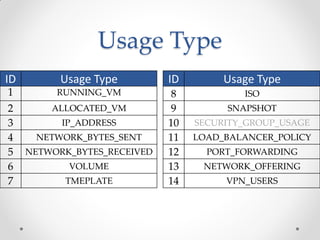
Usage Type
ID Usage Type
1 RUNNING_VM
2 ALLOCATED_VM
3 IP_ADDRESS
4 NETWORK_BYTES_SENT
5 NETWORK_BYTES_RECEIVED
6 VOLUME
7 TMEPLATE
ID Usage Type
8 ISO
9 SNAPSHOT
10 SECURITY_GROUP_USAGE
11 LOAD_BALANCER_POLICY
12 PORT_FORWARDING
13 NETWORK_OFFERING
14 VPN_USERS
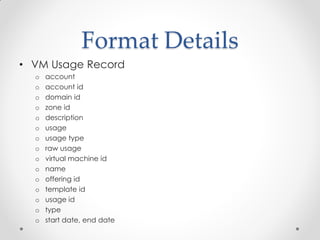
Format Details
• VM Usage Record
o account
o account id
o domain id
o zone id
o description
o usage
o usage type
o raw usage
o virtual machine id
o name
o offering id
o template id
o usage id
o type
o start date, end date
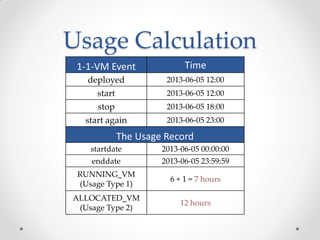
Usage Calculation
1-1-VM Event Time
deployed 2013-06-05 12:00
start 2013-06-05 12:00
stop 2013-06-05 18:00
start again 2013-06-05 23:00
The Usage Record
startdate 2013-06-05 00:00:00
enddate 2013-06-05 23:59:59
RUNNING_VM
(Usage Type 1)
6 + 1 = 7 hours
ALLOCATED_VM
(Usage Type 2)
12 hours
Get the Usage Records
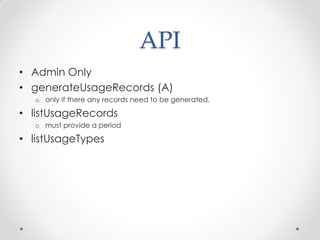
API
• Admin Only
• generateUsageRecords (A)
o only if there any records need to be generated.
• listUsageRecords
o must provide a period
• listUsageTypes
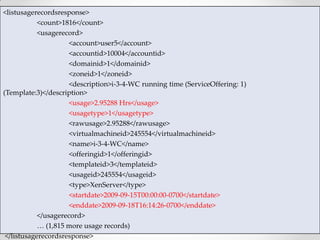
<listusagerecordsresponse>
<count>1816</count>
<usagerecord>
<account>user5</account>
<accountid>10004</accountid>
<domainid>1</domainid>
<zoneid>1</zoneid>
<description>i-3-4-WC running time (ServiceOffering: 1)
(Template:3)</description>
<usage>2.95288 Hrs</usage>
<usagetype>1</usagetype>
<rawusage>2.95288</rawusage>
<virtualmachineid>245554</virtualmachineid>
<name>i-3-4-WC</name>
<offeringid>1</offeringid>
<templateid>3</templateid>
<usageid>245554</usageid>
<type>XenServer</type>
<startdate>2009-09-15T00:00:00-0700</startdate>
<enddate>2009-09-18T16:14:26-0700</enddate>
</usagerecord>
… (1,815 more usage records)
</listusagerecordsresponse>
Need Limit ?
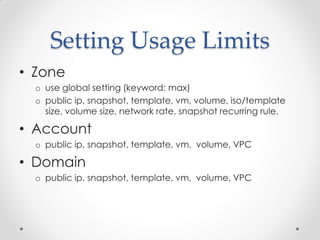
Setting Usage Limits
• Zone
o use global setting (keyword: max)
o public ip, snapshot, template, vm, volume, iso/template
size, volume size, network rate, snapshot recurring rule.
• Account
o public ip, snapshot, template, vm, volume, VPC
• Domain
o public ip, snapshot, template, vm, volume, VPC
Use Cases
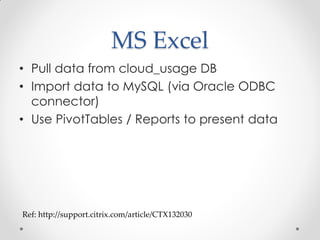
MS Excel
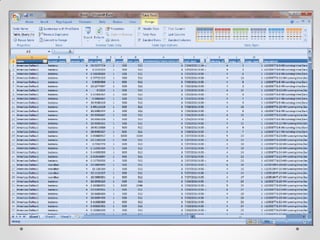
• Pull data from cloud_usage DB
• Import data to MySQL (via Oracle ODBC
connector)
• Use PivotTables / Reports to present data
Ref: http://support.citrix.com/article/CTX132030
Citrix CloudPortal
Business Manager
• Integrate cloud_usage DB on
CloudStack/CloudPlatform
• Make resources as products
• Make a price
• Scheduled billing
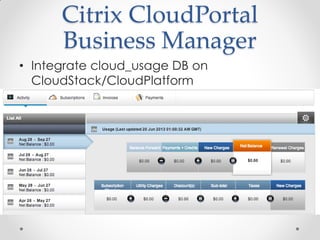
Citrix CloudPortal
Business Manager
• Integrate cloud_usage DB on
CloudStack/CloudPlatform
• Make resources as products
• Make a price
• Scheduled billing
Question ?
Thanks!

Session 2 - CloudStack Usage and Application (2013.Q3)

  • 1.
  • 2.
  • 3.
  • 4.
  • 5.
  • 6.
  • 7.
    Usage Server • Optional •Separately installed • Provide aggregated usage records • Run at least once per day (Default) o usage.stats.job.aggregation.range = 1440 min • Take data from the events log in cloud DB o cloud.usage_event • Create summary usage records in cloud_usage DB o cloud_usage.usage_event • Access usage records using listUsageRecords API o http://localhost:8096/client/api?command=listUsageRecords&startdate=2013- 05-25&enddate=2013-06-05
  • 8.
  • 9.
    Usage Server Config NameValue usage.stats.job.exec.time 00:15 usage.execution.timezone PST usage.stats.job.aggregation.range 60 usage.aggregation.timezone GMT • Usage Job will run at PST 00:15 • Generate usage records for 1hr from 07:15:00 GMT to 08:14:59 GMT • Next exec.time is 01:15
  • 10.
    Usage Server Config NameValue usage.stats.job.exec.time 00:15 usage.execution.timezone PST usage.stats.job.aggregation.range 1440 usage.aggregation.timezone GMT • Usage Job will run at PST 00:15 • Generate usage records for 24hrs from 00:00:00 GMT to 23:59:59 GMT 1440 is a special case: CloudStack considerst that it’s a Midnight-Midnight setting
  • 12.
    Usage Record Format •Virtual Machine • Network • IP Address • Disk Volume • Template, ISO, Snapshot • Load Balancer Policy / Port Forwarding Rule • Network Offering • VPN User Ref: http://cloudstack.apache.org/docs/en-US/Apache_CloudStack/4.0.2/html/API_Developers_Guide/usage-record- format.html
  • 13.
    Usage Type ID UsageType 1 RUNNING_VM 2 ALLOCATED_VM 3 IP_ADDRESS 4 NETWORK_BYTES_SENT 5 NETWORK_BYTES_RECEIVED 6 VOLUME 7 TMEPLATE ID Usage Type 8 ISO 9 SNAPSHOT 10 SECURITY_GROUP_USAGE 11 LOAD_BALANCER_POLICY 12 PORT_FORWARDING 13 NETWORK_OFFERING 14 VPN_USERS
  • 14.
    Format Details • VMUsage Record o account o account id o domain id o zone id o description o usage o usage type o raw usage o virtual machine id o name o offering id o template id o usage id o type o start date, end date
  • 15.
    Usage Calculation 1-1-VM EventTime deployed 2013-06-05 12:00 start 2013-06-05 12:00 stop 2013-06-05 18:00 start again 2013-06-05 23:00 The Usage Record startdate 2013-06-05 00:00:00 enddate 2013-06-05 23:59:59 RUNNING_VM (Usage Type 1) 6 + 1 = 7 hours ALLOCATED_VM (Usage Type 2) 12 hours
  • 16.
  • 17.
    API • Admin Only •generateUsageRecords (A) o only if there any records need to be generated. • listUsageRecords o must provide a period • listUsageTypes
  • 18.
    <listusagerecordsresponse> <count>1816</count> <usagerecord> <account>user5</account> <accountid>10004</accountid> <domainid>1</domainid> <zoneid>1</zoneid> <description>i-3-4-WC running time(ServiceOffering: 1) (Template:3)</description> <usage>2.95288 Hrs</usage> <usagetype>1</usagetype> <rawusage>2.95288</rawusage> <virtualmachineid>245554</virtualmachineid> <name>i-3-4-WC</name> <offeringid>1</offeringid> <templateid>3</templateid> <usageid>245554</usageid> <type>XenServer</type> <startdate>2009-09-15T00:00:00-0700</startdate> <enddate>2009-09-18T16:14:26-0700</enddate> </usagerecord> … (1,815 more usage records) </listusagerecordsresponse>
  • 19.
  • 20.
    Setting Usage Limits •Zone o use global setting (keyword: max) o public ip, snapshot, template, vm, volume, iso/template size, volume size, network rate, snapshot recurring rule. • Account o public ip, snapshot, template, vm, volume, VPC • Domain o public ip, snapshot, template, vm, volume, VPC
  • 21.
  • 22.
    MS Excel • Pulldata from cloud_usage DB • Import data to MySQL (via Oracle ODBC connector) • Use PivotTables / Reports to present data Ref: http://support.citrix.com/article/CTX132030
  • 24.
    Citrix CloudPortal Business Manager •Integrate cloud_usage DB on CloudStack/CloudPlatform • Make resources as products • Make a price • Scheduled billing
  • 25.
    Citrix CloudPortal Business Manager •Integrate cloud_usage DB on CloudStack/CloudPlatform • Make resources as products • Make a price • Scheduled billing
  • 26.
  • 27.