eNLight
Innovative and Intelligent Cloud Solution
Company Profile
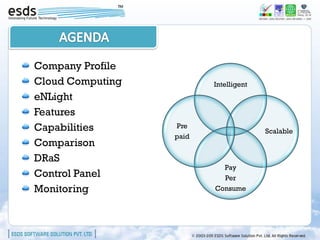
Cloud Computing          Intelligent
eNLight
Features
Capabilities      Pre
                                       Scalable
                  paid
Comparison
DRaS
                           Pay
Control Panel              Per
Monitoring               Consume
Cloud Computing
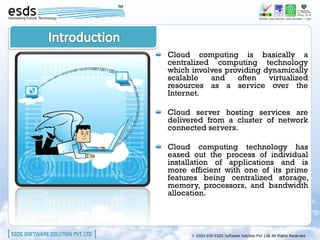
Cloud computing is basically a
centralized computing technology
which involves providing dynamically
scalable   and    often   virtualized
resources as a service over the
Internet.

Cloud server hosting services are
delivered from a cluster of network
connected servers.

Cloud computing technology has
eased out the process of individual
installation of applications and is
more efficient with one of its prime
features being centralized storage,
memory, processors, and bandwidth
allocation.
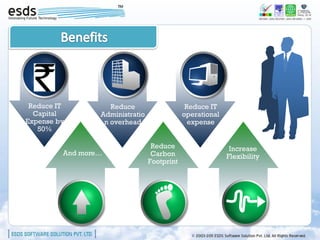
Reduce IT          Reduce                    Reduce IT
  Capital        Administratio               operational
Expense by        n overhead                   expense
   50%

                                  Reduce                    Increase
         And more…                Carbon                   Flexibility
                                 Footprint
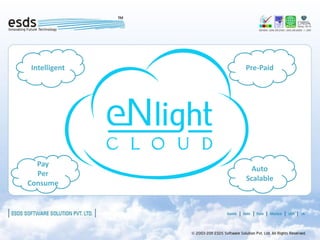
Intelligent   Pre-Paid


  Pay
                Auto
  Per
              Scalable
Consume
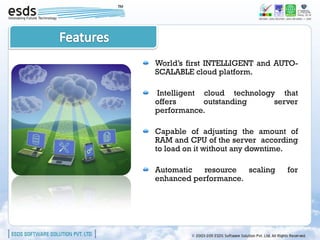
World’s first INTELLIGENT and AUTO-
SCALABLE cloud platform.

Intelligent cloud technology that
offers      outstanding     server
performance.

Capable of adjusting the amount of
RAM and CPU of the server according
to load on it without any downtime.

Automatic  resource   scaling   for
enhanced performance.
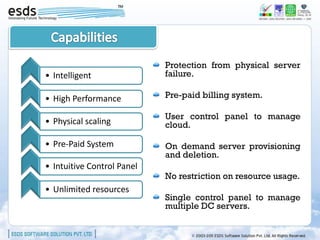
Protection from physical server
• Intelligent               failure.

• High Performance          Pre-paid billing system.

                            User control panel to manage
• Physical scaling          cloud.

• Pre-Paid System           On demand server provisioning
                            and deletion.
• Intuitive Control Panel
                            No restriction on resource usage.
• Unlimited resources
                            Single control panel to manage
                            multiple DC servers.
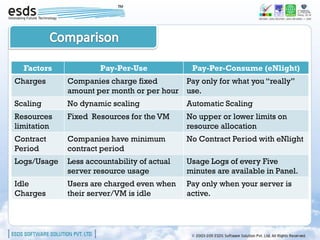
Factors             Pay-Per-Use             Pay-Per-Consume (eNlight)
Charges      Companies charge fixed       Pay only for what you “really”
             amount per month or per hour use.
Scaling      No dynamic scaling              Automatic Scaling
Resources    Fixed Resources for the VM      No upper or lower limits on
limitation                                   resource allocation
Contract     Companies have minimum          No Contract Period with eNlight
Period       contract period
Logs/Usage   Less accountability of actual   Usage Logs of every Five
             server resource usage           minutes are available in Panel.
Idle         Users are charged even when     Pay only when your server is
Charges      their server/VM is idle         active.
DRaS
Disaster Recovery as Service
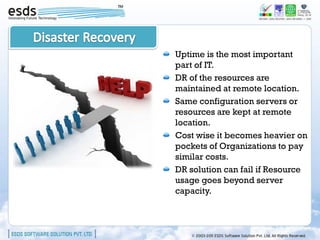
Uptime is the most important
part of IT.
DR of the resources are
maintained at remote location.
Same configuration servers or
resources are kept at remote
location.
Cost wise it becomes heavier on
pockets of Organizations to pay
similar costs.
DR solution can fail if Resource
usage goes beyond server
capacity.
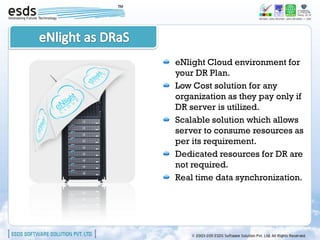
eNlight Cloud environment for
your DR Plan.
Low Cost solution for any
organization as they pay only if
DR server is utilized.
Scalable solution which allows
server to consume resources as
per its requirement.
Dedicated resources for DR are
not required.
Real time data synchronization.
eNlight
Control Panel
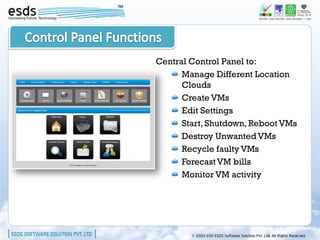
Central Control Panel to:
      Manage Different Location
      Clouds
      Create VMs
      Edit Settings
      Start, Shutdown, Reboot VMs
      Destroy Unwanted VMs
      Recycle faulty VMs
      Forecast VM bills
      Monitor VM activity
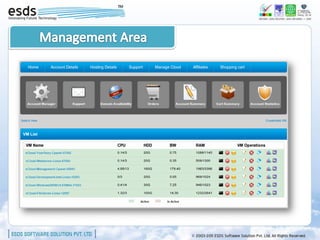
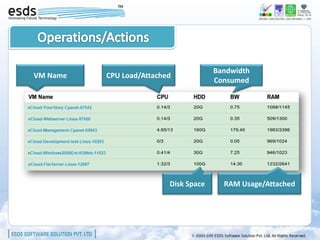
Bandwidth
VM Name   CPU Load/Attached
                                       Consumed


                          Disk Space     RAM Usage/Attached
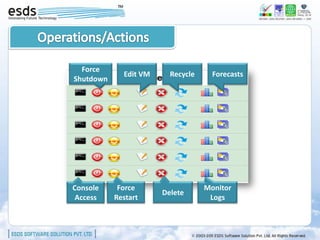
Force
             Edit VM     Recycle     Forecasts
Shutdown


Console     Force                  Monitor
                       Delete
 Access    Restart                  Logs
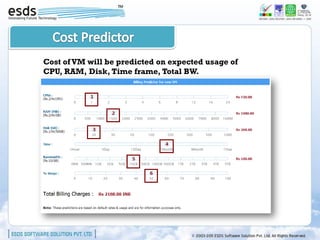
Cost of VM will be predicted on expected usage of
CPU, RAM, Disk, Time frame, Total BW.
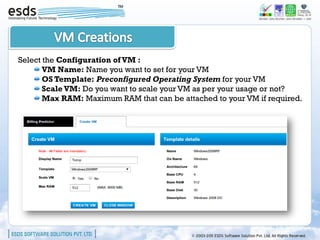
Select the Configuration of VM :
       VM Name: Name you want to set for your VM
       OS Template: Preconfigured Operating System for your VM
       Scale VM: Do you want to scale your VM as per your usage or not?
       Max RAM: Maximum RAM that can be attached to your VM if required.
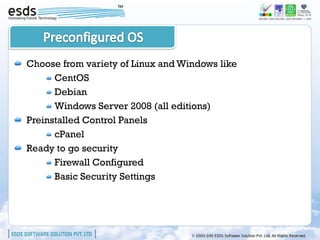
Choose from variety of Linux and Windows like
      CentOS
      Debian
      Windows Server 2008 (all editions)
Preinstalled Control Panels
      cPanel
Ready to go security
      Firewall Configured
      Basic Security Settings
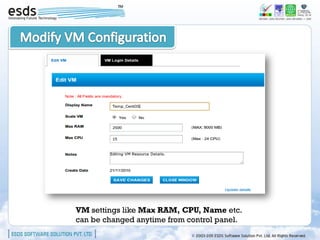
VM settings like Max RAM, CPU, Name etc.
can be changed anytime from control panel.
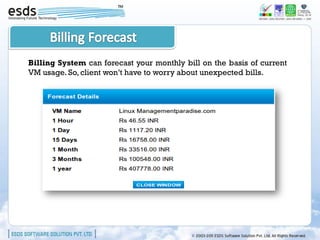
Billing System can forecast your monthly bill on the basis of current
VM usage. So, client won’t have to worry about unexpected bills.
Monitoring
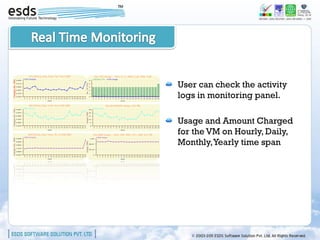
User can check the activity
logs in monitoring panel.

Usage and Amount Charged
for the VM on Hourly, Daily,
Monthly, Yearly time span
Usage                      Description
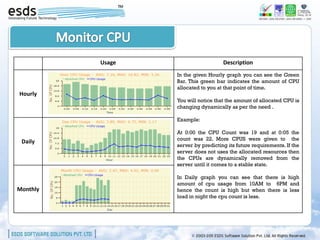
                  In the given Hourly graph you can see the Green
                  Bar. This green bar indicates the amount of CPU
                  allocated to you at that point of time.
Hourly
                  You will notice that the amount of allocated CPU is
                  changing dynamically as per the need .

                  Example:

                  At 0:00 the CPU Count was 19 and at 0:05 the
                  count was 22. More CPUS were given to the
 Daily
                  server by predicting its future requirements. If the
                  server does not uses the allocated resources then
                  the CPUs are dynamically removed from the
                  server until it comes to a stable state.

                  In Daily graph you can see that there is high
                  amount of cpu usage from 10AM to 6PM and
Monthly           hence the count is high but when there is less
                  load in night the cpu count is less.
Usage   Billing


Hourly


 Daily


Monthly
Usage   Billing


Hourly


 Daily


Monthly
Questions?
                      Contact Us:
     Sales:             Support:          Toll free:


sales@esds.co.in   support@esds.co.in   1800 209 3006

Introduction to eNlight Cloud Computing Platform

  • 1.
  • 2.
    Company Profile Cloud Computing Intelligent eNLight Features Capabilities Pre Scalable paid Comparison DRaS Pay Control Panel Per Monitoring Consume
  • 4.
  • 5.
    Cloud computing isbasically a centralized computing technology which involves providing dynamically scalable and often virtualized resources as a service over the Internet. Cloud server hosting services are delivered from a cluster of network connected servers. Cloud computing technology has eased out the process of individual installation of applications and is more efficient with one of its prime features being centralized storage, memory, processors, and bandwidth allocation.
  • 6.
    Reduce IT Reduce Reduce IT Capital Administratio operational Expense by n overhead expense 50% Reduce Increase And more… Carbon Flexibility Footprint
  • 7.
    Intelligent Pre-Paid Pay Auto Per Scalable Consume
  • 8.
    World’s first INTELLIGENTand AUTO- SCALABLE cloud platform. Intelligent cloud technology that offers outstanding server performance. Capable of adjusting the amount of RAM and CPU of the server according to load on it without any downtime. Automatic resource scaling for enhanced performance.
  • 9.
    Protection from physicalserver • Intelligent failure. • High Performance Pre-paid billing system. User control panel to manage • Physical scaling cloud. • Pre-Paid System On demand server provisioning and deletion. • Intuitive Control Panel No restriction on resource usage. • Unlimited resources Single control panel to manage multiple DC servers.
  • 10.
    Factors Pay-Per-Use Pay-Per-Consume (eNlight) Charges Companies charge fixed Pay only for what you “really” amount per month or per hour use. Scaling No dynamic scaling Automatic Scaling Resources Fixed Resources for the VM No upper or lower limits on limitation resource allocation Contract Companies have minimum No Contract Period with eNlight Period contract period Logs/Usage Less accountability of actual Usage Logs of every Five server resource usage minutes are available in Panel. Idle Users are charged even when Pay only when your server is Charges their server/VM is idle active.
  • 11.
  • 12.
    Uptime is themost important part of IT. DR of the resources are maintained at remote location. Same configuration servers or resources are kept at remote location. Cost wise it becomes heavier on pockets of Organizations to pay similar costs. DR solution can fail if Resource usage goes beyond server capacity.
  • 13.
    eNlight Cloud environmentfor your DR Plan. Low Cost solution for any organization as they pay only if DR server is utilized. Scalable solution which allows server to consume resources as per its requirement. Dedicated resources for DR are not required. Real time data synchronization.
  • 14.
  • 15.
    Central Control Panelto: Manage Different Location Clouds Create VMs Edit Settings Start, Shutdown, Reboot VMs Destroy Unwanted VMs Recycle faulty VMs Forecast VM bills Monitor VM activity
  • 17.
    Bandwidth VM Name CPU Load/Attached Consumed Disk Space RAM Usage/Attached
  • 18.
    Force Edit VM Recycle Forecasts Shutdown Console Force Monitor Delete Access Restart Logs
  • 19.
    Cost of VMwill be predicted on expected usage of CPU, RAM, Disk, Time frame, Total BW.
  • 20.
    Select the Configurationof VM : VM Name: Name you want to set for your VM OS Template: Preconfigured Operating System for your VM Scale VM: Do you want to scale your VM as per your usage or not? Max RAM: Maximum RAM that can be attached to your VM if required.
  • 21.
    Choose from varietyof Linux and Windows like CentOS Debian Windows Server 2008 (all editions) Preinstalled Control Panels cPanel Ready to go security Firewall Configured Basic Security Settings
  • 22.
    VM settings likeMax RAM, CPU, Name etc. can be changed anytime from control panel.
  • 23.
    Billing System canforecast your monthly bill on the basis of current VM usage. So, client won’t have to worry about unexpected bills.
  • 24.
  • 25.
    User can checkthe activity logs in monitoring panel. Usage and Amount Charged for the VM on Hourly, Daily, Monthly, Yearly time span
  • 26.
    Usage Description In the given Hourly graph you can see the Green Bar. This green bar indicates the amount of CPU allocated to you at that point of time. Hourly You will notice that the amount of allocated CPU is changing dynamically as per the need . Example: At 0:00 the CPU Count was 19 and at 0:05 the count was 22. More CPUS were given to the Daily server by predicting its future requirements. If the server does not uses the allocated resources then the CPUs are dynamically removed from the server until it comes to a stable state. In Daily graph you can see that there is high amount of cpu usage from 10AM to 6PM and Monthly hence the count is high but when there is less load in night the cpu count is less.
  • 27.
    Usage Billing Hourly Daily Monthly
  • 28.
    Usage Billing Hourly Daily Monthly
  • 29.
    Questions? Contact Us: Sales: Support: Toll free: sales@esds.co.in support@esds.co.in 1800 209 3006