By Bhargava
• Introduction
• Servlet Life Cycle
• Servlet Loading
• Servlet Config and Context
• Web.xml (Servlet Definition)
• Servlet Session Management (Http
Session and Cookies)
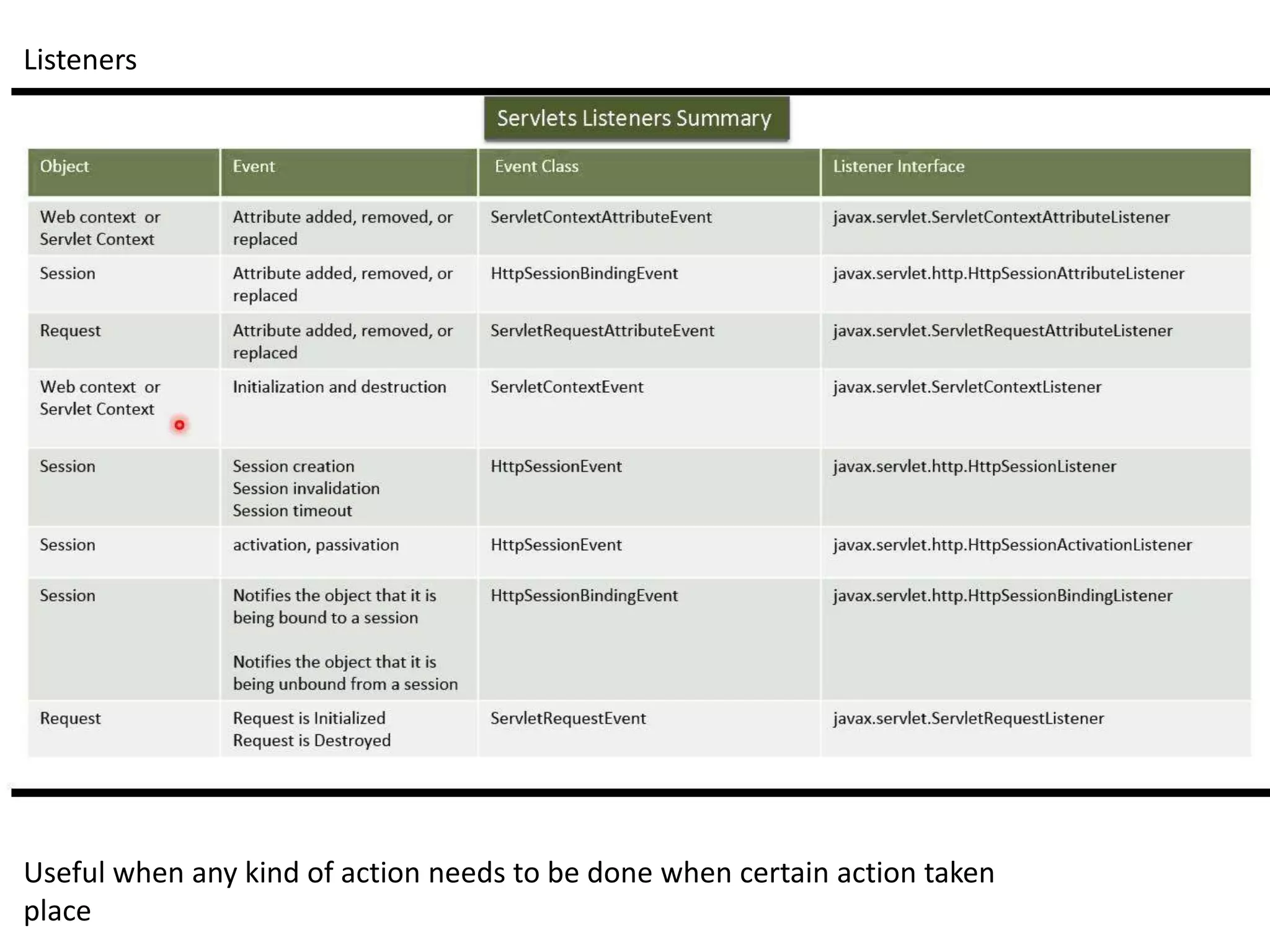
• Servlet Filters and Listeners
• jsp life Cycle
• Jsp loading
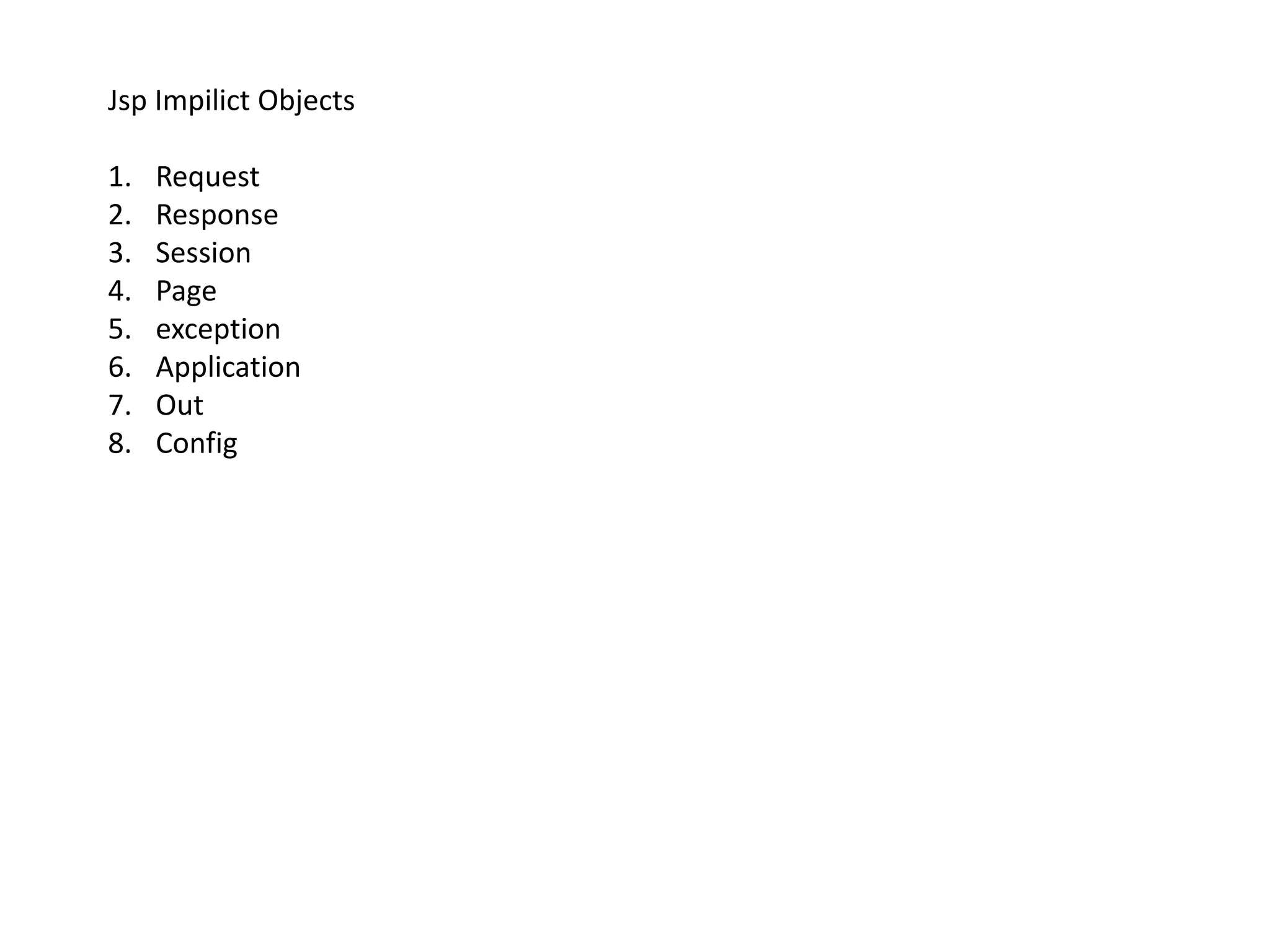
• jsp Implicit Objects
• Webcontainer - Tomcat
• Servlet/jsp Web Application
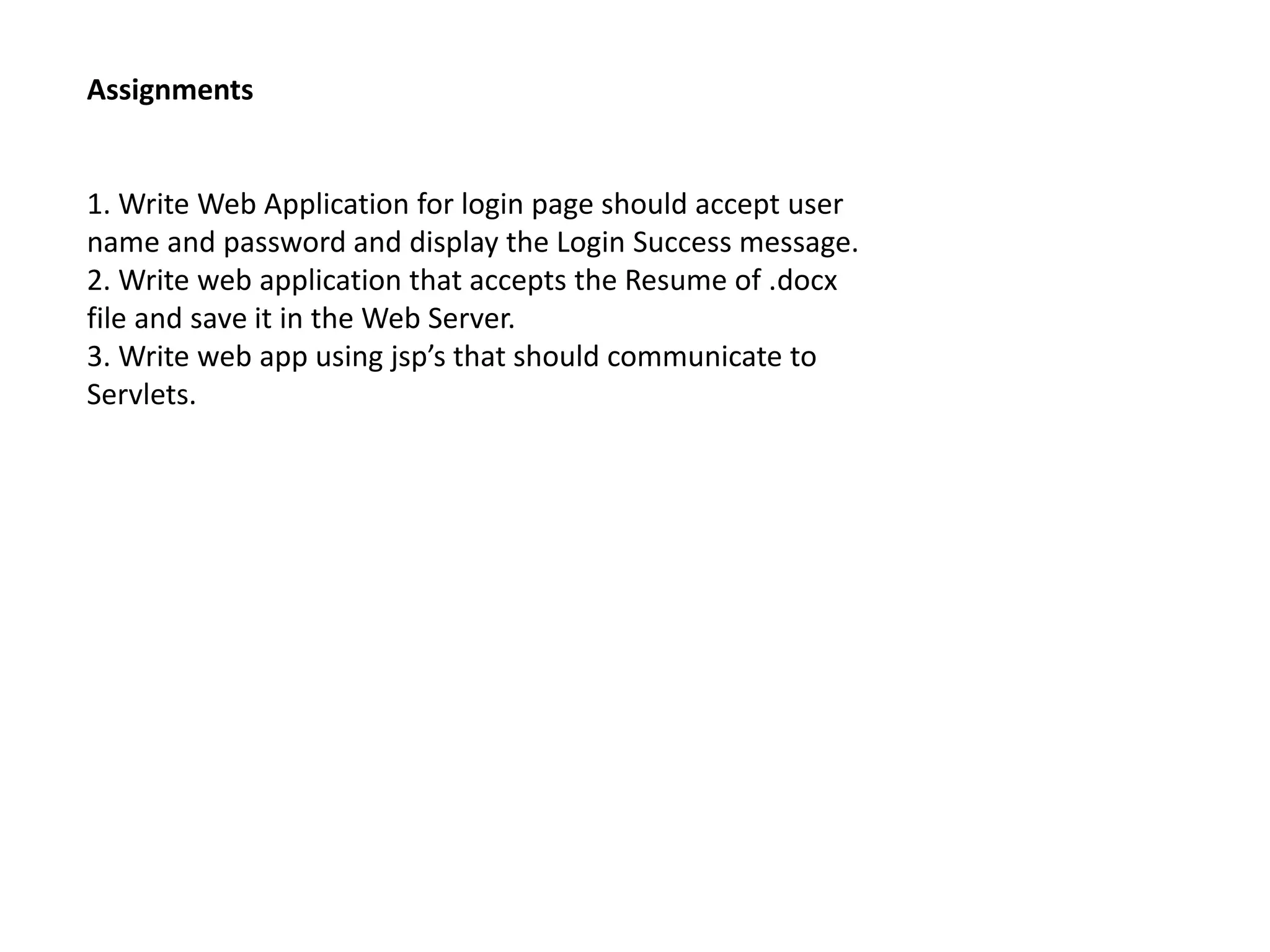
• Assignments
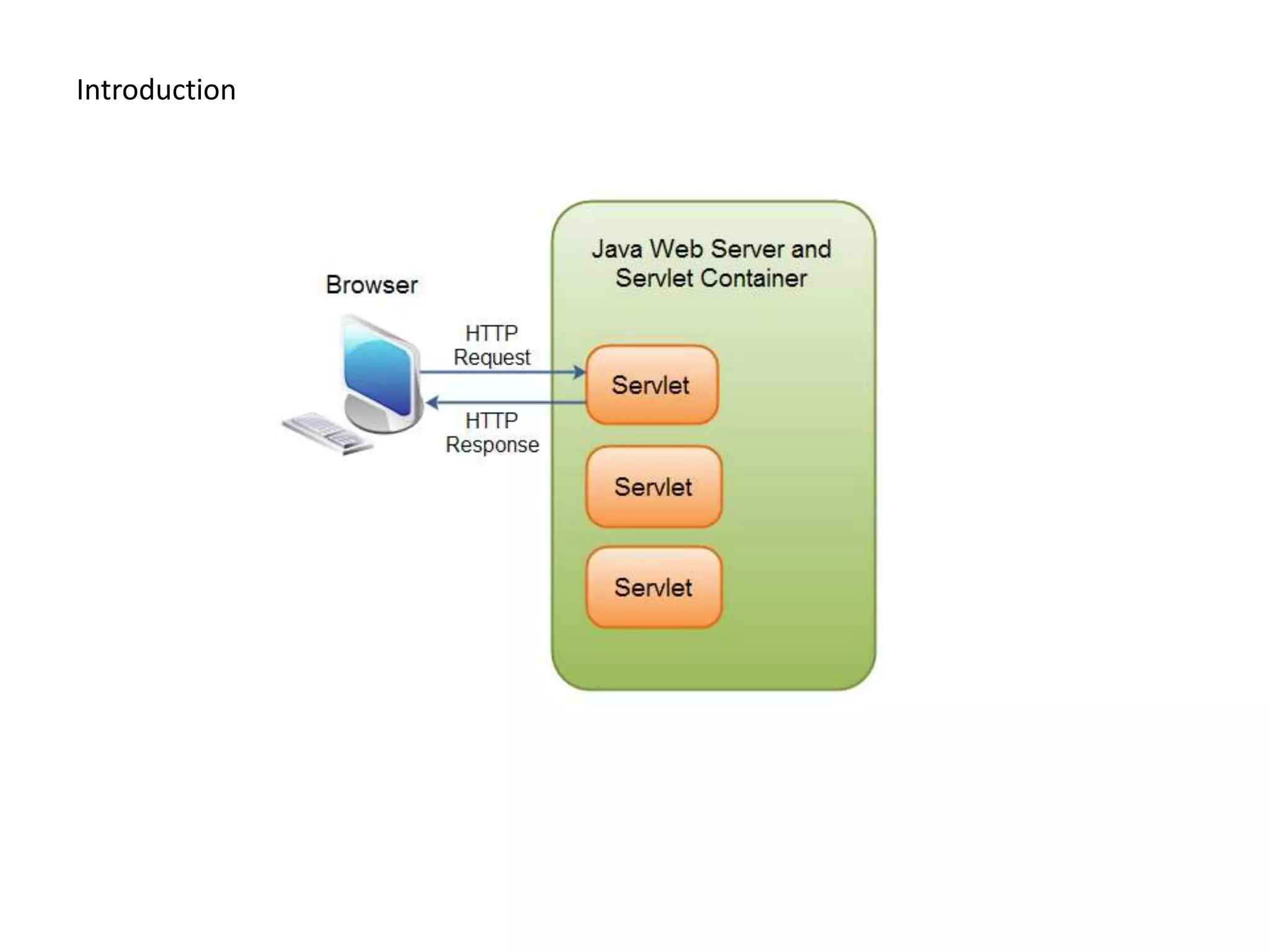
Introduction
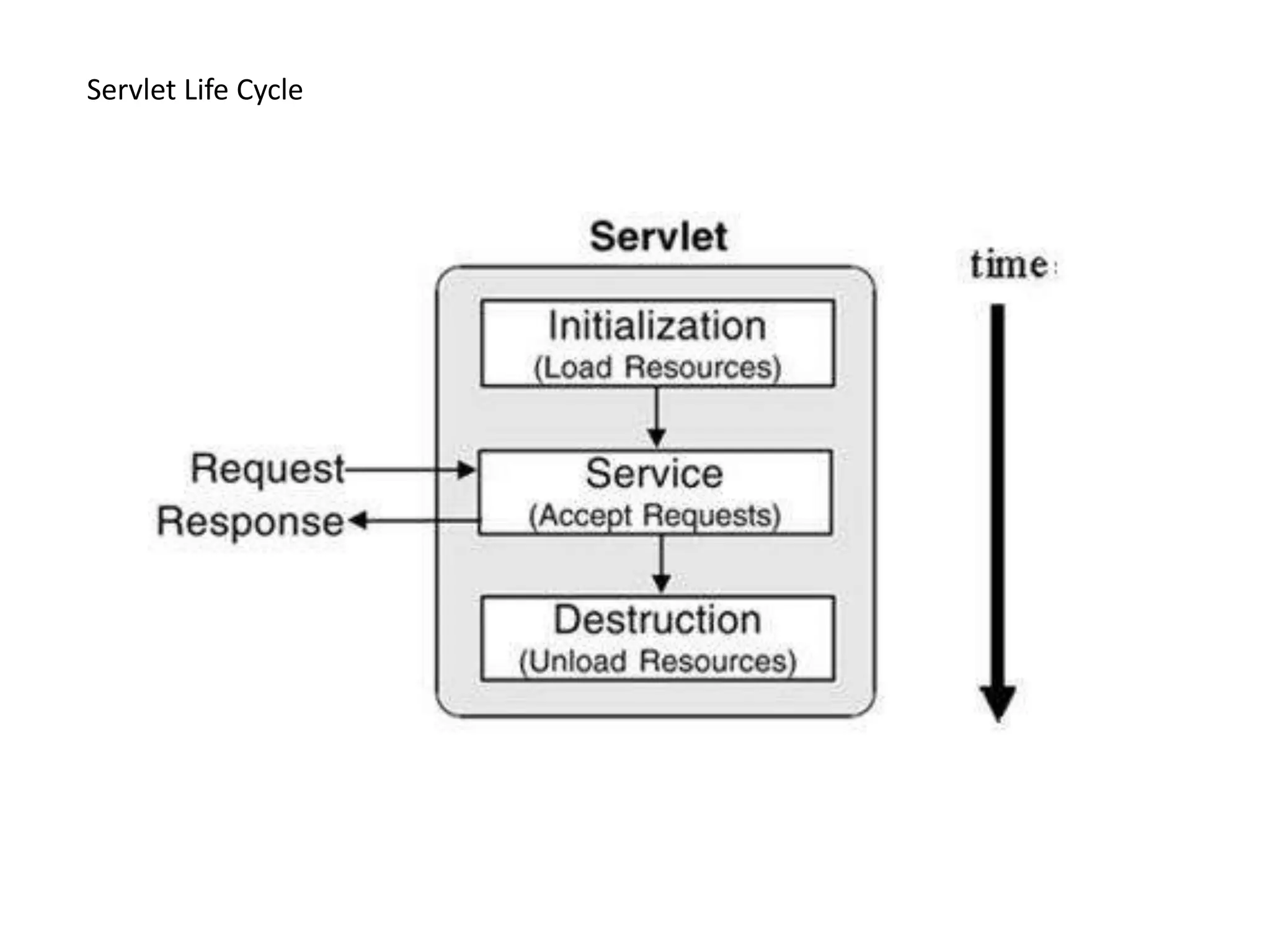
Servlet Life Cycle
Servlet Loading
1. Load on Startup
2. Using URL pattern
3. From Another Servlet/jsp
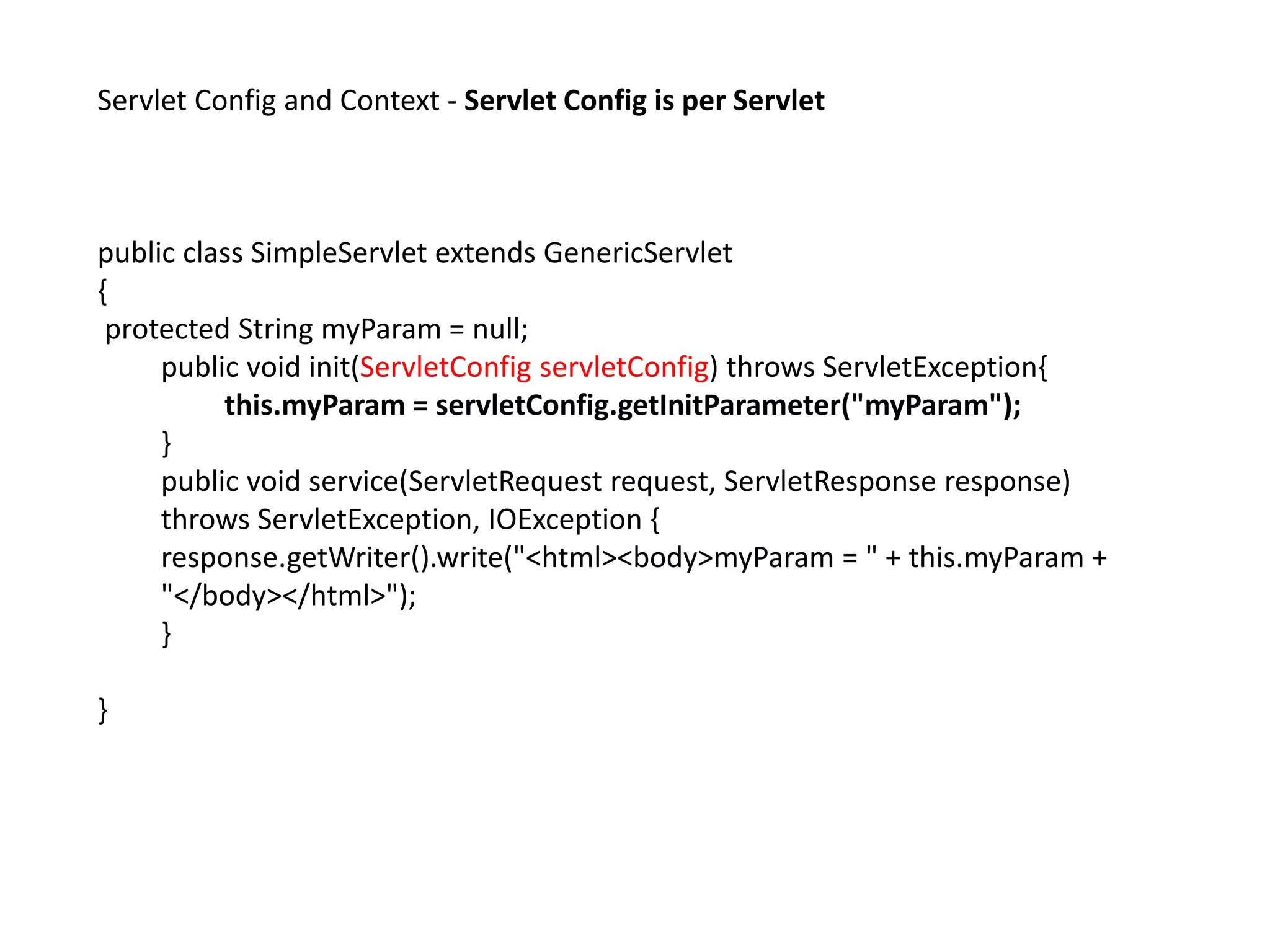
Servlet Config and Context - Servlet Config is per Servlet
public class SimpleServlet extends GenericServlet
{
protected String myParam = null;
public void init(ServletConfig servletConfig) throws ServletException{
this.myParam = servletConfig.getInitParameter("myParam");
}
public void service(ServletRequest request, ServletResponse response)
throws ServletException, IOException {
response.getWriter().write("<html><body>myParam = " + this.myParam +
"</body></html>");
}
}
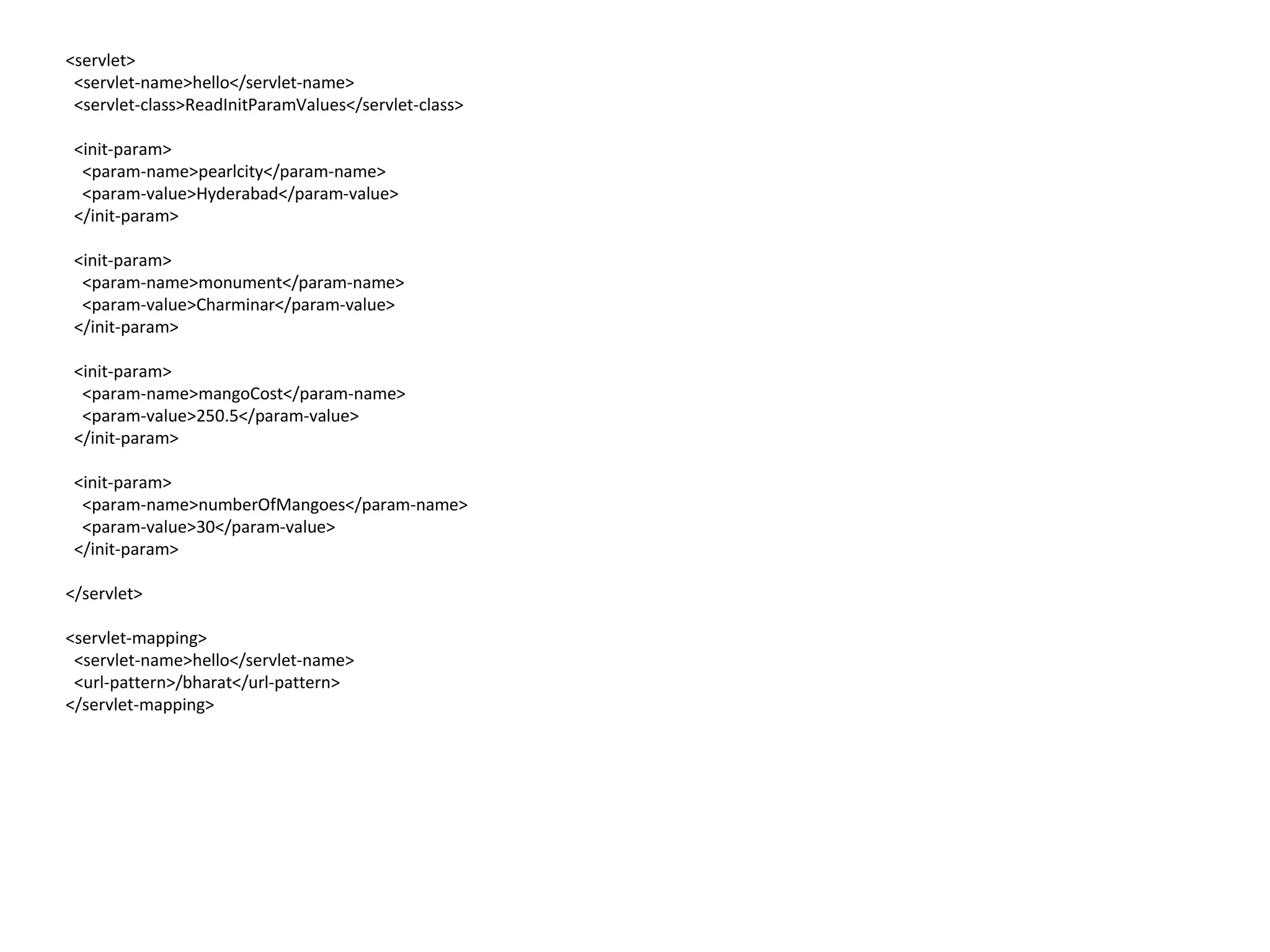
<servlet>
<servlet-name>hello</servlet-name>
<servlet-class>ReadInitParamValues</servlet-class>
<init-param>
<param-name>pearlcity</param-name>
<param-value>Hyderabad</param-value>
</init-param>
<init-param>
<param-name>monument</param-name>
<param-value>Charminar</param-value>
</init-param>
<init-param>
<param-name>mangoCost</param-name>
<param-value>250.5</param-value>
</init-param>
<init-param>
<param-name>numberOfMangoes</param-name>
<param-value>30</param-value>
</init-param>
</servlet>
<servlet-mapping>
<servlet-name>hello</servlet-name>
<url-pattern>/bharat</url-pattern>
</servlet-mapping>
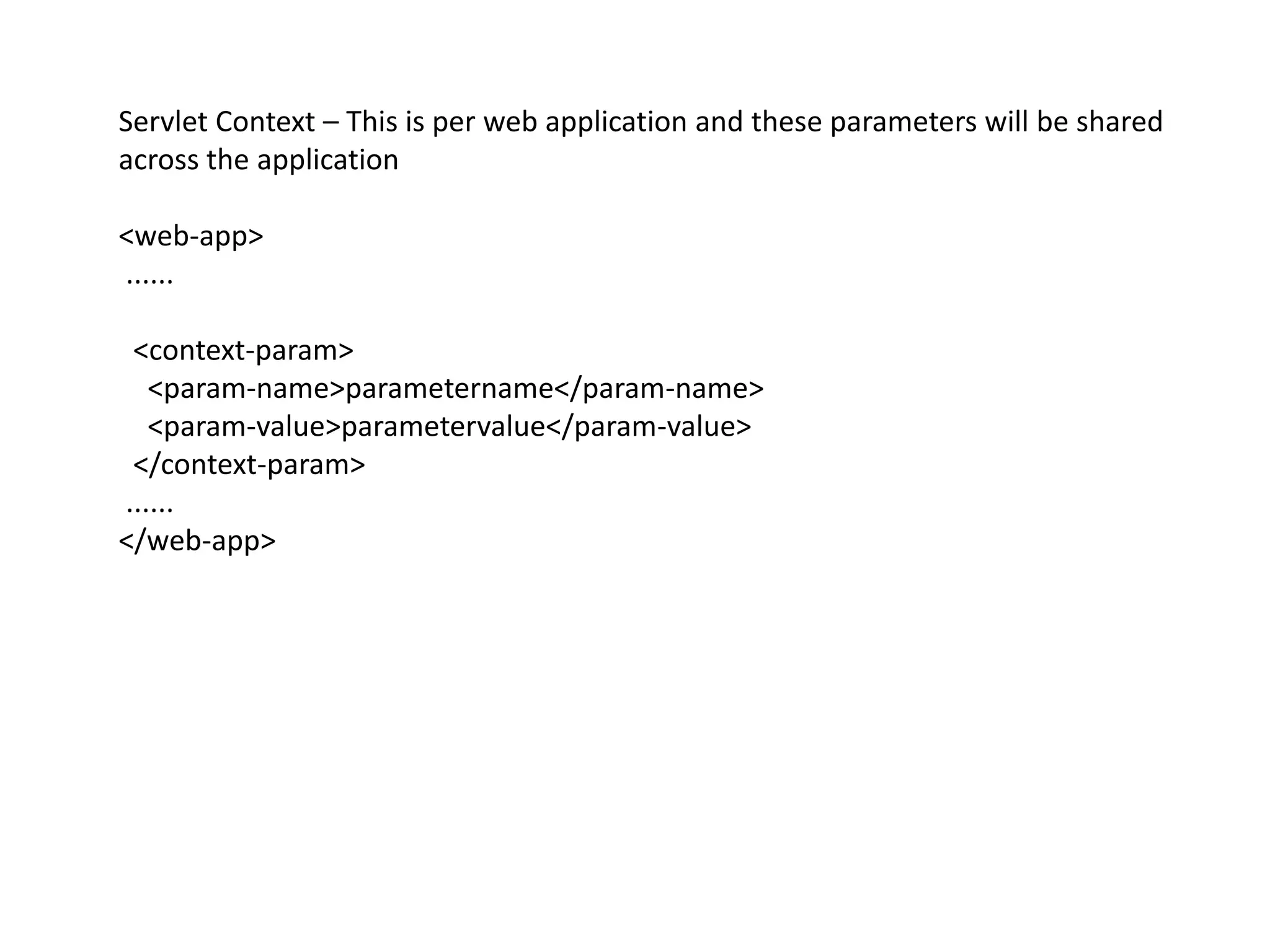
Servlet Context – This is per web application and these parameters will be shared
across the application
<web-app>
......
<context-param>
<param-name>parametername</param-name>
<param-value>parametervalue</param-value>
</context-param>
......
</web-app>
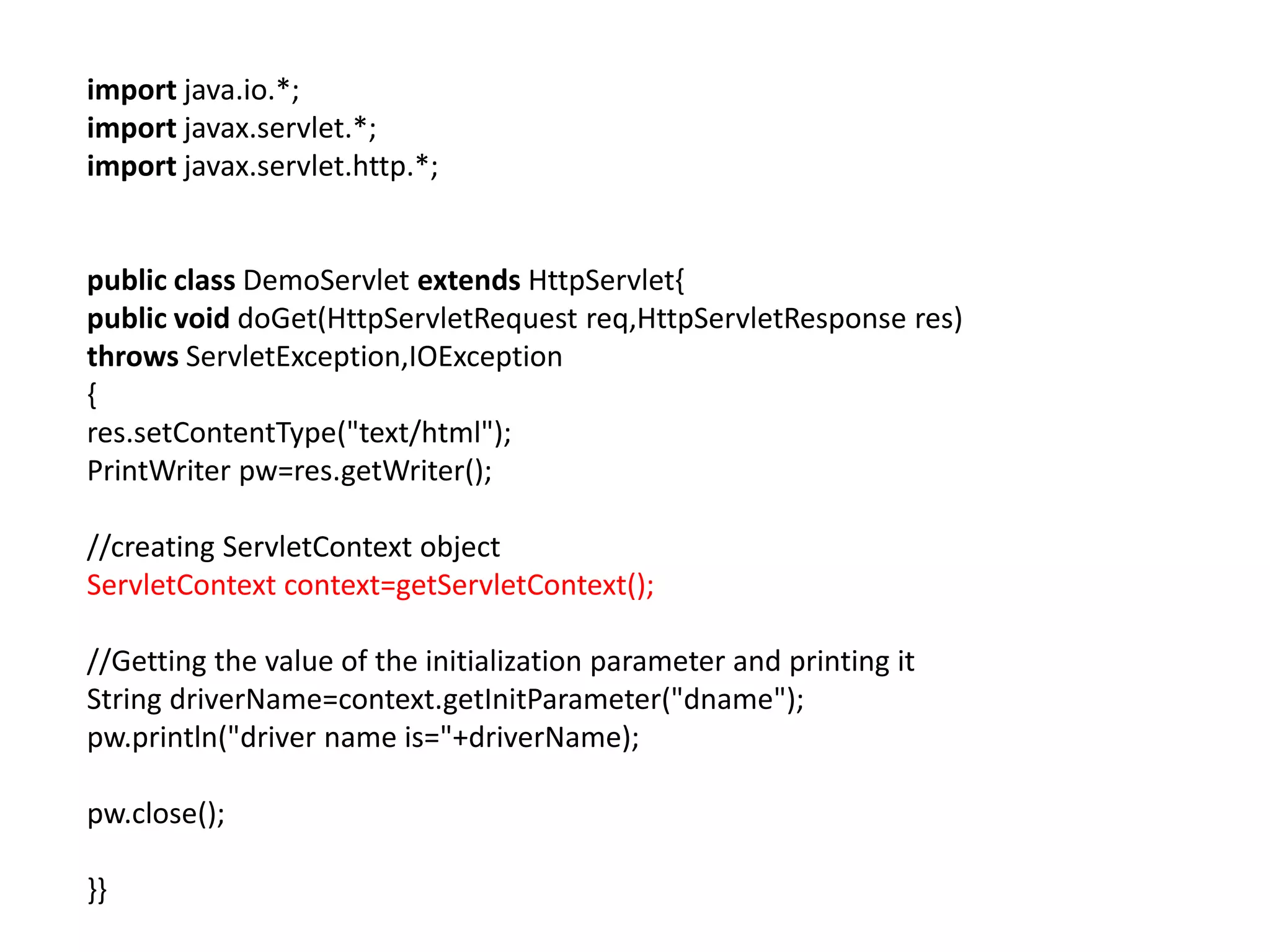
import java.io.*;
import javax.servlet.*;
import javax.servlet.http.*;
public class DemoServlet extends HttpServlet{
public void doGet(HttpServletRequest req,HttpServletResponse res)
throws ServletException,IOException
{
res.setContentType("text/html");
PrintWriter pw=res.getWriter();
//creating ServletContext object
ServletContext context=getServletContext();
//Getting the value of the initialization parameter and printing it
String driverName=context.getInitParameter("dname");
pw.println("driver name is="+driverName);
pw.close();
}}
web.xml
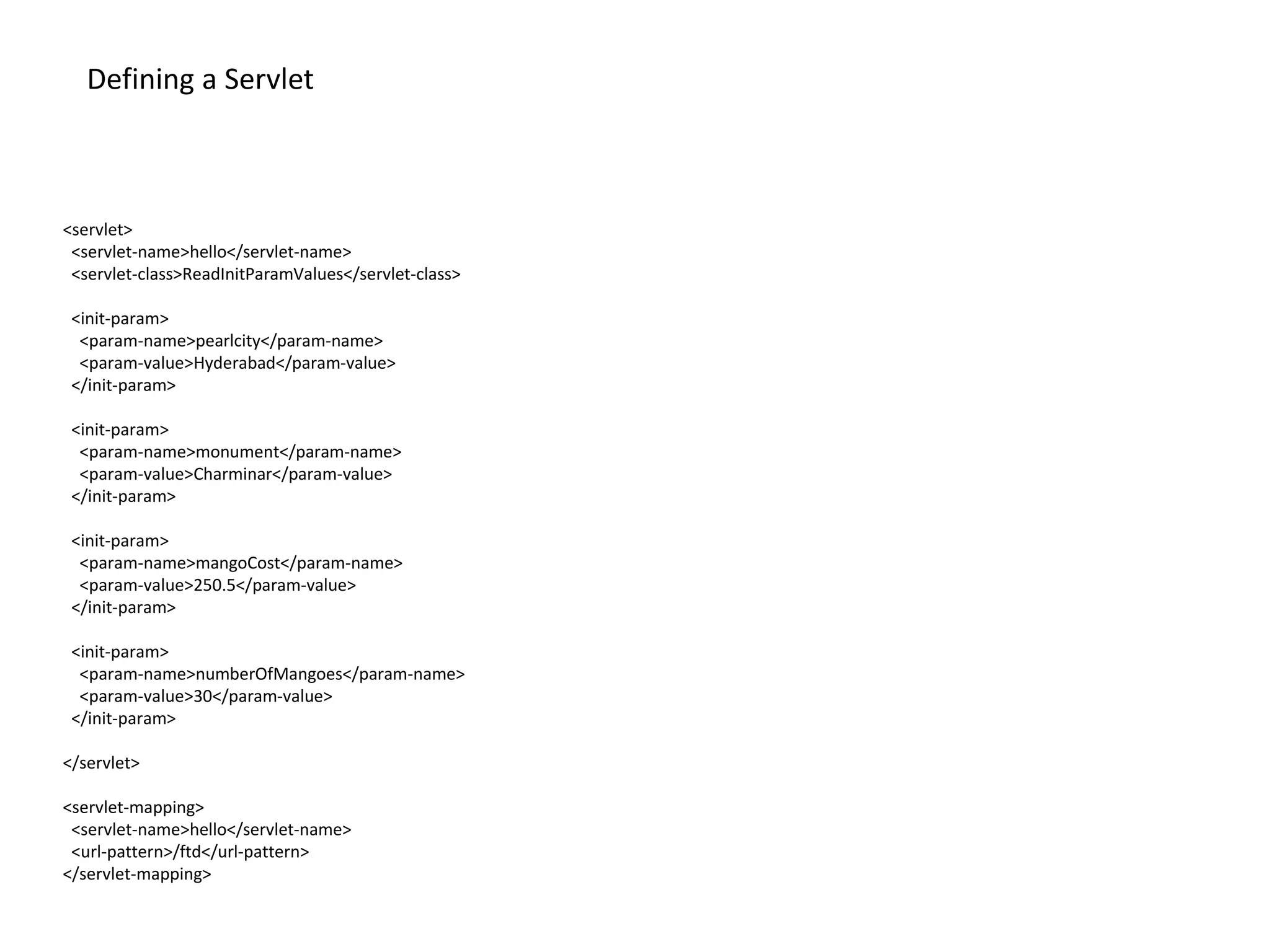
<servlet>
<servlet-name>hello</servlet-name>
<servlet-class>ReadInitParamValues</servlet-class>
<init-param>
<param-name>pearlcity</param-name>
<param-value>Hyderabad</param-value>
</init-param>
<init-param>
<param-name>monument</param-name>
<param-value>Charminar</param-value>
</init-param>
<init-param>
<param-name>mangoCost</param-name>
<param-value>250.5</param-value>
</init-param>
<init-param>
<param-name>numberOfMangoes</param-name>
<param-value>30</param-value>
</init-param>
</servlet>
<servlet-mapping>
<servlet-name>hello</servlet-name>
<url-pattern>/ftd</url-pattern>
</servlet-mapping>
Defining a Servlet
Remaining Tags in Web.xml
https://docs.oracle.com/cd/E14571_01/web.1111/e13712/web_xml.htm#WBA
PP515
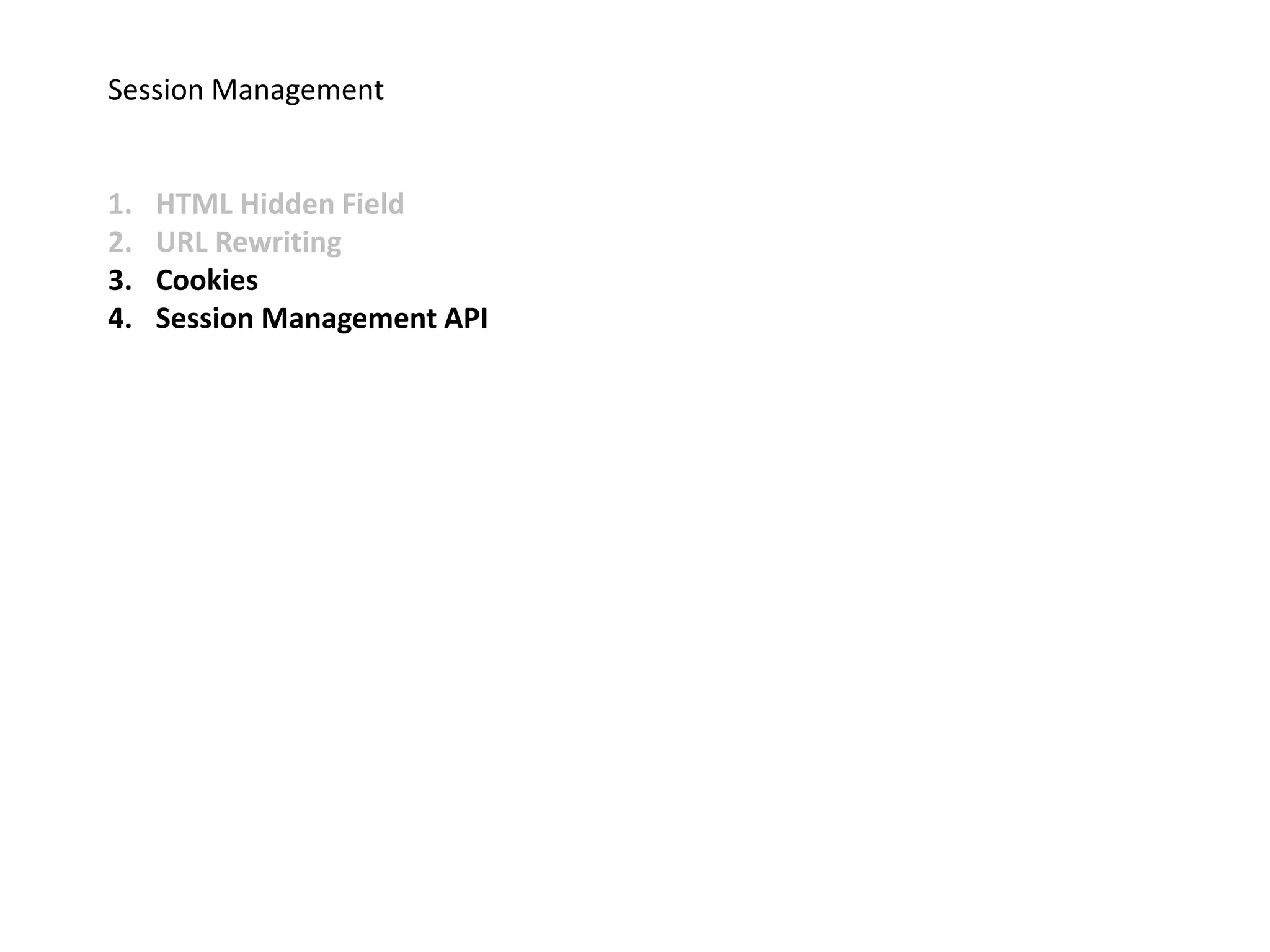
Session Management
1. HTML Hidden Field
2. URL Rewriting
3. Cookies
4. Session Management API
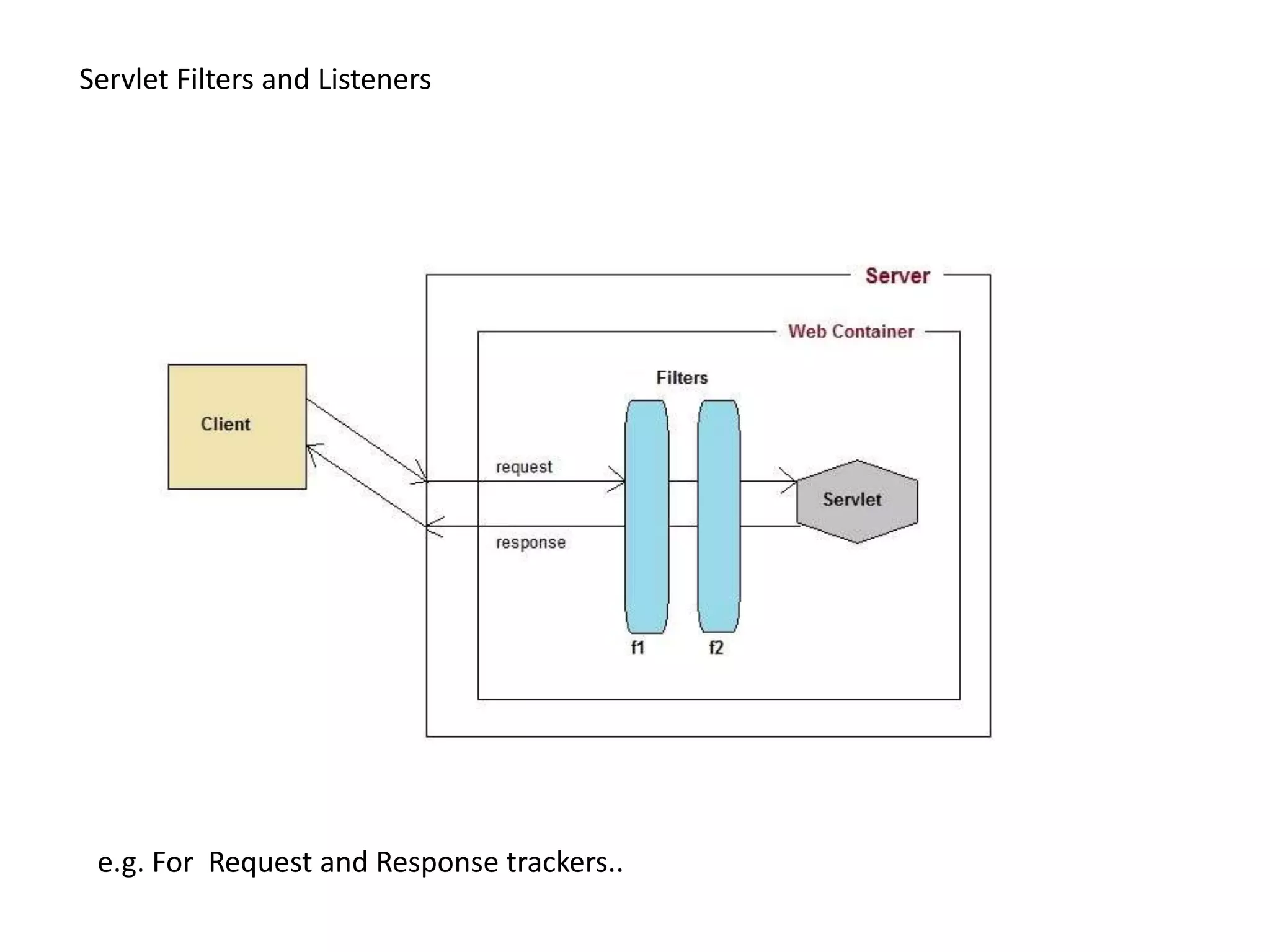
Servlet Filters and Listeners
e.g. For Request and Response trackers..
Listeners
Useful when any kind of action needs to be done when certain action taken
place
jsp life cycle
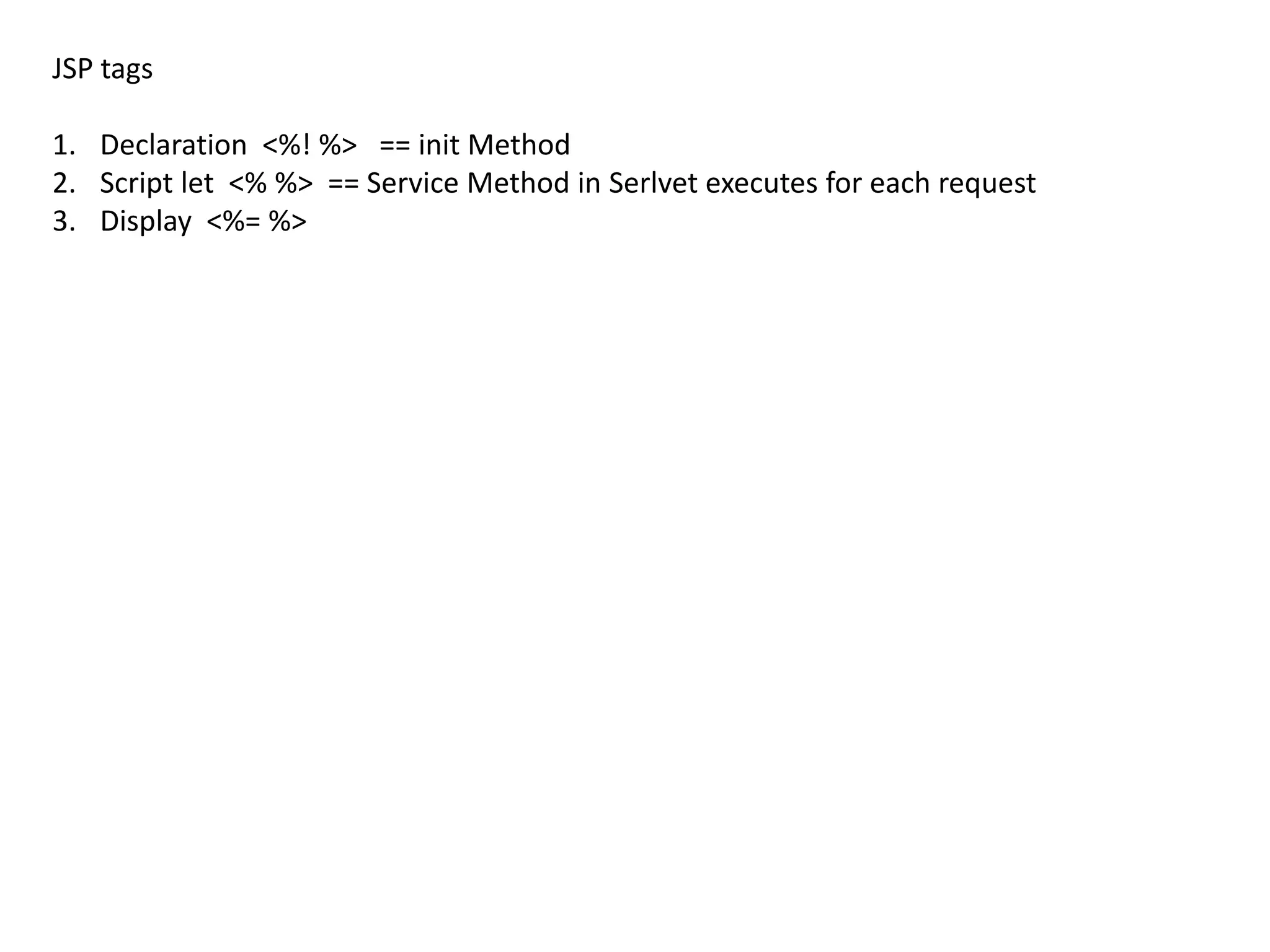
JSP tags
1. Declaration <%! %> == init Method
2. Script let <% %> == Service Method in Serlvet executes for each request
3. Display <%= %>
Jsp loading
Jsp Impilict Objects
1. Request
2. Response
3. Session
4. Page
5. exception
6. Application
7. Out
8. Config
Web Container – Tomcat
Assignments
1. Write Web Application for login page should accept user
name and password and display the Login Success message.
2. Write web application that accepts the Resume of .docx
file and save it in the Web Server.
3. Write web app using jsp’s that should communicate to
Servlets.
Servlets & jsp Overview

Servlets & jsp Overview

Editor's Notes

  • #15 Cookies are small piece of information that is sent by web server in response header and gets stored in the browser cookies. When client make further request, it adds the cookie to the request header and we can utilize it to keep track of the session. We can maintain a session with cookies but if the client disables the cookies, then it won’t work. Session Management API is built on top of above methods for session tracking. Some of the major disadvantages of all the above methods are:Most of the time we don’t want to only track the session, we have to store some data into the session that we can use in future requests. This will require a lot of effort if we try to implement this. All the above methods are not complete in themselves, all of them won’t work in a particular scenario. So we need a solution that can utilize these methods of session tracking to provide session management in all cases.