Slideshow
CLICK HERE
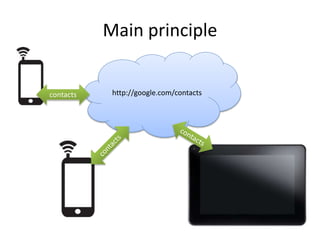
Main principle
http://google.com/contactscontacts
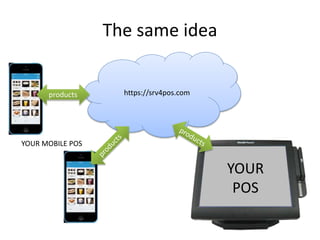
The same idea
https://srv4pos.com
YOUR
POS
products
YOUR MOBILE POS
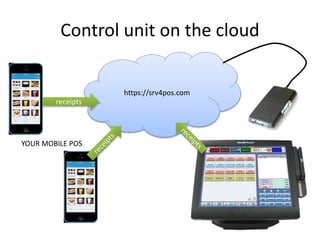
Control unit on the cloud
https://srv4pos.com
YOUR MOBILE POS
receipts
http://data.pos4mobile.com/analytics
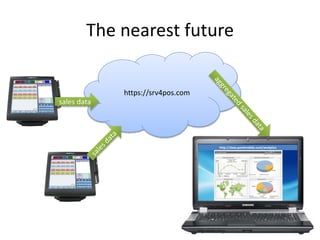
The nearest future
https://srv4pos.com
sales data
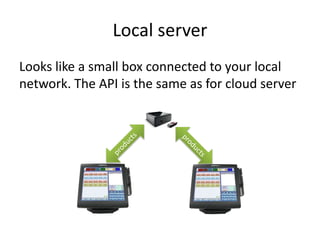
Local server
Looks like a small box connected to your local
network. The API is the same as for cloud server
Entities available for synchronization
• Now
– Products, articles, pictures
– Categories of products
– Taxes
– Screen settings
• Future
– Users
– Receipts
– Credentials for payment systems
– Industry specific data (restauraning: tables, dishes,
additives etc…)
High security
• No human passwords
- long randomly
autogenerated
security token with
no need to
remember or write
down
• SSL-encrypted
channel
Great backup
Real time backup to another
geolocation (without breaking
Swedish
regulations)
Fastest support
Direct
contact to
developers
(including
skype)
8 hours per
day, 5 days
per week.
24/7/365 cloud monitoring
We monitor our cloud more
than 100 parameters 24/7/365
and notified of any problems
immediately to fix server as
soon as possible.
Smooth server update
Zero time update. We don’t stop
server to update it
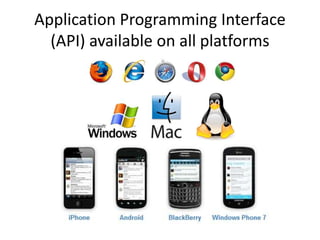
Application Programming Interface
(API) available on all platforms
Application Programming Interface
(API) available on all languages
because it’s JSON-REST
Background synchronization
If POS is on the way (for instance taxi service or
trucks) and internet is not available at the
moment, synchronization will be restored
automatically when internet appears with no
need to interact with user.
Data consistency
• Kassa downloads the data the way that it is
always consistent. So if internet goes down
during synchronization, the device still be able
to function properly
Performance care API
If server has a lot of data to
syncronize with the POS,
the POS downloads the
data part by part, with
keeping data consistency.
So if internet is slow or
buggy, the device is still
functioning
Well documented API and examples
…saves your development resources to
implement synchronization
(available as javadoc and
examples in java language)
Time estimate to integrate
250 man hours
Server diagnostics tool
Special tool (distributed as java program) which
tests connection to the server and availability of
server API functions to diagnose and detect
connectivity problems
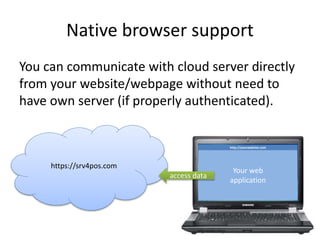
Native browser support
You can communicate with cloud server directly
from your website/webpage without need to
have own server (if properly authenticated).
http://yourwebsite.com
https://srv4pos.com
Your web
application
access data
Extra speed for thin clients
API supports caching technologies, especially for
thin clients (such as HTML based applications or
applications which doesn’t have own database),
so the data is kept in browser cache which speed
up your application!
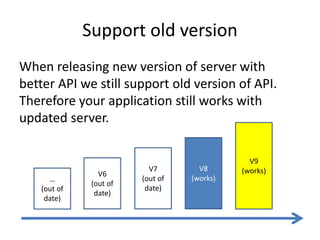
Support old version
When releasing new version of server with
better API we still support old version of API.
Therefore your application still works with
updated server.
V6
(out of
date)
V7
(out of
date)
V8
(works)
V9
(works)
…
(out of
date)
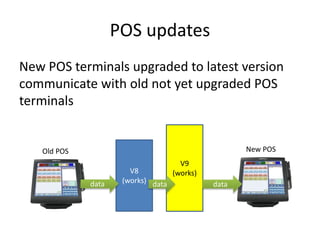
POS updates
New POS terminals upgraded to latest version
communicate with old not yet upgraded POS
terminals
V8
(works)
V9
(works)
data data data
Old POS New POS
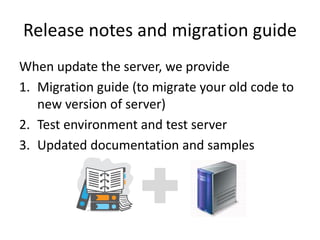
Release notes and migration guide
When update the server, we provide
1. Migration guide (to migrate your old code to
new version of server)
2. Test environment and test server
3. Updated documentation and samples
Thank you!

Server for POS