SEARCH ENGINE OPTIMIZATION FAST START
                            FREE EDITION: 2011


          SEO Fast Start:
          A Simple, Step by Step System
                       For Better Results
                                By Dan Thies


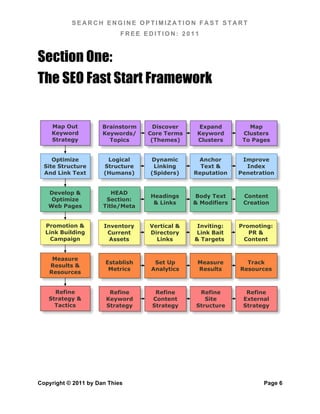
    Map Out           Brainstorm     Discover     Expand         Map
    Keyword           Keywords/    Core Terms    Keyword       Clusters
    Strategy            Topics      (Themes)     Clusters      To Pages


     Optimize          Logical      Dynamic      Anchor        Improve
  Site Structure      Structure      Linking      Text &        Index
  And Link Text       (Humans)      (Spiders)   Reputation    Penetration


   Develop &             HEAD
                                    Headings    Body Text      Content
    Optimize           Section:
                                     & Links    & Modifiers    Creation
   Web Pages          Title/Meta


  Promotion &         Inventory    Vertical &    Inviting:    Promoting:
  Link Building        Current     Directory    Link Bait        PR &
    Campaign            Assets       Links      & Targets      Content


    Measure
                       Establish     Set Up      Measure        Track
   Results &
                        Metrics     Analytics    Results      Resources
   Resources


     Refine             Refine       Refine      Refine         Refine
   Strategy &          Keyword      Content        Site        External
     Tactics           Strategy     Strategy    Structure      Strategy


Copyright © 2011 by Dan Thies                                        Page 1
SEARCH ENGINE OPTIMIZATION FAST START
                                           FREE EDITION: 2011


Preface: A Word from the Author ..................................................................................... 1	
  

   What’s changed – and what hasn’t! .............................................................................. 1	
  

   “So where did the free version go?” .............................................................................. 2	
  

   SEO Fast Start Is Not “Just a Book” ............................................................................. 3	
  

   There Are Some Things I Can’t Fix .............................................................................. 3	
  

   A Note about Hats ........................................................................................................ 4	
  

   Want the Updates? Join the List! .................................................................................. 5	
  

Section One: The SEO Fast Start Framework ................................................................. 6	
  

Chapter 1: Introduction (Start Here!) ................................................................................ 7	
  

   No Dark Secrets - Just SEO, Simplified ....................................................................... 7	
  

      “But This Guy Told Me…”.......................................................................................... 8	
  

   Why Most SEO Efforts Fail ......................................................................................... 10	
  

   Five Not-So-Easy Pieces ............................................................................................ 10	
  

   How to Read This Book .............................................................................................. 12	
  

      Process Diagrams ................................................................................................... 12	
  

      Read The Words! .................................................................................................... 12	
  

   About Section Two – The “Pro Section” ..................................................................... 13	
  

      “White Hat Black Belt” Techniques ......................................................................... 13	
  

      “Industrial Strength” Processes ............................................................................... 13	
  

   Why This System Doesn’t “Age” ................................................................................. 14	
  

Chapter 2: How Search Engines Work .......................................................................... 16	
  

Copyright © 2011 by Dan Thies                                                                                           Page 2
SEARCH ENGINE OPTIMIZATION FAST START
                                          FREE EDITION: 2011

  Why It Matters To You ................................................................................................ 16	
  

     What a “Spider” Does .............................................................................................. 17	
  

     Robots.txt & SiteMaps.org ...................................................................................... 18	
  

     How They Find You ................................................................................................. 18	
  

     What Gets Indexed ................................................................................................. 19	
  

     How Pages Are Ranked .......................................................................................... 20	
  

     How Important Is User Feedback? .......................................................................... 21	
  

     How People Use Search Engines & Portals ........................................................... 21	
  

     Takeaways – what we've learned ........................................................................... 23	
  

     Watch the Newsletter, and Join the Conversation .................................................. 24	
  

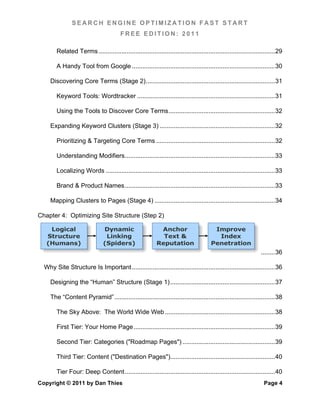
Chapter 3: Developing Keyword Strategy (Step 1)

  Brainstorm                     Discover                        Expand                         Map
  Keywords/                    Core Terms                       Keyword                       Clusters
    Topics                      (Themes)                        Clusters                      To Pages
                                                                                                                      ........ 25	
  

  The Purpose of Keyword Strategy .............................................................................. 25	
  

     Keyword Terminology ............................................................................................. 26	
  

     Brainstorming Keywords (Stage 1) ......................................................................... 27	
  

        Major Search Terms (single keywords & short phrases) ..................................... 27	
  

        Core Terms (Themes) ........................................................................................ 27	
  

        Singular or Plural? ............................................................................................... 28	
  

        Stemming & Misspellings .................................................................................... 28	
  

        “Stop Words”........................................................................................................ 29	
  

        Obvious Keywords ............................................................................................... 29	
  
Copyright © 2011 by Dan Thies                                                                                           Page 3
SEARCH ENGINE OPTIMIZATION FAST START
                                          FREE EDITION: 2011

        Related Terms ..................................................................................................... 29	
  

        A Handy Tool from Google .................................................................................. 30	
  

     Discovering Core Terms (Stage 2) .......................................................................... 31	
  

        Keyword Tools: Wordtracker ............................................................................... 31	
  

        Using the Tools to Discover Core Terms ............................................................. 32	
  

     Expanding Keyword Clusters (Stage 3) .................................................................. 32	
  

        Prioritizing & Targeting Core Terms .................................................................... 32	
  

        Understanding Modifiers ...................................................................................... 33	
  

        Localizing Words ................................................................................................. 33	
  

        Brand & Product Names ...................................................................................... 33	
  

     Mapping Clusters to Pages (Stage 4) ..................................................................... 34	
  

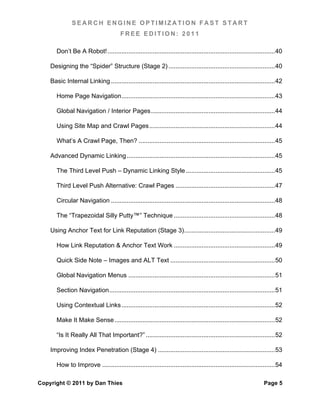
Chapter 4: Optimizing Site Structure (Step 2)

    Logical                     Dynamic                       Anchor                       Improve
   Structure                     Linking                       Text &                       Index
   (Humans)                     (Spiders)                    Reputation                   Penetration
                                                                                                                     ........ 36	
  

  Why Site Structure Is Important .................................................................................. 36	
  

     Designing the “Human” Structure (Stage 1) ............................................................ 37	
  

     The “Content Pyramid” ............................................................................................ 38	
  

        The Sky Above: The World Wide Web ............................................................... 38	
  

        First Tier: Your Home Page ................................................................................. 39	
  

        Second Tier: Categories ("Roadmap Pages") ..................................................... 39	
  

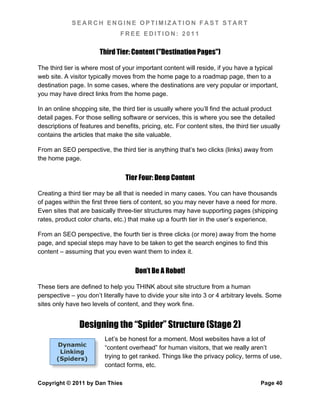
        Third Tier: Content ("Destination Pages")............................................................ 40	
  

        Tier Four: Deep Content ...................................................................................... 40	
  
Copyright © 2011 by Dan Thies                                                                                          Page 4
SEARCH ENGINE OPTIMIZATION FAST START
                                         FREE EDITION: 2011

       Don’t Be A Robot! ................................................................................................ 40	
  

    Designing the “Spider” Structure (Stage 2) ............................................................. 40	
  

    Basic Internal Linking .............................................................................................. 42	
  

       Home Page Navigation ........................................................................................ 43	
  

       Global Navigation / Interior Pages ....................................................................... 44	
  

       Using Site Map and Crawl Pages ........................................................................ 44	
  

       What’s A Crawl Page, Then? .............................................................................. 45	
  

    Advanced Dynamic Linking ..................................................................................... 45	
  

       The Third Level Push – Dynamic Linking Style ................................................... 45	
  

       Third Level Push Alternative: Crawl Pages ......................................................... 47	
  

       Circular Navigation .............................................................................................. 48	
  

       The “Trapezoidal Silly Putty™” Technique .......................................................... 48	
  

    Using Anchor Text for Link Reputation (Stage 3) .................................................... 49	
  

       How Link Reputation & Anchor Text Work .......................................................... 49	
  

       Quick Side Note – Images and ALT Text ............................................................ 50	
  

       Global Navigation Menus .................................................................................... 51	
  

       Section Navigation ............................................................................................... 51	
  

       Using Contextual Links ........................................................................................ 52	
  

       Make It Make Sense ............................................................................................ 52	
  

       “Is It Really All That Important?” .......................................................................... 52	
  

    Improving Index Penetration (Stage 4) ................................................................... 53	
  

       How to Improve ................................................................................................... 54	
  

Copyright © 2011 by Dan Thies                                                                                        Page 5
SEARCH ENGINE OPTIMIZATION FAST START
                                          FREE EDITION: 2011

    Key Points For The “Advanced” .............................................................................. 55	
  

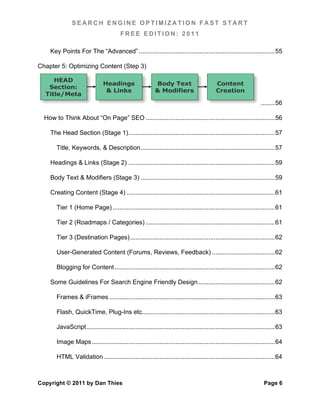
Chapter 5: Optimizing Content (Step 3)

     HEAD
                                Headings                     Body Text                         Content
   Section:
                                 & Links                     & Modifiers                       Creation
  Title/Meta
                                                                                                                        ........ 56	
  

  How to Think About “On Page” SEO .......................................................................... 56	
  

    The Head Section (Stage 1) .................................................................................... 57	
  

       Title, Keywords, & Description ............................................................................. 57	
  

    Headings & Links (Stage 2) .................................................................................... 59	
  

    Body Text & Modifiers (Stage 3) ............................................................................. 59	
  

    Creating Content (Stage 4) ..................................................................................... 61	
  

       Tier 1 (Home Page) ............................................................................................. 61	
  

       Tier 2 (Roadmaps / Categories) .......................................................................... 61	
  

       Tier 3 (Destination Pages) ................................................................................... 62	
  

       User-Generated Content (Forums, Reviews, Feedback) .................................... 62	
  

       Blogging for Content ............................................................................................ 62	
  

    Some Guidelines For Search Engine Friendly Design ............................................ 62	
  

       Frames & iFrames ............................................................................................... 63	
  

       Flash, QuickTime, Plug-Ins etc. ........................................................................... 63	
  

       JavaScript ............................................................................................................ 63	
  

       Image Maps ......................................................................................................... 64	
  

       HTML Validation .................................................................................................. 64	


Copyright © 2011 by Dan Thies                                                                                             Page 6
SEARCH ENGINE OPTIMIZATION FAST START
                                          FREE EDITION: 2011

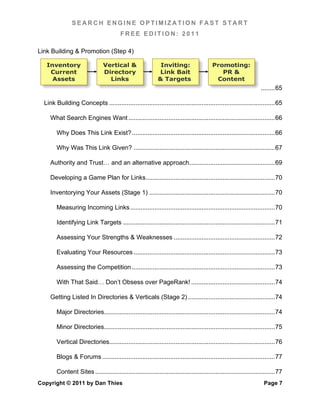
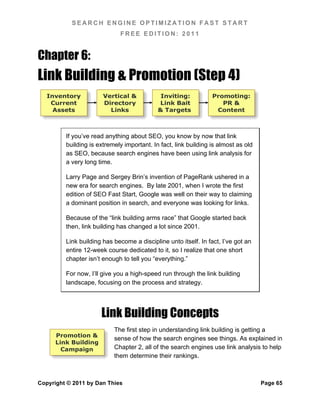
Link Building & Promotion (Step 4)

   Inventory                     Vertical &                     Inviting:                    Promoting:
    Current                      Directory                     Link Bait                        PR &
     Assets                        Links                       & Targets                      Content
                                                                                                                       ........ 65	
  

  Link Building Concepts ............................................................................................... 65	
  

     What Search Engines Want .................................................................................... 66	
  

        Why Does This Link Exist? .................................................................................. 66	
  

        Why Was This Link Given? ................................................................................. 67	
  

     Authority and Trust… and an alternative approach ................................................. 69	
  

     Developing a Game Plan for Links .......................................................................... 70	
  

     Inventorying Your Assets (Stage 1) ........................................................................ 70	
  

        Measuring Incoming Links ................................................................................... 70	
  

        Identifying Link Targets ....................................................................................... 71	
  

        Assessing Your Strengths & Weaknesses .......................................................... 72	
  

        Evaluating Your Resources ................................................................................. 73	
  

        Assessing the Competition .................................................................................. 73	
  

        With That Said… Don’t Obsess over PageRank! ................................................ 74	
  

     Getting Listed In Directories & Verticals (Stage 2) .................................................. 74	
  

        Major Directories.................................................................................................. 74	
  

        Minor Directories.................................................................................................. 75	
  

        Vertical Directories............................................................................................... 76	
  

        Blogs & Forums ................................................................................................... 77	
  

        Content Sites ....................................................................................................... 77	
  
Copyright © 2011 by Dan Thies                                                                                            Page 7
SEARCH ENGINE OPTIMIZATION FAST START
                                          FREE EDITION: 2011

     Developing Link Targets (Stage 3) .......................................................................... 78	
  

        Making News & Making Noise ............................................................................. 79	
  

        Giving Stuff Away ................................................................................................ 79	
  

        If We Build It, They Will… .................................................................................... 80	
  

        Blogging for (Link) Love ....................................................................................... 80	
  

        Why Do We Love Lists So Much? ....................................................................... 81	
  

        Presence Builds Presence .................................................................................. 81	
  

     Promoting Your Site (Stage 4) ................................................................................ 81	
  

        Content Promotion ............................................................................................... 81	
  

        Public Relations ................................................................................................... 83	
  

        Viral Marketing & Affiliates ................................................................................... 84	
  

        Marketing & Advertising ....................................................................................... 85	
  

     Outbound Links & Link Exchanges ......................................................................... 85	
  

        Reciprocation Is Not a Sin ................................................................................... 86	
  

     Conclusion – Don't Ever Stop Working On Links! ................................................... 86	
  

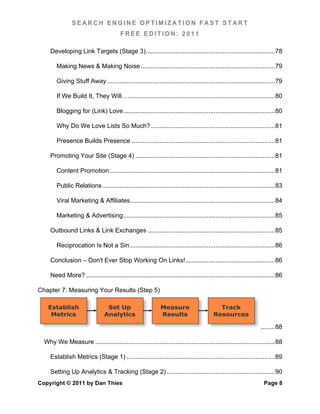
     Need More? ............................................................................................................ 86	
  

Chapter 7: Measuring Your Results (Step 5)

    Establish                      Set Up                       Measure                        Track
     Metrics                      Analytics                     Results                      Resources

                                                                                                                      ........ 88	
  

  Why We Measure ....................................................................................................... 88	
  

     Establish Metrics (Stage 1) ..................................................................................... 89	
  

     Setting Up Analytics & Tracking (Stage 2) .............................................................. 90	
  
Copyright © 2011 by Dan Thies                                                                                           Page 8
SEARCH ENGINE OPTIMIZATION FAST START
                                                FREE EDITION: 2011

          Tracking Rankings ............................................................................................... 90	
  

          Tracking Referrals & Traffic ................................................................................. 90	
  

          Tracking Links...................................................................................................... 91	
  

          Tracking Leads & Sales ....................................................................................... 91	
  

          Tracking Costs ..................................................................................................... 91	
  

       Measuring Results (Stage 3) ................................................................................... 91	
  

       Tracking Resources (Stage 4) ................................................................................ 92	
  

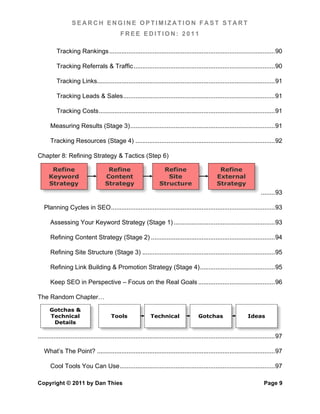
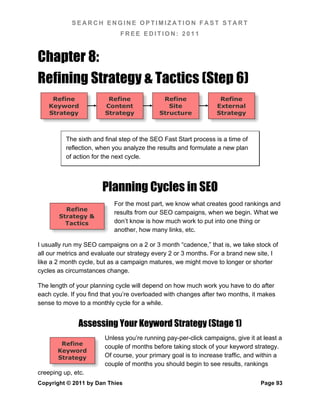
Chapter 8: Refining Strategy & Tactics (Step 6)

       Refine                           Refine                         Refine                            Refine
      Keyword                          Content                           Site                           External
      Strategy                         Strategy                       Structure                         Strategy
                                                                                                                                 ........ 93	
  

   Planning Cycles in SEO .............................................................................................. 93	
  

       Assessing Your Keyword Strategy (Stage 1) .......................................................... 93	
  

       Refining Content Strategy (Stage 2) ....................................................................... 94	
  

       Refining Site Structure (Stage 3) ............................................................................ 95	
  

       Refining Link Building & Promotion Strategy (Stage 4) ........................................... 95	
  

       Keep SEO in Perspective – Focus on the Real Goals ............................................ 96	
  

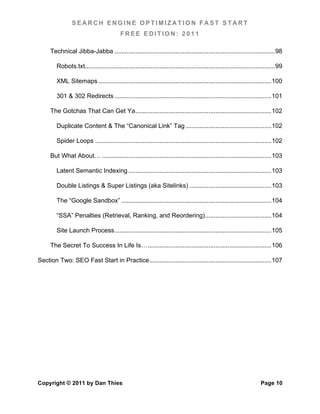
The Random Chapter…

      Gotchas &
      Technical                           Tools                  Technical                   Gotchas                      Ideas
       Details

........................................................................................................................................ 97	
  

   What’s The Point? ...................................................................................................... 97	
  

       Cool Tools You Can Use ......................................................................................... 97	
  

Copyright © 2011 by Dan Thies                                                                                                      Page 9
SEARCH ENGINE OPTIMIZATION FAST START
                                            FREE EDITION: 2011

      Technical Jibba-Jabba ............................................................................................ 98	
  

         Robots.txt............................................................................................................. 99	
  

         XML Sitemaps ................................................................................................... 100	
  

         301 & 302 Redirects .......................................................................................... 101	
  

      The Gotchas That Can Get Ya .............................................................................. 102	
  

         Duplicate Content & The “Canonical Link” Tag ................................................. 102	
  

         Spider Loops ..................................................................................................... 102	
  

      But What About… ................................................................................................. 103	
  

         Latent Semantic Indexing .................................................................................. 103	
  

         Double Listings & Super Listings (aka Sitelinks) ............................................... 103	
  

         The “Google Sandbox” ...................................................................................... 104	
  

         “SSA” Penalties (Retrieval, Ranking, and Reordering) ...................................... 104	
  

         Site Launch Process .......................................................................................... 105	
  

      The Secret To Success In Life Is… ....................................................................... 106	
  

Section Two: SEO Fast Start in Practice ...................................................................... 107	


Copyright © 2011 by Dan Thies                                                                                             Page 10
SEARCH ENGINE OPTIMIZATION FAST START
                              FREE EDITION: 2011


Preface: A Word from the Author
It has been nearly a decade since I published the first edition of SEO Fast Start, in
November 2001. We’ve all seen a lot of changes in the wide world of search engines
since then, but the core of the “fast start” system I wrote about back then remains just
as useful today.

If you are reading SEO Fast Start for the first time, welcome. As you read through this
book, I’m confident that you will notice a big difference between this book and any
others you may have seen.

This new “Professional Edition” marks a departure from a lot of history – but in a good
way… because up until today, every new edition of SEO Fast Start has been limited (by
editorial mandate) to a maximum of 100 pages.

Believe me, it has sometimes been a challenge to distill the essence of search engine
optimization into 100 pages, but the fact is, most people simply don’t need any more
than that – and wouldn’t read more if I gave it to them.

While 100 pages is *great* for getting new folks up to speed on SEO, it does kind of
limit the amount of “hard core” information that I can put into the book.

In the beginning, SEO Fast Start was sold for $29.95, but in hopes of reaching a larger
audience, I began offering it as a free download in 2004. Since then, it’s been
downloaded and (I hope) read by more than 180,000 people.

Larger audience? Check. Loads of raving fans? You bet – and along with that… a huge
demand for more. More detail, more… well… everything.


            What’s changed – and what hasn’t!
Some highlights of the new, new, super funky SEO Fast Start include:

       The same visual approach I introduced in 2007, with process maps to guide
        you every step of the way. Every part the system is mapped out so you
        always know what to do next.


Copyright © 2011 by Dan Thies                                                       Page 1
SEARCH ENGINE OPTIMIZATION FAST START
                                   FREE EDITION: 2011

         The best practices, systems and processes I’ve discovered in more than 10
          years of SEO are reflected in each update, along with any real changes that
          may have happened in the search engines.

         A new “professional edition” to go along with the free version – which should
          go a long way toward answering many readers’ requests for “more” without
          compromising my ability to reach a large audience with the free edition.

         We’re not just “going pro,” we’re going everywhere, with print editions, and
          digital editions for the major ebook reader platforms like Kindle and iBooks.


              “So where did the free version go?”
Ah – I’m glad you asked, because it gives me an excuse to explain how this book is
organized.

Section One is called “The SEO Fast Start Framework,” and it will look hauntingly
familiar to past readers of SEO Fast Start… because that’s where the 2011 update of
your familiar 100-page SEO guide lives inside of the Professional Edition.

I will continue to maintain a 100-page limit on the first section1.

Section Two is called “SEO Fast Start in Practice” and it’s the “professional” section.
This section will be longer, and more in depth than the first section.

I make no promises to limit the length of the Professional section, aside from practical
concerns related to updating, supporting, and publishing a book that doesn’t make your
bookshelf collapse under its mighty weight.

Beginners should read Section One, and let it sink in, before proceeding to the second
section. Professionals, or those who are already familiar with the SEO Fast Start
framework, may skim the first section and move on to the “good stuff.”


1
 That’s 100 pages, in Microsoft Word, with 12 point type and 1-inch margins. Kindle editions etc. may
vary by a little or a lot - that’s beyond my control.


Copyright © 2011 by Dan Thies                                                                    Page 2
SEARCH ENGINE OPTIMIZATION FAST START
                              FREE EDITION: 2011

The “free edition” will continue to be available through the SEO Fast Start web site
(www.seofaststart.com) - and will be updated more or less annually, as circumstances
(changes at the search engines) dictate.

A lot of things can happen at the search engines, but if they don’t affect what we do, you
may expect an email from me, but not necessarily a new edition of the book.


              SEO Fast Start Is Not “Just a Book”
There are a lot of books about SEO these days – some of them are even pretty good,
while others are worth less than the paper they’re printed on.

What I’ve tried to create here is more than just a book – it’s a framework for learning
SEO. In fact, it’s a framework for understanding SEO, for managing SEO projects, for
developing better methods, for teaching, for communicating with clients, and more.

One important goal with SEO Fast Start is to teach beginners a simple process that
consistently delivers results. But this isn’t just for beginners.

Even the most jaded veterans of the SEO wars can use this framework. If you don’t like
what we’re doing at any particular step in the “fast start” process, you can just plug in
your own process for that step.

The overall framework should make sense, no matter how experienced you are. You
can change how you handle a step in the process, but you can’t make any of the steps
go away – believe me, I’ve tried.

Here in the Professional Edition, I’ll offer more details on the way that I handle each
step, and show you how some others handle them – so that you can adopt what you
like, adapt what doesn’t quite fit, and understand the logic that needs to go into
developing your own processes.


              There Are Some Things I Can’t Fix
Some of you who are reading this may be depending on one “scheme” or another to
sustain your business. Maybe you’re running “made for Adsense” websites, with


Copyright © 2011 by Dan Thies                                                       Page 3
SEARCH ENGINE OPTIMIZATION FAST START
                               FREE EDITION: 2011

automated content generation software. Maybe you’re using cloaking or JavaScript
hacks to hide your site’s true content from the search engines.

Here’s some bad news: one day, these schemes will stop working. I can’t fix that. I can’t
help you. If you’re trying to outrun the search engines, don’t come crying to me when
they catch up to you. Enjoy your run while it lasts… but you might want to start thinking
about a more sustainable business model for the long haul.

A lot of stuff that “works” when you’re only getting a tiny trickle of traffic from your SEO
efforts will not only stop working when the search engines notice you, it will actually
work against you. Search engines have a long memory.


                             A Note about Hats
White hat… black hat… gray hat. People have been arguing for years about the “right
way” to do SEO.

There’s “right” in terms of whether what you’re doing gets results, and there’s “right and
wrong,” in terms of ethics. Even when you boil it down to getting results, you can argue
about the importance of short term vs. long term results.

I am a little tired of the conversation to be honest, but I can’t write an entire book about
SEO without at least talking about this stuff once.

I call what I do “white hat” because I would have no problem discussing every detail of
the SEO Fast Start system with anyone from any search engine, telling them the URLs
of every site I own, etc.

If you’re doing things that you wouldn’t want the search engines to know about, I’m
going to call you a “gray hat.”

To me, it’s really that simple. Either you’re doing things the search engines are
trying to detect and block, or you’re not. We can all use common sense to decide
what these things are.

I hope that this book will move a few more “gray hats” a little closer to the “white hat”
side, when they see how a “white hat black belt” like me gets things done.


Copyright © 2011 by Dan Thies                                                         Page 4
SEARCH ENGINE OPTIMIZATION FAST START
                               FREE EDITION: 2011

So what makes someone a black hat? If you’re trying to deceive people, “hijack”
websites, or abusing others’ web sites (I’m looking at you, Mister Forum Spammer), I’ll
call that “black hat,” because it’s just plain wrong.

If you don’t like these definitions, I am not going to argue with you, and I don’t want to
hear about it. I have books to write.


               Want the Updates? Join the List!
Depending on how you got your hands on SEO Fast Start you may or may not be on my
mailing list to receive updates. If you’re not sure, that’s fine – just go to the SEO Fast
Start web site (www.seofaststart.com) and sign up.

That way I’ll be able to let you know (by sending you an email) when anything
noteworthy happens at the search engines, and when new editions/updates to SEO
Fast Start are released.

Fair warning – I may, from time to time, send you an email that isn’t just an update to
the SEO Fast Start book… I might even offer to sell you something once in a while –
like an online training class, personal coaching, or tickets to a live event.

If this offends you, I suggest you move to the USSR, where your kind belong… no wait,
that’s not right… may I instead suggest that you simply “ignore” those offers. We’re
talking about maybe a dozen emails a year.

Who knows, you might even *enjoy* taking a class from me, or learning about stuff like
pay-per-click advertising, or the latest software to help you manage all this stuff… I’m
just saying.

Anyway, it’s up to you – I’d love to have you as a subscriber, but not as a complainer.


Copyright © 2011 by Dan Thies                                                         Page 5
SEARCH ENGINE OPTIMIZATION FAST START
                            FREE EDITION: 2011


Section One:
The SEO Fast Start Framework


    Map Out           Brainstorm     Discover     Expand         Map
    Keyword           Keywords/    Core Terms    Keyword       Clusters
    Strategy            Topics      (Themes)     Clusters      To Pages


     Optimize          Logical     Dynamic       Anchor        Improve
  Site Structure      Structure     Linking       Text &        Index
  And Link Text       (Humans)     (Spiders)    Reputation    Penetration


   Develop &             HEAD
                                   Headings     Body Text      Content
    Optimize           Section:
                                    & Links     & Modifiers    Creation
   Web Pages          Title/Meta


  Promotion &         Inventory    Vertical &    Inviting:    Promoting:
  Link Building        Current     Directory    Link Bait        PR &
    Campaign            Assets       Links      & Targets      Content


    Measure
                       Establish    Set Up       Measure        Track
   Results &
                        Metrics    Analytics     Results      Resources
   Resources


     Refine             Refine       Refine      Refine         Refine
   Strategy &          Keyword      Content        Site        External
     Tactics           Strategy     Strategy    Structure      Strategy


Copyright © 2011 by Dan Thies                                        Page 6
SEARCH ENGINE OPTIMIZATION FAST START
                                FREE EDITION: 2011


Chapter 1: Introduction (Start Here!)
           I know how tempting it is to skip the introduction, but please don’t.

           In this chapter, I will explain how to use the rest of the book, and
           hopefully convince you that you got on the right track (maybe for
           the first time) when you decided to grab it.

           I will explain why this book is different and “better” than others you
           may have seen… and how you can get the most out of the time you
           spend with SEO Fast Start.


           No Dark Secrets - Just SEO, Simplified
Are you just a little confused about SEO right now?

If you are, that’s probably because so many people are trying to convince you that
there’s some “trick” to it, and you just don’t know that trick… that if you’ll just slap your
credit card down, they’ll clue you in.

The biggest secret in search engine optimization is that there really aren’t any
secrets – at least not the kind most of these folks want you to sell you. There is a
lot of technical detail, and I’ll do everything I can to help you with that in this book. But
real secrets are hard to come by.

The truth is, if you know what you’re doing, and don’t try to trick the search engines,
very little has really changed in SEO for at least five years. That still leaves plenty to
learn, but there is no magic silver bullet.

If you don’t believe me right now, that’s healthy skepticism. There’s hope for you. By the
time you’re finished with this book, you won’t have to believe it, because you’ll know that
it’s true.


Copyright © 2011 by Dan Thies                                                           Page 7
SEARCH ENGINE OPTIMIZATION FAST START
                               FREE EDITION: 2011


                             “But This Guy Told Me…”
Be careful where you get your advice: I met a guy at a conference a while back, who
thinks that he’s getting special treatment because he put a Google search box on his
web site. He was planning to publish an e-book, with all his “secrets.”

He had a great site with an active blog, which was always getting new links from other
web sites, but that was just an afterthought to him. It couldn’t be that simple, could it?
There just has to be some trick to it!

If you believe that there’s some secret that the “insiders” aren’t telling you, you’re
experiencing normal healthy paranoia. Good for you. Your ancestors were the same
way, and sometimes it helped them survive.

Back in the Stone Age, if one of your caveman buddies drank some yellow water from
the hot springs, and got sick, you all stayed away from it. The ability to learn is a big part
of why we’re all still here, and “paranoia” is just a side effect.

On the other hand, if you killed a gazelle with white spots on its tail, and then there was
an earthquake, you might have thought twice about killing another one like that. Today,
we know better… but we still have superstitions.

Don’t get me wrong. Some people really are better at SEO than others. Their
success, though, is mostly due to more experience and better processes. The people
who are exceptionally good at SEO also have a lot of knowledge about the technical
side of search engines and web sites.

I think I’ve proven over the years that I am one of those people… and I want to
help you.

I’m not “better” because of secret knowledge, although I do have some of that… I’m
better because I spend my time and resources on things that I *know* will make the
most difference, and I don’t waste time on every hare-brained scheme that comes down
the pike.

You would be well advised to do likewise – constantly reading every speculative blog
post about SEO will not make you smarter, but it will make you older by the exact
amount of time you spent reading it and worrying about whether it’s true.


Copyright © 2011 by Dan Thies                                                         Page 8
SEARCH ENGINE OPTIMIZATION FAST START
                                   FREE EDITION: 2011

This may shock you, but I don’t read all the “big” SEO blogs every day… in fact, I only
dedicate a few hours each month to “keeping up” with all that noise. Most of it, in the
final analysis, is…

    •   Flat out inaccurate and flawed from the get-go

    •   Completely made up and/or totally speculative, or

    •   Interesting to a “search geek” like me, but not “actionable”

As an example of the latter, there’s been some hubbub lately about a “correlation”
between people “liking” or sharing a site on Facebook, and rankings. Okay, that’s
interesting, but so what?

I mean, you can’t “like” a site if you don’t see it, so it stands to reason that sites with
good rankings (and traffic) are going to get more “likes” than other sites… That doesn’t
mean search engines are counting Facebook “likes” as a ranking factor, because they
are not2 - at least not right now.

Beyond that, what’s “actionable” about this? Umm… maybe you should think about
working Facebook into your marketing strategy? You should have been doing that
already – there are like a bazillion users on Facebook and they spend an average of
(approximately) 24 hours a day logged in there.

Sorry for the rant – but there’s a whole chapter in Section Two on “Ranking Factors –
Real and Imaginary” if you want more. Let’s get back to business here.

To understand how this book is going to make you successful, let’s look at what goes
wrong for most people who try their hand at search engine optimization. I’ll bet it’s not
what you think.


2
 Unless you count Blekko, which has explicitly said that they do count Facebook likes – a statement they
will regret if they actually gain any market share some day.


Copyright © 2011 by Dan Thies                                                                   Page 9
SEARCH ENGINE OPTIMIZATION FAST START
                               FREE EDITION: 2011


                      Why Most SEO Efforts Fail
If you’ve tried to do your own SEO and failed, you’re in good company. It’s easy once
you know what you’re doing, but it’s very hard to learn. There’s just so much bad
information out there, folks. It’s scary.

Some people will tell you that there’s nothing you can’t learn about SEO just by reading
stuff on the web. That’s partly true, if you only knew which stuff you could trust!
Not so easy…

Most of what I know could be found somewhere on the web… if you can handle math
and read between the lines a bit. Too bad that most of what you will find on the web is
wrong, misleading, or so poorly written that it actually makes things worse.

Don’t worry, this book will help you cut through the noise… but knowledge is not the
biggest problem. The #1 reason why most people give up on SEO is that they
spend far too much time and money without getting the results they need.


                        Five Not-So-Easy Pieces
SEO is pretty simple, really. It boils down to doing five things right:

       •   Developing a keyword strategy to target the right searchers
           (Chapter 3)

       •   Building a well-structured web site
           (Chapter 4)

       •   Creating good content and doing basic “on page” optimization
           (Chapter 5)

       •   Promoting your site to get links from the rest of the web
           (Chapter 6)

       •   … and avoiding technical “gotchas”
           (Chapter 9)


Copyright © 2011 by Dan Thies                                                    Page 10
SEARCH ENGINE OPTIMIZATION FAST START
                                    FREE EDITION: 2011

That last one hardly matters to most folks, but I’ve still woven information about it
through this book. Even if you find the right information and understand what all of those
things really mean, you’re still missing a very critical piece.

You need a step-by-step plan to put it all into practice. If you don’t have a good road
map, you get lost. You get frustrated, results aren’t happening fast enough, and you
start looking for shortcuts… in short, you probably end up doing something like this:

        •   You settle for a “thin” keyword strategy with a handful of phrases3, or you run
            in the opposite direction and target so-called “long tail” or “niche” phrases that
            can never bring you enough traffic.

        •   You rewrite your content in “keywordspeak” to get more “keyword density”
            instead of just writing naturally and placing your search terms in the few key
            places on the page where they’ll actually help.

        •   You submit to a few directories, you spend some time trying to trade links,
            and when that doesn’t get the job done, you try different automated linking
            schemes, or buying links, the “link rental” bill never stops growing, and results
            are hard to find.

        •   If you’re really unlucky, some kind of simple, easy to fix technical problem
            gets you. You panic - maybe you’ve been penalized. “Experts” on forums
            confirm the diagnosis, and you start undoing all the good work you’ve done4.

Does any of this sound familiar? If it does, then you know how painful it can be to do
this stuff without a good plan. If none of these things have ever happened to you, you’re
probably in great shape… but a good road map can still make you more effective.

No matter where you are in your efforts, the SEO Fast Start system will help you find
new opportunities, and give you the tools you need to take advantage.


3
  This does not mean that you should try to “focus” on hundreds of keywords at the same time – that’s
impossible, and there’s a whole chapter in Section Two explaining why.

4
 If you’re deleting pages right and left because of Google’s “Panda” update, that’s more likely to hurt than
help – more on that in the “pro” section as well…


Copyright © 2011 by Dan Thies                                                                     Page 11
SEARCH ENGINE OPTIMIZATION FAST START
                                        FREE EDITION: 2011


                                How to Read This Book
While you may be tempted to jump around, I encourage you to read through this book
from start to finish at least once. Start with Section One – “The SEO Fast Start
Framework,” before proceeding to Section Two.


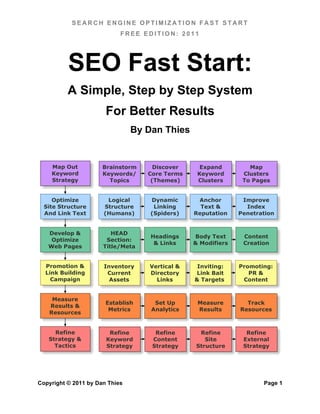
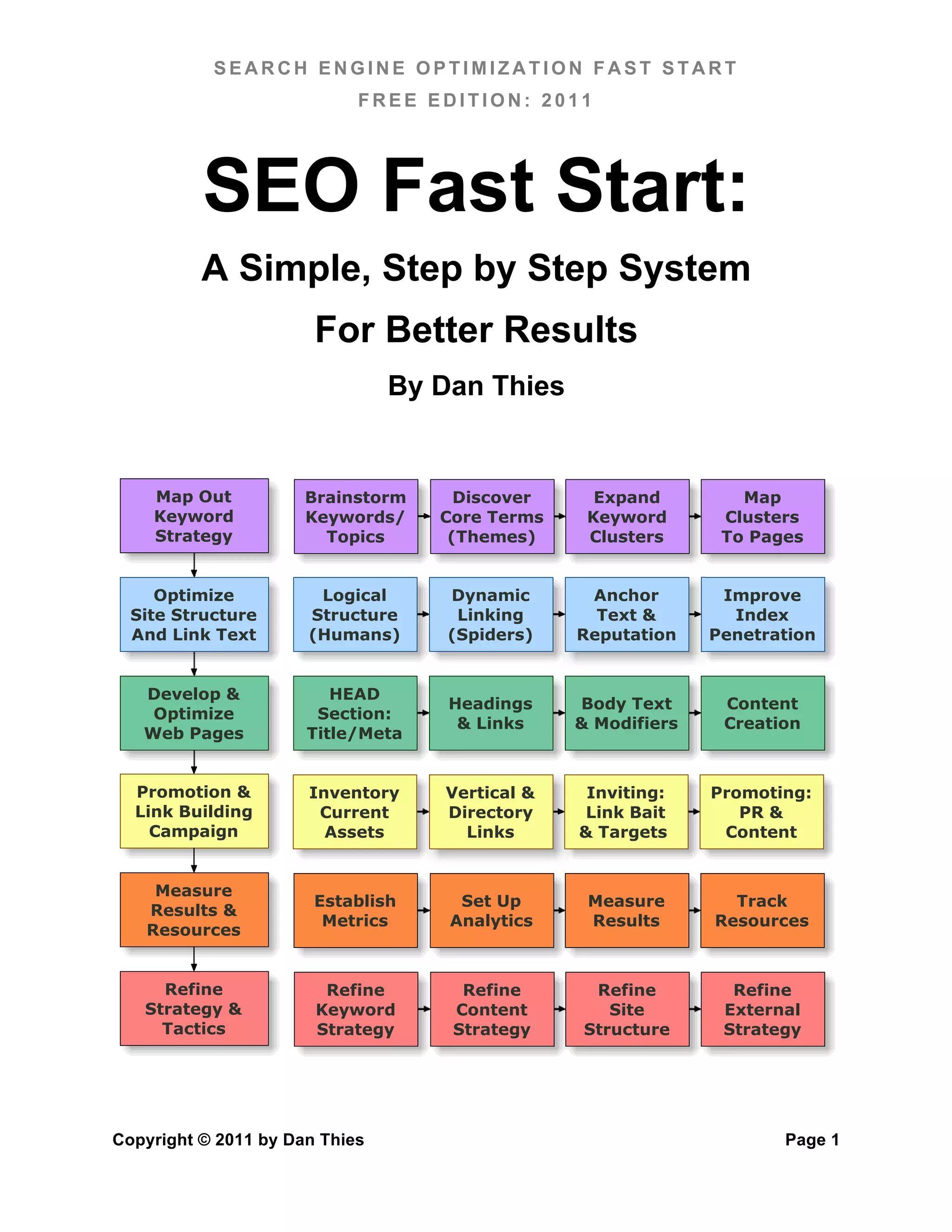
                                          Process Diagrams
The illustration on the cover page is called a process diagram. I’ve created this to help
you understand the big picture, and to illustrate the entire SEO Fast Start system at a
glance.

The “big steps” of the SEO process are mapped out down the left hand side, and for
each of these, a more detailed process is shown from left to right. It’s all color coded5,
so you can see how it all fits together.

You will also notice that the chapters in this book are organized around these big steps,
and each chapter is built around the specific steps within that. For every step in that
process, I’ll explain what you need to do, and what you’re trying to achieve.


                                           Read The Words!
If I did nothing but describe the process, this book would still be useful, but it wouldn’t
serve you very well. There are a lot of important concepts you need to understand, and
there’s more to it than just step by step.

You have to understand why you’re doing it, if you want to do it well. You need to be
aware of the exceptions and gotchas.

The only way to do that is to make sure you read every word.

So please, I’ve spent more than ten years writing it. You can spend a few hours actually
reading it – especially Section One on the SEO Fast Start framework. That section is
only about 100 pages altogether, with lots of pictures and 12 point type.


5
    Kindles are not color devices (at the moment) but if you’re reading this on a Kindle you’ll figure it out.


Copyright © 2011 by Dan Thies                                                                           Page 12
SEARCH ENGINE OPTIMIZATION FAST START
                               FREE EDITION: 2011


         About Section Two – The “Pro Section”
The first section of this book is tightly organized around the SEO Fast Start framework –
it has to be, because I need you to get up to speed on that before I can really blow your
mind with the deep, deep stuff.

The second section is a little bit more free-form – certainly more so than your typical
book might be, because there isn’t some nice happy way to match up the number of
chapters to the steps in the SEO process.

Some of the stuff I’ll cover in this section will save you time. Some chapters will help you
develop a better strategy. Others will address specific issues that arise with, for
example, large web sites, and won’t be applicable to everyone or in every situation.


                     “White Hat Black Belt” Techniques
I’ve got a huge archive of really cool strategies and tactics that my students and I have
come up with over the years. When the appropriate situation arises, I’ll pull one of these
ideas back off the shelf and use it to break into a difficult market or give one of my
students an edge on their competition.

I can’t share all of these techniques with you in this book. Even without the old 100-
page limit, some things just won’t fit. The actual archive itself is several overstuffed 3
ring binders, nearly a terabyte of video and audio files, and many thousands of pages of
printouts.

What I can do, though, is sprinkle a few of these in throughout the book, and bring out
the most effective strategies and tactics here in the “pro” section. I can’t promise that
everything in the pro section will apply to you, but I have no doubt that most of it will.


                       “Industrial Strength” Processes
The toughest thing about SEO is managing it all. As a wise old man once told me, “most
stuff you gotta do, it’s not hard, it’s just, you know, a lot of stuff.”

The key to successfully managing all of the “stuff” that goes into good SEO is the
processes that you use. The competition does not sit still. They’re pouring time, money,
and management focus into SEO just like you are. The only way you’re going to come
out ahead is to either:
Copyright © 2011 by Dan Thies                                                       Page 13
SEARCH ENGINE OPTIMIZATION FAST START
                               FREE EDITION: 2011

   A. Throw more time, money and focus at the problem… or

   B. Become more efficient than your competitors.

I’m going to tell you right now – “B” is the right answer, even if you have “unlimited”
resources (which you don’t).

Becoming more efficient means that you can Leverage your investment in SEO.
Efficiency isn’t the only kind of leverage we’ll apply, but it’s the most important, and
without becoming more efficient you won’t stand a chance in truly competitive markets.

Much of the “pro section” is about processes, and efficiency, because that’s the best
way for you to beat your competition. You do want to win, right?

I thought so.


                Why This System Doesn’t “Age”
I’ve been doing more or less the same things in SEO for years, and they still work. Even
today, when I start work on a new web site, I expect that we’ll be able to start seeing
significant traffic from search engines within the first month or two, and that we’ll start
seeing page one rankings for our key search terms within six months, give or take.

Why do I expect that to happen? Because it’s happened for me, over and over, for
years and years… and all we did was apply this system. I’ve seen competitors come
and go, in many markets – flying high in April, shot down in May, while my students and
clients have continued to prosper.

Why have I been able to sit back and laugh while so many people have struggled over
the years? It’s simple.

I don’t try to fool the search engines.

Optimizing web pages, if you were doing it right, hasn’t really changed in years. A lot of
tricks (hidden text, keyword stuffing) have stopped working, but they were never
necessary (or even a good idea) to begin with.

Now, with the SEO Fast Start process as a framework, I don’t expect that this system
will ever go out of date. We may add a new wrinkle here, or change a thing or two within
a particular step, but for the most part, the system will remain the same.
Copyright © 2011 by Dan Thies                                                       Page 14
SEARCH ENGINE OPTIMIZATION FAST START
                               FREE EDITION: 2011

What will change? New strategies and tactics, new opportunities, and unless I miss my
guess, years of watching your risk-taking competitors fall by the wayside as the search
engines figure out their games.

There’s another reason why I don’t expect to have to change very much in my “SEO
practices” as the years go by:

Most of what goes into successful SEO campaigns is just plain old marketing!

I’ll get into this much more later on, but there are really only three “big” factors that
contribute to your rankings right now, and two of them are (mostly) about what the *rest*
of the web does in linking to you.

Now you can go out and buy links, you can go out and manufacture links, you can do a
lot of things to “create” links… and sometimes, those things might even make sense.

But you can’t guarantee that any of those things will deliver any benefit. Not today, not
tomorrow, and certainly not five years from now.

What you can be sure of though, is that profitable marketing will generate a profit –
that’s why they call it profitable – and that *anything* you do to grow your site’s
audience will also cause some people to link to you.

As the web “goes social,” and social interactions (via Twitter, Facebook, Google+, and
whatever follows) begin to influence what we see in the search engine rankings, the key
to all of that will be marketing, plain and simple.

SEO Fast Start, as I’ve said, is not about “big secrets.”

We’ll get your “SEO house” in order, we’ll get the strategy nailed down, and then we’re
going to release you to work on the rest of your marketing strategy, because it’s already
at least as important as anything you might do for the sake of SEO.

Let’s get started.


Copyright © 2011 by Dan Thies                                                      Page 15
SEARCH ENGINE OPTIMIZATION FAST START
                               FREE EDITION: 2011


Chapter 2:
How Search Engines Work
          Before we get into the “fast start” process itself, let’s take a look at
          how search engines work – both from our perspective (crawling and
          indexing) as well as from the searcher’s side of things.

          The actual technical details are much less important than you’ve
          probably been led to believe, so I’ll give you a quick walk-through of
          what search engine spiders do, instead of beating you to death with
          detail.

          In reality, the search engines are more alike than they are different.
          While there are still significant differences between them in some
          areas, the methods you’ll learn in this book will help you stay on the
          right side of those differences.


                         Why It Matters To You
There’s a lot of very bad advice out there on search engine positioning. A lot of this bad
advice is for sale, and this market has created a lot of self-reinforcing myths about the
subject.

Many of these myths are really just self-serving propaganda created by various players
in the search engine positioning industry, and repeated by well-meaning writers in e-
business publications and other media outlets.

Think about this for a moment. Where does “conventional wisdom” come from? Well, it
comes from various media outlets, such as television, radio, print, and the Internet itself.
But where does a writer from a business magazine find out about any industry? They
get their information from the “experts” in the industry itself. Reporters don’t have a lot of
time to do research, so a lot of what you see in print is just repackaged press release
material and the “industry line.”


Copyright © 2011 by Dan Thies                                                        Page 16
SEARCH ENGINE OPTIMIZATION FAST START
                               FREE EDITION: 2011

In reality, following “conventional wisdom” without thinking can sometimes do you a lot
of harm. A lot of people spend a lot of time trying to make their pet schemes sound like
“standard practice.”

In the process of becoming search engine literate, you’ll learn that a lot of the things
you’ve been told are just plain wrong. In this book you’ll also discover that this whole
subject is much less intricate and mysterious than many “experts” want you to believe.

My intent here is to share the knowledge I have, and let you make your own informed
decisions. Every chapter in this book was written with that goal in mind.

Why should you care about how search engines work? By investing the time it takes to
read this chapter, you’ll be better prepared to understand the rationale behind
everything we do throughout the rest of the book.


                              What a “Spider” Does
The first thing that you need to understand is what a search engine “spider” is, and how
it works. A "spider" (also known as a "robot" or "crawler") is a software program that
search engines use to find what’s out there on the ever-changing web.

There are many types of spider in use, but for now, we’re only interested in the one that
actually “crawls” the web finding pages. This is a somewhat oversimplified picture, but
basically this program starts at a website, loads the pages, and follows the hyperlinks
on each page.

In this way, the theory goes, everything on the web will eventually be found, as the
spider crawls from one website to another. Search engines may run thousands of
instances of their web-crawling spider programs simultaneously, on multiple servers.

When a "crawler" visits one of your web pages, it loads the page’s contents into a
database. Once a page has been fetched, the text of your page is loaded into the
search engine’s index, which is a massive database of words, and where they occur on
different web pages.

So there are really three steps. It starts with crawling (fetching pages), then indexing
(breaking them down into words for the index), and a final step where the links (web
page addresses / URLs) that are found get fed back into the crawling program to be
retrieved.


Copyright © 2011 by Dan Thies                                                       Page 17
SEARCH ENGINE OPTIMIZATION FAST START
                                FREE EDITION: 2011

When the spider (some of them will check later to verify that a page really is offline)
doesn't find a page, it will eventually be deleted from the index. This is one reason why
it’s important to use a reliable web hosting provider.


                            Robots.txt & SiteMaps.org
The first thing a spider is supposed to do when it visits your site is look for a file called
“robots.txt”. This file contains instructions for the spider on which parts of the web site
to index, and which to ignore. The only way to control what a search engine spider
sees on your site is by using a robots.txt file. Chapters 4 & 9 provide information on
how to control spiders, and why you’d want to do this.

All spiders are supposed to follow certain rules, and the major search engines do follow
these rules for the most part. We live in exciting times, though, and the major search
engines are finally working together on standards. The latest standard is the XML Site
Maps protocol, which I’ll discuss in Chapter 9.


                                  How They Find You
The most common way that search engine spiders find a website is by following
hyperlinks from other sites. In search engine terminology, these are known as “found
pages.”

Some search engines also have a “submit URL” form, where you can request that they
add your web site to their index. Typically, you just give the primary URL for your site
(like http://www.seofaststart.com), and this address is added to their list of links to crawl.

There are services (some paid, some free) that let you submit your site “automatically.”
This is not really a good deal, even if it’s free. At this point, there are only four “major”
search engines, and you can’t even submit to all of them.

The same applies to software that submits your site to “thousands” of search engines.
As I’ve just stated, only a few search engines actually matter. Using this software is
more likely to generate a flood of junk email than anything else.

If all of this sounds like I’m recommending you let the search engines find you,
rather than submitting your site, I am. I haven't submitted anything to the search
engines in years, and it rarely takes more than a week or so for them to find and crawl
my new sites.

Copyright © 2011 by Dan Thies                                                          Page 18
SEARCH ENGINE OPTIMIZATION FAST START
                               FREE EDITION: 2011

Read Chapter 6, and focus on getting links set up – this will not only improve your
rankings, it will ensure that the search engines can find you on their own.

Some search engines (like Yahoo) offer a “paid inclusion” program. Although you get
no special advantage from using it, in terms of your site’s ranking, it does ensure that
your site’s indexing is up to date. This isn’t necessarily a great deal, since it usually
involves paying by the click for traffic you may have gotten anyway.


                                What Gets Indexed
When a search engine indexes the pages on your site, they don’t actually store the
entire page. What they do instead is to store information about the text on your pages.
Which words appeared on the page, and where they occurred.

Images, scripts, and rich media may also be indexed and stored, but these are only
found through specialized searches. People still use words to search, so search
engines mainly care about the words that are on your pages.

In addition to the text of your site, some search engines also store the content of your
META tags. The “description” META tag is sometimes used to display a description of
your page when a web surfer sees the results of a search. There’s more on META tags
in Chapter 5.

Along with the textual content, search engines store information about the hyperlinks on
each page. This helps the search engine to determine what the page is about, because
the text in hyperlinks often reveals something about the subject matter of the page.

This also enables them to determine the “link popularity” and relevance of the pages
each site links to. This is the main way that search engines find out about new websites
and pages.

There are a lot of differences between search engines in terms of what actually counts
as text content. Some search engines may index the content of the “ALT” property in
<IMG> (image) tags on the page, which is often erroneously referred to as an “ALT tag.”
Other odds and ends, such as file names in URLs, are sometimes indexed as well.

Even if a search engine finds your site right away, it may be several weeks before
anyone using the search engine will actually find you in search results. Typically, it
doesn’t take more than 1-2 weeks for the spiders to find you, the delay is caused by the
time it takes for them to find links and update their index.
Copyright © 2011 by Dan Thies                                                      Page 19
SEARCH ENGINE OPTIMIZATION FAST START
                                    FREE EDITION: 2011

Unfortunately, the only way around this is paid inclusion. Google doesn't have a paid
inclusion program, but they also do a very good job of keeping their index up to date
and accounting for new pages and links almost as quickly as they find them.


                                  How Pages Are Ranked
Every search engine has its own algorithm, or process, for determining where your
pages rank for a particular search term. There are common elements to many of them,
but they all apply their rules a little differently. It’s probably not possible to create a
single web page that satisfies every major search engine completely, but the system we
use in this book has proven to be effective across all of the major search engines.

There are two types of factors in play with search engine rankings6. What’s on the page
still matters, but “off the page” factors (like the text used in links that point to the page)
are becoming more important.

On page factors vary from engine to engine, so our system tries to position your pages
in the “common ground” between them. The position of keywords (where the phrase
appears) is the most important. If the phrase appears in headings, page titles, and
other key spots on the page, a search engine will see this as more relevant than a page
where the search term appears once in the middle of the page.

In addition to positioning, link popularity and other “off the page” factors contribute
significantly to your page’s ranking. This is because good web sites usually have other
sites linking to them. Since there will usually be a good number of pages that have just
the right mix of keywords and position, link popularity makes a good “tie-breaker” for
search engines to use when ranking pages.

Closely related to link popularity is “link relevance” and weighting. This means that a
link to your "hamster food" page from a page that actually contains those words is more
relevant than a link from an unrelated page. The text used in the link itself is especially
important – this is known as “anchor text” or “link reputation.”


6
  User feedback and predictive models of satisfaction might be called a third factor, but why complicate
things?


Copyright © 2011 by Dan Thies                                                                    Page 20
SEARCH ENGINE OPTIMIZATION FAST START
                               FREE EDITION: 2011

Google’s “PageRank” system is the best documented, and most discussed, of the
search engines’ link analysis methods. I’ll talk about it more in Chapters 4 and 6, but for
now, a simple explanation should suffice.

Essentially, PageRank is a quality of web pages. Every page has some, and it flows
from one page to another through links. The amount of PageRank that flows from a
page is divided between all the links on that page – the more links that point out of a
page, the less PageRank flows through each link.

PageRank comes to a page from incoming links. So the more links you have pointing
into your site, and the more popular (better linked) the sites linking to you are, the better
off you’ll be. The more pages you have in the index, the more PageRank you have
within your site.

As I’ll explain in Chapter 4, you can take some control of how PageRank flows within
your site, which can help you boost the profile of your most important pages.


                      How Important Is User Feedback?
Although none of the search engines will talk about it much, they all incorporate some
notion of “user experience” in their rankings. This may be as simple as measuring
whether a visitor who clicks a link on search results returns to look at another result. It
may be far more involved than that.

All of the search engines have ways of measuring or estimating the overall user
satisfaction with your web site. How much of a factor this is today, we don’t know, but
you can bet that it will become more important over time.

By designing our sites for human visitors, not spiders, we are protecting ourselves
against any negative impact from user feedback. This is an important part of the “fast
start” system, and always has been.


                How People Use Search Engines & Portals
One of the most often overlooked factors in search engine positioning is what the
people using the search engines are trying to accomplish, and how they go about it. It’s
an oversimplification to say that people get online to find “information,” but it’s a useful
starting point.


Copyright © 2011 by Dan Thies                                                        Page 21
SEARCH ENGINE OPTIMIZATION FAST START
                                  FREE EDITION: 2011

When a web surfer visits a search engine to find information, they type a keyword or
phrase in, and wait for the results to be displayed. There are 1000 ways to say ‘real
estate’ and 50 ways to spell it. What this means to you is that even if your website is
about “hamster food,” people will not always use that exact phrase when they’re looking
for what you offer. They misspell words, add words, put them in seemingly random
order, etc.

Typically, there are two main types of searching people do. “Drill-down” searches are
done by someone trying to research a subject. In this type of search, the surfer usually
finds a “hub” or “authority” on a particular topic, and doesn’t return to the search engine
for quite a while.

More often than not, this is the way I search – I use a search engine to find a few
authoritative sites, then they follow the links from those sites. The most popular search
terms are usually searched in this manner. If your site isn’t one of the top authorities or
hubs, you’d better try to get them to link to you.

The second type of search is what I call a targeted search. In this case, the surfer is
looking for a specific site, person, or product. It’s amazing how many people get onto a
search engine like MSN (which has a link to Hotmail right on the page), only to type in
“Hotmail” and click away to the Hotmail site. It’s almost as if they forgot the address. In
many cases, though, the searcher is trying to find the official website for a particular
product or company, and doesn’t know the URL.

Once presented with a listing of search results7, how do people decide which site to
visit? They’ll scan the listing looking for the first result that appears to meet their need,
by reading the title and description. Page titles like “UNTITLED” or “Home Page” are
less likely to attract attention than “Wide World of Hamsters.” Likewise, a page without a
concise, attractive description is less likely to be visited.

Searchers working on a “drill-down” search will usually gravitate toward those listings
that offer a wealth of information and links. One of my websites saw more than a 40%
increase in search engine click-throughs after I added the words “links to top website
promotion resources” to the description. Searchers often want to get away from the
search engine, and onto an authoritative website, so give them what they want.


7
 Search Engine Results Pages are often abbreviated as SERPs by SEO people. We like to make our
own acronyms. That’s why we usually use TLA to mean “text link ad” and not “three letter acronym.”


Copyright © 2011 by Dan Thies                                                                Page 22
SEARCH ENGINE OPTIMIZATION FAST START
                               FREE EDITION: 2011

If you are operating a web store, you’ll probably be more interested in targeted
searches. If you’re selling products that are available elsewhere, you can get a lot more
attention and traffic by providing such valuable resources as reviews, independent
testing, and side-by-side or feature comparisons.


                       Takeaways – what we've learned
Understanding key concepts in the search engine world was our primary goal in this
chapter, and I hope we’ve accomplished at least that much. The information I’ve
introduced to you will come into play throughout this book, as we work through the step-
by-step process of creating a search engine strategy for your website.

Although this fact is not emphasized to a significant degree here, a big part of the
puzzle is “off the page” and not under your direct control. Although we can tune up your
web pages to better fit what search engines like, your rankings depend on what’s
happening out there on the web at large.

In fact, the quality of the inbound links to your website, in most cases, will be more
influential with the search engines than the content of your website itself.

We’ve spent a little time inside the web surfer’s mind, and I hope you won’t forget about
that. Depending on the nature and character of your website, understanding the
anonymous person on the other side of the search engine could make all the difference
in the world. It’s not enough to have your site ranked well, if nobody clicks on the link –
you have a tremendous opportunity to increase traffic without even changing the
content of your site.

Finally, I hope I’ve gotten you to start thinking strategically about search engines, and
helped you understand a little bit about why they exist, what they do, and who they
serve. In the highly competitive world of web portals and search engines, traffic equals
revenue. Whereas a small content site that gets a few hundred visitors a day might
provide a living for one or two people, a portal (like Yahoo!) that gets millions of visits a
day might employ thousands.

When someone comes up with a clever trick to fool a search engine into delivering less
relevant results then that search engine can lose customers. People can lose their jobs.
With so much at stake in this market, search engines are very active about maintaining
the integrity of their product.


Copyright © 2011 by Dan Thies                                                         Page 23
SEARCH ENGINE OPTIMIZATION FAST START
                               FREE EDITION: 2011

Search engines don’t care about you, they don’t care about your website, but they do
care about their customers. If I get what I’m looking for when I use a search engine, I’ll
use it again. Search engines are trying to deliver the most relevant results possible for
every search.

When you understand this, you’ll have a leg up on everyone who’s trying to “fool” the
search engines. By working with the search engines, instead of against them,
you’ll win in the end.


           Watch the Newsletter, and Join the Conversation
As we continue to develop the SEO Fast Start community portal, I’ll add case studies
and additional tutorials for every step in the fast start process. You can help us develop
that content by posting your comments and questions at our public site:

http://www.seofaststart.com/


Copyright © 2011 by Dan Thies                                                      Page 24
SEARCH ENGINE OPTIMIZATION FAST START
                              FREE EDITION: 2011


Chapter 3:
Developing Keyword Strategy (Step 1)
  Brainstorm            Discover             Expand                Map
  Keywords/           Core Terms            Keyword              Clusters
    Topics             (Themes)             Clusters             To Pages


          In the first step of the “Fast Start” process, you will uncover the
          most important search terms used by your target audience,
          organize them into thematic “clusters,” and create a “keyword map”
          for your web site.

          Along the way, you will learn a number of important concepts and
          principles, which you will apply often as you build an optimized web
          site.

          All of the tools we use in this process are free. For those who are
          interested, I will also mention some other tools that are worth
          buying. The Microsoft Excel spreadsheet that I use for keyword
          maps will work just fine with the (free) OpenOffice Calc program.


             The Purpose of Keyword Strategy
                           The goal of your keyword strategy is to get the best total
        Map Out
                           quality return on your investment. If that sounds like a
        Keyword
        Strategy           mouthful, it’s because there’s more involved here than just
                           how many people visit your site.

If someone finds your site in search results, but they’re looking for something else, you
didn’t do yourself any good. It’s far better to get 50 visitors who want what you have,
than to get 1000 people who leave as soon as the page finishes loading. What your web
site needs, more than anything, is targeted traffic.


Copyright © 2011 by Dan Thies                                                    Page 25
SEARCH ENGINE OPTIMIZATION FAST START
                               FREE EDITION: 2011

Understanding keyword strategy begins with knowing how people search. For any
given topic, there are literally thousands of ways that people will select a keyword or
phrase when using a search engine. The more different keywords and phrases your
site “ranks” on (in the top 10 listings on the search results), the more often it will show
up when a member of your target audience conducts a search.

Every time your site appears in the search results, there’s a chance your site will be
visited. Obviously, the higher your site ranks, the better your chance for success.
Ranking is very important, especially when you’re in the top ten. There’s significantly
more traffic going to the top 3 positions, but below that things “even out” quite a bit.
What matters most, once your site appears in the search results, is whether your title
and description match what that particular web surfer is looking for.

The total formula, then, involves how many keyword phrases your site can rank well on,
how high your site ranks for each of those searches, combined with how relevant and
enticing your page titles and descriptions are. Obviously, then, increasing the number
of keyword phrases your site covers will often deliver far better results than trying to
rank well on one extremely competitive keyword.

The best part of this, from our perspective, is that increasing the number of keywords
actually helps you target the right audience. This only makes sense – a #1 ranking for
“real estate,” even if you could achieve it, only attracts a very general audience. A #1
ranking for “Dallas TX condos” and related phrases is much easier to attain, and far
more targeted.


                              Keyword Terminology
Before we move on, let’s cover a few definitions, to make sure we’re speaking the same
language. A “keyword” in the fast start system is a single word. Phrases are made up of
one or more keywords. Search terms (search queries) are the actual words that a
searcher types into a search engine.

In an effective search engine optimization campaign, you will be able to target a broad
spectrum of search terms. Keyword strategy in the fast start system is the effective
combination of keywords into phrases, which results in you targeting the right search
terms, and ultimately bringing visitors to the right web page to satisfy their goals.

Don’t worry if this sounds complicated. It can be very complex if you don’t know what
you’re doing, but the fast start process is designed to get you past that.

Copyright © 2011 by Dan Thies                                                        Page 26
SEARCH ENGINE OPTIMIZATION FAST START
                                FREE EDITION: 2011


                      Brainstorming Keywords (Stage 1)
                          The first stage in the process of developing a keyword strategy
      Brainstorm          is brainstorming.
      Keywords/
        Topics
                        At this stage, you’re trying to come up with a list of “candidate”
                        search terms, without leaving a whole lot out. In the next step
(discovering core terms) we’ll prune the list down a bit by focusing on the most relevant
and popular search terms that people use to look for what you offer.


               Major Search Terms (single keywords & short phrases)

One of the worst mistakes that novices make is trying to focus on a single word (like
‘books’) or phrase (like ‘real estate’), and attempt to build a website that will rank well.
Extremely general terms such as these are very competitive, difficult for search engines
to handle well (in terms of giving good results to searchers), and hardly worth the
trouble in the first place.

Let’s imagine that, after spending hundreds of hours tweaking, perfecting, and
promoting your site, you managed to get a #1 ranking for “real estate.” Unless you sell
real estate of all kinds in every part of the world, a substantial amount of the traffic you’ll
get will come from people who are looking for something you don’t have to offer.

Although you may not optimize your site for such keywords, it’s very important that you
know what they are, as it applies to your site. As you work through this chapter, make a
list of the 5-10 “major” keywords that describe your website. These should be mostly
single words (like ‘homes’), with perhaps a couple of commonly-used phrases (like ‘real
estate’) mixed in.

These major keywords form the backbone of your site design effort, since they help
define the themes around which you will organize your content. Don’t worry too much
about them right now, because this is one of the many cases where you can easily
correct an omission at a later time. In other words, if you forget a major keyword today,
you can do something about it next month.


                                   Core Terms (Themes)

The next level in the keyword hierarchy consists of the two and three word phrases that
will attract the bulk of your keyword traffic. While these may not fully encompass even
Copyright © 2011 by Dan Thies                                                          Page 27
SEARCH ENGINE OPTIMIZATION FAST START
                               FREE EDITION: 2011

the majority of search phrases used, they should represent the most popular phrases.
As you work through this chapter, try to build a list of at least 10-20 core terms for your
site. This list will continue to grow as long as your website exists.

Whenever possible, try to keep these phrases organized under the major keywords
you’ve listed. The major keywords serve as a means of categorizing the vast universe
of keyword phrases. For example, if you’re working the real estate category, under the
major keyword “homes” you might list such phrases as “homes for sale,” “beachfront
homes,” etc.


                                    Singular or Plural?

It would be great if every search engine knew that someone searching for "concert
ticket" is probably looking for the same thing as someone searching for "concert tickets."
Unfortunately, that's not the case – Google doesn't recognize them as the same, so for
every singular word we target, we also have to think about whether the plural might be
important, and vice versa.


                                Stemming & Misspellings

Now that you’ve found a bunch of keywords and phrases, it’s time to consider a couple
of real-world problems with them. Although most experts consider these two concepts
unrelated, the fact is that the practical problems (and opportunities) they present are
virtually identical. They’re also not nearly as important as the rest of our keyword
strategy.

Word stemming is the use of root words as synonyms for many other words. For
example, “boat” is the root of “boating.” This doesn’t mean you can get away with using
only one word, but that you should list each possibility, and identify the root words.
Remember, the goal is to match the relevant search phrases that people actually use –
there’s no point trying to cover every version of “toast” if all you’re selling are toasters.

Misspelling is a whole other problem, with the same basic outcome. The fact is, a lot of
us can’t spell to save our lives, and we still expect to get search results. By
incorporating common misspellings into your keyword list, you’ll be able to squeeze a
little extra traffic from the search engines. Focus on the most popular variations only,
and I don’t recommend using them in your content directly – more on this later.


Copyright © 2011 by Dan Thies                                                        Page 28
SEARCH ENGINE OPTIMIZATION FAST START
                               FREE EDITION: 2011

All of the search engines do a pretty good job of helping searchers correct their
misspellings anyway, so if you choose to ignore misspellings, you aren’t missing much.
Try it – go to www.google.com, and search for "aito repair."


                                       “Stop Words”

Some words are in such common usage (a, and, the) that they appear on almost every
web page. Some sources will advise you to avoid using “stop words” in your pages, but
don’t listen to them. At this time, all of the major search engines are indexing the
full text of documents, so there’s really no such thing as a “stop word” any more.

So, it really doesn’t help to try to eliminate stop words from your search term list. In fact,
since search engines consider word order and proximity when ranking pages, you’ve
actually got a better chance of showing up for “finding the truth” if you use the words
naturally, and write the phrase out.


                                    Obvious Keywords

The process of researching keywords is still a bit difficult. Although there are tools you
can use to help the process, it’s still sometimes a bit more art than science. The best
place to start is with those keywords and phrases that are obvious to you. Starting with
a list of such words will make the rest of the process easier, so begin by listing the most
obvious keywords that describe your site, your products, the type of information you
have to offer, etc.


                                      Related Terms

The next important group of keywords is the set of related terms that are used to
describe things similar to whatever your site is about. The SEO Fast Start site is about
search engine optimization, but there are many related topics in search marketing. In
many cases these related terms will be in your main list, but if they’re not, start making a
list.

You’ll use these terms later as you work to strengthen your site’s “off the page” factors
like link popularity and link relevance. Related sites that aren't direct competitors are
great candidates for partnerships, such as content sharing cross-promotion.


Copyright © 2011 by Dan Thies                                                         Page 29
SEARCH ENGINE OPTIMIZATION FAST START
                              FREE EDITION: 2011

                               A Handy Tool from Google

Google has created a nice keyword brainstorming tool, the “Adwords Keyword Tool,”
which will suggest related terms for a web site, or from a list of keywords that you enter.
You can find it online at: https://adwords.google.com/select/KeywordToolExternal

One common mistake people make with the Adwords Keyword Tool is to use the
default “broad match” settings, which will massively inflate the search counts.
After searching, look for the checkboxes at the bottom of the left hand navigation
menu, and check the “Exact Match” box *only*.


Once you understand how to use this tool correctly, you will be amazed at how many
times people use it the wrong way.

Whether it’s a web site auction at Flippa or eBay, someone claiming amazing results
from the latest search engine spamming technique, or disreputable “consultants” trying
to scam small businesses… you’ll often see the “broad match” count (which can often
be 10-20 times higher than the “real” number) quoted.


Copyright © 2011 by Dan Thies                                                      Page 30
SEARCH ENGINE OPTIMIZATION FAST START
                               FREE EDITION: 2011

By the way, even the “exact match” number isn’t perfectly accurate, but it’s by far the
most reliable way to project the search volume for a given search term. This is because
the purpose of the Adwords Keyword Tool isn’t to forecast search volume from an SEO
perspective, but “ad inventory” for pay-per-click advertisers.


                      Discovering Core Terms (Stage 2)
                         While brainstorming can be done with pen and paper, the next
       Discover          stage in the process will require you to use some online tools.
     Core Terms          In this stage, we’ll work through the list of possible search terms
      (Themes)           you came up with, and start mapping out the “core terms” that
                         will form the basis of individual web pages.

When you were brainstorming keywords, you probably didn’t give much thought to how
relevant your web site might be to the searcher. At this stage, the idea of relevance
becomes critical, so let’s give you a working definition.

In the fast start system, the relevance of a search term is defined as the likelihood that
your web site will be of interest to the searcher. I like to express this as a percentage –
what percentage of searchers is likely to be interested in your site.

If the search term is “real estate,” and you only sell real estate in Boca Raton, Florida,
less than 1% of people searching for “real estate” would find your site of interest, but
100% of those who searched for “boca raton realtor” would find your site relevant.

There are ways to get a more precise number, but for now, I’d like you to use your
judgment, and my process, to narrow down your list of candidates.

To move on, you’ll need to use one of the online keyword databases. In addition to the
Google Keyword Tool mentioned above, there are two other noteworthy databases that
can help you identify lower-volume search terms not covered by Google.


                              Keyword Tools: Wordtracker

The Wordtracker database (http://www.wordtracker.com) does have a free tool
(freekeywords.wordtracker.com) which you can use in the next stage (expanding
keyword clusters), but not in this stage. If you have the paid version of Wordtracker, you
can use it in this stage, because it offers far more data than the free version.


Copyright © 2011 by Dan Thies                                                       Page 31
SEARCH ENGINE OPTIMIZATION FAST START
                               FREE EDITION: 2011

I do most of my work with the Google keyword tool, and add Wordtracker to the mix in
the next stage.


                        Using the Tools to Discover Core Terms

For each of the candidate search terms in your list from the brainstorming stage, use
the keyword database (Keyword Discovery free or paid, Wordtracker paid) to examine
the top 10 variations, by typing the candidate term into the keyword database’s search
tool.

Assess the relevance of these variations. An easy way to do this is to just say “yes, no,
or maybe” to each variation. For example, if you sell red widgets, and the candidate
term is “red widgets,” you would probably say “yes” for “buy red widgets” and “maybe”
for “red widget” because that’s no more specific. “Free red widgets” would get a big
“no,” because you aren’t giving them away.

If you can say “yes” or “maybe” to at least 3 of the variations, then we’ll consider this
candidate a good core term. Make a list of core terms and their variations, along with
the search count provided by the keyword database.

These core terms and their variations are called “clusters” in the fast start system. You
should have at least 10-15 clusters, but there may be more.


                            Expanding Keyword Clusters (Stage 3)
                   At this stage, you should be ready to set some priorities for the first
                  round of search engine optimization. In the fast start process, we’ll
                  revisit this step later on, as you optimize more and more of your site.


                          Prioritizing & Targeting Core Terms

Now that you’ve got a good list of core search terms (clusters) it’s time to set some
priorities. If you’ve done your research well, you should have little trouble. High traffic
comes from a lot of searches, so your top priority should be those keywords or phrases
that show the greatest number of searches in the keyword database.

Before you instantly jump on the most popular search terms, take a moment to consider
how closely each will target your desired audience. A search term that gets 10,000
searches a month might look great at first, but is it really a good fit? If only 10% of those
Copyright © 2011 by Dan Thies                                                        Page 32
SEARCH ENGINE OPTIMIZATION FAST START
                               FREE EDITION: 2011

using it are actually looking for what you offer, the effective value is really only 1,000
searches a month.

I recommend that you decide on 10-15 top priority core terms at most, which will
become the primary keywords used in your site.

If you miss a few important search terms at this point, don’t worry, because we will
revisit your keyword strategy more than once. Now that you have a list of the most
important core terms (clusters), it’s time to expand those clusters.


                                Understanding Modifiers

For each of your clusters, you’ll also want to come up with a list of modifiers that will
frequently apply to these search terms, such as “free.” One of my old sites, Website
Promotion Central, for example, used modifiers such as “free,” “help,” “tips,” “info,” etc.
along with keyword phrases like “website promotion” and “email marketing.”

You can use the keyword databases to help you find these extra words. Using the paid
version of either database, or the Wordtracker free tool, examine the top 100 variations
for each search term in your cluster. Pick out all of the extra words that appear in the
list, which aren’t part of one of your top 10 variations.

These are the modifiers for that cluster. We’ll use them later on, when you’re writing
optimized copy for your pages. In addition, there are a couple other types of modifier
you may want to consider using.


                                     Localizing Words

Location is another important modifier. If your business is in any way local, don’t forget
to include a list of geographic names in your list of modifiers. City, state, county, names
used for the local region, etc. could be important modifiers.


                                 Brand & Product Names

One of the most overlooked types of keyword is the brand name. One of the sites I
worked with was selling heavy equipment, but it never occurred to them that people
might look for "Komatsu" or "Caterpillar" equipment. Those keywords were worth far
more traffic than "backhoe" and "forklift."


Copyright © 2011 by Dan Thies                                                        Page 33
SEARCH ENGINE OPTIMIZATION FAST START
                              FREE EDITION: 2011

When your market involves terms like this, remember that there many different ways for
people to search for the same thing. For example, I recently had to find a new hard
drive for an older computer – I searched for the specific Fujitsu drive model it used, I
searched for a 2.5” 60MB Fujitsu, I searched for a “TC1100 replacement hard drive.”

This is where the core terms we identify meet the “modifiers” – and combine to allow the
smart SEO practitioners to catch a lot more search engine traffic with the same set of
pages. With good copy on their product pages, including a list of model numbers that
had originally carried the hard drive, Amazon was well-position to win my business…
and they did.

In the next Chapter, we’ll talk about some of the other stuff Amazon does to help their
pages rank more often, for more search queries… but first, you’ve got one more task to
perform.


                   Mapping Clusters to Pages (Stage 4)
                         Once you have a good list of clusters that you’re going to target
         Map             in this round of SEO, it’s time to decide which pages you’re
       Clusters
       To Pages          going to position at the top of search results.

                          Because you can have more than one URL listed on the first
page of search results, I like to select at least two pages for each cluster. Choose the
best match for your first URL, and your next best match for the second URL.

You will have a hard time optimizing a single page for more than one cluster, so keep
that in mind, and understand that you may need to create new content to fully target all
of your important core terms.

If the cluster you’re looking at has several very popular variations, you may want to
create additional sub-pages to help broaden your site’s profile. I don’t recommend doing
this during the first round of SEO, but as you revisit your strategy (Step 6 of the fast
start process) it will usually make sense to expand your content for some clusters.

In general, the best match is the page that most exactly fits the search term, and the
second best will be the page right above it in your site’s structure. If you have a
shopping catalog, for example, the “red widget” product page might be the best match
for “red widgets,” and the “colored widgets” category page might be the second best. If


Copyright © 2011 by Dan Thies                                                      Page 34
SEARCH ENGINE OPTIMIZATION FAST START
                              FREE EDITION: 2011

you have many red widgets, you may even want to create a separate “red widgets”
category.

Most of your clusters will map out to internal pages… this leaves the home page.

The most general and popular core terms, from your top 2-3 clusters, will be the primary
targets for your home page. As you move along through several rounds of SEO, you’ll
find that it’s possible to bring your home page up into the top rankings for more core
terms, but 2-3 is a good starting point.

Now that you have a “keyword map” for your web site, the keyword strategy step is
complete for now. It’s time to make sure that your site is structured to give you the best
chance of getting the rankings you want.


Copyright © 2011 by Dan Thies                                                      Page 35
SEARCH ENGINE OPTIMIZATION FAST START
                               FREE EDITION: 2011


Chapter 4:
Optimizing Site Structure (Step 2)
    Logical             Dynamic               Anchor                Improve
   Structure             Linking               Text &                Index
   (Humans)             (Spiders)            Reputation            Penetration


          In the second step of the “fast start” process, we’ll work on
          improving the structure of your web site, to optimize its potential for
          better search engine rankings.

          If this is your first experience with the fast start system, then you’ll
          have an easier time reading this chapter. If you’ve read one of the
          older editions, please try to read through this with fresh eyes.


               Why Site Structure Is Important
                             Time and time again over the years, I’ve seen students take
        Optimize             their established sites to entirely new levels of traffic, simply
     Site Structure
     And Link Text           by making the right kind of adjustments to the way their sites
                             were structured.

These days, everyone seems to think that SEO is all about getting links.

Now I’m not saying that links aren’t important, but in most of these cases, they hadn’t
even begun to work on link building.

Most of these increases in traffic have come from improvements we made in the
structure of the web site itself – and this kind of result isn’t all that unusual. In
fact, site structure is probably the most overlooked and misunderstood aspect of SEO.

While most of your competitors are still trying to use a “sledgehammer” approach, and
overwhelming the search engines with massive quantities of inbound text links, you can
gain a tremendous advantage by paying attention to how your site is linked together.

Copyright © 2011 by Dan Thies                                                        Page 36
SEARCH ENGINE OPTIMIZATION FAST START
                                FREE EDITION: 2011

Link building certainly magnifies the benefit of a good site structure, but the reverse is
also true: good site structure greatly amplifies the benefit of your investment in link
building.

There are four primary goals in structuring, or restructuring, a web site:

       •   Improving the user experience is your first goal, because this leads to higher
           conversion rates, happy customers, etc. If I ever have to choose between
           creating a good user experience and an SEO objective, I will choose my site’s
           visitors every time.

       •   Improving the “crawlability” of the site and channeling “link juice” (PageRank
           at Google, other search engines have their own formulas) into the most
           important pages – the ones that you’re trying to get ranked in search results.
           One method we use for this is called dynamic linking.

       •   Increasing the ranking of individual web pages within the site, and
           “broadening the profile” of our most important pages. By using the “anchor
           text” of our own internal links, and adding the right links in strategic places,
           we can boost our own search engine rankings.

       •   Getting more pages into the search engines’ index, also known as “index
           penetration.” Every additional page that gets indexed adds to our ability to
           improve our rankings, and in fact makes it easier to increase index
           penetration.

It shouldn’t be terribly shocking that the four stages of the “site structure” step are
mapped against these four goals.


                Designing the “Human” Structure (Stage 1)
                         Before I say another word about site structure, let me
       Logical
                         emphasize that the point of building a web site is to create
      Structure
      (Humans)           a positive interaction with human visitors.


If you do nothing but design a web site that is structured well for human consumption,
and don’t do any silly stuff with Javascript and Flash and image maps, you will probably
do very well with search engines, with no further effort.
Copyright © 2011 by Dan Thies                                                         Page 37
SEARCH ENGINE OPTIMIZATION FAST START
                                     FREE EDITION: 2011

When I first started talking about SEO ten years ago, I was looking for a way to
reconcile “search engine optimization” with user-centered design. It worked, but only by
accident, and only if you followed a fairly rigid approach that could sometimes be
difficult to implement.

As the system was developed further, we let some of those restrictions go, in favor of a
better user experience.

I can’t give you a complete lesson in how to design your web site to best serve your
visitors – that’s a whole other book at least8. Instead, I’ll demonstrate how you can
create a good user experience without hurting your search engine rankings.

For now, it’s all about our human visitors. To help with that, I’m going to walk you
through the structure of a typical web site.


                                   The “Content Pyramid”
The best analogy I’ve seen to describe how themes work is to look at the website as a
pyramid – the capstone on top of the pyramid doesn’t support nearly as much weight as
the stones which make up the base.


                               The Sky Above: The World Wide Web

The sky above the pyramid is what I used to call the “network.” That created some
confusion - I don’t recommend that you attempt to create a network of sites, unless
there is some compelling business (human driven) need to do so. To simplify things,
we’ll call it the World Wide Web – since you’ve probably heard of that already.

You simply need to understand that what happens on the web matters, in terms of how
other sites talk about and link to your site. The relationship between inbound links and
SEO will be explored in Chapter 6.

From a human visitor’s perspective, the context of an inbound link “frames” the user’s
experience, along with the page to which the visitor is sent. When the page on your site
matches what the visitor expected when they clicked the link, you’re likely to have a
happy visitor.


8
    I highly recommend reading Steve Krug’s “Don’t Make Me Think” to start.


Copyright © 2011 by Dan Thies                                                      Page 38
SEARCH ENGINE OPTIMIZATION FAST START
                               FREE EDITION: 2011

                                First Tier: Your Home Page

The first tier of the pyramid, the homepage, is where most visitors enter most web sites.
This is the “home page” of your website. On your home page, you establish what your
site is about, what you offer, etc. – in many ways you frame the user experience from
this point.

If you do a good job of SEO, you might find that more visitors enter from other pages,
but no matter what you do, your home page is likely to be visited by more people, more
often, than any other page on your site.

If it’s easy for people to find what they’re looking for from the home page, you win. If it’s
not, you’ve got work to do. Using a site search and analytics tools can help you improve
this – see Chapter 7 (Measuring Results) for more.

If you’ve never really done usability testing or reviews of your site, it may be helpful to
write down a list of things that people will want to do on your site – the common tasks
and questions. As you look at your home page, ask yourself how many of these critical
things are easy to find.


                     Second Tier: Categories ("Roadmap Pages")

The second tier, from a human visitor’s perspective, is the set of category or directory
pages that lead them closer to their goal. In an e-commerce site selling widgets, there
might be categories for “colored widgets,” “large widgets,” “chrome widgets,” etc.

Usability studies have shown that people don’t mind clicking their mouse a few times to
get to their goal, as long as they have a clear path to take.

Dividing your navigation elements into chunks of 5-7 choices, and using standard user
interface conventions (e.g. blue underlined links in body text, tab navigation,
breadcrumbs, left hand navigation, etc.) will help your visitors find what they want.

From an SEO perspective, the second tier of the site is really any page that’s linked to
from the home page (assuming that spiders can follow the link).


Copyright © 2011 by Dan Thies                                                        Page 39
SEARCH ENGINE OPTIMIZATION FAST START
                                FREE EDITION: 2011

                        Third Tier: Content ("Destination Pages")

The third tier is where most of your important content will reside, if you have a typical
web site. A visitor typically moves from the home page to a roadmap page, then to a
destination page. In some cases, where the destinations are very popular or important,
you may have direct links from the home page.

In an online shopping site, the third tier is usually where you’ll find the actual product
detail pages. For those selling software or services, this is where you see the detailed
descriptions of features and benefits, pricing, etc. For content sites, the third tier usually
contains the articles that make the site valuable.

From an SEO perspective, the third tier is anything that’s two clicks (links) away from
the home page.


                                  Tier Four: Deep Content

Creating a third tier may be all that is needed in many cases. You can have thousands
of pages within the first three tiers of content, so you may never have a need for more.
Even sites that are basically three-tier structures may have supporting pages (shipping
rates, product color charts, etc.) that make up a fourth tier in the user’s experience.

From an SEO perspective, the fourth tier is three clicks (or more) away from the home
page, and special steps may have to be taken to get the search engines to find this
content – assuming that you even want them to index it.


                                     Don’t Be A Robot!

These tiers are defined to help you THINK about site structure from a human
perspective – you don’t literally have to divide your site into 3 or 4 arbitrary levels. Some
sites only have two levels of content, and they work fine.


                Designing the “Spider” Structure (Stage 2)
                         Let’s be honest for a moment. Most websites have a lot of
       Dynamic
                         “content overhead” for human visitors, that we really aren’t
        Linking
       (Spiders)         trying to get ranked. Things like the privacy policy, terms of use,
                         contact forms, etc.

Copyright © 2011 by Dan Thies                                                         Page 40
SEARCH ENGINE OPTIMIZATION FAST START
                              FREE EDITION: 2011

While these pages are extremely important from a human design perspective, they don’t
really do much for us in SEO. In fact, some SEOs prefer to keep the spiders off those
pages entirely. Throughout this section, I’ll refer to these as “overhead pages.”

I would argue that there’s some small value in making it possible for people to find your
contact information with a search engine, but if you design your site well, they should be
able to find it just by looking at the page they’re already on.

Google’s PageRank system makes us pay an even heavier price, because every
link we point to one of these “overhead” pages steals a little PageRank from the
pages that we’re trying to get ranked.

This was a major SEO problem until 2005, because the only way to “hide” these links
from the search engines was with JavaScript, Flash, or other not-so-user-friendly
methods, which I could never recommend.

Then Google came to the rescue in 2005, by introducing the “nofollow” attribute for
links. This allowed webmasters to control the flow of PageRank through their sites,
without having to make messy compromises between SEO and usability.

As a result, some past editions of SEO Fast Start recommended a simple strategy for
using nofollow on internal links – which, when followed on a basic level, is still a net
“win” for many (very large) sites today.

However, some things have changed, and it’s no longer as simple as it used to be
– so I no longer recommend the use of nofollow on internal links within your site.


          Unfortunately, in 2009, Google took the “nofollow” tool back out of
          our hands – once again forcing SEOs to choose between less-than-
          ideal “hacks” and usability.

          Google’s Matt Cutts announced this at the SMX Advanced
          conference in Seattle, in early June 2009.

          Now, instead of conserving PageRank, using nofollow on internal
          links allows nearly all of the PageRank you would have saved to
          sort of “evaporate” – the story is actually somewhat more
          complicated than that, but it doesn’t really matter.


Copyright © 2011 by Dan Thies                                                     Page 41
SEARCH ENGINE OPTIMIZATION FAST START
                                FREE EDITION: 2011

Because I just don’t like “hacks” (like using JavaScript to mask links) I will begin by
explaining how you can avoid making that choice in most situations.


                                Basic Internal Linking
If you finished step one of the fast start process, you have a list of search terms and
web pages that you’re trying to get into the search results.

One important idea of internal linking is to focus more of your site’s PageRank onto
those pages. If this is your first time through the process, you’re probably talking about
“second tier” pages, and your home page, as the targets.

As I mentioned in Chapter Two, the amount of PageRank a page can give to other
pages is limited to the amount that it picks up from inbound links. The amount that it
gives to other pages is divided between all the links going out from the page.

Therefore, we have a choice to make – we can reduce the number of links to less
important pages from a given web page, or we can increase the number of pages
linking to our more important pages.

In SEO Fast Start, we’ll do a little bit of both.

Before I begin with detailed instructions, let me introduce a little HTML into the mix, in
the form of “named anchors.” An anchor tag (<a>) links to a URL – we all got that, right?

Named anchors allow you to link to a specific spot on a page. For example, if you have
a page (let’s say it’s called about.html) with your privacy policy, terms of use, contact
information, etc. you can add a named anchor to that page above each section, like this:

<a name=”privacy”>Privacy Policy:</a>

Now, when we want to link to that page from elsewhere, and take visitors straight to the
privacy policy section, we link like this:

<a href=”about.html#privacy”>Privacy</a>

To a search engine spider, the named anchor part of that link is meaningless. When we
create several links on Page A, pointing to several named anchors on Page B, this is
effectively the same thing as having one link.


Copyright © 2011 by Dan Thies                                                       Page 42
SEARCH ENGINE OPTIMIZATION FAST START
                                   FREE EDITION: 2011

This allows us to reduce the number of links to overhead pages from a search engine’s
perspective, without changing the way the linking page appears to our visitors.


                                     Home Page Navigation

The home page is a special case in internal linking, because so much of the PageRank
in your site will flow into (and from) the home page.

For the basic dynamic linking approach, here’s what you want to do on the home page:

          •   Remove any unnecessary links your “overhead” pages. Don’t do this at the
              expense of usability – but it’s easy enough to combine multiple pages
              (privacy, terms of use, disclaimers, contact information) into a single page,
              and provide just one link to that page using named anchors.

          •   In fact, with a little design trickery (Javascript and CSS), it’s possible to make
              sure that the thing the visitor was looking for (say, #privacy) is at the top of
              the page when they click through.

          •   Avoid linking out to other web sites from your home page, unless you have a
              good reason to do so. Bloggers, keep in mind that one of the points of having
              a blog is to link to other stuff – but you can control outbound links from your
              home page by controlling the post summaries that are displayed there.

          •   For blogs, you not only have control of the number of posts that appear on
              your home page, but you can also make use of the “more tag”9 to cause the
              excerpts displayed on your home page, category, tag and archive pages to
              end before any outbound links are shown – while leaving the outbound link
              intact on the blog post itself.

          •   If you have use site map pages or “crawl pages,” (more on crawl pages
              below) linking to them from your home page will help them get indexed.

In fact, if you only do a few simple things to reduce the number of unnecessary links on
your home page (especially outbound links to other sites), you’ll probably improve your
situation considerably.


9
    http://codex.wordpress.org/Customizing_the_Read_More


Copyright © 2011 by Dan Thies                                                           Page 43
SEARCH ENGINE OPTIMIZATION FAST START
                               FREE EDITION: 2011

                           Global Navigation / Interior Pages

If your site has “global” navigation elements, do the following on all of the interior pages
throughout the site:

       •   As with the home page, reduce the number of unnecessary links.

       •   If you have a significant number of categories and subcategories within your
           navigation system, consider removing the “sub category” links from any
           unrelated category pages.

       •   As an example - if you sell shoes, you may want to keep a link for your “dress
           shoes” category on the pages within your “tennis shoes” category, but do you
           really also need the links to the “wingtips” and “loafers” sub-categories? I
           mean, they are looking at tennis shoes, right?

       •   This kind of link reduction nearly always helps boost conversions, and as I’ve
           said before – improving the user experience is never a bad idea.

       •   WARNING: this may have the effect of “hurting” your sub category pages
           somewhat, while helping your category pages –this kind of tradeoff is exactly
           the sort of thing you have to consider in SEO. When you get an increase in
           conversions and sales, it’s usually a pretty easy decision.


                            Using Site Map and Crawl Pages

The site map should link to your second and third tier pages… if you can do so with only
150 outbound links from the site map page. If you can’t do that, you can add more site
map pages, or make some strategic decisions about your most important content,
because you only have 150 outbound links to play with on a page.

Why 150 links? Because I have never been able to consistently get spiders to crawl
past the 150th link on a web page. Unless you have an absolutely terrible design (or
you’re running a portal like Yahoo), there’s no reason to have 150 links on any page. In
fact, reducing the number to 100 or fewer would be my best advice.

Although we know that site maps are rarely used by human visitors when the site is well
designed, the site map page adds an extra boost of PageRank to the pages you link to
from it. If you want to lose the site map altogether, I doubt that anyone would complain

Copyright © 2011 by Dan Thies                                                       Page 44
SEARCH ENGINE OPTIMIZATION FAST START
                              FREE EDITION: 2011

to you, but it may still be useful for funneling PageRank and adding “link reputation”
(stage 3) to important pages on your site.

For instance, if you’ve removed the “sub category” links from most of your internal
pages as I described above, a site map page can be used to add a little bit of that link
juice back to those sub category pages.

I generally prefer to use the primary site map (the one that’s linked from the home page)
to focus links on the pages I’m trying to get ranked, and then I’ll link from the primary
site map to my second tier pages, along with any overhead pages that might be
important to human visitors.


                              What’s A Crawl Page, Then?

The “difference” between a site map and a crawl page is a matter of perspective. A site
map page looks like a site map – but a crawl page usually looks exactly like all of the
other “second tier” pages on your site. It’s simply an extra page that you add, to channel
more PageRank and anchor text toward the pages that it links to.


                          Advanced Dynamic Linking
          WARNING: The SEO General has determined that this stuff is
          very complicated. Do not attempt this stuff unless you’re actually
          capable of understanding the math involved with PageRank –
          including all of the changes Google has made with their handling of
          “nofollow” links. This is for the “advanced” SEOs. I can do the math
          in my sleep, and even I don’t use this stuff all that often. You have
          been warned.


                    The Third Level Push – Dynamic Linking Style

In most sites, your global navigation links to the entire second tier from every page,
including the home page. This causes the second tier pages to accumulate a lot of
PageRank, at the expense of your third tier.


Copyright © 2011 by Dan Thies                                                      Page 45
SEARCH ENGINE OPTIMIZATION FAST START
                                  FREE EDITION: 2011

In the old version of the fast start system, I told people to avoid cross-linking their
second tier pages, or to mask those links with JavaScript. That’s because we
consistently got a measurable increase in traffic when we did this.

At the time we all assumed this had something to do with the topics of the pages not
being closely related, and keeping our “themes” confined to “silos,” but we were wrong.
What we were really doing was a “third level push.”

I’d like to thank Leslie Rohde10 for giving it a better name, because “silos” sounds stupid
and sort of misses what’s really happening.

When Google had their big “Florida update” in late 2003, and nearly every SEO I knew
suffered huge losses in rankings and traffic, I saw huge gains in traffic on the sites I
worked with, even if they lost some “big keyword” rankings. I know now that this was
because the third level push drove us upward on the “long tail” searches.

So what’s a third level push? Well, it’s simply a matter of taking more of the PageRank
from your second tier, and pushing it down into the third tier, by doing this to your
second tier pages:

       •   On all second tier pages, you “mask” or remove all links pointing to other
           second tier pages – unless you’re trying to boost a specific page.

       •   Now that you can’t do this with nofollow, you do this by hiding those links with
           Javascript tricks. Which, as I already said, I don’t like much…

That’s it. On a shopping cart site, this means that your “category pages” still link to each
other, but you use Javascript to hide the links between them. From the spider’s
perspective, your global navigation is different on the second tier.

More PageRank is pushed down into the third tier (products). In theory, if you don’t
screw up your major rankings, you get more traffic to product pages, and you sell more
stuff.


10
  Leslie is a well known SEO expert, who pioneered dynamic linking and developed most of these
techniques with a full understanding of why they worked… long before anyone else caught on.


Copyright © 2011 by Dan Thies                                                               Page 46
SEARCH ENGINE OPTIMIZATION FAST START
                                FREE EDITION: 2011

This stuff is complicated. It’s easy to screw it up. It’s easy to shoot yourself in the foot. If
you do screw it up, it can take weeks to notice and weeks to get out of it. So be careful,
and don’t do it just because you can. It’s rarely necessary.

Have a reason, and don’t forget that a third-level push might help in the short term
(driving more traffic to product pages) but hurt in the long run (making it harder to get
your second tier pages ranked).


                        Third Level Push Alternative: Crawl Pages

The “third level push” is designed to solve one main problem – that it’s difficult to get
your deeper pages indexed, and ranked. It’s always solved the first problem better than
the second, in my opinion.

So, as an alternative, let’s consider another technique that I’ve been using and teaching
for many years: crawl pages.

First, let’s look at why you have a “PageRank problem” at the third tier of your site in the
first place.

As you will recall, the second tier pages are all getting a link from the home page – in
fact, this is what defines a second tier page. The third tier pages are not getting a link
from the home page – again, that’s just the definition.

So, as you move from the first tier to the second tier, all of the second tier pages are
getting an approximately equal amount of “link juice” or PageRank from inside the site. I
refer to this as “second tier equality” in my advanced classes.

As is often the case, an ecommerce shopping site is the clearest example. In such a
site, you would have “category” pages at the second tier, listing products that are
available for sale, and linking to (third tier) product pages.

If the category pages have equal amounts of PageRank, but some categories contain
more products, then some of the product pages (those in the smaller categories) get
more PageRank than others (those in the larger categories).

Now, you can “split” a category into smaller sub categories, and this is one option, but
it’s not always the best thing to do for your site’s conversion rate – which means you
could end up selling less stuff.


Copyright © 2011 by Dan Thies                                                           Page 47
SEARCH ENGINE OPTIMIZATION FAST START
                                FREE EDITION: 2011

The idea of a crawl page, is to create these additional category pages, and link to them
from the home page – but not in the main navigation. For a crawl page, you would use a
link in the page’s footer, similar to how you are probably linking to your site map pages.

Depending on the situation, creating sub categories and linking to them from the parent
category page can also help, but it doesn’t drive nearly as much juice as a crawl page
that’s got a link from the home page.

Oh yeah – remember that second problem – getting your third tier pages ranked? Crawl
pages, like site map pages, can also send anchor text links into your third tier pages, to
help them get ranked, something that simply “sculpting” your site structure (as with the
third level push) doesn’t do.


                                     Circular Navigation

Circular navigation is used on the third tier. Basically, if you have a category (second
tier) and a bunch of third-tier pages under that, you link the third tier pages together in a
circle.

If it’s (A, B, C, D, E, F) at the third tier, you link from A to B & F, B to A & C, etc. One link
points to the previous page, another points to the next page. Web rings (if anyone
remembers those) worked like that.

This just shares a little more PageRank between third level pages, and gives you
another place to add anchor text for to improve the link reputation of those pages.

In a similar fashion, linking to “related pages” (could be products, blog posts, etc.)
allows you to share a little more PageRank between the deeper pages in your site, and
even funnel a little more link love to your more important pages.


                        The “Trapezoidal Silly Putty™” Technique

OK, there’s no such thing as the Trapezoidal Silly Putty™ Technique. That was a joke.
What I’ve described here are the main structural devices that I’ve used, but you can
invent your own. From a spider’s view, the structure of your site can look like just about
anything you want, as long as you can do it by subtracting links.

Enough about dynamic linking and removing links; let’s talk about adding some links
back.

Copyright © 2011 by Dan Thies                                                           Page 48
SEARCH ENGINE OPTIMIZATION FAST START
                               FREE EDITION: 2011


            Using Anchor Text for Link Reputation (Stage 3)
                         Although I’ve touched on link reputation and anchor text a little
       Anchor
                         bit, I haven’t really delved deeply into the subject so far.
        Text &
      Reputation
                        Those readers who have some SEO experience have probably
                        been waiting for it, but it doesn’t really come into play until
you’ve established a keyword strategy and made some decisions about how to structure
your site.

Now that we’ve done all that, I can let you in on a little secret: depending on the
search terms, anchor text and link reputation might be the most important part of
ranking. When it comes to “long tail” search queries, even a tiny dose of anchor
text goes a long way.

Sure, optimizing your page’s content (next chapter) is still worth doing, but to today’s
search engine, the words that are used in links pointing to that page are extremely
important.

While you’re limited in what you can do on the page, there’s no real limit to the number
of links that can point to a page.

This will come into play again in Chapter 6 (Link Building), especially with your most
important search terms, because you’ll want to boost your pages reputation even further
with anchor text from other sites.

For now, let’s focus on what we can do within the site, and make sure you’re covering
your bases. The point of this exercise is to point links at the pages you’re trying to get
ranked, using all of the search terms that you want the page to rank for.


                       How Link Reputation & Anchor Text Work

The first time through, make sure that you cover your bases and have anchor text for
every variation of every search term for every page, at least once or twice. This means
cross linking from one page to another, using keywords in the text of the link.

If you’re trying to help page A get ranked for “purple monkey hats” then you put a
link from page B to A, with “purple monkey hats” in the text, like this:


Copyright © 2011 by Dan Thies                                                       Page 49
SEARCH ENGINE OPTIMIZATION FAST START
                               FREE EDITION: 2011

We also offer a great selection of <a href=”a.html”>purple
monkey hats</a>.

Now page B has sent some link reputation to page A. Page A should rank just a little
higher, when people search for purple monkey hats.

For more competitive terms, you’ll probably need to go back and add more text links to
help improve your rankings. Internal linking like this will only get you so far, and you will
also want to spend some effort on bringing links in from the rest of the web (Chapter 6).

If you already know that a search term is going to be very competitive, go ahead and
add a few extra links at this stage. If you come up short this time around, you’ll be able
to catch that as you measure results and refine your strategy.

For this stage, I’ll consider two types of links that can point to a web page:

       •   Navigation links – those that are present in your global navigation or in the
           navigation you’ve established for a section of your site. This could include
           links that you add to the “footer” of your pages.

       •   Contextual links – those that are present in the text body of an individual web
           page. These links can enhance usability and conversion, as well as boosting
           the link reputation of the target page.


                         Quick Side Note – Images and ALT Text

When we’re talking about using links to pass “anchor text,” we’re talking about text links
– words inside of an anchor tag. Although it’s possible to pass a little bit of anchor text
with an image link (by inserting the keywords into the image’s “alt” attribute) this is not
going to carry the same weight as text links.

Using “alt text” on images to stuff keywords into your pages, or into image links, is risky,
stupid, and about 12 years out of date. So don’t do it… and while we’re at it, don’t
bother stuffing keywords into the “title” attribute of of an image either – search engines
totally ignore that.

<img src=”a.jpg” alt=”relevant keywords” title=”don’t bother” />


Copyright © 2011 by Dan Thies                                                        Page 50
SEARCH ENGINE OPTIMIZATION FAST START
                               FREE EDITION: 2011

                                Global Navigation Menus

For the most part, the amount of text that you can use in a navigational link is limited,
because the amount of space you have on the screen is limited. I don’t try to fight
against that, because usability is paramount.

One very important link that’s pretty much always going to be part of your global
navigation is a link to your site’s home page.

Because of the way that search engines handle link reputation (anchor text), I
recommend using a format that allows you to include some keywords in every page’s
FIRST link to the home page, but also having a “Home” link in your navigation
somewhere.

Your global navigation will normally contain text links to your second-tier pages. In fact,
if you haven’t got a text link to a page from your global navigation, you may as well
consider it a third-tier page from a user’s perspective.

For each of these second-tier pages, you probably have a core term and a cluster of
related terms, from step 1 (keyword strategy). In your global navigation, you would
normally use the core term as the text for that link.

This helps boost the page’s link reputation for that core term, by linking to it from a lot of
different pages. That takes care of the core term, but it doesn’t necessarily help with the
variations and modifiers that are important for that page’s overall profile.


                                    Section Navigation

Your second-tier pages, as roadmaps, probably contain links to third-tier pages. So,
you’ll use these second tier pages to boost the link reputation of your third tier pages by
using keywords in the text of the links, where it makes sense for users.

If you’re using breadcrumb style navigation on your internal pages, you could use
“home” as the text of your links to the home page, but you can also use the main search
term for your home page without confusing anyone – we’re all used to breadcrumb trails
and we all know that the link on the left side will take us back to the top of the site.

You can take this a step further on your third-tier pages and use slightly different text for
the second-tier links in your breadcrumbs as well – just be careful with this. Changing
the text can become a usability issue if visitors don’t understand where a link is
Copyright © 2011 by Dan Thies                                                         Page 51
SEARCH ENGINE OPTIMIZATION FAST START
                               FREE EDITION: 2011

supposed to take them, but slight variations (“baby gifts” vs. “gifts for babies”) shouldn’t
cause a problem.


                                 Using Contextual Links

Besides the links that are present in your site’s navigation, you can also link from one
page to another, using keywords that appear in the body text of a page. If your category
page about colored widgets mentions that you also sell chrome widgets, you can use
that as an opportunity to link to the chrome widgets page.

Sometimes this is quite natural, as in the example above – why wouldn’t you give your
visitors a link there, so that they can go to the page you’re talking about, and see the
products you’re talking about?

Sometimes, we have to create content in order to link from it. This can take the form of
additional copy at the top or bottom of a page, or even additional content (third tier
pages) that offers specific information and also links out to a few other pages with
anchor text.


                                   Make It Make Sense

One thing I hate to see is linking just to get anchor text stuffed in somewhere. If you find
that you’re doing this, either look for a more appropriate context for the link, or think
about adding new content.

Chances are good that you already need to create some new content to cover your
keyword strategy – use this content wisely, and you’ll get a dual benefit. Not only will
you broaden the site’s profile by targeting more search terms, you can use these
additional pages to support the keyword strategy for other pages.


                            “Is It Really All That Important?”

I don’t know, why don’t you ask Amazon and Wikipedia? Do you think they get much
traffic from search engines? These two sites have a lot of incoming links and authority
(PageRank), but the main reason why they appear so often in so many search results is
that their pages are massively interlinked, with text links.


Copyright © 2011 by Dan Thies                                                        Page 52
SEARCH ENGINE OPTIMIZATION FAST START
                                        FREE EDITION: 2011

In fact, one of the methods less scrupulous SEOs use to compete with Wikipedia, is to
log into Wikipedia and remove some of the internal “reference links” pointing to the
Wikipedia page they’re competing against. Not cool – but (evidently) effective.

Try searching for the title of a book on any search engine, and chances are good that
you’ll find Amazon near the top of the search results. When you look at a product page
on Amazon, you see links to other products that are recommended. People who bought
this book also bought that book, with that title.

All those links mean that every page on Amazon contributes link reputation to many
other pages. The higher the sales volume for a title, the more links it gets, and the more
likely it is that Amazon will be #1 when you search for that book.

Try searching for any famous person, or any standard encyclopedia-type topic. Did
Wikipedia show up? Probably. If you use a tool like Open Site Explorer11 to look at the
links pointing to any page on the Wikipedia site, you’ll discover that they have several,
and possibly hundreds, of keyword rich links pointing to that page, from within the
Wikipedia site itself.

Amazon’s strategy is deliberate, and although it helps with SEO, that’s not their main
motivation. All of those links help users find the right book for them, and this has helped
turn Amazon.com into an incredibly powerful selling machine. Wikipedia’s interlinking
has nothing to do with SEO. It’s done by editors for usability reasons, and “just
happens” to have a strong SEO benefit.

These two examples should give you a better idea of how you can use anchor text and
internal linking for the dual benefits of SEO and usability. Now that I’ve exhausted yet
another topic, let’s move on to another important stage.


                       Improving Index Penetration (Stage 4)
                               Except in very unusual circumstances, most of us wouldn’t even
          Improve
                               consider building a one-page web site, right?
           Index
         Penetration
                               The more pages you have, the more search terms you can
                               target, the more opportunities you have to appear in search


11
     http://www.opensiteexplorer.org/


Copyright © 2011 by Dan Thies                                                         Page 53
SEARCH ENGINE OPTIMIZATION FAST START
                               FREE EDITION: 2011

results, and the more “link juice” you have to throw around. More is better, right?

That much is obvious to us all. What isn’t immediately obvious is that the search
engines all have their own idea of how many pages are on your site. This is called
“index penetration” – how many and which pages are actually getting indexed by the
search engines.

To a search engine, a page that isn’t in their index may just as well not exist. If you’re
pointing links at pages that aren’t getting indexed, the PageRank (link juice, whatever) is
passing out through those links into the ether.

Therefore, it is important in the long run to know which pages are getting indexed, which
aren’t, and to take steps to improve. In the long run, you’d like to have your entire site
indexed. The first step is checking to see if you’re getting indexed at all.


                                      How to Improve

As an exercise, take one of the pages from your site that’s not indexed at all, and link to
it from a couple pages that are in the index. Wait a couple weeks, and check back to
see if your page has moved into the index.

Did it move? If it did, you can repeat the process to bring more pages into the index. If
this isn’t working, then you probably need to work on getting more PageRank
(authority) into your site.

This could mean simply getting more links into the site in general (Chapter 6) or getting
links from other sites into the sections of your site that aren’t doing well (ditto). For
established sites, you can usually do a lot simply by using links from within your site.

If this is your first time through with the fast start process, don’t get hung up on indexing
just yet. You’ll have plenty of chances to revisit this stage, after you’ve done some work
to develop and optimize your content, build links, and started measuring results.

In Section Two of this book (the “pro section”) we’ll get into some more advanced (and
often technical) methods of looking into, and improving your site’s indexing
performance.


Copyright © 2011 by Dan Thies                                                         Page 54
SEARCH ENGINE OPTIMIZATION FAST START
                                   FREE EDITION: 2011


                            Key Points For The “Advanced”
There are a few points that I want to drive home with full clarity, so I’m putting them here
all by themselves:

        •   When you decide to mask or remove the links from Page A to Page B, you
            may as well remove ALL of them, unless the goal is to make sure that a
            specific link (with particular anchor text) is the only link seen by the search
            engines.

        •   If you are using multiple links from Page A to Page B, the only link that will
            predictably become part of the anchor text / link reputation for Page B is the
            link which appears first in the code. This issue is known as “first link priority,”
            a term that I coined some years ago.

        •   This means that you may wish to modify your site’s code, so that you can put
            the keyword-rich contextual links into the code first. An SEO-friendly design
            would use tables or CSS to make sure that the “content” section of your
            pages appears first in the code, before your navigation elements.

        •   If you find that you can’t quite get your head around the dynamic linking
            concepts, or you are afraid you’ll screw something up, then don’t do it! You
            can always get more links from outside of the site to point into sections that
            need more link juice.

        •   Seriously – don’t overthink this stuff, and don’t assume that spending a month
            trying to figure out some kind of elaborate structural shift is going to gain you
            more than the simple methods I’ve already described. The only thing you
            can’t ever get more of is TIME – so don’t spend it all chasing rabbits12.


12
  You know, like Alice in Wonderland… she ran down a rabbit hole. It’s a metaphor for letting distractions
get the better of you.


Copyright © 2011 by Dan Thies                                                                    Page 55
SEARCH ENGINE OPTIMIZATION FAST START
                              FREE EDITION: 2011


Chapter 5: Optimizing Content (Step 3)
     HEAD
                       Headings            Body Text             Content
   Section:
                        & Links            & Modifiers           Creation
  Title/Meta


          I don’t miss the “old days” of search engine positioning (circa 1998),
          when optimizing pages was about “density,” page length, and other
          hard to measure factors.

          Everybody had their own formula, and most of them were wrong.
          Technically speaking, we all had it wrong… but you don’t need to
          worry about that.

          These days, you really just need to know the basics of on page
          optimization.

          The system I use to optimize pages is really very simple, and the
          work should proceed fairly quickly, if you’ve done a good job of
          organizing your site and selecting keywords.

          Note: this chapter requires a basic understanding of HTML – if you
          need a refresher course, or an introduction, I recommend starting
          here:

          http://www.htmlcodetutorial.com/


             How to Think About “On Page” SEO
                           Optimizing your pages is the easy part. If you get all worked
       Develop &
                           up about this stuff, you’ll never get any work done. I’m going
        Optimize
       Web Pages           to give you a set of basic guidelines, but this isn’t some
                           special magic formula that you must follow to the letter.

If you need to “break a rule” here and there to make your pages easier to read or
whatever, don’t worry. It’s easy enough to make up for it with anchor text.

Copyright © 2011 by Dan Thies                                                      Page 56
SEARCH ENGINE OPTIMIZATION FAST START
                               FREE EDITION: 2011

If you hear people talking about “keyword density,” ignore it. There’s no such thing as
far as the search engine is concerned. Don’t feel badly if you didn’t know, we all used to
believe in it.

Anyway, this is a short chapter, and it’s been years since it’s needed any updates.

What I’m going to do is walk you through the web page from top to bottom, and tell you
where your keywords will have the most impact.

Throughout this chapter, remember that a long phrase also includes individual
keywords. Using the phrase “large purple monkey hats” also covers you for “monkey
hats” and “purple monkey hats.”


                           The Head Section (Stage 1)
                         The HEAD section of your HTML code isn’t actually visible to
         HEAD            human visitors when they come to your site. Actually, the TITLE
       Section:
      Title/Meta         tag will appear in the title bar of the browser window, but it’s not
                         visible on the page.

There are some important things you need to know about this section, and a lot of this
may be news to you.


                             Title, Keywords, & Description

Page Title: The page title should be 5-10 words long at most. It should contain the 2-3
primary keyword/phrases you’ve chosen, and little else. It’s sort of like an ad headline,
so it should be designed to attract clicks from those who find you in a search. I like to
vertical bars (right above the Enter key), dashes, or commas to separate the different
items:

<title>Free Search Engine Optimization Book - SEO Fast Start ebook</title>

What you may not know, although it’s pretty important, is that you can only expect the
first 65 characters of the TITLE to show up on a search result page – more than that,
and it will get cut off some of the time.

Because the title is also the clickable link on search results, you would like to have the
actual search term appear in the first 65 characters, because the search engines will


Copyright © 2011 by Dan Thies                                                       Page 57
SEARCH ENGINE OPTIMIZATION FAST START
                                     FREE EDITION: 2011

display the matching keywords in bold, which will improve the click through rate for your
listing.

What’s better than being #1? Getting more clicks from your #1 listing!

When we already have a lot of top (#1) rankings for a site, I like to experiment with title
changes, to see if we can squeeze a little more traffic through. Believe it or not, we’ve
managed close to a 50% increase in search engine referrals for some keywords, simply
by writing better title tags – even though we were already #1.

Keywords META Tag: The keywords META tag is a waste of time in my opinion, but if
you want to, you can put your keywords for the page in here. You can put also common
misspelligns into the kewyords tag if you have a lot of spare time13.

Description META Tag: I highly recommend writing a separate description for every
page. Use the first 10 words or so to attract visitors, working in keywords where it
makes sense.

The description that’s displayed on search results also influences the click-through rate
for your listings – for longer search queries (4+ words) it’s usually more important than
the title tag.

Like the title tag, you only get so many characters to display. Right now, 155 characters
is the cut-off; you can’t expect the full description to be displayed on search results if
you have more than that.

Robots META Tag: The robots META tag is important; because it lets you take some
control over what spiders do. Here are some examples – the purpose here is to show
you how to use the robots meta tag, so don’t just blindly copy these examples
onto your site:

<meta name=”robots” content=”noindex, nofollow”>

This tells the search engine spider not to index this page, and not to follow any links on
the page. Do this ONLY if you don’t want the page to be indexed. You don’t ever need
to say “index” or “follow” because that’s what spiders already do, by default.


13
     You probably missed the joke here. Sorry.


Copyright © 2011 by Dan Thies                                                      Page 58
SEARCH ENGINE OPTIMIZATION FAST START
                              FREE EDITION: 2011

<meta name=”robots” content=”noodp, noarchive, noydir”>

NOODP tells the search engines that you don’t want them to use your Open Directory
description (DMOZ.org) on SERPs. NOARCHIVE says that you don’t want them to
keep a cached copy of the page. NOYDIR says that you don’t want Yahoo to use your
Yahoo directory description on SERPs.

As in these examples, you can combine different elements (noindex, nofollow,
noarchive, noodp, noydir, etc.) in your robots META tag. The search engines will all
observe noindex and nofollow, the rest are “extensions” that may not be supported by
everyone.

Other META Tags: The only other META tag that’s really relevant for SEO is the
“verification” META tag used by Google Webmaster Tools (Chapter 9).


                          Headings & Links (Stage 2)
                        If possible, you want to use the core terms and top variations in
       Headings         headings and sub headings (H1, H2, H3…) on the page. It’s not
        & Links         absolutely essential that the heading is the first thing on the
                        page.

Besides the headings, you should also try to work these same terms into the text of
links on the page. This is usually a logical thing anyway, because you should have two
URLs that you’re trying to get ranked for every search term (a first and second choice)
so you can take care of this just by linking them to each other using keywords.

You may have already done this (or at least planned it out) in step 2 (site structure). You
do NOT need to work every keyword into links. Remember, the phrases you use in your
writing can contain more than one variation of a search term.


                       Body Text & Modifiers (Stage 3)
                        Writing the body text is usually pretty easy. Just write naturally,
     Body Text          and work your keywords (including variations) in where they
     & Modifiers        make sense.

                         Let me say that another way… Write to sell. Write to persuade.
Write to inform. Write words that make sense. Do not write in “keywordspeak.” If your

Copyright © 2011 by Dan Thies                                                      Page 59
SEARCH ENGINE OPTIMIZATION FAST START
                               FREE EDITION: 2011

copy doesn’t do its job with human visitors, then you have failed, no matter how high
your rankings may be.

You may get a very slight boost by using your most important search terms in the first
paragraph, but it’s not worth doing if you lose readability or fail to persuade your visitors
to keep reading. Make sense?

So… just fit the search terms in where they fit. OK? If you get all your variations in at
least once, you’re doing great. You probably don’t even need to go that far, as long as
all the individual keywords in your cluster get used somewhere.

More important than the exact placement of keywords in your copy is the use of the
modifiers you uncovered in step 1 (keyword strategy). Let me explain why:


          About “The Long Tail” – You will often hear people talking
          about “long tail searches,” the “head” and “tail” of search, and
          that sort of stuff.

          The basic idea here is simple.

          The most popular search terms get a lot of traffic. They’re easy to
          find out about by using keyword databases. They show up on the
          radar when you do your research, because they are popular.

          The truth is, though, that most real world search queries don’t fit
          into this convenient set of search terms that we can see in the
          databases. We add a word here; we change the order, etc.

          In the real world, there are 1000 ways to say one thing, and people
          use them all. In fact, the most popular terms probably make up less
          than 20% of the overall searches.

          The “long tail” refers to the other 80% of search queries, that don’t
          show up in the keyword databases. We target these by using a lot
          of different variations of our core terms, along with modifiers, when
          we write copy for our web pages.


Copyright © 2011 by Dan Thies                                                        Page 60
SEARCH ENGINE OPTIMIZATION FAST START
                                FREE EDITION: 2011

As you write your pages to fit the core terms and variations for a cluster, try to use as
many relevant modifiers as you can, because this will greatly increase your ability to
rank for “long tail” search terms.


                            Creating Content (Stage 4)
                          Most of us, when we map out a keyword strategy for the first
        Content           time, discover that our site doesn’t actually have enough
        Creation          content to support our strategy. This also suggests that there’s
                          important content that’s missing for our visitors.

In fact, one of the most valuable things you’ll get out of developing a keyword strategy is
a sense of what kind of content your visitors need.

The most important thing about creating content for your site is to avoid creating
duplicate content. This means that you don’t just re-use the same boilerplate text and
change a few keywords to make a new page.

Whatever search terms you’re targeting on the page, write something original. If you’re
building your site with other people’s content (from article databases etc.) you’ll do a lot
better if you add a little of your own editorial content to it.


                                     Tier 1 (Home Page)

It’s possible to get rankings without writing copy for your home page, if you’re willing to
pour a lot of resources into building links, but it’s very unusual to find a site that can’t do
better with some copy on the home page. Google’s done pretty well with just a search
box, but I can’t think of any other examples. Write copy. It’s easier.


                             Tier 2 (Roadmaps / Categories)

I see ‘em all the time. Shopping carts with great copy on the home page, and no copy
whatsoever on the category pages. Nothing but pictures and links… how are search
engines supposed to rank a (nearly) empty page like that?

Can this be overcome with enough links? Sure. Is it worth the bother? No! You can
easily write a few paragraphs of unique text for these pages, and you can even use that
copy as a place to add some ”anchor text” links to other pages (Step 2, Site Structure,
Stage 3).
Copyright © 2011 by Dan Thies                                                          Page 61
SEARCH ENGINE OPTIMIZATION FAST START
                                FREE EDITION: 2011

                                Tier 3 (Destination Pages)

Shopping cart product pages are yet another place where people seem to think, quite
often, that they don’t need to write copy. Not only is this crazy from a usability and
conversion standpoint, it’s a terrible idea for SEO.

If you do a good job of writing and expanding your content, the third-tier pages are
going to bring you a lot of traffic from the search engines.


                User-Generated Content (Forums, Reviews, Feedback)

If you have discussion forums, allow comments on your blog, take user reviews, etc.
you are actually creating a lot of content. Not only is this usually great for the user
experience (and conversion), it creates a great deal of keyword rich content. Content
that you can use to bring links into your site, send anchor text to your other pages, and
which may even bring visitors in from search results.


                                   Blogging for Content

Writing a blog is an easy way to add content to your site. If the blog is any good, you
may even get some good interaction with your visitors, and attract a lot of links. Writing
a blog allows you to continually add fresh content to your site. That’s the good news.

The bad news: unless your site is a blog, with no other purpose, you still need to create
optimized pages for your targeted search terms outside of the blog. Getting a blog post
ranked is nice, but not if the visitor is several clicks away from the page you actually
wanted them to find.

If you’re going to blog, as an “add-on” to an existing website, think about how you’re
going to funnel all the traffic and link juice into the rest of your site. I am NOT saying that
you shouldn’t blog, but it’s no substitute for creating the content that you need on your
primary website.


         Some Guidelines For Search Engine Friendly Design
Some basic rules apply to designing pages to be “search engine friendly.” Keep them in
mind as you build your site, or you could be in for a lot of headaches. These all have to
do with creating a site that search engine spiders can navigate and read.

Copyright © 2011 by Dan Thies                                                         Page 62
SEARCH ENGINE OPTIMIZATION FAST START
                               FREE EDITION: 2011

If you have to “break” one of these rules, you’ll need to sort out the details of making
your content accessible to the engines.


                                    Frames & iFrames

Search engine spiders don’t handle frames very well, so you’re better off avoiding the
use of frames altogether. If you must use them, create a NOFRAMES version of your
site that links all of your content together. Better yet, don’t use frames.

iFrames – or “inline frames” – are sometimes used by SEOs to put content on a page, in
a way that actually prevents the search engines from indexing that part of the content.
That’s because the content of the iFrame is actually loaded from a different URL, so it’s
not seen as part of the page.


                             Flash, QuickTime, Plug-Ins etc.

Search engines actually can read and index Flash web sites. The problem is that they
can’t really trust what they find in the Flash files, because there’s no easy way to
determine which text is visible.

Doing your entire web site in Flash is (in my opinion) crazy from a usability standpoint,
and although there are hacks to work around the SEO issues, we’ll have to save those
details for the support portal.

This doesn’t mean that you can’t use Flash, QuickTime, or other plug-ins selectively on
your HTML web pages. You can. There are a lot of cool things you can do with
embedded audio and video, or with the interactive elements that Flash can create. Just
because search engines don’t see it, that doesn’t mean you can’t use it.

The rapid development (and deployment) of the newer HTML5 technology in web
browsers means that the time will soon come when the “Flash debate” isn’t even
relevant, because nobody will need Flash. (Sorry, Adobe…)


                                        JavaScript

Although some of the search engines have experimented with reading JavaScript, you
should assume that anything you do with JavaScript is basically invisible. This doesn’t
mean that you should try to get tricky, by doing “sneaky redirects” to take people away
from your search-engine-optimized pages to somewhere else.
Copyright © 2011 by Dan Thies                                                       Page 63
SEARCH ENGINE OPTIMIZATION FAST START
                                   FREE EDITION: 2011

As time goes on search engines will figure this out to a degree – which is why I’d rather
not “count on” search engines being unable to understand JavaScript. If you actually
do need to “count on” that, I recommend putting your JavaScript in an external
file, and using robots.txt (see Chapter 9) to keep spiders from reading it.


                                            Image Maps

Image maps can be useful in design on occasion (although modern browsers offer
many superior alternatives), but the search engines don’t all follow them, and there’s no
way to include anchor text in the “links.” You need an alternative form of navigation if
you use image maps.


                                          HTML Validation

There’s a lot of debate about whether HTML validation is important. In my experience,
running your code through an HTML validator will almost always generate a lot of
“warnings” that don’t mean much in the real world.

When you see actual “errors,” this might mean that you’ve forgotten to close a tag or
something, and this can create issues with spidering and indexing. My rule of thumb is
to fix the errors “ASAP” worry about the warnings later14.

You can check your HTML code at: http://validator.w3.org/


14
   If you’re an SEO consultant, you may not want to be so “lax” with validation, because Edward Lewis’
influential SEO Consultants Directory requires that your site validate 100%.


Copyright © 2011 by Dan Thies                                                                   Page 64
SEARCH ENGINE OPTIMIZATION FAST START
                             FREE EDITION: 2011


Chapter 6:
Link Building & Promotion (Step 4)
   Inventory           Vertical &            Inviting:           Promoting:
    Current            Directory            Link Bait               PR &
     Assets              Links              & Targets             Content


         If you’ve read anything about SEO, you know by now that link
         building is extremely important. In fact, link building is almost as old
         as SEO, because search engines have been using link analysis for
         a very long time.

         Larry Page and Sergey Brin’s invention of PageRank ushered in a
         new era for search engines. By late 2001, when I wrote the first
         edition of SEO Fast Start, Google was well on their way to claiming
         a dominant position in search, and everyone was looking for links.

         Because of the “link building arms race” that Google started back
         then, link building has changed a lot since 2001.

         Link building has become a discipline unto itself. In fact, I’ve got an
         entire 12-week course dedicated to it, so I realize that one short
         chapter isn’t enough to tell you “everything.”

         For now, I’ll give you a high-speed run through the link building
         landscape, focusing on the process and strategy.


                      Link Building Concepts
                           The first step in understanding link building is getting a
      Promotion &
                           sense of how the search engines see things. As explained in
      Link Building
        Campaign           Chapter 2, all of the search engines use link analysis to help
                           them determine their rankings.


Copyright © 2011 by Dan Thies                                                       Page 65
SEARCH ENGINE OPTIMIZATION FAST START
                                FREE EDITION: 2011

There are only a few areas where the search engines are actively working to fight what
they call “spam” and link analysis is by far the most active subject. As a result, it’s very
important for you to understand their position, and what they’re looking for, if you want
to create an intelligent link building strategy for your site.

There are a number of ways to look at any given link that you find on the web. From
your perspective as the person trying to get ranked, it might seem that the only
important questions are:

        What page does this link point to?

        What words are used in the text?

        How much does this text count?

        How much “link juice” (if any) am I going to get?

        Is there any risk of being penalized?

Fair enough. I’ll teach you how to answer those questions, at least most of the time. But
in order to understand the answers, you need to understand the questions, and that
means starting with the search engines’ perspective.


                           What Search Engines Want
From the search engines’ perspective, they want to understand some other things about
a link, before they can decide the answers to your questions.


                                Why Does This Link Exist?

The primary question for search engines is why a given link exists at all. For your
internal links, those that they find in the body copy, with a visible (blue and underlined)
link, are most likely there to help your users.

What about links that are concealed (no visible indication that it’s a link), buried (tiny text
in the footer of the page), or both? Isn’t it likely that you only put those links there to
influence your rankings?

Which link do you think they trust more?


Copyright © 2011 by Dan Thies                                                         Page 66
SEARCH ENGINE OPTIMIZATION FAST START
                                      FREE EDITION: 2011

                                       Why Was This Link Given?

So it goes with links from other sites. At the core of any search engines efforts to fight
“link spam” will be an effort to determine the intent of each link. When it comes to
external links, the question is the same; it’s just asked a little differently.

When you find a link from one web site to another, there are only a few ways that it got
there. I break them into five main categories:

           Stolen links exist because some web applications (blogs, directories, and
            many insecure scripts) allow users to add links to a web page. For example,
            when blogs were new and nofollow didn’t exist, spammers could easily create
            links to a site simply by adding worthless comments to blog posts.

               The latest craze in stolen links is “profile linking” - where you fill out a bunch
               of profiles on forums and other social type sites, so you can stick links in the
               profile. I don’t want to get into the technical details of why this isn’t a good
               strategy for 99% of websites, but if you actually do participate in a forum or
               social site, by all means do fill out your profile.

           Bartered links are more of a gray area for search engines. Aside from link
            exchanges, this category also includes signature links in forums, and those
            found on social networking sites15 like Squidoo. Depending on the value of
            the contribution to a forum or social network, these may be more like stolen
            links.

               Bartered links aren’t necessarily endorsed by the site owner, but they’re
               present because the site owner gets something in return – usually content or
               a return link. When a link is given in return, search engines can detect this
               relationship and discount the value of the link.

           Manufactured links mostly exist because someone has gone out of their
            way to create entire web sites and web pages so that they can use this
            content for linking purposes. This is a long way to go to get links – and in
            2011, it’s hard to imagine why anyone would bother with it, unless they plan
            to sell a lot of links to other people.


15
     Many social networking sites now add “rel=nofollow” to their links, to prevent abuse


Copyright © 2011 by Dan Thies                                                               Page 67
SEARCH ENGINE OPTIMIZATION FAST START
                                     FREE EDITION: 2011


            Another type of manufactured link exists, though, because there’s a whole
            class of web sites that are creating by “screen scraping” search results,
            stealing content, modifying RSS feeds, and other nonsense. As a side effect,
            websites that are present in search results usually pick up a slow but steady
            stream of manufactured links that they didn’t really ask for.

         Purchased or rented links are not really a gray area for the search engines.
          These links may be legitimate and profitable advertising for the buyer, or they
          may be created solely for the purpose of influencing search engine rankings.

            As search engines get better at detecting and filtering out these links, their
            effectiveness will continue to decline. SEO people are a resourceful bunch, so
            there will always be new schemes designed to avoid detection. Personally, I
            only buy links (ads) when it makes sense because of branding or direct traffic
            value, and I always assume that the SEO value of paid links is zero.

         Given links or editorial links are what the search engines value the most. If
          they could rank pages based on the natural links that are created because
          one person actually likes and recommends another site, they’d be able to
          deliver the best possible search results.

            This means that “social” links – which are easy for almost every user of
            the web to give, will become an increasingly important signal to search
            engines. That doesn’t mean “faking it” with automated social bookmarking,
            that means actually engaging with users and giving them a reason to push
            the social media buttons.

Within the last category, what search engines really want are the “natural links of pure
love,” as I described. But there are other types of editorial link.

Every time an online news story talks about Apple and the iPod, there’s a good chance
that those words will be linked to Apple’s website. This is just an editorial reference, but
it still sends a little link juice their way16.


16
 As noted with respect to internal linking, links within the text area of a page might actually count for
more than any other type of link.


Copyright © 2011 by Dan Thies                                                                       Page 68
SEARCH ENGINE OPTIMIZATION FAST START
                                   FREE EDITION: 2011

If I link to the Microsoft web page with the words “evil empire” I am probably not
recommending Microsoft’s products17… but I would be sending them some PageRank
nonetheless.

Search engines would probably like to be able to tell the difference between these types
of links. They’d like to be able to break links down into even finer categories than I have.

For most readers, your approach to building links will depend, to an extent, on what you
think search engines are capable of doing today, what they may become capable of
doing in the future, and how you expect them to respond to different types of links.


           Authority and Trust… and an alternative approach
In today’s search engines, the value of a link from a web site depends on how much
authority (Google measures this with PageRank) and trust a site has. An authoritative
site may do very well in search results and have a very high PageRank score, but still
not be trusted because they sell text link ads to SEO people.

Links from such sites may be worth nothing to one search engine, and a lot to another.
In the end, it only matters to you if you’re spending money or time to get that link,
without getting anything else in return.

Because Google publishes an approximation of their PageRank score through the
Google Toolbar browser plug-in, you’ll see a lot of emphasis out there on “high-PR”
links and that sort of thing. There are only a few ways to get such links, and the
categories I listed above spell them all out.

For most of us, it comes down to buying (I don’t like to), bartering (contributing content
in return for a link), or actually earning an editorial link. We know which ones are most
valued by search engines. It’s not impossible to get the best kind, but you do need to
think a little.

My general approach to link building is based on the concepts of authority and trust, like
anyone’s would be. We want more links, from sites that are as authoritative and trusted
as possible.


17
  Actually, I recommend several Microsoft products, including Outlook, Word and OneNote. I don’t think
that any specific person at Microsoft is evil – they’re just doing their jobs.


Copyright © 2011 by Dan Thies                                                                 Page 69
SEARCH ENGINE OPTIMIZATION FAST START
                               FREE EDITION: 2011

But we can’t measure these things directly, so I prefer to use tactics that have the
potential to generate a profit on their own. That’s why I only buy links when there’s
some branding or direct traffic value – otherwise, it’s just another expense where I can’t
measure the return on investment.


                      Developing a Game Plan for Links
The “fast start” process for link building and promotion is broken up into four stages:

        Inventory of Assets

        Directories & Verticals

        Link Targets & Link Bait

        Website Promotion

There’s a little bit of overlap between these stages, and it’s unavoidable. We’re not
really talking about a step by step process once you get into link building and promotion
activities. The step by step process is designed to help you create a strategy.


                     Inventorying Your Assets (Stage 1)
                         Developing a link building program, even for new sites, begins
      Inventory
                         with an assessment of the current situation, not just of where
       Current
        Assets           you stand, but where the competition is.

                         Even if you don’t currently have any links pointing to your site,
there are still some important steps you should take to identify strengths and
weaknesses before mapping out your initial link building campaign.


                               Measuring Incoming Links

One of the first things I do when I take on a new student is assess their current
incoming links. This means actually trying to find every page that’s linking to their site,
checking to see what kind of link it is, what text is used in the link, etc.

It’s difficult to come up with a complete picture, but there are several tools that make the
job a lot easier.

Copyright © 2011 by Dan Thies                                                        Page 70
SEARCH ENGINE OPTIMIZATION FAST START
                               FREE EDITION: 2011

        Google Webmaster Tools – when you sign up and verify your site, you get a
         very complete look at all of the links that Google has found pointing to the
         site. Fairly new, very cool. (www.google.com/webmasters/sitemaps)

        Open Site Explorer – allows you to explore the incoming links for a single
         page or an entire web site. Comparing the number of links to a site vs. the
         number of links to the home page gives you an idea of how many “deep links”
         the site has. (www.opensiteexplorer.org)

        MajesticSEO (www.majesticseo.com) - my favorite tool for exploring
         backlinks, and doing competitive analysis. One of the most interesting
         statistics you can obtain from Majestic is the “fresh count” – which is the
         number of links which were added recently. This gives you an idea of who
         among your competitors is actively marketing their site and/or working on
         obtaining links.

Although it can be a time consuming exercise, there is real value in actually looking at
the sites that are currently linking to you. Some of them may be willing to change the
text or context of the link, others may be interested in receiving some free content (with
a link to you of course), and you may also find affiliates or other marketing partners.

You can also use the same tools to examine competitors – more on this in a moment.


                                 Identifying Link Targets

There are two sides to every link. Naturally, if you want to get pages ranked, you would
like to have people link to those pages, use your search terms in the anchor text, etc.
That’s your side of the story.

As you move through your SEO campaign, you will identify pages on your site that
could use a little link love from the web, and I’ll be happy to help you get that done. For
now, let’s look at the other side of the link… from the perspective of the person who is
giving you a link.

The real question you should be asking right now is what pages on your site people
would actually want to link to, and how you can improve in this area.

If your site has the definitive resource (or a very good resource) on a topic, people will
naturally want to link to it. Shelly Lowery of Web Source has a page full of HTML
character codes (http://www.web-source.net/symbols.htm) that I have used over and
Copyright © 2011 by Dan Thies                                                       Page 71
SEARCH ENGINE OPTIMIZATION FAST START
                                FREE EDITION: 2011

over and linked to many times. The last time I checked, there were several hundred
links pointing to this page alone.

Even if you don’t have a resource like that, there are things you can do to improve the
prospects of winning natural links. If you have pages on your site now that make good
link targets, great. If not, think about how you can create some.

For example, let’s say you sell logo merchandise for some professional sports league.
People buy hats with the team logo, jerseys for their favorite players.

What if, instead of just a big catalog of merchandise, you had a page for each team and
player, with RSS news feeds, a place to sign up for email alerts, as well as (of course)
links to the merchandise.

Are people likely to link to these pages? You bet they are. Are people likely to find these
pages when they search? Of course… and if you ask them to push a “social button” or
three (Facebook Like/Share, Google +1, Twitter, Stumbleupon, etc.) they’re likely to do
that as well.

If you do it right, your link targets aren’t just there to collect links. They collect visitors
too, and give those visitors a reason to stay and explore your site further. The
integration of social media buttons and other marketing devices (like an email opt-in
form) makes it easier for your visitors to return, and bring other visitors in behind them.


                        Assessing Your Strengths & Weaknesses

We all went to school, and when we were in school, at some point they told us that we
were all unique and special individuals, with unique and special talents. Think for a
moment about how unique and special you are. How much you mean to the people in
your life.

Feel better? Good… now forget about that for a minute and think about your web site.

How is it unique? How is it special? Is it unique, or is it just another “me too” in the
crowded world of the web? Be honest.

Whatever is unique and special is a strength for you. The more strengths you have, the
easier it is to build links, because you can leverage those strengths. If you have a “me
too” site, all is not lost, but it will affect your strategy.


Copyright © 2011 by Dan Thies                                                           Page 72
SEARCH ENGINE OPTIMIZATION FAST START
                               FREE EDITION: 2011

If you have a “me too” site, but you have a good writer on your team, that’s a strength. If
someone on your team is a great researcher, that’s a strength. What are you good at?
What needs work?

This goes beyond link building, but it helps to know these things as you look at all the
possible strategies and tactics you can use to promote your site.


                               Evaluating Your Resources

In particular, evaluate the following question: do you have more money than time, or
more time than money?

If you have no money, no staff, and no time, then your strategy will be different from
someone who has a large and effective team, with a profitable business.


                               Assessing the Competition

There are a couple ways to assess the strength of your competition. In the long run,
you’ll want to run detailed link analysis on your major competitors to see who is linking
to them, how they get their links, and what their strengths and weaknesses might be.

In the long run, you’d like a lot of the sites that link to your competitors to link to you as
well. Sometimes they will, sometimes they won’t. Which ones you pursue, and how
much effort you put into that, is a matter of balancing resources. It’s usually easier to go
find your own links, once you’ve exhausted the directories and verticals that link to your
competitors (Stage 2).

In the short term, you can at least identify the major competitors (the ones who keep
showing up on the search results where you want to be) and do one simple thing.

Go install the Google Toolbar if you haven’t already got it. Turn on the advanced
features to enable PageRank. Or, if you have Mozilla Firefox, get the SearchStatus
plugin. Once you’ve done that, go look at the “toolbar PageRank” of your main
competitors, and compare it to your own score.

The toolbar is a nifty tool that Google offers (go to http://toolbar.google.com) which lets
you perform Google searches directly from your browser. It also has a set of "advanced
features" which provide some information about any web page that you view in your
browser.

Copyright © 2011 by Dan Thies                                                         Page 73
SEARCH ENGINE OPTIMIZATION FAST START
                               FREE EDITION: 2011


Among these is a graphical display of Google's "PageRank score" for that page,
represented as a number from 1-10. While this is not a perfect representation of the
exact value (the real number has a much larger range than 1-10), it does allow you to
quickly assess the strength of a competitor’s links.

If your major competitors are beating you in this area, you can still do a lot with keyword
strategy, site structure and optimized pages, but it’s a good indication of where you
stand.


                     With That Said… Don’t Obsess over PageRank!

It’s good to take a look… it can give you a sense of how strong the competition is…. But
if you let the Google Toolbar run your life, you’re doing it wrong. When I find that a
student is spending more than a few minutes a month looking at the Google Toolbar, I
tell them to remove it. It’s a hint, not the gospel.


           Getting Listed In Directories & Verticals (Stage 2)
                         Submitting your site to web directories is one of the simplest
      Vertical &
                         things you can do to boost your web site’s profile with search
      Directory
        Links            engines.

                         If you do nothing more than submit to the top few general-
purpose directories, the additional search engine referrals and direct traffic should more
than justify the investment.

At this stage in the game, though, it’s worth expanding our definition to include vertical
(topical) directories, and topically related “resource listings” on other sites. In almost any
market, the potential for listings like this is huge.


                                     Major Directories

At this point, there are really only two major directories: Yahoo.com and DMOZ.org. The
bad news is that Yahoo charges money, and DMOZ is badly in need of new leadership.
The good news is that they’re both worth the effort.

Copyright © 2011 by Dan Thies                                                        Page 74
SEARCH ENGINE OPTIMIZATION FAST START
                               FREE EDITION: 2011

In spite of this, I don’t launch a web site without submitting to both of them.

Yahoo charges “commercial sites” $299 a year for a listing. Your site must pass an
editorial review, which they guarantee they will complete in 7 days. You just surf through
the Yahoo directory (dir.yahoo.com) to find the category where your site belongs, and
click the “Suggest a Site” link at the top of the page.

Follow the guidelines precisely. Your directory listing is not an ad – it’s a description of
your site. If you’re rejected, you get one chance to correct the problem.

Once you’ve secured your Yahoo listing, then go to dmoz.org and do the same thing.
Surf to the category, submit your site. I like to use the same basic language (with a few
edits) that the Yahoo editors used to describe my site. DMOZ editors, if they see your
submission at all, do not want to read an advertisement – using a well written editorial
description greatly increases your chances.

Why submit to Yahoo and DMOZ? Well, Yahoo is the directory behind the Yahoo portal,
and DMOZ is still very large and authoritative, in spite of their ongoing problems.

More importantly, a Yahoo listing in particular tells search engines that your web site is
a serious, legitimate business, not just a fly-by-night operation. People who build spam
sites do not spend $299 to have an editor look at them, because they don’t want anyone
from the search engines taking a close look at their site.

If you get into either directory, make sure that you add the corresponding entry
(NOYDIR and/or NOODP) to the “robots” META tag for the page they’ve listed. Usually
this only applies to the home page, because these directories rarely link to internal
pages. This will tell the search engines to use your own META description on search
result pages. See Chapter 5 for more on META tags.


                                     Minor Directories

In addition to Yahoo and DMOZ, there are a few “second tier” directories that I always
consider for every site.

I wish I could tell you which are paid, which offer free listings, how much they charge,
etc. but it would be a waste of time because it could change by the time you read this.

Best of The Web - http://www.botw.org


Copyright © 2011 by Dan Thies                                                        Page 75
SEARCH ENGINE OPTIMIZATION FAST START
                                      FREE EDITION: 2011

Gimpsy - http://www.gimpsy.com

GoGuides - http://www.goguides.org

Jayde - http://www.jayde.com

Skaffe – http://www.skaffe.com

Starting Point - http://www.stpt.com

Because these directories are rarely fully crawled and indexed, it’s worth
checking one thing before you submit.

Surf to the category where your link will reside, and check to see if that page is actually
in Google’s index, with the info:URL search I showed you in Chapter 4 (Stage 4, index
penetration.

If the page is indexed, then go ahead and submit.

If the page is not indexed by Google, I’d recommend giving it a pass for now, and
revisiting it later to see if things have changed.

There are many other directories out there. SEOPros maintains a list of reviewed
directories18, and it seems that everyone has a list nowadays. To me, directories are
going to have a point of diminishing returns, but as long as you can see that your
category page is being indexed by Google, the link is probably worth something.


                                           Vertical Directories

Besides the general-purpose directories I just mentioned, there are many more “vortals”
or vertical directories for any topic or market. Sites like SearchEngineGuide.com and
the Internet Search Engine Database (ISEDB.com) offer searchable listings of vertical
directories.

You will also find a lot of vertical directories by searching for terms like “widget directory”
on search engines, and by examining the inbound links of your major competitors.


18
     http://www.seopros.org/search/dirlist.asp


Copyright © 2011 by Dan Thies                                                         Page 76
SEARCH ENGINE OPTIMIZATION FAST START
                               FREE EDITION: 2011

Finding a good vertical directory is great, because there’s a strong chance of realizing a
profit from the traffic that it generates.


                                     Blogs & Forums

If there are blogs and forums active in your market space (there probably are), you may
find a great opportunity exists, if you’re willing and able to spend the time to develop
good relationships within these communities.

By that, I mean that you should actually contribute something. Making pointless posts
and comments simply to get links is not a good use of your time. Building relationships
with a community of people is a great use of time.

Even if you don’t invest a lot of time, knowing who is speaking to your target audience,
and linking to sites in your industry, is worthwhile. Blogs have blogrolls; forums usually
have FAQs and lists of recommended resources.

These are partly “friend lists,” and partly based on who has already established
themselves. If they link to someone else in your industry, there’s no reason why they
can’t link to you, if they have a good reason to do so.

I’ve personally spent a bit of time on SEO related forums, talking with bloggers, etc.
because it just makes sense for me to participate in the community. I didn’t do it to get
links, but if I asked all of the friends I have made to do me a favor, I could probably
generate a thousand links in a week to any kind of related site.

Building relationships isn’t easy and quick, but it can be fun and very rewarding on a lot
of levels.


                                      Content Sites

In every market, you will find sites that are more focused on content than ecommerce.
News, articles, tutorials, reviews, whatever is applicable in your market or industry. If
you are capable of creating content, contributing content to these sites can be a great
way to get links and traffic.

Even if you don’t write, these sites are another potential rich source of links. How you
would approach them depends on the type of site, and how they operate. I wish I could


Copyright © 2011 by Dan Thies                                                      Page 77
SEARCH ENGINE OPTIMIZATION FAST START
                                      FREE EDITION: 2011

give you an easy step by step for this, but it’s not that simple. When you find one, look
for opportunities.

Nowadays, one of the easiest ways to get your content published on other people’s
sites is to become a “guest blogger” for blogs in your niche. Sites like My Blog Guest
(www.myblogguest.com) let you find sites that need guest bloggers.

In general, any site that appears in the top few pages of search results for your most
important search terms is a place where you’d like to get a link.


                           Developing Link Targets (Stage 3)
                         So far, the methods I’ve outlined involve soliciting links from
           Inviting:
                         other sites. The primary purpose of these activities was simply
          Link Bait
          & Targets      to create links. In many markets, you’ll be pleasantly surprised
                         to discover that your reward for doing these activities19 is a lot
of first-page rankings and search engine traffic within a few months’ time.

Great… you’ve had a taste of success. But that’s really just the beginning. There will still
be plenty of room for improvement – search terms where you’re approaching the top,
search terms where you’re still buried on the second page or even deeper in the search
results.

Now it’s time to look at ways to create more links. Both this stage and the next involve
actively promoting your web site. The main difference is the underlying approach.

In this stage, we’re looking for ways to “incite” or “invite” other web sites to link to you,
by creating compelling link targets on your site. This used to be seen as basic website
promotion, but thanks to the efforts of many people, “link baiting” has become a subject
worthy of separate consideration.

The core concept here is to create some reason for people to link to you. Rather than
attempt to write a comprehensive manual for this, I’ll use a few examples to get your
creative juices going.


19
     Assuming that you’ve done Steps 1 & 2, to develop a well optimized and well structured site


Copyright © 2011 by Dan Thies                                                                      Page 78
SEARCH ENGINE OPTIMIZATION FAST START
                                       FREE EDITION: 2011

                                     Making News & Making Noise

If you’ve never heard of Jason Calacanis, you’re not alone… but a lot more people in
the SEO business know his name, because he used his “notable expert” status as
founder of Weblogs Inc. to say some pretty ignorant things about SEO20.

This created more than a little controversy. I have no idea how much this little firestorm
delivered to his blog, in terms of traffic and inbound links, but it would not surprise me if
it’s far more than he ever got by blogging about other topics.

Not to be outdone, Robert Scoble not only did a little “insult the SEOs” link bait, he even
tried to “double dip” by publishing an apology later on – which was probably less
successful as link bait than he had hoped, as it went largely ignored by SEOs.

So there’s one way to do it… just insult large groups of people who have blogs.
Remember “natural links of pure love?” These are natural links of pure hate, I guess.

You can also do something positive to make news. In fact, that’s what I would
recommend. My point here is that anything noteworthy (even noteworthy ignorance) is
likely to get a lot of attention… and with that attention, traffic and links.


                                             Giving Stuff Away

One of the easiest forms of link bait is to give stuff away. This might be free software,
for example. Many folks have invested time and/or money to develop add-ons for
Wordpress, extensions for Mozilla Firefox, and even standalone software. Free software
is great, especially if it fills a need.

If you can’t see yourself developing and supporting software, that’s no problem. If you
sell baby gifts, it could be a contest for the most adorable baby picture. The fact is
people love to get free stuff. Money is good, merchandise is good, and trips to tropical
islands are good.

The main thing here is to have a “reason why” that makes sense, and make some noise
about it.


20
     Apparently pleased with the results, he’s gone on to insult other professionals as well.


Copyright © 2011 by Dan Thies                                                                   Page 79
SEARCH ENGINE OPTIMIZATION FAST START
                               FREE EDITION: 2011

                                 If We Build It, They Will…

Actually, if we build it, nothing will happen until someone sees it. If you create a great
web site, people may occasionally mention it to their friends if they happen to stumble
across it. They might even link to it. If we add some “Digg This” and “Del.ic.i.o.us”
buttons to it, they might even help other people stumble across it too.

There is value in developing good content, good tools, and creating a good user
experience. Because it’s hard to quantify the natural links and goodwill that this creates,
people have a hard time accepting “great web site” as a link building strategy, but it is.

Of course, it’s a more effective strategy if you don’t just take the “if we build it…”
approach. Make it easier for people to bookmark your link targets, add them to social
networks, and tell a friend about you. Ask them to do it, and give them a reason why.


                                 Blogging for (Link) Love

It turns out that there is more to blogging than sharing your life story, spouting silly
opinions, and posting pictures of your cat. Who knew?

In fact, simply creating a blog and writing on it regularly can generate a steady stream of
traffic and links, because of the nature of the “blogosphere” itself. Your content goes out
into an RSS feed, which will be picked up here and there.

When you blog about other blogs (it may sound silly) the “trackback” links and back-
and-forth dialogue can generate a tremendous amount of links and traffic. Participate in
the conversation, have something to say… give and get back.

An added benefit of blogging on your own site, assuming your content is good enough
to get indexed and attract links, is that you can use the blog (judiciously) to point some
anchor text links back into the rest of your site.

And of course, as I mentioned, guest blogging for others is another rich area of
opportunity – made much much easier if you already have a blog of your own.


Copyright © 2011 by Dan Thies                                                         Page 80
SEARCH ENGINE OPTIMIZATION FAST START
                                FREE EDITION: 2011

                             Why Do We Love Lists So Much?

I don’t know what it is about lists. Back in the 70s, there was a best selling book called
simply “The Book of Lists.” It was nothing but a bunch of lists. Most famous last words,
most dangerous animals, stuff like that.

People still love lists. Simply creating a top ten list for anything, if you can make even a
little noise about it, is a great way to attract links for a blog, a web site, etc.


                                Presence Builds Presence

This sort of bleeds over into the next stage, but it’s also a simple truth. Presence builds
presence. If you’re found in paid search results, you’ll get some links just because you
were there. If you’re found in the organic search results, in a popular magazine, on a
billboard… you are likely to get some links as a result.


                                     Promoting Your Site (Stage 4)
                      For me, the best type of link building campaign is one that isn’t
  Promoting:
                      really about links at all. There are a large number of marketing and
     PR &
   Content            promotion activities that generate profits, help with branding in
                      positive ways, and generally pay for themselves.

A lot of these activities (presence builds presence) also create links. The web, after all,
is built out of links. I call these activities “profitable promotions,” and if you can use them
to build links, you may not need to do anything else.


                                    Content Promotion

Most commonly referred to as “article marketing,” the creation and distribution of
content to other web sites is one of the most powerful promotion and link building tactics
available. In fact, I dedicated an entire week to this subject in my link building classes
last year.

Although a lot of people “know about” content promotion, very few do a good job at it.
Like a lot of the “fast start” system, the basic idea here is pretty simple. The greatest
value is realized when you go a little bit past the basic idea.


Copyright © 2011 by Dan Thies                                                          Page 81
SEARCH ENGINE OPTIMIZATION FAST START
                                FREE EDITION: 2011

Let’s just say, for example, that you write an article, and submit it to an article directory
like ezinearticles.com. You’ll get a link from that directory, and assuming the search
engines don’t ignore it, you get a little link juice for your site.

So, what does the average article marketer do? They “spin” that article into dozens of
variations, and submit it to dozens of article directories… and they get dozens of links
from article directories. Assuming the search engines don’t ignore those links, they get a
little more link juice.

Allow me to suggest an alternative, based on the idea that any fool can get a whole
bunch of links from article directories… so, if you want to do better than the competition,
you might want to get some links from other web sites besides the article directories.

The topic of the article, and the quality of the writing, now comes into play. A well written
article on a topic of broad interest is much more likely to be picked up from an article
directory and placed on another site. So, don’t write articles about how to buy your
products. Don’t write advertisements. Write real articles.

Now, instead of the article directories as the primary source of links, you have “other
web sites” as the main source of links. We’re making progress.

But there’s a challenge here, and an opportunity. As you already know, search engines
don’t like duplicate content, so the same article placed on a dozen web sites is likely to
be ignored (along with the link) by at least some of the search engines, to the extent
that they can identify it as duplicate. In practice I’d bet that at least 20% of the
duplicates won’t get filtered out, at least not right away.

Duplicate content is the reason why so many article marketers “spin” their articles
before submitting them to directories, replacing a word here and there, changing the
order of paragraphs, etc. This makes it even less likely that another site will pick up their
article, because spinning does not improve the quality and usually makes it worse.

What if you could solve the duplicate content problem, and build strong relationships
with the owners of great content sites, by doing just one extra thing? Would you
consider it?

Here it is: go direct. Contact the web sites that pick up your article, and offer them a
unique article in its place. Offer them an updated or expanded version. Offer to create
content for them. Write actual unique content for them, or at least write a different
introduction for the article.

Copyright © 2011 by Dan Thies                                                         Page 82
SEARCH ENGINE OPTIMIZATION FAST START
                                      FREE EDITION: 2011

You can find out where your articles appear by running a Google Alert21
(www.google.com/alerts) with the author’s name and the title of the article. Whenever
your article is picked up by another site, you get an email alert, and you can take a look
at where your article has appeared.

You don’t have to contact everyone. You don’t have to offer everyone unique content.
But when you find a good quality site that wants guest articles on your topic, it’s a small
investment to make for a long term link.

Don’t feel like bothering with the article directories yourself? Not a problem, if there are
other writers covering the same topic! You can use searches and Google Alerts to find
out which web sites have picked up their articles, and contact these sites directly.

I could (and just might) write an entire book about ways to leverage content into links
and traffic, but we don’t have that kind of space here. If you want the rest of this story,
please watch the link building videos I’ve provided as a companion for this chapter.


                                            Public Relations

A couple years ago one of my students hired a PR agency to help him promote his
business. They managed to get his site a mention (via a photo credit) in a story in the
USA Today newspaper & web site. The story was about upside down Christmas trees,
which were invented so stores could sell more ornaments22, but people had started
buying them as a novelty.

This one story alone generated quite a bit of traffic and links, but it didn’t stop there. Not
even close. Over the next couple months, my student did radio & TV interviews and the
“upside down tree” was even featured on a major network morning show. Wire services
wrote stories. It was amazing. It was transforming.

It wasn’t that hard. All he did was write a check and have a few conversations with the
PR guys.


21
  If someone on your team isn’t running some kind of alert (news, web, blogs) on your business, you
really should think about it; it’s a great way to see what the web is saying about you

22
     It’s easier to see the ornament when it’s hung upside down – branches don’t get in the way


Copyright © 2011 by Dan Thies                                                                     Page 83
SEARCH ENGINE OPTIMIZATION FAST START
                                       FREE EDITION: 2011

The next year, he didn’t hire a PR firm, and decided to do it all himself. When he saw a
news story on Christmas trees, he contacted the writer/reporter to offer some info and of
course his availability as a resource. One result of this was a link from the Wall Street
Journal web site.

Did he get a big boost in search engine rankings from all this? You bet. But it was a very
profitable activity, even without that extra benefit, because he got a lot of traffic, sold a
lot of trees, and built a very large email list of current and potential customers.


                                       Viral Marketing & Affiliates

Viral marketing is sort of a vague topic, and I’ve lumped affiliate programs with it here
because that may be the easiest variation to understand. As a link building tactic, any
time you can give someone else HTML code, that they’re likely to copy and paste into
their web site, you have an opportunity to create links.

The link building videos will walk you through a couple of really cool promotions,
involving affiliate programs and “plug in tools.”

Some affiliate programs are more SEO friendly than others. The one I’m most excited
about right now is called Link Connector (www.linkconnector.com), because they allow
affiliates to give you a direct link and still earn commissions. This is usually possible with
most other programs23, but with Link Connector, there’s no extra work involved.

You don’t see a lot of people doing plug in tools, because it involves work, but this is
another powerful viral marketing strategy.

As an example, let’s say that you’re involved with the real estate market in some way,
and you’ve developed a really cool mortgage calculator tool. If you offer that tool to
other sites, and the copy-and-paste code that you give them includes a link back to your
site, you’ll earn a little link love every time someone uses your tool on their site.

This shouldn’t be seen as an opportunity to stuff keyword links into the copy-and-paste
code for a tool – the safest approach is to link back to a page on your site where other
people can get the tool. This will bring *authority* (PageRank) to your site, which you
need every bit as much as you need “anchor text.”


23
     This is very technical, for more details watch the link building course


Copyright © 2011 by Dan Thies                                                        Page 84
SEARCH ENGINE OPTIMIZATION FAST START
                                FREE EDITION: 2011

                                  Marketing & Advertising

If you haven’t picked up on it already, I’m going to make it very clear right now:
anything you do to advertise or market your business has the potential to build
links to your web site, especially if you think about links as a possible benefit when you
plan your activities.

I could tell you a thousand stories here. Trade show booth has a cool hologram effect
on it, people link to the site. Trade show booth at a fairly conservative event has “boat
show booth babes,” outraged and amused people link to the site. TV ad gives out
www.example.com/tvoffer as a URL to track the ad’s performance, people link to that.

What’s so cool about this? Plain old marketing and advertising activities also have the
potential to generate a profit on their own. If you can turn a profit and get some links in
the bargain, you’re miles ahead of any competitor who thinks that the solution to SEO is
to just go rent text links.

Go forth, and market your business. When it comes to link building, forgetting about
SEO altogether isn’t the end of the world. It might even be the start of something big.


                       Outbound Links & Link Exchanges
Once upon a time, you couldn’t find a book or website about SEO that didn’t talk about
reciprocal linking, or link exchanges, as a core strategy. In fact, a lot of people still cling
to the idea of link exchange as a great way to build links.

Forget about it. Unless there’s something more to the relationship than just “linking for
SEO,” you’re wasting your time with link exchanges. Search engines can see both sites,
they can identify the reciprocal links, and they can easily ignore these links.

Beyond that, search engines can and do consider the quality of the sites you link to
when they evaluate the quality of your site. This means that you should evaluate the
sites and pages you point to, and determine whether they’re really worth linking to. If
you have to link to a site you don’t like, it’s easy enough to add “rel=nofollow” to the link,
so that search engines know you aren’t endorsing that site.


Copyright © 2011 by Dan Thies                                                          Page 85
SEARCH ENGINE OPTIMIZATION FAST START
                               FREE EDITION: 2011

                               Reciprocation Is Not a Sin

Obviously, when you link to highly relevant resources, a link back to your site is worth
pursuing. There is no penalty for exchanging links, and if you can share a little traffic
with another site, it’s almost always a “win win” situation even if the search engines
completely ignore the link.

So the bottom line on outbound links and link swaps is simple: if you would link to that
site if search engines didn’t exist, then go ahead and link. Otherwise, think about using
a “link condom” (nofollow) or just skip it.


            Conclusion – Don't Ever Stop Working On Links!
In the short term, even 20-30 high-quality inbound links will improve your rankings a
great deal. It’s not unusual for us to enter a market with a brand new site, go through
the basic link building I’ve described, and see page one rankings within 3 months.

In the long run, your goal should be to have as many high-quality, relevant inbound links
as possible. It’s tempting to stop working on links when you reach the top of the
SERPs, but you shouldn’t rest on your laurels once you hit this target.

Keep an eye out at all times for new opportunities, and look for “profitable promotions”
that can make link building something that just happens in the course of doing business.

You should never really stop working on inbound links. Websites come and go, pages
vanish, and the links they carry go with them. If you don't continually invest in building
up links, your rankings may begin to fade since it can take a month or two for links to be
properly indexed. By the time you notice things slipping, you're a good month or more
away from fixing the problem.

The importance of links is not a secret any more, even if everyone doesn't understand it
very well. Your competitors are probably not sitting still.


                                     Need More?
Yes, I know you’re probably going to want a little more (or a lot more) information on link
building… and yes, I do offer a complete 12-week course on it called Link Liberation
2.0.


Copyright © 2011 by Dan Thies                                                      Page 86
SEARCH ENGINE OPTIMIZATION FAST START
                                     FREE EDITION: 2011

You can get more information on that course at www.linkliberation2.com - but I would
highly recommend that you exhaust the resources in this book, and get your “SEO
house” in order before diving into something as comprehensive as Link Liberation.

In the meantime… I have to warn you that it’s *very* easy to fall into some very bad
traps when it comes to link building. Aside from the aforementioned “forum linking”
nonsense, there are many other schemes, going by many names – link wheels, blog
networks, it goes on and on.

If you’re guaranteed to get a bunch of links, for a fee, the chances are very good that it’s
a very bad idea24. If you don’t know how to tell the difference yet, then don’t step into it,
because you’re probably going to be stepping in a big pile of, um, you know… what’s
that product that bulls make about an hour after they eat?


24
   If they tell you their scheme can’t be detected by Google, the chances that it’s a “bad idea” just got a
lot hgher. If they tell you “Google loves our scheme” – it’s almost a sure thing that this is false.


Copyright © 2011 by Dan Thies                                                                       Page 87
SEARCH ENGINE OPTIMIZATION FAST START
                               FREE EDITION: 2011


Chapter 7:
Measuring Your Results (Step 5)
   Establish              Set Up               Measure                 Track
    Metrics              Analytics             Results               Resources


          This is a short chapter. I would love to give you a one size fits all
          template for measuring your results, but it depends a lot on your
          site, your business model, and your market.

          In spite of this, some things are universal. Every web site should
          have certain measurements of performance, every campaign (SEO
          or otherwise) should include some way of measuring the outcome.

          Seriously, if you aren’t measuring what’s happening you aren’t
          really in the game at all. Wishful thinking is not a strategy.


                             Why We Measure
                             Even though search engine optimization generates “free
         Measure
                             traffic,” we all know that it’s anything but free. It takes time, it
        Results &
        Resources            takes effort, and it costs money to do it right.

                             Since we are spending resources, we want to see a good
return on our investment. That’s why we measure… some of the things we do will
deliver a good return, and we’ll want to do more of those things. Others will fail to deliver
a return, and we’ll want to improve or remove those activities from our plan.

What we’re really in here is a planning cycle. You start by assessing the current
situation and setting some goals. You make a plan, you execute that plan, you measure
the results, and you go right back into another cycle.

It starts with deciding what to measure.

Copyright © 2011 by Dan Thies                                                           Page 88
SEARCH ENGINE OPTIMIZATION FAST START
                              FREE EDITION: 2011


                          Establish Metrics (Stage 1)
                       Before we can measure anything, we need to decide what
      Establish        we’re going to measure. With a good analytics solution, you’ll
        Metrics        be able to capture a lot of data and ask questions about it later,
                       so at this stage we’re really just interested in what we expect to
monitor on an ongoing basis.

Here are the main categories where you may want to measure what’s happening

       Rankings – For the main search terms you’re targeting in your keyword
        strategy, it can be helpful to monitor changes in your rankings across the top
        3 search engines… as long as you promise not to freak out when you move
        from #55 to #82 for one search term. SEO is a long term process.

       Referrals & Traffic – Outside of looking at your rankings for specific search
        terms, you will want to measure the overall impact of your SEO campaign, in
        terms of the total volume of traffic generated from organic search results. It
        should be increasing over time, of course.

       Links – If you’re actively engaged in link building and promotion activities,
        you will naturally want to monitor your progress. Even if you can’t tie the
        outcome to a specific activity every time, you should be able to determine
        whether your efforts are effective.

       Index Penetration – if you’ve registered your site with Google and Bing’s
        webmaster tools systems, you can get a very good picture of how much of
        your site is being index by submitting an XML Sitemap (Chapter 9)

       Leads & Sales – I don’t know about you, but my most important goals are
        usually based on specific business results, not rankings. With a good
        analytics solution, you can measure these things as they relate to specific
        keywords and marketing campaigns.

       Costs (Money & Time) – You’re spending resources, remember? Keeping
        track of what goes into each activity can help you decide where to spend
        more the next time around, and where to spend less – especially if you can
        relate the expenditure to specific results.


Copyright © 2011 by Dan Thies                                                    Page 89
SEARCH ENGINE OPTIMIZATION FAST START
                               FREE EDITION: 2011

Personally, I would establish some metrics for all six of these categories. Once you’ve
decided what you want to measure, it’s a lot easier to look for solutions that will let you
do it.


                Setting Up Analytics & Tracking (Stage 2)
                        In this section, I’m going to give you a few recommendations for
         Set Up         tools that have worked for me. There are, in every case, plenty
       Analytics        of solutions on the market. As we gather feedback and
                        questions on the portal, I’ll try to get you more information on
other solutions as requested.


                                   Tracking Rankings

You can check rankings “by hand” – but it’s best to use a different browser for this than
you use for normal web surfing, and to clear the cookies and cache before you check. I
like to use an offline tool called Advanced Web Ranking
(www.advancedwebranking.com) because it generates nicely formatted reports.

Whatever you use, don’t go nuts – checking your rankings for the top 25-30 core terms
every week is more than enough. Remember, rankings don’t do any good unless you’re
getting targeted traffic that actually leads to something happening on your site. I only
run a report once a month for my sites.


                              Tracking Referrals & Traffic

To track referrals and traffic, I like two analytics solutions. Google Analytics
(www.google.com/analytics) is free, and extremely capable if you implement all the
features. If you’re paranoid about letting Google hold onto your data, a solid alternative
is Piwik (www.piwik.org) - which is an open source alternative to Google Analytics.

The big question here is whether you want to trust Google with your data (or not), and
whether you want to store the data yourself for future use.

Either one will let you see where your traffic comes from, down to the keyword level for
search engines. Either one will allow you to track other types of marketing campaigns. If
you use Google Adwords, using Analytics is almost a “must” because of the enhanced
reporting you get on your Adwords campaigns.

Copyright © 2011 by Dan Thies                                                       Page 90
SEARCH ENGINE OPTIMIZATION FAST START
                               FREE EDITION: 2011

                                     Tracking Links

There are two tools I like to use for tracking inbound links. Open Site Explorer
(www.opensiteexplorer.org) is a reasonably good replacement for Yahoo Site Explorer
(soon to be defunct). Neither one is/was perfect, but the price (free) is very reasonable.

If you don’t mind registering and verifying your site, Google Webmaster Tools
(http://www.google.com/webmasters/sitemaps) gives you a very useful look at the
incoming links that Google has found, along with a lot of other information.

Our personal favorite is MajesticSEO (www.majesticseo.com) which gives us a little bit
more of what we want, and a little bit less of what we don’t want. We also have a bit
more confidence in the data, compared to Open Site Explorer.

I like to look at the incoming links for my site every week, even if things don’t change
very quickly. If I am working on a campaign for a specific page, I like to monitor the
“before and after” link counts for that page.


                                 Tracking Leads & Sales

I’ve already mentioned Google Analytics and Piwik, which you can use to help track
traffic and referrals. Both of these solutions can also help you track conversions (leads
or sales), and even capture the actual value of ecommerce transactions. This lets you
associate individual search terms or marketing campaigns with a total value, average $
value per visit, average time on site, etc.


                                     Tracking Costs

How you track the time & money cost of your SEO activities is entirely up to you… if you
find a great solution, please visit the portal and let me know. I have never been entirely
happy with any of the solutions I’ve used.


                         Measuring Results (Stage 3)
                         Once you’ve established metrics and set up your analytics
       Measure           solution, you’ll want to set up a regular schedule of reporting so
       Results           that you can look at the same reports at the same time each
                         week, month, etc.

Copyright © 2011 by Dan Thies                                                      Page 91
SEARCH ENGINE OPTIMIZATION FAST START
                              FREE EDITION: 2011


                        Tracking Resources (Stage 4)
                         As I mentioned above, I am not thrilled with the way I’m tracking
         Track           my own use of resources right now. We all know we need to do
       Resources         it, but the challenge is particularly acute when it comes to
                         tracking time spent. Even large organizations struggle with this.
At the very least, you would hope to have some overall measure of time and money
spent with your weekly or monthly reports.


Copyright © 2011 by Dan Thies                                                     Page 92
SEARCH ENGINE OPTIMIZATION FAST START
                             FREE EDITION: 2011


Chapter 8:
Refining Strategy & Tactics (Step 6)
     Refine              Refine              Refine               Refine
    Keyword             Content                Site              External
    Strategy            Strategy            Structure            Strategy


          The sixth and final step of the SEO Fast Start process is a time of
          reflection, when you analyze the results and formulate a new plan
          of action for the next cycle.


                       Planning Cycles in SEO
                           For the most part, we know what creates good rankings and
         Refine
                           results from our SEO campaigns, when we begin. What we
       Strategy &
         Tactics           don’t know is how much work to put into one thing or
                           another, how many links, etc.

I usually run my SEO campaigns on a 2 or 3 month “cadence,” that is, we take stock of
all our metrics and evaluate our strategy every 2 or 3 months. For a brand new site, I
like a 2 month cycle, but as a campaign matures, we might move to longer or shorter
cycles as circumstances change.

The length of your planning cycle will depend on how much work you have to do after
each cycle. If you find that you’re overloaded with changes after two months, it makes
sense to move to a monthly cycle for a while.


              Assessing Your Keyword Strategy (Stage 1)
                        Unless you’re running pay-per-click campaigns, give it at least a
        Refine
                        couple of months before taking stock of your keyword strategy.
       Keyword
       Strategy         Of course, your primary goal is to increase traffic, and within a
                        couple of months you should begin to see results, rankings
creeping up, etc.
Copyright © 2011 by Dan Thies                                                    Page 93
SEARCH ENGINE OPTIMIZATION FAST START
                               FREE EDITION: 2011

As you move along through successive planning cycles, some patters will begin to
emerge. Some search terms will deliver more in terms of business results, and you’ll
want to put more effort into these terms that are delivering the highest quality of
targeted traffic. Some search terms will become lower priorities.

When you look at your analytics data, you’ll discover search terms that you hadn’t even
thought about, especially if you run pay-per-click campaigns with “broad matching.” If
you offer visitors a site search capability, check the logs for your site search, to see
what terms your visitors use after they reach your site.

Your goal at this stage is simply to determine what changes should be made to your
keyword strategy – are you targeting the right search terms, and are your visitors
coming to the right page.

In the “pro section” of this book, I’ll cover two important techniques for improving your
keyword strategy and managing resources over time – Zone-Based SEO, and
Serialization.


                                 Refining Content Strategy (Stage 2)
                       As you move through each planning cycle, keep an eye on your
        Refine
                       analytics to identify where you need to develop new content,
       Content
       Strategy        which pages are not performing well (in terms of visitor
                       behavior), and where you may have missed a chance to boost
your rankings with good keyword placement.

Usually, we don’t need to “re-optimize” a page, but if the copy isn’t doing its job of
persuading, don’t be afraid to change it. If you’re getting visits for some “long tail”
search terms, but not ranking at the top, go ahead and let a few of your modifiers have
more prominent positions on the page.

If you’ve discovered any new search terms in stage 1, now is the time to plan out what
kind of content you will add. In Section Two, we’ll discuss a technique called abstracting
which can be used to rapidly develop new content to help your site rank better.


Copyright © 2011 by Dan Thies                                                       Page 94
SEARCH ENGINE OPTIMIZATION FAST START
                                      FREE EDITION: 2011


                            Refining Site Structure (Stage 3)
                               If you need to add new content, it will of course have to fit into
           Refine
                               your site structure. If your plan was good to begin with, this will
             Site
          Structure            usually involve only minor changes.

                         More often, we revisit the site structure with an eye toward
sending more PageRank to specific pages, and increasing the amount of anchor text we
point to those pages, in order to improve our rankings on specific search terms.

If you need to boost a page’s ranking, you really have two choices25 – you can fire more
links at the page from inside your site, or you can get more links from off site, with the
keywords in the anchor text.


           Refining Link Building & Promotion Strategy (Stage 4)
                          Links from inside of the site will get you so far (sometimes to
            Refine
                          the top), but if internal linking isn’t getting you where you need
           External
           Strategy       to go, then it’s time to bring in some help from outside of your
                          site. Over time, your link building efforts will increase your ability
to do things with internal links as well.

With each planning cycle, take stock of your links, and the effectiveness of your link
building activities. Activities that have been particularly successful are worth pursuing
further or expanding. Those that haven’t delivered need to be improved or removed
from your plan.

Because I put a strong emphasis on profitable promotions, I like to try something new
with every planning cycle. I always want to have at least one new type of promotion
going on, with the goal in mind of creating a profitable marketing activity that will create
links as a side benefit.

If you have paid for advertising from vertical directories, take a look at the traffic these
links are bringing in, and how well it converts into leads and sales. If you find a


25
     Other than obsessively tweaking on page stuff, which is unlikely to help much


Copyright © 2011 by Dan Thies                                                              Page 95
SEARCH ENGINE OPTIMIZATION FAST START
                               FREE EDITION: 2011

particularly profitable type of advertising, then look for ways to expand it, possibly
reducing the budget in other areas where you aren’t generating a profit.

In the long run, we want our link building campaign to pay for itself. That’s not an easy
goal to reach right away, but it is possible to get there over time… and it can be very
“liberating.”


          Keep SEO in Perspective – Focus on the Real Goals
Ultimately, SEO is one part of your marketing strategy – but it can not be the only part, if
you want your business to grow. If you lack resources, it can be difficult to compete, and
in some markets, pretty much impossible.

If that’s the case, get your SEO stuff in order, and focus on MARKETING – because
everything you do that brings you visitors and helps you make a profit increases the
amount of resources to have available for SEO.

As a case in point, one of the students who joined us for Link Liberation 2.0 last
December had a fairly new business with minimal traffic – in general, not an ideal
candidate for the course… but he focused on the *marketing* side of the training, and
six months later, he’s getting 50 new leads a day for his business. (That’s approximately
50 more than he was getting before).

Now in his business, 50 leads is a big deal – and now, after focusing on what he *could*
accomplish, he’s in a much better position to tackle SEO head-on, and he’s already
getting far more search engine traffic than he would have gotten if he’d just tried to
outrank his highly-resouced competitors from the start.

At the end of the day, rankings are a means to an end, and not an end in themselves.
Be realistic about your resources, be realistic about the quality and value of your site
and its content, and don’t be afraid to retreat from the most competitive search terms if
you’re just not prepared for the level of competition you’re facing.

As my business partner Leslie Rohde likes to remind us, this is a marathon, not a sprint.


Copyright © 2011 by Dan Thies                                                        Page 96
SEARCH ENGINE OPTIMIZATION FAST START
                              FREE EDITION: 2011


Chapter 9:
The Random Chapter…
    Gotchas &
    Technical              Tools         Technical          Gotchas            Ideas
     Details


          The first six chapters of this book really laid out “how to do SEO” for
          95% of readers. The following two chapters explained the
          importance of measuring your results and continually refining your
          strategy and tactics.

          Then there’s this one... the random chapter. A whole bunch of stuff
          that was too detailed, too speculative, or too strange to include in
          the first 8 chapters.


                            What’s The Point?
                            So what’s in this chapter? Well, all through this book I’ve
        Gotchas &
                            been promising to tell you a little more about tools,
        Technical
         Details            promising to explain a little more of the technical detail, and
                            warn you about a few little “gotchas” that could trip you up.

I did this so that you could keep moving, since most readers will never need to know
about any of this. Along the way, it occurred to me that there are a lot of dumb (and
smart) ideas that just need to be explained, or explained away. So we’ve got a little of
that too.


                             Cool Tools You Can Use
                        I’ve mentioned a few tools in this book, and in the “pro” section
                        we’ll menton a few more, but unless you manage a lot of
         Tools
                        campaigns for a lot of clients, there’s really not much you need


Copyright © 2011 by Dan Thies                                                       Page 97
SEARCH ENGINE OPTIMIZATION FAST START
                               FREE EDITION: 2011

in terms of tools.

A lot of SEO tools are out there on the market. Raven Tools is nice for consultants.
Market Samurai is nice for affiliate marketers. But seriously – in most cases, if you’re
playing with tools you’re probably not getting much done.

In particular, tools that attempt to analyze markets and find “non competitive yet
somehow profitable” niches strike me as unlikely to yield much value.

Tools that provide massive amounts of “competitive analysis” data (.edu/.gov links,
social bookmark counts) may be “interesting,” but I struggle to imagine how any of that
information would change my strategy or tactics in any way, ever.

Your mileage may vary, but before you throw money at a tool, ask yourself:

   •   Are the results they are claiming (if any) actually all that impressive? Did they, for
       example, “forget” to check the exact match box on the Adwords keyword tool?

   •   Are the results they are claiming based on aiming at a target and hitting it, or did
       they just pick the one search term out of thousands where they lucked into a
       semi-okay ranking?

   •   Are they relying on Google or other search engines not figuring out what they’re
       doing? Seriously?

   •   If the tool is designed to save time, will it actually save *you* enough time to
       justify the expense? Are the things it saves time on actually things that are worth
       doing?

If you do find tools that are actually useful, and you can provide a case study, we’d love
to hear from you.


                              Technical Jibba-Jabba
                         In this section, I’m just going to run through some technical stuff
                         real quick, mostly using links to online resources. There’s a lot
       Technical         of technical detail in SEO, but most of it will never matter to you.

                      We’ll begin with the stuff that’s most likely to matter to most
people, and then move on into the more, um, esoteric stuff.

Copyright © 2011 by Dan Thies                                                        Page 98
SEARCH ENGINE OPTIMIZATION FAST START
                                FREE EDITION: 2011

                                         Robots.txt

Robots.txt is a simple text file that you upload to the root directory of your website.
Spiders request this file first, and process it, before they crawl your site. Robots.txt tells
the spider what pages they are allowed to fetch.

It helps to work through an example to really understand how this works, so that’s what
we’re going to do. The simplest robots.txt file possible is this:

User-agent: *
Disallow:

That’s it! The first line identifies the user agent – an asterisk means that the following
lines apply to all agents. The blank after the “Disallow:” means that nothing is off limits.
This robots.txt file doesn’t do anything – it allows all user agents to see everything on
the site.

Now, let’s make it a little more complex – this time, we want to keep all spiders out of
our /faq directory:

User-agent: *
Disallow: /faq/

See how simple it is? The trailing slash is necessary to indicate that this is a directory.
Without the trailing slash, not only the /faq directory, but any file whose name begins
with “faq,” would be disallowed. We can also add more directories to the disallowed list:

User-agent: *
Disallow: /faq/
Disallow: /info/about/

That was easy, but what if we want to disallow access to only one file? It’s simple:

User-agent: *
Disallow: about.html
Disallow: /faq/faqs.html

Now let’s get specific. So far, we’ve created rules that apply to all spiders, but what
about an individual spider? Just use its name:


Copyright © 2011 by Dan Thies                                                         Page 99
SEARCH ENGINE OPTIMIZATION FAST START
                               FREE EDITION: 2011

User-agent: googlebot
Disallow: /faq/

Now, let’s combine individual spider control with a catch-all:

User-agent: googlebot
Disallow: /

User-agent: *
Disallow: /faq/

This set of commands tells Googlebot to take a hike – the slash character (“/”) by itself
means that the entire site is disallowed. For all other user-agents, we’ve just kept them
out of the /faq directory.

Each record in a robots.txt file consists of a user-agent line, followed by one or more
Disallow directives. The blank line between the two user-agent records is necessary for
the file to be processed properly.

If you’d like to add comments, you can use the “#” character like this:

# keep spiders out of the FAQ directory
User-agent: *
Disallow: /faq/

You can use any text editor that saves text in a web-friendly format. I like Notepad or
Unixedit, both of which are free.

Google has created their own extension to the robots.txt format, which allows the use of
“wildcards” to do partial matching on file names. Yahoo now supports this as well, and
their documentation (http://www.ysearchblog.com/archives/000372.html) is a lot better
than Google’s.


                                      XML Sitemaps

With Google, you can submit your sitemap via the Webmaster Tools console
(www.google.com/webmasters/sitemaps). With Bing
(www.bing.com/toolbox/webmaster/), you can do likewise. Doing so allows these search
engines to tell you how many of your pages are actually being indexed, and more
importantly, which pages.

Copyright © 2011 by Dan Thies                                                   Page 100
SEARCH ENGINE OPTIMIZATION FAST START
                                     FREE EDITION: 2011

Submitting is not strictly necessary, because the big two (Google, and Bing, which now
powers Yahoo search as well) have gotten together and agreed on a standard protocol,
which is described at www.sitemaps.org. This new protocol allows you to specify the
location of your XML site map in your robots.txt file.

There are many tools that can help create an XML sitemap, and developers are busy at
work, adding sitemap capabilities to applications as diverse as blogs, shopping carts,
and content management systems. If you can’t create a sitemap automatically, I
recommend GSite Crawler (www.gsitecrawler.com), which is free.

GSite Crawler is pretty handy for other things as well – it generates reports on broken
links and duplicate content, even if you don’t use it to generate a sitemap file.

For most sites, an XML sitemap is only useful if you register with the Webmaster Tools
sites, because for most sites, an XML sitemap is not necessary to help them find your
content.

If your site has an extremely messed up linking structure, XML sitemaps can be a vital
tool, to help the search engines locate and index your content – in fact, in some (pretty
extreme26) cases, simply using sitemaps properly has been shown to increase the
amount of search engine traffic.

Because I *do* want the indexing data that the search engines Webmaster Tools
systems provide, I always use XML sitemaps on my sites.


                                         301 & 302 Redirects

Not everyone needs to know about redirects, but one redirect that you should set up if
possible, is a 301 redirect to combine the “http://www.example.com” and
“http://example.com” versions of your site into one.

Redirects will also come up if you need to move a site, or if you’ve got affiliate links
coming into your site. This is a huge subject, and I can’t do any better with it than Ian
McAnerin already has: http://www.mcanerin.com/EN/articles/related.asp


26
     http://www.seomoz.org/blog/multiple-xml-sitemaps-increased-indexation-and-traffic


Copyright © 2011 by Dan Thies                                                            Page 101
SEARCH ENGINE OPTIMIZATION FAST START
                                   FREE EDITION: 2011


                              The Gotchas That Can Get Ya
                             There are a few ways to cause yourself problems with search
                             engines, besides trying to spam… these things aren’t usually
           Gotchas
                             deadly, but they can be dangerous if you don’t deal with them.
                             The first is duplicate content, and closely related is “spider
traps” or endless loops.


                        Duplicate Content & The “Canonical Link” Tag

I’ve already mentioned duplicate content, in its most mundane form – pages that have
the same content, or very little unique content. There’s a more subtle form that can arise
from dynamic sites, where you can potentially have hundreds or thousands of URLs that
deliver the same content, if a script isn’t well written.

GSite Crawler (mentioned above) does detect “exact duplicate” content, so if you use
that, it will help you identify the worst type of duplicate content problems.

Google announced a new solution in February 200927, which allows you to add a tag on
duplicate versions of a page, pointing the spider to a single “canonical” URL.

You just add this tag in the <head> section of your pages:

<link rel="canonical" href="http://www.site.com/page.html"/>

This won’t solve every duplicate content issue, but it can come in handy when you have
a product page that exists in multiple categories in an ecommerce store. By adding this
tag, you effectively consolidate all those pages (and link juice) into one.


                                           Spider Loops

A spider loop is an endless sequence of pages that link to pages that link to pages
that… you get the idea. The best (worst) example is the “perpetual calendar” you often
find on web sites, which shows a calendar of events. The “May 2007” page has a link to
“June 2007,” which if you follow it links to “July 2007,” and so on to the end of time.
Most of them will also go back in time as well, to the dawn of the Universe.


27
     For more details: http://www.google.com/support/webmasters/bin/answer.py?answer=139394


Copyright © 2011 by Dan Thies                                                             Page 102
SEARCH ENGINE OPTIMIZATION FAST START
                               FREE EDITION: 2011

A spider doesn’t know that it’s never going to stop getting pages… if it’s well
programmed, it will eventually stop checking, but it’s a lot better to just use robots.txt to
keep the spiders away from spider loops. Leslie Rohde has created a program called
Optispider (www.windrosesoftware.com/optispider/) that can check your site for these
issues.


                                  But What About…
                         There are a lot of good ideas, and a lot of crazy ideas, floating
                         around in the SEO world. In this section, I’ll try to give you the
         Ideas
                         highlights so you at least understand what the heck people are
                         talking about.


                                Latent Semantic Indexing

Latent Semantic Indexing (LSI) is the latest overblown concept to hit the SEO (and
predatory marketing) scene. If you want to understand how it works, take a look at his
entry from the Wikipedia: http://en.wikipedia.org/wiki/Latent_semantic_indexing

If that didn’t make any sense, don’t worry about it… because none of the search
engines have implemented LSI, and as far as I can tell, it’s a very long way off even if
they wanted to, because it would take a lot more computing resources than any of them
would want to use.

If they ever do use LSI, the “fast start” system will work just fine, because natural writing
and linking related pages together is the right thing to do for LSI too.


                    Double Listings & Super Listings (aka Sitelinks)

Google normally allows only two pages from the same site to appear on the same
SERP. If you have a page at #1, and another at #10, they’ll actually appear as the first
two listings, with the second one indented under the first. This is called a “double
listing,” and it’s one of the reasons why we map each of our major search terms to two
pages.

Google occasionally shows a lot more than two links for a site – for example, if you
search Google for “advanced web ranking,” you’ll probably see this in action. This is
called a “super listing,” or “Sitelinks,” and there are plenty of theories on how to get

Copyright © 2011 by Dan Thies                                                       Page 103
SEARCH ENGINE OPTIMIZATION FAST START
                               FREE EDITION: 2011

one… all of them are probably wrong. This is done automatically, when Google thinks
they have a pretty good idea which site you’re looking for.


                                  The “Google Sandbox”

There’s no doubt that new sites have a hard time cracking the top rankings on search
engines. I don’t know if this is especially true of Google, but since everyone seems to
worry about Google more, this phenomenon has been dubbed the “Google Sandbox.”

The theory is that Google puts new sites into a “holding cell” or something until they’ve
aged enough to warrant consideration. First of all, this is definitely not how it works, but
it’s quite possible that new sites are “untrusted” at first.

The biggest reason why new sites have a hard time getting ranked is that they should
have a hard time. Their competitors have had years to get plugged into the web. Years
to build links, develop content, etc.

I don’t know of any easy way to overcome this, but I don’t think it’s inevitable that you
must wait a year or two to get ranked. I know it’s not inevitable, because I launch new
sites with my students all the time.


                 “SSA” Penalties (Retrieval, Ranking, and Reordering)

Way back in the day, search engines were pretty simple machines. They retrieved some
results from their index, they ranked those pages, and then they presented the search
results to the user.

Now, there’s a third step – reordering. After the search engines have ranked the pages,
they apply another level of “something” to change the order of the results. Sometimes
this is easy to see, but usually it’s invisible to us as searchers.

Google applies some very obvious re-ordering to some sites. One of my students got
caught up in this last year, with a group of sites she inherited. One day, lots of #1
rankings. The next day, lots of #41 rankings.

On search term after search term, the sites dropped exactly 40 spots. After resolving
some duplicate content problems and other issues with the sites’ quality, they
miraculously returned to their former top positions.


Copyright © 2011 by Dan Thies                                                      Page 104
SEARCH ENGINE OPTIMIZATION FAST START
                                         FREE EDITION: 2011

Other sites have dropped from the first page all the way to the very last page (page 99,
results 991-1000). This is clearly no accident. We don’t know the cause of this, but it
seems to happen primarily to sites that have significant quality problems, such as:

            Very little unique content, which may result from not creating new content,
             and having other sites “borrow” or copy (steal) the existing content

            Broken links – both internal links to nonexistent pages and links to
             nonexistent pages on other sites

            Large amounts of machine generated or “scraped” pages, pages built from
             nothing but RSS feeds, etc.

The solution to this, as far as I can tell, is to clean up the mess and file a reinclusion
request with Google through the Webmaster Tools console, detailing what the mess
was, and how it has been cleaned up.

All of the “big 3” search engines do some kind of re-ordering, which is probably based
on user feedback and mathematical models that predict a user’s satisfaction with a
given search result. It’s the future, folks28.


                                              Site Launch Process

I am often asked what I do to launch a new web site. The short answer is that we use
the “fast start” process to build a good site that’s well optimized, and start promoting it.
But there are a few things I wouldn’t go without, when launching a new site:

            Submission to Yahoo and DMOZ (Step 4, Stage 2) – nothing says “we are a
             legitimate business” quite like paying Yahoo to do an editorial review… and
             passing it.

            An active pay-per-click advertising campaign, with at least Google Adwords.
             As we work through the PPC campaign, we inevitably find things we can
             improve about the site and the user experience. I suspect, but can’t prove,
             that the “quality score” on Google Adwords is similar to whatever Google uses
             to “re-order” search results.


28
     If this is really the future, where is my flying car?


Copyright © 2011 by Dan Thies                                                        Page 105
SEARCH ENGINE OPTIMIZATION FAST START
                              FREE EDITION: 2011

        Other marketing and promotion activities that aren’t directly related to SEO,
         but that do generate links to the site. This would include things like a press
         release on launch, advertising in vertical directories, asking bloggers to
         review the site and give feedback, etc.


                      The Secret To Success In Life Is…
I don’t really know, but if you see me at a conference or seminar, buy me a drink, and I’ll
give it my best shot. Unfortunately, I promised to keep this book to 100 pages, and
we’re already running long – or I might hazard a guess right now.


Copyright © 2011 by Dan Thies                                                    Page 106
SEARCH ENGINE OPTIMIZATION FAST START
                             FREE EDITION: 2011


Section Two: SEO Fast Start in Practice
         This is where the “free edition” of SEO Fast Start ends… more or
         less the same place where it’s always ended… and a new chapter
         in the “fast start” story will begin soon.

         On November 27, 2011 – ten years to the day since the release of
         the first edition of SEO Fast Start, the “Professional Edition” will be
         released – at an promotional price of $29.95 for the e-book (PDF)
         version… the same price folks paid for the original ebook back in
         2001.

         If you’re already on the SEO Fast Start mailing list, you’ll get an
         email from me once the Professional Edition is ready for download.

         Thanks for making this a great ten years, and here’s to many many
         more years of our mutual prosperity.

         -- Dan Thies


Copyright © 2011 by Dan Thies                                                      Page 107

Seofs2011 free

  • 1.
    SEARCH ENGINE OPTIMIZATIONFAST START FREE EDITION: 2011 SEO Fast Start: A Simple, Step by Step System For Better Results By Dan Thies Map Out Brainstorm Discover Expand Map Keyword Keywords/ Core Terms Keyword Clusters Strategy Topics (Themes) Clusters To Pages Optimize Logical Dynamic Anchor Improve Site Structure Structure Linking Text & Index And Link Text (Humans) (Spiders) Reputation Penetration Develop & HEAD Headings Body Text Content Optimize Section: & Links & Modifiers Creation Web Pages Title/Meta Promotion & Inventory Vertical & Inviting: Promoting: Link Building Current Directory Link Bait PR & Campaign Assets Links & Targets Content Measure Establish Set Up Measure Track Results & Metrics Analytics Results Resources Resources Refine Refine Refine Refine Refine Strategy & Keyword Content Site External Tactics Strategy Strategy Structure Strategy Copyright © 2011 by Dan Thies Page 1
  • 2.
    SEARCH ENGINE OPTIMIZATIONFAST START FREE EDITION: 2011 Preface: A Word from the Author ..................................................................................... 1   What’s changed – and what hasn’t! .............................................................................. 1   “So where did the free version go?” .............................................................................. 2   SEO Fast Start Is Not “Just a Book” ............................................................................. 3   There Are Some Things I Can’t Fix .............................................................................. 3   A Note about Hats ........................................................................................................ 4   Want the Updates? Join the List! .................................................................................. 5   Section One: The SEO Fast Start Framework ................................................................. 6   Chapter 1: Introduction (Start Here!) ................................................................................ 7   No Dark Secrets - Just SEO, Simplified ....................................................................... 7   “But This Guy Told Me…”.......................................................................................... 8   Why Most SEO Efforts Fail ......................................................................................... 10   Five Not-So-Easy Pieces ............................................................................................ 10   How to Read This Book .............................................................................................. 12   Process Diagrams ................................................................................................... 12   Read The Words! .................................................................................................... 12   About Section Two – The “Pro Section” ..................................................................... 13   “White Hat Black Belt” Techniques ......................................................................... 13   “Industrial Strength” Processes ............................................................................... 13   Why This System Doesn’t “Age” ................................................................................. 14   Chapter 2: How Search Engines Work .......................................................................... 16   Copyright © 2011 by Dan Thies Page 2
  • 3.
    SEARCH ENGINE OPTIMIZATIONFAST START FREE EDITION: 2011 Why It Matters To You ................................................................................................ 16   What a “Spider” Does .............................................................................................. 17   Robots.txt & SiteMaps.org ...................................................................................... 18   How They Find You ................................................................................................. 18   What Gets Indexed ................................................................................................. 19   How Pages Are Ranked .......................................................................................... 20   How Important Is User Feedback? .......................................................................... 21   How People Use Search Engines & Portals ........................................................... 21   Takeaways – what we've learned ........................................................................... 23   Watch the Newsletter, and Join the Conversation .................................................. 24   Chapter 3: Developing Keyword Strategy (Step 1) Brainstorm Discover Expand Map Keywords/ Core Terms Keyword Clusters Topics (Themes) Clusters To Pages ........ 25   The Purpose of Keyword Strategy .............................................................................. 25   Keyword Terminology ............................................................................................. 26   Brainstorming Keywords (Stage 1) ......................................................................... 27   Major Search Terms (single keywords & short phrases) ..................................... 27   Core Terms (Themes) ........................................................................................ 27   Singular or Plural? ............................................................................................... 28   Stemming & Misspellings .................................................................................... 28   “Stop Words”........................................................................................................ 29   Obvious Keywords ............................................................................................... 29   Copyright © 2011 by Dan Thies Page 3
  • 4.
    SEARCH ENGINE OPTIMIZATIONFAST START FREE EDITION: 2011 Related Terms ..................................................................................................... 29   A Handy Tool from Google .................................................................................. 30   Discovering Core Terms (Stage 2) .......................................................................... 31   Keyword Tools: Wordtracker ............................................................................... 31   Using the Tools to Discover Core Terms ............................................................. 32   Expanding Keyword Clusters (Stage 3) .................................................................. 32   Prioritizing & Targeting Core Terms .................................................................... 32   Understanding Modifiers ...................................................................................... 33   Localizing Words ................................................................................................. 33   Brand & Product Names ...................................................................................... 33   Mapping Clusters to Pages (Stage 4) ..................................................................... 34   Chapter 4: Optimizing Site Structure (Step 2) Logical Dynamic Anchor Improve Structure Linking Text & Index (Humans) (Spiders) Reputation Penetration ........ 36   Why Site Structure Is Important .................................................................................. 36   Designing the “Human” Structure (Stage 1) ............................................................ 37   The “Content Pyramid” ............................................................................................ 38   The Sky Above: The World Wide Web ............................................................... 38   First Tier: Your Home Page ................................................................................. 39   Second Tier: Categories ("Roadmap Pages") ..................................................... 39   Third Tier: Content ("Destination Pages")............................................................ 40   Tier Four: Deep Content ...................................................................................... 40   Copyright © 2011 by Dan Thies Page 4
  • 5.
    SEARCH ENGINE OPTIMIZATIONFAST START FREE EDITION: 2011 Don’t Be A Robot! ................................................................................................ 40   Designing the “Spider” Structure (Stage 2) ............................................................. 40   Basic Internal Linking .............................................................................................. 42   Home Page Navigation ........................................................................................ 43   Global Navigation / Interior Pages ....................................................................... 44   Using Site Map and Crawl Pages ........................................................................ 44   What’s A Crawl Page, Then? .............................................................................. 45   Advanced Dynamic Linking ..................................................................................... 45   The Third Level Push – Dynamic Linking Style ................................................... 45   Third Level Push Alternative: Crawl Pages ......................................................... 47   Circular Navigation .............................................................................................. 48   The “Trapezoidal Silly Putty™” Technique .......................................................... 48   Using Anchor Text for Link Reputation (Stage 3) .................................................... 49   How Link Reputation & Anchor Text Work .......................................................... 49   Quick Side Note – Images and ALT Text ............................................................ 50   Global Navigation Menus .................................................................................... 51   Section Navigation ............................................................................................... 51   Using Contextual Links ........................................................................................ 52   Make It Make Sense ............................................................................................ 52   “Is It Really All That Important?” .......................................................................... 52   Improving Index Penetration (Stage 4) ................................................................... 53   How to Improve ................................................................................................... 54   Copyright © 2011 by Dan Thies Page 5
  • 6.
    SEARCH ENGINE OPTIMIZATIONFAST START FREE EDITION: 2011 Key Points For The “Advanced” .............................................................................. 55   Chapter 5: Optimizing Content (Step 3) HEAD Headings Body Text Content Section: & Links & Modifiers Creation Title/Meta ........ 56   How to Think About “On Page” SEO .......................................................................... 56   The Head Section (Stage 1) .................................................................................... 57   Title, Keywords, & Description ............................................................................. 57   Headings & Links (Stage 2) .................................................................................... 59   Body Text & Modifiers (Stage 3) ............................................................................. 59   Creating Content (Stage 4) ..................................................................................... 61   Tier 1 (Home Page) ............................................................................................. 61   Tier 2 (Roadmaps / Categories) .......................................................................... 61   Tier 3 (Destination Pages) ................................................................................... 62   User-Generated Content (Forums, Reviews, Feedback) .................................... 62   Blogging for Content ............................................................................................ 62   Some Guidelines For Search Engine Friendly Design ............................................ 62   Frames & iFrames ............................................................................................... 63   Flash, QuickTime, Plug-Ins etc. ........................................................................... 63   JavaScript ............................................................................................................ 63   Image Maps ......................................................................................................... 64   HTML Validation .................................................................................................. 64   Copyright © 2011 by Dan Thies Page 6
  • 7.
    SEARCH ENGINE OPTIMIZATIONFAST START FREE EDITION: 2011 Link Building & Promotion (Step 4) Inventory Vertical & Inviting: Promoting: Current Directory Link Bait PR & Assets Links & Targets Content ........ 65   Link Building Concepts ............................................................................................... 65   What Search Engines Want .................................................................................... 66   Why Does This Link Exist? .................................................................................. 66   Why Was This Link Given? ................................................................................. 67   Authority and Trust… and an alternative approach ................................................. 69   Developing a Game Plan for Links .......................................................................... 70   Inventorying Your Assets (Stage 1) ........................................................................ 70   Measuring Incoming Links ................................................................................... 70   Identifying Link Targets ....................................................................................... 71   Assessing Your Strengths & Weaknesses .......................................................... 72   Evaluating Your Resources ................................................................................. 73   Assessing the Competition .................................................................................. 73   With That Said… Don’t Obsess over PageRank! ................................................ 74   Getting Listed In Directories & Verticals (Stage 2) .................................................. 74   Major Directories.................................................................................................. 74   Minor Directories.................................................................................................. 75   Vertical Directories............................................................................................... 76   Blogs & Forums ................................................................................................... 77   Content Sites ....................................................................................................... 77   Copyright © 2011 by Dan Thies Page 7
  • 8.
    SEARCH ENGINE OPTIMIZATIONFAST START FREE EDITION: 2011 Developing Link Targets (Stage 3) .......................................................................... 78   Making News & Making Noise ............................................................................. 79   Giving Stuff Away ................................................................................................ 79   If We Build It, They Will… .................................................................................... 80   Blogging for (Link) Love ....................................................................................... 80   Why Do We Love Lists So Much? ....................................................................... 81   Presence Builds Presence .................................................................................. 81   Promoting Your Site (Stage 4) ................................................................................ 81   Content Promotion ............................................................................................... 81   Public Relations ................................................................................................... 83   Viral Marketing & Affiliates ................................................................................... 84   Marketing & Advertising ....................................................................................... 85   Outbound Links & Link Exchanges ......................................................................... 85   Reciprocation Is Not a Sin ................................................................................... 86   Conclusion – Don't Ever Stop Working On Links! ................................................... 86   Need More? ............................................................................................................ 86   Chapter 7: Measuring Your Results (Step 5) Establish Set Up Measure Track Metrics Analytics Results Resources ........ 88   Why We Measure ....................................................................................................... 88   Establish Metrics (Stage 1) ..................................................................................... 89   Setting Up Analytics & Tracking (Stage 2) .............................................................. 90   Copyright © 2011 by Dan Thies Page 8
  • 9.
    SEARCH ENGINE OPTIMIZATIONFAST START FREE EDITION: 2011 Tracking Rankings ............................................................................................... 90   Tracking Referrals & Traffic ................................................................................. 90   Tracking Links...................................................................................................... 91   Tracking Leads & Sales ....................................................................................... 91   Tracking Costs ..................................................................................................... 91   Measuring Results (Stage 3) ................................................................................... 91   Tracking Resources (Stage 4) ................................................................................ 92   Chapter 8: Refining Strategy & Tactics (Step 6) Refine Refine Refine Refine Keyword Content Site External Strategy Strategy Structure Strategy ........ 93   Planning Cycles in SEO .............................................................................................. 93   Assessing Your Keyword Strategy (Stage 1) .......................................................... 93   Refining Content Strategy (Stage 2) ....................................................................... 94   Refining Site Structure (Stage 3) ............................................................................ 95   Refining Link Building & Promotion Strategy (Stage 4) ........................................... 95   Keep SEO in Perspective – Focus on the Real Goals ............................................ 96   The Random Chapter… Gotchas & Technical Tools Technical Gotchas Ideas Details ........................................................................................................................................ 97   What’s The Point? ...................................................................................................... 97   Cool Tools You Can Use ......................................................................................... 97   Copyright © 2011 by Dan Thies Page 9
  • 10.
    SEARCH ENGINE OPTIMIZATIONFAST START FREE EDITION: 2011 Technical Jibba-Jabba ............................................................................................ 98   Robots.txt............................................................................................................. 99   XML Sitemaps ................................................................................................... 100   301 & 302 Redirects .......................................................................................... 101   The Gotchas That Can Get Ya .............................................................................. 102   Duplicate Content & The “Canonical Link” Tag ................................................. 102   Spider Loops ..................................................................................................... 102   But What About… ................................................................................................. 103   Latent Semantic Indexing .................................................................................. 103   Double Listings & Super Listings (aka Sitelinks) ............................................... 103   The “Google Sandbox” ...................................................................................... 104   “SSA” Penalties (Retrieval, Ranking, and Reordering) ...................................... 104   Site Launch Process .......................................................................................... 105   The Secret To Success In Life Is… ....................................................................... 106   Section Two: SEO Fast Start in Practice ...................................................................... 107   Copyright © 2011 by Dan Thies Page 10
  • 11.
    SEARCH ENGINE OPTIMIZATIONFAST START FREE EDITION: 2011 Preface: A Word from the Author It has been nearly a decade since I published the first edition of SEO Fast Start, in November 2001. We’ve all seen a lot of changes in the wide world of search engines since then, but the core of the “fast start” system I wrote about back then remains just as useful today. If you are reading SEO Fast Start for the first time, welcome. As you read through this book, I’m confident that you will notice a big difference between this book and any others you may have seen. This new “Professional Edition” marks a departure from a lot of history – but in a good way… because up until today, every new edition of SEO Fast Start has been limited (by editorial mandate) to a maximum of 100 pages. Believe me, it has sometimes been a challenge to distill the essence of search engine optimization into 100 pages, but the fact is, most people simply don’t need any more than that – and wouldn’t read more if I gave it to them. While 100 pages is *great* for getting new folks up to speed on SEO, it does kind of limit the amount of “hard core” information that I can put into the book. In the beginning, SEO Fast Start was sold for $29.95, but in hopes of reaching a larger audience, I began offering it as a free download in 2004. Since then, it’s been downloaded and (I hope) read by more than 180,000 people. Larger audience? Check. Loads of raving fans? You bet – and along with that… a huge demand for more. More detail, more… well… everything. What’s changed – and what hasn’t! Some highlights of the new, new, super funky SEO Fast Start include:  The same visual approach I introduced in 2007, with process maps to guide you every step of the way. Every part the system is mapped out so you always know what to do next. Copyright © 2011 by Dan Thies Page 1
  • 12.
    SEARCH ENGINE OPTIMIZATIONFAST START FREE EDITION: 2011  The best practices, systems and processes I’ve discovered in more than 10 years of SEO are reflected in each update, along with any real changes that may have happened in the search engines.  A new “professional edition” to go along with the free version – which should go a long way toward answering many readers’ requests for “more” without compromising my ability to reach a large audience with the free edition.  We’re not just “going pro,” we’re going everywhere, with print editions, and digital editions for the major ebook reader platforms like Kindle and iBooks. “So where did the free version go?” Ah – I’m glad you asked, because it gives me an excuse to explain how this book is organized. Section One is called “The SEO Fast Start Framework,” and it will look hauntingly familiar to past readers of SEO Fast Start… because that’s where the 2011 update of your familiar 100-page SEO guide lives inside of the Professional Edition. I will continue to maintain a 100-page limit on the first section1. Section Two is called “SEO Fast Start in Practice” and it’s the “professional” section. This section will be longer, and more in depth than the first section. I make no promises to limit the length of the Professional section, aside from practical concerns related to updating, supporting, and publishing a book that doesn’t make your bookshelf collapse under its mighty weight. Beginners should read Section One, and let it sink in, before proceeding to the second section. Professionals, or those who are already familiar with the SEO Fast Start framework, may skim the first section and move on to the “good stuff.” 1 That’s 100 pages, in Microsoft Word, with 12 point type and 1-inch margins. Kindle editions etc. may vary by a little or a lot - that’s beyond my control. Copyright © 2011 by Dan Thies Page 2
  • 13.
    SEARCH ENGINE OPTIMIZATIONFAST START FREE EDITION: 2011 The “free edition” will continue to be available through the SEO Fast Start web site (www.seofaststart.com) - and will be updated more or less annually, as circumstances (changes at the search engines) dictate. A lot of things can happen at the search engines, but if they don’t affect what we do, you may expect an email from me, but not necessarily a new edition of the book. SEO Fast Start Is Not “Just a Book” There are a lot of books about SEO these days – some of them are even pretty good, while others are worth less than the paper they’re printed on. What I’ve tried to create here is more than just a book – it’s a framework for learning SEO. In fact, it’s a framework for understanding SEO, for managing SEO projects, for developing better methods, for teaching, for communicating with clients, and more. One important goal with SEO Fast Start is to teach beginners a simple process that consistently delivers results. But this isn’t just for beginners. Even the most jaded veterans of the SEO wars can use this framework. If you don’t like what we’re doing at any particular step in the “fast start” process, you can just plug in your own process for that step. The overall framework should make sense, no matter how experienced you are. You can change how you handle a step in the process, but you can’t make any of the steps go away – believe me, I’ve tried. Here in the Professional Edition, I’ll offer more details on the way that I handle each step, and show you how some others handle them – so that you can adopt what you like, adapt what doesn’t quite fit, and understand the logic that needs to go into developing your own processes. There Are Some Things I Can’t Fix Some of you who are reading this may be depending on one “scheme” or another to sustain your business. Maybe you’re running “made for Adsense” websites, with Copyright © 2011 by Dan Thies Page 3
  • 14.
    SEARCH ENGINE OPTIMIZATIONFAST START FREE EDITION: 2011 automated content generation software. Maybe you’re using cloaking or JavaScript hacks to hide your site’s true content from the search engines. Here’s some bad news: one day, these schemes will stop working. I can’t fix that. I can’t help you. If you’re trying to outrun the search engines, don’t come crying to me when they catch up to you. Enjoy your run while it lasts… but you might want to start thinking about a more sustainable business model for the long haul. A lot of stuff that “works” when you’re only getting a tiny trickle of traffic from your SEO efforts will not only stop working when the search engines notice you, it will actually work against you. Search engines have a long memory. A Note about Hats White hat… black hat… gray hat. People have been arguing for years about the “right way” to do SEO. There’s “right” in terms of whether what you’re doing gets results, and there’s “right and wrong,” in terms of ethics. Even when you boil it down to getting results, you can argue about the importance of short term vs. long term results. I am a little tired of the conversation to be honest, but I can’t write an entire book about SEO without at least talking about this stuff once. I call what I do “white hat” because I would have no problem discussing every detail of the SEO Fast Start system with anyone from any search engine, telling them the URLs of every site I own, etc. If you’re doing things that you wouldn’t want the search engines to know about, I’m going to call you a “gray hat.” To me, it’s really that simple. Either you’re doing things the search engines are trying to detect and block, or you’re not. We can all use common sense to decide what these things are. I hope that this book will move a few more “gray hats” a little closer to the “white hat” side, when they see how a “white hat black belt” like me gets things done. Copyright © 2011 by Dan Thies Page 4
  • 15.
    SEARCH ENGINE OPTIMIZATIONFAST START FREE EDITION: 2011 So what makes someone a black hat? If you’re trying to deceive people, “hijack” websites, or abusing others’ web sites (I’m looking at you, Mister Forum Spammer), I’ll call that “black hat,” because it’s just plain wrong. If you don’t like these definitions, I am not going to argue with you, and I don’t want to hear about it. I have books to write. Want the Updates? Join the List! Depending on how you got your hands on SEO Fast Start you may or may not be on my mailing list to receive updates. If you’re not sure, that’s fine – just go to the SEO Fast Start web site (www.seofaststart.com) and sign up. That way I’ll be able to let you know (by sending you an email) when anything noteworthy happens at the search engines, and when new editions/updates to SEO Fast Start are released. Fair warning – I may, from time to time, send you an email that isn’t just an update to the SEO Fast Start book… I might even offer to sell you something once in a while – like an online training class, personal coaching, or tickets to a live event. If this offends you, I suggest you move to the USSR, where your kind belong… no wait, that’s not right… may I instead suggest that you simply “ignore” those offers. We’re talking about maybe a dozen emails a year. Who knows, you might even *enjoy* taking a class from me, or learning about stuff like pay-per-click advertising, or the latest software to help you manage all this stuff… I’m just saying. Anyway, it’s up to you – I’d love to have you as a subscriber, but not as a complainer. Copyright © 2011 by Dan Thies Page 5
  • 16.
    SEARCH ENGINE OPTIMIZATIONFAST START FREE EDITION: 2011 Section One: The SEO Fast Start Framework Map Out Brainstorm Discover Expand Map Keyword Keywords/ Core Terms Keyword Clusters Strategy Topics (Themes) Clusters To Pages Optimize Logical Dynamic Anchor Improve Site Structure Structure Linking Text & Index And Link Text (Humans) (Spiders) Reputation Penetration Develop & HEAD Headings Body Text Content Optimize Section: & Links & Modifiers Creation Web Pages Title/Meta Promotion & Inventory Vertical & Inviting: Promoting: Link Building Current Directory Link Bait PR & Campaign Assets Links & Targets Content Measure Establish Set Up Measure Track Results & Metrics Analytics Results Resources Resources Refine Refine Refine Refine Refine Strategy & Keyword Content Site External Tactics Strategy Strategy Structure Strategy Copyright © 2011 by Dan Thies Page 6
  • 17.
    SEARCH ENGINE OPTIMIZATIONFAST START FREE EDITION: 2011 Chapter 1: Introduction (Start Here!) I know how tempting it is to skip the introduction, but please don’t. In this chapter, I will explain how to use the rest of the book, and hopefully convince you that you got on the right track (maybe for the first time) when you decided to grab it. I will explain why this book is different and “better” than others you may have seen… and how you can get the most out of the time you spend with SEO Fast Start. No Dark Secrets - Just SEO, Simplified Are you just a little confused about SEO right now? If you are, that’s probably because so many people are trying to convince you that there’s some “trick” to it, and you just don’t know that trick… that if you’ll just slap your credit card down, they’ll clue you in. The biggest secret in search engine optimization is that there really aren’t any secrets – at least not the kind most of these folks want you to sell you. There is a lot of technical detail, and I’ll do everything I can to help you with that in this book. But real secrets are hard to come by. The truth is, if you know what you’re doing, and don’t try to trick the search engines, very little has really changed in SEO for at least five years. That still leaves plenty to learn, but there is no magic silver bullet. If you don’t believe me right now, that’s healthy skepticism. There’s hope for you. By the time you’re finished with this book, you won’t have to believe it, because you’ll know that it’s true. Copyright © 2011 by Dan Thies Page 7
  • 18.
    SEARCH ENGINE OPTIMIZATIONFAST START FREE EDITION: 2011 “But This Guy Told Me…” Be careful where you get your advice: I met a guy at a conference a while back, who thinks that he’s getting special treatment because he put a Google search box on his web site. He was planning to publish an e-book, with all his “secrets.” He had a great site with an active blog, which was always getting new links from other web sites, but that was just an afterthought to him. It couldn’t be that simple, could it? There just has to be some trick to it! If you believe that there’s some secret that the “insiders” aren’t telling you, you’re experiencing normal healthy paranoia. Good for you. Your ancestors were the same way, and sometimes it helped them survive. Back in the Stone Age, if one of your caveman buddies drank some yellow water from the hot springs, and got sick, you all stayed away from it. The ability to learn is a big part of why we’re all still here, and “paranoia” is just a side effect. On the other hand, if you killed a gazelle with white spots on its tail, and then there was an earthquake, you might have thought twice about killing another one like that. Today, we know better… but we still have superstitions. Don’t get me wrong. Some people really are better at SEO than others. Their success, though, is mostly due to more experience and better processes. The people who are exceptionally good at SEO also have a lot of knowledge about the technical side of search engines and web sites. I think I’ve proven over the years that I am one of those people… and I want to help you. I’m not “better” because of secret knowledge, although I do have some of that… I’m better because I spend my time and resources on things that I *know* will make the most difference, and I don’t waste time on every hare-brained scheme that comes down the pike. You would be well advised to do likewise – constantly reading every speculative blog post about SEO will not make you smarter, but it will make you older by the exact amount of time you spent reading it and worrying about whether it’s true. Copyright © 2011 by Dan Thies Page 8
  • 19.
    SEARCH ENGINE OPTIMIZATIONFAST START FREE EDITION: 2011 This may shock you, but I don’t read all the “big” SEO blogs every day… in fact, I only dedicate a few hours each month to “keeping up” with all that noise. Most of it, in the final analysis, is… • Flat out inaccurate and flawed from the get-go • Completely made up and/or totally speculative, or • Interesting to a “search geek” like me, but not “actionable” As an example of the latter, there’s been some hubbub lately about a “correlation” between people “liking” or sharing a site on Facebook, and rankings. Okay, that’s interesting, but so what? I mean, you can’t “like” a site if you don’t see it, so it stands to reason that sites with good rankings (and traffic) are going to get more “likes” than other sites… That doesn’t mean search engines are counting Facebook “likes” as a ranking factor, because they are not2 - at least not right now. Beyond that, what’s “actionable” about this? Umm… maybe you should think about working Facebook into your marketing strategy? You should have been doing that already – there are like a bazillion users on Facebook and they spend an average of (approximately) 24 hours a day logged in there. Sorry for the rant – but there’s a whole chapter in Section Two on “Ranking Factors – Real and Imaginary” if you want more. Let’s get back to business here. To understand how this book is going to make you successful, let’s look at what goes wrong for most people who try their hand at search engine optimization. I’ll bet it’s not what you think. 2 Unless you count Blekko, which has explicitly said that they do count Facebook likes – a statement they will regret if they actually gain any market share some day. Copyright © 2011 by Dan Thies Page 9
  • 20.
    SEARCH ENGINE OPTIMIZATIONFAST START FREE EDITION: 2011 Why Most SEO Efforts Fail If you’ve tried to do your own SEO and failed, you’re in good company. It’s easy once you know what you’re doing, but it’s very hard to learn. There’s just so much bad information out there, folks. It’s scary. Some people will tell you that there’s nothing you can’t learn about SEO just by reading stuff on the web. That’s partly true, if you only knew which stuff you could trust! Not so easy… Most of what I know could be found somewhere on the web… if you can handle math and read between the lines a bit. Too bad that most of what you will find on the web is wrong, misleading, or so poorly written that it actually makes things worse. Don’t worry, this book will help you cut through the noise… but knowledge is not the biggest problem. The #1 reason why most people give up on SEO is that they spend far too much time and money without getting the results they need. Five Not-So-Easy Pieces SEO is pretty simple, really. It boils down to doing five things right: • Developing a keyword strategy to target the right searchers (Chapter 3) • Building a well-structured web site (Chapter 4) • Creating good content and doing basic “on page” optimization (Chapter 5) • Promoting your site to get links from the rest of the web (Chapter 6) • … and avoiding technical “gotchas” (Chapter 9) Copyright © 2011 by Dan Thies Page 10
  • 21.
    SEARCH ENGINE OPTIMIZATIONFAST START FREE EDITION: 2011 That last one hardly matters to most folks, but I’ve still woven information about it through this book. Even if you find the right information and understand what all of those things really mean, you’re still missing a very critical piece. You need a step-by-step plan to put it all into practice. If you don’t have a good road map, you get lost. You get frustrated, results aren’t happening fast enough, and you start looking for shortcuts… in short, you probably end up doing something like this: • You settle for a “thin” keyword strategy with a handful of phrases3, or you run in the opposite direction and target so-called “long tail” or “niche” phrases that can never bring you enough traffic. • You rewrite your content in “keywordspeak” to get more “keyword density” instead of just writing naturally and placing your search terms in the few key places on the page where they’ll actually help. • You submit to a few directories, you spend some time trying to trade links, and when that doesn’t get the job done, you try different automated linking schemes, or buying links, the “link rental” bill never stops growing, and results are hard to find. • If you’re really unlucky, some kind of simple, easy to fix technical problem gets you. You panic - maybe you’ve been penalized. “Experts” on forums confirm the diagnosis, and you start undoing all the good work you’ve done4. Does any of this sound familiar? If it does, then you know how painful it can be to do this stuff without a good plan. If none of these things have ever happened to you, you’re probably in great shape… but a good road map can still make you more effective. No matter where you are in your efforts, the SEO Fast Start system will help you find new opportunities, and give you the tools you need to take advantage. 3 This does not mean that you should try to “focus” on hundreds of keywords at the same time – that’s impossible, and there’s a whole chapter in Section Two explaining why. 4 If you’re deleting pages right and left because of Google’s “Panda” update, that’s more likely to hurt than help – more on that in the “pro” section as well… Copyright © 2011 by Dan Thies Page 11
  • 22.
    SEARCH ENGINE OPTIMIZATIONFAST START FREE EDITION: 2011 How to Read This Book While you may be tempted to jump around, I encourage you to read through this book from start to finish at least once. Start with Section One – “The SEO Fast Start Framework,” before proceeding to Section Two. Process Diagrams The illustration on the cover page is called a process diagram. I’ve created this to help you understand the big picture, and to illustrate the entire SEO Fast Start system at a glance. The “big steps” of the SEO process are mapped out down the left hand side, and for each of these, a more detailed process is shown from left to right. It’s all color coded5, so you can see how it all fits together. You will also notice that the chapters in this book are organized around these big steps, and each chapter is built around the specific steps within that. For every step in that process, I’ll explain what you need to do, and what you’re trying to achieve. Read The Words! If I did nothing but describe the process, this book would still be useful, but it wouldn’t serve you very well. There are a lot of important concepts you need to understand, and there’s more to it than just step by step. You have to understand why you’re doing it, if you want to do it well. You need to be aware of the exceptions and gotchas. The only way to do that is to make sure you read every word. So please, I’ve spent more than ten years writing it. You can spend a few hours actually reading it – especially Section One on the SEO Fast Start framework. That section is only about 100 pages altogether, with lots of pictures and 12 point type. 5 Kindles are not color devices (at the moment) but if you’re reading this on a Kindle you’ll figure it out. Copyright © 2011 by Dan Thies Page 12
  • 23.
    SEARCH ENGINE OPTIMIZATIONFAST START FREE EDITION: 2011 About Section Two – The “Pro Section” The first section of this book is tightly organized around the SEO Fast Start framework – it has to be, because I need you to get up to speed on that before I can really blow your mind with the deep, deep stuff. The second section is a little bit more free-form – certainly more so than your typical book might be, because there isn’t some nice happy way to match up the number of chapters to the steps in the SEO process. Some of the stuff I’ll cover in this section will save you time. Some chapters will help you develop a better strategy. Others will address specific issues that arise with, for example, large web sites, and won’t be applicable to everyone or in every situation. “White Hat Black Belt” Techniques I’ve got a huge archive of really cool strategies and tactics that my students and I have come up with over the years. When the appropriate situation arises, I’ll pull one of these ideas back off the shelf and use it to break into a difficult market or give one of my students an edge on their competition. I can’t share all of these techniques with you in this book. Even without the old 100- page limit, some things just won’t fit. The actual archive itself is several overstuffed 3 ring binders, nearly a terabyte of video and audio files, and many thousands of pages of printouts. What I can do, though, is sprinkle a few of these in throughout the book, and bring out the most effective strategies and tactics here in the “pro” section. I can’t promise that everything in the pro section will apply to you, but I have no doubt that most of it will. “Industrial Strength” Processes The toughest thing about SEO is managing it all. As a wise old man once told me, “most stuff you gotta do, it’s not hard, it’s just, you know, a lot of stuff.” The key to successfully managing all of the “stuff” that goes into good SEO is the processes that you use. The competition does not sit still. They’re pouring time, money, and management focus into SEO just like you are. The only way you’re going to come out ahead is to either: Copyright © 2011 by Dan Thies Page 13
  • 24.
    SEARCH ENGINE OPTIMIZATIONFAST START FREE EDITION: 2011 A. Throw more time, money and focus at the problem… or B. Become more efficient than your competitors. I’m going to tell you right now – “B” is the right answer, even if you have “unlimited” resources (which you don’t). Becoming more efficient means that you can Leverage your investment in SEO. Efficiency isn’t the only kind of leverage we’ll apply, but it’s the most important, and without becoming more efficient you won’t stand a chance in truly competitive markets. Much of the “pro section” is about processes, and efficiency, because that’s the best way for you to beat your competition. You do want to win, right? I thought so. Why This System Doesn’t “Age” I’ve been doing more or less the same things in SEO for years, and they still work. Even today, when I start work on a new web site, I expect that we’ll be able to start seeing significant traffic from search engines within the first month or two, and that we’ll start seeing page one rankings for our key search terms within six months, give or take. Why do I expect that to happen? Because it’s happened for me, over and over, for years and years… and all we did was apply this system. I’ve seen competitors come and go, in many markets – flying high in April, shot down in May, while my students and clients have continued to prosper. Why have I been able to sit back and laugh while so many people have struggled over the years? It’s simple. I don’t try to fool the search engines. Optimizing web pages, if you were doing it right, hasn’t really changed in years. A lot of tricks (hidden text, keyword stuffing) have stopped working, but they were never necessary (or even a good idea) to begin with. Now, with the SEO Fast Start process as a framework, I don’t expect that this system will ever go out of date. We may add a new wrinkle here, or change a thing or two within a particular step, but for the most part, the system will remain the same. Copyright © 2011 by Dan Thies Page 14
  • 25.
    SEARCH ENGINE OPTIMIZATIONFAST START FREE EDITION: 2011 What will change? New strategies and tactics, new opportunities, and unless I miss my guess, years of watching your risk-taking competitors fall by the wayside as the search engines figure out their games. There’s another reason why I don’t expect to have to change very much in my “SEO practices” as the years go by: Most of what goes into successful SEO campaigns is just plain old marketing! I’ll get into this much more later on, but there are really only three “big” factors that contribute to your rankings right now, and two of them are (mostly) about what the *rest* of the web does in linking to you. Now you can go out and buy links, you can go out and manufacture links, you can do a lot of things to “create” links… and sometimes, those things might even make sense. But you can’t guarantee that any of those things will deliver any benefit. Not today, not tomorrow, and certainly not five years from now. What you can be sure of though, is that profitable marketing will generate a profit – that’s why they call it profitable – and that *anything* you do to grow your site’s audience will also cause some people to link to you. As the web “goes social,” and social interactions (via Twitter, Facebook, Google+, and whatever follows) begin to influence what we see in the search engine rankings, the key to all of that will be marketing, plain and simple. SEO Fast Start, as I’ve said, is not about “big secrets.” We’ll get your “SEO house” in order, we’ll get the strategy nailed down, and then we’re going to release you to work on the rest of your marketing strategy, because it’s already at least as important as anything you might do for the sake of SEO. Let’s get started. Copyright © 2011 by Dan Thies Page 15
  • 26.
    SEARCH ENGINE OPTIMIZATIONFAST START FREE EDITION: 2011 Chapter 2: How Search Engines Work Before we get into the “fast start” process itself, let’s take a look at how search engines work – both from our perspective (crawling and indexing) as well as from the searcher’s side of things. The actual technical details are much less important than you’ve probably been led to believe, so I’ll give you a quick walk-through of what search engine spiders do, instead of beating you to death with detail. In reality, the search engines are more alike than they are different. While there are still significant differences between them in some areas, the methods you’ll learn in this book will help you stay on the right side of those differences. Why It Matters To You There’s a lot of very bad advice out there on search engine positioning. A lot of this bad advice is for sale, and this market has created a lot of self-reinforcing myths about the subject. Many of these myths are really just self-serving propaganda created by various players in the search engine positioning industry, and repeated by well-meaning writers in e- business publications and other media outlets. Think about this for a moment. Where does “conventional wisdom” come from? Well, it comes from various media outlets, such as television, radio, print, and the Internet itself. But where does a writer from a business magazine find out about any industry? They get their information from the “experts” in the industry itself. Reporters don’t have a lot of time to do research, so a lot of what you see in print is just repackaged press release material and the “industry line.” Copyright © 2011 by Dan Thies Page 16
  • 27.
    SEARCH ENGINE OPTIMIZATIONFAST START FREE EDITION: 2011 In reality, following “conventional wisdom” without thinking can sometimes do you a lot of harm. A lot of people spend a lot of time trying to make their pet schemes sound like “standard practice.” In the process of becoming search engine literate, you’ll learn that a lot of the things you’ve been told are just plain wrong. In this book you’ll also discover that this whole subject is much less intricate and mysterious than many “experts” want you to believe. My intent here is to share the knowledge I have, and let you make your own informed decisions. Every chapter in this book was written with that goal in mind. Why should you care about how search engines work? By investing the time it takes to read this chapter, you’ll be better prepared to understand the rationale behind everything we do throughout the rest of the book. What a “Spider” Does The first thing that you need to understand is what a search engine “spider” is, and how it works. A "spider" (also known as a "robot" or "crawler") is a software program that search engines use to find what’s out there on the ever-changing web. There are many types of spider in use, but for now, we’re only interested in the one that actually “crawls” the web finding pages. This is a somewhat oversimplified picture, but basically this program starts at a website, loads the pages, and follows the hyperlinks on each page. In this way, the theory goes, everything on the web will eventually be found, as the spider crawls from one website to another. Search engines may run thousands of instances of their web-crawling spider programs simultaneously, on multiple servers. When a "crawler" visits one of your web pages, it loads the page’s contents into a database. Once a page has been fetched, the text of your page is loaded into the search engine’s index, which is a massive database of words, and where they occur on different web pages. So there are really three steps. It starts with crawling (fetching pages), then indexing (breaking them down into words for the index), and a final step where the links (web page addresses / URLs) that are found get fed back into the crawling program to be retrieved. Copyright © 2011 by Dan Thies Page 17
  • 28.
    SEARCH ENGINE OPTIMIZATIONFAST START FREE EDITION: 2011 When the spider (some of them will check later to verify that a page really is offline) doesn't find a page, it will eventually be deleted from the index. This is one reason why it’s important to use a reliable web hosting provider. Robots.txt & SiteMaps.org The first thing a spider is supposed to do when it visits your site is look for a file called “robots.txt”. This file contains instructions for the spider on which parts of the web site to index, and which to ignore. The only way to control what a search engine spider sees on your site is by using a robots.txt file. Chapters 4 & 9 provide information on how to control spiders, and why you’d want to do this. All spiders are supposed to follow certain rules, and the major search engines do follow these rules for the most part. We live in exciting times, though, and the major search engines are finally working together on standards. The latest standard is the XML Site Maps protocol, which I’ll discuss in Chapter 9. How They Find You The most common way that search engine spiders find a website is by following hyperlinks from other sites. In search engine terminology, these are known as “found pages.” Some search engines also have a “submit URL” form, where you can request that they add your web site to their index. Typically, you just give the primary URL for your site (like http://www.seofaststart.com), and this address is added to their list of links to crawl. There are services (some paid, some free) that let you submit your site “automatically.” This is not really a good deal, even if it’s free. At this point, there are only four “major” search engines, and you can’t even submit to all of them. The same applies to software that submits your site to “thousands” of search engines. As I’ve just stated, only a few search engines actually matter. Using this software is more likely to generate a flood of junk email than anything else. If all of this sounds like I’m recommending you let the search engines find you, rather than submitting your site, I am. I haven't submitted anything to the search engines in years, and it rarely takes more than a week or so for them to find and crawl my new sites. Copyright © 2011 by Dan Thies Page 18
  • 29.
    SEARCH ENGINE OPTIMIZATIONFAST START FREE EDITION: 2011 Read Chapter 6, and focus on getting links set up – this will not only improve your rankings, it will ensure that the search engines can find you on their own. Some search engines (like Yahoo) offer a “paid inclusion” program. Although you get no special advantage from using it, in terms of your site’s ranking, it does ensure that your site’s indexing is up to date. This isn’t necessarily a great deal, since it usually involves paying by the click for traffic you may have gotten anyway. What Gets Indexed When a search engine indexes the pages on your site, they don’t actually store the entire page. What they do instead is to store information about the text on your pages. Which words appeared on the page, and where they occurred. Images, scripts, and rich media may also be indexed and stored, but these are only found through specialized searches. People still use words to search, so search engines mainly care about the words that are on your pages. In addition to the text of your site, some search engines also store the content of your META tags. The “description” META tag is sometimes used to display a description of your page when a web surfer sees the results of a search. There’s more on META tags in Chapter 5. Along with the textual content, search engines store information about the hyperlinks on each page. This helps the search engine to determine what the page is about, because the text in hyperlinks often reveals something about the subject matter of the page. This also enables them to determine the “link popularity” and relevance of the pages each site links to. This is the main way that search engines find out about new websites and pages. There are a lot of differences between search engines in terms of what actually counts as text content. Some search engines may index the content of the “ALT” property in <IMG> (image) tags on the page, which is often erroneously referred to as an “ALT tag.” Other odds and ends, such as file names in URLs, are sometimes indexed as well. Even if a search engine finds your site right away, it may be several weeks before anyone using the search engine will actually find you in search results. Typically, it doesn’t take more than 1-2 weeks for the spiders to find you, the delay is caused by the time it takes for them to find links and update their index. Copyright © 2011 by Dan Thies Page 19
  • 30.
    SEARCH ENGINE OPTIMIZATIONFAST START FREE EDITION: 2011 Unfortunately, the only way around this is paid inclusion. Google doesn't have a paid inclusion program, but they also do a very good job of keeping their index up to date and accounting for new pages and links almost as quickly as they find them. How Pages Are Ranked Every search engine has its own algorithm, or process, for determining where your pages rank for a particular search term. There are common elements to many of them, but they all apply their rules a little differently. It’s probably not possible to create a single web page that satisfies every major search engine completely, but the system we use in this book has proven to be effective across all of the major search engines. There are two types of factors in play with search engine rankings6. What’s on the page still matters, but “off the page” factors (like the text used in links that point to the page) are becoming more important. On page factors vary from engine to engine, so our system tries to position your pages in the “common ground” between them. The position of keywords (where the phrase appears) is the most important. If the phrase appears in headings, page titles, and other key spots on the page, a search engine will see this as more relevant than a page where the search term appears once in the middle of the page. In addition to positioning, link popularity and other “off the page” factors contribute significantly to your page’s ranking. This is because good web sites usually have other sites linking to them. Since there will usually be a good number of pages that have just the right mix of keywords and position, link popularity makes a good “tie-breaker” for search engines to use when ranking pages. Closely related to link popularity is “link relevance” and weighting. This means that a link to your "hamster food" page from a page that actually contains those words is more relevant than a link from an unrelated page. The text used in the link itself is especially important – this is known as “anchor text” or “link reputation.” 6 User feedback and predictive models of satisfaction might be called a third factor, but why complicate things? Copyright © 2011 by Dan Thies Page 20
  • 31.
    SEARCH ENGINE OPTIMIZATIONFAST START FREE EDITION: 2011 Google’s “PageRank” system is the best documented, and most discussed, of the search engines’ link analysis methods. I’ll talk about it more in Chapters 4 and 6, but for now, a simple explanation should suffice. Essentially, PageRank is a quality of web pages. Every page has some, and it flows from one page to another through links. The amount of PageRank that flows from a page is divided between all the links on that page – the more links that point out of a page, the less PageRank flows through each link. PageRank comes to a page from incoming links. So the more links you have pointing into your site, and the more popular (better linked) the sites linking to you are, the better off you’ll be. The more pages you have in the index, the more PageRank you have within your site. As I’ll explain in Chapter 4, you can take some control of how PageRank flows within your site, which can help you boost the profile of your most important pages. How Important Is User Feedback? Although none of the search engines will talk about it much, they all incorporate some notion of “user experience” in their rankings. This may be as simple as measuring whether a visitor who clicks a link on search results returns to look at another result. It may be far more involved than that. All of the search engines have ways of measuring or estimating the overall user satisfaction with your web site. How much of a factor this is today, we don’t know, but you can bet that it will become more important over time. By designing our sites for human visitors, not spiders, we are protecting ourselves against any negative impact from user feedback. This is an important part of the “fast start” system, and always has been. How People Use Search Engines & Portals One of the most often overlooked factors in search engine positioning is what the people using the search engines are trying to accomplish, and how they go about it. It’s an oversimplification to say that people get online to find “information,” but it’s a useful starting point. Copyright © 2011 by Dan Thies Page 21
  • 32.
    SEARCH ENGINE OPTIMIZATIONFAST START FREE EDITION: 2011 When a web surfer visits a search engine to find information, they type a keyword or phrase in, and wait for the results to be displayed. There are 1000 ways to say ‘real estate’ and 50 ways to spell it. What this means to you is that even if your website is about “hamster food,” people will not always use that exact phrase when they’re looking for what you offer. They misspell words, add words, put them in seemingly random order, etc. Typically, there are two main types of searching people do. “Drill-down” searches are done by someone trying to research a subject. In this type of search, the surfer usually finds a “hub” or “authority” on a particular topic, and doesn’t return to the search engine for quite a while. More often than not, this is the way I search – I use a search engine to find a few authoritative sites, then they follow the links from those sites. The most popular search terms are usually searched in this manner. If your site isn’t one of the top authorities or hubs, you’d better try to get them to link to you. The second type of search is what I call a targeted search. In this case, the surfer is looking for a specific site, person, or product. It’s amazing how many people get onto a search engine like MSN (which has a link to Hotmail right on the page), only to type in “Hotmail” and click away to the Hotmail site. It’s almost as if they forgot the address. In many cases, though, the searcher is trying to find the official website for a particular product or company, and doesn’t know the URL. Once presented with a listing of search results7, how do people decide which site to visit? They’ll scan the listing looking for the first result that appears to meet their need, by reading the title and description. Page titles like “UNTITLED” or “Home Page” are less likely to attract attention than “Wide World of Hamsters.” Likewise, a page without a concise, attractive description is less likely to be visited. Searchers working on a “drill-down” search will usually gravitate toward those listings that offer a wealth of information and links. One of my websites saw more than a 40% increase in search engine click-throughs after I added the words “links to top website promotion resources” to the description. Searchers often want to get away from the search engine, and onto an authoritative website, so give them what they want. 7 Search Engine Results Pages are often abbreviated as SERPs by SEO people. We like to make our own acronyms. That’s why we usually use TLA to mean “text link ad” and not “three letter acronym.” Copyright © 2011 by Dan Thies Page 22
  • 33.
    SEARCH ENGINE OPTIMIZATIONFAST START FREE EDITION: 2011 If you are operating a web store, you’ll probably be more interested in targeted searches. If you’re selling products that are available elsewhere, you can get a lot more attention and traffic by providing such valuable resources as reviews, independent testing, and side-by-side or feature comparisons. Takeaways – what we've learned Understanding key concepts in the search engine world was our primary goal in this chapter, and I hope we’ve accomplished at least that much. The information I’ve introduced to you will come into play throughout this book, as we work through the step- by-step process of creating a search engine strategy for your website. Although this fact is not emphasized to a significant degree here, a big part of the puzzle is “off the page” and not under your direct control. Although we can tune up your web pages to better fit what search engines like, your rankings depend on what’s happening out there on the web at large. In fact, the quality of the inbound links to your website, in most cases, will be more influential with the search engines than the content of your website itself. We’ve spent a little time inside the web surfer’s mind, and I hope you won’t forget about that. Depending on the nature and character of your website, understanding the anonymous person on the other side of the search engine could make all the difference in the world. It’s not enough to have your site ranked well, if nobody clicks on the link – you have a tremendous opportunity to increase traffic without even changing the content of your site. Finally, I hope I’ve gotten you to start thinking strategically about search engines, and helped you understand a little bit about why they exist, what they do, and who they serve. In the highly competitive world of web portals and search engines, traffic equals revenue. Whereas a small content site that gets a few hundred visitors a day might provide a living for one or two people, a portal (like Yahoo!) that gets millions of visits a day might employ thousands. When someone comes up with a clever trick to fool a search engine into delivering less relevant results then that search engine can lose customers. People can lose their jobs. With so much at stake in this market, search engines are very active about maintaining the integrity of their product. Copyright © 2011 by Dan Thies Page 23
  • 34.
    SEARCH ENGINE OPTIMIZATIONFAST START FREE EDITION: 2011 Search engines don’t care about you, they don’t care about your website, but they do care about their customers. If I get what I’m looking for when I use a search engine, I’ll use it again. Search engines are trying to deliver the most relevant results possible for every search. When you understand this, you’ll have a leg up on everyone who’s trying to “fool” the search engines. By working with the search engines, instead of against them, you’ll win in the end. Watch the Newsletter, and Join the Conversation As we continue to develop the SEO Fast Start community portal, I’ll add case studies and additional tutorials for every step in the fast start process. You can help us develop that content by posting your comments and questions at our public site: http://www.seofaststart.com/ Copyright © 2011 by Dan Thies Page 24
  • 35.
    SEARCH ENGINE OPTIMIZATIONFAST START FREE EDITION: 2011 Chapter 3: Developing Keyword Strategy (Step 1) Brainstorm Discover Expand Map Keywords/ Core Terms Keyword Clusters Topics (Themes) Clusters To Pages In the first step of the “Fast Start” process, you will uncover the most important search terms used by your target audience, organize them into thematic “clusters,” and create a “keyword map” for your web site. Along the way, you will learn a number of important concepts and principles, which you will apply often as you build an optimized web site. All of the tools we use in this process are free. For those who are interested, I will also mention some other tools that are worth buying. The Microsoft Excel spreadsheet that I use for keyword maps will work just fine with the (free) OpenOffice Calc program. The Purpose of Keyword Strategy The goal of your keyword strategy is to get the best total Map Out quality return on your investment. If that sounds like a Keyword Strategy mouthful, it’s because there’s more involved here than just how many people visit your site. If someone finds your site in search results, but they’re looking for something else, you didn’t do yourself any good. It’s far better to get 50 visitors who want what you have, than to get 1000 people who leave as soon as the page finishes loading. What your web site needs, more than anything, is targeted traffic. Copyright © 2011 by Dan Thies Page 25
  • 36.
    SEARCH ENGINE OPTIMIZATIONFAST START FREE EDITION: 2011 Understanding keyword strategy begins with knowing how people search. For any given topic, there are literally thousands of ways that people will select a keyword or phrase when using a search engine. The more different keywords and phrases your site “ranks” on (in the top 10 listings on the search results), the more often it will show up when a member of your target audience conducts a search. Every time your site appears in the search results, there’s a chance your site will be visited. Obviously, the higher your site ranks, the better your chance for success. Ranking is very important, especially when you’re in the top ten. There’s significantly more traffic going to the top 3 positions, but below that things “even out” quite a bit. What matters most, once your site appears in the search results, is whether your title and description match what that particular web surfer is looking for. The total formula, then, involves how many keyword phrases your site can rank well on, how high your site ranks for each of those searches, combined with how relevant and enticing your page titles and descriptions are. Obviously, then, increasing the number of keyword phrases your site covers will often deliver far better results than trying to rank well on one extremely competitive keyword. The best part of this, from our perspective, is that increasing the number of keywords actually helps you target the right audience. This only makes sense – a #1 ranking for “real estate,” even if you could achieve it, only attracts a very general audience. A #1 ranking for “Dallas TX condos” and related phrases is much easier to attain, and far more targeted. Keyword Terminology Before we move on, let’s cover a few definitions, to make sure we’re speaking the same language. A “keyword” in the fast start system is a single word. Phrases are made up of one or more keywords. Search terms (search queries) are the actual words that a searcher types into a search engine. In an effective search engine optimization campaign, you will be able to target a broad spectrum of search terms. Keyword strategy in the fast start system is the effective combination of keywords into phrases, which results in you targeting the right search terms, and ultimately bringing visitors to the right web page to satisfy their goals. Don’t worry if this sounds complicated. It can be very complex if you don’t know what you’re doing, but the fast start process is designed to get you past that. Copyright © 2011 by Dan Thies Page 26
  • 37.
    SEARCH ENGINE OPTIMIZATIONFAST START FREE EDITION: 2011 Brainstorming Keywords (Stage 1) The first stage in the process of developing a keyword strategy Brainstorm is brainstorming. Keywords/ Topics At this stage, you’re trying to come up with a list of “candidate” search terms, without leaving a whole lot out. In the next step (discovering core terms) we’ll prune the list down a bit by focusing on the most relevant and popular search terms that people use to look for what you offer. Major Search Terms (single keywords & short phrases) One of the worst mistakes that novices make is trying to focus on a single word (like ‘books’) or phrase (like ‘real estate’), and attempt to build a website that will rank well. Extremely general terms such as these are very competitive, difficult for search engines to handle well (in terms of giving good results to searchers), and hardly worth the trouble in the first place. Let’s imagine that, after spending hundreds of hours tweaking, perfecting, and promoting your site, you managed to get a #1 ranking for “real estate.” Unless you sell real estate of all kinds in every part of the world, a substantial amount of the traffic you’ll get will come from people who are looking for something you don’t have to offer. Although you may not optimize your site for such keywords, it’s very important that you know what they are, as it applies to your site. As you work through this chapter, make a list of the 5-10 “major” keywords that describe your website. These should be mostly single words (like ‘homes’), with perhaps a couple of commonly-used phrases (like ‘real estate’) mixed in. These major keywords form the backbone of your site design effort, since they help define the themes around which you will organize your content. Don’t worry too much about them right now, because this is one of the many cases where you can easily correct an omission at a later time. In other words, if you forget a major keyword today, you can do something about it next month. Core Terms (Themes) The next level in the keyword hierarchy consists of the two and three word phrases that will attract the bulk of your keyword traffic. While these may not fully encompass even Copyright © 2011 by Dan Thies Page 27
  • 38.
    SEARCH ENGINE OPTIMIZATIONFAST START FREE EDITION: 2011 the majority of search phrases used, they should represent the most popular phrases. As you work through this chapter, try to build a list of at least 10-20 core terms for your site. This list will continue to grow as long as your website exists. Whenever possible, try to keep these phrases organized under the major keywords you’ve listed. The major keywords serve as a means of categorizing the vast universe of keyword phrases. For example, if you’re working the real estate category, under the major keyword “homes” you might list such phrases as “homes for sale,” “beachfront homes,” etc. Singular or Plural? It would be great if every search engine knew that someone searching for "concert ticket" is probably looking for the same thing as someone searching for "concert tickets." Unfortunately, that's not the case – Google doesn't recognize them as the same, so for every singular word we target, we also have to think about whether the plural might be important, and vice versa. Stemming & Misspellings Now that you’ve found a bunch of keywords and phrases, it’s time to consider a couple of real-world problems with them. Although most experts consider these two concepts unrelated, the fact is that the practical problems (and opportunities) they present are virtually identical. They’re also not nearly as important as the rest of our keyword strategy. Word stemming is the use of root words as synonyms for many other words. For example, “boat” is the root of “boating.” This doesn’t mean you can get away with using only one word, but that you should list each possibility, and identify the root words. Remember, the goal is to match the relevant search phrases that people actually use – there’s no point trying to cover every version of “toast” if all you’re selling are toasters. Misspelling is a whole other problem, with the same basic outcome. The fact is, a lot of us can’t spell to save our lives, and we still expect to get search results. By incorporating common misspellings into your keyword list, you’ll be able to squeeze a little extra traffic from the search engines. Focus on the most popular variations only, and I don’t recommend using them in your content directly – more on this later. Copyright © 2011 by Dan Thies Page 28
  • 39.
    SEARCH ENGINE OPTIMIZATIONFAST START FREE EDITION: 2011 All of the search engines do a pretty good job of helping searchers correct their misspellings anyway, so if you choose to ignore misspellings, you aren’t missing much. Try it – go to www.google.com, and search for "aito repair." “Stop Words” Some words are in such common usage (a, and, the) that they appear on almost every web page. Some sources will advise you to avoid using “stop words” in your pages, but don’t listen to them. At this time, all of the major search engines are indexing the full text of documents, so there’s really no such thing as a “stop word” any more. So, it really doesn’t help to try to eliminate stop words from your search term list. In fact, since search engines consider word order and proximity when ranking pages, you’ve actually got a better chance of showing up for “finding the truth” if you use the words naturally, and write the phrase out. Obvious Keywords The process of researching keywords is still a bit difficult. Although there are tools you can use to help the process, it’s still sometimes a bit more art than science. The best place to start is with those keywords and phrases that are obvious to you. Starting with a list of such words will make the rest of the process easier, so begin by listing the most obvious keywords that describe your site, your products, the type of information you have to offer, etc. Related Terms The next important group of keywords is the set of related terms that are used to describe things similar to whatever your site is about. The SEO Fast Start site is about search engine optimization, but there are many related topics in search marketing. In many cases these related terms will be in your main list, but if they’re not, start making a list. You’ll use these terms later as you work to strengthen your site’s “off the page” factors like link popularity and link relevance. Related sites that aren't direct competitors are great candidates for partnerships, such as content sharing cross-promotion. Copyright © 2011 by Dan Thies Page 29
  • 40.
    SEARCH ENGINE OPTIMIZATIONFAST START FREE EDITION: 2011 A Handy Tool from Google Google has created a nice keyword brainstorming tool, the “Adwords Keyword Tool,” which will suggest related terms for a web site, or from a list of keywords that you enter. You can find it online at: https://adwords.google.com/select/KeywordToolExternal One common mistake people make with the Adwords Keyword Tool is to use the default “broad match” settings, which will massively inflate the search counts. After searching, look for the checkboxes at the bottom of the left hand navigation menu, and check the “Exact Match” box *only*. Once you understand how to use this tool correctly, you will be amazed at how many times people use it the wrong way. Whether it’s a web site auction at Flippa or eBay, someone claiming amazing results from the latest search engine spamming technique, or disreputable “consultants” trying to scam small businesses… you’ll often see the “broad match” count (which can often be 10-20 times higher than the “real” number) quoted. Copyright © 2011 by Dan Thies Page 30
  • 41.
    SEARCH ENGINE OPTIMIZATIONFAST START FREE EDITION: 2011 By the way, even the “exact match” number isn’t perfectly accurate, but it’s by far the most reliable way to project the search volume for a given search term. This is because the purpose of the Adwords Keyword Tool isn’t to forecast search volume from an SEO perspective, but “ad inventory” for pay-per-click advertisers. Discovering Core Terms (Stage 2) While brainstorming can be done with pen and paper, the next Discover stage in the process will require you to use some online tools. Core Terms In this stage, we’ll work through the list of possible search terms (Themes) you came up with, and start mapping out the “core terms” that will form the basis of individual web pages. When you were brainstorming keywords, you probably didn’t give much thought to how relevant your web site might be to the searcher. At this stage, the idea of relevance becomes critical, so let’s give you a working definition. In the fast start system, the relevance of a search term is defined as the likelihood that your web site will be of interest to the searcher. I like to express this as a percentage – what percentage of searchers is likely to be interested in your site. If the search term is “real estate,” and you only sell real estate in Boca Raton, Florida, less than 1% of people searching for “real estate” would find your site of interest, but 100% of those who searched for “boca raton realtor” would find your site relevant. There are ways to get a more precise number, but for now, I’d like you to use your judgment, and my process, to narrow down your list of candidates. To move on, you’ll need to use one of the online keyword databases. In addition to the Google Keyword Tool mentioned above, there are two other noteworthy databases that can help you identify lower-volume search terms not covered by Google. Keyword Tools: Wordtracker The Wordtracker database (http://www.wordtracker.com) does have a free tool (freekeywords.wordtracker.com) which you can use in the next stage (expanding keyword clusters), but not in this stage. If you have the paid version of Wordtracker, you can use it in this stage, because it offers far more data than the free version. Copyright © 2011 by Dan Thies Page 31
  • 42.
    SEARCH ENGINE OPTIMIZATIONFAST START FREE EDITION: 2011 I do most of my work with the Google keyword tool, and add Wordtracker to the mix in the next stage. Using the Tools to Discover Core Terms For each of the candidate search terms in your list from the brainstorming stage, use the keyword database (Keyword Discovery free or paid, Wordtracker paid) to examine the top 10 variations, by typing the candidate term into the keyword database’s search tool. Assess the relevance of these variations. An easy way to do this is to just say “yes, no, or maybe” to each variation. For example, if you sell red widgets, and the candidate term is “red widgets,” you would probably say “yes” for “buy red widgets” and “maybe” for “red widget” because that’s no more specific. “Free red widgets” would get a big “no,” because you aren’t giving them away. If you can say “yes” or “maybe” to at least 3 of the variations, then we’ll consider this candidate a good core term. Make a list of core terms and their variations, along with the search count provided by the keyword database. These core terms and their variations are called “clusters” in the fast start system. You should have at least 10-15 clusters, but there may be more. Expanding Keyword Clusters (Stage 3) At this stage, you should be ready to set some priorities for the first round of search engine optimization. In the fast start process, we’ll revisit this step later on, as you optimize more and more of your site. Prioritizing & Targeting Core Terms Now that you’ve got a good list of core search terms (clusters) it’s time to set some priorities. If you’ve done your research well, you should have little trouble. High traffic comes from a lot of searches, so your top priority should be those keywords or phrases that show the greatest number of searches in the keyword database. Before you instantly jump on the most popular search terms, take a moment to consider how closely each will target your desired audience. A search term that gets 10,000 searches a month might look great at first, but is it really a good fit? If only 10% of those Copyright © 2011 by Dan Thies Page 32
  • 43.
    SEARCH ENGINE OPTIMIZATIONFAST START FREE EDITION: 2011 using it are actually looking for what you offer, the effective value is really only 1,000 searches a month. I recommend that you decide on 10-15 top priority core terms at most, which will become the primary keywords used in your site. If you miss a few important search terms at this point, don’t worry, because we will revisit your keyword strategy more than once. Now that you have a list of the most important core terms (clusters), it’s time to expand those clusters. Understanding Modifiers For each of your clusters, you’ll also want to come up with a list of modifiers that will frequently apply to these search terms, such as “free.” One of my old sites, Website Promotion Central, for example, used modifiers such as “free,” “help,” “tips,” “info,” etc. along with keyword phrases like “website promotion” and “email marketing.” You can use the keyword databases to help you find these extra words. Using the paid version of either database, or the Wordtracker free tool, examine the top 100 variations for each search term in your cluster. Pick out all of the extra words that appear in the list, which aren’t part of one of your top 10 variations. These are the modifiers for that cluster. We’ll use them later on, when you’re writing optimized copy for your pages. In addition, there are a couple other types of modifier you may want to consider using. Localizing Words Location is another important modifier. If your business is in any way local, don’t forget to include a list of geographic names in your list of modifiers. City, state, county, names used for the local region, etc. could be important modifiers. Brand & Product Names One of the most overlooked types of keyword is the brand name. One of the sites I worked with was selling heavy equipment, but it never occurred to them that people might look for "Komatsu" or "Caterpillar" equipment. Those keywords were worth far more traffic than "backhoe" and "forklift." Copyright © 2011 by Dan Thies Page 33
  • 44.
    SEARCH ENGINE OPTIMIZATIONFAST START FREE EDITION: 2011 When your market involves terms like this, remember that there many different ways for people to search for the same thing. For example, I recently had to find a new hard drive for an older computer – I searched for the specific Fujitsu drive model it used, I searched for a 2.5” 60MB Fujitsu, I searched for a “TC1100 replacement hard drive.” This is where the core terms we identify meet the “modifiers” – and combine to allow the smart SEO practitioners to catch a lot more search engine traffic with the same set of pages. With good copy on their product pages, including a list of model numbers that had originally carried the hard drive, Amazon was well-position to win my business… and they did. In the next Chapter, we’ll talk about some of the other stuff Amazon does to help their pages rank more often, for more search queries… but first, you’ve got one more task to perform. Mapping Clusters to Pages (Stage 4) Once you have a good list of clusters that you’re going to target Map in this round of SEO, it’s time to decide which pages you’re Clusters To Pages going to position at the top of search results. Because you can have more than one URL listed on the first page of search results, I like to select at least two pages for each cluster. Choose the best match for your first URL, and your next best match for the second URL. You will have a hard time optimizing a single page for more than one cluster, so keep that in mind, and understand that you may need to create new content to fully target all of your important core terms. If the cluster you’re looking at has several very popular variations, you may want to create additional sub-pages to help broaden your site’s profile. I don’t recommend doing this during the first round of SEO, but as you revisit your strategy (Step 6 of the fast start process) it will usually make sense to expand your content for some clusters. In general, the best match is the page that most exactly fits the search term, and the second best will be the page right above it in your site’s structure. If you have a shopping catalog, for example, the “red widget” product page might be the best match for “red widgets,” and the “colored widgets” category page might be the second best. If Copyright © 2011 by Dan Thies Page 34
  • 45.
    SEARCH ENGINE OPTIMIZATIONFAST START FREE EDITION: 2011 you have many red widgets, you may even want to create a separate “red widgets” category. Most of your clusters will map out to internal pages… this leaves the home page. The most general and popular core terms, from your top 2-3 clusters, will be the primary targets for your home page. As you move along through several rounds of SEO, you’ll find that it’s possible to bring your home page up into the top rankings for more core terms, but 2-3 is a good starting point. Now that you have a “keyword map” for your web site, the keyword strategy step is complete for now. It’s time to make sure that your site is structured to give you the best chance of getting the rankings you want. Copyright © 2011 by Dan Thies Page 35
  • 46.
    SEARCH ENGINE OPTIMIZATIONFAST START FREE EDITION: 2011 Chapter 4: Optimizing Site Structure (Step 2) Logical Dynamic Anchor Improve Structure Linking Text & Index (Humans) (Spiders) Reputation Penetration In the second step of the “fast start” process, we’ll work on improving the structure of your web site, to optimize its potential for better search engine rankings. If this is your first experience with the fast start system, then you’ll have an easier time reading this chapter. If you’ve read one of the older editions, please try to read through this with fresh eyes. Why Site Structure Is Important Time and time again over the years, I’ve seen students take Optimize their established sites to entirely new levels of traffic, simply Site Structure And Link Text by making the right kind of adjustments to the way their sites were structured. These days, everyone seems to think that SEO is all about getting links. Now I’m not saying that links aren’t important, but in most of these cases, they hadn’t even begun to work on link building. Most of these increases in traffic have come from improvements we made in the structure of the web site itself – and this kind of result isn’t all that unusual. In fact, site structure is probably the most overlooked and misunderstood aspect of SEO. While most of your competitors are still trying to use a “sledgehammer” approach, and overwhelming the search engines with massive quantities of inbound text links, you can gain a tremendous advantage by paying attention to how your site is linked together. Copyright © 2011 by Dan Thies Page 36
  • 47.
    SEARCH ENGINE OPTIMIZATIONFAST START FREE EDITION: 2011 Link building certainly magnifies the benefit of a good site structure, but the reverse is also true: good site structure greatly amplifies the benefit of your investment in link building. There are four primary goals in structuring, or restructuring, a web site: • Improving the user experience is your first goal, because this leads to higher conversion rates, happy customers, etc. If I ever have to choose between creating a good user experience and an SEO objective, I will choose my site’s visitors every time. • Improving the “crawlability” of the site and channeling “link juice” (PageRank at Google, other search engines have their own formulas) into the most important pages – the ones that you’re trying to get ranked in search results. One method we use for this is called dynamic linking. • Increasing the ranking of individual web pages within the site, and “broadening the profile” of our most important pages. By using the “anchor text” of our own internal links, and adding the right links in strategic places, we can boost our own search engine rankings. • Getting more pages into the search engines’ index, also known as “index penetration.” Every additional page that gets indexed adds to our ability to improve our rankings, and in fact makes it easier to increase index penetration. It shouldn’t be terribly shocking that the four stages of the “site structure” step are mapped against these four goals. Designing the “Human” Structure (Stage 1) Before I say another word about site structure, let me Logical emphasize that the point of building a web site is to create Structure (Humans) a positive interaction with human visitors. If you do nothing but design a web site that is structured well for human consumption, and don’t do any silly stuff with Javascript and Flash and image maps, you will probably do very well with search engines, with no further effort. Copyright © 2011 by Dan Thies Page 37
  • 48.
    SEARCH ENGINE OPTIMIZATIONFAST START FREE EDITION: 2011 When I first started talking about SEO ten years ago, I was looking for a way to reconcile “search engine optimization” with user-centered design. It worked, but only by accident, and only if you followed a fairly rigid approach that could sometimes be difficult to implement. As the system was developed further, we let some of those restrictions go, in favor of a better user experience. I can’t give you a complete lesson in how to design your web site to best serve your visitors – that’s a whole other book at least8. Instead, I’ll demonstrate how you can create a good user experience without hurting your search engine rankings. For now, it’s all about our human visitors. To help with that, I’m going to walk you through the structure of a typical web site. The “Content Pyramid” The best analogy I’ve seen to describe how themes work is to look at the website as a pyramid – the capstone on top of the pyramid doesn’t support nearly as much weight as the stones which make up the base. The Sky Above: The World Wide Web The sky above the pyramid is what I used to call the “network.” That created some confusion - I don’t recommend that you attempt to create a network of sites, unless there is some compelling business (human driven) need to do so. To simplify things, we’ll call it the World Wide Web – since you’ve probably heard of that already. You simply need to understand that what happens on the web matters, in terms of how other sites talk about and link to your site. The relationship between inbound links and SEO will be explored in Chapter 6. From a human visitor’s perspective, the context of an inbound link “frames” the user’s experience, along with the page to which the visitor is sent. When the page on your site matches what the visitor expected when they clicked the link, you’re likely to have a happy visitor. 8 I highly recommend reading Steve Krug’s “Don’t Make Me Think” to start. Copyright © 2011 by Dan Thies Page 38
  • 49.
    SEARCH ENGINE OPTIMIZATIONFAST START FREE EDITION: 2011 First Tier: Your Home Page The first tier of the pyramid, the homepage, is where most visitors enter most web sites. This is the “home page” of your website. On your home page, you establish what your site is about, what you offer, etc. – in many ways you frame the user experience from this point. If you do a good job of SEO, you might find that more visitors enter from other pages, but no matter what you do, your home page is likely to be visited by more people, more often, than any other page on your site. If it’s easy for people to find what they’re looking for from the home page, you win. If it’s not, you’ve got work to do. Using a site search and analytics tools can help you improve this – see Chapter 7 (Measuring Results) for more. If you’ve never really done usability testing or reviews of your site, it may be helpful to write down a list of things that people will want to do on your site – the common tasks and questions. As you look at your home page, ask yourself how many of these critical things are easy to find. Second Tier: Categories ("Roadmap Pages") The second tier, from a human visitor’s perspective, is the set of category or directory pages that lead them closer to their goal. In an e-commerce site selling widgets, there might be categories for “colored widgets,” “large widgets,” “chrome widgets,” etc. Usability studies have shown that people don’t mind clicking their mouse a few times to get to their goal, as long as they have a clear path to take. Dividing your navigation elements into chunks of 5-7 choices, and using standard user interface conventions (e.g. blue underlined links in body text, tab navigation, breadcrumbs, left hand navigation, etc.) will help your visitors find what they want. From an SEO perspective, the second tier of the site is really any page that’s linked to from the home page (assuming that spiders can follow the link). Copyright © 2011 by Dan Thies Page 39
  • 50.
    SEARCH ENGINE OPTIMIZATIONFAST START FREE EDITION: 2011 Third Tier: Content ("Destination Pages") The third tier is where most of your important content will reside, if you have a typical web site. A visitor typically moves from the home page to a roadmap page, then to a destination page. In some cases, where the destinations are very popular or important, you may have direct links from the home page. In an online shopping site, the third tier is usually where you’ll find the actual product detail pages. For those selling software or services, this is where you see the detailed descriptions of features and benefits, pricing, etc. For content sites, the third tier usually contains the articles that make the site valuable. From an SEO perspective, the third tier is anything that’s two clicks (links) away from the home page. Tier Four: Deep Content Creating a third tier may be all that is needed in many cases. You can have thousands of pages within the first three tiers of content, so you may never have a need for more. Even sites that are basically three-tier structures may have supporting pages (shipping rates, product color charts, etc.) that make up a fourth tier in the user’s experience. From an SEO perspective, the fourth tier is three clicks (or more) away from the home page, and special steps may have to be taken to get the search engines to find this content – assuming that you even want them to index it. Don’t Be A Robot! These tiers are defined to help you THINK about site structure from a human perspective – you don’t literally have to divide your site into 3 or 4 arbitrary levels. Some sites only have two levels of content, and they work fine. Designing the “Spider” Structure (Stage 2) Let’s be honest for a moment. Most websites have a lot of Dynamic “content overhead” for human visitors, that we really aren’t Linking (Spiders) trying to get ranked. Things like the privacy policy, terms of use, contact forms, etc. Copyright © 2011 by Dan Thies Page 40
  • 51.
    SEARCH ENGINE OPTIMIZATIONFAST START FREE EDITION: 2011 While these pages are extremely important from a human design perspective, they don’t really do much for us in SEO. In fact, some SEOs prefer to keep the spiders off those pages entirely. Throughout this section, I’ll refer to these as “overhead pages.” I would argue that there’s some small value in making it possible for people to find your contact information with a search engine, but if you design your site well, they should be able to find it just by looking at the page they’re already on. Google’s PageRank system makes us pay an even heavier price, because every link we point to one of these “overhead” pages steals a little PageRank from the pages that we’re trying to get ranked. This was a major SEO problem until 2005, because the only way to “hide” these links from the search engines was with JavaScript, Flash, or other not-so-user-friendly methods, which I could never recommend. Then Google came to the rescue in 2005, by introducing the “nofollow” attribute for links. This allowed webmasters to control the flow of PageRank through their sites, without having to make messy compromises between SEO and usability. As a result, some past editions of SEO Fast Start recommended a simple strategy for using nofollow on internal links – which, when followed on a basic level, is still a net “win” for many (very large) sites today. However, some things have changed, and it’s no longer as simple as it used to be – so I no longer recommend the use of nofollow on internal links within your site. Unfortunately, in 2009, Google took the “nofollow” tool back out of our hands – once again forcing SEOs to choose between less-than- ideal “hacks” and usability. Google’s Matt Cutts announced this at the SMX Advanced conference in Seattle, in early June 2009. Now, instead of conserving PageRank, using nofollow on internal links allows nearly all of the PageRank you would have saved to sort of “evaporate” – the story is actually somewhat more complicated than that, but it doesn’t really matter. Copyright © 2011 by Dan Thies Page 41
  • 52.
    SEARCH ENGINE OPTIMIZATIONFAST START FREE EDITION: 2011 Because I just don’t like “hacks” (like using JavaScript to mask links) I will begin by explaining how you can avoid making that choice in most situations. Basic Internal Linking If you finished step one of the fast start process, you have a list of search terms and web pages that you’re trying to get into the search results. One important idea of internal linking is to focus more of your site’s PageRank onto those pages. If this is your first time through the process, you’re probably talking about “second tier” pages, and your home page, as the targets. As I mentioned in Chapter Two, the amount of PageRank a page can give to other pages is limited to the amount that it picks up from inbound links. The amount that it gives to other pages is divided between all the links going out from the page. Therefore, we have a choice to make – we can reduce the number of links to less important pages from a given web page, or we can increase the number of pages linking to our more important pages. In SEO Fast Start, we’ll do a little bit of both. Before I begin with detailed instructions, let me introduce a little HTML into the mix, in the form of “named anchors.” An anchor tag (<a>) links to a URL – we all got that, right? Named anchors allow you to link to a specific spot on a page. For example, if you have a page (let’s say it’s called about.html) with your privacy policy, terms of use, contact information, etc. you can add a named anchor to that page above each section, like this: <a name=”privacy”>Privacy Policy:</a> Now, when we want to link to that page from elsewhere, and take visitors straight to the privacy policy section, we link like this: <a href=”about.html#privacy”>Privacy</a> To a search engine spider, the named anchor part of that link is meaningless. When we create several links on Page A, pointing to several named anchors on Page B, this is effectively the same thing as having one link. Copyright © 2011 by Dan Thies Page 42
  • 53.
    SEARCH ENGINE OPTIMIZATIONFAST START FREE EDITION: 2011 This allows us to reduce the number of links to overhead pages from a search engine’s perspective, without changing the way the linking page appears to our visitors. Home Page Navigation The home page is a special case in internal linking, because so much of the PageRank in your site will flow into (and from) the home page. For the basic dynamic linking approach, here’s what you want to do on the home page: • Remove any unnecessary links your “overhead” pages. Don’t do this at the expense of usability – but it’s easy enough to combine multiple pages (privacy, terms of use, disclaimers, contact information) into a single page, and provide just one link to that page using named anchors. • In fact, with a little design trickery (Javascript and CSS), it’s possible to make sure that the thing the visitor was looking for (say, #privacy) is at the top of the page when they click through. • Avoid linking out to other web sites from your home page, unless you have a good reason to do so. Bloggers, keep in mind that one of the points of having a blog is to link to other stuff – but you can control outbound links from your home page by controlling the post summaries that are displayed there. • For blogs, you not only have control of the number of posts that appear on your home page, but you can also make use of the “more tag”9 to cause the excerpts displayed on your home page, category, tag and archive pages to end before any outbound links are shown – while leaving the outbound link intact on the blog post itself. • If you have use site map pages or “crawl pages,” (more on crawl pages below) linking to them from your home page will help them get indexed. In fact, if you only do a few simple things to reduce the number of unnecessary links on your home page (especially outbound links to other sites), you’ll probably improve your situation considerably. 9 http://codex.wordpress.org/Customizing_the_Read_More Copyright © 2011 by Dan Thies Page 43
  • 54.
    SEARCH ENGINE OPTIMIZATIONFAST START FREE EDITION: 2011 Global Navigation / Interior Pages If your site has “global” navigation elements, do the following on all of the interior pages throughout the site: • As with the home page, reduce the number of unnecessary links. • If you have a significant number of categories and subcategories within your navigation system, consider removing the “sub category” links from any unrelated category pages. • As an example - if you sell shoes, you may want to keep a link for your “dress shoes” category on the pages within your “tennis shoes” category, but do you really also need the links to the “wingtips” and “loafers” sub-categories? I mean, they are looking at tennis shoes, right? • This kind of link reduction nearly always helps boost conversions, and as I’ve said before – improving the user experience is never a bad idea. • WARNING: this may have the effect of “hurting” your sub category pages somewhat, while helping your category pages –this kind of tradeoff is exactly the sort of thing you have to consider in SEO. When you get an increase in conversions and sales, it’s usually a pretty easy decision. Using Site Map and Crawl Pages The site map should link to your second and third tier pages… if you can do so with only 150 outbound links from the site map page. If you can’t do that, you can add more site map pages, or make some strategic decisions about your most important content, because you only have 150 outbound links to play with on a page. Why 150 links? Because I have never been able to consistently get spiders to crawl past the 150th link on a web page. Unless you have an absolutely terrible design (or you’re running a portal like Yahoo), there’s no reason to have 150 links on any page. In fact, reducing the number to 100 or fewer would be my best advice. Although we know that site maps are rarely used by human visitors when the site is well designed, the site map page adds an extra boost of PageRank to the pages you link to from it. If you want to lose the site map altogether, I doubt that anyone would complain Copyright © 2011 by Dan Thies Page 44
  • 55.
    SEARCH ENGINE OPTIMIZATIONFAST START FREE EDITION: 2011 to you, but it may still be useful for funneling PageRank and adding “link reputation” (stage 3) to important pages on your site. For instance, if you’ve removed the “sub category” links from most of your internal pages as I described above, a site map page can be used to add a little bit of that link juice back to those sub category pages. I generally prefer to use the primary site map (the one that’s linked from the home page) to focus links on the pages I’m trying to get ranked, and then I’ll link from the primary site map to my second tier pages, along with any overhead pages that might be important to human visitors. What’s A Crawl Page, Then? The “difference” between a site map and a crawl page is a matter of perspective. A site map page looks like a site map – but a crawl page usually looks exactly like all of the other “second tier” pages on your site. It’s simply an extra page that you add, to channel more PageRank and anchor text toward the pages that it links to. Advanced Dynamic Linking WARNING: The SEO General has determined that this stuff is very complicated. Do not attempt this stuff unless you’re actually capable of understanding the math involved with PageRank – including all of the changes Google has made with their handling of “nofollow” links. This is for the “advanced” SEOs. I can do the math in my sleep, and even I don’t use this stuff all that often. You have been warned. The Third Level Push – Dynamic Linking Style In most sites, your global navigation links to the entire second tier from every page, including the home page. This causes the second tier pages to accumulate a lot of PageRank, at the expense of your third tier. Copyright © 2011 by Dan Thies Page 45
  • 56.
    SEARCH ENGINE OPTIMIZATIONFAST START FREE EDITION: 2011 In the old version of the fast start system, I told people to avoid cross-linking their second tier pages, or to mask those links with JavaScript. That’s because we consistently got a measurable increase in traffic when we did this. At the time we all assumed this had something to do with the topics of the pages not being closely related, and keeping our “themes” confined to “silos,” but we were wrong. What we were really doing was a “third level push.” I’d like to thank Leslie Rohde10 for giving it a better name, because “silos” sounds stupid and sort of misses what’s really happening. When Google had their big “Florida update” in late 2003, and nearly every SEO I knew suffered huge losses in rankings and traffic, I saw huge gains in traffic on the sites I worked with, even if they lost some “big keyword” rankings. I know now that this was because the third level push drove us upward on the “long tail” searches. So what’s a third level push? Well, it’s simply a matter of taking more of the PageRank from your second tier, and pushing it down into the third tier, by doing this to your second tier pages: • On all second tier pages, you “mask” or remove all links pointing to other second tier pages – unless you’re trying to boost a specific page. • Now that you can’t do this with nofollow, you do this by hiding those links with Javascript tricks. Which, as I already said, I don’t like much… That’s it. On a shopping cart site, this means that your “category pages” still link to each other, but you use Javascript to hide the links between them. From the spider’s perspective, your global navigation is different on the second tier. More PageRank is pushed down into the third tier (products). In theory, if you don’t screw up your major rankings, you get more traffic to product pages, and you sell more stuff. 10 Leslie is a well known SEO expert, who pioneered dynamic linking and developed most of these techniques with a full understanding of why they worked… long before anyone else caught on. Copyright © 2011 by Dan Thies Page 46
  • 57.
    SEARCH ENGINE OPTIMIZATIONFAST START FREE EDITION: 2011 This stuff is complicated. It’s easy to screw it up. It’s easy to shoot yourself in the foot. If you do screw it up, it can take weeks to notice and weeks to get out of it. So be careful, and don’t do it just because you can. It’s rarely necessary. Have a reason, and don’t forget that a third-level push might help in the short term (driving more traffic to product pages) but hurt in the long run (making it harder to get your second tier pages ranked). Third Level Push Alternative: Crawl Pages The “third level push” is designed to solve one main problem – that it’s difficult to get your deeper pages indexed, and ranked. It’s always solved the first problem better than the second, in my opinion. So, as an alternative, let’s consider another technique that I’ve been using and teaching for many years: crawl pages. First, let’s look at why you have a “PageRank problem” at the third tier of your site in the first place. As you will recall, the second tier pages are all getting a link from the home page – in fact, this is what defines a second tier page. The third tier pages are not getting a link from the home page – again, that’s just the definition. So, as you move from the first tier to the second tier, all of the second tier pages are getting an approximately equal amount of “link juice” or PageRank from inside the site. I refer to this as “second tier equality” in my advanced classes. As is often the case, an ecommerce shopping site is the clearest example. In such a site, you would have “category” pages at the second tier, listing products that are available for sale, and linking to (third tier) product pages. If the category pages have equal amounts of PageRank, but some categories contain more products, then some of the product pages (those in the smaller categories) get more PageRank than others (those in the larger categories). Now, you can “split” a category into smaller sub categories, and this is one option, but it’s not always the best thing to do for your site’s conversion rate – which means you could end up selling less stuff. Copyright © 2011 by Dan Thies Page 47
  • 58.
    SEARCH ENGINE OPTIMIZATIONFAST START FREE EDITION: 2011 The idea of a crawl page, is to create these additional category pages, and link to them from the home page – but not in the main navigation. For a crawl page, you would use a link in the page’s footer, similar to how you are probably linking to your site map pages. Depending on the situation, creating sub categories and linking to them from the parent category page can also help, but it doesn’t drive nearly as much juice as a crawl page that’s got a link from the home page. Oh yeah – remember that second problem – getting your third tier pages ranked? Crawl pages, like site map pages, can also send anchor text links into your third tier pages, to help them get ranked, something that simply “sculpting” your site structure (as with the third level push) doesn’t do. Circular Navigation Circular navigation is used on the third tier. Basically, if you have a category (second tier) and a bunch of third-tier pages under that, you link the third tier pages together in a circle. If it’s (A, B, C, D, E, F) at the third tier, you link from A to B & F, B to A & C, etc. One link points to the previous page, another points to the next page. Web rings (if anyone remembers those) worked like that. This just shares a little more PageRank between third level pages, and gives you another place to add anchor text for to improve the link reputation of those pages. In a similar fashion, linking to “related pages” (could be products, blog posts, etc.) allows you to share a little more PageRank between the deeper pages in your site, and even funnel a little more link love to your more important pages. The “Trapezoidal Silly Putty™” Technique OK, there’s no such thing as the Trapezoidal Silly Putty™ Technique. That was a joke. What I’ve described here are the main structural devices that I’ve used, but you can invent your own. From a spider’s view, the structure of your site can look like just about anything you want, as long as you can do it by subtracting links. Enough about dynamic linking and removing links; let’s talk about adding some links back. Copyright © 2011 by Dan Thies Page 48
  • 59.
    SEARCH ENGINE OPTIMIZATIONFAST START FREE EDITION: 2011 Using Anchor Text for Link Reputation (Stage 3) Although I’ve touched on link reputation and anchor text a little Anchor bit, I haven’t really delved deeply into the subject so far. Text & Reputation Those readers who have some SEO experience have probably been waiting for it, but it doesn’t really come into play until you’ve established a keyword strategy and made some decisions about how to structure your site. Now that we’ve done all that, I can let you in on a little secret: depending on the search terms, anchor text and link reputation might be the most important part of ranking. When it comes to “long tail” search queries, even a tiny dose of anchor text goes a long way. Sure, optimizing your page’s content (next chapter) is still worth doing, but to today’s search engine, the words that are used in links pointing to that page are extremely important. While you’re limited in what you can do on the page, there’s no real limit to the number of links that can point to a page. This will come into play again in Chapter 6 (Link Building), especially with your most important search terms, because you’ll want to boost your pages reputation even further with anchor text from other sites. For now, let’s focus on what we can do within the site, and make sure you’re covering your bases. The point of this exercise is to point links at the pages you’re trying to get ranked, using all of the search terms that you want the page to rank for. How Link Reputation & Anchor Text Work The first time through, make sure that you cover your bases and have anchor text for every variation of every search term for every page, at least once or twice. This means cross linking from one page to another, using keywords in the text of the link. If you’re trying to help page A get ranked for “purple monkey hats” then you put a link from page B to A, with “purple monkey hats” in the text, like this: Copyright © 2011 by Dan Thies Page 49
  • 60.
    SEARCH ENGINE OPTIMIZATIONFAST START FREE EDITION: 2011 We also offer a great selection of <a href=”a.html”>purple monkey hats</a>. Now page B has sent some link reputation to page A. Page A should rank just a little higher, when people search for purple monkey hats. For more competitive terms, you’ll probably need to go back and add more text links to help improve your rankings. Internal linking like this will only get you so far, and you will also want to spend some effort on bringing links in from the rest of the web (Chapter 6). If you already know that a search term is going to be very competitive, go ahead and add a few extra links at this stage. If you come up short this time around, you’ll be able to catch that as you measure results and refine your strategy. For this stage, I’ll consider two types of links that can point to a web page: • Navigation links – those that are present in your global navigation or in the navigation you’ve established for a section of your site. This could include links that you add to the “footer” of your pages. • Contextual links – those that are present in the text body of an individual web page. These links can enhance usability and conversion, as well as boosting the link reputation of the target page. Quick Side Note – Images and ALT Text When we’re talking about using links to pass “anchor text,” we’re talking about text links – words inside of an anchor tag. Although it’s possible to pass a little bit of anchor text with an image link (by inserting the keywords into the image’s “alt” attribute) this is not going to carry the same weight as text links. Using “alt text” on images to stuff keywords into your pages, or into image links, is risky, stupid, and about 12 years out of date. So don’t do it… and while we’re at it, don’t bother stuffing keywords into the “title” attribute of of an image either – search engines totally ignore that. <img src=”a.jpg” alt=”relevant keywords” title=”don’t bother” /> Copyright © 2011 by Dan Thies Page 50
  • 61.
    SEARCH ENGINE OPTIMIZATIONFAST START FREE EDITION: 2011 Global Navigation Menus For the most part, the amount of text that you can use in a navigational link is limited, because the amount of space you have on the screen is limited. I don’t try to fight against that, because usability is paramount. One very important link that’s pretty much always going to be part of your global navigation is a link to your site’s home page. Because of the way that search engines handle link reputation (anchor text), I recommend using a format that allows you to include some keywords in every page’s FIRST link to the home page, but also having a “Home” link in your navigation somewhere. Your global navigation will normally contain text links to your second-tier pages. In fact, if you haven’t got a text link to a page from your global navigation, you may as well consider it a third-tier page from a user’s perspective. For each of these second-tier pages, you probably have a core term and a cluster of related terms, from step 1 (keyword strategy). In your global navigation, you would normally use the core term as the text for that link. This helps boost the page’s link reputation for that core term, by linking to it from a lot of different pages. That takes care of the core term, but it doesn’t necessarily help with the variations and modifiers that are important for that page’s overall profile. Section Navigation Your second-tier pages, as roadmaps, probably contain links to third-tier pages. So, you’ll use these second tier pages to boost the link reputation of your third tier pages by using keywords in the text of the links, where it makes sense for users. If you’re using breadcrumb style navigation on your internal pages, you could use “home” as the text of your links to the home page, but you can also use the main search term for your home page without confusing anyone – we’re all used to breadcrumb trails and we all know that the link on the left side will take us back to the top of the site. You can take this a step further on your third-tier pages and use slightly different text for the second-tier links in your breadcrumbs as well – just be careful with this. Changing the text can become a usability issue if visitors don’t understand where a link is Copyright © 2011 by Dan Thies Page 51
  • 62.
    SEARCH ENGINE OPTIMIZATIONFAST START FREE EDITION: 2011 supposed to take them, but slight variations (“baby gifts” vs. “gifts for babies”) shouldn’t cause a problem. Using Contextual Links Besides the links that are present in your site’s navigation, you can also link from one page to another, using keywords that appear in the body text of a page. If your category page about colored widgets mentions that you also sell chrome widgets, you can use that as an opportunity to link to the chrome widgets page. Sometimes this is quite natural, as in the example above – why wouldn’t you give your visitors a link there, so that they can go to the page you’re talking about, and see the products you’re talking about? Sometimes, we have to create content in order to link from it. This can take the form of additional copy at the top or bottom of a page, or even additional content (third tier pages) that offers specific information and also links out to a few other pages with anchor text. Make It Make Sense One thing I hate to see is linking just to get anchor text stuffed in somewhere. If you find that you’re doing this, either look for a more appropriate context for the link, or think about adding new content. Chances are good that you already need to create some new content to cover your keyword strategy – use this content wisely, and you’ll get a dual benefit. Not only will you broaden the site’s profile by targeting more search terms, you can use these additional pages to support the keyword strategy for other pages. “Is It Really All That Important?” I don’t know, why don’t you ask Amazon and Wikipedia? Do you think they get much traffic from search engines? These two sites have a lot of incoming links and authority (PageRank), but the main reason why they appear so often in so many search results is that their pages are massively interlinked, with text links. Copyright © 2011 by Dan Thies Page 52
  • 63.
    SEARCH ENGINE OPTIMIZATIONFAST START FREE EDITION: 2011 In fact, one of the methods less scrupulous SEOs use to compete with Wikipedia, is to log into Wikipedia and remove some of the internal “reference links” pointing to the Wikipedia page they’re competing against. Not cool – but (evidently) effective. Try searching for the title of a book on any search engine, and chances are good that you’ll find Amazon near the top of the search results. When you look at a product page on Amazon, you see links to other products that are recommended. People who bought this book also bought that book, with that title. All those links mean that every page on Amazon contributes link reputation to many other pages. The higher the sales volume for a title, the more links it gets, and the more likely it is that Amazon will be #1 when you search for that book. Try searching for any famous person, or any standard encyclopedia-type topic. Did Wikipedia show up? Probably. If you use a tool like Open Site Explorer11 to look at the links pointing to any page on the Wikipedia site, you’ll discover that they have several, and possibly hundreds, of keyword rich links pointing to that page, from within the Wikipedia site itself. Amazon’s strategy is deliberate, and although it helps with SEO, that’s not their main motivation. All of those links help users find the right book for them, and this has helped turn Amazon.com into an incredibly powerful selling machine. Wikipedia’s interlinking has nothing to do with SEO. It’s done by editors for usability reasons, and “just happens” to have a strong SEO benefit. These two examples should give you a better idea of how you can use anchor text and internal linking for the dual benefits of SEO and usability. Now that I’ve exhausted yet another topic, let’s move on to another important stage. Improving Index Penetration (Stage 4) Except in very unusual circumstances, most of us wouldn’t even Improve consider building a one-page web site, right? Index Penetration The more pages you have, the more search terms you can target, the more opportunities you have to appear in search 11 http://www.opensiteexplorer.org/ Copyright © 2011 by Dan Thies Page 53
  • 64.
    SEARCH ENGINE OPTIMIZATIONFAST START FREE EDITION: 2011 results, and the more “link juice” you have to throw around. More is better, right? That much is obvious to us all. What isn’t immediately obvious is that the search engines all have their own idea of how many pages are on your site. This is called “index penetration” – how many and which pages are actually getting indexed by the search engines. To a search engine, a page that isn’t in their index may just as well not exist. If you’re pointing links at pages that aren’t getting indexed, the PageRank (link juice, whatever) is passing out through those links into the ether. Therefore, it is important in the long run to know which pages are getting indexed, which aren’t, and to take steps to improve. In the long run, you’d like to have your entire site indexed. The first step is checking to see if you’re getting indexed at all. How to Improve As an exercise, take one of the pages from your site that’s not indexed at all, and link to it from a couple pages that are in the index. Wait a couple weeks, and check back to see if your page has moved into the index. Did it move? If it did, you can repeat the process to bring more pages into the index. If this isn’t working, then you probably need to work on getting more PageRank (authority) into your site. This could mean simply getting more links into the site in general (Chapter 6) or getting links from other sites into the sections of your site that aren’t doing well (ditto). For established sites, you can usually do a lot simply by using links from within your site. If this is your first time through with the fast start process, don’t get hung up on indexing just yet. You’ll have plenty of chances to revisit this stage, after you’ve done some work to develop and optimize your content, build links, and started measuring results. In Section Two of this book (the “pro section”) we’ll get into some more advanced (and often technical) methods of looking into, and improving your site’s indexing performance. Copyright © 2011 by Dan Thies Page 54
  • 65.
    SEARCH ENGINE OPTIMIZATIONFAST START FREE EDITION: 2011 Key Points For The “Advanced” There are a few points that I want to drive home with full clarity, so I’m putting them here all by themselves: • When you decide to mask or remove the links from Page A to Page B, you may as well remove ALL of them, unless the goal is to make sure that a specific link (with particular anchor text) is the only link seen by the search engines. • If you are using multiple links from Page A to Page B, the only link that will predictably become part of the anchor text / link reputation for Page B is the link which appears first in the code. This issue is known as “first link priority,” a term that I coined some years ago. • This means that you may wish to modify your site’s code, so that you can put the keyword-rich contextual links into the code first. An SEO-friendly design would use tables or CSS to make sure that the “content” section of your pages appears first in the code, before your navigation elements. • If you find that you can’t quite get your head around the dynamic linking concepts, or you are afraid you’ll screw something up, then don’t do it! You can always get more links from outside of the site to point into sections that need more link juice. • Seriously – don’t overthink this stuff, and don’t assume that spending a month trying to figure out some kind of elaborate structural shift is going to gain you more than the simple methods I’ve already described. The only thing you can’t ever get more of is TIME – so don’t spend it all chasing rabbits12. 12 You know, like Alice in Wonderland… she ran down a rabbit hole. It’s a metaphor for letting distractions get the better of you. Copyright © 2011 by Dan Thies Page 55
  • 66.
    SEARCH ENGINE OPTIMIZATIONFAST START FREE EDITION: 2011 Chapter 5: Optimizing Content (Step 3) HEAD Headings Body Text Content Section: & Links & Modifiers Creation Title/Meta I don’t miss the “old days” of search engine positioning (circa 1998), when optimizing pages was about “density,” page length, and other hard to measure factors. Everybody had their own formula, and most of them were wrong. Technically speaking, we all had it wrong… but you don’t need to worry about that. These days, you really just need to know the basics of on page optimization. The system I use to optimize pages is really very simple, and the work should proceed fairly quickly, if you’ve done a good job of organizing your site and selecting keywords. Note: this chapter requires a basic understanding of HTML – if you need a refresher course, or an introduction, I recommend starting here: http://www.htmlcodetutorial.com/ How to Think About “On Page” SEO Optimizing your pages is the easy part. If you get all worked Develop & up about this stuff, you’ll never get any work done. I’m going Optimize Web Pages to give you a set of basic guidelines, but this isn’t some special magic formula that you must follow to the letter. If you need to “break a rule” here and there to make your pages easier to read or whatever, don’t worry. It’s easy enough to make up for it with anchor text. Copyright © 2011 by Dan Thies Page 56
  • 67.
    SEARCH ENGINE OPTIMIZATIONFAST START FREE EDITION: 2011 If you hear people talking about “keyword density,” ignore it. There’s no such thing as far as the search engine is concerned. Don’t feel badly if you didn’t know, we all used to believe in it. Anyway, this is a short chapter, and it’s been years since it’s needed any updates. What I’m going to do is walk you through the web page from top to bottom, and tell you where your keywords will have the most impact. Throughout this chapter, remember that a long phrase also includes individual keywords. Using the phrase “large purple monkey hats” also covers you for “monkey hats” and “purple monkey hats.” The Head Section (Stage 1) The HEAD section of your HTML code isn’t actually visible to HEAD human visitors when they come to your site. Actually, the TITLE Section: Title/Meta tag will appear in the title bar of the browser window, but it’s not visible on the page. There are some important things you need to know about this section, and a lot of this may be news to you. Title, Keywords, & Description Page Title: The page title should be 5-10 words long at most. It should contain the 2-3 primary keyword/phrases you’ve chosen, and little else. It’s sort of like an ad headline, so it should be designed to attract clicks from those who find you in a search. I like to vertical bars (right above the Enter key), dashes, or commas to separate the different items: <title>Free Search Engine Optimization Book - SEO Fast Start ebook</title> What you may not know, although it’s pretty important, is that you can only expect the first 65 characters of the TITLE to show up on a search result page – more than that, and it will get cut off some of the time. Because the title is also the clickable link on search results, you would like to have the actual search term appear in the first 65 characters, because the search engines will Copyright © 2011 by Dan Thies Page 57
  • 68.
    SEARCH ENGINE OPTIMIZATIONFAST START FREE EDITION: 2011 display the matching keywords in bold, which will improve the click through rate for your listing. What’s better than being #1? Getting more clicks from your #1 listing! When we already have a lot of top (#1) rankings for a site, I like to experiment with title changes, to see if we can squeeze a little more traffic through. Believe it or not, we’ve managed close to a 50% increase in search engine referrals for some keywords, simply by writing better title tags – even though we were already #1. Keywords META Tag: The keywords META tag is a waste of time in my opinion, but if you want to, you can put your keywords for the page in here. You can put also common misspelligns into the kewyords tag if you have a lot of spare time13. Description META Tag: I highly recommend writing a separate description for every page. Use the first 10 words or so to attract visitors, working in keywords where it makes sense. The description that’s displayed on search results also influences the click-through rate for your listings – for longer search queries (4+ words) it’s usually more important than the title tag. Like the title tag, you only get so many characters to display. Right now, 155 characters is the cut-off; you can’t expect the full description to be displayed on search results if you have more than that. Robots META Tag: The robots META tag is important; because it lets you take some control over what spiders do. Here are some examples – the purpose here is to show you how to use the robots meta tag, so don’t just blindly copy these examples onto your site: <meta name=”robots” content=”noindex, nofollow”> This tells the search engine spider not to index this page, and not to follow any links on the page. Do this ONLY if you don’t want the page to be indexed. You don’t ever need to say “index” or “follow” because that’s what spiders already do, by default. 13 You probably missed the joke here. Sorry. Copyright © 2011 by Dan Thies Page 58
  • 69.
    SEARCH ENGINE OPTIMIZATIONFAST START FREE EDITION: 2011 <meta name=”robots” content=”noodp, noarchive, noydir”> NOODP tells the search engines that you don’t want them to use your Open Directory description (DMOZ.org) on SERPs. NOARCHIVE says that you don’t want them to keep a cached copy of the page. NOYDIR says that you don’t want Yahoo to use your Yahoo directory description on SERPs. As in these examples, you can combine different elements (noindex, nofollow, noarchive, noodp, noydir, etc.) in your robots META tag. The search engines will all observe noindex and nofollow, the rest are “extensions” that may not be supported by everyone. Other META Tags: The only other META tag that’s really relevant for SEO is the “verification” META tag used by Google Webmaster Tools (Chapter 9). Headings & Links (Stage 2) If possible, you want to use the core terms and top variations in Headings headings and sub headings (H1, H2, H3…) on the page. It’s not & Links absolutely essential that the heading is the first thing on the page. Besides the headings, you should also try to work these same terms into the text of links on the page. This is usually a logical thing anyway, because you should have two URLs that you’re trying to get ranked for every search term (a first and second choice) so you can take care of this just by linking them to each other using keywords. You may have already done this (or at least planned it out) in step 2 (site structure). You do NOT need to work every keyword into links. Remember, the phrases you use in your writing can contain more than one variation of a search term. Body Text & Modifiers (Stage 3) Writing the body text is usually pretty easy. Just write naturally, Body Text and work your keywords (including variations) in where they & Modifiers make sense. Let me say that another way… Write to sell. Write to persuade. Write to inform. Write words that make sense. Do not write in “keywordspeak.” If your Copyright © 2011 by Dan Thies Page 59
  • 70.
    SEARCH ENGINE OPTIMIZATIONFAST START FREE EDITION: 2011 copy doesn’t do its job with human visitors, then you have failed, no matter how high your rankings may be. You may get a very slight boost by using your most important search terms in the first paragraph, but it’s not worth doing if you lose readability or fail to persuade your visitors to keep reading. Make sense? So… just fit the search terms in where they fit. OK? If you get all your variations in at least once, you’re doing great. You probably don’t even need to go that far, as long as all the individual keywords in your cluster get used somewhere. More important than the exact placement of keywords in your copy is the use of the modifiers you uncovered in step 1 (keyword strategy). Let me explain why: About “The Long Tail” – You will often hear people talking about “long tail searches,” the “head” and “tail” of search, and that sort of stuff. The basic idea here is simple. The most popular search terms get a lot of traffic. They’re easy to find out about by using keyword databases. They show up on the radar when you do your research, because they are popular. The truth is, though, that most real world search queries don’t fit into this convenient set of search terms that we can see in the databases. We add a word here; we change the order, etc. In the real world, there are 1000 ways to say one thing, and people use them all. In fact, the most popular terms probably make up less than 20% of the overall searches. The “long tail” refers to the other 80% of search queries, that don’t show up in the keyword databases. We target these by using a lot of different variations of our core terms, along with modifiers, when we write copy for our web pages. Copyright © 2011 by Dan Thies Page 60
  • 71.
    SEARCH ENGINE OPTIMIZATIONFAST START FREE EDITION: 2011 As you write your pages to fit the core terms and variations for a cluster, try to use as many relevant modifiers as you can, because this will greatly increase your ability to rank for “long tail” search terms. Creating Content (Stage 4) Most of us, when we map out a keyword strategy for the first Content time, discover that our site doesn’t actually have enough Creation content to support our strategy. This also suggests that there’s important content that’s missing for our visitors. In fact, one of the most valuable things you’ll get out of developing a keyword strategy is a sense of what kind of content your visitors need. The most important thing about creating content for your site is to avoid creating duplicate content. This means that you don’t just re-use the same boilerplate text and change a few keywords to make a new page. Whatever search terms you’re targeting on the page, write something original. If you’re building your site with other people’s content (from article databases etc.) you’ll do a lot better if you add a little of your own editorial content to it. Tier 1 (Home Page) It’s possible to get rankings without writing copy for your home page, if you’re willing to pour a lot of resources into building links, but it’s very unusual to find a site that can’t do better with some copy on the home page. Google’s done pretty well with just a search box, but I can’t think of any other examples. Write copy. It’s easier. Tier 2 (Roadmaps / Categories) I see ‘em all the time. Shopping carts with great copy on the home page, and no copy whatsoever on the category pages. Nothing but pictures and links… how are search engines supposed to rank a (nearly) empty page like that? Can this be overcome with enough links? Sure. Is it worth the bother? No! You can easily write a few paragraphs of unique text for these pages, and you can even use that copy as a place to add some ”anchor text” links to other pages (Step 2, Site Structure, Stage 3). Copyright © 2011 by Dan Thies Page 61
  • 72.
    SEARCH ENGINE OPTIMIZATIONFAST START FREE EDITION: 2011 Tier 3 (Destination Pages) Shopping cart product pages are yet another place where people seem to think, quite often, that they don’t need to write copy. Not only is this crazy from a usability and conversion standpoint, it’s a terrible idea for SEO. If you do a good job of writing and expanding your content, the third-tier pages are going to bring you a lot of traffic from the search engines. User-Generated Content (Forums, Reviews, Feedback) If you have discussion forums, allow comments on your blog, take user reviews, etc. you are actually creating a lot of content. Not only is this usually great for the user experience (and conversion), it creates a great deal of keyword rich content. Content that you can use to bring links into your site, send anchor text to your other pages, and which may even bring visitors in from search results. Blogging for Content Writing a blog is an easy way to add content to your site. If the blog is any good, you may even get some good interaction with your visitors, and attract a lot of links. Writing a blog allows you to continually add fresh content to your site. That’s the good news. The bad news: unless your site is a blog, with no other purpose, you still need to create optimized pages for your targeted search terms outside of the blog. Getting a blog post ranked is nice, but not if the visitor is several clicks away from the page you actually wanted them to find. If you’re going to blog, as an “add-on” to an existing website, think about how you’re going to funnel all the traffic and link juice into the rest of your site. I am NOT saying that you shouldn’t blog, but it’s no substitute for creating the content that you need on your primary website. Some Guidelines For Search Engine Friendly Design Some basic rules apply to designing pages to be “search engine friendly.” Keep them in mind as you build your site, or you could be in for a lot of headaches. These all have to do with creating a site that search engine spiders can navigate and read. Copyright © 2011 by Dan Thies Page 62
  • 73.
    SEARCH ENGINE OPTIMIZATIONFAST START FREE EDITION: 2011 If you have to “break” one of these rules, you’ll need to sort out the details of making your content accessible to the engines. Frames & iFrames Search engine spiders don’t handle frames very well, so you’re better off avoiding the use of frames altogether. If you must use them, create a NOFRAMES version of your site that links all of your content together. Better yet, don’t use frames. iFrames – or “inline frames” – are sometimes used by SEOs to put content on a page, in a way that actually prevents the search engines from indexing that part of the content. That’s because the content of the iFrame is actually loaded from a different URL, so it’s not seen as part of the page. Flash, QuickTime, Plug-Ins etc. Search engines actually can read and index Flash web sites. The problem is that they can’t really trust what they find in the Flash files, because there’s no easy way to determine which text is visible. Doing your entire web site in Flash is (in my opinion) crazy from a usability standpoint, and although there are hacks to work around the SEO issues, we’ll have to save those details for the support portal. This doesn’t mean that you can’t use Flash, QuickTime, or other plug-ins selectively on your HTML web pages. You can. There are a lot of cool things you can do with embedded audio and video, or with the interactive elements that Flash can create. Just because search engines don’t see it, that doesn’t mean you can’t use it. The rapid development (and deployment) of the newer HTML5 technology in web browsers means that the time will soon come when the “Flash debate” isn’t even relevant, because nobody will need Flash. (Sorry, Adobe…) JavaScript Although some of the search engines have experimented with reading JavaScript, you should assume that anything you do with JavaScript is basically invisible. This doesn’t mean that you should try to get tricky, by doing “sneaky redirects” to take people away from your search-engine-optimized pages to somewhere else. Copyright © 2011 by Dan Thies Page 63
  • 74.
    SEARCH ENGINE OPTIMIZATIONFAST START FREE EDITION: 2011 As time goes on search engines will figure this out to a degree – which is why I’d rather not “count on” search engines being unable to understand JavaScript. If you actually do need to “count on” that, I recommend putting your JavaScript in an external file, and using robots.txt (see Chapter 9) to keep spiders from reading it. Image Maps Image maps can be useful in design on occasion (although modern browsers offer many superior alternatives), but the search engines don’t all follow them, and there’s no way to include anchor text in the “links.” You need an alternative form of navigation if you use image maps. HTML Validation There’s a lot of debate about whether HTML validation is important. In my experience, running your code through an HTML validator will almost always generate a lot of “warnings” that don’t mean much in the real world. When you see actual “errors,” this might mean that you’ve forgotten to close a tag or something, and this can create issues with spidering and indexing. My rule of thumb is to fix the errors “ASAP” worry about the warnings later14. You can check your HTML code at: http://validator.w3.org/ 14 If you’re an SEO consultant, you may not want to be so “lax” with validation, because Edward Lewis’ influential SEO Consultants Directory requires that your site validate 100%. Copyright © 2011 by Dan Thies Page 64
  • 75.
    SEARCH ENGINE OPTIMIZATIONFAST START FREE EDITION: 2011 Chapter 6: Link Building & Promotion (Step 4) Inventory Vertical & Inviting: Promoting: Current Directory Link Bait PR & Assets Links & Targets Content If you’ve read anything about SEO, you know by now that link building is extremely important. In fact, link building is almost as old as SEO, because search engines have been using link analysis for a very long time. Larry Page and Sergey Brin’s invention of PageRank ushered in a new era for search engines. By late 2001, when I wrote the first edition of SEO Fast Start, Google was well on their way to claiming a dominant position in search, and everyone was looking for links. Because of the “link building arms race” that Google started back then, link building has changed a lot since 2001. Link building has become a discipline unto itself. In fact, I’ve got an entire 12-week course dedicated to it, so I realize that one short chapter isn’t enough to tell you “everything.” For now, I’ll give you a high-speed run through the link building landscape, focusing on the process and strategy. Link Building Concepts The first step in understanding link building is getting a Promotion & sense of how the search engines see things. As explained in Link Building Campaign Chapter 2, all of the search engines use link analysis to help them determine their rankings. Copyright © 2011 by Dan Thies Page 65
  • 76.
    SEARCH ENGINE OPTIMIZATIONFAST START FREE EDITION: 2011 There are only a few areas where the search engines are actively working to fight what they call “spam” and link analysis is by far the most active subject. As a result, it’s very important for you to understand their position, and what they’re looking for, if you want to create an intelligent link building strategy for your site. There are a number of ways to look at any given link that you find on the web. From your perspective as the person trying to get ranked, it might seem that the only important questions are:  What page does this link point to?  What words are used in the text?  How much does this text count?  How much “link juice” (if any) am I going to get?  Is there any risk of being penalized? Fair enough. I’ll teach you how to answer those questions, at least most of the time. But in order to understand the answers, you need to understand the questions, and that means starting with the search engines’ perspective. What Search Engines Want From the search engines’ perspective, they want to understand some other things about a link, before they can decide the answers to your questions. Why Does This Link Exist? The primary question for search engines is why a given link exists at all. For your internal links, those that they find in the body copy, with a visible (blue and underlined) link, are most likely there to help your users. What about links that are concealed (no visible indication that it’s a link), buried (tiny text in the footer of the page), or both? Isn’t it likely that you only put those links there to influence your rankings? Which link do you think they trust more? Copyright © 2011 by Dan Thies Page 66
  • 77.
    SEARCH ENGINE OPTIMIZATIONFAST START FREE EDITION: 2011 Why Was This Link Given? So it goes with links from other sites. At the core of any search engines efforts to fight “link spam” will be an effort to determine the intent of each link. When it comes to external links, the question is the same; it’s just asked a little differently. When you find a link from one web site to another, there are only a few ways that it got there. I break them into five main categories:  Stolen links exist because some web applications (blogs, directories, and many insecure scripts) allow users to add links to a web page. For example, when blogs were new and nofollow didn’t exist, spammers could easily create links to a site simply by adding worthless comments to blog posts. The latest craze in stolen links is “profile linking” - where you fill out a bunch of profiles on forums and other social type sites, so you can stick links in the profile. I don’t want to get into the technical details of why this isn’t a good strategy for 99% of websites, but if you actually do participate in a forum or social site, by all means do fill out your profile.  Bartered links are more of a gray area for search engines. Aside from link exchanges, this category also includes signature links in forums, and those found on social networking sites15 like Squidoo. Depending on the value of the contribution to a forum or social network, these may be more like stolen links. Bartered links aren’t necessarily endorsed by the site owner, but they’re present because the site owner gets something in return – usually content or a return link. When a link is given in return, search engines can detect this relationship and discount the value of the link.  Manufactured links mostly exist because someone has gone out of their way to create entire web sites and web pages so that they can use this content for linking purposes. This is a long way to go to get links – and in 2011, it’s hard to imagine why anyone would bother with it, unless they plan to sell a lot of links to other people. 15 Many social networking sites now add “rel=nofollow” to their links, to prevent abuse Copyright © 2011 by Dan Thies Page 67
  • 78.
    SEARCH ENGINE OPTIMIZATIONFAST START FREE EDITION: 2011 Another type of manufactured link exists, though, because there’s a whole class of web sites that are creating by “screen scraping” search results, stealing content, modifying RSS feeds, and other nonsense. As a side effect, websites that are present in search results usually pick up a slow but steady stream of manufactured links that they didn’t really ask for.  Purchased or rented links are not really a gray area for the search engines. These links may be legitimate and profitable advertising for the buyer, or they may be created solely for the purpose of influencing search engine rankings. As search engines get better at detecting and filtering out these links, their effectiveness will continue to decline. SEO people are a resourceful bunch, so there will always be new schemes designed to avoid detection. Personally, I only buy links (ads) when it makes sense because of branding or direct traffic value, and I always assume that the SEO value of paid links is zero.  Given links or editorial links are what the search engines value the most. If they could rank pages based on the natural links that are created because one person actually likes and recommends another site, they’d be able to deliver the best possible search results. This means that “social” links – which are easy for almost every user of the web to give, will become an increasingly important signal to search engines. That doesn’t mean “faking it” with automated social bookmarking, that means actually engaging with users and giving them a reason to push the social media buttons. Within the last category, what search engines really want are the “natural links of pure love,” as I described. But there are other types of editorial link. Every time an online news story talks about Apple and the iPod, there’s a good chance that those words will be linked to Apple’s website. This is just an editorial reference, but it still sends a little link juice their way16. 16 As noted with respect to internal linking, links within the text area of a page might actually count for more than any other type of link. Copyright © 2011 by Dan Thies Page 68
  • 79.
    SEARCH ENGINE OPTIMIZATIONFAST START FREE EDITION: 2011 If I link to the Microsoft web page with the words “evil empire” I am probably not recommending Microsoft’s products17… but I would be sending them some PageRank nonetheless. Search engines would probably like to be able to tell the difference between these types of links. They’d like to be able to break links down into even finer categories than I have. For most readers, your approach to building links will depend, to an extent, on what you think search engines are capable of doing today, what they may become capable of doing in the future, and how you expect them to respond to different types of links. Authority and Trust… and an alternative approach In today’s search engines, the value of a link from a web site depends on how much authority (Google measures this with PageRank) and trust a site has. An authoritative site may do very well in search results and have a very high PageRank score, but still not be trusted because they sell text link ads to SEO people. Links from such sites may be worth nothing to one search engine, and a lot to another. In the end, it only matters to you if you’re spending money or time to get that link, without getting anything else in return. Because Google publishes an approximation of their PageRank score through the Google Toolbar browser plug-in, you’ll see a lot of emphasis out there on “high-PR” links and that sort of thing. There are only a few ways to get such links, and the categories I listed above spell them all out. For most of us, it comes down to buying (I don’t like to), bartering (contributing content in return for a link), or actually earning an editorial link. We know which ones are most valued by search engines. It’s not impossible to get the best kind, but you do need to think a little. My general approach to link building is based on the concepts of authority and trust, like anyone’s would be. We want more links, from sites that are as authoritative and trusted as possible. 17 Actually, I recommend several Microsoft products, including Outlook, Word and OneNote. I don’t think that any specific person at Microsoft is evil – they’re just doing their jobs. Copyright © 2011 by Dan Thies Page 69
  • 80.
    SEARCH ENGINE OPTIMIZATIONFAST START FREE EDITION: 2011 But we can’t measure these things directly, so I prefer to use tactics that have the potential to generate a profit on their own. That’s why I only buy links when there’s some branding or direct traffic value – otherwise, it’s just another expense where I can’t measure the return on investment. Developing a Game Plan for Links The “fast start” process for link building and promotion is broken up into four stages:  Inventory of Assets  Directories & Verticals  Link Targets & Link Bait  Website Promotion There’s a little bit of overlap between these stages, and it’s unavoidable. We’re not really talking about a step by step process once you get into link building and promotion activities. The step by step process is designed to help you create a strategy. Inventorying Your Assets (Stage 1) Developing a link building program, even for new sites, begins Inventory with an assessment of the current situation, not just of where Current Assets you stand, but where the competition is. Even if you don’t currently have any links pointing to your site, there are still some important steps you should take to identify strengths and weaknesses before mapping out your initial link building campaign. Measuring Incoming Links One of the first things I do when I take on a new student is assess their current incoming links. This means actually trying to find every page that’s linking to their site, checking to see what kind of link it is, what text is used in the link, etc. It’s difficult to come up with a complete picture, but there are several tools that make the job a lot easier. Copyright © 2011 by Dan Thies Page 70
  • 81.
    SEARCH ENGINE OPTIMIZATIONFAST START FREE EDITION: 2011  Google Webmaster Tools – when you sign up and verify your site, you get a very complete look at all of the links that Google has found pointing to the site. Fairly new, very cool. (www.google.com/webmasters/sitemaps)  Open Site Explorer – allows you to explore the incoming links for a single page or an entire web site. Comparing the number of links to a site vs. the number of links to the home page gives you an idea of how many “deep links” the site has. (www.opensiteexplorer.org)  MajesticSEO (www.majesticseo.com) - my favorite tool for exploring backlinks, and doing competitive analysis. One of the most interesting statistics you can obtain from Majestic is the “fresh count” – which is the number of links which were added recently. This gives you an idea of who among your competitors is actively marketing their site and/or working on obtaining links. Although it can be a time consuming exercise, there is real value in actually looking at the sites that are currently linking to you. Some of them may be willing to change the text or context of the link, others may be interested in receiving some free content (with a link to you of course), and you may also find affiliates or other marketing partners. You can also use the same tools to examine competitors – more on this in a moment. Identifying Link Targets There are two sides to every link. Naturally, if you want to get pages ranked, you would like to have people link to those pages, use your search terms in the anchor text, etc. That’s your side of the story. As you move through your SEO campaign, you will identify pages on your site that could use a little link love from the web, and I’ll be happy to help you get that done. For now, let’s look at the other side of the link… from the perspective of the person who is giving you a link. The real question you should be asking right now is what pages on your site people would actually want to link to, and how you can improve in this area. If your site has the definitive resource (or a very good resource) on a topic, people will naturally want to link to it. Shelly Lowery of Web Source has a page full of HTML character codes (http://www.web-source.net/symbols.htm) that I have used over and Copyright © 2011 by Dan Thies Page 71
  • 82.
    SEARCH ENGINE OPTIMIZATIONFAST START FREE EDITION: 2011 over and linked to many times. The last time I checked, there were several hundred links pointing to this page alone. Even if you don’t have a resource like that, there are things you can do to improve the prospects of winning natural links. If you have pages on your site now that make good link targets, great. If not, think about how you can create some. For example, let’s say you sell logo merchandise for some professional sports league. People buy hats with the team logo, jerseys for their favorite players. What if, instead of just a big catalog of merchandise, you had a page for each team and player, with RSS news feeds, a place to sign up for email alerts, as well as (of course) links to the merchandise. Are people likely to link to these pages? You bet they are. Are people likely to find these pages when they search? Of course… and if you ask them to push a “social button” or three (Facebook Like/Share, Google +1, Twitter, Stumbleupon, etc.) they’re likely to do that as well. If you do it right, your link targets aren’t just there to collect links. They collect visitors too, and give those visitors a reason to stay and explore your site further. The integration of social media buttons and other marketing devices (like an email opt-in form) makes it easier for your visitors to return, and bring other visitors in behind them. Assessing Your Strengths & Weaknesses We all went to school, and when we were in school, at some point they told us that we were all unique and special individuals, with unique and special talents. Think for a moment about how unique and special you are. How much you mean to the people in your life. Feel better? Good… now forget about that for a minute and think about your web site. How is it unique? How is it special? Is it unique, or is it just another “me too” in the crowded world of the web? Be honest. Whatever is unique and special is a strength for you. The more strengths you have, the easier it is to build links, because you can leverage those strengths. If you have a “me too” site, all is not lost, but it will affect your strategy. Copyright © 2011 by Dan Thies Page 72
  • 83.
    SEARCH ENGINE OPTIMIZATIONFAST START FREE EDITION: 2011 If you have a “me too” site, but you have a good writer on your team, that’s a strength. If someone on your team is a great researcher, that’s a strength. What are you good at? What needs work? This goes beyond link building, but it helps to know these things as you look at all the possible strategies and tactics you can use to promote your site. Evaluating Your Resources In particular, evaluate the following question: do you have more money than time, or more time than money? If you have no money, no staff, and no time, then your strategy will be different from someone who has a large and effective team, with a profitable business. Assessing the Competition There are a couple ways to assess the strength of your competition. In the long run, you’ll want to run detailed link analysis on your major competitors to see who is linking to them, how they get their links, and what their strengths and weaknesses might be. In the long run, you’d like a lot of the sites that link to your competitors to link to you as well. Sometimes they will, sometimes they won’t. Which ones you pursue, and how much effort you put into that, is a matter of balancing resources. It’s usually easier to go find your own links, once you’ve exhausted the directories and verticals that link to your competitors (Stage 2). In the short term, you can at least identify the major competitors (the ones who keep showing up on the search results where you want to be) and do one simple thing. Go install the Google Toolbar if you haven’t already got it. Turn on the advanced features to enable PageRank. Or, if you have Mozilla Firefox, get the SearchStatus plugin. Once you’ve done that, go look at the “toolbar PageRank” of your main competitors, and compare it to your own score. The toolbar is a nifty tool that Google offers (go to http://toolbar.google.com) which lets you perform Google searches directly from your browser. It also has a set of "advanced features" which provide some information about any web page that you view in your browser. Copyright © 2011 by Dan Thies Page 73
  • 84.
    SEARCH ENGINE OPTIMIZATIONFAST START FREE EDITION: 2011 Among these is a graphical display of Google's "PageRank score" for that page, represented as a number from 1-10. While this is not a perfect representation of the exact value (the real number has a much larger range than 1-10), it does allow you to quickly assess the strength of a competitor’s links. If your major competitors are beating you in this area, you can still do a lot with keyword strategy, site structure and optimized pages, but it’s a good indication of where you stand. With That Said… Don’t Obsess over PageRank! It’s good to take a look… it can give you a sense of how strong the competition is…. But if you let the Google Toolbar run your life, you’re doing it wrong. When I find that a student is spending more than a few minutes a month looking at the Google Toolbar, I tell them to remove it. It’s a hint, not the gospel. Getting Listed In Directories & Verticals (Stage 2) Submitting your site to web directories is one of the simplest Vertical & things you can do to boost your web site’s profile with search Directory Links engines. If you do nothing more than submit to the top few general- purpose directories, the additional search engine referrals and direct traffic should more than justify the investment. At this stage in the game, though, it’s worth expanding our definition to include vertical (topical) directories, and topically related “resource listings” on other sites. In almost any market, the potential for listings like this is huge. Major Directories At this point, there are really only two major directories: Yahoo.com and DMOZ.org. The bad news is that Yahoo charges money, and DMOZ is badly in need of new leadership. The good news is that they’re both worth the effort. Copyright © 2011 by Dan Thies Page 74
  • 85.
    SEARCH ENGINE OPTIMIZATIONFAST START FREE EDITION: 2011 In spite of this, I don’t launch a web site without submitting to both of them. Yahoo charges “commercial sites” $299 a year for a listing. Your site must pass an editorial review, which they guarantee they will complete in 7 days. You just surf through the Yahoo directory (dir.yahoo.com) to find the category where your site belongs, and click the “Suggest a Site” link at the top of the page. Follow the guidelines precisely. Your directory listing is not an ad – it’s a description of your site. If you’re rejected, you get one chance to correct the problem. Once you’ve secured your Yahoo listing, then go to dmoz.org and do the same thing. Surf to the category, submit your site. I like to use the same basic language (with a few edits) that the Yahoo editors used to describe my site. DMOZ editors, if they see your submission at all, do not want to read an advertisement – using a well written editorial description greatly increases your chances. Why submit to Yahoo and DMOZ? Well, Yahoo is the directory behind the Yahoo portal, and DMOZ is still very large and authoritative, in spite of their ongoing problems. More importantly, a Yahoo listing in particular tells search engines that your web site is a serious, legitimate business, not just a fly-by-night operation. People who build spam sites do not spend $299 to have an editor look at them, because they don’t want anyone from the search engines taking a close look at their site. If you get into either directory, make sure that you add the corresponding entry (NOYDIR and/or NOODP) to the “robots” META tag for the page they’ve listed. Usually this only applies to the home page, because these directories rarely link to internal pages. This will tell the search engines to use your own META description on search result pages. See Chapter 5 for more on META tags. Minor Directories In addition to Yahoo and DMOZ, there are a few “second tier” directories that I always consider for every site. I wish I could tell you which are paid, which offer free listings, how much they charge, etc. but it would be a waste of time because it could change by the time you read this. Best of The Web - http://www.botw.org Copyright © 2011 by Dan Thies Page 75
  • 86.
    SEARCH ENGINE OPTIMIZATIONFAST START FREE EDITION: 2011 Gimpsy - http://www.gimpsy.com GoGuides - http://www.goguides.org Jayde - http://www.jayde.com Skaffe – http://www.skaffe.com Starting Point - http://www.stpt.com Because these directories are rarely fully crawled and indexed, it’s worth checking one thing before you submit. Surf to the category where your link will reside, and check to see if that page is actually in Google’s index, with the info:URL search I showed you in Chapter 4 (Stage 4, index penetration. If the page is indexed, then go ahead and submit. If the page is not indexed by Google, I’d recommend giving it a pass for now, and revisiting it later to see if things have changed. There are many other directories out there. SEOPros maintains a list of reviewed directories18, and it seems that everyone has a list nowadays. To me, directories are going to have a point of diminishing returns, but as long as you can see that your category page is being indexed by Google, the link is probably worth something. Vertical Directories Besides the general-purpose directories I just mentioned, there are many more “vortals” or vertical directories for any topic or market. Sites like SearchEngineGuide.com and the Internet Search Engine Database (ISEDB.com) offer searchable listings of vertical directories. You will also find a lot of vertical directories by searching for terms like “widget directory” on search engines, and by examining the inbound links of your major competitors. 18 http://www.seopros.org/search/dirlist.asp Copyright © 2011 by Dan Thies Page 76
  • 87.
    SEARCH ENGINE OPTIMIZATIONFAST START FREE EDITION: 2011 Finding a good vertical directory is great, because there’s a strong chance of realizing a profit from the traffic that it generates. Blogs & Forums If there are blogs and forums active in your market space (there probably are), you may find a great opportunity exists, if you’re willing and able to spend the time to develop good relationships within these communities. By that, I mean that you should actually contribute something. Making pointless posts and comments simply to get links is not a good use of your time. Building relationships with a community of people is a great use of time. Even if you don’t invest a lot of time, knowing who is speaking to your target audience, and linking to sites in your industry, is worthwhile. Blogs have blogrolls; forums usually have FAQs and lists of recommended resources. These are partly “friend lists,” and partly based on who has already established themselves. If they link to someone else in your industry, there’s no reason why they can’t link to you, if they have a good reason to do so. I’ve personally spent a bit of time on SEO related forums, talking with bloggers, etc. because it just makes sense for me to participate in the community. I didn’t do it to get links, but if I asked all of the friends I have made to do me a favor, I could probably generate a thousand links in a week to any kind of related site. Building relationships isn’t easy and quick, but it can be fun and very rewarding on a lot of levels. Content Sites In every market, you will find sites that are more focused on content than ecommerce. News, articles, tutorials, reviews, whatever is applicable in your market or industry. If you are capable of creating content, contributing content to these sites can be a great way to get links and traffic. Even if you don’t write, these sites are another potential rich source of links. How you would approach them depends on the type of site, and how they operate. I wish I could Copyright © 2011 by Dan Thies Page 77
  • 88.
    SEARCH ENGINE OPTIMIZATIONFAST START FREE EDITION: 2011 give you an easy step by step for this, but it’s not that simple. When you find one, look for opportunities. Nowadays, one of the easiest ways to get your content published on other people’s sites is to become a “guest blogger” for blogs in your niche. Sites like My Blog Guest (www.myblogguest.com) let you find sites that need guest bloggers. In general, any site that appears in the top few pages of search results for your most important search terms is a place where you’d like to get a link. Developing Link Targets (Stage 3) So far, the methods I’ve outlined involve soliciting links from Inviting: other sites. The primary purpose of these activities was simply Link Bait & Targets to create links. In many markets, you’ll be pleasantly surprised to discover that your reward for doing these activities19 is a lot of first-page rankings and search engine traffic within a few months’ time. Great… you’ve had a taste of success. But that’s really just the beginning. There will still be plenty of room for improvement – search terms where you’re approaching the top, search terms where you’re still buried on the second page or even deeper in the search results. Now it’s time to look at ways to create more links. Both this stage and the next involve actively promoting your web site. The main difference is the underlying approach. In this stage, we’re looking for ways to “incite” or “invite” other web sites to link to you, by creating compelling link targets on your site. This used to be seen as basic website promotion, but thanks to the efforts of many people, “link baiting” has become a subject worthy of separate consideration. The core concept here is to create some reason for people to link to you. Rather than attempt to write a comprehensive manual for this, I’ll use a few examples to get your creative juices going. 19 Assuming that you’ve done Steps 1 & 2, to develop a well optimized and well structured site Copyright © 2011 by Dan Thies Page 78
  • 89.
    SEARCH ENGINE OPTIMIZATIONFAST START FREE EDITION: 2011 Making News & Making Noise If you’ve never heard of Jason Calacanis, you’re not alone… but a lot more people in the SEO business know his name, because he used his “notable expert” status as founder of Weblogs Inc. to say some pretty ignorant things about SEO20. This created more than a little controversy. I have no idea how much this little firestorm delivered to his blog, in terms of traffic and inbound links, but it would not surprise me if it’s far more than he ever got by blogging about other topics. Not to be outdone, Robert Scoble not only did a little “insult the SEOs” link bait, he even tried to “double dip” by publishing an apology later on – which was probably less successful as link bait than he had hoped, as it went largely ignored by SEOs. So there’s one way to do it… just insult large groups of people who have blogs. Remember “natural links of pure love?” These are natural links of pure hate, I guess. You can also do something positive to make news. In fact, that’s what I would recommend. My point here is that anything noteworthy (even noteworthy ignorance) is likely to get a lot of attention… and with that attention, traffic and links. Giving Stuff Away One of the easiest forms of link bait is to give stuff away. This might be free software, for example. Many folks have invested time and/or money to develop add-ons for Wordpress, extensions for Mozilla Firefox, and even standalone software. Free software is great, especially if it fills a need. If you can’t see yourself developing and supporting software, that’s no problem. If you sell baby gifts, it could be a contest for the most adorable baby picture. The fact is people love to get free stuff. Money is good, merchandise is good, and trips to tropical islands are good. The main thing here is to have a “reason why” that makes sense, and make some noise about it. 20 Apparently pleased with the results, he’s gone on to insult other professionals as well. Copyright © 2011 by Dan Thies Page 79
  • 90.
    SEARCH ENGINE OPTIMIZATIONFAST START FREE EDITION: 2011 If We Build It, They Will… Actually, if we build it, nothing will happen until someone sees it. If you create a great web site, people may occasionally mention it to their friends if they happen to stumble across it. They might even link to it. If we add some “Digg This” and “Del.ic.i.o.us” buttons to it, they might even help other people stumble across it too. There is value in developing good content, good tools, and creating a good user experience. Because it’s hard to quantify the natural links and goodwill that this creates, people have a hard time accepting “great web site” as a link building strategy, but it is. Of course, it’s a more effective strategy if you don’t just take the “if we build it…” approach. Make it easier for people to bookmark your link targets, add them to social networks, and tell a friend about you. Ask them to do it, and give them a reason why. Blogging for (Link) Love It turns out that there is more to blogging than sharing your life story, spouting silly opinions, and posting pictures of your cat. Who knew? In fact, simply creating a blog and writing on it regularly can generate a steady stream of traffic and links, because of the nature of the “blogosphere” itself. Your content goes out into an RSS feed, which will be picked up here and there. When you blog about other blogs (it may sound silly) the “trackback” links and back- and-forth dialogue can generate a tremendous amount of links and traffic. Participate in the conversation, have something to say… give and get back. An added benefit of blogging on your own site, assuming your content is good enough to get indexed and attract links, is that you can use the blog (judiciously) to point some anchor text links back into the rest of your site. And of course, as I mentioned, guest blogging for others is another rich area of opportunity – made much much easier if you already have a blog of your own. Copyright © 2011 by Dan Thies Page 80
  • 91.
    SEARCH ENGINE OPTIMIZATIONFAST START FREE EDITION: 2011 Why Do We Love Lists So Much? I don’t know what it is about lists. Back in the 70s, there was a best selling book called simply “The Book of Lists.” It was nothing but a bunch of lists. Most famous last words, most dangerous animals, stuff like that. People still love lists. Simply creating a top ten list for anything, if you can make even a little noise about it, is a great way to attract links for a blog, a web site, etc. Presence Builds Presence This sort of bleeds over into the next stage, but it’s also a simple truth. Presence builds presence. If you’re found in paid search results, you’ll get some links just because you were there. If you’re found in the organic search results, in a popular magazine, on a billboard… you are likely to get some links as a result. Promoting Your Site (Stage 4) For me, the best type of link building campaign is one that isn’t Promoting: really about links at all. There are a large number of marketing and PR & Content promotion activities that generate profits, help with branding in positive ways, and generally pay for themselves. A lot of these activities (presence builds presence) also create links. The web, after all, is built out of links. I call these activities “profitable promotions,” and if you can use them to build links, you may not need to do anything else. Content Promotion Most commonly referred to as “article marketing,” the creation and distribution of content to other web sites is one of the most powerful promotion and link building tactics available. In fact, I dedicated an entire week to this subject in my link building classes last year. Although a lot of people “know about” content promotion, very few do a good job at it. Like a lot of the “fast start” system, the basic idea here is pretty simple. The greatest value is realized when you go a little bit past the basic idea. Copyright © 2011 by Dan Thies Page 81
  • 92.
    SEARCH ENGINE OPTIMIZATIONFAST START FREE EDITION: 2011 Let’s just say, for example, that you write an article, and submit it to an article directory like ezinearticles.com. You’ll get a link from that directory, and assuming the search engines don’t ignore it, you get a little link juice for your site. So, what does the average article marketer do? They “spin” that article into dozens of variations, and submit it to dozens of article directories… and they get dozens of links from article directories. Assuming the search engines don’t ignore those links, they get a little more link juice. Allow me to suggest an alternative, based on the idea that any fool can get a whole bunch of links from article directories… so, if you want to do better than the competition, you might want to get some links from other web sites besides the article directories. The topic of the article, and the quality of the writing, now comes into play. A well written article on a topic of broad interest is much more likely to be picked up from an article directory and placed on another site. So, don’t write articles about how to buy your products. Don’t write advertisements. Write real articles. Now, instead of the article directories as the primary source of links, you have “other web sites” as the main source of links. We’re making progress. But there’s a challenge here, and an opportunity. As you already know, search engines don’t like duplicate content, so the same article placed on a dozen web sites is likely to be ignored (along with the link) by at least some of the search engines, to the extent that they can identify it as duplicate. In practice I’d bet that at least 20% of the duplicates won’t get filtered out, at least not right away. Duplicate content is the reason why so many article marketers “spin” their articles before submitting them to directories, replacing a word here and there, changing the order of paragraphs, etc. This makes it even less likely that another site will pick up their article, because spinning does not improve the quality and usually makes it worse. What if you could solve the duplicate content problem, and build strong relationships with the owners of great content sites, by doing just one extra thing? Would you consider it? Here it is: go direct. Contact the web sites that pick up your article, and offer them a unique article in its place. Offer them an updated or expanded version. Offer to create content for them. Write actual unique content for them, or at least write a different introduction for the article. Copyright © 2011 by Dan Thies Page 82
  • 93.
    SEARCH ENGINE OPTIMIZATIONFAST START FREE EDITION: 2011 You can find out where your articles appear by running a Google Alert21 (www.google.com/alerts) with the author’s name and the title of the article. Whenever your article is picked up by another site, you get an email alert, and you can take a look at where your article has appeared. You don’t have to contact everyone. You don’t have to offer everyone unique content. But when you find a good quality site that wants guest articles on your topic, it’s a small investment to make for a long term link. Don’t feel like bothering with the article directories yourself? Not a problem, if there are other writers covering the same topic! You can use searches and Google Alerts to find out which web sites have picked up their articles, and contact these sites directly. I could (and just might) write an entire book about ways to leverage content into links and traffic, but we don’t have that kind of space here. If you want the rest of this story, please watch the link building videos I’ve provided as a companion for this chapter. Public Relations A couple years ago one of my students hired a PR agency to help him promote his business. They managed to get his site a mention (via a photo credit) in a story in the USA Today newspaper & web site. The story was about upside down Christmas trees, which were invented so stores could sell more ornaments22, but people had started buying them as a novelty. This one story alone generated quite a bit of traffic and links, but it didn’t stop there. Not even close. Over the next couple months, my student did radio & TV interviews and the “upside down tree” was even featured on a major network morning show. Wire services wrote stories. It was amazing. It was transforming. It wasn’t that hard. All he did was write a check and have a few conversations with the PR guys. 21 If someone on your team isn’t running some kind of alert (news, web, blogs) on your business, you really should think about it; it’s a great way to see what the web is saying about you 22 It’s easier to see the ornament when it’s hung upside down – branches don’t get in the way Copyright © 2011 by Dan Thies Page 83
  • 94.
    SEARCH ENGINE OPTIMIZATIONFAST START FREE EDITION: 2011 The next year, he didn’t hire a PR firm, and decided to do it all himself. When he saw a news story on Christmas trees, he contacted the writer/reporter to offer some info and of course his availability as a resource. One result of this was a link from the Wall Street Journal web site. Did he get a big boost in search engine rankings from all this? You bet. But it was a very profitable activity, even without that extra benefit, because he got a lot of traffic, sold a lot of trees, and built a very large email list of current and potential customers. Viral Marketing & Affiliates Viral marketing is sort of a vague topic, and I’ve lumped affiliate programs with it here because that may be the easiest variation to understand. As a link building tactic, any time you can give someone else HTML code, that they’re likely to copy and paste into their web site, you have an opportunity to create links. The link building videos will walk you through a couple of really cool promotions, involving affiliate programs and “plug in tools.” Some affiliate programs are more SEO friendly than others. The one I’m most excited about right now is called Link Connector (www.linkconnector.com), because they allow affiliates to give you a direct link and still earn commissions. This is usually possible with most other programs23, but with Link Connector, there’s no extra work involved. You don’t see a lot of people doing plug in tools, because it involves work, but this is another powerful viral marketing strategy. As an example, let’s say that you’re involved with the real estate market in some way, and you’ve developed a really cool mortgage calculator tool. If you offer that tool to other sites, and the copy-and-paste code that you give them includes a link back to your site, you’ll earn a little link love every time someone uses your tool on their site. This shouldn’t be seen as an opportunity to stuff keyword links into the copy-and-paste code for a tool – the safest approach is to link back to a page on your site where other people can get the tool. This will bring *authority* (PageRank) to your site, which you need every bit as much as you need “anchor text.” 23 This is very technical, for more details watch the link building course Copyright © 2011 by Dan Thies Page 84
  • 95.
    SEARCH ENGINE OPTIMIZATIONFAST START FREE EDITION: 2011 Marketing & Advertising If you haven’t picked up on it already, I’m going to make it very clear right now: anything you do to advertise or market your business has the potential to build links to your web site, especially if you think about links as a possible benefit when you plan your activities. I could tell you a thousand stories here. Trade show booth has a cool hologram effect on it, people link to the site. Trade show booth at a fairly conservative event has “boat show booth babes,” outraged and amused people link to the site. TV ad gives out www.example.com/tvoffer as a URL to track the ad’s performance, people link to that. What’s so cool about this? Plain old marketing and advertising activities also have the potential to generate a profit on their own. If you can turn a profit and get some links in the bargain, you’re miles ahead of any competitor who thinks that the solution to SEO is to just go rent text links. Go forth, and market your business. When it comes to link building, forgetting about SEO altogether isn’t the end of the world. It might even be the start of something big. Outbound Links & Link Exchanges Once upon a time, you couldn’t find a book or website about SEO that didn’t talk about reciprocal linking, or link exchanges, as a core strategy. In fact, a lot of people still cling to the idea of link exchange as a great way to build links. Forget about it. Unless there’s something more to the relationship than just “linking for SEO,” you’re wasting your time with link exchanges. Search engines can see both sites, they can identify the reciprocal links, and they can easily ignore these links. Beyond that, search engines can and do consider the quality of the sites you link to when they evaluate the quality of your site. This means that you should evaluate the sites and pages you point to, and determine whether they’re really worth linking to. If you have to link to a site you don’t like, it’s easy enough to add “rel=nofollow” to the link, so that search engines know you aren’t endorsing that site. Copyright © 2011 by Dan Thies Page 85
  • 96.
    SEARCH ENGINE OPTIMIZATIONFAST START FREE EDITION: 2011 Reciprocation Is Not a Sin Obviously, when you link to highly relevant resources, a link back to your site is worth pursuing. There is no penalty for exchanging links, and if you can share a little traffic with another site, it’s almost always a “win win” situation even if the search engines completely ignore the link. So the bottom line on outbound links and link swaps is simple: if you would link to that site if search engines didn’t exist, then go ahead and link. Otherwise, think about using a “link condom” (nofollow) or just skip it. Conclusion – Don't Ever Stop Working On Links! In the short term, even 20-30 high-quality inbound links will improve your rankings a great deal. It’s not unusual for us to enter a market with a brand new site, go through the basic link building I’ve described, and see page one rankings within 3 months. In the long run, your goal should be to have as many high-quality, relevant inbound links as possible. It’s tempting to stop working on links when you reach the top of the SERPs, but you shouldn’t rest on your laurels once you hit this target. Keep an eye out at all times for new opportunities, and look for “profitable promotions” that can make link building something that just happens in the course of doing business. You should never really stop working on inbound links. Websites come and go, pages vanish, and the links they carry go with them. If you don't continually invest in building up links, your rankings may begin to fade since it can take a month or two for links to be properly indexed. By the time you notice things slipping, you're a good month or more away from fixing the problem. The importance of links is not a secret any more, even if everyone doesn't understand it very well. Your competitors are probably not sitting still. Need More? Yes, I know you’re probably going to want a little more (or a lot more) information on link building… and yes, I do offer a complete 12-week course on it called Link Liberation 2.0. Copyright © 2011 by Dan Thies Page 86
  • 97.
    SEARCH ENGINE OPTIMIZATIONFAST START FREE EDITION: 2011 You can get more information on that course at www.linkliberation2.com - but I would highly recommend that you exhaust the resources in this book, and get your “SEO house” in order before diving into something as comprehensive as Link Liberation. In the meantime… I have to warn you that it’s *very* easy to fall into some very bad traps when it comes to link building. Aside from the aforementioned “forum linking” nonsense, there are many other schemes, going by many names – link wheels, blog networks, it goes on and on. If you’re guaranteed to get a bunch of links, for a fee, the chances are very good that it’s a very bad idea24. If you don’t know how to tell the difference yet, then don’t step into it, because you’re probably going to be stepping in a big pile of, um, you know… what’s that product that bulls make about an hour after they eat? 24 If they tell you their scheme can’t be detected by Google, the chances that it’s a “bad idea” just got a lot hgher. If they tell you “Google loves our scheme” – it’s almost a sure thing that this is false. Copyright © 2011 by Dan Thies Page 87
  • 98.
    SEARCH ENGINE OPTIMIZATIONFAST START FREE EDITION: 2011 Chapter 7: Measuring Your Results (Step 5) Establish Set Up Measure Track Metrics Analytics Results Resources This is a short chapter. I would love to give you a one size fits all template for measuring your results, but it depends a lot on your site, your business model, and your market. In spite of this, some things are universal. Every web site should have certain measurements of performance, every campaign (SEO or otherwise) should include some way of measuring the outcome. Seriously, if you aren’t measuring what’s happening you aren’t really in the game at all. Wishful thinking is not a strategy. Why We Measure Even though search engine optimization generates “free Measure traffic,” we all know that it’s anything but free. It takes time, it Results & Resources takes effort, and it costs money to do it right. Since we are spending resources, we want to see a good return on our investment. That’s why we measure… some of the things we do will deliver a good return, and we’ll want to do more of those things. Others will fail to deliver a return, and we’ll want to improve or remove those activities from our plan. What we’re really in here is a planning cycle. You start by assessing the current situation and setting some goals. You make a plan, you execute that plan, you measure the results, and you go right back into another cycle. It starts with deciding what to measure. Copyright © 2011 by Dan Thies Page 88
  • 99.
    SEARCH ENGINE OPTIMIZATIONFAST START FREE EDITION: 2011 Establish Metrics (Stage 1) Before we can measure anything, we need to decide what Establish we’re going to measure. With a good analytics solution, you’ll Metrics be able to capture a lot of data and ask questions about it later, so at this stage we’re really just interested in what we expect to monitor on an ongoing basis. Here are the main categories where you may want to measure what’s happening  Rankings – For the main search terms you’re targeting in your keyword strategy, it can be helpful to monitor changes in your rankings across the top 3 search engines… as long as you promise not to freak out when you move from #55 to #82 for one search term. SEO is a long term process.  Referrals & Traffic – Outside of looking at your rankings for specific search terms, you will want to measure the overall impact of your SEO campaign, in terms of the total volume of traffic generated from organic search results. It should be increasing over time, of course.  Links – If you’re actively engaged in link building and promotion activities, you will naturally want to monitor your progress. Even if you can’t tie the outcome to a specific activity every time, you should be able to determine whether your efforts are effective.  Index Penetration – if you’ve registered your site with Google and Bing’s webmaster tools systems, you can get a very good picture of how much of your site is being index by submitting an XML Sitemap (Chapter 9)  Leads & Sales – I don’t know about you, but my most important goals are usually based on specific business results, not rankings. With a good analytics solution, you can measure these things as they relate to specific keywords and marketing campaigns.  Costs (Money & Time) – You’re spending resources, remember? Keeping track of what goes into each activity can help you decide where to spend more the next time around, and where to spend less – especially if you can relate the expenditure to specific results. Copyright © 2011 by Dan Thies Page 89
  • 100.
    SEARCH ENGINE OPTIMIZATIONFAST START FREE EDITION: 2011 Personally, I would establish some metrics for all six of these categories. Once you’ve decided what you want to measure, it’s a lot easier to look for solutions that will let you do it. Setting Up Analytics & Tracking (Stage 2) In this section, I’m going to give you a few recommendations for Set Up tools that have worked for me. There are, in every case, plenty Analytics of solutions on the market. As we gather feedback and questions on the portal, I’ll try to get you more information on other solutions as requested. Tracking Rankings You can check rankings “by hand” – but it’s best to use a different browser for this than you use for normal web surfing, and to clear the cookies and cache before you check. I like to use an offline tool called Advanced Web Ranking (www.advancedwebranking.com) because it generates nicely formatted reports. Whatever you use, don’t go nuts – checking your rankings for the top 25-30 core terms every week is more than enough. Remember, rankings don’t do any good unless you’re getting targeted traffic that actually leads to something happening on your site. I only run a report once a month for my sites. Tracking Referrals & Traffic To track referrals and traffic, I like two analytics solutions. Google Analytics (www.google.com/analytics) is free, and extremely capable if you implement all the features. If you’re paranoid about letting Google hold onto your data, a solid alternative is Piwik (www.piwik.org) - which is an open source alternative to Google Analytics. The big question here is whether you want to trust Google with your data (or not), and whether you want to store the data yourself for future use. Either one will let you see where your traffic comes from, down to the keyword level for search engines. Either one will allow you to track other types of marketing campaigns. If you use Google Adwords, using Analytics is almost a “must” because of the enhanced reporting you get on your Adwords campaigns. Copyright © 2011 by Dan Thies Page 90
  • 101.
    SEARCH ENGINE OPTIMIZATIONFAST START FREE EDITION: 2011 Tracking Links There are two tools I like to use for tracking inbound links. Open Site Explorer (www.opensiteexplorer.org) is a reasonably good replacement for Yahoo Site Explorer (soon to be defunct). Neither one is/was perfect, but the price (free) is very reasonable. If you don’t mind registering and verifying your site, Google Webmaster Tools (http://www.google.com/webmasters/sitemaps) gives you a very useful look at the incoming links that Google has found, along with a lot of other information. Our personal favorite is MajesticSEO (www.majesticseo.com) which gives us a little bit more of what we want, and a little bit less of what we don’t want. We also have a bit more confidence in the data, compared to Open Site Explorer. I like to look at the incoming links for my site every week, even if things don’t change very quickly. If I am working on a campaign for a specific page, I like to monitor the “before and after” link counts for that page. Tracking Leads & Sales I’ve already mentioned Google Analytics and Piwik, which you can use to help track traffic and referrals. Both of these solutions can also help you track conversions (leads or sales), and even capture the actual value of ecommerce transactions. This lets you associate individual search terms or marketing campaigns with a total value, average $ value per visit, average time on site, etc. Tracking Costs How you track the time & money cost of your SEO activities is entirely up to you… if you find a great solution, please visit the portal and let me know. I have never been entirely happy with any of the solutions I’ve used. Measuring Results (Stage 3) Once you’ve established metrics and set up your analytics Measure solution, you’ll want to set up a regular schedule of reporting so Results that you can look at the same reports at the same time each week, month, etc. Copyright © 2011 by Dan Thies Page 91
  • 102.
    SEARCH ENGINE OPTIMIZATIONFAST START FREE EDITION: 2011 Tracking Resources (Stage 4) As I mentioned above, I am not thrilled with the way I’m tracking Track my own use of resources right now. We all know we need to do Resources it, but the challenge is particularly acute when it comes to tracking time spent. Even large organizations struggle with this. At the very least, you would hope to have some overall measure of time and money spent with your weekly or monthly reports. Copyright © 2011 by Dan Thies Page 92
  • 103.
    SEARCH ENGINE OPTIMIZATIONFAST START FREE EDITION: 2011 Chapter 8: Refining Strategy & Tactics (Step 6) Refine Refine Refine Refine Keyword Content Site External Strategy Strategy Structure Strategy The sixth and final step of the SEO Fast Start process is a time of reflection, when you analyze the results and formulate a new plan of action for the next cycle. Planning Cycles in SEO For the most part, we know what creates good rankings and Refine results from our SEO campaigns, when we begin. What we Strategy & Tactics don’t know is how much work to put into one thing or another, how many links, etc. I usually run my SEO campaigns on a 2 or 3 month “cadence,” that is, we take stock of all our metrics and evaluate our strategy every 2 or 3 months. For a brand new site, I like a 2 month cycle, but as a campaign matures, we might move to longer or shorter cycles as circumstances change. The length of your planning cycle will depend on how much work you have to do after each cycle. If you find that you’re overloaded with changes after two months, it makes sense to move to a monthly cycle for a while. Assessing Your Keyword Strategy (Stage 1) Unless you’re running pay-per-click campaigns, give it at least a Refine couple of months before taking stock of your keyword strategy. Keyword Strategy Of course, your primary goal is to increase traffic, and within a couple of months you should begin to see results, rankings creeping up, etc. Copyright © 2011 by Dan Thies Page 93
  • 104.
    SEARCH ENGINE OPTIMIZATIONFAST START FREE EDITION: 2011 As you move along through successive planning cycles, some patters will begin to emerge. Some search terms will deliver more in terms of business results, and you’ll want to put more effort into these terms that are delivering the highest quality of targeted traffic. Some search terms will become lower priorities. When you look at your analytics data, you’ll discover search terms that you hadn’t even thought about, especially if you run pay-per-click campaigns with “broad matching.” If you offer visitors a site search capability, check the logs for your site search, to see what terms your visitors use after they reach your site. Your goal at this stage is simply to determine what changes should be made to your keyword strategy – are you targeting the right search terms, and are your visitors coming to the right page. In the “pro section” of this book, I’ll cover two important techniques for improving your keyword strategy and managing resources over time – Zone-Based SEO, and Serialization. Refining Content Strategy (Stage 2) As you move through each planning cycle, keep an eye on your Refine analytics to identify where you need to develop new content, Content Strategy which pages are not performing well (in terms of visitor behavior), and where you may have missed a chance to boost your rankings with good keyword placement. Usually, we don’t need to “re-optimize” a page, but if the copy isn’t doing its job of persuading, don’t be afraid to change it. If you’re getting visits for some “long tail” search terms, but not ranking at the top, go ahead and let a few of your modifiers have more prominent positions on the page. If you’ve discovered any new search terms in stage 1, now is the time to plan out what kind of content you will add. In Section Two, we’ll discuss a technique called abstracting which can be used to rapidly develop new content to help your site rank better. Copyright © 2011 by Dan Thies Page 94
  • 105.
    SEARCH ENGINE OPTIMIZATIONFAST START FREE EDITION: 2011 Refining Site Structure (Stage 3) If you need to add new content, it will of course have to fit into Refine your site structure. If your plan was good to begin with, this will Site Structure usually involve only minor changes. More often, we revisit the site structure with an eye toward sending more PageRank to specific pages, and increasing the amount of anchor text we point to those pages, in order to improve our rankings on specific search terms. If you need to boost a page’s ranking, you really have two choices25 – you can fire more links at the page from inside your site, or you can get more links from off site, with the keywords in the anchor text. Refining Link Building & Promotion Strategy (Stage 4) Links from inside of the site will get you so far (sometimes to Refine the top), but if internal linking isn’t getting you where you need External Strategy to go, then it’s time to bring in some help from outside of your site. Over time, your link building efforts will increase your ability to do things with internal links as well. With each planning cycle, take stock of your links, and the effectiveness of your link building activities. Activities that have been particularly successful are worth pursuing further or expanding. Those that haven’t delivered need to be improved or removed from your plan. Because I put a strong emphasis on profitable promotions, I like to try something new with every planning cycle. I always want to have at least one new type of promotion going on, with the goal in mind of creating a profitable marketing activity that will create links as a side benefit. If you have paid for advertising from vertical directories, take a look at the traffic these links are bringing in, and how well it converts into leads and sales. If you find a 25 Other than obsessively tweaking on page stuff, which is unlikely to help much Copyright © 2011 by Dan Thies Page 95
  • 106.
    SEARCH ENGINE OPTIMIZATIONFAST START FREE EDITION: 2011 particularly profitable type of advertising, then look for ways to expand it, possibly reducing the budget in other areas where you aren’t generating a profit. In the long run, we want our link building campaign to pay for itself. That’s not an easy goal to reach right away, but it is possible to get there over time… and it can be very “liberating.” Keep SEO in Perspective – Focus on the Real Goals Ultimately, SEO is one part of your marketing strategy – but it can not be the only part, if you want your business to grow. If you lack resources, it can be difficult to compete, and in some markets, pretty much impossible. If that’s the case, get your SEO stuff in order, and focus on MARKETING – because everything you do that brings you visitors and helps you make a profit increases the amount of resources to have available for SEO. As a case in point, one of the students who joined us for Link Liberation 2.0 last December had a fairly new business with minimal traffic – in general, not an ideal candidate for the course… but he focused on the *marketing* side of the training, and six months later, he’s getting 50 new leads a day for his business. (That’s approximately 50 more than he was getting before). Now in his business, 50 leads is a big deal – and now, after focusing on what he *could* accomplish, he’s in a much better position to tackle SEO head-on, and he’s already getting far more search engine traffic than he would have gotten if he’d just tried to outrank his highly-resouced competitors from the start. At the end of the day, rankings are a means to an end, and not an end in themselves. Be realistic about your resources, be realistic about the quality and value of your site and its content, and don’t be afraid to retreat from the most competitive search terms if you’re just not prepared for the level of competition you’re facing. As my business partner Leslie Rohde likes to remind us, this is a marathon, not a sprint. Copyright © 2011 by Dan Thies Page 96
  • 107.
    SEARCH ENGINE OPTIMIZATIONFAST START FREE EDITION: 2011 Chapter 9: The Random Chapter… Gotchas & Technical Tools Technical Gotchas Ideas Details The first six chapters of this book really laid out “how to do SEO” for 95% of readers. The following two chapters explained the importance of measuring your results and continually refining your strategy and tactics. Then there’s this one... the random chapter. A whole bunch of stuff that was too detailed, too speculative, or too strange to include in the first 8 chapters. What’s The Point? So what’s in this chapter? Well, all through this book I’ve Gotchas & been promising to tell you a little more about tools, Technical Details promising to explain a little more of the technical detail, and warn you about a few little “gotchas” that could trip you up. I did this so that you could keep moving, since most readers will never need to know about any of this. Along the way, it occurred to me that there are a lot of dumb (and smart) ideas that just need to be explained, or explained away. So we’ve got a little of that too. Cool Tools You Can Use I’ve mentioned a few tools in this book, and in the “pro” section we’ll menton a few more, but unless you manage a lot of Tools campaigns for a lot of clients, there’s really not much you need Copyright © 2011 by Dan Thies Page 97
  • 108.
    SEARCH ENGINE OPTIMIZATIONFAST START FREE EDITION: 2011 in terms of tools. A lot of SEO tools are out there on the market. Raven Tools is nice for consultants. Market Samurai is nice for affiliate marketers. But seriously – in most cases, if you’re playing with tools you’re probably not getting much done. In particular, tools that attempt to analyze markets and find “non competitive yet somehow profitable” niches strike me as unlikely to yield much value. Tools that provide massive amounts of “competitive analysis” data (.edu/.gov links, social bookmark counts) may be “interesting,” but I struggle to imagine how any of that information would change my strategy or tactics in any way, ever. Your mileage may vary, but before you throw money at a tool, ask yourself: • Are the results they are claiming (if any) actually all that impressive? Did they, for example, “forget” to check the exact match box on the Adwords keyword tool? • Are the results they are claiming based on aiming at a target and hitting it, or did they just pick the one search term out of thousands where they lucked into a semi-okay ranking? • Are they relying on Google or other search engines not figuring out what they’re doing? Seriously? • If the tool is designed to save time, will it actually save *you* enough time to justify the expense? Are the things it saves time on actually things that are worth doing? If you do find tools that are actually useful, and you can provide a case study, we’d love to hear from you. Technical Jibba-Jabba In this section, I’m just going to run through some technical stuff real quick, mostly using links to online resources. There’s a lot Technical of technical detail in SEO, but most of it will never matter to you. We’ll begin with the stuff that’s most likely to matter to most people, and then move on into the more, um, esoteric stuff. Copyright © 2011 by Dan Thies Page 98
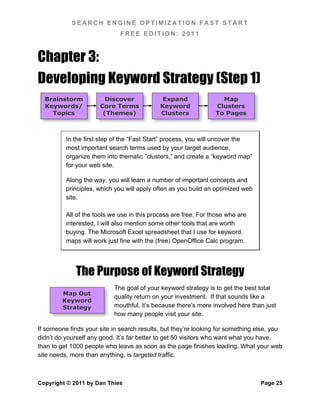
  • 109.
    SEARCH ENGINE OPTIMIZATIONFAST START FREE EDITION: 2011 Robots.txt Robots.txt is a simple text file that you upload to the root directory of your website. Spiders request this file first, and process it, before they crawl your site. Robots.txt tells the spider what pages they are allowed to fetch. It helps to work through an example to really understand how this works, so that’s what we’re going to do. The simplest robots.txt file possible is this: User-agent: * Disallow: That’s it! The first line identifies the user agent – an asterisk means that the following lines apply to all agents. The blank after the “Disallow:” means that nothing is off limits. This robots.txt file doesn’t do anything – it allows all user agents to see everything on the site. Now, let’s make it a little more complex – this time, we want to keep all spiders out of our /faq directory: User-agent: * Disallow: /faq/ See how simple it is? The trailing slash is necessary to indicate that this is a directory. Without the trailing slash, not only the /faq directory, but any file whose name begins with “faq,” would be disallowed. We can also add more directories to the disallowed list: User-agent: * Disallow: /faq/ Disallow: /info/about/ That was easy, but what if we want to disallow access to only one file? It’s simple: User-agent: * Disallow: about.html Disallow: /faq/faqs.html Now let’s get specific. So far, we’ve created rules that apply to all spiders, but what about an individual spider? Just use its name: Copyright © 2011 by Dan Thies Page 99
  • 110.
    SEARCH ENGINE OPTIMIZATIONFAST START FREE EDITION: 2011 User-agent: googlebot Disallow: /faq/ Now, let’s combine individual spider control with a catch-all: User-agent: googlebot Disallow: / User-agent: * Disallow: /faq/ This set of commands tells Googlebot to take a hike – the slash character (“/”) by itself means that the entire site is disallowed. For all other user-agents, we’ve just kept them out of the /faq directory. Each record in a robots.txt file consists of a user-agent line, followed by one or more Disallow directives. The blank line between the two user-agent records is necessary for the file to be processed properly. If you’d like to add comments, you can use the “#” character like this: # keep spiders out of the FAQ directory User-agent: * Disallow: /faq/ You can use any text editor that saves text in a web-friendly format. I like Notepad or Unixedit, both of which are free. Google has created their own extension to the robots.txt format, which allows the use of “wildcards” to do partial matching on file names. Yahoo now supports this as well, and their documentation (http://www.ysearchblog.com/archives/000372.html) is a lot better than Google’s. XML Sitemaps With Google, you can submit your sitemap via the Webmaster Tools console (www.google.com/webmasters/sitemaps). With Bing (www.bing.com/toolbox/webmaster/), you can do likewise. Doing so allows these search engines to tell you how many of your pages are actually being indexed, and more importantly, which pages. Copyright © 2011 by Dan Thies Page 100
  • 111.
    SEARCH ENGINE OPTIMIZATIONFAST START FREE EDITION: 2011 Submitting is not strictly necessary, because the big two (Google, and Bing, which now powers Yahoo search as well) have gotten together and agreed on a standard protocol, which is described at www.sitemaps.org. This new protocol allows you to specify the location of your XML site map in your robots.txt file. There are many tools that can help create an XML sitemap, and developers are busy at work, adding sitemap capabilities to applications as diverse as blogs, shopping carts, and content management systems. If you can’t create a sitemap automatically, I recommend GSite Crawler (www.gsitecrawler.com), which is free. GSite Crawler is pretty handy for other things as well – it generates reports on broken links and duplicate content, even if you don’t use it to generate a sitemap file. For most sites, an XML sitemap is only useful if you register with the Webmaster Tools sites, because for most sites, an XML sitemap is not necessary to help them find your content. If your site has an extremely messed up linking structure, XML sitemaps can be a vital tool, to help the search engines locate and index your content – in fact, in some (pretty extreme26) cases, simply using sitemaps properly has been shown to increase the amount of search engine traffic. Because I *do* want the indexing data that the search engines Webmaster Tools systems provide, I always use XML sitemaps on my sites. 301 & 302 Redirects Not everyone needs to know about redirects, but one redirect that you should set up if possible, is a 301 redirect to combine the “http://www.example.com” and “http://example.com” versions of your site into one. Redirects will also come up if you need to move a site, or if you’ve got affiliate links coming into your site. This is a huge subject, and I can’t do any better with it than Ian McAnerin already has: http://www.mcanerin.com/EN/articles/related.asp 26 http://www.seomoz.org/blog/multiple-xml-sitemaps-increased-indexation-and-traffic Copyright © 2011 by Dan Thies Page 101
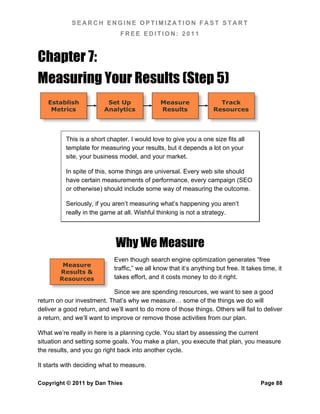
  • 112.
    SEARCH ENGINE OPTIMIZATIONFAST START FREE EDITION: 2011 The Gotchas That Can Get Ya There are a few ways to cause yourself problems with search engines, besides trying to spam… these things aren’t usually Gotchas deadly, but they can be dangerous if you don’t deal with them. The first is duplicate content, and closely related is “spider traps” or endless loops. Duplicate Content & The “Canonical Link” Tag I’ve already mentioned duplicate content, in its most mundane form – pages that have the same content, or very little unique content. There’s a more subtle form that can arise from dynamic sites, where you can potentially have hundreds or thousands of URLs that deliver the same content, if a script isn’t well written. GSite Crawler (mentioned above) does detect “exact duplicate” content, so if you use that, it will help you identify the worst type of duplicate content problems. Google announced a new solution in February 200927, which allows you to add a tag on duplicate versions of a page, pointing the spider to a single “canonical” URL. You just add this tag in the <head> section of your pages: <link rel="canonical" href="http://www.site.com/page.html"/> This won’t solve every duplicate content issue, but it can come in handy when you have a product page that exists in multiple categories in an ecommerce store. By adding this tag, you effectively consolidate all those pages (and link juice) into one. Spider Loops A spider loop is an endless sequence of pages that link to pages that link to pages that… you get the idea. The best (worst) example is the “perpetual calendar” you often find on web sites, which shows a calendar of events. The “May 2007” page has a link to “June 2007,” which if you follow it links to “July 2007,” and so on to the end of time. Most of them will also go back in time as well, to the dawn of the Universe. 27 For more details: http://www.google.com/support/webmasters/bin/answer.py?answer=139394 Copyright © 2011 by Dan Thies Page 102
  • 113.
    SEARCH ENGINE OPTIMIZATIONFAST START FREE EDITION: 2011 A spider doesn’t know that it’s never going to stop getting pages… if it’s well programmed, it will eventually stop checking, but it’s a lot better to just use robots.txt to keep the spiders away from spider loops. Leslie Rohde has created a program called Optispider (www.windrosesoftware.com/optispider/) that can check your site for these issues. But What About… There are a lot of good ideas, and a lot of crazy ideas, floating around in the SEO world. In this section, I’ll try to give you the Ideas highlights so you at least understand what the heck people are talking about. Latent Semantic Indexing Latent Semantic Indexing (LSI) is the latest overblown concept to hit the SEO (and predatory marketing) scene. If you want to understand how it works, take a look at his entry from the Wikipedia: http://en.wikipedia.org/wiki/Latent_semantic_indexing If that didn’t make any sense, don’t worry about it… because none of the search engines have implemented LSI, and as far as I can tell, it’s a very long way off even if they wanted to, because it would take a lot more computing resources than any of them would want to use. If they ever do use LSI, the “fast start” system will work just fine, because natural writing and linking related pages together is the right thing to do for LSI too. Double Listings & Super Listings (aka Sitelinks) Google normally allows only two pages from the same site to appear on the same SERP. If you have a page at #1, and another at #10, they’ll actually appear as the first two listings, with the second one indented under the first. This is called a “double listing,” and it’s one of the reasons why we map each of our major search terms to two pages. Google occasionally shows a lot more than two links for a site – for example, if you search Google for “advanced web ranking,” you’ll probably see this in action. This is called a “super listing,” or “Sitelinks,” and there are plenty of theories on how to get Copyright © 2011 by Dan Thies Page 103
  • 114.
    SEARCH ENGINE OPTIMIZATIONFAST START FREE EDITION: 2011 one… all of them are probably wrong. This is done automatically, when Google thinks they have a pretty good idea which site you’re looking for. The “Google Sandbox” There’s no doubt that new sites have a hard time cracking the top rankings on search engines. I don’t know if this is especially true of Google, but since everyone seems to worry about Google more, this phenomenon has been dubbed the “Google Sandbox.” The theory is that Google puts new sites into a “holding cell” or something until they’ve aged enough to warrant consideration. First of all, this is definitely not how it works, but it’s quite possible that new sites are “untrusted” at first. The biggest reason why new sites have a hard time getting ranked is that they should have a hard time. Their competitors have had years to get plugged into the web. Years to build links, develop content, etc. I don’t know of any easy way to overcome this, but I don’t think it’s inevitable that you must wait a year or two to get ranked. I know it’s not inevitable, because I launch new sites with my students all the time. “SSA” Penalties (Retrieval, Ranking, and Reordering) Way back in the day, search engines were pretty simple machines. They retrieved some results from their index, they ranked those pages, and then they presented the search results to the user. Now, there’s a third step – reordering. After the search engines have ranked the pages, they apply another level of “something” to change the order of the results. Sometimes this is easy to see, but usually it’s invisible to us as searchers. Google applies some very obvious re-ordering to some sites. One of my students got caught up in this last year, with a group of sites she inherited. One day, lots of #1 rankings. The next day, lots of #41 rankings. On search term after search term, the sites dropped exactly 40 spots. After resolving some duplicate content problems and other issues with the sites’ quality, they miraculously returned to their former top positions. Copyright © 2011 by Dan Thies Page 104
  • 115.
    SEARCH ENGINE OPTIMIZATIONFAST START FREE EDITION: 2011 Other sites have dropped from the first page all the way to the very last page (page 99, results 991-1000). This is clearly no accident. We don’t know the cause of this, but it seems to happen primarily to sites that have significant quality problems, such as:  Very little unique content, which may result from not creating new content, and having other sites “borrow” or copy (steal) the existing content  Broken links – both internal links to nonexistent pages and links to nonexistent pages on other sites  Large amounts of machine generated or “scraped” pages, pages built from nothing but RSS feeds, etc. The solution to this, as far as I can tell, is to clean up the mess and file a reinclusion request with Google through the Webmaster Tools console, detailing what the mess was, and how it has been cleaned up. All of the “big 3” search engines do some kind of re-ordering, which is probably based on user feedback and mathematical models that predict a user’s satisfaction with a given search result. It’s the future, folks28. Site Launch Process I am often asked what I do to launch a new web site. The short answer is that we use the “fast start” process to build a good site that’s well optimized, and start promoting it. But there are a few things I wouldn’t go without, when launching a new site:  Submission to Yahoo and DMOZ (Step 4, Stage 2) – nothing says “we are a legitimate business” quite like paying Yahoo to do an editorial review… and passing it.  An active pay-per-click advertising campaign, with at least Google Adwords. As we work through the PPC campaign, we inevitably find things we can improve about the site and the user experience. I suspect, but can’t prove, that the “quality score” on Google Adwords is similar to whatever Google uses to “re-order” search results. 28 If this is really the future, where is my flying car? Copyright © 2011 by Dan Thies Page 105
  • 116.
    SEARCH ENGINE OPTIMIZATIONFAST START FREE EDITION: 2011  Other marketing and promotion activities that aren’t directly related to SEO, but that do generate links to the site. This would include things like a press release on launch, advertising in vertical directories, asking bloggers to review the site and give feedback, etc. The Secret To Success In Life Is… I don’t really know, but if you see me at a conference or seminar, buy me a drink, and I’ll give it my best shot. Unfortunately, I promised to keep this book to 100 pages, and we’re already running long – or I might hazard a guess right now. Copyright © 2011 by Dan Thies Page 106
  • 117.
    SEARCH ENGINE OPTIMIZATIONFAST START FREE EDITION: 2011 Section Two: SEO Fast Start in Practice This is where the “free edition” of SEO Fast Start ends… more or less the same place where it’s always ended… and a new chapter in the “fast start” story will begin soon. On November 27, 2011 – ten years to the day since the release of the first edition of SEO Fast Start, the “Professional Edition” will be released – at an promotional price of $29.95 for the e-book (PDF) version… the same price folks paid for the original ebook back in 2001. If you’re already on the SEO Fast Start mailing list, you’ll get an email from me once the Professional Edition is ready for download. Thanks for making this a great ten years, and here’s to many many more years of our mutual prosperity. -- Dan Thies Copyright © 2011 by Dan Thies Page 107