CHAPTER ONE
Introduction
Mekonnen
K. (MSc)
Email: mekonnen.k@hu.edu.et
Software Engineering - InSy3033
1
Course Content
1.1. Two Orthogonal view of software.
1.2. Software development process models
1.2.1. Software Process
1.2.2. Software life cycle and process models
1.2.3. Process assessment models
1.2.4. Software process metrics
1.3. Object oriented system development methodology.
1.3.1. Why an object oriented
1.3.2. Overview of the unified approach.
1.3.3. An object-oriented philosophy
1.3.4. Basic concepts of an object
1.3.5. Attributes of an object, its state and properties.
2
Introduction to Software Engineering
oSoftware Engineering
o The term is made of two words, software and
engineering.
o Software is more than just a program code.
o A program is an executable code, which serves some
computational purpose.
o Software is considered to be collection of
executable programming code, associated libraries
and documentations.
3
Introduction to Software Engineering
(contd.)
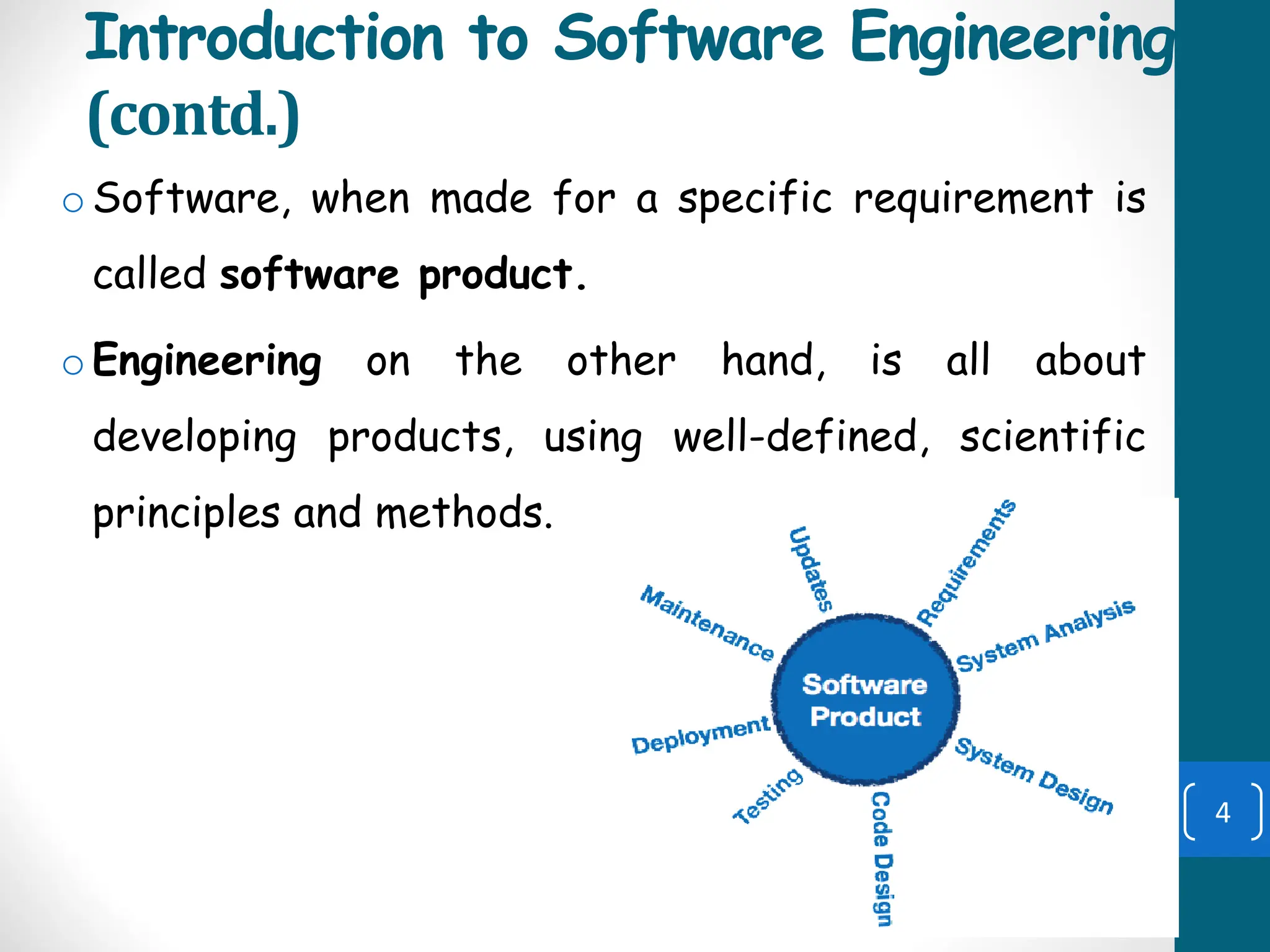
oSoftware, when made for a specific requirement is
called software product.
oEngineering on the other hand, is all about
developing products, using well-defined, scientific
principles and methods.
4
Introduction to Software Engineering
(contd.)
oSoftware engineering is an engineering branch
associated with development of software product
using well-defined scientific principles, methods and
procedures. The outcome of software engineering is
an efficient and reliable software product.
oEEE defines software engineering as:
oThe application of a systematic, disciplined,
quantifiable approach to the development, operation
and maintenance of software.
5
Two Orthogonal view of software
oTraditional system development methodology
▪ This approach focuses on the “Functions”
oObject oriented system development
▪ This approach focuses on the “Object” which
combines “Data and Functionality”
6
Software development process models
(contd.)
oSoftware Processes is a coherent set of activities
for specifying, designing, implementing and testing
software systems.
oA structured set of activities required to develop a
software system.
oA software process model is an abstract
representation of a process that presents a
description of a process from some particular
perspective.
7
Software Process Models (contd.)
oThere are many different software processes but
all involve:
• Specification – defining what the system should
do;
• Design and implementation – defining the
organization of the system and implementing the
system;
• Validation – checking that it does what the
customer wants;
• Evolution – changing the system in response to
changing customer needs. 8
Software Process Models (contd.)
• Process model (Life-cycle model) -steps through
which the product progresses
• Requirements phase
• Specification phase
• Design phase
• Implementation phase
• Integration phase
• Maintenance phase
• Retirement
9
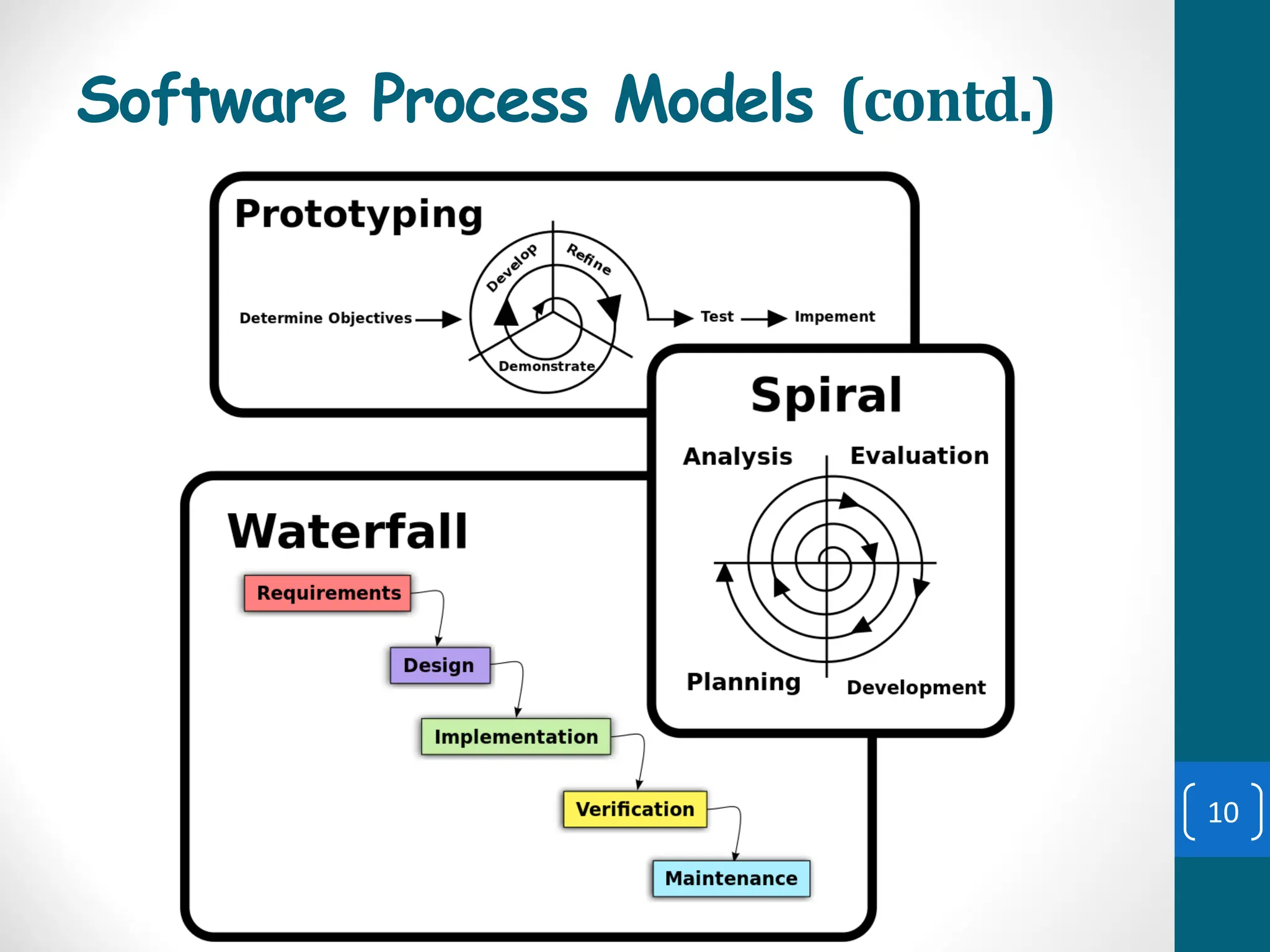
Software Process Models (contd.)
10
Waterfall Model
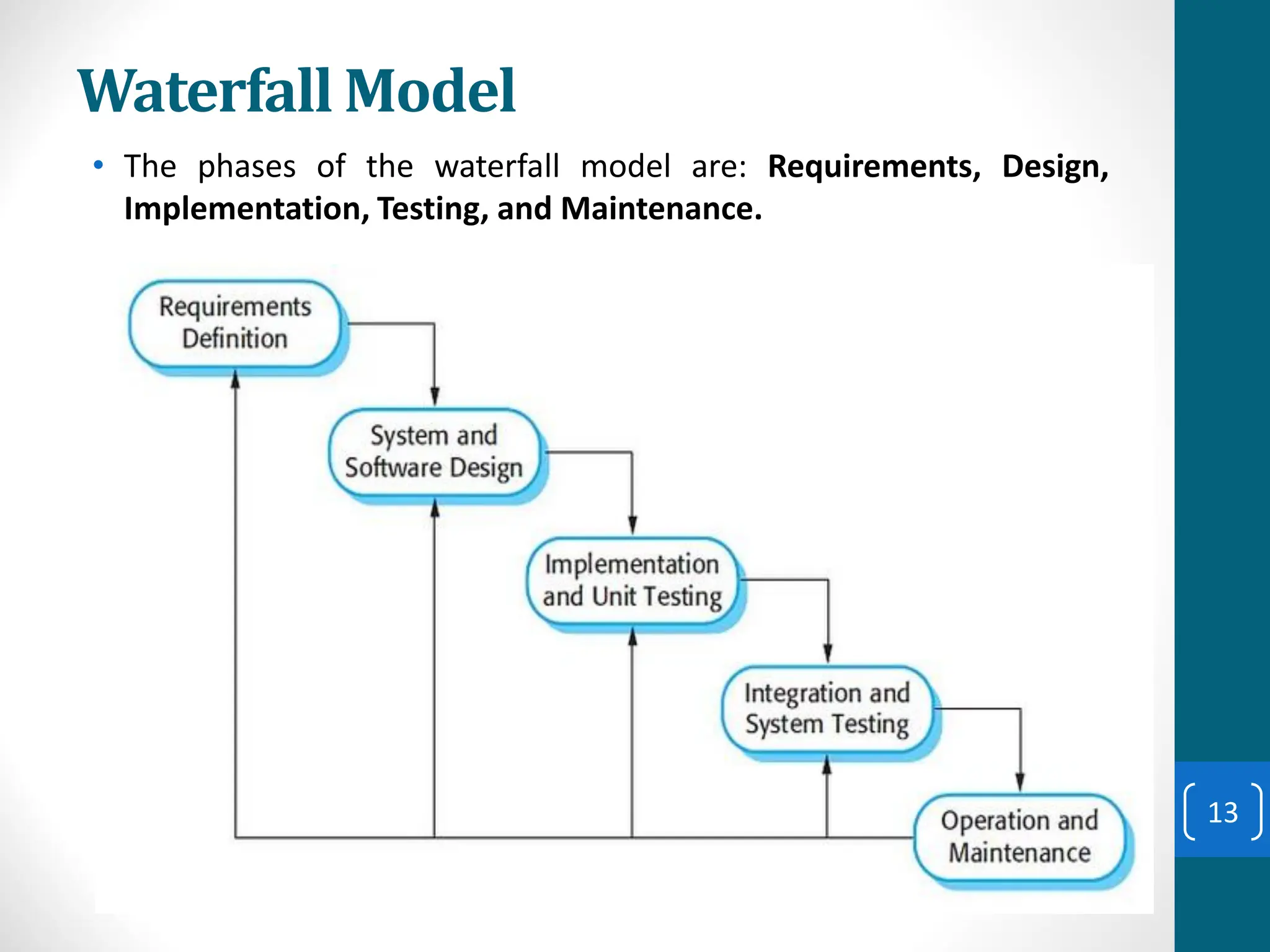
• The waterfall model is a sequential design process in
which progress is seen as flowing steadily downwards
(like a waterfall) through the phases of SDLC.
• he waterfall model is a sequential approach, where each
fundamental activity of a process is represented as a
separate phase, arranged in linear order.
• In the waterfall model, you must plan and schedule all of
the activities before starting working on them (plan-
driven process).
• Plan-driven process is a process where all the activities
are planned first, and the progress is measured against
the plan. While the agile process, planning is incremental
and it’s easier to change the process to reflect
requirement changes.
11
Waterfall Model
• The waterfall model is a sequential design process in
which progress is seen as flowing steadily downwards
(like a waterfall) through the phases of SDLC.
• Waterfall model is an example of a Sequential model. In
this model, the software development activity is divided
into different phases and each phase consists of a series
of tasks and has different objectives.
• Waterfall model is the pioneer of the SDLC processes.
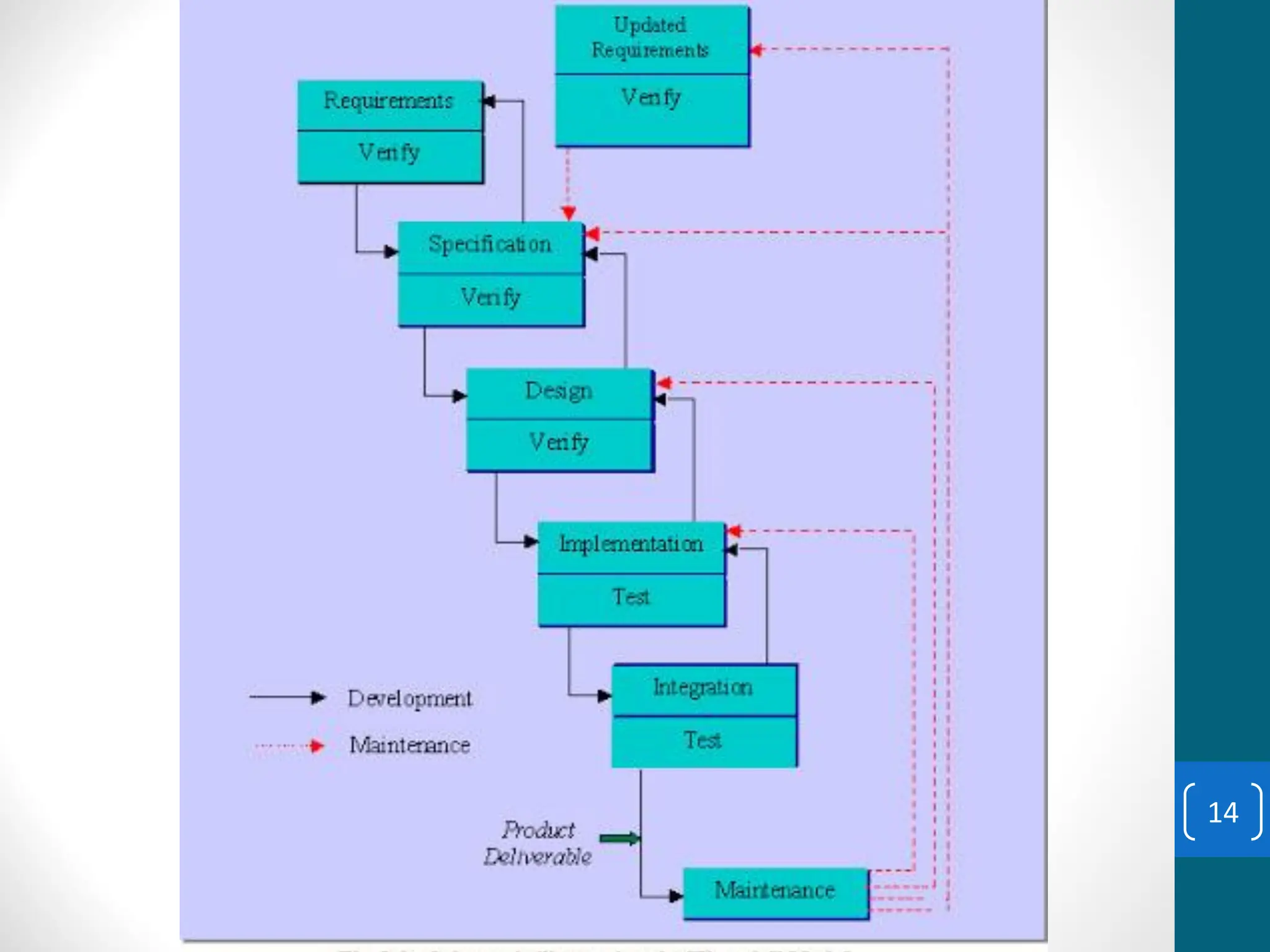
• Characterized by:
• Feedback loops
• Documentation-driven
12
Waterfall Model
• The phases of the waterfall model are: Requirements, Design,
Implementation, Testing, and Maintenance.
13
14
Waterfall Model (contd.)
• Advantages
• Enforces disciplined approach
• Documentation for each phase
• Products of each phase checked by SQA group
• Maintenance is easier
• Every change reflected in the relevant documentation
• Disadvantages
• Working version of the software will not be available
until late in the project time-span
• Specifications are long, detailed, written in a style
unfamiliar to the client
• “Blocking states” –some project team members must
wait for other team members to complete dependent
tasks
15
Rapid Prototyping Model
• Prototyping is defined as the process of developing a
working replication of a product or system that has to be
engineered.
• A prototype is a version of a system or part of the system
that’s developed quickly to check the customer’s
requirements or feasibility of some design decisions.
• So, a prototype is useful when a customer or developer is
not sure of the requirements, or of algorithms, efficiency,
business rules, response time, etc.
16
Rapid Prototyping Model
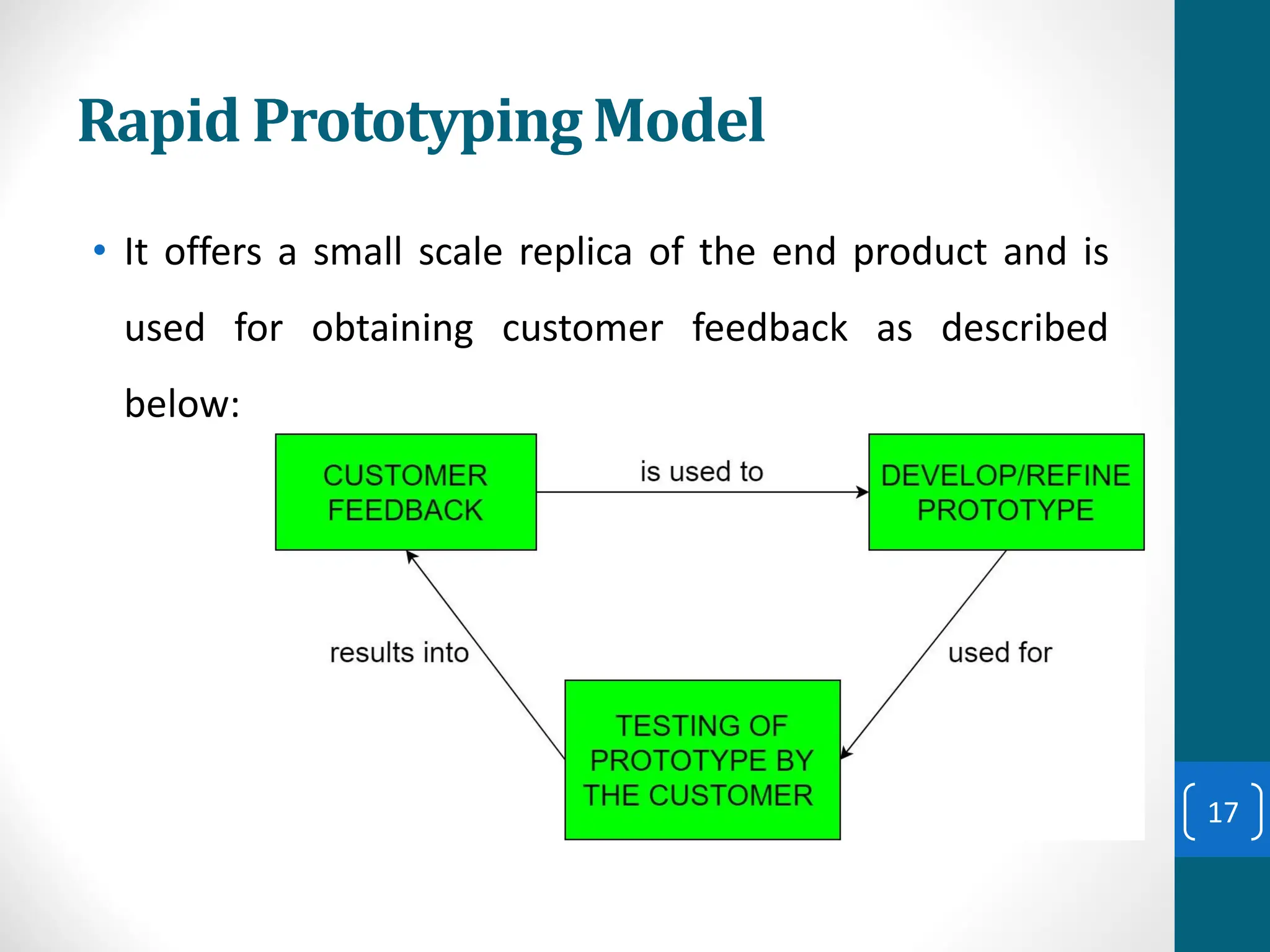
• It offers a small scale replica of the end product and is
used for obtaining customer feedback as described
below:
17
Rapid Prototyping Model (contd.)
A software prototype can be used:
[1] In the requirements engineering, a prototype can help with
the elicitation and validation of system requirements.
It allows the users to experiment with the system, and so, refine
the requirements. They may get new ideas for requirements, and
find areas of strength and weakness in the software.
Furthermore, as the prototype is developed, it may reveal errors
and in the requirements. The specification may be then modified
to reflect the changes.
[2] In the system design, a prototype can help to carry out design
experiments to check the feasibility of a proposed design.
For example, a database design may be prototyped and tested to
check it supports efficient data access for the most common user
queries.
18
Rapid Prototyping Model (contd.)
The phases of a prototype are:
19
Rapid Prototyping Model (contd.)
• Rapid prototype characteristics:
• Used in the requirements phase
• Evaluated by the customer/user
• Then, it is discarded -do not turn into product
• Rapid prototyping model is not proven and has its own
problems.
• Possible solution
• Rapid prototyping for defining requirements
• Waterfall model for rest of life cycle
20
Incremental Model
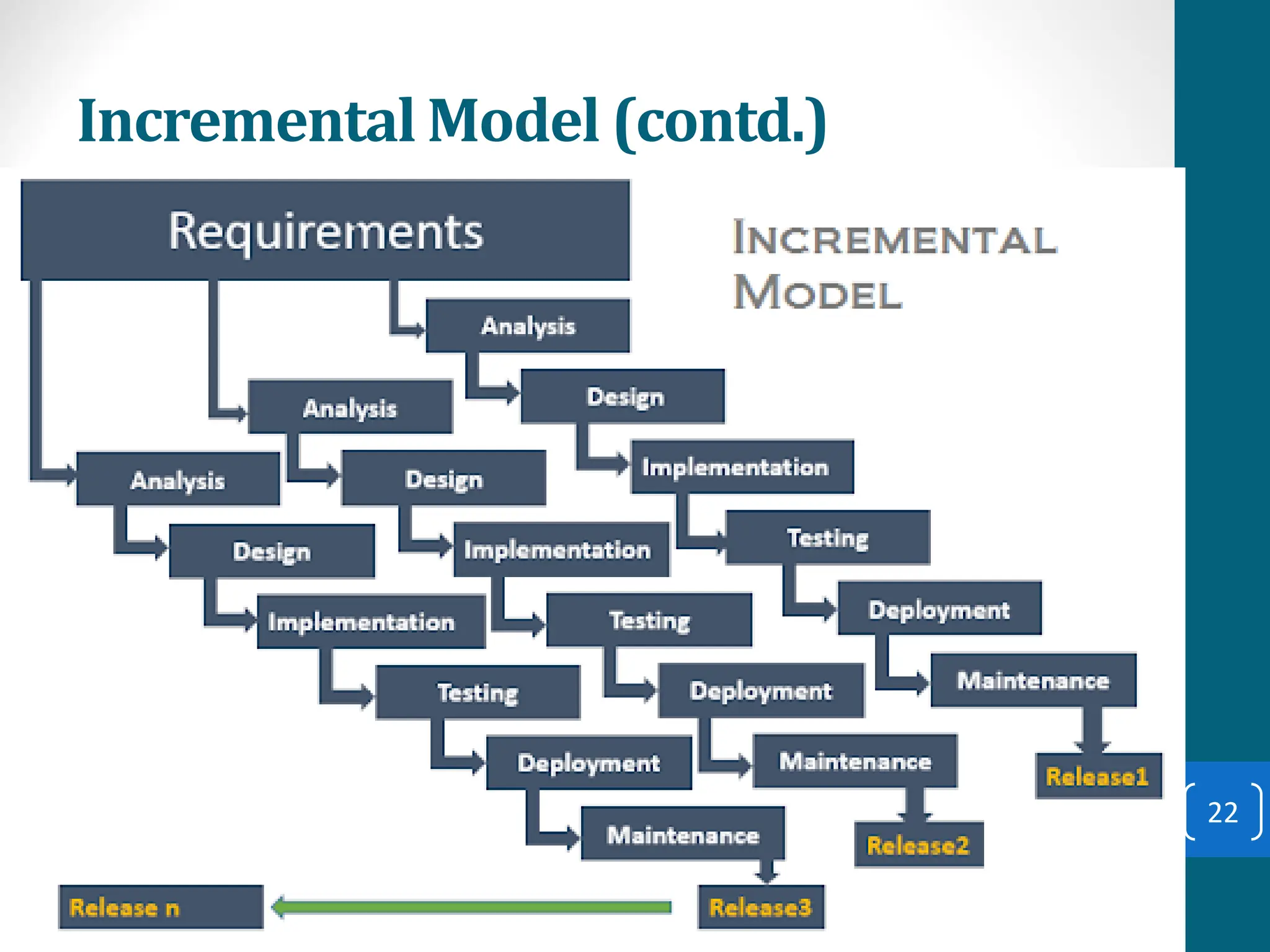
• Incremental Model is a process of software
development where requirements are broken down into
multiple standalone modules of software
development cycle.
• Each iteration passes through the requirements, design,
coding and testing phases.
• Typical product takes from 5 to 25 builds (iterations).
21
Incremental Model (contd.)
22
Incremental Model (contd.)
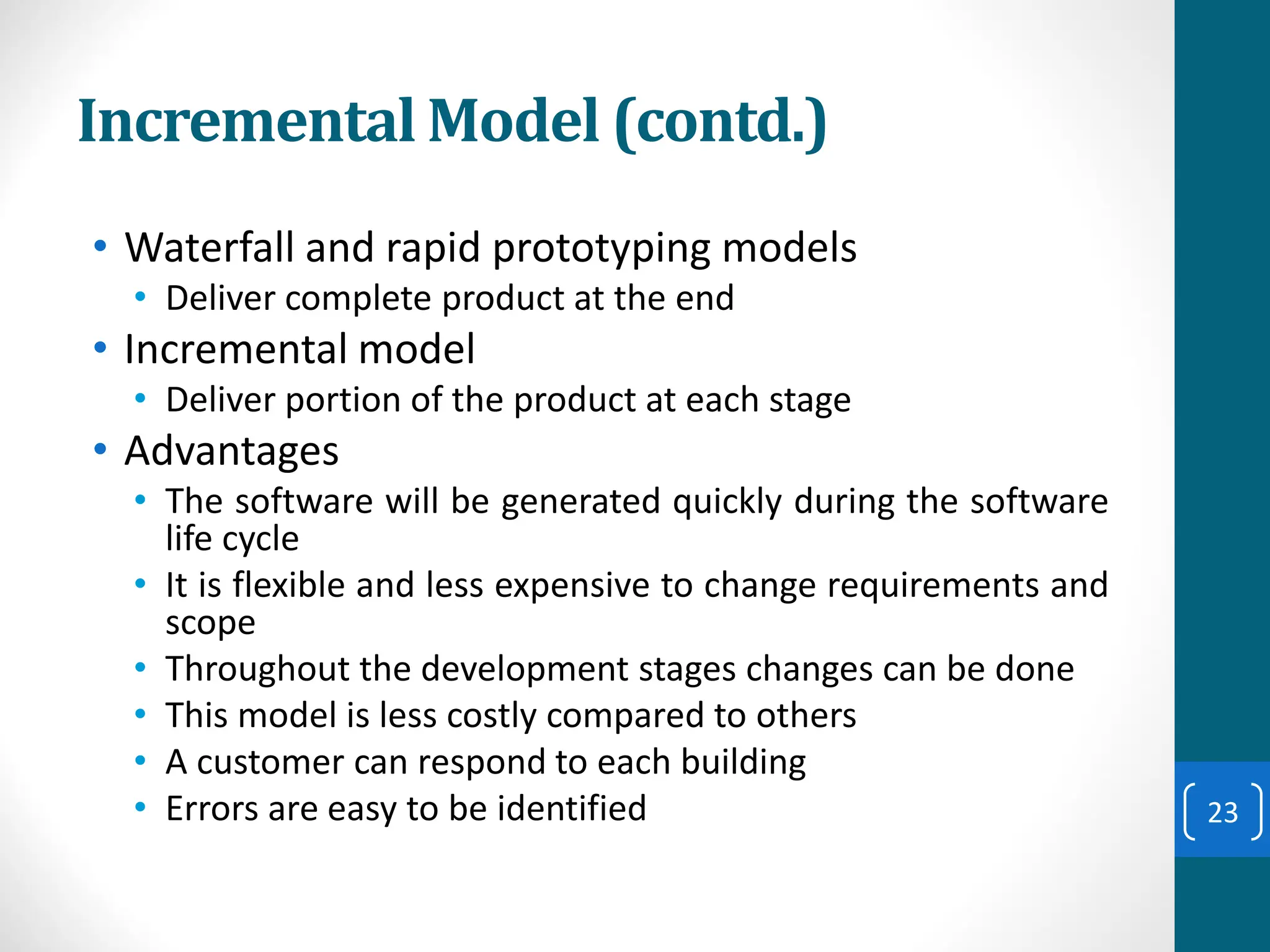
• Waterfall and rapid prototyping models
• Deliver complete product at the end
• Incremental model
• Deliver portion of the product at each stage
• Advantages
• The software will be generated quickly during the software
life cycle
• It is flexible and less expensive to change requirements and
scope
• Throughout the development stages changes can be done
• This model is less costly compared to others
• A customer can respond to each building
• Errors are easy to be identified 23
Incremental Model (contd.)
• Disadvantages:
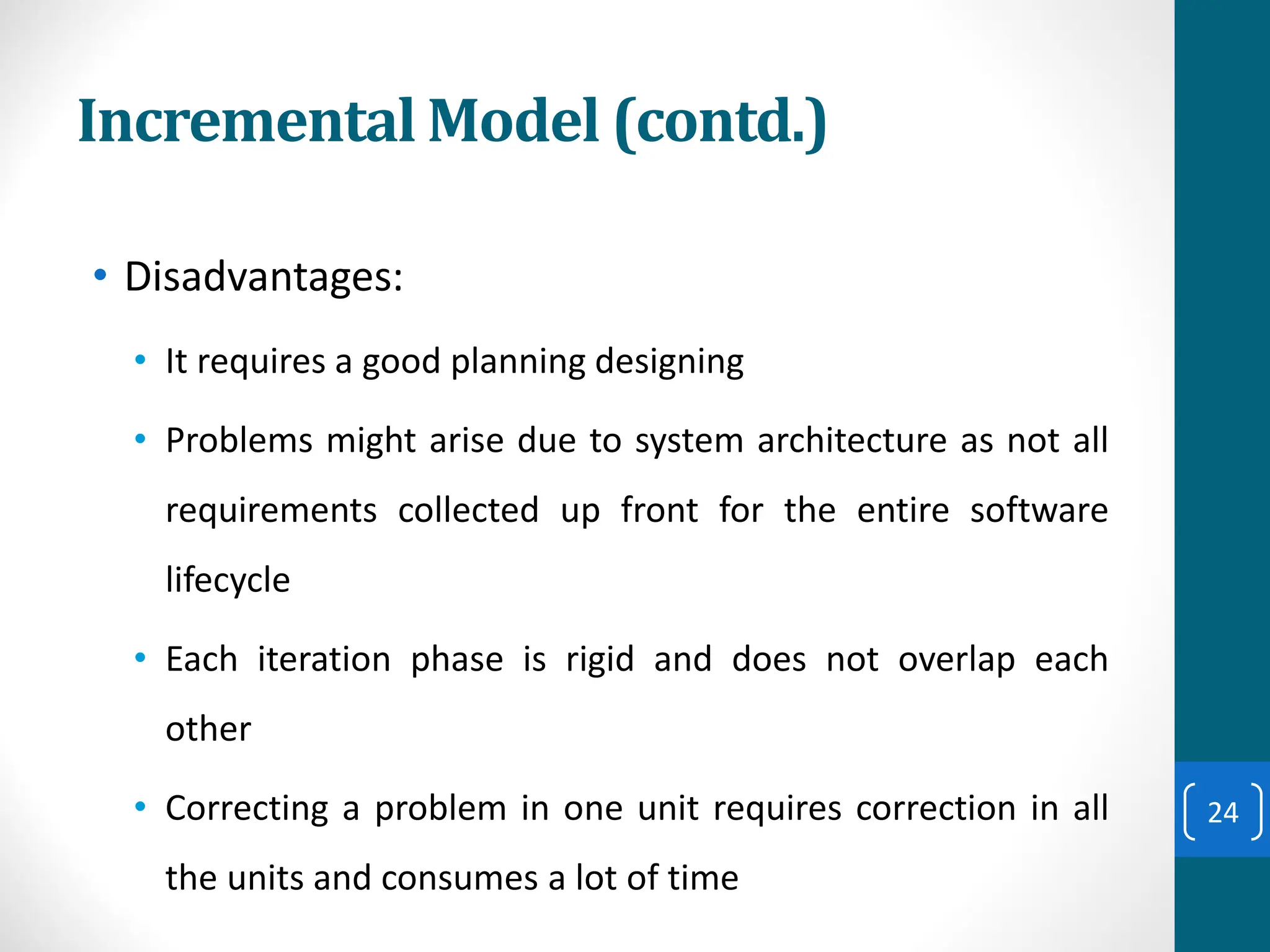
• It requires a good planning designing
• Problems might arise due to system architecture as not all
requirements collected up front for the entire software
lifecycle
• Each iteration phase is rigid and does not overlap each
other
• Correcting a problem in one unit requires correction in all
the units and consumes a lot of time
24
Incremental Model (contd.)
• Compared to the waterfall model, incremental
development has three important benefits:
1.The cost of accommodating changing customer
requirements is reduced.
▪ The amount of analysis and documentation that has to be
redone is much less than what's required with the waterfall
model.
2.It’s easier to get customer feedback on the work done
during development than when the system is fully
developed, tested, and delivered.
3.More rapid delivery of useful software is possible even if
all the functionality hasn’t been included.
▪ Customers are able to use and gain value from the software
earlier than it’s possible with the waterfall model.
25
When to use Incremental models?
• Requirements of the system are clearly understood
• When demand for an early release of a product arises
• When software engineering team are not very well skilled or
trained
• When high-risk features and goals are involved
• Such methodology is more in use for web application and
product based companies
26
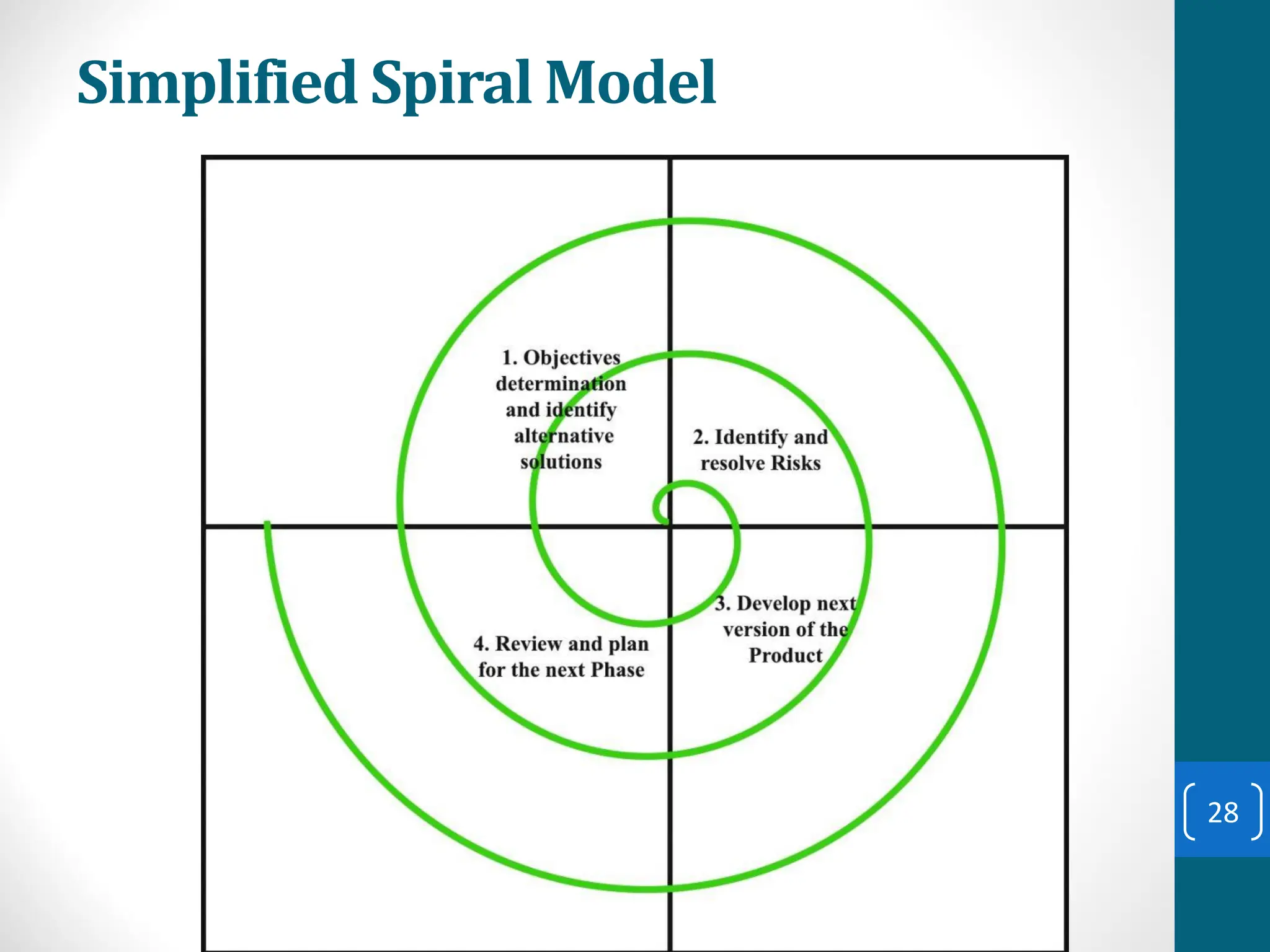
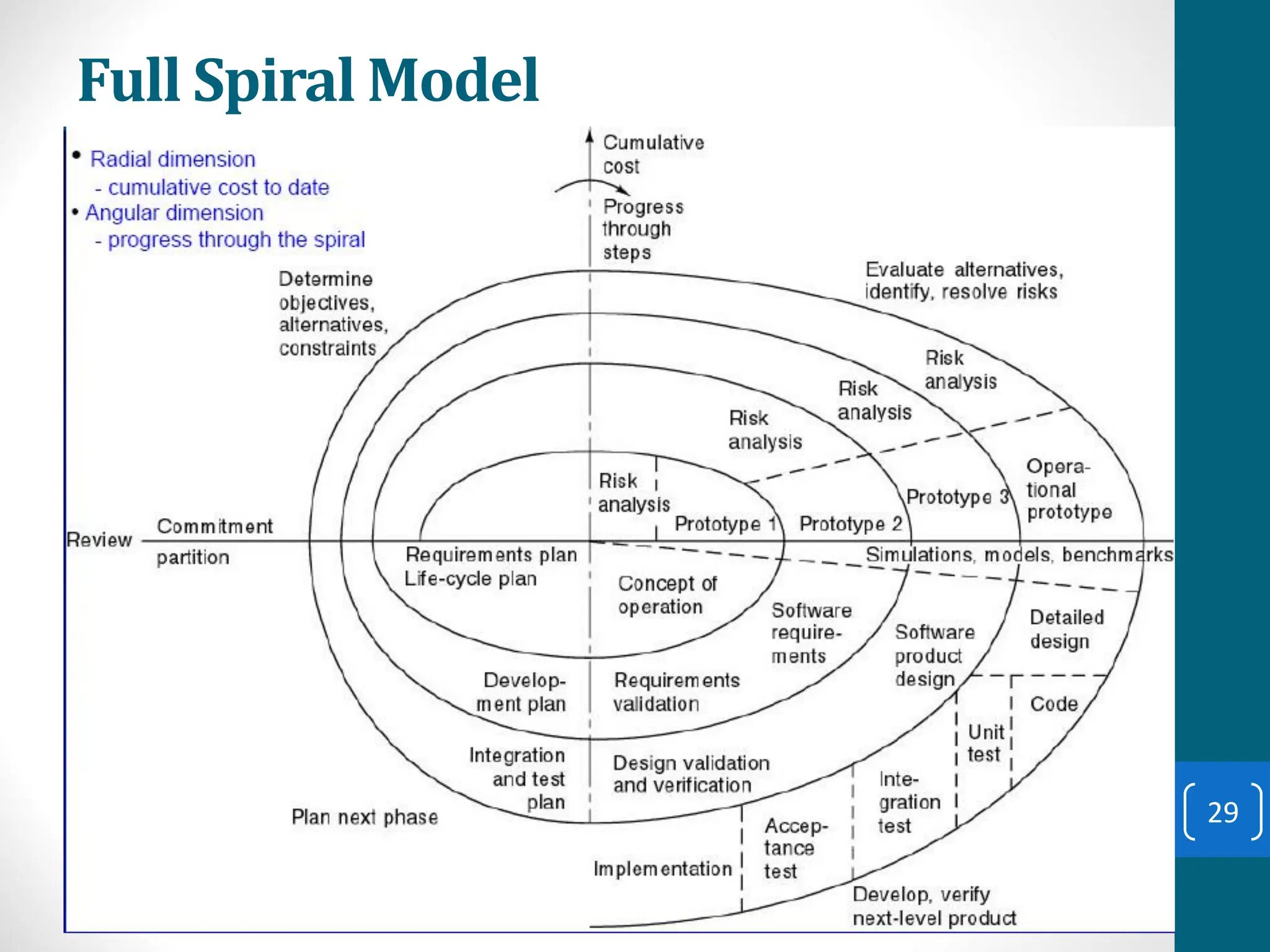
Spiral Model
• The spiral model is a risk-driven software
development process model.
• Based on the unique risk patterns of a given project,
the spiral model guides a team to adopt elements of one
or more process models, such as incremental, waterfall, or
evolutionary prototyping.
• Risk Analysis: Identification of potential risk is done while
risk mitigation strategy is planned and finalized
• Precede each phase by
• Alternatives
• Risk analysis
• Follow each phase by
• Evaluation
• Planning of next phase
27
Simplified Spiral Model
28
Full Spiral Model
29
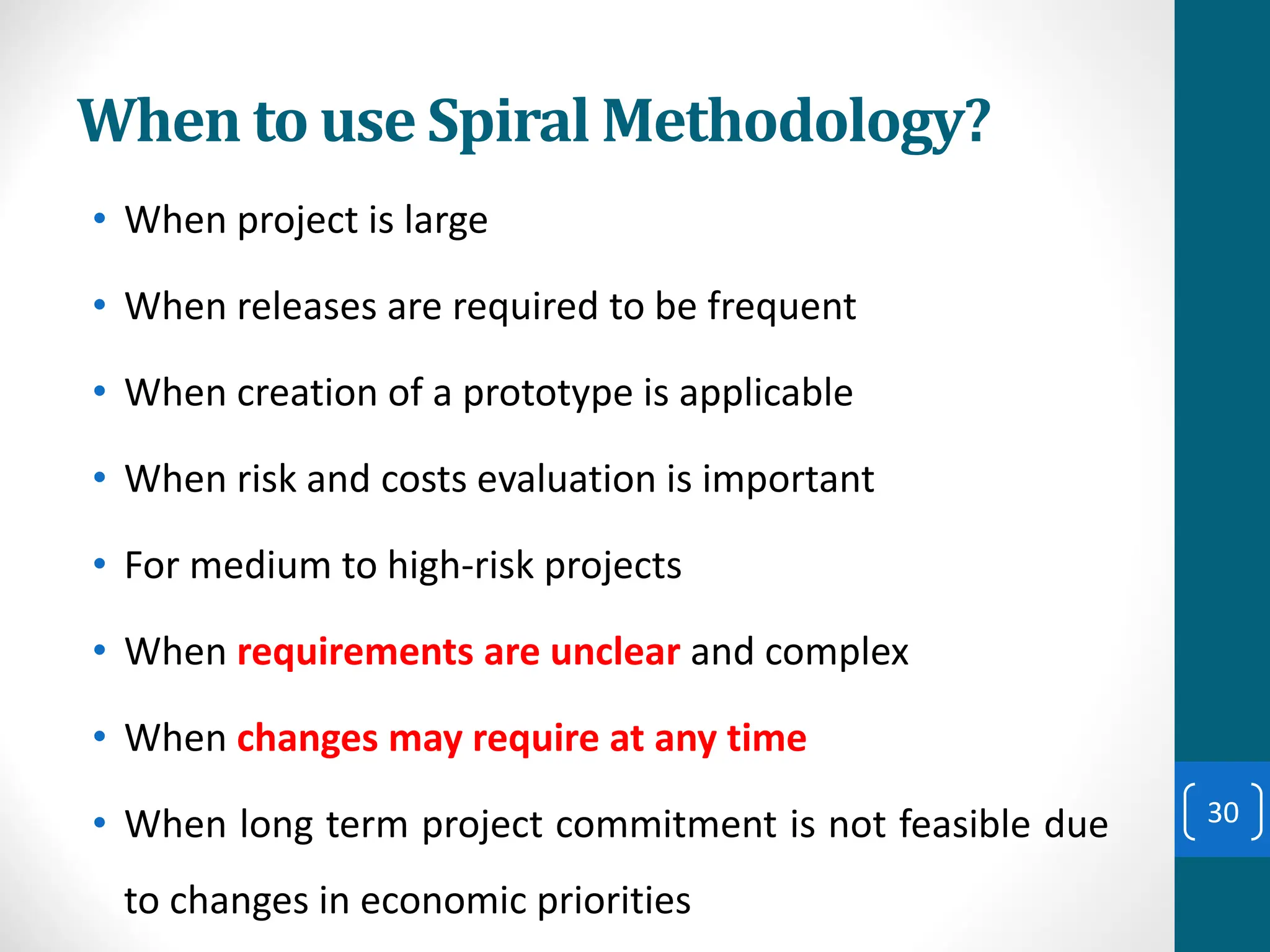
When to use Spiral Methodology?
• When project is large
• When releases are required to be frequent
• When creation of a prototype is applicable
• When risk and costs evaluation is important
• For medium to high-risk projects
• When requirements are unclear and complex
• When changes may require at any time
• When long term project commitment is not feasible due
to changes in economic priorities
30
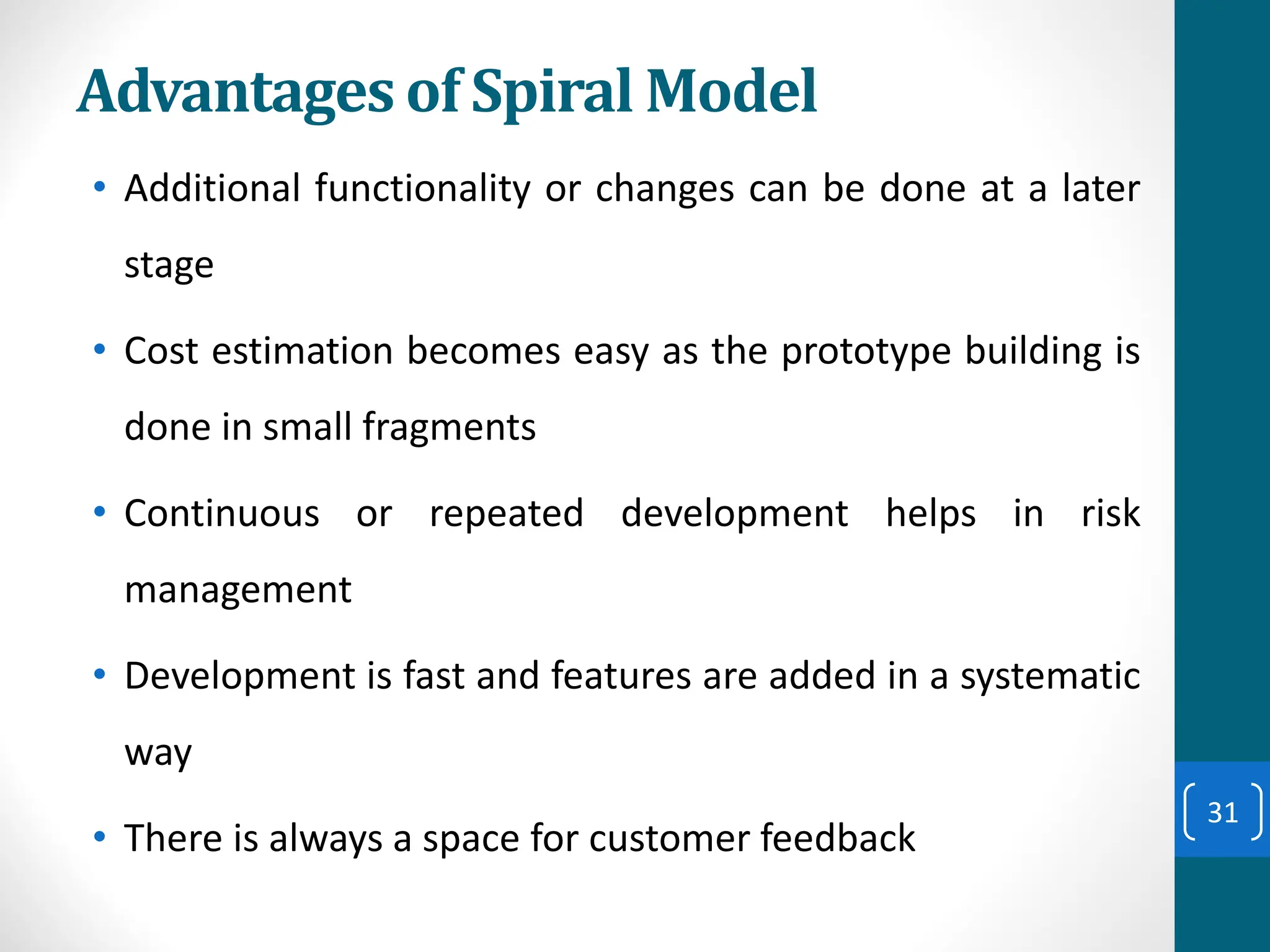
Advantages of Spiral Model
• Additional functionality or changes can be done at a later
stage
• Cost estimation becomes easy as the prototype building is
done in small fragments
• Continuous or repeated development helps in risk
management
• Development is fast and features are added in a systematic
way
• There is always a space for customer feedback
31
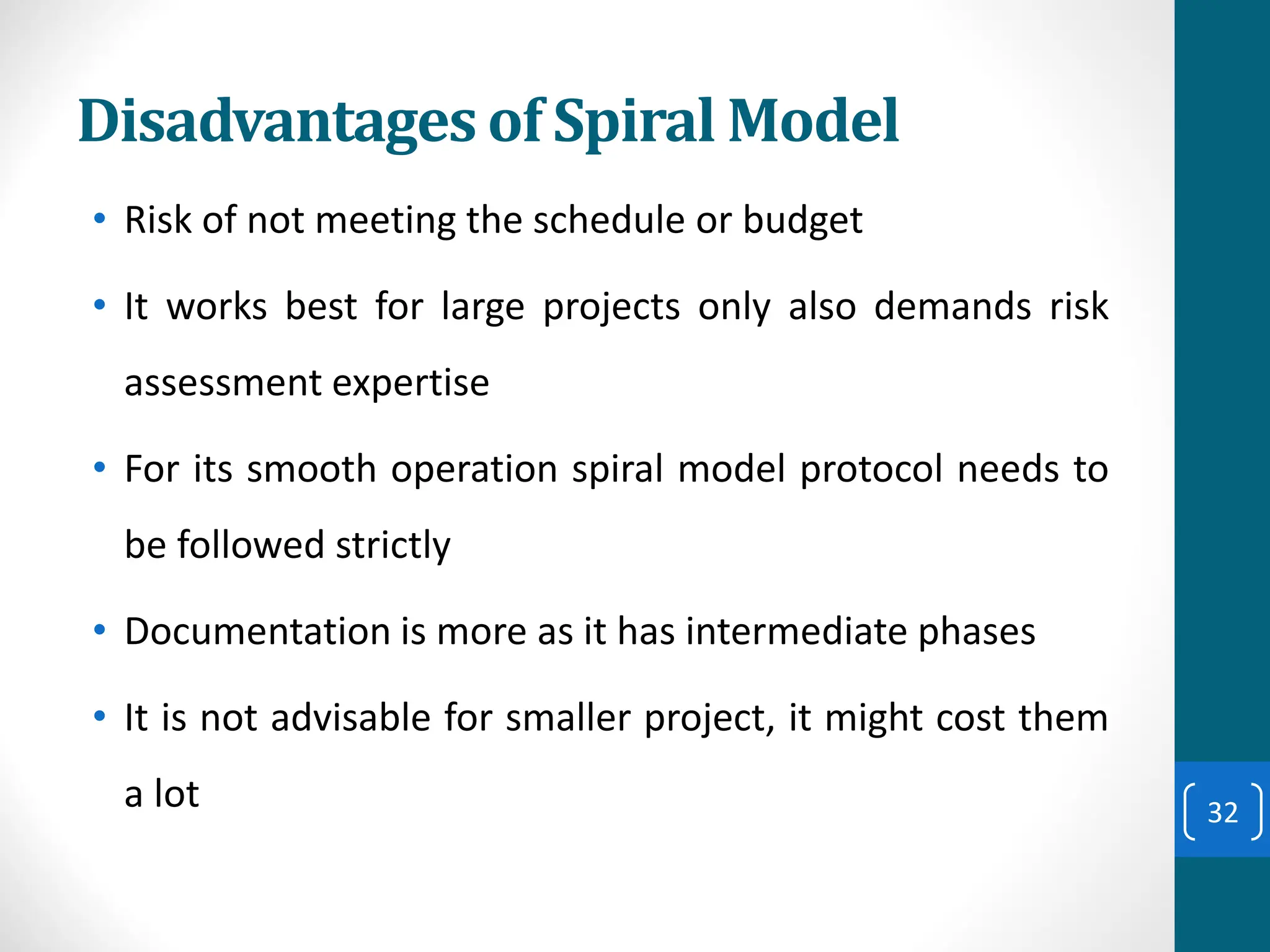
Disadvantages of Spiral Model
• Risk of not meeting the schedule or budget
• It works best for large projects only also demands risk
assessment expertise
• For its smooth operation spiral model protocol needs to
be followed strictly
• Documentation is more as it has intermediate phases
• It is not advisable for smaller project, it might cost them
a lot 32
Agile Process Models
• Agile software engineering combines a philosophy and a
set of development guidelines.
• Philosophy
• Encourages customer satisfaction and early
incremental delivery of the software
• Small highly motivated project teams
• Informal methods
• Minimal software engineering work products
• Overall development simplicity
• Development guidelines
• Stress delivery over analysis and design
• Active and continuous communication between
developers and customers
33
Agile Process Models (contd.)
34
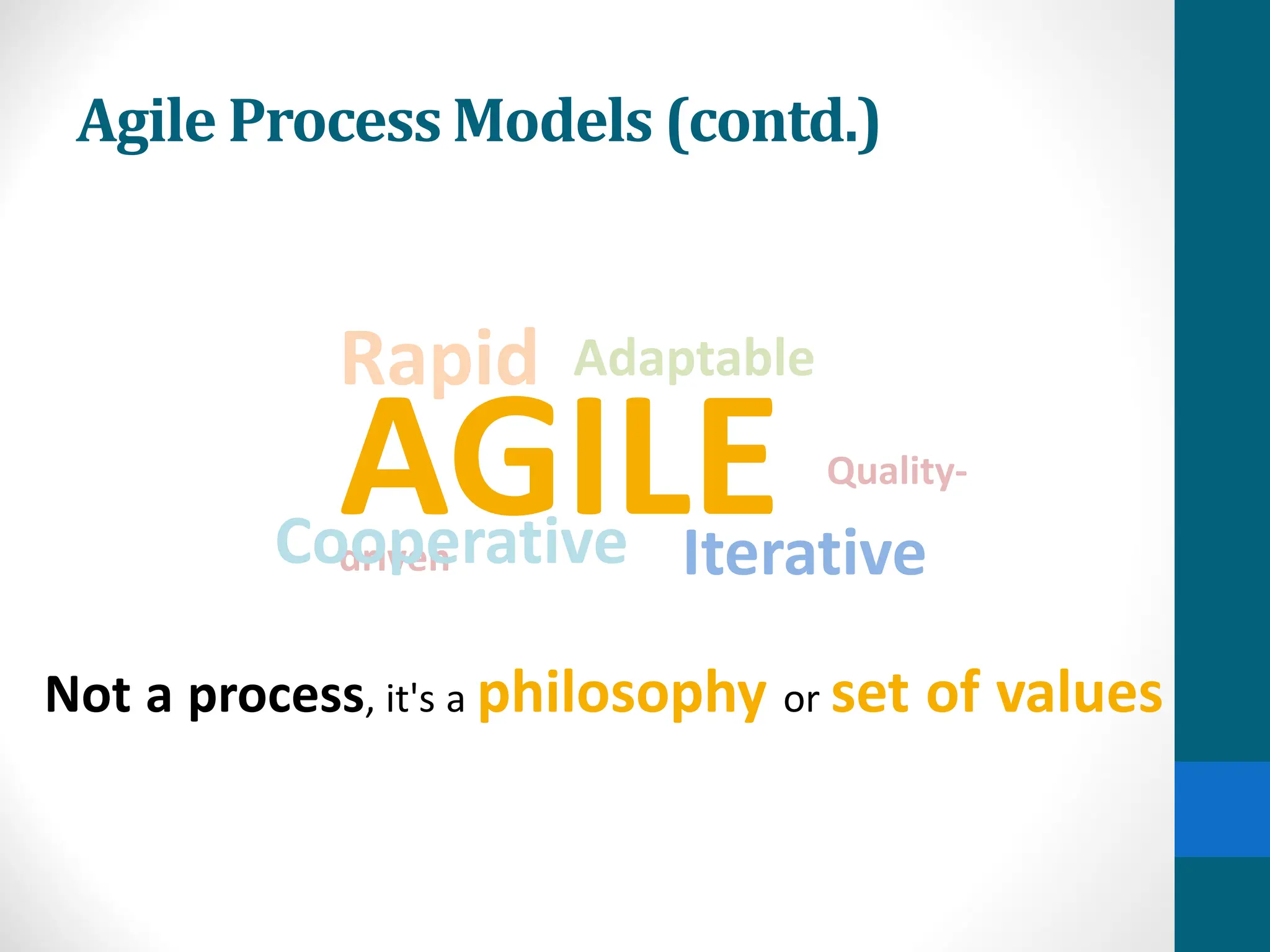
AGILE Quality-
driven
Cooperative Iterative
Adaptable
Rapid
Not a process, it's a philosophy or set of values
Agile Process Models (contd.)
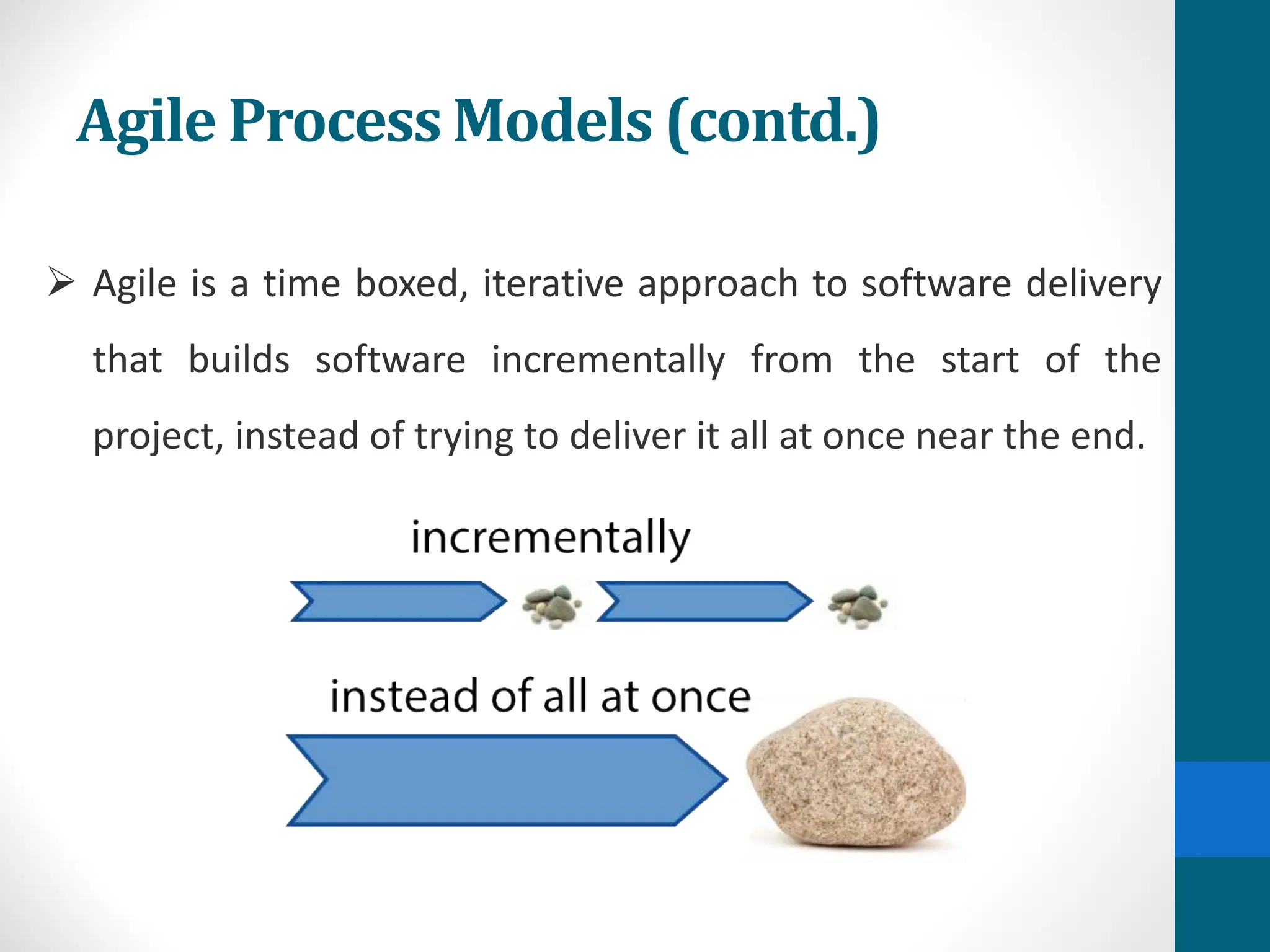
➢ Agile is a time boxed, iterative approach to software delivery
that builds software incrementally from the start of the
project, instead of trying to deliver it all at once near the end.
Agile Process Models (contd.)
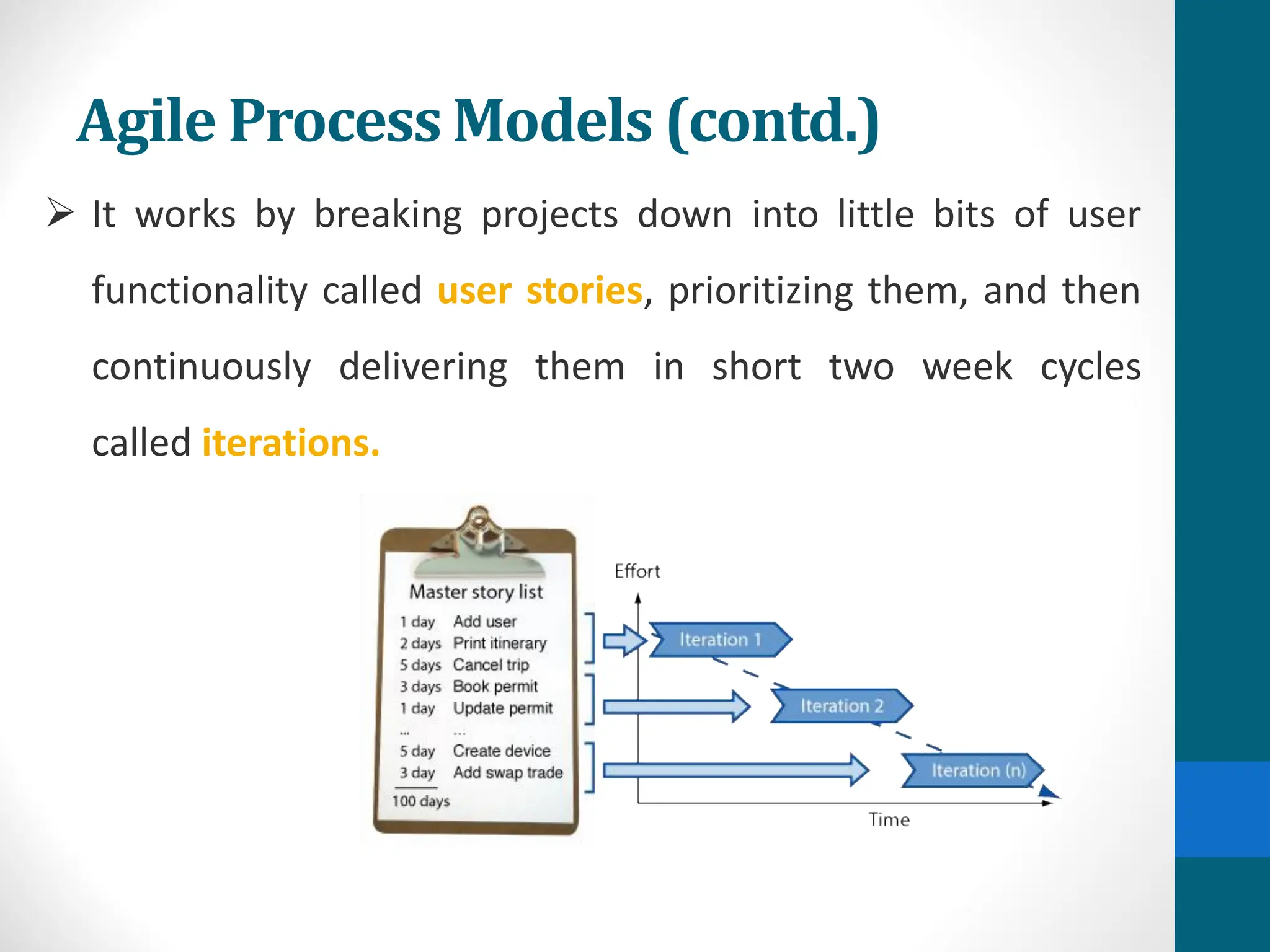
➢ It works by breaking projects down into little bits of user
functionality called user stories, prioritizing them, and then
continuously delivering them in short two week cycles
called iterations.
Agile Process Models (contd.)
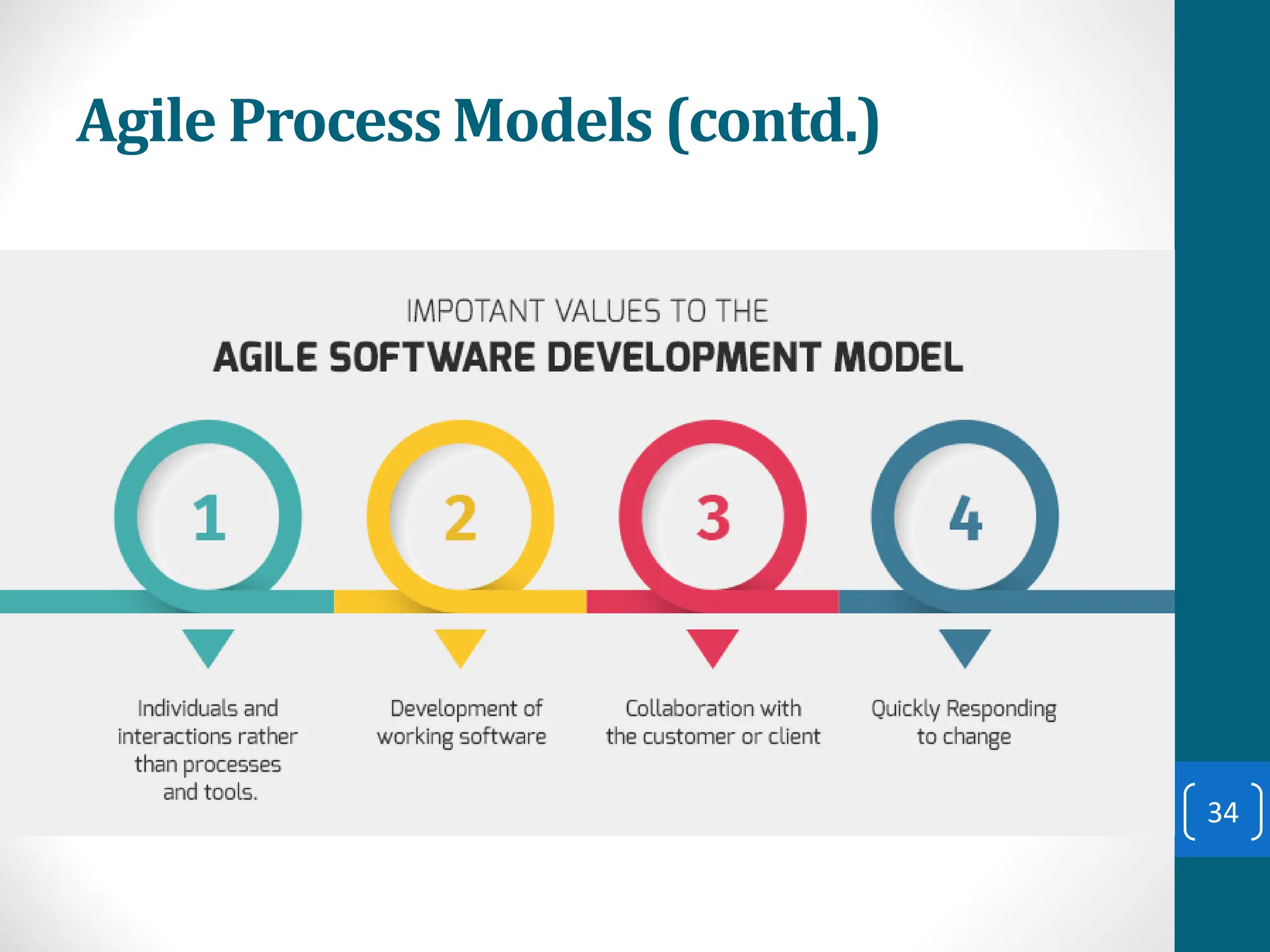
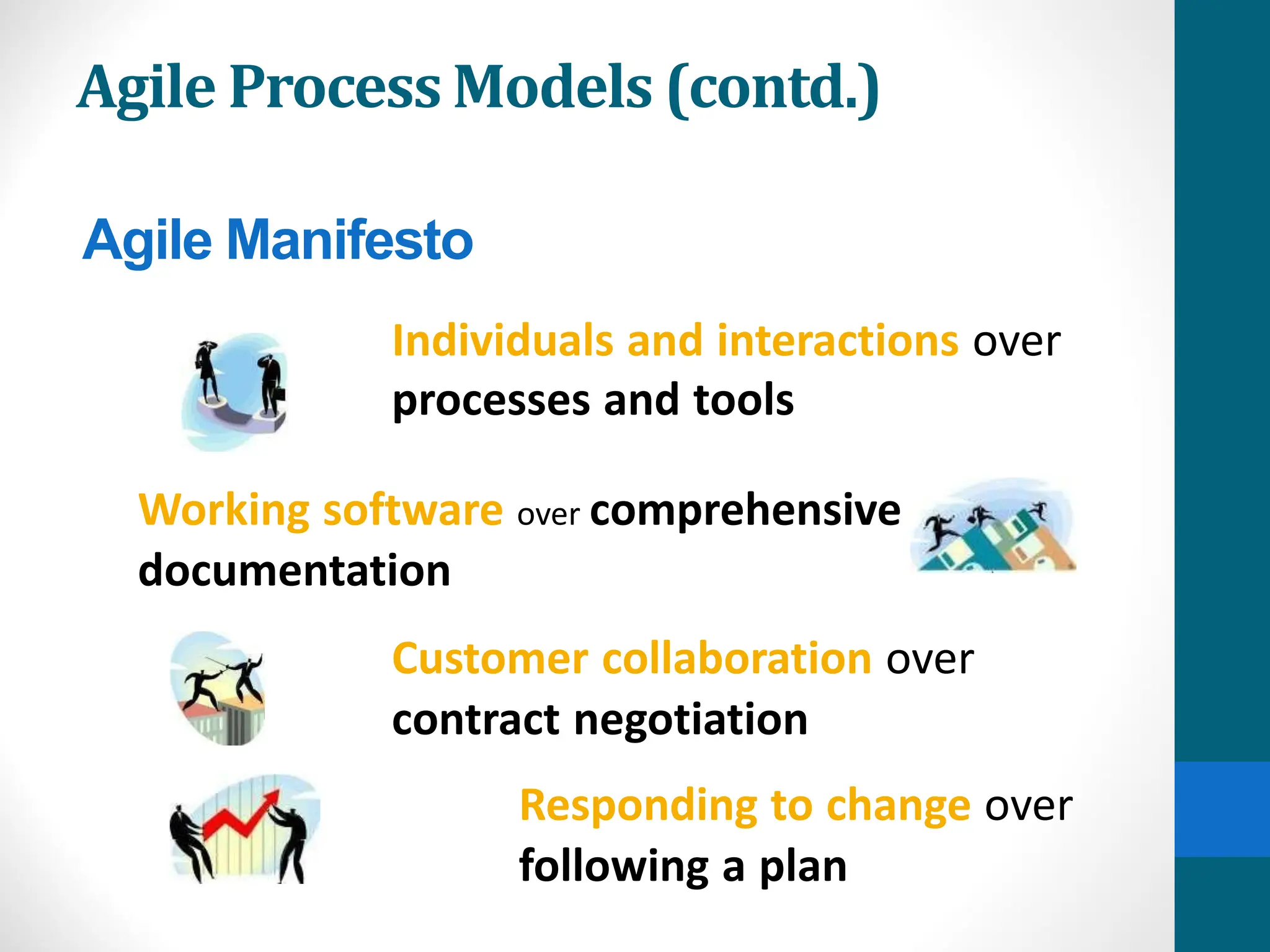
Individuals and interactions over
processes and tools
Working software over comprehensive
documentation
Customer collaboration over
contract negotiation
Responding to change over
following a plan
Agile Manifesto
Agile Process Models (contd.)
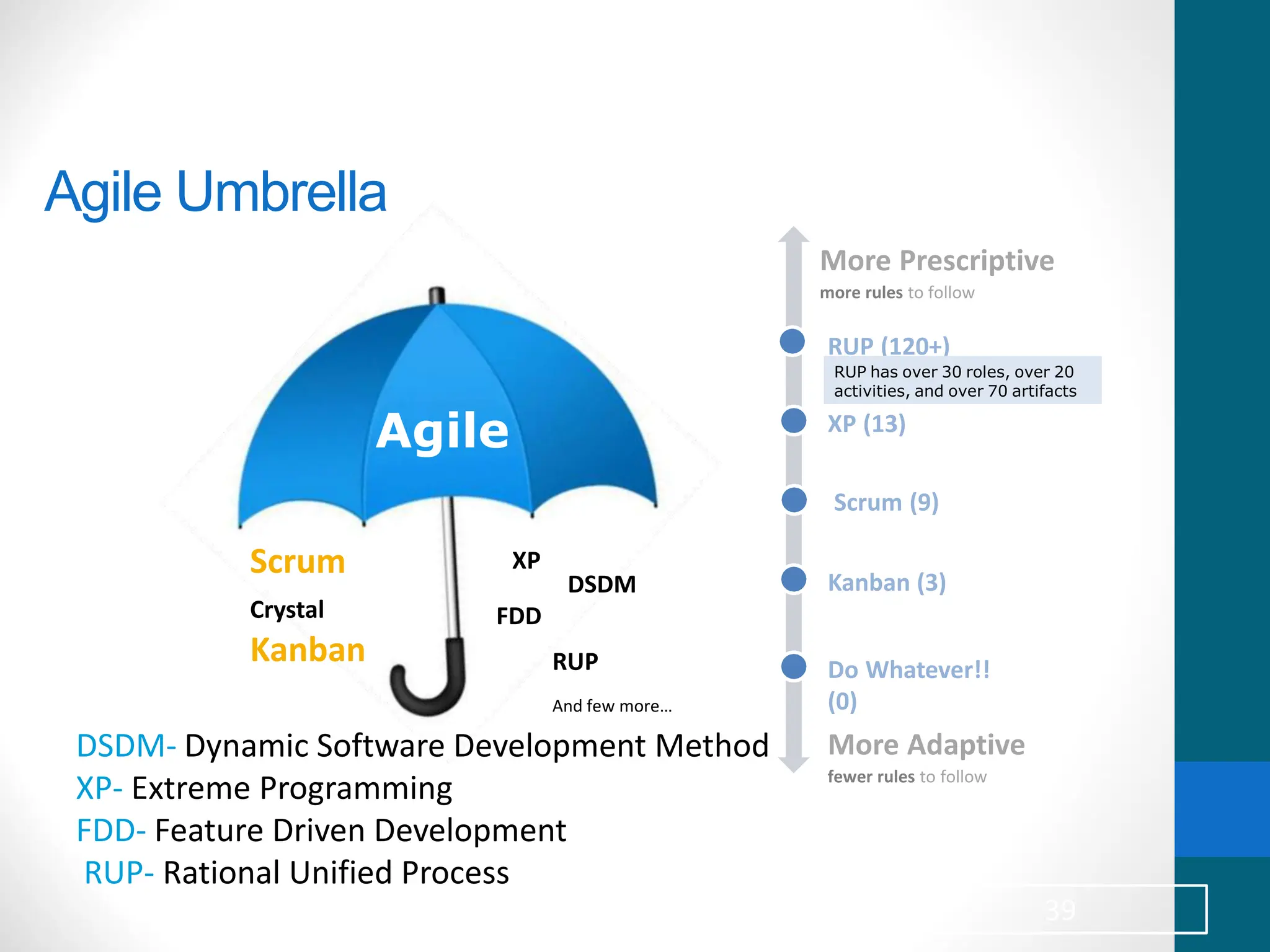
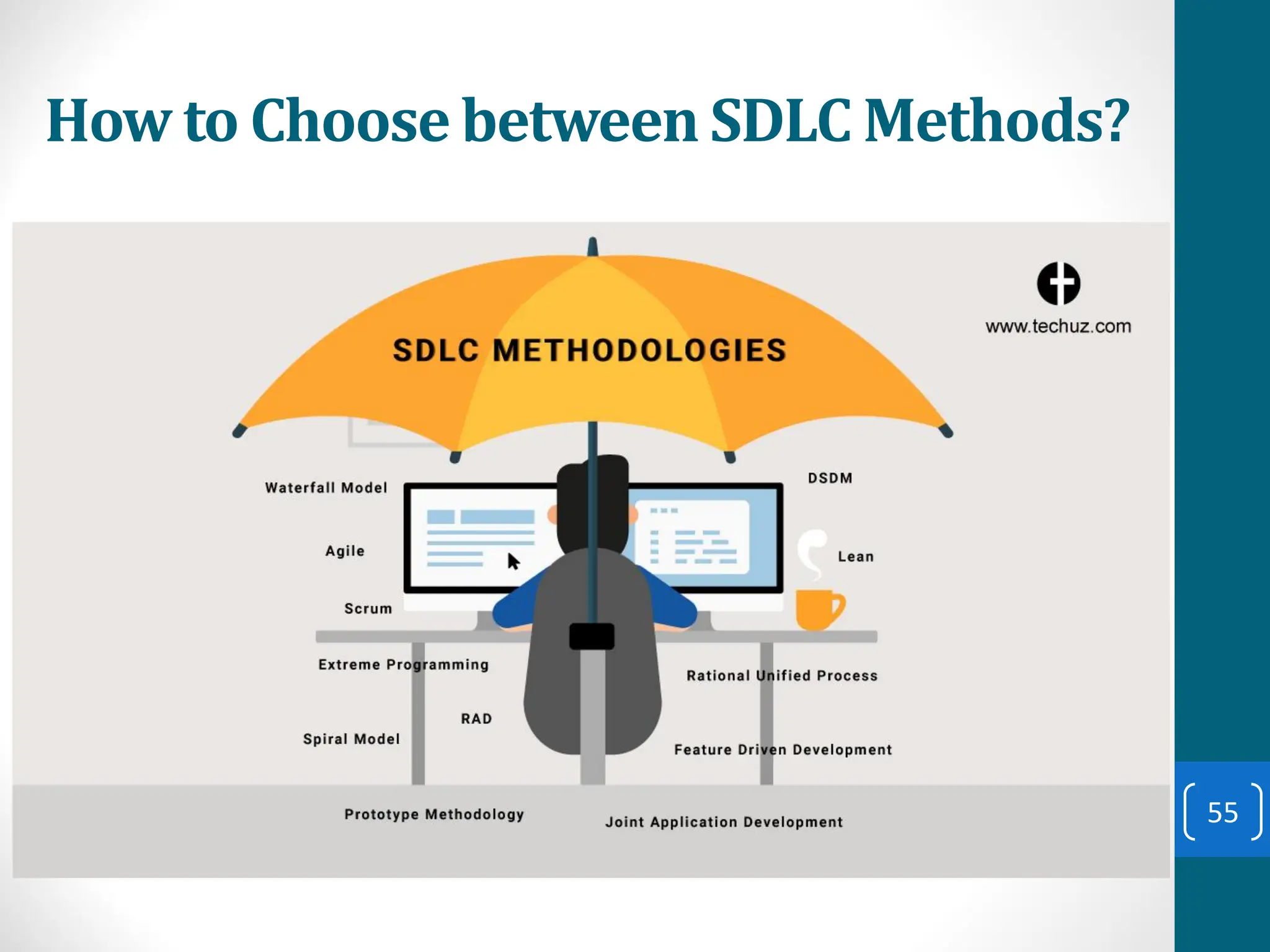
Agile Umbrella
Agile
Scrum
Crystal
Kanban
XP
DSDM
FDD
RUP
And few more…
RUP (120+)
XP (13)
Scrum (9)
Kanban (3)
Do Whatever!!
(0)
More Prescriptive
more rules to follow
More Adaptive
fewer rules to follow
RUP has over 30 roles, over 20
activities, and over 70 artifacts
DSDM- Dynamic Software Development Method
XP- Extreme Programming
FDD- Feature Driven Development
RUP- Rational Unified Process
39
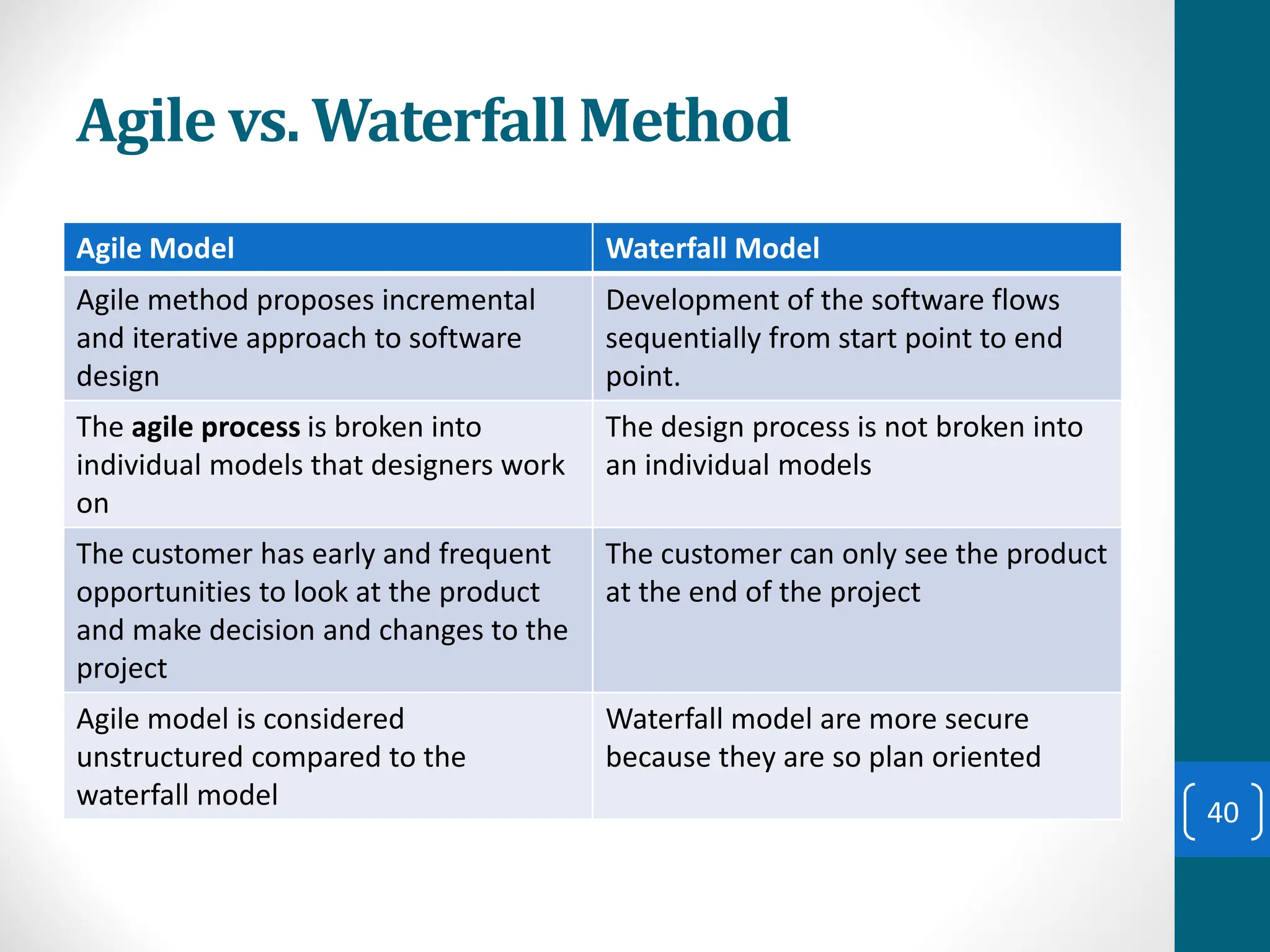
Agile vs. Waterfall Method
Agile Model Waterfall Model
Agile method proposes incremental
and iterative approach to software
design
Development of the software flows
sequentially from start point to end
point.
The agile process is broken into
individual models that designers work
on
The design process is not broken into
an individual models
The customer has early and frequent
opportunities to look at the product
and make decision and changes to the
project
The customer can only see the product
at the end of the project
Agile model is considered
unstructured compared to the
waterfall model
Waterfall model are more secure
because they are so plan oriented
40
Agile vs. Waterfall Method (contd.)
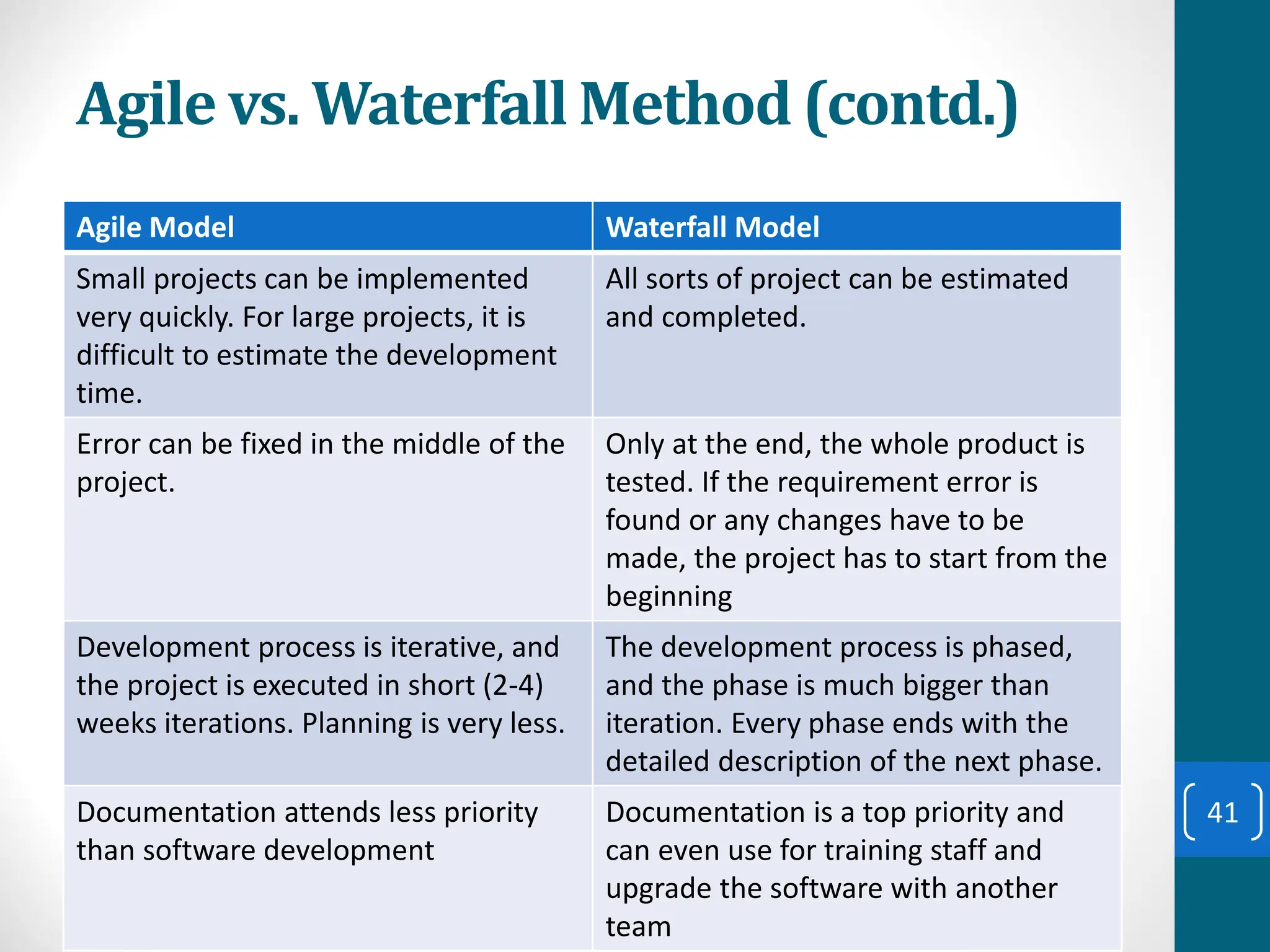
Agile Model Waterfall Model
Small projects can be implemented
very quickly. For large projects, it is
difficult to estimate the development
time.
All sorts of project can be estimated
and completed.
Error can be fixed in the middle of the
project.
Only at the end, the whole product is
tested. If the requirement error is
found or any changes have to be
made, the project has to start from the
beginning
Development process is iterative, and
the project is executed in short (2-4)
weeks iterations. Planning is very less.
The development process is phased,
and the phase is much bigger than
iteration. Every phase ends with the
detailed description of the next phase.
Documentation attends less priority
than software development
Documentation is a top priority and
can even use for training staff and
upgrade the software with another
team
41
Agile vs. Waterfall Method (contd.)
Agile Model Waterfall Model
In agile testing when an iteration end,
shippable features of the product is
delivered to the customer. New
features are usable right after
shipment. It is useful when you have
good contact with customers.
All features developed are delivered at
once after the long implementation
phase.
Testers and developers work together Testers work separately from
developers
At the end of every sprint, user
acceptance is performed
User acceptance is performed at the
end of the project.
It requires close communication with
developers and together analyze
requirements and planning
Developer does not involve in
requirement and planning process.
Usually, time delays between tests and
coding
42
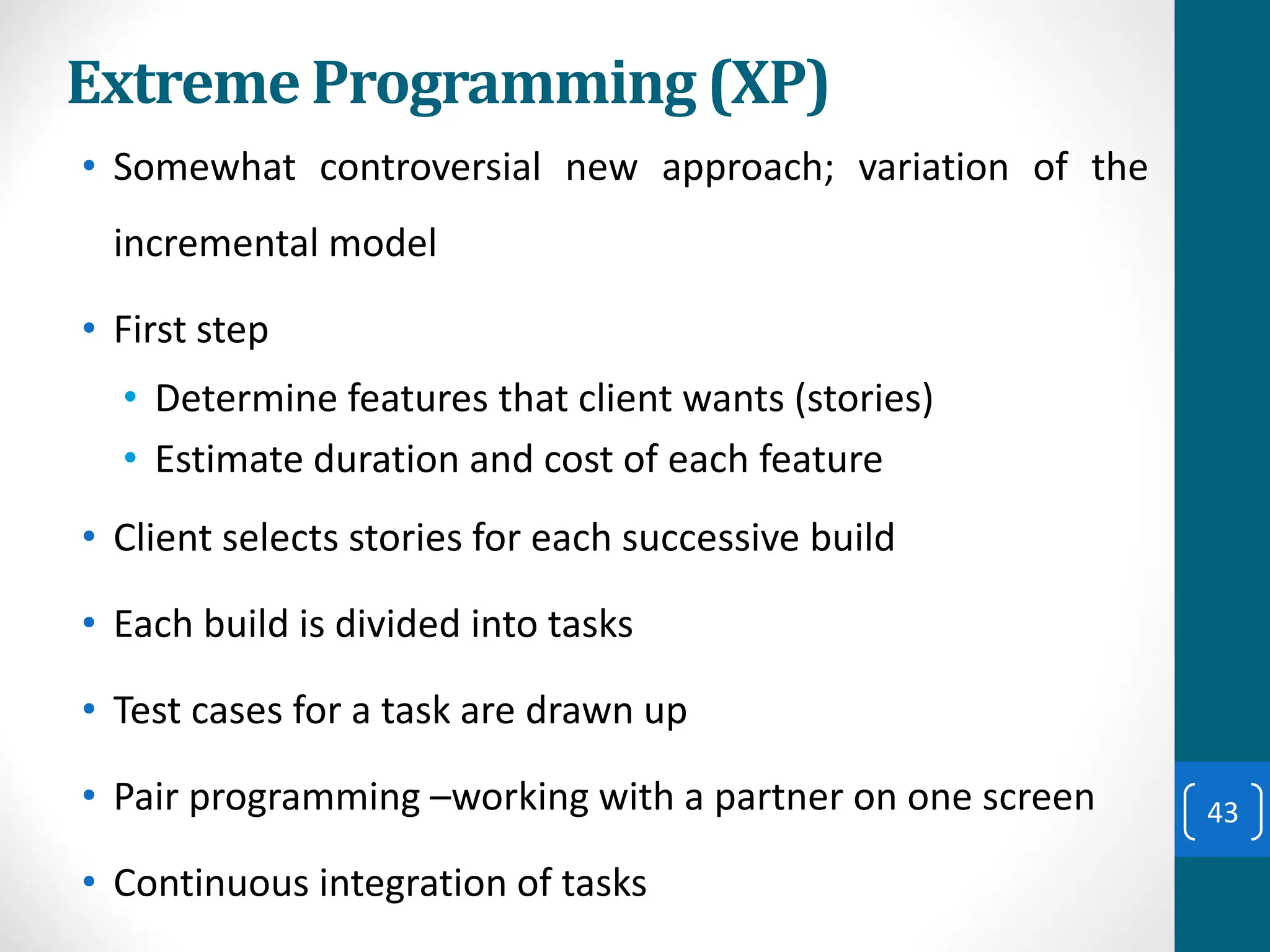
Extreme Programming (XP)
• Somewhat controversial new approach; variation of the
incremental model
• First step
• Determine features that client wants (stories)
• Estimate duration and cost of each feature
• Client selects stories for each successive build
• Each build is divided into tasks
• Test cases for a task are drawn up
• Pair programming –working with a partner on one screen
• Continuous integration of tasks
43
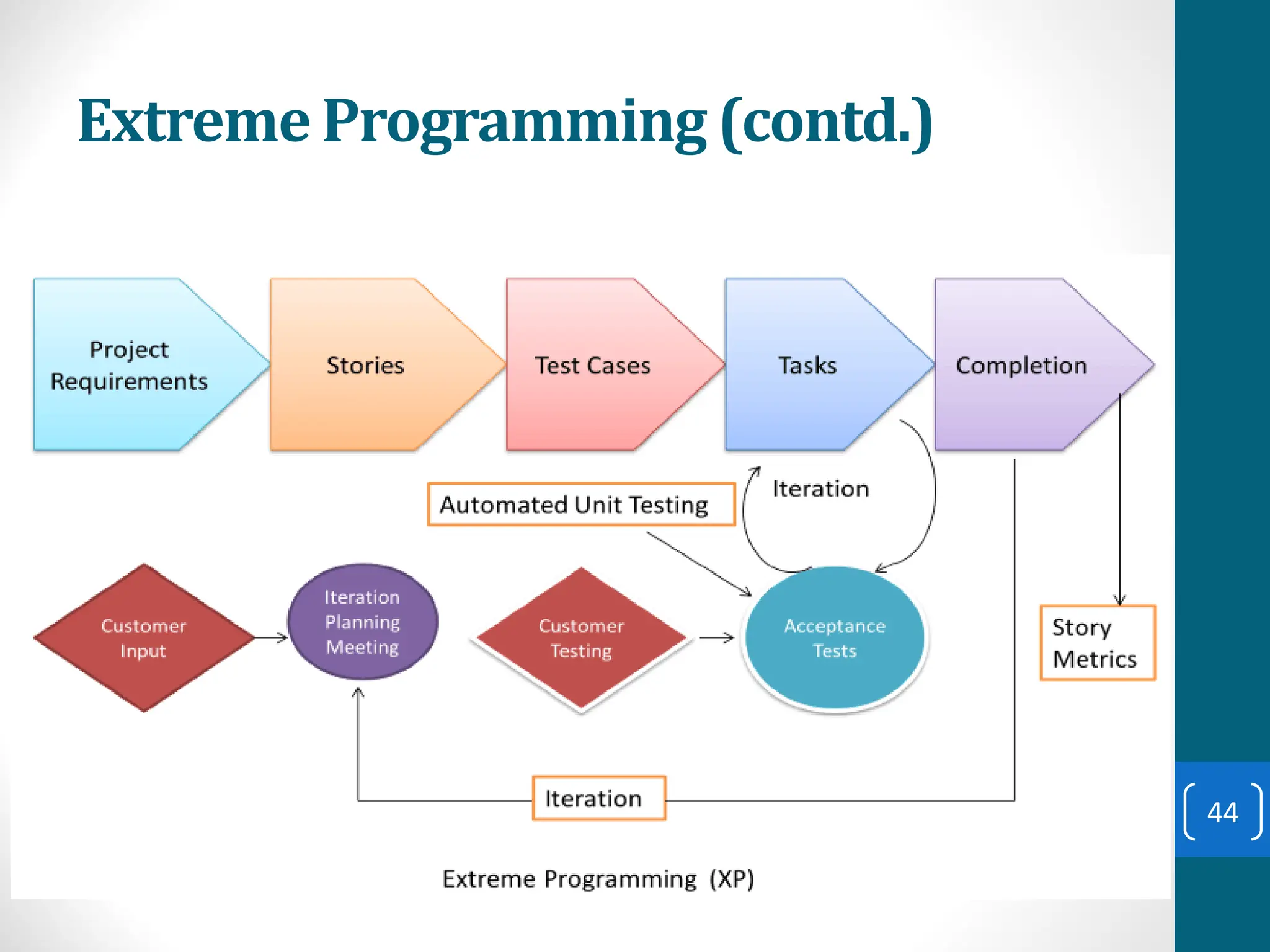
Extreme Programming (contd.)
44
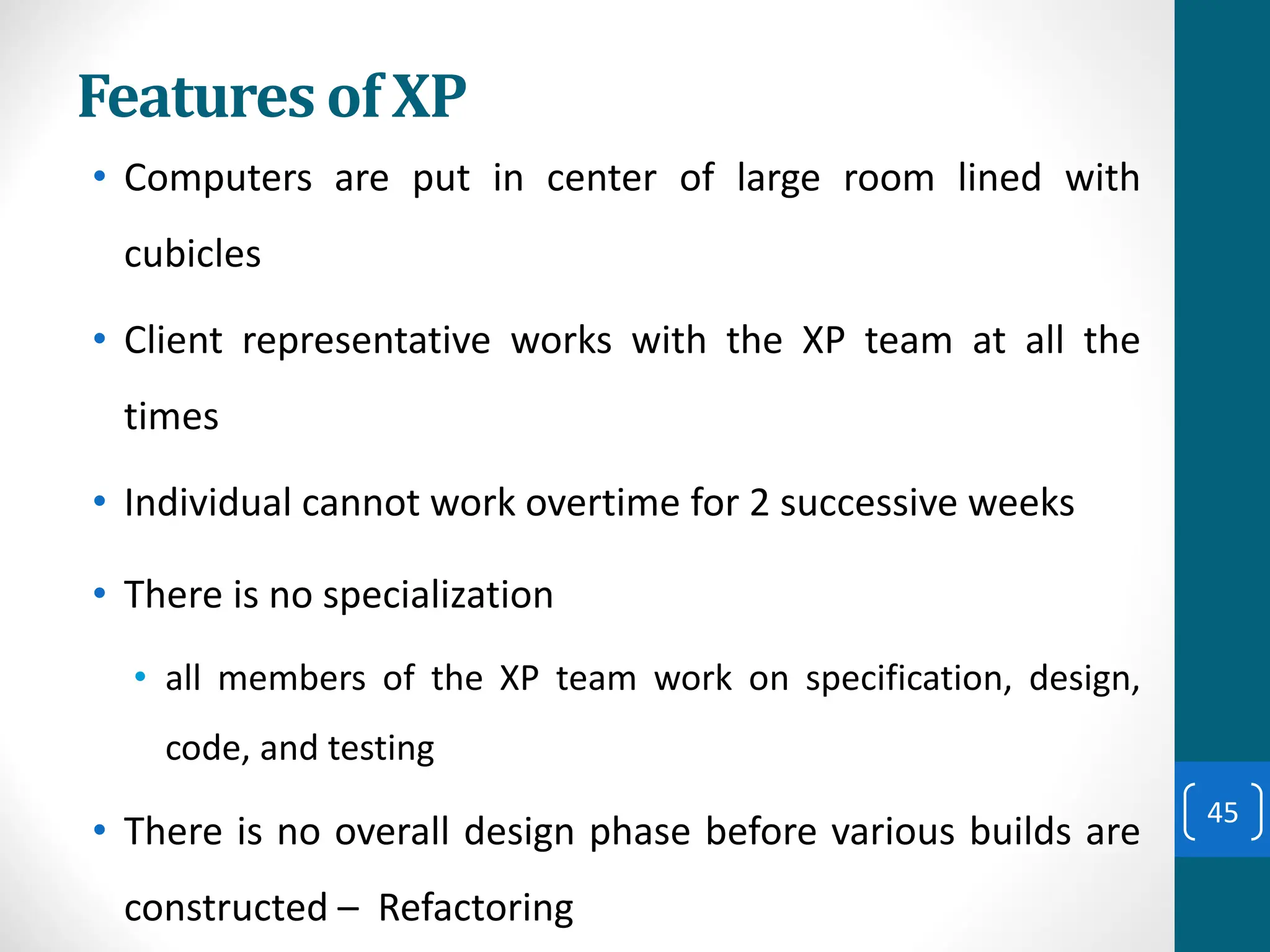
Features of XP
• Computers are put in center of large room lined with
cubicles
• Client representative works with the XP team at all the
times
• Individual cannot work overtime for 2 successive weeks
• There is no specialization
• all members of the XP team work on specification, design,
code, and testing
• There is no overall design phase before various builds are
constructed – Refactoring
45
Advantages of Agile Model
• Customer satisfaction by rapid, continuous delivery of useful
software.
• People and interactions are emphasized rather than process
and tools. Customers, developers and testers constantly
interact with each other.
• Working software is delivered frequently (weeks rather than
months).
• Face-to-face conversation is the best form of communication.
• Close, daily cooperation between business people and
developers.
• Regular adaptation to changing circumstances.
• Even late changes in requirements are welcomed 46
Disadvantages of Agile model
• In case of some software deliverables, especially the large
ones, it is difficult to assess the effort required at the
beginning of the software development life cycle.
• There is lack of emphasis on necessary designing and
documentation.
• The project can easily get taken off track if the customer
representative is not clear what final outcome that they want.
• Only senior programmers are capable of taking the kind of
decisions required during the development process. Hence it
has no place for newbie programmers, unless combined with
experienced resources.
47
When to use Agile model
• When new changes need to be implemented. The freedom
agile gives to change is very important. New changes can be
implemented at very little cost because of the frequency of
new increments that are produced.
• To implement a new feature the developers need to lose only
the work of a few days, or even only hours, to roll back and
implement it.
• Both system developers and stakeholders alike, find they also
get more freedom of time and options than if the software
was developed in a more rigid sequential way.
• Having options gives them the ability to leave important
decisions until more or better data or even entire hosting
programs are available; meaning the project can continue to
move forward without fear of reaching a sudden standstill. 48
Unified Process
• Unified process is a framework for OO software
engineering using UML (Unified Modeling Language)
• Unified process (UP) is an attempt to draw on the best
features and characteristics of conventional software
process models, but characterize them in a way that
implements many of the best principles of agile
software development.
49
Unified Process Characteristics
• It is an iterative and incremental development framework
• It is architecture-centric with major work being done to
define and validate an architectural design for most coding
is done
• It is risk-focused and emphasizes that highest-risk factors
be addressed in the earliest deliverables possible
• It is use-case and UML model driven with nearly all
requirements being documented in one of those forms.
50
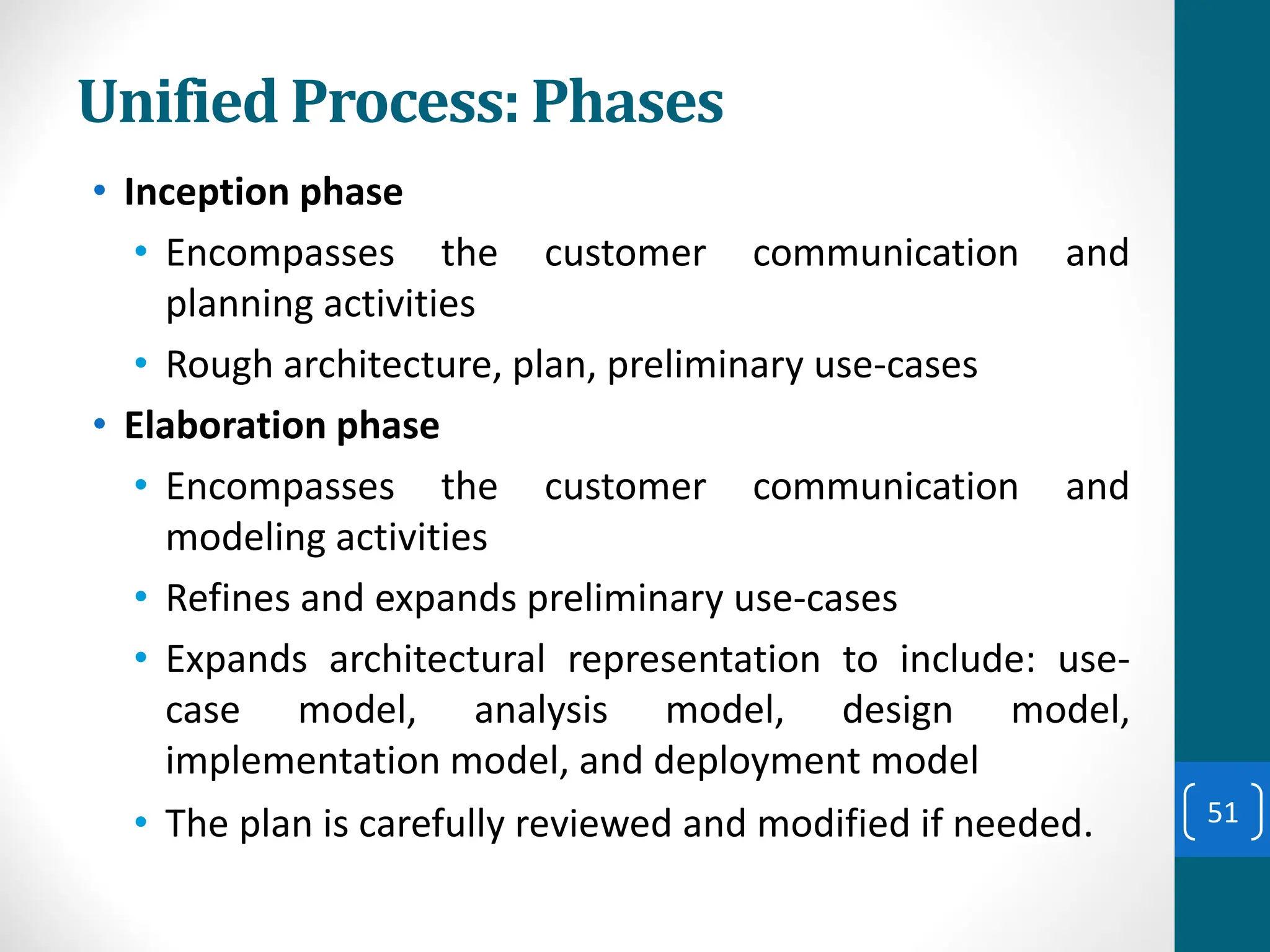
Unified Process: Phases
• Inception phase
• Encompasses the customer communication and
planning activities
• Rough architecture, plan, preliminary use-cases
• Elaboration phase
• Encompasses the customer communication and
modeling activities
• Refines and expands preliminary use-cases
• Expands architectural representation to include: use-
case model, analysis model, design model,
implementation model, and deployment model
• The plan is carefully reviewed and modified if needed. 51
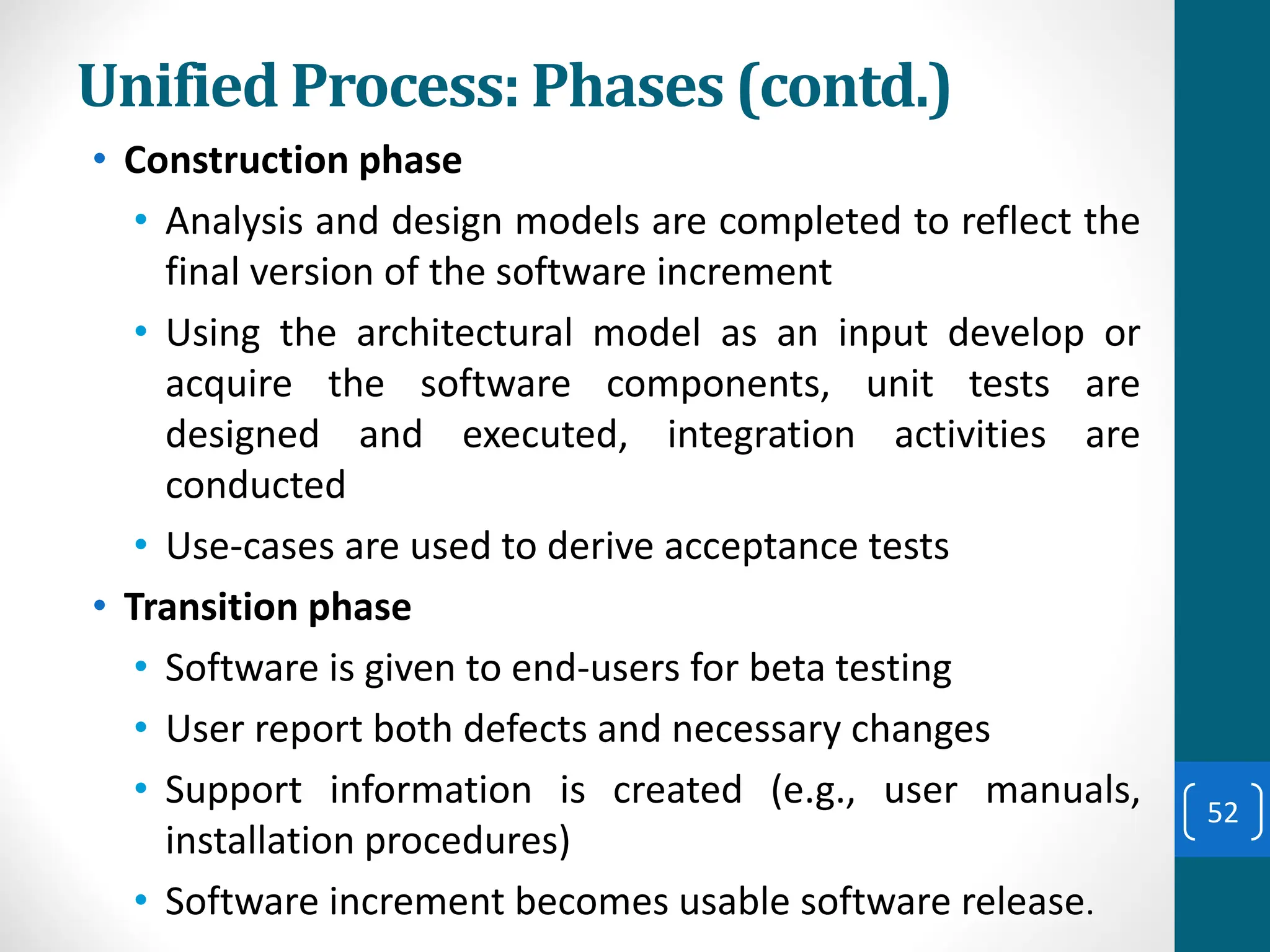
Unified Process: Phases (contd.)
• Construction phase
• Analysis and design models are completed to reflect the
final version of the software increment
• Using the architectural model as an input develop or
acquire the software components, unit tests are
designed and executed, integration activities are
conducted
• Use-cases are used to derive acceptance tests
• Transition phase
• Software is given to end-users for beta testing
• User report both defects and necessary changes
• Support information is created (e.g., user manuals,
installation procedures)
• Software increment becomes usable software release.
52
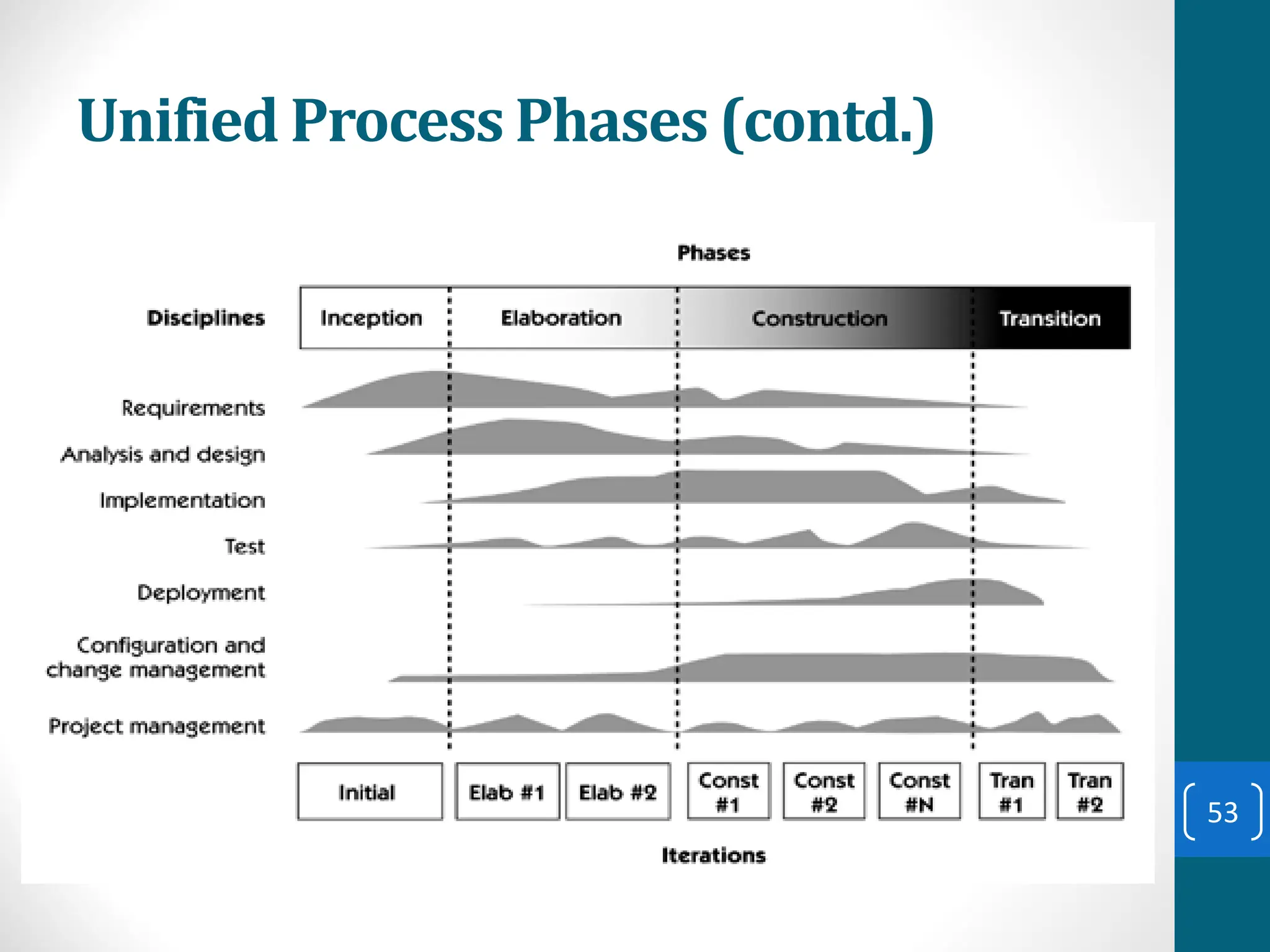
Unified Process Phases (contd.)
53
54
How to Choose between SDLC Methods?
55
How to Choose between SDLC Methods?
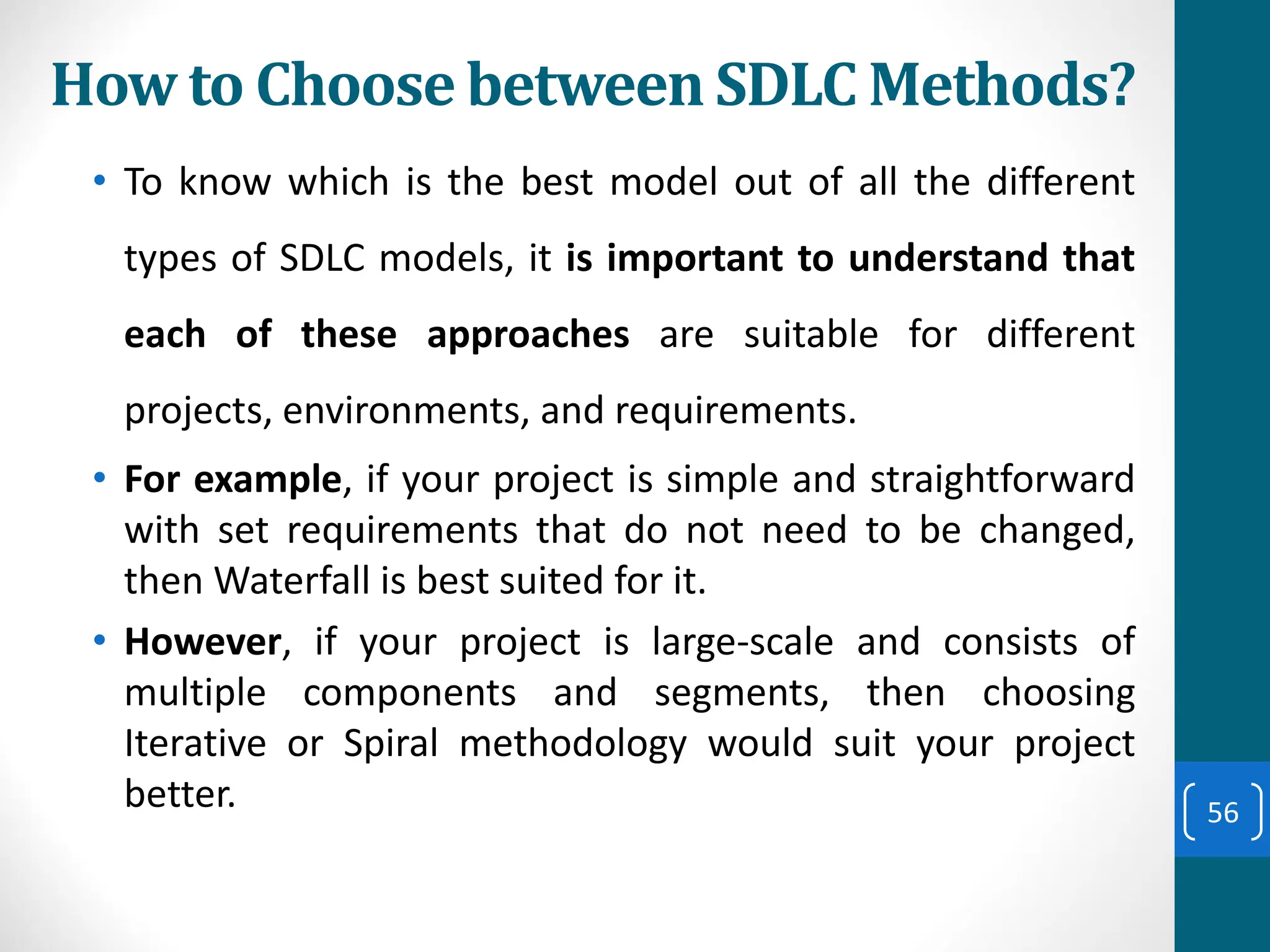
• To know which is the best model out of all the different
types of SDLC models, it is important to understand that
each of these approaches are suitable for different
projects, environments, and requirements.
• For example, if your project is simple and straightforward
with set requirements that do not need to be changed,
then Waterfall is best suited for it.
• However, if your project is large-scale and consists of
multiple components and segments, then choosing
Iterative or Spiral methodology would suit your project
better. 56
How to Choose between SDLC Methods?
• To answer the question simply, there is no ONE model is
best from all the SDLC models discussed.
• A preference of one method over the others cannot be
determined.
• However, to select the right SDLC methodologies, you
should know all the types of SDLC models, assess the
requirements of all the stakeholders and then decide on
a method that best fits your needs. 57
The object oriented methodology is:
➢Combination of data and functionality
➢Focuses in object, classes, modules that can be easily replaced,
modified, and reused.
➢Decrease duration of the project.
➢Moving one phase to another is easy.
➢Reduces complexity and redundancy.
➢ Develops software by building objects.
➢ Objects can be easily replaced, modified and reused.
➢ Each object has attributes (data) and methods (functions).
➢ Software is a collection of discrete objects that encapsulate their
data and function.
Object Oriented System Development Methodology
Object oriented system development
methodology.
58
Why Object-Orientation?
Because :
➢ Easier to adapt changing requirements,
➢ Easier to maintain,
➢ More robust,
➢ Promote greater design and code reuse.
➢ Create modules of functionality
59
object
The basic concepts in objects are:
➢ Objects are grouped in Classes
➢ Attributes
➢ Object behaviour and Methods
➢ Objects respond to Messages
➢ Encapsulation and Information Binding
➢ Class Hierarchy
➢ Polymorphism
➢ Object Relationships
➢ Aggregation and Object Containment
➢ Inheritance
Basic Concepts of object
60
Object are grouped in class
•Class:
➢Class is a set of objects.
➢Class has common structure and behaviour.
➢Object is single instances of a class.
Exercise
Group the following objects in one of these classes Air
Vehicle, Land Vehicle or Water Vehicle.
Ship, Boat, Truck , Bus, Automobile, plane, Helicopter
Attributes:
➢Attributes are state and properties of the object.
➢Properties represent the state of an object.
Exercise
Assign the attributes for objects in Land Vehicle classes
61
Behaviour, Method, Message
•Behaviour
➢It denotes the collection of methods that abstractly describes
where an object is capable of doing.
•Methods
➢It encapsulate the behaviour of the object.
➢It provide interfaces to an object and hide any of the internal
structures and states maintained by the object.
•Message
➢It is the instruction and method is the implementation.
➢An object understands a message when it can match
message to a method that has same name as of it.
➢Objects interact with each other by sending and receiving
messages.
➢Objects perform operations in response to messages
62
Information Hiding, Encapsulation
•Information Hiding:
➢It is the principle of concealing the internal data and procedures of
an object.
➢Providing an interface to each object in such a way as to reveal as
little as possible about its inner workings.
•Encapsulation:
➢An object is said to encapsulate the data and a program
➢Encapsulation or information hiding is a design goal of an OO
system.
•Class Hierarchy:
➢System made up of interrelated components.
➢At the top of the class hierarchy are the most general classes
➢At the bottom class hierarchy are the most specific classes .
➢A subclass inherits all of the properties and methods defined in its
super class.
63
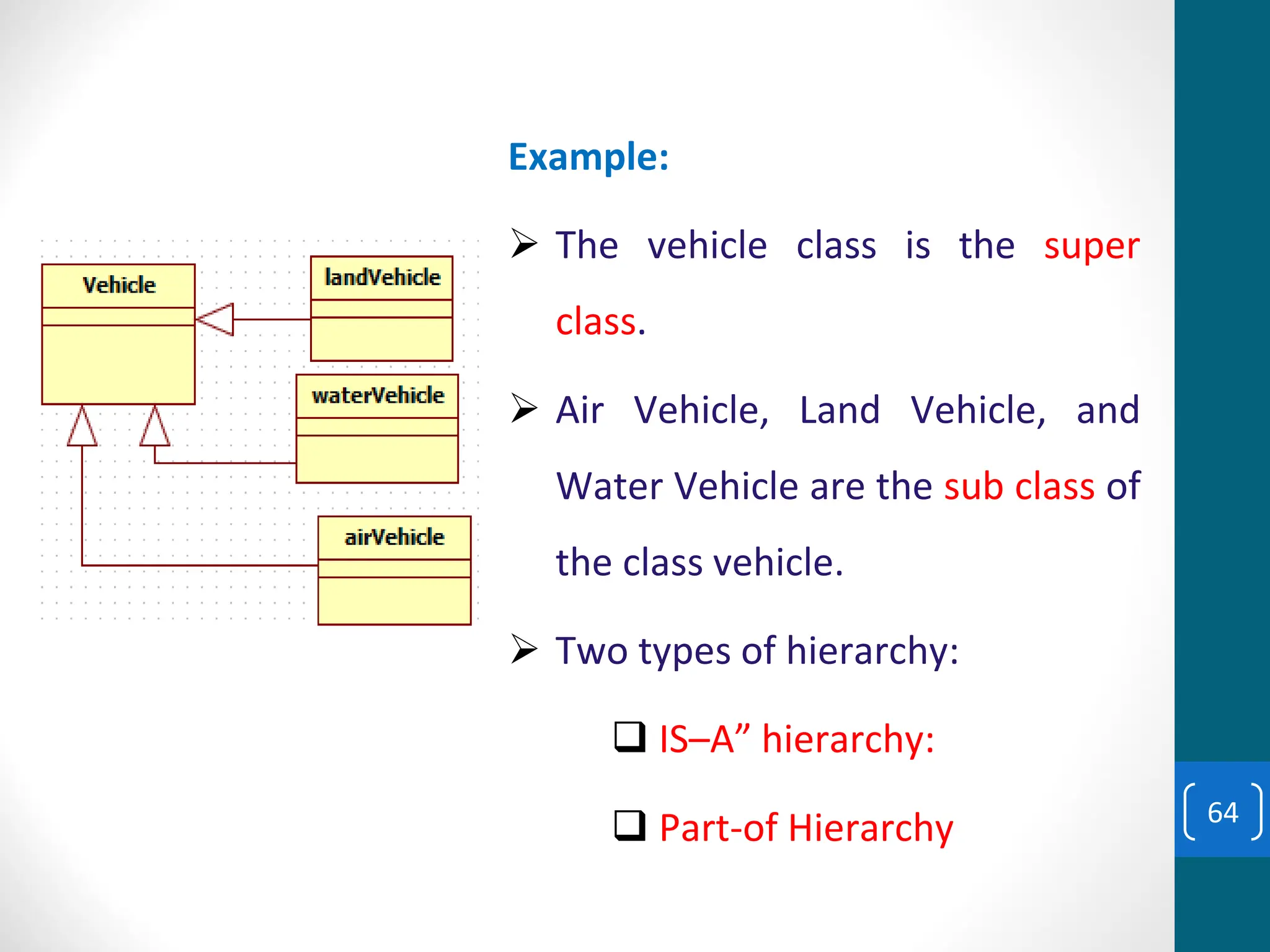
Example:
➢ The vehicle class is the super
class.
➢ Air Vehicle, Land Vehicle, and
Water Vehicle are the sub class of
the class vehicle.
➢ Two types of hierarchy:
❑ IS–A” hierarchy:
❑ Part-of Hierarchy 64
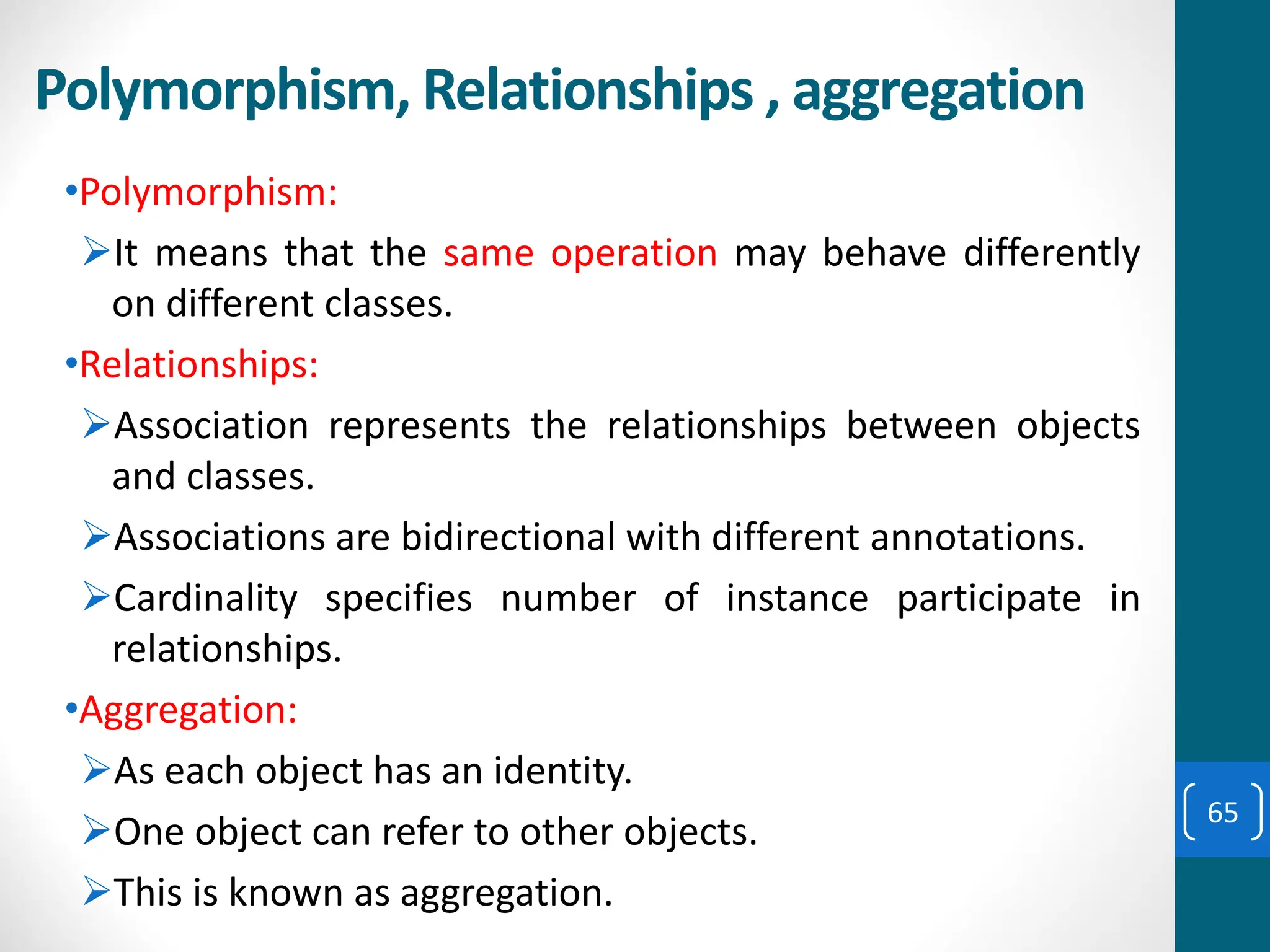
Polymorphism, Relationships , aggregation
•Polymorphism:
➢It means that the same operation may behave differently
on different classes.
•Relationships:
➢Association represents the relationships between objects
and classes.
➢Associations are bidirectional with different annotations.
➢Cardinality specifies number of instance participate in
relationships.
•Aggregation:
➢As each object has an identity.
➢One object can refer to other objects.
➢This is known as aggregation.
65
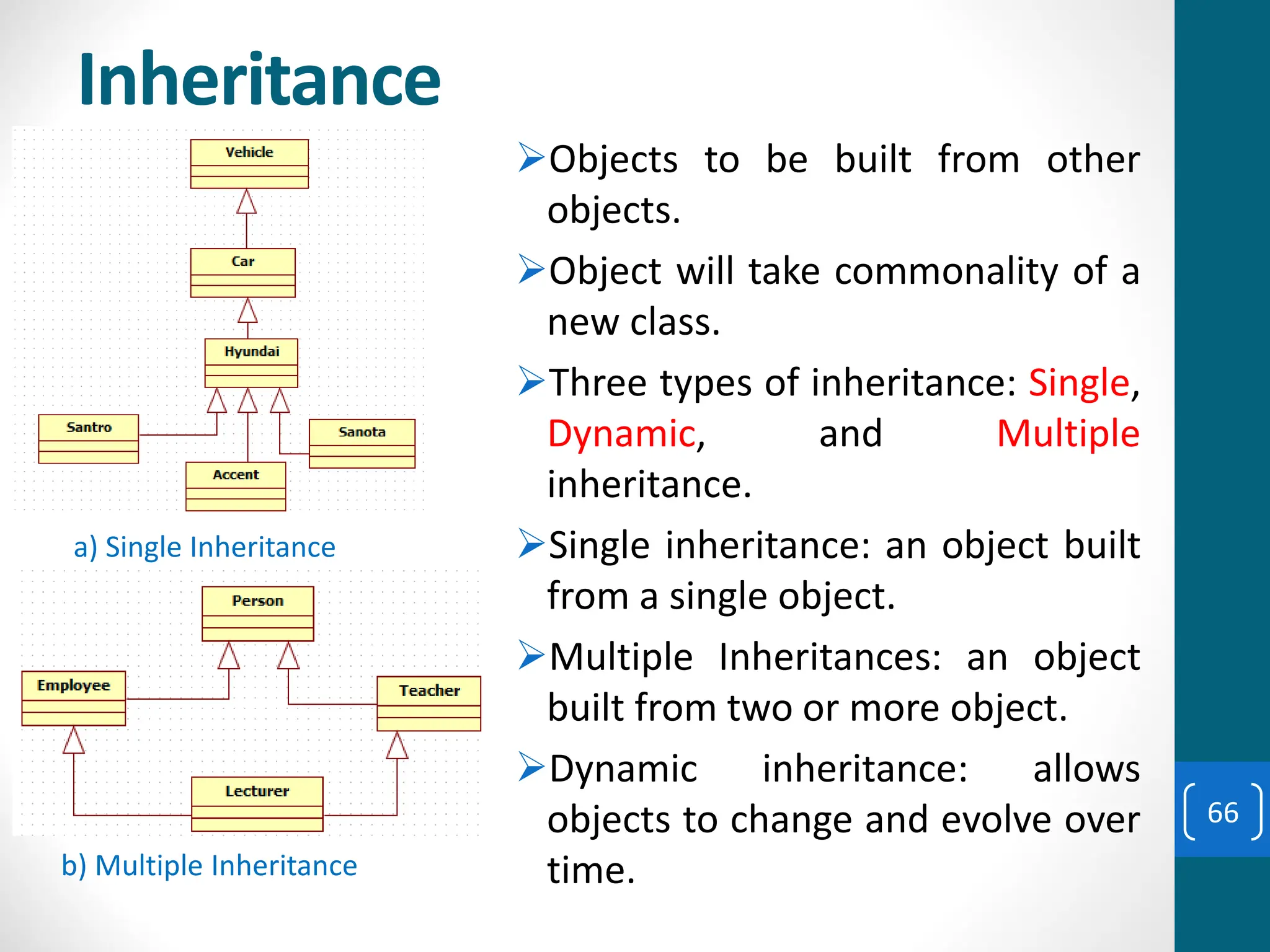
Inheritance
➢Objects to be built from other
objects.
➢Object will take commonality of a
new class.
➢Three types of inheritance: Single,
Dynamic, and Multiple
inheritance.
➢Single inheritance: an object built
from a single object.
➢Multiple Inheritances: an object
built from two or more object.
➢Dynamic inheritance: allows
objects to change and evolve over
time.
a) Single Inheritance
b) Multiple Inheritance
66
Unified Approach
➢UA establishes a unifying and unitary framework works.
➢ by Unified Modelling Language (UML) to describe model,
and
➢Document the software development process.
➢The idea behind the UA is not to introduce yet another
methodology.
➢The main motivation here is to combine the best
practices, processes, methodologies, and guidelines along
with UML notations and diagrams. 67
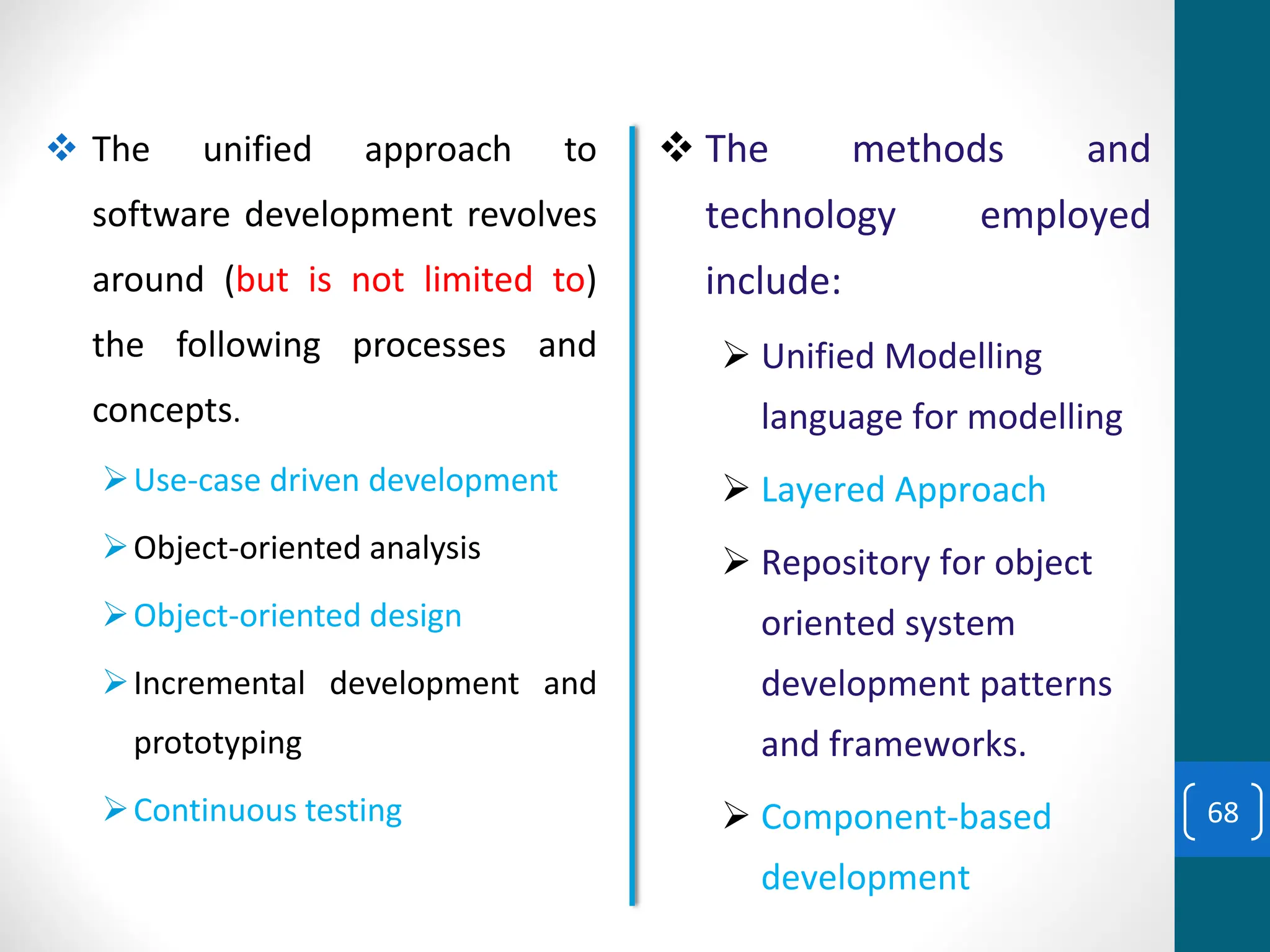
❖ The unified approach to
software development revolves
around (but is not limited to)
the following processes and
concepts.
➢Use-case driven development
➢Object-oriented analysis
➢Object-oriented design
➢Incremental development and
prototyping
➢Continuous testing
❖ The methods and
technology employed
include:
➢ Unified Modelling
language for modelling
➢ Layered Approach
➢ Repository for object
oriented system
development patterns
and frameworks.
➢ Component-based
development
68
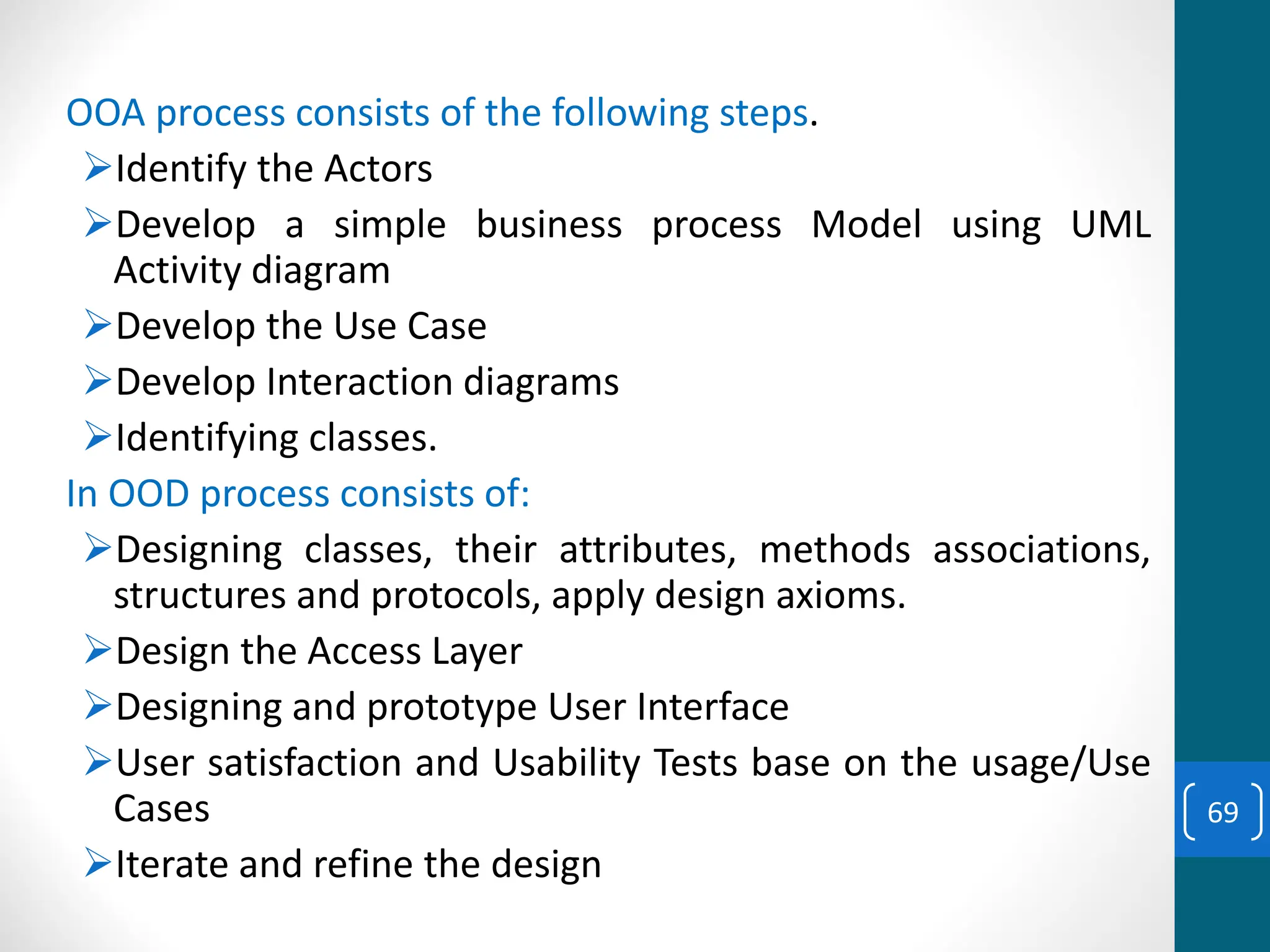
OOA process consists of the following steps.
➢Identify the Actors
➢Develop a simple business process Model using UML
Activity diagram
➢Develop the Use Case
➢Develop Interaction diagrams
➢Identifying classes.
In OOD process consists of:
➢Designing classes, their attributes, methods associations,
structures and protocols, apply design axioms.
➢Design the Access Layer
➢Designing and prototype User Interface
➢User satisfaction and Usability Tests base on the usage/Use
Cases
➢Iterate and refine the design
69
Iterative development and continuous Testing
➢Development must be iterate and reiterate until you are
satisfied with the system.
➢Repeat the entire process, reworking the design or moving on to
re-prototyping and retesting.
➢Continue this refining cycle through the development process
until you are satisfied with the results.
➢The prototype will be incremental transformed into the actual
application.
➢Usage scenarios can become test scenarios;
➢Therefore, use case will drive usability testing.
70
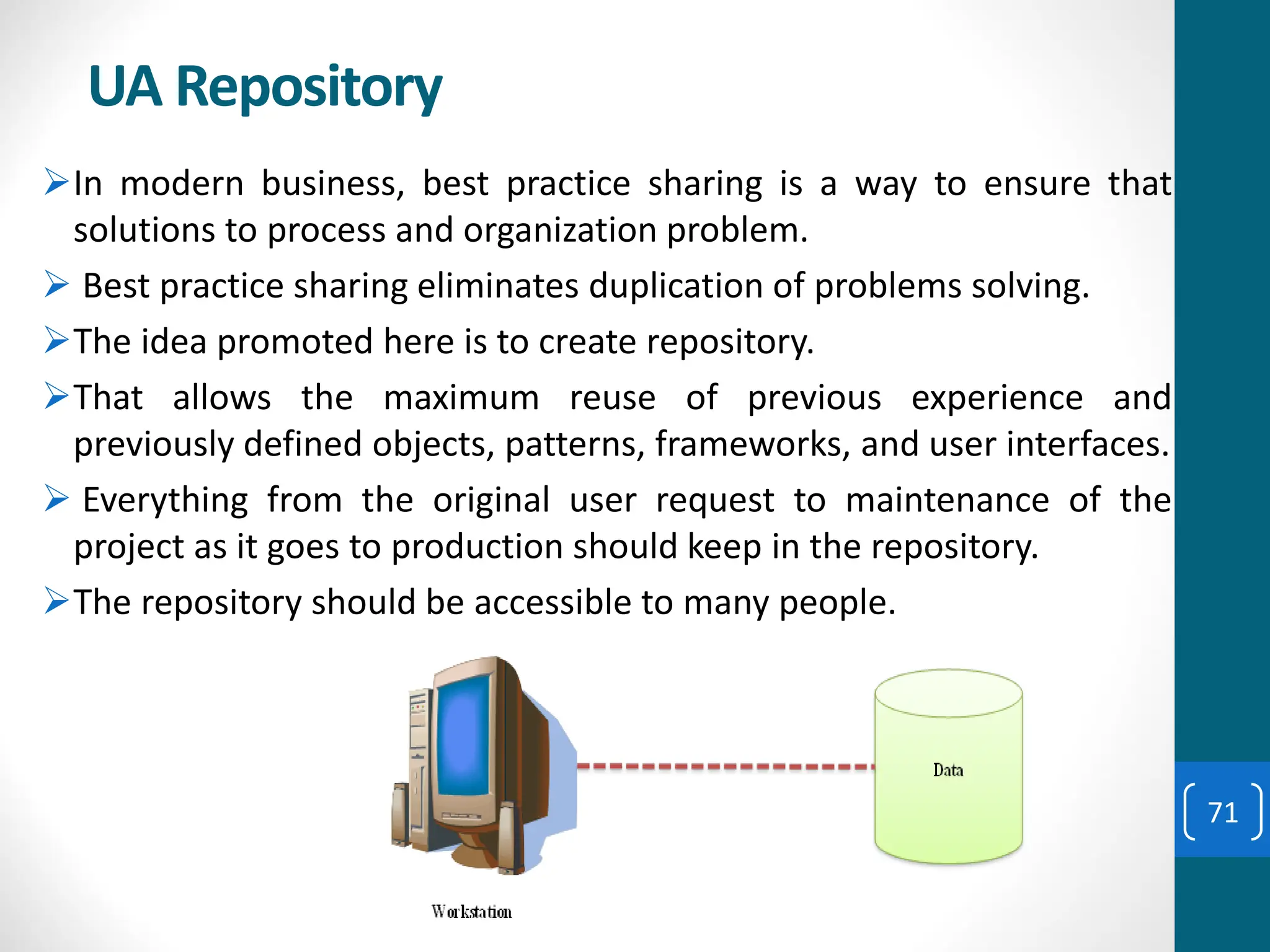
UA Repository
➢In modern business, best practice sharing is a way to ensure that
solutions to process and organization problem.
➢ Best practice sharing eliminates duplication of problems solving.
➢The idea promoted here is to create repository.
➢That allows the maximum reuse of previous experience and
previously defined objects, patterns, frameworks, and user interfaces.
➢ Everything from the original user request to maintenance of the
project as it goes to production should keep in the repository.
➢The repository should be accessible to many people.
71
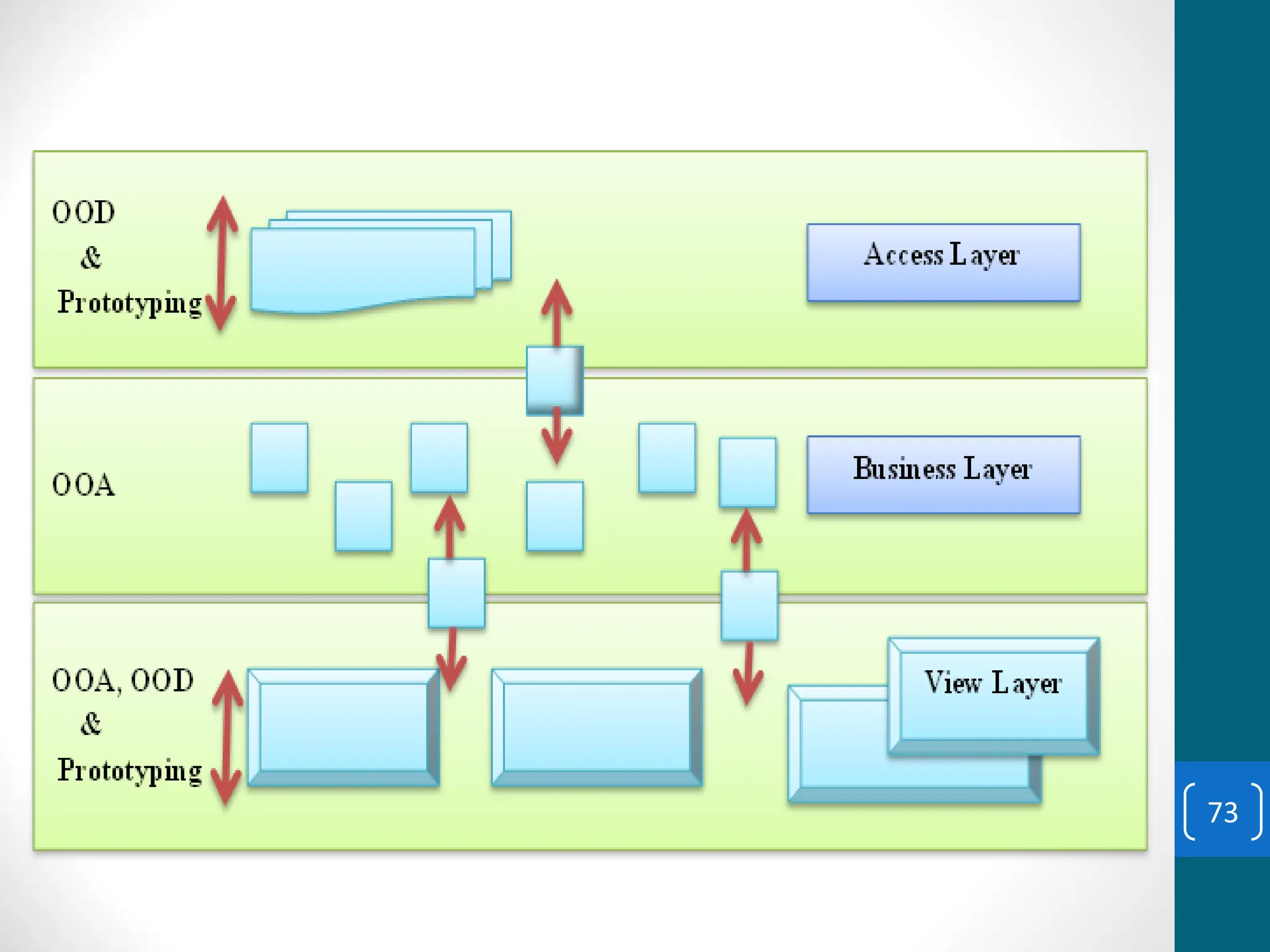
LayeredApproach
➢Most software development tools are two layered
architecture interface and data.
➢The functions of the interface from the function of the
business better to isolated each other.
➢This approach also isolates the business from the details of
the data access.
➢There are three layered approach. These are:
1. User Interface layer
2. Business layer
3. Access layer
72
73
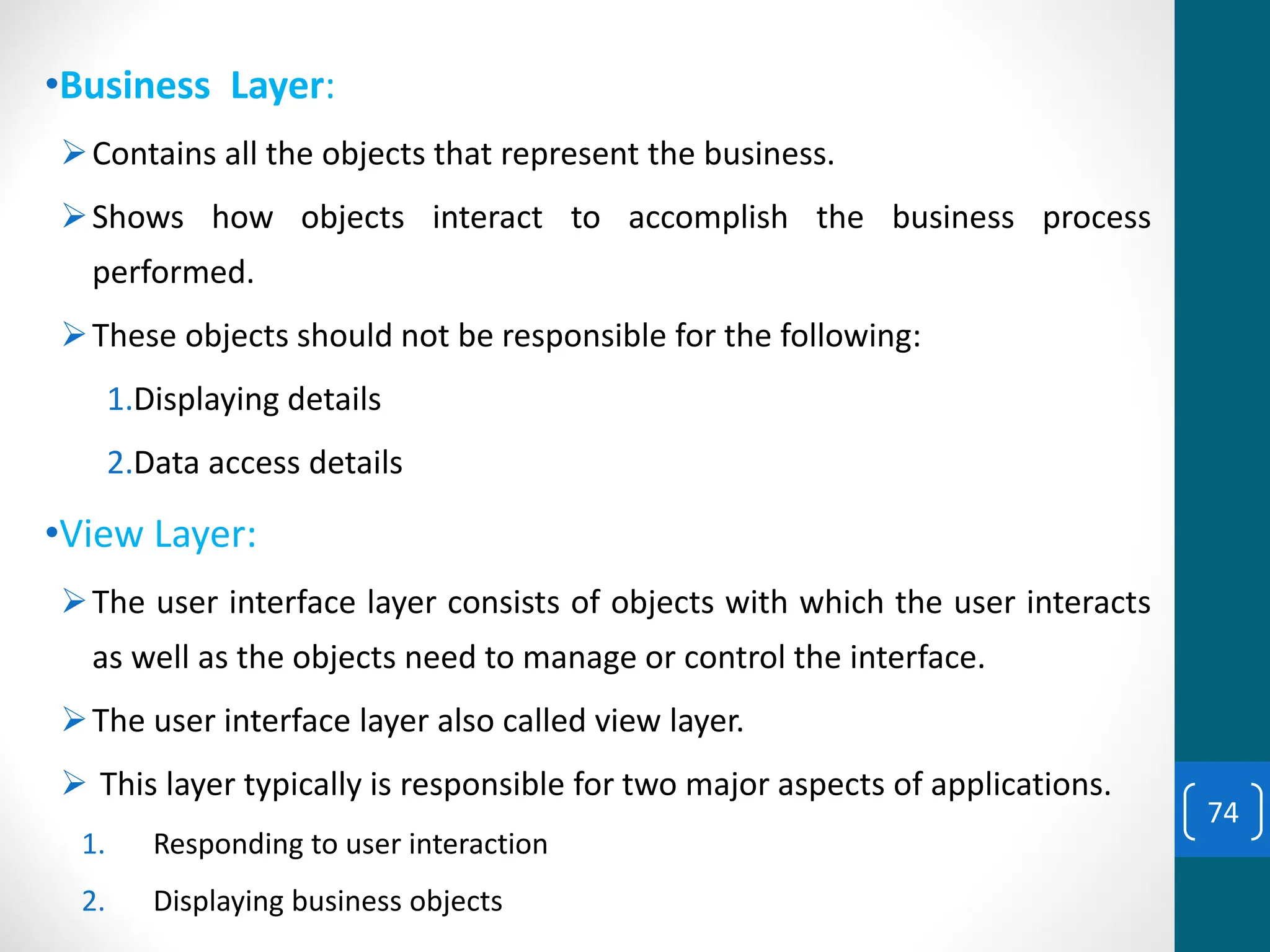
•Business Layer:
➢Contains all the objects that represent the business.
➢Shows how objects interact to accomplish the business process
performed.
➢These objects should not be responsible for the following:
1.Displaying details
2.Data access details
•View Layer:
➢The user interface layer consists of objects with which the user interacts
as well as the objects need to manage or control the interface.
➢The user interface layer also called view layer.
➢ This layer typically is responsible for two major aspects of applications.
1. Responding to user interaction
2. Displaying business objects
74
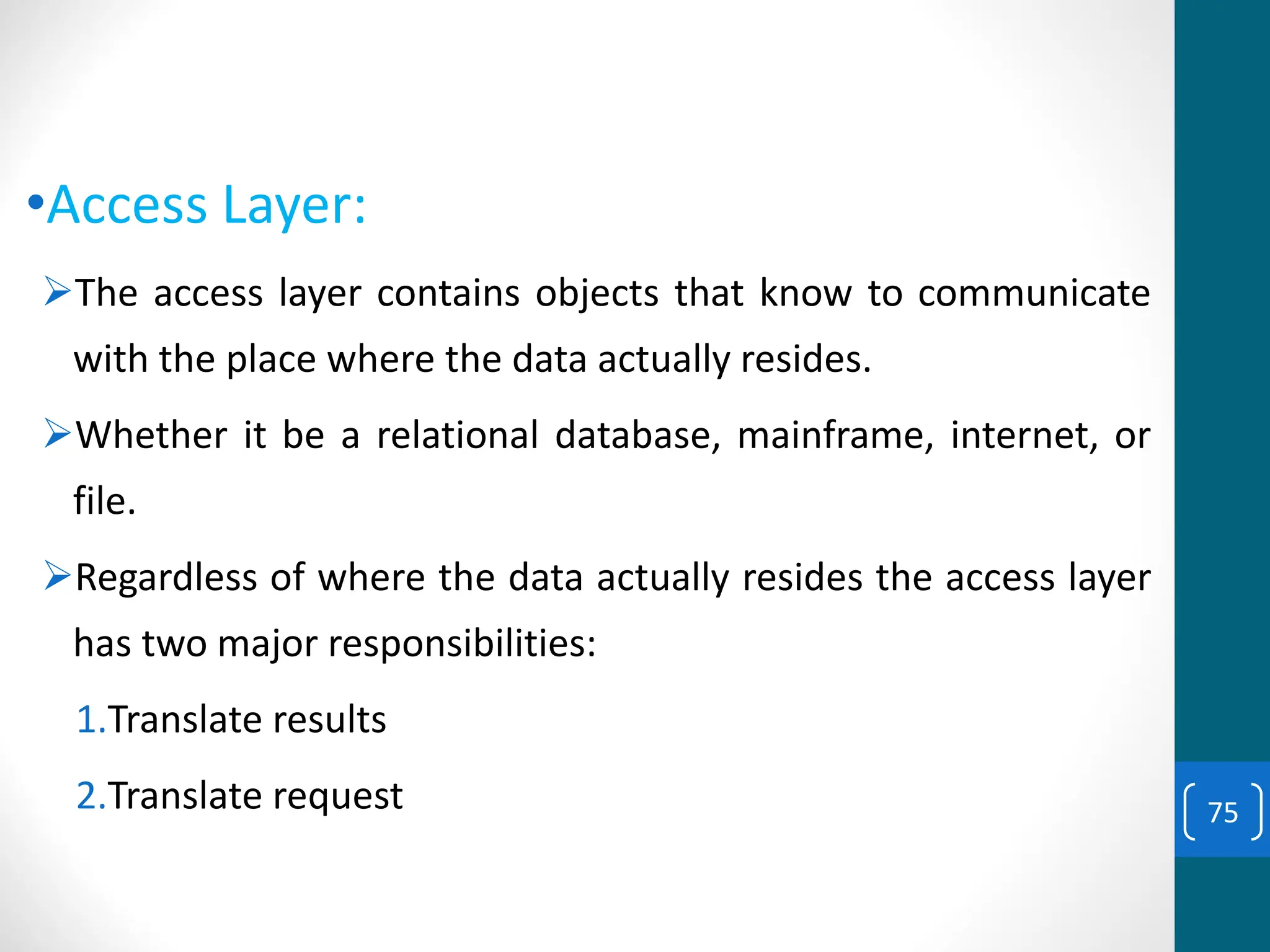
•Access Layer:
➢The access layer contains objects that know to communicate
with the place where the data actually resides.
➢Whether it be a relational database, mainframe, internet, or
file.
➢Regardless of where the data actually resides the access layer
has two major responsibilities:
1.Translate results
2.Translate request 75
Questions??
76

Security Cosc gvggghghhhhhhhhhhhhhhhhhhhhh

  • 1.
    CHAPTER ONE Introduction Mekonnen K. (MSc) Email:mekonnen.k@hu.edu.et Software Engineering - InSy3033 1
  • 2.
    Course Content 1.1. TwoOrthogonal view of software. 1.2. Software development process models 1.2.1. Software Process 1.2.2. Software life cycle and process models 1.2.3. Process assessment models 1.2.4. Software process metrics 1.3. Object oriented system development methodology. 1.3.1. Why an object oriented 1.3.2. Overview of the unified approach. 1.3.3. An object-oriented philosophy 1.3.4. Basic concepts of an object 1.3.5. Attributes of an object, its state and properties. 2
  • 3.
    Introduction to SoftwareEngineering oSoftware Engineering o The term is made of two words, software and engineering. o Software is more than just a program code. o A program is an executable code, which serves some computational purpose. o Software is considered to be collection of executable programming code, associated libraries and documentations. 3
  • 4.
    Introduction to SoftwareEngineering (contd.) oSoftware, when made for a specific requirement is called software product. oEngineering on the other hand, is all about developing products, using well-defined, scientific principles and methods. 4
  • 5.
    Introduction to SoftwareEngineering (contd.) oSoftware engineering is an engineering branch associated with development of software product using well-defined scientific principles, methods and procedures. The outcome of software engineering is an efficient and reliable software product. oEEE defines software engineering as: oThe application of a systematic, disciplined, quantifiable approach to the development, operation and maintenance of software. 5
  • 6.
    Two Orthogonal viewof software oTraditional system development methodology ▪ This approach focuses on the “Functions” oObject oriented system development ▪ This approach focuses on the “Object” which combines “Data and Functionality” 6
  • 7.
    Software development processmodels (contd.) oSoftware Processes is a coherent set of activities for specifying, designing, implementing and testing software systems. oA structured set of activities required to develop a software system. oA software process model is an abstract representation of a process that presents a description of a process from some particular perspective. 7
  • 8.
    Software Process Models(contd.) oThere are many different software processes but all involve: • Specification – defining what the system should do; • Design and implementation – defining the organization of the system and implementing the system; • Validation – checking that it does what the customer wants; • Evolution – changing the system in response to changing customer needs. 8
  • 9.
    Software Process Models(contd.) • Process model (Life-cycle model) -steps through which the product progresses • Requirements phase • Specification phase • Design phase • Implementation phase • Integration phase • Maintenance phase • Retirement 9
  • 10.
  • 11.
    Waterfall Model • Thewaterfall model is a sequential design process in which progress is seen as flowing steadily downwards (like a waterfall) through the phases of SDLC. • he waterfall model is a sequential approach, where each fundamental activity of a process is represented as a separate phase, arranged in linear order. • In the waterfall model, you must plan and schedule all of the activities before starting working on them (plan- driven process). • Plan-driven process is a process where all the activities are planned first, and the progress is measured against the plan. While the agile process, planning is incremental and it’s easier to change the process to reflect requirement changes. 11
  • 12.
    Waterfall Model • Thewaterfall model is a sequential design process in which progress is seen as flowing steadily downwards (like a waterfall) through the phases of SDLC. • Waterfall model is an example of a Sequential model. In this model, the software development activity is divided into different phases and each phase consists of a series of tasks and has different objectives. • Waterfall model is the pioneer of the SDLC processes. • Characterized by: • Feedback loops • Documentation-driven 12
  • 13.
    Waterfall Model • Thephases of the waterfall model are: Requirements, Design, Implementation, Testing, and Maintenance. 13
  • 14.
  • 15.
    Waterfall Model (contd.) •Advantages • Enforces disciplined approach • Documentation for each phase • Products of each phase checked by SQA group • Maintenance is easier • Every change reflected in the relevant documentation • Disadvantages • Working version of the software will not be available until late in the project time-span • Specifications are long, detailed, written in a style unfamiliar to the client • “Blocking states” –some project team members must wait for other team members to complete dependent tasks 15
  • 16.
    Rapid Prototyping Model •Prototyping is defined as the process of developing a working replication of a product or system that has to be engineered. • A prototype is a version of a system or part of the system that’s developed quickly to check the customer’s requirements or feasibility of some design decisions. • So, a prototype is useful when a customer or developer is not sure of the requirements, or of algorithms, efficiency, business rules, response time, etc. 16
  • 17.
    Rapid Prototyping Model •It offers a small scale replica of the end product and is used for obtaining customer feedback as described below: 17
  • 18.
    Rapid Prototyping Model(contd.) A software prototype can be used: [1] In the requirements engineering, a prototype can help with the elicitation and validation of system requirements. It allows the users to experiment with the system, and so, refine the requirements. They may get new ideas for requirements, and find areas of strength and weakness in the software. Furthermore, as the prototype is developed, it may reveal errors and in the requirements. The specification may be then modified to reflect the changes. [2] In the system design, a prototype can help to carry out design experiments to check the feasibility of a proposed design. For example, a database design may be prototyped and tested to check it supports efficient data access for the most common user queries. 18
  • 19.
    Rapid Prototyping Model(contd.) The phases of a prototype are: 19
  • 20.
    Rapid Prototyping Model(contd.) • Rapid prototype characteristics: • Used in the requirements phase • Evaluated by the customer/user • Then, it is discarded -do not turn into product • Rapid prototyping model is not proven and has its own problems. • Possible solution • Rapid prototyping for defining requirements • Waterfall model for rest of life cycle 20
  • 21.
    Incremental Model • IncrementalModel is a process of software development where requirements are broken down into multiple standalone modules of software development cycle. • Each iteration passes through the requirements, design, coding and testing phases. • Typical product takes from 5 to 25 builds (iterations). 21
  • 22.
  • 23.
    Incremental Model (contd.) •Waterfall and rapid prototyping models • Deliver complete product at the end • Incremental model • Deliver portion of the product at each stage • Advantages • The software will be generated quickly during the software life cycle • It is flexible and less expensive to change requirements and scope • Throughout the development stages changes can be done • This model is less costly compared to others • A customer can respond to each building • Errors are easy to be identified 23
  • 24.
    Incremental Model (contd.) •Disadvantages: • It requires a good planning designing • Problems might arise due to system architecture as not all requirements collected up front for the entire software lifecycle • Each iteration phase is rigid and does not overlap each other • Correcting a problem in one unit requires correction in all the units and consumes a lot of time 24
  • 25.
    Incremental Model (contd.) •Compared to the waterfall model, incremental development has three important benefits: 1.The cost of accommodating changing customer requirements is reduced. ▪ The amount of analysis and documentation that has to be redone is much less than what's required with the waterfall model. 2.It’s easier to get customer feedback on the work done during development than when the system is fully developed, tested, and delivered. 3.More rapid delivery of useful software is possible even if all the functionality hasn’t been included. ▪ Customers are able to use and gain value from the software earlier than it’s possible with the waterfall model. 25
  • 26.
    When to useIncremental models? • Requirements of the system are clearly understood • When demand for an early release of a product arises • When software engineering team are not very well skilled or trained • When high-risk features and goals are involved • Such methodology is more in use for web application and product based companies 26
  • 27.
    Spiral Model • Thespiral model is a risk-driven software development process model. • Based on the unique risk patterns of a given project, the spiral model guides a team to adopt elements of one or more process models, such as incremental, waterfall, or evolutionary prototyping. • Risk Analysis: Identification of potential risk is done while risk mitigation strategy is planned and finalized • Precede each phase by • Alternatives • Risk analysis • Follow each phase by • Evaluation • Planning of next phase 27
  • 28.
  • 29.
  • 30.
    When to useSpiral Methodology? • When project is large • When releases are required to be frequent • When creation of a prototype is applicable • When risk and costs evaluation is important • For medium to high-risk projects • When requirements are unclear and complex • When changes may require at any time • When long term project commitment is not feasible due to changes in economic priorities 30
  • 31.
    Advantages of SpiralModel • Additional functionality or changes can be done at a later stage • Cost estimation becomes easy as the prototype building is done in small fragments • Continuous or repeated development helps in risk management • Development is fast and features are added in a systematic way • There is always a space for customer feedback 31
  • 32.
    Disadvantages of SpiralModel • Risk of not meeting the schedule or budget • It works best for large projects only also demands risk assessment expertise • For its smooth operation spiral model protocol needs to be followed strictly • Documentation is more as it has intermediate phases • It is not advisable for smaller project, it might cost them a lot 32
  • 33.
    Agile Process Models •Agile software engineering combines a philosophy and a set of development guidelines. • Philosophy • Encourages customer satisfaction and early incremental delivery of the software • Small highly motivated project teams • Informal methods • Minimal software engineering work products • Overall development simplicity • Development guidelines • Stress delivery over analysis and design • Active and continuous communication between developers and customers 33
  • 34.
  • 35.
    AGILE Quality- driven Cooperative Iterative Adaptable Rapid Nota process, it's a philosophy or set of values Agile Process Models (contd.)
  • 36.
    ➢ Agile isa time boxed, iterative approach to software delivery that builds software incrementally from the start of the project, instead of trying to deliver it all at once near the end. Agile Process Models (contd.)
  • 37.
    ➢ It worksby breaking projects down into little bits of user functionality called user stories, prioritizing them, and then continuously delivering them in short two week cycles called iterations. Agile Process Models (contd.)
  • 38.
    Individuals and interactionsover processes and tools Working software over comprehensive documentation Customer collaboration over contract negotiation Responding to change over following a plan Agile Manifesto Agile Process Models (contd.)
  • 39.
    Agile Umbrella Agile Scrum Crystal Kanban XP DSDM FDD RUP And fewmore… RUP (120+) XP (13) Scrum (9) Kanban (3) Do Whatever!! (0) More Prescriptive more rules to follow More Adaptive fewer rules to follow RUP has over 30 roles, over 20 activities, and over 70 artifacts DSDM- Dynamic Software Development Method XP- Extreme Programming FDD- Feature Driven Development RUP- Rational Unified Process 39
  • 40.
    Agile vs. WaterfallMethod Agile Model Waterfall Model Agile method proposes incremental and iterative approach to software design Development of the software flows sequentially from start point to end point. The agile process is broken into individual models that designers work on The design process is not broken into an individual models The customer has early and frequent opportunities to look at the product and make decision and changes to the project The customer can only see the product at the end of the project Agile model is considered unstructured compared to the waterfall model Waterfall model are more secure because they are so plan oriented 40
  • 41.
    Agile vs. WaterfallMethod (contd.) Agile Model Waterfall Model Small projects can be implemented very quickly. For large projects, it is difficult to estimate the development time. All sorts of project can be estimated and completed. Error can be fixed in the middle of the project. Only at the end, the whole product is tested. If the requirement error is found or any changes have to be made, the project has to start from the beginning Development process is iterative, and the project is executed in short (2-4) weeks iterations. Planning is very less. The development process is phased, and the phase is much bigger than iteration. Every phase ends with the detailed description of the next phase. Documentation attends less priority than software development Documentation is a top priority and can even use for training staff and upgrade the software with another team 41
  • 42.
    Agile vs. WaterfallMethod (contd.) Agile Model Waterfall Model In agile testing when an iteration end, shippable features of the product is delivered to the customer. New features are usable right after shipment. It is useful when you have good contact with customers. All features developed are delivered at once after the long implementation phase. Testers and developers work together Testers work separately from developers At the end of every sprint, user acceptance is performed User acceptance is performed at the end of the project. It requires close communication with developers and together analyze requirements and planning Developer does not involve in requirement and planning process. Usually, time delays between tests and coding 42
  • 43.
    Extreme Programming (XP) •Somewhat controversial new approach; variation of the incremental model • First step • Determine features that client wants (stories) • Estimate duration and cost of each feature • Client selects stories for each successive build • Each build is divided into tasks • Test cases for a task are drawn up • Pair programming –working with a partner on one screen • Continuous integration of tasks 43
  • 44.
  • 45.
    Features of XP •Computers are put in center of large room lined with cubicles • Client representative works with the XP team at all the times • Individual cannot work overtime for 2 successive weeks • There is no specialization • all members of the XP team work on specification, design, code, and testing • There is no overall design phase before various builds are constructed – Refactoring 45
  • 46.
    Advantages of AgileModel • Customer satisfaction by rapid, continuous delivery of useful software. • People and interactions are emphasized rather than process and tools. Customers, developers and testers constantly interact with each other. • Working software is delivered frequently (weeks rather than months). • Face-to-face conversation is the best form of communication. • Close, daily cooperation between business people and developers. • Regular adaptation to changing circumstances. • Even late changes in requirements are welcomed 46
  • 47.
    Disadvantages of Agilemodel • In case of some software deliverables, especially the large ones, it is difficult to assess the effort required at the beginning of the software development life cycle. • There is lack of emphasis on necessary designing and documentation. • The project can easily get taken off track if the customer representative is not clear what final outcome that they want. • Only senior programmers are capable of taking the kind of decisions required during the development process. Hence it has no place for newbie programmers, unless combined with experienced resources. 47
  • 48.
    When to useAgile model • When new changes need to be implemented. The freedom agile gives to change is very important. New changes can be implemented at very little cost because of the frequency of new increments that are produced. • To implement a new feature the developers need to lose only the work of a few days, or even only hours, to roll back and implement it. • Both system developers and stakeholders alike, find they also get more freedom of time and options than if the software was developed in a more rigid sequential way. • Having options gives them the ability to leave important decisions until more or better data or even entire hosting programs are available; meaning the project can continue to move forward without fear of reaching a sudden standstill. 48
  • 49.
    Unified Process • Unifiedprocess is a framework for OO software engineering using UML (Unified Modeling Language) • Unified process (UP) is an attempt to draw on the best features and characteristics of conventional software process models, but characterize them in a way that implements many of the best principles of agile software development. 49
  • 50.
    Unified Process Characteristics •It is an iterative and incremental development framework • It is architecture-centric with major work being done to define and validate an architectural design for most coding is done • It is risk-focused and emphasizes that highest-risk factors be addressed in the earliest deliverables possible • It is use-case and UML model driven with nearly all requirements being documented in one of those forms. 50
  • 51.
    Unified Process: Phases •Inception phase • Encompasses the customer communication and planning activities • Rough architecture, plan, preliminary use-cases • Elaboration phase • Encompasses the customer communication and modeling activities • Refines and expands preliminary use-cases • Expands architectural representation to include: use- case model, analysis model, design model, implementation model, and deployment model • The plan is carefully reviewed and modified if needed. 51
  • 52.
    Unified Process: Phases(contd.) • Construction phase • Analysis and design models are completed to reflect the final version of the software increment • Using the architectural model as an input develop or acquire the software components, unit tests are designed and executed, integration activities are conducted • Use-cases are used to derive acceptance tests • Transition phase • Software is given to end-users for beta testing • User report both defects and necessary changes • Support information is created (e.g., user manuals, installation procedures) • Software increment becomes usable software release. 52
  • 53.
  • 54.
  • 55.
    How to Choosebetween SDLC Methods? 55
  • 56.
    How to Choosebetween SDLC Methods? • To know which is the best model out of all the different types of SDLC models, it is important to understand that each of these approaches are suitable for different projects, environments, and requirements. • For example, if your project is simple and straightforward with set requirements that do not need to be changed, then Waterfall is best suited for it. • However, if your project is large-scale and consists of multiple components and segments, then choosing Iterative or Spiral methodology would suit your project better. 56
  • 57.
    How to Choosebetween SDLC Methods? • To answer the question simply, there is no ONE model is best from all the SDLC models discussed. • A preference of one method over the others cannot be determined. • However, to select the right SDLC methodologies, you should know all the types of SDLC models, assess the requirements of all the stakeholders and then decide on a method that best fits your needs. 57
  • 58.
    The object orientedmethodology is: ➢Combination of data and functionality ➢Focuses in object, classes, modules that can be easily replaced, modified, and reused. ➢Decrease duration of the project. ➢Moving one phase to another is easy. ➢Reduces complexity and redundancy. ➢ Develops software by building objects. ➢ Objects can be easily replaced, modified and reused. ➢ Each object has attributes (data) and methods (functions). ➢ Software is a collection of discrete objects that encapsulate their data and function. Object Oriented System Development Methodology Object oriented system development methodology. 58
  • 59.
    Why Object-Orientation? Because : ➢Easier to adapt changing requirements, ➢ Easier to maintain, ➢ More robust, ➢ Promote greater design and code reuse. ➢ Create modules of functionality 59
  • 60.
    object The basic conceptsin objects are: ➢ Objects are grouped in Classes ➢ Attributes ➢ Object behaviour and Methods ➢ Objects respond to Messages ➢ Encapsulation and Information Binding ➢ Class Hierarchy ➢ Polymorphism ➢ Object Relationships ➢ Aggregation and Object Containment ➢ Inheritance Basic Concepts of object 60
  • 61.
    Object are groupedin class •Class: ➢Class is a set of objects. ➢Class has common structure and behaviour. ➢Object is single instances of a class. Exercise Group the following objects in one of these classes Air Vehicle, Land Vehicle or Water Vehicle. Ship, Boat, Truck , Bus, Automobile, plane, Helicopter Attributes: ➢Attributes are state and properties of the object. ➢Properties represent the state of an object. Exercise Assign the attributes for objects in Land Vehicle classes 61
  • 62.
    Behaviour, Method, Message •Behaviour ➢Itdenotes the collection of methods that abstractly describes where an object is capable of doing. •Methods ➢It encapsulate the behaviour of the object. ➢It provide interfaces to an object and hide any of the internal structures and states maintained by the object. •Message ➢It is the instruction and method is the implementation. ➢An object understands a message when it can match message to a method that has same name as of it. ➢Objects interact with each other by sending and receiving messages. ➢Objects perform operations in response to messages 62
  • 63.
    Information Hiding, Encapsulation •InformationHiding: ➢It is the principle of concealing the internal data and procedures of an object. ➢Providing an interface to each object in such a way as to reveal as little as possible about its inner workings. •Encapsulation: ➢An object is said to encapsulate the data and a program ➢Encapsulation or information hiding is a design goal of an OO system. •Class Hierarchy: ➢System made up of interrelated components. ➢At the top of the class hierarchy are the most general classes ➢At the bottom class hierarchy are the most specific classes . ➢A subclass inherits all of the properties and methods defined in its super class. 63
  • 64.
    Example: ➢ The vehicleclass is the super class. ➢ Air Vehicle, Land Vehicle, and Water Vehicle are the sub class of the class vehicle. ➢ Two types of hierarchy: ❑ IS–A” hierarchy: ❑ Part-of Hierarchy 64
  • 65.
    Polymorphism, Relationships ,aggregation •Polymorphism: ➢It means that the same operation may behave differently on different classes. •Relationships: ➢Association represents the relationships between objects and classes. ➢Associations are bidirectional with different annotations. ➢Cardinality specifies number of instance participate in relationships. •Aggregation: ➢As each object has an identity. ➢One object can refer to other objects. ➢This is known as aggregation. 65
  • 66.
    Inheritance ➢Objects to bebuilt from other objects. ➢Object will take commonality of a new class. ➢Three types of inheritance: Single, Dynamic, and Multiple inheritance. ➢Single inheritance: an object built from a single object. ➢Multiple Inheritances: an object built from two or more object. ➢Dynamic inheritance: allows objects to change and evolve over time. a) Single Inheritance b) Multiple Inheritance 66
  • 67.
    Unified Approach ➢UA establishesa unifying and unitary framework works. ➢ by Unified Modelling Language (UML) to describe model, and ➢Document the software development process. ➢The idea behind the UA is not to introduce yet another methodology. ➢The main motivation here is to combine the best practices, processes, methodologies, and guidelines along with UML notations and diagrams. 67
  • 68.
    ❖ The unifiedapproach to software development revolves around (but is not limited to) the following processes and concepts. ➢Use-case driven development ➢Object-oriented analysis ➢Object-oriented design ➢Incremental development and prototyping ➢Continuous testing ❖ The methods and technology employed include: ➢ Unified Modelling language for modelling ➢ Layered Approach ➢ Repository for object oriented system development patterns and frameworks. ➢ Component-based development 68
  • 69.
    OOA process consistsof the following steps. ➢Identify the Actors ➢Develop a simple business process Model using UML Activity diagram ➢Develop the Use Case ➢Develop Interaction diagrams ➢Identifying classes. In OOD process consists of: ➢Designing classes, their attributes, methods associations, structures and protocols, apply design axioms. ➢Design the Access Layer ➢Designing and prototype User Interface ➢User satisfaction and Usability Tests base on the usage/Use Cases ➢Iterate and refine the design 69
  • 70.
    Iterative development andcontinuous Testing ➢Development must be iterate and reiterate until you are satisfied with the system. ➢Repeat the entire process, reworking the design or moving on to re-prototyping and retesting. ➢Continue this refining cycle through the development process until you are satisfied with the results. ➢The prototype will be incremental transformed into the actual application. ➢Usage scenarios can become test scenarios; ➢Therefore, use case will drive usability testing. 70
  • 71.
    UA Repository ➢In modernbusiness, best practice sharing is a way to ensure that solutions to process and organization problem. ➢ Best practice sharing eliminates duplication of problems solving. ➢The idea promoted here is to create repository. ➢That allows the maximum reuse of previous experience and previously defined objects, patterns, frameworks, and user interfaces. ➢ Everything from the original user request to maintenance of the project as it goes to production should keep in the repository. ➢The repository should be accessible to many people. 71
  • 72.
    LayeredApproach ➢Most software developmenttools are two layered architecture interface and data. ➢The functions of the interface from the function of the business better to isolated each other. ➢This approach also isolates the business from the details of the data access. ➢There are three layered approach. These are: 1. User Interface layer 2. Business layer 3. Access layer 72
  • 73.
  • 74.
    •Business Layer: ➢Contains allthe objects that represent the business. ➢Shows how objects interact to accomplish the business process performed. ➢These objects should not be responsible for the following: 1.Displaying details 2.Data access details •View Layer: ➢The user interface layer consists of objects with which the user interacts as well as the objects need to manage or control the interface. ➢The user interface layer also called view layer. ➢ This layer typically is responsible for two major aspects of applications. 1. Responding to user interaction 2. Displaying business objects 74
  • 75.
    •Access Layer: ➢The accesslayer contains objects that know to communicate with the place where the data actually resides. ➢Whether it be a relational database, mainframe, internet, or file. ➢Regardless of where the data actually resides the access layer has two major responsibilities: 1.Translate results 2.Translate request 75
  • 76.