


Securing Hadoop with OSSEC 
Vic Hargrave | vichargrave@gmail.com | @vichargrave 
1
$ whoami 
• Community Manager for the OSSEC Project 
• Software Architect for Trend Micro Data Analytics Group 
• Blogger for Trend Micro Security Intelligence and Simply 
Security 
• Twitter: @vichargrave 
• LinkedIn: www.linkedin.com/in/vichargrave 
• Email: ossec@vichargrave.com 
2
Outline 
• Hadoop Security 
• OSSEC in a Nutshell 
• OSSEC for Hadoop 
• Security Event Analysis 
• Summing Up 
3
Hadoop Security 
4
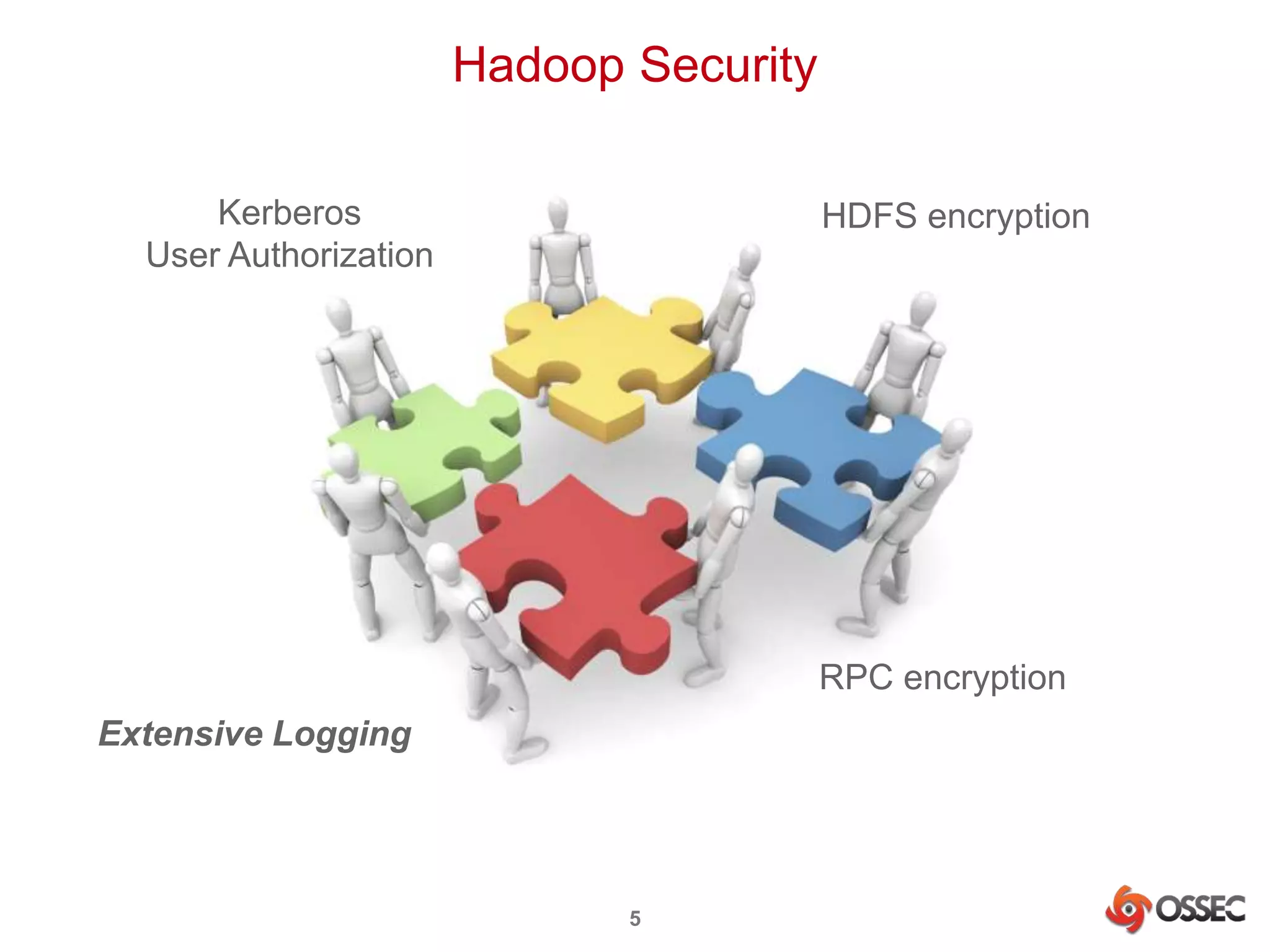
Hadoop Security 
5 
Kerberos 
User Authorization 
HDFS encryption 
RPC encryption 
Extensive Logging
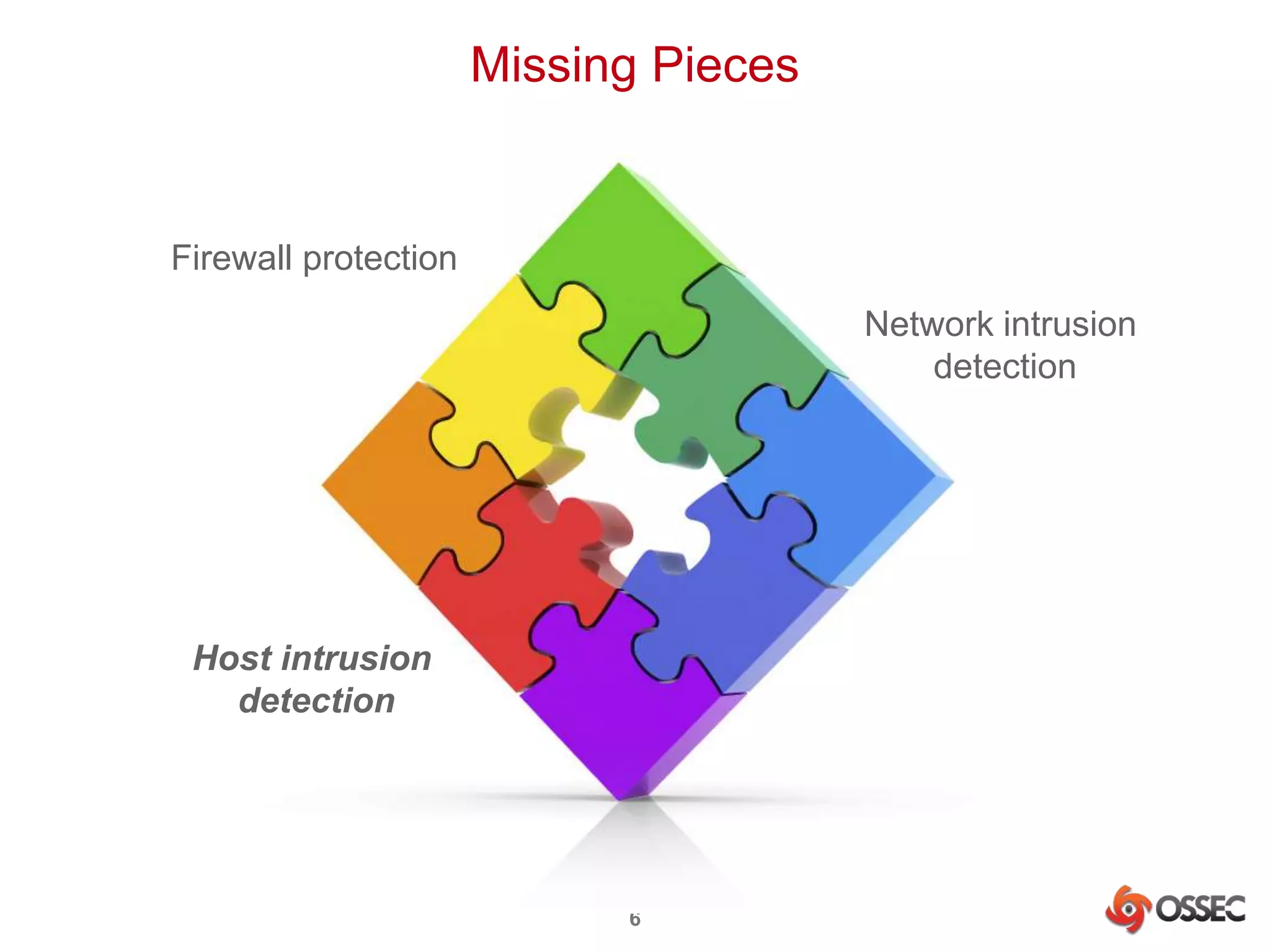
Missing Pieces 
6 
Firewall protection 
Network intrusion 
detection 
Host intrusion 
detection
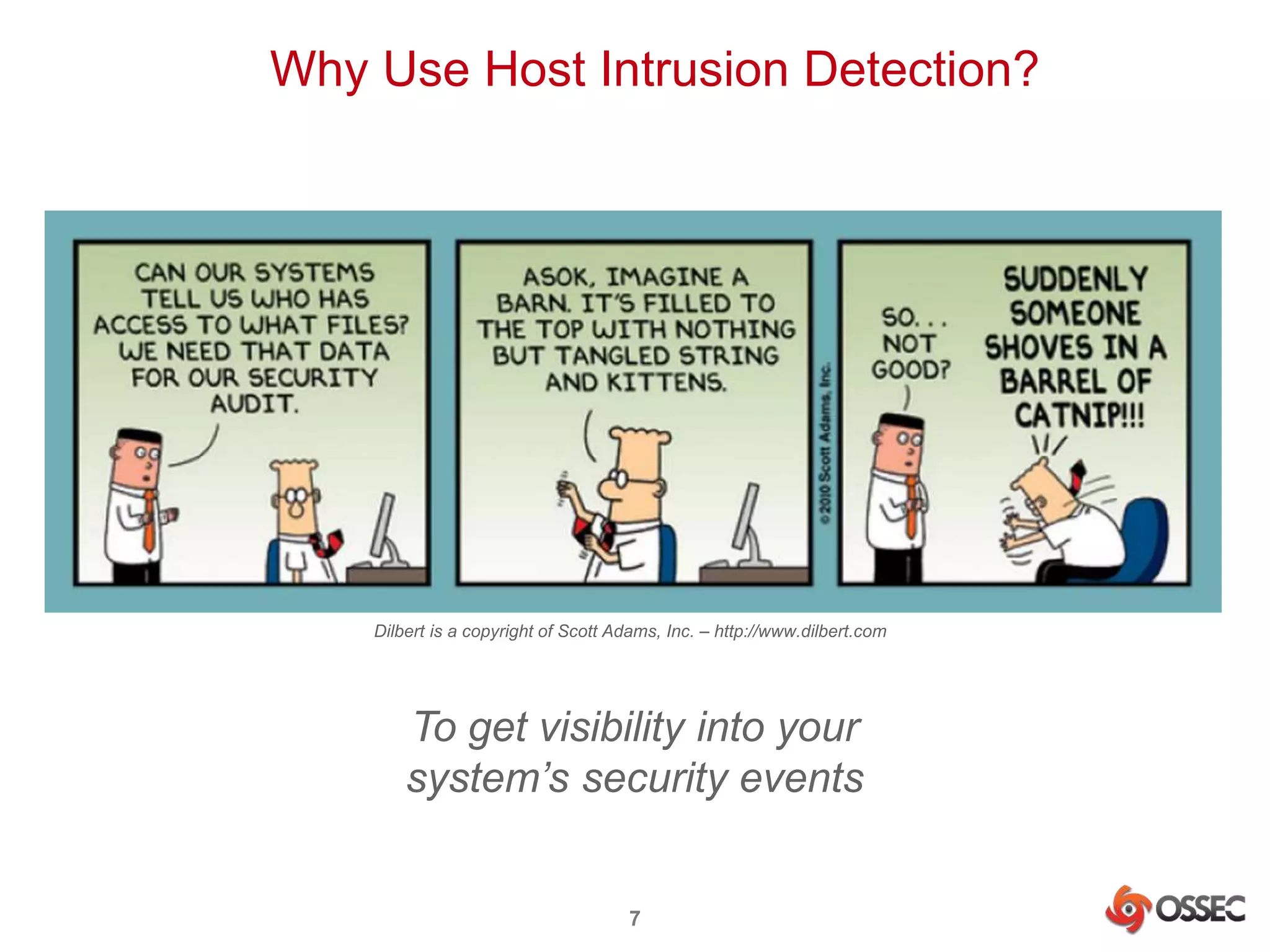
Why Use Host Intrusion Detection? 
Dilbert is a copyright of Scott Adams, Inc. – http://www.dilbert.com 
To get visibility into your 
system’s security events 
7
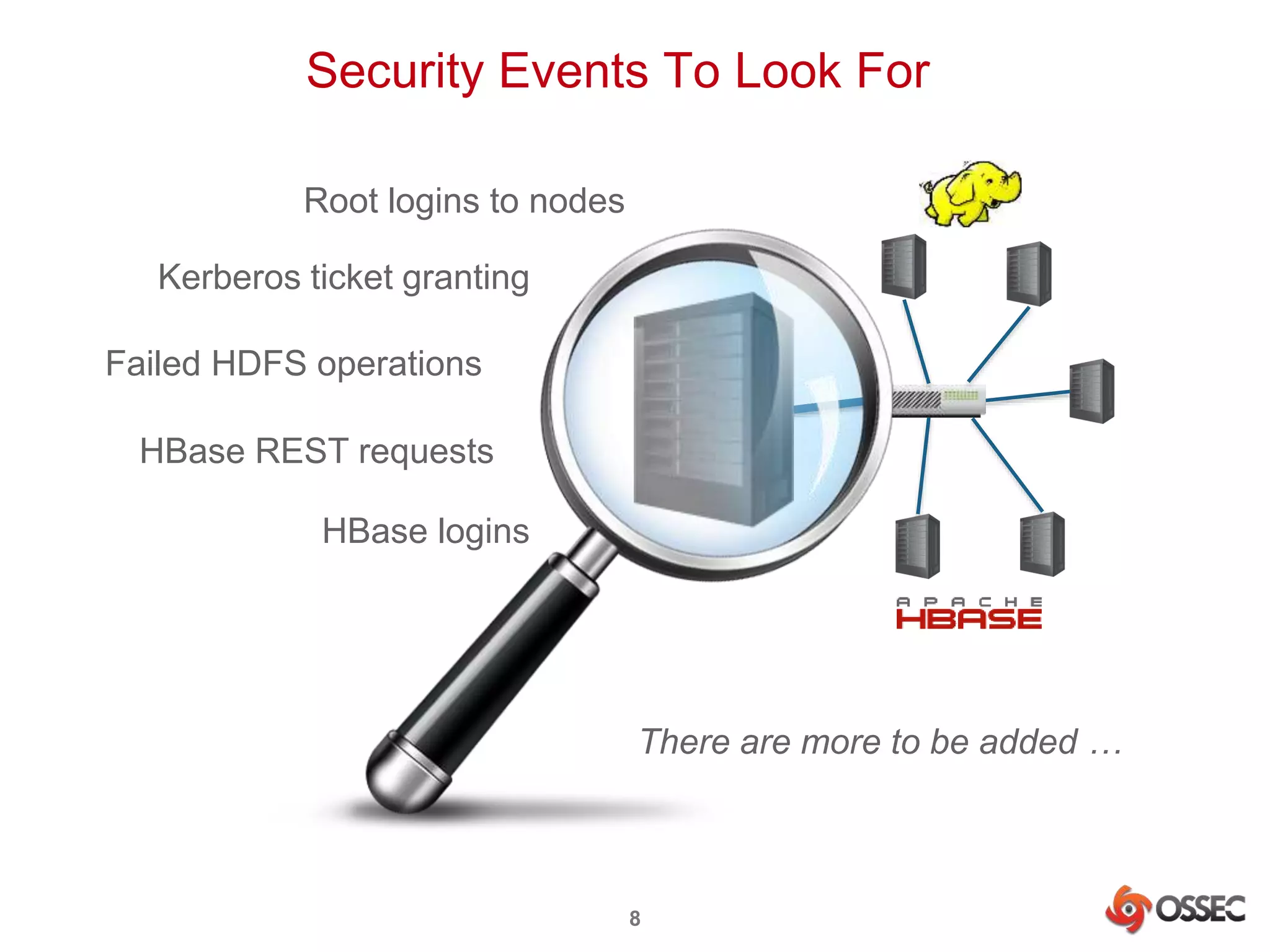
Security Events To Look For 
Root logins to nodes 
Kerberos ticket granting 
Failed HDFS operations 
HBase REST requests 
HBase logins 
There are more to be added … 
8
OSSEC in a Nutshell 
9
What is ? 
• Open Source SECurity 
• Open Source Host-based Intrusion Detection System 
• Monitors important system files and logs for signs of 
intrusion – file changes, log entries, etc. 
• Provides protection for Windows, Linux, Mac OS, 
Solaris and many other *nix systems 
• http://www.ossec.net 
• Founded by Daniel Cid 
• Managed by JB Cheng and Vic Hargrave 
• Sponsored by Trend Micro 
10
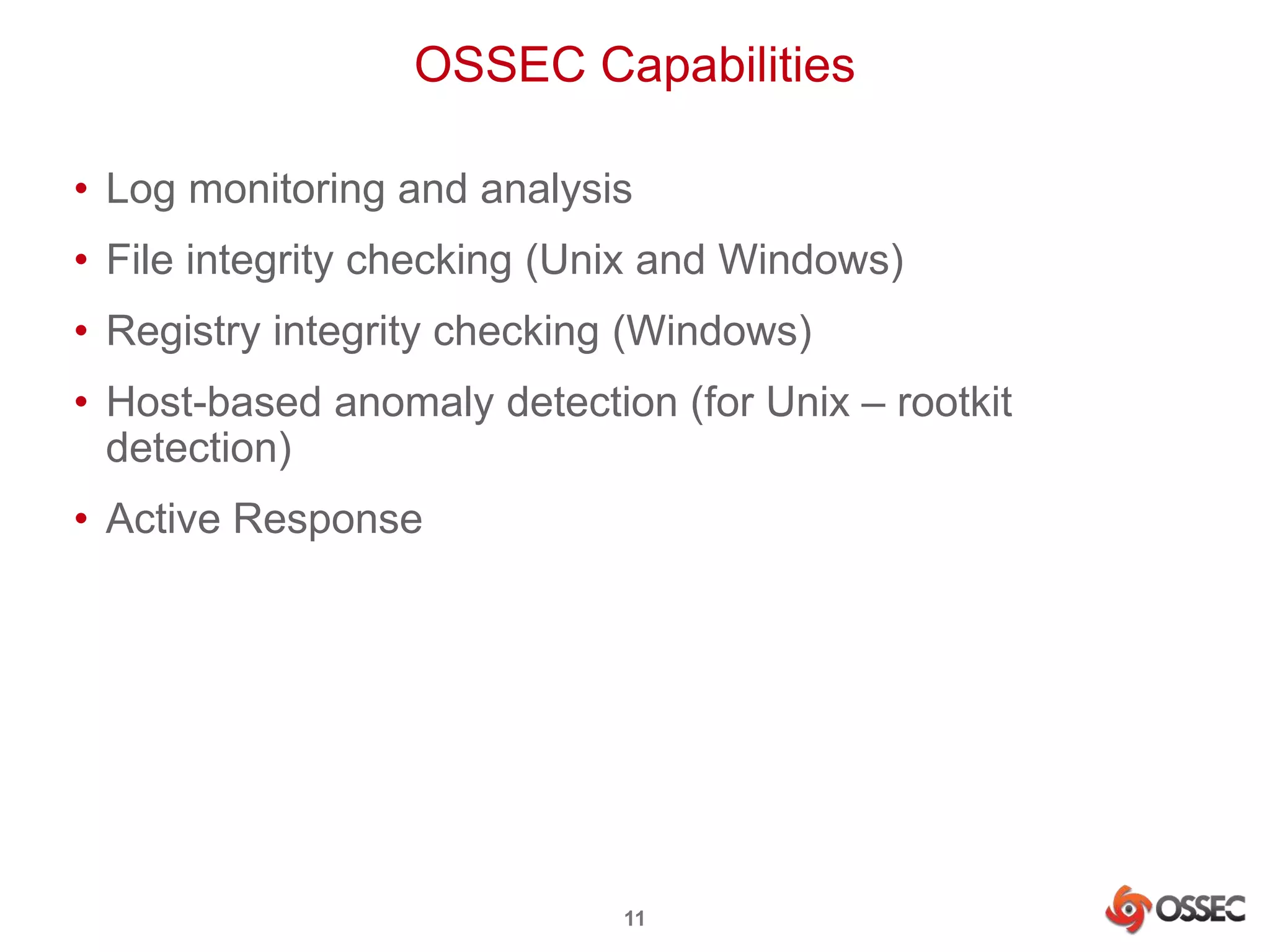
OSSEC Capabilities 
• Log monitoring and analysis 
• File integrity checking (Unix and Windows) 
• Registry integrity checking (Windows) 
• Host-based anomaly detection (for Unix – rootkit 
detection) 
• Active Response 
11
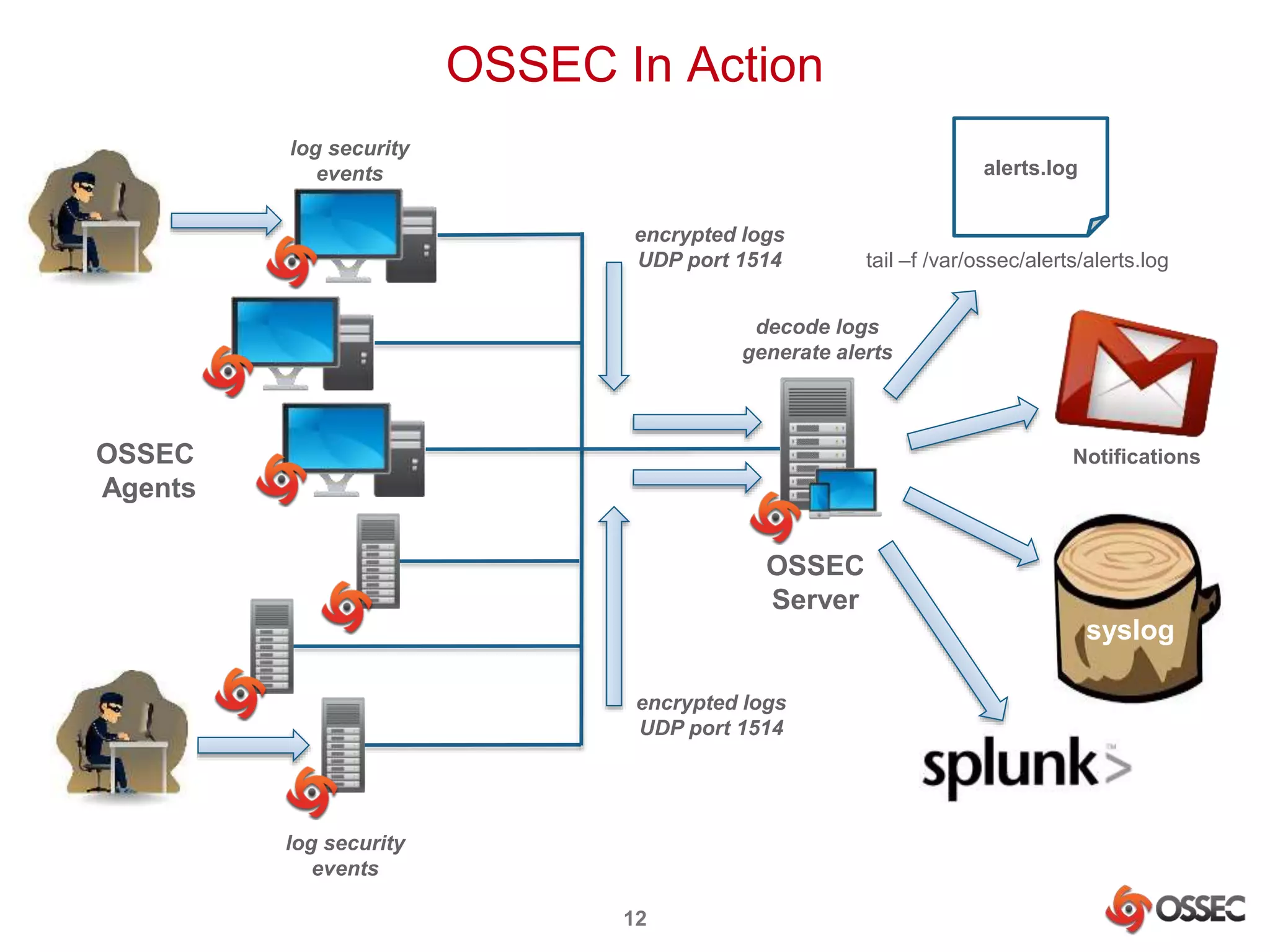
OSSEC In Action 
encrypted logs 
UDP port 1514 
12 
OSSEC 
Server 
OSSEC 
Agents 
encrypted logs 
UDP port 1514 
log security 
events 
log security 
events 
alerts.log 
tail –f /var/ossec/alerts/alerts.log 
decode logs 
generate alerts 
Notifications 
syslog
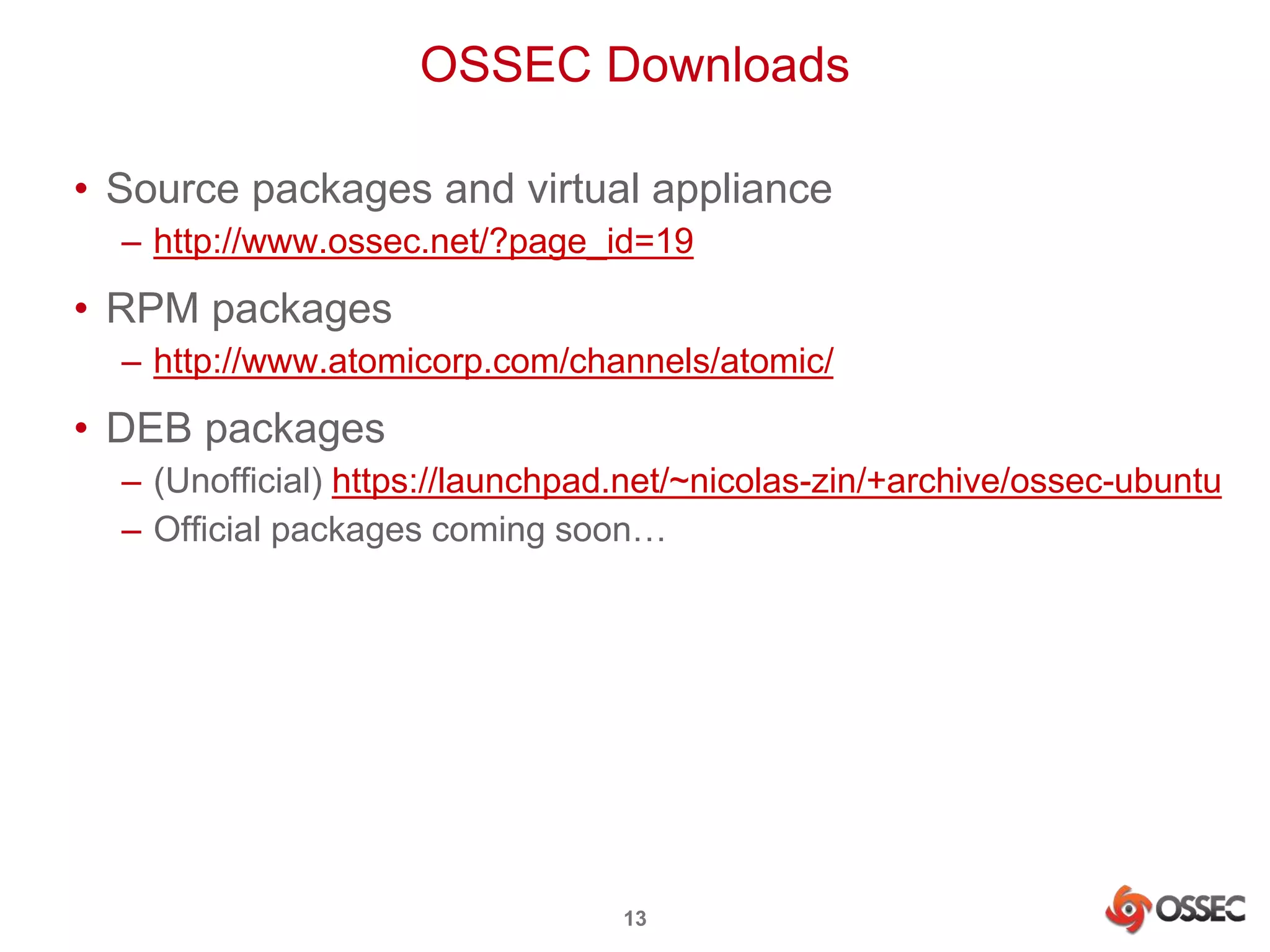
OSSEC Downloads 
• Source packages and virtual appliance 
– http://www.ossec.net/?page_id=19 
• RPM packages 
– http://www.atomicorp.com/channels/atomic/ 
• DEB packages 
– (Unofficial) https://launchpad.net/~nicolas-zin/+archive/ossec-ubuntu 
– Official packages coming soon… 
13
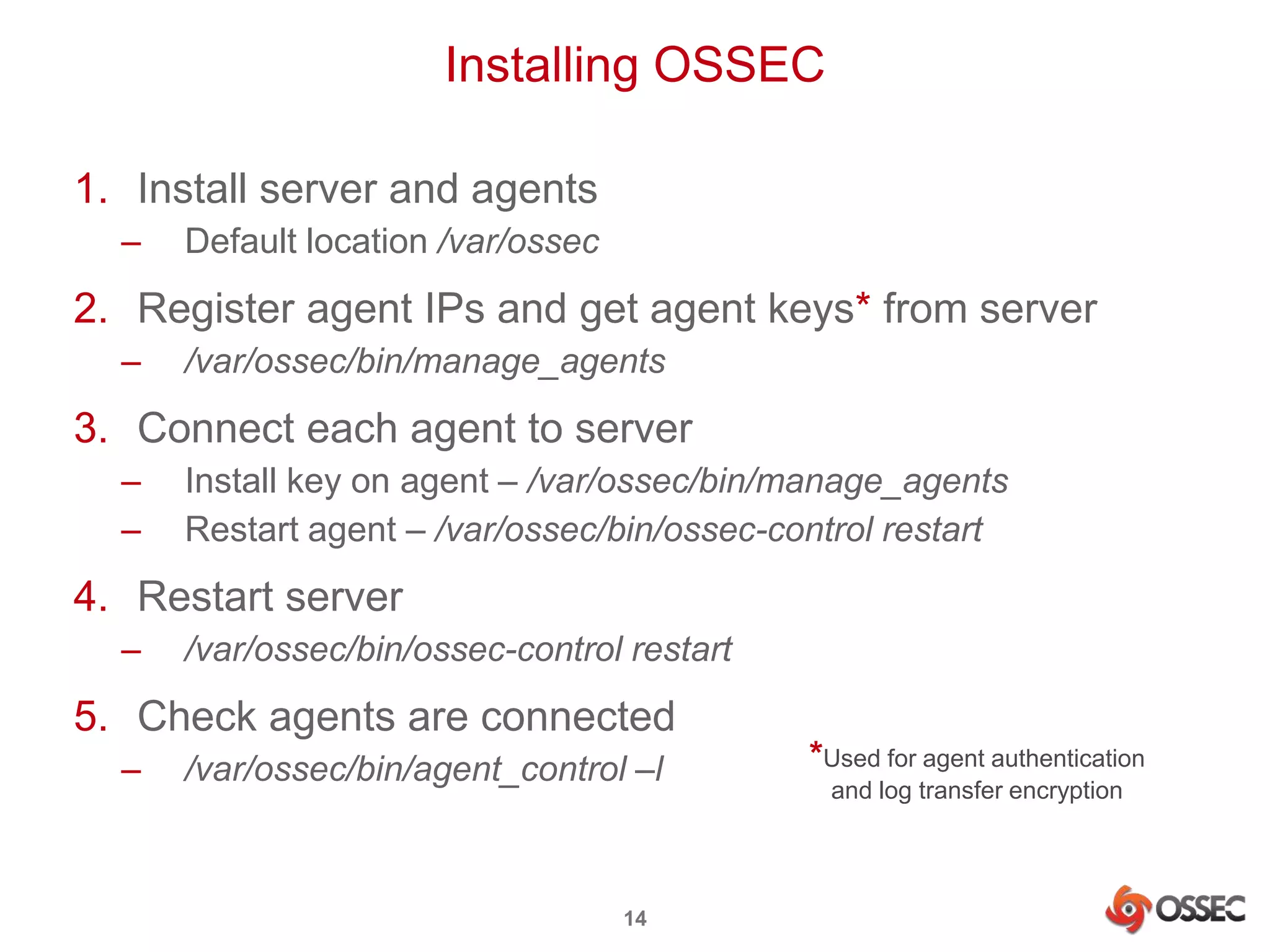
Installing OSSEC 
1. Install server and agents 
– Default location /var/ossec 
2. Register agent IPs and get agent keys* from server 
– /var/ossec/bin/manage_agents 
3. Connect each agent to server 
– Install key on agent – /var/ossec/bin/manage_agents 
– Restart agent – /var/ossec/bin/ossec-control restart 
4. Restart server 
– /var/ossec/bin/ossec-control restart 
5. Check agents are connected 
– /var/ossec/bin/agent_control –l 
14 
*Used for agent authentication 
and log transfer encryption
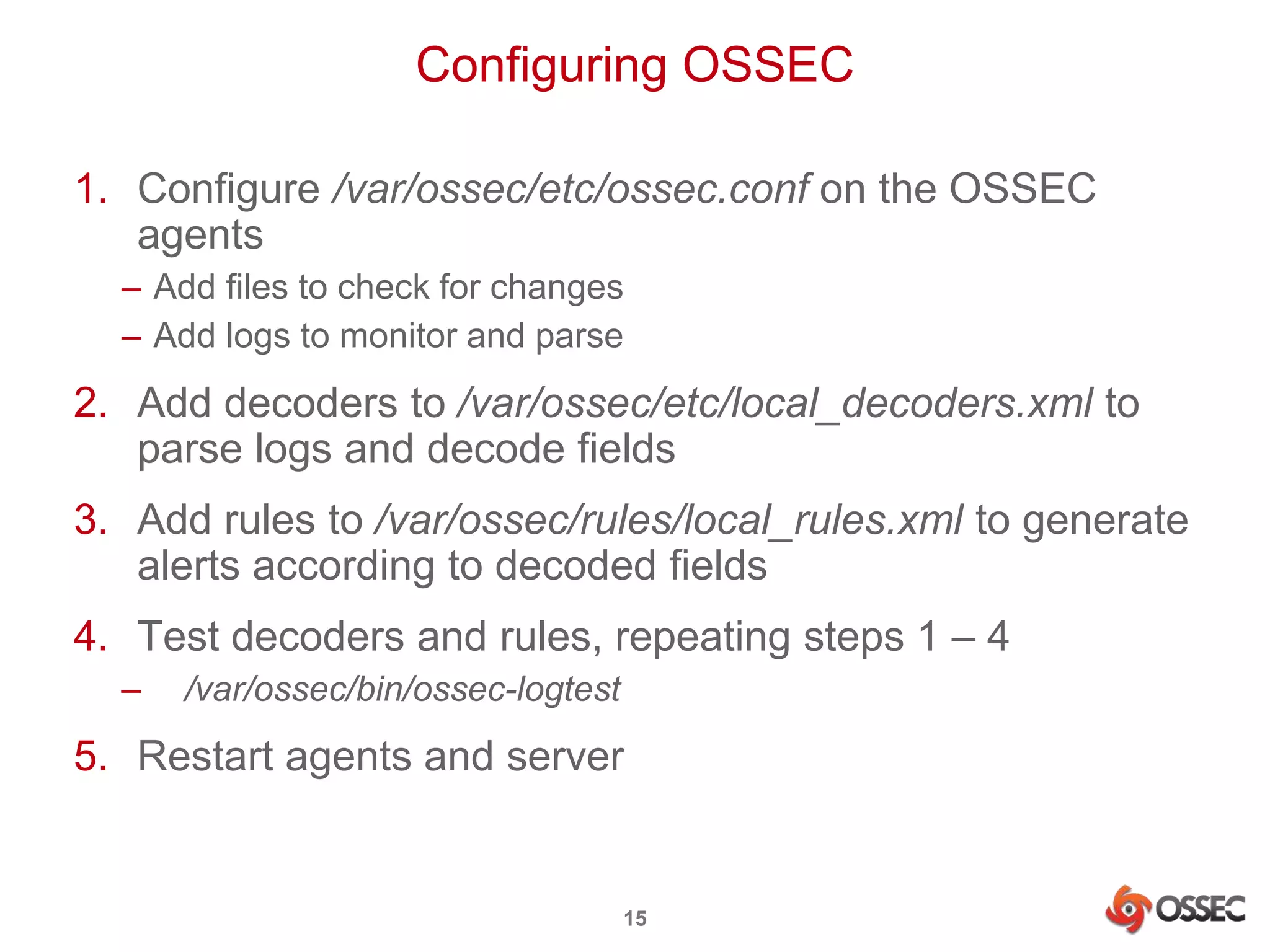
Configuring OSSEC 
1. Configure /var/ossec/etc/ossec.conf on the OSSEC 
agents 
– Add files to check for changes 
– Add logs to monitor and parse 
2. Add decoders to /var/ossec/etc/local_decoders.xml to 
parse logs and decode fields 
3. Add rules to /var/ossec/rules/local_rules.xml to generate 
alerts according to decoded fields 
4. Test decoders and rules, repeating steps 1 – 4 
– /var/ossec/bin/ossec-logtest 
5. Restart agents and server 
15
OSSEC for Hadoop 
16
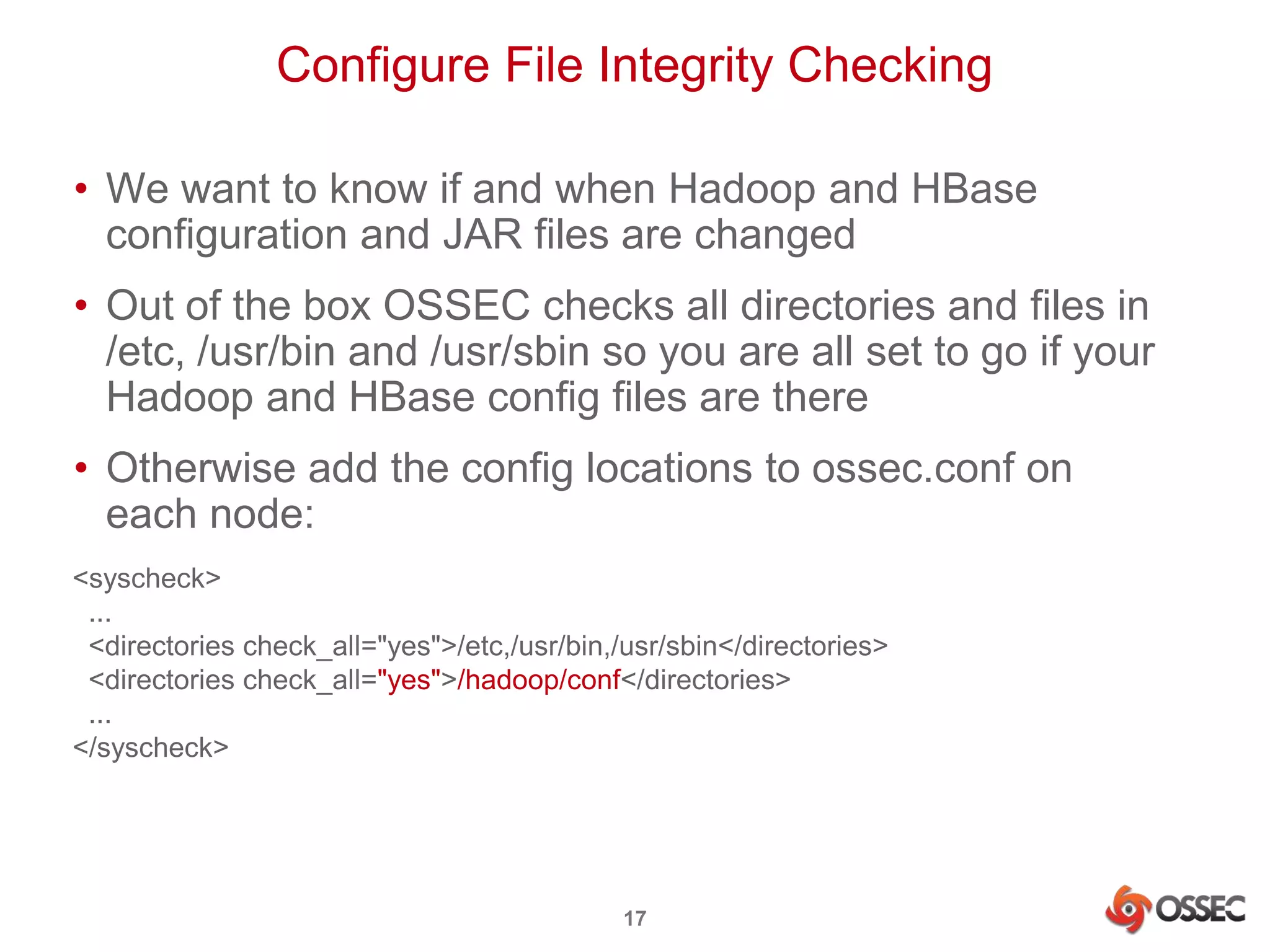
Configure File Integrity Checking 
• We want to know if and when Hadoop and HBase 
configuration and JAR files are changed 
• Out of the box OSSEC checks all directories and files in 
/etc, /usr/bin and /usr/sbin so you are all set to go if your 
Hadoop and HBase config files are there 
• Otherwise add the config locations to ossec.conf on 
each node: 
<syscheck> 
... 
<directories check_all="yes">/etc,/usr/bin,/usr/sbin</directories> 
<directories check_all="yes">/hadoop/conf</directories> 
... 
</syscheck> 
17
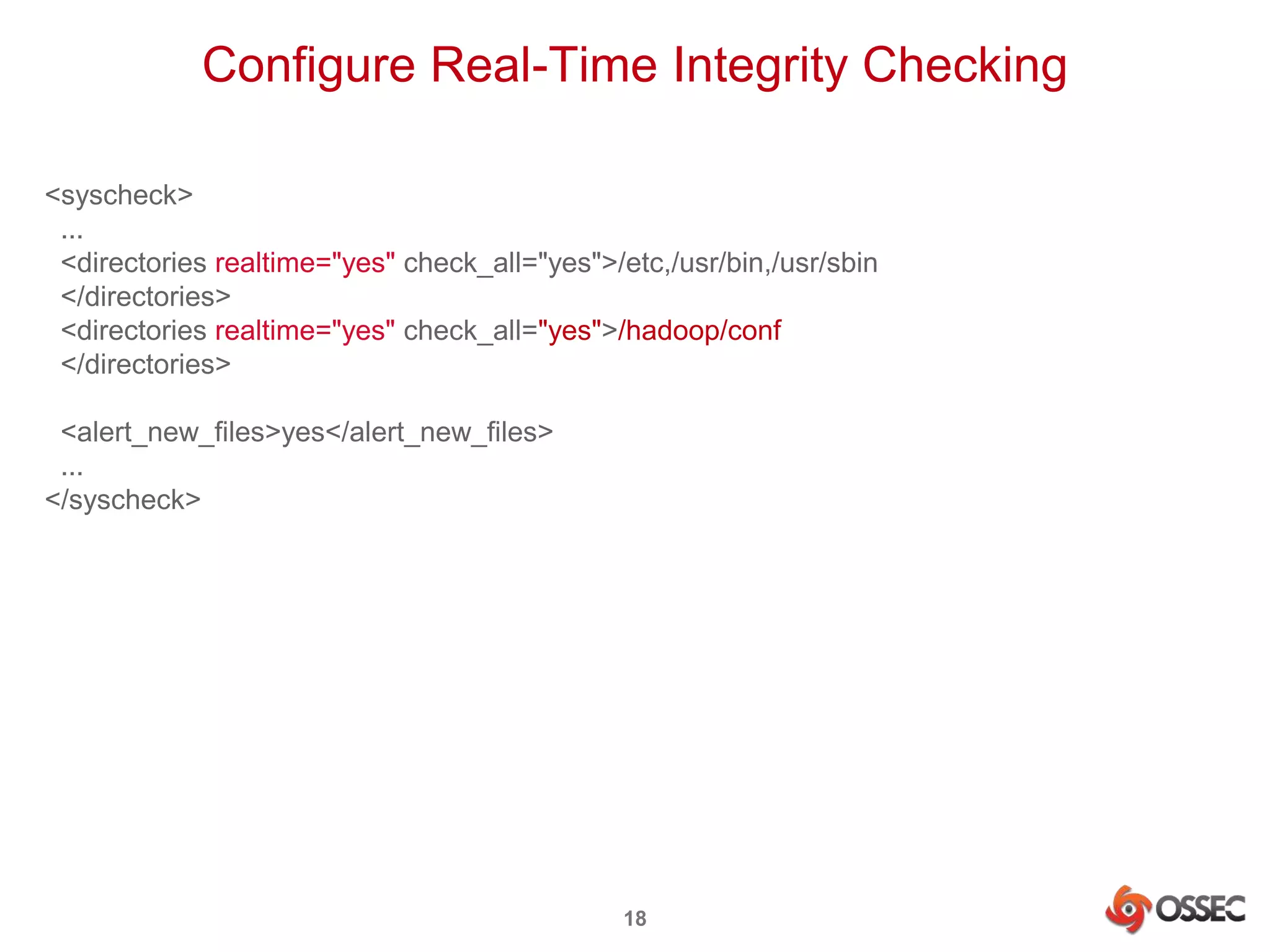
Configure Real-Time Integrity Checking 
<syscheck> 
... 
<directories realtime="yes" check_all="yes">/etc,/usr/bin,/usr/sbin 
</directories> 
<directories realtime="yes" check_all="yes">/hadoop/conf 
</directories> 
18 
<alert_new_files>yes</alert_new_files> 
... 
</syscheck>
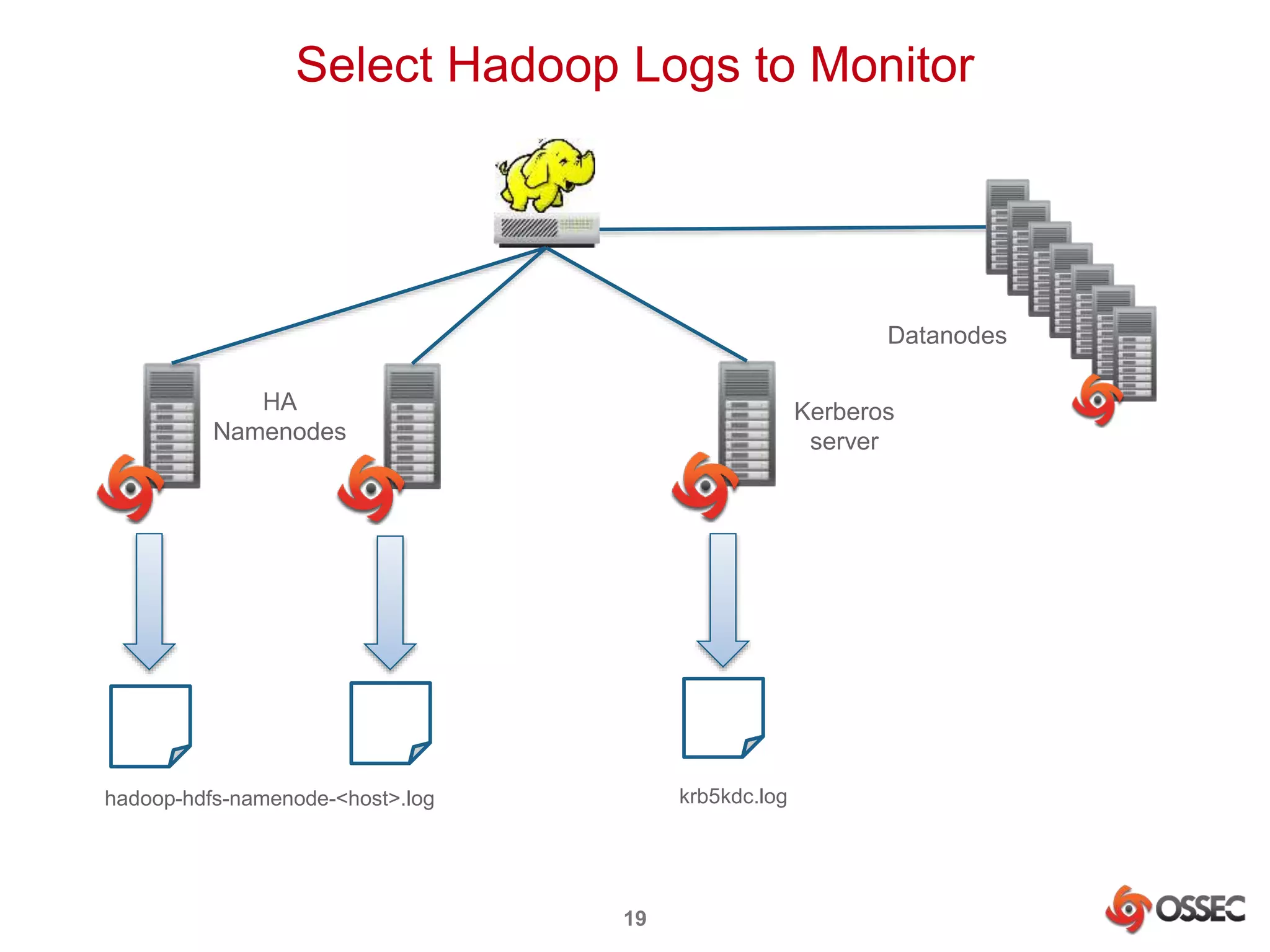
Select Hadoop Logs to Monitor 
19 
HA 
Namenodes 
Kerberos 
server 
hadoop-hdfs-namenode-<host>.log krb5kdc.log 
Datanodes
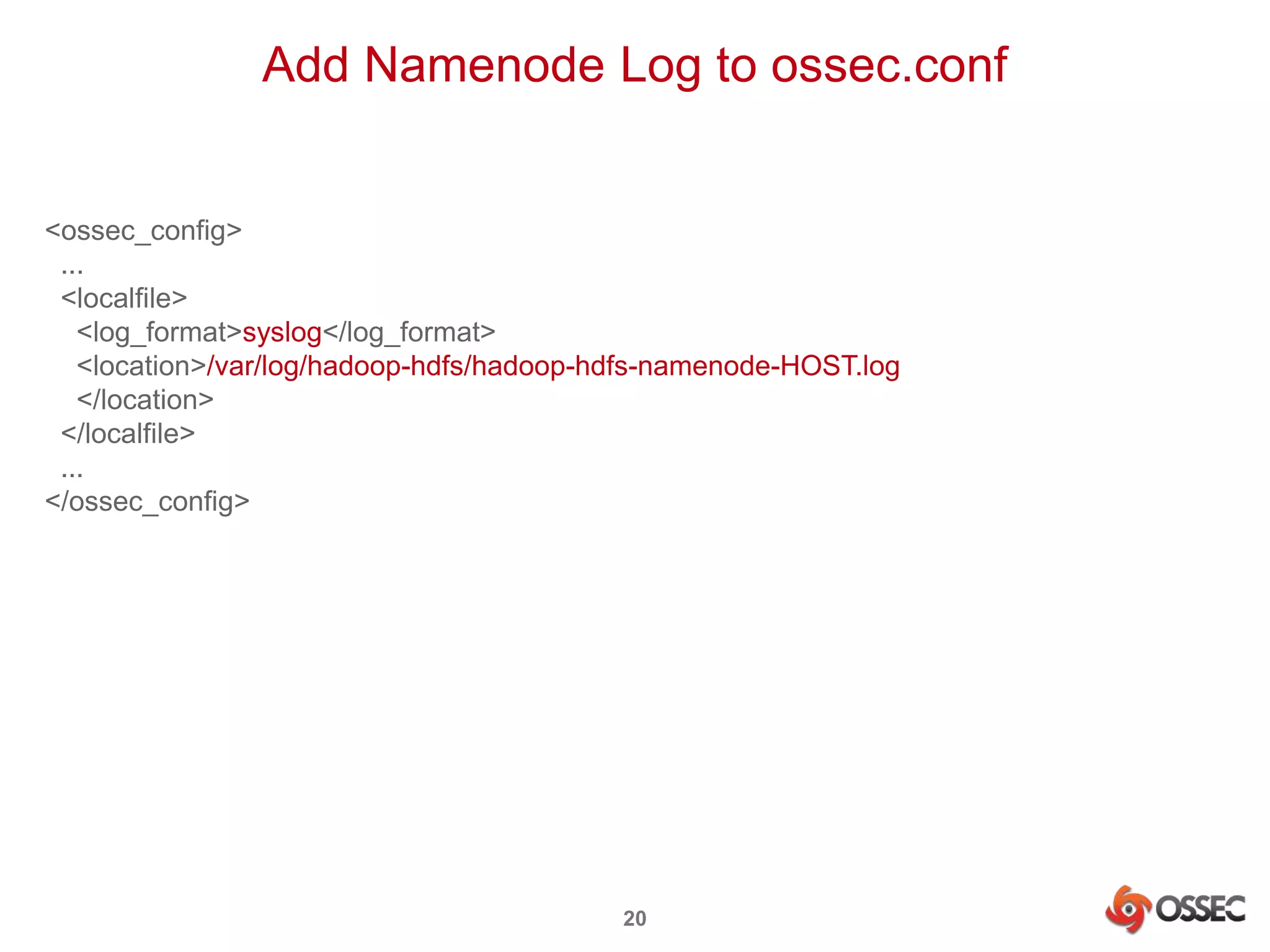
Add Namenode Log to ossec.conf 
20 
<ossec_config> 
... 
<localfile> 
<log_format>syslog</log_format> 
<location>/var/log/hadoop-hdfs/hadoop-hdfs-namenode-HOST.log 
</location> 
</localfile> 
... 
</ossec_config>
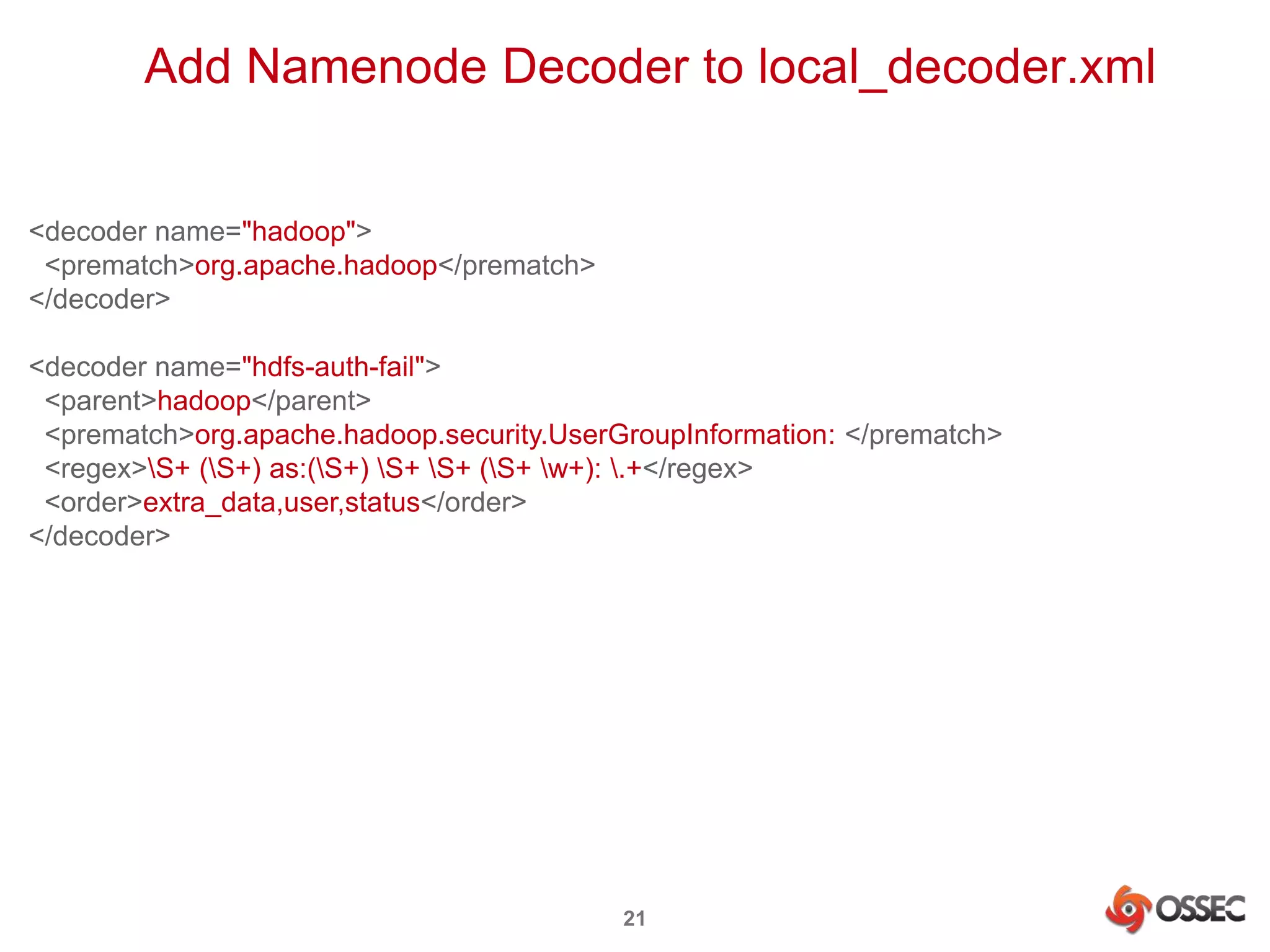
Add Namenode Decoder to local_decoder.xml 
21 
<decoder name="hadoop"> 
<prematch>org.apache.hadoop</prematch> 
</decoder> 
<decoder name="hdfs-auth-fail"> 
<parent>hadoop</parent> 
<prematch>org.apache.hadoop.security.UserGroupInformation: </prematch> 
<regex>S+ (S+) as:(S+) S+ S+ (S+ w+): .+</regex> 
<order>extra_data,user,status</order> 
</decoder>
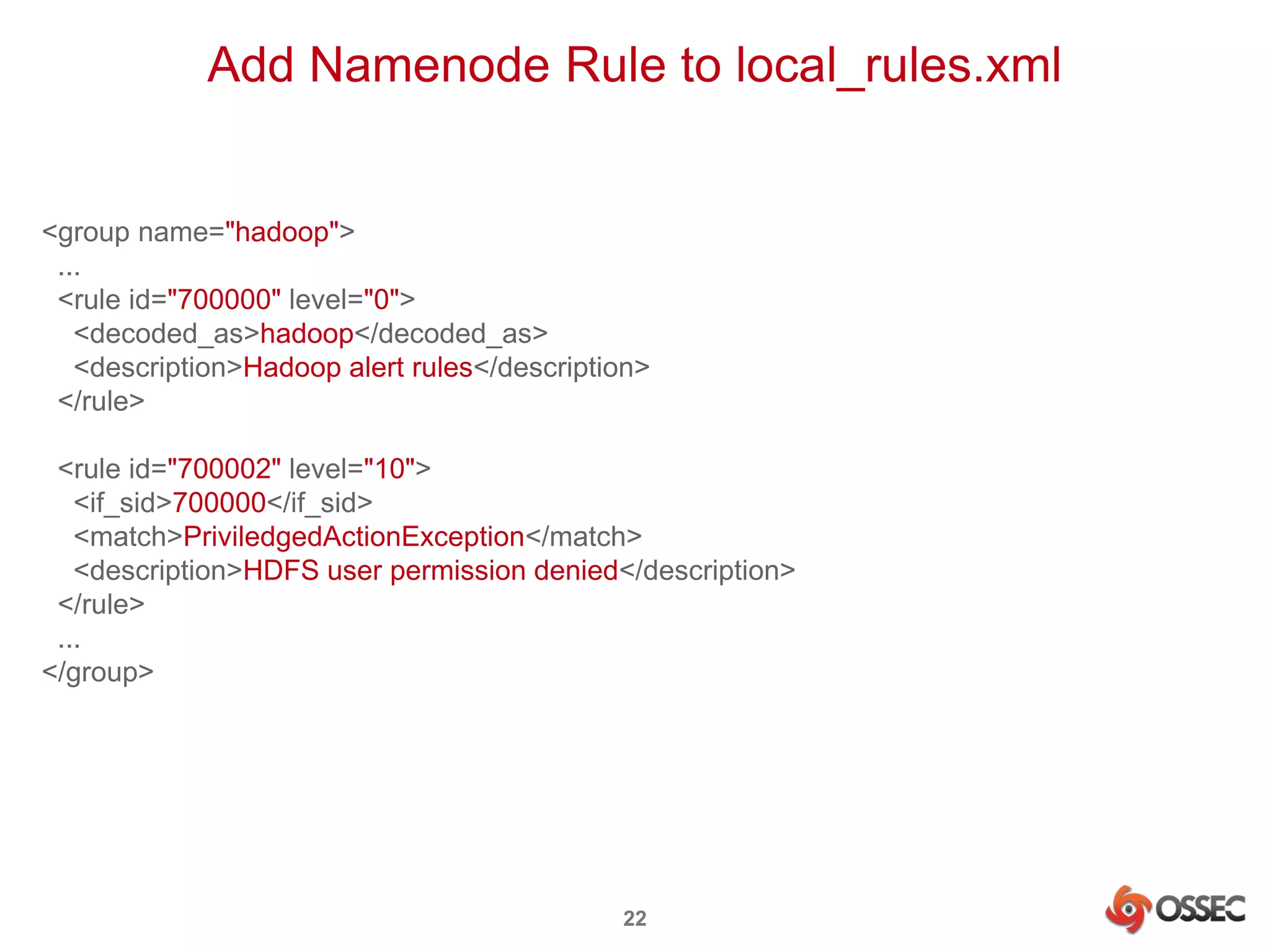
Add Namenode Rule to local_rules.xml 
22 
<group name="hadoop"> 
... 
<rule id="700000" level="0"> 
<decoded_as>hadoop</decoded_as> 
<description>Hadoop alert rules</description> 
</rule> 
<rule id="700002" level="10"> 
<if_sid>700000</if_sid> 
<match>PriviledgedActionException</match> 
<description>HDFS user permission denied</description> 
</rule> 
... 
</group>
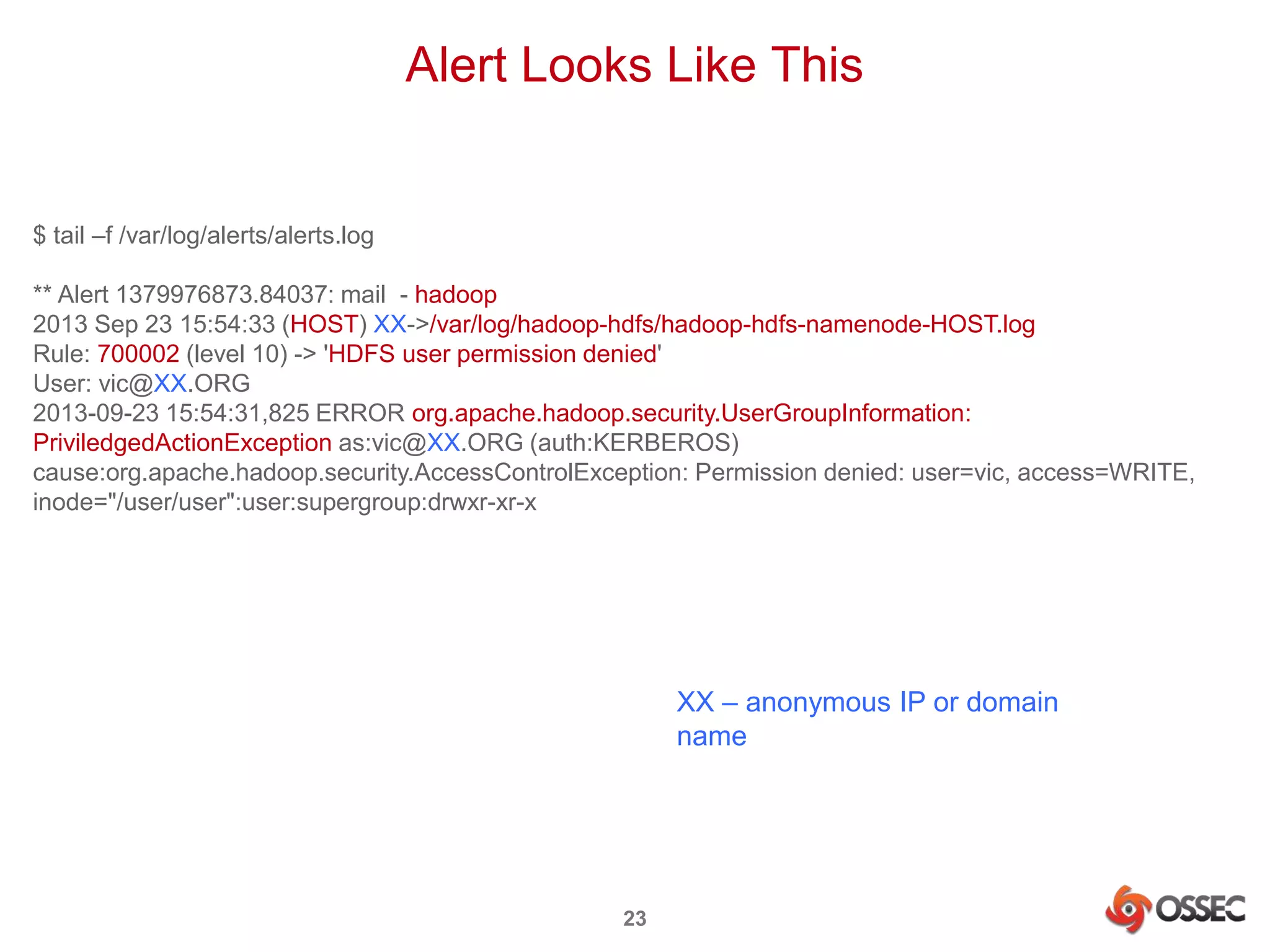
Alert Looks Like This 
23 
$ tail –f /var/log/alerts/alerts.log 
** Alert 1379976873.84037: mail - hadoop 
2013 Sep 23 15:54:33 (HOST) XX->/var/log/hadoop-hdfs/hadoop-hdfs-namenode-HOST.log 
Rule: 700002 (level 10) -> 'HDFS user permission denied' 
User: vic@XX.ORG 
2013-09-23 15:54:31,825 ERROR org.apache.hadoop.security.UserGroupInformation: 
PriviledgedActionException as:vic@XX.ORG (auth:KERBEROS) 
cause:org.apache.hadoop.security.AccessControlException: Permission denied: user=vic, access=WRITE, 
inode="/user/user":user:supergroup:drwxr-xr-x 
XX – anonymous IP or domain 
name
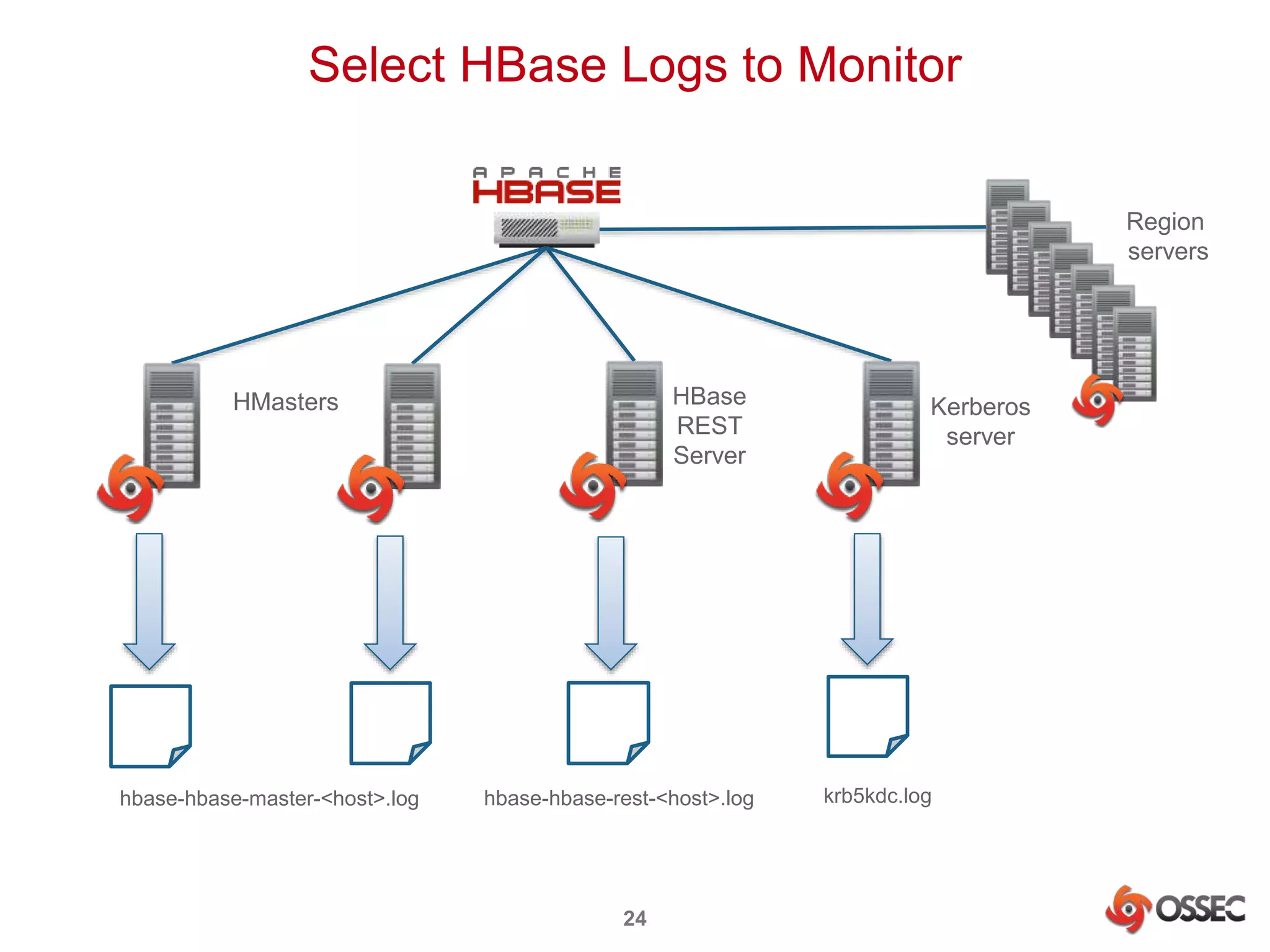
Select HBase Logs to Monitor 
24 
Region 
servers 
HBase 
REST 
Server 
HMasters Kerberos 
server 
hbase-hbase-master-<host>.log hbase-hbase-rest-<host>.log krb5kdc.log
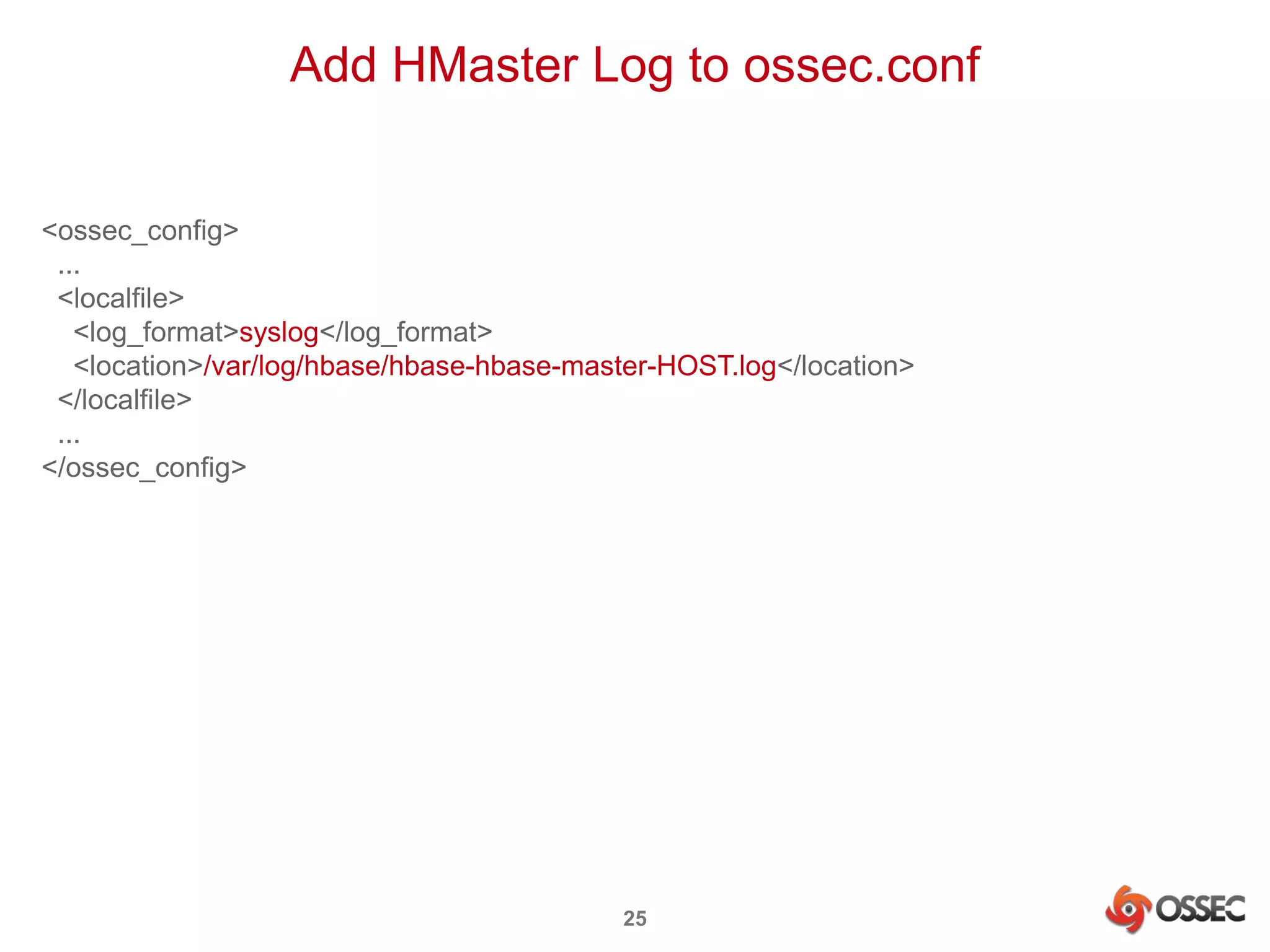
Add HMaster Log to ossec.conf 
25 
<ossec_config> 
... 
<localfile> 
<log_format>syslog</log_format> 
<location>/var/log/hbase/hbase-hbase-master-HOST.log</location> 
</localfile> 
... 
</ossec_config>
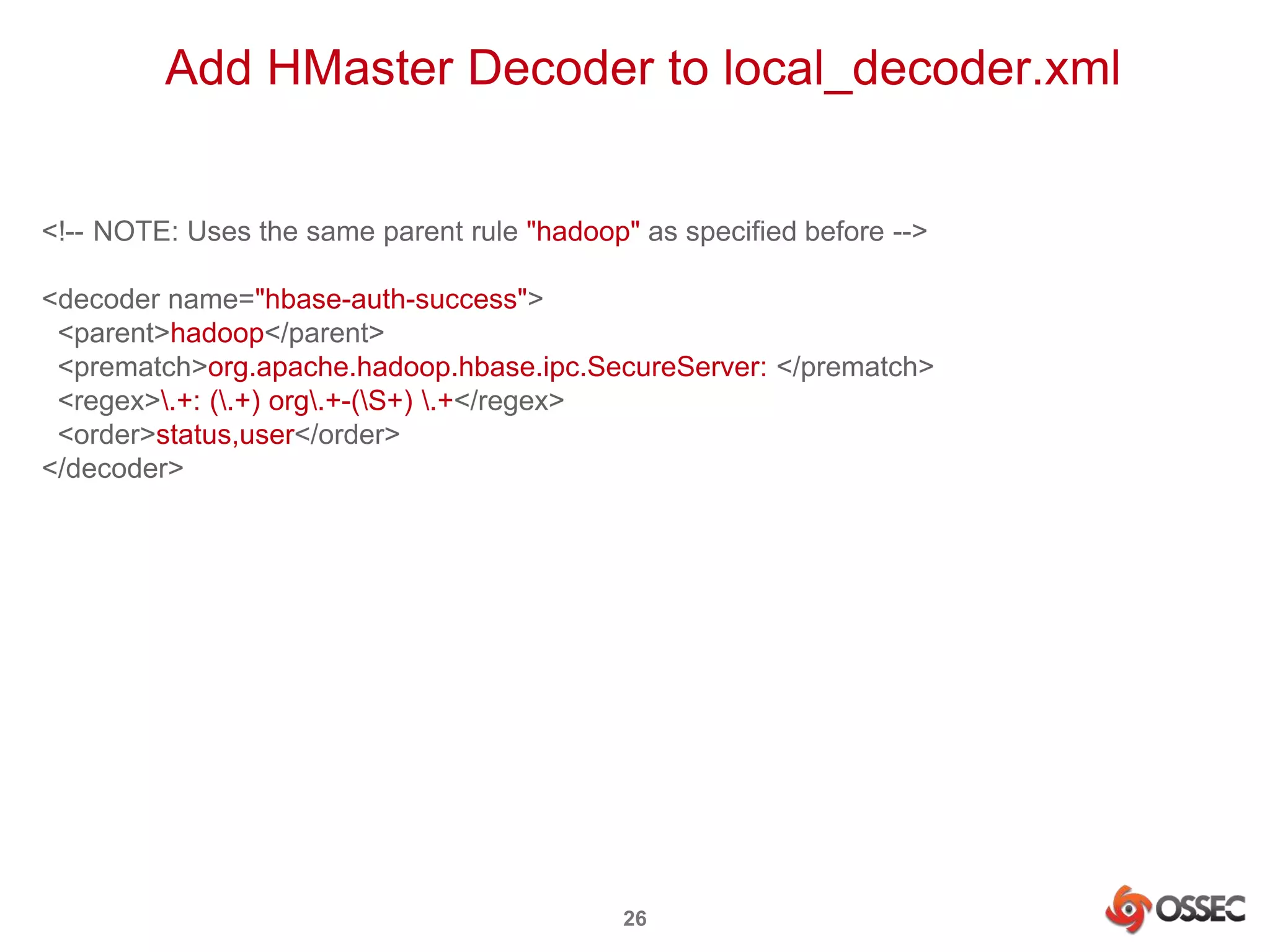
Add HMaster Decoder to local_decoder.xml 
<!-- NOTE: Uses the same parent rule "hadoop" as specified before --> 
<decoder name="hbase-auth-success"> 
<parent>hadoop</parent> 
<prematch>org.apache.hadoop.hbase.ipc.SecureServer: </prematch> 
<regex>.+: (.+) org.+-(S+) .+</regex> 
<order>status,user</order> 
</decoder> 
26
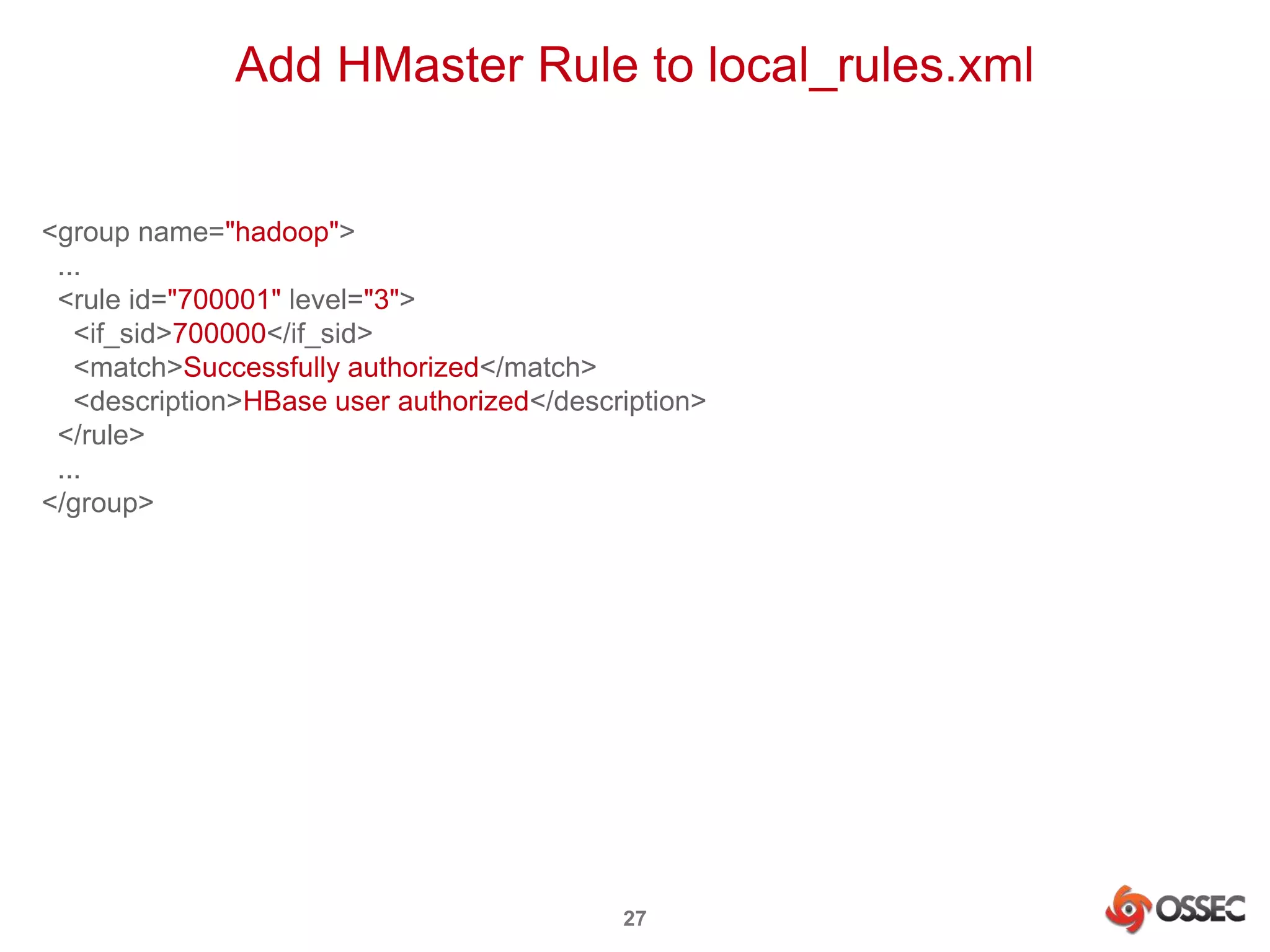
Add HMaster Rule to local_rules.xml 
27 
<group name="hadoop"> 
... 
<rule id="700001" level="3"> 
<if_sid>700000</if_sid> 
<match>Successfully authorized</match> 
<description>HBase user authorized</description> 
</rule> 
... 
</group>
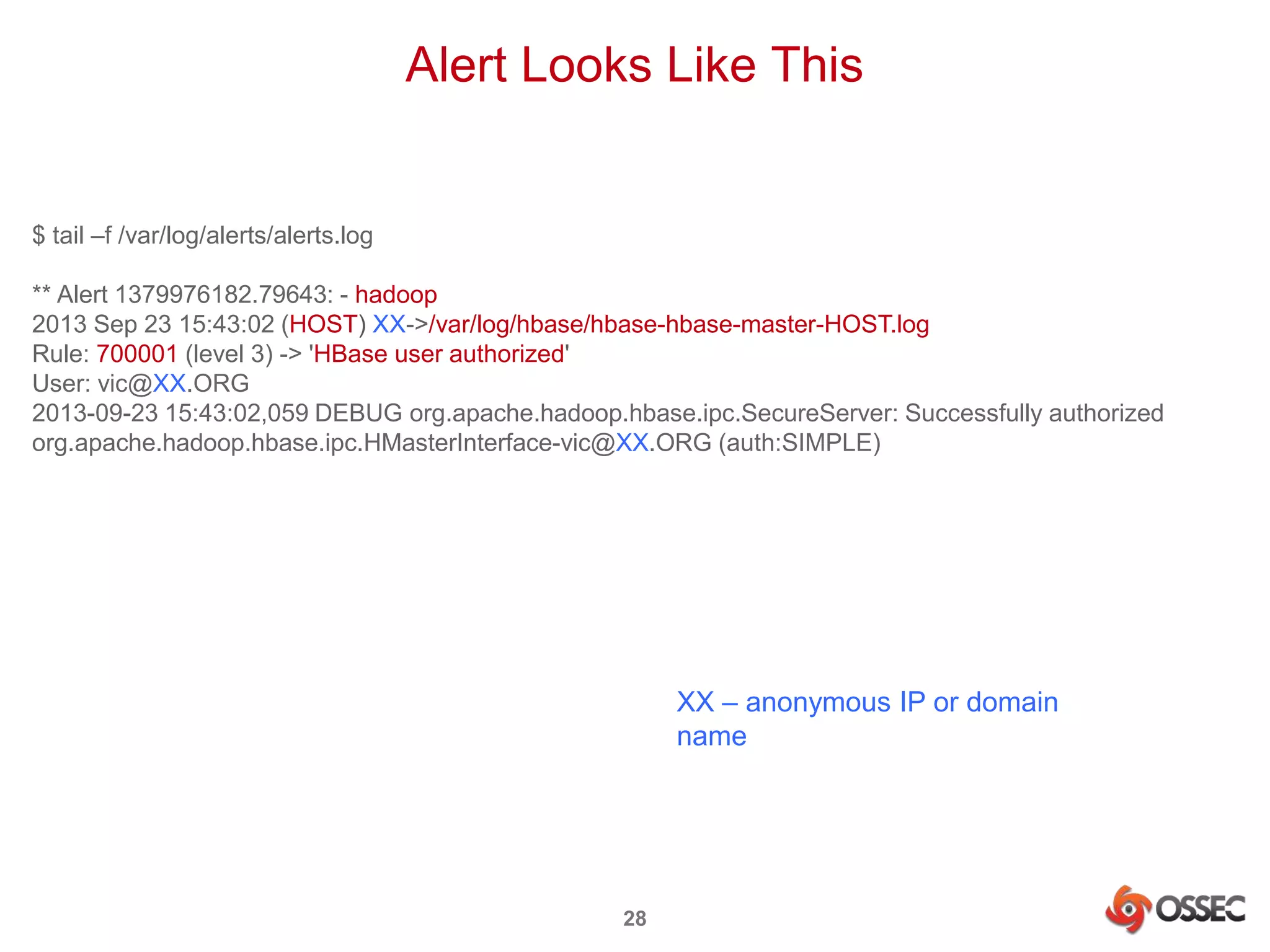
Alert Looks Like This 
28 
$ tail –f /var/log/alerts/alerts.log 
** Alert 1379976182.79643: - hadoop 
2013 Sep 23 15:43:02 (HOST) XX->/var/log/hbase/hbase-hbase-master-HOST.log 
Rule: 700001 (level 3) -> 'HBase user authorized' 
User: vic@XX.ORG 
2013-09-23 15:43:02,059 DEBUG org.apache.hadoop.hbase.ipc.SecureServer: Successfully authorized 
org.apache.hadoop.hbase.ipc.HMasterInterface-vic@XX.ORG (auth:SIMPLE) 
XX – anonymous IP or domain 
name
Security Event Analysis 
29
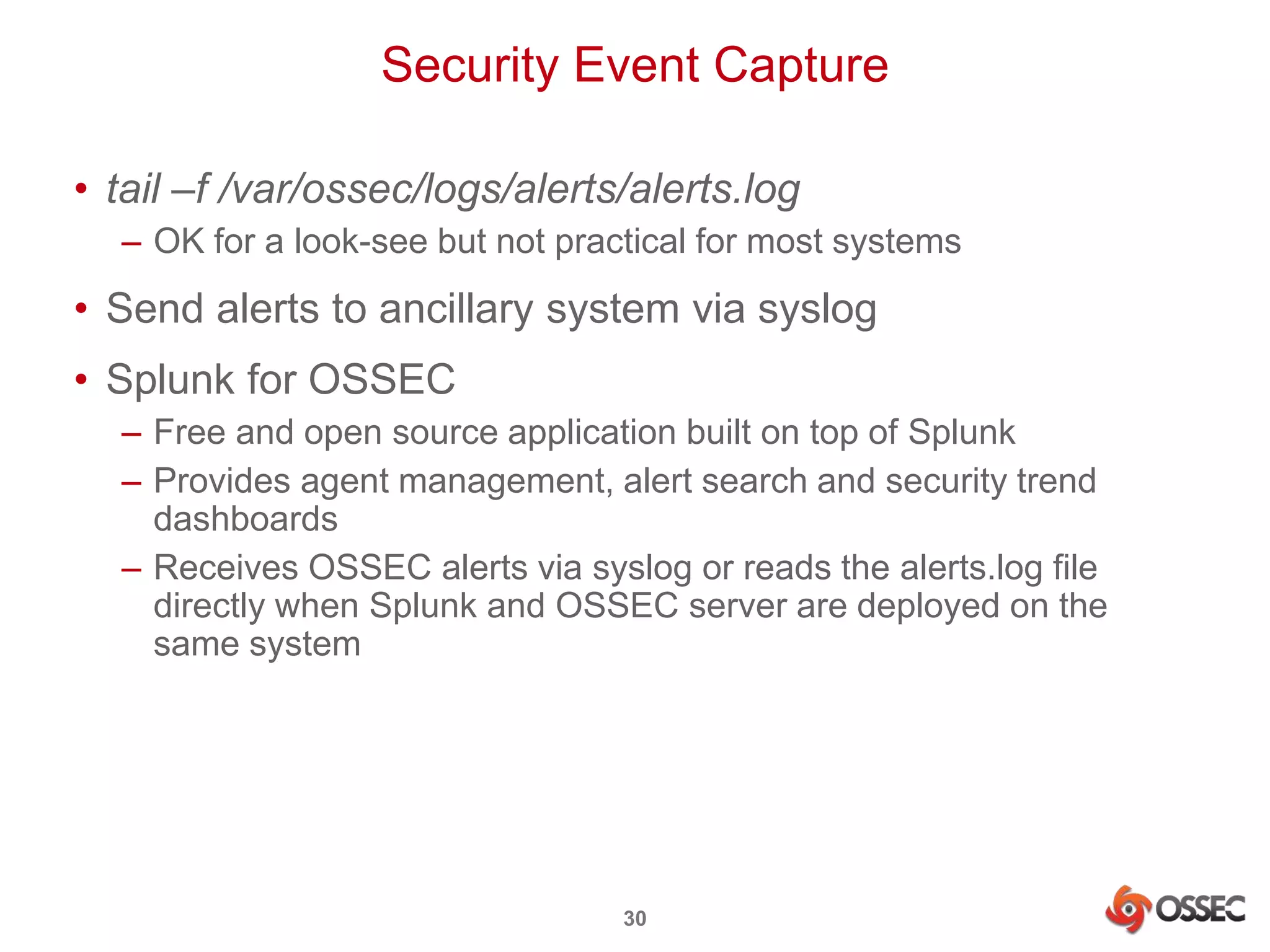
Security Event Capture 
• tail –f /var/ossec/logs/alerts/alerts.log 
– OK for a look-see but not practical for most systems 
• Send alerts to ancillary system via syslog 
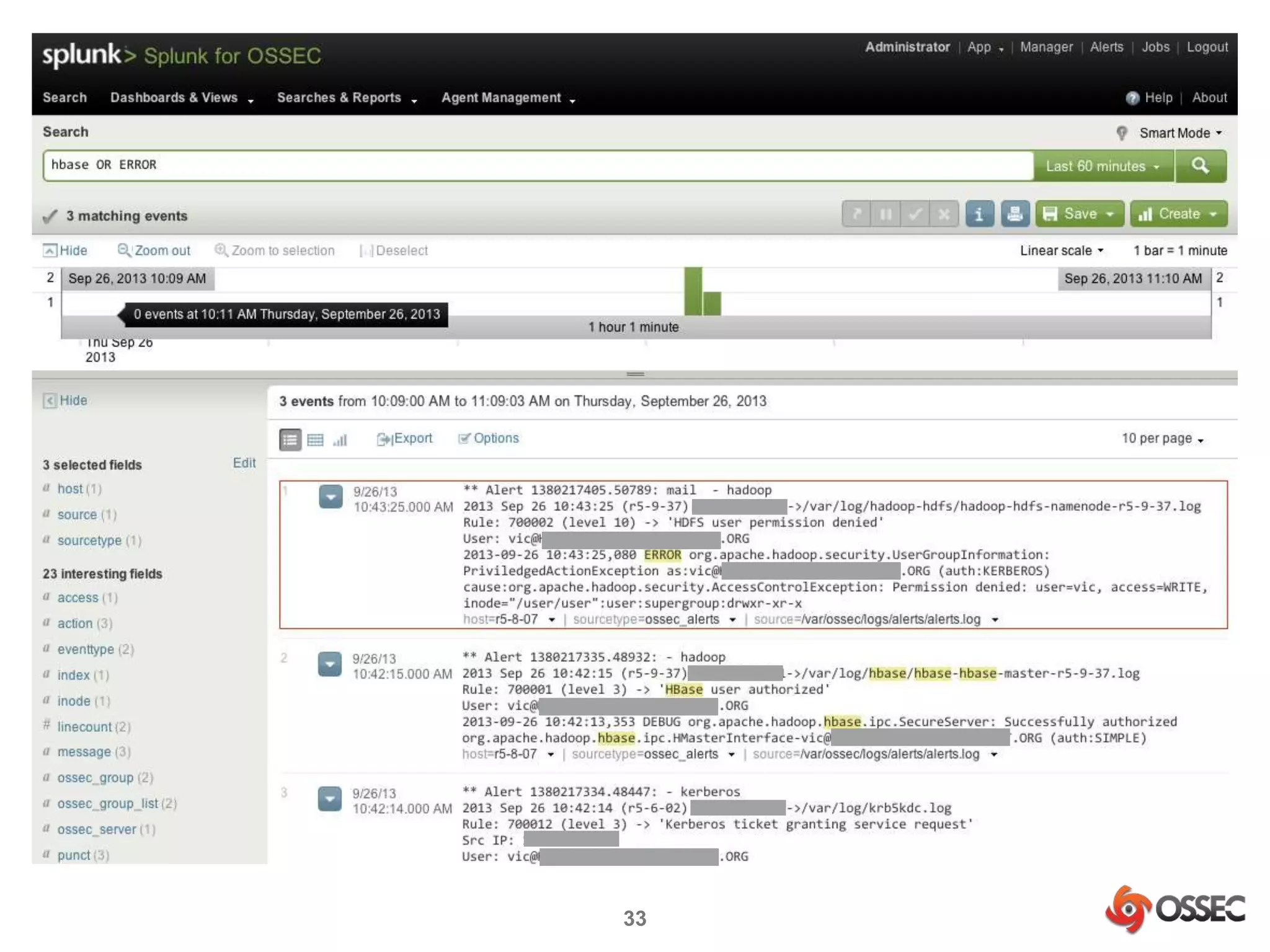
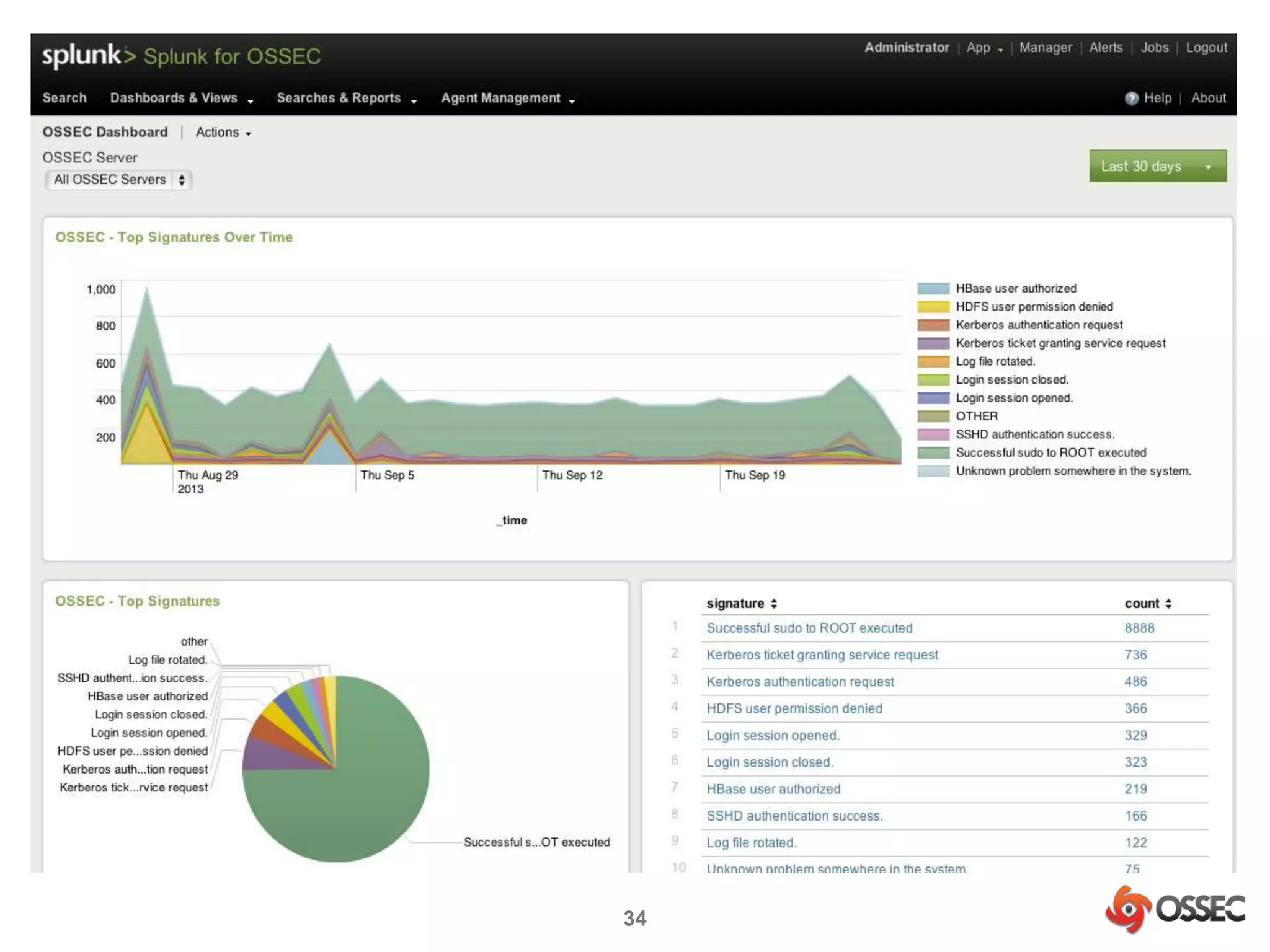
• Splunk for OSSEC 
– Free and open source application built on top of Splunk 
– Provides agent management, alert search and security trend 
dashboards 
– Receives OSSEC alerts via syslog or reads the alerts.log file 
directly when Splunk and OSSEC server are deployed on the 
same system 
30
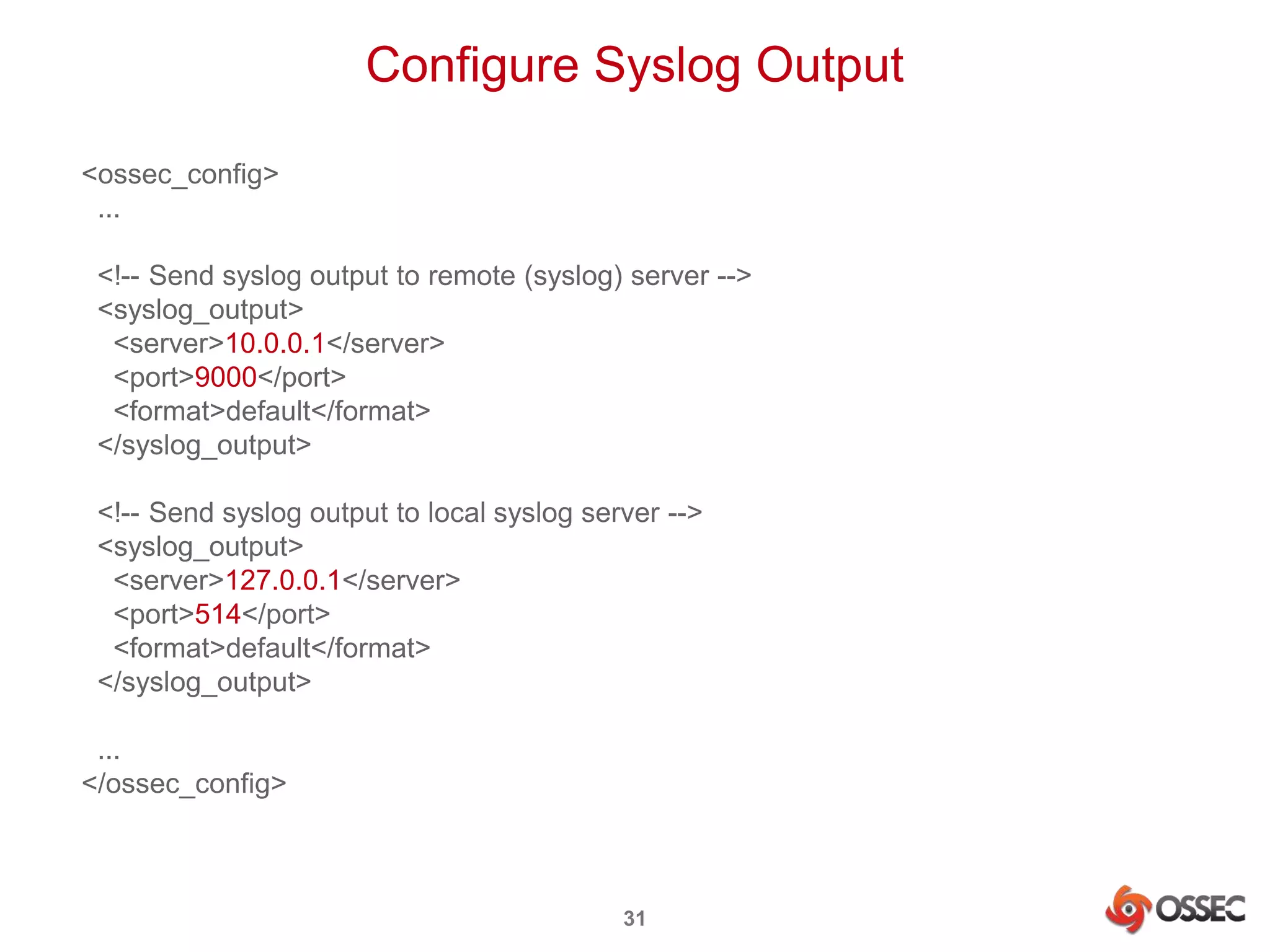
Configure Syslog Output 
31 
<ossec_config> 
... 
<!-- Send syslog output to remote (syslog) server --> 
<syslog_output> 
<server>10.0.0.1</server> 
<port>9000</port> 
<format>default</format> 
</syslog_output> 
<!-- Send syslog output to local syslog server --> 
<syslog_output> 
<server>127.0.0.1</server> 
<port>514</port> 
<format>default</format> 
</syslog_output> 
... 
</ossec_config>
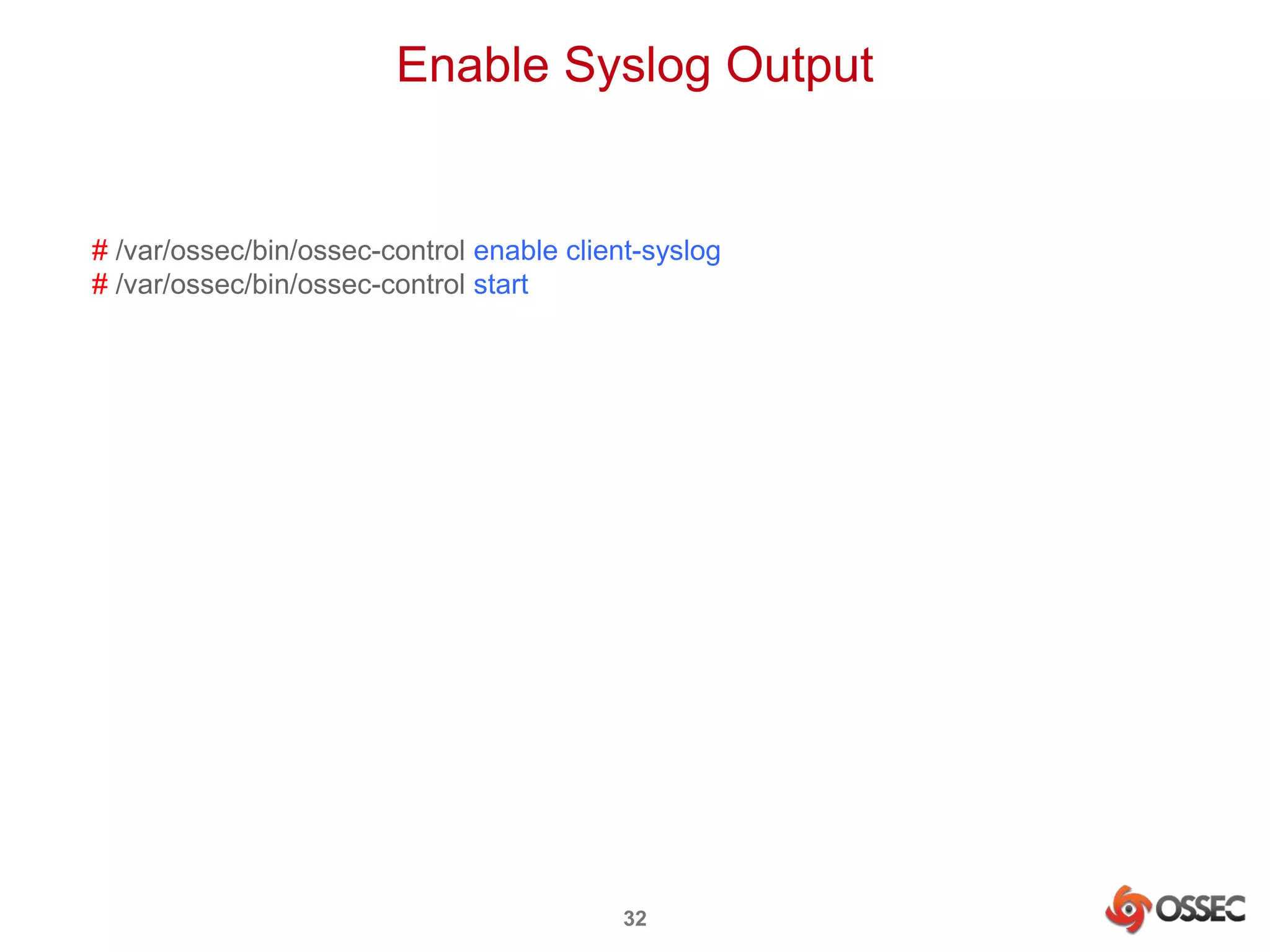
Enable Syslog Output 
# /var/ossec/bin/ossec-control enable client-syslog 
# /var/ossec/bin/ossec-control start 
32
33
34
Summing Up 
35
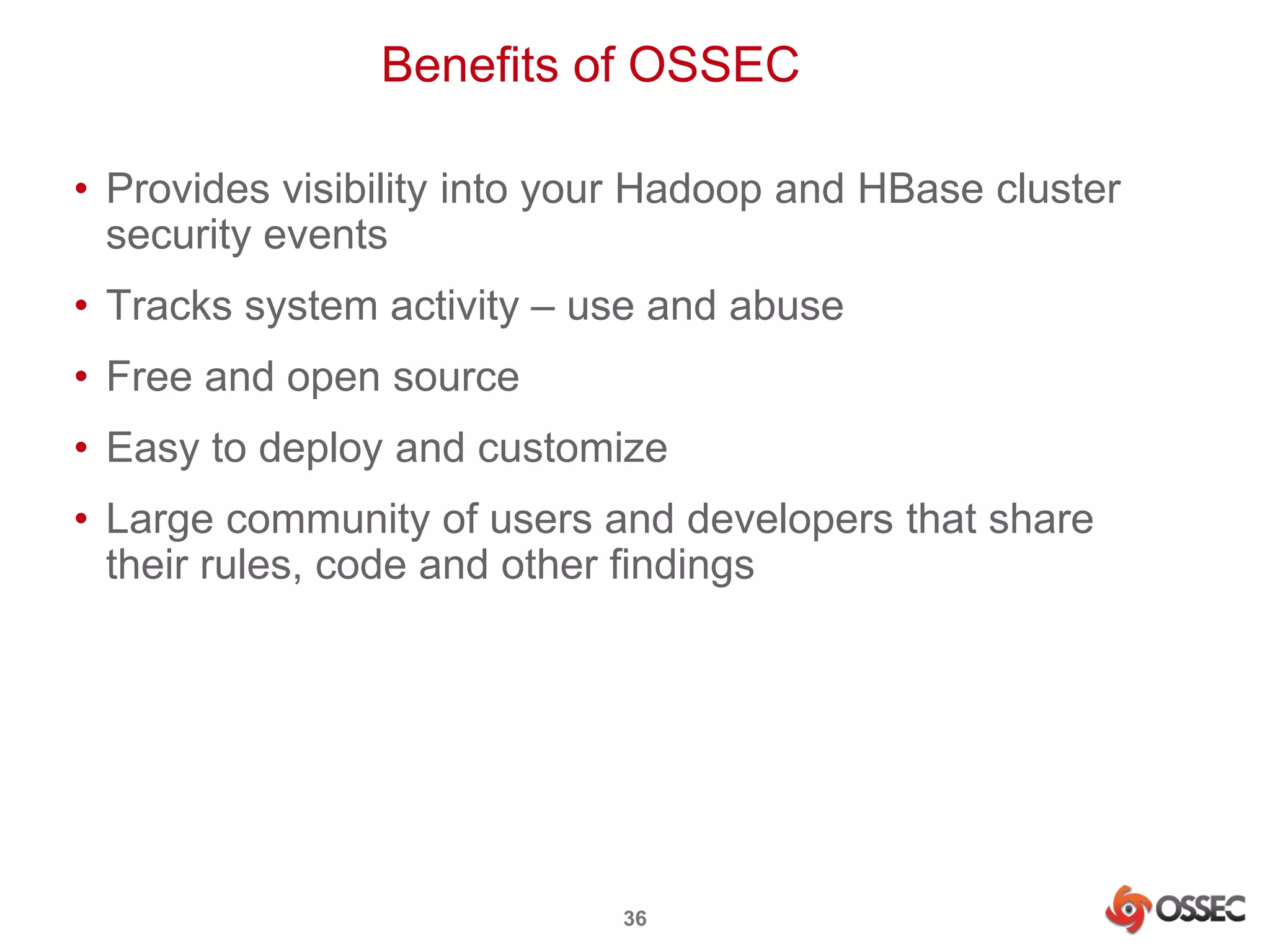
Benefits of OSSEC 
• Provides visibility into your Hadoop and HBase cluster 
security events 
• Tracks system activity – use and abuse 
• Free and open source 
• Easy to deploy and customize 
• Large community of users and developers that share 
their rules, code and other findings 
36
There’s More to Be Done… 
• Improve coverage of security events for Hadoop and 
HBase 
• Additional coverage for other Hadoop facilities – 
MapReduce, Pig, etc. 
• Add rules for new vulnerabilities as they are announced 
37
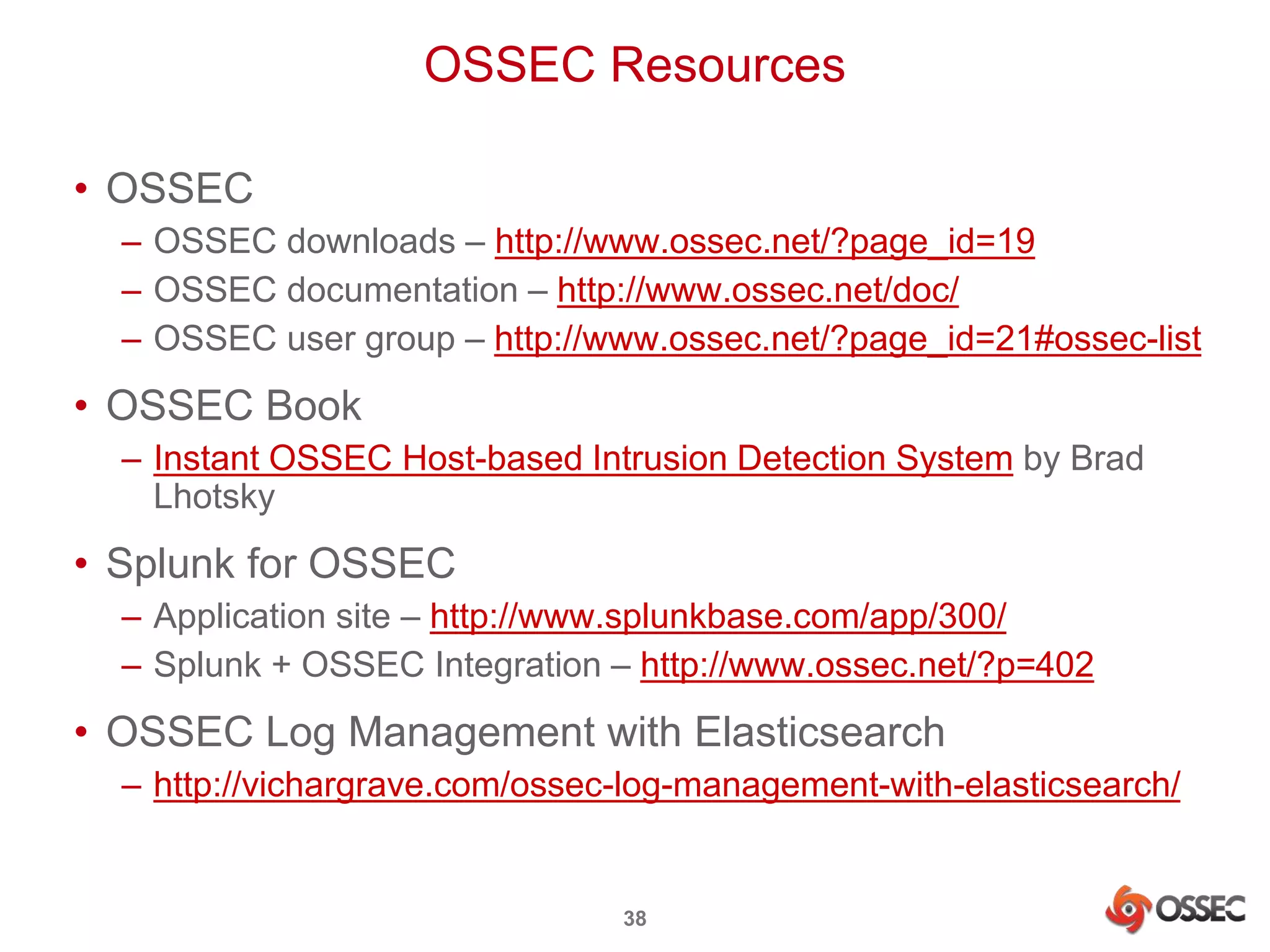
OSSEC Resources 
38 
• OSSEC 
– OSSEC downloads – http://www.ossec.net/?page_id=19 
– OSSEC documentation – http://www.ossec.net/doc/ 
– OSSEC user group – http://www.ossec.net/?page_id=21#ossec-list 
• OSSEC Book 
– Instant OSSEC Host-based Intrusion Detection System by Brad 
Lhotsky 
• Splunk for OSSEC 
– Application site – http://www.splunkbase.com/app/300/ 
– Splunk + OSSEC Integration – http://www.ossec.net/?p=402 
• OSSEC Log Management with Elasticsearch 
– http://vichargrave.com/ossec-log-management-with-elasticsearch/
Thanks for Attending! 
Vic Hargrave | ossec@vichargrave.com | @vichargrave 
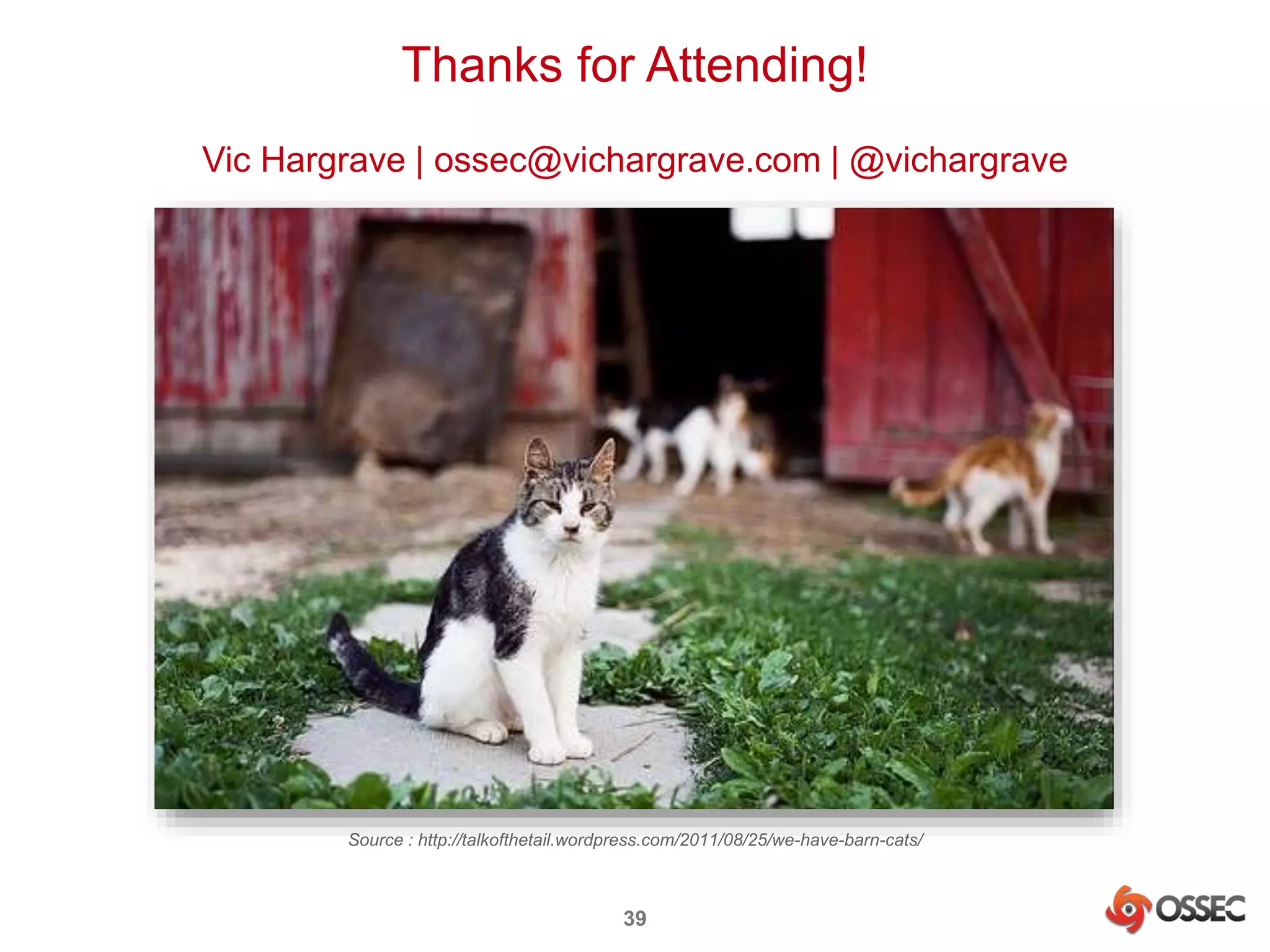
Source : http://talkofthetail.wordpress.com/2011/08/25/we-have-barn-cats/ 
39

Securing Hadoop with OSSEC

  • 1.
    Securing Hadoop withOSSEC Vic Hargrave | vichargrave@gmail.com | @vichargrave 1
  • 2.
    $ whoami •Community Manager for the OSSEC Project • Software Architect for Trend Micro Data Analytics Group • Blogger for Trend Micro Security Intelligence and Simply Security • Twitter: @vichargrave • LinkedIn: www.linkedin.com/in/vichargrave • Email: ossec@vichargrave.com 2
  • 3.
    Outline • HadoopSecurity • OSSEC in a Nutshell • OSSEC for Hadoop • Security Event Analysis • Summing Up 3
  • 4.
  • 5.
    Hadoop Security 5 Kerberos User Authorization HDFS encryption RPC encryption Extensive Logging
  • 6.
    Missing Pieces 6 Firewall protection Network intrusion detection Host intrusion detection
  • 7.
    Why Use HostIntrusion Detection? Dilbert is a copyright of Scott Adams, Inc. – http://www.dilbert.com To get visibility into your system’s security events 7
  • 8.
    Security Events ToLook For Root logins to nodes Kerberos ticket granting Failed HDFS operations HBase REST requests HBase logins There are more to be added … 8
  • 9.
    OSSEC in aNutshell 9
  • 10.
    What is ? • Open Source SECurity • Open Source Host-based Intrusion Detection System • Monitors important system files and logs for signs of intrusion – file changes, log entries, etc. • Provides protection for Windows, Linux, Mac OS, Solaris and many other *nix systems • http://www.ossec.net • Founded by Daniel Cid • Managed by JB Cheng and Vic Hargrave • Sponsored by Trend Micro 10
  • 11.
    OSSEC Capabilities •Log monitoring and analysis • File integrity checking (Unix and Windows) • Registry integrity checking (Windows) • Host-based anomaly detection (for Unix – rootkit detection) • Active Response 11
  • 12.
    OSSEC In Action encrypted logs UDP port 1514 12 OSSEC Server OSSEC Agents encrypted logs UDP port 1514 log security events log security events alerts.log tail –f /var/ossec/alerts/alerts.log decode logs generate alerts Notifications syslog
  • 13.
    OSSEC Downloads •Source packages and virtual appliance – http://www.ossec.net/?page_id=19 • RPM packages – http://www.atomicorp.com/channels/atomic/ • DEB packages – (Unofficial) https://launchpad.net/~nicolas-zin/+archive/ossec-ubuntu – Official packages coming soon… 13
  • 14.
    Installing OSSEC 1.Install server and agents – Default location /var/ossec 2. Register agent IPs and get agent keys* from server – /var/ossec/bin/manage_agents 3. Connect each agent to server – Install key on agent – /var/ossec/bin/manage_agents – Restart agent – /var/ossec/bin/ossec-control restart 4. Restart server – /var/ossec/bin/ossec-control restart 5. Check agents are connected – /var/ossec/bin/agent_control –l 14 *Used for agent authentication and log transfer encryption
  • 15.
    Configuring OSSEC 1.Configure /var/ossec/etc/ossec.conf on the OSSEC agents – Add files to check for changes – Add logs to monitor and parse 2. Add decoders to /var/ossec/etc/local_decoders.xml to parse logs and decode fields 3. Add rules to /var/ossec/rules/local_rules.xml to generate alerts according to decoded fields 4. Test decoders and rules, repeating steps 1 – 4 – /var/ossec/bin/ossec-logtest 5. Restart agents and server 15
  • 16.
  • 17.
    Configure File IntegrityChecking • We want to know if and when Hadoop and HBase configuration and JAR files are changed • Out of the box OSSEC checks all directories and files in /etc, /usr/bin and /usr/sbin so you are all set to go if your Hadoop and HBase config files are there • Otherwise add the config locations to ossec.conf on each node: <syscheck> ... <directories check_all="yes">/etc,/usr/bin,/usr/sbin</directories> <directories check_all="yes">/hadoop/conf</directories> ... </syscheck> 17
  • 18.
    Configure Real-Time IntegrityChecking <syscheck> ... <directories realtime="yes" check_all="yes">/etc,/usr/bin,/usr/sbin </directories> <directories realtime="yes" check_all="yes">/hadoop/conf </directories> 18 <alert_new_files>yes</alert_new_files> ... </syscheck>
  • 19.
    Select Hadoop Logsto Monitor 19 HA Namenodes Kerberos server hadoop-hdfs-namenode-<host>.log krb5kdc.log Datanodes
  • 20.
    Add Namenode Logto ossec.conf 20 <ossec_config> ... <localfile> <log_format>syslog</log_format> <location>/var/log/hadoop-hdfs/hadoop-hdfs-namenode-HOST.log </location> </localfile> ... </ossec_config>
  • 21.
    Add Namenode Decoderto local_decoder.xml 21 <decoder name="hadoop"> <prematch>org.apache.hadoop</prematch> </decoder> <decoder name="hdfs-auth-fail"> <parent>hadoop</parent> <prematch>org.apache.hadoop.security.UserGroupInformation: </prematch> <regex>S+ (S+) as:(S+) S+ S+ (S+ w+): .+</regex> <order>extra_data,user,status</order> </decoder>
  • 22.
    Add Namenode Ruleto local_rules.xml 22 <group name="hadoop"> ... <rule id="700000" level="0"> <decoded_as>hadoop</decoded_as> <description>Hadoop alert rules</description> </rule> <rule id="700002" level="10"> <if_sid>700000</if_sid> <match>PriviledgedActionException</match> <description>HDFS user permission denied</description> </rule> ... </group>
  • 23.
    Alert Looks LikeThis 23 $ tail –f /var/log/alerts/alerts.log ** Alert 1379976873.84037: mail - hadoop 2013 Sep 23 15:54:33 (HOST) XX->/var/log/hadoop-hdfs/hadoop-hdfs-namenode-HOST.log Rule: 700002 (level 10) -> 'HDFS user permission denied' User: vic@XX.ORG 2013-09-23 15:54:31,825 ERROR org.apache.hadoop.security.UserGroupInformation: PriviledgedActionException as:vic@XX.ORG (auth:KERBEROS) cause:org.apache.hadoop.security.AccessControlException: Permission denied: user=vic, access=WRITE, inode="/user/user":user:supergroup:drwxr-xr-x XX – anonymous IP or domain name
  • 24.
    Select HBase Logsto Monitor 24 Region servers HBase REST Server HMasters Kerberos server hbase-hbase-master-<host>.log hbase-hbase-rest-<host>.log krb5kdc.log
  • 25.
    Add HMaster Logto ossec.conf 25 <ossec_config> ... <localfile> <log_format>syslog</log_format> <location>/var/log/hbase/hbase-hbase-master-HOST.log</location> </localfile> ... </ossec_config>
  • 26.
    Add HMaster Decoderto local_decoder.xml <!-- NOTE: Uses the same parent rule "hadoop" as specified before --> <decoder name="hbase-auth-success"> <parent>hadoop</parent> <prematch>org.apache.hadoop.hbase.ipc.SecureServer: </prematch> <regex>.+: (.+) org.+-(S+) .+</regex> <order>status,user</order> </decoder> 26
  • 27.
    Add HMaster Ruleto local_rules.xml 27 <group name="hadoop"> ... <rule id="700001" level="3"> <if_sid>700000</if_sid> <match>Successfully authorized</match> <description>HBase user authorized</description> </rule> ... </group>
  • 28.
    Alert Looks LikeThis 28 $ tail –f /var/log/alerts/alerts.log ** Alert 1379976182.79643: - hadoop 2013 Sep 23 15:43:02 (HOST) XX->/var/log/hbase/hbase-hbase-master-HOST.log Rule: 700001 (level 3) -> 'HBase user authorized' User: vic@XX.ORG 2013-09-23 15:43:02,059 DEBUG org.apache.hadoop.hbase.ipc.SecureServer: Successfully authorized org.apache.hadoop.hbase.ipc.HMasterInterface-vic@XX.ORG (auth:SIMPLE) XX – anonymous IP or domain name
  • 29.
  • 30.
    Security Event Capture • tail –f /var/ossec/logs/alerts/alerts.log – OK for a look-see but not practical for most systems • Send alerts to ancillary system via syslog • Splunk for OSSEC – Free and open source application built on top of Splunk – Provides agent management, alert search and security trend dashboards – Receives OSSEC alerts via syslog or reads the alerts.log file directly when Splunk and OSSEC server are deployed on the same system 30
  • 31.
    Configure Syslog Output 31 <ossec_config> ... <!-- Send syslog output to remote (syslog) server --> <syslog_output> <server>10.0.0.1</server> <port>9000</port> <format>default</format> </syslog_output> <!-- Send syslog output to local syslog server --> <syslog_output> <server>127.0.0.1</server> <port>514</port> <format>default</format> </syslog_output> ... </ossec_config>
  • 32.
    Enable Syslog Output # /var/ossec/bin/ossec-control enable client-syslog # /var/ossec/bin/ossec-control start 32
  • 33.
  • 34.
  • 35.
  • 36.
    Benefits of OSSEC • Provides visibility into your Hadoop and HBase cluster security events • Tracks system activity – use and abuse • Free and open source • Easy to deploy and customize • Large community of users and developers that share their rules, code and other findings 36
  • 37.
    There’s More toBe Done… • Improve coverage of security events for Hadoop and HBase • Additional coverage for other Hadoop facilities – MapReduce, Pig, etc. • Add rules for new vulnerabilities as they are announced 37
  • 38.
    OSSEC Resources 38 • OSSEC – OSSEC downloads – http://www.ossec.net/?page_id=19 – OSSEC documentation – http://www.ossec.net/doc/ – OSSEC user group – http://www.ossec.net/?page_id=21#ossec-list • OSSEC Book – Instant OSSEC Host-based Intrusion Detection System by Brad Lhotsky • Splunk for OSSEC – Application site – http://www.splunkbase.com/app/300/ – Splunk + OSSEC Integration – http://www.ossec.net/?p=402 • OSSEC Log Management with Elasticsearch – http://vichargrave.com/ossec-log-management-with-elasticsearch/
  • 39.
    Thanks for Attending! Vic Hargrave | ossec@vichargrave.com | @vichargrave Source : http://talkofthetail.wordpress.com/2011/08/25/we-have-barn-cats/ 39